• Regeln für den Video-Bereich:

    In den Börsenbereich gehören nur Angebote die bereits den Allgemeinen Regeln entsprechen.

    Einteilung

    - Folgende Formate gehören in die angegeben Bereiche:
    - Filme: Encodierte Filme von BluRay, DVD, R5, TV, Screener sowie Telesyncs im Format DivX, XviD und x264.
    - DVD: Filme im Format DVD5, DVD9 und HD2DVD.
    - HD: Encodierte Filme mit der Auflösung 720p oder darüber von BluRay, DVD, R5, TV, Screener sowie Telesyncs im Format x264.
    - 3D: Encodierte Filme von BluRay, die in einem 3D Format vorliegen. Dies gilt auch für Dokus, Animation usw.
    - Serien: Cartoon/Zeichentrick, Anime, Tutorials, Dokumentationen, Konzerte/Musik, Sonstiges sind demnach in die entsprechenden Bereiche einzuordnen, auch wenn sie beispielsweise im High Definition-Format oder als DVD5/DVD9/HD2DVD vorliegen. Ausnahme 3D.
    - Bereich Englisch: Englische Releases gehören immer in diesen Bereich.
    - Bereich Talk: Der Bereich, in dem über die Releases diskutiert werden kann, darf, soll und erwünscht ist.


    Angebot/Beitrag erstellen

    - Ein Beitrag darf erst dann erstellt werden, wenn der Upload bei mindestens einem OCH komplett ist. Platzhalter sind untersagt.
    - Bei einem Scenerelease hat der Threadtitel ausschließlich aus dem originalen, unveränderten Releasenamen zu bestehen. Es dürfen keine Veränderungen wie z.B. Sterne, kleine Buchstaben o.ä. vorgenommen werden. Ausnahme Serienbörse:
    - Bei einem Sammelthread für eine Staffel entfällt aus dem Releasename natürlich der Name der Folge. Beispiel: Die Simpsons S21 German DVDRip XviD - ITG
    - Dementsprechend sind also u.a. verboten: Erweiterungen wie "Tipp", "empfehlenswert", "only", "reup", usw. / jegliche andere Zusatzinformation oder Ergänzung, welche nicht in obiger Beschreibung zu finden ist.

    Aufbau des Angebots und Threadtitel

    Der Titel nach folgendem Muster erstellt zu werden. <Name> [3D] [Staffel] [German] <Jahr> <Tonspur> [DL] [Auflösung] <Quelle> <Codec> - <Group>
    Beispiel: The Dark Knight German 2008 AC3 DVDRip XviD - iND
    Beispiel: The Dark Knight 2008 DTS DL BDRip x264 - iND
    Beispiel: The Dark Knight 2008 AC3 DL BDRip XviD - iND
    Beispiel: The Dark Knight German 2008 AC3 720p BluRay x264 iND
    Beispiel: The Dark Knight 2008 DTS DL 1080p BluRay x264 iND
    Beispiel: Die Simpsons S01 German AC3 DVDRip XviD iND
    Beispiel: Die Simpsons S20 German AC3 720p BluRay x264 iND
    Beispiel: Sword Art Online II Ger Sub 2014 AAC 1080p WEBRip x264 - peppermint
    Entsprechend sind also u.a. verboten: Sonderzeichen wie Klammern, Sterne, Ausrufezeichen, Unterstriche, Anführungszeichen / Erweiterungen wie "Tipp", "empfehlenswert", "only", "reup", usw. / jegliche andere Zusatzinformation oder Ergänzung, welche nicht in obiger Beschreibung zu finden ist
    Ausnahmen hiervon können in den Bereichen geregelt sein.

    Die Beiträge sollen wie folgt aufgebaut werden:
    Überschrift entspricht dem Threadtitel
    Cover
    kurze Inhaltsbeschreibung
    Format, Größe, Dauer sind gut lesbar für Downloader außerhalb des Spoilers zu vermerken
    Nfo sind immer Anzugeben und selbige immer im Spoiler in Textform.
    Sind keine Nfo vorhanden z.B. Eigenpublikationen, sind im Spoiler folgende Dateiinformationen zusätzlich anzugeben :
    Quelle
    Video (Auflösung und Bitrate)
    Ton (Sprache, Format und Bitrate der einzelnen Spuren)
    Untertitel (sofern vorhanden)
    Hosterangabe in Textform außerhalb eines Spoiler mit allen enthaltenen Hostern.
    Bei SD kann auf diese zusätzlichen Dateiinformationen verzichtet werden.

    Alle benötigten Passwörter sind, sofern vorhanden, in Textform im Angebot anzugeben.
    Spoiler im Spoiler mit Kommentaren :"Schon Bedankt?" sind unerwünscht.


    Releases

    - Sind Retail-Release verfügbar, sind alle anderen Variationen untersagt. Ausnahmen: Alle deutschen Retail-Release sind CUT, in diesem Fall sind dubbed UNCUT-Release zulässig.
    - Im Serien-Bereich gilt speziell: Wenn ein Retail vor Abschluss einer laufenden Staffel erscheint, darf diese Staffel noch zu Ende gebracht werden.62
    - Gleiche Releases sind unbedingt zusammenzufassen. Das bedeutet, es ist zwingend erforderlich, vor dem Erstellen eines Themas per Suchfunktion zu überprüfen, ob bereits ein Beitrag mit demselben Release besteht. Ist dies der Fall, ist der bereits vorhandene Beitrag zu verwenden.
    - P2P und Scene Releases dürfen nicht verändert oder gar unter einem iND Tag eingestellt werden.


    Support, Diskussionen und Suche

    - Supportanfragen sind entweder per PN oder im Bereich Talk zu stellen.
    - Diskussionen und Bewertungen sind im Talk Bereich zu führen. Fragen an die Uploader haben ausschließlich via PN zu erfolgen, und sind in den Angeboten untersagt.
    - Anfragen zu Upload-Wünschen sind nur im Bereich Suche Video erlaubt. Antworten dürfen nur auf Angebote von MyBoerse.bz verlinkt werden.


    Verbote

    - Untersagt sind mehrere Formate in einem einzigen Angebotsthread, wie beispielsweise das gleichzeitige Anbieten von DivX/XviD, 720p und 1080p in einem Thread. Pro Format, Release und Auflösung ist ein eigener Thread zu eröffnen.
    - Grundsätzlich ebenso verboten sind Dupes. Uploader haben sich an geeigneter Stelle darüber zu informieren, ob es sich bei einem Release um ein Dupe handelt.
    - Gefakte, nur teilweise lauffähige oder unvollständige Angebote sind untersagt. Dies gilt auch für eigene Publikationen, die augenscheinlich nicht selbst von z.B. einer DVD gerippt wurden. Laufende Serien, bei denen noch nicht alle Folgen verfügbar sind, dürfen erstellt und regelmäßig geupdatet werden.
    - Untersagt sind Angebote, welche nur und ausschließlich in einer anderen Sprache als deutsch oder englisch vorliegen. Ausnahmen sind VORHER mit den Moderatoren zu klären.


    Verstoß gegen die Regeln

    - Angebote oder Beiträge, die gegen die Forenregeln verstoßen, sind über den "Melden"-Button im Beitrag zu melden.
  • Bitte registriere dich zunächst um Beiträge zu verfassen und externe Links aufzurufen.

++ Premium IPTV ++ 7000 Live Sender ++ UHD Qualität ++ Mediathek mit 18.000 Inhalten ++


VenneTV


Englische Tutorials


35f5e371069eaf78003cd9615107fe82.jpg

Stanford University - Introduction to Artificial Intelligence
Duration: 24 hours | Video: h264, yuv420p, 640 x 360 | Audio: aac, 44100 Hz, 2 ch | 4.42 GB
Genre: eLearning / Science, Cybernetics, Probability | Language: English​

MP4 + PDF Guide

Online Introduction to Artificial Intelligence is based on Stanford CS221, Introduction to Artificial Intelligence. This class introduces students to the basics of Artificial Intelligence, which includes machine learning, probabilistic reasoning, robotics, and natural language processing. The objective of this class is to teach you modern AI. You learn about the basic techniques and tricks of the trade, at the same level we teach our Stanford students. We also aspire to excite you about the field of AI. Whether you are a seasoned professional, a college student, or a curious high school student - everyone can participate.

Recommend Download Link Hight Speed | Please Say Thanks Keep Topic Live ​
 

a1c64794203b385b7ec5ba7d913be293.jpg

Photography: Ditch Auto - Start Shooting in Manual
Duration: 4.5 hours | Video: h264, yuv420p 1280 x 720 | Audio: aac, 44100 Hz, 2 ch | 2.3 GB
Genre: eLearning | Language: English | Beginner Level​

You have a DSLR Camera or a fancy Point-and-shoot, but have not been using it to it's full potential. You know that the scary "manual mode" holds a whole new level of customization which would result in better quality photos but have resisted. Terms like Shutter Speed and Aperture sound confusing and you don't know where to start.

If that sounds familiar, I want to assure you that by the end of my FREE course you will understand what those settings do and be on your way to controlling your camera rather than your camera controlling you.

You made an investment in a decent camera and it's time to start using it's features

In this course you will learn the basics of DSLR Photography and how to shoot in manual mode. My goal is to give you the tools so you can train your brain to think like a Photographer. You will also know how to control your camera instead of leaving it up to Auto Mode to try and to it's best.

How Long Is This Course?

So far, the course is just over 4 hours in length. You can watch it in chunks or all at once. It is best to watch it with camera in hand so you can pause and follow along with your camera. All DSLR Cameras are different so your settings may look different than mine.

What Should I Expect?

You should expect to be able to shoot photos with confidence in pretty much all situations. Whether you are taking pictures of your **** for the memories or are considering Photography as a profession, this is everything I had to teach myself in order to understand my camera.

Who are you Jerad Hill?

I am a Wedding Photographer with over 6 years of professional experience. I have shot over 200 weddings, 120 engagement sessions, 150 portrait sessions and 1000's of photos of my own ****. For fun I have shot live concerts and music videos. I am also a Wedding Videographer and do a lot with video. Expect a course on DSLR Video soon.

Thanks for checking out my course. Please subscribe and make sure to share it with that friend of yours who has a nice camera that is always complaining about not understanding it.

What are the requirements?
DSLR Camera, though not required. Much of what you will learn will help you shoot better photos with any camera.
What am I going to get from this course?
Learn to use your camera in manual mode
Feel more confident shooting with a DSLR
Maximize the potential of your camera
Who is the target audience?
Photographers, Bloggers, Parents, Hobbyists, and anybody who wants to take better pictures with their camera.

Recommend Download Link Hight Speed | Please Say Thanks Keep Topic Live ​
 

7637736bd2f00588ffaa2fc68d1f8efe.jpg

Learn Basic Commands in Linux Shell
31m | Video: AVC (.MP4) 1280x720 30fps | Audio: AAC 44.1KHz 2ch | 86MB
Genre: eLearning | Language: English​

This course will teach you the basics of using the linux shell commands.

This course is teaches the basics of using the linux shell, and is intended as a first course in using the terminal. In next 30 minutes you will learn get familiar with linux terminal by understanding how navigate the directory structure, how to list content of directory and understand how file permissions works along with how to change file permissions.

Topics include:

How to open the linux terminal
All about directories
Listing a directory's contents
Understanding file permissions
Changing permissions
This course is a lite version of our main linux shell course for beginners.

I hope you join me as we explore basic linux file and directory structure together.

Who is the target audience?
Any Fresher Who Wants to Learn Basic Linux Shell Commands
Expert who Needs to Brush up Basic Linux Shell Skills

What Will I Learn?
Get Acquainted with Terminal very Well
Understand how file Permission works


Recommend Download Link Hight Speed | Please Say Thanks Keep Topic Live ​
 

f7e25bd31a82e7f6a920fcc85606a326.jpg

Pluralsight - Maya Animation Fundamentals
Duration: 3h 24m | Video: h264, yuv420p, 1280x720 | Audio: aac, 44100 Hz, 2 ch | 962 MB
Genre: eLearning | Language: English | Project Files​

Knowing basic animation techniques isn't always enough to have the ability to create professional looking animations. Often times you'll need to dive deeper into specific toolsets in order to help elevate your work to the next level. In this course, Maya Animation Fundamentals, you'll learn all about the animation tools within Maya 2017. First, you'll learn about the playback controls and time slider. Next, you'll explore keyframes, animation preferences, visualize tools, and the graph editor. Finally, you'll start digging into Maya's MASH animation toolset. When you're finished with this course, you'll have a great understanding of animating in Maya 2017 and how you can apply it to your own animation projects. Software Required: Maya 2017

Recommend Download Link Hight Speed | Please Say Thanks Keep Topic Live ​
 

1d86337e800e644d092ff205c3dd1236.jpg

Learning Path - Getting Up and Running with Apache Spark
Duration: 11h 29m | Video: h264, yuv420p 1920 x 1080 | Audio: aac, 44100 Hz, 2 ch | 4 GB
Genre: eLearning | Language: English​

by O'Reilly Media, Inc.
Publisher: O'Reilly Media, Inc.
Release Date: December 2016
ISBN: 9781491977767
Topics: Security

Video Description
Spark is a powerful distributed computing engine for big data, and has emerged as a leading tool in the industry with its focus on improving efficiency and usability. Tutorials and sessions in this Learning Path will teach you about Spark 2.0 libraries, tips and tricks for deploying Spark in production and at scale, and how to get up and running with Spark to write your own Spark applications.

Recommend Download Link Hight Speed | Please Say Thanks Keep Topic Live ​
 

a73b8bf10fccc3b55479e9b30c1d969e.jpg

O'Reilly - Understanding Java 8 Generics
Duration: 2h 14m | Video: h264, yuv420p, 1280x720 | Audio: aac, 44100 Hz, 2 ch | 1.1 GB
Genre: eLearning | Language: English​

Java 5 introduced generics capabilities to the language, and for most developers, simply knowing that collections were typed was enough to get them through the day. However, one look at the standard library in Java 8 tells you those days are over. To be an effective Java developer now, you must understand the details of generics and how they are used in Java 8. Designed for the intermediate level Java user, this video explores how generic classes and methods are defined, how they enforce bounded types through wildcards, and how you can use them in your own code.

Learn to use Java effectively, given the increased visibility of generics in Java 8
Discover what most Java developers get wrong about generics and inheritance
Understand how Java uses generics in type and method definitions
Explore how upper and lower bounded wildcards are interpreted
Discover how to interpret complex method signatures with wildcards
Learn to diagnose heap pollution warnings and use @SafeVarargs annotation
Gain experience using complex examples from the Java 8 standard library

Recommend Download Link Hight Speed | Please Say Thanks Keep Topic Live ​
 

1ea01a63023bef002f67a1fae7a9849c.jpg

Lynda - Learning to Critique Photos
Size: 489 MB | Duration: 1h 13m | Video: AVC (.mp4) 1280x720 30fps | Audio: AAC 48KHz 2ch
Genre: eLearning | Level: Intermediate | Language: English​

Become visually literate"gaining the ability to identify and describe the elements of a successful image"to improve how you capture and edit photos.

* Identifying strong photographs
* Deconstructing images
* Understanding the impact of shutter speed, focus, and depth of field
* Interpreting the visual weight of an image
* Evaluating the lighting
* Determining whether to convert an image to black and white
* Changing the meaning of an image by cropping
* Timing and the moment
* Designing in the image
* Developing a visual vocal vocabulary

Recommend Download Link Hight Speed | Please Say Thanks Keep Topic Live ​
 

1e42a7bdbfdd3da13bcc176e06cf0d64.jpg

Pluralsight - Introduction to InfraWorks 360
Duration: 3h 42m | Video: h264, yuv420p, 1280x720 | Audio: aac, 44100 Hz, 2 ch | 1.4 GB
Genre: eLearning | Language: English | Project Files​

Have you ever had the need to create more compelling 3D models and 3D visualizations to help speed up the approval process with a larger range of stakeholders? This course, Introduction to InfraWorks 360, will help you obtain the software skills and know-how to create more effective proposals. You will also see how to optimize design alternatives, along with how to communicate and collaborate with project teams and stakeholders more effectively. You will start your journey by getting familiar with the InfraWorks Home Page, the user interface, and the intelligent tools. Next, you'll learn how to build a model with Model Builder and from scratch, use the drawing tools, work with styles, and use the basic analysis tools. You will then finish the course by learning how to use the animation and rendering tools and how to share data and collaborate with others. After completing this course, you will have a software solution that lets you plan, design, and engineer with real data in the real world and in real time. Software required: InfraWorks 360.

Recommend Download Link Hight Speed | Please Say Thanks Keep Topic Live ​
 

35b53b6d58cc68a9048b38c09c0293a2.jpg

Jon Schumacher - Webinar Mastery Academy PRO
Duration: 8h 11m | Video: h264, yuv420p 1280 x 720 | Audio: aac, 44100 Hz, 2 ch | 1.7 GB
Genre: eLearning | Language: English​

Attention Webinar Marketers Special Webinar Offer For You.
.get more sign-ups and more sales from every single webinar you host, even if you've failed before, guaranteed.
Quite literally, "The LAST webinar program you will EVER need to join." A proven, step-by-step system that has brought in tens of thousands of signups and sales to entrepreneurs just like you. By using our simple, A-to-Z system, you can put an end to your webinar sales struggles so you can FINALLY create the kind of INCOME and IMPACT you deserve.

Who is the Webinar Mastery Academy For?

Two Kinds of Online Entrepreneurs.

1. You are hosting webinars in your business but you aren't getting enough people to sign up, show up, or buy from you . You are frustrated by the lack of sales and you are worried that your online business is not going to be sustainable in the long run. You are experiencing a lot of ups and downs in your income and you are looking for a reliable way to bring in new clients and customers.

2. You are looking to start hosting webinars in your business but want to learn the right way, the "strategic" way of doing so. When it comes to creating your webinar, you are unsure how to building high converting headlines and registration pages. You don't know how to structure your presentation for maximum sales. You feel like you will be shooting in the dark.

The Webinar Mastery Academy is for online entrepreneurs who want to feel like that have a consistent revenue source month after month. To finally be able to breathe knowing that your business is going to make it over the long run.

Why the Webinar Mastery Academy is Different
The Webinar Mastery Academy is NO info product. It is an intimate school of webinar learning. A complete online experience and group coaching program with three main pillars of webinar learning.

Fast Action Learning Classes: 12 stepbystep multimedia masterclasses, product development worksheets, headline templates, example slide decks, and email swipe copy. All designed to give you a complete fillintheblank
system to create a professional level webinar campaign.
An Exclusive Online Community: You can ask a SPECIFIC question at your convenience and get an answer within 24 hours (except weekends).
Monthly group coaching, open office hours, and guest expert webinars for continued support and advancement of your webinar skills.

Introducing the Webinar Mastery Academy
The Webinar Mastery Academy is an online experience that will teach you the 12 core components of a successful and profitable webinar campaign. This isn't theory or fluff. It's not about shiny objects or flash.

This is about teaching you the "fundamentals" of strategic webinar marketing that work, and most importantly, HOW to implement them.

What You Will Learn Inside the Academy..

Module 1 - Pain, Product, Profit:

Four simple steps to selling exactly what your audience wants, every time. Learn four simple steps that will allow you to reverse engineer the entire process. Know exactly what your audience wants to buy from you on your webinar.

Module 2 - Hell-Yeah Headlines and Registration Pages:

Hook your ideal audience with conversion crazy headlines. Learn the building blocks of high converting headlines and registration pages. Create the perfect hook.

Module 3 - The Four Step Selling System:

Four proven steps to structuring your webinars for sensational sales. How you structure and present your webinar can make the difference between getting zero sales and getting a solid conversion number. Includes sample slide decks that you can follow to success. Learn a simple four step system I have used to sell our products like hot cakes.

Module 4 - The Sign-Up Stampede:

How to get people out-of-their-minds excited to sign up and show up every time. An overview of the 3 P's of webinar traffic and when to use them. Get email swipe copy examples to make sure you send signup inducing emails to your following.

Module 5 - Double Your Show-up Rates:

Learn why a poor show-up rate is one of the biggest holes in your webinar funnel, the #1 evergreen strategy for getting more people to show up, and six different tactics to increase your show-up rate.

Module 6 - Present Like a Pro:

Learn how to give a live webinar presentation that is so engaging, your audience has to stay until the end (and your offer). Avoid the common mistakes that sabotage your webinar and steps to prepare before you go live.

Module 7 - Fortune in the Follow-up:

If done right, 70% of your sales will come after your webinar is over. Learn the three pillars of effective webinar follow-up. Includes email swipe examples and follow-up templates.

Recommend Download Link Hight Speed | Please Say Thanks Keep Topic Live ​

 

6fda5cf199d4a4b6d94e663638523527.jpg

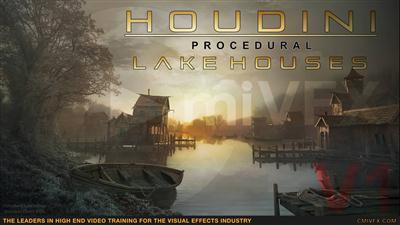
cmiVFX - Procedural Lake House Building Creation in Houdini: Volume 1
Duration: 3hr 43m | Video: h264, yuv420p, 1920x1080 30fps | Audio: aac, 44100 Hz, 2 ch | 1.69 GB
Genre: eLearning | Language: English | Project Files​

About the course:

In these tutorial series we will be creating procedural lake houses in Houdini all the way from generating the main silhouette to creating the final shaders and placing setdressing.

Volume 1 - Chapter 1 (3 hours 43 minutes)

In the first chapter we will focus on setting up the main silhouette and base attributes, which will be the core for driving all the following aspects of our procedural building.

The product includes the project files needed for this course.

Recommend Download Link Hight Speed | Please Say Thanks Keep Topic Live ​

 

09a8bbd7ceaa8ab32b6ddf323b07fc1a.jpg

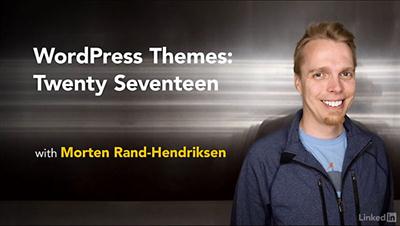
Lynda - WordPress Themes: Twenty Seventeen
Size: 141 MB | Duration: 0h 35m | Video: AVC (.mp4) 1280x720 15&30fps | Audio: AAC 48KHz 2ch
Genre: eLearning | Level: Beginner | Language: English​

Twenty Seventeen is the default WordPress theme released in December 2016.

* Installing and activating Twenty Seventeen
* Displaying descriptions
* Chasing the site title, color scheme, and header image
* Customizing menus
* Creating custom pages for the front page

Recommend Download Link Hight Speed | Please Say Thanks Keep Topic Live ​

 

0041ad51_medium.jpg

Lynda - Linux: Desktops and Remote Access
Size: 279 MB | Duration: 1h 45m | Video: AVC (.mp4) 1280x720 15&30fps | Audio: AAC 48KHz 2ch
Genre: eLearning | Level: Intermediate | Language: English​

Find the most productive way to work in Linux. Linux: Desktops and Remote Access covers the most popular desktop environments, terminal emulators, and shells used to access and administer Linux systems, both locally and remotely. Instructor Grant McWilliams reviews GUI options such as KDE, GNOME, MATE, Cinnamon, and Xfce, as well as remote access tools like VNC, RDP, and X2Go. Then explore the advantages and disadvantages of command-line access and the productivity features in Bash, and learn how to create secure remote connections to the Linux CLI on Windows, macOS, iOS, and Android devices. All the tools and techniques are demonstrated using CentOS 7, but the lessons apply to any Linux distribution. Note: The topics below map to elements of the Essential Commands section of the Linux Foundation Certified System Administrator exam.

Recommend Download Link Hight Speed | Please Say Thanks Keep Topic Live ​

 
Zurück
Oben Unten