• Regeln für den Video-Bereich:

    In den Börsenbereich gehören nur Angebote die bereits den Allgemeinen Regeln entsprechen.

    Einteilung

    - Folgende Formate gehören in die angegeben Bereiche:
    - Filme: Encodierte Filme von BluRay, DVD, R5, TV, Screener sowie Telesyncs im Format DivX, XviD und x264.
    - DVD: Filme im Format DVD5, DVD9 und HD2DVD.
    - HD: Encodierte Filme mit der Auflösung 720p oder darüber von BluRay, DVD, R5, TV, Screener sowie Telesyncs im Format x264.
    - 3D: Encodierte Filme von BluRay, die in einem 3D Format vorliegen. Dies gilt auch für Dokus, Animation usw.
    - Serien: Cartoon/Zeichentrick, Anime, Tutorials, Dokumentationen, Konzerte/Musik, Sonstiges sind demnach in die entsprechenden Bereiche einzuordnen, auch wenn sie beispielsweise im High Definition-Format oder als DVD5/DVD9/HD2DVD vorliegen. Ausnahme 3D.
    - Bereich Englisch: Englische Releases gehören immer in diesen Bereich.
    - Bereich Talk: Der Bereich, in dem über die Releases diskutiert werden kann, darf, soll und erwünscht ist.


    Angebot/Beitrag erstellen

    - Ein Beitrag darf erst dann erstellt werden, wenn der Upload bei mindestens einem OCH komplett ist. Platzhalter sind untersagt.
    - Bei einem Scenerelease hat der Threadtitel ausschließlich aus dem originalen, unveränderten Releasenamen zu bestehen. Es dürfen keine Veränderungen wie z.B. Sterne, kleine Buchstaben o.ä. vorgenommen werden. Ausnahme Serienbörse:
    - Bei einem Sammelthread für eine Staffel entfällt aus dem Releasename natürlich der Name der Folge. Beispiel: Die Simpsons S21 German DVDRip XviD - ITG
    - Dementsprechend sind also u.a. verboten: Erweiterungen wie "Tipp", "empfehlenswert", "only", "reup", usw. / jegliche andere Zusatzinformation oder Ergänzung, welche nicht in obiger Beschreibung zu finden ist.

    Aufbau des Angebots und Threadtitel

    Der Titel nach folgendem Muster erstellt zu werden. <Name> [3D] [Staffel] [German] <Jahr> <Tonspur> [DL] [Auflösung] <Quelle> <Codec> - <Group>
    Beispiel: The Dark Knight German 2008 AC3 DVDRip XviD - iND
    Beispiel: The Dark Knight 2008 DTS DL BDRip x264 - iND
    Beispiel: The Dark Knight 2008 AC3 DL BDRip XviD - iND
    Beispiel: The Dark Knight German 2008 AC3 720p BluRay x264 iND
    Beispiel: The Dark Knight 2008 DTS DL 1080p BluRay x264 iND
    Beispiel: Die Simpsons S01 German AC3 DVDRip XviD iND
    Beispiel: Die Simpsons S20 German AC3 720p BluRay x264 iND
    Beispiel: Sword Art Online II Ger Sub 2014 AAC 1080p WEBRip x264 - peppermint
    Entsprechend sind also u.a. verboten: Sonderzeichen wie Klammern, Sterne, Ausrufezeichen, Unterstriche, Anführungszeichen / Erweiterungen wie "Tipp", "empfehlenswert", "only", "reup", usw. / jegliche andere Zusatzinformation oder Ergänzung, welche nicht in obiger Beschreibung zu finden ist
    Ausnahmen hiervon können in den Bereichen geregelt sein.

    Die Beiträge sollen wie folgt aufgebaut werden:
    Überschrift entspricht dem Threadtitel
    Cover
    kurze Inhaltsbeschreibung
    Format, Größe, Dauer sind gut lesbar für Downloader außerhalb des Spoilers zu vermerken
    Nfo sind immer Anzugeben und selbige immer im Spoiler in Textform.
    Sind keine Nfo vorhanden z.B. Eigenpublikationen, sind im Spoiler folgende Dateiinformationen zusätzlich anzugeben :
    Quelle
    Video (Auflösung und Bitrate)
    Ton (Sprache, Format und Bitrate der einzelnen Spuren)
    Untertitel (sofern vorhanden)
    Hosterangabe in Textform außerhalb eines Spoiler mit allen enthaltenen Hostern.
    Bei SD kann auf diese zusätzlichen Dateiinformationen verzichtet werden.

    Alle benötigten Passwörter sind, sofern vorhanden, in Textform im Angebot anzugeben.
    Spoiler im Spoiler mit Kommentaren :"Schon Bedankt?" sind unerwünscht.


    Releases

    - Sind Retail-Release verfügbar, sind alle anderen Variationen untersagt. Ausnahmen: Alle deutschen Retail-Release sind CUT, in diesem Fall sind dubbed UNCUT-Release zulässig.
    - Im Serien-Bereich gilt speziell: Wenn ein Retail vor Abschluss einer laufenden Staffel erscheint, darf diese Staffel noch zu Ende gebracht werden.62
    - Gleiche Releases sind unbedingt zusammenzufassen. Das bedeutet, es ist zwingend erforderlich, vor dem Erstellen eines Themas per Suchfunktion zu überprüfen, ob bereits ein Beitrag mit demselben Release besteht. Ist dies der Fall, ist der bereits vorhandene Beitrag zu verwenden.
    - P2P und Scene Releases dürfen nicht verändert oder gar unter einem iND Tag eingestellt werden.


    Support, Diskussionen und Suche

    - Supportanfragen sind entweder per PN oder im Bereich Talk zu stellen.
    - Diskussionen und Bewertungen sind im Talk Bereich zu führen. Fragen an die Uploader haben ausschließlich via PN zu erfolgen, und sind in den Angeboten untersagt.
    - Anfragen zu Upload-Wünschen sind nur im Bereich Suche Video erlaubt. Antworten dürfen nur auf Angebote von MyBoerse.bz verlinkt werden.


    Verbote

    - Untersagt sind mehrere Formate in einem einzigen Angebotsthread, wie beispielsweise das gleichzeitige Anbieten von DivX/XviD, 720p und 1080p in einem Thread. Pro Format, Release und Auflösung ist ein eigener Thread zu eröffnen.
    - Grundsätzlich ebenso verboten sind Dupes. Uploader haben sich an geeigneter Stelle darüber zu informieren, ob es sich bei einem Release um ein Dupe handelt.
    - Gefakte, nur teilweise lauffähige oder unvollständige Angebote sind untersagt. Dies gilt auch für eigene Publikationen, die augenscheinlich nicht selbst von z.B. einer DVD gerippt wurden. Laufende Serien, bei denen noch nicht alle Folgen verfügbar sind, dürfen erstellt und regelmäßig geupdatet werden.
    - Untersagt sind Angebote, welche nur und ausschließlich in einer anderen Sprache als deutsch oder englisch vorliegen. Ausnahmen sind VORHER mit den Moderatoren zu klären.


    Verstoß gegen die Regeln

    - Angebote oder Beiträge, die gegen die Forenregeln verstoßen, sind über den "Melden"-Button im Beitrag zu melden.
  • Bitte registriere dich zunächst um Beiträge zu verfassen und externe Links aufzurufen.

++ Premium IPTV ++ 7000 Live Sender ++ UHD Qualität ++ Mediathek mit 18.000 Inhalten ++


VenneTV


Englische Tutorials


b66fc26ea651e48301129178bbeff480.jpg

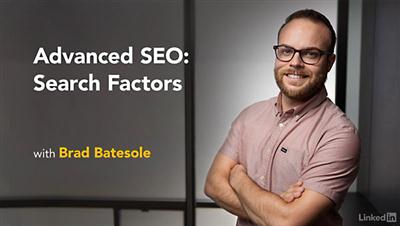
Lynda - Advanced SEO: Search Factors
Size: 191 MB | Duration: 1h 13m | Video: AVC (.mp4) 1280x720 30fps | Audio: AAC 48KHz 2ch
Genre: eLearning | Level: Advanced | Language: English​

SEO search factors-the elements that contribute to how and where your site is displayed on Google's results page-impact how your content makes its way to your audience. In this course, Brad Batesole pulls back the curtain on the modern search engine, explaining how people search and how machine learning makes it all possible. Along the way, Brad points out how to capture Google featured snippets and reveals how results and programmatic site features work. He also delves into methodologies for mining results from Google to unlock new ideas and opportunities, and shows how to track your performance.

Recommend Download Link Hight Speed | Please Say Thanks Keep Topic Live ​
 

d522abac3d511787d06e38029e17de71.jpg

Icon Design: Create a Cohesive Icon Set
Duration: 1hr 58m | Video: h264, yuv420p, 1280x720 30fps | Audio: aac, 44100 Hz, 2 ch | 574 MB
Genre: eLearning | Language: English​

Create a custom set of icons that complements the needs and feel of any project. In this short class, designer Adam Whitcroft provides a behind-the-scenes look at creating a cohesive set of outdoor-themed icons. Using Illustrator and Photoshop, he shows how to develop a theme, iterate on initial sketches, and polish a complete icon set that's perfect for clients, colleagues, or personal work. Whether you're a designer or an illustrator, this class is great for strengthening skills in observation, design, abstraction, building an aesthetic, and designing icons that match your creative vision.

Recommend Download Link Hight Speed | Please Say Thanks Keep Topic Live ​
 

0231ff36d1bd187b99f5c4cd6afecb8f.jpg

Cyber Security Awareness: Social Networking at Work
Duration: 48m | Video: h264, yuv420p, 1280x720 | Audio: aac, 44100 Hz, 2 ch | 74 MB
Genre: eLearning | Language: English​

Are you someone who uses social media? If you are, then Cyber Security Awareness: Social Networking at Work is the course for you. First, you'll explore social media, the risks associated with it and why hackers want to use it to find your information. Then you'll look at how you can mitigate social media risks before ending with steps to stay safe. By the end of this course, you'll have the knowledge to keep your information - and yourself, more secure.

Recommend Download Link Hight Speed | Please Say Thanks Keep Topic Live ​
 

854e342807694057bb99885ef3f37a33.jpg

Lynda - Learning Lightning Tools: Conductor Web Part
Size: 147 MB | Duration: 0h 52m | Video: AVC (.mp4) 1280x720 30fps | Audio: AAC 48KHz 2ch
Genre: eLearning | Level: Advanced | Language: English​

Lightning Tools for SharePoint is a collection of integration apps for SharePoint. Their Conductor add-in is an easy way to access SharePoint lists and libraries across sites so you can find information faster-and sort and filter data right on screen when you don't have access to SharePoint Designer. Explore everything Conductor has to offer in this course with instructor Tiffany Songvilay. Learn about creating rollups to view data across multiple sites, creating custom filters for views, adding conditional formatting, and building calculated columns. Tiffany also shows how to use the Search Rollup Engine Provider to view a single content type across all site collections and to increase the performance of the web part on a page.

Recommend Download Link Hight Speed | Please Say Thanks Keep Topic Live ​
 

dd5c1d6dd35e1225d74340e5bdbc01eb.jpg

A Beginners Guide to Django
MP4 | Video: AVC 1280x720 | Audio: AAC 44KHz 2ch | Duration: 2 Hours | Lec: 14 | 417 MB
Genre: eLearning | Language: English​

Learn all the basics of Django through a step-by-step process by creating your very own Polls Application for free!

Have you ever wanted to create an app like Instagram? Maybe even Pinterest? Did you know that they were created through Django? I thought so :)

If you want to learn Django, you're in the right place! We'll cover everything there is in Django, from our directory and apps, to creating and populating our database. You'll learn how to use URL's, templates, and add CSS + Bootstrap to your app!

The best part? It's absolutely free!

So what are you waiting for? Whip out your laptop, take a seat, and start developing Django today!

Recommend Download Link Hight Speed | Please Say Thanks Keep Topic Live ​
 

d310365e6c4917e7c302c33231c0b54c.jpg

Photography: Master Your Camera - Master Your Creativity
MP4 | Video: AVC 1280x720 | Audio: AAC 44KHz 2ch | Duration: 2 Hours | Lec: 46 | 998 MB
Genre: eLearning | Language: English​

Take control of your photography and stop letting your camera make all the creative choices. Switch off 'Auto'.

If you want to start taking better, more creative photos, this is the right course for you. During this course I'll teach you to understand your camera so you can achieve more creative, satisfying results. Completing the course will take you longer than the 1.5 hours of video lessons because I've also included comprehensive assignments for each of the 20+ lessons. Each assignment will take at least half an hour, or more, depending on how much you want to put into it.

The videos are full of footage of me working, photographs we've taken, graphic overlays and animations all demonstrating what I am teaching. There's pages and pages of .pdf files accompanying the lessons with further information and assignments designed to help you put put it all into practice and gain experience. There's also a number of quizzes throughout the course so you can easily asses your own progress. And if you have questions, just ask me in the ask me in the Q&A section of the course.

In this course I'll teach you to take control of your camera and creativity the way I have - by using the Manual Mode on your camera. I find most people we teach in our workshops don't
know how their camera works or how they can really control it to create more interesting photographs. They've had their cameras set on one of the many auto modes and wonder why the results are not so pleasing.

In this course I'll teach you to understand the three ways of controlling your exposure - using the aperture, shutter speed and ISO so that you can be in control of how your photos look, rather than your camera being in control of the results. I'll demonstrate how to effectively use the exposure meter to capture images that look the way you want them to and I'll teach you techniques to use the aperture and shutter speed to achieve truly creative photographs.

This course is presented in a concise manner. We live busy lives and personally I prefer a course of teaching which is focused and clear to the points being made, rather one that contains little useful information padded out to make the course seem of greater value than it really is. The aim of delivering the teaching in short modules is so that those who do not understand the lesson the first time can easily go back and watch the video again, read the accompanying PDF files and complete the assignments. This way you will learn through my teaching and your own experimenting, practice and experience. After all, if you do not pick up your camera frequently and practice what you are learning, you will not develop as a creative photographer.

I do not use much camera jargon and keep my language simple so it's easy to understand if English is not your first language. I asked a Thai friend to check over some of the assignments as I was writing them to make sure they were easy enough to understand. As she read through them her main feedback was "This is much easier to read and understand than an academic text book." She could follow them through and understand without difficulty.

I've been a professional photographer since the 1980s, with a background as a photo journalist and freelancer covering everything from international sports events, corporate portfolios, weddings, travel and much more. My wife and I have taught 100's of people in the photo workshops we run in Chiang Mai, Thailand. I am a self taught photographer and teach from my many years of experience.

Recommend Download Link Hight Speed | Please Say Thanks Keep Topic Live ​

 

b4a094ff7086652cd60a2ea010ff0af7.jpg

Learning Path - A Beginner's Guide to Architecting Big Data Applications
Duration: 23h 19m | Video: h264, yuv420p, 1280x720 | Audio: aac, 44100 Hz, 2 ch | 13 GB
Genre: eLearning | Language: English | Project Files​

by O'Reilly Media, Inc.
Publisher: O'Reilly Media, Inc.
Release Date: December 2016
ISBN: 9781491978627
Topics: Hadoop

Video Description

This learning path is a complete beginner's guide to architecting big data applications. Whether you're a data engineer who needs to plan and implement a big data pipeline or a manager interested in learning how major tools in the Hadoop technology stack address business goals, this series of videos will walk you through how to get started planning your big data solution. You'll receive a thorough introduction to the concepts and benefits of Apache Hadoop, and a deeper, beginners-level training on key components, including Apache HBase, YARN, Cassandra, Kafka, and Spark.

By the end of this learning path, you'll be able to:

Decide when and how to use each tool in the Hadoop stack
Set-up and deploy an HBase cluster
Create a database and application, and model data using Apache Cassandra
Set-up and run a Kafka cluster, integrating it with Hadoop
Develop Spark apps for typical use cases, and apply algorithms using MLlib, GraphX, and Spark SQL
Set-up and deploy a compute framework on top of Alluxio to bridge computation frameworks and storage systems

Recommend Download Link Hight Speed | Please Say Thanks Keep Topic Live ​

 

d33babef71ab4dab9acb9623853d4f00.jpg

Lynda - OneNote 2010: Prepare for the Microsoft Office Specialist Certification Exam (77-853)
Size: 410 MB | Duration: 2h 56m | Video: AVC (.mp4) 1280x720 30fps | Audio: AAC 48KHz 2ch
Genre: eLearning | Level: Intermediate | Language: English​

Demonstrate your knowledge of OneNote 2010 by becoming a Microsoft Office Specialist.

* Creating a OneNote notebook
* Managing the OneNote environment
* Creating links within OneNote
* Managing OneNote history and backups
* Collaborating in OneNote
* Working with OneDrive
* Sharing notebooks

Recommend Download Link Hight Speed | Please Say Thanks Keep Topic Live ​

 

26a1c3cd4ba3f55c6be63d912ee8d925.jpg

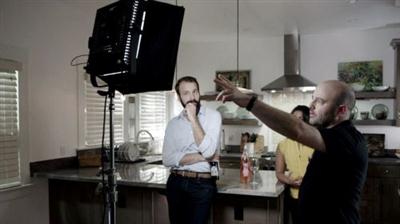
Advanced Cinematic Video Lighting
MP4 | Video: AVC 1280x720 | Audio: AAC 48KHz 2ch | Duration: 1 Hours 20M | 1.19 GB
Genre: eLearning | Language: English​

Once you have a firm grasp of lighting for different types of video production scenarios, it's time to start concentrating on creating the appropriate mood and atmosphere. While the location and production design play key roles in setting the cinematic mood, lighting-more than almost any other factor-can really create the ambiance called for in the script.

In this project-based course, producer, DP, and educator Jem Schofield of theC47 guides you through three different production scenarios: a narrative scene, a commercial project, and a corporate project. As in his original course, Cinematic Video Lighting, Jem doesn't just talk at you about lighting concepts, he appears on set with a crew, taking you through each project scenario and breaking down the creative decisions that helped accomplish the look and feel of each production. He goes into the equipment, space, and of course, the lighting setups for each project.

Recommend Download Link Hight Speed | Please Say Thanks Keep Topic Live ​

 

e694b33c257906c0f9a3475e39a6afe9.jpg

Learn Video Editing in Blender for Beginners
Duration: 1hr | Video: h264, yuv420p, 1280x720 30fps | Audio: aac, 44100 Hz, 2 ch | 245 MB
Genre: eLearning | Language: English | Project Files​

Edit video with total control using the feature packed video editor in Blender that offers you industry standard power. This is Professional video editing software with no price tag! This course is perfect for you want to practice while you learn. The course is designed to guide you through setting up Blender's very powerful Video sequence Editor, takes you step by step through the important features so you can start creating very quickly.

Experience total control over the export options available in Blender and export your video edits to YouTube or other formats with the best quality settings every time. Learn how to add effects and export your creations quickly and easily ready for sharing. Become a great content creator with this free amazing software.

Recommend Download Link Hight Speed | Please Say Thanks Keep Topic Live ​

 

6fefc6d8160bb0df0aa48f87f190cf03.jpg

Premiere Pro Masterclass Module 4 - Titles
MP4 | Video: AVC 1280x720 | Audio: AAC 44KHz 2ch | Duration: 31M | 437 MB
Genre: eLearning | Language: English​

This module will cover:
Create your own custom and professional titles
Design a clean lower third graphics
Create scrolling end credits
Add motion to your titles

If you are looking for a video editing application that will allow you to edit videos however you want them, Adobe Premiere Pro is the best answer. Premiere Pro is used by professionals across the world for every type of production from business & marketing videos, music videos to documentaries, feature films. This full course is the best way to jump right in and start editing.

Recommend Download Link Hight Speed | Please Say Thanks Keep Topic Live ​
 

2d7acf9b98595e3d15196b045de30c56.jpg

Lynda - Lightroom: 2015 Creative Cloud Updates
Size: 1017 MB | Duration: 1h 59m | Video: AVC (.mp4) 1280x720&1280x800 15&30fps | Audio: AAC 48KHz 2ch
Genre: eLearning | Level: Intermediate | Language: English​

Stay up to date with what's new in Lightroom CC -and learn what's new in Lightroom 6. In this course, teacher and photographer Chris Orwig reviews the latest features and enhancements in this extremely popular photo-management, enhancement, and publishing program-as soon as they are released. New chapters will be added every time Adobe releases a noteworthy update. To start the course off, Chris takes a look at new features that debuted in Lightroom CC and Lightroom 6: face recognition, Photo Merge, new image enhancement tools in the Develop module, and improvements to the Slideshow and Web modules. Come here first to learn what's new in Lightroom CC.

Recommend Download Link Hight Speed | Please Say Thanks Keep Topic Live ​

 
Zurück
Oben Unten