• Regeln für den Video-Bereich:

    In den Börsenbereich gehören nur Angebote die bereits den Allgemeinen Regeln entsprechen.

    Einteilung

    - Folgende Formate gehören in die angegeben Bereiche:
    - Filme: Encodierte Filme von BluRay, DVD, R5, TV, Screener sowie Telesyncs im Format DivX, XviD und x264.
    - DVD: Filme im Format DVD5, DVD9 und HD2DVD.
    - HD: Encodierte Filme mit der Auflösung 720p oder darüber von BluRay, DVD, R5, TV, Screener sowie Telesyncs im Format x264.
    - 3D: Encodierte Filme von BluRay, die in einem 3D Format vorliegen. Dies gilt auch für Dokus, Animation usw.
    - Serien: Cartoon/Zeichentrick, Anime, Tutorials, Dokumentationen, Konzerte/Musik, Sonstiges sind demnach in die entsprechenden Bereiche einzuordnen, auch wenn sie beispielsweise im High Definition-Format oder als DVD5/DVD9/HD2DVD vorliegen. Ausnahme 3D.
    - Bereich Englisch: Englische Releases gehören immer in diesen Bereich.
    - Bereich Talk: Der Bereich, in dem über die Releases diskutiert werden kann, darf, soll und erwünscht ist.


    Angebot/Beitrag erstellen

    - Ein Beitrag darf erst dann erstellt werden, wenn der Upload bei mindestens einem OCH komplett ist. Platzhalter sind untersagt.
    - Bei einem Scenerelease hat der Threadtitel ausschließlich aus dem originalen, unveränderten Releasenamen zu bestehen. Es dürfen keine Veränderungen wie z.B. Sterne, kleine Buchstaben o.ä. vorgenommen werden. Ausnahme Serienbörse:
    - Bei einem Sammelthread für eine Staffel entfällt aus dem Releasename natürlich der Name der Folge. Beispiel: Die Simpsons S21 German DVDRip XviD - ITG
    - Dementsprechend sind also u.a. verboten: Erweiterungen wie "Tipp", "empfehlenswert", "only", "reup", usw. / jegliche andere Zusatzinformation oder Ergänzung, welche nicht in obiger Beschreibung zu finden ist.

    Aufbau des Angebots und Threadtitel

    Der Titel nach folgendem Muster erstellt zu werden. <Name> [3D] [Staffel] [German] <Jahr> <Tonspur> [DL] [Auflösung] <Quelle> <Codec> - <Group>
    Beispiel: The Dark Knight German 2008 AC3 DVDRip XviD - iND
    Beispiel: The Dark Knight 2008 DTS DL BDRip x264 - iND
    Beispiel: The Dark Knight 2008 AC3 DL BDRip XviD - iND
    Beispiel: The Dark Knight German 2008 AC3 720p BluRay x264 iND
    Beispiel: The Dark Knight 2008 DTS DL 1080p BluRay x264 iND
    Beispiel: Die Simpsons S01 German AC3 DVDRip XviD iND
    Beispiel: Die Simpsons S20 German AC3 720p BluRay x264 iND
    Beispiel: Sword Art Online II Ger Sub 2014 AAC 1080p WEBRip x264 - peppermint
    Entsprechend sind also u.a. verboten: Sonderzeichen wie Klammern, Sterne, Ausrufezeichen, Unterstriche, Anführungszeichen / Erweiterungen wie "Tipp", "empfehlenswert", "only", "reup", usw. / jegliche andere Zusatzinformation oder Ergänzung, welche nicht in obiger Beschreibung zu finden ist
    Ausnahmen hiervon können in den Bereichen geregelt sein.

    Die Beiträge sollen wie folgt aufgebaut werden:
    Überschrift entspricht dem Threadtitel
    Cover
    kurze Inhaltsbeschreibung
    Format, Größe, Dauer sind gut lesbar für Downloader außerhalb des Spoilers zu vermerken
    Nfo sind immer Anzugeben und selbige immer im Spoiler in Textform.
    Sind keine Nfo vorhanden z.B. Eigenpublikationen, sind im Spoiler folgende Dateiinformationen zusätzlich anzugeben :
    Quelle
    Video (Auflösung und Bitrate)
    Ton (Sprache, Format und Bitrate der einzelnen Spuren)
    Untertitel (sofern vorhanden)
    Hosterangabe in Textform außerhalb eines Spoiler mit allen enthaltenen Hostern.
    Bei SD kann auf diese zusätzlichen Dateiinformationen verzichtet werden.

    Alle benötigten Passwörter sind, sofern vorhanden, in Textform im Angebot anzugeben.
    Spoiler im Spoiler mit Kommentaren :"Schon Bedankt?" sind unerwünscht.


    Releases

    - Sind Retail-Release verfügbar, sind alle anderen Variationen untersagt. Ausnahmen: Alle deutschen Retail-Release sind CUT, in diesem Fall sind dubbed UNCUT-Release zulässig.
    - Im Serien-Bereich gilt speziell: Wenn ein Retail vor Abschluss einer laufenden Staffel erscheint, darf diese Staffel noch zu Ende gebracht werden.62
    - Gleiche Releases sind unbedingt zusammenzufassen. Das bedeutet, es ist zwingend erforderlich, vor dem Erstellen eines Themas per Suchfunktion zu überprüfen, ob bereits ein Beitrag mit demselben Release besteht. Ist dies der Fall, ist der bereits vorhandene Beitrag zu verwenden.
    - P2P und Scene Releases dürfen nicht verändert oder gar unter einem iND Tag eingestellt werden.


    Support, Diskussionen und Suche

    - Supportanfragen sind entweder per PN oder im Bereich Talk zu stellen.
    - Diskussionen und Bewertungen sind im Talk Bereich zu führen. Fragen an die Uploader haben ausschließlich via PN zu erfolgen, und sind in den Angeboten untersagt.
    - Anfragen zu Upload-Wünschen sind nur im Bereich Suche Video erlaubt. Antworten dürfen nur auf Angebote von MyBoerse.bz verlinkt werden.


    Verbote

    - Untersagt sind mehrere Formate in einem einzigen Angebotsthread, wie beispielsweise das gleichzeitige Anbieten von DivX/XviD, 720p und 1080p in einem Thread. Pro Format, Release und Auflösung ist ein eigener Thread zu eröffnen.
    - Grundsätzlich ebenso verboten sind Dupes. Uploader haben sich an geeigneter Stelle darüber zu informieren, ob es sich bei einem Release um ein Dupe handelt.
    - Gefakte, nur teilweise lauffähige oder unvollständige Angebote sind untersagt. Dies gilt auch für eigene Publikationen, die augenscheinlich nicht selbst von z.B. einer DVD gerippt wurden. Laufende Serien, bei denen noch nicht alle Folgen verfügbar sind, dürfen erstellt und regelmäßig geupdatet werden.
    - Untersagt sind Angebote, welche nur und ausschließlich in einer anderen Sprache als deutsch oder englisch vorliegen. Ausnahmen sind VORHER mit den Moderatoren zu klären.


    Verstoß gegen die Regeln

    - Angebote oder Beiträge, die gegen die Forenregeln verstoßen, sind über den "Melden"-Button im Beitrag zu melden.
  • Bitte registriere dich zunächst um Beiträge zu verfassen und externe Links aufzurufen.

++ Premium IPTV ++ 7000 Live Sender ++ UHD Qualität ++ Mediathek mit 18.000 Inhalten ++


VenneTV


Englische Tutorials


e1a44941dcb161569d48890bb9ba93b9.jpg

Triadic Color Harmony and Retouching in Photoshop
Duration: 34m | Video: h264, yuv420p, 1280x720 30fps | Audio: aac, 44100 Hz, 2 ch | 349 MB
Genre: eLearning | Language: English​

The split-complementary color scheme is a variation of the complementary color scheme. In addition to the base color, it uses the two colors adjacent to its complement. This color scheme has the same strong visual contrast as the complementary color scheme, but has less tension.

A triadic color scheme uses colors that are evenly spaced around the color wheel. Triadic color harmonies tend to be quite vibrant, even if you use pale or unsaturated versions of your hues.
In this Section You will learn:
How to plan composition on the image
How to define Color of the image
You will know how to set the perfect color balance and tones for the image
How to set saturation for an image
How to work with masks on advanced level to keep control on very specyfic areas of the image
How to work with lights on specific color

Recommend Download Link Hight Speed | Please Say Thanks Keep Topic Live ​

 

15bd95ec0d54934e7bb234ac34d8680c.jpg

Packt Publishing - Go Projects
Duration: 2h 22m | Video: h264, yuv420p, 1280x720 30fps | Audio: aac, 44100 Hz, 2 ch | 555 MB
Genre: eLearning | Language: English​

Explore real-world web application projects with Go.

-Apply Go in the real world to create a series of high performance projects
-Deepen your understanding of the Go language with optimal programming techniques and patterns
-Start exploring Go's rich ecosystem of libraries and frameworks

This video course introduces you to a range of programming projects with the Go language, demonstrating how to put the language to use for a variety of real-world applications and services. These projects range from command-line tools to distributed messaging services, web services, and web applications with Go running on the server side.

We first discuss then model the projects based on popular usages (for example how Docker and Soundcloud use the language). The driving force here is what Go is powerful for- creating fast, real-time applications and services that leverage the use of concurrency.

We'll demonstrate how versatile the language can be and how it can be put to use in a range of real-world programming domains, whether that's for DevOps tools, cloud-based services, or RESTful web services. Interwoven with the projects, there are demonstrations of best practices and design patterns, and techniques you can carry over to your own projects.

The projects also demonstrate the key features of Go in action, such as concurrency, and will start to explore the rich ecosystem of open source libraries and frameworks that are being continually developed for the language.

By the end of this course, you will have everything you need to go out into the wild with Go to build projects of your own.

Recommend Download Link Hight Speed | Please Say Thanks Keep Topic Live ​

 

55eabc4b361ada1416e3589058d1af8f.jpg

Intro scrapy, create a reddit bot with python
h | Video: AVC (.MP4) 1280x720 30fps | Audio: AAC 44.1KHz 2ch | 184 MB
Genre: eLearning | Language: English​

Hack reddit site with scrapy and python

What are the requirements?
This course will explain every thing from beginning, so student do not need to know any thing about scrapy
What am I going to get from this course?
At the end of this course you will understand how scrapy work
and, You could do other project on scrapy by your self
What is the target audience?
Every people that want to scrape data from the web

Recommend Download Link Hight Speed | Please Say Thanks Keep Topic Live ​
 

a09d49bd48e5f25412f55d76c8ea13c4.jpg

Drawing Fundamentals Video Training
Duration: 3h 46m | Video: h264, yuv420p, 1280x720 30fps | Audio: aac, 44100 Hz, 2 ch | 2 GB
Genre: eLearning | Language: English​

In this course, Drawing Fundamentals, you will learn how to draw by hand, starting from the ground up. You will begin by learning the elements and principles of design, where you'll learn about line, shape, value, color, contrast, and many more of the building blocks of drawing and design. Then, you will get right into a observational drawing exercises, where you'll learn how to map out and draw an object with proper proportions using lines and values. Finally, you'll learn how to draw a human face, and then how to draw a portrait from a photo reference. After taking this course, you will have a very strong foundational understanding of how to draw by hand.

Recommend Download Link Hight Speed | Please Say Thanks Keep Topic Live ​

 

89553b2032ed60015ed75bd69c1c7545.jpg

Application Layer Protocols for Cisco CCNA 200-125/100-105
Duration: 2h 45m | Video: h264, yuv420p, 1280x720 30fps | Audio: aac, 44100 Hz, 2 ch | 425 MB
Genre: eLearning | Language: English | Project Files


Recommend Download Link Hight Speed | Please Say Thanks Keep Topic Live ​
 

44786c0cdaa28533ac42a65edf2933ff.jpg

The Complete Video Production Course - Beginner To Advanced (2016)
5 h | Video: AVC (.MP4) 1280x720 30fps | Audio: AAC 44.1KHz 2ch | 4.1GB
Genre: eLearning | Language: English​

In our complete guide students will learn how to create professional videos that that can create themselves at home

What are the requirements?
Students do not need any specific knowledge to benefit from this course!
What am I going to get from this course?
Understand how the top screen recording software programs work and how they could benefit from them as well as how they could use the Canon 70D camera to produce stunning videos.
What is the target audience?
Anyone interested in learning how create high quality videos using cameras or screen recording software.

Recommend Download Link Hight Speed | Please Say Thanks Keep Topic Live ​
 

59f9a5754922ad486309ac84665ab4f4.jpg

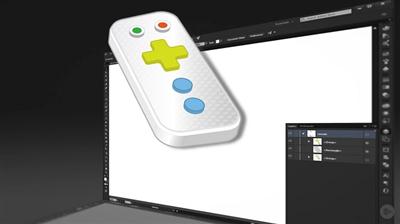
Illustrator CC Working with 3D Video Training
Duration: 58m | Video: h264, yuv420p, 1280x720 30fps | Audio: aac, 44100 Hz, 2 ch | 170 MB
Genre: eLearning | Language: English | Project Files​

Creating art that has both depth and dimension can really help bring your work to the next level. In this course, Illustrator CC Working with 3D, learn you'll learn how to leverage Illustrator's powerful tools to create 3D effects. The course begins with an organized breakdown of Illustrator's 3D Effects panel and it's many settings. Next, you will learn how to map artwork to a 3D object, with believable lighting and shading. Finally, you'll learn a method for expanding 3D vector objects to make them fully editable and customizable. When you're finished with this course, you'll not only have a thorough working knowledge of 3D Effects, but also an understanding of how to apply them as a time-saving part of your Adobe Illustrator workflow. Software required: Illustrator CC (or Illustrator CS5 and higher).

Recommend Download Link Hight Speed | Please Say Thanks Keep Topic Live ​
 

b7a7fb9a723b55ffd6b2f7f78ddef8bc.jpg

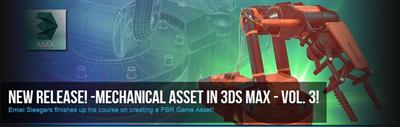
Mechanical Asset In 3ds Max Volume 3
Duration: 8 Lessons | Video: h264, yuv420p, 1280x720 30fps | Audio: aac, 44100 Hz, 2 ch | 2.9 GB
Genre: eLearning | Language: English | Project Files​

In this course we will be looking on how to create a 3d asset from start to finish. We will be focusing on creating a asset that is focused on being for games by using the correct texture and optimization techniques. We will be going over on how to create a proper high poly and low poly in 3ds max and then on how to uv unwrap our low poly and prepare our scene for baking our normal and AO map. We will then export everything out of 3ds max and we will start by baking our texture maps using xnormal. We will go over the best settings in xnormal to minimize any baking errors and for the very few errors that are left we will go over on how to solve those by hand. Once all our textures are baked we will start by setting up our scene in substance painter and we will start texturing our model. In substance painter we will go over on how to use materials, fill layers, generators and other techniques to create the final texture for our asset. We will then go into Marmoset Toolbag where we will render our final model and create a nice beauty shot of it.

Recommend Download Link Hight Speed | Please Say Thanks Keep Topic Live ​
 

00fede0e8ed66ccbe27470fef12b0c9d.jpg


Packt Publishing - Mastering Windows PowerShell 5 Administration
Duration: 3h 48m | Video: h264, yuv420p, 1280x720 30fps | Audio: aac, 44100 Hz, 2 ch |1.1 GB
Genre: eLearning | Language: English​

Write maintainable and production-quality scripts that save time and effort

About This Video

Take your existing PowerShell skills to the next level and write powerful scripts to automate repetitive, boring tasks
Become the champion administrator in your organization that can solve even the toughest of PowerShell questions
Get to grips with PowerShell's advanced functions and effectively administer your system
In Detail

PowerShell is the de facto standard for scripting in Microsoft Windows environments. By knowing how to use PowerShell, system administrators can quickly automate complex, repetitive, and otherwise time-consuming tasks.

This video course will help you to master automation and finish the course by building a variety of PowerShell scripts to automate your environment and reduce the amount of code required. Through real-world examples, you will learn how to simplify managing your Windows environment and then effectively administer Windows-based systems and environments by using advanced functions.

You will gain a strong foundation to advance your existing PowerShell knowledge through real-world scenarios. By the end of this course, you will be able to quickly produce scripts that can be run in your existing environments, and perform and automate tasks by building scripts that involve systems and enterprise management.

You will finish the course by getting a thorough understanding of how to use advanced features to work with Active Directory and the file system, and will deploy tried and tested scripts for a variety of management tasks.

Recommend Download Link Hight Speed | Please Say Thanks Keep Topic Live ​
 

22e1cc6350da312eefbee4bfe55dc319.jpg

Packt Publishing - Learning Windows Server Hyper-V 2016
Duration: 3h 31m | Video: h264, yuv420p, 1280x720 30fps | Audio: aac, 44100 Hz, 2 ch | 857 MB
Genre: eLearning | Language: English​

Develop effective skills to design and implement server virtualization using Windows Server 2016 Hyper-V

About This Video

Learn how to leverage Hyper-V 2016 to perform essential tasks on the Windows Sever 2016 platform
Get to grips with essential concepts such as network, memory, and storage virtualization
A learning tutorial that ensures you perform server virtualization with ease
In Detail

Windows Server Hyper-V lets you build a virtualized server computing environment that enables you to create and manage virtual machines. This improves the efficiency of your computing resources and frees up your hardware resources. Hyper-V is now a serious contender in the hypervisor space, and it's time for you to learn it.

This course will help you master the fundamentals and core components of Hyper-V. You will start by walking through the basics of installing and configuring Hyper-V 2016. Then you will learn in detail about the Hyper-V Manager, networks, and memory virtualization. You will gain an in-depth knowledge of CPU and storage virtualization. You will also get to grips with advanced topics such as hybrid cloud setup with Azure, PowerShell, and Hyper-V security.

By the end of this course, you will be an intermediate-level system administrator, confident in your mastery of the basic functioning of Hyper-V 2016, and you will find it extremely easy to implement server virtualization using Hyper-V 2016.

Recommend Download Link Hight Speed | Please Say Thanks Keep Topic Live ​
 

014fa5e453c0667a91fe802ca8b5a3bb.jpg


Lynda - Foundations of Mobile Device Management
Size: 197 MB | Duration: 1h 54m | Video: AVC (.mp4) 1280x720 15&30fps | Audio: AAC 48KHz 2ch
Genre: eLearning | Level: Beginner | Language: English​

As workers rely more and more on mobile technology, more companies are considering a centralized mobile device management (MDM) solution.

* Introducing MDM principles
* Device storage needs
* Device control and unlocking
* Device supervision
* Using MDM to enhance security
* Working with the Apple Volume Purchase Program
* Using apps on Windows devices
* Deploying MDM on Google platforms
* Shopping for an MDM vendor

Recommend Download Link Hight Speed | Please Say Thanks Keep Topic Live ​
 

5c4a67ee9dcb1989e45c2a99d6075245.jpg

Revit MEP Essentials: Family Creation Workflows
Duration: 2h 48m | Video: h264, yuv420p, 1280x720 30fps | Audio: aac, 44100 Hz, 2 ch | 722 MB
Genre: eLearning | Language: English | Project Files​

Revit MEP is the leading BIM-authoring tool in the AEC industry today. Many engineering firms around the country use Revit MEP as their BIM-authoring tool to produce data-rich models. Efficient Revit users are key to the success of these firms. In this course, Revit MEP Essentials: Family Creation Workflows, you'll explore the essentials of how to use Revit MEP. First, you'll explore the user interface of Revit MEP. Next, you'll discover how to start a project and how to create a new HVAC system. Finally, you'll learn general workflows and tools used in Revit MEP. By the end of this course, you'll know the key essentials of family creation workflows in Revit MEP. Software required: Revit 2017.

Recommend Download Link Hight Speed | Please Say Thanks Keep Topic Live ​
 
Zurück
Oben Unten