• Regeln für den Video-Bereich:

    In den Börsenbereich gehören nur Angebote die bereits den Allgemeinen Regeln entsprechen.

    Einteilung

    - Folgende Formate gehören in die angegeben Bereiche:
    - Filme: Encodierte Filme von BluRay, DVD, R5, TV, Screener sowie Telesyncs im Format DivX, XviD und x264.
    - DVD: Filme im Format DVD5, DVD9 und HD2DVD.
    - HD: Encodierte Filme mit der Auflösung 720p oder darüber von BluRay, DVD, R5, TV, Screener sowie Telesyncs im Format x264.
    - 3D: Encodierte Filme von BluRay, die in einem 3D Format vorliegen. Dies gilt auch für Dokus, Animation usw.
    - Serien: Cartoon/Zeichentrick, Anime, Tutorials, Dokumentationen, Konzerte/Musik, Sonstiges sind demnach in die entsprechenden Bereiche einzuordnen, auch wenn sie beispielsweise im High Definition-Format oder als DVD5/DVD9/HD2DVD vorliegen. Ausnahme 3D.
    - Bereich Englisch: Englische Releases gehören immer in diesen Bereich.
    - Bereich Talk: Der Bereich, in dem über die Releases diskutiert werden kann, darf, soll und erwünscht ist.


    Angebot/Beitrag erstellen

    - Ein Beitrag darf erst dann erstellt werden, wenn der Upload bei mindestens einem OCH komplett ist. Platzhalter sind untersagt.
    - Bei einem Scenerelease hat der Threadtitel ausschließlich aus dem originalen, unveränderten Releasenamen zu bestehen. Es dürfen keine Veränderungen wie z.B. Sterne, kleine Buchstaben o.ä. vorgenommen werden. Ausnahme Serienbörse:
    - Bei einem Sammelthread für eine Staffel entfällt aus dem Releasename natürlich der Name der Folge. Beispiel: Die Simpsons S21 German DVDRip XviD - ITG
    - Dementsprechend sind also u.a. verboten: Erweiterungen wie "Tipp", "empfehlenswert", "only", "reup", usw. / jegliche andere Zusatzinformation oder Ergänzung, welche nicht in obiger Beschreibung zu finden ist.

    Aufbau des Angebots und Threadtitel

    Der Titel nach folgendem Muster erstellt zu werden. <Name> [3D] [Staffel] [German] <Jahr> <Tonspur> [DL] [Auflösung] <Quelle> <Codec> - <Group>
    Beispiel: The Dark Knight German 2008 AC3 DVDRip XviD - iND
    Beispiel: The Dark Knight 2008 DTS DL BDRip x264 - iND
    Beispiel: The Dark Knight 2008 AC3 DL BDRip XviD - iND
    Beispiel: The Dark Knight German 2008 AC3 720p BluRay x264 iND
    Beispiel: The Dark Knight 2008 DTS DL 1080p BluRay x264 iND
    Beispiel: Die Simpsons S01 German AC3 DVDRip XviD iND
    Beispiel: Die Simpsons S20 German AC3 720p BluRay x264 iND
    Beispiel: Sword Art Online II Ger Sub 2014 AAC 1080p WEBRip x264 - peppermint
    Entsprechend sind also u.a. verboten: Sonderzeichen wie Klammern, Sterne, Ausrufezeichen, Unterstriche, Anführungszeichen / Erweiterungen wie "Tipp", "empfehlenswert", "only", "reup", usw. / jegliche andere Zusatzinformation oder Ergänzung, welche nicht in obiger Beschreibung zu finden ist
    Ausnahmen hiervon können in den Bereichen geregelt sein.

    Die Beiträge sollen wie folgt aufgebaut werden:
    Überschrift entspricht dem Threadtitel
    Cover
    kurze Inhaltsbeschreibung
    Format, Größe, Dauer sind gut lesbar für Downloader außerhalb des Spoilers zu vermerken
    Nfo sind immer Anzugeben und selbige immer im Spoiler in Textform.
    Sind keine Nfo vorhanden z.B. Eigenpublikationen, sind im Spoiler folgende Dateiinformationen zusätzlich anzugeben :
    Quelle
    Video (Auflösung und Bitrate)
    Ton (Sprache, Format und Bitrate der einzelnen Spuren)
    Untertitel (sofern vorhanden)
    Hosterangabe in Textform außerhalb eines Spoiler mit allen enthaltenen Hostern.
    Bei SD kann auf diese zusätzlichen Dateiinformationen verzichtet werden.

    Alle benötigten Passwörter sind, sofern vorhanden, in Textform im Angebot anzugeben.
    Spoiler im Spoiler mit Kommentaren :"Schon Bedankt?" sind unerwünscht.


    Releases

    - Sind Retail-Release verfügbar, sind alle anderen Variationen untersagt. Ausnahmen: Alle deutschen Retail-Release sind CUT, in diesem Fall sind dubbed UNCUT-Release zulässig.
    - Im Serien-Bereich gilt speziell: Wenn ein Retail vor Abschluss einer laufenden Staffel erscheint, darf diese Staffel noch zu Ende gebracht werden.62
    - Gleiche Releases sind unbedingt zusammenzufassen. Das bedeutet, es ist zwingend erforderlich, vor dem Erstellen eines Themas per Suchfunktion zu überprüfen, ob bereits ein Beitrag mit demselben Release besteht. Ist dies der Fall, ist der bereits vorhandene Beitrag zu verwenden.
    - P2P und Scene Releases dürfen nicht verändert oder gar unter einem iND Tag eingestellt werden.


    Support, Diskussionen und Suche

    - Supportanfragen sind entweder per PN oder im Bereich Talk zu stellen.
    - Diskussionen und Bewertungen sind im Talk Bereich zu führen. Fragen an die Uploader haben ausschließlich via PN zu erfolgen, und sind in den Angeboten untersagt.
    - Anfragen zu Upload-Wünschen sind nur im Bereich Suche Video erlaubt. Antworten dürfen nur auf Angebote von MyBoerse.bz verlinkt werden.


    Verbote

    - Untersagt sind mehrere Formate in einem einzigen Angebotsthread, wie beispielsweise das gleichzeitige Anbieten von DivX/XviD, 720p und 1080p in einem Thread. Pro Format, Release und Auflösung ist ein eigener Thread zu eröffnen.
    - Grundsätzlich ebenso verboten sind Dupes. Uploader haben sich an geeigneter Stelle darüber zu informieren, ob es sich bei einem Release um ein Dupe handelt.
    - Gefakte, nur teilweise lauffähige oder unvollständige Angebote sind untersagt. Dies gilt auch für eigene Publikationen, die augenscheinlich nicht selbst von z.B. einer DVD gerippt wurden. Laufende Serien, bei denen noch nicht alle Folgen verfügbar sind, dürfen erstellt und regelmäßig geupdatet werden.
    - Untersagt sind Angebote, welche nur und ausschließlich in einer anderen Sprache als deutsch oder englisch vorliegen. Ausnahmen sind VORHER mit den Moderatoren zu klären.


    Verstoß gegen die Regeln

    - Angebote oder Beiträge, die gegen die Forenregeln verstoßen, sind über den "Melden"-Button im Beitrag zu melden.
  • Bitte registriere dich zunächst um Beiträge zu verfassen und externe Links aufzurufen.


Englische Tutorials


3de21c0b998c3a07c661e8c23edb37dc.jpg

Learning Path: Learn Spring and Spring Boot Video Training
Duration: 11:47:57 | Video: h264, 1920x1080 / 1280x720 | Audio: aac, 44100 Hz, stereo | 7.72 GB
Genre: eLearning | Language: English​

Spring and Spring Boot make it easy to create enterprise applications with minimal fuss. Learn the Spring approach to development as you explore the fundamentals that drive this powerful application framework. By the end of this Learning Path, you'll be able to build, test, and manage Spring applications and use Spring Boot to enable auto-configuration across Spring's project ecosystem.

Recommend Download Link Hight Speed | Please Say Thanks Keep Topic Live ​
 

2d695433c3942218ea26b08399fdc8ab.jpg

Lynda - Programming for Non-Programmers: iOS 9 and Swift
Duration: 2h 24m | Video: AVC (.mp4) 1280x720 15&30fps | Audio: AAC 48KHz 2ch | 316 MB
Genre: eLearning | Level: Beginner | Language: English​

iOS app development is easier than you might think, even if you're not an experienced programmer. In this course-completely revised for iOS 9-Todd Perkins bundles the most important concepts in iOS, explaining the development process in a visual way that people of any background can understand. No programming experience required! At the end of the course, you'll have a basic understanding of Xcode, the toolset for developing iOS apps; the building blocks of the Swift development language, including variables, functions, and conditional statements; and the essentials of good interface design. You can also figure out if an iOS learning path is right for you, without a lengthy time commitment. If you find you'd like to learn more, see iOS App Development Essential Training, Foundations of Programming: Fundamentals, or any of the other programming courses in our library.

Topics include:
* Installing Xcode
* Creating an Xcode project
* Configuring the iOS Simulator
* Understanding variables
* Connecting visual objects to variables
* Understanding functions, methods, and selectors
* Connecting a button to a method
* Using conditional statements
* Setting up the user interface
* Connecting code elements to build an app

Recommend Download Link Hight Speed | Please Say Thanks Keep Topic Live ​
 

aa004538bd1ea834c6ebb2e52bf8d3c1.jpg

iOS 10 Swift 3 hands on features - Siri Kit , Messages (2016)
MP4 | Video: AVC 1280x720 | Audio: AAC 44KHz 2ch | Duration: 2.5 Hours | Lec: 36 | 2.41 GB
Genre: eLearning | Language: English​

Build real useful app using the latest iOS 10 and Swift 3 features - Hands on projects, all source codes included.

Hello, My name is Yohann, I will be your instructor.

This course is not just about learning programming with iOS 10 and Swift 3. This course unlike any other course, teaches you how to make real useful apps using the new iOS 10 features.

We will be using both objective-C and the new Swift 3 language.You will learn how to use the new messages framework where you'll get to make iOS 10 sticker packs. Get to make sticker apps in no time and get to sell them in the new app store called the messages app store which the media has named as the new gold rush, full of opportunities, let's do this together.

Then you will learn how to make advanced messages app extensions that where you'll get to customize message conversation changing backgrounds, adding stickers, and animations.

Then we will introduce the new iOS 10 Siri Kit. You will get to program Siri to send commands to your app. For example, if you want to send commands to play / pause the video, or start / stop a workout session.

Then you will learn how to use Speech recognition. You will make an app that will take your voice from the microphone and automatically translate it into text. Isn't it amazing?

Finally, you will learn how to bake app store SEO techniques right within your app to give your app more exposure in the iTunes app store which will drive more downloads and potentially more revenue.

As we go through the creation of these apps, you also get to learn Swift 3 as I go over the differences between the old Swift and the new one.

Now is the perfect time to learn of these amazing skills. If you need help, my students can tell you that I'm always available in the forums.

And this course comes with a full refund if you're not satisfied, You've got nothing to loose.

Join now and let's get started.

Recommend Download Link Hight Speed | Please Say Thanks Keep Topic Live ​
 

4290a01cf0eaf549658b94c46b0e911c.jpg

Conquer Photoshop as a Complete Newbie: Learn Photoshop Now
Duration: 42m | Video: h264, yuv420p, 1280x720 30fps | Audio: aac, 44100 Hz, 2 ch | 267 MB
Genre: eLearning | Language: English​

In this beginner's course, you're going to learn the fastest way to edit in Photoshop. Not only will you learn the fundamentals, but there's also and advanced section at the end to help with more complex editing in the program.

Here are some examples of what to expect:
Complete setup of the program from the start
How to set preferences for an efficient workflow
Creating a workspace for easier navigation
The importance of keyboard shortcuts
How to save time with exporting
If you're a novice with no experience or you've been hesitant to learn Photoshop and you're ready to get started, this course is definitely for you!
This Photoshop course is made for amateurs that have not opened Photoshop before. The tutorials are at a great pace to follow along and start mastering the software.
I've used Photoshop for years with web design, image manipulation, social media marketing, and continue to push out Photoshop tutorials on YouTube.

For almost two decades, I've learned hundreds of computer programs and I have a degree in Computer Information Systems. This has helped me teach Photoshop in the most efficient and workflow-friendly way.

Recommend Download Link Hight Speed | Please Say Thanks Keep Topic Live ​
 

9bb9a48bde040104f8aa77c0bf759070.jpg

Adobe Premiere Pro CC For Beginners: Learn Video Editing In Premiere Pro CC Today
Duration: 2hr 52m | Video: h264, yuv420p, 1280x720 30fps | Audio: aac, 44100 Hz, 2 ch | 809 MB
Genre: eLearning | Language: English​

This course is an introduction into video editing using Premiere Pro. It will take you from the very beginning of opening Premiere Pro and learning the various panel windows to editing clips together, audio work, color correction, creating sequence presets, titles, keyboard shortcuts, exporting and much more!

Your instructor for this course is Will Bartlett. He has been professionally editing since 2004. He is the founder of an established video production company in Toronto and has edited well over 1000 projects.
Our team will be available to answer any questions as well as help you with any issues you may come across while making your way through the course. Just reach out in the comment section.
Even if you don't have Adobe Premiere Pro you can still take advantage of this course by downloading a free 30 day trial from Adobe, on their website. All you need to do is create a free account with them, it only takes a minute and you will then be able to start downloading Premiere Pro.

Recommend Download Link Hight Speed | Please Say Thanks Keep Topic Live ​
 

d70bd150bd19521563430c61767b8256.jpg

Lynda - Autodesk Inventor Routed Systems: Tubing
Duration: 0h 34m | Video: AVC (.mp4) 1280x720 15&30fps | Audio: AAC 48KHz 2ch | 132 MB
Genre: eLearning | Level: Appropriate for all | Language: English​

Designing routed elements-including tubing and flexible hose-has never been easier than with Autodesk Inventor. Inventor's rules-based routing tools select the appropriate fittings, allowing you to easily change to a different style of fittings. Inventor will repopulate the run with the new fittings while adhering to any new design rules. Join Thom Tremblay as he shows how to use automated and manual routes to create tubing systems through your assemblies. Learn how to edit members of a run; change tube and pipe styles based on material, diameter, length, radius, and more; duplicate routes; and route hoses. Plus, learn how to document your design and output different formats for manufacturing

Topics include:
* Working with styles
* Automating routing
* Building a route
* Using a derived route
* Editing tubing
* Routing hoses

Recommend Download Link Hight Speed | Please Say Thanks Keep Topic Live ​
 

df012c58df3b23dcc2510b4a7c1cbec1.jpg

Tutsplus - The Photography Experience: How to Keep Your Clients Happy (and Coming Back)
7 Lessons | 31 minss | .MP4 | aac, 44100 Hz, stereo | h264, yuv420p, 1280x720, 25fps | 141 MB
Genre: E-learning | Language: English​

Photography is a highly personal, even intimate service, but photographers often seem to take their existing clients for granted. In fact, one of the biggest complaints about photographers is lack of communication and follow-up. In short: a lack of service. It seems many photographers drop the ball because they don't understand how difficult and stressful it is for their clients, especially non-professional clients, to hire and work with a photographer. It's actually very easy to make your clients feel special. All it takes is for you to put a little careful forethought into their experience!

This course is meant most for consumer-services businesses, like portrait and wedding photographers, but will benefit anyone who wants to provide better customer service. The lessons are broken down into three main areas: before, during, and after a shoot. By the end of this course, you'll know how to give your clients a good experience every time, and keep them coming back for more.

Recommend Download Link Hight Speed | Please Say Thanks Keep Topic Live ​
 

cf944adb08d1346ccaf0fbdf428c0059.jpg

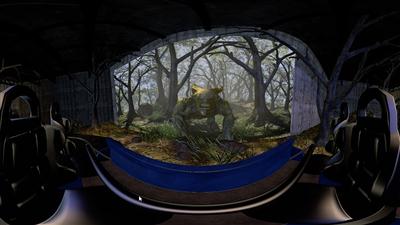
360 VR Compositing in NUKE Video Training
Duration: 1h 53m | Video: h264, yuv420p, 1280x720 30fps | Audio: aac, 44100 Hz, 2 ch | 959 MB
Genre: eLearning | Language: English | Project Files​

You might have heard of a new little thing called virtual reality (VR). If you have, and you're curious about VR, then this course, 360 VR Compositing in NUKE, is the perfect course for you because it will introduce you to this new filmmaking medium. First, you'll explore the foundations of a VR workflow and how it's different from a standard stereoscopic project. Next, you'll jump into Maya and set up your own VR stereo rig. Finally, you'll take a stereo render from Maya and bring it into NUKE to discuss this new VR compositing workflow. When you're finished with this Virtual Reality course, you'll not only have a solid understanding of this new frontier, but you'll also have the skills to then apply these techniques to your own unique project. Software required: Nuke 9.0v4, and Maya 2016.

Recommend Download Link Hight Speed | Please Say Thanks Keep Topic Live ​
 

73d542cfd823f496af5296e1285a6710.jpg

TrueFire - Shirely Bailey - Essentials: Bebop Etudes
Duration: 2h 39min | Video: h264, yuv420p, 864x486 30fps | Audio: aac, 44100 Hz, 2 ch | 1.34 GB
Genre: eLearning | Language: English​

Fast tempos, instrumental virtuosity, ear-bending improvisations, advanced harmonies, complex syncopation, altered chords, chord substitutions, asymmetrical phrasing and intricate melodies are all bebop's rules of engagement. And it's exactly those rules that attract the likes of Kenny Burrell, Herb Ellis, Tal Farlow, Barney Kessel, Joe Pass, Wes Montgomery, Jim Hall and so many more giants of jazz guitar to the genre.

You'll find our resident Bebop Dojo sensei, Sheryl Bailey also listed on the Who's Who of bebop jazz guitar. Fortunately for we students of bebop guitar, Sheryl is also a passionate and brilliant educator as you'll experience for yourself in this Bebop Etudes edition of Essentials.

Sheryl demonstrates all of the solos over rhythm tracks and then breaks them down by stepping you through the key concepts, techniques and creative approaches that she used in each performance study.

Soulio - "Soulio is based on the iconic standard, Body And Soul. This chord melody solo weaves together drop 2 voicings, the min7 ala Wes technique, min7b5 substitutions, upper structure triads, and a few of my favorite voicings that I thought you'd dig."

Flipso Calypso - "You may recognize a classic Sonny Rollins tune here, but I've added a nod to Sonny's long time guitar collaborator, Jim Hall, in the construction of this tune. Jim and Sonny both had a quirky sense of placement and displacement in their phrasing."

Blues By II V - "Everybody's got to play the blues, and playing a jazz blues means not only creating melodies off of the changes of the song form, but also creating melodies on the invisible changes; implying II-7 V7's within the song form."

Bebop Lee - "Indiana became Charlie Parker's Donna Lee, which then became my version, titled Bebop Lee. This etude explores the many uses of the major7 bebop scale and the dominant 7 bebop scale."

Petite Tournesol - "Let's get modal with my take on the chord progression to the Freddie Hubbard classic, Little Sunflower - now named "Petite Tournesol. This one is always a favorite at jam sessions of all levels."

Soulstice - "This is a 12-bar Db minor blues based on the Coltrane classic, "Equinox." We'll explore some more modern techniques made popular by McCoy Tyner, looking at quartal harmony and constant structures."

Dem Changes One - "There are certain touchstones, in terms of note choices, that a player needs to express when playing a rhythm change. Here I've included the most important ones, so you can be on your way to mastering this fun and challenging puzzle."

Dem Changes Two - "I've expanded the chromatic passages here, and make sure to take a look at that B section-adding sub II V's!"

Reflections One - "I've borrowed ideas from the famous George Benson solo on "So What" from "Beyond the Blue Horizon" by creating a quick V7 - I cadence and using the tri-tone sub triad pair."

Reflections Two - "Here are some nice long, flowing lines you can use in many harmonic situations. These will move you away from playing up and down scales and give more harmonic shape to your ideas."

All of the performances are tabbed and notated for your practice, reference and study purposes. You'll also get Guitar Pro files so that you can play, loop and/or slow down the tab and notation as you work through the lessons. Plus, Sheryl generously includes all of the rhythm tracks for you to work with on your own.

Recommend Download Link Hight Speed | Please Say Thanks Keep Topic Live ​

 

b2ef67d192b68fd72218b8f7d7d8a583.jpg

Hack Your Life - Step by Step Guide to Unleashing a New You
WEBRip | MP4 | English | 1280 x 720 | AVC ~108 kbps | 30 fps
AAC ~56.8 Kbps | 44.1 KHz | 2 channels | ~15 hours | 1.3 GB​

Genre: eLearning Video / Personal Growth, Relationships
A world explorer's secrets to designing, financing and surviving a life of rewarding travel, languages and relationships Feeling stuck in life, and not knowing what to do next sucks. Especially if you are successful by society’s standards, but feel unfulfilled and unhappy on the inside. If you yearn to travel the world, learn new languages, meet new people and go on amazing adventures, you have to learn how to set personally meaningful goals, and go after them with a laser like focus.

You need to learn how to plan your travel, manage your finances, deal with stress and anxiety when you put yourself in unusual situations, and do all this without going insane.

This course is your guide to accomplishing these personally meaningful goals, and not worry about what other people think. It took me 5 years in the school of hard knocks to learn all these lessons. But you don’t have to go through the same. I hope this course will help unleash a new you the moment you start applying the lessons I teach

Recommend Download Link Hight Speed | Please Say Thanks Keep Topic Live ​

 

c5d4ce1d641b69813a9c63b60f0d535c.jpg

Lens Choice: Changing your Model's Features in Camera
Duration: 19m | Video: h264, yuv420p, 1280x720 30fps | Audio: aac, 44100 Hz, 2 ch | 350 MB
Genre: eLearning | Language: English​

In this class, we discover the benefit of working to achieve results in camera. This means knowing how to look at your model's features and bring out the best of them while shooting. Before going to post processing, we first have to look at how to shoot a face.

It will focus on the relationship between focal length and height. How do your subject's features change looking at eye level compared to the three inches above and below that level? This class will allow you to begin thinking in a different way of taking images. Not just about compression, bokeh or framing but the angle as well.

Recommend Download Link Hight Speed | Please Say Thanks Keep Topic Live ​

 

16d2d70efaa1b247de408ce170d4cc89.jpg

Lynda - Creating Motion Graphics with Fusion
Duration: 3h 43m | Video: AVC (.mp4) 1280x720 30fps | Audio: AAC 48KHz 2ch | 1.12 GB
Genre: eLearning | Level: Intermediate | Language: English​

Producing great motion graphics requires a great toolset. Blackmagic Design Fusion provides a rich, full-featured compositing environment to bring together video footage, 3D animation, and graphics, text, and photos in a fully three-dimensional space. And best of all, the non-Studio version is completely free. In this course, Adam Crespi shows how to create an identity bumper in Studio 8 by compositing and animating a variety of assets. Starting with the raw elements, he assembles a composition and animates a camera in the scene. From there, he adds lights, particles, a painted logo, and post effects, and then renders the final bumper. Each step of the process is rich with object lessons that are applicable to the variations that a compositor will face in the real world.

Topics include:
* Importing and layering footage
* Creating a camera and setting up a renderer
* Animating cameras in 3D space
* Adding a particle system
* Lighting the scene
* Adding effects like depth of field and motion blur
* Painting a logo
* Adding text
* Rendering the final composite

Recommend Download Link Hight Speed | Please Say Thanks Keep Topic Live ​

 
Zurück
Oben Unten