• Regeln für den Video-Bereich:

    In den Börsenbereich gehören nur Angebote die bereits den Allgemeinen Regeln entsprechen.

    Einteilung

    - Folgende Formate gehören in die angegeben Bereiche:
    - Filme: Encodierte Filme von BluRay, DVD, R5, TV, Screener sowie Telesyncs im Format DivX, XviD und x264.
    - DVD: Filme im Format DVD5, DVD9 und HD2DVD.
    - HD: Encodierte Filme mit der Auflösung 720p oder darüber von BluRay, DVD, R5, TV, Screener sowie Telesyncs im Format x264.
    - 3D: Encodierte Filme von BluRay, die in einem 3D Format vorliegen. Dies gilt auch für Dokus, Animation usw.
    - Serien: Cartoon/Zeichentrick, Anime, Tutorials, Dokumentationen, Konzerte/Musik, Sonstiges sind demnach in die entsprechenden Bereiche einzuordnen, auch wenn sie beispielsweise im High Definition-Format oder als DVD5/DVD9/HD2DVD vorliegen. Ausnahme 3D.
    - Bereich Englisch: Englische Releases gehören immer in diesen Bereich.
    - Bereich Talk: Der Bereich, in dem über die Releases diskutiert werden kann, darf, soll und erwünscht ist.


    Angebot/Beitrag erstellen

    - Ein Beitrag darf erst dann erstellt werden, wenn der Upload bei mindestens einem OCH komplett ist. Platzhalter sind untersagt.
    - Bei einem Scenerelease hat der Threadtitel ausschließlich aus dem originalen, unveränderten Releasenamen zu bestehen. Es dürfen keine Veränderungen wie z.B. Sterne, kleine Buchstaben o.ä. vorgenommen werden. Ausnahme Serienbörse:
    - Bei einem Sammelthread für eine Staffel entfällt aus dem Releasename natürlich der Name der Folge. Beispiel: Die Simpsons S21 German DVDRip XviD - ITG
    - Dementsprechend sind also u.a. verboten: Erweiterungen wie "Tipp", "empfehlenswert", "only", "reup", usw. / jegliche andere Zusatzinformation oder Ergänzung, welche nicht in obiger Beschreibung zu finden ist.

    Aufbau des Angebots und Threadtitel

    Der Titel nach folgendem Muster erstellt zu werden. <Name> [3D] [Staffel] [German] <Jahr> <Tonspur> [DL] [Auflösung] <Quelle> <Codec> - <Group>
    Beispiel: The Dark Knight German 2008 AC3 DVDRip XviD - iND
    Beispiel: The Dark Knight 2008 DTS DL BDRip x264 - iND
    Beispiel: The Dark Knight 2008 AC3 DL BDRip XviD - iND
    Beispiel: The Dark Knight German 2008 AC3 720p BluRay x264 iND
    Beispiel: The Dark Knight 2008 DTS DL 1080p BluRay x264 iND
    Beispiel: Die Simpsons S01 German AC3 DVDRip XviD iND
    Beispiel: Die Simpsons S20 German AC3 720p BluRay x264 iND
    Beispiel: Sword Art Online II Ger Sub 2014 AAC 1080p WEBRip x264 - peppermint
    Entsprechend sind also u.a. verboten: Sonderzeichen wie Klammern, Sterne, Ausrufezeichen, Unterstriche, Anführungszeichen / Erweiterungen wie "Tipp", "empfehlenswert", "only", "reup", usw. / jegliche andere Zusatzinformation oder Ergänzung, welche nicht in obiger Beschreibung zu finden ist
    Ausnahmen hiervon können in den Bereichen geregelt sein.

    Die Beiträge sollen wie folgt aufgebaut werden:
    Überschrift entspricht dem Threadtitel
    Cover
    kurze Inhaltsbeschreibung
    Format, Größe, Dauer sind gut lesbar für Downloader außerhalb des Spoilers zu vermerken
    Nfo sind immer Anzugeben und selbige immer im Spoiler in Textform.
    Sind keine Nfo vorhanden z.B. Eigenpublikationen, sind im Spoiler folgende Dateiinformationen zusätzlich anzugeben :
    Quelle
    Video (Auflösung und Bitrate)
    Ton (Sprache, Format und Bitrate der einzelnen Spuren)
    Untertitel (sofern vorhanden)
    Hosterangabe in Textform außerhalb eines Spoiler mit allen enthaltenen Hostern.
    Bei SD kann auf diese zusätzlichen Dateiinformationen verzichtet werden.

    Alle benötigten Passwörter sind, sofern vorhanden, in Textform im Angebot anzugeben.
    Spoiler im Spoiler mit Kommentaren :"Schon Bedankt?" sind unerwünscht.


    Releases

    - Sind Retail-Release verfügbar, sind alle anderen Variationen untersagt. Ausnahmen: Alle deutschen Retail-Release sind CUT, in diesem Fall sind dubbed UNCUT-Release zulässig.
    - Im Serien-Bereich gilt speziell: Wenn ein Retail vor Abschluss einer laufenden Staffel erscheint, darf diese Staffel noch zu Ende gebracht werden.62
    - Gleiche Releases sind unbedingt zusammenzufassen. Das bedeutet, es ist zwingend erforderlich, vor dem Erstellen eines Themas per Suchfunktion zu überprüfen, ob bereits ein Beitrag mit demselben Release besteht. Ist dies der Fall, ist der bereits vorhandene Beitrag zu verwenden.
    - P2P und Scene Releases dürfen nicht verändert oder gar unter einem iND Tag eingestellt werden.


    Support, Diskussionen und Suche

    - Supportanfragen sind entweder per PN oder im Bereich Talk zu stellen.
    - Diskussionen und Bewertungen sind im Talk Bereich zu führen. Fragen an die Uploader haben ausschließlich via PN zu erfolgen, und sind in den Angeboten untersagt.
    - Anfragen zu Upload-Wünschen sind nur im Bereich Suche Video erlaubt. Antworten dürfen nur auf Angebote von MyBoerse.bz verlinkt werden.


    Verbote

    - Untersagt sind mehrere Formate in einem einzigen Angebotsthread, wie beispielsweise das gleichzeitige Anbieten von DivX/XviD, 720p und 1080p in einem Thread. Pro Format, Release und Auflösung ist ein eigener Thread zu eröffnen.
    - Grundsätzlich ebenso verboten sind Dupes. Uploader haben sich an geeigneter Stelle darüber zu informieren, ob es sich bei einem Release um ein Dupe handelt.
    - Gefakte, nur teilweise lauffähige oder unvollständige Angebote sind untersagt. Dies gilt auch für eigene Publikationen, die augenscheinlich nicht selbst von z.B. einer DVD gerippt wurden. Laufende Serien, bei denen noch nicht alle Folgen verfügbar sind, dürfen erstellt und regelmäßig geupdatet werden.
    - Untersagt sind Angebote, welche nur und ausschließlich in einer anderen Sprache als deutsch oder englisch vorliegen. Ausnahmen sind VORHER mit den Moderatoren zu klären.


    Verstoß gegen die Regeln

    - Angebote oder Beiträge, die gegen die Forenregeln verstoßen, sind über den "Melden"-Button im Beitrag zu melden.
  • Bitte registriere dich zunächst um Beiträge zu verfassen und externe Links aufzurufen.


Englische Tutorials


a6da888e4a7e91274a5b251252c85b81.jpg

Lynda - Writing Technical Reports
Size: 341 MB | Duration: 2h 30m | Video: AVC (.mp4) 1280x720 30fps | Audio: AAC 48KHz 2ch
Genre: eLearning | Level: Appropriate for all | Language: English​

Technical reports are the cornerstone of research projects and stand-alone routine investigations. Writing reports correctly is important. Whether you are a researcher responsible for your own reports or a technical writer interpreting the work of others, this course will help you generate clear, concise, and complete technical reports. Writing instructor Judy Steiner-Williams explains how technical reports differ from other report types and outlines all the elements needed to make reports as comprehensive as possible. In addition, she provides tips on how to simplify your writing-which can be especially challenging when using technical language-and helps you evaluate your audience's needs, so you can best address their concerns.

Topics include:
* Identifying the purpose and main point of the report
* Evaluating audience needs
* Conducting research
* Writing a first draft
* Proofreading
* Writing an abstract
* Including methodology and procedure
* Creating a cover letter
* Crediting sources
* Considering language formality

3594a8e9efa6d5801ecbb3d1935b4fba.jpg


Recommend Download Link Hight Speed | Please Say Thanks Keep Topic Live ​

 

96a0da5c7c4dd8de6ef4a32fedc8abf3.jpg

Practice advanced SQL queries with MySQL 5.7+ (2016)
MP4 | Video: AVC 1920x1080 | Audio: AAC 44KHz 2ch | Duration: 5 Hours | Lec: 74 | 1.98 GB
Genre: eLearning | Language: English​

Build on your current knowledge and get to a next level in SQL. Learn by writing - lots of examples are waiting for you.

I designed this course especially for those who already know the basics and wonder how to get to the next level. Maybe youre a BI analyst, IT specialist, QA analyst, automation tester, DB admin, aspiring data scientist or just passionate to learn SQL. Youll learn how to use analytic functions, how to take advantage of table partitioning, how to write user-defined functions, procedures with cursors and even how to write beautiful code. All of that with the focus on the most popular open-source database: MySQL.

In this course well write the code & MySQL queries together. I prepared 2 test databases, 70+ lectures, 4+ hours of video and lots of examples and practices so that you can learn advanced SQL techniques by writing the code. Youll not learn just by watching me and eating pop-corn. You need to write the queries and Ill help you! I believe thats the only way for you to really adopt this new knowledge.

At the end of this course you will not just know these advanced techniques, but also know how to use them in practice.

To help you out, I also created a Slack group where you can join and chat with me or my colleagues if you get stuck.

Anyways, you have nothing to lose. Try this course and if you can honestly say that you learnt nothing, just email Udemy and they will give you a 100% refund within 30 days.

062097f01e8cff8bd339123a1d05fc2f.jpg


Recommend Download Link Hight Speed | Please Say Thanks Keep Topic Live ​

 

0ecbfdf99493c9a8ec21e6ede2bd5df1.jpg

Lisa Hubbard - Pilates Mat Workout
WEBRip | English | MP4 | 1280 x 720 | AVC ~1367 kbps | 29.970 fps
AAC | 160 Kbps | 48.0 KHz | 2 channels | 00:45:49 | 502 MB​

Genre: eLearning Video / Fitness, Pilates, Health
From start to finish, Lisa Hubbard guides you through class with smooth transitions and insightful cues. As you move along, you'll find your body is well prepared for the exercises that follow, leaving you with a sense of deep connection and flow. You might even be surprised at how fast this class zooms by given how much you'll accomplish.

813c8b612382a36574a90907674f56f4.jpg


Recommend Download Link Hight Speed | Please Say Thanks Keep Topic Live ​

 

817cad4d1224b5c07333a66c6dd0910a.jpg

Lynda - CINEMA 4D R18 Essential Training: Motion Graphics
Size: 1.89 GB | Duration: 5h 13m | Video: AVC (.mp4) 1280x720 15&30fps | Audio: AAC 48KHz 2ch
Genre: eLearning | Level: Intermediate | Language: English​

CINEMA 4D R18 Essentials: Motion Graphics introduces artists to the CINEMA 4D workflow.

* Setting up scenes
* Modeling with splines
* Using Illustrator files in C4D
* Extruding depth and detail
* Animating in the Timeline
* Creating clones
* Using effectors
* Lighting motion graphics
* Applying materials
* Creating animated materials
* Compositing multipass renders with After Effects and C4D
* Rendering motion graphics in C4D

Recommend Download Link Hight Speed | Please Say Thanks Keep Topic Live ​

 

d3ffc74021d93501dd9b79fdd47281f8.jpg

Tatiana Urquiza Yoga - Therapeutic Yoga
WEBRip | English | MP4 | 1280 x 720 | AVC ~1368 kbps | 23.976 fps
AAC | 160 Kbps | 48.0 KHz | 2 channels | 00:36:58 | 405 MB​

Genre: eLearning Video / Yoga, Health
This general level class is for students with limited flexibly, mobility and strength due to medical conditions, injury, joint replacement and post-surgery.

d9c6fddf564ee8ba872131dd8fbd0f3b.jpg


Recommend Download Link Hight Speed | Please Say Thanks Keep Topic Live ​

 

580d61c8a6ebcb16f2f36e78fdde5ab8.jpg

Ryan Shaw - Lighting Leads Pro Trainings
WEBRip | English | MP4 + PDF Guide | 1280 x 720 | AVC ~172 kbps | 6 fps
AAC | 161 Kbps | 44.1 KHz | 2 channels | 06:51:48 | 979 MB​

Genre: eLearning Video / Business, Sales, Marketing
CRM - The perfect way to manage all of your leads and clients in one place. Easy to use and manage any contact within our global search feature and easy to import any existing contacts you may have.

Lead Engine - Tired of using spreadsheets to manage your business? We use a very friendly interface for you to track all interactions with your contacts. Save, manage and download them at any time.

Email Marketing - We've setup the easiest to use integrations on the planet for you to sync all of your meetings, emails and much more to save you more time.

Phone Calls - Use our built-in technology to have your entire organization make and record phone calls to track the progress of your leads or just to manage your current clients.

Reporting - Ever wondering if your organization could get more efficient and close more leads? So we've spent a lot of time to create a very useful reporting module to help you make money in your business.

Team Management - Tired of using spreadsheets to manage your business? We use a very friendly interface for you to track all interactions with your contacts. Save, manage and download them at any time.

Mobile CRM - Run your business on the go. Send emails and make receive phone calls out in the field. The Internets Easiest 'Next Generation' CRM and Marketing Platform.

Find Leads - Search Leads that suits your category. You can then save and Manage your leads in one central location, everything you need is available is right at your fingertips.

Make Deals - It simplify your life and lends you more deals by having an automated, organized and incorporate step by step system for you and your team.

Manage Sales - Whether its a sole business owner looking to manage their leads and customers or a big company with a massive sales team.

a448a04e4a1a54a85e4377fe2a2f927b.jpg


Recommend Download Link Hight Speed | Please Say Thanks Keep Topic Live ​

 

be06da7e56210de47279de4d26e1e3bb.jpg

OutdoorExposure Photography - Developing For Extended Dynamic Range 2nd Edition
Duration: 6+ Hours | Video: h264, yuv420p, 1440x900 30fps | Audio: aac, 44100 Hz, 2 ch | 2 GB
Genre: eLearning | Language: English | Project files Included​

The 2nd edition of Developing for Extended Dynamic Range provides instruction in a variety of techniques for working with contrast balance in single exposures as well as multiple exposure blending. Evaluating dynamic range. If, when and how to bracket exposures.

Raw adjustments and Photoshop adjustments for better dynamic range balance in single exposures. High dynamic range 32bit processing using Lightroom and Photoshop Advanced exposure blending techniques in Photoshop using selections and masks: Simple, complex, forests, water, nighttime cityscape, architectural interiors, trees against sky. TKActions Panel is used to demonstrate how luminosity selections and luminosity masks can be used for tonal adjustments and complex exposure blending.

Topics:
Evaluating dynamic range
If, when and how to bracket exposures
Raw adjustments and Photoshop adjustments for better dynamic range balance in single exposures
High dynamic range 32bit processing using Lightroom and Photoshop
Advanced exposure blending techniques in Photoshop using selections and masks: Simple, complex, forests, water, nighttime cityscape, architectural interiors, trees against sky
TKActions Panel is used to demonstrate how luminosity selections and luminosity masks can be used for tonal adjustments and complex exposure blending

The series includes:
36 video chapters
Over 6 hours of instruction
1440x900 HD resolution
Practice images

4399fa76b73500337b5ea5ddf635b348.jpg


Recommend Download Link Hight Speed | Please Say Thanks Keep Topic Live ​

 

297d9cb4756deb578de4cff2e770f500.jpg

Coursera: Vaccines - University of Pennsylvania
WEBRip | English | MP4 + work files | 960 x 540 | AVC ~72.6 kbps | 29.970 fps
AAC | 128 Kbps | 44.1 KHz | 2 channels | Subs: English | ~4 hours | 475 MB​

Genre: eLearning Video / Medicine, Health
In light of recent outbreaks of infectious diseases and new developments in immunizations, everyone from parents to policy-makers have questions about vaccines. What's actually in a vaccine? Are vaccines effective? Are they safe? Should a society require that all citizens get certain vaccines?

In this course, Dr. Paul Offit will tackle these questions and more. We will explore the history, science, and debate behind vaccines. We'll trace the development of vaccines over the past two and a half centuries, and describe methods for the attenuation of various viruses and bacteria. We'll discuss the benefits of vaccines in the United States and around the world, and we'll also explore the risks, both real and perceived, associated with vaccines. We'll look at how the media shapes the conversation about vaccines and some controversies that surround them, specifically that vaccines cause autism, multiple sclerosis, neurodevelopmental delays, diabetes or other chronic problems. The focus throughout the course will be on research and real-world examples and the discussion will conclude with an update on newly created vaccines and recent outbreaks of previously controlled diseases.

Dr. Offit is an attending physician in the Division of Infectious Diseases and the Director of the Vaccine Education Center at The Children Hospital of Philadelphia and the Maurice R. Hilleman Professor of Vaccinology and a Professor of Pediatrics at the University of Pennsylvania School of Medicine.

Content:

01_Week_One_-_History_of_Vaccines
02_Week_Two_-_Schedules_and_Common_Questions
03_Week_Three_-_Vaccines_and_the_Media
04_Week_Four_-_Case_Study
05_Week_Five_-_Vaccines_Exemptions
06_Week_Six_-_Update

d2c1824731be4779c2280b4e22419cd7.jpg


Recommend Download Link Hight Speed | Please Say Thanks Keep Topic Live ​

 

21e4aaff5bb42528a45981830535e4e0.jpg

KettleWorX Ultimate Body Collection
DVDRip | English | MP4 | 720 x 480 | AVC ~1542 kbps | 23.976 fps
AAC | 160 Kbps | 48.0 KHz | 2 channels | 01:46:41 | 1.27 GB​

Genre: eLearning Video / Fitness, Health
The Ultimate Body Collection is a series of training DVDs with special workouts that provide focused sculpting - ideal for both men and women, with workouts to sculpt the ultimate legs, buns, arms, shoulders, chest and back.

Butt & Hips - Focus on form and special body shaping techniques with the targeted exercises for butt & hip sculpting designed to lift, shape and tighten.

Arm & Shoulders - Say goodbye to droopy arms. Arms & Shoulders creates shapely shoulders while toning upper arms.

Chest and Back - Created to get more results in less time, this challenging workout maximizes chest & back sculpting.

Legs & Thighs - Increase endurance, strength & energy, while doing new and exciting moves targeting your legs ad thighs.

7466cf58ab46cd8dbc6386e934bb6542.jpg


Recommend Download Link Hight Speed | Please Say Thanks Keep Topic Live ​
 

73573b9806ff89a673de8371ba8505ba.jpg

Adobe DPS Adding Content From HTML and WordPress
MP4 | Video: AVC 1280x720 | Audio: AAC 44KHz 2ch | Duration: 46M | 220 MB
Genre: eLearning | Language: English​

Learn to create HTML-based Adobe Digital Publishing Solution articles as well as how to use a content management system (CMS) like WordPress to push articles directly or indirectly into DPS. Software required: Adobe Digital Publishing Suite.

In this course, you'll learn to create HTML-based Adobe Digital Publishing Solution articles, as well as how to use a content management system (CMS) like WordPress to push articles directly or indirectly into DPS. Software required: Adobe Digital Publishing Suite.

Recommend Download Link Hight Speed | Please Say Thanks Keep Topic Live ​
 

88d4d4dcb46f637bb909c6b379999078.jpg

Learn to Code JavaScript web designers and developers quick
MP4 | Video: AVC 1280x720 | Audio: AAC 44KHz 2ch | Duration: 3 Hours | Lec: 50 | 475MB
Genre: eLearning | Language: English​

Quick Guide to learning JavaScript create more dynamic and interactive web content
JavaScript is the best starting point to learning how code works. Its in demand and the most popular programming language available today. With JavaScript you can jump write in and start creating right away. This course is designed to allow you to quickly start writing your own JavaScript code. No wasted time see how you can start with some simple code and develop really great projects.

JavaScript is everywhere, open the doors to the possibilities. It gives you the freedom to create and let your creations come to life. There is nothing better than seeing your ideas brought to life on your computer screen.

JavaScript is popular and also one of the easiest languages to start learning. There is nothing to install and no complex environments to configure. You already have the tools you need right on your computer to start creating JavaScript. Just a simple text editor and a browser, that's all you need to write JavaScript. JavaScript runs within you web browser, any browser!

JavaScript is powerful and you can really do a lot with a little bit of code. Its easy to add to your web pages.

This course is taught by an instructor with over 15 years of real world experience. Using JavaScript on a daily basis let us introduce you to the magic of JavaScript.

JavaScript allows you to create dynamic web interactions by selecting and manipulating elements on the page. You can customize the user experience with JavaScript. Other programming languages many times depend on JavaScript to deliver content to the user.

JavaScript is at the center of all things web, you will find that time and time again its comes back to knowing JavaScript.

Start exploring what you can do with JavaScript.

By the end of the course you will have the skills and know how to add JavaScript within you website.

I am here to help you learn how to create your own websites and ready to answer any questions you may have.

JavaScript is the most in demand skills, and learning how to use JavaScript will help to separate you from the crowd.

Want to know more, what are you waiting for take the first step. Join now to start learning how you too can create DYNAMIC and INTERACTIVE pages with JavaScript today.

What are the requirements?
Desire to learn
HTML and CSS basic skills
What am I going to get from this course?
Access the best resources and tools
Create JavaScript code
create interactive web content
create dynamic web content
Use JavaScript to enhance websites
better understand what JavaScript can do
Have resources to reference and be able to code quicker
What is the target audience?
web designers
Anyone who wants to Learn To Code
anyone who wants to upgrade their skills

40e4a8295be27da0e5847bce81ac521e.jpg


Recommend Download Link Hight Speed | Please Say Thanks Keep Topic Live ​
 

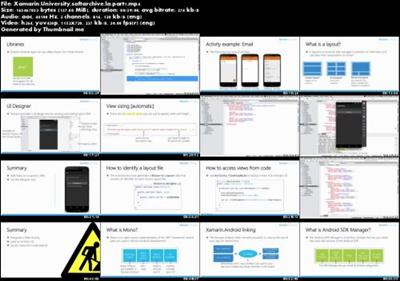
b4c8ef296232e5a1c30ad5be3487d560.jpg

Xamarin University - Mobile Training
WEBRip | English | MP4 + work files | 940 x 360 | AVC ~367 kbps | 30 fps
AAC | 128 Kbps | 44.1 KHz | 2 channels | 25:14:26 | 5.76 GB​

Genre: eLearning Video / Development, Programming
These video tutorials will suit those who are already familiar with C # and want to learn how to program it for iOS and Android. This is part of the official exchange rate for Xamarin, which is available to those who have a subscription to Visual Studio.

Content:

Installing Xamarin

1. Installing Xamarin on OS X
We'll walk you through how to set up your Mac machine and get you ready to build fully native apps.

2. Installing Xamarin on Windows
We'll walk you through how to set up your Windows machine and get you ready to build fully native apps.

Xamarin.Android

1. Introduction to Xamarin.Android
Learn Android development basics, including tool chain, app structure, and other fundamentals.

2. Activities and Intents
Understand Android Activities and Intents, allowing you to create multiple pages for engaging apps.

3. List Views and Adapters in Android
Learn how to enhance your Xamarin.Android apps with a ListView to display, and interact with lists of scrollable data.

4. Navigation Patterns in Android
Learn how to use the most common navigation styles in Android to manage multiple Activities in your apps.

5. RecyclerView and CardView in Android
Start using the new RecyclerView and CardView controls to display collections of data.

6. Introduction to Backgrounding in Android
Learn how Android manages your Activity lifecycle, and how to continue to execute code even when your app is no longer active.

Xamarin.iOS

1. Introduction to Xamarin.iOS
Dive into iOS architecture, app structure, and UI basics.

2. Getting started with the iOS Designer
Explore Xamarin.iOS' visual designer and use a WYSIWYG designer to create app screens straight from the IDE.

3. Fundamentals of Table Views
Get started with presenting lists of interactive data using a Table View in your iOS application.

4. Navigation Patterns in iOS
Explore built-in iOS navigation styles to manage multiple screens in your apps.

5. Customizing iOS Table Views
Build on your iOS Table View knowledge to customize the visual cells used to display your data.

6. Introduction to Backgrounding
Explore iOS background options, to complete critical operations-even when your app is backgrounded.

Xamarin.Forms

1. Introduction to Xamarin.Forms
Take code sharing to the next level with Xamarin.Forms. Define a single UI that creates a native user experience for iOS, Android, and Windows.

Cross-Platform

1. Introduction to Cross-Platform Mobile Development
Dive into sharing your code between your platforms using Portable Class Libraries and Shared Projects.

2. Using Async and Await
Learn how to use C# async and await keywords to simplify your asynchronous code and the benefits and drawbacks of this language feature.

3. Consuming REST Web Services
Learn how to manage your mobile connectivity to access RESTful web services.

Guest Lectures

1. Azure Mobile Services and Xamarin
David Giard explains how to connect your Xamarin projects to Azure for native, cloud-connected apps for all platforms.

2. Introduction to Prism for Xamarin.Forms
Brian Lagunas shares how to use Prism to enhance your Xamarin.Forms apps and create maintainable, well-designed apps quickly.

3. UI Design with Xamarin.Forms
Adam Wolf shows you how to build beautiful, native UIs and share maximum code with Xamarin.Forms.

4. Building polished, production-ready Xamarin.Forms apps
Rob DeRosa shares his tips and tricks for delivering polished enterprise and consumer Xamarin.Forms apps.

5. Using and developing plug-ins with Xamarin.Forms
James Montemagno teaches you to how to use Xamarin plug-ins to easily access common native APIs from your shared code projects and build apps even faster.

6. Spice up Xamarin.Forms UIs with Custom Renderers
Pierce Boggan explores how Custom Renderers allow you to create even better Xamarin.Forms apps.

eb7d05464cb0357db852148b745c66e6.jpg


Recommend Download Link Hight Speed | Please Say Thanks Keep Topic Live ​
 
Zurück
Oben Unten