




• Regeln für den Video-Bereich:

    In den Börsenbereich gehören nur Angebote die bereits den Allgemeinen Regeln entsprechen.

    Einteilung

    - Folgende Formate gehören in die angegeben Bereiche:
    - Filme: Encodierte Filme von BluRay, DVD, R5, TV, Screener sowie Telesyncs im Format DivX, XviD und x264.
    - DVD: Filme im Format DVD5, DVD9 und HD2DVD.
    - HD: Encodierte Filme mit der Auflösung 720p oder darüber von BluRay, DVD, R5, TV, Screener sowie Telesyncs im Format x264.
    - 3D: Encodierte Filme von BluRay, die in einem 3D Format vorliegen. Dies gilt auch für Dokus, Animation usw.
    - Serien: Cartoon/Zeichentrick, Anime, Tutorials, Dokumentationen, Konzerte/Musik, Sonstiges sind demnach in die entsprechenden Bereiche einzuordnen, auch wenn sie beispielsweise im High Definition-Format oder als DVD5/DVD9/HD2DVD vorliegen. Ausnahme 3D.
    - Bereich Englisch: Englische Releases gehören immer in diesen Bereich.
    - Bereich Talk: Der Bereich, in dem über die Releases diskutiert werden kann, darf, soll und erwünscht ist.


    Angebot/Beitrag erstellen

    - Ein Beitrag darf erst dann erstellt werden, wenn der Upload bei mindestens einem OCH komplett ist. Platzhalter sind untersagt.
    - Bei einem Scenerelease hat der Threadtitel ausschließlich aus dem originalen, unveränderten Releasenamen zu bestehen. Es dürfen keine Veränderungen wie z.B. Sterne, kleine Buchstaben o.ä. vorgenommen werden. Ausnahme Serienbörse:
    - Bei einem Sammelthread für eine Staffel entfällt aus dem Releasename natürlich der Name der Folge. Beispiel: Die Simpsons S21 German DVDRip XviD - ITG
    - Dementsprechend sind also u.a. verboten: Erweiterungen wie "Tipp", "empfehlenswert", "only", "reup", usw. / jegliche andere Zusatzinformation oder Ergänzung, welche nicht in obiger Beschreibung zu finden ist.

    Aufbau des Angebots und Threadtitel

    Der Titel nach folgendem Muster erstellt zu werden. <Name> [3D] [Staffel] [German] <Jahr> <Tonspur> [DL] [Auflösung] <Quelle> <Codec> - <Group>
    Beispiel: The Dark Knight German 2008 AC3 DVDRip XviD - iND
    Beispiel: The Dark Knight 2008 DTS DL BDRip x264 - iND
    Beispiel: The Dark Knight 2008 AC3 DL BDRip XviD - iND
    Beispiel: The Dark Knight German 2008 AC3 720p BluRay x264 iND
    Beispiel: The Dark Knight 2008 DTS DL 1080p BluRay x264 iND
    Beispiel: Die Simpsons S01 German AC3 DVDRip XviD iND
    Beispiel: Die Simpsons S20 German AC3 720p BluRay x264 iND
    Beispiel: Sword Art Online II Ger Sub 2014 AAC 1080p WEBRip x264 - peppermint
    Entsprechend sind also u.a. verboten: Sonderzeichen wie Klammern, Sterne, Ausrufezeichen, Unterstriche, Anführungszeichen / Erweiterungen wie "Tipp", "empfehlenswert", "only", "reup", usw. / jegliche andere Zusatzinformation oder Ergänzung, welche nicht in obiger Beschreibung zu finden ist
    Ausnahmen hiervon können in den Bereichen geregelt sein.

    Die Beiträge sollen wie folgt aufgebaut werden:
    Überschrift entspricht dem Threadtitel
    Cover
    kurze Inhaltsbeschreibung
    Format, Größe, Dauer sind gut lesbar für Downloader außerhalb des Spoilers zu vermerken
    Nfo sind immer Anzugeben und selbige immer im Spoiler in Textform.
    Sind keine Nfo vorhanden z.B. Eigenpublikationen, sind im Spoiler folgende Dateiinformationen zusätzlich anzugeben :
    Quelle
    Video (Auflösung und Bitrate)
    Ton (Sprache, Format und Bitrate der einzelnen Spuren)
    Untertitel (sofern vorhanden)
    Hosterangabe in Textform außerhalb eines Spoiler mit allen enthaltenen Hostern.
    Bei SD kann auf diese zusätzlichen Dateiinformationen verzichtet werden.

    Alle benötigten Passwörter sind, sofern vorhanden, in Textform im Angebot anzugeben.
    Spoiler im Spoiler mit Kommentaren :"Schon Bedankt?" sind unerwünscht.


    Releases

    - Sind Retail-Release verfügbar, sind alle anderen Variationen untersagt. Ausnahmen: Alle deutschen Retail-Release sind CUT, in diesem Fall sind dubbed UNCUT-Release zulässig.
    - Im Serien-Bereich gilt speziell: Wenn ein Retail vor Abschluss einer laufenden Staffel erscheint, darf diese Staffel noch zu Ende gebracht werden.62
    - Gleiche Releases sind unbedingt zusammenzufassen. Das bedeutet, es ist zwingend erforderlich, vor dem Erstellen eines Themas per Suchfunktion zu überprüfen, ob bereits ein Beitrag mit demselben Release besteht. Ist dies der Fall, ist der bereits vorhandene Beitrag zu verwenden.
    - P2P und Scene Releases dürfen nicht verändert oder gar unter einem iND Tag eingestellt werden.


    Support, Diskussionen und Suche

    - Supportanfragen sind entweder per PN oder im Bereich Talk zu stellen.
    - Diskussionen und Bewertungen sind im Talk Bereich zu führen. Fragen an die Uploader haben ausschließlich via PN zu erfolgen, und sind in den Angeboten untersagt.
    - Anfragen zu Upload-Wünschen sind nur im Bereich Suche Video erlaubt. Antworten dürfen nur auf Angebote von MyBoerse.bz verlinkt werden.


    Verbote

    - Untersagt sind mehrere Formate in einem einzigen Angebotsthread, wie beispielsweise das gleichzeitige Anbieten von DivX/XviD, 720p und 1080p in einem Thread. Pro Format, Release und Auflösung ist ein eigener Thread zu eröffnen.
    - Grundsätzlich ebenso verboten sind Dupes. Uploader haben sich an geeigneter Stelle darüber zu informieren, ob es sich bei einem Release um ein Dupe handelt.
    - Gefakte, nur teilweise lauffähige oder unvollständige Angebote sind untersagt. Dies gilt auch für eigene Publikationen, die augenscheinlich nicht selbst von z.B. einer DVD gerippt wurden. Laufende Serien, bei denen noch nicht alle Folgen verfügbar sind, dürfen erstellt und regelmäßig geupdatet werden.
    - Untersagt sind Angebote, welche nur und ausschließlich in einer anderen Sprache als deutsch oder englisch vorliegen. Ausnahmen sind VORHER mit den Moderatoren zu klären.


    Verstoß gegen die Regeln

    - Angebote oder Beiträge, die gegen die Forenregeln verstoßen, sind über den "Melden"-Button im Beitrag zu melden.
  • Bitte registriere dich zunächst um Beiträge zu verfassen und externe Links aufzurufen.


Englische Tutorials


ebbf37ec5c7c6edfb32f6cfc1157ae39.jpg

InfiniteSkills - Building Web APIs with ASP.NET 4.5 Training Video
Duration: 3h | Video: h264, yuv420p, 1280x720 | Audio: aac, 44100 Hz, stereo, s16 | 2.6 GB
Genre: eLearning | Language: English | Project Files​

This course shows entry to mid-level Visual Studio developers how to create customized REST Web APIs using the ASP.NET framework and then how to deploy those APIs to Microsoft's Azure cloud computing platform. It begins with a description of the REST protocol and an overview of ASP.NET controllers and models, followed by a discussion of the Microsoft OWIN pipeline specification and how to write custom middleware to utilize that specification.

It then moves into a detailed overview of Azure and how to host API systems in the cloud before finishing with an explanation of how to build C# and JavaScript client programs that can communicate with APIs from remote systems.

Learn to build and customize Web APIs using the Microsoft ASP.NET framework
Master the ability to deploy ASP.NET Web APIs to Microsoft's Azure cloud
Understand Microsoft's OWIN pipeline: Middleware, authentication, authorization, and security
Explore four different methods for publishing Web API projects to the cloud
Learn to build C# and JavaScript client programs that can talk to APIs from remote systems

Recommend Download Link Hight Speed | Please Say Thanks Keep Topic Live ​

 

12121ad1b82b312d0699d128b95718b4.jpg

CAGED Pentatonic System for Guitar - Level 2 (2016)
MP4 | Video: AVC 1280x720 | Audio: AAC 44KHz 2ch | Duration: 1.5 Hours | Lec: 26 | 1.54 GB
Genre: eLearning | Language: English​

CAGED System using the Minor Pentatonic Scale - Master the Fretboard

CAGED Pentatonic System For Guitar: Level 2

Break out of the box...View the fretboard in it's entirety.

The CAGED Pentatonic System for Guitar Level 2 is designed to expand on what you've learned in the Level 1 course. This Level 2 course is based around the relative minor key. The Relative Minor has a Blues Rock tonality that adds an aggressive edgier sound to your playing. The Caged Pentatonic (5x5x5) System is the virtual building blocks for utilizing the entire fretboard.

When you see guitarists play up and down the neck effortlessly, it's no secret that they're using some sort of system to connect different scales on the fretboard. So it's best to have some sort of system to use as a framework for creating solos. Let's face it, if you're only using the standard pentatonic box pattern, you're only utilizing 20% of the fretboard. The goal of this video course is to break you out of the standard pentatonic box and get you using 5 different pentatonic boxes that cover the entire fretboard, giving you more options when creating your own licks and solos.

Level 2 builds off the topics covered in Level 1. While it's not necessary that you start with Level 1, it's highly recommended as it will help you better understand the concepts discussed here in this Level 2 Course.

In this course you'll learn:

5 Positions of the Minor Pentatonic Scale
5 Positions of the Major Pentatonic Scale
5 Movable Chord Shapes
The Rule of 3's
Chord & Scale Formulas
Landing/Target Notes
Interval Matrix
Practice Logs
TABs and much more!!!!!This Course features:

90 Minutes of Video
MP3 Jam Track
PDF Printouts Include: TABs, Chord & Scale Formulas, Interval Matrix, 5 Movable Chord Shapes, the 5 Major Scale Patterns, the 5 Major Pentatonic Scale Patterns, the 5 Minor Pentatonic Scale Patterns, Extended Scale Pattern and Practice Log.

Recommend Download Link Hight Speed | Please Say Thanks Keep Topic Live ​

 

5266e48814e33f2f2ba4b45bf482b190.jpg

Capture the Fall - Create your own Fall Themed Picture borders in Adobe Photoshop
Duration: 25m | Video: h264, yuv420p, 1280x720 30fps | Audio: aac, 44100 Hz, 2 ch | 359 MB
Genre: eLearning | Language: English​

In this class you will learn you how you can easily create your own Fall Themed Picture borders in Adobe Photoshop. The process is actually quite easy, and with the supplied pictures of already Isolated leaves, you can start quickly to make your own picture borders, or other Creative Digital Collage / Scrapbook projects.

If you want to use your own images of leaves, you can check out my previous class on how you can make them isolated from their background, together with some tips, that will make using them in these kind of projects more easy.

Recommend Download Link Hight Speed | Please Say Thanks Keep Topic Live ​

 

bb55d793e505396bdfa58ac74e8665fb.jpg

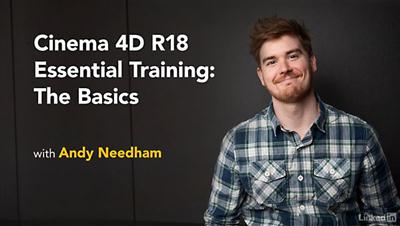
Lynda - CINEMA 4D R18 Essential Training: The Basics
Duration: 1h 35m | Video: AVC (.mp4) 1280x720 15&30fps | Audio: AAC 48KHz 2ch | 589 MB
Genre: eLearning | Level: Beginner | Language: English​

CINEMA 4D R18: The Basics introduces artists to the CINEMA 4D workflow, using CINEMA 4D as part of a pipeline that includes artwork from Adobe Illustrator and finishing touches in After Effects. Author Andy Needham explains the concepts and techniques that are crucial to understanding exactly how this 3D modeling software functions. Learn how to model objects, extrude shapes, animate the model and the camera in your scene, apply lighting and materials, and render out a fully realized 3D animation. Each step follows the development of a real-world motion graphics project-a 3D logo-so you can see C4D's features in action.

Topics include:
* Preparing artwork
* Modeling
* Extruding shapes
* Animating the model and camera
* Lighting the scene
* Applying materials
* Rendering

Recommend Download Link Hight Speed | Please Say Thanks Keep Topic Live ​
 

28b13f1f9148123552a6b70e8108b443.jpg

Cisco Network Design Blocks for CCDA DESGN (200-310) (2016)
October 2016 | MP4 | Video: AVC 1280x720 | Audio: AAC 44KHz 2ch | Duration: 1 Hours | 124 MB
Genre: eLearning | Language: English​

This course will show you the basics of how to design a network including discussing the hierarchical design model, Cisco's Enterprise Architectural Model, and a review of how virtualization is and will be changing network design.

Often the problem that many network engineers have when working on networks is that they lack an understanding of network design and how and why a network is built a specific way. This course reviews the various network design blocks that are used when building a network and how they are used in combination with one another to achieve a highly usable design. In this course, Cisco Network Design Blocks for CCDA DESGN (200-310), you'll learn the foundational knowledge to have the ability to design a basic network using Cisco's preferred methods. First, you will learn about the different modules within Cisco's Hierarchical Design model and how they can be combined together. Next, you'll learn about the different functional areas within a network and how they can be placed to achieve a highly scalable and adaptable design. Finally, you'll learn how about how virtualization technologies will affect network design and network traffic flow in tomorrow's networks. When you're finished with this course, you will have the skills and knowledge of network design needed to understand high-level design decisions.

Recommend Download Link Hight Speed | Please Say Thanks Keep Topic Live ​
 

3dcf0c2d2fb3eb3d8dc35c574ff5ebe6.jpg

Lynda - CISSP Cert Prep: 2 Asset Security
Duration: 0h 58m | Video: AVC (.mp4) 1280x720 15&30fps | Audio: AAC 48KHz 2ch | 131 MB
Genre: eLearning | Level: Advanced | Language: English​

CISSP is the industry's gold standard certification, necessary for many mid- and senior-level information security positions. Learn about best practices needed to complete the second domain of the Certified Information Systems Security Professional (CISSP) exam: Asset Security. Instructor Mike Chapple explains the importance of data governance policies and roles, and how you can develop security baselines that leverage industry standards. Learn how to avoid liability by limiting data collection, and control your exposure with file encryption, system-level file permissions, and cloud storage security options. Plus, find out how to properly retain and dispose of sensitive information. Members who take all eight courses in the series will be prepared to take and pass the CISSP exam. Find the companion study books at the Sybex test prep site and review the complete CISSP Body of Knowledge at

Recommend Download Link Hight Speed | Please Say Thanks Keep Topic Live ​
 

8004572c4918c61a2972484e707d6752.jpg

CISSP®: Security Assessment and Testing (2016)
October 2016 | MP4 | Video: AVC 1280x720 | Audio: AAC 44KHz 2ch | Duration: 2 Hours | 179 MB
Genre: eLearning | Language: English]​

In this course, you build upon the skills learned in previous CISSP domains and learn to put them all to use when validating the effectiveness of your controls.

Your controls have been selected and implemented, users have been educated, and everything seems to be in order. Even if this is the case, odds are that there are still unidentified risks in your environment. If you want to be certain that your controls are working as intended, you will need to perform risk assessments and penetration testing. The 6th domain of the CISSP CBK addresses this concern with topics such as information assurance, testing strategies including penetration testing, log reviews, and third party assessment. In this course, CISSP®: Security Assessment and Testing, you build upon the skills learned in previous CISSP domain and learn to put them all to use when validating the effectiveness of your controls. First, you'll learn about security assessment and test strategies. Next, you'll learn about security controls validation, security and related data collection, as well as analyzing test results. Finally, the course will wrap up by covering third-party risk assessments. By the end this course, you should be familiar with a broad spectrum of topics that are covered within the sixth domain of the CISSP.

Recommend Download Link Hight Speed | Please Say Thanks Keep Topic Live ​
 

2114210650269b372bf70e67efb2f966.jpg

CompuWorks - Office 2013 New Features
HDRips | MP4/AVC, ~1250 kb/s | 1280x720 | Duration: 02:58:45 | English: AAC, 128 kb/s (2 ch) | 1.87 GB
Genre: eLearning | Language: English​

Many of us work with Microsoft Office applications every day. When a new suite is released, we don't need training on the full programs. Often we only need a review of what is new, different, exciting, and how we can apply these new tools to our work. This course does just that; it reviews the changes in the Office 2013 applications: Word, Excel, PowerPoint, Access, and Outlook. It also reviews changes appearing across all applications that are not unique to one product.

Recommend Download Link Hight Speed | Please Say Thanks Keep Topic Live ​
 

eabe81583f2494c9ecb3639ffe7e8029.jpg

CompuWorks - Word 2010 Introduction
HDRips | MP4/AVC, ~317 kb/s | 1280x720 | Duration: 03:34:54 | AAC, 128 kb/s (2 ch) | 804 MB
Genre: eLearning | Language: English​

This course covers the basic functions and features of Word 2010. After an introduction to Word's window components, students will learn how to use the Help system and navigate documents. Then they will enter and edit text, create and save documents, and learn how to enhance the appearance of a document by using various formatting options. They will also create tables, insert headers and footers, proof and print documents, and insert graphics.

Recommend Download Link Hight Speed | Please Say Thanks Keep Topic Live ​
 

74acbe31feb86b9d3f542d20d3c3be1e.jpg

CreativeLive - Working with Flash with Pye Jirsa
Duration: 2hr 41m | Video: h264, yuv420p, 1280x720 30fps | Audio: aac, 44100 Hz, 2 ch | 1.6 GB
Genre: eLearning | Language: English​

Learn how to achieve professional results during real world shoots, working in less-than-ideal scenes, and with absolutely no time in Working with Flash with Pye Jirsa.

Pye has lots of experience shooting in high pressure situations with minimal gear. In this class, he'll teach on-camera flash bounce techniques that you can use to create 1, 2, and even 3 light setups using simple and inexpensive light modifiers. Pye will also help you add motion to your images and he'll dive into the basics of off-camera flash so you can take advantage of the additional flexibility and creative options it affords.

Best of all, you are going to learn lighting from the bottom up. You will see just how powerful the gear you already own can be, while learning about inexpensive stepping stones into the world of off-camera flash.

Recommend Download Link Hight Speed | Please Say Thanks Keep Topic Live ​
 

e3312db67bcee64094fbf97971da7dfb.jpg

CSS : CSS Awesomeness (2016)
MP4 | Video: AVC 1280x720 | Audio: AAC 44KHz 2ch | Duration: 30M | Lec: 16 | 82 MB
Genre: eLearning | Language: English​

Learn To Write CSS the awesome way!

Hey there!

Welcome!

My name is Gilad, and welcome to this course

Im a web developer for serveral years now, and I will teach you the very basics of CSS.

If you are just a beginner, or you used to know CSS.. but.. You know.. Time has gone by..

This course is for you.

We will learn all the building blocks and All the stuff you need to know to get started in CSS.

We will learn:

CSS Selectors
CSS Width and Height
CSS Box Model
CSS Backgrounds
CSS Margins
CSS Paddings
CSS Floats
and many many more CSS stuff..
And we will do it together, in just less than an hour.

Its your opportunity, to learn CSS the easy way.

Press the button , I will see you in the other side.

ciao.

Recommend Download Link Hight Speed | Please Say Thanks Keep Topic Live ​
 

736dcc204dd37e13e9e7c21fc5cb0102.jpg

Design Patterns with Python (2016)
October 2016 | MP4 | Video: AVC 1280x720 | Audio: AAC 44KHz 2ch | Duration: 2 Hours | 250 MB
Genre: eLearning | Language: English​

This course will introduce you to eight classic software design patterns and how they can be implemented in Python to help you create programs that are professional, extendable, and maintainable.

At the core of professional programming practice is a thorough knowledge of software design patterns. In this course, Design Patterns with Python, you will learn eight classic patterns and how to implement them in Python. You will learn how to recognize problems that are solvable using design patterns, how to implement them professionally, and how they can be used to make your programs easier to write, easier to read, and easier to maintain. When you're finished with this course, you will have a better understanding of the elements of reusable object-oriented software design, which will help you as you move beyond simple scripts to complex systems built in Python. Software required: A Python interpreter in the 2.7 series or the 3.5 series and a Python-aware integrated development environment (IDE).

Recommend Download Link Hight Speed | Please Say Thanks Keep Topic Live ​
 
Zurück
Oben Unten