• Regeln für den Video-Bereich:

    In den Börsenbereich gehören nur Angebote die bereits den Allgemeinen Regeln entsprechen.

    Einteilung

    - Folgende Formate gehören in die angegeben Bereiche:
    - Filme: Encodierte Filme von BluRay, DVD, R5, TV, Screener sowie Telesyncs im Format DivX, XviD und x264.
    - DVD: Filme im Format DVD5, DVD9 und HD2DVD.
    - HD: Encodierte Filme mit der Auflösung 720p oder darüber von BluRay, DVD, R5, TV, Screener sowie Telesyncs im Format x264.
    - 3D: Encodierte Filme von BluRay, die in einem 3D Format vorliegen. Dies gilt auch für Dokus, Animation usw.
    - Serien: Cartoon/Zeichentrick, Anime, Tutorials, Dokumentationen, Konzerte/Musik, Sonstiges sind demnach in die entsprechenden Bereiche einzuordnen, auch wenn sie beispielsweise im High Definition-Format oder als DVD5/DVD9/HD2DVD vorliegen. Ausnahme 3D.
    - Bereich Englisch: Englische Releases gehören immer in diesen Bereich.
    - Bereich Talk: Der Bereich, in dem über die Releases diskutiert werden kann, darf, soll und erwünscht ist.


    Angebot/Beitrag erstellen

    - Ein Beitrag darf erst dann erstellt werden, wenn der Upload bei mindestens einem OCH komplett ist. Platzhalter sind untersagt.
    - Bei einem Scenerelease hat der Threadtitel ausschließlich aus dem originalen, unveränderten Releasenamen zu bestehen. Es dürfen keine Veränderungen wie z.B. Sterne, kleine Buchstaben o.ä. vorgenommen werden. Ausnahme Serienbörse:
    - Bei einem Sammelthread für eine Staffel entfällt aus dem Releasename natürlich der Name der Folge. Beispiel: Die Simpsons S21 German DVDRip XviD - ITG
    - Dementsprechend sind also u.a. verboten: Erweiterungen wie "Tipp", "empfehlenswert", "only", "reup", usw. / jegliche andere Zusatzinformation oder Ergänzung, welche nicht in obiger Beschreibung zu finden ist.

    Aufbau des Angebots und Threadtitel

    Der Titel nach folgendem Muster erstellt zu werden. <Name> [3D] [Staffel] [German] <Jahr> <Tonspur> [DL] [Auflösung] <Quelle> <Codec> - <Group>
    Beispiel: The Dark Knight German 2008 AC3 DVDRip XviD - iND
    Beispiel: The Dark Knight 2008 DTS DL BDRip x264 - iND
    Beispiel: The Dark Knight 2008 AC3 DL BDRip XviD - iND
    Beispiel: The Dark Knight German 2008 AC3 720p BluRay x264 iND
    Beispiel: The Dark Knight 2008 DTS DL 1080p BluRay x264 iND
    Beispiel: Die Simpsons S01 German AC3 DVDRip XviD iND
    Beispiel: Die Simpsons S20 German AC3 720p BluRay x264 iND
    Beispiel: Sword Art Online II Ger Sub 2014 AAC 1080p WEBRip x264 - peppermint
    Entsprechend sind also u.a. verboten: Sonderzeichen wie Klammern, Sterne, Ausrufezeichen, Unterstriche, Anführungszeichen / Erweiterungen wie "Tipp", "empfehlenswert", "only", "reup", usw. / jegliche andere Zusatzinformation oder Ergänzung, welche nicht in obiger Beschreibung zu finden ist
    Ausnahmen hiervon können in den Bereichen geregelt sein.

    Die Beiträge sollen wie folgt aufgebaut werden:
    Überschrift entspricht dem Threadtitel
    Cover
    kurze Inhaltsbeschreibung
    Format, Größe, Dauer sind gut lesbar für Downloader außerhalb des Spoilers zu vermerken
    Nfo sind immer Anzugeben und selbige immer im Spoiler in Textform.
    Sind keine Nfo vorhanden z.B. Eigenpublikationen, sind im Spoiler folgende Dateiinformationen zusätzlich anzugeben :
    Quelle
    Video (Auflösung und Bitrate)
    Ton (Sprache, Format und Bitrate der einzelnen Spuren)
    Untertitel (sofern vorhanden)
    Hosterangabe in Textform außerhalb eines Spoiler mit allen enthaltenen Hostern.
    Bei SD kann auf diese zusätzlichen Dateiinformationen verzichtet werden.

    Alle benötigten Passwörter sind, sofern vorhanden, in Textform im Angebot anzugeben.
    Spoiler im Spoiler mit Kommentaren :"Schon Bedankt?" sind unerwünscht.


    Releases

    - Sind Retail-Release verfügbar, sind alle anderen Variationen untersagt. Ausnahmen: Alle deutschen Retail-Release sind CUT, in diesem Fall sind dubbed UNCUT-Release zulässig.
    - Im Serien-Bereich gilt speziell: Wenn ein Retail vor Abschluss einer laufenden Staffel erscheint, darf diese Staffel noch zu Ende gebracht werden.62
    - Gleiche Releases sind unbedingt zusammenzufassen. Das bedeutet, es ist zwingend erforderlich, vor dem Erstellen eines Themas per Suchfunktion zu überprüfen, ob bereits ein Beitrag mit demselben Release besteht. Ist dies der Fall, ist der bereits vorhandene Beitrag zu verwenden.
    - P2P und Scene Releases dürfen nicht verändert oder gar unter einem iND Tag eingestellt werden.


    Support, Diskussionen und Suche

    - Supportanfragen sind entweder per PN oder im Bereich Talk zu stellen.
    - Diskussionen und Bewertungen sind im Talk Bereich zu führen. Fragen an die Uploader haben ausschließlich via PN zu erfolgen, und sind in den Angeboten untersagt.
    - Anfragen zu Upload-Wünschen sind nur im Bereich Suche Video erlaubt. Antworten dürfen nur auf Angebote von MyBoerse.bz verlinkt werden.


    Verbote

    - Untersagt sind mehrere Formate in einem einzigen Angebotsthread, wie beispielsweise das gleichzeitige Anbieten von DivX/XviD, 720p und 1080p in einem Thread. Pro Format, Release und Auflösung ist ein eigener Thread zu eröffnen.
    - Grundsätzlich ebenso verboten sind Dupes. Uploader haben sich an geeigneter Stelle darüber zu informieren, ob es sich bei einem Release um ein Dupe handelt.
    - Gefakte, nur teilweise lauffähige oder unvollständige Angebote sind untersagt. Dies gilt auch für eigene Publikationen, die augenscheinlich nicht selbst von z.B. einer DVD gerippt wurden. Laufende Serien, bei denen noch nicht alle Folgen verfügbar sind, dürfen erstellt und regelmäßig geupdatet werden.
    - Untersagt sind Angebote, welche nur und ausschließlich in einer anderen Sprache als deutsch oder englisch vorliegen. Ausnahmen sind VORHER mit den Moderatoren zu klären.


    Verstoß gegen die Regeln

    - Angebote oder Beiträge, die gegen die Forenregeln verstoßen, sind über den "Melden"-Button im Beitrag zu melden.
  • Bitte registriere dich zunächst um Beiträge zu verfassen und externe Links aufzurufen.

*** Bestes IPTV *** bester Preis *** gratis Test ***


Englische Tutorials

_d55f24358fde448b79b6bd88ac854130.jpeg.html


Lick Library - Extreme Guitar Lessons & Backing Tracks
Andy James, Sam Bell | Duration: 2:31 h | Video: H264 1920x1080 | Audio: AAC 48 kHz 2ch | 3,63 GB | Language: English

Extreme's ."Get The Funk Out" is a powerhouse of funk-infused rock guitar, featuring one of the most iconic riffs of the early '90s. Driven by Nuno Bettencourt's signature groove, this song fuses aggressive rock tones with syncopated funk rhythms, making it a must-learn for any guitarist looking to expand their technical prowess.

At LickLibrary, our note-for-note lesson breaks down the core techniques behind this killer riff, ensuring you develop the skills needed to capture Nuno's dynamic playing style. This lesson is perfect for guitarists who want to improve their right-hand precision, rhythmic control, and articulation while infusing their playing with a blend of rock power and funk finesse.

Our guitar lesson for Extreme's ."Rise" offers an in-depth, note-for-note breakdown of one of the most electrifying modern rock songs, featuring the incredible guitar work of Nuno Bettencourt. The track is a high-energy display of technical proficiency, blending various advanced guitar techniques that are both challenging and rewarding for any guitarist looking to expand their skill set.

Whether you're an aspiring guitarist or a seasoned player wanting to master one of the most iconic rock songs, our lesson covers all the techniques that make "Rise" an extraordinary track. From intricate finger work to harmonically rich solos, you'll gain insights into the nuances that make Nuno Bettencourt's playing style so unique.

"Play With Me" by Extreme is a true shredder's delight and a high-octane tour de force that blends technical proficiency with wild musical flair. At LickLibrary.com, we've created a detailed note-for-note guitar lesson that breaks down this iconic track, allowing guitarists to dive deep into the virtuosic playing of Nuno Bettencourt. Known for its explosive solos, rapid-fire riffs, and flashy techniques, "Play With Me" is a must-learn for any guitarist looking to push their skills to the next level.

1. Get The Funk Out .[52:38]
2. Rise .[51:56]
3. Play With Me .[46:59]

Backing Tracks
1. Get The Funk Out .[04:30]


Homepage


660575835_03-main-solo_s.jpg


38ead145b5b9f22395f67bb46bf5e7b6.jpg


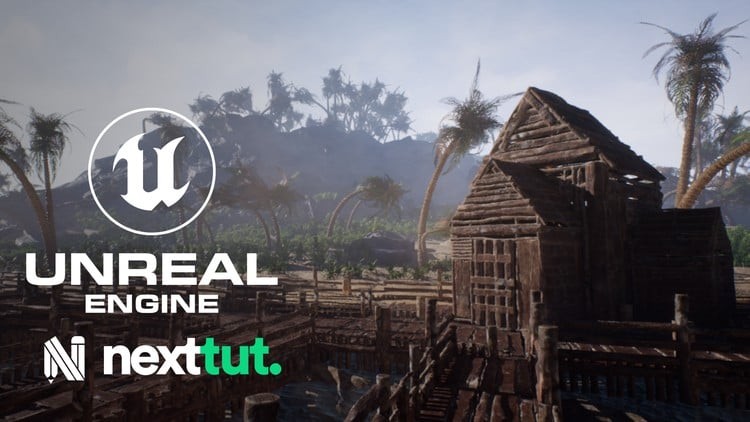
Creating Next-Gen Environments in UE5
Last updated 3/2022
Created by Nexttut Education Pvt.Ltd.
MP4 | Video: h264, 1280x720 | Audio: AAC, 44.1 KHz, 2 Ch Level: Intermediate | Genre: eLearning | Language: English + subtitle | Duration: 39 Lectures ( 38h 0m ) | Size: 35 GB

Make beautiful looking environment for games in Unreal Engine 5.


What you'll learn
How to plan and execute a full environment; methods that will guarantee the chance of finishing an environment
Creating high quality Foliage, vegetation and tree
Master Material Creation for games
Sculpting natural elements like: Rock, stone, in Zbrush
Creating high quality textures in Substance 3d Painter and Substance 3d Designer

Requirements
This course is not designed for absolute 3d beginners. I expect you to have some sort of basic 3d experience. You should have Zbrush, Blender, UE5, Substance 3d Painter and Substance 3d Designer and Gaea installed on your computer.

Description
Do you want to Learn about the latest workflows in Realtime Game Environment Creation?Then I welcome you to Nexttut education's Creating Next-Gen Environments in UE5 course.WHY SHOULD YOU LEARN FROM ME:My name is Arash Aref and I have been a 3d Environment Artist for some time now. I have a good amount of experience in teaching 3d Environment Art for games. I have had many happy students who enjoyed my courses; Hope you too.BENEFITS :By the end of this course,● You will have an understanding about Complete Level Creation Using UE5 and other softwares as well.● You will learn a lot of pipelines and workflows when it comes to mesh and texture and material creation for Realtime Game Environments.WHAT WILL I LEARN:● Using UE5 new technologies like LUMEN and NANITE and● How to plan and execute a full environment; methods that will guarantee the chance of finishing an environment● High Quality AAA Prop authoring for games● How to Use Blender as the main DCC app● Using Gaea to generate Terrains● Creating high quality Foliage, vegetation and tree● Master Material Creation for games● How to make proper structure for project that will keep consistency throughout● Sculpting natural elements like: Rock, stone, in Zbrush● Creating high quality textures in Substance 3d Painter and Substance 3d DesignerCOURSE PROJECTS:We start by planning the environment; we use references to make informed decisions that will make the environment as realistic as possible, technically and aesthetically. Then We generate a Basic Landscape in Gaea and import in Ue5 and start Blocking out the environments using simples shapes. The Landscape itself is going to be deleted later on and replaced with high quality Nanite meshes to ensure the best quality. Then we will start to iterate, reiterate, and iterate more. We start by simple shapes and gradually make them better, this way we know where to save time and stop adding details and where put the most focus and detail and time. We always start with Big Shapes; and it doesn't' matter if it is a mesh, texture or a landscape. We always start from big shapes and then start adding medium and small details in the way we learn how to use Zbrush, Blender and Substance 3d Painter and Substance 3d Designer to produce high quality content. Then use UE5 as the renderer to make a Realtime 3d Environment for Games.IS THIS COURSE RIGHT FOR ME:● I have designed this course for intermediate 3d artists, who want to make beautiful looking environment for games but they struggle to get it because they don't find a tutorial which is step by step, no fast forward, no skip and coming from an artist who knows how to do it.● The course is also for artists who want to speed up their workflow in UE5, Zbrush, Blender and Substance 3d Painter and Substance 3d Designer and improve their skill in Environment Creation for Games.WHO IS NOT THE IDEAL STUDENT:This course is not designed for absolute 3d beginners,WHAT SHOULD I KNOW OR HAVE FOR THE COURSE:● I expect you to have some sort of basic 3d experience.● You should have Zbrush, Blender, UE5, Substance 3d Painter and Substance 3d Designer and Gaea installed on your computer.JOIN ME NOW:So if you want to make a full 3d Environment, then join me now, and take your skills to the next level. Don't forget that investing in yourself will pay for the rest of your life. Hope to see you in the course.

Who this course is for
I have designed this course for intermediate 3d artists, who want to make beautiful looking environment for games.


661314215_creating_next-gen_environments_in_ue5.jpg


Download from RapidGator


Premium Links



4865904371bcaa940d00746e61580043.jpg


Master Calculus with Ease: Volume 1
Published 11/2025
Created by Ethan Tsai (Ming-Yao Tsai)
MP4 | Video: h264, 1280x720 | Audio: AAC, 44.1 KHz, 2 Ch Level: Intermediate | Genre: eLearning | Language: English | Duration: 51 Lectures ( 22h 20m ) | Size: 22.9 GB

Master Limits, Derivatives, Function Behavior, and Indefinite Integrals through understanding, not memorization.


What you'll learn
Understand the core concepts of limits, derivatives, and their real-world meaning.
Learn how to interpret and connect calculus formulas instead of memorizing them.
Build a clear, big-picture understanding of how limits lead to derivatives and applications.
Develop the ability to solve step-by-step calculus problems with confidence and logic.
Strengthen mathematical reasoning through rigorous yet intuitive explanations.
Gain a solid foundation to prepare for more advanced calculus and engineering topics.

Requirements
Basic algebra and function knowledge are helpful but not required.
Curiosity about how mathematics describes change, motion, and patterns.
No prior calculus experience is needed - everything is explained clearly from the ground up.

Description
This course is designed to help you truly understand Calculus, not just memorize formulas. If you've ever felt that calculus feels "confusing" or that you can follow examples in class but struggle when facing new problems, this course is for you. The key to mastering calculus is not talent - it's a clear method and a strong conceptual foundation. And that is exactly what we focus on here.Rather than rushing through rules and shortcuts, you'll learn why the ideas in calculus work, how each concept connects to the next, and how to apply what you've learned to real problems. We move through Limits, Derivatives, Function Analysis, and into the foundations of **Indefinite Integrals**, so every topic builds naturally on the previous one.What makes this course different:• We focus on clarity and intuition, not memorization.• We learn concepts in the order your brain absorbs them best.• We solve problems using structured thinking, not guesswork.• You'll develop the ability to reason, explain, and apply calculus confidently.This teaching framework has helped students from various backgrounds - including those who previously struggled with math - gain confidence and excel in calculus.By the end of this course, you will:• Understand the meaning and purpose of Limits and Derivatives.• Recognize common structures and patterns in problems.• Apply derivative concepts to analyze functions and graphs.• Build a solid foundation in Indefinite Integrals and the idea of "anti-derivatives".• Develop conceptual readiness for future study in definite integrals, applications, and advanced calculus topics.Whether you are a university student, preparing for STEM fields, or simply want to build real mathematical understanding, this course will help you learn calculus in a way that is clear, logical, and lasting.

Who this course is for
University and college students taking their first calculus course.
High school students preparing for AP Calculus or university-level math.
Adults or professionals who want to rebuild a solid understanding of calculus.
Anyone who struggled with calculus before and wants to finally understand it clearly.


661202577_master_calculus_with_ease_volume_1.jpg


Download from RapidGator


Premium Links



0ce3c0b1a42f2addf0f2952da67880af.jpg


BeachBody - Xtend Barre : Super Block
Released 2/2024
By Andrea Rogers
MP4 | Video: h264, 1920x1080 | Audio: AAC, 44.1 KHz, 2 Ch
Genre: eLearning | Language: English | Duration: 21 Lessons ( 10h 10m ) | Size: 26.5 GB

Form-focused barre workouts to strengthen every body.

3 weeks of fluid, intentional movement that tightens, strengthens, and energizes your entire body. Feel good, feel strong. No previous barre experience? No problem!


661174240_xtend_barre_super_block.jpg


Download from RapidGator


Premium Links



3f917411aee29e5b001992f94439acc6.jpg


Procreate Masterclass: Digital Drawing on the iPad
Last updated 11/2023
Created by Marius Worch,Wencke Schaper
MP4 | Video: h264, 1280x720 | Audio: AAC, 44.1 KHz, 2 Ch Level: All | Genre: eLearning | Language: English + subtitle | Duration: 91 Lectures ( 18h 14m ) | Size: 22.8 GB

Learn to draw digitally with Procreate on the iPad. Use digital art to express your unique self with this masterclass!


What you'll learn
You will fully understand Procreate
All content is explained in a practical manner using real projects
Clear understanding of the user interface
All basics with brush, eraser and wipe finger
Gesture control for maximum efficiency
The creation of a sketch
Understanding layers and layer modes
What are the types of brushes
Quick Shape for perfect shapes
The function of alpha lock and clipping masks
How colors work together: Color harmony
Save and export your works
Have time-lapse videos created automatically
Symmetrical and perspective drawing with drawing aid
The function of the selection tool and transformation tool
How to make your art shine
Useful application of the quick menu
Import images from the net
Buy and import brushes
Watercolor painting
How to design and edit text beautifully
Bring your images to life with the Animation Wizard
Create your own brushes in the brush studio
Create three large art projects together with Wencke live

Requirements
You should have an iPad with the app Procreate
You do NOT need any previous experience in drawing or with Procreate

Description
Do you also wish you could create great artwork on the iPad? Do you want to fully understand Procreate in a hands-on way?Then this is the course for you!In this course you will learn all about the following topics: All the basics of Procreate, creating canvases, interface overview, brushes, erasers, swipe fingers, gesture controls, creating sketches, layers, layer modes, Quick Shape, Alpha Lock, canvases in detail, clipping masks, color theory, exporting your work, drawing help tool, copy and paste, selection tool, transformation tool, make, layer masks, quick menu, how to import brushes, watercolor, paste and edit text, animations, screen transfer, brush studio and plenty of live videos of how to draw in Procreate.You get instant access to:1 video lesson a day, 7 days a week, for 11 weeks. Over 18 hours of Procreate Masterclasses;45 helpful materials to manage downloadable JPG files;Access to the Procreate Community where you can exchange information with all course members;Tips from (full-time) illustrator Wencke;Lifetime access to the course and all future updates.But what will you learn in detail in this course?Basics: As the name suggests, the first section is about the basics of Procreate. You will learn how to use the gallery, how to create canvases and how to adjust them to your needs in order to start your first project. When you see your first canvas in front of you, Wencke will explain how to use the Procreate interface to work efficiently in the long run. After that you will know everything about the basic tools like brush, eraser, wipe finger and also how to use the gesture control. It is important to know that this course is very practical. All functions are explained to you by means of really cool projects, which you can of course always participate in. The line-arts and other helpful downloadable files will help you. If you have now mastered the gesture control, we continue with the layers. What are layers and how do I draw with them? You'll learn how to create your first sketches and how to draw faster and much more precisely with the Quick Shape function, for example to create ideal circles. Other useful functions in digital art are, for example, the Alpha Lock or clipping masks, with which you can avoid unclean drawing. Now you have the basics of Procreate down and are able to draw away. But to present a great final result, the interaction of colors is extremely important. Therefore, we have created a separate lesson on color theory where you will understand how colors work together to create a harmonious image.Advanced Techniques: Now that you understand the basics of Procreate, we'll move on to the more advanced features of the drawing app. As mentioned before, all the features Procreate offers you are explained using real drawing projects to follow along. In this case, you will draw a koi pond together with Wencke, in which the stars reflect at night and the koi start to glow. In the process, you'll learn how to use the selection tool and the transformation tool correctly. To end up with a magical glowing effect, Wencke will show you the useful feature of layer modes and how you can use them on all your other works. Feel free to check out some free preview videos to get an idea of the scope of the course. Later in the second section, you'll also learn about all the editing tools such as "Color", "Blur", "Filter", "Liquefy" and "Clone".Special tools and features: If you want to dive deeper into Procreate, the third section is certainly interesting for you. Here you'll learn how to drag and drop files and photos to your canvas. This comes in handy when you want to quickly & easily change the background of your drawing, for example. If you want to draw or paint with other special brushes you will also find a separate lesson for importing brushes in this section. For example, with "special" purchased brushes you can also create real looking watercolor paintings. To take full advantage of Procreate's capabilities, you'll also learn how to add text and make it really cool to create postcards and the like. If that's not enough, Wencke will show you how to create animations and how to animate your finished drawings afterwards. Brush Studio: This section is only interesting for you if you want to create your own brushes. However, you can also get the full potential out of you and Procreate without any problems with the standard brushes or purchased brushes from the net. If you enjoy creating your own brushes and your used brush is not available on the web, then this section is for you.Demonstrations in Procreate: This is the last section of the Procreate Masterclass. Here you can watch Wencke as she works full-time as an illustrator, drawing and finishing real client projects and everything that goes with it. You'll get to work with Wencke on three great projects (a portrait, a blood moon illustration and a tiger head). Wencke will explain her approach, so you can always join in live. The parts where "only monotonous" work is done (coloring etc.) are shortened by time lapse. Feel free to check out the free preview videos and see for yourself.Our Satisfaction Guarantee We have a 30 day 100% money back guarantee. So if you are not satisfied with your purchase, you will get all your money back immediately!We are looking forward to welcoming you to the first lesson of the Procreate Masterclass!Wencke & Marius

Who this course is for
Beginners who are just starting with Procreate
Advanced students who want to learn from a real professional


661174245_procreate_masterclass_digital_drawing_on_the_ipad.jpg


Download from RapidGator


Premium Links



92254f31059562f12edb43101b8a022d.jpg


Complete CISSP Course, Exam and the Mindset
Last updated 10/2025
MP4 | Video: h264, 1280x720 | Audio: AAC, 44.1 KHz, 2 Ch
Language: English | Duration: 41h 27m | Size: 50.3 GB

CISSP success system combining full coverage with Mindset to guarantee exam readiness


What you'll learn
Apply the CISSP Mindset to answer scenario-based exam questions with confidence.
Master all CISSP concepts explained in simple, real-world terms.
Use proven test-taking strategies to eliminate wrong answers and manage exam time effectively.
Develop the ability to think like a security leader, not just memorize facts.

Requirements
A basic understanding of IT, networking, or information security is helpful but not mandatory.

Description
Passing the CISSP exam is not just about studying thousands of pages of information, it's about having the right mindset. The exam is designed to test how you think as a security leader, not just what you've memorized. That's why this course goes beyond the content and gives you the CISSP Mindset Framework, proven to help thousands of students pass on their first attempt.This Full CISSP Course and Mindset provides complete coverage of all exam topics explained in simple, easy-to-understand language, with real-world examples that make the material stick. But what makes it different is the focus on the mindset strategies you need: how to break down complex scenario-based questions, eliminate wrong answers, and choose the best option under exam pressure.Inside this course, you will:Learn all CISSP concepts in a clear and structured wayApply the CISSP Mindset to approach every question with confidenceDiscover test-taking strategies to avoid traps and manage your time effectivelyGain the knowledge and mental preparation to think like a CISSP-certified professionalWhether you're an IT professional, manager, or aspiring security leader, this course will give you both the knowledge and mindset required to succeed.By the end, you won't just be ready to take the CISSP exam and you'll be ready to pass it with confidence.

Who this course is for
IT professionals who want to advance their careers by earning the CISSP certification.


Homepage


661488184_2-my-experience-taking-this-exam-and-how-you-can-pass-it_s.jpg


ea3a4e5a875d7591371c31c7a1d27cc0.jpg


Tim Van Roy: Acoustic and Electric Guitar Instruction
Tim Van Roy | Duration: 100+ h | Video: H264 2048x1080 | Audio: AAC 48 kHz 2ch | 310 GB | Language: English

As a teacher I have always tried to make my teaching process as musical as possible. Running scales and repeating exercises may be necessary to reach a certain level, but all of us have started playing the guitar in the first place to make music.

These courses were set up to teach different genres of music, but somehow got heavily pulled into fingerstyle territory, so that is what you'll find most here!

Grab your guitar and let's get to work!

Content
Absent (Tim Van Roy) /
Amazing Grace/
American Tune (Tommy Emmanuel)/
Angelina/
Baby's Coming Home (Chet Atkins)/
Blue Moon/
Blue Smoke (Tommy Emmanuel)/
Bohemian Rhapsody/
Borsalino (Chet Atkins)/
Broken Man (Narimasa) /
CT43 (Alip Ba Ta) /
Cannonball Rag (Tommy Emmanuel)/
Chaplin In New Shoes /
Clara's Theme/
Classical Gas/
Close To You/
Closure (Tim Van Roy)/
Countrywide/
Day And Age (Notation and Tab)/
Deep River Blues/
Dixie McGuire/
Doc's Guitar (Tommy Emmanuel) /
Drivetime/
El Vaquero/
Endless Road/
Fare Thee Well/
Fuel/
Guanches /
Halfway Home/
Human Nature/
If You Leave Me Now (Chicago)/
Imagine/
In My Life/
It Must've Been Love/
It's Never Too Late (Tommy Emmanuel)/
Julian Lage - Day And Age/
Just An Old Fashioned Love Song (Tommy Emmanuel)/
Lewis & Clark/
Little Drummer Boy (Doyle Dykes)/
Lullabye, Goodnight My Angel (Billy Joel_Johnny Kasun)/
Luttrell/
Mister Sandman/
Mombasa/
Mr. Guitar/
Now You Know (Tim Van Roy)/
Ol Brother Hubbard (Tommy Emmanuel)/
One Christmas Night/
One Day (Tommy Emmanuel) /
One Mint Julep (Chet Atkins)/
Only Elliot Teaser/
Pink Panther/
Questions/
Rachel's Lullaby/
Ruby's Eyes/
Saltwater/
Scarlett's World (Tommy Emmanuel) /
Shy (Kyran Daniel_Keiran Murphy) /
Since We Met/
Smokey Mountain Lullaby/
Somewhere Over The Rainbow/
Song For A Rainy Morning/
Song For George/
Song For Irene/
Stay Close To Me/
Struttin'/
Sukiyaki (Chet Atkins _ Tommy Emmanuel) /
Sur Vesdre /
The Beatles Medley/
The Entertainer (Richard Smith)/
The Man With The Green Thumb/
The Mystery /
The Water Is Wide (Ed Gerhard)/
This Time (Earl Klugh)/
Those Who Wait/
Thumbpick Starter/
Timberlake Road/
Timberland (Tommy Emmanuel)/
To B Or Not To B (Tommy Emmanuel) /
Traveling Clothes (Tommy Emmanuel) /
True (Martin Taylor)/
What Are You Doing New Year's Eve (Rick Viesta) /
Windy & Warm (Tommy Emmanuel) /
Winter Walking (Chet Atkins) /
You've Got A Friend In Me (Randy Newman)/
Zaccheus (Doyle Dykes) /


Homepage


662049063_luttrell-tommy-emmanuel-tutorial-part-2-_s.jpg


019a990f4af0d48efcb615756979a5ee.jpg


Social Media Marketing & AI: 10+ Digital Marketing Courses
Published 11/2025
MP4 | Video: h264, 1280x720 | Audio: AAC, 44.1 KHz, 2 Ch
Language: English | Duration: 37h 36m | Size: 30.4 GB

Social Media Marketing & Digital Marketing With AI: Outreach, Social Media Management & Social Media Marketing With AI


What you'll learn
Leverage AI tools to generate personalized lead magnets in minutes
Automate warm lead capture with chatbots, SEO, and content marketing
Master personalized cold outreach using AI tools like Apollo, Lemlist, and RepliQ
Create viral YouTube thumbnails with AI tools like Pikzels
Run high-converting WhatsApp campaigns using automation and AI outreach tools
Use Discord, Reddit, and communities to drive traffic, nurture leads, and make sales
Optimize your Pinterest strategy with keyword tools and AI scheduling
Dominate local searches with a fully optimized Google Business Profile
Convert LinkedIn into a lead engine with AI messaging campaigns
And SO much more! (Like, actually... so much more.)

Requirements
Absolutely nothing. If you have access to the internet, you're ready to take this course.

Description
The AI content wave isn't coming, it's already here.Experts are calling it The New Era of Social Media.And this course teaches you how to leverage this new social media gold rush.I'll teach you the exact strategies I use to combine AI with over 13 social media platforms to gain a competitive advantage.Whether you're growing your own brand, working with clients, or selling digital products, you'll get the exact automations, tools, and strategies I use across 13+ platforms.No fluff. No guesswork. Just the systems behind a 6-figure business built without spending a cent on ads.WHAT YOU WILL LEARNNewsletter Growth & MonetizationBuild newsletters that people actually read (and that actually make money). Includes Beehiiv, Substack, Mailchimp, promotion through socials, and more.AI-Powered Lead Generation (Warm + Cold)Use tools like Clay, Apollo, SEMrush, RepliQ, and Lemlist to fill your pipeline with inbound and outbound leads - fully automated.Mailchimp AI SystemsWrite better emails, run personalized campaigns, trigger SMS + email journeys, and leverage Mailchimp's best AI tools.YouTube Content That ClicksDesign thumbnails, script videos, analyze data, and split test your way to growth. Use AI tools like VidIQ and Pikzels to streamline the process.Pinterest & Reddit MarketingGrow on niche platforms by learning the strategy behind search-driven visuals (Pinterest) and community-driven virality (Reddit). Includes SEO, ads, and automation.WhatsApp + Discord MonetizationTurn conversations into conversions. Learn the exact messages, group flows, bots, and upsells I use to generate revenue inside DMs.LinkedIn Outreach with AIGenerate meetings with smart profile funnels, Boolean search, and multi-touch messaging powered by tools like GPT and Lemlist.Google Business Profile OptimizationRank higher in maps, boost local SEO, automate posts, and convert profile views into clients and even sell this as a service.And SO much moreLike actually loads more...WHAT YOU GETLifetime Access to every tool, strategy, walkthrough, and template.230+ Video Lessons that take you from zero to system.Scripts, Swipe Files, and Templates you can plug-and-play.Case Studies from real campaigns (not fluff).30-Day Guarantee - if this course doesn't exceed your expectations, you'll be refunded.I've gone all out on this course to give you over 50 hours of content for whatever you need.It's time for you to capitalize on the new social media marketing gold rush.So take action and join the course right now.

Who this course is for
Founders wanting to leverage social media marketing and digital marketing for their business.
Freelancers wanting to offer social media marketing integrated with AI as a service.
Content creators wanting to add AI to their digital marketing.
Or ANYONE who wants to capitalize on what experts are calling "The New Era of Social Media"


Homepage


662896340_2-use-ppc-the-right-way-and-get-so-many-more-clients-_s.jpg


40a3c97bb98ac516d759b069f7fd639c.jpg


Build AI Prompt Optimizer SaaS with Laravel 12 & Grok API
Published 11/2025
Created by Kazi Ariyan,easy Learning
MP4 | Video: h264, 1280x720 | Audio: AAC, 44.1 KHz, 2 Ch
Level: All | Genre: eLearning | Language: English | Duration: 241 Lectures ( 46h 26m ) | Size: 29.4 GB

Build a Complete AI Prompt Optimizer SaaS Using Laravel 12 and Grok API Real-World Monetization Project Based Course


What you'll learn
Build AI Prompt Optimizer SaaS with Laravel 12 & Grok API
Build Basic Dynamic Company Website With Laravel 12
Two-Factor Authentication
Setup Frontend and Backend Theme
Check Grok API in Postman
Setup Grok API in Laravel
Setup Grok Services API in Project
Setup User Permission With Middleware
Create Console Command for Monthly Reset
Create Prompt Page
Copy Prompt Setup
Export Prompt Setup
Plan Update Pricing Page
Plan Approved Notifications
Notifications Alert Show
AI-Powered Prompt Templates Library Setup
Prompt Templates Status and Features
Admin Prompt Create Templates Library
Generate Prompt With Templates Library
Prompt My Templates Library Setup
AI Image Prompt Generator & Optimizer
AI Create Image Prompt Generator Page
Frontend layout Design Setup

Requirements
No prior Grok API experience required-everything is taught from scratch
Basic knowledge of PHP and Laravel (or willingness to learn).
Basic HTML, CSS, Bootstrap
Local Server : Xampp/Wampp/Vertrigo/Mamp
Text Editor/IDE: Sublime Text, Visual Studio Code, PHPStrom etc

Description
Are you ready to build a profitable AI SaaS application that solves real-world problems in 2025? Welcome to the most comprehensive course on creating an AI Prompt Optimizer SaaS platform using Laravel and the cutting-edge Grok API!In today's AI-driven world, businesses and professionals struggle to craft effective prompts that generate quality AI outputs. This course teaches you to build a complete SaaS solution that helps users optimize their AI prompts, manage templates, and achieve better results from AI tools-while you learn to create a monetizable subscription-based platform from scratch.What Makes This Course Different?Unlike generic Laravel tutorials, this project-based course walks you through building a production-ready SaaS application with real monetization features. You'll implement everything from multi-user authentication to subscription plans, admin approvals, and AI-powered template libraries-skills that translate directly to high-paying freelance projects or your own SaaS startup.What You'll Build:You'll create a fully functional AI Prompt Optimizer platform where users can generate, optimize, copy, and export AI prompts. The application features a complete multi-authentication system using Laravel Breeze, separating user and admin access with custom middleware permissions. Users can upgrade subscription plans, receive notifications for plan approvals, and access an extensive AI-powered template library.The admin dashboard gives you complete control with plan management, user approvals, notification systems, and template library administration. You'll integrate the powerful Grok API for intelligent prompt optimization and image generation, setting up professional API services architecture in Laravel.Key Features You'll Master:Learn to implement monthly usage limits with automated console commands that reset user quotas. Create sophisticated user dashboards with prompt creation, copying functionality using modern JavaScript, and CSV export capabilities. Build a comprehensive pricing page with plan upgrade workflows and real-time notifications using Laravel's notification system.Develop an AI-Powered Template Library that includes pre-built prompt templates users can customize and save. Implement status management, feature toggling, and "My Templates" functionality. You'll even create an AI Image Prompt Generator that helps users craft perfect prompts for image generation tools.Perfect For:This course is ideal for PHP/Laravel developers wanting to add AI integration skills, entrepreneurs building their first SaaS product, freelancers seeking high-value project skills, and anyone interested in combining modern web development with artificial intelligence. Basic Laravel knowledge is recommended, but the step-by-step approach makes complex concepts accessible.

Who this course is for
Web Developers: Enhance your Laravel skills with AI and SaaS expertise.
Entrepreneurs: Build a marketable SaaS product to launch your business.
DevOps Professionals: Master AI integration for scalable applications.
Intermediate to Advanced Learners: Basic PHP and Laravel knowledge recommended; no prior AI experience needed.
Professionals aiming to enhance their Laravel skills for career growth.


Homepage


662897205_1-introduction-ai-prompt-optimizer-saas-what-you-will-build_s.jpg


f5381e22229181ca9b197be06dc0a691.jpg


TTC - Big History: The Big Bang, Life on Earth, and the Rise of Humanity (Digitally Remastered)
Released 11/2025
By David Christian, D.Phil.
MP4 | Video: h264, 1280x720 | Audio: AAC, 44.1 KHz, 2 Ch
Genre: eLearning | Language: English | Duration: 48 Lessons ( 24h 32m ) | Size: 20.2 GB

Journey deeply into the ever-evolving story-the history of everything-in its monumental entirety from the moment the Universe grew from the beginning of the universe to the modern day.

How is it possible for the disciplines of cosmology, geology, anthropology, biology, and history to fit together? These 48 lectures by Professor David Christian of Macquarie University (Sydney, Australia) answer that question by weaving a single story from accounts of the past developed by a variety of scholarly disciplines. The result is a tale stretching from the origins of the universe to the present day and beyond, in which human history is seen as part of the history of our Earth and biosphere, and the Earth's history, in turn, is seen as part of the history of the universe. It's no wonder that Bill Gates declared this to be his favorite Great Course!

Like traditional creation stories told by the world's great religions and mythologies, this lecture series provides a map of our place in space and time. But it does so using the insights and knowledge of modern science, as synthesized by a renowned historian. While you may have heard parts of this story before in courses on geology, history, anthropology, biology, cosmology, and other scholarly disciplines, Professor Christian provides more than just a recap of those disciplines. "To understand ourselves," says Professor Christian, "we need to know the very large story, the largest story of all." And that, perhaps, is one of the greatest benefits of Big History: It provides a thought-provoking way to help us understand our own place within the Universe.


661493582_big_history_the_big_bang_life_on_earth_and_the_rise_of_humanity.jpg


Download from RapidGator


Premium Links



ce96356dbb20ff8edc7d39be7f166078.jpg


BeachBody - XB Pilates : Super Block
Released 11/2023
With Andrea Rogers
MP4 | Video: h264, 1920x1080 | Audio: AAC, 44.1 KHz, 2 Ch
Genre: eLearning | Language: English | Duration: 21 Lessons ( 10h 7m ) | Size: 23.4 GB

Build Strength and tone from head to toe

Andrea's unique approach to Pilates can help you strengthen and tone like never before. In just 30 minutes a day, you can sculpt your entire body through high-energy, low-impact moves that leave you aligned and defined.

Works well for
Pilates, Barre, Low Impact, Sculpt, Weight Loss

Equipment needed
Strength Slides, Resistance Loops, Dumbbells (Light), Mat*

What Is a Super Block?
A fan-favorite program remade into a fresh BODi Block by your Super Trainers-that's a Super Block. Get pumped with all-new workouts and keep making progress throughout the month. With 5 workouts a week for 3 weeks followed by an UP Week, the block format gives you the perfect balance of exercise, recovery, and training variation. It's a healthy routine that works for real life! Start the first Monday of the month or whatever day works best for you.

Is the XB Pilates Super Block Right for Me?
Do you love Andrea's energetic vibe and her signature blend of movements that sculpt all over? Have you been curious about Pilates but don't know where to begin? This Super Block is your gateway to everything Pilates has to offer-including at-home, Reformer-inspired moves (without that expensive machinery) that support and strengthen your entire body. If you want to be more flexible, feel more aligned, and look extra-toned, XB Pilates can help you achieve it all while building your confidence and head-to-toe muscle power. And, of course, we'll have a modifier to help guide you. Set a goal and shift your mindset every day you roll out the mat.

What Are the XB Pilates Workouts Like?
You'll be doing 5 workouts a week, 30 minutes a day-with updated choreography and brand-new workouts. It's all inspired by the mind-body connection with each Pilates move, whether you're building strength through traditional lengthening exercises or improving alignment with Reformer-inspired standing sequences. The week kicks off with a mix of both, focusing on proper form while using the Strength Slides to maximize results. Then spend the week honing in on precision, increased mobility, and muscle definition with invigorating conditioning moves and low-impact cardio. Finish the week with an allover bodyweight burn. You'll also get three bonus Express workouts that can be done as standalone sweat sessions or stacked on to any day for an extra challenge.

UP Week for Unconditional Progress
The fourth week of your Super Block is your UP Week, which stands for Unconditional Progress. This is the week your body recovers-take time off or do the 2 optional workouts to keep up your progress while giving your body time to repair. You can also explore other BODi classes or watch monthly Mindset Master Classes from guest presenters. These options are designed to strengthen your inner motivation and mindset as you look ahead to new goals and build on this moment of feeling incredible.

Nourish Your Body
Complete your Health Esteem routine with our healthy eating plans, 2B Mindset or Portion Fix. Simple and satisfying, no deprivation, and all you have to do is watch a few short videos to get started. Plus you have access to over 1,000 yummy recipes! And you can enjoy a delicious dessert every day with Shakeology. It's superfood nutrition with whole-food-based ingredients to help support healthy digestion, energy, and lean muscle.* And of course, fuel your workouts with Energize, a clean pre-workout formula that helps give you a boost of energy and helps sharpen your focus so you can push through every workout with more endurance.*

Get the Support You Need
Connect with your Partner to join their accountability group and get a support system you can count on. You'll find friends to celebrate your wins and cheer you on when you need it most-or welcome you back with gentle accountability when life gets in the way. It's your community of like-minded people who always have your back and keep you moving forward.


662992365_xb_pilates_super_block.jpg


Download from RapidGator


Premium Links


b288902746bde9d062076c4c97539b80.jpg


SOC Analyst Bootcamp | Learn Essential Cybersecurity Skills
Published 11/2025
Created by Cyber Education World
MP4 | Video: h264, 1280x720 | Audio: AAC, 44.1 KHz, 2 Ch Level: All | Genre: eLearning | Language: English | Duration: 32 Lectures ( 42h 52m ) | Size: 23.8 GB

Master SIEM, EDR, Malware Analysis & Incident Response with hands-on practice using Splunk, SOAR & real SOC workflows.


What you'll learn
Investigate and respond to real-world security alerts in a SIEM (like Splunk) by writing SPL queries and analyzing logs.
Analyze and dissect phishing emails and malware to extract key Indicators of Compromise (IOCs) for threat hunting.
Master core SOC tools including EDR platforms, vulnerability scanners (Nessus), and understand how they integrate.
Build and manage your own SOC home lab to practice skills in a safe, controlled environment.
Apply the NIST Incident Response Framework to contain, eradicate, and recover from a simulated security incident from start to finish.
Automate common SOC workflows using SOAR principles to improve response times and reduce manual tasks.

Requirements
No prior cybersecurity or SOC experience is required. We start from the very beginning.
A basic understanding of how to use a computer (e.g., installing software, browsing the web) is recommended.
A computer with at least 8GB RAM (16GB recommended) and enough storage to run virtual machines for the hands-on labs.
A willingness to learn and follow the structured 30-day plan, dedicating time to complete the hands-on exercises.
All the software used in the course (Splunk, Wazuh, etc.) is either free or provides a free trial, which we will guide you through.

Description
Are you tired of courses that overload you with theory but don't prepare you for real SOC work?This complete, practical bootcamp is designed to help you build the essential skills, tools knowledge, and hands-on experience used every day in a Security Operations Center.The Security Operations Center (SOC) is the core of modern cybersecurity defense, and organizations are constantly looking for talent with practical experience. This course provides a structured and comprehensive learning path to help you develop those in-demand skills through real-world scenarios, labs, and demonstrations.Whether you're an absolute beginner or someone with IT experience looking to transition into cybersecurity, this bootcamp gives you a clear, step-by-step approach to learning SOC workflows, tools, and investigation techniques.What You Will LearnBy the end of this course, you will have built strong, practical skills in:✓ Understanding IT & Security FundamentalsLearn how networks, systems, and security layers work so you can effectively analyze and defend them.✓ Using Core SOC ToolsGain hands-on experience with SIEM (Splunk), EDR solutions, firewalls, IDS/IPS, and vulnerability scanners.✓ Alert Triage & InvestigationLearn how SOC teams investigate alerts, distinguish real threats from false positives, and escalate incidents appropriately.✓ Threat Analysis & Incident ResponseWork through practical examples involving phishing, malware, suspicious behavior, and attacker techniques.✓ Digital Forensics BasicsReview logs, endpoint data, and evidence to understand attacker activity across different stages of an incident.✓ SOAR & AutomationLearn how SOC workflows can be automated with SOAR tools to improve response time and efficiency.✓ Reporting & CommunicationDevelop clear, structured incident reports that communicate findings effectively to technical and management teams.✓ Building Your Own Home LabSet up your own cyber lab environment so you can practice skills, build confidence, and demonstrate experience.Why This Course Stands OutStructured, beginner-friendly learning path designed to help you progress confidently.Hands-on labs and demonstrations from day one.Covers SIEM, EDR, IR, malware analysis, SOAR, GRC basics, networking, threat hunting, and more.Realistic SOC workflows, tools, and scenarios used by security analysts.Resume and interview preparation modules designed to help you present your skills effectively.This course brings together everything you need to build a strong foundation without needing to search through multiple sources.Who This Course Is ForBeginners who want to start learning cybersecurity in a practical wayIT professionals (Help Desk, Network Admins, Desktop Support) transitioning into security rolesStudents or career-changers who want a guided, structured learning pathAnyone wanting hands-on SOC experience through real-world examples and toolsStart building your SOC Analyst skills with practical, real-world training.Enroll today and begin your learning journey in cybersecurity.

Who this course is for
Aspiring cybersecurity professionals with zero experience who want a structured, project-based path to their first SOC job.
IT Professionals, Help Desk Technicians, or Network Administrators looking to transition into a security-focused role.
University students and career-changers who need a practical, hands-on curriculum to build a competitive resume.
Current SOC Analysts (Tier 1) who want to formalize their skills, learn advanced threat hunting, and accelerate their career growth.
Anyone who has tried to learn from free resources and feels lost, wanting a single, all-in-one course that takes them from beginner to job-ready.


662103485_soc_analyst_bootcamp__learn_essential_cybersecurity_skills.jpg


Download from RapidGator


Premium Links


Zurück
Oben Unten