• Regeln für den Video-Bereich:

    In den Börsenbereich gehören nur Angebote die bereits den Allgemeinen Regeln entsprechen.

    Einteilung

    - Folgende Formate gehören in die angegeben Bereiche:
    - Filme: Encodierte Filme von BluRay, DVD, R5, TV, Screener sowie Telesyncs im Format DivX, XviD und x264.
    - DVD: Filme im Format DVD5, DVD9 und HD2DVD.
    - HD: Encodierte Filme mit der Auflösung 720p oder darüber von BluRay, DVD, R5, TV, Screener sowie Telesyncs im Format x264.
    - 3D: Encodierte Filme von BluRay, die in einem 3D Format vorliegen. Dies gilt auch für Dokus, Animation usw.
    - Serien: Cartoon/Zeichentrick, Anime, Tutorials, Dokumentationen, Konzerte/Musik, Sonstiges sind demnach in die entsprechenden Bereiche einzuordnen, auch wenn sie beispielsweise im High Definition-Format oder als DVD5/DVD9/HD2DVD vorliegen. Ausnahme 3D.
    - Bereich Englisch: Englische Releases gehören immer in diesen Bereich.
    - Bereich Talk: Der Bereich, in dem über die Releases diskutiert werden kann, darf, soll und erwünscht ist.


    Angebot/Beitrag erstellen

    - Ein Beitrag darf erst dann erstellt werden, wenn der Upload bei mindestens einem OCH komplett ist. Platzhalter sind untersagt.
    - Bei einem Scenerelease hat der Threadtitel ausschließlich aus dem originalen, unveränderten Releasenamen zu bestehen. Es dürfen keine Veränderungen wie z.B. Sterne, kleine Buchstaben o.ä. vorgenommen werden. Ausnahme Serienbörse:
    - Bei einem Sammelthread für eine Staffel entfällt aus dem Releasename natürlich der Name der Folge. Beispiel: Die Simpsons S21 German DVDRip XviD - ITG
    - Dementsprechend sind also u.a. verboten: Erweiterungen wie "Tipp", "empfehlenswert", "only", "reup", usw. / jegliche andere Zusatzinformation oder Ergänzung, welche nicht in obiger Beschreibung zu finden ist.

    Aufbau des Angebots und Threadtitel

    Der Titel nach folgendem Muster erstellt zu werden. <Name> [3D] [Staffel] [German] <Jahr> <Tonspur> [DL] [Auflösung] <Quelle> <Codec> - <Group>
    Beispiel: The Dark Knight German 2008 AC3 DVDRip XviD - iND
    Beispiel: The Dark Knight 2008 DTS DL BDRip x264 - iND
    Beispiel: The Dark Knight 2008 AC3 DL BDRip XviD - iND
    Beispiel: The Dark Knight German 2008 AC3 720p BluRay x264 iND
    Beispiel: The Dark Knight 2008 DTS DL 1080p BluRay x264 iND
    Beispiel: Die Simpsons S01 German AC3 DVDRip XviD iND
    Beispiel: Die Simpsons S20 German AC3 720p BluRay x264 iND
    Beispiel: Sword Art Online II Ger Sub 2014 AAC 1080p WEBRip x264 - peppermint
    Entsprechend sind also u.a. verboten: Sonderzeichen wie Klammern, Sterne, Ausrufezeichen, Unterstriche, Anführungszeichen / Erweiterungen wie "Tipp", "empfehlenswert", "only", "reup", usw. / jegliche andere Zusatzinformation oder Ergänzung, welche nicht in obiger Beschreibung zu finden ist
    Ausnahmen hiervon können in den Bereichen geregelt sein.

    Die Beiträge sollen wie folgt aufgebaut werden:
    Überschrift entspricht dem Threadtitel
    Cover
    kurze Inhaltsbeschreibung
    Format, Größe, Dauer sind gut lesbar für Downloader außerhalb des Spoilers zu vermerken
    Nfo sind immer Anzugeben und selbige immer im Spoiler in Textform.
    Sind keine Nfo vorhanden z.B. Eigenpublikationen, sind im Spoiler folgende Dateiinformationen zusätzlich anzugeben :
    Quelle
    Video (Auflösung und Bitrate)
    Ton (Sprache, Format und Bitrate der einzelnen Spuren)
    Untertitel (sofern vorhanden)
    Hosterangabe in Textform außerhalb eines Spoiler mit allen enthaltenen Hostern.
    Bei SD kann auf diese zusätzlichen Dateiinformationen verzichtet werden.

    Alle benötigten Passwörter sind, sofern vorhanden, in Textform im Angebot anzugeben.
    Spoiler im Spoiler mit Kommentaren :"Schon Bedankt?" sind unerwünscht.


    Releases

    - Sind Retail-Release verfügbar, sind alle anderen Variationen untersagt. Ausnahmen: Alle deutschen Retail-Release sind CUT, in diesem Fall sind dubbed UNCUT-Release zulässig.
    - Im Serien-Bereich gilt speziell: Wenn ein Retail vor Abschluss einer laufenden Staffel erscheint, darf diese Staffel noch zu Ende gebracht werden.62
    - Gleiche Releases sind unbedingt zusammenzufassen. Das bedeutet, es ist zwingend erforderlich, vor dem Erstellen eines Themas per Suchfunktion zu überprüfen, ob bereits ein Beitrag mit demselben Release besteht. Ist dies der Fall, ist der bereits vorhandene Beitrag zu verwenden.
    - P2P und Scene Releases dürfen nicht verändert oder gar unter einem iND Tag eingestellt werden.


    Support, Diskussionen und Suche

    - Supportanfragen sind entweder per PN oder im Bereich Talk zu stellen.
    - Diskussionen und Bewertungen sind im Talk Bereich zu führen. Fragen an die Uploader haben ausschließlich via PN zu erfolgen, und sind in den Angeboten untersagt.
    - Anfragen zu Upload-Wünschen sind nur im Bereich Suche Video erlaubt. Antworten dürfen nur auf Angebote von MyBoerse.bz verlinkt werden.


    Verbote

    - Untersagt sind mehrere Formate in einem einzigen Angebotsthread, wie beispielsweise das gleichzeitige Anbieten von DivX/XviD, 720p und 1080p in einem Thread. Pro Format, Release und Auflösung ist ein eigener Thread zu eröffnen.
    - Grundsätzlich ebenso verboten sind Dupes. Uploader haben sich an geeigneter Stelle darüber zu informieren, ob es sich bei einem Release um ein Dupe handelt.
    - Gefakte, nur teilweise lauffähige oder unvollständige Angebote sind untersagt. Dies gilt auch für eigene Publikationen, die augenscheinlich nicht selbst von z.B. einer DVD gerippt wurden. Laufende Serien, bei denen noch nicht alle Folgen verfügbar sind, dürfen erstellt und regelmäßig geupdatet werden.
    - Untersagt sind Angebote, welche nur und ausschließlich in einer anderen Sprache als deutsch oder englisch vorliegen. Ausnahmen sind VORHER mit den Moderatoren zu klären.


    Verstoß gegen die Regeln

    - Angebote oder Beiträge, die gegen die Forenregeln verstoßen, sind über den "Melden"-Button im Beitrag zu melden.
  • Bitte registriere dich zunächst um Beiträge zu verfassen und externe Links aufzurufen.

*** Bestes IPTV *** bester Preis *** gratis Test ***


Englische Tutorials

60d496d17564125b64db4457f2977df0.jpg


SwiftUI and SwiftData Masterclass 2025 - iOS App Development
Last updated 6/2025
MP4 | Video: h264, 1920x1080 | Audio: AAC, 44.1 KHz, 2 Ch
Language: English | Duration: 36h 36m | Size: 25.5 GB

Build 18+ Apps - The Complete iOS App Development Course with SwiftUI and SwiftData From Beginner to Advanced Developer


What you'll learn
Master Apple's greatest UI framework - SwiftUI
Apple New Design System - Liquid Glass
SwiftData framework
Develop practical iOS 26, iPadOS 26, macOS 26 and watchOS 26 apps
Develop iOS iPhone and iPad apps with gorgeous layout and design
Learn Swift programming language - Essential iOS Development Skill
SwiftUI Concurrency / Async / Await
Learn how to save and load data on your iPhone and iPad with Core Data and SwiftUI
Learn how to fetch data from internal and external JSON file using Web APIs
Learn macOS desktop app development
The Complete iOS App Development Course with SwiftUI
Basic mobile application design and prototyping skills
Learn how to integrate various iOS frameworks (MapKit, AVFoundation, etc)
Learn how to integrate SwiftData with CloudKit
Create custom user interfaces with the SwiftUI framework
Learn how to publish iOS and macOS apps to the App Store
Gorgeous in-app interactions and animations
Create a top-notch portfolio of real apps and apply for iOS developer jobs
Test-driven iOS iPhone and iPadOS app development
Xcode editor tips and tricks for iOS Developers
Learn to use Apple's new Combine framework and handle asynchronous events
Learn how to implement Swift Package manager in your work

Requirements
Xcode 16 and Xcode 26 Beta from Apple (free)
The latest macOS from Apple (free)
Willing to create awesome apps by following the instructor step by step
You do not need any other prior programming experience or knowledge
Macintosh computer

Description
SWIFTUI COURSE UPDATESI am thrilled to share some exciting updates for our SwiftUI and SwiftData course. With the recent announcements from Apple, we will be integrating Apple's new design system - Liquid Glass, into our curriculum. This modern aesthetic will allow us to create stunning interfaces while enhancing user experience.Additionally, we'll explore the latest features and enhancements introduced in iOS26, macOS26, and watchOS26 ensuring that you are up-to-date with the most current tools and frameworks available for app development.Stay tuned for more information on these updates, and get ready for an engaging learning experience!- RobertWHY THIS COURSE?Kickstart 2025 by mastering Apple app development with our best-selling SwiftUI & SwiftData Masterclass course, which includes 36+ hours of high-quality video content. More than 45,000+ students could not be wrong.No1 - As you may know, Apple sent a clear message at the last WWDC developer conference: "The best way to build an app is with Swift and SwiftUI."That being said, I will focus on adding more fresh content covering many important topics, such as the following new features:iOS 26, iPadOS 26, macOS 26, watchOS 26 platformsXcode 26,SF Symbols 7,Liquid Glass Design,Icon Composer,Xcode AI,SwiftData,TipKit,Photos Picker,Swift Charts,Resizable Bottom Sheet, New NavigationSplitView, NavigationStack,Table for iPadOS, MultiDatePicker, Expandable Text Field, ViewThatFits, Improved Grid API, Layout Protocol, and so on.No2 - I have already started uploading new content about what is new in the SwiftUI framework. Not only that, but the entire course with ALL projects will also be updated to the newest Apple platforms, including iOS 26, iPadOS 26, macOS 26, watchOS, and visionOS 26. Older projects will also get a refreshed and unified Liquid Glass design with enhanced features.No3 - Every project is compatible with the latest iOS 2026, so if you run the finished project on the latest operating system, then Xcode will compile it. I would also highlight that Apple did not deprecate previous SwiftUI versions. That said, the latest iteration of SwiftUI is nothing more than some new features and exciting additions to the base of all SwiftUI releases. No4 - We are building applications from scratch with resources made by professionals.Creating the Bestseller SwiftUI Course with high-quality production value takes a lot of time. This SwiftUI course is already more than 38+ hours long and will be much longer by the end of this year. No5 - You will experience the "LEARNING BY DOING" teaching method during the course-taking. Having said that, this is a project-based course, with 80% practical activities and only 20% theories.There is no other instructor in this category I am aware of who provides more free previews than I do, so you can educate yourself about how things are done in this course. I hope this information helps those who are new to app development.LEARNING SECTIONSSWIFTUI REFERENCE GUIDE SWIFTUI RECIPES & HOW-TOSAPPLE DESIGN SYSTEM - Liquid Glass ( Available in summer 2025)PRACTICAL PROJECTSHIKE - SwiftUI with Alternate App IconsWISHLIST - iOS app with SwiftDataGROCERY LIST - iOS app with SwiftDataPAWS - iOS app with SwiftDataWATCHLIST - iOS app with SwiftDataMOODIE - iOS 26 Project with Apple's Liquid Glass DesignRESTART - iPhone app designPINCH - iPhone app developmentFRUITS - iOS app with SwiftUI and XcodeAFRICA - iOS, iPadOS, and macOS desktop appTOUCHDOWN - iOS E-commerce appDEVOTE - Core Data with SwiftUI integrationNOTES - watchOS with SwiftUIDEVELOPERS - iOS and iPadOS appAVOCADO RECIPES - iOS and iPadOS appSLOT MACHINE - iPhone, iPad, Mac GameTODO - Core Data, App Themes, and Alternate App IconsHONEYMOON - iOS and iPadOS app"Tell me, and I forget.Show me, and I remember.Let me do it, and I understand."- ConfuciusWhy should you take this Bestseller SwiftUI course? Visually learn SwiftUI, SwiftData and build top-notch iOS and iPadOS mobile apps, Apple Watch apps, and even macOS desktop applications. This complete iOS application development course is designed to teach you how to become an advanced multiplatform app developer using Apple's native user interface framework: SwiftUI.This class teaches programming concepts through a project-based approach. You will improve your app design and development skills while creating many hands-on applications.What kind of advanced topics will be covered?Swift Programming Language,SwiftUI Framework foundation,Swift Charts,Swift Concurrency,SwiftUI Async/Await feature,SwiftData persistent framework,Core Data with SwiftUI,MVVM Architecture - Design Pattern, External REST API integration, Combine Framework, SwiftUI Animation,Advanced Core Data with Apple's CloudKit integration, App Clips, WidgetKit framework, SpriteKit with SwiftUI, Swift Package Manager (SPM), Google FireStore integration with SPM,Version control with Git, Native macOS app development, watchOS, App design, UI design, UX design, HealthKit, MapKit,PencilKit, Push Notification, WKWebView, Face ID and Touch ID, App distributions to the App Store, and so on.Learn mobile app development with hands-on tutorials!Master app design and development with the SwiftUI framework and create remarkable applications. This SwiftUI Masterclass provides practical and engaging activities with the right learning material and teacher.Let's face the truth: Most SwiftUI and SwiftData development courses teach you how to build ugly and hideous applications, but not this one.Do you want to create outstanding apps with SwiftUI? Then this course is for you!Would you like to show your apps to your friends, co-workers, and even family members and make them look up to you?If yes, enroll in the best SwiftUI course and create first-class apps by coding in the Swift programming language!Moreover, are you eager to build up your professional portfolio and confidently present yourself in your next job interview? Your new employer will be impressed by your work.You know, you should definitely take this SwiftUI and iOS Masterclass course!Learn faster with the up-to-date SwiftUI code examples. You are in good hands.Do not waste time getting lost and bored looking at endless and outdated tutorials and code examples on the Internet!You will grasp Apple's latest SwiftUI framework quickly and easily by following the instructor line by line. Welcome to the world's Best Seller iOS 18 Development Course with SwiftUIThis up-to-date SwiftUI course contains step-by-step instructions to teach you how to program in Swift to build several fully-fledged iOS, iPadOS, macOS, and watchOS applications.What's in it for you?As a student in this masterclass, you're going to create dozens of eye-catchy apps with the latest and greatest technologies that Apple has recently released, such as:SwiftUI is Apple's native declarative user interface design framework,Swift programming language,Xcode development tool (code editor, test environment, live preview, simulators, etc),The Combine framework helps developers work with events,Mac Catalyst technology is designed to allow developers to bring their iPad apps to Macintosh computers,iOS and iPadOS Widgets on the Home Screen,Swift Charts is a built-in framework that allows us to visualize data easily.If you want to get a job as an iOS or macOS developer, this masterclass is perfect for building up your professional portfolio to show off at your next interview. They will be interested in your work, after all.On the other hand, if you want to build your own apps for your startup business, I've included full exercises on user interface design and app animation in addition to the coding tutorials.You should know that this course assumes absolutely no programming experience. So, if you're a complete beginner, I'll be there to guide you through this program.Finally, if you're an experienced developer, I'm sure that you will find plenty of advanced Swift programming best practices using the Xcode editor.That being said, by the end of the course, you'll know how to develop, design, and publish your next app in the Apple App Store.So what are you waiting for? Join this SwiftUI and SwiftData Masterclass 2025 course now!

Who this course is for
If you want to master SwiftUI and SwiftData frameworks
If you are a beginner iPhone developers curious about iOS development, then jump straight into this course
For Advanced iOS and macOS developers eager to learn SwiftUI framework
If you want to get a job as an App developer, then take this course
If you are going to build and publish your App to Apple's App Store, then start this SwiftUI course and get up speed quickly with the latest iOS development

Homepage


619517450_40-1-swiftdata-project-setup_s.jpg


5b7c771fd57d13dd71effb56bb53c5e6.jpg


French C1 Vocabulary: 8000 Key Words With Audio & Examples
Published 7/2025
MP4 | Video: h264, 1920x1080 | Audio: AAC, 44.1 KHz
Language: English | Size: 39.02 GB | Duration: 60h 36m

Learn 8000 Essential C1 French Words with 16000 Natural Sentences and Clear Audio


What you'll learn
Acquire a solid foundation of 8000 essential A1, A2, B1, B2 and C1 level French words for everyday use
Gain confidence using high-frequency vocabulary in 16000 real-world example sentences
Enhance pronunciation and speaking skills through structured audio & shadowing practice
Download printable PDF notes to review, revise, and study anytime
Develop long-term retention with built-in spaced repetition techniques and review sessions

Requirements
Knowing basic French grammar (like pronouns and simple verbs) is helpful, but not mandatory.
If you know how to recognize common verbs, pronouns, and word order, you'll have a smoother learning experience.

Description
This course will help you expand your French vocabulary to C1 level. You will learn about 8000 useful words with 16000 example sentences in both French and English. Every word and sentence includes clear audio and natural usage examples. The content is carefully structured to help you speak, read, and understand French with greater fluency and precision.What You Will Learn8000 essential B2-level French words16000 example sentences (2 per word) in real-life French and EnglishAudio recordings for each word and sentence (using Amazon Polly "Léa" voice)Practical usage tips and context-based explanationsShadowing and repetition techniques for long-term retentionDownloadable PDF vocabulary files for offline studyWords organized alphabetically and by theme for easier learningNew Skills You'll Gain at C1 LevelUnderstand complex written texts, such as newspaper articles, essays, and reportsFollow spoken French in films, podcasts, and interviews without subtitlesSpeak more spontaneously in conversations and discussionsExpress thoughts clearly, defend opinions, and compare different points of viewUse more precise vocabulary and avoid basic expressionsImprove pronunciation and intonation for natural-sounding speechWho This Course Is ForLearners who want to advance from intermediate to upper-intermediate levelStudents preparing for the DELF A1 to C1 examSelf-learners who want a systematic and vocabulary-focused approachAnyone who wants to sound more fluent and natural in French What Makes This Course UniqueEntirely focused on real, practical vocabulary - no unnecessary grammar overloadIncludes example sentences from both everyday conversations and written mediaHelps you read and listen to French content independentlyAll audio is clear, consistent, and native-qualityDesigned to support long-term learning with structured repetition and review

All levels


Homepage


619520399_25-congratulations-a1-french-completed-review-pdf-guide-your-path-forward_s.jpg


68aaaa0e1124f4f18106d9416683667c.jpg


CBTNuggets - CompTIA A+ Core 1 (220-1201)
Released 7/2025
Taught by Keith Barker and James Conrad
MP4 | Video: h264, 1920x1080 | Audio: AAC, 44.1 KHz, 2 Ch
Level: Beginner | Genre: eLearning | Language: English | Duration: 239 Lessons ( 33h 11m ) | Size: 29 GB

Get job-ready skills and a solid foundation in IT with this hands-on, expert-led CompTIA A+ Core 1 (220-1201) training. You'll learn how to troubleshoot PCs, configure mobile devices, support networking and cloud technologies, and work with virtualization - all aligned with the latest exam objectives. Through real-world scenarios, interactive modules, and targeted Core 1 practice questions, you'll build practical experience you can apply from day one in roles like Help Desk Technician or IT Support Specialist. Start strong, get certified, and take the first step toward a successful career in tech.


What you'll learn
Configure and troubleshoot wired and wireless networks
Identify and replace PC hardware and mobile device components
Use tools like multimeters and cable testers
Set up and support printers and other devices
Compare storage and memory technologies and install components
Diagnose and resolve display, CPU, and connectivity issues

FAQs
Who should take this CompTIA A+ training?

This course is for anyone starting a career in IT -- students, job changers, or entry-level support staff. If you want a role in tech support, help desk, or system maintenance, A+ is the industry baseline certification to prove you know how to fix hardware, troubleshoot networks, and support users.
How much does the A+ cost?

CompTIA's A+ certification has two core exams, and both cost $246. The total cost of A+ for the exams alone is $492. You only get one attempt, so make sure you're ready before you take the exams with courses like this one that make sure there's nothing you've overlooked in your preparations.
Does earning the A+ pay well?

The A+ won't land you a six-figure job, but it's a launchpad. Most A+ holders earn $45K-$65K in roles like help desk or support tech. The real value is gaining experience and moving into higher-paying roles like sysadmin, network engineer, or cybersecurity analyst.
Is this course on foundational IT skills hard?

It's beginner-friendly but not "easy." You'll need to understand hardware, networking, mobile devices, and basic troubleshooting. If you're new to IT, plan to study and practice regularly-but the content builds logically and has real hands-on relevance.
What jobs do I qualify for with the A+?

With the A+, you're ready for roles like Help Desk Technician, IT Support Specialist, or Field Service Technician. It also opens the door to junior roles in network, desktop, or hardware support across nearly any industry.

Who is this for?
This course is for beginners looking to start an IT career, including students, job changers, and entry-level techs. If you're aiming for help desk, support, or hardware repair roles, this course gives you the practical skills and confidence to pass the A+ 220-1201 exam and succeed on the job.

Homepage


619526317_4-demonstrate-mobile-device-management_s.jpg


482b944c38d056f832a18aa996f9fea8.jpg


Unreal Engine 5: Make A Firstperson Game With Blueprints
Published 7/2025
MP4 | Video: h264, 1920x1080 | Audio: AAC, 44.1 KHz
Language: English | Size: 22.89 GB | Duration: 19h 30m

Learn how to build your first complete first-person shooter game using Unreal Engine 5 and Blueprints - For beginners


What you'll learn
Understand the Basics of Unreal Engine 5 and Blueprints. Students will confidently navigate the Unreal Engine interface and create simple game logic
Set Up a Functional First-Person Character with Animations. Students will build a fully controllable first-person character
Design and Implement Gun Mechanics and Enemy AI. Students will create 6 functional weapons and basic zombie AI, including movement, attacks, and health systems
Build a Complete Wave-Based Zombie Game with Win/Lose Conditions By the end of the course, students will combine everything to create a simple yet complete game

Requirements
No prior experience in unreal engine and programing needed, you will learn everything from scratch

Description
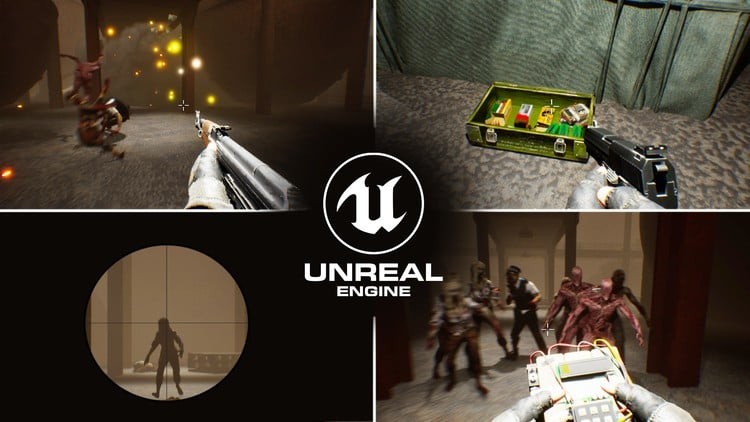
Do you want to make your first fully functioning game but feel overwhelmed by coding? Well, don't worry - this course is designed exactly for you!In this hands-on, beginner-friendly course, you'll learn how to create a complete First Person Shooter (FPS) game using Unreal Engine 5 and Blueprints - Unreal's powerful visual scripting system that lets you build games without writing a single line of code .You'll create a zombie survival game where enemies chase you and attack in waves, testing your skills as you fight to survive. The game will feature 7 switchable weapons, each with its own purpose and personality: AK-47 - the iconic assault rifle, reliable, fast, and perfect for mowing down enemies at medium range. USP Pistol - a sleek, semi-automatic sidearm for when you need quick backup and precise shots. AWP Sniper Rifle - slow but deadly, perfect for picking off zombies from a distance with one powerful shot. Axe - when the ammo runs out, nothing beats the raw satisfaction of getting up close with a heavy melee weapon. C4 Explosive - plant it, step back, and enjoy the chaos as you blow up groups of enemies. First Aid Kit - your lifeline in the heat of battle, quickly restoring health when things get rough. Flashlight - not every good thing is in plain sight; light up dark areas and uncover valuable assets.Each weapon comes with its own custom-made animations for shooting, reloading, and equipping - all of which we'll create together inside Unreal Engine 5. We'll also add ammo pickups, win and lose conditions, impact visual effects, and ragdoll effects to bring the world to life .This course is organized into three structured sections, designed to take you from complete beginner to building your own playable game step by step: Section 1: Unreal Engine & Blueprint BasicsWe'll start with the foundations. You'll learn how to navigate Unreal Engine 5, understand the basics of Blueprints, and create your first simple game functionalities without writing any code. We'll also import all the assets we need for our project, so everything is ready for development. Section 2: Unreal Engine Animation FrameworkIn this section, you'll dive into Unreal's animation system. You'll learn how animation assets work, and more importantly, we'll create the animations we need for our game ourselves. That includes equip, fire, and reload animations for each weapon, so you won't depend on any external animation packs - everything will be built from scratch. Section 3: Putting It All TogetherThis is where it gets exciting! We'll combine everything we've built and bring the game to life. You'll learn how to set up weapon switching, shooting and reloading mechanics, enemy AI, the game HUD, and a wave-based game mode. We'll also implement win and lose conditions, and finally, package the project, so you have a complete, polished game ready to play or showcase.

Overview
Section 1: Unreal Engine 5 & Blueprint Basics

Lecture 1 Course Intro

Lecture 2 Section Intro

Lecture 3 What Is a Game Engine?

Lecture 4 Unreal Engine 5 Installation

Lecture 5 Unreal Engine 5 Basics

Lecture 6 Importing Assets To Unreal Engine

Lecture 7 About Materials

Lecture 8 Make A Master Material

Lecture 9 Assign Materials To The Assets

Lecture 10 Migration ( Adding The Factory Environment to the project )

Lecture 11 Blueprint Vs C++

Lecture 12 Setting Up A Prototype Map

Lecture 13 Level Blueprint And Class Blueprint Introduction

Lecture 14 Events And Functions

Lecture 15 Variables And Variable types

Lecture 16 World, Local and Relative Transforms

Lecture 17 Flow Control

Lecture 18 Math And Logical Operations

Lecture 19 Make A Time Bomb

Lecture 20 Blueprint Communication

Lecture 21 Enhanced Input System

Lecture 22 Widget Blueprints

Lecture 23 Blueprint Parent Classes

Section 2: Unreal Engine 5 Animation Framework

Lecture 24 Section Intro

Lecture 25 Unreal Engine 5 Animation Framework

Lecture 26 Importing Firstperson Character

Lecture 27 Control Rig Basics

Lecture 28 Control Rig Setup And Skeletal Mesh Editor

Lecture 29 Ak47 Animations Character Idle

Lecture 30 Ak47 Animations Character Equip

Lecture 31 Ak47 Animations Character Fire

Lecture 32 Ak47 Animations Character And Gun Reload

Lecture 33 USP Skeletal Mesh And Control Rig Setup

Lecture 34 USP Animations Character Idle

Lecture 35 USP Animations Character Equip

Lecture 36 USP Animations Character And Gun Fire

Lecture 37 USP Animations Character And Gun Reload

Lecture 38 AWP Skeletal Mesh And Control Rig Setup

Lecture 39 AWP Character Animations Idle

Lecture 40 AWP Character Animations Equip

Lecture 41 AWP Animation Character And Gun Fire

Lecture 42 AWP Animation Character And Gun Reload

Lecture 43 AX Animations Character Idle, Equip And Attack

Lecture 44 C4 Animations Idle And Equip

Lecture 45 First Aid Animations Idle, Equip and Injection

Lecture 46 Making Animation Montages

Section 3: Bringing It All Together: Wave-Based First Person Zombie Shooter

Lecture 47 Section Intro

Lecture 48 First Person Character Setup

Lecture 49 Setting Up Enhanced Input Keys

Lecture 50 Enums

Lecture 51 Equip Guns Setup

Lecture 52 Animation Blueprint Setup

Lecture 53 Setting Up Walking Animations

Lecture 54 Adding VFX Assets

Lecture 55 USP Shooting System

Lecture 56 Ak47 Shooting System

Lecture 57 AWP FIre And Aim System

Lecture 58 AX Attack System

Lecture 59 C4 Plant System

Lecture 60 First Aid Injection

Lecture 61 Ak47 Reload System

Lecture 62 USP Reload System

Lecture 63 AWP Reload System

Lecture 64 Adding More Sound Effects

Lecture 65 Adding Recoil To The Guns

Lecture 66 Importing Zombie Enemies

Lecture 67 Zombie Enemies Movements

Lecture 68 Zombie Damage Apply And Recieve

Lecture 69 Zombie Death

Lecture 70 Impact VFX

Lecture 71 Completing The Other Guns

Lecture 72 Attach C4 Bombs To Zombies

Lecture 73 Setting Up The Other Zombies

Lecture 74 Fixing HeadShots And Physics Assets

Lecture 75 Main HUD Design

Lecture 76 Main HUD Logic

Lecture 77 Setting Up The Crosshairs

Lecture 78 WaveBased Enemy Spawning With Game Mode

Lecture 79 Game Mode And HUD Communication

Lecture 80 Player Damage And Death

Lecture 81 Death Screen

Lecture 82 Ammo, C4, First Aid Pickups

Lecture 83 A Little Debugging

Lecture 84 Factory Level Setup

Lecture 85 Blood VFX Fix

Lecture 86 Flash Light

Lecture 87 Explosive Gas Tanks

Lecture 88 Main Menu

Lecture 89 Final Touches

Lecture 90 Improving PathFinding

Lecture 91 Debugging The C4

Lecture 92 Packaging The Game

Lecture 93 Let's Play Our Game!

Lecture 94 Conclusion

Absolute beginners who want to make their first video game using Unreal Engine 5 - no coding or previous experience required.,Aspiring game developers curious about building a first-person shooter with zombies, guns, and AI.,Artists or 3D enthusiasts who want to see their assets come to life inside an interactive game.,Gamers who always dreamed of making their own playable project but felt overwhelmed by the technical side.,Anyone who wants a fun, beginner-friendly introduction to game development, Blueprints, and animation in Unreal Engine 5.


619862187_57-awp-fire-and-aim-system_s.jpg


19e89dc19990c12b1b29a04191cd0c09.jpg


FL Studio Complete Course: Music Production for Mac & PC (Updated 06/2025)
Martin Svensson | Duration: 28:50 h | Video: H264 1920x1080 | Audio: AAC 44,1 kHz 2ch | 26,6 GB | Language: English

Music Production for Mac and PC in FL Studio - Create 6 Full Songs in FL Studio + Mixing, Mastering + Free Sample Packs

There's a lot to discover in FL Studio, and navigating the software on your own can sometimes feel overwhelming. Whether you want to make electronic music, hip-hop, house, or pop, this course will equip you with everything you need to start producing music right away.

You'll gain hands-on experience, learning the key techniques professionals use to create polished tracks. By the end of this course, you'll be fully equipped to create, arrange, mix, and master your music with confidence.

What You'll Learn:

• Understanding FL Studio: Whether you're a new or experienced user, the course will provide a deep dive into all the essential tools and features. You'll get a clear overview of the interface, and quickly learn to navigate like a pro.
• Setup for Success: Get started on the right foot by setting up your workspace in FL Studio. From optimizing your audio interface to organizing your workflow, these early steps will ensure your sessions are smooth and productive.
• The Channel Rack, Mixer, and Playlist: These core components are the backbone of FL Studio's workflow. Learn how to master these tools to build your tracks, arrange patterns, and shape your sounds with precision.
• Programming Drums & Creating Templates: FL Studio's drum programming capabilities are exceptional, and this course will show you how to craft hard-hitting drum patterns that drive your tracks. Plus, learn how to set up templates that save time in future projects.
• Creating a Full Track: Dive into the creative process from start to finish. You'll learn how to structure songs, create compelling chord progressions, layer melodies, and polish your tracks. By the end, you'll have a complete, professional-sounding track to share.
• Mixing & Mastering: The art of mixing and mastering is what turns good ideas into professional-grade productions. You'll learn techniques to balance your mix, use effects like EQ and compression, and finalize your track with mastering tools so that it sounds amazing on all speakers.
• Automation & Advanced Techniques: Automation adds movement and life to your tracks. Whether you're automating volume, effects, or filters, these advanced techniques will make your productions stand out.
• FL Studio Workflow Hacks: Efficiency is key in music production, and FL Studio 21 offers plenty of tools to speed up your workflow. From keyboard shortcuts to automation clips, you'll learn how to work smarter, not harder, to create music faster without sacrificing quality.
• Plugins & Sound Design: FL Studio comes with a wide array of stock plugins that you'll learn to master for sound design, synth creation, and sample manipulation. From crafting killer basslines to creating lush soundscapes, you'll have the tools to make your music shine.
• Sidechaining, Automation, and MIDI Setup: Whether you want to add dynamic movement with sidechaining or control the subtleties of your track with MIDI, this course covers the important production techniques that professionals use to enhance their sound.

Homepage


619862883_141-studio-session-2411-2021-part-1_s.jpg


a21178c0eab7628bd866c0874f0e38d1.jpg


Build Ai Content Generation Saas With Laravel 12,Chatgpt Api
Published 7/2025
MP4 | Video: h264, 1920x1080 | Audio: AAC, 44.1 KHz
Language: English | Size: 42.47 GB | Duration: 42h 24m

In This Course You Will Master AI Content Generation with Laravel 12 & ChatGPT API Build Complete SaaS Application A-Z


What you'll learn
Build AI Content Generation SaaS with Laravel 12 & ChatGPT API
Build Basic Dynamic Company Website With Laravel 12
Two-Factor Authentication
Multi - User Authentication
Setup Frontend and Backend Theme
Setup ChatGpt API in Laravel Project
Check ChatGpt API in Postman
Generate Content with Templates
Generate Content Export to Txt file
Purchases PDF Invoice Page Setup
Generate Content With AI
Create AI Agent
User Generate Documents
User Package Upgrade Billing System Setup
Build AI Chat Assistants
Chat Conversation with AI Assistants
Build Image Generate with ChatGpt API
Build Text to Audio mp3 Generator with ChatGpt API
User Access Limitations

Requirements
You have to know basic PHP
Basic HTML, CSS, Bootstrap
Local Server : Xampp/Wampp/Vertrigo/Mamp
Text Editor/IDE: Sublime Text, Visual Studio Code, PHPStrom etc

Description
Unlock the Power of AI with Laravel 12 and ChatGPT API to Build a Cutting-Edge SaaS ApplicationAre you ready to dive into the future of web development and DevOps? In this comprehensive Udemy course, Build AI Content SaaS with Laravel 12 & ChatGPT API for DevOps, you'll learn to create a fully functional AI-powered content generation SaaS application from scratch. Designed for beginners to advanced developers, this course combines the robust Laravel 12 framework with the transformative capabilities of the ChatGPT API to build a scalable, secure, and innovative platform. Whether you're a freelancer, entrepreneur, or DevOps enthusiast, this course will equip you with in-demand skills to excel in 2025's AI-driven tech landscape.Why Learn AI and ChatGPT API for DevOps?Artificial Intelligence is revolutionizing web development and DevOps. The ChatGPT API, powered by OpenAI, enables developers to integrate advanced AI features like content generation, chat assistants, and automation into applications. In 2025, businesses are investing heavily in AI-driven solutions, making skills in AI, Laravel, and DevOps highly sought-after (34 Web Development Trends In 2025 | LambdaTest). This course empowers you to build a SaaS platform that leverages AI for content creation, streamlining workflows, and enhancing user experiences, giving you a competitive edge in the job market or entrepreneurial ventures.What You'll LearnThis hands-on course guides you step-by-step through building a complete AI Content Generation SaaS application, integrating Laravel 12, ChatGPT API, and DevOps practices. By the end, you'll have a portfolio-worthy project and the skills to create modern, AI-powered applications. Here's what you'll master:Build a Dynamic Company Website with Laravel 12: Create a professional, responsive website to serve as the foundation for your SaaS platform, using Laravel's powerful MVC architecture and Blade templating.Implement Two-Factor and Multi-User Authentication: Secure your application with robust authentication systems, including two-factor authentication (2FA) and multi-user roles for different access levels.Set Up ChatGPT API in Laravel: Learn to integrate the ChatGPT API into your Laravel project, configuring API keys and testing endpoints using Postman for seamless connectivity.Generate Content with Templates: Build reusable templates for generating dynamic content, such as blog titles, ideas, paragraphs, articles, grammar checkers, and text summaries, all powered by ChatGPT. Export Content to Text Files: Enable users to save generated content as downloadable .txt files, enhancing usability and functionality.Create AI-Driven Content: Develop advanced AI content generation features, leveraging ChatGPT to produce high-quality, context-aware outputs for various use cases.Build AI Agents and Chat Assistants: Create intelligent AI agents and interactive chat assistants to provide real-time user support and engagement within your SaaS platform.Live Chat Conversations: Implement live chat functionality with AI assistants, enabling dynamic, conversational user experiences.Generate Images with ChatGPT API: Integrate image generation capabilities (via compatible APIs like DALL·E) to create visuals from text prompts, adding versatility to your platform.Text-to-Audio MP3 Generator: Build a feature to convert text to audio files using AI, perfect for creating podcasts, voiceovers, or narrated content.DevOps Integration: Apply DevOps practices to streamline development, testing, and deployment, ensuring your SaaS app is scalable and production-ready.Course FeaturesPractical Projects: Build a complete AI Content Generation SaaS and a dynamic company website, ready to deploy or showcase in your portfolio.Step-by-Step Guidance: Follow clear, beginner-friendly tutorials that progress to advanced topics, suitable for all skill levels.Downloadable Resources: Access code snippets, templates, and setup guides to accelerate your learning.Real-World Applications: Learn to create features that businesses demand, such as AI content tools and chat assistants, aligned with 2025 trends (Top 15 Web Development Trends To Expect In 2025 | DigitalSilk).Lifetime Access: Revisit lessons anytime to reinforce your skills or update your project with new features.Who This Course Is ForWeb Developers: Enhance your Laravel skills and add AI expertise to your toolkit.DevOps Professionals: Learn to integrate AI into development workflows for efficient, scalable applications.Entrepreneurs: Build a marketable SaaS product to launch your own business.Freelancers: Stand out with in-demand skills in AI, Laravel, and DevOps.Beginners to Advanced Learners: No prior AI experience required-just basic knowledge of PHP and Laravel.

Overview
Section 1: Introduction

Lecture 1 Introduction AI Content Generation SaaS - What You Will Build

Lecture 2 Basic Company Website - What You Will Build

Lecture 3 Need Your Support

Lecture 4 My Mission

Section 2: Build Basic Company Website A-Z

Lecture 5 What You Will Build

Lecture 6 Basic Project Excise File - Downloadable Resources

Lecture 7 Initial Setup for Start

Lecture 8 Install Laravel 12

Lecture 9 Laravel 12 File Structure

Lecture 10 Install Laravel Breeze

Lecture 11 Laravel Breeze Forget and Reset Password System

Section 3: Project Admin Panel Setup

Lecture 12 Project Theme OverView

Lecture 13 Admin Template Setup

Lecture 14 Admin Logout Option

Lecture 15 Customize Login Form

Lecture 16 Customize Register Form

Lecture 17 Customize Login Form Validation

Lecture 18 Refresh Admin Template

Section 4: Two-Factor Authentication (2FA) Using a Verification Code

Lecture 19 Two-Factor Authentication Part 1

Lecture 20 Two-Factor Authentication Part 2

Lecture 21 Two-Factor Authentication Part 3

Section 5: Setup Admin Profile

Lecture 22 Admin Profile & Image Update Part 1

Lecture 23 Admin Profile & Image Update Part 2

Lecture 24 Admin Profile & Image Update Part 3

Lecture 25 Admin Profile & Image Update Part 4

Lecture 26 Adding Toster In For View Message

Lecture 27 Admin Profile Change Password Part 1

Lecture 28 Admin Profile Change Password Part 2

Section 6: Project Frontend Theme Setup

Lecture 29 Frontend Theme OverView

Lecture 30 Frontend Template Setup

Lecture 31 Frontend Theme Layout Setup Part 1

Lecture 32 Frontend Theme Layout Setup Part 2

Lecture 33 Frontend Header Menu Update

Lecture 34 Frontend Header Setup User login and Not Login Button

Section 7: Home Review Section Setup

Lecture 35 Home Review Section Setup Part 1

Lecture 36 Home Review Section Setup Part 2

Lecture 37 Home Review Section Setup Part 3

Lecture 38 Home Review Section Setup Part 4

Lecture 39 Install Image Intervention

Lecture 40 Home Review Section Setup Part 5

Lecture 41 Home Review Section Setup Part 6

Lecture 42 Home Review Section Setup Part 7

Lecture 43 Show Review in Frontend

Section 8: Backend Home Slider Setup

Lecture 44 Backend Home Slider Setup Part 1

Lecture 45 Backend Home Slider Setup Part 2

Section 9: Show Slider in Home Page

Lecture 46 Show Slider in Home Page

Lecture 47 Slider Update With Onclick Part 1

Lecture 48 Slider Update With Onclick Part 2

Lecture 49 Features Header Update With Onclick

Lecture 50 Users Header Update With Onclick

Lecture 51 Answers Header Update With Onclick

Section 10: Backend Setup Home Features Section

Lecture 52 Backend Setup Home Features Section Part 1

Lecture 53 Backend Setup Home Features Section Part 2

Lecture 54 Backend Setup Home Features Section Part 3

Lecture 55 Frontend Show Home Features

Section 11: Home Clarifies Section Setup

Lecture 56 Home Clarifies Section Setup Part 1

Lecture 57 Home Clarifies Section Setup Part 2

Lecture 58 Home Clarifies Section Setup Part 3

Section 12: Home Usability Section Setup

Lecture 59 Home Usability Section Setup Part 1

Lecture 60 Home Usability Section Setup Part 2

Lecture 61 Home Usability Section Setup Part 3

Section 13: Home Usability Down Section Setup

Lecture 62 Home Usability Down Section Setup Part 1

Lecture 63 Home Usability Down Section Setup Part 2

Lecture 64 Home Usability Down Section Setup Part 3

Lecture 65 Home Usability Down Section Setup Part 4

Section 14: Home answers Section Setup

Lecture 66 Home Answers Section Setup Part 1

Lecture 67 Home Answers Section Setup Part 2

Lecture 68 Home Answers Section Setup Part 3

Section 15: Home New Level Section Setup

Lecture 69 Home New Level Section Setup Part 1

Lecture 70 Home New Level Section Setup Part 2

Lecture 71 Home New Level Section Setup Part 3

Section 16: Our Team Section Setup

Lecture 72 Our Team Section Setup Part 1

Lecture 73 Our Team Section Setup Part 2

Lecture 74 Our Team Section Setup Part 3

Lecture 75 Add JavaScript Validation

Lecture 76 Show Our Team in Frontend

Section 17: About Page Section Setup

Lecture 77 About Page Section Setup Part 1

Lecture 78 About Page Section Setup Part 2

Lecture 79 About Page Section Setup Part 3

Lecture 80 About Page Section Setup Part 4

Section 18: Blog Category Section Setup

Lecture 81 Blog Category Section Setup Part 1

Lecture 82 Blog Category Section Setup Part 2

Lecture 83 Blog Category Section Setup Part 3

Section 19: Blog Post Section Setup

Lecture 84 Blog Post Section Setup Part 1

Lecture 85 Blog Post Section Setup Part 2

Lecture 86 Blog Post Section Setup Part 3

Lecture 87 Blog Post Section Setup Part 4

Lecture 88 Blog Post Section Setup Part 5

Section 20: Show Blog Post in Frontend

Lecture 89 Show Blog Post in Frontend Part 1

Lecture 90 Show Blog Post in Frontend Part 2

Lecture 91 Show Blog Post in Frontend Part 3

Lecture 92 Show Blog Post in Frontend Part 4

Section 21: Contact Page Setup

Lecture 93 Contact Page Setup Part 1

Lecture 94 Contact Page Setup Part 2

Lecture 95 Contact Page Setup Part 3

Section 22: How to Take A Backup

Lecture 96 How to Take Backup for Laravel Project

Section 23: Build AI Content Generation SaaS with Laravel 12 & ChatGPT API

Lecture 97 Course Introduction - What you will Going To Build

Lecture 98 Saas Project Excise File - Downloadable Resources

Section 24: Multi Auth with Breeze Create Auth for User / Admin

Lecture 99 Initial Setup for Start-

Lecture 100 Install Laravel 12

Lecture 101 Install Laravel Breeze

Lecture 102 Laravel Multi Auth with Breeze Part 1

Lecture 103 Laravel Multi Auth with Breeze Part 2

Lecture 104 Laravel Multi Auth with Breeze Part 3

Lecture 105 Laravel Multi Auth with Breeze Part 4

Section 25: Admin Dashboard Panel Setup

Lecture 106 Project Theme Overview

Lecture 107 Admin Template Setup

Lecture 108 Admin Logout Option

Lecture 109 Git Section Wise Source Code-

Lecture 110 Customize Login Form

Lecture 111 Refresh Admin Template

Lecture 112 Admin Profile & Image Update Part 1

Lecture 113 Admin Profile & Image Update Part 2

Lecture 114 Admin Profile & Image Update Part 3

Lecture 115 Admin Profile & Image Update Part 4

Lecture 116 Adding Toster In For View Message

Lecture 117 Admin Profile Change Password Part 1

Lecture 118 Admin Profile Change Password Part 2

Section 26: Admin Subscription Plans CRUD Setup

Lecture 119 Subscription Plans CRUD Setup Part 1

Lecture 120 Subscription Plans CRUD Setup Part 2

Lecture 121 Subscription Plans CRUD Setup Part 3

Lecture 122 Subscription Plans CRUD Setup Part 4

Lecture 123 Subscription Plans CRUD Setup Part 5

Section 27: Admin Create Templates for Content Generate

Lecture 124 Create Templates for Content Generate Part 1

Lecture 125 Create Templates for Content Generate Part 2

Lecture 126 Create Templates for Content Generate Part 3

Lecture 127 Create Templates for Content Generate Part 4

Lecture 128 Create Templates for Content Generate Part 5

Lecture 129 Create Templates for Content Generate Part 6

Section 28: Admin Templates Edit Options and Update

Lecture 130 Templates Edit Options and Update Part 1

Lecture 131 Templates Edit Options and Update Part 2

Lecture 132 Templates Edit Options and Update Part 3

Section 29: Admin Generate Content with Templates

Lecture 133 What is ChatGpt and ChatGpt API

Lecture 134 Setup ChatGpt API in Laravel Project

Lecture 135 Check ChatGpt API in Postman

Lecture 136 Admin Generate Content with Templates Part 1

Lecture 137 Admin Generate Content with Templates Part 2

Lecture 138 Admin Generate Content with Templates Part 3

Lecture 139 Admin Generate Content with Templates Part 4

Lecture 140 Admin Generate Content with Templates Part 5

Lecture 141 Admin Generate Content with Templates Part 6

Lecture 142 Admin Generate Content with Templates Part 7

Lecture 143 Admin Generate Content with Templates Part 8

Section 30: Admin Generate Content Export

Lecture 144 Generate Content Export to Txt file

Section 31: Admin Get Generate Content Data Document

Lecture 145 Get Generate Content Data Document

Section 32: Admin Content Document Edit Update Delete

Lecture 146 Admin Content Document Edit Update Delete Part 1

Lecture 147 Admin Content Document Edit Update Delete Part 2

Lecture 148 Admin Content Document Edit Update Delete Part 3

Lecture 149 Admin Content Document Edit Update Delete Part 4

Lecture 150 Admin Content Document Edit Update Delete Part 5

Section 33: Project User Dashboard Panel Setup

Lecture 151 User Project Theme OverView

Lecture 152 User Template Setup

Lecture 153 User Logout Option

Lecture 154 Customize User Register Form

Lecture 155 User Profile Setup Update Part 1

Lecture 156 User Profile Setup Update Part 2

Lecture 157 User Profile Setup Update Part 3

Lecture 158 User Profile Payment and Package Setup Part 1

Lecture 159 User Profile Payment and Package Setup Part 2

Lecture 160 User Profile Change Password

Section 34: User Template Page Setup

Lecture 161 User Template Page Setup Part 1

Lecture 162 User Template Page Setup Part 2

Lecture 163 User Template Page Setup Part 3

Section 35: User Generate Documents Setup

Lecture 164 User Generate Documents Setup Part 1

Lecture 165 User Generate Documents Setup Part 2

Lecture 166 User Generate Documents Setup Part 3

Section 36: User Package Upgrade Billing System Setup

Lecture 167 User Package Upgrade Billing System Setup Part 1

Lecture 168 User Package Upgrade Billing System Setup Part 2

Lecture 169 User Package Upgrade Billing System Setup Part 3

Lecture 170 User Package Upgrade Billing System Setup Part 4

Lecture 171 User Package Upgrade Billing System Setup Part 5

Lecture 172 User Package Upgrade Billing System Setup Part 6

Lecture 173 User Package Upgrade Billing System Setup Part 7

Section 37: User Package Create PDF Invoice

Lecture 174 User Package Create PDF Invoice Part 1

Lecture 175 User Package Create PDF Invoice Part 2

Section 38: Admin Order Status Setup

Lecture 176 Admin Order Status Setup Part 1

Lecture 177 Admin Order Status Setup Part 2

Section 39: Project Frontend Template Setup

Lecture 178 Frontend Template Setup Part 1

Lecture 179 Frontend Template Setup Part 2

Section 40: Setup Theme for Light and Dark Mode

Lecture 180 Setup Theme for Light and Dark Mode

Section 41: Redirect Setup For Header Login Button

Lecture 181 Redirect Setup For Header Login Button

Section 42: Admin Build Chat Assistants

Lecture 182 Admin Build Chat Assistants Part 1

Lecture 183 Admin Build Chat Assistants Part 2

Lecture 184 Admin Build Chat Assistants Part 3

Lecture 185 Admin Build Chat Assistants Part 4

Section 43: Chat Conversation with Assistants

Lecture 186 Chat Conversation with Assistants Part 1

Lecture 187 Chat Conversation with Assistants Part 2

Lecture 188 Chat Conversation with Assistants Part 3

Lecture 189 Chat Conversation with Assistants Part 4

Lecture 190 Chat Conversation with Assistants Part 5

Lecture 191 Chat Conversation with Assistants Part 6

Lecture 192 Create New Chat Conversation With Assistant

Lecture 193 Get Selected Chat Conversation

Section 44: Frontend Slider Setup

Lecture 194 Frontend Slider Setup Part 1

Lecture 195 Frontend Slider Setup Part 2

Lecture 196 Frontend Slider Setup Part 3

Lecture 197 Frontend Slider Setup Part 4

Section 45: Frontend Slider Setup With JavaScript

Lecture 198 Frontend Slider Setup With JavaScript Part 1

Lecture 199 Frontend Slider Setup With JavaScript Part 2

Section 46: Frontend Get Started Section Setup

Lecture 200 Frontend Get started Setup

Section 47: Frontend Title Heading Section Setup

Lecture 201 Frontend Title Heading Section Setup Part 1

Lecture 202 Frontend Title Heading Section Setup Part 2

Lecture 203 Frontend Title Heading Section Setup Part 3

Lecture 204 Frontend Title Heading Section Setup Part 4

Section 48: Frontend Pricing Section Setup

Lecture 205 Frontend Pricing Section Setup

Section 49: Frontend Q&A Section Setup

Lecture 206 Frontend Q&A Section Setup Part 1

Lecture 207 Frontend Q&A Section Setup Part 2

Lecture 208 Frontend Q&A Section Setup Part 3

Section 50: Frontend Use Cases Page Setup

Lecture 209 Frontend Use Cases Page Setup Part 1

Lecture 210 Frontend Use Cases Page Setup Part 2

Section 51: Frontend Features and Pricing Page Setup

Lecture 211 Frontend Features Page Setup

Lecture 212 Frontend Pricing Page Setup

Section 52: Frontend Contact Page Setup

Lecture 213 Frontend Contact Page Setup Part 1

Lecture 214 Frontend Contact Page Setup Part 2

Lecture 215 Frontend Contact Page Setup Part 3

Section 53: Build Image Generate with ChatGpt API

Lecture 216 Build Image Generate with ChatGpt API Part 1

Lecture 217 Build Image Generate with ChatGpt API Part 2

Lecture 218 Build Image Generate with ChatGpt API Part 3

Lecture 219 Build Image Generate with ChatGpt API Part 4

Lecture 220 Build Image Generate with ChatGpt API Part 5

Lecture 221 Build Image Generate with ChatGpt API Part 6

Section 54: Setup Client Image Generate with ChatGpt API

Lecture 222 Setup Client Image Generate with ChatGpt API

Section 55: Build Text to Audio mp3 Generator with ChatGpt API

Lecture 223 Text to Audio mp3 Generator with ChatGpt API Part 1

Lecture 224 Text to Audio mp3 Generator with ChatGpt API Part 2

Lecture 225 Text to Audio mp3 Generator with ChatGpt API Part 3

Section 56: Setup Client Text to Audio mp3 Generator

Lecture 226 Setup Client Text to Audio mp3 Generator

Developers eager to learn Laravel 12 and ChatGPT API through a practical project.,How to Generate Content With ChatGPT API,Interested to learn new Technology in modern era,Professionals aiming to enhance their Laravel skills for career growth.


Homepage


619863498_144-generate-content-export-to-txt-file_s.jpg


8af46c086e646110befe8cb30a2f3464.jpg


The All-In-One Digital Marketing Course 2025
Published 7/2025
MP4 | Video: h264, 1920x1080 | Audio: AAC, 44.1 KHz
Language: English | Size: 31.36 GB | Duration: 43h 52m

Complete Digital Marketing Blueprint for Real Results - Build Websites, Run Ads, Track Conversions & Grow Online


What you'll learn
Build a professional and conversion-optimized website using WordPress and Elementor
Set up accurate tracking with Google Tag Manager and Google Analytics 4
Create, launch, and optimize Facebook Ads and Google Ads campaigns
Build and automate email marketing sequences for lead nurturing and sales
Understand and apply core principles of conversion rate optimization (CRO)
Launch profitable campaigns on alternative ad platforms like Microsoft, LinkedIn, and more
Use heatmaps and analytics to improve website performance and user experience
Identify and fix tracking issues to ensure accurate data collection
Apply proven digital marketing strategies to grow any online business from scratch

Requirements
No prior marketing experience needed - this course is beginner-friendly
A computer with internet access
A willingness to learn and take action
Basic understanding of how to use a web browser and install software
Access to some recommended tools (like WordPress, Elementor, ad platforms, etc.) - free trials or low-cost plans are available and linked inside the course

Description
Learn how to build your online presence, set up conversion tracking, run profitable ad campaigns, and grow your business - step by step.This course is your all-in-one blueprint for mastering digital marketing, designed for business owners, freelancers, marketers, and beginners who want real, lasting results - not just theory.You'll learn how to create a website, set up tracking, run ads on platforms like Meta and Google, automate email marketing, optimize for conversions, and drive traffic through alternative channels. This isn't a high-level overview - it's detailed, practical, hands-on training.You'll get real examples, pre-built templates, walkthroughs, and actionable strategies that you can use to start and scale your business online - even if you're starting from scratch.Here's exactly what you'll learn:How to build a high-converting website using WordPress and ElementorHow to set up tracking and analytics with Google Tag Manager and GA4How to run paid ads on Meta, Google, Microsoft, LinkedIn, and moreHow to build email lists, set up automations, and write powerful follow-up sequencesHow to create sales funnels using tools like WPFunnels and GetResponseHow to use conversion rate optimization techniques to boost salesHow to read data reports and improve your campaigns over timeHow to leverage overlooked platforms like Native Ads, TikTok, and PinterestHow to turn your entire marketing system into an automated machineBy the end of the course, you'll walk away with a fully functioning marketing setup - including your website, tracking, ads, and email automations - and the skills to grow it further.If you've ever felt overwhelmed by digital marketing or unsure where to start, this course will give you the clarity, direction, and support you need.Enroll now and build your complete online marketing system - the right way.

Small business owners who want to stop wasting money on agencies and learn what actually works,Beginners who want to start an online business or side hustle,Freelancers and entrepreneurs looking to grow their business through digital marketing,Affiliate marketers who want to scale with paid ads and better tracking,Coaches, consultants, and course creators who need a proven marketing system,Anyone tired of fluff and looking for a simple, actionable, and results-driven marketing blueprint


Homepage


620008099_138-little-secret-google-ads-support-option_s.jpg


6939d0dad588e7ca1374b67c64b26c71.jpg


Retreat Training: Rock Your Profitable, Sold-Out Retreats
Published 7/2025
MP4 | Video: h264, 1920x1080 | Audio: AAC, 44.1 KHz
Language: English | Size: 30.30 GB | Duration: 18h 19m

Complete guide to running a retreat safely, getting it FILLED, + making a profit (for retreat leaders + life coaches)


What you'll learn
How to structure a retreat that's truly transformational AND experiential.
How to get clear on WHO your retreats are for and WHAT problems they need you to solve.
Why psychographics are MORE important than demographics if you want your retreat to fill.
How to POSITION your retreat so you stand out and sell out!
Picking a stellar LOCATION that matches the theme of your retreat.
How to properly PRICE your event (so you don't forget anything) and have an awesome profit.
What information belongs on your trip SALES PAGE (to sell your retreat and to protect you).
Education-based marketing strategies to help you build and market YOUR BUSINESS so you don't have to "advertise" your retreats to strangers.
Our TOP tips and tools for promoting and filling your retreat.
What kinds of insurance, legal forms, and cancellation policies you need to have in place to PROTECT yourself.
How to make EXTRA INCOME from monetizing your retreats.

Requirements
No experience necessary

Description
Dreaming of leading life-changing retreats that sell out with ease?Then dive into this roll-up-your-sleeves retreat training designed to equip you with the proven marketing strategies and practical tools you need to create experiential retreats that transform lives-and are totally profitable!The future of travel is here, and it's all about transformation!Travel isn't just about getting away-it's about diving into unexpected adventures, forging genuine connections, and embarking on life-changing journeys that reboot the soul.WHY NOW?In a time filled with uncertainty, fear, and stress, people are seeking a meaningful escape to reset their nervous systems and find balance among kindred spirits.They long for authentic community, and your vision can create those transformational experiences.As innovative leaders in the retreat space, we have the power to guide others back to joy, energy, and vitality.Whether you're a newcomer or a seasoned retreat architect, this event will help you position your retreat as the must-attend experience.If this resonates with you, then please register today for the Rock Your Profitable, Sold-Out Retreat Course!NEW TO RETREATS?You'll learn a TON about building your business - and of course running your retreat. We'll teach you the shortcut for how to plan your retreat WHILE building your business and help you get clear on what to teach and who your tribe is.Around half of our group tends to be newbies. PLEASE let us save you the time, money and frustration that comes from blundering around trying to figure out how to do it right!ALREADY RUNNING RETREATS?If you want your retreats to be MORE lucrative, transformative and to sell-out faster, we'll help you identify what hasn't worked in the past and the crucial tweaks to uplevel your retreat design and webpage and your pricing, marketing and monetizing skills.We teach a mixture of beginning and advanced strategies in retreat planning and you'll walk away knowing how to create a WORLD-CLASS retreat and grow your retreat-worthy business so you can make a bigger impact and income.*(NOTE: This course was filmed live and references to live components, dates, times and live platform details will not be relevant to this pre-recorded format.)*LEARN FROM THE BEST!Learn from people who KNOW retreats and have been running and managing retreats WORLDWIDE since 2003 - with over 22 years of experience!There are plenty of folks teaching about retreats out there. But ask them - how many international retreats have THEY actually designed, planned, and run successfully (meaning they actually filled it and made money)?Just because someone has RUN a few retreats - that does NOT make them an expert!Through our travel company, Journeys of the Spirit, we've planned and managed OVER A THOUSAND retreats. And through our coaching company, Wanderlust Entrepreneur, we've educated over 15,000 retreat leaders through our retreat training programs.We know what it takes to launch a successful and lucrative transformational retreat that's deeply life-changing.We know the law.We know the problems that can arise on a retreat because we've actually experienced them.We've seen the good, the bad, and the ugly - and we're here to share our expertise so that YOU don't have to experience the mistakes and issues that we did when we started back in 2003.So again, YES you should attend this event because there's NO ONE out there with our level of experience - PERIOD.Hi! I'm Sheri Rosenthal, and like many of you I'm a coach, author, speaker, and retreat leader.After 18 years of practicing medicine and being trapped in an office, my biggest fantasy was creating a lifestyle that allowed me to travel, work, and live anywhere in the world.When I sold my practice, I felt like I could FINALLY create my dream life.That was back in 1998, and after leaving medicine, I started studying with and working for don Miguel Ruiz, author of The Four Agreements.Working for don Miguel was the biggest blessing in my life because I got to plan and manage all his retreats - which were life-changing for me!The experience inspired me to open my own travel company in 2003, Journeys of the Spirit® - a boutique travel agency specializing in worldwide experiential travel and transformational destination retreats.Over the past 22 years, we've planned and managed over 1000 retreats!After seeing how many retreat leaders were struggling with how to design, properly price, market, and monetize their retreats - I decided it was time to put an end to that struggle and properly train our amazing retreat leaders on how to run safe (with the proper legal forms and insurance) and lucrative retreats that fill with the perfect people.So in 2014, I created Wanderlust Entrepreneur, where I've taught over 15,000 passion-driven entrepreneurs how to design experiential and transformational destination retreats through our online programs, as well as our live and virtual events (like this one).The bottom line is that there's no one out there right now teaching about retreats that has the depth and breadth of experience like we do.We've seen it all: the good, the bad, and the ugly - and we consider it our honor and our mission to train our transformational leaders so that they can confidently handle any issue that comes up during the planning and execution of their retreat.LOVE FROM OUR STUDENTS:I'm absolutely loving this retreat training event! Sheri seriously rocks! I've been a professional life and business coach and therapist for over two decades, and so often these trainings leave you flat and still seeking value. However, this training has been invaluable - I can't wait to finish and get started on development.Brett Baughman, CEO Master the Masses - Life & Business CoachI've invested over 6 figures on education in the last decade from seminars, trainings, and masterminds for business and personal development from the top leaders in the space, and while most of them were amazing, Sheri Rosenthal's way of teaching tops ALL of them. PS: most of the education here is not new to me - but the way you have put it together and deliver it hits home deeply. WORLD CLASS!Hristo Hristov, Fitness Expert, Personal Trainer, Owner & Founder Higher Level Fitness

You're a life coach, author, speaker or healer and want to add retreats to your business...,You have a new or growing business and you realize NOW is the time to add retreats to YOUR business model.,You've already run at least one retreat and uou want to learn how to make them SELL OUT and make MORE money.,You know you want to PLAN and MANAGE retreats for others (maybe you're a travel professional, meeting or event planner).,You're a venue owner and want to learn what retreat leaders want and need so that you can FILL your venue consistently.


Homepage


620009187_21-the-5-critical-steps-part-2_s.jpg


07b327f5fdaf199ba6301126f8ba11b4.jpg


Ai For Everyone - Hands-On With Generative Ai Tools
Published 7/2025
MP4 | Video: h264, 1920x1080 | Audio: AAC, 44.1 KHz
Language: English | Size: 31.26 GB | Duration: 34h 0m

Hands-on course to create content, automate tasks, and innovate using AI tools like ChatGPT & MidJourney


What you'll learn
Gain a comprehensive understanding of the AI field, including key insights into notable AI projects
Apply ChatGPT in your daily workflow to boost your productivity
Automate repetitive tasks with AI
Discover practical ChatGPT commands and tips to maximize your AI experience
Master effective prompt engineering in ChatGPT
Master MidJourney from Scratch, Master MidJourney from Scratch, creating your first stunning piece of AI art-no design background required.
Discover the secrets of crafting precise and creative prompts to generate breathtaking images, illustrations, and concept art with MidJourney.
Explore parameter controls, aspect ratios, styles, and versions to fine-tune your results and create exactly what you envision.
Design digital art for branding, social media, NFTs, game concepts, product mockups, presentations, and personal projects.
Learn how to integrate MidJourney with your design workflow, automate repetitive creative tasks, and collaborate efficiently with teams.
Understand the ethical aspects of AI-generated art, including copyright considerations, responsible usage, and respecting original creators.

Requirements
No Prior Design Experience Needed
Basic Computer & Internet Skills
Curiosity & Creativity

Description
This course is your gateway to mastering Generative AI, designed for anyone eager to simplify daily tasks, unlock creativity, and boost productivity. Whether you're a student, professional, entrepreneur, or creative, this is the practical introduction you've been searching for.You'll learn how to use ChatGPT, one of the world's most powerful conversational AI tools, as your personal productivity assistant-answering your questions, drafting emails, writing content, generating code, analyzing data, and much more. Alongside ChatGPT, you'll explore MidJourney, a cutting-edge AI art generator that helps create stunning visuals, concept art, social media creatives, and branding materials in minutes-no design background required.For students, these tools become your 24/7 tutors and project collaborators. For working professionals, they serve as intelligent assistants who help you brainstorm ideas, automate reports, draft professional documents, build creative assets, and streamline repetitive workflows.The possibilities with Generative AI are endless-but knowing how to use them correctly is key. This course guides you through prompt engineering, best practices, and powerful techniques that unlock the full potential of AI tools like ChatGPT and MidJourney. You'll learn to craft clear, structured prompts and commands that deliver precise, creative, and time-saving results. A willingness to experiment with prompts and visuals will help you get the most from the course.

Students interested in AI and future tech,Graphic Designers,UI/UX Designers,Content Creators,Animators,Freelancers & Solopreneurs,Etsy and Digital Product Sellers,Teachers & Educators adopting AI in education,Non-tech individuals wanting to improve productivity,Remote teams enhancing collaboration and creativity


Homepage


620405050_64-45-tshirt-designs-and-print-on-demand-business-overview_s.jpg


49e5fa3e1ef7900da493c30dbadde6e0.jpg


The Complete Hands-On Cybersecurity Analyst Course
Last updated 7/2025
Created by Mike S,Josh G
MP4 | Video: h264, 1920x1080 | Audio: AAC, 44.1 KHz, 2 Ch
Level: All | Genre: eLearning | Language: English | Duration: 382 Lectures ( 78h 41m ) | Size: 62 GB

Hands On Practical Experience


What you'll learn
A wide range of cybersecurity skills including basic through advanced skills; ranging from Linux basics to penetration testing and malware analysis.
How to build home lab virtual environments for hands-on learning, testing tools safely, enhancing skills, and simulating real-world cybersecurity scenarios.
Incident response skills required to quickly detect, contain, investigate, and mitigate cyber threats to minimize damage and ensure recovery.
Practical experience from projects and labs that can be added to resume/cv and portfolios.
Threat detection and analysis, incident response and management, use of SIEM and event management tools, network monitoring and forensics, and pentesting.

Requirements
Desire to learn cybersecurity skills. Access to a computer that can support running multiple virtual machines. Recommend at least 16GB of RAM.

Description
Are you ready to level up and gain hands on experience in cybersecurity? Introducing The Complete Cybersecurity Analyst Course-your one-stop solution for mastering the skills and gain hands on experience you need to excel in the cybersecurity field. PrerequisitesAs the name suggests, this is a "hands-on" course. You will be required to install virtualization software on your system. We recommend a Windows host system; however, a Mac will work also, but there are some limitiations based on newer Apple Silicon chips.Our goal is to provide everything into one course that includes a wide range of opportunities to increase your knowledge and gain that critical hands-on experience. We will not break up essential knowledge into multiple, expensive modules, this course gives you everything you need in one comprehensive package at a one-time low cost. This course features:All-in-One Access: We cover everything from the basics of cybersecurity to advanced threat analysis, network security, incident response, ethical hacking, and more. No need to purchase multiple courses; it's all here!A la carte menu: This course has something for everyone. Pick and choose your lessons based on your interests and experience level.Regular Content Updates: Cybersecurity is an ever-evolving field, and so is this course. Enjoy new content added regularly to keep your skills sharp and up-to-date with the latest industry trends. Lifetime Access: Your learning journey doesn't have an expiration date. With lifetime access, you can revisit the material anytime you need a refresher or when new modules are released. Learn at your own pace, on your schedule.Access to Updated Content: The course authors will continue to add lessons, projects, and other opportunities to gain hands-on experience and you will automatically have access to the new material with no added cost. Expert Instructors: Gain insights from seasoned cybersecurity professionals who bring real-world experience and actionable knowledge to the virtual classroom.Don't miss out on this opportunity to unlock your full potential as a cybersecurity analyst without breaking the bank. Enroll in The Complete Hands-On Cybersecurity Analyst Course today and start your journey towards a secure, rewarding career in cybersecurity!One of the unique features of this course is emphasis on hands-on learning. Theory and concepts are essential, but true mastery comes from practical experience. "The Complete Hands-On Cybersecurity Analyst Course" exercises are a series of hands-on labs conducted in a virtual environment that you build yourself. These labs simulate real-world scenarios and provide you with the opportunity to apply what you've learned in a controlled, risk-free setting. We will guide you through setting up your own virtual environment that you will use to complete labs, projects, and testing. By setting up your own virtual environment you will gain an understanding of key concepts that are missed in many of the pre-built and browser-based lab environments. Collaborate directly with the course developers and fellow students in a dedicated Discord server. Below are some of the areas in which you will gain practical experience.Threat Detection and AnalysisThreat HuntingCyber Threat IntelligenceMalware AnalysisPurple TeamingLinux BasicsVirtual Lab EnvironmentsPassword CrackingEmail and Phishing AnalysisSIEMs (Splunk, Elastic, Wazuh, etc)Cybersecurity Fundamentals (CompTia Security+ SY0-701 Objectives) Incident responseNetwork monitoring and forensicsVulnerability Scanning, Assessment and ManagementUtilizing advanced tools and techniques for cybersecurity defenseWiFi PentestingHoney PotsReverse EngineeringWriting Malware EmulationsWeb Application PentestingC2 Frameworks

Who this course is for
Aspiring, beginner, and intermediate cybersecurity analysts. Anybody with a desire to learn more about cybersecurity.

Homepage


620268053_48-apple-silicon-basic-lab-option-part-2_s.jpg


33f5a79829ff9936755ca3b48f5e50e6.jpg


LLMOps And AIOps Bootcamp With 9+ End To End Projects
Published 7/2025
Created by KRISHAI Technologies Private Limited,Sudhanshu Gusain
MP4 | Video: h264, 1280x720 | Audio: AAC, 44.1 KHz, 2 Ch
Level: All | Genre: eLearning | Language: English | Duration: 120 Lectures ( 29h 14m ) | Size: 20.4 GB

Jenkins CI/CD, Docker, K8s, AWS/GCP, Prometheus monitoring & vector DBs for production LLM deployment with real projects


What you'll learn
Build and deploy real-world AI apps using Langchain, FAISS, ChromaDB, and other cutting-edge tools.
Set up CI/CD pipelines using Jenkins, GitHub Actions, CircleCI, GitLab, and ArgoCD.
Use Docker, Kubernetes, AWS, and GCP to deploy and scale AI applications.
Monitor and secure AI systems using Trivy, Prometheus, Grafana, and the ELK Stack

Requirements
Modular Python Programming Knowledge
Basic Generative AI like Langchain,Vector Databases,etc

Description
Are you ready to take your Generative AI and LLM (Large Language Model) skills to a production-ready level? This comprehensive hands-on course on LLMOps is designed for developers, data scientists, MLOps engineers, and AI enthusiasts who want to build, manage, and deploy scalable LLM applications using cutting-edge tools and modern cloud-native technologies.In this course, you will learn how to bridge the gap between building powerful LLM applications and deploying them in real-world production environments using GitHub, Jenkins, Docker, Kubernetes, FastAPI, Cloud Services (AWS & GCP), and CI/CD pipelines.We will walk through multiple end-to-end projects that demonstrate how to operationalize HuggingFace Transformers, fine-tuned models, and Groq API deployments with performance monitoring using Prometheus, Grafana, and SonarQube. You'll also learn how to manage infrastructure and orchestration using Kubernetes (Minikube, GKE), AWS Fargate, and Google Artifact Registry (GAR).What You Will Learn:Introduction to LLMOps & Production ChallengesUnderstand the challenges of deploying LLMs and how MLOps principles extend to LLMOps. Learn best practices for scaling and maintaining these models efficiently.Version Control & Source ManagementSet up and manage code repositories with Git & GitHub, integrate pull requests, branching strategies, and project workflows.CI/CD Pipeline with Jenkins & GitHub ActionsAutomate training, testing, and deployment pipelines using Jenkins, GitHub Actions, and custom AWS runners to streamline model delivery.FastAPI for LLM DeploymentPackage and expose LLM services using FastAPI, and deploy inference endpoints with proper error handling, security, and logging.Groq & HuggingFace IntegrationIntegrate Groq API for blazing-fast LLM inference. Use HuggingFace models, fine-tuning, and hosting options to deploy custom language models.Containerization & Quality ChecksLearn how to containerize your LLM applications using Docker. Ensure code quality and maintainability using SonarQube and other static analysis tools.Cloud-Native Deployments (AWS & GCP)Deploy applications using AWS Fargate, GCP GKE, and integrate with GAR (Google Artifact Registry). Learn how to manage secrets, storage, and scalability.Vector Databases & Semantic SearchWork with vector databases like FAISS, Weaviate, or Pinecone to implement semantic search and Retrieval-Augmented Generation (RAG) pipelines.Monitoring and ObservabilityMonitor your LLM systems using Prometheus and Grafana, and ensure system health with logging, alerting, and dashboards.Kubernetes & MinikubeOrchestrate containers and scale LLM workloads using Kubernetes, both locally with Minikube and on the cloud using GKE (Google Kubernetes Engine).Who Should Enroll?MLOps and DevOps Engineers looking to break into LLM deploymentData Scientists and ML Engineers wanting to productize their LLM solutionsBackend Developers aiming to master scalable AI deploymentsAnyone interested in the intersection of LLMs, MLOps, DevOps, and CloudTechnologies Covered:Git, GitHub, Jenkins, Docker, FastAPI, Groq, HuggingFace, SonarQube, AWS Fargate, AWS Runner, GCP, Google Kubernetes Engine (GKE), Google Artifact Registry (GAR), Minikube, Vector Databases, Prometheus, Grafana, Kubernetes, and more.By the end of this course, you'll have hands-on experience deploying, monitoring, and scaling LLM applications with production-grade infrastructure, giving you a competitive edge in building real-world AI systems.Get ready to level up your LLMOps journey! Enroll now and build the future of Generative AI.

Who this course is for
Students or professionals aiming to enter the AI + DevOps job market

Homepage


620883902_14-deployment-to-aws-fargate_s.jpg


e7dc59abc9a252e266141e6365db6227.jpg


HEC-RAS Lessons
Published 7/2025
MP4 | Video: h264, 1280x720 | Audio: AAC, 44.1 KHz, 2 Ch
Language: English | Duration: 26h 51m | Size: 28.7 GB

From Basic Steady Flow to Advanced 2D Modeling, Build, Run, and Interpret HEC-RAS Models with Confidence.


What you'll learn
Create a 1D steady flow model with cross sections, Manning's n values, and boundary conditions.
Run profile computations and analyze water surface elevations and energy grade lines.
Build a 1D unsteady flow model with hydrograph inputs and time step controls.
Model bridges and culverts using detailed structure geometry and ineffective flow areas.
Create and refine 2D flow areas using terrain data, breaklines, and mesh resolution settings.
Run 2D unsteady flow simulations and view results in RAS Mapper (depth, velocity, inundation).
Connect 1D and 2D domains with internal boundaries, lateral structures, and storage areas.
Simulate sediment transport using transport functions, sediment gradations, and sorting methods.

Requirements
This course is designed for individuals with a basic understanding of open channel hydraulics. Prior experience with concepts such as flow profiles, energy grade lines, and Manning's equation will be helpful. Familiarity with GIS and terrain data is beneficial but not required. No prior experience with HEC-RAS is necessary - we'll start with the fundamentals and build from there.

Description
Learn how to model using HEC-RAS, the U.S. Army Corps of Engineers' powerful software for modeling river hydraulics and floodplain systems. Whether you're completely new to hydraulic modeling or you're looking to strengthen and update your skills, this course provides a step-by-step approach to building and analyzing models that simulate real-world conditions. You'll start with the basics of 1D steady flow modeling, learning how to define geometry, assign Manning's n values, apply boundary conditions, and compute water surface profiles.As you progress, you'll explore unsteady flow modeling, including the setup of hydrographs, time step management, storage areas, and flow routing. The course then introduces 2D modeling, where you'll create 2D flow areas, refine computational meshes, define internal boundaries, and simulate overland flow using terrain data. You'll also learn how to integrate 1D and 2D domains for more complex systems. Advanced topics include modeling bridges, culverts, weirs, and lateral structures, as well as configuring sediment transport simulations using gradation data and transport functions.Throughout the course, you'll gain hands-on experience with RAS Mapper, where you'll learn to visualize inundation extents, flood depths, velocities, and water surface profiles. Each lesson is focused, practical, and aligned with tasks hydraulic modelers encounter in consulting, public agency work, and research. No prior experience with HEC-RAS is required, though a basic understanding of open channel hydraulics will be helpful.By the end of the course, you'll be able to independently build, run, and troubleshoot both 1D and 2D HEC-RAS models, analyze hydraulic behavior, and apply your skills to support a wide range of water resources and flood risk management projects.

Who this course is for
This course is ideal for beginners new to hydraulic modeling, professionals looking to expand their skills in HEC-RAS, and experienced users seeking a practical refresher on both 1D and 2D modeling workflows. Whether you're an engineer, planner, or floodplain manager, you'll find valuable tools and techniques to apply in real-world projects.

Homepage

620884525_45-45-user-defined-rules-for-gates-and-pumps_s.jpg


Zurück
Oben Unten