• Regeln für den Video-Bereich:

    In den Börsenbereich gehören nur Angebote die bereits den Allgemeinen Regeln entsprechen.

    Einteilung

    - Folgende Formate gehören in die angegeben Bereiche:
    - Filme: Encodierte Filme von BluRay, DVD, R5, TV, Screener sowie Telesyncs im Format DivX, XviD und x264.
    - DVD: Filme im Format DVD5, DVD9 und HD2DVD.
    - HD: Encodierte Filme mit der Auflösung 720p oder darüber von BluRay, DVD, R5, TV, Screener sowie Telesyncs im Format x264.
    - 3D: Encodierte Filme von BluRay, die in einem 3D Format vorliegen. Dies gilt auch für Dokus, Animation usw.
    - Serien: Cartoon/Zeichentrick, Anime, Tutorials, Dokumentationen, Konzerte/Musik, Sonstiges sind demnach in die entsprechenden Bereiche einzuordnen, auch wenn sie beispielsweise im High Definition-Format oder als DVD5/DVD9/HD2DVD vorliegen. Ausnahme 3D.
    - Bereich Englisch: Englische Releases gehören immer in diesen Bereich.
    - Bereich Talk: Der Bereich, in dem über die Releases diskutiert werden kann, darf, soll und erwünscht ist.


    Angebot/Beitrag erstellen

    - Ein Beitrag darf erst dann erstellt werden, wenn der Upload bei mindestens einem OCH komplett ist. Platzhalter sind untersagt.
    - Bei einem Scenerelease hat der Threadtitel ausschließlich aus dem originalen, unveränderten Releasenamen zu bestehen. Es dürfen keine Veränderungen wie z.B. Sterne, kleine Buchstaben o.ä. vorgenommen werden. Ausnahme Serienbörse:
    - Bei einem Sammelthread für eine Staffel entfällt aus dem Releasename natürlich der Name der Folge. Beispiel: Die Simpsons S21 German DVDRip XviD - ITG
    - Dementsprechend sind also u.a. verboten: Erweiterungen wie "Tipp", "empfehlenswert", "only", "reup", usw. / jegliche andere Zusatzinformation oder Ergänzung, welche nicht in obiger Beschreibung zu finden ist.

    Aufbau des Angebots und Threadtitel

    Der Titel nach folgendem Muster erstellt zu werden. <Name> [3D] [Staffel] [German] <Jahr> <Tonspur> [DL] [Auflösung] <Quelle> <Codec> - <Group>
    Beispiel: The Dark Knight German 2008 AC3 DVDRip XviD - iND
    Beispiel: The Dark Knight 2008 DTS DL BDRip x264 - iND
    Beispiel: The Dark Knight 2008 AC3 DL BDRip XviD - iND
    Beispiel: The Dark Knight German 2008 AC3 720p BluRay x264 iND
    Beispiel: The Dark Knight 2008 DTS DL 1080p BluRay x264 iND
    Beispiel: Die Simpsons S01 German AC3 DVDRip XviD iND
    Beispiel: Die Simpsons S20 German AC3 720p BluRay x264 iND
    Beispiel: Sword Art Online II Ger Sub 2014 AAC 1080p WEBRip x264 - peppermint
    Entsprechend sind also u.a. verboten: Sonderzeichen wie Klammern, Sterne, Ausrufezeichen, Unterstriche, Anführungszeichen / Erweiterungen wie "Tipp", "empfehlenswert", "only", "reup", usw. / jegliche andere Zusatzinformation oder Ergänzung, welche nicht in obiger Beschreibung zu finden ist
    Ausnahmen hiervon können in den Bereichen geregelt sein.

    Die Beiträge sollen wie folgt aufgebaut werden:
    Überschrift entspricht dem Threadtitel
    Cover
    kurze Inhaltsbeschreibung
    Format, Größe, Dauer sind gut lesbar für Downloader außerhalb des Spoilers zu vermerken
    Nfo sind immer Anzugeben und selbige immer im Spoiler in Textform.
    Sind keine Nfo vorhanden z.B. Eigenpublikationen, sind im Spoiler folgende Dateiinformationen zusätzlich anzugeben :
    Quelle
    Video (Auflösung und Bitrate)
    Ton (Sprache, Format und Bitrate der einzelnen Spuren)
    Untertitel (sofern vorhanden)
    Hosterangabe in Textform außerhalb eines Spoiler mit allen enthaltenen Hostern.
    Bei SD kann auf diese zusätzlichen Dateiinformationen verzichtet werden.

    Alle benötigten Passwörter sind, sofern vorhanden, in Textform im Angebot anzugeben.
    Spoiler im Spoiler mit Kommentaren :"Schon Bedankt?" sind unerwünscht.


    Releases

    - Sind Retail-Release verfügbar, sind alle anderen Variationen untersagt. Ausnahmen: Alle deutschen Retail-Release sind CUT, in diesem Fall sind dubbed UNCUT-Release zulässig.
    - Im Serien-Bereich gilt speziell: Wenn ein Retail vor Abschluss einer laufenden Staffel erscheint, darf diese Staffel noch zu Ende gebracht werden.62
    - Gleiche Releases sind unbedingt zusammenzufassen. Das bedeutet, es ist zwingend erforderlich, vor dem Erstellen eines Themas per Suchfunktion zu überprüfen, ob bereits ein Beitrag mit demselben Release besteht. Ist dies der Fall, ist der bereits vorhandene Beitrag zu verwenden.
    - P2P und Scene Releases dürfen nicht verändert oder gar unter einem iND Tag eingestellt werden.


    Support, Diskussionen und Suche

    - Supportanfragen sind entweder per PN oder im Bereich Talk zu stellen.
    - Diskussionen und Bewertungen sind im Talk Bereich zu führen. Fragen an die Uploader haben ausschließlich via PN zu erfolgen, und sind in den Angeboten untersagt.
    - Anfragen zu Upload-Wünschen sind nur im Bereich Suche Video erlaubt. Antworten dürfen nur auf Angebote von MyBoerse.bz verlinkt werden.


    Verbote

    - Untersagt sind mehrere Formate in einem einzigen Angebotsthread, wie beispielsweise das gleichzeitige Anbieten von DivX/XviD, 720p und 1080p in einem Thread. Pro Format, Release und Auflösung ist ein eigener Thread zu eröffnen.
    - Grundsätzlich ebenso verboten sind Dupes. Uploader haben sich an geeigneter Stelle darüber zu informieren, ob es sich bei einem Release um ein Dupe handelt.
    - Gefakte, nur teilweise lauffähige oder unvollständige Angebote sind untersagt. Dies gilt auch für eigene Publikationen, die augenscheinlich nicht selbst von z.B. einer DVD gerippt wurden. Laufende Serien, bei denen noch nicht alle Folgen verfügbar sind, dürfen erstellt und regelmäßig geupdatet werden.
    - Untersagt sind Angebote, welche nur und ausschließlich in einer anderen Sprache als deutsch oder englisch vorliegen. Ausnahmen sind VORHER mit den Moderatoren zu klären.


    Verstoß gegen die Regeln

    - Angebote oder Beiträge, die gegen die Forenregeln verstoßen, sind über den "Melden"-Button im Beitrag zu melden.
  • Bitte registriere dich zunächst um Beiträge zu verfassen und externe Links aufzurufen.

*** Bestes IPTV *** bester Preis *** gratis Test ***


Englische Tutorials

bc01ac962e0a8f64e8d135a2ca00f228.jpg


Computer Network Fundamentals Masterclass
Published 4/2024
Created by Hitesh Dholakiya
MP4 | Video: h264, 1280x720 | Audio: AAC, 44.1 KHz, 2 Ch
Genre: eLearning | Language: English | Duration: 137 Lectures ( 31h 49m ) | Size: 34.4 GB


Dive Deep: Exploring the Core Concepts of Computer Network, from Physical Layer to Application Layer


What you'll learn:

Fundamentals of Computer Network
OSI Model
Data Link Layer
Error Detection and Correction
LAN Protocols
Network Devices
Network Layer
Transport Layer
Application Layer
Data Link Layer Protocols
Network Layer Protocols
Application Layer Protocols
Students will be able to understand basic computer networks effectively
Will enable the students to understand complex Computer Networks

Requirements:
Anyone can start learning from the beginning of Computer Networks.
You will get all the basics of Computer Network Step by Step. No Networking Knowledge needed!

Description:
Computer networks play a vital role in connecting devices and facilitating communication and information sharing among them. This subject provides a comprehensive understanding of the fundamental concepts, protocols, and technologies that form the foundation of modern computer networks.This Computer Network course is specially designed for engineering students who want to understand how exactly computer Network works and is also helpful for working professionals. This is a unique course in the online marketplace.This course is beneficial to the students of various branches such as Computer Science, Computer Engineering, Electronics, and Communication Engineering, IT Engineering as well as students from Science and Diploma stream.This course serves as a valuable resource for both university students and working professionals alike, offering comprehensive insights into the fundamentals of computer networks.This course covers the following topics.- Fundamentals of Computer Networks- Concept of Layering: OSI and TCP/IP Protocol Stacks- Data Link Layer: Stop and Wait, Error Detection, Medium Access Control, CSMA-CD,CSMA-CA and many others- LAN Protocols: Framing, Ethernet LAN, Wireless LAN, Token Ring LAN etc.- Network Devices: Repeater, Hub, Bridge, Switch, Router etc.- Network Layer: Subnetting, CIDR, IP Addressing, Supernetting, IPV4, IPV6, NAT, ICMP, Routing and many more- Transport Layer: Port Number, Flow Control and Congestion Control, UDP, TCP, Sockets and more- Application Layer Protocols: DNS, SMTP, HTTP, FTP, EmailBy the end of the course, students should have a solid understanding of computer network concepts and be equipped with the knowledge and skills to design, implement, and manage small to medium-sized networks, and be familiar with the challenges and considerations involved in larger network environments.Wish you all the BestThank you...

Who this course is for:
Computer Science Students
IT Professionals
Students Preparing for Interview in Computer Networking Domain
Beginners in IT and networking field
Professionals Transitioning into IT Careers
Anyone Interested in Technology


477299542_computer_network_fundamentals_masterclass.jpg


Download from RapidGator


Premium Links


Download from Keep2Share


Download from UploadGig



00ce296688df0f4637d80c5401477536.jpg


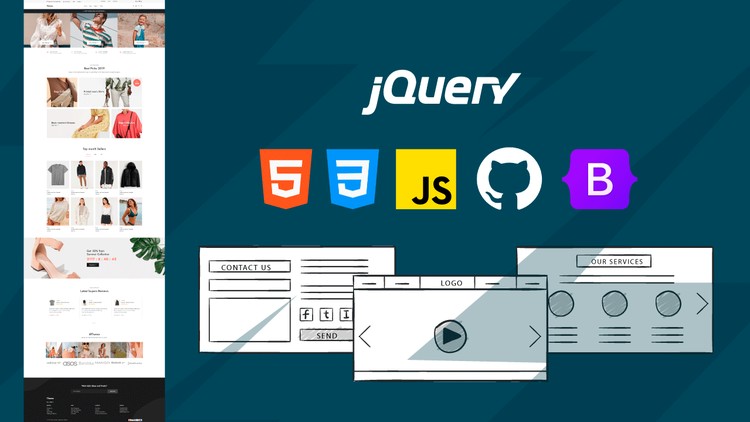
Programming Basics 101: Starting from Scratch
Published 4/2024
Created by Code Team
MP4 | Video: h264, 1280x720 | Audio: AAC, 44.1 KHz, 2 Ch
Genre: eLearning | Language: English | Duration: 125 Lectures ( 30h 30m ) | Size: 24.1 GB


Discover the Basics: HTML, CSS, JS, and Other Technologies. Become a Web Developer!


What you'll learn:

Base Technologies on the Web: HTML, CSS, and JavaScript.
Bootstrap Framework.
JQuery para simplificar DOM.
Repositories on GitHub.
JavaScript libraries.
Hosting and Domains.
Deployment to production of projects.

Requirements:
Fundamentals of Programming.
Interest in Web Development.

Description:
Dive into our comprehensive web development course, where you'll explore a broad spectrum of crucial topics essential for becoming a proficient web developer. Throughout the course journey, you will delve into:HTML: Master the art of structuring documents and harnessing the power of various tags to create well-organized web content.CSS: Unleash your creativity in web design by learning the intricacies of CSS, including styling techniques and crafting visually appealing interfaces.JavaScript: Embark on a journey into the realm of interactive programming, where you'll manipulate the Document Object Model (DOM), utilize variables and functions, and breathe life into your web pages.jQuery: Simplify DOM manipulation with the help of this powerful JavaScript library, empowering you to build dynamic and responsive web applications effortlessly.Bootstrap: Elevate your web design skills by leveraging the capabilities of Bootstrap, a cutting-edge framework renowned for its ability to create modern and responsive layouts with ease.Git: Learn the ins and outs of version control with Git, enabling you to collaborate effectively on projects and manage development workflows seamlessly.Practical Projects: Apply your newfound knowledge to real-world scenarios, ranging from developing complete websites to building interactive CRUD systems and engaging e-commerce platforms.Developer Tools: Equip yourself with essential tools such as code editors and Live Server, enhancing your productivity and streamlining your development process.Responsive Design: Master the art of crafting adaptive and user-friendly designs that deliver optimal viewing experiences across a variety of devices and screen sizes.External JavaScript Libraries: Explore the vast landscape of JavaScript libraries like Swiper, Moment, LightGallery, and Cleave, enriching your projects with additional functionalities and features.Git and Version Control: Navigate the world of repositories on GitHub, learn to create meaningful commits, and efficiently manage your project codebase.Hosting and Domain: Gain insights into selecting reliable hosting providers, acquiring domain names, and deploying your projects to production environments effectively.Enroll in our course today and equip yourself with the knowledge and skills needed to thrive in the dynamic field of web development. With a solid foundation and hands-on experience across various facets of web development, you'll be well-prepared to tackle any challenge and embark on a successful career journey in this ever-evolving industry.

Who this course is for:
Anyone.


477712471_programming_basics_101_starting_from_scratch.jpg


Download from RapidGator


Premium Links


Download from Keep2Share


Download from UploadGig



ea83bee28c40eb328807bd213d2daa60.jpg


HTML, CSS, JavaScript, ReactJS, NodeJS from zero to Expert
Last updated 4/2024
Created by Ismail cenk karacakaya
MP4 | Video: h264, 1280x720 | Audio: AAC, 44.1 KHz, 2 Ch
Genre: eLearning | Language: English + srt | Duration: 180 Lectures ( 59h 22m ) | Size: 30 GB


Become a Full-Stack Web Developer with just ONE course.HTML, CSS, JavaScript, Node, React and a big production grade app


What you'll learn:

HyperText Markup Language.
Cascading style sheets.
JavaScript
Reactjs.
Nodejs.
Object Oriented Programming.
A production grade application you can use as your portfolio project from scratch.
Master backend development with Node.
Work as a freelance web developer.
Master frontend development with React.
How to create clean an reusable code and code refactoring.

Requirements:
No programming experience needed - I'll teach you everything you need to know.
A computer with access to the internet.
No paid software required.
I'll also walk you through, step-by-step how to get all the software installed and set up.

Description:
Whether you're a beginner or an experienced developer looking to expand your skillset, this course provides a solid foundation and hands-on experience in building modern web applications.Note that the production grade application we will create in this course is unlike anything you have ever seen. After learning how to create an application like this, you will be ready to understand and implement top applications used worldwide.Course Overview:HTML: Learn Hypertext Markup Language (HTML) for structuring web pages. Dive into semantic HTML to create well-organized and accessible web content. Master HTML5 features for multimedia, forms, and semantic elements and many more.CSS Styling and Layout: Explore Cascading Style Sheets (CSS) for styling and layout design. Understand CSS selectors, properties, and units for precise control over styling. Dive into responsive design principles and techniques for creating adaptable layouts across devices.JavaScript Learn Modern JavaScript Features. Explore functions, scope, and closures for writing modular and reusable code. Understand asynchronous programming and the event loop in JavaScript. Explore techniques for fetching data from APIs, handling errors, and managing a database code effectively. Learn arrow functions, template literals, destructuring, spread/rest operators, and other ES6 features and many more. Learn DOM manipulation.React.js: Get introduced to React.js, a powerful JavaScript library for building user interfaces. Learn about components, state, redux, and props to create reusable and interactive UI elements. Explore React Router for client-side routing and managing navigation in single-page applications.Node.js Backend Development: Learn server-side development with Node.js, a runtime environment for executing JavaScript code. Learn about Express.js, a minimalist web framework for Node.js, for building robust and scalable server applications. Understand RESTful API design principles and implement CRUD operations for interacting with data.Database: Learn how to create and Interact with databases using MongoDB NoSQL/SQL database.Security: Learn about middleware, authentication, and security best practices for Node.js applications.Hands-On Project: Apply your knowledge through a huge production grade project that covers all the tools you need for your portfolio website, instead of creating many useless projects, I will show you how top companies create their applications.Real-World Examples: Explore real-world examples and case studies to understand how these technologies are used in industry-standard applications.Expert Guidance: Benefit from guidance and support from a world class experienced instructor who is passionate about web development and committed to your success.

Who this course is for:
If you want to start your own startup by building your own websites and web apps.
If you want to take ONE COURSE and learn everything you need to know about web development, take this course.
To get a job as a backend developer.
To get a job as a frontend developer.


477323513_html_css_javascript_reactjs_nodejs_from_zero_to_expert.jpg


Download from RapidGator


Premium Links


Download from Keep2Share


Download from UploadGig



2b9013886813679043804948c3ca758f.jpg


Siemens NX Mastery : 500 Examples|20 Project|300 Q&A|10 Test
Last updated 3/2024
MP4 | Video: h264, 1280x720 | Audio: AAC, 44.1 KHz, 2 Ch
Language: English | Duration: 61h 55m | Size: 33.7 GB

Learn Siemens NX with this perfectly designed course created after live interaction with 1000s of students in classroom


What you'll learn
You will gain a solid understanding of the most used features of Siemens NX by Pros.
Work independently on any Design in any version of Siemens NX
Learn from an Author who is an Industrial Expert and mentor with Over 50 years of Experience
Make any complex Designs easily using a combination of tools as shown in Examples & Exercises
Pass any NX job interview easily with our Quiz of 300 Questions
Practice a series of perfectly curated projects to showcase in your resume
Workbenches included: Sketcher, Part Design, Assembly Design, Drafting, Surface Design, Sheet metal, Animation, Analysis


Requirements
A Computer loaded with any version of Siemens NX


Description
Ongoing Update: February'2024

Addition of Lectures on 500 Examples with solutions videos for practicing 3D modeling

Further Upcoming Updates

March' 2024

Addition of 20 Assembly projects along with the solution videos

300 Quiz Questions

20 Projects

10 Tests

April ' 2024

Addition of lectures on Latest version of Siemens NX i.e NX 2306

May' 2024

We are in the process of producing lectures on the following workbenches of NX

Sheet Metal Design

Animation

Stress Analysis

CNC Programming

In this "Complete Siemens NX Express Training" program you will experience a unique successful method of teaching developed and experimented on 1000's of students in live sessions. This course is designed for individuals who are new to Siemens NX as well as the students who had learned Siemens NX long time ago and just want a brush up on the tools and features quickly and use in their projects immediately.

This course introduces the tools of Siemens NX in a step by step process which will enable you to clearly understand the application of the tools under discussion before starting the next tool.

Major Highlights of The Course

Includes all the Basics for learning Siemens NX from scratch

About 500 Examples including the solutions and drawings ready for download

20 Projects to practice assemblies

300 Quiz Questions and answers

10 Assignments for preparing to pass Machine test interviews in various industries

All the Drawings practiced in the Lectures are included in this course for download.

At the end of each section, you will encounter a quiz related to the section which will further broaden your understanding in the related section.

This course has been designed using Siemens NX 11 version and we are currently upgrading the course to include practise on latest version of Siemens NX software i.e NX 2306.

Taught by a professional team headed by Mr. S. N. S. Roy who is the Chief Course Designer with an experience of almost 50 years of in Engineering Design and Product Development.

A beginner can start practicing the tools right from lecture one

A Professional brushing up Siemens NX can easily directly jump to the section of their choice.

This course has been designed such that you can learn any other high-end 3D CAD modeling software package easily using the concepts that you will learn in this course.

Still, if you don't like the course then you can ask for a refund.

The course contains modules using which the student can learn the following workbenches of CATIA

Sketcher

Part Design

Surface Design

Assembly Design

Drafting

Sheet Metal Design (Upcoming)

Animation (Upcoming)

Stress Analysis (Upcoming)

CNC Programming (Upcoming)

If You Only Buy ONE Course This Year It GOT To Be This One!

With over 13 hours of video content, 155 lectures, downloadable resources, bonuses and quizzes - this is one of the most comprehensive Siemens NX courses available!

You'll also get access to

Lifetime Access to course updates

Fast & Friendly Support in the Q&A section

Udemy Certificate of Completion Ready for Download

Quiz to Test Your Knowledge!

Students Absolutely Love This Course! Just see the reviews below.

Jyoti Ranjan ( Rating: 5 out of 5)

Excellent course, worth every penny and yes it's a perfect match as this is what I am searching for, very convincingly explained & very easy to understand.. Guy's you must get this course, highly recommended..

Rama Krishna (Rating: 5.0 out of 5)

It's a great course in this price. Being a mechanical engineer it's a great boost in my knowledge. Thank you Sir.

Swarnalata Panda (Rating: 5.0 out of 5)

It's a wonderful course to be frank. The content, the teaching style of the instructor all are best.

Sivakumar Palanisamy (Rating: 5.0 out of 5)

Excellent, Perfectly matched for my level, the instructions are very clear and simply perfect thanks a lot..

and many more awesome reviews and 5 star ratings.

With 49% 5 stars and 39% 4 stars ratings; the Average course rating stands at an awesome 4.3 stars and this is going to increase with new reviews to come thanks to our constant updates throughout the lifetime of the course

We have a 30-day 100% money back guarantee, so there s no reason to hesitate!

Join Today and learn Siemens NX the easy way.

I will see you inside the course.

Who this course is for
Student with no prior knowledge in any modeling software
Beginners in Seimens NX who want to learn it quickly
People who knew Siemens NX earlier but have forgotten and want to refresh in a very short time
Anyone who communicates through technical drawings and representation as a part of their study or work.
Working Professionals looking to upgrade their skills


Homepage

477817891_287-solution-to-practice-example-170_s.jpg


d1a5e97bc46a99039663601a2b4ce158.jpg


ChatGPT: Revolutionize Communication with Conversational AI
Published 6/2024 MP4 | Video: h264, 1280x720 | Audio: AAC, 44.1 KHz, 2 Ch Language: English | Duration: 50h 31m | Size: 27.5 GB

Explore the fundamentals of ChatGPT, mastering techniques to create advanced, interactive conversational AI applications


What you'll learn
Understand the Fundamentals of ChatGPT and Conversational AI
Implement ChatGPT in Practical Scenarios
Optimize Productivity with ChatGPT
Integrate ChatGPT with Other Tools and Platforms
Develop Advanced Data Analysis Skills Using ChatGPT
Apply ChatGPT in Specialized Domains
Leverage ChatGPT for Creative and Marketing Purposes


Requirements
Enthusiasm and determination to make your mark on the world!


Description
A warm welcome to the ChatGPT: Revolutionize Communication with Conversational AI course by Uplatz.What is ChatGPT?ChatGPT is a type of artificial intelligence (AI) developed by OpenAI. It's designed to understand and generate human-like text based on the input it receives. "GPT" stands for "Generative Pre-trained Transformer," which is a kind of neural network model that is pre-trained on a vast amount of text data. This training allows ChatGPT to understand context, generate coherent responses, and perform a variety of language-based tasks.How Does ChatGPT Work?ChatGPT works by using a transformer architecture, which processes input text by breaking it down into smaller parts (tokens) and analyzing the relationships between them. Here's a simplified overview of its operation:pre-training: During this phase, the model is trained on a large dataset of text from the internet. It learns grammar, facts about the world, and some reasoning abilities.Fine-tuning: After pre-training, the model is fine-tuned on a narrower dataset with human reviewers following specific guidelines. This helps refine its responses to be more helpful and aligned with human expectations.Generation: When you input a prompt, ChatGPT generates a response by predicting the next word (or token) in a sequence, considering the context provided by the previous tokens. It continues this process until it produces a complete and coherent response.Key Features of ChatGPTNatural Language Understanding: It can comprehend and generate text that is contextually relevant and coherent.Versatility: ChatGPT can perform a wide range of language tasks, including writing essays, answering questions, providing explanations, and engaging in conversation.Scalability: It can be fine-tuned for specific applications, making it adaptable to various industries and uses.Interactive: It can engage in multi-turn conversations, maintaining context over the course of the dialogue.Customizable: Developers can tweak its responses to align with specific brand voices or industry needs.Benefits of Learning ChatGPTEnhanced Communication: Mastering ChatGPT can help improve automated customer service, making interactions more efficient and user-friendly.Innovation in Applications: With skills in ChatGPT, you can create innovative applications in fields like education, healthcare, entertainment, and more.Career Advancement: Knowledge of ChatGPT and AI can open up job opportunities in the tech industry, particularly in roles focused on AI development and deployment.Efficiency: Using ChatGPT can streamline tasks such as content creation, data analysis, and virtual assistance, saving time and resources.Personalization: It enables the development of personalized user experiences, enhancing user engagement and satisfaction.By learning how to use and implement ChatGPT, individuals and businesses can leverage advanced AI capabilities to improve processes, develop new products, and enhance interactions with technology.ChatGPT - Course CurriculumIntroduction to ChatGPTExploring ChatGPT Role in Communication and CreativityCommon Use Cases of ChatGPTSetting up ChatGPT and Practical Use CasesUnderstanding Conversational AIBest ChatGPT Prompts to Automate your WorkIntegrating ChatGPT with other ToolsUsing ChatGPT in Microsoft ExcelUsing ChatGPT for Conditional Formatting & Pivot Tables in ExcelSQL using ChatGPTSQL and Excel Macros using ChatGPTUsing ChatGPT for Advanced SQL and FAANG Interview QAsPower BI Basics using ChatGPTAdvanced Visualizations in Power BI using ChatGPTUsing ChatGPT in PythonIntroduction to Customizing ChatGPT-4Using ChatGPT in Power Apps and Power AutomatePower Automate Use Cases and using ChatGPT in Customer ServiceApplication of ChatGPT in Customer ServiceApplication of ChatGPT in EducationUnderstanding CRMs using ChatGPTProject Management Optimization with GPT-4Using ChatGPT for Prompt EngineeringUsing Custom GPTs for Advanced PromptingFinancial Planning and Analysis with ChatGPT-4Content Creation and Marketing using ChatGPTUsing ChatGPT for HealthcareGPT-4 for Retail - Understanding Customer BehaviorReal Estate Market Analysis with ChatGPTEnvironmental Research and Conservation with ChatGPTUsing GPT-4 as a Personal AssistantOptimizing your Day with GPT-4Using ChatGPT for Daily Task ManagementUsing ChatGPT-4 Advanced Features for ProductivityMaximizing Efficiency with ChatGPT-4 and Challenges & SolutionsGPT-4 in Gaming - Creating Dynamic NarrativesUsing GPT-4 for Event Planning and ManagementUsing GPT-4 for Recipe Development and Home CookingUsing GPT-4 for Content Creation and StorytellingGPT-4 in Legal Services Document Analysis and ResearchUsing ChatGPT-4 for SalesUsing GPT-4 for Social Media Content and ManagementUsing GPT-4 for Fitness and NutritionUsing GPT-4 for Mental Health and Well-beingUsing GPT-4 for Career Coaching and Personal DevelopmentUsing GPT-4o for Creative Writing and PoetryUsing GPT-4 for Research and Academic AssistanceUsing GPT-4 for Custom GPTs and DALL-EUsing GPT-4 for Entrepreneurial and Startup AssistanceUsing GPT-4 for Exploring Emerging Technologies & Innovations

Who this course is for
Anyone aspiring for a career in AI and Generative AI related fields
Beginners and newbies wishing to learn ChatGPT and apply it at their work
Business Professionals
Data Analysts and Scientists
Data Engineers
Developers and Programmers
Product Managers
Marketing and Content Creators
Educators and Students
Healthcare and Fitness Professionals
Project Managers and CRM Specialists
Entrepreneurs and Startups
Legal and Financial Professionals
Creative Writers and Artists
Environmental Researchers and Conservationists

Say Thank You

479919148_chatgpt_revolutionize_communication_with_conversational_ai.jpg


Download from RapidGator


Premium Links


Download from Keep2Share


9f680852c1ed5d90dfb33386fb48ff65.jpg


Build 75 Powerful Data Science & Machine Learning Projects
Last updated 4/2024
Duration: 73h 37m | Video: .MP4, 1920x1080 30 fps | Audio: AAC, 48 kHz, 2ch | Size: 38.7 GB
Genre: eLearning | Language: English

Build & Deploy Data Science, Machine Learning, Deep Learning (Python, Flask, Django, AWS, Azure, GCP, Heruko Cloud)


What you'll learn
Understand the full product workflow for the machine learning lifecycle.
Implement Machine Learning Algorithms, Learn how to improve your Machine Learning Models
Real life case studies and projects to understand how things are done in the real world
Make robust Machine Learning models, Master Machine Learning on Python
Explore how to deploy your machine learning models.
Clean your input data to remove outliers
Know which Machine Learning model to choose for each type of problem
Build a portfolio of work to have on your resume


Requirements
Basic knowledge of machine learning


Description
In This Course, Solve Business Problems Using Data Science Practically.

Learn To Build & Deploy Machine Learning, Data Science, Artificial Intelligence, Auto Ml, Deep Learning, Natural Language Processing (Nlp) Web Applications Projects With Python (Flask, Django, Heroku, AWS, Azure, GCP, IBM Watson, Streamlit Cloud).
According to Glassdoor, the
average salary for a Data Scientist is $117,345/yr
. This is above the national average of $44,564. Therefore, a Data Scientist makes 163% more than the national average salary.
This makes Data Science a highly lucrative career choice. It is mainly due to the dearth of Data Scientists resulting in a huge income bubble.
Since Data Science requires a person to be proficient and knowledgeable in several fields like Statistics, Mathematics, and Computer Science, the learning curve is quite steep. Therefore, the value of a Data Scientist is very high in the market.
A Data Scientist enjoys a position of prestige in the company. The company relies on its expertise to make data-driven decisions and enable them to navigate in the right direction.
Furthermore, the
role of a Data Scientist
depends on the specialization of his employer company.
For example
A commercial industry will require a data scientist to analyze their sales.
A healthcare company will require data scientists to help them analyze genomic sequences. The salary of a Data Scientist depends on his role and type of work he has to perform. It also depends on the size of the company which is based on the amount of data they utilize.
Still, the
pay scale of Data scientists is way above other IT and management sectors
. However, the salary observed by Data Scientists is proportional to the amount of work that they must put in. Data Science needs hard work and requires a person to be thorough with his/her skills.
Due to several lucrative perks, Data Science is an attractive field. This, combined with the number of vacancies in Data Science makes it an
untouched gold mine
. Therefore, you should learn Data Science in order to enjoy a fruitful career.
In This Course, We Are Going To Work On 75 Real World Data Science, Machine Learning Projects Listed Below
Project-1: Pan Card Tempering Detector App -Deploy On Heroku
Project-2: Dog breed prediction Flask App
Project-3: Image Watermarking App -Deploy On Heroku
Project-4: Traffic sign classification
Project-5: Text Extraction From Images Application
Project-6: Plant Disease Prediction Streamlit App
Project-7: Vehicle Detection And Counting Flask App
Project-8: Create A Face Swapping Flask App
Project-9: Bird Species Prediction Flask App
Project-10: Intel Image Classification Flask App
Project-11: Language Translator App Using IBM Cloud Service -Deploy On Heroku
Project-12: Predict Views On Advertisement Using IBM Watson -Deploy On Heroku
Project-13: Laptop Price Predictor -Deploy On Heroku
Project-14: WhatsApp Text Analyzer -Deploy On Heroku
Project-15: Course Recommendation System -Deploy On Heroku
Project-16: IPL Match Win Predictor -Deploy On Heroku
Project-17: Body Fat Estimator App -Deploy On Microsoft Azure
Project-18: Campus Placement Predictor App -Deploy On Microsoft Azure
Project-19: Car Acceptability Predictor -Deploy On Google Cloud
Project-20: Book Genre Classification App -Deploy On Amazon Web Services
Project 21 : DNA classification Deep Learning for finding E.Coli -AWS - Deploy On AWS
Project 22 : Predict the next word in a sentence. - AWS - Deploy On AWS
Project 23 : Predict Next Sequence of numbers using LSTM - AWS - Deploy On AWS
Project 24 : Keyword Extraction from text using NLP - Deploy On Azure
Project 25 : Correcting wrong spellings (correct spelling prediction) - Deploy On Azure
Project 26 : Music popularity classififcation - Deploy On Google App Engine
Project 27 : Advertisement Classification - Deploy On Google App Engine
Project 28 : Image Digit Classification - Deploy On AWS
Project 29 : Emotion Recognition using Neural Network - Deploy On AWS
Project 30 : Breast cancer Classification - Deploy On AWS
Project-31: Sentiment Analysis Django App -Deploy On Heroku
Project-32: Attrition Rate Django Application
Project-33: Find Legendary Pokemon Django App -Deploy On Heroku
Project-34: Face Detection Streamlit App
Project-35: Cats Vs Dogs Classification Flask App
Project-36: Customer Revenue Prediction App -Deploy On Heroku
Project-37: Gender From Voice Prediction App -Deploy On Heroku
Project-38: Restaurant Recommendation System
Project-39: Happiness Ranking Django App -Deploy On Heroku
Project-40: Forest Fire Prediction Django App -Deploy On Heroku
Project-41: Build Car Prices Prediction App -Deploy On Heroku
Project-42: Build Affair Count Django App -Deploy On Heroku
Project-43: Build Shrooming Predictions App -Deploy On Heroku
Project-44: Google Play App Rating prediction With Deployment On Heroku
Project-45: Build Bank Customers Predictions Django App -Deploy On Heroku
Project-46: Build Artist Sculpture Cost Prediction Django App -Deploy On Heroku
Project-47: Build Medical Cost Predictions Django App -Deploy On Heroku
Project-48: Phishing Webpages Classification Django App -Deploy On Heroku
Project-49: Clothing Fit-Size predictions Django App -Deploy On Heroku
Project-50: Build Similarity In-Text Django App -Deploy On Heroku
Project-51 : Sonic wave velocity prediction using Signal Processing Techniques
Project-52 : Estimation of Pore Pressure using Machine Learning
Project-53 : Audio processing using ML
Project-54 : Text characterisation using Speech recognition
Project-55 : Audio classification using Neural networks
Project-56 : Developing a voice assistant
Project-57 : Customer segmentation
Project-58 : FIFA 2019 Analysis
Project-59 : Sentiment analysis of web scrapped data
Project-60 : Determing Red Vine Quality
Project-61: Heart Attack Risk Prediction Using Eval ML (Auto ML)
Project-62: Credit Card Fraud Detection Using Pycaret (Auto ML)
Project-63: Flight Fare Prediction Using Auto SK Learn (Auto ML)
Project-64: Petrol Price Forecasting Using Auto Keras
Project-65: Bank Customer Churn Prediction Using H2O Auto ML
Project-66: Air Quality Index Predictor Using TPOT With End-To-End Deployment (Auto ML)
Project-67: Rain Prediction Using ML models & PyCaret With Deployment (Auto ML)
Project-68: Pizza Price Prediction Using ML And EVALML(Auto ML)
Project-69: IPL Cricket Score Prediction Using TPOT (Auto ML)
Project-70: Predicting Bike Rentals Count Using ML And H2O Auto ML
Project-71: Concrete Compressive Strength Prediction Using Auto Keras (Auto ML)
Project-72: Bangalore House Price Prediction Using Auto SK Learn (Auto ML)
Project-73: Hospital Mortality Prediction Using PyCaret (Auto ML)
Project-74: Employee Evaluation For Promotion Using ML And Eval Auto ML
Project-75: Drinking Water Potability Prediction Using ML And H2O Auto ML
The Only Course You Need To Become A Data Scientist, Get Hired And Start A New Career
Note (Read This): This Course Is Worth Of Your Time And Money, Enroll Now Before Offer Expires.
Who this course is for
Beginners in data science


Homepage

479717928_425-analysing-age-parameter2_s.jpg


3993bed5e7aa2684b591e66869b09a4e.jpg


Big Data Hadoop and Spark with Scala
Last updated 11/2023
Created by Harish Masand
MP4 | Video: h264, 1280x720 | Audio: AAC, 44.1 KHz, 2 Ch
Genre: eLearning | Language: English + srt | Duration: 63 Lectures ( 44h 44m ) | Size: 23.1 GB


Complete course (No Prerequisites) - Big Data Hadoop with Spark and Eco system


What you'll learn:

You will learn about Hadoop, eco system, tools and spark
Big Data Hadoop Development

Requirements:
No Pre-requisite required.
Curiosity to learn new technology.

Description:
This course will make you ready to switch career on big data hadoop and spark.After this watching this, you will understand about Hadoop, HDFS, YARN, Map reduce, python, pig, hive, oozie, sqoop, flume, HBase, No SQL, Spark, Spark sql, Spark Streaming.This is the one stop course. so dont worry and just get started. You will get all possible support from my side. For any queries, feel free to message me here.Note: All programs and materials are provided. About Hadoop Ecosystem, NoSQL and Spark:Hadoop and its Ecosystem: Hadoop is an open-source framework for distributed storage and processing of large data sets. Its core components include the Hadoop Distributed File System (HDFS) for data storage and the MapReduce programming model for data processing. Hadoop's ecosystem comprises various tools and frameworks designed to enhance its capabilities. Notable components include Apache Pig for data scripting, Apache Hive for data warehousing, Apache HBase for NoSQL database functionality, and Apache Spark for faster, in-memory data processing. These tools collectively form a robust ecosystem that enables organizations to tackle big data challenges efficiently, making Hadoop a cornerstone in the world of data analytics and processing.NoSQL: NoSQL, short for "not only SQL," represents a family of database management systems designed to handle large and unstructured data. Unlike traditional relational databases, NoSQL databases offer flexibility, scalability, and agility. They are particularly well-suited for applications involving social media, e-commerce, and real-time analytics. Prominent NoSQL databases include Hbase for columnar storage used extensively in Hadoop Ecosystem. Spark: Apache Spark is an open-source, lightning-fast data processing framework designed for big data analytics. It offers in-memory processing, which significantly accelerates data analysis and machine learning tasks. Spark supports various programming languages, including Java, Scala, and Python, making it accessible to a wide range of developers. With its ability to process both batch and streaming data, Spark has become a preferred choice for organizations seeking high-performance data analytics and machine learning capabilities, outpacing traditional MapReduce-based solutions for many use cases.

Who this course is for:
People looking to advance their career in Data Engineering, Big Data, Hadoop, Spark
Hadoop python spark scala hive pig oozie sqoop flume kafka


479862422_big_data_hadoop_and_spark_with_scala.jpg


Download from RapidGator


Premium Links


Download from Keep2Share


Download from UploadGig



0e7070cb72349d6e199289a6ed4500c1.jpg


SAP EWM - Full Consultant course for beginners - 110 hours
Published 4/2024
Created by Studyuuu SAP MM/EWM
MP4 | Video: h264, 1280x720 | Audio: AAC, 44.1 KHz, 2 Ch
Genre: eLearning | Language: English | Duration: 32 Lectures ( 55h 1m ) | Size: 34.7 GB


SAP EWM Consultant full course from scratch


What you'll learn:

Roles and responsibilities of EWM consultant
Knows about configurations and other EWM relevant knowledge
Identify the requirements
EWM roles as consultant

Requirements:
Leran from scratch- No prior knowledge required

Description:
The abbreviation SAP EWM stands for SAP Extended Warehouse Management. As the name suggests, it is a warehouse management system with an extended range of functions. Essentially, the SAP EWM system supports the entire warehouse logistics, the processing of all goods movements and warehouse management. The focus is on efficient logistics and warehouse processes.SAP has been a leading provider of warehouse logistics solutions in the past. For a long time, SAP LES Warehouse Management (SAP WM for short) was regarded as the standard for logistics and warehouse management. Since its introduction in 1993, the functionality of the module has been continuously expanded. Numerous extensions in the form of add-ons were also available. Only a few examples are integration options for further functions such as floor conveyor technology, C-parts bearings or machine controls. SAP EWM, introduced in 2005, already has most of these functions on board as standard.In contrast to SAP WM, SAP EWM is not a module, but a completely independent system for the requirements of intralogistics. Companies therefore operate their ERP and SAP EWM on different instances. While ERP is responsible for commercial processes, logistics transactions are handled by EWM. Master data, transaction data and documents for goods receipt and goods issue are exchanged and compared via interfaces. The reason for this separation is to distribute the workload evenly.Since the introduction of S/4HANA, "Extended Warehouse Management" has been integrated into the core of the latest Business Suite ("embedded EWM"). Furthermore, SAP EWM is part of SAP SCE, SAP's Supply Chain Execution Platform.What are the advantages of SAP EWM?The main advantage of SAP EWM lies in the numerous possibilities of process automation for warehouse logistics and warehouse management. For example, it is possible to map distances including steps in order to optimize material flows. The entire process of a product - from goods receipt and quality inspection to the final storage location - can be automated. In contrast to SAP WM, an unlimited number of warehouse types can also be defined with SAP EWM, which is particularly useful for large logistics structures.It is also worth mentioning that SAP EWM is delivered with an open source code. Thus, company-specific adaptations are easily possible. In addition, a functioning SAP partner network has been established in which consulting and development companies offer a wide range of individual EWM functions.What functions does SAP EWM offer?The functional scope of SAP EWM goes far beyond that of the SAP WM module. SAP EWM is suitable for warehouse control even if complex scenarios with several locations are involved. The following functions are particularly noteworthy:Fine-grained storage location management and optimizationMapping of all goods movements, as well as goods receipt and goods issueMapping of work centers in the warehouseinventoryMonitoring and planning of warehouse stocks and goods movementsConnection of data radio (RF connection)Warehouse control (interfaces to automation systems)In the following we would like to take a closer look at these functions.Warehouse Management and Storage Bin Optimization with SAP EWMIn SAP "Extended Warehouse Management" companies have the possibility to map all warehouse facilities. These include automatic high-bay warehouses, block warehouses and fixed bin warehouses of various types. Stocks are managed in SAP EWM at storage bin level, which can be defined individually. Material flows can be tracked precisely at any time thanks to the storage location logic. The localization of individual products is also possible without any problems. SAP EWM automatically optimizes the allocation of storage bins if required. The system uses criteria such as dimensions and turnover frequency.Further information can also

Who this course is for:
SAP EWM Functional consultant beginners


479375963_sap_ewm_-_full_consultant_course_for_beginners__-_110_hours.jpg


Download from RapidGator


Premium Links


Download from Keep2Share


Download from UploadGig



ec6c963b5cf72ad37088746630811d85.jpg


108 Yoga Practices
Published 6/2024
Created by AnyBody Movement
MP4 | Video: h264, 1280x720 | Audio: AAC, 44.1 KHz, 2 Ch
Genre: eLearning | Language: English | Duration: 117 Lectures ( 62h 27m ) | Size: 80 GB


108 Hatha, Flow, Yin, Restorative, Chair Yoga, Pranayama and Meditation Classes + Additional Content~9 Pilates Practices


What you'll learn:

108 Yoga Practices to foster flexibility, strength, peace, and well-being, enhancing mental and physical health holistically.
Beginner and advanced poses, breathwork, meditation, alignment, relaxation, core strengthening, and flexibility enhancement.
Full length classes that you can watch, replay and practice as often as you like
Self-paced, personalized practice, fosters mindfulness, enhances flexibility, strength, and relaxation.
+9 Pilates classes to strengthen the core, improve flexibility, posture, balance, and muscle tone

Requirements:
No previous experience needed!

Description:
Unlock a holistic wellness journey with our exclusive Yoga Class Package, featuring a diverse array of 108 meticulously crafted Yoga sessions. Delve into the rejuvenating practice of Hatha Yoga, designed to enhance strength and flexibility. Flow seamlessly through dynamic sequences in our Flow Yoga classes, perfect for building stamina and fluidity. Embrace the soothing tranquility of Yin Yoga, where deep stretches release tension and promote relaxation. Experience profound healing with Restorative Yoga, ideal for stress relief and recovery. Chair Yoga offers accessible options for all fitness levels, ensuring inclusivity. Enhance your breath control and mental clarity with dedicated Pranayama sessions. Deepen your mindfulness and inner peace through our guided Meditation practices.Along with these 108 Yoga sessions, you will find an additional 9 Pilates Practices. Elevate your core strength and overall fitness with 9 invigorating Pilates classes, complementing your Yoga routine for a well-rounded approach to wellness.This comprehensive package is designed to cater to all levels, from beginners to advanced practitioners, ensuring a transformative experience for everyone. Embark on this journey to holistic health and well-being, and discover the perfect balance of mind, body, and spirit. Sign up now and start your path to a healthier, more harmonious life.

Who this course is for:
For everyone who practices yoga or is ready to start their practice and for Yoga teachers looking for inspiration


479890293_108_yoga_practices.jpg


Download from RapidGator


Premium Links


Download from Keep2Share


cd6f7e028aee66eaec6486ab6f6dab3f.jpg


Master C++ Programming - Complete Beginner to Advanced
Published 6/2024
Created by GeeksforGeeks (GfG)
MP4 | Video: h264, 1280x720 | Audio: AAC, 44.1 KHz, 2 Ch
Genre: eLearning | Language: English + srt | Duration: 253 Lectures ( 29h 29m ) | Size: 36.2 GB


Learn C++ programming skills and concepts like OOPs , Looping, Functional Programming and more.


What you'll learn:

Data Structures
Algorithms
Programming
Problem solving
C++ Language

Requirements:
No programming experience required

Description:
A beginner-friendly course crafted to introduce you to the world of competitive programming using C++ from the ground up. Dive into the fundamentals of C++ including Variables, Data Types, Input & Output, Operators, and much more as you build a solid C++ programming foundation. This course is tailored for absolute beginners eager to start their journey in competitive programming with C++ and lay a robust groundwork for further exploration in algorithms and data structures.In this course, you will gain comprehensive knowledge of Functions, Loops, Strings, Arrays, and Standard Template Library (STL), learning to solve coding problems using C++ effectively.This course is curated by competitive programming experts and industry veterans, including GeeksforGeeks CEO Mr. Sandeep Jain, ensuring you receive top-notch training and skill enhancement. Engage with practical C++ programming examples and exercises to solidify your learning.Elevate your problem-solving capabilities and career prospects with C++, a critical language in the realm of competitive programming. By completing this course, you will not only build a strong foundation in C++ but also unlock diverse opportunities in competitive programming and technical career paths, making it a significant step in your skill development journey.Who Should Enroll:Beginners: Individuals new to programming or C++ who wish to build a solid foundation.Aspiring Competitive Programmers: Those interested in participating in coding competitions like GeeksforGeeks, Codeforces, CodeChef, or AtCoder.Students and Job Seekers: Computer science students and job seekers preparing for technical interviews and competitive exams.Prerequisites:Basic Mathematical Skills: An understanding of basic mathematics is recommended.Interest in Programming: No prior programming experience required, just a willingness to learn and practice.Course Materials:Online Resources: Access to coding platforms and exercises for hands-on practice.Software: Guidance on setting up the C++ development environment.Instructor:The course is developed and taught by industry experts and competitive programming enthusiasts, including GeeksforGeeks CEO Mr. Sandeep Jain, who brings their experience and expertise to provide you with the best learning experience.

Who this course is for:
Beginner to Advance C++ Programmer


479900644_master_c-_programming_-_complete_beginner_to_advanced.jpg


Download from RapidGator


Premium Links


Download from Keep2Share


a9eccef82afb0882bc4d86b81b209fe4.jpg


Audio Production Mastery: Audacity | Pro Tools | Fl Studio |
Published 6/2024
MP4 | Video: h264, 1920x1080 | Audio: AAC, 44.1 KHz
Language: English | Size: 29.53 GB | Duration: 42h 0m

Master audio production with Audacity, Pro Tools First, and FL Studio in this comprehensive course


What you'll learn
Audacity Basics: Introduction to Audacity, navigating the user interface, using tools like the Envelope and Draw Tool.
Recording and Editing: Techniques for recording audio, basic voice-over editing, noise reduction, and applying effects.
Multitrack Editing: Creating and editing multitrack projects, importing and managing multiple audio tracks.
Advanced Audio Effects: Applying various effects like equalization, pitch change, reverb, and compression.
Music Production with FL Studio: Basics and advanced features of FL Studio, including pattern creation, mixing, and using plugins.
Pro Tools First Essentials: Introduction to Pro Tools First, basic editing, recording instruments and vocals, and mixing techniques.
MIDI and Advanced Techniques: MIDI setup, recording MIDI music, automation, and advanced editing in Pro Tools First.
Project Completion: Completing real-world projects using Audacity, Pro Tools First, and FL Studio, covering different aspects of audio production.

Requirements
Basic Computer Skills: Comfortable using a computer and navigating software interfaces.
Access to Software: Access to Audacity, Pro Tools First, and FL Studio (versions used in the course).
Audio Equipment: Basic audio recording equipment such as a microphone and headphones.
Music or Audio Interest: Interest in music production, audio editing, or sound engineering.
Internet Access: Reliable internet connection for accessing course materials and online resources.
Optional: Familiarity with basic music theory and terminology can be beneficial but not required.

Description
IntroductionWelcome to "Audio Production Mastery: Audacity | Pro Tools | FL Studio |" a comprehensive course designed to equip you with essential skills in audio editing and music production using Audacity, Pro Tools First, and FL Studio. This course will take you from the basics of audio editing to advanced music production techniques, ensuring you have the tools and knowledge to create professional-quality audio projects.Section 1: AudacityThis section introduces you to Audacity, a powerful, open-source audio editing tool. You will learn about its user interface, tools, and features. The course covers everything from basic waveform editing and recording to applying effects and mastering tracks. By the end of this section, you'll be able to produce high-quality audio recordings and edits with confidence.Key Topics:Introduction to AudacityUser Interface and ToolsRecording and Editing TechniquesApplying Effects and Mastering TracksAdvanced Features and Plug-insSection 2: Pro Tools First - BeginnersIn this section, we delve into Pro Tools First, a leading audio production software used by professionals worldwide. Starting with the basics, you'll learn how to navigate the user interface, create and manage tracks, import and edit audio files, and use essential tools and effects. This section is designed for beginners to build a strong foundation in using Pro Tools for audio production.Key Topics:Introduction to Pro Tools FirstBasic User Interface and NavigationCreating and Managing TracksImporting and Editing AudioEssential Tools and EffectsSection 3: Pro Tools First - AdvancedBuilding on the foundational skills from the previous section, this part of the course takes you deeper into Pro Tools First. You'll explore advanced features such as MIDI automation, tempo and pitch adjustments, and sophisticated editing techniques. This section aims to transform your basic knowledge into expert-level proficiency.Key Topics:Advanced MIDI FeaturesTempo and Pitch AdjustmentsAdvanced Editing TechniquesAutomation and EffectsMixing and MasteringSection 4: Music Production using FL Studio - BeginnersThis section introduces you to FL Studio, another powerful tool for music production. Starting from scratch, you'll learn how to navigate the FL Studio interface, use the Channel Rack, create patterns, and work with the Piano Roll. This beginner-friendly section ensures you understand the fundamentals of music production using FL Studio.Key Topics:Introduction to FL StudioBasic User Interface and NavigationChannel Rack and Pattern CreationPiano Roll BasicsArranging and Editing TracksSection 5: Music Production using FL Studio - AdvancedIn the final section, you'll move on to advanced techniques in FL Studio. Learn about mixing and mastering, working with plugins, creating complex arrangements, and using automation to add dynamics to your music. By the end of this section, you ll be capable of producing professional-quality music tracks.Key Topics:Advanced Mixing and MasteringWorking with PluginsComplex ArrangementsAutomation TechniquesFinalizing and Exporting ProjectsConclusion"Audio Production Mastery: Audacity | Pro Tools | FL Studio |" provides a comprehensive learning journey from basic audio editing to advanced music production. By completing this course, you will gain the skills needed to produce professional audio and music projects using industry-standard tools. Whether you are a beginner or looking to enhance your existing skills, this course is designed to help you achieve your audio production goals.

Overview
Section 1: Audacity

Lecture 1 Introduction to Audacity

Lecture 2 Plug-ins and Libraries

Lecture 3 Understanding the User Interface

Lecture 4 User Interface Continues

Lecture 5 Envelope Tool

Lecture 6 Draw Tool

Lecture 7 Recording Preview

Lecture 8 Play at Speed

Lecture 9 Project Rate

Lecture 10 Basic Properties of Track

Lecture 11 Level Tracks

Lecture 12 Waveform DB

Lecture 13 Working on Waveform

Lecture 14 Track Rate

Lecture 15 Import Multiple Tracks

Lecture 16 Adding Notes to Tracks

Lecture 17 Record with Audacity

Lecture 18 Record with Audacity Continues

Lecture 19 Preferences Recording

Lecture 20 More on Preferences Recording

Lecture 21 Recording Small Script

Lecture 22 Checking Recorded Script

Lecture 23 Basic Voice Over Editing

Lecture 24 Basic Voice Over Editing Continues

Lecture 25 How to Edit Script

Lecture 26 Sync Lock Tracks

Lecture 27 Remove Special

Lecture 28 Noise Reduction

Lecture 29 Use Edit Tools

Lecture 30 Label Track

Lecture 31 Changing Quality of Voice

Lecture 32 Create Multitrack Music

Lecture 33 Audacity Silence

Lecture 34 Creating Music

Lecture 35 Apply Chain

Lecture 36 Voice Instrument and Percussion

Lecture 37 Collapse All Track

Lecture 38 Collapse All Track Continues

Lecture 39 Working with Loops and Tracks

Lecture 40 Creating Beats

Lecture 41 Assembling Music

Lecture 42 Assembling Music Continues

Lecture 43 Choice of Clips

Lecture 44 Looping the Music

Lecture 45 Balancing Audio

Lecture 46 Final Mixing Music

Lecture 47 Audio Effects

Lecture 48 Audio Effects Continues

Lecture 49 Working with Effects

Lecture 50 Equalization Preview

Lecture 51 Change Pitch and Speed

Lecture 52 More on Changing Pitch

Lecture 53 Working with Leveler

Lecture 54 Change Tempo

Lecture 55 Audacity Repair and Reverb

Lecture 56 Sliding Time Scale

Lecture 57 Audacity Normalize Effect

Lecture 58 SC4 Effect Setting

Lecture 59 Nyquist - Clip Fix

Lecture 60 Nyquist - Crossfade Clips

Lecture 61 Nyquist - Delay

Lecture 62 Low Pass Filter

Lecture 63 Spectral Edit Multi Tool

Lecture 64 Nyquist - Tremolo

Lecture 65 Audacity - Export

Lecture 66 Conclusion

Section 2: Pro Tools First - Beginners

Lecture 67 Introduction to Pro Tools First

Lecture 68 Pro Tools First Basic

Lecture 69 User Interface

Lecture 70 User Interface Continues

Lecture 71 Edit Interfaces

Lecture 72 Project Window and Edit Specific

Lecture 73 Options and Setup

Lecture 74 Grid Spacing

Lecture 75 Introduction to Pro Tool

Lecture 76 Introduction to Pro Tool Continues

Lecture 77 Creating a New Track Using Pro Tool

Lecture 78 New Track with Selecting a Region

Lecture 79 Import Files Into Pro Tool

Lecture 80 Import Files into Pro Tool Continues

Lecture 81 Create a Track in Pro Tool

Lecture 82 Other Track in Pro Tools

Lecture 83 How to Organized to in Pro Tool

Lecture 84 Changing the Colors of the Tracks

Lecture 85 Changing Tempo of the Tracks

Lecture 86 Changing Tempo of the Tracks Continues

Lecture 87 How to Marks and Remove the Tracks Using the Tools

Lecture 88 How to Fade and Cross Fade the Tracks

Lecture 89 How to Records Voice Inside the Pro Tools

Lecture 90 How to Records Instrument Inside the Pro Tools

Lecture 91 Edit the Recorded Voice

Lecture 92 Loop Recording in Pro Tools

Lecture 93 How to do Punch Record

Lecture 94 How to do Punch Record Continues

Lecture 95 How to Make Groups of the Tracks

Lecture 96 How to Make Groups of the Tracks Continue

Lecture 97 Types of Editing Tools in Pro Tools

Lecture 98 Creating a Duplicate Tracks in Pro Tools

Lecture 99 Examples of Editing Voice and Music

Lecture 100 Examples of Editing Voice and Music Continues

Lecture 101 Suffle Mode and Slip Mode

Lecture 102 Grouping of Male and Female Voice

Lecture 103 Merging Voice and Music's Together

Lecture 104 Merging Voice and Music's Together Continues

Lecture 105 Introduction to Elastic Audio

Lecture 106 Examples of Elastic Audio

Lecture 107 How to get Proper Tempo in Elastic Audio

Lecture 108 How to get Proper Tempo in Elastic Audio Continues

Lecture 109 Edit the Voice Using Elastic Audio

Lecture 110 Increase and Dresses the Tempo

Lecture 111 Tempo and Tempo Editor

Lecture 112 Tempo and Tempo Editor Continues

Lecture 113 How to Change Tempo with the Conductor Track

Lecture 114 Different ways to Blow the Tempo

Lecture 115 Automation in Pro Tools

Lecture 116 Automation in Pro Tools Continues

Lecture 117 How to Manage the Volume in Pro Tools

Lecture 118 How to Change Track in Wave Form

Lecture 119 Example to Manage the Volume in Pro Tools

Lecture 120 Example to Manage the Volume in Pro Tools Continues

Section 3: Pro Tools First - Advanced

Lecture 121 Introduction to Pro Tools First - Advanced

Lecture 122 Midi Introduction

Lecture 123 Setting Up MIDI

Lecture 124 More on Setting Up MIDI

Lecture 125 MIDI Tracks

Lecture 126 Create Artillery Track

Lecture 127 Recording Midi Music

Lecture 128 Recording Midi Music Continues

Lecture 129 Midi Modes

Lecture 130 Midi Merge

Lecture 131 Loop Recording in the Merge Midi

Lecture 132 Instrument Tracks in Midi

Lecture 133 Midi Automation

Lecture 134 Midi Automation Continues

Lecture 135 Volume Automation in the Midi

Lecture 136 Types of Midi Automation

Lecture 137 Audio Pan and Fader in the Midi

Lecture 138 Audio Pan and Fader in the Midi Continues

Lecture 139 Effect of Velocity in Midi

Lecture 140 Types of Velocity Effect

Lecture 141 Midi Velocity

Lecture 142 Midi Velocity Continues

Lecture 143 Writing the Music Using Midi Nodes

Lecture 144 Writing the Music Using Smart Tools

Lecture 145 Editing Midi Music

Lecture 146 Editing Midi Music Continues

Lecture 147 Introduction Quantization in Midi

Lecture 148 Quantization with Nodes

Lecture 149 Real Time Quantization Properties

Lecture 150 More on Real Time Quantization Properties

Lecture 151 Introduction to Effect Insert

Lecture 152 Plugin to Effect Insert

Lecture 153 Plugin Overview

Lecture 154 Plugin Overview Continues

Lecture 155 Effect Inserts Xpand2

Lecture 156 Bypassing the Xpand2

Lecture 157 Synthesizer Call

Lecture 158 Using a Synthesizer Call

Lecture 159 Controller in the Expand 2

Lecture 160 Controller in the Expand 2 Continues

Lecture 161 Adding a Voices in the Tracks

Lecture 162 Voice Editing and Music's

Lecture 163 Effect Inserts - 7 Band Equalizer Introduction

Lecture 164 Adding a 7 Band Equalizer

Lecture 165 Effect Inserts - D Verb

Lecture 166 Effect Inserts - D Verb Continues

Lecture 167 Effect Inserts - Compressor Limiter

Lecture 168 Vocal Leveler Effect Inserts - Compressor Limiter

Lecture 169 Creating a Auxiliary Track in a Audio Mixer

Lecture 170 Creating a Bass Track in a Audio Mixer

Lecture 171 Sub Mixing of Music and Voice

Lecture 172 Sub Mixing Using Bouncing Track

Lecture 173 Bouncing Track Using Different Position

Lecture 174 Bouncing Track Using Different Position Continues

Section 4: Music Production using FL Studio - Beginners

Lecture 175 Introduction to Music Production using FL Studio - Beginner Lessons

Lecture 176 FL Studio

Lecture 177 User Interface

Lecture 178 User Interface Continues

Lecture 179 Working with Channel Rack

Lecture 180 Main GUI Scaling

Lecture 181 Main Panel

Lecture 182 SFX Transitions

Lecture 183 Hint Bar

Lecture 184 Arranging and Editing

Lecture 185 Snap Panel

Lecture 186 Pattern Panel

Lecture 187 Lock and Hide Bars

Lecture 188 Lock and Hide Bars Continues

Lecture 189 Arrange Window - Save Custom Layout

Lecture 190 Project General Settings

Lecture 191 Adding Files and Folders

Lecture 192 Working with Audio Files

Lecture 193 What is Pattern

Lecture 194 Adding Patterns

Lecture 195 Working with Pattern Editor

Lecture 196 Use of Solo Track

Lecture 197 Creating Symmetrical Beats

Lecture 198 Boo Bass - Selecting Range

Lecture 199 Changing Tone of Beat

Lecture 200 Time Stretching

Lecture 201 Patter Sequencer

Lecture 202 Patter Sequencer Continues

Lecture 203 FL Keys

Lecture 204 Root Notes CS

Lecture 205 Piano Roll

Lecture 206 Piano Roll Continues

Lecture 207 Piano Roll - Xylocanllon

Lecture 208 Piano Roll - Boo Bass

Lecture 209 Piano Roll - Electric

Lecture 210 Piano Roll - Electric Continues

Lecture 211 Pencil and Delete Tool

Lecture 212 Creating Notes

Lecture 213 Creating Manually Chords

Lecture 214 Chords Selector

Lecture 215 Flam Fast

Lecture 216 Working with Velocity

Lecture 217 Arabic Scales

Lecture 218 Major Bebop

Lecture 219 Control Velocity of Note

Lecture 220 Note Pan

Lecture 221 Note Modulation

Lecture 222 Note Modulation Continues

Lecture 223 Slide Up

Lecture 224 Piano Roll - Hard Kick

Lecture 225 Create Chords Progression and Beats

Lecture 226 Piano Roll - Arpeggiator

Lecture 227 Piano Roll - Music Box

Lecture 228 Piano Roll - E Grand

Lecture 229 Dream Bell

Lecture 230 Dream Bell Continues

Lecture 231 Piano Roll - Quantizer

Lecture 232 Piano Roll - Chopper

Lecture 233 Piano Roll - Strumizer

Lecture 234 Acoustic Steel

Lecture 235 Asian String

Lecture 236 Piano Roll - Randomizer

Lecture 237 Play List Editor

Lecture 238 Play List Editor Continues

Lecture 239 Grand Piano

Lecture 240 Playlist - Patter 6

Lecture 241 Organizing Tracks

Lecture 242 Creating Pattern of Synth

Lecture 243 How to use Playlist

Lecture 244 Playlist - Drums

Lecture 245 Power Tom Low

Lecture 246 Conclusion

Section 5: Music Production using FL Studio - Advanced

Lecture 247 Introduction to FL Studio Advanced

Lecture 248 Load 10 Instruments

Lecture 249 Mixing Board

Lecture 250 Mixing Board Continues

Lecture 251 Creating Pattern Editor

Lecture 252 Drummax Demo version

Lecture 253 Creating Pattern Sequencer

Lecture 254 Matching Audio

Lecture 255 Creating Basic tune

Lecture 256 Playlist Editor - Working with Color

Lecture 257 Creating Basic Playlists

Lecture 258 Create Group - E Piano

Lecture 259 Color the Groups

Lecture 260 Fruity Parametric EQ

Lecture 261 Load Multiple Tracks

Lecture 262 Multimedia Brick wall

Lecture 263 Send Multiple Input

Lecture 264 Working with Equalizer

Lecture 265 Side Chaining

Lecture 266 Side Chaining Continues

Lecture 267 Fruity Limiter

Lecture 268 Gross Beats

Lecture 269 Edison

Lecture 270 More on Edison

Lecture 271 Edison - New Sample Recording

Lecture 272 Edison - Basic File Menu

Lecture 273 Selection Tools

Lecture 274 Tools - Fade In

Lecture 275 Paste Mix Envelope

Lecture 276 Loading Sample Project Edison

Lecture 277 Use of AMP

Lecture 278 Convolution Reverb

Lecture 279 Working with Stereo Separation

Lecture 280 Working with Effects Automation

Lecture 281 Working with Effects Automation Continues

Lecture 282 Channel Rack

Lecture 283 Fruity Peak Controller

Lecture 284 Sakura Plugin

Lecture 285 Configure Growling Sound

Lecture 286 Create Automation Clip

Lecture 287 Adding Sakura Demo

Lecture 288 Working with Vocal Noise

Lecture 289 Poisoned Modification

Lecture 290 Vocal - Panning Offset

Lecture 291 Hardcore Sakura

Lecture 292 Event Sakura Planning

Lecture 293 Plugins

Lecture 294 More on Plugins

Lecture 295 Plugins - FPC

Lecture 296 Basic Settings of FPC

Lecture 297 Plugins - Bass Drum

Lecture 298 Plugins - Bass Drum Continues

Lecture 299 Plugins - Duramax

Lecture 300 Fruit Kick and Drum Synth

Lecture 301 Plugins - 3x OSC

Lecture 302 Plugins - Fruity DX10

Lecture 303 Plugins - Harmless

Lecture 304 Plugins - Harmless Continues

Lecture 305 Plugins - Citrus

Lecture 306 Working with Citrus

Lecture 307 Plugins - Assorted Synth

Lecture 308 Assorted Synth Continues

Lecture 309 Mysterious Woods

Lecture 310 ETHNO and Power Rock

Lecture 311 Piano Roll - Riff Machine

Lecture 312 Working with Morphine

Lecture 313 Mixer Plugins

Lecture 314 Conclusion

Beginners in Audio Production: Individuals with little to no prior experience in audio production, who want to learn the fundamentals of using Audacity, Pro Tools First, and FL Studio for creating and editing audio and music.,Students and Enthusiasts: Students or hobbyists interested in exploring music production, voice recording, and audio editing as a creative outlet or potential career path.,Content Creators: YouTubers, podcasters, and multimedia creators looking to enhance their audio editing skills to improve the quality of their productions.,Musicians and Songwriters: Artists who want to learn how to record, edit, and produce their own music tracks or demos.,Sound Engineers and Technicians: Professionals seeking to expand their knowledge of digital audio workstations (DAWs) and improve their technical skills in audio editing and production.,Anyone Interested in Audio Technology: Individuals curious about digital audio software and tools, eager to understand how to manipulate and enhance sound digitally.


479862433_audio_production_mastery_audacity_pro_tools_fl_studio.jpg


Download from RapidGator


Premium Links


Download from Keep2Share


Download from UploadGig



6bebab2346f04060b0e156bf9d931ab4.jpg


Azure Fundamental (AZ-900) by CloudFolks HUB
Published 6/2024
Created by CloudFolks HUB
MP4 | Video: h264, 1280x720 | Audio: AAC, 44.1 KHz, 2 Ch
Genre: eLearning | Language: English | Duration: 133 Lectures ( 22h 29m ) | Size: 22.4 GB


Microsoft Azure Fundamentals: Introduction to Cloud Computing for IT Professionals, Business Leaders, and Beginners


What you'll learn:

Basics of Cloud Computing: Understanding Cloud Types and Services
Creating an Azure Free Account: Understanding Regions, Availability Zones, Availability Sets, Resource Groups, Subscriptions, and Management Groups
Understand by creating Azure Compute Services: VMs (Windows & Linux), App Service, Serverless, Function vs. Logic Apps - with Practical Exercises
Practical Exercises: Azure Virtual Networking - VNet, VPN Gateway, Site-to-Site VPN, ExpressRoute, High Availability, and VNet Peering
Practical Exercises: Azure Storage Services - Storage Account, File Share, Container Storage, and Table Storage
Practical Exercises: Database Basics - NoSQL, Relational, Multi-Model, Distributed, Graph, OLTP, Cloud, Data Lake & Warehouse, Azure Cosmos DB, MySQL,PostgreSQL
Hands-On Labs: Introduction to IoT - Azure IoT Central, IoT Hub, and Sphere
Hands-On Labs: Big Data - The 5 V's, Processing Frameworks, Streaming, NoSQL, Analytics, Data Warehousing, Azure Synapse, HDInsight, Databricks
Hands-On Labs: Azure CLI, PowerShell, Cloud Shell, Resource Manager Templates, Advisor, Monitor, Service Health, and Monitor vs. Advisor
Practical: Defender in Depth, Shared Responsibility, Microsoft Defender, Sentinel vs. Defender, Key Vault, Dedicated Host, NSGs, Firewall, DDoS Protection
Learn Azure Identity Services, Governance Features, Privacy & Compliance, and Sovereign Regions
Managing Costs: Pre-Deployment Tools (Pricing & TCO Calculators), Post-Deployment Tools, SLAs, and Lifecycles
Understand about Docker, Azure Container Instances (ACI), and Azure Kubernetes Service (AKS)

Requirements:
No Prior Azure Experience Required
Basic Computer Literacy
General IT Knowledge
Interest in Cloud Services

Description:
The AZ-900 Microsoft Azure Fundamentals certification is a core introductory course geared towards providing a foundational level knowledge of cloud services and how those services are provided with Microsoft Azure. As an essential stepping stone in the journey of Microsoft certification, this course focuses on basic cloud concepts, core Azure services, Azure pricing and support, and the fundamentals of cloud security, privacy, compliance, and trust.At CloudFolks HUB, we ensure our training courses are enriched with hands-on labs, helping you gain practical experience in Azure management and governance, application development, and understanding of Azure architecture and services. This holistic approach prepares you not only for the AZ-900 exam but also provides the necessary skills to become an efficient Azure Administrator.Our courses are crafted by experts with extensive knowledge of cloud computing, ensuring you gain a deep understanding of how to harness the power of cloud services. We keep our courses updated with the latest Azure services, strategies, and exam patterns, making sure your certification doesn't lose its value due to certification expiration.Whether you're a professional looking to upgrade your skills or a beginner starting your journey in the world of cloud computing, our Azure training courses are tailor-made to help you attain your Microsoft Azure certifications with confidence. Start your journey towards mastering Azure with CloudFolks HUB today.

Who this course is for:
IT Professionals & Beginners
Students and Career Changers
non-Technical Professionals


479897322_azure_fundamental_az-900.jpg


Download from RapidGator


Premium Links


Download from Keep2Share


Zurück
Oben Unten