• Regeln für den Video-Bereich:

    In den Börsenbereich gehören nur Angebote die bereits den Allgemeinen Regeln entsprechen.

    Einteilung

    - Folgende Formate gehören in die angegeben Bereiche:
    - Filme: Encodierte Filme von BluRay, DVD, R5, TV, Screener sowie Telesyncs im Format DivX, XviD und x264.
    - DVD: Filme im Format DVD5, DVD9 und HD2DVD.
    - HD: Encodierte Filme mit der Auflösung 720p oder darüber von BluRay, DVD, R5, TV, Screener sowie Telesyncs im Format x264.
    - 3D: Encodierte Filme von BluRay, die in einem 3D Format vorliegen. Dies gilt auch für Dokus, Animation usw.
    - Serien: Cartoon/Zeichentrick, Anime, Tutorials, Dokumentationen, Konzerte/Musik, Sonstiges sind demnach in die entsprechenden Bereiche einzuordnen, auch wenn sie beispielsweise im High Definition-Format oder als DVD5/DVD9/HD2DVD vorliegen. Ausnahme 3D.
    - Bereich Englisch: Englische Releases gehören immer in diesen Bereich.
    - Bereich Talk: Der Bereich, in dem über die Releases diskutiert werden kann, darf, soll und erwünscht ist.


    Angebot/Beitrag erstellen

    - Ein Beitrag darf erst dann erstellt werden, wenn der Upload bei mindestens einem OCH komplett ist. Platzhalter sind untersagt.
    - Bei einem Scenerelease hat der Threadtitel ausschließlich aus dem originalen, unveränderten Releasenamen zu bestehen. Es dürfen keine Veränderungen wie z.B. Sterne, kleine Buchstaben o.ä. vorgenommen werden. Ausnahme Serienbörse:
    - Bei einem Sammelthread für eine Staffel entfällt aus dem Releasename natürlich der Name der Folge. Beispiel: Die Simpsons S21 German DVDRip XviD - ITG
    - Dementsprechend sind also u.a. verboten: Erweiterungen wie "Tipp", "empfehlenswert", "only", "reup", usw. / jegliche andere Zusatzinformation oder Ergänzung, welche nicht in obiger Beschreibung zu finden ist.

    Aufbau des Angebots und Threadtitel

    Der Titel nach folgendem Muster erstellt zu werden. <Name> [3D] [Staffel] [German] <Jahr> <Tonspur> [DL] [Auflösung] <Quelle> <Codec> - <Group>
    Beispiel: The Dark Knight German 2008 AC3 DVDRip XviD - iND
    Beispiel: The Dark Knight 2008 DTS DL BDRip x264 - iND
    Beispiel: The Dark Knight 2008 AC3 DL BDRip XviD - iND
    Beispiel: The Dark Knight German 2008 AC3 720p BluRay x264 iND
    Beispiel: The Dark Knight 2008 DTS DL 1080p BluRay x264 iND
    Beispiel: Die Simpsons S01 German AC3 DVDRip XviD iND
    Beispiel: Die Simpsons S20 German AC3 720p BluRay x264 iND
    Beispiel: Sword Art Online II Ger Sub 2014 AAC 1080p WEBRip x264 - peppermint
    Entsprechend sind also u.a. verboten: Sonderzeichen wie Klammern, Sterne, Ausrufezeichen, Unterstriche, Anführungszeichen / Erweiterungen wie "Tipp", "empfehlenswert", "only", "reup", usw. / jegliche andere Zusatzinformation oder Ergänzung, welche nicht in obiger Beschreibung zu finden ist
    Ausnahmen hiervon können in den Bereichen geregelt sein.

    Die Beiträge sollen wie folgt aufgebaut werden:
    Überschrift entspricht dem Threadtitel
    Cover
    kurze Inhaltsbeschreibung
    Format, Größe, Dauer sind gut lesbar für Downloader außerhalb des Spoilers zu vermerken
    Nfo sind immer Anzugeben und selbige immer im Spoiler in Textform.
    Sind keine Nfo vorhanden z.B. Eigenpublikationen, sind im Spoiler folgende Dateiinformationen zusätzlich anzugeben :
    Quelle
    Video (Auflösung und Bitrate)
    Ton (Sprache, Format und Bitrate der einzelnen Spuren)
    Untertitel (sofern vorhanden)
    Hosterangabe in Textform außerhalb eines Spoiler mit allen enthaltenen Hostern.
    Bei SD kann auf diese zusätzlichen Dateiinformationen verzichtet werden.

    Alle benötigten Passwörter sind, sofern vorhanden, in Textform im Angebot anzugeben.
    Spoiler im Spoiler mit Kommentaren :"Schon Bedankt?" sind unerwünscht.


    Releases

    - Sind Retail-Release verfügbar, sind alle anderen Variationen untersagt. Ausnahmen: Alle deutschen Retail-Release sind CUT, in diesem Fall sind dubbed UNCUT-Release zulässig.
    - Im Serien-Bereich gilt speziell: Wenn ein Retail vor Abschluss einer laufenden Staffel erscheint, darf diese Staffel noch zu Ende gebracht werden.62
    - Gleiche Releases sind unbedingt zusammenzufassen. Das bedeutet, es ist zwingend erforderlich, vor dem Erstellen eines Themas per Suchfunktion zu überprüfen, ob bereits ein Beitrag mit demselben Release besteht. Ist dies der Fall, ist der bereits vorhandene Beitrag zu verwenden.
    - P2P und Scene Releases dürfen nicht verändert oder gar unter einem iND Tag eingestellt werden.


    Support, Diskussionen und Suche

    - Supportanfragen sind entweder per PN oder im Bereich Talk zu stellen.
    - Diskussionen und Bewertungen sind im Talk Bereich zu führen. Fragen an die Uploader haben ausschließlich via PN zu erfolgen, und sind in den Angeboten untersagt.
    - Anfragen zu Upload-Wünschen sind nur im Bereich Suche Video erlaubt. Antworten dürfen nur auf Angebote von MyBoerse.bz verlinkt werden.


    Verbote

    - Untersagt sind mehrere Formate in einem einzigen Angebotsthread, wie beispielsweise das gleichzeitige Anbieten von DivX/XviD, 720p und 1080p in einem Thread. Pro Format, Release und Auflösung ist ein eigener Thread zu eröffnen.
    - Grundsätzlich ebenso verboten sind Dupes. Uploader haben sich an geeigneter Stelle darüber zu informieren, ob es sich bei einem Release um ein Dupe handelt.
    - Gefakte, nur teilweise lauffähige oder unvollständige Angebote sind untersagt. Dies gilt auch für eigene Publikationen, die augenscheinlich nicht selbst von z.B. einer DVD gerippt wurden. Laufende Serien, bei denen noch nicht alle Folgen verfügbar sind, dürfen erstellt und regelmäßig geupdatet werden.
    - Untersagt sind Angebote, welche nur und ausschließlich in einer anderen Sprache als deutsch oder englisch vorliegen. Ausnahmen sind VORHER mit den Moderatoren zu klären.


    Verstoß gegen die Regeln

    - Angebote oder Beiträge, die gegen die Forenregeln verstoßen, sind über den "Melden"-Button im Beitrag zu melden.
  • Bitte registriere dich zunächst um Beiträge zu verfassen und externe Links aufzurufen.

*** Bestes IPTV *** bester Preis *** gratis Test ***


Englische Tutorials

Revit: Tips, Tricks, and Troubleshooting (Updated: 3/15/2022)

hiwqqbxv0prgzf6r3jbfm6skci.jpg


Revit: Tips, Tricks, and Troubleshooting (Updated: 3/15/2022)
Updated: 3/15/2022
MP4 | Video: h264, 1280x720 | Audio: AAC, 44.1 KHz
Language: English | Size: 13.6 GB | Duration: 48h

In this series, there's a little something for every Revit designer-beginners and seasoned users alike. Each video focuses on a specific tip, trick, or troubleshooting technique within Revit.

In this series, there's a little something for every Revit designer-beginners and seasoned users alike. Each video focuses on a specific tip, trick, or troubleshooting technique within Revit. Do you import CAD files and want to achieve consistency? Want to get more from your dimensions? Need to check all of the views in a project and see if the settings are correct? Want to consistently configure crop boxes across the entire project? What about getting all the parameters in your family content in just the right order? These are just some of the topics in store. With a new video every week, you are sure to find something useful to add to your growing arsenal of Revit tools and techniques.

Notes: The exercise files included with this course can be opened in the latest version of Revit. If you are using an older version, some files may be incompatible. Because this is an ongoing series, viewers will not receive a certificate of completion.

Homepage


02reportingdesigndatassk1q.jpg


Hip Hop Sampling 101 in FL Studio

naznws57lculndfpmr6svj6kfr.jpg


Hip Hop Sampling 101 in FL Studio
MP4 | Video: h264, 1280x720 | Audio: AAC, 44.1 KHz
Language: English | Size: 6.75 GB | Duration: 7h 35m

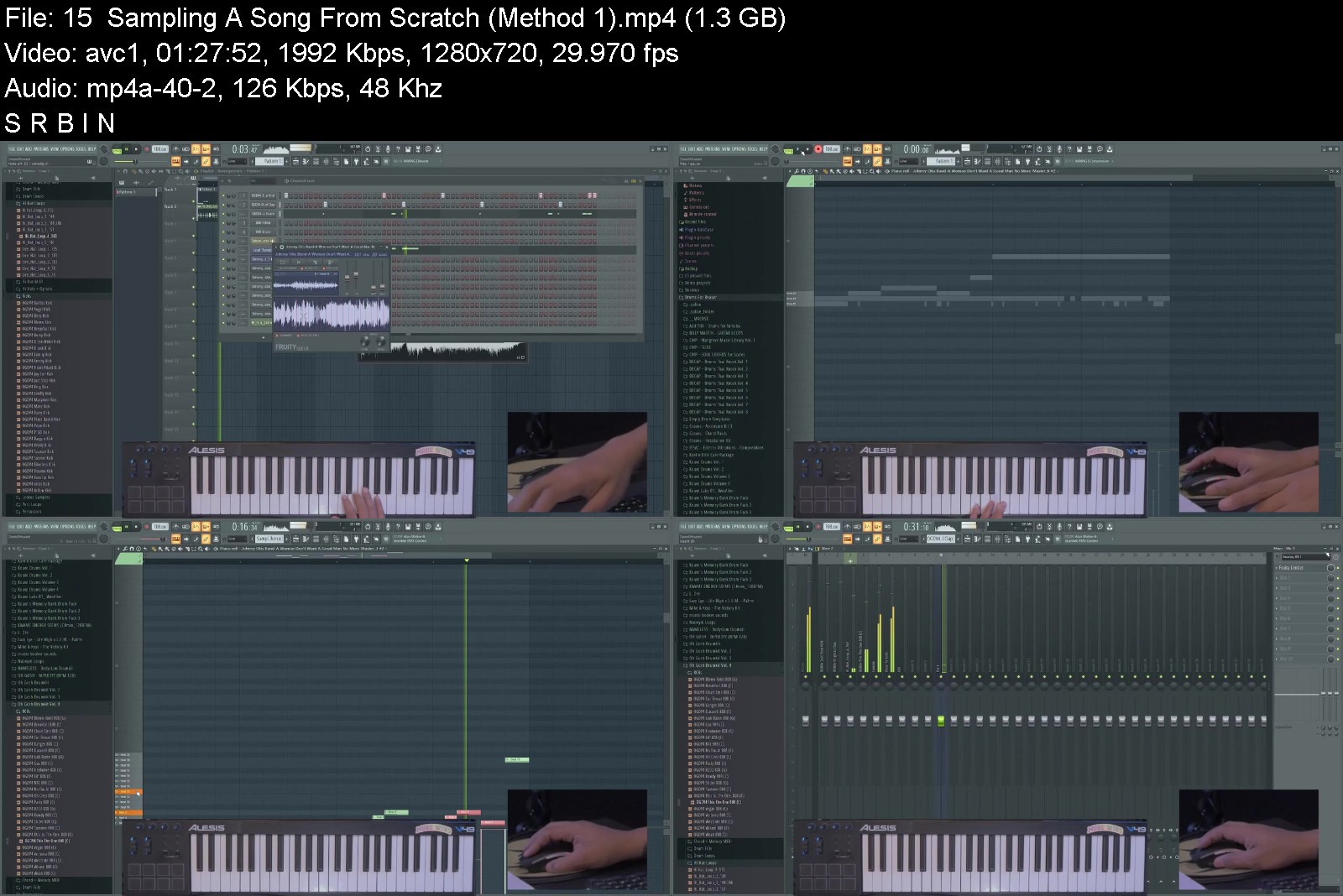
This is a masterclass in Hip Hop style sampling and sound flipping within FL Studio, taught by FL Studio Power User Curtiss King.
With This Course You Will
Learn where to find high quality samples
Learn how to pick the perfect samples
Learn how to find the key and bpm of any sample
Learn 3 different sample chopping techniques
Learn how to add character and style to your samples
Learn how to add a bassline to your samples
Learn how to arrange your sample based beat
Learn how to mix your sample based beat
Watch a sample based beat get created from start to finish
This step-by-step course was designed to take the guess work out of sampling music within in FL Studio. Not only will you learn how to chop samples like a pro, but you will learn how to control them to your ear's desire.


hiphopsampling101inflrbk1s.jpg


Download from RapidGator


Download from Keep2Share



BIG-IP F5 LTM Training

bewyxzuhlbdrwiwvxqyaqhmk9k.jpg


BIG-IP F5 LTM Training
Genre: eLearning | MP4 | Video: h264, 1280x720 | Audio: AAC, 48.0 KHz
Language: English | Size: 5.0 GB | Duration: 8h 40m


What you'll learn
Installation of BIG IP LTM
Detailed understanding about features and functions of BIG-IP F5 in-depth.
Extensive knowledge to Design, Deploy, Adminstrate and Troubleshoot the F5 LTM (Local traffic Manager) infrastructure
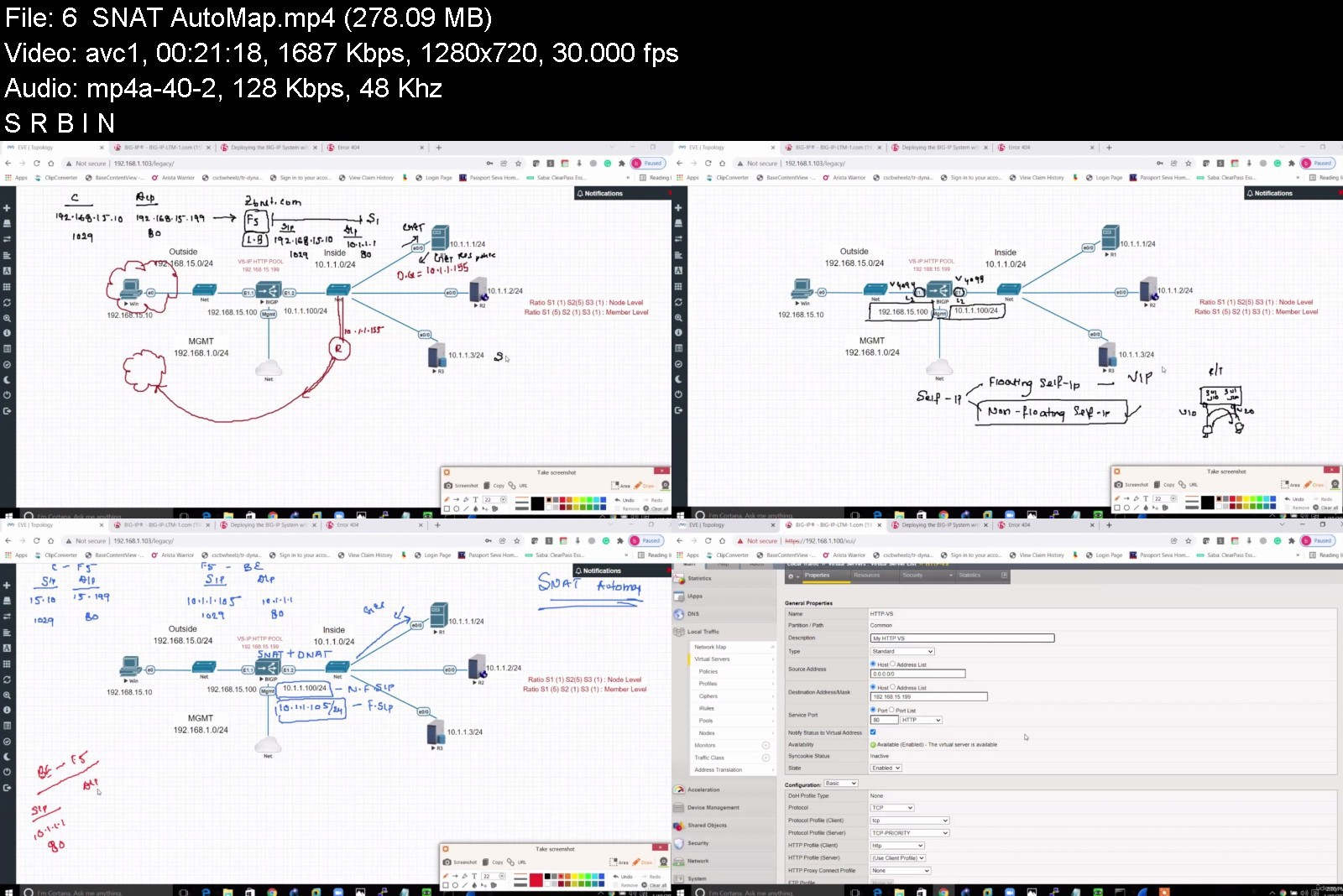
In-depth knowledge to Configure Nodes, Pools, Load Balancing methods, Profile, NAT, SNAT, Automap, Profiles, Persistance, SSL, iRule, High Availablity etc.
You will learn about all the Load Balancing Methods and Monitors in detail.
Understanding the various methods to secure the Application Server running behind the BIG-IP LTM in the F5 Infrastructure
Detailed understanding about the Proxy setup, its traffic flow and its functions and advantages.
Installing and Configuring TCP and SSL Profiles
You will learn about all the Load Balancing Methods and Monitors in detail.
How to use iRule to control network traffic flow
How to implement F5 high availability feature in company's environment
How to reduce current server load
Requirements
Basic Computer Knowledge
Basic Web/Internet Knowledge
Basic knowledge of TCP/IP
Routing and switching knowledge
Working knowledge of Windows and/or UNIX, network technology and the Internet.

Description
This course is designed to help learners in building their own lab topology in order to acquire the skills and knowledge necessary to manage the F5 BIG-IP Application Delivery Controller (ADC) appliance, including the Local Traffic Manager (LTM) module. We use detailed explanations and presentations to prepare learners for real-world application and success in earning the F5 BIG-IP Administrator certification. This class walks you through the stepwise process of how to construct your own lab environment, and do what you envision in the videos. Your exercise will serve you in mastering F5 technologies.
f5 BIG-IP Local Traffic Manager (LTM) provides intelligent traffic management for rapid application deployment, optimization, load-balancing, and offloading. BIG-IP Local Traffic Manager (LTM) ensures to entail a deep understanding of the network's application traffic and control over and how it should be handled. It is designed to modify and transform the chaotic volume of network traffic into logically assembled streams of data. It then makes intelligent traffic management decisions thereby, selecting the right destination based on server performance, security, and availability. These courses give network professionals a functional understanding of BIG-IP Local Traffic Manager (LTM) introducing students to both commonly used and advanced LTM features.
Who should do this course?
System Administrators
Network Administrators
Network Operators
Architects
Course Prerequisites
Basic knowledge of IPv4 networking.
Before you join
*This video series is a recorded class. Please view the sample videos to validate if this will work for you
*Verify audio quality from sample videos to validate if it works for you
*Verify the length of the videos to validate if it works for you
* We will be updating the content on timely basis we the need for adding new content arises.
You can reach out to me with any questions while you go through this course. I commit to responding within 24-48 hours of the query. Happy Learning!
Who this course is for
Anyone who wants to learn ADC Technologies such as F5 BIG-IP
Network Security Engineers who wants to learn Big-IP F5 LTM
Network Engineers who wants to learn Big-IP F5 LTM
Beginners who want to become a F5 Expert


bigipf5ltmtrainingwzj91.jpg


Download from RapidGator


Download from Keep2Share


 
Buy the Fear, Sell the Greed Trading - with LIVE examples

23167020f41n0j8h.jpg


Buy the Fear, Sell the Greed Trading - with LIVE examples
MP4 | Video: h264, 1280x720 | Audio: AAC, 44.1 KHz, 2 Ch
Genre: eLearning | Language: English + srt | Duration: 82 lectures (42h 45m) | Size: 33.2 GB

If you are a struggling trader, now is the time to stop the bleeding! The last Forex Trading course you'll ever need


What you'll learn
A unique way of trading any market using Supply and Demand
Learn how to trade the the Market using Key Levels and 100% pure Price Action
How to identify Supply and Demand pressure zones, correctly identifying the Trend and Support and resistance areas
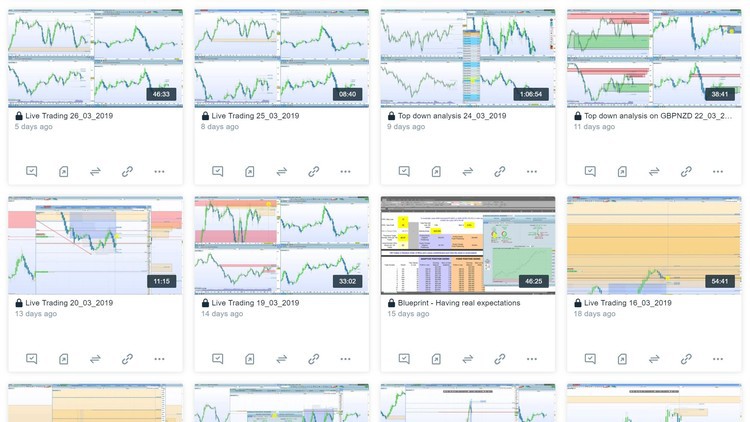
My blueprint of trading - how to put everything together to find a trade
How to build a strong case for your trades
Top down analysis on multiple time frames
Learn exactly how to systematize your strategy and daily trading so that you have a successful blueprint to follow each day
Recognizing high probability chart patterns
Analyze price movements in a logical way
Become a consistent profitable trader
Requirements
Basic understanding of how trading works
Desire to learn and achieve your goals!
Description
Note: You will never see this course advertised with a large discount because the information contained within is too valuable.
"I'm gonna do today what other people aren't willing to. So I can do tomorrow, what other people can't"
I"t's the moments when no one is looking that count"
"When you're so close to your goals and objectives in life, it's very hard to fail because success is so close and breaking boundaries for me is that fine line between failure and success"
"The moment an idea fascinates you, the moment you get excited about something, the impossible no longer exists. The moment you don't want to do something, that's when the impossible becomes bigger than the will to actually achieve"
This course is based on a trading blueprint I've developed over 14 years of research thousands of hours of screen time in the Forex market. You should be able to apply it successfully to your own trading but the end goal is for you to craft your own system that you can trade profitably with the blueprint as the foundation. I really want you to succeed. Trading is the best job in the world! You can be free and live your dreams! You can live and work anywhere in the world! You can be independent from routine and not answer to anybody!
I have nothing to hide and will share all my results as I feel this is paramount to the authenticity of my videos. I have the market exposure under my belt and in my videos you will learn to trade the live market, simple as that. I trade live my own account and I am recording all my trades explaining the reasons behind it and you hear my thoughts and see how I manage every single trade I place.
The genuine mentorship of a dedicated mentor will significantly cut the learning curve of new/struggling traders. Most, if not all traders, learn by the old-fashioned trial and error method and slowly correct their flaws until they are able to overcome the threshold of consistency. Unfortunately, this is a time consuming process that will take years as this venture is slowly learned through osmosis from market exposure. Books teach you how to make money in hindsight with chart examples from past data, the problem with this is hindsight analysis does not make you money. I have not met a trader who was not able to pick a top or bottom from a hindsight chart. Another issue with today's many mentoring groups is these so called 'gurus' do not have the adequate market exposure themselves and there is a reason why they are unwilling to share all their weekly/monthly statements but are willing to teach you how to be successful. They may say their statements are private and a personal thing, but if trading is such an intimate act why are they on the public internet making so many claims?
There is a big difference between teaching what is found under many technical analysis books and teaching how to enter a trade during present market conditions; one makes money and the other does not.
I am not a signal provider. However, I do share my monthly statements and weekly closed trades (profits and losses) to prove I have put in the required time to be consistent and profitable and to also set me apart from all the Forex "gurus." I also share them most importantly to help you develop your own intuition, as you must put in the required chart time to do so.
Remember this, if you are not losing money and making even small profits month after month, you are still ahead of +90% of traders. Don't let social media deceive you, everyone on Instagram is winning but it is a proven statistic +90% of traders lose money. Do NOT depend on my trading to make money, you must learn to be consistent and profitable on your own and it takes time.
How about a RISK FREE enrollment? Enroll now, and if you decide at any time within 30 days that you do not like the course, we will give you a 100% refund if requested, with no questions asked.
Whether you have other material, do yourself this big favor, enroll in this course and compare the two, you will keep ours for sure. Remember, the 30 days money back guarantee! Nothing to lose if you try but lots to gain if you get this course.
Requirements: Students should at least have a basic knowledge of trading before taking this course, i.e. how to set up charts, the bid/ask spread, understanding what forex/commodities/stock indexes are, being able to place trades, stop losses and targets.
This course will start with the basics of support and resistance, but will gradually work up to advanced topics - therefore, it will require hard work by the student!
Disclaimer: Any advice or information on these videos are General Advice Only - It does not take into account your personal circumstances, please do not trade or invest based solely on this information. By Viewing any material or using the information within this site you agree that this is general education material and you will not hold any person such as myself or entity responsible for loss or damages resulting from the content or general advice provided here by Stefan, it's employees, directors or fellow members. Futures, options & spot currency trading have large potential rewards, but also carry large potential risk. You must be aware of all the risks & be willing to accept them in order to invest in the forex, futures and options markets. Don't trade with money you can't afford to lose. These videos aren't not a solicitation nor an offer to Buy or Sell futures, forex, cfd's, options or other financial products. No representation is being made that any account will or is likely to achieve profits/losses similar to those discussed in any material on these videos. The past performance of any trading system or strategy is not necessarily indicative of future results. Any information, news, research, analysis, prices, or other analysis contained on this website is provided as general market commentary & does not constitute investment advice. We will not accept liability for any loss or damage, including without limitation to, any loss of profit, which may arise directly or indirectly from the use of or reliance on such information.
Who this course is for
Intermediate to advanced unsuccessful traders who are very close of giving up
Traders who are still struggling to to be consistent and profitable
Anyone who is interested in creating an income with online Trading
Traders who want to enhance their Trading knowledge and skill-set
Traders who want to discover how to analyze the market with a logical approach
If you don't know what a tick, pip, bid, ask or stop loss is, then this course probably isn't for you!
If you are looking for the Holy Grail, guaranteed profits, a get rich quick scheme or magic bullet, then sadly this course isn't for you.


buythefearsellthegreeo0jrj.jpg


Download from RapidGator


Download from Keep2Share



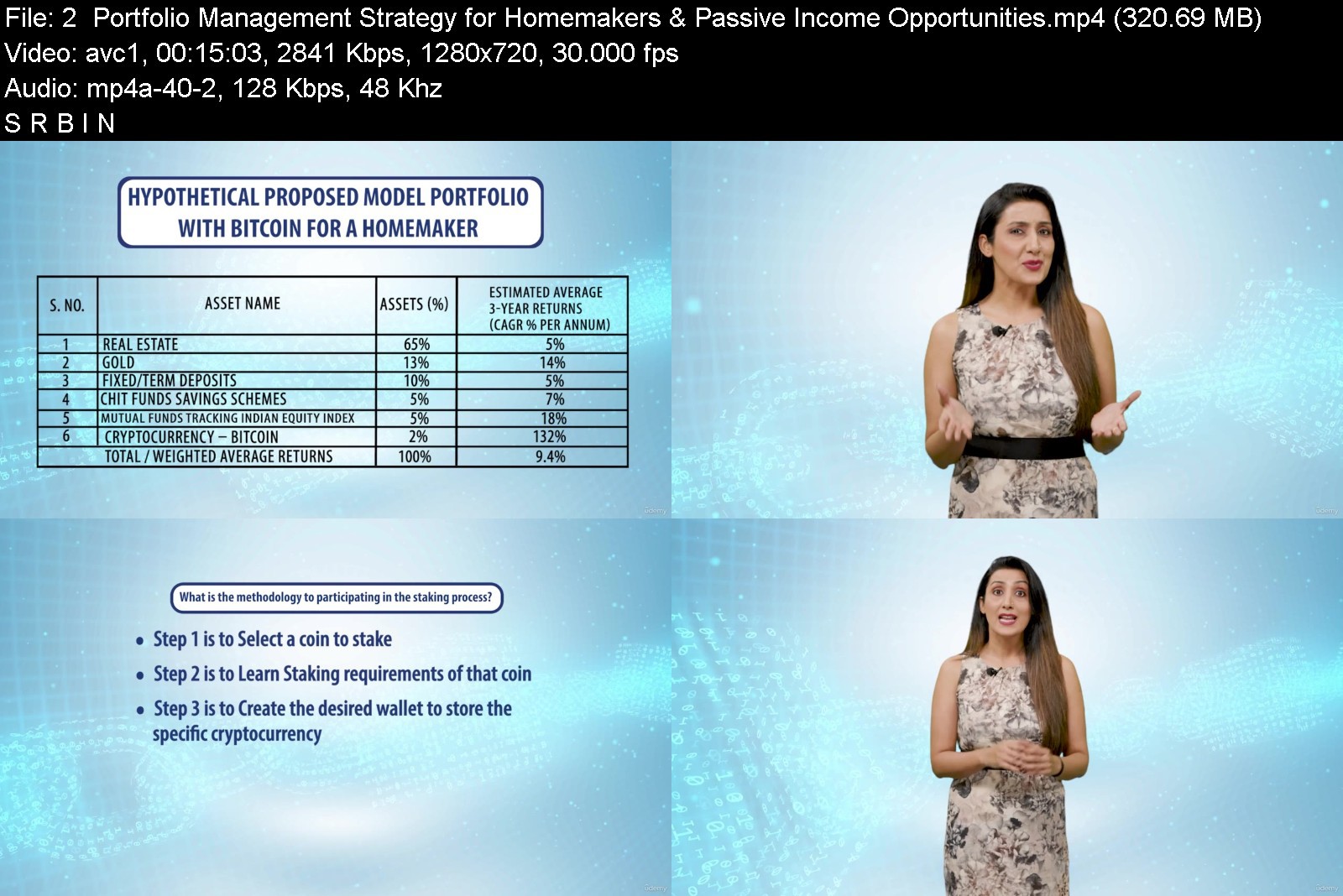
Savings & Investment Avenues for Homemakers using Blockchain

27gc3qo80kg6.jpg


Savings & Investment Avenues for Homemakers using Blockchain
MP4 | Video: h264, 1280x720 | Audio: AAC, 44.1 KHz, 2 Ch
Genre: eLearning | Language: English | Duration: 54 lectures (6h 26m) | Size: 7.6 GB

Designed for women who are ready to take control of their financial future & track the fast changing fintech world


What you'll learn
Overview of Blockchain technology and Crypto Markets including opening a trading account and wallet
Metaverse and the evolution of the new Web Technology and how NFT markets are opening up
Steps for trading in crypto assets and inclusion of virtual digital assets in the portfolio for diversification
Various passive income sources including airdrops, staking and yield farming
Requirements
Feel the excitement of a new asset class as much as we do
It is always a good time to get educated and keep abreast with new advancements
Keen interest in learning about this ecosystem
Description
So many of us have heard the buzz that the words - Blockchain, Cryptocurrencies, Bitcoin, Solana, Metaverse have created this past year. But how many really know what they are. Crypto University, through this programme, is there to fulfil just this need. We are going to provide you with information and knowledge on blockchain and cryptocurrencies that will more than meet your expectations.
Everybody is unique and everybody has different expectations. Some may want to know about this new technology not only to conduct an informed conversation with friends but also children - a group that is nowadays so very well informed and smart. To connect with them on things that they know and are interested in, to answer their questions, to perhaps guide them on career paths it would be essential for mothers to have basic understanding of this segment. Then again, many ladies are currently tracking and trading equity markets -- well for them this is a new asset class to explore. There are numerous reasons that a comprehensive beginners understanding on this new technology and its ecosystem would help.
Be it stock market or newly emerged cryptocurrency market, with all its risk and volatility, they have traditionally been a male domain. It continues to be largely so. Women are gradually participating in trading, particularly in cryptocurrencies, with the upsides being possible wealth creation, financial independence and a flexible career.
This programme is designed exclusively for women to enhance their knowledge horizon as also explore avenues of supplementing income sources. It is the right solution to begin your journey into the cryptocurrencies and metaverse world.
Crypto University educative programmes help participants navigate their way into the crypto world. It offers online courses that are designed for those who are interested in learning cryptocurrency in detail and to gain proficiency and knowledge about blockchain.
LEARN B4 EARN at Crypto University
Who this course is for
Homemakers who trade in the markets
Homemakers who are keen to learn about a new asset class
Homemakers who want to explore how to supplement income avenues
Homemakers who do not want to feel intimidated by all the jargons


savingsinvestmentavendtkk5.jpg


Download from RapidGator


Download from Keep2Share



Adobe Photoshop 2022 Ultimate Course

https3a2f2fd3f1iyfxxzt0jo9.jpg


Adobe Photoshop 2022 Ultimate Course
Instructors: Learn Tech Plus
47 sections • 482 lectures • 23h 17m
Video: MP4 1280x720 44 KHz | English + Sub
Updated 3/2022 | Size: 11.8 GB

Everything you need to know about Adobe Photoshop 2022 - Learn with 10 Projects! Web-Graphic-Video-App-Icon-Design


What you'll learn
Setup Account & Download Creative Cloud
Install Adobe Photoshop 2022
Main Menu
Main Menu Keyboard Shortcuts
Tools
Tools Keyboard shortcuts
Workspaces
Layers
Preferences
Scripts
Automate
Export
Layer Styles
Fill & Adjustment Layer
Filters
Brushes
Extensions
Type
Learn with 10 Projects!
Learn Web Design
Learn Graphic Design
Learn Print Design
Learn Video Design
Learn App Design
Learn Mobile Design
Learn Icon Design
Learn Photo Editing
Learn File Managment
Learn Project Management
Requirements
Willing to Learn and Have Fun
Setup Creative Cloud Account with 7 day Free Trial

Description
Have you always wanted to learn how to Design but don't know where to start?

Would you like to make amazing Designs and bring your ideas to life?

Then Adobe Photoshop 2022 Ultimate Course is for you!

Hi, I'm your instructor Josh Werner and I'll be leading you through this course.

Design is an in-demand skill in 2022.

The course begins with the basics.

I'll take you through everything you need to know to start building designs like an expert with Adobe Photoshop 2022.

You'll learn all the fundamentals of Adobe Photoshop 2022.

This is great for students starting or for Designers that need a refresher course on Adobe Photoshop 2022.

There are no requirements necessary to enroll I only ask that you come open minded and ready to learn

Feel Free to look through the course description and checkout some of my preview videos

The course is packed with over 22 hours of hands-on tutorials

Here is What You Will Learn

01. Introduction

001. Overview

02. Adobe Creative Cloud 2022

002. Overview

003. Setup Account

004. Download Creative Cloud App

005. Install Creative Cloud App

006. Summary

03. Adobe Photoshop 2022

007. Overview

008. Install Adobe Photoshop 2022

009. Summary

04. Welcome Page

010. Overview

011. Home

012. Learn

013. Lightroom Photos

014. Cloud Documents

015. Shared with You

016. Deleted

017. Create New

018. Open

019. Recent

020. What's New

021. Summary

05. Main Menu

022. Overview

023. File

024. Edit

025. Image

026. Layer

027. Type

028. Select

029. Filter

030. 3D

031. View

032. Plugins

033. Window

034. Help

035. Summary

06. Tools

036. Overview

037. Move Tool

038. Rectangle Marquee Tool

039. Lasso Tool

040. Object Selection Tool

041. Crop Tool

042. Frame Tool

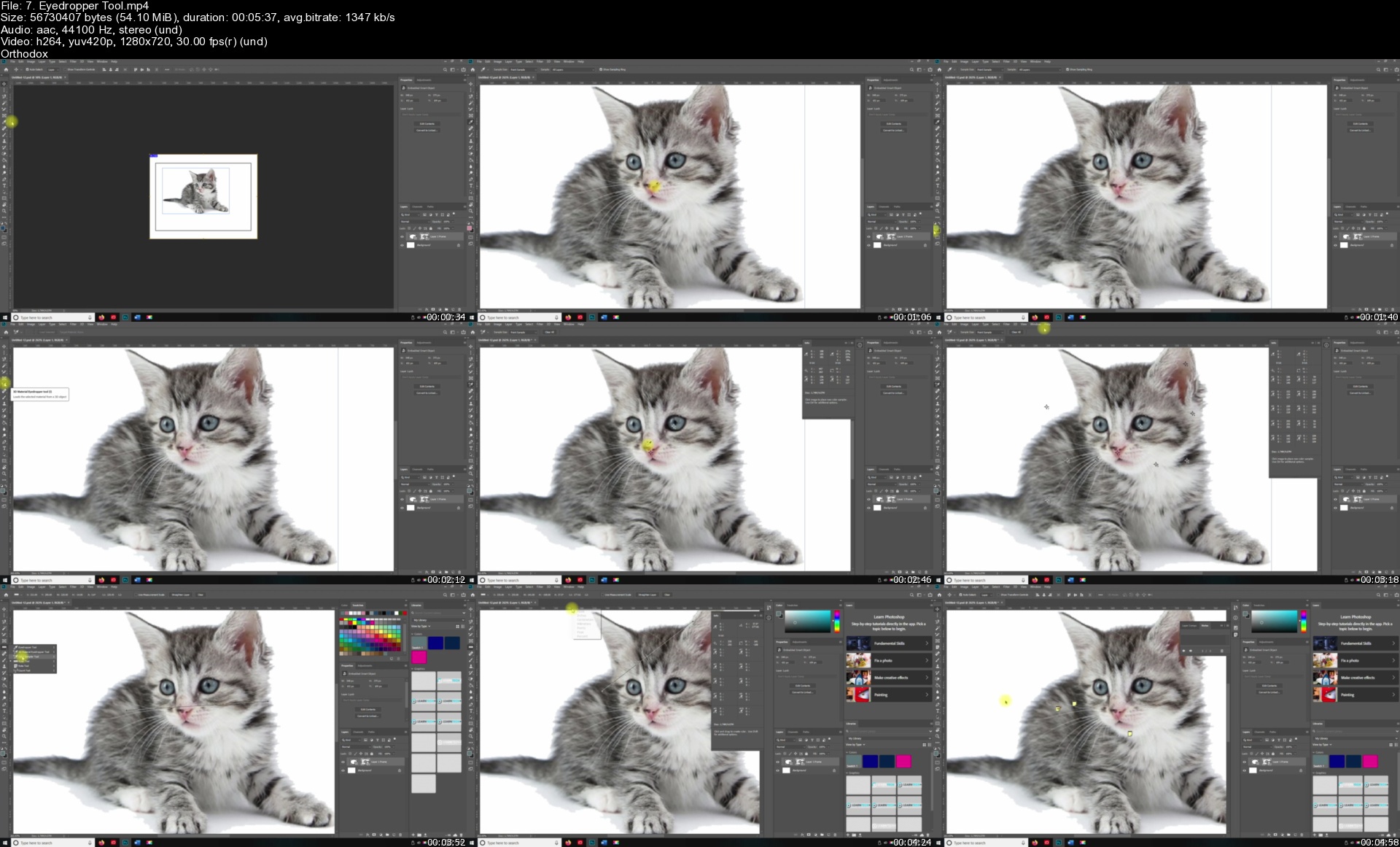
043. Eyedropper Tool

044. Spot Healing Brush Tool

045. Brush Tool

046. Clone Stamp Tool

047. History Brush Tool

048. Eraser Tool

049. Gradient Tool

050. Blur Tool

051. Dodge Tool

052. Pen Tool

053. Horizontal Type Tool

054. Path Selection Tool

055. Rectangle Tool

056. Hand Tool

057. Zoom Tool

058. Summary

07. Project

059. Overview

060. Download Project Files

061. Project

062. Summary

08. Conclusion

063. Summary

So what are you waiting for? I look forward to going through course with you I'll see you inside!

Who this course is for
Beginner to Advanced Students wanting to Learn Adobe Photoshop 2022

7.eyedroppertools80jni.jpg


Revit: Tips, Tricks, and Troubleshooting (Updated: 3/15/2022)

hiwqqbxv0prgzf6r3jbfm6skci.jpg


Revit: Tips, Tricks, and Troubleshooting (Updated: 3/15/2022)
Updated: 3/15/2022
MP4 | Video: h264, 1280x720 | Audio: AAC, 44.1 KHz
Language: English | Size: 13.6 GB | Duration: 48h

In this series, there's a little something for every Revit designer-beginners and seasoned users alike. Each video focuses on a specific tip, trick, or troubleshooting technique within Revit.

In this series, there's a little something for every Revit designer-beginners and seasoned users alike. Each video focuses on a specific tip, trick, or troubleshooting technique within Revit. Do you import CAD files and want to achieve consistency? Want to get more from your dimensions? Need to check all of the views in a project and see if the settings are correct? Want to consistently configure crop boxes across the entire project? What about getting all the parameters in your family content in just the right order? These are just some of the topics in store. With a new video every week, you are sure to find something useful to add to your growing arsenal of Revit tools and techniques.

Notes: The exercise files included with this course can be opened in the latest version of Revit. If you are using an older version, some files may be incompatible. Because this is an ongoing series, viewers will not receive a certificate of completion.

Homepage


02reportingdesigndatassk1q.jpg


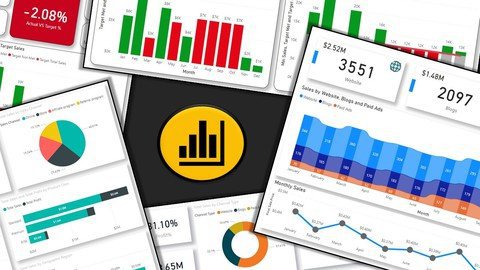
Learn Power BI - Learn Data Analysis & Data Visualizations

m0zbundcsdhqk9ge4pmfqqtksj.jpg


Learn Power BI - Learn Data Analysis & Data Visualizations
Genre: eLearning | MP4 | Video: h264, 1280x720 | Audio: AAC, 44.1 KHz
Language: English | Size: 30.7 GB | Duration: 72h 32m

Master Power BI Desktop & learn advanced Power BI analysis & data visualization. Master Data Analysis and Visualizations


What you'll learn
Master Data Analysis Expressions (DAX) and Power Query (M Language) for Power BI Desktop
Learn how to analyze data from multiple sources, create your individual datasets based on these sources and transform your results into interactive reports
Understand Power BI Desktop and its components. Understand the end to end business intelligence workflow
How to Create, Transform and build Relationships between different tables
How to Build and Refine Data Models using Custom Formulas and How to work in the different views of the Data Model
How to create a report with different interactive visualization types
Showcase your skills with two full scale course projects

Requirements
Willingness for learning new things and applying the learned concepts with creativity
You need to download Power BI Desktop from Microsoft website (This is a free software from Microsoft)
This course may not be for you if you have a Mac
A computer with Windows as operating system. This course is designed for PC users
Basic understanding of data analysis is an added advantage but not a requirement
Having a work or school email address to sign in to Power BI Desktop is an added advantage

Description
This course will provide you the skillset you need to create Dynamic Reports and Interactive Dashboards to analyze and interpret meaningful insights from your any data using a Business Intelligence tool like Microsoft Power BI. We have created content with relevance to real world scenarios

From this course, you will learn how to analyze data based on relevance using Power BI.

Power BI is a business analytics and business intelligence service by Microsoft. It aims to provide interactive visualizations and business intelligence capabilities with an interface simple enough for end users to create their own reports and dashboards. Power BI is part of the Microsoft Power Platform.

Power BI is a collection of software services, apps, and connectors that work together to turn your data from different sources into visually immersive and insightful reports.

Using Power BI Desktop, you can create rich, interactive reports with visual analytics at your fingertips for free. It can connect to more than 65 on-premises and cloud data sources to turn information into interactive visuals. Data scientists and developers work with Power BI Desktop to produce reports and make them available to the Power BI service.

In Power BI Desktop, users can

Connect to raw data from different sources

Extract, Profile, Clean, Transform and model the data. Build a Relational Data Model using Power Query and DAX

Build and optimize data models and DAX measures

Create charts and graphs using different visualization techniques

Design and create reports and interactive dashboards to get meaningful insights

Analyze hidden trends and patterns

Create and manage datasets

Share reports with others using the Power BI service within or outside the organization

In this course,

You will learn data analysis and data visualization using Power Query, M Language, Dax and Visualizations in Power BI. You will learn about Power BI Desktop and its components. Learn how to use the Power Query Editor to connect Power BI to various data sources, learn how to work on the Data Models to get meaningful insights.

So what are you waiting for?

Let's get started.

Who this course is for
There is no One Stop Solutions to learn everything. In this course, we've focused on providing you with the fundamentals you need to work with Power BI effectively
Interested to build visualizations, reports & interactive dashboards with Power BI Desktop
Anyone who is interested to learn Data Analysis & Data Visualizations using Business Intelligence tool like Power BI
Learn how to convert raw data Into compelling data visualizations using Power BI
If you are interested in Story Telling based on any available Data

Homepage


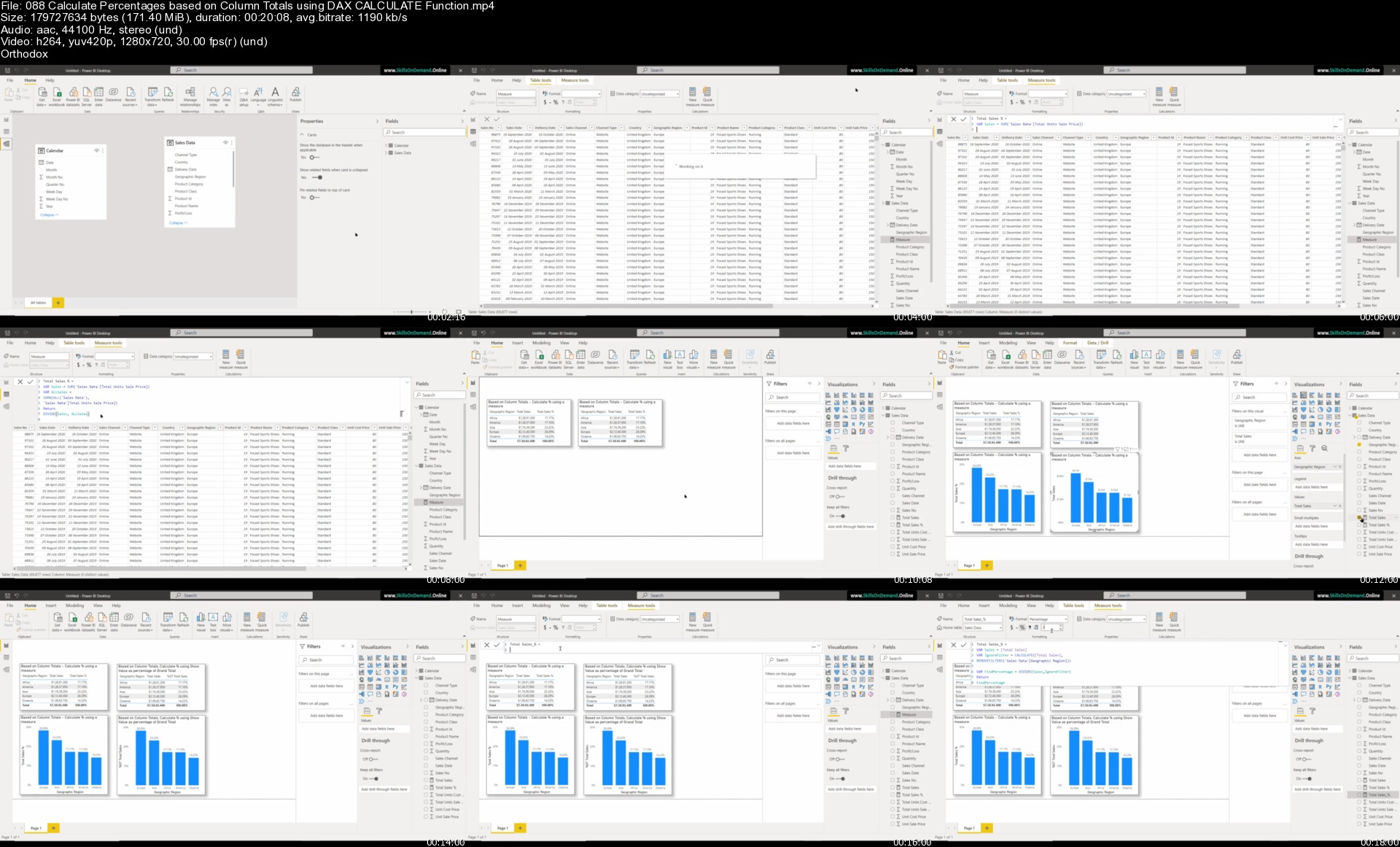
088calculatepercentagrtjrg.jpg


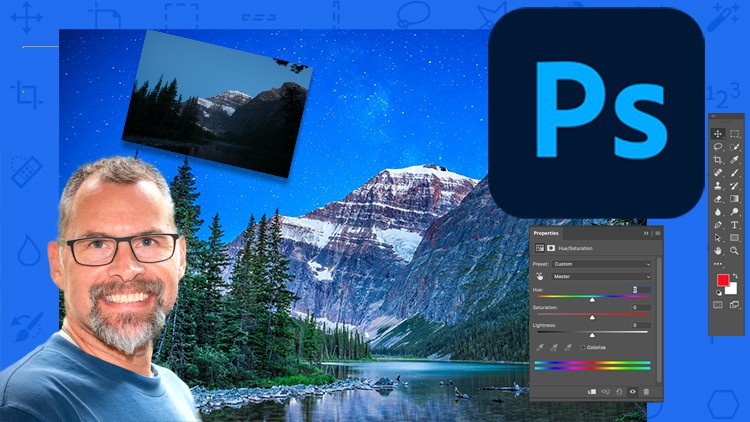
Photoshop CC for Photographers by Barry J Brady

154551271a421jj48.jpg


Photoshop CC for Photographers by Barry J Brady
MP4 | Video: h264, 1280x720 | Audio: AAC, 44.1 KHz, 2 Ch
Genre: eLearning | Language: English + srt | Duration: 35 lectures (7h 2m) | Size: 5.45 GB

Everything you need to know to start your journey in Adobe Photoshop


What you'll learn
You will have a good understanding of Adobe Photoshops layout and tools
You will have an image editing plan and workflow plan on how to approach image editing
You will learn a tried and proven method to work with any images and be able to edit them effectively
You will learn how to use the most effective tools in Adobe Photoshop to make your images look spectacular
Get the best tips on how to mask and select anything and how to refine selections
You will learn how to retouch portrait photos like a pro and make it look realistic
Be able to resize photos to use in Facebook, Instagram Tik Tok, Pinterest and any other online presence
Learn how to get rid of unwanted items in your images (Trees, shrubs...people)
Learn how to remove pimples and blemishes, whiten teeth, change eye colour and other retouching tricks
Easily fix colour issues and white balance problems in your images
Confidently remove dust, blemishes and scratches from an old photograph and bring ti back to its original quality
Colour correct old or faded images easily and quickly
Requirements
A working version of Adobe Photoshop, ideally the CC version
This course if great for beginners and newcomers to Adobe Photoshop, you will learn everything you need to know about Photoshop for Photographers.
Description
Hi there, my name is Barry J Brady and I am professional photographer and a Photoshop instructor.
Photoshop can be daunting when you first open it. It seems like there are lots of icons, buttons and spaces and it all seems very complicated and impossible to learn. Don't feel alone, I felt like that too when I first started using Photoshop in 2006, but I went on a course to learn how to use it and eventually became the head instructor of that course at a photography college. I absolutely love Adobe Photoshop, I love the flexibility and creativity it gives me in my photography and I love the results I am able to create in my images.
In this course, I will teach you the techniques and methods to get you going on your Photoshop journey. This course is just the start, but it will give you a solid foundation to build on and work from. You will learn basic and some intermediate techniques and by the end of the course, you will have a growing skill set to take you to the next level.
This course is aimed primarily at digital photographers. We won't spend much time on Graphic Design or Advertising and marketing layouts, this course is really about using Adobe Photoshop to get the most out of your digital images. Adobe Photoshop is a great tool once you know how to use it. Below are some reviews from past students.
"Barry is a very knowledgeable person and also very passionate about what he does. I like to compare him to university professors. There are two types of professors, one that are geniuses but unable to share their knowledge to other commoners, the other is they can teach but they do not have a solid foundation of their field, they were spoon-fed as well when they were students. Barry is a combination of both, he is talented but also can teach (minus the spoon-fed, he is very creative) with his personality and patience. Its a trait that all teachers should have yet its uncommon. I highly recommend Barry as a teacher and photographer. Having those 2 identities allows him to teach others what there is to learn about photography. "Thumbs UP"!" - Terence F
"Barry has a wonderful knack of making his teaching both relevant and informative whilst always remaining interesting. There is a good balance of theory and practical" - Scott R
So, if you are starting your journey into Photoshop or have been using it for a while, but note sure where to go from there, this course is for you. You do not need any prior knowledge in Photoshop, we will start at the beginning and build the foundations for a great future with Photoshop for you.
My goal is not to teach you how to fix your images in Photoshop (although we will do a little of that) but rather to help you take your good images and make them look SPECTACULAR in Photoshop. Join me and lets get you started on this wonderful and exciting journey into the world of Adobe Photoshop
Who this course is for
This course is perfect for complete Photoshop novices and photographers who want to learn how to get the most out their digital images in Photoshop


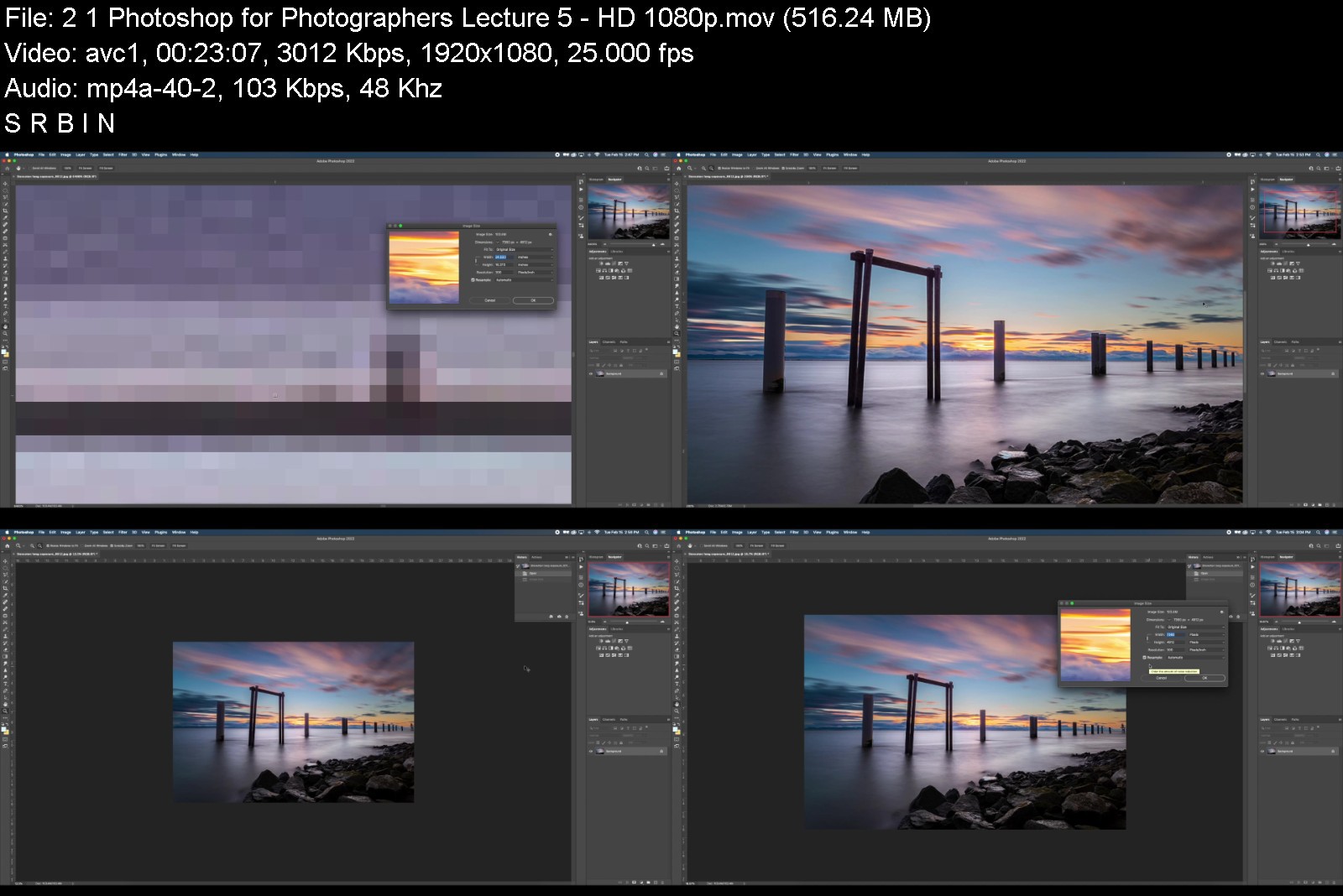
photoshopccforphotogrx1kh6.jpg


Download from RapidGator


Download from Keep2Share

 
Revit Architecture 2022

4624498102e3m0jo8.jpg


Revit Architecture 2022
Published 05/2022
MP4 | Video: h264, 1280x720 | Audio: AAC, 44.1 KHz, 2 Ch
Genre: eLearning | Language: English + srt | Duration: 390 lectures (24h 38m) | Size: 13 GB

A Perfect Guide For Revit Architecture (Basic + Advanced Level Project based Training)


What you'll learn
To learn all basic toolbars and advanced level BIM environment & concept about Revit Architecture
To learn Complete modeling and detailing in Revit Architecture
To learn Schedule and Drawing Creation
To learn advanced level project in in Revit Architecture
To learn Conceptual building design

Requirements
Basic Knowledge of Engineering
Laptop / Computer (With Revit 2019 to 2022 Software)


Description
Revit Architecture world No:1 Building Information Modeling (BIM) Software.

In this Software you can Create accurate 3D Model with all engineering data it can built any kind of Building Design

You will Learn Revit Architecture (Basic + Advanced Level Training). In this Course you will get master knowledge in Revit Architecture

You will learn to create and work with Grid and Level

You will learn to create any type of Architectural 3D model with Wall, Floor, Roof, Stair, Railing, etc.

You will learn to place Doors and windows etc.

You will learn to create Curtain wall with various places

You will learn to create Structural and Architectural column

You will learn to create Varity of roofing and practices

You will learn to create Ceiling design and its Lightings

You will learn to create Varity of railing and ramp

You will learn to create Conceptual building Design (Twist building and High rise building design)

You will learn to create material and paint

You will learn to work with phases

You will learn to create Topo surfaces and landscaping activities

You will learn to create rooms and its area calculation

You will learn to create Schedule and its application

You will learn to create keynote and keynote scheduling and its application

You will learn to create Filter and its uses

You will learn to create solar study

You will learn to Place camera

You will learn to create advanced level quick rendering methods

You will learn to create Walkthrough

You will learn to create 2D drawing and detailing inside Revit

You will learn to Export and Import documents with various insert options

You will learn to create accurate output files for Construction and Execution

You will learn to create step by step detailed lecture to create house project in end of this course

After this course you will get knowledge to work Any Revit Architectural projects

Don't wait, Let's Start your good Steps your life

Best of Luck

Who this course is for
Revit beginners
Revit advanced learners
Revit Modeler
Revit Designer
Architect
Civil Engineers
Architectural Engineers
Architectural Designers
Architectural Draftsman
Civil Draftsman
Mechanical Engineers
Design Engineers
Anyone interested in Architecture
Anyone interested in Civil
Anyone interested in Revit
Anyone interested in Revit Architecture
Anyone interested in BIM
Cad Operator
Cad Supervisor
Anyone interested in Autodesk
Anyone interested in 3D modeling
Anyone interested in Drafting
Anyone interested in Engineering Design
Anyone interested in Building Design
Anyone interested in Building Modeling
Anyone interested in Building House Design
Anyone interested in Villa Design
Anyone interested in High rise building
Anyone interested in Twist Building

Homepage


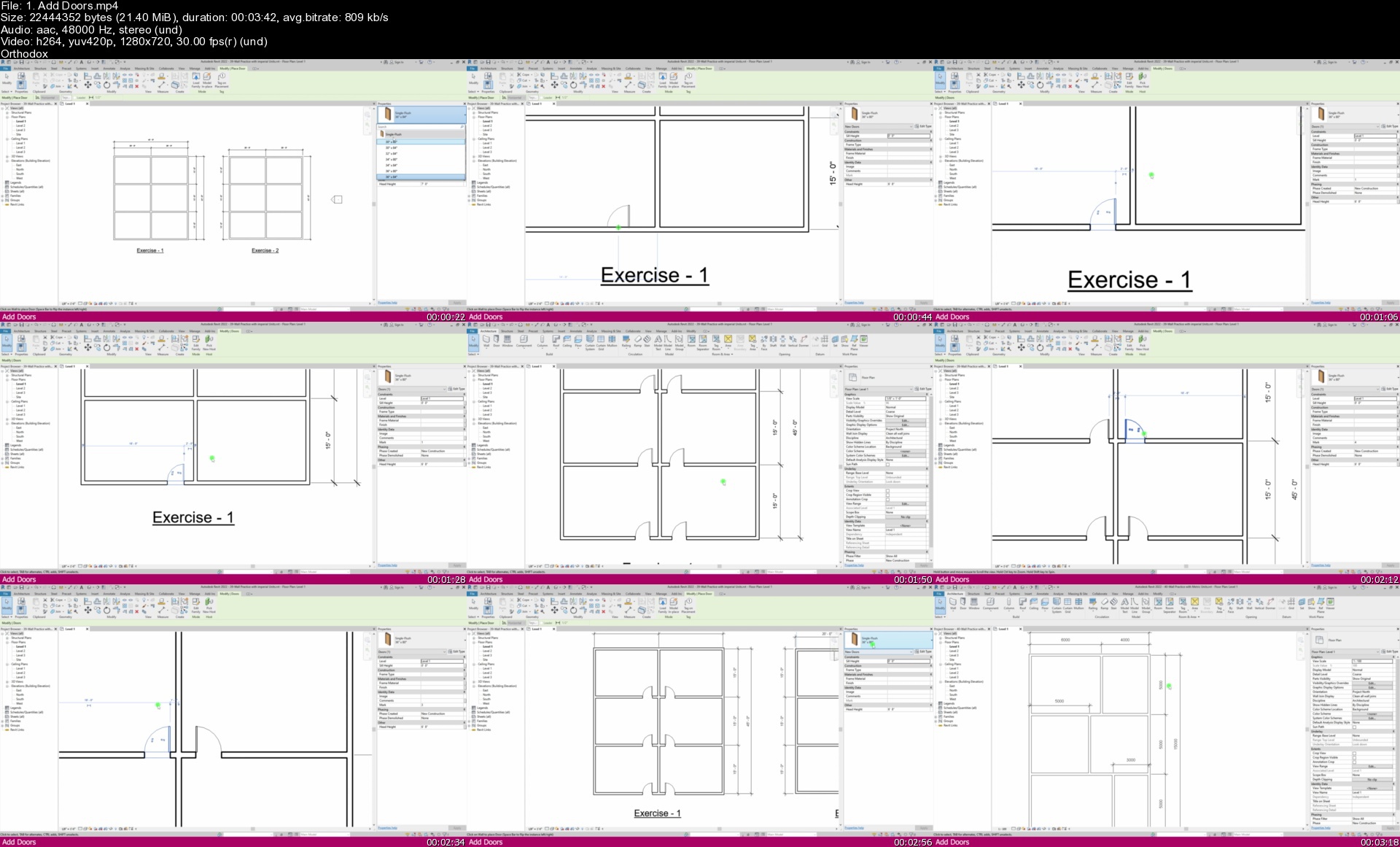
1.adddoorssx8jah.jpg


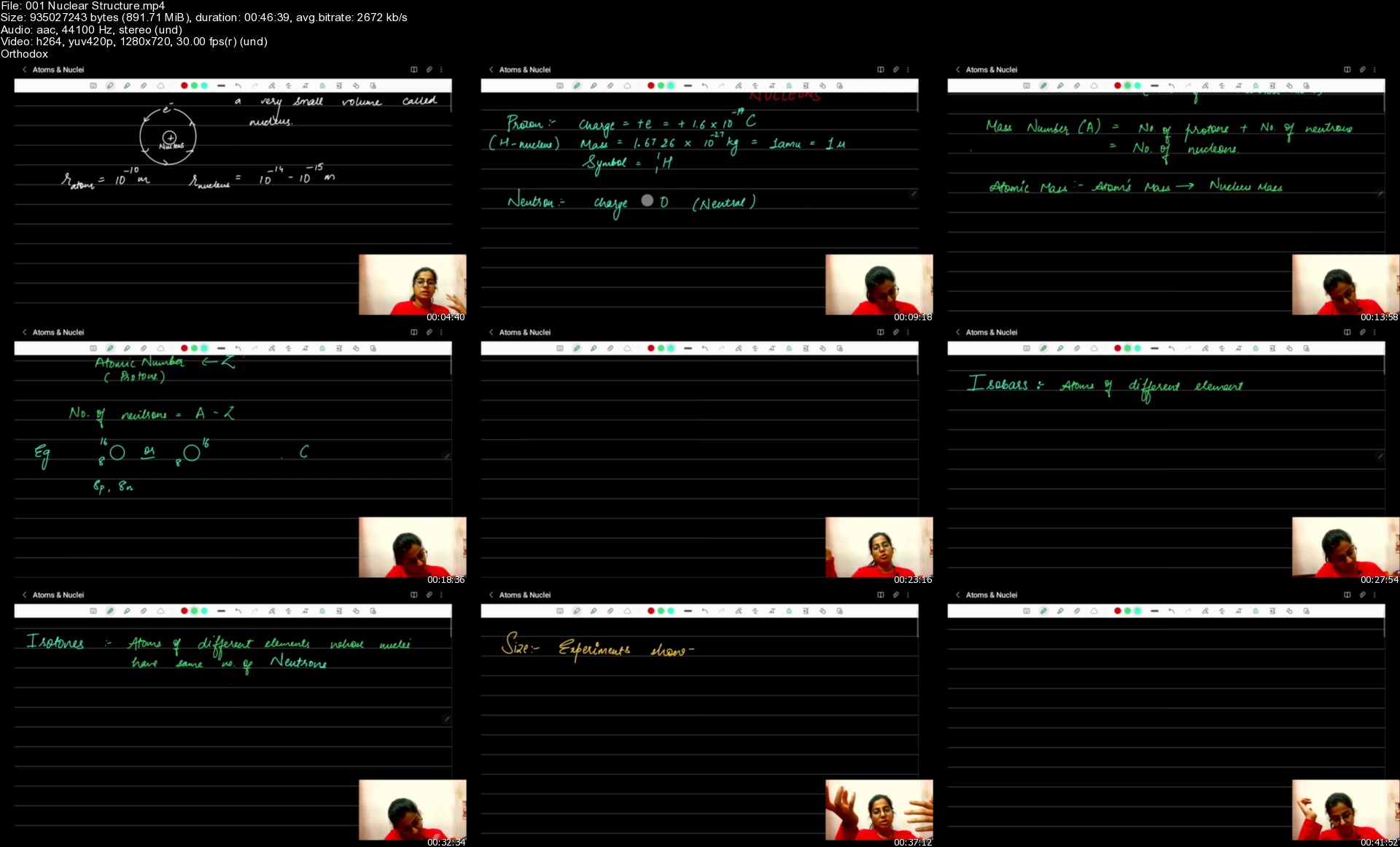
Physics for Class 12 as per CBSE Curriculum - NEET - IIT JEE

itlmq0tpz82bvdebsgqrr1yjel.jpg


Physics for Class 12 as per CBSE Curriculum - NEET - IIT JEE
Last updated 2022-05-16
MP4 | Video: h264, 1280x720 | Audio: AAC, 44.1 KHz
Language: English | Size: 49.0 GB | Duration: 56h 41m

All topics for Class 12 Physics is covered as per the CBSE curriculum. Top your board exams + Crack IIT JEE and NEET


What you'll learn
This course will take you through each and every topic of Physics for Class 12 as per the latest CBSE Curriculum
Each topic of Physics is explained in detail and at the end of the session there will also be quizzes
Using this course you will be able to score very well in the CBSE board exams
This course is created so that you can easily crack the NEET and JEE exams
Requirements
You will learn everything you need to crack the exams and score well.

Description
This course is the complete program for Class 12 Physics students. This course is created as per the CBSE curriculum. It contains.

a. Videos for each chapter explained in detail

b. Quizzes after each chapter

c. Complete portion tests

CBSE Syllabus for Class 12 is provided here for students to help them prepare for the 2022-23 academic year. The board has released the syllabus for 2022-23 academic year. CBSE Syllabus for Class 12 provides the right path for students for their studies. So, they are advised to prepare for the exam, as per the syllabus mentioned here. Class 12 is considered the turning point in students' academic careers as the Class 12 result decides the future career options. By understanding the CBSE Syllabus for Class 12, students can perform well in their exams and prepare for each subject thoroughly. Referring to the CBSE Class 12 Syllabus gives students information about what topics they should begin with. Here, we have provided the CBSE Syllabus for Class 12 for 2022-23 academic year all the subjects.

CBSE Syllabus for Class 12 is also necessary for those students who are preparing for competitive exams like JEE, NEET, etc. K12 Aspire will provide CBSE Class 12 Syllabus in a detailed manner along with the marking scheme. So, before starting preparing for your Class 12 CBSE board exam, it is necessary to know the syllabus.

Who this course is for
Students appearing in Class 12 as per the CBSE curriculum
Students who would like to take up their NEET and JEE exams

Homepage


001nuclearstructuresvukzx.jpg


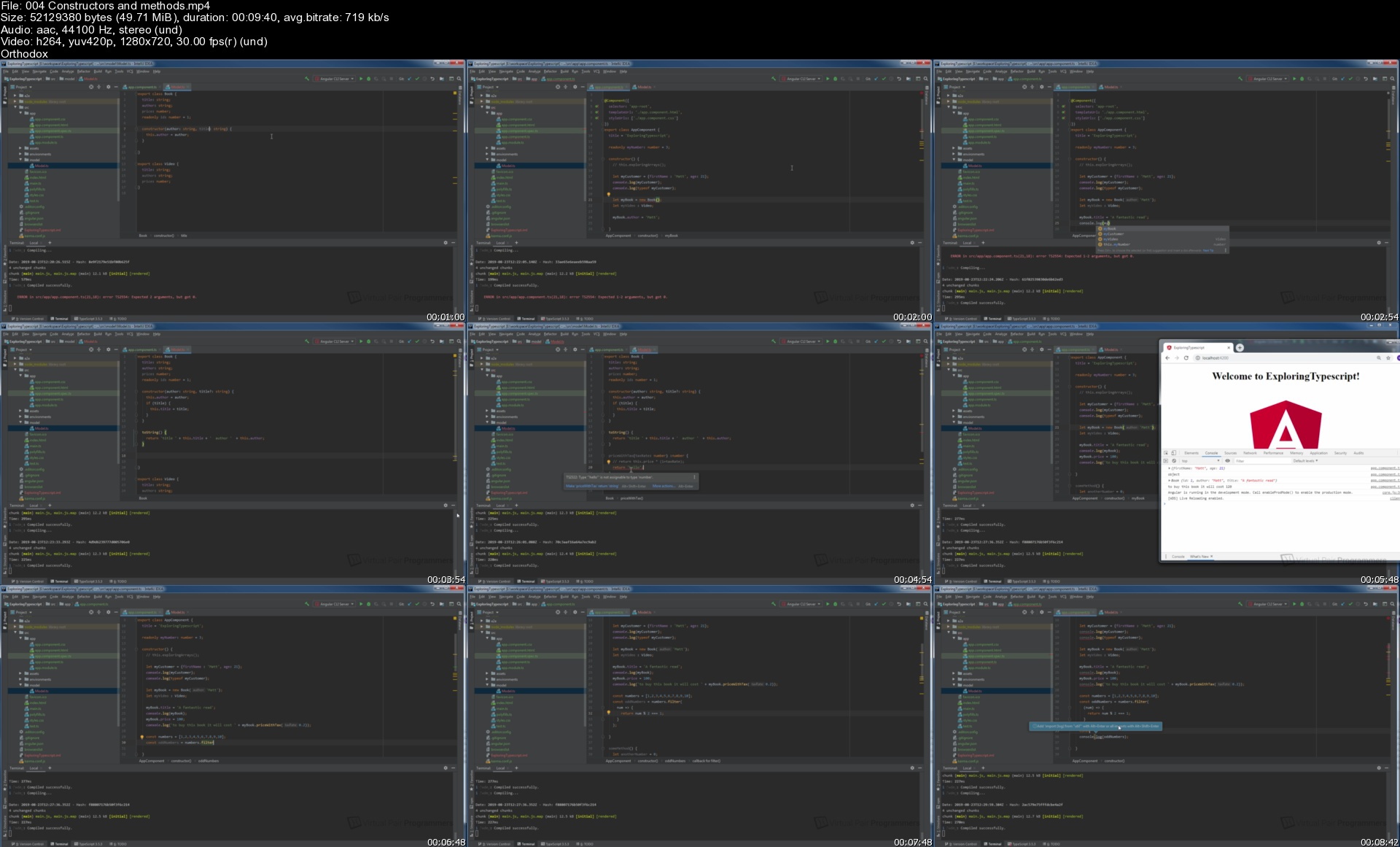
Angular 10 hands on for Java Developers

261453463a031yj8m.jpg


Angular 10 hands on for Java Developers
Last Updated 11/2020
MP4 | Video: h264, 1280x720 | Audio: AAC, 44.1 KHz, 2 Ch
Genre: eLearning | Language: English + srt | Duration: 216 lectures (18h 22m) | Size: 7.6 GB

Expand your Java skills to become a full-stack developer with the Angular web framework


What you'll learn
How to build responsive and reactive front-ends with Angular
How to get up to speed quickly with the Typescript programming language
How to connect Angular to a REST back-end developed in Java (Spring Boot)
How to ensure that the application and REST API are secured using industry standard techniques like JWTs, HttpOnly cookies and more

Requirements
At least basic experience in programming in Java is essential for this course
Angular is taught with reference to basic knowledge of Java syntax, programming structures and libraries
Some experience of developing websites or rest APIs in Spring Boot is helpful but not critical


Description
This course is for existing Java developers who want to learn the popular Angular framework for developing front-end Web interfaces.

In the course we cover all of the main principles of building websites in Angular, including the Typescript Language. This is taught with reference to Java and Java web technology examples, making it a very quick and easy way for Java developers to upgrade their skills to Angular. No prior knowledge of Javascript or Typescript is needed, although some basic HTML is useful.

We then learn how to create a REST API in Java (using Spring Boot) and configure it to work with an Angular front end. Some experience of Spring Boot will be helpful.

And finally we cover securing the Angular site and the REST front end in quite a lot of depth. By the end of the course you'll understand CORS, Cross Site Scripting (XSS), JSON Web Tokens (JWT) and importantly how to ensure that the site is built and secured to production standards.

Who this course is for
This course is aimed at Java developers who want to expand their skill set to become full-stack programmers.

Homepage


004constructorsandmetb3ko4.jpg


Zurück
Oben Unten