• Regeln für den Video-Bereich:

    In den Börsenbereich gehören nur Angebote die bereits den Allgemeinen Regeln entsprechen.

    Einteilung

    - Folgende Formate gehören in die angegeben Bereiche:
    - Filme: Encodierte Filme von BluRay, DVD, R5, TV, Screener sowie Telesyncs im Format DivX, XviD und x264.
    - DVD: Filme im Format DVD5, DVD9 und HD2DVD.
    - HD: Encodierte Filme mit der Auflösung 720p oder darüber von BluRay, DVD, R5, TV, Screener sowie Telesyncs im Format x264.
    - 3D: Encodierte Filme von BluRay, die in einem 3D Format vorliegen. Dies gilt auch für Dokus, Animation usw.
    - Serien: Cartoon/Zeichentrick, Anime, Tutorials, Dokumentationen, Konzerte/Musik, Sonstiges sind demnach in die entsprechenden Bereiche einzuordnen, auch wenn sie beispielsweise im High Definition-Format oder als DVD5/DVD9/HD2DVD vorliegen. Ausnahme 3D.
    - Bereich Englisch: Englische Releases gehören immer in diesen Bereich.
    - Bereich Talk: Der Bereich, in dem über die Releases diskutiert werden kann, darf, soll und erwünscht ist.


    Angebot/Beitrag erstellen

    - Ein Beitrag darf erst dann erstellt werden, wenn der Upload bei mindestens einem OCH komplett ist. Platzhalter sind untersagt.
    - Bei einem Scenerelease hat der Threadtitel ausschließlich aus dem originalen, unveränderten Releasenamen zu bestehen. Es dürfen keine Veränderungen wie z.B. Sterne, kleine Buchstaben o.ä. vorgenommen werden. Ausnahme Serienbörse:
    - Bei einem Sammelthread für eine Staffel entfällt aus dem Releasename natürlich der Name der Folge. Beispiel: Die Simpsons S21 German DVDRip XviD - ITG
    - Dementsprechend sind also u.a. verboten: Erweiterungen wie "Tipp", "empfehlenswert", "only", "reup", usw. / jegliche andere Zusatzinformation oder Ergänzung, welche nicht in obiger Beschreibung zu finden ist.

    Aufbau des Angebots und Threadtitel

    Der Titel nach folgendem Muster erstellt zu werden. <Name> [3D] [Staffel] [German] <Jahr> <Tonspur> [DL] [Auflösung] <Quelle> <Codec> - <Group>
    Beispiel: The Dark Knight German 2008 AC3 DVDRip XviD - iND
    Beispiel: The Dark Knight 2008 DTS DL BDRip x264 - iND
    Beispiel: The Dark Knight 2008 AC3 DL BDRip XviD - iND
    Beispiel: The Dark Knight German 2008 AC3 720p BluRay x264 iND
    Beispiel: The Dark Knight 2008 DTS DL 1080p BluRay x264 iND
    Beispiel: Die Simpsons S01 German AC3 DVDRip XviD iND
    Beispiel: Die Simpsons S20 German AC3 720p BluRay x264 iND
    Beispiel: Sword Art Online II Ger Sub 2014 AAC 1080p WEBRip x264 - peppermint
    Entsprechend sind also u.a. verboten: Sonderzeichen wie Klammern, Sterne, Ausrufezeichen, Unterstriche, Anführungszeichen / Erweiterungen wie "Tipp", "empfehlenswert", "only", "reup", usw. / jegliche andere Zusatzinformation oder Ergänzung, welche nicht in obiger Beschreibung zu finden ist
    Ausnahmen hiervon können in den Bereichen geregelt sein.

    Die Beiträge sollen wie folgt aufgebaut werden:
    Überschrift entspricht dem Threadtitel
    Cover
    kurze Inhaltsbeschreibung
    Format, Größe, Dauer sind gut lesbar für Downloader außerhalb des Spoilers zu vermerken
    Nfo sind immer Anzugeben und selbige immer im Spoiler in Textform.
    Sind keine Nfo vorhanden z.B. Eigenpublikationen, sind im Spoiler folgende Dateiinformationen zusätzlich anzugeben :
    Quelle
    Video (Auflösung und Bitrate)
    Ton (Sprache, Format und Bitrate der einzelnen Spuren)
    Untertitel (sofern vorhanden)
    Hosterangabe in Textform außerhalb eines Spoiler mit allen enthaltenen Hostern.
    Bei SD kann auf diese zusätzlichen Dateiinformationen verzichtet werden.

    Alle benötigten Passwörter sind, sofern vorhanden, in Textform im Angebot anzugeben.
    Spoiler im Spoiler mit Kommentaren :"Schon Bedankt?" sind unerwünscht.


    Releases

    - Sind Retail-Release verfügbar, sind alle anderen Variationen untersagt. Ausnahmen: Alle deutschen Retail-Release sind CUT, in diesem Fall sind dubbed UNCUT-Release zulässig.
    - Im Serien-Bereich gilt speziell: Wenn ein Retail vor Abschluss einer laufenden Staffel erscheint, darf diese Staffel noch zu Ende gebracht werden.62
    - Gleiche Releases sind unbedingt zusammenzufassen. Das bedeutet, es ist zwingend erforderlich, vor dem Erstellen eines Themas per Suchfunktion zu überprüfen, ob bereits ein Beitrag mit demselben Release besteht. Ist dies der Fall, ist der bereits vorhandene Beitrag zu verwenden.
    - P2P und Scene Releases dürfen nicht verändert oder gar unter einem iND Tag eingestellt werden.


    Support, Diskussionen und Suche

    - Supportanfragen sind entweder per PN oder im Bereich Talk zu stellen.
    - Diskussionen und Bewertungen sind im Talk Bereich zu führen. Fragen an die Uploader haben ausschließlich via PN zu erfolgen, und sind in den Angeboten untersagt.
    - Anfragen zu Upload-Wünschen sind nur im Bereich Suche Video erlaubt. Antworten dürfen nur auf Angebote von MyBoerse.bz verlinkt werden.


    Verbote

    - Untersagt sind mehrere Formate in einem einzigen Angebotsthread, wie beispielsweise das gleichzeitige Anbieten von DivX/XviD, 720p und 1080p in einem Thread. Pro Format, Release und Auflösung ist ein eigener Thread zu eröffnen.
    - Grundsätzlich ebenso verboten sind Dupes. Uploader haben sich an geeigneter Stelle darüber zu informieren, ob es sich bei einem Release um ein Dupe handelt.
    - Gefakte, nur teilweise lauffähige oder unvollständige Angebote sind untersagt. Dies gilt auch für eigene Publikationen, die augenscheinlich nicht selbst von z.B. einer DVD gerippt wurden. Laufende Serien, bei denen noch nicht alle Folgen verfügbar sind, dürfen erstellt und regelmäßig geupdatet werden.
    - Untersagt sind Angebote, welche nur und ausschließlich in einer anderen Sprache als deutsch oder englisch vorliegen. Ausnahmen sind VORHER mit den Moderatoren zu klären.


    Verstoß gegen die Regeln

    - Angebote oder Beiträge, die gegen die Forenregeln verstoßen, sind über den "Melden"-Button im Beitrag zu melden.
  • Bitte registriere dich zunächst um Beiträge zu verfassen und externe Links aufzurufen.

*** Bestes IPTV *** bester Preis *** gratis Test ***


Englische Tutorials

d6f0a579-4575-49af-808a-be882220084e.png

Ansible For Tips and Tricks By 10+ Examples
Genre: eLearning | MP4 | Video: h264, 1280x720 | Audio: AAC, 44.1 KHz
Language: English | Size: 647 MB | Duration: 12 lectures • 1h 31m
Learn Ansible with some real-life examples of how to use the most common modules and Ansible Playbook

What you'll learn
Ansible in real life use cases
Ansible code by modules
Ansible Tips and Tricks
Ansible time saving hacks
Requirements
Ansible basic knowledge
Description
Learn the Ansible automation technology with some real-life examples.
Every successful IT department needs automation nowadays for bare metal servers, virtual machines, could, containers, and edge computing. Automate your IT journey with Ansible automation technology.
I'm going to teach you example by example how to accomplish the most common System Administrator tasks.
Each of the 10+ lessons summarizes a real-life scenario and the most important module description and the most important parameter to succeed in your journey. Moreover, each code is battle proved in the real life. Console interaction and verification are included in every video. A mundane activity like printing a text/variable during execution, Pause execution, How to Pass Variables to Ansible Playbook in the command line, breaking a string over multiple lines, Ansible ansible_hostname vs inventory_hostname, setting remote environment per task or play, executing a command on the Ansible localhost, three options to Safely Limit Ansible Playbooks Execution to a Single Machine, command vs shell modules, write a Variable to a File and these are only some of the long lists included in the course.
There are some Ansible codes usable in all the Linux systems.
Are you ready to automate your day with Ansible to the next level?
Who this course is for
System Administrator
IT Professional
Cloud Engineer
DevOps
Linux Engineer
Screenshots


36bb8e3ad3a67adf9a5920b932df2983.png

Autodesk AutoCAD 2021 - Template Creation (incl. Template)
Last Updated 08/2020
MP4 | Video: h264, 1280x720 | Audio: AAC, 44.1 KHz, 2 Ch
Genre: eLearning | Language: English + srt | Duration: 11 lectures (1h) | Size: 781.6 MB


Setup your Standards correctly, suitable for AutoCAD 2021, AutoCAD 2020, AutoCAD 2019, AutoCAD 2018 or earlier
What you'll learn
Create a template file for AutoCAD
Setup AutoCAD drawings
Settings in AutoCAD
Manage styles in AutoCAD
Requirements
Basic knowledge of Windows
Basic knowledge of AutoCAD
Description
Once you are familiar with the basics of Autodesk AutoCAD, you should define your own Standards and Templates. This course will help you to setup your Autodesk AutoCAD Template file the right way.
This course also includes a template file with all settings and elements in it you have seen during this course. This is a fantastic starting point to create your very own Template.
Who this course is for
Architects
Designer
Engineers
Drafters
Facility Manager
Quantity Surveyors
Homepage


11babab8-82c5-4bcb-96e8-50bd803c0fdb.png

Build React v17 components with Storybook
Published 05/2022
MP4 | Video: h264, 1280x720 | Audio: AAC, 44.1 KHz, 2 Ch
Genre: eLearning | Language: English + srt | Duration: 18 lectures (1h 41m) | Size: 573.7 MB


Learn how to build composable components for your application
What you'll learn
Understand React fundamentals
Use React in the Browser and in Node
Create React web components that are composable
Use Storybook to develop web components in isolation
Requirements
Basic knowledge of Javascript and CSS
IDE, version control
Description
React is Javascript library for building user interfaces. In this Course we will learn React v17 fundamentals by building Components with Storybook. We will start by learning how to use React in the browser, then how to use it in Node.js and we will move to create a full react application with using the create-react CLI.
We will learn how to create web components using React v17 and use Storybook to develop these components in isolation.
Class Overview: In this Class we will learn React v17 by building Web Components using different methods, starting with simple in Browser and then moving to more advanced project using creat-react-cli
What You Will Learn: You will learn how to build React components using React v17, Class based components, Functional components , Hooks, JSX, Props , State, Storybook to develop Components, Css Modules , Component Composition, Testing
Why You Should Take This Class: If you are are Frontend developer who wants to learn React or you have used React but want to learn more advanced concepts and how to use React in a production environment to create Web components and how to develop components in isolation with Storybook then you should take this class
Who This Class is For: Frontend developers who know the basics of Javascript and CSS
Materials/Resources: Javascript & CSS knowledge, Node.js installed , IDE , github account
Who this course is for
Beginner frontend developer who want to learn React
Someone who knows React but want to learn developing components in isolation with Storybook
Homepage


4653332-9ad5.jpg

Certified Basic Excel Course
Published 05/2022
MP4 | Video: h264, 1280x720 | Audio: AAC, 44.1 KHz, 2 Ch
Genre: eLearning | Language: English + srt | Duration: 10 lectures (50m) | Size: 261.7 MB


By knowing the basics and key elements of Excel, you will have a better chance in the job market
What you'll learn
How to configure functions for Quick access in Excel
How to add a chart in Excel
Perform Operations in Excel
Auto total / auto sum in Excel
Master formulas in Excel
Requirements
You don't need any Excel knowledge!
There are no prerequisites. You will learn everything you need to know from scratch!
Description
C'mon! Let's lay the basics of Excel together!
By knowing the basics and key elements of Excel, you will have a better chance in the job market.
In the course you will learn how cells are shared, their aspects and functions!
You will also learn how to create and format spreadsheets, use formulas, perform operations and sort information!
In this course you will find
- How to configure functions for quick access;
- How to add a chart;
- Perform transactions;
- Auto total;
- Main formulas
Main Features
Video practical trainings;
Exercises;
Unlimited access;
Udemy Digital Course Completion Certificate
EXAMS
Quizzes that test your knowledge throughout the content.
The quizzes will help you with theoretical and practical understanding.
CERTIFICATE / How to get your certificate
Once you have fully completed the course and achieved the minimum required achievement, you will be able to download this Course's Digital Certificate of Completion.
Let's lay the basics of Excel together!
Once you have the first building blocks of Excel right, it will be much easier for you to make sense of complex operations at other levels.
Every single piece of information you learn will be permanent in your mind, and it will be much easier for you to remember, thanks to the short reinforcing quizzes that hit the pill-like one-shot topic directly from 12, right after each topic that will provide the reinforcements you will need throughout the course.
We have prepared the information and the quizzes that reinforce them like an easily understandable one-shot pill, so your learning process will be fast, comfortable and fluid...
And most importantly, you will gain a deep learning experience, not a superficial one! In this way, unlike the others, what you read, hear and see in this course will not fly away, and your memory will remain with you, and your power of memory will be much higher and more effective.
Lets! If you are ready now,
Let's lay the basics of Excel together!
*** You can contact us for a discount coupon. ***
Thank you
Academy TR
Who this course is for
Students
Academics and teachers
Professionals and managers
Career planners and those who want to add a new certified skill to their CV
Anyone who wants to improve themselves
Homepage


3758ee6a-2a13-4ff6-8a5c-c849d64b10c2.png

Certified Course on "How to Make a Diet Plan"
Instructors: Faheem Mustafa
5 sections • 6 lectures • 43m total length
Video: MP4 1280x720 44 KHz | English + Sub
Updated 2/2021 | Size: 935 MB​

A simple and an extensive way to learn personalized diet planning
What you'll learn
You will learn a simple way to calculate the total energy expenditure (TEE)
We will discuss the acceptable macronutrient distribution range (AMDR)and will learn how to calculate the macronutrient requirement in grams?
You will learn how to calculate food exchanges?
And at the end, we will discuss "how to use food exchanges to make a diet plan?
<h
Requirements
Basics of macronutrients, allied health sciences/medical professional/ student
Description
What you'll learn
You will learn a simple way to calculate the total energy expenditure (TEE)
We will discuss the acceptable macronutrient distribution range (AMDR)and will learn how to calculate the macronutrient requirement in grams?
You will learn how to calculate food exchanges?
And at the end, we will discuss "how to use food exchanges to make a diet plan?
Homepage
Screenshots


6e7ff20c-99e0-430f-87d5-0414b6df94cc.png

CreativeLive - Adobe Illustrator: From Shapes to Complex & Beautiful Illustrations
MP4 | Video: h264, 1280x720 | Audio: AAC, 44.1 KHz, 2 Ch
Genre: eLearning | Language: English | Duration: 32 Lessons (2h 33m) | Size: 1.26 GB


Take Advantage Of Adobe Illustrator's Powerful Tools To Create Effective Illustrations With An Efficient Workflow
AFTER THIS CLASS YOU'LL BE ABLE TO
Draw simple shapes and transform them into intricate designs fast.
Master basic and advanced design principles used to create professional illustrations.
Achieve an instant visual impact with your professional illustrations.
Visualize, plan and develop your illustration concepts before stating your project.
Use basic and advanced shape tools confidently.
Create an environment for converting pencil sketches into editable vector graphics.
Work with color and achieve depth and detail in your designs.
Finalize your designs by professionally fine-tuning them.
ABOUT JUNICHI'S CLASS
In a world where everything has been done before, there is something to be said for creating your own work from scratch. Basic shapes are a strong tool for communication because of their familiarity and simplicity. They can, therefore, act as a basis for powerful designs and illustrations.
This course will teach you everything you need to know to create original, complex graphics from basic shapes. You'll learn each step of the illustration process from concept development to creating sketches, vectorizing, perfecting composition and color right down to fine-tuning and final delivery.
You will cover two case studies, showcasing the workflow of creating a captivating illustration. By the end of this course you'll be able to create stand-alone graphics and illustrative patterns with ease.
WHAT YOU WILL LEARN
How to do flexible, hand-drawn sketches before starting your project
Expert tips for working with pencil sketches
How to duplicate basic shapes to create patterns and more complex shapes
How to use Reflect, Skew and Rotate tools to transforms shapes into complex designs and combine multiple shapes with the Pathfinder tool
How to import a pencil sketch in Illustrator and convert it into vector shapes
How to introduce large, medium and small design elements to your overall design
How to introduce foreground, middle and background elements to your design
WHO THIS CLASS IS FOR
Anyone who has already learned the basics of Adobe Illustrator
Designers wanting to brush up their illustrative design skills
Illustrators wanting to advance their careers and gain a competitive edge
Creatives wanting to learn advanced Illustrator techniques
Digital marketers and content creators with intermediate Illustrator skills
Intermediate level.
SOFTWARE USED
Adobe Illustrator CC
ABOUT YOUR INSTRUCTOR
Graphic design and illustration expert with an established "California Roll Style" - a visual and conceptual fusion of Japanese pop and American urban cultures. Junichi Tsuneoka's work possesses highly communicative, assertive graphics and contains clear signs pointing back to his strong design background.
Homepage


3a7008b0-2fb8-46a2-ab0b-75f508f6b76b.png

Design a Nature-Inspired Botanical Composition in Procreate
Instructors: Cristina Handrea
Duration: 1h 4m • 11 Lessons
Video: MP4 1280x720 44 KHz | English
Level: Beginner | Size: 567 MB​

This class will show you how to create a vibrant botanical composition on your iPad while exercising your drawing skills and your imagination!
You will also get to better know core principles about composition and you will get more comfortable with some basic Procreate tools, building useful habits and simplifying your creative process..
After taking this class, you will be able to create many more harmonious and well balanced compositions, following some clear guidelines.
By creating this botanical composition
you will learn to build harmony between different shapes and sizes, following some core principles about proportions and directions;
you will understand how important it is to look for inspiration and find the right references when recreating shapes from nature;
you will know how to create a sense of depth to your artwork by layering multiple types of plants of different color and size;
you will understand how you can simplify different leaf and flower shapes to keep a clean and stylish design;
Using the Procreate app to create your botanical composition
you will get used to work with multiple layers not only to simplify your work style but also to create a dense and rich composition structured on multiple planes;
you will learn how to use different tools like the selection tool and the move tool in order to easily create and organise a beautiful collection of leaves for you botanical composition;
you will exercise your digital illustration skills and practice good habits;
you will be able to use the elements created fin this class for many other personal projects.
What you will learn
When wanting to design a composition, it may be sometimes difficult to bring together all those elements you appreciate.
Whether you want to create an elegant vase with flowers or dense jungle vegetation, by taking this class, you will get comfortable layering multiple elements and discovering unique and organic ways to harmonize them.
Being able to understand layers and use them as your digital illustration routine is essential for taking your skills to the next level!
Who this class is for
If you are a plant lover, you know there are not enough posters and pictures of your favorite plants! This class is made for anyone who wants to create a dense and expressive botanical composition using unique references while having a relaxing time and building useful habits in Procreate!
Even if you are a beginner and the project may seem intimidating or difficult, do not worry! This class will feel comfortable as all the tools and commands will be explained and presented before getting into the project.
If you already have experience illustrating in Procreate, you will have a lot of satisfaction and fun, playing with the tools and creating luscious vegetation!
If you look around you for inspiration, you know this helps you develop a critical spirit and makes you appreciate the things that surround you. This class is for everyone who enjoys nature and its beautiful diversity!
This class will show you how easy it is to build a botanical composition by using a limited color palette, the right references and just a couple of Procreate tools.
Of course, If you are a plant lover and you have a green corner in your home, you can benefit from this class and learn how to create a real life composition with your own plants!
What makes an illustration successful is not necessarily the amount of work you put in it, but how much you enjoyed making it!
This class is designed to show you how to use the right tools in order to make your creative process much more fluent. This way, you will be able to dedicate more time to your creativity!
As long as you create what you enjoy and what inspires you, you won't feel any effort in exploring digital illustration and it will quickly become your favorite hobby and habit!
Talking about habits, this class is structured to make your creative process more efficient by building good habits like merging down layers and alfa locking them. By using different color nuances for each layer, you will be able to distinguish them easier and learn to better structure your projects.
Another good habit is to try to keep things simple and clean. When it comes to beautiful botanical elements, you can easily get lost in details and experience burnout if you don't learn to control and better channel your creativity!
A limited color palette is very useful when wanting to understand value, so this will be another good exercise about color harmony.
You will get to know how easy it is to create using just shape, shadow and line as your expression tools.
Screenshots


61d36bdaed57af76d9b5e0b1f52154c1.png

Design of Sanitary Sewage Collection Network
Published 05/2022
MP4 | Video: h264, 1280x720 | Audio: AAC, 44.1 KHz, 2 Ch
Genre: eLearning | Language: English + srt | Duration: 28 lectures (3h 8m) | Size: 2.2 GB


Design of Sanitary Sewers by Using Excel Sheet
What you'll learn
Define and knowing all basic considerations for sewage collection network design
Define and knowing all criteria for sewage collection network design
knowing the structures and installation of the almost of sewage collection network components and appartances
Design sewage collection network for any area or city anywhere in the world
Requirements
have some information about meaning of sewage, Sanitary sewers, sewage collection, manholes, ..etc.
Be able to use Excel Program
Description
In this course I would like to teach you simple method of Sanitary Sewage Collection Network design. After this course you will be able to confidently use excel sheets in design of accurate and economic Sanitary Sewage Collection Network.
The course consists of 4 sections
Section 1: Introduction about Sanitary Sewage Collection Sewers, and about the structures and components of the course.
Section 2: Basic Considerations in the Design of Sewers includes
1. Project area
2. Design Period
3. Population Density
4. Field Work
5. Final Connection Point
6. The Manholes 6.1 Manhole structure 6.2 Drop Manhole 6.3 Manhole Locations and Spacing
7. The Trench
8. Alignments and Flow Directions
9. Numbering of Lines and Manholes
10. Pipe Materials
11. Design Sewage Flows
12. Flow Formulas
13. Partial Flow
Section 3: Design Criteria includes
1. Minimum Size
2. Minimum and Maximum Velocities
3. Minimum and Maximum Slop
4. Sewer Depth
5. Minimum Cover
Section 4: Design of Sanitary Sewers by Excel Sheet includes
1. Location
2. Population
3. Design Flow
4. Sewer Size & Slop
5. Full Velocity (Vf) & Full Flow (Qf)
6. Partial Flow Percentages (Q/Qf, V/Vf, d/D)
7. Actual Velocity (V)
8. Sewer Layout (Ground Surface Elevations & Sewer Invert Elevations)
9. Manhole Depths
In this course the excel sheet will be used in the design, because excel sheet simplify the calculation due to the relationships between the cells are by equations so when you change any value, all calculations of design will be automatically changed. You can use the same excel sheet of design, just you have to insert your input data of and you will get the results, but just you have to check the standard ranges and the criteria that explained in the course.
Who this course is for
students and graduates of civil engineering or environmental engineering or anyone who has an interest in the Design of Sanitary Sewage Collection Sewers
Homepage


f476bab9-7f08-4231-b031-fc7e4fa5f8dd.png

Develop Ionic 4 Angular iOS Android Apps for WooCommerce
Genre: eLearning | MP4 | Video: h264, 1280x720 | Audio: AAC, 44.1 KHz
Language: English | Size: 3.68 GB | Duration: 110 lectures • 9h 29m
Build a Complete Android iOS app for your WordPress WooCommerce WebStore using Ionic4 Angular(Compatible to Ionic5.x.x)

What you'll learn
Build a Complete Android iOS app for your WordPress WooCommerce based Web Store using Ionic 4 Angular
An excellent working experiences with beautiful and most popular Ionic 4 framework and Modern Angular.
Ionic 4 Angular Authentication with WordPress
Explore WooCommerce REST API V3
Refreshing Modern JavaScript Basics Including Arrow Functions, Promise with Async Awaits, Class and Inheritance
Brush up Modern Angular like performhttp requests, authentication, authorization and error handling
Implement all WooCommerce API using Ionic 4 and Angular
Fully Understand the technology behind an online store app, from add to cart to placing order.
Finally, from a single code base, you are getting Android App, iOS App as well as Web Apps that runs on all Modern Browsers and can be integrated with Any Woocommerce based ECommerce Website
Proper guidance how to submit apps to
Requirements
Minimum Web Development Knowledge with WordPress and WooCommerce
Basic HTML CSS and Basics of JS
Description
Do you know WordPresss Powers 34% of all website in our planet and according to WordPress Plugin Directory statistics, WooCommerce, the Plugin, that adds E-Commerce functionality to WordPress, has 5 millions + active installs. Beside these, WooCommerce itself Powers 28% of all online stores
WooCommerce is one of the best Plugin created with WordPress that has largest developer community support with awesome official documentations.
Responsive ecommerce websites are not that user friendly that an app can be for shopping.
Have you ever thought of building a hybrid App for this robust WooCommerce Plugin that runs in Android and iOS devices as well as on all modern browser?
Give shoppers an outstanding shopping experiences with WooCommerce based online stores?
Taking your web development career to the next level?
Welcome, I am M A Hasan, full time freelance web developer. I have 8 years working experience with various web technologies, now offering you a great course Develop Android iOS app using Ionic 4 and Angular for WooCommerce online stores.
There are several courses, tutorials, official documentations you may find helpful to build your Android and iOS app for WooCommerce but the problem is, most of them are not designed in an optimized and well maintained way that can help a beginner to understand everything perfectly. So I have broken this course into different parts to prepare you at first, then dive into real app development.
In this course, we will use WordPress and Woocommerce as backend with Version 3 API and develop a full featured WebStore app that can be integrated with any Woocommerce online store and will help user to buy products online directly from Android and iOS devices.
Okay if you are not feeling confident enough to take this course then No worries, If you have minimum knowledge in developing website using WordPress and WooCommerce, then you are welcome on board. I have discussed all basics of Modern JavaScript, Ionic 4 and Angular topics those are required to build and understand this app perfectly.
Starting from registering as a new customer through our app to place an order successfully in the store, every bit of code of this WebStore App we gonna develop is well explained.
At the end of the course, you are going to get a full featured WebStore app with source code that you coded from scratch which is ready to integrate with any WooCommerce online store. Most interestingly, from one code base, your WebStore app will be ready to submit to Play Store, App Store as well as an excellent working experiences with beautiful and most popular Ionic 4 framework and Modern Angular.
So no matter if you are a beginner or intermediate level developer, this course is going to take your career to the next level. So you will be a hybrid apps developer in a matter of times. Millions of clients are waiting for an efficient programmer like you who can code a secure, more maintainable and expandable WebStore App for their WooCommerce based online store..
I hope to see you in this course very soon. This course comes with 30 days money back guarantee. So take the course, watch the videos and if you are not happy, ask for a refund within 30 days. All your money back, no questions asked.
Then why are you waiting for? Let's grab the course and start exploring this great adventure.
Who this course is for
Beginner to Android and iOS Apps Development using Ionic 4 and Angular
Beginner to Work With Ionic 4, Angular and WordPress Authentication
Beginner to implement WordPress and WooCommerce REST API using Ionic 4 and Angular
Anyone interested to develop a full featured Online Store Apps for Woocommerce based ECommerce Website
Anyone intesrested to Understand the technology behind the Online Store apps
Anyone who wants to take his Web Development career to next the level by learning modern technologies
Screenshots











 
GiL4IzZrWEmZ13hNRHoRn0SjCl5kl6tu.png

Develop a High-Performance Mindset
Released 05/2022
MP4 | Video: h264, 1280x720 | Audio: AAC, 44.1 KHz, 2 Ch
Skill Level: General | Genre: eLearning | Language: English + srt | Duration: 42m | Size: 347.1 MB

How do you future-proof your career? You may love the job you're in, but what if, a few years down the road, all the skills and experiences you've accrued that lead to your success are no longer relevant? The speed at which technology changes and impacts organisations and roles means you have to stay ahead of the curve and continually develop your skills to remain relevant and in demand. In this course, Arit Eminue, an entrepreneur and career expert, teaches you how to develop a high-performance mindset so you can have a measurable impact in your role and continue to develop the skills you need to have a successful career. She also shows you how to build successful relationships at work, develop communication techniques that allow you and your manager to work at your best, and how to set goals to measure your progress.
Homepage


cc886e74-099d-4931-b0cb-b393539f60f7.png

Egghead - Auditing React Apps for Accessibility
MP4 | Video: h264, 1280x720 | Audio: AAC, 44.1 KHz, 2 Ch
Genre: eLearning | Language: English | Duration: 9 Lessons (31m) | Size: 176.2 MB

Web accessibility (also referred to as a11y) is the design and creation of websites that everyone can use. Accessibility support is necessary to allow assistive technology to interpret web pages.
Accessibility is an essential aspect in web development, yet often neglected.
As web developers, we can eliminate barriers restricting a person's ability to interact with our application.
Erin Doyle is an expert in creating accessible React applications and has developed a course that will give you a concrete process for auditing react apps for accessibility.
At the end of this course, you will be able to add auditing tools to your development workflow for accessibility issues in your applications and ultimately automate those audits.
Gain These Skills
Set up storybook on your project to audit components
Render components with jest-axe and ReactDOM
Write unit tests with jest-axe, enzyme, react-testing-library, cypress
Leverage different pluggings in GitHub for testing
What's New?
This is a great follow-up course to keep learning how to test accessibility on your applications. With this course, you'll have a jump start on auditing and fixing accessibility issues in your applications and gain a better understanding of your target users and how to approach your web app design → Develop Accessible Web Apps with React
This course will introduce you to accessibility through hands-on, technical examples that are way more effective than reading 10-year-old static web content → Start Building Accessible Web Applications Today
In this course and you will learn how to create a beautiful and pleasant Skeleton Loader for your web app using CSS animations, focusing on Web Accessibility and Web Semantic → Creating Accessible Skeleton Loader Animation from Scratch with HTML and CSS
Homepage


abfd3036-e04f-4e49-97ac-8495c41289c5.png

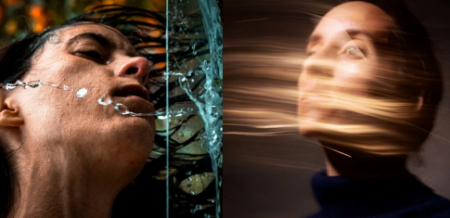
Fine Art Photography: Express Your Vision With In-Camera Effects
Instructors: Maureen Eggleton
Duration: 1h 8m • 10 Lessons
Video: MP4 1280x720 44 KHz | English
Level: Intermediate | Size: 745 MB​

If you love photography but feel bored or stuck in your process of creating meaningful and artistic images, then this class is for you!
Let's unleash the artist inside of you!
Photographers can also be artists, but sometimes they forget or are afraid to take risks and artistic license with their work, preventing them from expressing their unique views. So, in this class, we will embrace the artist inside, take full advantage of our camera settings and lens, and intentionally break some photography rules to express our vision with In-Camera effects.
The more you practice, the easy it will be for you to create these effects on the go. This skill will become part of your photography tool kit that will allow you to create unique creative photos for yourself and why not for future clients.
What You Will Learn
I have broken down this class to walk you through all my workflow so that you can emulate it or get inspired to build your creative system!
The first lesson covers:
Step by step, how you can get inspired to construct a story vision all the way to how to merge it with in-camera effects.
The rest of the lessons focus on two central teachings
Provide examples of how I merged a specific In-Camera effect with my vision to help tell a story or emotion.
How to achieve a specific in-camera effect. You'll learn how to bend reality with your camera settings and lens. I have selected 5 of my fav effects for you to try out. They are
Frozen motion.
Motion blur (long exposure technique).
Zoom.
Out of focus.
Motion blur with the Intentional Camera Movement technique.
Is this class for me?
This class is for anyone who feels stuck or bored with photography. If you're someone who can take technically good photos that just don't move you, this class will help you reconnect with your inner voice while also adding dynamism to your images.
Even the beginner is welcome here; this class will inspire you on how you can achieve meaningful work while learning about camera fundamentals so that you can start creating right away.
By the end of this class, you will have a comprehensive idea of merging inspiration, storytelling, and taking advantage of your camera settings and lens, as if you were using different brushes, to create artistic work without relying on photoshop.
Materials
The basic equipment you will need is
Digital camera.
A tripod or a base to hold your camera
and any editing software to enhance your photos, i.e. ( Google photos, LightRoom, VSCO, Snap seed). You get the idea.
For more advanced In-camera effects, you will need
Zoom lens (for the zoom effect)
A lens with a focus ring, or a phone's camera (both for the out-of-focus effect).
I have included a PDF with other options in the resources section if you don't have this equipment.
Lastly, it would be good to have
Black or gray background/backdrop or dark bed sheets or fabric (for the motion blur)
A Shiny/reflective object (for the motion blur)
A constant light. It can be a house lamp (for the motion blur)
Resources
Download the workbook and resources manual I have created for you, as it summarizes all the fundamental concepts of each technical lesson. These resources will allow you to immerse yourself in the videos and then have the workbook handy as a guide when working on your project.
The resources I have included are.
A list of all the equipment I used for each in-camera effect
Alternatives in case you don't have the gear I used.
A section to write your camera settings while you are experimenting or any notes about your process.
Dont worry if you don't have all the equipment I am listing. I encourage you to watch the lessons, get inspired to experiment and find ways to achieve in-camera effects with whatever you have available. There are always options to create, just as I did when creating my self-portrait Elena, which was published in photo vogue Italy.
Screenshots


Zurück
Oben Unten