• Regeln für den Video-Bereich:

    In den Börsenbereich gehören nur Angebote die bereits den Allgemeinen Regeln entsprechen.

    Einteilung

    - Folgende Formate gehören in die angegeben Bereiche:
    - Filme: Encodierte Filme von BluRay, DVD, R5, TV, Screener sowie Telesyncs im Format DivX, XviD und x264.
    - DVD: Filme im Format DVD5, DVD9 und HD2DVD.
    - HD: Encodierte Filme mit der Auflösung 720p oder darüber von BluRay, DVD, R5, TV, Screener sowie Telesyncs im Format x264.
    - 3D: Encodierte Filme von BluRay, die in einem 3D Format vorliegen. Dies gilt auch für Dokus, Animation usw.
    - Serien: Cartoon/Zeichentrick, Anime, Tutorials, Dokumentationen, Konzerte/Musik, Sonstiges sind demnach in die entsprechenden Bereiche einzuordnen, auch wenn sie beispielsweise im High Definition-Format oder als DVD5/DVD9/HD2DVD vorliegen. Ausnahme 3D.
    - Bereich Englisch: Englische Releases gehören immer in diesen Bereich.
    - Bereich Talk: Der Bereich, in dem über die Releases diskutiert werden kann, darf, soll und erwünscht ist.


    Angebot/Beitrag erstellen

    - Ein Beitrag darf erst dann erstellt werden, wenn der Upload bei mindestens einem OCH komplett ist. Platzhalter sind untersagt.
    - Bei einem Scenerelease hat der Threadtitel ausschließlich aus dem originalen, unveränderten Releasenamen zu bestehen. Es dürfen keine Veränderungen wie z.B. Sterne, kleine Buchstaben o.ä. vorgenommen werden. Ausnahme Serienbörse:
    - Bei einem Sammelthread für eine Staffel entfällt aus dem Releasename natürlich der Name der Folge. Beispiel: Die Simpsons S21 German DVDRip XviD - ITG
    - Dementsprechend sind also u.a. verboten: Erweiterungen wie "Tipp", "empfehlenswert", "only", "reup", usw. / jegliche andere Zusatzinformation oder Ergänzung, welche nicht in obiger Beschreibung zu finden ist.

    Aufbau des Angebots und Threadtitel

    Der Titel nach folgendem Muster erstellt zu werden. <Name> [3D] [Staffel] [German] <Jahr> <Tonspur> [DL] [Auflösung] <Quelle> <Codec> - <Group>
    Beispiel: The Dark Knight German 2008 AC3 DVDRip XviD - iND
    Beispiel: The Dark Knight 2008 DTS DL BDRip x264 - iND
    Beispiel: The Dark Knight 2008 AC3 DL BDRip XviD - iND
    Beispiel: The Dark Knight German 2008 AC3 720p BluRay x264 iND
    Beispiel: The Dark Knight 2008 DTS DL 1080p BluRay x264 iND
    Beispiel: Die Simpsons S01 German AC3 DVDRip XviD iND
    Beispiel: Die Simpsons S20 German AC3 720p BluRay x264 iND
    Beispiel: Sword Art Online II Ger Sub 2014 AAC 1080p WEBRip x264 - peppermint
    Entsprechend sind also u.a. verboten: Sonderzeichen wie Klammern, Sterne, Ausrufezeichen, Unterstriche, Anführungszeichen / Erweiterungen wie "Tipp", "empfehlenswert", "only", "reup", usw. / jegliche andere Zusatzinformation oder Ergänzung, welche nicht in obiger Beschreibung zu finden ist
    Ausnahmen hiervon können in den Bereichen geregelt sein.

    Die Beiträge sollen wie folgt aufgebaut werden:
    Überschrift entspricht dem Threadtitel
    Cover
    kurze Inhaltsbeschreibung
    Format, Größe, Dauer sind gut lesbar für Downloader außerhalb des Spoilers zu vermerken
    Nfo sind immer Anzugeben und selbige immer im Spoiler in Textform.
    Sind keine Nfo vorhanden z.B. Eigenpublikationen, sind im Spoiler folgende Dateiinformationen zusätzlich anzugeben :
    Quelle
    Video (Auflösung und Bitrate)
    Ton (Sprache, Format und Bitrate der einzelnen Spuren)
    Untertitel (sofern vorhanden)
    Hosterangabe in Textform außerhalb eines Spoiler mit allen enthaltenen Hostern.
    Bei SD kann auf diese zusätzlichen Dateiinformationen verzichtet werden.

    Alle benötigten Passwörter sind, sofern vorhanden, in Textform im Angebot anzugeben.
    Spoiler im Spoiler mit Kommentaren :"Schon Bedankt?" sind unerwünscht.


    Releases

    - Sind Retail-Release verfügbar, sind alle anderen Variationen untersagt. Ausnahmen: Alle deutschen Retail-Release sind CUT, in diesem Fall sind dubbed UNCUT-Release zulässig.
    - Im Serien-Bereich gilt speziell: Wenn ein Retail vor Abschluss einer laufenden Staffel erscheint, darf diese Staffel noch zu Ende gebracht werden.62
    - Gleiche Releases sind unbedingt zusammenzufassen. Das bedeutet, es ist zwingend erforderlich, vor dem Erstellen eines Themas per Suchfunktion zu überprüfen, ob bereits ein Beitrag mit demselben Release besteht. Ist dies der Fall, ist der bereits vorhandene Beitrag zu verwenden.
    - P2P und Scene Releases dürfen nicht verändert oder gar unter einem iND Tag eingestellt werden.


    Support, Diskussionen und Suche

    - Supportanfragen sind entweder per PN oder im Bereich Talk zu stellen.
    - Diskussionen und Bewertungen sind im Talk Bereich zu führen. Fragen an die Uploader haben ausschließlich via PN zu erfolgen, und sind in den Angeboten untersagt.
    - Anfragen zu Upload-Wünschen sind nur im Bereich Suche Video erlaubt. Antworten dürfen nur auf Angebote von MyBoerse.bz verlinkt werden.


    Verbote

    - Untersagt sind mehrere Formate in einem einzigen Angebotsthread, wie beispielsweise das gleichzeitige Anbieten von DivX/XviD, 720p und 1080p in einem Thread. Pro Format, Release und Auflösung ist ein eigener Thread zu eröffnen.
    - Grundsätzlich ebenso verboten sind Dupes. Uploader haben sich an geeigneter Stelle darüber zu informieren, ob es sich bei einem Release um ein Dupe handelt.
    - Gefakte, nur teilweise lauffähige oder unvollständige Angebote sind untersagt. Dies gilt auch für eigene Publikationen, die augenscheinlich nicht selbst von z.B. einer DVD gerippt wurden. Laufende Serien, bei denen noch nicht alle Folgen verfügbar sind, dürfen erstellt und regelmäßig geupdatet werden.
    - Untersagt sind Angebote, welche nur und ausschließlich in einer anderen Sprache als deutsch oder englisch vorliegen. Ausnahmen sind VORHER mit den Moderatoren zu klären.


    Verstoß gegen die Regeln

    - Angebote oder Beiträge, die gegen die Forenregeln verstoßen, sind über den "Melden"-Button im Beitrag zu melden.
  • Bitte registriere dich zunächst um Beiträge zu verfassen und externe Links aufzurufen.

*** Bestes IPTV *** bester Preis *** gratis Test ***


Englische Tutorials

4653540-ce98.jpg

Orchestration Masterclass, Part 3: Lines and Doublings
Published 04/2022
MP4 | Video: h264, 1280x720 | Audio: AAC, 44.1 KHz, 2 Ch
Genre: eLearning | Language: English + srt | Duration: 60 lectures (4h 26m) | Size: 3.66 GB


Every aspect of composing for the orchestra whether you are working with real players or sampled orchestra libraries
What you'll learn
Compose music for the orchestra
The unique properties of every instrument in the orchestra
How writing for the orchestra works, including scores, parts, shared parts, and more.
Making your synthesized orchestrations sounds great!
How to write music for brass.
How to write music for voice and choir
Requirements
Understanding how to read music, or the basic principals of notated music will be helpful but is not required.
Orchestration Masterclass, Part 1: The Strings and The Winds is very helpful to have completed prior to this course, but is not required.
Orchestration Masterclass, Part 2: Brass, Voice, & Guitar is very helpful to have completed prior to this course, but is not required.
Description
This course is certified 5-stars by the International Association of Online Music Educators and Institutions.
100% Answer Rate! Every single question posted to this class is answered within 24 hours by the instructor.
Are you a music maker, performer, composer, or aspiring songwriter looking to up your game? This is the place to start.
It's time to learn orchestration to give your music the power and the passion that it deserves.
Orchestration is the study of each instrument in the orchestra, how they work, how to write for them, and how each instrument collides with the others to make new sounds. Think of it like painting: The orchestra is your palette of colors. But you don't want to just mix them all together. You need to understand some principles of mixing those colors together before you put your brush on canvas.
In this series of classes we are going to work on three things:
Instrumentation: Knowing how all of the instruments in the orchestra work, and how to write for them in an idiomatic way.
Composition: Using the orchestra to write powerful music. Learning how to blend the different sounds of the orchestra to make a new, unique, sound.
Synthestration: Using common production software (Ableton Live, FL Studio, Logic Pro, Pro Tools, Cubase, etc.) to create a realistic orchestra sound using sample libraries.
In this class, "Part 3: Lines and Doubling" we are going to focus on building out our orchestration using "doublings" and other techniques to make a rich, full, sound. We are going to focus on each instrument's "envelope" to help us discover how to blend instruments to create the colors that we want out of our orchestra.
If you don't know me, I've published a lot of classes here. Those classes have been really successful (top sellers, in fact!), and this has been one of the most requested classes that my students (over 1,000,000 of them) have asked for. I'm really excited to finally be able to bring this to you.
Here is a list of some of the topics we will cover
Setting up Orchestra Sample Libraries
Using Professional music notation software
Foreground, middle ground, and background orchestration
Orchestration for color
Doubling
The 6 methods of doubling in a line
Doubling for a thin and clean sound
Doubling for warmth
Doubling techniques for a powerful organ-like sound
ADSR Envelopes in the orchestra
Doubling for harmonic density
Looking at the masters: Bach, B Minor Mass
Looking at the masters: Tschaikovsky, Symphony No. 6
Looking at the masters: Moussorgsky (Ravel), Pictures at an Exhibition
And Much, Much, More!
My Promise to You
I am a full-time Music composer and Educator. If you have any questions please post them in the class or send me a direct message. I will respond within 24 hours. And if you find this class isn't for you, I am more than happy for you to take advantage of the 30-day money-back guarantee. No questions asked.
What makes me qualified to teach you?
In addition to being a composer and educator, I also have a Ph.D. in music, I am a university music professor, and have a long list of awards for teaching.
But more importantly: I use this stuff every day. I write music professionally, I am an active guitarist, and I stay on top of all the latest production techniques, workflows, and styles. As you will see in this class, I just love this stuff. And I love teaching it.
Let's get started!
See you in lesson 1.
All best,
Jason (but call me Jay...)
Who this course is for
Anyone who wants to compose music for the orchestra
Anyone who wants to learn instrumentation and orchestration
Producers of any genre interested in getting the sound of a sampled orchestra into their music.
Musicians interested in how the orchestra works.
Anyone who wants to improve their tracks with orchestra sounds.
Homepage


Cyber Security For Beginners v2022

rhlob4szmmyoqaxssspwfauk1f.jpg


Cyber Security For Beginners v2022
Genre: eLearning | MP4 | Video: h264, 1280x720 | Audio: AAC, 44.1 KHz
Language: English | Size: 7.24 GB | Duration: 20h 54m


What you'll learn
Learn Cyber Security from scratch
All Important topics of Ethical Hacking are covered
Get MS-Word Short Course for Free
Basics of Linux Included
Requirements
No Prerequisites

Description
Learn Cyber Security from Scratch. Learn cybersecurity strategies that prevents unauthorized access to organizational assets such as computers, networks, and data. It maintains the integrity and confidentiality of sensitive information, blocking the access of sophisticated hackers.
Learn to Protect the network, its infrastructure and all its traffic from external cyberattacks. Protect all IT assets and resources available via the network from unauthorized access. Ensure authorized users have adequate access to these network IT assets and resources to effectively perform work.
Learn to create Malware, Trojans, Viruses and how to protect your system and other devices.
Your website or web application's security depends on the level of protection tools that have been equipped and tested on it. There are a few major threats to security which are the most common ways in which a website or web application becomes hacked. Some of the top vulnerabilities for all web-based services include
SQL injection
Cross-site scripting
Preventing these common threats is the key to making sure that your web-based service is practicing the best methods of security.
Anyone who is interested in learning about cyber security may join this course. You will learn all topics from basics to advanced in this single course only.
Learn strategies and tools that secure mobile devices against security threats. Although mobile security components vary based on each company's needs, mobile security always involves authenticating users and restricting network access.
Who this course is for
Anyone who is interested to learn about Cyber Security


cybersecurityforbeginirkwi.jpg


Download from RapidGator


Download from NitroFlare


6226dec6-1f8c-4955-8b6e-1c5257b0d79b.png

Painting with Freedom Acrylic Abstract paintings and Vibrant Colors
Instructors: George-Daniel Tudorache
Duration: 1h 7m • 17 Lessons
Video: MP4 1280x720 44 KHz | English
Level: Intermediate level | Size: 696 MB​

Create beautiful, loose, colorful abstract paintings. Using brushes, rollers and lots of thick, luscious, juicy acrylic color.
This course is for beginners who want to know a lot about acrylic painting. This lesson is perfect for those with minimal experience, but if you have been painting with acrylic for a while you might learn something new too!
Painting spontaneously with no pre-planning gives you amazing freedom that you've never felt before. Once you do this, you'll be hooked for life!
7db831a3.png
Create a beautiful, bright and colorful paintings in acrylic paint.
This is the perfect medium for creating modern paintings with graphic color blocking, thick texture, and delicate linework.
This class eliminates the guesswork and makes learning how to paint easy, fun and rewarding.
You will learn color techniques in no time. you will experiment with color combinations and have fun with your creativity in a simple way.
At the end of this class, you will have the skills to paint your own acrylic abstract paintings, using simple materials and technique.
Screenshots


7a97380b-a25b-49e6-ad70-d267870ce8d4.png

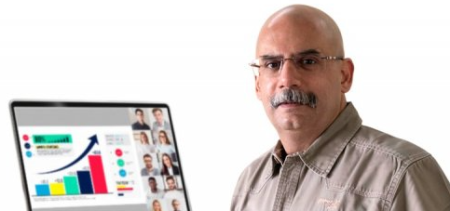
Presentation Tips for Online and Offline Presentations
Instructors: Vibhas Mehta
7 sections • 7 lectures • 1h 16m total length
Video: MP4 1280x720 44 KHz | English + Sub
Published 4/2022 | Size: 1.6 GB​

Presentation Basics for making Impactful Presentations Online and Offline
What you'll learn
Learn how to make impactful presentations online and offline
Learn how to prepare for making presentations
Learn how to handle pre presentation stress
Learn how to select content for presentations
Learn how to deliver presentations
Learn what to do differently if making a presentation online
Learn what to do after making a presentation
Learn tips for improving your presentation skills
Requirements
No special requirements for taking the course. Just an open mind & willingness to learn is all.
Description
This course on Presentation tips for online and offline presentations, is meant to help you make better, and more impactful presentations.
It is about delivering a presentation so that your audience gets what you are saying, they like what and how you are saying it, and they remember what you said.
It will be useful for beginners who want to learn how to plan, prepare, and deliver impactful presentations. It will also be very useful for experienced presenters who want to improve their presentation skills. The course will also help you - as a presenter, know what to be aware of, and do differently if you have to make a presentation online.
The course helps you understand what is pre presentation stress and how to handle the same. It helps you know what to think of before you start preparing for a presentation. It will help you know the content types and how to put it together to make the presentation more effective. The course covers how to deliver a presentation so as to involve the audience and make it more interesting for them. It even tells you what to keep in mind after you have made a presentation, along with some more tips on making your presentations more impactful.
A short but to the point course, to help you understand and deliver better presentations, both online and offline.
Who this course is for:This course on Presentations tips for online and offline presentations is for all those who want to make impactful presentations.This course will be helpful for beginners, who want to learn basics of making an impactful presentation.It will be useful for experienced presenters who want to improve their presentation skills.This course will also be very useful for all those who want to know what to be aware of and do differently when making a presentation online.
Homepage
Screenshots


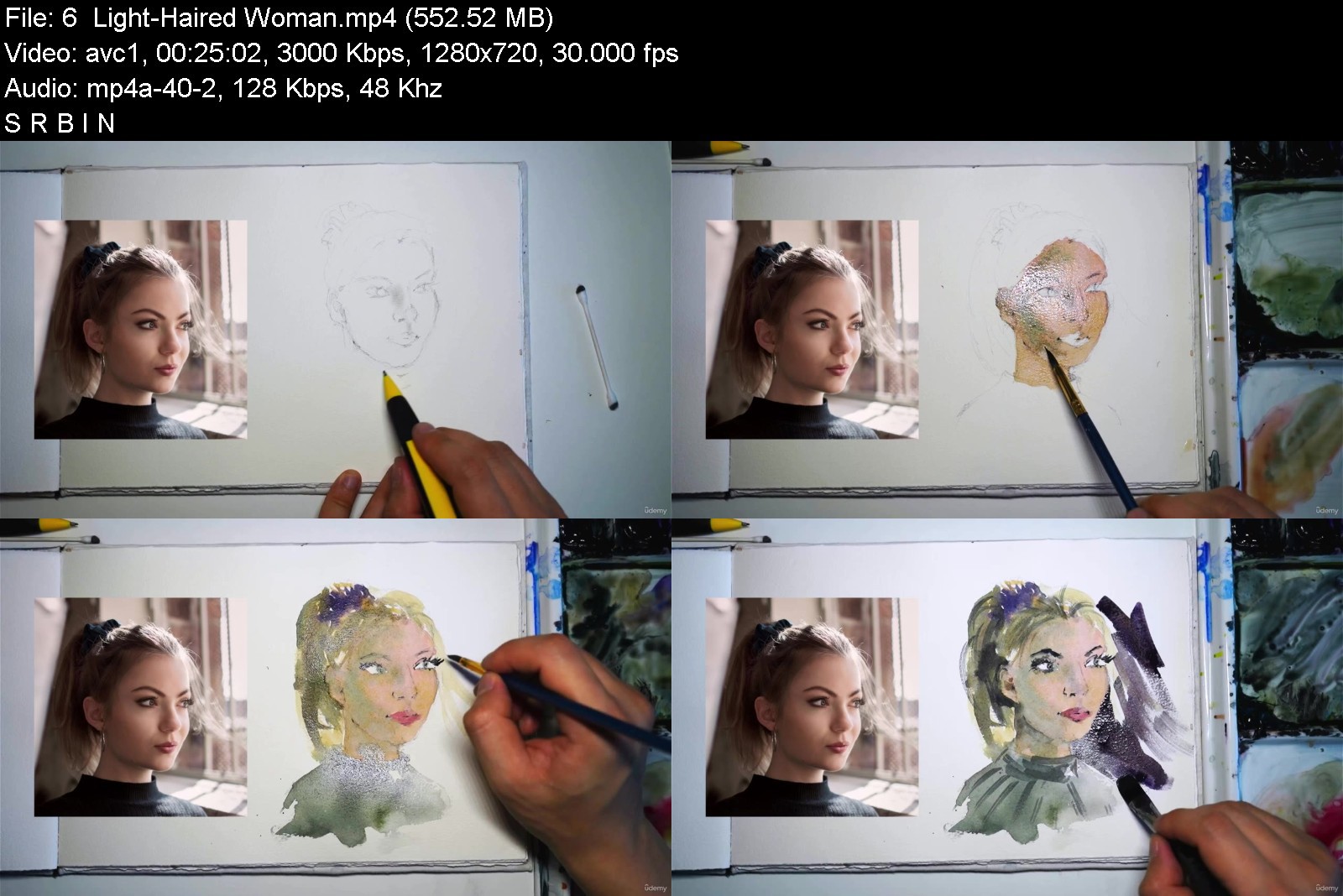
Painting Faces in Watercolour: Fun Sketching Exercises

4633110af367ujvq.jpg


Painting Faces in Watercolour: Fun Sketching Exercises
MP4 | Video: h264, 1280x720 | Audio: AAC, 44.1 KHz, 2 Ch
Genre: eLearning | Language: English + srt | Duration: 19 lectures (4h 44m) | Size: 6 GB

Learn the easy way to sketch 10+ faces in watercolour!


What you'll learn
How to keep colors fresh and vibrant
How to paint different skin tones using a limited range of colours
How to sketch and paint 10 different faces, based on 10 reference photos
How to quickly draw faces and portraits from a reference photograph freehand
How to paint subjects in various poses and lighting conditions
How to layer paints to add depth, shadows and details
How to use essential watercolor techniques in the context of portraiture, such as wet-in-wet and wet-on-dry
How to determine a light source and the correct use of values in painting
What essential paints, paper, brushes and drawing materials you will need
Requirements
No drawing or painting experience required.
Description
Hi and Welcome to Painting Faces in Watercolour: Fun Exercises To Help You Get Started
Faces and portraits are one of the most challenging subjects for beginners and advanced painters alike. In this course, we're going to take the pressure off and work on understanding basic facial anatomy and create some quick and expressive sketches of some watercolour faces.
By the end of this course, you will be able to turn a reference photo into a portrait sketch, and feel more confident in understanding how to use layering techniques efficiently to paint skin tones, shadows and facial details.
Although we'll be using a variety of reference photos, the aim of this course is not complete accuracy but rather an understanding of how to create quick impressions of a subject via sketching in pencil and watercolour.
I'll be showing you
How to keep colors fresh and vibrant.
How to paint different skin tones using a limited range of colours.
How to sketch and paint 10 different faces, based on 10 reference photos.
How to quickly draw faces and portraits from a reference photograph freehand.
How to paint subjects in various poses and lighting conditions.
How to layer paints to add depth, shadows and details.
How to use essential watercolor techniques in the context of portraiture, such as wet-in-wet and wet-on-dry.
How to determine a light source and the correct use of values in painting.
What essential paints, paper, brushes and drawing materials you will need.
This is a feature-packed course, and I have included many demonstrations to provide you with more opportunities to learn how to paint different subjects.
Join me in this course and let's get painting!
Project Description
Assignment
Your course project is to draw and paint your own watercolor portrait sketch using the processes and techniques covered in this course! Complete all 10 portrait sketches. Try to be efficient when drawing and painting, to use fewer brush strokes and layers. If you're feeling adventurous, how about changing some of the facial features or trying some different colour combinations?
If you've completed the demonstrations featured in this course, find a reference photograph of a person whom you'd like to paint. Consider trying to paint a family member or a loved one as you will be more familiar with their facial details and feel a personal connection towards the subject. Using the techniques and processes shown in this course, transfer the reference photo over to your sketchbook or watercolor paper, and paint with watercolor.
Materials
Use any pencil, watercolour paper, paints and brushes you have available. I recommend
Mechanical pencil (0.5mm)
100% cotton watercolour paper or sketchbook
Watercolour Paints: Hansa Yellow, Permanent/Perennial Red, Ultramarine Blue
Watercolour Brushes - mop brush and a variety of round and flat brushes.
Getting Started
Review the course demonstrations first. There are various portrait sketching and painting exercises. You can also download the tracing templates to transfer over your portrait drawing if you wish.
Sharing Your Work
Share your final paintings and progress shots with the course by uploading them to the QA or discussions section on Udemy. If you have any questions or need more tips, please let me know. I'm happy to help.
Who this course is for
Beginner watercolour painters
Beginners learning portraiture
Beginners looking for an easy process to start sketching faces


paintingfacesinwaterc2mk97.jpg


Download from RapidGator


Download from NitroFlare


4529770-5734-3.jpg

Setting and Acheiving Goals based on Scientific Research
Published 04/2022
MP4 | Video: h264, 1280x720 | Audio: AAC, 44.1 KHz, 2 Ch
Genre: eLearning | Language: English + srt | Duration: 111 lectures (4h 53m) | Size: 5.3 GB


Describe your future, set your goals, build an action plan and take action now. Goal setting and achievement
What you'll learn
Set and refine your goals such that they guide your actions and allow you to measure progress.
Measure progress towards abstract goals like improving your relationship with a family member.
Evaluate the risk of pursuing a particular goal.
Use "Freewriting" to explore and describe your desired future.
Use "Why drills" to connect your goals to each other and deepen your reasons for having these goals.
Break tasks into subtasks (subroutines) until you find the tasks you can do now to make progress.
Use a version of Collaborative Empiricism to break tasks into small enough subtasks until you find the tasks you can do now.
Know why organizing your time is helpful.
Know why describing your future helps you set and achieve your goals.
Build a basic action plan (strategy).
Use MART Analysis tables to evaluate what is required to apply your action plan.
Oganize your time using small steps until you have a weekly schedule (simple).
Use mental simulations effectively based on peer reviewed scientific research.
Requirements
A willingness to take setting your goals and pursuing them seriously
Description
The purpose of this course is to identify your goals and increase your chances of achieving them using methods backed by peer reviewed scientific research.
By the end of this course, you will have completed a set of exercise that guide you through the following steps to increase your chances of reaching your goals
1. Describe your desired future for your chosen time frame using "Freewriting" techniques.
2. Write and refine your goals so you can measure progress and direct your actions towards your goals using a plan.
3. Build an action plan (strategy) that connects your goals to your life now.
4. Specify actions you can do now to make progress towards your goals and organize them in a schedule.
For each element of the above, we will go through 4 segments in detail to ensure you know what we are doing, why it works and how to do it, along with exercises and solved examples.
I use peer reviewed scientific research in addition to my 10 year experience as a college lecturer to ensure that what I am suggesting is effective.
The course is designed to benefit every person by offering different paths through the material. Depending on your background, interest, and the time you can invest; you can choose to complete every part of the course to get the maximum value from it or, for example, you can choose to go through the summaries only before completing the exercises.
Although completing all the elements of the course will maximize your chances of achieving your goals, any combination of material you choose to complete will provide some benefit. Even taking the shortest path through the material will improve your chances of success.
Check out the preview videos and let's start working on your goals.
Who this course is for
If you are student (including graduate studies) that wants to plan your future
If you experienced a major disruption in your life and need to get back on track
If you are having trouble making a major decision in your life and need to clarify your desired future to make the decision
If you are a professional trying to balance work, family and health by re-evaluating your goals
Homepage


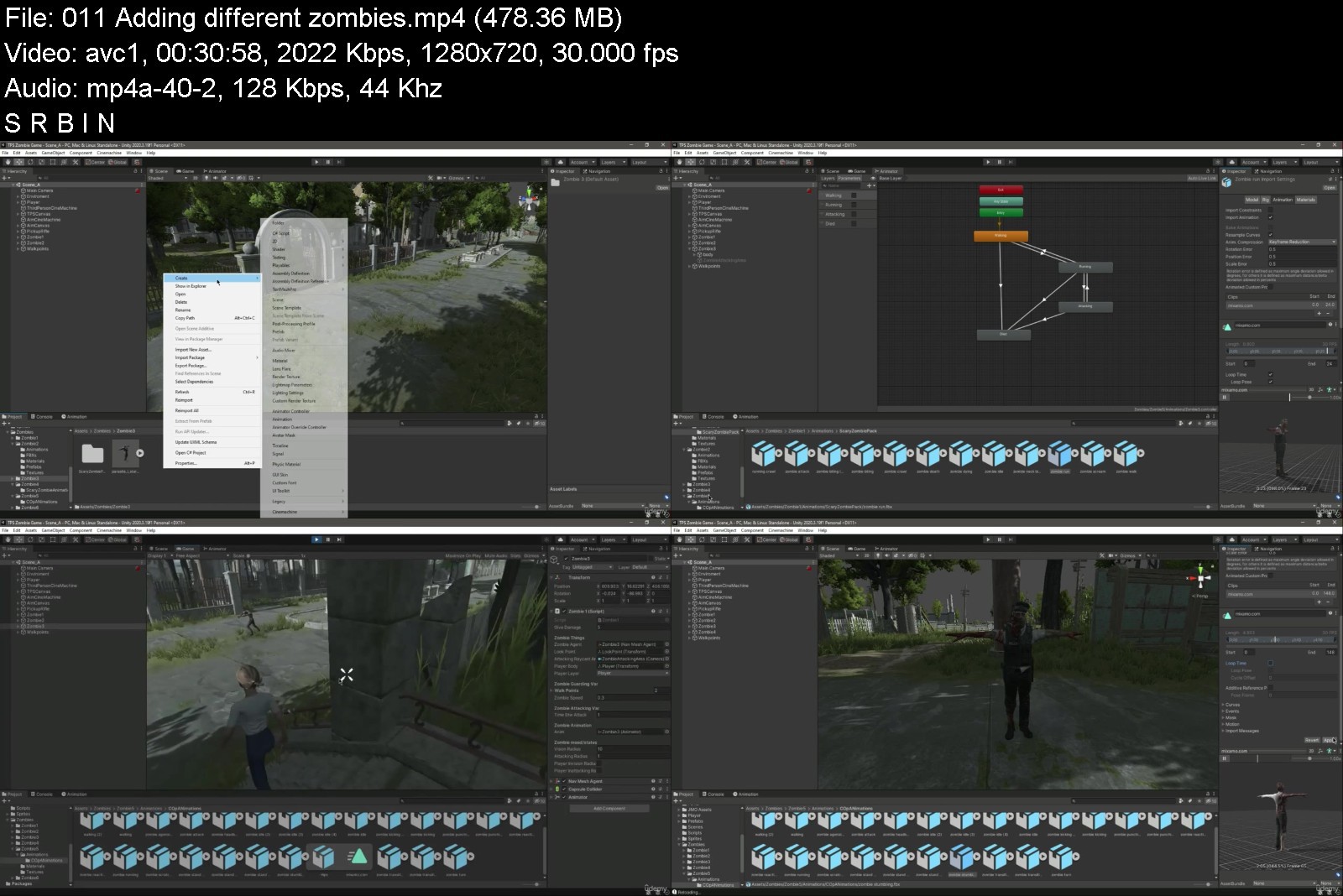
Build TPS Zombies Survival Game - Unity 3D Game Engine

b9z77t2aeslezf5a9iorbi2kgy.jpg


Build TPS Zombies Survival Game - Unity 3D Game Engine
MP4 | Video: h264, 1280x720 | Audio: AAC, 44.1 KHz
Language: English | Size: 9.08 GB | Duration: 12h 29m

Learn Unity 3D Game Development, Build Third Person Shooter Zombie Apocalypse & Survival Horror Game like Resident Evil


What you'll learn
Story Driven 3D Games
Unity Game Engine
Objective Based 3D Games
Mission Based 3D Games
Third Person Shooter Game
Third Person Perspective Car Driven Games
How to Program 3D TPS Player Controller
How to Program Player Health Controller & Health Bar Indicator
How to Program 3D Game Ammo & Rifle Controllers using Unity Game Engine
Learn 3D Game Development & Become Professional 3D Game Developer
and much more
Requirements
you must have some basic knowledge of Programming
you must have some basic knowledge of C# Language

Description
In this course you will learn how to build story driven 3d games using unity game engine. So in this course course you will learn all these techniques and creative skills which are needed for 3d game development. And you will learn all these by developing zombies apocalypse & Survival horror game like Resident evil, walking dead game clones. At the end of this course you will be able to make your own fully functional story driven / story line based 3d games using unity game engine.
Why to learn 3D Game Development? Are game developers in demand?
The overall job outlook for Video Game Designer careers has been positive since 2019. Vacancies for this career have increased by 5.31 percent nationwide in that time, with an average growth of 5.31 percent per year. Demand for Video Game Designers is expected to go up, with an expected 32,090 new jobs filled by 2029.
Is video gaming a good career?
There is plenty of jobs in gaming and all the industries tied to playing video games. Now yes, learning to code, design or test is hard work and will take a long time, but it's also a highly in-demand and well-paid career option for those who master the skills involved.
Unity is a cross-platform game engine developed by Unity Technologies, first announced and released in June 2005 at Apple Inc.'s Worldwide Developers Conference as a Mac OS X-exclusive game engine.
Game Development is the art of creating games and describes the design, development and release of a game. It may involve concept generation, design, build, test and release. While you create a game, it is important to think about the game mechanics, rewards, player engagement and level design.
Who this course is for
Anyone who wants to become a game developer
Anyone who wants to build story driven 3d games


buildtpszombiessurvivbnjxy.jpg


Download from RapidGator


Download from NitroFlare


bb78bee9-492c-48ce-91b4-02ad04141a52.png

The Fundamentals of Design for Print Publications
Instructors: E. Carter Uslabar
Duration: 1h 9m • 10 Lessons
Video: MP4 1280x720 44 KHz | English
All levels | Size: 734 MB​

Welcome! In this class, you'll learn the fundamentals of designing a physical, print publication, whether it be a corporate newsletter, an art zine, a magazine, or a small newspaper.
I'll cover the following elements of design: typography, typographic design, photo & art placement, headlines, cutlines, body copy, alternative story formats, and front page design.
By the end of this course, you'll have the knowledge to begin creating a publication that has strong design and great readability; something that will keep reader's eyes on your pages and looking forward to your next publication.
Screenshots


e9690bbf-69b6-4b68-81b5-bcf0d6db2e50.png

Writing Great Lyrics
Released 04/2022
MP4 | Video: h264, 1280x720 | Audio: AAC, 44.1 KHz, 2 Ch
Skill Level: Intermediate | Genre: eLearning | Language: English + srt | Duration: 26m 39s | Size: 67.8 MB MB

Have you always wanted to try your hand at writing song lyrics, but don't know where to start? Or maybe you've already written songs but want to take your lyrics up a notch? In this course, Grammy-winning songwriter Cliff Goldmacher shares his tips to writing great lyrics, looking at both the big picture and the nuts and bolts of the songwriting process. He starts with general concepts, covering what exactly makes a good lyric and basic lyrical structures, then moves on to specific tips like setting up your lyric writing section, how to craft a memorable chorus, developing and expanding on verse lyrics, and ways to add thematic depth to your writing. If you've got something to say, and you want to say it in song form, join Cliff as he shows you how to paint concise, powerful, word pictures that enable you to genuinely connect with your listeners.
Homepage


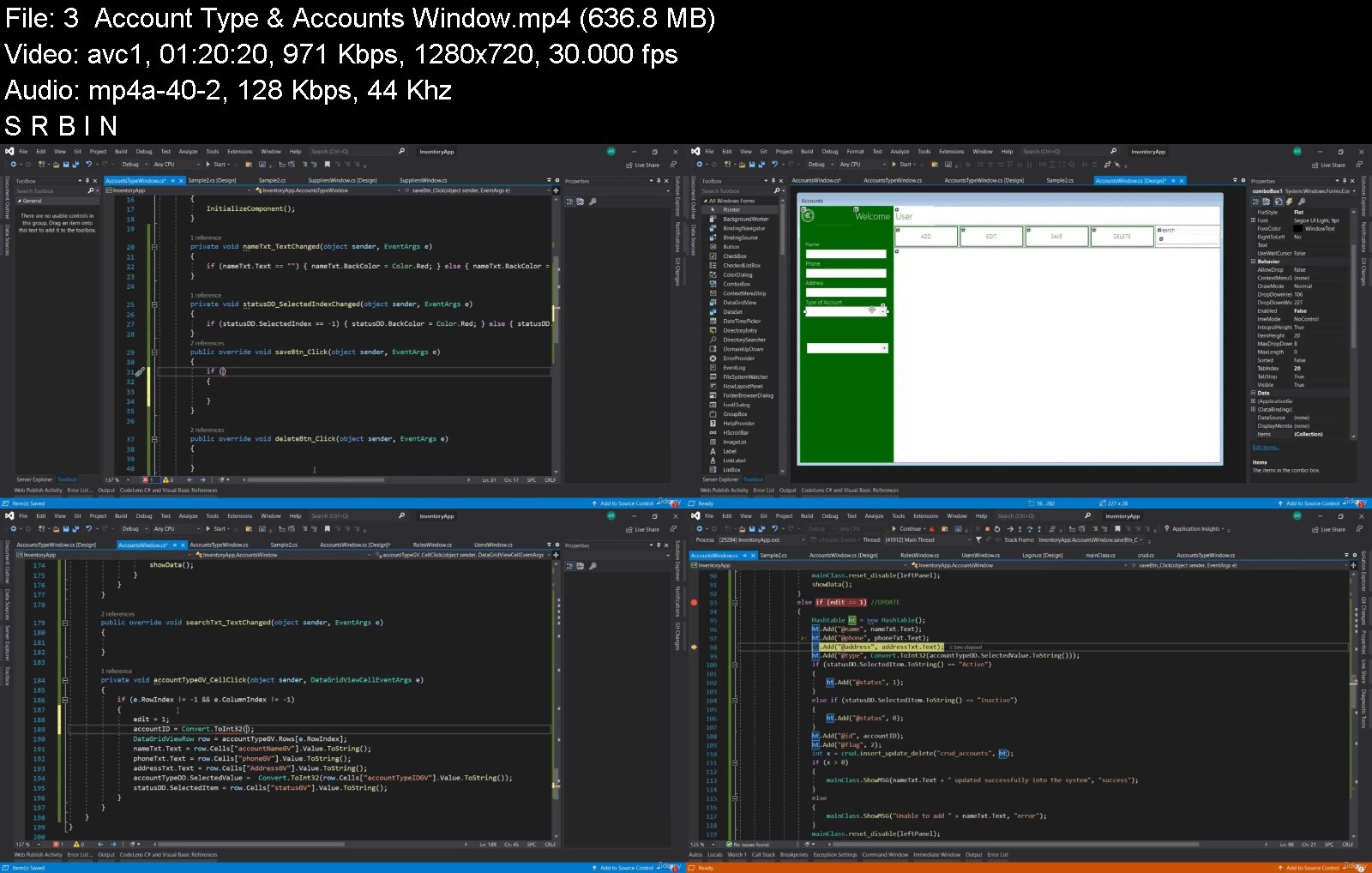
Software Development (Desktop Applications) .NET C#

40837742996h4jxv.jpg


Software Development (Desktop Applications) .NET C#
MP4 | Video: h264, 1280x720 | Audio: AAC, 44.1 KHz, 2 Ch
Genre: eLearning | Language: English + srt | Duration: 25 lectures (18h 6m) | Size: 8.35 GB

Inventory Management System


What you'll learn
The student will learn how to setup base for software
The student will learn how to use OOP concepts in software development
The student will learn how to convert user requirements into code
The student will learn how to integrate with database
The student will learn how to summarize results on SAP Crystal Reports
The student will learn how to do DEBUGGING and TRACING of ERRORS
The student will learn to write simple to complex database queries
Requirements
The student should know the basics of programming
The student should be aware of Object Oriented Programming
The student should be aware of Microsoft SQL Server
You can take my C# OOP , SQL Server courses first if you are a layman
Description
Hi student,
This course is all about desktop application development. In this course, you'll be able to learn the following things
1. Setting up the environment
2. Setting up base forms
3. Initialization and database planning
4. Designing forms
5. Global connection for the entire software
6. Responsiveness of desktop application
7. Different controls
8. Layouts
9. Validations
10. Connecting desktop application to SQL Server database
11. Performing C.R.U.D. operations
12. Setting up reports using SAP Crystal Reports
13. Troubleshooting and detecting errors
14. How to create DLL's (Dynamic Link Library)
15. Calling and using modules
16. Creating secure certificates of every DLL's
17. Learn to create SETUP for the project
18. Deployment of software on the client machine
19. Deployment of software on multiple PC's
20. Handling Firewall exceptions
You will learn all the above parameters using an example application that is Inventory Management System. Furthermore, you will be learning at the same time Microsoft SQL Server and SAP Crystal Reports. Overall this course is a complete combo of technologies that are used across the globe and still there is a good job market. You'll be integrating your software with hardware like a barcode reader or scanner and everything will be done using the database and the overall result will be in the form of reports that you can print and save in EXCEL or PDF format.
Who this course is for
Students who wants to pursue their career in software development
Students who wants to learn complete software development with example application
Students who wants to learn code, database integration with crystal reports
Students who wants to enhance their programming skills
Fresh and new programmers struggling in writing code and queries


softwaredevelopmentdejkjhm.jpg


Download from RapidGator


Download from NitroFlare


Learn NodeJS- Condensed Master Track for Beginners

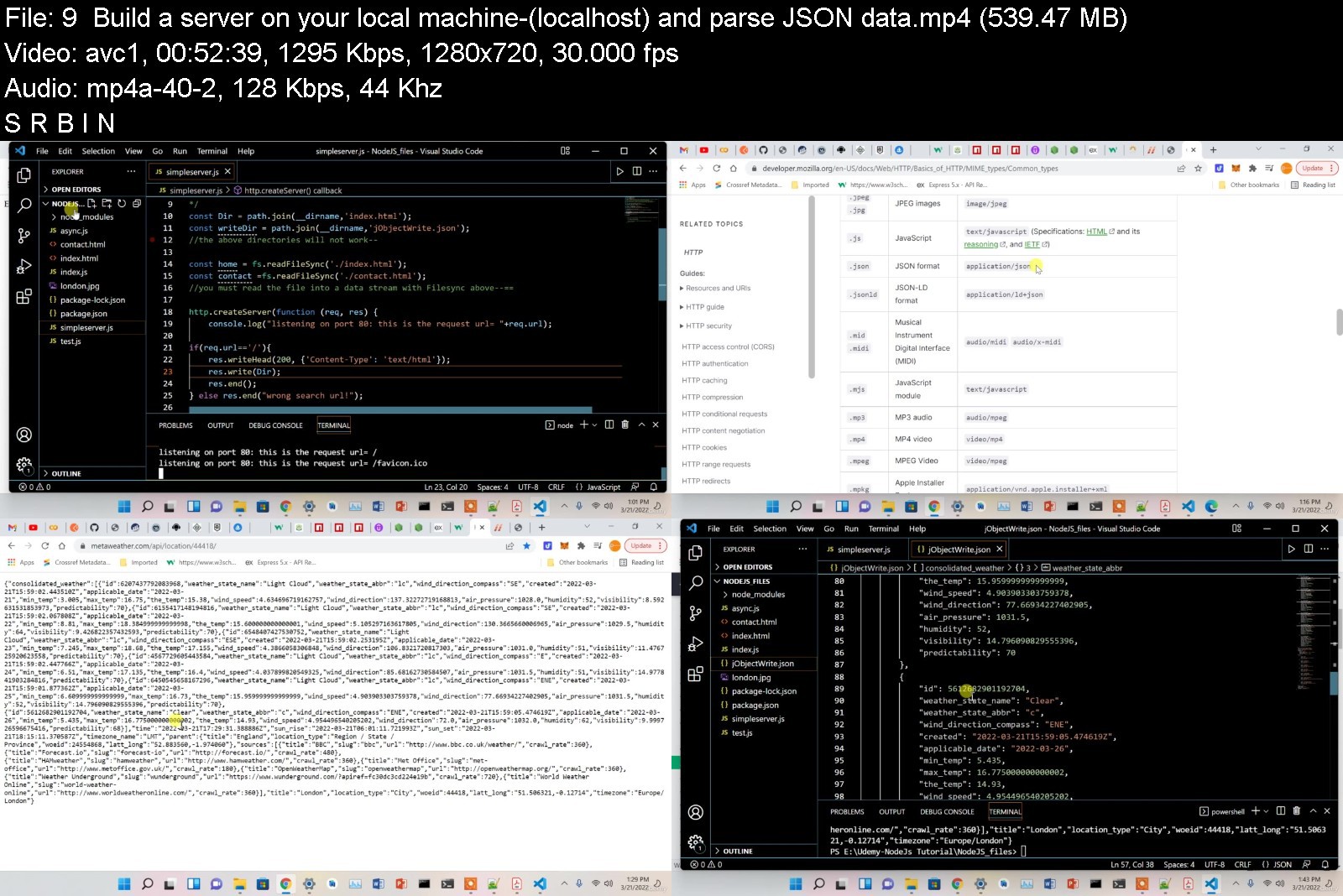
457146638fb20jkpw.jpg


Learn NodeJS- Condensed Master Track for Beginners
MP4 | Video: h264, 1280x720 | Audio: AAC, 44.1 KHz, 2 Ch
Genre: eLearning | Language: English + srt | Duration: 22 lectures (10h 7m) | Size: 5.96 GB

Learn ONLY what you NEED to know to be a pro in NodeJS-Express, MongoDB, Mongoose and backend programing


What you'll learn
Grasp how NodeJS works under the hood and what powers NodeJS i.e. the JS engine, Node core modules, bindings and the libuv C based library
Learn how to utilize the command line interfaces of common core NodeJS modules, and third part API's and where to find them
Comprehend the asynchronous nature of NodeJS and how it does this with JavaScript ( a synchronous programming language out of the box)
Connect your NodeJS code to a database (i.e. SQL or MongoDB)
Create numerous and very common functionalities using NodeJS that most- if not ALL- NodeJS projects utilize
Build a Web Server in Node and FULLY comprehend what powers it
Understand MEAN stack technologies and how they collaborate together
Become a Proficient NodeJS developer at your job and be able to work on JavaScript based projects or server side applications
Understand how NodeJS events work via some of its core modules
How to use npm and install third party libraries (i.e. nodemon,Mongoose,ejs- common modules) and where to locate these packages and how to use their CLI's
Understand server working directories and those of web files and web templates powered by view engines
Understand ALL the essential functionalities that enable backend integration(via MongoDB) with a website and NodeJS-server file system
Learn how to create a FULLY functional web site with user profile creation, success notifications, backend data querying, data extraction, saving data and more
How to use the Mongoose API to manage your MongoDB backend
How to create and manage database clusters, collections and documents in a MongoDB cloud service architecture
Requirements
Prior familiarity with ECMA 6 JavaScript programming language would be helpful but NOT a requirement
Description
There are MANY things about a technology that are nice to know but NOT a need to know aspect of it, in order for you to be proficient in utilizing that programming language in your job or personal IT projects! This course is condensed, teaching you ALL the things about NodeJS in order to be proficient with it-a hit the ground running sort of approach. Unlike NUMEROUS other NodeJS courses, this one was designed to explain ALL concepts in detail, things that other instructors assume the viewer already knows but does not! That's what makes this curriculum different; also I do not place a great deal of focus on the application that we build with JavaScript & NodeJS, only the functionalities that power it, and essentially any other site or web application-so you can build anything you can dream of-that's my goal!! You will find that this course, with a bit of effort and focus, can easily be completed in a day. I have omitted quizzes and assignments so students can get a jump start on this topic by focusing on merely the subject matter which is relayed in this course. I have worked on MANY projects that involve creating custom server side code using NodeJS, and have hand picked-so to speak-what topics must be covered in order for students to -once again- hit the ground running regarding their use of this coding technology.
Who this course is for
Absolute beginners when it comes to NodeJS development
Anyone looking to become proficient in NodeJS in their current professional role
Anyone who wants to learn how to build a fully functional website with their own custom NodeJS server and backend cloud integration
Those having a hard time finding online resources that provide IN-DEPTH details about client and web server file systems-how they relate and how data is exchanged between them


learnnodejscondensedm2qkoe.jpg


Download from RapidGator


Download from NitroFlare


Real time Full Azure training for System Administrators

eyxhf15ex10guuythnrk9bakkc.jpg


Real time Full Azure training for System Administrators
Genre: eLearning | MP4 | Video: h264, 1280x720 | Audio: AAC, 44.1 KHz
Language: English | Size: 19.5 GB | Duration: 65h 51m

Learn Complete Azure Training with 58+ hours of Content with Step by step Demos, Its a Full Azure cloud Training Course


What you'll learn
A complete Azure Training for System Administrators
This training is designed to train students on azure skills from Ground Zero
azure full training
Azure Training
Azure Cloud basics
Azure Cloud Advanced topics
Azure AD

Requirements
The only requirement is you should be a System Administrator or you know System Administrator skills
Having Active Directory Skills will be added advantage for learning Azure AD

Description
Real time Full Azure training for System Administrators course teaches Full Azure skills related to Administrators specific.

You can learn Complete Azure Training with 58+ hours of Content with Step by step Demos, It's a Full Azure cloud Training Course. This course contains 58+ Hours of content that focuses on all azure Cloud Services. This course is a good choice if you want to learn end-to-end Azure.

This course is designed from very basic to cover all topics.

This course is not designed for any certification focus based, instead it teaches you the complete Azure Administration job skills, meaning it should cover all certificates topics.

This course is not for DevOps or developers, however, it will be useful for DevOps people to understand from Azure Administration

Azure real time Full training covers below Topics and these are just to list here, It consists of Demos and best practices and Design consideration topics

Azure Basics and Fundamentals of Cloud computing and Azure fundamentals for beginners

Complete Azure Networking concepts with design considerations

Complete Azure Computing/Virtual Machines and Advanced concepts related to Azure computing

Complete Azure Storage concepts

Complete Full Azure training on Web apps, Azure SQL Database, Azure Storage, Azure Cloud Security concepts,

Azure Subscription - Options - Pricing Options, TCO and Cost Management, and SLAs

Overview for this Module - IaaS, PaaS, and SaaS

Infrastructure as a Service (IaaS)

Platform as a Service (PaaS)

Software as a Service (SaaS)

Comparing Three Service Types

Public Cloud - Overview

Private Cloud Model

Cloud Models - The Hybrid Cloud Model

Comparing Three Cloud Models

Azure Cloud Concepts - These are Basic and Fundamentals

Cloud Services - Benefits and Considerations

High Availability, Fault Tolerance, and Disaster Recovery - In Cloud

Scalability & Elasticity

Business Agility

Economies of Scale

Capital Expenditure (CapEx) and Operational Expenditure (OpEx)

Consumption-Based Model

Microsoft Azure Cloud Services and Architecture8 lectures

Azure Services & Azure Architecture

Aure Regions - What they are how we can use them

Availability Zones - what they are and how we can use them

Resource Groups - What they are and How we can use them

Azure Resource Manager - ARM - Single centralized service that we can use f

Review of Azure Architectural Components -Usage and Benefits

Azure Products and Services - Overview of the Module

Manage Azure Cloud With Azure Portal, Powershell, And Cloud Shell

Azure Management Tools - Overview

Azure CLI

Azure PowerShell

LAB Demo - Install the Azure PowerShell module - Create a VM

Azure portal and Cloud Shell from Azure Portal

Azure Cloud and Industry Compliance

Industry Compliance GDPR, ISO, and NIST

Microsoft Privacy Statement

Microsoft Trust Center and Service Trust Portal

Microsoft Compliance Manager

Azure Compliance for Business Needs

Microsoft Azure Government service

Azure Germany Services

Azure Subscription - Options - Pricing Options, TCO and Cost Management, and SLAs

Azure Subscriptions

Subscription Options - EA and RI's Uses Billing

Azure Purchasing options and Services

Azure - Pricing Calculator

Total Cost of Ownership (TCO) Calculator

How to Reduce Azure Costs

Azure Cost Management

Azure Support Plans and Compare Azure Support Plans

How to create an Azure support request

Azure Resources

Azure Service Level Agreements (SLAs)

Azure Updates - Accessing Preview Features

General Availability (GA)

Billing Zones - Regions correspond to Zone 1, Zone 2, Zone 3, and DE Zone 1

How to Create A Free Trail Account for Azure and What is Free after Trail expire

How to Create A Free Trail Account

After Expire of Azure Free Trail, what is Free

Saving Cost by deleting not required Resources After Lab/project completion

Azure Resource Group and Basics to start Here - RG, CloudShell, CLI, Powershell

Azure Cloud - Connect with Powershell, Bash, and CloudShell

Azure Virtual Machine - Learn All topics related to Virtual Machines

Learn Compute - Azure Virtual Machines, VM Scale Sets, App Service and Functions

Azure Virtual Machine Introduction

Virtual Machine series - VM Size's

Virtual Machine Storage - Disk - Unmanaged and Managed

Virtual Machine Storage Performance

Virtual Machine High Availability - Overview

Virtual Machine Availability Sets - Overview and Demo

Virtual Machine Scale Sets - Overview

Virtual Machine Scale Set - DEMO

Azure Dedicated Hosts - Overview

Enable Disk Encryption for Virtual Machines Demo

Virtual Machines - Extensions Configuration Management - DSC and Custom Scripts

Advanced Concepts -Microsoft Antimalware for Azure Cloud Services and VM's

Advanced Concepts -Microsoft Antimalware for Azure Cloud Services and VM's -Demo

Advanced Concepts -Update Management With Azure Automation

Advanced Concepts -Update Management - Software Updates

Azure PowerShell - VM Creation

Azure Powershell - Create a VM

Azure Powershell - Create a VM - Demo

Create a VM with Azure CLI - Linux VM

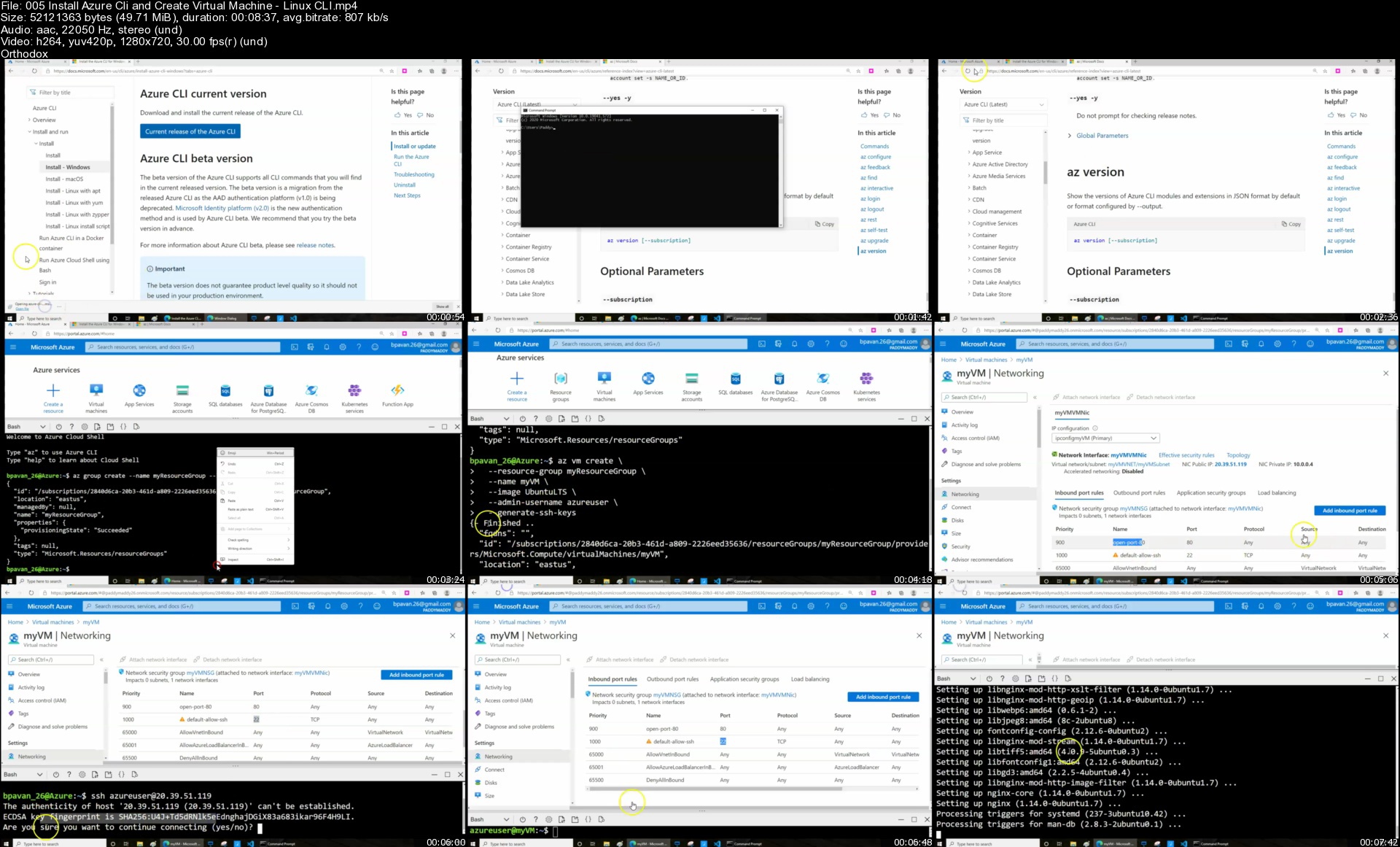
Install Azure Cli and Create Virtual Machine - Linux CLI

Azure Cloud Virtual Networking

Azure Portal Networking Components

Virtual Network- (VNET) Basics - Part 1 of 3

Virtual Network- (VNET) Basics - Part 2 of 3

Virtual Network- (VNET) Basics - Part 3 of 3

Create Vnet from Azure CLI

Network Security Group - Overview

Create NSG from Azure Portal

Create NSG from CLI

Azure Powershell - NSG creation

Augmented Security Rules - Service Tags and ASG

Application Security Group Demo

How Internet Access can be Provided for Azure Resources

Azure Vnet Peering Overview

Vnet-Peering Complete Demo LAB

Vnet to Vnet Configuration - Overview

Vnet-toVnet Complete Demo

Vnet to Vnet connectivity VS Vnet Peering

Virtual Network Service Endpoints - Overview

Service Endpoint Demo

Azure Private Link and Azure Private Endpoint overview

Azure Private Link and Azure Private Endpoint Demo

Azure Service Endpoint Vs Private Endpoint - Notes

Virtual Network Routing and Connectivity - Default Routes and Custom Routes

Azure Firewall - Overview

Azure Firewall Demo

Azure Bastion - Overview and Demo

Azure DNS Overview - Azure DNS and When to what to use recommended scenarios

Private DNS Overview and Demo

Azure Public DNS - Overview and Demo

Azure - Network Watcher

Azure Load Balancer Overview

Azure Load Balancer - Demo

Azure Load Balancing Services - CDN - Azure Routes, Azure Express Route

Azure Application Gateway features

Application Gateway Demo - Complete Demo

Azure Traffic Manager - Overview

Traffic Manager Profile Demo

Azure Front Door - Overview and Demo

Azure Web Application Firewall - Application Gateway, Azure Front Door, and CDN

What is Azure MarketPlace

Azure Storage Concepts and Demos

Learn Storage Azure Blob Storage, Files, Blobs, Tables, Queues- Tiers Hot & Cold

Data redundancy in Azure Storage -Storage account & Storage Explorer Tool

How to Create Storage Account - With high level of Overview

Connection types for Storage Account - Not Access Levels

Storage Account Security - Access keys and SAS overview and Demo

Azure Powershell - NSG creation

Augmented Security Rules - Service Tags and ASG

Application Security Group Demo

How Internet Access can be Provided for Azure Resources

Azure Vnet Peering Overview

Vnet-Peering Complete Demo LAB

Vnet to Vnet Configuration - Overview

Vnet-toVnet Complete Demo

Vnet to Vnet connectivity VS Vnet Peering

Virtual Network Service Endpoints - Overview

Service Endpoint Demo

Azure Private Link and Azure Private Endpoint overview

Azure Private Link and Azure Private Endpoint Demo

Azure Service Endpoint Vs Private Endpoint - Notes

Virtual Network Routing and Connectivity - Default Routes and Custom Routes

Azure Firewall - Overview

Azure Firewall Demo

Azure Bastion - Overview and Demo

Azure DNS Overview - Azure DNS and When to what to use recommended scenarios

Private DNS Overview and Demo

Azure Public DNS - Overview and Demo

Azure - Network Watcher

Azure Load Balancer Overview

Azure Load Balancer - Demo

Azure Load Balancing Services - CDN - Azure Routes, Azure Express Route

Azure Application Gateway features

Application Gateway Demo - Complete Demo

Azure Traffic Manager - Overview

Traffic Manager Profile Demo

Azure Front Door - Overview and Demo

Azure Web Application Firewall - Application Gateway, Azure Front Door, and CDN

What is Azure MarketPlace

Azure Storage Concepts and Demos

Learn Storage Azure Blob Storage, Files, Blobs, Tables, Queues- Tiers Hot & Cold

Data redundancy in Azure Storage -Storage account & Storage Explorer Tool

How to Create Storage Account - With high level of Overview

Connection types for Storage Account - Not Access Levels

Storage Account Security - Access keys and SAS overview and Demo

Azure Blob Storage - Block Blob, Append blob, and Page Blob - Demo

Azure Blob Storage

Azure Storage Redundancy - Replication Geo Failover

AZCopy - Overview, And Demo

Azure File Storage - Demo

Azure file shares and Azure File Sync Demo

Storage Account Service Encryption - Secure with Encryption for Data at Rest

Azure Storage Account Security - Account Access, Audit, Threat Protection

Azure App Services - Web, Mobile, Container Applications, Functions

Create - App Service Plans & Web App & Map to Custom Domain Name

Create a Webapp - ASP dot Net with SQL DB

Azure WebApp - Clone App & Console and Extensions

Web Apps Backup and Restore

WebApps - Deployment slots

Azure App Service Networking

Azure Container Services Overview

Container groups in Azure Container Instances - Overview and Demo

Container Registry Creation - Creation Overview and Demo

Work with Containers - Container Registry Security

Azure Web App for Containers

Delivering Event Messages - Event Grid, Event hubs and Service Bus

Serverless Technologies - Logic Apps, Functions - Overview and Demo

Playbooks and Logic Apps - Overview and Demo

Azure Functions - Overview

Azure Functions Creation a simple Function from Azure Portal - Http Request

Azure Monitoring Solutions-Azure Metrics,logs, Application Insights,Log Analytics

Azure Monitoring- Overview

Azure Monitor -Overview - Source's - Data types - Metrics and Logs (Diagnostics)

Activity Log

Azure Monitoring Alerts

Service Health & Azure status

Azure Log Analytics Services Overview

Create Log Analytics Workspace - and Log Search

Azure Monitoring Insights - Highlevel Overview

Insights -VM, ScaleSets and Application Insights - Demo

Azure Resources and Security for Different Components

About this Module

What's Microsoft Azure Cloud Security Defence in Depth for Azure

Managed Identities - Overview

Azure AD identity Protection Demo

Introduction to Azure Advisor - Demo

JIT-Understanding just-in-time (JIT) VM access

Azure Conditional Access Overview

Azure Conditional Access Demo

Azure Active Directory Privilege Identity Management - Overview

Deploy Azure AD Privileged Identity Management (PIM)

Azure role-based access control (Azure RBAC) - Overview

Azure Role-Based Access Control - Demo

Understand Resource locking in Azure Blueprints

Azure Web Applications - Synthetic Security Transactions

Implementing Security Validation for Application Development

Azure web application SSL TLS Certificates - Secure Data and Applications

Microsoft Azure Data Encryption-at-Rest

Azure Backup Encryption - Encryption for Data at Rest

Secure Your Data with - Azure Information Protection - AIP

Azure Advanced Threat Protection - ATP

Storage Analytics Data Retention Policies

Azure Storage Account Security - Account Access, Audit, Threat Protection

Secure - Azure Storage Service Encryption (SSE)

Secure access to data in Azure Cosmos DB

Azure Data Lake Security

Azure Applications and Authentication Methods

Authentication Options - Choose the right authentication Method

Azure AD Applications Permissions Scopes and Consent

Azure AD Application Security (You should be completed Azure Section Firstly)

Securing Azure Containers

Azure Management Groups - Security

Azure Policy - Overview and Demo

Azure Policy - Overview and Demo -2 out of 2

Azure Initiatives

Application Security Group

Data Sovereignty with Azure Policy

Azure Firewall - Lecture 1 out of 3

Azure Firewall - Lecture 2 out of 3

Azure Firewall - Lecture 3 out of 3

Azure AD Identity Protection Overview

Azure AD Identity Protection Demo

Transfer your Azure Subscription to another ID

Azure Key Vault secure your secrets - 1 out of 3

Azure Key Vault secure your secrets - 2 out of 3

Azure Key Vault secure your secrets - 3 out of 3

Azure Network Security Solution - Best Practices

Azure Security Center - Part 1 of 2

Azure Security Center - Part 2 of 2

Azure DDoS Protection

Automated Deployments with ARM

Azure Resource Manager - Terminology, The benefits and Scope

What are ARM Templates - Template File & Advantages of Using Templates

Azure Resource Manager (ARM) Templates - Highlevel Overview

Working with ARM Templates

Azure Data Store - All types of Databases and its features

Azure Databases Overview - Part 1

Azure Databases Overview - Part 2

How to create a SQL Database

Azure SQL Database Authentication and Auditing - Other Options for SQL Data

Azure SQL Auditing and Azure SQL Database Threat Detection

Microsoft Azure SQL Database Always Encrypted

Azure DataBase's Encrypt Data at Rest and in Motion

Azure Cosmos DB Overview - Consistency Levels

What is HDInsights and learn how to work with HDinsights

Microsoft Azure - Backup & Recovery - Recovery Services vault and MARS7 lectures

Azure Backup - Overview

Azure Backup - VM - Restore to VM, New VM and Disk

Microsoft Azure Recovery Services (MARS) Agent - Backup and Restore Files

Azure Backup Encryption - Encryption for Data at Rest

Azure Site Recovery Services - Overview

Azure Recovery Services vaults - Site Recovery Demo

Azure Migrate Services

Azure Migrate Overview and Basics - with Introduction Demo

Azure Migrate - Server Migration -Demo

Azure Migrate for Databases - SQL to Azure SQL Database

Azure Automation Account

Azure Automation Overview

Azure Automation Overview -2

Azure Automation Demo -Deep Drive

Windows patch management with Automation Account

Azure Desired State Configuration extension -VM Extensions Demo

Virtual Machines - Extentions Configuration Management - DSC and Custom Scripts

Azure Desired State Configuration Automation Account - VM extension Demo

Azure Desired State Configuration - Computer Rename and IIS install Demo

Azure AD12 lectures

Introduction of Azure Active Directory

Azure Active Directory - Basics 101

Azure AD Tenant Directory Create and Delete

Create Azure AD Users

Create Azure AD Groups

Create Azure AD Administrative Units - Similar to Organizational Unit (OU) in AD

Azure Active Directory sign-in page branding for a consistent look-and-feel

Practice Yourself with interactive Guide - Configure Company branding

Azure AD - Hybrid Configurations

Hybrid Azure AD

Azure AD Connect - Overview

AAD Connect Pre-Requests

Aure AD Installation step by step and - Sync (configuration Only GUI)

Deep Drive Azure AD Connect Tool Sync Rules - Part 1

Deep Drive Azure AD Connect Tool Sync Rules - Part 2

Azure AD Connect - Sync Powershell Commands

Common scenarios and recommendations with hybrid identity with Azure AD

Azure AD Connect - Sync Powershell Commands Demo

Configure single sign-on - Pre-Requests - GPO

Join Windows 10 Machines to Azure AD Demo

Azure Hybrid AD Setup Configuration And Join Windows 10 with Hybrid Join & SSO

A Complete guide on Azure Active Directory - B2B collaboration and B2C3 lectures

Azure Active Directory - B2B collaboration and B2C - Overview and Demo

Azure AD B2B -External Identities

Azure Active Directory Authentication components1 lecture

Azure AD authentication components - Overview

Multi-Factor Authentication & Self Service Password Reset (SSPR)

Authentication VS authorization and security tokens

Multi-Factor Authentication - Presentation

Multi-Factor Authentication - Demo

Azure Active Directory self-service password reset deployment - Overview

Azure Active Directory self-service password reset deployment - Demo

Azure Conditional Access and Azure AD Privileged Identity Management

Azure Conditional Access - overview

Azure Conditional Access Demo

Azure Active Directory Identity Protection - Overview

Azure Active Directory Identity Protection - Demo

Azure Active Directory Privilege Identity Management - Overview

Privileged Identity Management PIM - Demo

Complete Azure Active Directory Training.

Who this course is for
Anyone seeking to learn Azure Skills
Any student want to learn AZ-900,AZ-303,Az-304,AZ-500
Azure Skills learners
Students intrested in learning Azure

Homepage


005installazurecliandwpj3b.jpg


Zurück
Oben Unten