• Regeln für den Video-Bereich:

    In den Börsenbereich gehören nur Angebote die bereits den Allgemeinen Regeln entsprechen.

    Einteilung

    - Folgende Formate gehören in die angegeben Bereiche:
    - Filme: Encodierte Filme von BluRay, DVD, R5, TV, Screener sowie Telesyncs im Format DivX, XviD und x264.
    - DVD: Filme im Format DVD5, DVD9 und HD2DVD.
    - HD: Encodierte Filme mit der Auflösung 720p oder darüber von BluRay, DVD, R5, TV, Screener sowie Telesyncs im Format x264.
    - 3D: Encodierte Filme von BluRay, die in einem 3D Format vorliegen. Dies gilt auch für Dokus, Animation usw.
    - Serien: Cartoon/Zeichentrick, Anime, Tutorials, Dokumentationen, Konzerte/Musik, Sonstiges sind demnach in die entsprechenden Bereiche einzuordnen, auch wenn sie beispielsweise im High Definition-Format oder als DVD5/DVD9/HD2DVD vorliegen. Ausnahme 3D.
    - Bereich Englisch: Englische Releases gehören immer in diesen Bereich.
    - Bereich Talk: Der Bereich, in dem über die Releases diskutiert werden kann, darf, soll und erwünscht ist.


    Angebot/Beitrag erstellen

    - Ein Beitrag darf erst dann erstellt werden, wenn der Upload bei mindestens einem OCH komplett ist. Platzhalter sind untersagt.
    - Bei einem Scenerelease hat der Threadtitel ausschließlich aus dem originalen, unveränderten Releasenamen zu bestehen. Es dürfen keine Veränderungen wie z.B. Sterne, kleine Buchstaben o.ä. vorgenommen werden. Ausnahme Serienbörse:
    - Bei einem Sammelthread für eine Staffel entfällt aus dem Releasename natürlich der Name der Folge. Beispiel: Die Simpsons S21 German DVDRip XviD - ITG
    - Dementsprechend sind also u.a. verboten: Erweiterungen wie "Tipp", "empfehlenswert", "only", "reup", usw. / jegliche andere Zusatzinformation oder Ergänzung, welche nicht in obiger Beschreibung zu finden ist.

    Aufbau des Angebots und Threadtitel

    Der Titel nach folgendem Muster erstellt zu werden. <Name> [3D] [Staffel] [German] <Jahr> <Tonspur> [DL] [Auflösung] <Quelle> <Codec> - <Group>
    Beispiel: The Dark Knight German 2008 AC3 DVDRip XviD - iND
    Beispiel: The Dark Knight 2008 DTS DL BDRip x264 - iND
    Beispiel: The Dark Knight 2008 AC3 DL BDRip XviD - iND
    Beispiel: The Dark Knight German 2008 AC3 720p BluRay x264 iND
    Beispiel: The Dark Knight 2008 DTS DL 1080p BluRay x264 iND
    Beispiel: Die Simpsons S01 German AC3 DVDRip XviD iND
    Beispiel: Die Simpsons S20 German AC3 720p BluRay x264 iND
    Beispiel: Sword Art Online II Ger Sub 2014 AAC 1080p WEBRip x264 - peppermint
    Entsprechend sind also u.a. verboten: Sonderzeichen wie Klammern, Sterne, Ausrufezeichen, Unterstriche, Anführungszeichen / Erweiterungen wie "Tipp", "empfehlenswert", "only", "reup", usw. / jegliche andere Zusatzinformation oder Ergänzung, welche nicht in obiger Beschreibung zu finden ist
    Ausnahmen hiervon können in den Bereichen geregelt sein.

    Die Beiträge sollen wie folgt aufgebaut werden:
    Überschrift entspricht dem Threadtitel
    Cover
    kurze Inhaltsbeschreibung
    Format, Größe, Dauer sind gut lesbar für Downloader außerhalb des Spoilers zu vermerken
    Nfo sind immer Anzugeben und selbige immer im Spoiler in Textform.
    Sind keine Nfo vorhanden z.B. Eigenpublikationen, sind im Spoiler folgende Dateiinformationen zusätzlich anzugeben :
    Quelle
    Video (Auflösung und Bitrate)
    Ton (Sprache, Format und Bitrate der einzelnen Spuren)
    Untertitel (sofern vorhanden)
    Hosterangabe in Textform außerhalb eines Spoiler mit allen enthaltenen Hostern.
    Bei SD kann auf diese zusätzlichen Dateiinformationen verzichtet werden.

    Alle benötigten Passwörter sind, sofern vorhanden, in Textform im Angebot anzugeben.
    Spoiler im Spoiler mit Kommentaren :"Schon Bedankt?" sind unerwünscht.


    Releases

    - Sind Retail-Release verfügbar, sind alle anderen Variationen untersagt. Ausnahmen: Alle deutschen Retail-Release sind CUT, in diesem Fall sind dubbed UNCUT-Release zulässig.
    - Im Serien-Bereich gilt speziell: Wenn ein Retail vor Abschluss einer laufenden Staffel erscheint, darf diese Staffel noch zu Ende gebracht werden.62
    - Gleiche Releases sind unbedingt zusammenzufassen. Das bedeutet, es ist zwingend erforderlich, vor dem Erstellen eines Themas per Suchfunktion zu überprüfen, ob bereits ein Beitrag mit demselben Release besteht. Ist dies der Fall, ist der bereits vorhandene Beitrag zu verwenden.
    - P2P und Scene Releases dürfen nicht verändert oder gar unter einem iND Tag eingestellt werden.


    Support, Diskussionen und Suche

    - Supportanfragen sind entweder per PN oder im Bereich Talk zu stellen.
    - Diskussionen und Bewertungen sind im Talk Bereich zu führen. Fragen an die Uploader haben ausschließlich via PN zu erfolgen, und sind in den Angeboten untersagt.
    - Anfragen zu Upload-Wünschen sind nur im Bereich Suche Video erlaubt. Antworten dürfen nur auf Angebote von MyBoerse.bz verlinkt werden.


    Verbote

    - Untersagt sind mehrere Formate in einem einzigen Angebotsthread, wie beispielsweise das gleichzeitige Anbieten von DivX/XviD, 720p und 1080p in einem Thread. Pro Format, Release und Auflösung ist ein eigener Thread zu eröffnen.
    - Grundsätzlich ebenso verboten sind Dupes. Uploader haben sich an geeigneter Stelle darüber zu informieren, ob es sich bei einem Release um ein Dupe handelt.
    - Gefakte, nur teilweise lauffähige oder unvollständige Angebote sind untersagt. Dies gilt auch für eigene Publikationen, die augenscheinlich nicht selbst von z.B. einer DVD gerippt wurden. Laufende Serien, bei denen noch nicht alle Folgen verfügbar sind, dürfen erstellt und regelmäßig geupdatet werden.
    - Untersagt sind Angebote, welche nur und ausschließlich in einer anderen Sprache als deutsch oder englisch vorliegen. Ausnahmen sind VORHER mit den Moderatoren zu klären.


    Verstoß gegen die Regeln

    - Angebote oder Beiträge, die gegen die Forenregeln verstoßen, sind über den "Melden"-Button im Beitrag zu melden.
  • Bitte registriere dich zunächst um Beiträge zu verfassen und externe Links aufzurufen.


Englische Tutorials


e786d8e0c616796211d0d016f4d52f85.jpg

Tutsplus - Testing Angular Components Training
English | 12 Jul 2016 | mp4 | H264 1280x720 | AAC 2 ch | 18 min | 251 MB
eLearning | AngularJS, Front-End, Web Apps, Web Development​

Unit testing is a key tool for ensuring the correctness of our software, and Angular apps are no exception! In fact, part of what makes Angular so amazing is that it's a framework written from the ground up with testing in mind. Components are a fairly new addition to the Angular framework, having been released in the 1.5 version, but just like the other Angular constructs like controllers and directives, Angular components are very easy to test.

In this Coffee Break Course, Envato Tuts+ instructor Dan Wellman will show you how to take an existing Angular app and add tests for one of its components. You'll learn how to add some basic unit tests for an existing Angular component using Jasmine, and run them from the command line with Grunt and Karma. Along the way, you'll see how a component is a bit like a cross between an Angular directive and a web component, and can make the migration path to Angular 2 smoother.

Recommend Download Link Hight Speed | Please Say Thanks Keep Topic Live ​
 

10083dfe5f9e08e1e4793e7f446e40c9.jpg

Unity3d Concepts
MP4 | Video: AVC 1280x720 | Audio: AAC 44KHz 2ch | Duration: 4 Hours | Lec: 50 | 946 MB
Genre: eLearning | Language: English​

Learn the basics of creating your own games in Unity3d. This is a brand new course that covers Unity 4.XX of Unity3d.

Welcome to the Unity Concepts tutorial series. This Unity3d video course was created from scratch and gives you a thorough understanding of the Unity3d engine. It was designed with the most up to date version of Unity3d currently out (Unity 4.XX).

Learn why Unity3d is great for developing your own games. You'll go over everything from scripting in Javascript to animation to building your game for use on multiple platforms like iOS, Android, Linux, OSX and Windows to name a few.

Unity3d can also be used to create mobile apps, not just games and with it's ease of use and powerful features you can get your idea up and running easily. So lets get started now!

What you'll Learn in this Course

Navigating the Unity3d interface
Creating and using Game Objects
Understanding how Physics work in Unity3d
How to create a custom GUI interface with text and images
Sculpting and detailing terrain with textures
Building custom trees using the Tree Creator
Particle systems
How to implement Colliders and Triggers
Dynamic Audio Clips
Interactive Cloth and Joints
Applying Textures and Materials
Simple Javascript Basics
Mecanim Animation system with scripted inputs
Don't forget to check back as this course is constantly being updated with new and up to date content. Hope you enjoy this course, have fun developing with Unity3d!

Recommend Download Link Hight Speed | Please Say Thanks Keep Topic Live ​
 

defcf47d0323784c2bf3082f83b2611e.jpg

Up and Running with MARI Non-commercial
Duration 2h 23m | Video: h264, yuv420p, 1280x720 | Audio: aac, 44100 Hz, 2 ch | 1GB
Genre: eLearning | Language: English | Project Files Included​

MARI is an industry standard when it comes to creating production-quality textures for 3D assets. This course, Up and Running with MARI Non-commercial, has been specifically designed to quickly get you up to speed on this software. First, you'll get to see the preparation of an asset as well as, how to get it into MARI and ready for texturing. Next, you get to create texture for your projects using painted textures and procedural textures inside of MARI. Finally, you'll learn how to render your textures out using the MODO renderer inside of MARI and export textures out of MARI for use in other applications. By the end of this course, you'll be able to use MARI Non-commercial to create professional-grade textures and visual effects. Software required: Mari Non-commercial.

Recommend Download Link Hight Speed | Please Say Thanks Keep Topic Live ​
 

d39fa0e4cee59e86e69d1070daf542a7.jpg

Video Editing with Screenflow for Internet Marketers
MP4 | Video: AVC 1280x720 | Audio: AAC 44KHz 2ch | Duration: 1.5 Hours | Lec: 23 | 255 MB
Genre: eLearning | Language: English​

Learn how to create and edit high quality marketing videos for YouTube, as well as your blog, website or online shop

YouTube has become the second largest search engine in the world and, beside Google, the place to rank if you want traffic for your website. Videos also usually rank higher than texts. Therefore anyone who owns a Blog, Website or E-Commerce Shop should think about video marketing - in the end, content is king but video is the emperor!

Done correctly, video marketing is the engine for your website that will give you evergreen free traffic right now and in future and yourself an expert status with your audience.

In the course "Video Editing for Internet Marketers" I will give you an overview why Video Marketing is the future for free traffic. Then I will show you how you can prepare your video material with the easiest funds in a way that your audience will look out for your newest video every time you publish one!

I also show you how to add the video to your website and will show you the secrets about video optimisation for your website and external sites such as YouTube. We will also look at the technical details and make sure that, at the end of the course, you can create effective videos which will give you tons of free traffic!

Recommend Download Link Hight Speed | Please Say Thanks Keep Topic Live ​
 

182b5a7648e8786621f5ae86d6dc60de.jpg

Web Content Studio Mastery
MP4 | Video: AVC 1280x720 | Audio: AAC 44KHz 2ch | Duration: 3 Hours | Lec: 37 | 963 MB
Genre: eLearning | Language: English​

Learn how to get the most out of the software to write better quality web content.

Web Content Studio is a sophisticated tool to help webmasters write high quality web content. It does have a learning curve that can put some webmasters off, but that is where this course comes in. Created by the creator of Web Content Studio, this course will take you through every aspect of the tool, showing you how to harness the power to create great content.

Watch over my shoulder

This course allows you to watch "over-my-shoulder" as I use the software. You'll learn about the logical workflow as you create content, and watch each step as I carry them out in this course. You'll get to see me working on content for my real websites.

What's in the course?

The course starts at the very beginning, with installation and/or upgrading the software to the latest version 2. The entire course uses the latest version of Web Content Studio (version 2.x). You'll then learn:

The logical steps within the software from content idea to final article.
Mining keywords and phrases from the top ranking pages to use as theme words in your own content.
You'll learn about a few power user features of the spider, that most people are not aware of.
How to use bookmarks to quickly access your favourite research sites.
How to use the Grabber and the scratchpad to quickly research any topic, in a format that is easy to use later when writing your content.
How to use the WYSIWYG editor to write your content and format it, ready for your website.
How to use built in reports to check the theme of your content, and find potential problems like overuse of keywords.
How writing guides can speed up your content creation.
Keeping notes inside the software, so they can be found and used easily.
What will you get out of this course?

If you are going to use a piece of software, who better to learn from than the creator and programmer of the tool? With my inside knowledge, you'll have the advantage of learning from the leading expert on Web Content Studio, as well as a respected SEO and content creation specialist. In short, you'll learn how to unleash the full power of Web Content Studio to write content that you are proud of, and the search engines will love.

Recommend Download Link Hight Speed | Please Say Thanks Keep Topic Live ​

 

2194ad414df35d2dddd39e80e30b9c80.jpg

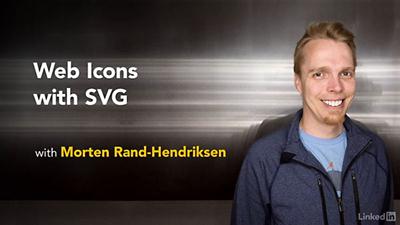
Lynda - Web Icons with SVG
Size: 293 MB | Duration: 1h 44m | Video: AVC (.mp4) 1280x720 15&30fps | Audio: AAC 48KHz 2ch
Genre: eLearning | Level: Intermediate | Language: English​

As designers and developers of the web, we want graphics to look sharp, but we need to keep file sizes down for performance. How do you get the best of both worlds? There is pretty much only one way to go: SVG. SVG is an XML-based method for instructing the browser to draw scalable vector graphics based on defined shapes and coordinates. The challenge with SVGs is they are not like other graphic files: Rather than a grid of pixels, they are code instructions interpreted by the browser on the fly. This poses some unique challenges and unique opportunities when it comes to implementation. In this course, you'll learn various methods to deploy SVG icons in webpages, each with its own use cases, benefits, and drawbacks. Morten Rand-Hendriksen shows how to insert individual SVG images, add SVGs as inline elements and SVG sprites via the command line, and automate SVGs with Grunticon. Plus, get tips on making your graphics backward-compatible and accessible, and using SVG icons in WordPress.

Recommend Download Link Hight Speed | Please Say Thanks Keep Topic Live ​

 

5da71cfb8c23c26964ec94b6fb689d74.jpg

Lynda - Windows 10 Anniversary Update Essential Training
Size: 1.06 GB | Duration: 6h 45m | Video: AVC (.mp4) 1280x720 15&30fps | Audio: AAC 48KHz 2ch
Genre: eLearning | Level: Appropriate for all | Language: English​

Learn the essentials of Windows 10 operating system, including the newest features included with Microsoft's Anniversary Update. Nick Brazzi shows how to install Windows 10, work with the built-in applications, manage files and folders, use Cortana to search, browse the web, and work with mail, calendar, and your contacts. Want to extend Windows? Learn how to find and install new apps from the Windows Store and customize your display preferences and account settings so your PC works perfectly for you. Finally, find out how to back up and restore Windows in case of computer failure, recover missing files, and use Windows Defender to protect yourself against malware such as viruses and spyware. Stay tuned! We'll be adding more movies to this course later today.

Topics include:
* Running Windows 10 for the first time
* Launching applications
* Interacting with windows, menus, and ribbons
* Multitasking to switch between multiple applications
* Switching to tablet mode
* Browsing and managing files and folders with the File Explorer
* Using Cortana to search
* Browsing the web with Edge
* Working with email, contacts, and calendars
* Using and installing apps
* Managing display and account settings
* Backing up Windows 10
* Troubleshooting Windows 10

Recommend Download Link Hight Speed | Please Say Thanks Keep Topic Live ​

 

9c7fbe29475c8adedc23fc01f953f68d.jpg

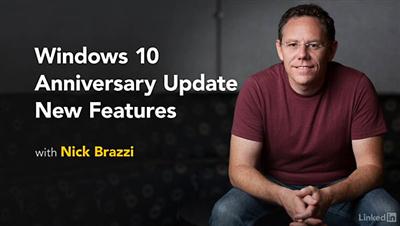
Lynda - Windows 10 Anniversary Update New Features
Size: 150 MB | Duration: 0h 53m | Video: AVC (.mp4) 1280x720 15&30fps | Audio: AAC 48KHz 2ch
Genre: eLearning | Level: Appropriate for all | Language: English​

Windows 10 is one year old. To celebrate, Microsoft is offering all Windows 10 users access to the free Windows 10 Anniversary Update. Discover the most important new features and improvements in Microsoft's latest operating system in this short course with Nick Brazzi. Learn about the latest improvements to Cortana, Microsoft's personal digital assistant, as well as the interface changes that make Windows easier to use. Nick also surveys the Edge web browser extensions, as well as new tools for the Ink Workspace, the digital pen-driven experience for Windows, and the updated Maps app.

Topics include:
* New Cortana commands
* Interface changes
* Using Edge browser extensions
* Pen and Ink Workspace
* Update Maps app

Recommend Download Link Hight Speed | Please Say Thanks Keep Topic Live ​

 

daf53a9631f1b00ae23860cb1d96af91.jpg

WordPress: Beginner Website Creation & Web Design, No Coding
MP4 | Video: AVC 1280x720 | Audio: AAC 44KHz 2ch | Duration: 2.5 Hours | Lec: 25 | 891 MB
Genre: eLearning | Language: English​

Learn how to use the software the powers over 20% of the world's websites. Create your own self-hosted website easily.

WordPress is the software behind nearly a quarter of the world's websites!With WordPress you can build a site in five minutes with no prior experience and WordPress can be scaled to power some of the biggest websites in the world.WordPress is the most successful content management system for websites out there today. That's an amazing number of people who use it. So it's an important software to get to know.This course starts at a basic level. I go through the administration section and the links on the left hand side in WordPress's back end.

Then I create a WordPress website in front of your eyes. You can create your first website with me!

You will learn about:

the WordPress hosting environment
how to install WordPress on a host
how to create Pages and Posts (and the differences between them)
how to create a menu
formatting and adding images the right way
changing the theme and the logo (and how to outsource log design jobs to freelancers)
complete customization of the home page, the other pages' layouts and the website
My story: Over ten years ago I was doing very menial typesetting work in a London office. A colleague who knew I'd been struggling to create web pages with static HTML suggested that I use WordPress on my new website. So I did.That one piece of advice from a guy in 2005 set me on a path. I've been using WordPress and blogging on my site ever since. I have also designed and created countless other WordPress websites for clients through my web design business. I started my own business in 2006, left work two years later and now I run a six-figure location-independent business from various places around the world.With WordPress, you can not only to build websites but you can build businesses!

Literally tens of thousands - or probably hundreds of thousands - of viable businesses exist because of WordPress. Developers sell plugins and themes for WordPress, designers use WordPress as a web design and development tool, and business people power their website with WordPress which is central to their marketing.WordPress can be used for just about any type of website. It is free and open source.

WordPress is a great and simple tool with an incredibly supportive and helpful community around it.It's great way to get started online. A solid and sustainable website will help you build a solid and sustainable online business.

Recommend Download Link Hight Speed | Please Say Thanks Keep Topic Live ​
 

afee5ab6c2f9da2fd618a27df070d318.jpg

You, Me & SVG
MP4 | Video: AVC 1280x720 | Audio: AAC 44KHz 2ch | Duration: 43M | 495 MB
Genre: eLearning | Language: English​

Learn how to create and use scalable vector graphics online. Whether your icons, shapes, and assets are on small or large screens, SVGs have you covered!

Learn the difference between raster and vector, as well as how to create vectors and when they come in handy.
Shape up your SVG knowledge with the circle, text, polygon, and line elements.
Circle around three important topics: grouping, transforming, and the viewBox coordinate system.
Wander through paths (the most commonly used SVG element), and discover how to reuse elements with symbol, as well as create screen reader-accessible SVGs with title and description tags.

Recommend Download Link Hight Speed | Please Say Thanks Keep Topic Live ​

 

b316a8fcbda7958821a880ee78c18c6d.jpg

YouTube: Get Dirt Cheap TRAFFIC With YouTube Ads
MP4 | Video: AVC 1280x720 | Audio: AAC 44KHz 2ch | Duration: 1 Hours | Lec: 19 | 289 MB
Genre: eLearning | Language: English​

YouTube Advertising: Discover The Hidden Secrets of Using YouTube Ads To Quickly Generate Laser Targeted Traffic!

The #1 YouTube Ads Mastery Course on Udemy.

If You're Looking For The Fastest Way To Generate Traffic Without Spending A Fortune You're In The Right Place!

Do you struggle driving decent traffic to your website, Squeeze page or Video?

Did you try SEO and link building for months but still not getting any traffic to your website?

If you want to know how the experts and profitable internet marketers Attract Buyers...

Then

Finally, there is one very real, very simple system for creating "unstoppable streams of "Buyer traffic" and making life-changing income online.

Discover The Hidden Secrets of Using YouTube Ads To Quickly Generate Laser Targeted Traffic...

MANY TRAFFIC METHODS DON'T WORK!

I bet you've tried multiple ways of generating traffic but none have worked really well for you. And the problem just keeps getting worse, and you keep getting more and more frustrated until you sometimes just feel like giving up, right?

Nothing worked well for me so I decided to try YouTube Marketing. After several years of trials, research and experiments I came to the conclusion...

YouTube Marketing Really Works

So I decided to try YouTube Advertising & found I could generate targeted traffic to any video or landing page almost immediately for only 0.02 cents per click.

And in this course, I will show you how to set-up a YouTube ads campaign, monitor the performance of your ads and optimize them for maximum conversions (every thing from scratch)

I'm Google Adwords Certified Marketer, so you will be learning from an EXPERT

You will latterly watch over my shoulder how to get thousands of CHEAP Targeted Visitors to Anywhere You Want Daily, WITHOUT Relying on SEO or EXPENSIVE Paid Ads.

Click the Order Button Now, & start getting instant Traffic with YouTube Ads to drive more sales.

Recommend Download Link Hight Speed | Please Say Thanks Keep Topic Live ​

 

e757ee187373a6be1ff89945a21019a1.jpg

Android Fundamentals: Activities
August 2016 | MP4 | Video: AVC 1280x720 | Audio: AAC 44KHz 2ch | Duration: 2 Hours 43M | 567 MB
Genre: eLearning | Language: English​

The most basic component of an Android application is the Activity. Without an Activity a user cannot interact with the application UI and this course will show you the conceptual topics related to an Activity.

Start developing Android apps and get a deeper knowledge of basic Android Components such as Activities in real quick time. In this course, , you'll be learning all about Activity and its related fundamental concepts. First, you'll get an introduction to Android Components and progressively cover the topic of Event Handling, Logcat, and also dive into the building block component of any Android apps. You'll be learning about Android Component Activity such as its lifecycle and its behavior on screen rotation. Finally you'll learn how to exchange data between activities. By the end of this course, you'll have a very strong foundation on the topic of android activities.

Recommend Download Link Hight Speed | Please Say Thanks Keep Topic Live ​
 
Zurück
Oben Unten