• Regeln für den Video-Bereich:

    In den Börsenbereich gehören nur Angebote die bereits den Allgemeinen Regeln entsprechen.

    Einteilung

    - Folgende Formate gehören in die angegeben Bereiche:
    - Filme: Encodierte Filme von BluRay, DVD, R5, TV, Screener sowie Telesyncs im Format DivX, XviD und x264.
    - DVD: Filme im Format DVD5, DVD9 und HD2DVD.
    - HD: Encodierte Filme mit der Auflösung 720p oder darüber von BluRay, DVD, R5, TV, Screener sowie Telesyncs im Format x264.
    - 3D: Encodierte Filme von BluRay, die in einem 3D Format vorliegen. Dies gilt auch für Dokus, Animation usw.
    - Serien: Cartoon/Zeichentrick, Anime, Tutorials, Dokumentationen, Konzerte/Musik, Sonstiges sind demnach in die entsprechenden Bereiche einzuordnen, auch wenn sie beispielsweise im High Definition-Format oder als DVD5/DVD9/HD2DVD vorliegen. Ausnahme 3D.
    - Bereich Englisch: Englische Releases gehören immer in diesen Bereich.
    - Bereich Talk: Der Bereich, in dem über die Releases diskutiert werden kann, darf, soll und erwünscht ist.


    Angebot/Beitrag erstellen

    - Ein Beitrag darf erst dann erstellt werden, wenn der Upload bei mindestens einem OCH komplett ist. Platzhalter sind untersagt.
    - Bei einem Scenerelease hat der Threadtitel ausschließlich aus dem originalen, unveränderten Releasenamen zu bestehen. Es dürfen keine Veränderungen wie z.B. Sterne, kleine Buchstaben o.ä. vorgenommen werden. Ausnahme Serienbörse:
    - Bei einem Sammelthread für eine Staffel entfällt aus dem Releasename natürlich der Name der Folge. Beispiel: Die Simpsons S21 German DVDRip XviD - ITG
    - Dementsprechend sind also u.a. verboten: Erweiterungen wie "Tipp", "empfehlenswert", "only", "reup", usw. / jegliche andere Zusatzinformation oder Ergänzung, welche nicht in obiger Beschreibung zu finden ist.

    Aufbau des Angebots und Threadtitel

    Der Titel nach folgendem Muster erstellt zu werden. <Name> [3D] [Staffel] [German] <Jahr> <Tonspur> [DL] [Auflösung] <Quelle> <Codec> - <Group>
    Beispiel: The Dark Knight German 2008 AC3 DVDRip XviD - iND
    Beispiel: The Dark Knight 2008 DTS DL BDRip x264 - iND
    Beispiel: The Dark Knight 2008 AC3 DL BDRip XviD - iND
    Beispiel: The Dark Knight German 2008 AC3 720p BluRay x264 iND
    Beispiel: The Dark Knight 2008 DTS DL 1080p BluRay x264 iND
    Beispiel: Die Simpsons S01 German AC3 DVDRip XviD iND
    Beispiel: Die Simpsons S20 German AC3 720p BluRay x264 iND
    Beispiel: Sword Art Online II Ger Sub 2014 AAC 1080p WEBRip x264 - peppermint
    Entsprechend sind also u.a. verboten: Sonderzeichen wie Klammern, Sterne, Ausrufezeichen, Unterstriche, Anführungszeichen / Erweiterungen wie "Tipp", "empfehlenswert", "only", "reup", usw. / jegliche andere Zusatzinformation oder Ergänzung, welche nicht in obiger Beschreibung zu finden ist
    Ausnahmen hiervon können in den Bereichen geregelt sein.

    Die Beiträge sollen wie folgt aufgebaut werden:
    Überschrift entspricht dem Threadtitel
    Cover
    kurze Inhaltsbeschreibung
    Format, Größe, Dauer sind gut lesbar für Downloader außerhalb des Spoilers zu vermerken
    Nfo sind immer Anzugeben und selbige immer im Spoiler in Textform.
    Sind keine Nfo vorhanden z.B. Eigenpublikationen, sind im Spoiler folgende Dateiinformationen zusätzlich anzugeben :
    Quelle
    Video (Auflösung und Bitrate)
    Ton (Sprache, Format und Bitrate der einzelnen Spuren)
    Untertitel (sofern vorhanden)
    Hosterangabe in Textform außerhalb eines Spoiler mit allen enthaltenen Hostern.
    Bei SD kann auf diese zusätzlichen Dateiinformationen verzichtet werden.

    Alle benötigten Passwörter sind, sofern vorhanden, in Textform im Angebot anzugeben.
    Spoiler im Spoiler mit Kommentaren :"Schon Bedankt?" sind unerwünscht.


    Releases

    - Sind Retail-Release verfügbar, sind alle anderen Variationen untersagt. Ausnahmen: Alle deutschen Retail-Release sind CUT, in diesem Fall sind dubbed UNCUT-Release zulässig.
    - Im Serien-Bereich gilt speziell: Wenn ein Retail vor Abschluss einer laufenden Staffel erscheint, darf diese Staffel noch zu Ende gebracht werden.62
    - Gleiche Releases sind unbedingt zusammenzufassen. Das bedeutet, es ist zwingend erforderlich, vor dem Erstellen eines Themas per Suchfunktion zu überprüfen, ob bereits ein Beitrag mit demselben Release besteht. Ist dies der Fall, ist der bereits vorhandene Beitrag zu verwenden.
    - P2P und Scene Releases dürfen nicht verändert oder gar unter einem iND Tag eingestellt werden.


    Support, Diskussionen und Suche

    - Supportanfragen sind entweder per PN oder im Bereich Talk zu stellen.
    - Diskussionen und Bewertungen sind im Talk Bereich zu führen. Fragen an die Uploader haben ausschließlich via PN zu erfolgen, und sind in den Angeboten untersagt.
    - Anfragen zu Upload-Wünschen sind nur im Bereich Suche Video erlaubt. Antworten dürfen nur auf Angebote von MyBoerse.bz verlinkt werden.


    Verbote

    - Untersagt sind mehrere Formate in einem einzigen Angebotsthread, wie beispielsweise das gleichzeitige Anbieten von DivX/XviD, 720p und 1080p in einem Thread. Pro Format, Release und Auflösung ist ein eigener Thread zu eröffnen.
    - Grundsätzlich ebenso verboten sind Dupes. Uploader haben sich an geeigneter Stelle darüber zu informieren, ob es sich bei einem Release um ein Dupe handelt.
    - Gefakte, nur teilweise lauffähige oder unvollständige Angebote sind untersagt. Dies gilt auch für eigene Publikationen, die augenscheinlich nicht selbst von z.B. einer DVD gerippt wurden. Laufende Serien, bei denen noch nicht alle Folgen verfügbar sind, dürfen erstellt und regelmäßig geupdatet werden.
    - Untersagt sind Angebote, welche nur und ausschließlich in einer anderen Sprache als deutsch oder englisch vorliegen. Ausnahmen sind VORHER mit den Moderatoren zu klären.


    Verstoß gegen die Regeln

    - Angebote oder Beiträge, die gegen die Forenregeln verstoßen, sind über den "Melden"-Button im Beitrag zu melden.
  • Bitte registriere dich zunächst um Beiträge zu verfassen und externe Links aufzurufen.

*** Bestes IPTV *** bester Preis *** gratis Test ***


Englische Tutorials

at2mgQt4EQu8gcZMKqsFQ4UHdmvcwvV9.jpg

Palo Alto PCNSA Certification
Genre: eLearning | MP4 | Video: h264, 1280x720 | Audio: AAC, 44.1 KHz
Language: English | Size: 1.88 GB | Duration: 6h 31m
Palo Alto Networks Certified Security Administrator

What you'll learn
PCNSA Administrator Certification.
Palo Alto SP3 Architecture.
Security Policies, when and how to apply them.
Understanding of the default staple features of the Next Gen firewall.
Requirements
Basic understanding of network security would be ideal but is not required, some experience with Palo Alto would also help but is not required.
Description
The PCNSA certification shows that you have the proven ability to configure and understand the Palo Alto Networks next generation firewall platform PAN-OS.
This course adheres to the course blueprint and draws on the experience gained whilst obtaining this certification and working with Palo Alto Networks platforms in large enterprises.
You will learn to identify the core components of the Palo Alto NGFW and configure the various features to secure an environment using the Strata line of products.
To pass the exam and receive the certification you will need to demonstrate a knowledge of the technologies that make up the PAN-OS software and the use cases for those technologies,
We will learn about User-ID (identifying traffic by user not by source IP) Application-ID and Content-ID (securing by application and ensuring that application stays the same and the content is not malicious), we will touch on the supporting platforms as well such as Panorama enterprise management platform that although is not covered in depth in the course you will require an understanding of its uses,
remote access is covered in the Globalprotect section and we will see how Globalprotect feeds into the User-ID and how that not only benefits the creation of security policies but also allows for more precise reporting and being able to track down and neutralise malicious activity and breaches quickly and effectively.
Who this course is for
Anybody wanting to pursue the Palo Alto Networks PCNSA certification.
Screenshots


e4c212d5-f1a1-4872-ac02-c308dba0ec28.png

Python TkInter from Beginner to Winner
Published 04/2022
MP4 | Video: h264, 1280x720 | Audio: AAC, 44.1 KHz, 2 Ch
Genre: eLearning | Language: English + srt | Duration: 50 lectures (8h 59m) | Size: 7.2 GB


Master Python TkInter Build Desktop Apps and Make Your Dreams True
What you'll learn
Take the most out of TkInter to make your dream desktop apps come into life!
Plan, project and make GUI Apps with Python and TkInter from ZERO!
Use a variety of graphical elements from TkInter, known as widgets: Label, Entry, Text, Spinbox, Button, LabelFrame, and more!
Evolve your abstract thinking in such a way you can make any complex TkInter App by stripping it into smaller challenges!
Tips and tricks to take advantage of the tools you have at your disposal, such as Visual Studio Code and its extensions.
Best practices for coding as taught by a Software Engineer with years of experience in several programming languages!
Requirements
You should have a basic understanding of Python or other programming language. An understanding of variables, conditional statements (if else), loop statements (while, for), a little bit of Object Oriented Programming (classes and inheritance) is a plus! However, I will reinforce some concepts several times!
You need a computer with Windows 10 or later.
You need Python 3.8.x or later.
It is recommended, not mandatory, Visual Studio Code to edit the code!
It is NOT recommended developing on a mobile device, you want to be a professional and/or develop your path to success right?
Description
Welcome to Python TkInter from Beginner to Winner! A great course on building Desktop Apps!
Together we will learn, explore and have fun taking the most out of Python and TkInter! We will create great and useful apps.
I invite you not only to master TkInter but also learn how to think, how to design and structure your code, how to take advantage of several tools to do it faster, better and clean, like a professional!
First we will focus on creating apps like a calculator or a products stock manager... we will have opportunity to play with many widgets like Frames, Labels, Buttons, Spinboxes, LabelFrames, etc. Also we will use three Layout Managers to position our widgets: grid, pack and place.
Than as bonus we will integrate some of those apps with numerous technologies... We will use databases, we will interact with Web APIs, we will generate documents like PDFs and Docx!
Our imagination is the limit!
My name is Hugo Ferro, I started my programming journey back in 1996 when I got my first computer at age 12... That box changed my life! I became a Software Engineer with experience in a wide range of technologies...
Your journey starts now! I'm your teacher, I'm your partner in this great adventure that is learning!
The first 10 lectures of this course (1h41m), in section "My Products Stock Manager", are FREE for you to evaluate! What you're waiting for?
Thank you for your time, see you in the course :)
Who this course is for
Beginner to intermediate developer interested in creating his/her own Desktop Apps!
Everyone who wants to create tools to excel his/her work.
Anyone who aims to deepen their knowledge of programming, develop their thinking, learn how to structure their code will be welcome!
Homepage


4307a7ec-658d-4b9f-b66b-49bc6a81eec5.png

Autodesk Revit 2022 For Structure
Published 04/2022
MP4 | Video: h264, 1280x720 | Audio: AAC, 44.1 KHz, 2 Ch
Genre: eLearning | Language: English + srt | Duration: 10 lectures (6h 34m) | Size: 4.2 GB


Autodesk Revit 2022 For Structure
What you'll learn
Get familiar with the Autodesk Revit Structure Software.
Confidently list Autodesk Revit as a skills in your resume
Create 3D structural models for Analysis and Design using Autodesk Revit Structure
Exposed to both concrete and steel structure in Autodesk Revit
Exposed to structural design, structural engineering, detailing and steel connection.
Requirements
Basic knowledge of Windows and PC
Previous experience on a CAD program is not essential but will benefit the student
Autodesk Revit
Basic knowledge of Structural Analysis and Design
Description
n the world of BIM, it's no secret that Revit has stolen the show. The design and construction industry has finally standardized on the Revit platform making it essential to learn not only the picks and clicks of the software, but also the collaborative workflows. Autodesk Revit is a great program for structural engineering, offering cutting-edge tools for designing solid structures and publishing clear, easy-to-share documentation. This course focuses on the major components of Revit 2022 used for structural design, featuring examples in imperial units (inches and feet). The course cover how to start a project and set up structural views; add foundations, reinforcing, and steel and concrete framing; model slabs and trusses; and build a whole lot more. It also cover how to create detailed, annotated documentation for sharing and use in construction. The course is designed for members with no Revit experience, or for more advanced users who want to jump to a topic and start from there. Either way, this comprehensive course can teach you what you need to know in Revit structure. Each video is kept to a reasonable length, drills immediately into the specifics, and as precise and succinct as possible
Topic cover under this course are as follows
Using Revit for structural engineering in imperial units
Linking architecture
Creating levels
Copy Monitor
Adding and setting up structural views
Creating view templates
Adding grids to the model
Adding steel columns to the model
Creating column offsets
Creating a column schedule
Adding slanted columns
Attaching columns to steel
Adding foundation walls
Adding wall footings
Adding piers and pilasters
Adding isolated footings
Creating a CMU elevator shaft
Shaft opening
Adding step footing
Tagging a step footing
Adding a step footing family
Retaining walls and footings
Adding perimeter beams
Adding beam systems
Modifying beam systems
Copy and Paste Aligned
Altering beam elevations
Adding joist systems
Tagging framing
Configuring beam joins
Creating a slab on grade
Adding a concrete floor with steel decking
Cantilevering slab edges
Creating thickened slabs
Creating slab depressions
Parallel to face
Perpendicular to face
Sketching rebar
Adding area reinforcing
View settings
Adding freeform rebar
Adding a brace frame elevation
Adding a brace frame
Adding brace frame gussets
Modifying plan view symbology
Creating a brace frame sheet
Creating stairs
Adding C shapes to stringers
Creating ramps
Sloping slabs
Pitching floors to struture
Sections and callouts
Coping
Adding detail components
Inserting AutoCAD
Adding text
Adding dimensions
Footing schedules
Pier schedules
Creating a pier tag
Creating a material takeoff
Adding Howe trusses
Attaching trusses to roofs
Changing truss materials
Editing the truss bottom chord
Detailing trusses
Phasing
Keynoting
Revisions
Plotting
File sharing
Configuring the connection settings
Adding a base plate
Adding a clip angle
Adding a column support
Customize a connection
Breaking a connection
Adding a plate and bolts
Adding welds and symbols
Adding modifiers
Adding a miter
Adding parametric cuts
Setting up the configurations
Splitting a wall into precast elements
Adding reinforcement to a precast element
Creating precast concrete planks
Creating precast shop drawings
Configuring symbolic settings
Managing materials
Configuring analytical settings
Creating load cases
Creating load combinations
Configuring boundary condition
Adding area loads
Adding line loads
Who this course is for
Structural Drafter
Structural Engineers
BIM Manager
BIM Coordinator
Construction Engineer
Structural Draftsmen
Anybody interested in Structural modeling, analysis, and design
Homepage












 
726adf36-1f79-46fe-8913-02041471bc46.png

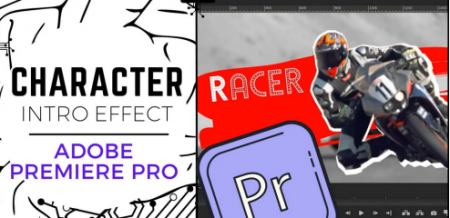
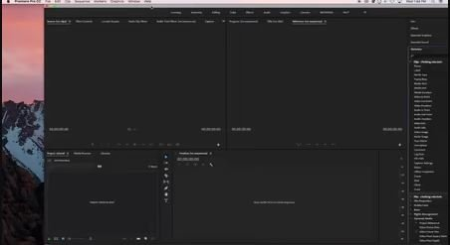
Character Intro Effect - Adobe Premiere Pro, YouTube Video Editing FX to Make Your Videos POP!
MP4 | Video: h264, 1280x720 | Audio: AAC, 44.1 KHz
Language: English | Size: 236 MB | Duration: 20m​

This class will teach you how to freeze-frame people, products, or objects in motion and make them POP on screen by adding motion, color, and effects. This is one of the coolest editing effects to add style and uniqueness to your videos.
And what you won't find anywhere else is a Step-by-Step PDF Guide following the complete process covered in this course. It is available for you to download now! Just look for it in the Projects & Resources section. That way you don't have to scroll back and forth in this course to recreate this effect.
We'll look at
Setting Up the Main Effect
Enhancing the Effect
Adding Background Effects
Animating the Background and Text
Plus I've added a few PNG files you can use to make your background more unique.
If you make have a YouTube channel, like editing videos, or are just looking for a cool Premiere Pro effect, then this class is for you.
All you need now is to grab a clip to play with and jump on Premiere Pro while you follow along with me.
See you in class!
Screenshots


bf3e7a39-b1b7-4612-8805-20b63c2ce504.png

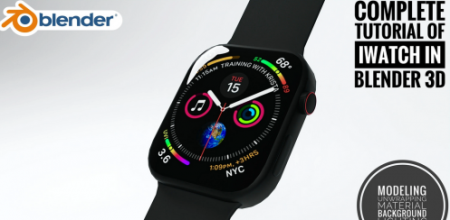
Complete Tutorial Of Making A Iwatch On Blender 3D
MP4 | Video: h264, 1280x720 | Audio: AAC, 44.1 KHz
Language: English | Size: 444 MB | Duration: 32m​

Hey there thanks for stopping by to see this incredibly long video! Ha... I know you all say you don't mind long videos so here's another!.Basically in this class i am going to teach you how to make an amazing apple iwatch on blender We'll cover everything in 4 episodes, We go over setting up a reference image, modeling the iwatch, creating the materials, setting up textures, lighting and background and rendering i will also provide the material and resources in the description below
Drop a comment below and let me know what you think about this one!
Thanks for checking out this video! Please 'Like' it if you like it, and follow me to be the first to see my new videos.
Music Used In The Background Is "COPYRIGHT FREE"
Song: Jarico - Island
Music supported by #BackgroundMusicWithoutLimitations

Let me know in the comment if you find any difficulties
Screenshots


b96c5e09-01a5-4df7-8732-25f38cf186e6.png

Core Basics Of Adobe Premiere Pro For Beginners
MP4 | Video: h264, 1280x720 | Audio: AAC, 44.1 KHz
Language: English | Size: 129 MB | Duration: 13m​

This Class Is For The People Who Don't Even Know How Editing Is Done. I've Thought Core Basics Of Adobe Premiere Pro So That It's Easy & Very Beginners Friendly Class.
Is Premiere Pro Beginner friendly?
Adobe Premiere Pro is a good editor for beginners because it's extremely versatile. As the industry-standard video editor, numerous tutorials are available to help new users understand the software's tools and features. Premiere Pro also lets beginners learn how to edit a video's audio and graphics
Make Sure You Follow Everything In Order To Edit Great Videos ;)
Screenshots


fda0442b-5fac-44e5-a3b3-8235c5f916e0.png

Create a Google Website Login
MP4 | Video: h264, 1280x720 | Audio: AAC, 44.1 KHz
Language: English | Size: 330 MB | Duration: 1h 3m​

In this course you will learn how to use the Google API to create a website login.
You will start with the very basic steps of creating a login button and styling using Bootstrap before progressing to creating a project on the Google developer console.
Once logged in, you will be able to view a user's profile details and present these on a secure page.
Screenshots


7d266686-99cb-463c-b8e5-c2f723321187.png

Google Spreadsheet and MS Excel : The ultimate Guide
Genre: eLearning | MP4 | Video: h264, 1280x720 | Audio: AAC, 44.1 KHz
Language: English | Size: 1.63 GB | Duration: 2h 49m
Learn Excel and Google Sheets from beginner's to Advanced Masterclass to create amazing visualization.

What you'll learn
Learn from basics to Advance MS Excel and Spreadsheet
Create Amazing Dashboards in Excel.
Confidently Showcase your skills to the world and Add It in your Resume.
Create Drop down list, Check boxes, Freeze Row and Column, Concatenate strings and Extract data from strings
Learn to Format, Analyse, Visualise and Automate your Data in Excel and Spreadsheet.
Get Experienced in Data Analysis and Analytical thinking.
Create Amazing graphs and Map visualization alongside some great advanced Excel and Spreadsheet features
Finding Out insights from Data and Turning them into assets for the organization
Requirements
No Earlier Analysis Knowledge required
Completely Beginner's Friendly
Desire to Learn and work with Data
Description
This is a Condensed course that will teach you all you need to know about how to get started and get going with Excel and Spreadsheet for Data analysis. This course is made for anyone who wants to learn the art of Data analysis and data visualization. We will begin by exploring the basic interface of Excel and Spreadsheet then move on to formatting our data and table in Spreadsheet and Excel after which we will learn how to do Data analysis in this software and use various functions, after all of this we will move on to create visualisations in these software and learn a lot more additional features. This course should prepare you to utilize Excel and Google Sheets to do your next analysis with confidence. You will be able to proudly showcase your skills to the world and add it to your resume.

You will receive the following benefits as a result of taking this course
Full free lifetime access to all the lecture videos
More than 2.5 hours of content with extra bonus videos.
All subsequent upgrades and supplementary lectures will always be free.
This course is made using the latest versions of Excel and Google Sheets so it will be great for any future version.
Confidently add your skills to your resume
Udemy offers an unconditional 30-day money-back guarantee. - However, I am confident that you would enjoy the course:)
Why this Course
I have tried to create the video and explain it in view short and crisp manner.
The course structure is such a way that you go through Excel and Google Sheets and understand all concepts in the most structured way.
The course is segmented into various sections to help the student's individual section in-depth and in a step-by-step manner.
The course has used learn by doing method which is best for software like Excel and Google Sheets.
With ZERO prior experience, you may begin your journey to becoming experienced in Excel and Google Sheets!
Looking forward to seeing you on the other side with me in your Data Analysis journey.
Who this course is for
Anyone who want to learn to work across with Data
Future Analysts, Managers, Operations/finance Persons
Data hobbyists/Enthusiasts
Screenshots


5j5x4AQPIjw8puhyW7eeWIza8Uil3Fzc.jpg

How To Make YouTube Videos Without Knowing How To Edit
MP4 | Video: h264, 1280x720 | Audio: AAC, 44.1 KHz
Language: English | Size: 593 MB | Duration: 39m​

This course is for anyone who doesn't know how to edit YouTube Videos.
This course is for anyone who does know how to edit YouTube videos.
This course will teach you
How To Never Run Out Of YouTube Video Topics
How To Write YouTube Video Scripts
How To Film YouTube Videos On Your Own
How To Hire Video Editor For YouTube
How To Create Great YouTube Thumbnails
and more.
Screenshots


0d331fff-f09e-453b-9762-fd502b479e70.png

How to Design Mobile App Prototype
MP4 | Video: h264, 1280x720 | Audio: AAC, 44.1 KHz
Language: English | Size: 1.16 GB | Duration: 5h 15m​

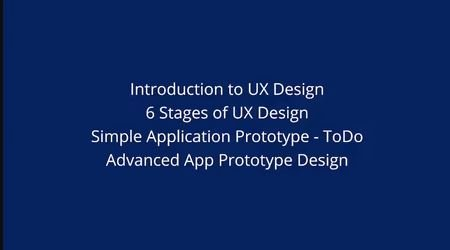
In this course, you are going to learn about designing a mobile app prototype using Invision Studio. I will give you brief lectures on the design principles and user experience steps including practical demonstration of designing applications.
We will learn to design a basic app and an advanced application so that we can get familiar to use the tool and get things done before handling complex interactions.
Screenshots


YXsjYxOpPPJS4NPm3EshbJFKkkBDqXLf.jpg

Genre: eLearning | MP4 | Video: h264, 1280x720 | Audio: AAC, 44.1 KHz
Language: English | Size: 1.21 GB | Duration: 2h 13m
Learn to Build Your First Blockchain Smart Contract by learning and using Solidity Programming Language & Ethereum
What you'll learn
You will about Blockchain Technology and how it differs from regular Web Technology
You will learn about the different of any Blockchain Network and how they work together
You will learn about different features of Distributed Ledger Technology and various terminology
You will learn about Solidity Programming Language and how compile and run program written with it
You will learn about Smart Contract and How to build and deploy your own Smart Contract with Solidity and Ethereum
Requirements
Basics of Web Technology
Description
In this course, we will start by learning everything about Blockchain and Distributed Ledger Technology.
Then we will compare how Blockchain/Distributed Ledger Technology differs from the normal World Wide Web that we have today.
We will then go-ahead to learn various features, concepts and terminology of Blockchain/Distributed Ledger Technology.
We will then learn about Smart Contracts and understand how they are connected to Blockchain.
After that, we will start learning Solidity Programming Language with real hands-on by writing and deploying small smart contracts for every concept.
Following are the topics we will learn
Why do we need Blockchain
What is Blockchain and Distributed Ledger Technology
Features of a Blockchain and Distributed Ledger Technology
EVM(Ethereum Virtual Machine) Solidity Smart Contracts
Environment Setup and Data Types in Solidity Programming
String Arrays Compiling and Executing our first Smart Contract on Blockchain Network
Custom Data Type and Functions and Comments in Solidity Programming
Address and Mapping type in Solidity Programming
Constructor Function and Function Call and Validation
Send Ether to a Smart Contract And Payable Constructor and View Function
View and Pure function in Solidity and how they effect the transaction cost
Events and Modifiers and msg.value vs msg.sender
Passing parameter to modifier
Memory and Storage
We will then move to create our first fully functional Smart Contract and Deploy onto Ethereum Test Network.
Who this course is for
Anyone who wants to become a blockchain developer using Solidity and Ethereum
Screenshots


f77adf52-d235-4ab8-8927-8e50008cc84d.png

Make More Time in Your Day: Become a Speed Demon
Video: .mp4, 1280x720 | Audio: AAC, 48 kHz, 2ch | Size: 1.6 GB
Genre: eLearning | Language: English | Duration: 2hr 57m​

Learn The Most Bleeding Edge Tips And Deceives For Productivity And Effectiveness
If you're like most of us, you simply don't have enough time in the day to do all of the things you need to do - much less those that you want to do.
The Become a Speed Demon will teach you the most cutting-edge tips and tricks for productivity, automation, and efficiency so that you can do more work in less time and have more time for the things that matter in life.
WHAT YOU WILL LEARN
Learn the best ways to fight procrastination and maintain a laser focus on tasks that matter
Develop systems to help you effectively prioritize your tasks to transform your life.
Learn the best ways to optimize chores, your fitness, and your sleep
Add 1-3 hours to your day, gain control of your time, and free yourself for what matters
Harness the preeminent theories of productivity and time management to squeeze more time out of the day
Use cutting-edge hacks, tips, and tricks to improve computer productivity work
Identify time-wasters and zap them before they drain the day away
Cut out the bad habits that cost hours in the day for no reason
Make more time for the things that matter in life
Screenshots


Zurück
Oben Unten