• Regeln für den Video-Bereich:

    In den Börsenbereich gehören nur Angebote die bereits den Allgemeinen Regeln entsprechen.

    Einteilung

    - Folgende Formate gehören in die angegeben Bereiche:
    - Filme: Encodierte Filme von BluRay, DVD, R5, TV, Screener sowie Telesyncs im Format DivX, XviD und x264.
    - DVD: Filme im Format DVD5, DVD9 und HD2DVD.
    - HD: Encodierte Filme mit der Auflösung 720p oder darüber von BluRay, DVD, R5, TV, Screener sowie Telesyncs im Format x264.
    - 3D: Encodierte Filme von BluRay, die in einem 3D Format vorliegen. Dies gilt auch für Dokus, Animation usw.
    - Serien: Cartoon/Zeichentrick, Anime, Tutorials, Dokumentationen, Konzerte/Musik, Sonstiges sind demnach in die entsprechenden Bereiche einzuordnen, auch wenn sie beispielsweise im High Definition-Format oder als DVD5/DVD9/HD2DVD vorliegen. Ausnahme 3D.
    - Bereich Englisch: Englische Releases gehören immer in diesen Bereich.
    - Bereich Talk: Der Bereich, in dem über die Releases diskutiert werden kann, darf, soll und erwünscht ist.


    Angebot/Beitrag erstellen

    - Ein Beitrag darf erst dann erstellt werden, wenn der Upload bei mindestens einem OCH komplett ist. Platzhalter sind untersagt.
    - Bei einem Scenerelease hat der Threadtitel ausschließlich aus dem originalen, unveränderten Releasenamen zu bestehen. Es dürfen keine Veränderungen wie z.B. Sterne, kleine Buchstaben o.ä. vorgenommen werden. Ausnahme Serienbörse:
    - Bei einem Sammelthread für eine Staffel entfällt aus dem Releasename natürlich der Name der Folge. Beispiel: Die Simpsons S21 German DVDRip XviD - ITG
    - Dementsprechend sind also u.a. verboten: Erweiterungen wie "Tipp", "empfehlenswert", "only", "reup", usw. / jegliche andere Zusatzinformation oder Ergänzung, welche nicht in obiger Beschreibung zu finden ist.

    Aufbau des Angebots und Threadtitel

    Der Titel nach folgendem Muster erstellt zu werden. <Name> [3D] [Staffel] [German] <Jahr> <Tonspur> [DL] [Auflösung] <Quelle> <Codec> - <Group>
    Beispiel: The Dark Knight German 2008 AC3 DVDRip XviD - iND
    Beispiel: The Dark Knight 2008 DTS DL BDRip x264 - iND
    Beispiel: The Dark Knight 2008 AC3 DL BDRip XviD - iND
    Beispiel: The Dark Knight German 2008 AC3 720p BluRay x264 iND
    Beispiel: The Dark Knight 2008 DTS DL 1080p BluRay x264 iND
    Beispiel: Die Simpsons S01 German AC3 DVDRip XviD iND
    Beispiel: Die Simpsons S20 German AC3 720p BluRay x264 iND
    Beispiel: Sword Art Online II Ger Sub 2014 AAC 1080p WEBRip x264 - peppermint
    Entsprechend sind also u.a. verboten: Sonderzeichen wie Klammern, Sterne, Ausrufezeichen, Unterstriche, Anführungszeichen / Erweiterungen wie "Tipp", "empfehlenswert", "only", "reup", usw. / jegliche andere Zusatzinformation oder Ergänzung, welche nicht in obiger Beschreibung zu finden ist
    Ausnahmen hiervon können in den Bereichen geregelt sein.

    Die Beiträge sollen wie folgt aufgebaut werden:
    Überschrift entspricht dem Threadtitel
    Cover
    kurze Inhaltsbeschreibung
    Format, Größe, Dauer sind gut lesbar für Downloader außerhalb des Spoilers zu vermerken
    Nfo sind immer Anzugeben und selbige immer im Spoiler in Textform.
    Sind keine Nfo vorhanden z.B. Eigenpublikationen, sind im Spoiler folgende Dateiinformationen zusätzlich anzugeben :
    Quelle
    Video (Auflösung und Bitrate)
    Ton (Sprache, Format und Bitrate der einzelnen Spuren)
    Untertitel (sofern vorhanden)
    Hosterangabe in Textform außerhalb eines Spoiler mit allen enthaltenen Hostern.
    Bei SD kann auf diese zusätzlichen Dateiinformationen verzichtet werden.

    Alle benötigten Passwörter sind, sofern vorhanden, in Textform im Angebot anzugeben.
    Spoiler im Spoiler mit Kommentaren :"Schon Bedankt?" sind unerwünscht.


    Releases

    - Sind Retail-Release verfügbar, sind alle anderen Variationen untersagt. Ausnahmen: Alle deutschen Retail-Release sind CUT, in diesem Fall sind dubbed UNCUT-Release zulässig.
    - Im Serien-Bereich gilt speziell: Wenn ein Retail vor Abschluss einer laufenden Staffel erscheint, darf diese Staffel noch zu Ende gebracht werden.62
    - Gleiche Releases sind unbedingt zusammenzufassen. Das bedeutet, es ist zwingend erforderlich, vor dem Erstellen eines Themas per Suchfunktion zu überprüfen, ob bereits ein Beitrag mit demselben Release besteht. Ist dies der Fall, ist der bereits vorhandene Beitrag zu verwenden.
    - P2P und Scene Releases dürfen nicht verändert oder gar unter einem iND Tag eingestellt werden.


    Support, Diskussionen und Suche

    - Supportanfragen sind entweder per PN oder im Bereich Talk zu stellen.
    - Diskussionen und Bewertungen sind im Talk Bereich zu führen. Fragen an die Uploader haben ausschließlich via PN zu erfolgen, und sind in den Angeboten untersagt.
    - Anfragen zu Upload-Wünschen sind nur im Bereich Suche Video erlaubt. Antworten dürfen nur auf Angebote von MyBoerse.bz verlinkt werden.


    Verbote

    - Untersagt sind mehrere Formate in einem einzigen Angebotsthread, wie beispielsweise das gleichzeitige Anbieten von DivX/XviD, 720p und 1080p in einem Thread. Pro Format, Release und Auflösung ist ein eigener Thread zu eröffnen.
    - Grundsätzlich ebenso verboten sind Dupes. Uploader haben sich an geeigneter Stelle darüber zu informieren, ob es sich bei einem Release um ein Dupe handelt.
    - Gefakte, nur teilweise lauffähige oder unvollständige Angebote sind untersagt. Dies gilt auch für eigene Publikationen, die augenscheinlich nicht selbst von z.B. einer DVD gerippt wurden. Laufende Serien, bei denen noch nicht alle Folgen verfügbar sind, dürfen erstellt und regelmäßig geupdatet werden.
    - Untersagt sind Angebote, welche nur und ausschließlich in einer anderen Sprache als deutsch oder englisch vorliegen. Ausnahmen sind VORHER mit den Moderatoren zu klären.


    Verstoß gegen die Regeln

    - Angebote oder Beiträge, die gegen die Forenregeln verstoßen, sind über den "Melden"-Button im Beitrag zu melden.
  • Bitte registriere dich zunächst um Beiträge zu verfassen und externe Links aufzurufen.

*** Bestes IPTV *** bester Preis *** gratis Test ***


Englische Tutorials

7c95fb20-eb9d-4cd2-ac23-84cc80466507.png

Course on Shear Stresses in Beams
MP4 | Video: h264, 1280x720 | Audio: AAC, 44.1 KHz, 2 Ch
Genre: eLearning | Language: English + srt | Duration: 8 lectures (1h 4m) | Size: 283.6 MB

1. Introduction 2. Concept and Determination of Shear Stress 3. Shear Stress Distribution Diagram 4. Solved Problems
What you'll learn
How to calculate Shear Stresses & draw Shear Stress Distribution Diagram
Requirements
Shear Force
Description
The course is designed for understanding the concept of Shear Stresses in Beams. At the end of the course, the learners will be able to calculate the values of Shear Stresses at various sections and draw the Shear Stress Distribution Diagram. Most important feature of the course is all types of problems are solved and explained in detail.
The course has total 8 video lectures. Very first lecture is all about the course outline, prerequisites for this course and expected outcomes. The next two lectures are for the concept explanations. Basic concept of Shear Stresses is discussed in brief and determination of Shear Stresses is explained in detail. Each parameter involved has been explained with the relevant diagrams and animations. One complete lecture is for explaining, how to draw Shear Stress Distribution Diagram. In the remaining lectures, problems are solved step by step with proper explanations. The problems on all types of cross sections are included for better understanding. The solved problems include rectangular cross section, 'T' cress section, symmetric and un-symmetric 'I' section. Last problem is designed in order to demonstrate the Shear Force calculation and then Shear Stress calculations.
Shear Stress is one of the important parameters, required to be calculated for design of beams. Hence this course will definitely equipped students with the ability to calculate Shear Stress and draw Shear Stress Distribution Diagram.
Who this course is for
Civil Engineering students learning Structural Analysis
Homepage


c0d88b4c-e69c-4ecb-8c10-342a4c3fd7b7.png

Flutter for window : Building your first window application
MP4 | Video: h264, 1280x720 | Audio: AAC, 44.1 KHz, 2 Ch
Genre: eLearning | Language: English + srt | Duration: 16 lectures (1h 56m) | Size: 1.07 GB

Building your first window application
What you'll learn
flutter and dart
Building real application such as todo,image editor and note keeper application
developing beatiful ui design with fluent UI
Building window application from scrach
Requirements
Basic dart programming language
Determination
Description
Flutter is the new Cross-platform Mobile Development Framework created by Google, allowing developers to build mobile, web, and desktop applications with one single codebase!
Flutter is the BEST way to create cross-platform apps that otherwise would require two distinct mobile development teams to create.
Why is Flutter a BIG Deal?
Flutter is a big deal because any developer (or anyone who wants to learn app development) can now build mobiles, web, and desktop apps with one codebase ONLY! This means, instead of having to learn a native language for each platform you can now use Flutter Mobile Development Framework to build apps that run natively on both iOS and Android devices using the General-purpose Dart
[Why this course?]
Window has a Great future and scope​
Window has more than 70% market share​
Demand & opportunity​
Upgrade Your skill​
[Our GOAL]
Unlike other courses, Instead of building basic apps such as making the hello world app, calculator app which I won't call it app. We will build a real desktop application such as a todo, image editor, and wallpaper application. At the end of this course, you will be able to make your own desktop application.
[What we will build in this course?]
Building Todo App (Demo)​
Building Image Editor App(Demo)​
Building Wallpaper App (Demo)​
[Who can enroll in this course?]
Anyone who is brave enough to upgrade their skill
Has dart and flutter basic knowledge
Eager to learn new technology
Experienced iOS and Android developers
System requirements
Windows, macOS, Linux for Desktop app development
macOS for iOS app development
Note: I will not cover every feature of the app as it will consume a lot of time. But we will try to implement most of the
feature.
Who this course is for
Beginner dart programmer
Beginner flutter programmer
Desktop developer
Homepage


2acaf575-0046-4f17-81f3-c7f7dde204d2.png

Healthy Feet and Posture: Technique Masterclass
MP4 | Video: h264, 1280x720 | Audio: AAC, 44.1 KHz, 2 Ch
Genre: eLearning | Language: English | Duration: 11 lectures (39m) | Size: 847.6 MB

Exercise Tutorials for Beginners & Pro
What you'll learn
Improve your overall feet health
Strengthen your feet
Train your calves
Keep the muscles energized
Increase joints mobility
Improve your posture and balance
Requirements
No equipment needed
Description
Do you want to keep your feet and posture healthy?
Are you keen on dancing but face mobility and flexibility issues?
This course is designed for those who are interested in improving their feet and legs health, mobility, and posture. It does not matter whether you are a beginner or a professional, as each exercise targets specific muscles. Video instructions are easy to follow and are performed by professional, experienced dancer and choreographer.
Through the variety of exercises included in five sections, you will learn how to keep your feet healthy from hips to heels.
After the introductory lesson in Section 1, we will move to Section 2, where we will go up and down with your heels, roll toes and feet, and even try some ballet techniques. In Section 3, we will focus on our calves stretching and strengthening them. In Section 4, our main goal will be hamstring muscles, as we will learn how to stretch, bend, and increase their mobility. As we move to Section 5, we will deal with posture and balance, improving them with different exciting and rewarding training. At the end of the course, you will master rope jumping techniques that will energize you and motivate you for future endeavors in ballet footwork.
Throughout this course, your overall physical endurance will increase. You will feel better when walking or standing for a long time. By the end of the course, your posture and flexibility are going to improve, as well as your mood.
Who this course is for
Anyone who wants to feel better and more energized
Absolute beginners who want to lift their mood and improve their sleep patterns
Moms, dads, ****, grandparents, and anyone else who wants to improve memory and brain function
Amateur dancers wanting to improve their skills
Dancers looking to keep their feet strong and be in tip-top shape to dance well
Homepage


7bfffccd-78da-4f0d-8904-0c9387755121.png

How To Make Games With Unity Software
MP4 | Video: h264, 1280x720 | Audio: AAC, 44.1 KHz, 2 Ch
Genre: eLearning | Language: English + srt | Duration: 100 lectures (8h 4m) | Size: 4.32 GB

Create Your First 2D Unity Game With Ease
What you'll learn
How to make a simple 2D platformer
How to make a simple puzzle games
How to make a simple endless runner
Basics of game development
Particle system
Animation
C# Scripting
Sound management
Scene management
And many many more!
Requirements
Unity, Visual Studio and Android SDK installed
Basics of C# (what is a class, what is an object, what is variable, what is method, what are "if", "switch" statements, arrays)
A wish to become a great game developer!
Description
Here you will find everything you need to start creating 2D computer games with the most popular game engine such as Unity. More than 70 step-by-step video tutorials on different topics will leave no chances for you not to make your first game! All you need is to install Unity and Visual Studio. Once it's done, buckle up and begin your journey to the exciting world of game development!
Each video has a link to downloadable resources!
Who this course is for
If you are new in Unity software then this course is right for you.
Homepage


EndGame - Coach Kyle by Rafael Lopes Albano

fb9f8aacd31b2a394fe9b0fbdd93c36b.jpg

Coach Kyle - Endgame Complete Courses | 12.68 GB
Spoken at English with Portuguese Subtitles
The Most Complete 100% Focused Training in Practical and Modern Seduction.

You will learn from scratch how seduction works in practice along with Coach Kyle, who has hundreds of real approaches on Youtube. Then you will have the opportunity to learn from Nerd Seductive everything you need to know to put this knowledge into practice and make it something that really makes you conquer the best women, or even the type of girl you've always wanted!
Nerd Seductive and Coach Kyle as mentors showing you in practice everything you need to meet, attract and conquer women as you always wanted!
They came together to teach you how to seduce Incredible Women from Start to Finish!
This training consists of several modules that, in total, add up to
Over 20 hours of exclusive content from Coach Kyle with videos of real approaches reinforced by the technical analysis of Nerd Seductive.
Each class is complete and covers all the details of seduction,
from the approach to a possible intimate encounter.
All this for you to learn all the steps of seduction effectively and quickly. following approaches in practice, in addition to group discussions and mentoring.

Homepage:

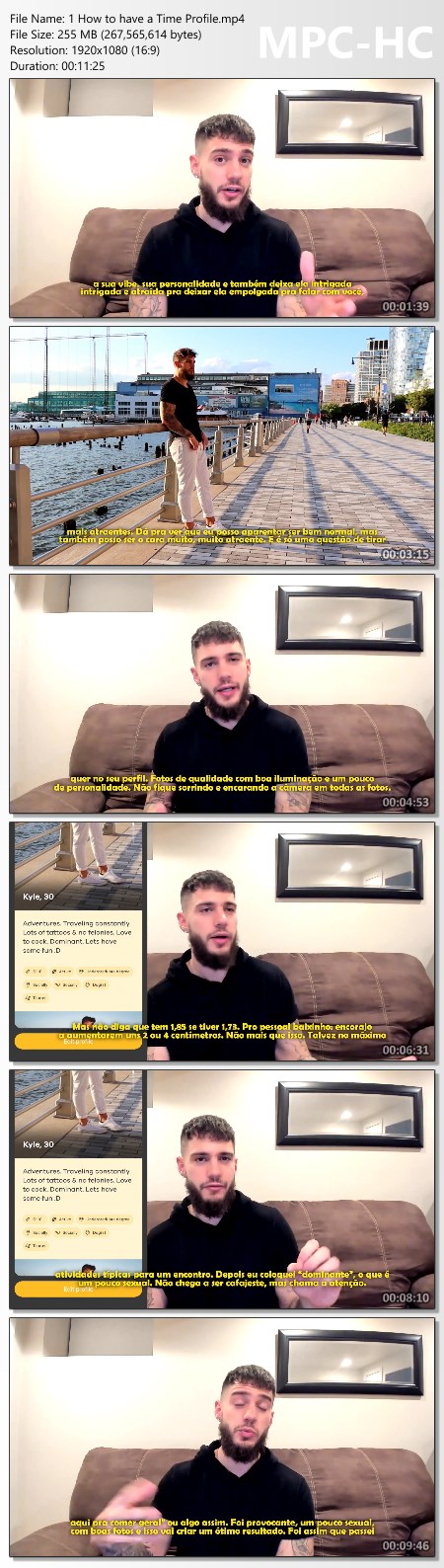
Screenshots
7b64bb992283474faa2e0d76ff0482b4.jpg


Link Download
Extract files with WinRar 5 or Latest !
 
ec17ac70-563b-4031-9055-c1426bf86c76.png

Intermediate Cello Course S.Lee Melodic Etudes Op.31No.1-6
MP4 | Video: h264, 1280x720 | Audio: AAC, 44.1 KHz, 2 Ch
Genre: eLearning | Language: English + srt | Duration: 30 lectures (3h 38m) | Size: 4.71 GB

Improve your technique and performance skills with creator of famous "Cellopedia"
What you'll learn
How to play easy cello music
Requirements
No requirements
Description
Have you already learned all basic cello skills and looking for new music to boost your level? Have you played enough of repetitive exercises and looking for more exciting music to work with? This cello course is made with you in mind!
I know that you are busy with so many things to take care of. Although I do not promise for you to be able to play cello well after 1 hour or one day, I will teach you how to achieve good progress while having limited time to practice. We will not be learning to play cello by studying music theory and sitting by the computer. We will do it by trying to play as much as possible.
You will get 6 complete tutorials how to play the etudes 1 to 6 from Sebastian Lee's Melodic and Progressive Exercises Op.31 Book 1. While working on these melodic etudes, you will improve your rhythm, get better understanding of bow distribution, get used to paying attention to breathing to improve your sound quality, start playing staccato, get more creative understanding different moods of each piece and much more!
This course consist of the following parts
The etude no. 1 - Developing of the broad style of bowing.
The etude no. 2 - Exercise on the legato. Bow distribution and string crossings.
The etude no. 3 - Melodic exercise. Flats. Extensions.
The etude no. 4 - Scherzo. Staccato technique.
The etude no. 5 - Exercise on the legato. Advanced bow distribution.
The etude no. 6 - Melodic exercise. Introduction to breathing technique. Double sharp.
Who this course is for
Beginner students of all ages
Homepage


5f8fae04-0d16-4b54-82fc-fe462cf65ae5.png

Learn Basics of Beckhoff TwinCat3 PLC in 1.5 Hours
MP4 | Video: h264, 1280x720 | Audio: AAC, 44.1 KHz, 2 Ch
Genre: eLearning | Language: English + srt | Duration: 17 lectures (1h 23m) | Size: 613.9 MB

Beckhoff PLC Programming in TwinCat3 Software
What you'll learn
To understand how a Programmable Logic Controller (PLC) works
Pass a technical PLC interview
Understand how to program a PLC
Learn Ladder Logic Programming
Industrial Automation
TwinCat3 programming interface
Requirements
Basic Electrical Hardware Understanding
Electrical, Electronics, Mechatronics and Telecom Engineers
Description
This is a comprehensive course for learning the basic level programing of Beckhoff PLC in TwinCat3 software. You will learn the logic designing of TwinCat3 from scratch in a short period. No hardware equipment will be required to follow the course you will just have to install TwinCat3 software on you PC and you can do it. Fundamental programming of TwinCat3 will be covered step by step through video lectures and assignments.
Course Outline
1- Introduction to Course
2- Introduction to Relay Logic
3- Introduction to Beckhoff PLC
· PLC Communication Protocols
· Inputs, Outputs
· PLC Wiring
· Sink Source
· NPN & PNP Sensors
4- Download and Install TwinCat3 Software
5- Basics of TwinCAT3 Software
· Creation of New Project
· Selection of Device
· Software Interface
· Device Configuration
· Tool Box of Software
· Programming Blocks
· Tag Creation and Data types
6- Software communication with Simulator/PLC
· Simulator Setup
· Load Program in Simulator
· Monitor the Program Online
· Ethernet Communication
· Load the Program to PLC
7- Basic Parameters
· Normally Open Contact
· Normally Close Contact
· Output Coil
· Interlocking of Motors
8- Branches and Rungs
9- Digital and Ladder Logic
· Basics of Digital Logic Design
· Series AND Operation
· Parallel OR Operation
· Truth Tables
· Digital Logic to Ladder Logic Conversion
· Assignment 1
10- Latching
· Latch and Unlatch an Output
· Set and Reset an Output
11- Timers
· On Delay Timer
o Enable of Timer
o Specifying the Duration of Time
· Resetting a Timer
· Off-Delay Timer
· Retentive On-Delay Timer
· Assignment 2
12- Counters
· Up Counter
o Resetting a Counter
· Down Counter
· Up-Down-Counters
· Assignment 3
13- Extended Instructions
· Rising Edge
· Falling Edge
· Positive Edge Trigger
· Negative Edge Trigger
· Assignment 4
14- Move and Conversion Command
· Moving Operands
· Moving Constants
· Conversion of One Data Type to an Other
15- Comparator operations
· Equal (=)
· Less Than (>)
· Greater Than (<)
· Less Than or Equal (>=)
· Greater Than or Equal (<=)
16- Arithmetic Operations
· Addition
· Subtraction
· Multiplication
· Division
· Assignment 5
17- Basics of HMI
· HMI Introduction
· Creating a New Project for HMI Design
· Functioning of HMI with Ladder Logic
18- Assignments
· Two Way Traffic Signals Control
· Color Mixing Scheme
· Chemical Processing Unit
______________________________________________________________________________________________________________________________________
all about twincat, beckhoff plc programming, how to create new project in twincat software, how to use math operations in twincat, how to add subroutine in twincat, how to use comparators in twincat, how to use timers in twincat, how to use counters in twincat, twincat hmi programming, how to build an hmi in twincat,
Who this course is for
Anyone interested in learning how an industrial process works automatically
Production, Maintenance & Electrical Technicians
Electrical, Electronics, Mechatronics and Telecom Engineers
Homepage


2eb76477-7cf8-46ac-bcff-d7e5ee1785b7.png

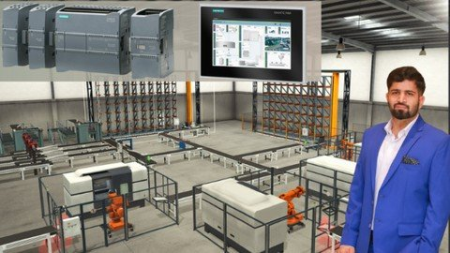
Learn Basics of S7-1200 PLC & HMI using Tia Portal in 3 hour
Genre: eLearning | MP4 | Video: h264, 1280x720 | Audio: AAC, 44.1 KHz
Language: English | Size: 1.45 GB | Duration: 2h 49m
Ladder Logic Programming of Siemens PLC and HMI using TIA Portal V15

What you'll learn
To understand how a Programmable Logic Controller (PLC) works
Pass a technical PLC interview
Understand how to program a PLC
Learn Ladder Logic Programming
Industrial Automation
TIA Portal programming interface
Requirements
Basic Electrical Hardware Understanding
PLC Software (Included in the Course)
Description
This is a comprehensive course for learning the basic level programing of Siemens S7 1200/1500 PLC in TIA Portal V15 software. You will learn the logic designing of TIA Portal from scratch in a short period. No hardware equipment will be required to follow the course you will just have to install TIA Portal V15 software on you PC and you can do it. Fundamental programming of TIA Portal will be covered step by step including the video lectures, assignments and solved examples.
Couse Outline
1. Introduction of Ladder Logic
o Basics of Relay Logic (How Relay Works)
2. PLC Wiring
o Inputs, Outputs
o Power Supply
o Sink Source
o Ethernet Communication
o NPN & PNP Sensors
3. Download and Install the TIA Portal V15
4. Basics of TIA Portal Software and Communication with PLC
o How to Create a New Project
o Selection of Device
o Device Configuration
o Programming Blocks
o How to Create Tags (Data Types)
o TIA communication with Simulator/PLC
· How to Monitor the Program Online
· How to Load Program in Simulator
· How to Build Ethernet Connection with PLC and Load Program
5. Data Types for Siemens
6. Branches and Rungs
o Rungs
o Series and Parallel Connections
o How to Name a Network
7. Basic Parameters
o Normally Open Contact
o Normally Close Contact
o Output Coil
o Series-AND Logic
o Parallel-OR Logic
o Parallel-NAND Logic
o Series-NOR Logic
o Interlocking of Motors
o Assignment_1
8. Logic Gates
o Basics of Digital Logic Design
o Truth Tables
o Digital Logic to Ladder Logic
9. Latching
o Latch and Unlatch an Output
o Set and Reset an Output
10. Extended Instructions
o Clock Cycle of PLC
o Positive Pulse/Rising Edge
o Negative Pulse/Falling Edge
o Positive edge trigger
o Negative edge trigger
o Setting an Output with Pulse
o Assignment_2
11. Timers
o On Delay Timer
• Enable of Timer
• Specifying the Duration of Time
• Resetting a Timer
o Off-Delay Timer
o Retentive On-Delay Timer
o Assignment_4
o Pulse Timer / TP Timer
o Generating a Pulse of Specific Time Interval
o Assignment_3
12. Counters
o Up Counter
• Resetting a Counter
o Down Counter
o Up-Down-Counters
o Assignment_5
13. MOVE Command
o Moving Operands
o Moving Constants
14. Comparator operations
o Equal (=)
o Less Than (>)
o Greater Than (<)
15. Arithmetic Operations
o Addition
o Subtraction
o Multiplication
o Division
o Assignment_6
16. Conversion Operations
17. Designing of Complex Systems using Ladder Logic
o Assignment (Chemical Processing Unit)
18. Basics of HMI
19. Problem solving approach
o Assignment (Sunrise and Sunset)
20. Examples
o Fire Detection System
o Coffee Machine
21. Assignments
o Traffic Signals Control
o Color Mixing Scheme
all about tia portal,
tia portal programming,
basics of tia portal software,
how to use timers in tia portal,
how to use counters in tia portal,
how to use move command in tia portal,
how to use comparators in in tia portal,
how to use math operators in tia portal,
how to define tags in tia portal,
what is interlocking,
what is ladder logic,
siemens hmi,
what is a pulse timer in tia portal,
learn tia portal in short time,
siemens plc wiring,
data types in tia portal,
how to define registers in tia portal,
normally open and normally close contacts in tia portal,
how to use output coil in in tia portal,
positive pulse and negative pulse operands in in tia portal,
rising edge and falling edge operands in in tia portal,
arithmatic operators in tia portal,
how to do latching in tia portal,
how to use set and reset command in tia portal,
Who this course is for
Anyone interested in learning how an industrial process works automatically
Electrical, Electronics, Mechatronics and Telecom Engineers
Production, Maintenance & Electrical Technicians
Screenshots







 
fb46db1b-9029-4e48-83bb-a82518fbe161.png

Learn Python from a University Professor
MP4 | Video: h264, 1280x720 | Audio: AAC, 44.1 KHz, 2 Ch
Genre: eLearning | Language: English + srt | Duration: 38 lectures (9h 3m) | Size: 9.8 GB

Prof. Rafael Ubal brings his methods and tools from his 10+ years of experience teaching in prestigious universities
What you'll learn
Write simple Python programs that read from the keyboard and write text into a console
Write more complex programs with conditional execution and repetition structures
Improve code reusability through the use of functions and recursion
Improve code efficiency through the choice of ppropriate data structures (tuples, lists, dictionaries)
Apply the principles of object-oriented programming
Requirements
This course requires no background or programming experience. It is an interactive, hands-on, and self-contained course.
Description
a high school student ahead of the game, a college student in search of additional support, a recent graduate preparing for a technical interview, an active professional seeking to expand your skill set, or just an amateur techie, this course is your ideal first exposure to the world of Python programming.
In this course, I've selected the most relevant topics to quickly get you started with Python. We'll start with the basics: interaction with the user, arithmetic computations, conditional execution, loops, and functions. And we'll also delve into more advanced topics: lists, tuples, dictionaries, file operations, and object-oriented programming. But most importantly: I'll help you develop a programmer mindset by training your algorithmic thinking - an essential still that will help you quickly learn new programming languages in the future if you need to.
In most lessons of this course, I'll be proposing interactive programming exercises, where I'll ask you to pause the video and work on it, as I later guide through a step-by-step solution. You'll work with a web-based code editor, where you'll be able to write and test your programs, without installing any third-party software in your system; all you need is your web browser.
Who this course is for
Beginnger tech enthusiasts curious about the world of computer programming
Homepage


0ba7bb43-8391-422f-8306-6cfd552f66a2.png

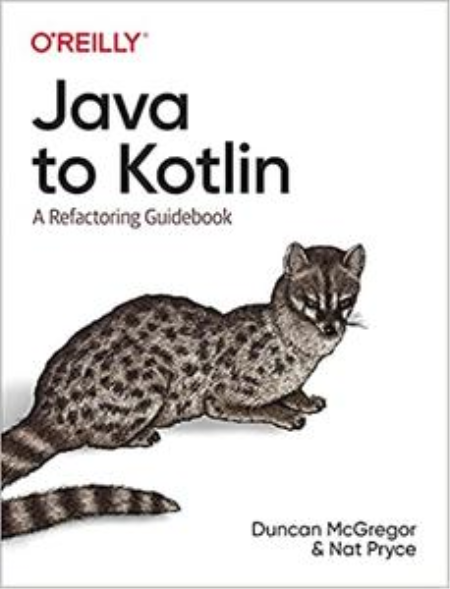
Oreilly - Java to Kotlin
MP4 | Video: h264, 1280x720 | Audio: AAC, 44.1 KHz, 2 Ch
Genre: eLearning | Language: English + srt | Duration: 4 Lessons (2h 50m) | Size: 2 GB

The Gilded Rose is a classic refactoring kata, available in many languages at. In this video series we start with the Java version and show how to migrate it to Kotlin as well as refactoring the procedural code into both object-oriented and functional styles.The rules of the exercise are here.
Part 1 takes the procedural Java code and ends with a nice OO solution, using inheritance to represent the different types of item. Part 2 replaces the inheritance with composition, getting perhaps closer to the heart of the domain. Part 3 removes the mutation inherent in the procedural code to give a nice functional solution. Part 4 is a bonus refactoring, starting from the beginning to see how far the update code can be improved while making no changes to any other files.
The code is available at

Screenshots


fb46db1b-9029-4e48-83bb-a82518fbe161.png

Python for Neuroscience, level 1
MP4 | Video: h264, 1280x720 | Audio: AAC, 44.1 KHz, 2 Ch
Genre: eLearning | Language: English + srt | Duration: 14 lectures (1h 59m) | Size: 839.2 MB

Modeling a neuron with python
What you'll learn
Use Python to understand a multiarray neuronal dataset
Use Python to understand the neuronal spiking distribution
Take advantage of Python to make graphics
Know the principles of Modelling Neurons with Python
Requirements
It is important that you know the basics of Python. This is an intermediate course. Also you should have taken at least one undergraduate course in neuroscience.
Description
This course is an introduction to python for neuroscience and it is based on the Neuromatch academy content. You will learn the basics of python. After this, you will know how to study a neuron dataset with python, make raster plots, obtaining the inter-spike interval distribution. We briefly study functions to approximate this distribution. We will use a popular dataset known as Steinmetz, which consists of multi-arrays electrodes of several regions of the mouse brain. As a core part of this course, you will learn how to model the electrical activity of a neuron´s membrane. We apply simple math operations and Ohm´s Law to achieve this goal. Also, several ways of improving the model are shown. Furthermore, we will use an analogy with electronics in order to achieve this goal.
Finally, you will learn to perturb the model in order to study the effects of noise and direct current. All the lectures are walked through using google collaboratory, so it is not necessary to install anything. The scripts are shared at the end of each section.
The basics of python are covered in the first lecture. However, it is not intended for beginners. New courses are coming in order to continue the study of neurons with python.
Who this course is for
People interested in doing graduated studies in Neuroscience and need to know how to handle neuronal datasets
Workers looking for tools to improve their research skills
People looking to improve their programming skills in Neuroscience
Homepage


Zurück
Oben Unten