• Regeln für den Video-Bereich:

    In den Börsenbereich gehören nur Angebote die bereits den Allgemeinen Regeln entsprechen.

    Einteilung

    - Folgende Formate gehören in die angegeben Bereiche:
    - Filme: Encodierte Filme von BluRay, DVD, R5, TV, Screener sowie Telesyncs im Format DivX, XviD und x264.
    - DVD: Filme im Format DVD5, DVD9 und HD2DVD.
    - HD: Encodierte Filme mit der Auflösung 720p oder darüber von BluRay, DVD, R5, TV, Screener sowie Telesyncs im Format x264.
    - 3D: Encodierte Filme von BluRay, die in einem 3D Format vorliegen. Dies gilt auch für Dokus, Animation usw.
    - Serien: Cartoon/Zeichentrick, Anime, Tutorials, Dokumentationen, Konzerte/Musik, Sonstiges sind demnach in die entsprechenden Bereiche einzuordnen, auch wenn sie beispielsweise im High Definition-Format oder als DVD5/DVD9/HD2DVD vorliegen. Ausnahme 3D.
    - Bereich Englisch: Englische Releases gehören immer in diesen Bereich.
    - Bereich Talk: Der Bereich, in dem über die Releases diskutiert werden kann, darf, soll und erwünscht ist.


    Angebot/Beitrag erstellen

    - Ein Beitrag darf erst dann erstellt werden, wenn der Upload bei mindestens einem OCH komplett ist. Platzhalter sind untersagt.
    - Bei einem Scenerelease hat der Threadtitel ausschließlich aus dem originalen, unveränderten Releasenamen zu bestehen. Es dürfen keine Veränderungen wie z.B. Sterne, kleine Buchstaben o.ä. vorgenommen werden. Ausnahme Serienbörse:
    - Bei einem Sammelthread für eine Staffel entfällt aus dem Releasename natürlich der Name der Folge. Beispiel: Die Simpsons S21 German DVDRip XviD - ITG
    - Dementsprechend sind also u.a. verboten: Erweiterungen wie "Tipp", "empfehlenswert", "only", "reup", usw. / jegliche andere Zusatzinformation oder Ergänzung, welche nicht in obiger Beschreibung zu finden ist.

    Aufbau des Angebots und Threadtitel

    Der Titel nach folgendem Muster erstellt zu werden. <Name> [3D] [Staffel] [German] <Jahr> <Tonspur> [DL] [Auflösung] <Quelle> <Codec> - <Group>
    Beispiel: The Dark Knight German 2008 AC3 DVDRip XviD - iND
    Beispiel: The Dark Knight 2008 DTS DL BDRip x264 - iND
    Beispiel: The Dark Knight 2008 AC3 DL BDRip XviD - iND
    Beispiel: The Dark Knight German 2008 AC3 720p BluRay x264 iND
    Beispiel: The Dark Knight 2008 DTS DL 1080p BluRay x264 iND
    Beispiel: Die Simpsons S01 German AC3 DVDRip XviD iND
    Beispiel: Die Simpsons S20 German AC3 720p BluRay x264 iND
    Beispiel: Sword Art Online II Ger Sub 2014 AAC 1080p WEBRip x264 - peppermint
    Entsprechend sind also u.a. verboten: Sonderzeichen wie Klammern, Sterne, Ausrufezeichen, Unterstriche, Anführungszeichen / Erweiterungen wie "Tipp", "empfehlenswert", "only", "reup", usw. / jegliche andere Zusatzinformation oder Ergänzung, welche nicht in obiger Beschreibung zu finden ist
    Ausnahmen hiervon können in den Bereichen geregelt sein.

    Die Beiträge sollen wie folgt aufgebaut werden:
    Überschrift entspricht dem Threadtitel
    Cover
    kurze Inhaltsbeschreibung
    Format, Größe, Dauer sind gut lesbar für Downloader außerhalb des Spoilers zu vermerken
    Nfo sind immer Anzugeben und selbige immer im Spoiler in Textform.
    Sind keine Nfo vorhanden z.B. Eigenpublikationen, sind im Spoiler folgende Dateiinformationen zusätzlich anzugeben :
    Quelle
    Video (Auflösung und Bitrate)
    Ton (Sprache, Format und Bitrate der einzelnen Spuren)
    Untertitel (sofern vorhanden)
    Hosterangabe in Textform außerhalb eines Spoiler mit allen enthaltenen Hostern.
    Bei SD kann auf diese zusätzlichen Dateiinformationen verzichtet werden.

    Alle benötigten Passwörter sind, sofern vorhanden, in Textform im Angebot anzugeben.
    Spoiler im Spoiler mit Kommentaren :"Schon Bedankt?" sind unerwünscht.


    Releases

    - Sind Retail-Release verfügbar, sind alle anderen Variationen untersagt. Ausnahmen: Alle deutschen Retail-Release sind CUT, in diesem Fall sind dubbed UNCUT-Release zulässig.
    - Im Serien-Bereich gilt speziell: Wenn ein Retail vor Abschluss einer laufenden Staffel erscheint, darf diese Staffel noch zu Ende gebracht werden.62
    - Gleiche Releases sind unbedingt zusammenzufassen. Das bedeutet, es ist zwingend erforderlich, vor dem Erstellen eines Themas per Suchfunktion zu überprüfen, ob bereits ein Beitrag mit demselben Release besteht. Ist dies der Fall, ist der bereits vorhandene Beitrag zu verwenden.
    - P2P und Scene Releases dürfen nicht verändert oder gar unter einem iND Tag eingestellt werden.


    Support, Diskussionen und Suche

    - Supportanfragen sind entweder per PN oder im Bereich Talk zu stellen.
    - Diskussionen und Bewertungen sind im Talk Bereich zu führen. Fragen an die Uploader haben ausschließlich via PN zu erfolgen, und sind in den Angeboten untersagt.
    - Anfragen zu Upload-Wünschen sind nur im Bereich Suche Video erlaubt. Antworten dürfen nur auf Angebote von MyBoerse.bz verlinkt werden.


    Verbote

    - Untersagt sind mehrere Formate in einem einzigen Angebotsthread, wie beispielsweise das gleichzeitige Anbieten von DivX/XviD, 720p und 1080p in einem Thread. Pro Format, Release und Auflösung ist ein eigener Thread zu eröffnen.
    - Grundsätzlich ebenso verboten sind Dupes. Uploader haben sich an geeigneter Stelle darüber zu informieren, ob es sich bei einem Release um ein Dupe handelt.
    - Gefakte, nur teilweise lauffähige oder unvollständige Angebote sind untersagt. Dies gilt auch für eigene Publikationen, die augenscheinlich nicht selbst von z.B. einer DVD gerippt wurden. Laufende Serien, bei denen noch nicht alle Folgen verfügbar sind, dürfen erstellt und regelmäßig geupdatet werden.
    - Untersagt sind Angebote, welche nur und ausschließlich in einer anderen Sprache als deutsch oder englisch vorliegen. Ausnahmen sind VORHER mit den Moderatoren zu klären.


    Verstoß gegen die Regeln

    - Angebote oder Beiträge, die gegen die Forenregeln verstoßen, sind über den "Melden"-Button im Beitrag zu melden.
  • Bitte registriere dich zunächst um Beiträge zu verfassen und externe Links aufzurufen.

*** Bestes IPTV *** bester Preis *** gratis Test ***


Englische Tutorials

74381ba7-1dce-4136-b08d-ae64a4dcf304.png

Python Scripting for beginners
Instructors: Bluelime Learning Solutions
4 sections • 20 lectures • 1h 58m total length
Video: MP4 1280x720 44 KHz | English + Sub
Updated 3/2022 | Size: 556 MB​

Automate various task with Python Scripting
What you'll learn
Setup Python Development Environment
Use Python Script to read and write to CSV files
Use Python Script to read and manipulate PDF files
Automate the sending of emails with Python Script
Automate the notification of birthday reminders with Python Script
Requirements
Basic knowledge of Python advised
Description
Python is a multi-domain, interpreted programming language. It is a widely used general-purpose, high-level programming language. It is often used as a scripting language because of its forgiving syntax and compatibility with a wide variety of different eco-systems. Its flexible syntax enables developers to write short scripts while at the same time, they can use object-oriented concepts to develop very large projects.
A Python script is a collection of commands in a file designed to be executed like a program. The file can of course contain functions and import various modules, but the idea is that it will be run or executed from the command line or from within a Python interactive shell to perform a specific task.
Scripting is a very common practice among Python programmers. It's used for automation of daily tasks, reporting, server management, security, social media management, business growth and development, financial trading, automating software and many other intelligent solutions.
A script is used to automate certain tasks in a program. It can run by itself and it is less code intensive whereas modules in python is referred as a library which can not run by its own. It needs to get imported in order to use it .
Who this course is for
Beginner Python Programmers
Screenshots


194c4727-f23f-4e09-a77e-875ab2921714.png

RPA - Complete UiPath Web Scraping Bootcamp with 6 projects
Genre: eLearning | MP4 | Video: h264, 1280x720 | Audio: AAC, 44.1 KHz
Language: English | Size: 4.36 GB | Duration: 6h 43m
Become an expert RPA developer who knows how to extract data from various web user interfaces

What you'll learn
Students already familiar with UiPath will learn how to work efficiently with web interfaces
New RPA developers will become more comfortable creating automations on the user interface level
Developers will master UiPath automation activities targeting web/browser based User Interfaces
Students will learn new techniques required for RPA development but not required for other programming platforms
Requirements
Have UiPath installed on your VM
Basic familiarity with UiPath Studio
Description
This course assumes you are familiar with UiPath. It focuses on the various skills you need to build as an RPA developer be able to automate web applications efficiently. Automating user interfaces requires a different mindset when compared to developing traditional web or desktop application development. UiPath is one of the most complete RPA solutions in the market. Customers demand a lot from it. As a developer this course will help you make the best use of it in your programs. The course will discuss various techniques that will help you automate various web user interfaces to deliver efficient and maintainable solutions.
Before I started learning RPA, I had more than ten years of experience as a software developer. Although, the UiPath tool looked simple when I first started using it. I discovered it is more sophisticated and complex as I started developing more applications. I am sharing my knowledge with you here and I hope it will help you become a great RPA developer. The course is full of examples to help you understand different concepts. I made it as complete as possible so that it can help you master the tool.
This is a hands-on course. You will get extensive practice with hands-on exercises and projects. So, make sure you try to code yourself as this is the only way to be a great developer.
Who this course is for
Anyone who want to learn RPA
RPA developers who want to upgrade their technical skills
RPA developers who want to upgrade their User Interface automation capabilities
Screenshots


07304d2b-ffa8-426a-b351-b4c451388600.png

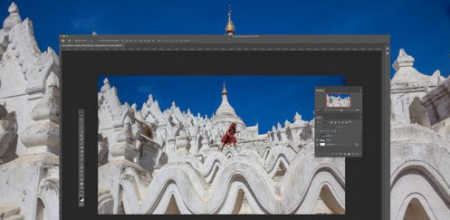
Retouching Images in Adobe Photoshop
Instructors: Ben Willmore
Duration: 1h • 7 Lessons
Video: MP4 1280x720 44 KHz | English
Size: 292 MB​

Retouch Undesirable Elements With Ease
AFTER THIS CLASS YOU'LL BE ABLE TO
Work non-destructively so any change you make is easily undoable in the future
Use the content of multiple documents
Determine why Content-Aware Fill often produces disappointing results
Understand the fundamental differences between Clone Stamp, Healing Brush and Spot Healing Brush
Formulate an effective strategy for comingling tools when a single tool cannot tackle a problem
WHO THIS CLASS IS FOR
Beginner, intermediate, and advanced users of Adobe Photoshop.
Those who want to gain confidence in Adobe Photoshop and learn new features to help edit photos.
Students who'd like to take ordinary images and make them look extraordinary with some image editing or Photoshop fixes.
SOFTWARE USED
Adobe Photoshop 2020 (V21)
Screenshots


368cd3d6-05fb-4edb-a811-26743fd98129.png

Secret Trading Strategies - Crash Course ( 2022 )
MP4 | Video: h264, 1280x720 | Audio: AAC, 44.1 KHz, 2 Ch
Genre: eLearning | Language: English + srt | Duration: 17 lectures (1h 48m) | Size: 1.4 GB

Investment Strategies , Swing Trading Strategies, Scalping/Day Trading Strategies & Breakout Strategies
What you'll learn
Introduction to trading strategies
Which Trading strategies suits according to time availability
Types of trading strategies
5 Scalping/ day trading strategies
5 Swing trading strategies
5 Investment strategies
Multiple Breakout Strategies
Portfolio Diversifications in according to coins Types
Risk Management
Exit and entry before the crash and pump respectively
Predict Bitcoin top and bottom
Trading by Combination of price action, trend and charts
Requirements
Passion and Enthusiasm for Learning
A FREE TradingView Account for Analysis
Basic Understanding of crypto and how it works
Basic Understanding of how to open orders and trades
Description
-----------This course is only about trading strategies-------------
Introduction
Most of the cryptocurrencies related courses on different online platform are not actually covering the 100% about trading strategies. Mostly they online focus on basic technical analysis, cryptocurrencies and blockchain basics. They don't cover the specific topics like how to do investment decision, where to take entry exit, How to do day trading and swing trading where to put stop loss and maximize profits.
Welcome to the secret trading strategies crash course. In this course I will only focus on trading strategies. I will not go through the basics of cryptocurrencies.
This course will be having 4 parts;
In this first chapter we are going to cover fully about investment strategies of dollar cost averaging strategies for the crypto market. Where to enter and where to exit in altcoins, and bitcoins in a safest way and how to predict the bottom and top of the bitcoin cycle and its correlation with the altcoins. We will also discuss how to maximize your gains in seasonal cycle of the bitcoin by taking profit at the right time.
Afterword's, in the second chapter, we will focus on the swing trading strategies and how to take an entry and where to take profit based on swing trading with risk management setups.
In the third part of the course, we will focus on scalping and day trading strategies. I am gonna cover how to catch the short swing of the market by using different financial market concepts.
And in the final module or chapter we will go through with the breakout strategies and how it works. We will deeply dip into the breakout trading. We will focus on how to combine the price action with candlestick and trends and how to trade this combination effectively.
What You Will Learn
Types of trading strategies
Which Trading setup you should use according to time availability
5 Scalping/ day trading strategies
5 Swing trading strategies
5 Investment strategies
Multiple Breakout strategies
Trading by Combination of price action, trend and charts
Risk Management
How and where to put stop loss and take profit
Predict Bitcoin top and bottom
Exit and entry before the crash and pump respectively
Portfolio Diversifications in according to coins Types
And many more......
Requirement
Passion and Enthusiasm for Learning
A Free TradingView Account for Analysis
Basic Understanding of crypto and how it works
Basic Understanding of how to open orders and trades
Who this course is for
Anyone who wants to learn Scalping or day trading
Anyone who wants to learn swing trading strategies
Anyone who wants to learn investment strategies
Anyone who wants to learn about risk management
Anyone who wants to don't have an idea of trading and its principle
Anyone who wants to learn how to use trading strategies
Anyone who wants to learn about entry and exit strategy
Anyone who wants to maximize profits by trading crypto
Anyone who wants to learn how to predict the bitcoin bottom and top
Anyone who wants to learn when to invest in crypto market
Any many more
Homepage


f495829a-dae9-4ec1-80af-74dce50cd38e.png

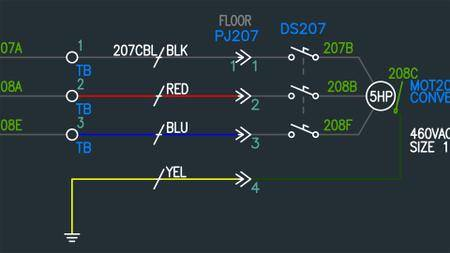
The AutoCAD Electrical 2021/2022 Complete Course
MP4 | Video: h264, 1280x720 | Audio: AAC, 44.1 KHz, 2 Ch
Genre: eLearning | Language: English + srt | Duration: 55 lectures (5h 59m) | Size: 3.8 GB

Complete course for learning AutoCAD electrical 2022 quickly & professionally
What you'll learn
Feel comfortable using AutoCAD Electrical software to create professional electrical control drawings.
New features of AutoCAD 2021 and 2022 version.
You will be able to start earning money from your AutoCAD Skills.
Benefits of Electrical Drafting.
Navigate AutoCAD 2021 like a pro.
Editing & modifying commands.
Lighting Layout Steps.
Basics of Electrical Wiring.
Power Wiring Layout.
Make print of a created drawings.
Guidance Steps for Electrical Designing.
Requirements
No prior knowledge of AutoCAD is required.
Basic knowledge of windows operating system.
Passion to learning.
Description
This is the only course you will ever need to learn AutoCAD Electrical right from scratch.
Designed to assist the engineering students and the practicing designers and covers a wide range of tools
and features such as schematic drawings.
Also circuit Builder, panel drawings, parametric and non-parametric PLC modules,
stand-alone PLC I/O points, ladder diagrams, point-to-point wiring diagrams,
report generation and creation of symbols.
After completion of this course you will be able to create electrical drawings easily and effectively.
A beginner can start learning the software right from scratch by following the course along.
The course lessons are mostly project oriented and most of the tools and commands are taught with their real-world applications.
Here is an overview of what you can expect to learn.
Detailed explanation of all AutoCAD Electrical commands and tools.
Step-by-step instructions to guide the users through the learning process.
Practice Test.
Complete course consisting of video lectures that are organized in a pedagogical sequence.
You'll be able to take on bigger projects for more money.
Certificate of Completion.
This course has lifetime access so you can come back and watch the videos at anytime you want!
I will show you how to do everything from scratch!
Believe to Yourself and enroll now!!
Who this course is for
Electrical Designers & Operators.
Site Engineers & Technicians.
AutoCAD Electrical users who want to level up their skills.
Beginners who have never used AutoCAD Electrical before.
Homepage


7c8c7120-cdbb-4dda-9a14-4e9f94ea633e.png

The Complete Mixing Course: Modern Vocal Mixing Techniques
MP4 | Video: h264, 1280x720 | Audio: AAC, 44.1 KHz, 2 Ch
Genre: eLearning | Language: English + srt | Duration: 6 lectures (2h 23m) | Size: 1.94 GB

Industry mixing secrets exposed by 2x GRAMMY Nominated Mix Engineer using step-by-step modern mixing method
What you'll learn
Learn how to Mix a song using modern professional mixing techniques
How to Make a beat or vocal tracks go from boring to head-banging great sounding mixes
Make mixes that sound great on all speakers such as iPhone, Laptops, cars...etc
Learn how to Master your Mixes and make them streaming-ready for release
Learn how to apply effects such as Compression, EQ, and Reverb to create better sounding mixes
By the end of this course, you'll learn the essentials of Mixing and Mastering
Requirements
Basic understanding of the music production process
Students should have access to any digital audio production platform - either Ableton Live, Pro Tools, FL Studio, Logic, Reaper, etc. any will work.
Description
Mixing is amongst the most challenging jobs a producer faces.
Getting the best possible sound out of a mix or song is such an important and vital part of what we do, and it's something that can make or break you as a producer.
Trash Mixes Kill Music Careers Faster Than A Bullet.
There are 10,000 stories about how a producers or an artists missed out on a record deals, music gig, TV placements simply because the mix was trash and poor audio quality. I know because it happened to me too. And believe it or not. If you are reading this, it is happening to you too. Most of the time, if you don't get that call back from the Major labels - this is one of the many reasons.
Have You Tried These Solutions?
Brought more expensive audio equipment: mixing console, audio interface, new microphones, plugins, acoustics pads, analog summing
Watched 100 hours Youtube mixing videos
Hired mix engineers - (too expensive)
Bought mixing templates and presets
Bought audio mixing courses - maybe
So Did I..but they didn't work for me either.
Let me tell why this course is different.
I created my mixing method out of frustration because I couldn't find any helpful info out there that could match my level of music taste. Every technique you will learn are combination of gems i picked from industry mixer legends and plus my own audio discoveries.
Why I am Qualified to teach you
I am a 2X Grammy Nominated Producer & Mix Engineer with 20+ years of experience. My work has been featured on MTV, FOX, BET, E! Network, STARS and,.etc. I have worked with major label artists like Beyonce, Rihanna, T-Pain, Ray J, Adanna (American Idol), Paige Miles(American Idol), Serayah (aka Tiana of Empire Show ) and other countless artists in between.
But all of that doesn't really matter to me, honestly. I'm more concerned about you. How I can pass on my knowledge and years of experience onto the next generation music producers and mix engineers. #legacy.
TOPICS COVERED
The EQ as the Scalpel of Mixing
Creating Definition with EQ
The High Pass Filter Trick
Negotiating the Kick and Bass in the Mix
Creating Space with Delay Effects
Creating Space with Reverb Effects
Reverb Techniques for Vocals, Guitars, and Drums
Delay Techniques for Vocals, Guitars, and Drums
Compressors
Parallel Compression
Compression Techniques for Vocals, Guitars, and Drums
Balancing / Levels
Panning
How to use Corrective and Creative EQ
How to use Compression, including Sidechain Compression
How to use Reverb and set up sends and buses
How to Creatively use Reverb
Case Studies and Examples of Mixes
Learn how to effectively Mix Music using only Built-in Stock Plugins in Logic Pro X
Use Creative Effects
EQing when Mastering
Compression in Mastering
Stereo Widening
How to use Saturation and Analog Style for Mastering
Limiting, Metering, and Exporting
Testimonials
"I've watched a dozen vocal mixing tutorials, but the "Mixing Vocals to a Mastered Beat" from NøBS Mixing was the most informative, with just the right blend of mixing mindset and technical application. Excellent job!"
Damien Brown - Rapper
"I wanted to properly express my gratitude for your guidance and mentorship. You guided my mixing and pushed me to explore deeper aspects of audio mixing. You have such a talent for teaching and mentorship. I am so fortunate to have the opportunity to work with you."
Ruben Campbell - Audio Engineer
Bunmi, your masterclass was dope. I sincerely appreciate all the energy & feedback you devoted to giving me throughout the 6-weeks on my mixes and production. It was nice to get a sustained practice in place. A lot of what you've taught me often echoes through my head. Thank you"
Milton Lee - Producer & Audio Engineer
Who this course is for
You are a music producer, songwriter, or anyone recording and creating music with any DAW
You know how to create songs, but you want to learn the essentials of Mixing
You struggle with mixing and want to get better at it.
You make beats or write songs but your mixes sound bad, weak, muddy, thin and distorted.
Anyone who wants to learn professional mixing and mastering
Homepage


b332a87a-a280-4d3f-bf8e-ae28cf0ce7f8.png

The Minute Scalper
MP4 | Video: h264, 1280x720 | Audio: AAC, 44.1 KHz, 2 Ch
Genre: eLearning | Language: English + srt | Duration: 13 lectures (43m) | Size: 448.4 MB

Confidence in Trading
What you'll learn
Build a solid trading plan.
How to maximise your profits while managing risk.
How to trade break outs from support and resistance zones.
How to take advantage of the market with only support and resistance zones.
How to identify clean ranges to trade in.
Master two solid trading strategies that can be used on a daily basis.
Become financially free through trading on the Forex market.
How to identify zones using top-down analyses.
Requirements
Basic knowledge of the Forex market.
Description
By joining this course, you are taking your first step towards financial freedom. The Minute Scalper Trading course will enable you to make daily profits on a consistent basis while managing your risk accordingly. This course is structured into sections that will focus on teaching the most important trading concepts needed to providing you with two successful and fine-tuned trading strategies. The first section will introduce you to support and resistance levels and adjusting them using a top-down analyses approach as well identifying possible fake outs and the importance of waiting for bars to close. In section two and three we have a look at the strategies you will use to benefit from the financial markets. These two sections will identify what to look out for, how to enter and exit the trade as well as placing stop loss levels correctly to stay in the trade while managing risk accordingly and placing take profit levels to maximise your wins. In the last section an assignment has been created to test your understanding of the course and recap what you have learned. By the end of this course, you would have taken that next step towards becoming a respected trader in the trading community and enable yourself to benefit from the markets while using two profitable and fine-tuned strategies.
Who this course is for
This course is designed for beginner traders who wants to take advantage of the financial markets and make consistent profits on a daily basis. This course will show you how to become a profitable trader by only using two tested and fine-tuned scalping strategies.
By participating in this course, you are taking the first step towards financial freedom and enabling yourself to make profits on a daily basis.
Homepage


3809d898-a03e-49c0-b784-d82b2a16ccd4.png

Udemy - Python GUI for beginners
Instructors: Bluelime Learning Solutions
3 sections • 23 lectures • 1h 52m total length
Video: MP4 1280x720 44 KHz | English + Sub
Updated 3/2022 | Size: 588 MB​

Build Desktop Applications with Python
What you'll learn
Setup Python Development Environment
Create amazing GUIs with Python's built-in Tkinter module
Build a Currency Converter GUI App
Build a Music Player GUI App
Create and activate virtual environment
Create Python Modules
.
Requirements
Basic knowledge of Python
Description
Python is a multi-domain, interpreted programming language. It is a widely used general-purpose, high-level programming language. It is often used as a scripting language because of its forgiving syntax and compatibility with a wide variety of different eco-systems. Its flexible syntax enables developers to write short scripts while at the same time, they can use object-oriented concepts to develop very large projects.
Tkinter is the de facto way in Python to create Graphical User interfaces (GUIs) and is included in all standard Python Distributions. In fact, it's the only framework built into the Python standard library.
This Python framework provides an interface to the Tk toolkit and works as a thin object-oriented layer on top of Tk. The Tk toolkit is a cross-platform collection of 'graphical control elements', aka widgets, for building application interfaces.
Tkinter module provides Python users with a simple way to create GUI elements using the widgets found in the Tk toolkit. Tk widgets can be used to construct buttons, menus, data fields, etc. in a Python application. Once created, these graphical elements can be associated with or interact with features, functionality, methods, data or even other widgets.
Tkinter provides various controls, such as buttons, labels and text boxes used in a GUI application. These controls are commonly called widgets.
Who this course is for
Beginner Python Developers
Screenshots


th_6oHfzpY9mP88e7VjmvakEftoOZ3LK20C.jpg

Advanced Rust: Managing Projects
LinkedIn Learning
Duration: 1h 38m | .MP4 1280x720, 30 fps(r) | AAC, 48000 Hz, 2ch | 829 MB
Genre: eLearning | Language: English​

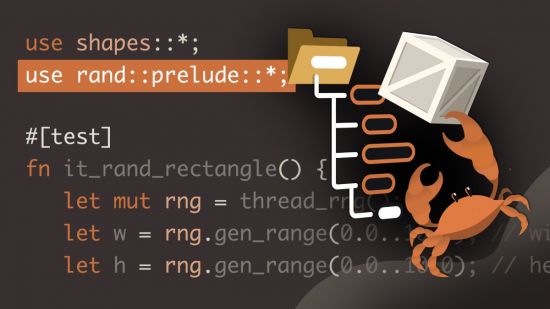
Are you looking for the next step to advance from the initial Rust essential training to manage growing Rust projects and writing automated test routines? In this course, instructor Barron Stone has exactly what you need. He explains how to manage projects using the Rust module system and explores topics such as using the "mod" keyword to define modules, navigating paths in Rust, and identifying parts of a program as public or private. Barron shows you how to automate tests, using test functions, assert! macros, custom failure messages, unit tests, integration tests, and more. This course can help you take the next step in your learning journey for mastering Rust.
Homepage
Screenshots


th_HCfD2oNQmRgwRxEL87fm8kcLcH5TchFy.jpg

Business Analysis Foundations: Strategy Analysis
LinkedIn Learning
Duration: 1h 18m | .MP4 1280x720, 30 fps(r) | AAC, 48000 Hz, 2ch | 952 MB
Genre: eLearning | Language: English​

Strategy analysis is one of the six major knowledge areas of business analysis, and practitioners must be able to incorporate strategy analysis practices into their work activities. In this course, instructor Laura Paton begins with the basics of strategy analysis, including the value and concepts. Next, Laura shows you how to start performing Strategy Analysis with four key tasks, starting with analyzing the current state environment. She covers strategies to elicit information from stakeholders, conduct a gap analysis, and identify risk. Laura also explains the solution options and financial measures that you can use to assess the viability of a proposed solution. Plus, she discusses techniques such as creating a business case to present your analysis to decision makers.
Homepage
Screenshots


QBoeDNwPJgHqqOIOmBa6VtlLDWJlynac.jpg

Complete 2D Game Development in Unity with Coding EXPLAINED
Genre: eLearning | MP4 | Video: h264, 1280x720 | Audio: AAC, 48.0 KHz
Language: English | Size: 982 MB | Duration: 1h 52m
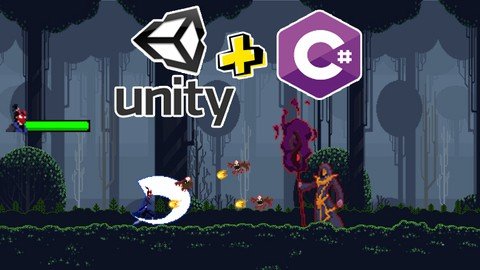
In this course , I'll be teaching the basics of setting up a 2D Platfomer Game in UNITY along with Coding Explanation.

What you'll learn
Master beginner C# concepts, like variables, "if" statements, and arrays
Defines the FULL concept of building up a 2D Platformer Game in Unity.
Create Players with Basic Movement Controls and Combo Attack Systems.
Create enemies with basic AI behavior like following the player and shooting fireballs.
Create UI elements like Health Bars,Power Up Bars etc
Collect and destroy game objects
Implement various particle systems to enhance the game feel.
Short (<2 hours) and "To the point" teaching technique with suitable necessary examples.
Notes and Assets Required to cross check everything taught in this series.
Requirements
Absolute NO prior CODING knowledge is required. Everything will be taught in this course.
Only a computer system is required that at least meets the minimum specs requirements to run Unity .
Description
This tutorial is an amalgamation of -> "How to create a game in Unity" along with ->"Introduction to C# Coding required for Game Development" , all explained thoroughly within a 2 HOURS !
Some Key-Points of this course are:-
-> This course is a UNIVERSALLY UNDERSTANDABLE collection of videos , that will familiarise you with the COMPLETE PROCEDURE of making a game in Unity IRRESPECTIVE of whether you have a coding or development related background OR NOT.
-> It covers FUNDAMENTAL UNITY CONCEPTS like "What are Assets?" "What are GameObjects ?" "What are Components ? " and many more. Moreover ,it also provides knowledge about the basic CODING concepts like "What are Variables and How to use them?" "What are Functions?" and so on. Thus , the course is an excellent combination of the TWO MAIN aspects connected to making a game of your own.
This collection also contains CODING NOTES AND THE REQUIRED ASSETS which you can download at the last which will further increase your knowledge and can help you cross check every concept that is explained in the videos.
Short ,informative ,helpful and concept building are some of the other key-ingredients of this course that make it stand out from the others available.
Hence this course is like THE ULTIMATE DESTINATION for gaining all the necessary knowledge that is required for 2D game development.
Who this course is for
Everyone curious about Game Development and Coding.
Beginners wanting to learn a coding language like C#.
Screenshots


RtCeQNVnHX1D9kevysuW8OvX40Fy943S.jpg

Complete Guide To Design Thinking
Genre: eLearning | MP4 | Video: h264, 1280x720 | Audio: AAC, 44.1 KHz
Language: English | Size: 12.8 GB | Duration: 16h 55m
Design Thinking - Empathy, Define, Ideation, Prototyping & Testing. PLUS Mindsets, Principles, Process, Implementation

What you'll learn
Demonstrate Stakeholder Analysis: Recognition, Maintenance, Steps, Management & Usage
Learn how to do a SWOT Analysis (2x2 Frameworks): Strengths, Weaknesses, Threats, Opportunities
Understand the Design Thinking Preliminaries such as Recap, Team Factor, Funding & Time Constraints
Learn the Kinds of Problems to solve with Design Thinking
Learn User Journey Maps: Activities, Pain Points, Basic Template, Touchpoints
Case Studies: Kelloggs, Incubators and Mobisol
Define what is Design Thinking: Mindset, Creative Confidence, Human Centred & Features
identify the different Design Challenges and Considerations
Lay down the Principles and Stages of the Design Thinking Process
Discuss "Empathy" as a Design Thinking Stage
Discuss "Define" as a Design Thinking Stage
Demonstrate Customer Journey Mapping Using FASGO to identify Feelings, Touchpoints
Introduce the Ishikawa Fishbone Diagram: Root Cause Analysis and Key Concepts
Learn the Why Approach to Root Cause Analysis
How to do analysis and synthesis in Design Thinking
Learn Points of View & The "How Might We" Method for Discovering Pain Points
Discuss "Ideation" as a Design Thinking Stage
Learn "Brainwriting" with Examples & Types of Brainstorming
Understand the Power of Mind maps to Generate Creative Thinking: Learn How & Why
Define Sketch storms: What are they and why do we use them?
Learn SCAMPER: Substitute, Combine, Adapt, Modify, Put to Use, Eliminate, Reverse
Learn how to select solutions in Design Thinking
Define TRIZ and Learn the Theory of Inventive Problem Solving
Discuss "Prototyping" as a Design Thinking Stage
Discuss "Testing" as a Design Thinking Stage
Learn the Business Model Canvas and How to use it to Design & Develop Solutions
Learn How Desirability, Feasibility and Viability Achieves Innovation Sweet Spot
How to do a Successful Implementation Following Design Thinking
Requirements
There are no pre-requisites or requirements for this course
Description
+ Get instant access to an 86-page Design Thinking workbook
+ 17 hours of clear and concise step by step instructions, lessons and engagement
+ Introduce yourself to our community of students in this course
+ Encouragement and celebration of your progress throughout the course
This course is designed for anyone who is interested in learning more about design thinking. The course will help you explore its concepts, techniques, processes to solve problems and use the Design thinking tools to drive innovations in your organization to channelize critical factors of success and failures.
What will you learn
Explore the different communication models and processes that any organization may adapt
Differentiate written communication barriers such as perceptual, cultural, language, etc.
Know the different concepts of business writing: context, closure, decision, and action
Learn the different workplace communication methods: horizontal, upward, and downward
Understand your audience's culture, demographics, experience, habits, etc. for better communication
Define what professional business writing is and its importance
Understand the factors on why written communication fails
Improve an organization's communication aspect through Business Writing
Lay down the purpose and process of communication as a foundation for professional business writing
Learn the most important considerations when communicating
Identify the different communication success and failure factors
Learn and put the writing process into practice
Define the characteristics of a good professional business writing
Be able to create the first draft and select an information structure
Learn the different techniques in paraphrasing and rewriting
Apply the different rules of grammar
Review the different parts of speech and their usage
Explore different guidelines, strategies, and steps in persuasive writing
Substantiate ideas through various tricks and techniques
Learn how to edit and proofread a communication letter
Understand and apply the different guidelines and formats of a business letter
Identify the different types of business letters and when to use them
Learn how to use emails as a means of communication
Apply different tips and tricks during business presentations
Conduct business meeting through several guides and formats
Prepare a comprehensive minutes of the meeting: what and what not to include
...and more!
Contents and Overview
You'll start with the Design Thinking Course Insights; Why people do business; Maslow's Hierarchy of Needs; Problem Solving Approaches; Kelloggs' Case Study; Mobisol Solar Home System Case Study; Embrace Portable Incubators; Why do we need Design Thinking; What is Design Thinking; Design is a way of thinking; Design Thinking is a Mindset; Design Thinking as Human Centered Process; Empathy - Design Thinking Mindset; Optimism - Design Thinking Mindset; Iteration - Design Thinking Mindset; Creative confidence - Design Thinking Mindset; Making - Design Thinking Mindset; Embracing Ambiguity - Design Thinking Mindset; Learning From Failure - Design Thinking Mindset; How Design Thinking helped G.E. Healthcare; Solution for healthcare problem; Key Features of Design Thinking; Recap of what is Design Thinking and its mindsets; Four Principles of Design Thinking; Stages of Design Thinking Process; Design Thinking: a non-linear process; Types of thinking in the Design Thinking Process; Define Phase of Design Thinking Process; Ideate Phase of Design Thinking Process; Prototype stage of Design Thinking Process; Test Stage of Design Thinking Process; Considerations before choosing area of design challenge; Which user experience we are trying to improve in design challenge.
Then you will learn about Preliminaries of Design Thinking; Team Factor in the Preliminaries of Design Thinking; Funding Factor in the Preliminaries of Design Thinking; Time Constraints Factor in the Preliminaries of Design Challenge; First Stage of Design Thinking; What is Empathy; Empathy Towards People or Context; Empathy towards Complexities; Is Empathy a Gadget; Riess and Todd Research - Empathy as a non-verbal communication explanation; Non-Verbal Communication Elements; Things to be considered while communicating; 3 ways to empathize; Observing as a way to empathize; Engaging as a way to empathize; Empathy Interview-who to recruit; Kind of questions to ask from users; Example of user interviews; Activity: Empathize; Defining the problem - lecture overview; Define Stage; Design Thinking Toolkit; What is a Persona and its use; Empathy Map; Filling the quadrants according to persona; Tool for organizing insights in a 2X2 framework; Food Delivery Service Example; Important points for 2x2 framework; Tools to understand user problems; Step by step understanding of User Journey; What are User Journey Maps; Identifying Activities and Pain Points-Example; What is a Customer Journey Map and its Phases; Touch points and Channels - Customer Journey Maps; Customer Journey Map - Basic Template Explanation; Internal Ownership - Reduce Customer Effort; Customer Journey Map Touchpoints Explanation - Example.
We will also cover Customer Journey Mapping Using FASGO To identify Feelings, Touchpoints; How FASGO discovers pain points of users using Customer Journey Map; Identifying the feelings,channel,touch-points of User Problems by FASGO-part 1; Identifying the feelings,channel,touch-points of User Problems by FASGO-part 2; Root Cause Problem and its two major techniques; Concept behind Ishikawa Fishbone Diagram; What is Ishikawa Fishbone Diagram; How to Develop Ishikawa Fishbone Diagram; The 5 Why Approach; Understanding the 5 Why Approach by Flowchart-Toyota training to employees; Using the 5 Why Approach Template to find the root cause of a problem.
This course will also tackle What is meant by Analysis and Synthesis; Synthesize; Bases of Themes; Discovering Pain Points related to Themes; Insights Themes and Problems of Users; Creation of a Point of View Statement; Who are the Stakeholders; Types of Stakeholders; What is Stakeholders Analysis; Recognizing Stakeholders; Steps in a Stakeholders Analysis; Maintaining the Stakeholders Record; Managing Stakeholders; Use of Stakeholders Analysis; Why Mapping of Stakeholders is important; Third Phase of Design Thinking; Concept of Ideation; Concept of Creative Thinking; Way to use an Mug -Creative thinking Technique; How to Generate Ideas; Brainstorming Rules; Types of Brainstorming-Brainstorming using Flipcharts; Types of Brainstorming-Brainstorming using Post-its; Type of Brainstorming-Brainwriting; Brainwriting Template.
This course will also discuss Types of Brainstorming-Alphabet Brainstorming; Types of Brainstorming-Worst Possible Ideas; Creative Thinking Technique-Mind Maps; Why we need Mind Maps; How to Draw Mind Maps; What is a Sketchstorm and why we are using it; What SCAMPER stands for; What is meant by SUBSTITUTE; What is meant by COMBINE; What is meant by ADAPT; What is meant by MODIFY; Put to another use prompt; What is meant by ELIMINATE; What is meant by REVERSE; How to Select Solutions; Who is Generic Altschuler; What is meant by TRIZ: Principles and Parameters; Contradiction Matrix.
Next, you will learn about Prototyping Company concept; What is a Prototype; Why Prototyping is important; Concept of Co-Creation; Types of Prototypes; Before Testing-Template; Necessary things to be done before Testing; How to Test; Why Testing is Important; What to do next in Testing; Types of Testing; Important points about Testing; Learn The Business Model Canvas; Use It To Design & Develop Solutions; Learn How Desirability, Feasibility and Viability Achieves Innovation Sweet Spot; Looking Ahead To A Successful Implementation Following Design Thinking
Who are the Instructors?
Shaista Fatima from Digital Regenesys is your lead instructor - a professional making a living from her teaching skills with expertise in Design Thinking. She has joined with content creator Peter Alkema to bring you this amazing new course.
You'll get premium support and feedback to help you become more confident with finance!
Our happiness guarantee...
We can't wait to see you in the course!
Enroll now, and we'll help you write better than ever!
Peter and Shaista
Who this course is for
Anyone who is interested in learning design thinking to solve problems for users
Anyone who is looking for problem solving techniques
Screenshots












Zurück
Oben Unten