• Regeln für den Video-Bereich:

    In den Börsenbereich gehören nur Angebote die bereits den Allgemeinen Regeln entsprechen.

    Einteilung

    - Folgende Formate gehören in die angegeben Bereiche:
    - Filme: Encodierte Filme von BluRay, DVD, R5, TV, Screener sowie Telesyncs im Format DivX, XviD und x264.
    - DVD: Filme im Format DVD5, DVD9 und HD2DVD.
    - HD: Encodierte Filme mit der Auflösung 720p oder darüber von BluRay, DVD, R5, TV, Screener sowie Telesyncs im Format x264.
    - 3D: Encodierte Filme von BluRay, die in einem 3D Format vorliegen. Dies gilt auch für Dokus, Animation usw.
    - Serien: Cartoon/Zeichentrick, Anime, Tutorials, Dokumentationen, Konzerte/Musik, Sonstiges sind demnach in die entsprechenden Bereiche einzuordnen, auch wenn sie beispielsweise im High Definition-Format oder als DVD5/DVD9/HD2DVD vorliegen. Ausnahme 3D.
    - Bereich Englisch: Englische Releases gehören immer in diesen Bereich.
    - Bereich Talk: Der Bereich, in dem über die Releases diskutiert werden kann, darf, soll und erwünscht ist.


    Angebot/Beitrag erstellen

    - Ein Beitrag darf erst dann erstellt werden, wenn der Upload bei mindestens einem OCH komplett ist. Platzhalter sind untersagt.
    - Bei einem Scenerelease hat der Threadtitel ausschließlich aus dem originalen, unveränderten Releasenamen zu bestehen. Es dürfen keine Veränderungen wie z.B. Sterne, kleine Buchstaben o.ä. vorgenommen werden. Ausnahme Serienbörse:
    - Bei einem Sammelthread für eine Staffel entfällt aus dem Releasename natürlich der Name der Folge. Beispiel: Die Simpsons S21 German DVDRip XviD - ITG
    - Dementsprechend sind also u.a. verboten: Erweiterungen wie "Tipp", "empfehlenswert", "only", "reup", usw. / jegliche andere Zusatzinformation oder Ergänzung, welche nicht in obiger Beschreibung zu finden ist.

    Aufbau des Angebots und Threadtitel

    Der Titel nach folgendem Muster erstellt zu werden. <Name> [3D] [Staffel] [German] <Jahr> <Tonspur> [DL] [Auflösung] <Quelle> <Codec> - <Group>
    Beispiel: The Dark Knight German 2008 AC3 DVDRip XviD - iND
    Beispiel: The Dark Knight 2008 DTS DL BDRip x264 - iND
    Beispiel: The Dark Knight 2008 AC3 DL BDRip XviD - iND
    Beispiel: The Dark Knight German 2008 AC3 720p BluRay x264 iND
    Beispiel: The Dark Knight 2008 DTS DL 1080p BluRay x264 iND
    Beispiel: Die Simpsons S01 German AC3 DVDRip XviD iND
    Beispiel: Die Simpsons S20 German AC3 720p BluRay x264 iND
    Beispiel: Sword Art Online II Ger Sub 2014 AAC 1080p WEBRip x264 - peppermint
    Entsprechend sind also u.a. verboten: Sonderzeichen wie Klammern, Sterne, Ausrufezeichen, Unterstriche, Anführungszeichen / Erweiterungen wie "Tipp", "empfehlenswert", "only", "reup", usw. / jegliche andere Zusatzinformation oder Ergänzung, welche nicht in obiger Beschreibung zu finden ist
    Ausnahmen hiervon können in den Bereichen geregelt sein.

    Die Beiträge sollen wie folgt aufgebaut werden:
    Überschrift entspricht dem Threadtitel
    Cover
    kurze Inhaltsbeschreibung
    Format, Größe, Dauer sind gut lesbar für Downloader außerhalb des Spoilers zu vermerken
    Nfo sind immer Anzugeben und selbige immer im Spoiler in Textform.
    Sind keine Nfo vorhanden z.B. Eigenpublikationen, sind im Spoiler folgende Dateiinformationen zusätzlich anzugeben :
    Quelle
    Video (Auflösung und Bitrate)
    Ton (Sprache, Format und Bitrate der einzelnen Spuren)
    Untertitel (sofern vorhanden)
    Hosterangabe in Textform außerhalb eines Spoiler mit allen enthaltenen Hostern.
    Bei SD kann auf diese zusätzlichen Dateiinformationen verzichtet werden.

    Alle benötigten Passwörter sind, sofern vorhanden, in Textform im Angebot anzugeben.
    Spoiler im Spoiler mit Kommentaren :"Schon Bedankt?" sind unerwünscht.


    Releases

    - Sind Retail-Release verfügbar, sind alle anderen Variationen untersagt. Ausnahmen: Alle deutschen Retail-Release sind CUT, in diesem Fall sind dubbed UNCUT-Release zulässig.
    - Im Serien-Bereich gilt speziell: Wenn ein Retail vor Abschluss einer laufenden Staffel erscheint, darf diese Staffel noch zu Ende gebracht werden.62
    - Gleiche Releases sind unbedingt zusammenzufassen. Das bedeutet, es ist zwingend erforderlich, vor dem Erstellen eines Themas per Suchfunktion zu überprüfen, ob bereits ein Beitrag mit demselben Release besteht. Ist dies der Fall, ist der bereits vorhandene Beitrag zu verwenden.
    - P2P und Scene Releases dürfen nicht verändert oder gar unter einem iND Tag eingestellt werden.


    Support, Diskussionen und Suche

    - Supportanfragen sind entweder per PN oder im Bereich Talk zu stellen.
    - Diskussionen und Bewertungen sind im Talk Bereich zu führen. Fragen an die Uploader haben ausschließlich via PN zu erfolgen, und sind in den Angeboten untersagt.
    - Anfragen zu Upload-Wünschen sind nur im Bereich Suche Video erlaubt. Antworten dürfen nur auf Angebote von MyBoerse.bz verlinkt werden.


    Verbote

    - Untersagt sind mehrere Formate in einem einzigen Angebotsthread, wie beispielsweise das gleichzeitige Anbieten von DivX/XviD, 720p und 1080p in einem Thread. Pro Format, Release und Auflösung ist ein eigener Thread zu eröffnen.
    - Grundsätzlich ebenso verboten sind Dupes. Uploader haben sich an geeigneter Stelle darüber zu informieren, ob es sich bei einem Release um ein Dupe handelt.
    - Gefakte, nur teilweise lauffähige oder unvollständige Angebote sind untersagt. Dies gilt auch für eigene Publikationen, die augenscheinlich nicht selbst von z.B. einer DVD gerippt wurden. Laufende Serien, bei denen noch nicht alle Folgen verfügbar sind, dürfen erstellt und regelmäßig geupdatet werden.
    - Untersagt sind Angebote, welche nur und ausschließlich in einer anderen Sprache als deutsch oder englisch vorliegen. Ausnahmen sind VORHER mit den Moderatoren zu klären.


    Verstoß gegen die Regeln

    - Angebote oder Beiträge, die gegen die Forenregeln verstoßen, sind über den "Melden"-Button im Beitrag zu melden.
  • Bitte registriere dich zunächst um Beiträge zu verfassen und externe Links aufzurufen.

*** Bestes IPTV *** bester Preis *** gratis Test ***


Englische Tutorials

b0222f32-2d96-4e21-88a0-fc76c1100da3.png

Infographic Design: Simple Infographic Design in Illustrator
Instructors: Gary S.
2 sections • 29 lectures • 2h 23m
Video: MP4 1280x720 44 KHz | English + Sub
Updated 2/2022 | Size: 1.2 GB​

Learn How to Create An Awesome Infographic in Adobe Illustrator
What you'll learn
Fundamentals of Infographic Design
How to create and infographic in Adobe Illustrator
How to create an awesome Infographic
How to collect and gather data for an infographic
Putting together the layout and flow of the infographic
Learn to effectively go through the creative process of putting together an infographic
How to market your infographic and get more exposure
Learn to design, develop and implement an infographic
Requirements
access to Adobe Illustrator (free trial available)
Description
In this course you will learn how to design an effective and engaging Infographic that everyone will be sharing. You will learn from start to finish on how to easily create an Infographic in one of the most popular graphics editing software, Adobe Illustrator.
We'll begin the course with an introduction to infographics, where you'll learn the fundamentals of infographics and the creation process.
Why create an Infographic? Well, with infographics, you can communicate and simplify complex information in beautiful and engaging ways.
Infographics are a great way to engage readers because they draw attention and they result in a lot of social sharing. A well thought out and well-designed infographic will be shared across social media platforms and get shared on websites.
Aside from the SEO benefits of infographics, they also do a great job at building brand awareness and getting a specific message across. Consumers do not want to read a lot of information and it is a fact that the majority of people absorb information better if it is presented in a visual manner. Businesses are using infographics as a way to engage their target market and drive traffic to their website.
No matter the purpose, as more and more content is being funneled through the Internet every day, infographics communicate an idea simply and quickly and is a huge asset for any brand, business, educator, designer, or blogger.
By the end of this course you will know how to create an infographic and be ready for your next project.
Who this course is for
Anyone wanting to learn how to create an awesome Infographic
Graphic Designers
Bloggers
Website Owners
Marketers
Screenshots





 
f1e8b1a6-9a37-418c-af59-a43514675cae.png

Leading Meetings in the Digital Age
Instructors: Neil Miller
7 sections • 7 lectures • 38m
Video: MP4 1280x720 44 KHz | English + Sub
Updated 3/2022 | Size: 808 MB​

A fresh rebuild for digital meetings
What you'll learn
When to choose a meetings, and when something else is a better option
Different types of meetings and when to use each
How to create team ground rules for meetings
How to prepare for a digital meeting
Facilitating tips when running a meeting online
New tools and software to use for digital meetings
Requirements
This course is for people who have at least one meeting a week they are responsible for
Description
Are your online meetings draining the life out of you? Is your day packed from morning till night with Zoom calls?
When we convert in-person meetings to a digital format and don't change anything else, the result is horrible. We were bad at meetings before, but the transition to digital spaces makes it obvious and unbearable.
This course is made for people who want to get better at leading digital meetings. And not just a little better. This will reshape your understanding of what a meeting is, and how best to use it in the digital age.
From building inclusive spaces, to determining if a meeting is the right option or not, you'll get everything you need to become a great facilitator of digital meetings.
Session 1: Intro to digital meetings
Session 2: Why you should hire a meeting
Session 3: Types of meetings
Session 4: Ground rules for digital meetings
Session 5: Preparing for a digital meeting
Session 6: Facilitating a digital meeting
Session 7: Digital tools for better meetings
Each session is about 5-10 minutes long and will give you the skills and perspective you have to confidently walk into your next meeting and know how to lead it.
Check out our website for an accompanying ebook and more resources for how to level up your meetings.
Who this course is for
Team leaders
Screenshots


4594560-353e-5.jpg

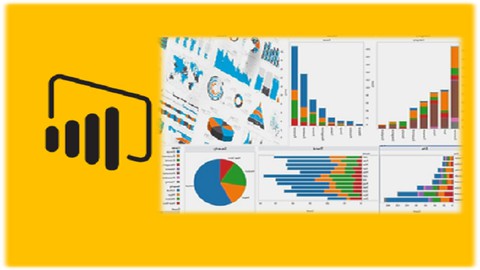
Learn Data Analysis and Visualization With Power BI
MP4 | Video: h264, 1280x720 | Audio: AAC, 44.1 KHz, 2 Ch
Genre: eLearning | Language: English + srt | Duration: 59 lectures (2h 48m) | Size: 1.37 GB

Learn Data Visualization and Analysis Using Power BI from the basic to advanced level
What you'll learn
Install and use Power BI Desktop
Understand Data Visualization
Create different types of diagrams and charts
Learn datasets merge and append and use them in diagrams
Create calculated fields using DAX Language
Learn data preparation and cleaning such as converting data types, split columns, pivot and unpivot and more
Requirements
Basic knowledge of using computer operating system
Description
Converting raw data to insightful diagrams and charts to make informative decisions is a crucial analytical skill in data science. You will in this course how to create powerful charts and perform data analysis. First, you will understand data visualization, and why data visualization. After that you will understand Power BI services and the use of each of them. After you became familiar with these services and their usage you will learn how to install and navigate in Power BI Desktop. After that, you will learn how to use advanced functions for data preparation and cleaning. You will learn to append and merge several datasets in one dataset to create thorough analytical charts. After that you will learn to convert your datasets to insightful charts using many useful functions. You will learn how to filter your data according to your business requirements. You will learn how to create measures and calculated columns for your own data analysis. You will have an introduction to DAX language where you can learn how to create new tables and columns based on your needs. After completing this course, you will be confidently able to add Power BI to the list of your analytical skills in your resume.
Who this course is for
All those that need to learn Data Visualization for data analysis and business analysis
Homepage


4580534-eb15.jpg

Learn Python: Python Baby Steps
MP4 | Video: h264, 1280x720 | Audio: AAC, 44.1 KHz, 2 Ch
Genre: eLearning | Language: English + srt | Duration: 27 lectures (2h 16m) | Size: 548.1 MB

Python for Beginners
What you'll learn
Create your first python program
Learn about data structures
Learn about conditional statements and loops
Learn how to build your confidence as a python developer
Requirements
No prior programming experience needed
A good computer
Internet Connection
Description
Learn Python: Python Baby steps
NOTE: FROM LECTURE 3 - 11 ARE LOUDER THAN NORMAL, TRY TO REDUCE YOUR VOLUME BEFORE PROCEEDING. I APOLOGIZE FOR THE INCONVENIENCES, THE LECTURES WILL BE REPLACED SOON...
I recommend this course for people who don't have any prior programming knowledge and would like to start learning python from a fresh start.
I don't recommend skipping any part of this course
This course teaches the basics of python programming. It is easily understandable and fun with the examples and exercises.
There are a lot of people out there who are scared of the concept of programming. This course is just for them, I ASSURE YOU THAT AFTER TAKING THIS COURSE YOU WILL LOVE PROGRAMMING IN PYTHON.
Python is used in many areas of technology like AI, MACHINE LEARNING, FINTECH AND EVEN BLOCKCHAIN TECHNOLOGY, that's just to list a few amazing uses of python. When you are done with this course you would have gathered enough information needed for a solid foundation in the world of PYTHON.
We will be learning things like
DATA TYPES
Strings
Integers
Floats
Boolean's
DATA STRUCTURES
Lists
Tuples
Dictionaries
Functions
Loops
File handling
and lots more.......
CONDITIONAL STATEMENTS
These are statements that run if a certain condition is true
IF
ELSE
ELIF
LOOPS
FOR Loop
While Loop
PYTHON FILE HANDLING
Learning how to manipulate files in PYTHON
Make a FILE
Read a FILE
Modes of FILE Handling
Write to a file
OTHERS
Learn how to create and use Comments
Learn how to use the Try and Except commands
The course provides
Step-by-step lectures with examples along the way
A fun means of learning python
Easy to understand content
Final project
Who this course is for
Students
Anyone who wants to learn python
People with basic computer knowledge/skills
Beginner python developers
People who want venture into machine learning
People who want venture into Artificial Intelligence (AI)
Homepage


4598196-a9c5.jpg

Master HTML5 CSS3 Bootstrap5 by building Responsive Website
MP4 | Video: h264, 1280x720 | Audio: AAC, 44.1 KHz, 2 Ch
Genre: eLearning | Language: English | Duration: 29 lectures (1h 41m) | Size: 1.11 GB

Develop responsive websites with HTML CSS3 and Bootstrap5
What you'll learn
You will learn to develop website using HTML CSS3 & Bootstrap5
You will learn about Responsive web design and development
You will learn the concepts of Media Queries and how to use them
You will learn to use HTML and CSS3
You will learn to use Visual Studio Code editor and related extension
Requirements
Laptop with Internet connection
Description
In this course, you will learn to develop responsive websites using HTML, CSS3, Mediaqueries and Bootstrap5.
We will be also setting up IDE with required extensions to make our development experience smooth.
We will learn all the concepts with the help of code examples.
Following are the topics we will cover
1.1-What is meant by Responsiveness
1.2-Example Non_responsive website
1.3-Creating HTML Skeleton for non-responsive website
1.4-Styling the non responsive page
2.1-Different Device break points
2.2-Make Responsive in device upto 768px
2.3-Make Responsive for device width upto 468px
2.4-Make Responsive for device width above 1024px
2.5-Making Responsive between 769px and 1023px
We will then learn about Bootstrap5, Font awesome, Google fonts in which we will be using following
1. Navigation navbar
2. Buttons and nav links
3. Carousel and slides
4. Margin , Padding, Fontsize
5. Container & Container fluid
6. Column and Grid system
7. Form and Form controls
8. Fontawesome icons
9. Google fonts poppins
10. Block button
11. Bootstrap cards
We will develop website using all concepts of HTML CSS3 and Bootstrap5 and we will develop website with different sections like navigation section, slider section, listing section, call to action section, contact us section, footer section, copyright section.
After this course you will be able to develop any website of your own and use it for your own purpose.
Who this course is for
Anyone who wants to learn and develop responsive websites using HTML, CSS3 and Bootstrap5
Homepage


839ff31b-0c90-40f3-8cda-fe08575a0c1b.png

Master of Prayers : In-depth Prayer Analysis
MP4 | Video: h264, 1280x720 | Audio: AAC, 44.1 KHz
Language: English | Size: 535 MB | Duration: 1h 1m
Processing Prayers​

What you'll learn
Gather the required information to make proper prayers
Understand the necessary time to build a prayer
Make any prayer
Be able to talk to God face to face
Analyse the best solution to solve the problem through praying.
Requirements
No praying or spiritual experience is needed.
No previous programming required
Description
Develope processing skills through the development of prayers.
Hello, my name is Alin and I am an author of prayer books.
I will teach you how to develope prayers based on problems and how to analyze the request.
We will verify status, a self description is needed, time when you saw flaws in others has passed, during
this it is easy to make not just a proper image of self, but now you are able to analyze your construction, behaviour,
needs and why and towards what are you tempted to.
So why it is happening in an order that first it seems you cannot control.Some make morning prayers requesting God
to make sure and protect a schedule or that nothing interferes with the goal of the day.
This works, and in some cases along with the morning prayers you trigger an expectation that is tangent to an act of
"lets verify if your morning prayer is working"
Do not fear, you will gain full responsability if and when you communicate with Lord Jesus or God. I want to
underline that it doesn't hurts and it doesn't hurts to socialise with others even knowing that your daily
program contains also prayers. I mean, you can use technology to make comparison between prayers, like a computer and after you write
them down you will observe minimum similarity and an advancement. Building your relationship with God is based on love.
Prayer to a higher lever is also love.
What is the key?
By respecting laws automatically, lets you acces a focus state from which you start to construct your prayers, you are active,
you have more than faith.
you ask yourself:"What am I gonna do with prayers?"
Aware and Management of Achievement Progress in you and others.
Prayers can range from a letter , to full Script Analysis. Do not be stressed about the prayer length, enjoy the focus state
of directly developing and generating the prayer.
Imagine God of that best friend CEO teacher there to share ideas.
Thank you and I'll see you in the further lessons.
Who this course is for
Analysts
Screenshots


4598558-c632-2.jpg

Microsoft 365 Email Essentials
MP4 | Video: h264, 1280x720 | Audio: AAC, 44.1 KHz, 2 Ch
Genre: eLearning | Language: English + srt | Duration: 10 lectures (1h 26m) | Size: 964.1 MB

Anyone who wants to use Outlook on the Web for email management
What you'll learn
• Navigate the Web App
• Organize e-mails with folders
• Use automated tools to manage email
• Create custom signatures
Requirements
A Microsoft 365 email account is recommended.
Description
Manage your email from anywhere with Outlook Online, the Microsoft 365 email platform
Email is the backbone of business communication, and Microsoft 365 supercharges your inbox with business-class features. Using Outlook on the Web (sometimes called Outlook Online or Outlook Web App) is a convenient and powerful way to access your email, calendar, and contacts (People) from any web browser, computer, or mobile device.
This course discussing using Outlook on the Web for your email. To see more of what you can do in Outlook, check out the Microsoft 365 To Do, Calendar, and People course for the rest of Outlook's features.
Topics covered include
· Using basic email functionality
· Organizing your information with Search and Folders
· Tagging items with Categories and Mentions
· Using built-in tools to keep your inbox clean with Focused Inbox, Sweep, and Clutter
· Creating Signatures and Automatic Replies
Over 2 hours of high-quality HD content in the "Uniquely Engaging"TM Bigger Brains Teacher-Learner style!
Lessons: 10
Seat Time: 2 hours and 38 minutes
Versions Available: SCORM 1.2, SCORM 2004, AICC, xAPI, MP4, reseller HTML
Teacher: Chip Reaves
Learner: Ben Burris
Produced by: Bigger Brains
Target Audience: Anyone who wants to use Outlook on the Web for email management
Prerequisites: An Office 365 account is recommended
Objectives. You will be able to
· Navigate the Web App
· Organize e-mails with folders
· Use automated tools to manage email
· Create custom signatures
· Set up automatic replies
· Differentiate functions that work on the Web App versus the Desktop App
Who this course is for
Anyone who wants to use Outlook on the Web for email management
Homepage


th_qdHiIKNiOE68YMpoclCKNxFOrJi0oRqM.jpg

Sustainable Software Architecture
MP4 | Video: h264, 1280x720 | Audio: AAC, 44.1 KHz
Language: English | Size: 145 MB | Duration: 1h 9m​

Software systems are among the most complex constructions that human beings have conceived and built, so it's not surprising that technical debt and the preservation of legacy systems slow down software development around the world. You can learn how to analyze and reduce technical debt, though, and this course shows you how. Dr. Carola Lilienthal explains what you need to do to maintain and expand a software architecture over many years, without making significant changes to your staffing, budget, or delivery schedule. Dr. Lilenthal goes over what software architecture is and what architectural principles and styles will help you and your teams understand, maintain, and extend your software faster. She covers how to use modularity, design patterns, cycles, and architecture review against technical debt. Plus, Dr. Lilienthal explores cognitive psychology and shows you which types of source code our brains can process the fastest.
Screenshots


77e883ed1a57baa61fec297db1c69d79.jpg

The Gnomon Workshop - Introduction to Pyro FX in Houdini - Volume 1
Video: h264, 1920x1080, 600 kb/s, 30.00 fps | Audio: aac, 44100 Hz, 2 channels, 123 kb/s
Genre: eLearning | Duration: 348 Minutes | Language: English | File size: 2.08 GB​

Learn about the powerful features in Houdini 18.5 and discover how to take advantage of the fast and efficient SOP-level Sparse Pyro tools for production-quality FX. From creating realistic smoke to a believable campfire, Volume 1 of Alasgar Hasanov's two-volume workshop walks through the production workflows needed to create a variety of simulations.

Alasgar is a Senior FX Artist with over 6 years of experience working with Houdini. He provides an in-depth overview of all the new Source nodes and workflows along with a breakdown of the Pyro Solver settings and options you need to know for different types of pyro FX sims.
The workshop offers several case studies for artists to follow along. Starting with a small-scale pyro FX project involving some wispy smoke/dry ice FX, artists will learn how to create a lightly smoking source and a dry-ice effect source. For a larger-scale pyro FX case study, Alasgar then demonstrates how to recreate a realistic large-scale smoke simulation along with some efficient methods for matching references. The simulation processes are instructed as well as some interesting ways to render the final results.
From there, Alasgar offers techniques for pyro combustion fire sourcing and shares the important simulation settings, revealing how to efficiently create and source fields for fire as well as all other combustion-style sims. Learn how to create realistic small fire simulations, as well as voluminous fires with lots of smoke. Volume 1 of this workshop concludes with a demonstration showing how to create a realistic campfire simulation.
Homepage


6df57935-dd26-43bf-a875-51046b99202c.png

The Gnomon Workshop - Storyboarding Techniques - Creating a Fight Sequence with Rembert Montald
Video: h264, 1920x1080, 77 kb/s, 30.00 fps | Audio: aac, 44100 Hz, 2 channels, s16, 134 kb/s
Genre: eLearning | Duration: 200 mins | Language: English | File size: 3.9 GB​

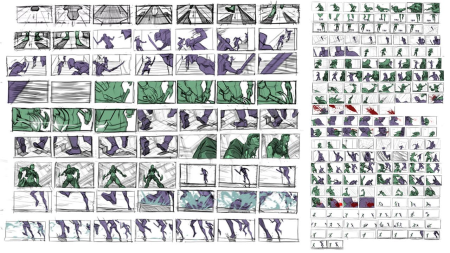
Learn the art of storyboarding with this drawing-intensive workshop by Rembert Montald, a storyboard artist at Riot Games. In this 3.5-hour workshop, Rembert shares his process for creating and choreographing a visually pleasing storyboard from scratch, from the initial drawing through to an animatic of the final sequence.
Screenshots

Using a fight sequence as the story, Rembert teaches how to lead the eye through your shots, and details his various shorthand techniques for detailing characters and action poses quickly and effectively.
This workshop is intended for anyone with an interest in storyboarding, visual storytelling, and drawing. The lessons taught are aimed at intermediate and expert-level artists and aim to prove industry insights for those working in games and films, including techniques for pacing yourself, setting the expectations, and understanding working standards.
By completing this workshop, you'll have a complete understanding of Rembert's method for boarding a sequence including how to turn it into an animatic that can be presented to a director.
Included with this workshop are Rembert's working files, including a PSD with full boards and his 4 PSD animatic files for you to dissect and better understand his approach. JPGs are also provided to show the various storyboard sheets.


b1fead37-8c39-4a0a-8066-c781ba80f3c4.png

The Gnomon Workshop - Storyboarding Techniques - Creating a Polished Animatic with Rembert Montald
Video: h264, 1920x1080, 594 kb/s, 30.00 fps | Audio: aac, 44100 Hz, 2 channels, 120 kb/s
Genre: eLearning | Duration: 213 Minutes | Language: English | File size: 1.3 GB​

Learn how to turn your rough storyboard sequences into fully colored animated videos with this new tutorial by Rembert Montald, a Storyboard Artist at Riot Games.
Screenshots

Following on from his Storyboarding Techniques: Creating a Fight Sequence workshop, Rembert shares his professional techniques for turning a rough animatic into a final animatic. Focusing on the first 16 seconds of his fight sequence, he gives an in-depth explanation of his thought process when approaching storyboarding for animation. His lecture includes a discussion of the importance of camera placement, as the way a camera moves can be used to great advantage - especially when working with dynamic shots.
This is an advanced drawing workshop; however, Rembert's approach to teaching is to make his techniques inclusive for all levels and abilities. This workshop aims to empower artists with the confidence to create their own animations, whether for showcasing in a portfolio, using to secure a new job, or pitch an idea to a stakeholder.
Rembert's final animatic can be downloaded with this workshop.
Homepage


Architectural Design Course - Space Drawing with Perspective

2g07yx4sbc4d13jjgzmpxhykdn.jpg


Architectural Design Course - Space Drawing with Perspective
MP4 | Video: h264, 1280x720 | Audio: AAC, 44.1 KHz
Language: English | Size: 7.93 GB | Duration: 6h 16m

space and architectural drawing, interior design, background drawing, pencil drawing, three-dimensional design,


What you'll learn
Perspective techniques and how they are used in space drawings
Light shade and academic toning criteria
Maintaining close and far relationship with the help of line perspective
To draw the products in the space proportionally
Drawing interiors and exteriors
thinking in three dimensions
Requirements
pencil
paper
desire to learn drawing

Description
Hello there..
(The first course in a series of two tutorials.)
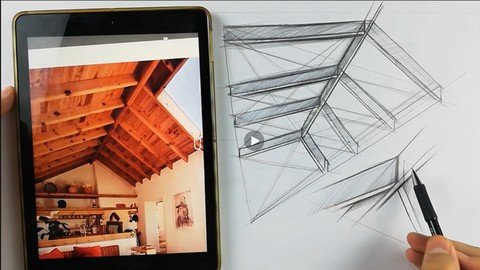
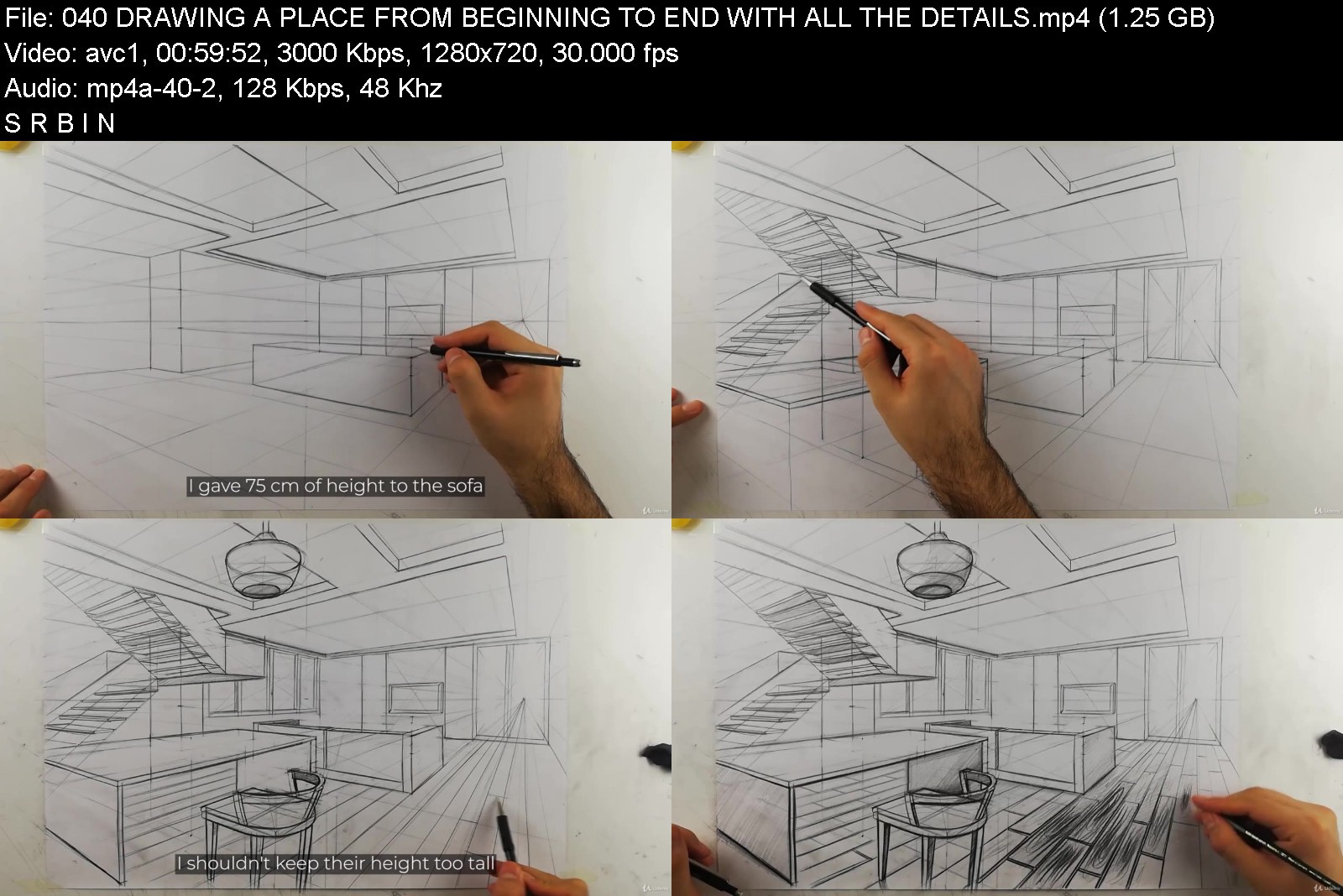
When we examine our surroundings, we see many different places. When we look at these areas, we see the proportions, layouts and items arranged according to many criteria. In this training, how the places that we see around us and have a certain order are drawn,We will see the drafting process while designing a space from scratch, which techniques we should use to capture the same image while drawing. In addition, the process of how we should proceed in the draft and sketch phase, which takes a very important part of the design process.
We will watch throughout. In this training;
- perspective techniques,
- how to draw places, backgrounds, scenes and professional environments,
- starting from scratch with spaces in simple form, to very detailed spaces
the drawing technique of the environment,
- how to analyze and easily draw interior and exterior spaces that seem very difficult,
- such as game scenes, illustrations, animation and background artwork for game design
many techniques and perspective rules,
- how depth is given in a space,
- What is taken into consideration and how it is transferred to paper in matters such as close and distant relationships,
- how to go from general to detail in a drawing,
- how the detail parts of the space should be resolved,
- you will have learned how to start and continue drawing while drawing places and scenes.
- In imaginary composition drawings, you will be able to change the position of the horizon line on the paper as you wish.
- We will be able to adjust the ratio of the ceiling height and the objects we draw into the space in a measured manner.
- You will have experience in transferring environments with depth and close-up spaces onto paper.
- Besides the standard two-point perspectives, we will also see three-point perspective angles.
- How do we capture the proportions of very long and voluminous objects while fitting them onto paper? What is the ratio of the lighting hanging from above with the objects on the floor? We will find answers to questions such as
- We will be able to establish the close and distant relationship with the line perspective.
- After we feel the toning and space effect, we will establish a correct relationship with the line values ​​and catch the distance differences towards the eye. Architects, interior architects, those who want to improve themselves in terms of space drawing, students who are preparing for aptitude exams can attend this training. At the end of this training, space drawing
You will have experience in the field and you will reach the level where you can easily draw any place.
Who this course is for
Anyone who wants to improve in space drawing by using perspective techniques correctly


architecturaldesigncoubkm1.jpg


Download from RapidGator


Download from NitroFlare


Zurück
Oben Unten