• Regeln für den Video-Bereich:

    In den Börsenbereich gehören nur Angebote die bereits den Allgemeinen Regeln entsprechen.

    Einteilung

    - Folgende Formate gehören in die angegeben Bereiche:
    - Filme: Encodierte Filme von BluRay, DVD, R5, TV, Screener sowie Telesyncs im Format DivX, XviD und x264.
    - DVD: Filme im Format DVD5, DVD9 und HD2DVD.
    - HD: Encodierte Filme mit der Auflösung 720p oder darüber von BluRay, DVD, R5, TV, Screener sowie Telesyncs im Format x264.
    - 3D: Encodierte Filme von BluRay, die in einem 3D Format vorliegen. Dies gilt auch für Dokus, Animation usw.
    - Serien: Cartoon/Zeichentrick, Anime, Tutorials, Dokumentationen, Konzerte/Musik, Sonstiges sind demnach in die entsprechenden Bereiche einzuordnen, auch wenn sie beispielsweise im High Definition-Format oder als DVD5/DVD9/HD2DVD vorliegen. Ausnahme 3D.
    - Bereich Englisch: Englische Releases gehören immer in diesen Bereich.
    - Bereich Talk: Der Bereich, in dem über die Releases diskutiert werden kann, darf, soll und erwünscht ist.


    Angebot/Beitrag erstellen

    - Ein Beitrag darf erst dann erstellt werden, wenn der Upload bei mindestens einem OCH komplett ist. Platzhalter sind untersagt.
    - Bei einem Scenerelease hat der Threadtitel ausschließlich aus dem originalen, unveränderten Releasenamen zu bestehen. Es dürfen keine Veränderungen wie z.B. Sterne, kleine Buchstaben o.ä. vorgenommen werden. Ausnahme Serienbörse:
    - Bei einem Sammelthread für eine Staffel entfällt aus dem Releasename natürlich der Name der Folge. Beispiel: Die Simpsons S21 German DVDRip XviD - ITG
    - Dementsprechend sind also u.a. verboten: Erweiterungen wie "Tipp", "empfehlenswert", "only", "reup", usw. / jegliche andere Zusatzinformation oder Ergänzung, welche nicht in obiger Beschreibung zu finden ist.

    Aufbau des Angebots und Threadtitel

    Der Titel nach folgendem Muster erstellt zu werden. <Name> [3D] [Staffel] [German] <Jahr> <Tonspur> [DL] [Auflösung] <Quelle> <Codec> - <Group>
    Beispiel: The Dark Knight German 2008 AC3 DVDRip XviD - iND
    Beispiel: The Dark Knight 2008 DTS DL BDRip x264 - iND
    Beispiel: The Dark Knight 2008 AC3 DL BDRip XviD - iND
    Beispiel: The Dark Knight German 2008 AC3 720p BluRay x264 iND
    Beispiel: The Dark Knight 2008 DTS DL 1080p BluRay x264 iND
    Beispiel: Die Simpsons S01 German AC3 DVDRip XviD iND
    Beispiel: Die Simpsons S20 German AC3 720p BluRay x264 iND
    Beispiel: Sword Art Online II Ger Sub 2014 AAC 1080p WEBRip x264 - peppermint
    Entsprechend sind also u.a. verboten: Sonderzeichen wie Klammern, Sterne, Ausrufezeichen, Unterstriche, Anführungszeichen / Erweiterungen wie "Tipp", "empfehlenswert", "only", "reup", usw. / jegliche andere Zusatzinformation oder Ergänzung, welche nicht in obiger Beschreibung zu finden ist
    Ausnahmen hiervon können in den Bereichen geregelt sein.

    Die Beiträge sollen wie folgt aufgebaut werden:
    Überschrift entspricht dem Threadtitel
    Cover
    kurze Inhaltsbeschreibung
    Format, Größe, Dauer sind gut lesbar für Downloader außerhalb des Spoilers zu vermerken
    Nfo sind immer Anzugeben und selbige immer im Spoiler in Textform.
    Sind keine Nfo vorhanden z.B. Eigenpublikationen, sind im Spoiler folgende Dateiinformationen zusätzlich anzugeben :
    Quelle
    Video (Auflösung und Bitrate)
    Ton (Sprache, Format und Bitrate der einzelnen Spuren)
    Untertitel (sofern vorhanden)
    Hosterangabe in Textform außerhalb eines Spoiler mit allen enthaltenen Hostern.
    Bei SD kann auf diese zusätzlichen Dateiinformationen verzichtet werden.

    Alle benötigten Passwörter sind, sofern vorhanden, in Textform im Angebot anzugeben.
    Spoiler im Spoiler mit Kommentaren :"Schon Bedankt?" sind unerwünscht.


    Releases

    - Sind Retail-Release verfügbar, sind alle anderen Variationen untersagt. Ausnahmen: Alle deutschen Retail-Release sind CUT, in diesem Fall sind dubbed UNCUT-Release zulässig.
    - Im Serien-Bereich gilt speziell: Wenn ein Retail vor Abschluss einer laufenden Staffel erscheint, darf diese Staffel noch zu Ende gebracht werden.62
    - Gleiche Releases sind unbedingt zusammenzufassen. Das bedeutet, es ist zwingend erforderlich, vor dem Erstellen eines Themas per Suchfunktion zu überprüfen, ob bereits ein Beitrag mit demselben Release besteht. Ist dies der Fall, ist der bereits vorhandene Beitrag zu verwenden.
    - P2P und Scene Releases dürfen nicht verändert oder gar unter einem iND Tag eingestellt werden.


    Support, Diskussionen und Suche

    - Supportanfragen sind entweder per PN oder im Bereich Talk zu stellen.
    - Diskussionen und Bewertungen sind im Talk Bereich zu führen. Fragen an die Uploader haben ausschließlich via PN zu erfolgen, und sind in den Angeboten untersagt.
    - Anfragen zu Upload-Wünschen sind nur im Bereich Suche Video erlaubt. Antworten dürfen nur auf Angebote von MyBoerse.bz verlinkt werden.


    Verbote

    - Untersagt sind mehrere Formate in einem einzigen Angebotsthread, wie beispielsweise das gleichzeitige Anbieten von DivX/XviD, 720p und 1080p in einem Thread. Pro Format, Release und Auflösung ist ein eigener Thread zu eröffnen.
    - Grundsätzlich ebenso verboten sind Dupes. Uploader haben sich an geeigneter Stelle darüber zu informieren, ob es sich bei einem Release um ein Dupe handelt.
    - Gefakte, nur teilweise lauffähige oder unvollständige Angebote sind untersagt. Dies gilt auch für eigene Publikationen, die augenscheinlich nicht selbst von z.B. einer DVD gerippt wurden. Laufende Serien, bei denen noch nicht alle Folgen verfügbar sind, dürfen erstellt und regelmäßig geupdatet werden.
    - Untersagt sind Angebote, welche nur und ausschließlich in einer anderen Sprache als deutsch oder englisch vorliegen. Ausnahmen sind VORHER mit den Moderatoren zu klären.


    Verstoß gegen die Regeln

    - Angebote oder Beiträge, die gegen die Forenregeln verstoßen, sind über den "Melden"-Button im Beitrag zu melden.
  • Bitte registriere dich zunächst um Beiträge zu verfassen und externe Links aufzurufen.

*** Bestes IPTV *** bester Preis *** gratis Test ***


Englische Tutorials

f153c3240fbdbe1dec79ccee09018a36.jpeg

Modern Gouache Techniques - Learn 6 stunning Floral paintings!
Instructors: Femvisionary
Duration: 2h 10m • 10 Lessons
Video: MP4 1280x720 44 KHz | English
Level: All levels | Size: 1.3 gB​

Gouache has become a really popular medium and I am in love with it. It is not only smooth and opaque like acrylic paints but with a matt finish. Add a little water and the gouache medium becomes translucent like watercolors. It is the best of both worlds. In this class, we are going to cover all the basics of gouache and paintings florals. With a collection of 6 final paintings, this class has it all - vibrancy, textures, and colors.
For this class, you will need
- Coldpress 300gsm paper
- Small Round brush size 0
- Gouache high-quality paints
The colors - Ultramarine Blue, Prussian Blue, Vermilion, White and Green
- Metallic Gold Gouache
- Tape for the edges of the painting
- Water glass and Paper towel to dry the brush
- Pencil and eraser
Screenshots


0a32838c91079900bb18a8569989c467.jpeg

Movavi Video Editor Guide - Video Editing for Beginners
Instructors: Nick Nyxson
Duration: 1h 53m • 13 Lessons
Video: MP4 1280x720 44 KHz | English
Level: Beginner | Size: 1.5 GB​

Imagine being able to edit videos like a pro. Imagine editing them with only two clicks, no need for overlays, transitions or music.
Video editing is kind of complicated. Or is it?
Movavi video editor is a simple and powerful video editing software that will make your video magic happen. It can be used to edit and convert videos, create 3D effects, stabilize shaky footage, add audio tracks to your video, and more. This program allows you to edit videos, create special effects and add music. This robust set of powerful features that is easy to use means that you can get the look you want very quickly. This has made it a favorite for both professionals and novice video editors alike.
In this course I will teach you everything about it, and some advanced video editing techniques that I have learnt so you can make high-quality videos easily. The main idea of this course is to improve your knowledge and skills on how to create a high-quality video, so you can make your own videos without the need of someone else's help.
In this course you will learn
Learn the fundamentals of video editing: how-to create a video, as well as common mistakes and solutions;
Become familiar with Movavi Video Editor tools and get a better grasp on the basics so you can start producing amazing videos;
How to Cut videos and make edits;
Add soundtracks and voiceovers;
Find out how to work with clips, make transitions, apply effects and add titles;
Tips and tricks on using Movavi Video Editor's features;
Discover advanced techniques to improve your skills and develop a unique style in your videos;
With Advanced video editing techniques, you'll go beyond simple fixes and learn how to polish your videos with advanced features.
Everything you will learn here will be based on My practice as a video editor and content creator and Everything shown step by step as I am performing everything live on video.
And don't forget that Instructor is here for you. For any questions do not hesitate to ask.
Screenshots


9088cd163cf5d34fc0a086318f291625.jpeg

OSINT: Open Source Intelligence (2022)
MP4 | Video: h264, 1280x720 | Audio: AAC, 44.1 KHz, 2 Ch
Genre: eLearning | Language: English + srt | Duration: 91 lectures (6h 36m) | Size: 3.1 GB

No VM edition
What you'll learn
OSINT
Open source intelligence
Investigations
Network security
Requirements
An internet connection, a computer (preferred), the ability to install software, the desire to learn
Description
In this course you will be learning about OSINT (Open-source intelligence) from a hacker's point of view. Tools, techniques, setting up a virtual lab, and how to protect yourself. This is a comprehensive course that will be using free open source tools to investigate people and companies. No matter if you are totally new to the fascinating world of OSINT and hacking or have some experience, this course will walk you through how both hackers and investigators use these tools and why.
Now I have been very fortunate in being able to teach OSINT over the years here and on other platforms teaching people from all over the world and in various jobs. You will generally see my OSINT courses as the best seller and sometimes highest rated (It's really competitive out there! And that's a good thing for everyone!) so I think that goes to show that I do work hard on these courses and that people are both learning and enjoying them. In this course I wanted it make it even more accessible my removing the VM requirement as I know that some people either don't have that ability or desire to run a VM (Virtual Machine). I still highly recommend running a VM, however we will be taking a look at performing OSINT without one while still keeping as safe as we can.
Get stuck or have a question? Always feel free to send me a message and I will do my best to help you out!
FYI, a reminder: I not anyone that is a part of DGS has any affiliation with any of the vendors, software manufactures, or programmers in this course.
I do not recommend taking this course if you have taken the OSINT 1, 2, or Windows edition.
Who this course is for
Anyone who want's to learn OSINT (Open source intelligence) and does not want to or is able to load a VM
Homepage


9ivXIyyvzg4DBEYJKgxkax89UIk58Ila.jpg

Online Course REVOLUTION - Create an Online Course
MP4 | Video: h264, 1280x720 | Audio: AAC, 44.1 KHz
Language: English | Size: 7.77 GB | Duration: 12h 1m​


Teach Online! Turn your expertise, knowledge, experience, or passion into an ONLINE COURSE! Filming, editing, curriculum
What you'll learn
Develop a high-quality online course using proven, simple tools and techniques
Make a different to thousands of people around the world
Create passive income, side income, additional revenue or teach online full time
EQUIPMENT: Start with what you already have, plus easy-to-use free software, and then upgrade over time
RECORDING: Produce quality video, including audio, lighting, videography, and backgrounds
CONFIDENCE: Speak with confidence and feel comfortable being on camera
CURRICULUM DEVELOPMENT: Develop and organize your knowledge into valuable content for your course
TEST YOUR TOPIC or course idea to make sure it's viable and profitable
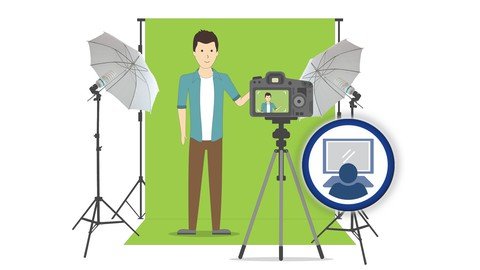
EDITING: Know how to use free and paid editing software such as Audacity, Izotope RX3, MovieMaker,PowerPoint, Sony Vega, screen casting and using a green screen
PUBLISHING: Be familiar with the educational platforms and marketplaces and reach millions of students who are already interested in online courses
BUILD YOUR OWN: Build your own website using done-for-you templates that are easy to use (even if you're not a techie)
COPYWRITING: Write epic titles and subtitles that sell and effective course outcomes and descriptions for your course landing page
PROMOTIONAL VIDEO: Create compelling promotional videos using proven a framework
PRICING: Evaluate your market to know exactly what to set your price at
MARKETING: Market your online course using YouTube, Facebook, Interviews, Webinars and Sales Funnels
Requirements
Knowledge, wisdom, experience or a skill that you wish to teach others.
You do NOT need have an email list/audience to sell your course to-we'll show you how to start from scratch.
You do NOT need to know how to teach, how to do marketing, how to edit videos, or even how to use a camera. We'll cover EVERYTHING.
Description
+++++++++++++++++++++++++++++++++++++++++++++++
We are top Udemy instructors in the personal development category. Our courses have been taken by over 700,000+ happy students from 200 countries.
We have a thriving community in the course and we are actively involved and answer questions within 24h.
+++++++++++++++++++++++++++++++++++++++++++++++
Do you want to find out how you can make money teaching what you know and love ONLINE?
This course will teach you how to turn your expertise, knowledge, experience, or passion into an ONLINE COURSE.
<<<Due to the global Coronavirus quarantine, many coaches, speakers, retreat leaders, corporate trainers and workshop facilitators are finding themselves unable to work with their clients and reach their audience. As you will find out in this course, we (instructors Joeel & Natalie) were in this exact situation almost 6 years ago when we faced a year-long semi-quarantine due to Joeel's chronic illness. During this time, we converted our coaching programs, workshops, and speeches into online courses and completely transformed our lives! THIS IS YOUR CHANCE to create online courses so you can reach those you serve and create passive income that supports you NO MATTER WHAT.>>>
Why create online courses?
Reach more people in less time (in some cases NO time)
Record it once, sell it over and over again
Teaching online has the LOWEST START-UP COSTS of any online business
No previous experience speaking or teaching required
No email list or established audience is required (although if you do, there's a
different strategy)
No high-tech skills required
You can create passive income, side income, additional revenue streams or become a full time online instructor.
Leave a legacy and add value to the world by sharing your passion and wisdom
Why do YOU want to create an online course?
TEACH MY PASSION: Monetize your passion or expertise by getting paid to teach what you know and love online! Help others learn what you know, achieve what you've accomplished, or thrive through what you've overcome.
FREE MY TIME: Stop trading your time for money (or at least not all of it!) by turning your coaching, consulting, training, or educational program into an automated or leveraged online course.
LEAVE A LEGACY: Package your wisdom and share it with the masses for generations to come! Ensure your years of experience and knowledge continue reach those you wish to serve, even after you're gone.
TRAIN MY CLIENTS/STAFF: Streamline your training process (and reduce cost) by converting new or existing programs into automated, self-paced courses available anywhere, any time.
EXPAND MY IMPACT/REACH: Add value to your clients, customers, or intended audience by sharing educational content through low-cost, accessible, automated online courses.
Here's what we'll be covering in this course
EQUIPMENT: Start with what you already have (such as a computer and a cell phone) or inexpensive equipment, plus easy-to-use free software, and then upgrade over time.
RECORDING: Learn everything you need to know to produce quality video, including audio, lighting, videography, and backgrounds.
CONFIDENCE: Speak with confidence and feel comfortable being on camera.
AUDIENCE: Learn how to get sales even if you don't have an audience to begin with!
CONTENT: Develop the curriculum for your course, including defining your market, deciding what to teach, creating your outline, designing your content, and creating video-length segments.
TEST YOUR TOPICS: Learn how to test your course idea to make sure it's viable and profitable.
EDITING: Beginner and advanced video editing tips and demonstrations-showing how simple the process really is, including how to edit video and audio using free and paid software such as Audacity, Izotope, MovieMaker, PowerPoint, Sony Vega, as well as screen casting and using a green screen.
PUBLISHING: Learn about different educational platforms and marketplaces where you can reach millions of students who are already interested in online courses.
BUILD YOUR OWN: Build your own website using done-for-you templates that are easy to use (even if you're not a techie).
COPYWRITING: Write epic titles and subtitles that sell and effective course outcomes and descriptions for your course landing page.
PROMOTIONAL VIDEO: Follow a proven framework to create compelling promotional videos.
PRICING: Evaluate your market to know exactly what to set your price at.
MARKETING: Tips and tools for marketing your online courses, including YouTube, Facebook, Interviews, Webinars and Sales Funnels.
WHAT THIS COURSE IS NOT
This course is not about "getting rich quick" or "do nothing, get paid". Creating profitable online courses is time consuming and takes specific skills, tools, and equipment. This course is designed teach you everything you need to know in order to "do-it-yourself" and develop a high-quality course that provides valuable content AND makes you money.
So, are you ready to transform your life, create true freedom, and create passive income? If so enroll now, we look forward to seeing you in the course!
Guarantee: We know you will love this course. However, we offer a no-questions-asked 30-day money-back guarantee if the course does not meet your needs for any reason.
WHO ARE WE?
We are Joeel & Natalie Rivera. Creating online courses transformed our business at a time when we needed it. After returning from our honeymoon, I became ill and spent almost a year on bedrest. During this time we were unable to continue conducting our in-person workshops, speeches and coach training programs. However, what felt like a curse turned out to be a blessing because in 2015 we decided we wouldn't let our circumstances hold us back and we converted all of our programs into online courses.
Today, we have served almost 300,000+ students from over 195 countries. We're happy and healthy and our business is thriving. We live at the beach, create our own schedules, travel when we want to, and love what we do!
And, now we want to teach YOU everything we've learned about creating online courses, so that you can get paid to teach what you know and love while helping people from around the world.
Copyright ©️ Transformation Services, Inc. | All Rights Reserved
Who this course is for
You want to become an ONLINE TEACHER/educator/instructor but you're not sure how to get started
You want to GET PAID TO TEACH something you know and love but don't know how
You're an ENTREPRENEUR, side-hustler, or want to become self-employed and you're looking for a new way to MAKE MONEY ONLINE or generate passive income
You're a life COACH, consultant, TRAINER, speaker, or teacher who recognizes you could REACH MORE PEOPLE if you weren't restricted to being there IN PERSON
You have KNOWLEDGE, expertise or experience in a particular field or hobby that others would benefit from learning
Screenshots












 
AGZ3ITYSU4fG5GQiZUvCd9D7lzjuks3e.jpg

Optical Fiber Transmission Networks Using DWDM Technology
MP4 | Video: h264, 1280x720 | Audio: AAC, 44.1 KHz
Language: English | Size: 741 MB | Duration: 2h 5m
All you require to start with DWDM Technology, fundamentals, components: Mux/Demux, ROADMS, Amplifiers, transponders etc​

What you'll learn
Dense Wavelength Division Multiplexing (DWDM) Networks
DWDM for Transmission Networks
Optical Fiber Communication Basics and Impairments
Raman Optical Line Amplifiers
Erbium Doped Fiber Amplifiers (EDFAa)
DWDM components: Transponders, Mux/Demux, Add Drop Multiplexers, OSC
Reconfigurable Add Drop Multiplexers (ROADMS) and their types
Flexible Grid DWDM Technology
Requirements
Familiarity With Basic Telecommunication Concepts
Description
Dense Wavelength Division Multiplexing (DWDM) is an optical multiplexing technology used to increase bandwidth over existing fiber networks. DWDM works by combining and transmitting multiple signals simultaneously at different wavelengths on the same fiber. The technology creates multiple virtual fibers, thus multiplying the capacity of the physical medium.
Dense Wavelength Division Multiplexing (DWDM) is a key component of the world's communications infrastructure. The tremendous growth in telecommunications services is possible today in part through optical networks, where DWDM systems allow much greater bandwidth over existing optical systems. For anyone involved with telecommunication and information technology, understanding this technology is a critical requirement.
So for those who aspire to start career in telecom companies, it is quite rewarding to invest in the DWDM technology. For those already working in telecom companies providing different data and voice service, this will enhance their portfolio and career prospects.
This DWDM training is comprehensive and indepth, so that you may get started with this DWDM technology as soon as possible. This course is designed to provide you with necessary functional knowledge possible in shortest possible time.
Upon completion of this DWDM training course, the attendees will be able to
Understand the basics of DWDM
Architecture of DWDM system
How DWDM networking is done
Wavelength spectrum for DWDM and Gray Optics
CWDM Vs DWDM
Main components of DWDM systems
Transponders
EDFA Optical Amplifiers
RAMAN Optical Amplifiers
Optical Add Drop Multiplexers
Optical Fiber Communication fundamentals to understand DWDM systems
Various Types of Optical channel Impairments and dispersions
Optical link Budget
Flexible Grid DWDM systems
Reconfigurable Add Drop Multiplexers (ROADMs)
Static ROADMS
Colorless ROADMS
Colorless Distortionless ROADMS
Colorless Distortionless Contentionless ROADMS
Who this course is for
Beginner, Intermediate Telecom/Network Engineers who want to learn about DWDM Technology


aa953903f35384e611fd043008c11de4.jpeg

PANORAMA PHOTOGRAPHY - Your Key To Success
Instructors: Zoltán Nagy
Duration: 41m • 13 Lessons
Video: MP4 1280x720 44 KHz | English
Level: All levels | Size: 545 MB​

In this course you will learn how to take cool panorama photos that can stand out from the crowd. The best way in my opinion to take really cool image of a place that packed with photographers is to find a different composition, perspective and a cool foreground. In this course you will learn how to do that.
The best way to learn photography is by going through real life examples. I will tell you everything from A to Z, all you need to know to take an amazing landscape photo.
You can download the RAW files. You will learn much faster if you follow all the steps in the videos.
We will look at the following
Camera settings
Stitching panorama
Editing in Adobe camera raw
Advanced editing techniques in Photoshop
Effective and FREE sharpening techniques
How to export your photos for web
All you need to complete this course is some basic photography knowledge, Photoshop and love for photography.
Screenshots


th_WWqmG39ysfDOjilfXOIDbME1jMLDa5W8.jpg

Paint a Watercolor Landscape: Sunset in the Forest
MP4 | Video: h264, 1920x1080 | Audio: AAC, 48 KHz
Language: English | Duration: 1H37m | Size: 1.44 GB
Learn how to create a beautiful watercolour landscape!​

This class will take you through the entire process of creating this watercolour painting. Starting with a real time "techniques" lesson, you will learn all of the skills that go into painting the picture. Then paint along with the step-by-step demonstration of the forest scene, using techniques you already know!
Suitable for beginners and students of all levels, the skills you learn will give you the confidence to create your own watercolour landscapes in the future.
You will learn how to
· Choose your art supplies
· Use a reference photo as inspiration
· Improve the aesthetics of your painting with knowledge of composition
· Use masking fluid and masking tape to "save" white areas for later
· Use 3 blending techniques: "variegated wash," "graded wash" and "blurred edge"
· Paint foliage using a sponge
· Create texture using the "dry brush" technique
· Lighten a painted area using the "lifting" technique
Materials required
· Watercolour paper
· Watercolour paints
· Mixing palette
· Pencil
· Eraser
· Ruler
· Masking tape
· Masking fluid (optional but recommended)
· Watercolour brushes - mop, detail and a cheap one for the masking fluid
· Kitchen sponge
· 2 water containers
· Eye dropper (optional)
· Spray bottle (optional)
· Tissue or paper towel
· Hair dryer (optional)
· Scissors
· White gel pen (optional
Homepage
Screenshots


7OoKumooYIV8wzSekwQMWqdayLLQQpDr.jpg

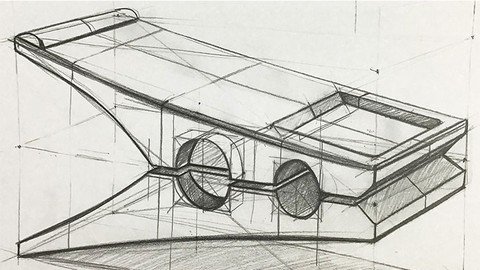
Pencil Drawing Product Drawing Design with Perspective
MP4 | Video: h264, 1280x720 | Audio: AAC, 44.1 KHz
Language: English | Size: 7.42 GB | Duration: 5h 42m
advanced three-dimensional industrial product and object drawing with perspective techniques, pencil sketching course,​

What you'll learn
drawing advanced objects
sketching techniques used while designing
rules of perspective
analysis and drawing of objects
light shadow and line value in the product
thinking in three dimensions and transferring it to paper
the drawing processes of objects in an easy way
smoother straight line and ellipse drawing conveniences
Requirements
paper
pencil
drawing motivation
Description
Hello.. (This is the third course of the series, which consists of three stages.)
When we examine our daily life, perspective and proportion are everywhere in our lives. On the streets, in the products, in the places, in short, everywhere. Third and end of perspective trainings
In addition to drawing from a different perspective, it is aimed to make conscious observations in this course.
In this training;
- Seeing the rules of perspective with academic and advanced perspective fundamentals and looking complicated
We will apply it on objects.
- You will have learned the general drawing logic of the most difficult objects very well.
- How should we start first when drawing objects? What rules should be in the technical infrastructure? Which
Where should we use the technique? How do we adjust the surfaces of the object drawn in different perspectives?
We will find answers to questions such as
- The general principle of this training is to learn the drawing techniques of all objects by going from certain basic rules.
is to teach.
- Different movements on the surfaces, starting from the prisms, which are the basis of the product drawing
you can.
- While drawing the products, we will see not only the visible and clear areas, but also the inside and invisible parts of the drawing.
- To draw the drawing of complex objects at the extreme point very easily,
- How to focus the actual lines of the object among many lines,
- How contrasts are captured with the line value,
- How to show the drawn objects more effectively and strikingly,
- The reactions of the line values ​​according to the direction of the light,
- Toning (light - shadow)
- How the line value and the tone value should be in harmony,
- Where we tone so that the perception of depth can be felt on the paper,
- Where we should increase to the darkest values.
- How we can more clearly show that it is in contact with the ground,
We will see all these issues not only theoretically, but also practically through product examples. Since we will deal with these two main topics together, we will see much more permanent results. At the end of the training, you will be able to draw all objects and architectural structures with the right perspective foundations. In this course, which is the last training of the series, we will see products that are very intense and consist of many parts. You will be able to create professional product drawings, starting from scratch, even in the most intense details. In this training, you will learn the techniques that should be used in product-oriented drawings, even when drawing any composition. To learn the techniques that an architect, industrial designer or hobbyist drawing must know, you can watch the training videos and start developing quickly.
Who this course is for
anyone who wants to learn drawing
Screenshots


6239252af47cb379ae4e399d4d65d6d1.jpeg

Photography 101 ( photography for beginners )
Instructors: Khaled Alshaebi
Duration: 22m • 5 Lessons
Video: MP4 1280x720 44 KHz | English
Level: Beginner | Size: 149 MB​

New to photography and cameras? Learn the basics cameras, lenses, and lighting !
This introductory photography class is a simple to follow and good way to get started the right way. Taught by photographer Khaled Nabil, you'll learn about what camera to get, type of lenses, shutter speed, Light, and ISO to start taking good photos, and then hit the ground to get that work!
The lessons in this course
Introduction, this video will show you what is the course about
Cameras, this lesson will explain how to get your first camera
Lenses, what are the differences between lenses
Light, what are the differences lights
How to use the camera
Final advice
By the end of this course, you'll know how to buy your first camera, get the right lens, set up your camera and shoot in manual mode for total control, and create your art.


yymsDCG9tcSLGuk1pBSl045u0coPxTVq.jpg

Project Costing, Cross Charge Processing
MP4 | Video: h264, 1280x720 | Audio: AAC, 44.1 KHz
Language: English | Size: 1.49 GB | Duration: 2h 45m
Project Costing, Cross Charge Processing
What you'll learn​

Overview of Cross Charge
Processing Flow for Cross Charge
Processing Borrowed and Lent Accounting
Processing Intercompany Billing Accounting
Adjusting Cross Charge Transactions
Overview of Oracle Project Costing Integration
Integrating Expense Reports with Oracle Payables and Oracle Internet Expenses
Integrating with Oracle Purchasing and Oracle Payables (Requisitions, Purchase Orders, and Supplier Invoices)
Integrating with Oracle Assets
Requirements
Oracle Modules and data exchange between them
Development of statistical process controls
Oracle General Ledger provides highly automated financial processing. It can import and post 42 million journal lines per hour, making it the fastest and most s
Description
Cross Charge
This chapter describes accounting within and between operating units and legal entities.
This chapter covers the following topics
Overview of Cross Charge
Processing Flow for Cross Charge
Processing Borrowed and Lent Accounting
Processing Intercompany Billing Accounting
Adjusting Cross Charge Transactions
Overview of Oracle Project Costing Integration
Integrating Expense Reports with Oracle Payables and Oracle Internet Expenses
Integrating with Oracle Purchasing and Oracle Payables (Requisitions, Purchase Orders, and Supplier Invoices)
Integrating with Oracle Assets
Integrating with Oracle Project Manufacturing
Integrating with Oracle Asset Tracking
Integrating with Oracle Inventory
Integrating with Oracle Time & Labor
This will be covered for the benefit of functional and techno-functional Oracle ERP implementation.
Overview of Cross Charge
Enterprises face complex accounting and operational project issues that result from centralized project management through sharing of resources across organizations.
Oracle Projects provides the following cross charge features to address these issues
Borrowed and Lent Accounting: This feature creates accounting entries to pass costs and revenue across organizations without generating internal invoices.
Intercompany Billing Accounting: This feature creates internal invoices and accounting entries to pass costs and share revenue across organizations.
In addition to these two features that enable you to charge costs across organizations, Oracle Projects' inter-project billing features enable you to charge costs between projects. For detailed information on this feature, see Inter-Project Billing, Oracle Project Billing User Guide.
Cross charge features depend on multiple organization support in Oracle Projects and other Oracle Applications. In addition, these features support multinational projects, which also call for other currency exchange management functionality.
Who this course is for
Beginners on project existing, cross charge processing in Oracle EBS ERP useful for finance, functional, techno-functional consultants working in information technology industry for their clients ERP requirement or organization if they are inhouse developing, maintaining their ERP enterprise resource planning system
Screenshots


0b969e9b-0be3-4527-91d6-a8d7dbd24c8e.png

Seamless Repeats and Pattern Brushes:A Procreate Masterclass
Instructors: Muhammad Bilal Moten
5 sections • 17 lectures • 1h 54m total
Video: MP4 1280x720 44 KHz | English + Sub
Published 3/2022 | Size: 1.123 GB​

Get started with surface design, Join the course to learn How to create a variety of Seamless patterns and apply easily.
What you'll learn
Make seamless patterns in Procreate
Turn you artworks into repeat patterns
Make monochrome pattern brushes
Turn a multi coloured pattern into a brushset
Requirements
No prior knowledge is needed, however you should have access to an iPad and the Procreate app
Description
Have you tried making seamless repeat patterns? want to be a successful surface designer? Do you own an iPad and want to take advantage of its most powerful app? Look no further, join the class, download the Procreate app, watch an hour of video lessons and you will have created several different types of seamless patterns in Procreate and spend a few hours on this and you will have a stunning portfolio of designs and patterns and textures and pattern brushes that you can use for yourself, sell on the internet or maybe license your Patterns to firms for a commission off the sales.
My name is Muhammed Bilal. I am a self taught hand lettering and calligraphy artist. Even thou its not been long since I started calligraphy and hand lettering, I have grown quite fond of these in a relatively short amount of time.
In recent months I have tried a lot of different mediums for calligraphy and hand lettering, including watercolors, acrylic paints, pointed pen calligraphy, brush pens etc. I even successfully made my own watercolor paints from scratch with a variety of shades and special pearl effects, metallic colors, neon colors and about to try color shifter watercolors now and will soon make a class about that hopefully.
I love pretty much all the mediums but procreate is my personal favorite because of the flexibility and ease of use and the lack of need to buy a tom of supplies.
One thing I love in procreate is making my own seamless patterns. I have made countless patterns on procreate ranging from all the different types of patterns and themes. Whether its fruits or geometrical shapes or mathematical equations (yes I love math) or even random lines and bubbles.
This class is a long one that starts from the basics of pattern making in procreate and goes all the way to the more advanced types of patterns and pattern brushes that you can make in procreate. If you want a shorter class you can visit my profile and take the class "creating seamless patterns in procreate" and then come back to this. Alternatively this class also contains the basics of pattern making and you do not need to take that class.
In this class i'll be starting with the very basic and go over to the more advanced patterns that you can make.
The class will start with a brief video lesson on the basics of procreate and creating a new document for all our patterns basic designs and grid making. This will be followed by a lesson in which ill go through the different types of patterns that we will be covering in this class as well as the key differences in them and how to identify the type of a pattern.
first we will start with general repeat patterns that will have one characteristic from each of these two groups that I like to categorize the patterns
dot style vs seamless toss style
full drop vs half drop horizontal vs half drop vertical
in the next few video lessons I'll teach you how to make each of the patterns that I have categorized above.
Next, we will move on to specialized pattern where I'll cover
dot style diamond repeat
seamless diamond repeat
grid patterns
along with most patterns where I use a simple one color design/motif, I'll be teaching you how to create a brush out of it that you can use especially for texture or grid patterns.
The next module of this class will be to create a complex brush set that is a collection of multiple patterns brushes that can be used to effortlessly simulate a polychromatic repeat pattern that you may want to use in multiple projects.
and then one last video for explaining your class project.
and that's it, if you followed along you already have completed your class project as well as have a good number of designs already made that you can start selling and are capable enough to unleash your creativity in creating countless more patterns for your own use or for clients that you get from free lancing websites etc.
If you are already a procreate user, well and good but even if you have never used procreate this class will be great for you as you do not need any prior knowledge to take this class and you will be able to learn all of what I teach(the only requirement is that you follow along and put in your effort and not just watch the class)
In order to help you in following along I have attached the brushes that We make and use in the class as well as some of my favourite brushes that will expand your brush library. I hope you like them. You can find them in the resources section of this Course.
you can also sign up for my newsletter where I share tutorials, free brushes, lettering practice sheets, guides and much more.
Who this course is for
Graphic designers, Surface designers, print on demand Business owners, textile designers etc
Screenshots


x4lYausrFc4RRIgB7VhIBqV83GjpiFad.jpg

Taming Google Workspace (G Suite) - An Administrator Guide
MP4 | Video: h264, 1280x720 | Audio: AAC, 44.1 KHz
Language: English | Size: 5.94 GB | Duration: 13h 28m
Google Workspace (G Suite) admin course - Easy to follow, step-by-step tutorials.
What you'll learn​

Setting up a Google Workspace (G Suite) Trial - Including DNS Settings, MX Records, SPF Records, DMARC and DKIM Records
Advanced Security for Google Workspace (G Suite) - Including Email Security, Password Security, People Security, Less Secure Apps, MFA and SSO
Users and Groups - Including OU Structure, Admin Roles, Suspending and Restoring Users, Deleting and Undeleting Users
Managing the Core G Suite Apps - Including Managing the Directory, Managing Calendars, Managing Gmail and Managing Drive and Docs
Google Workspace Mail Flow - Including Routing Settings, Default Routing, Sending Routing, Receiving Routing, Content Compliance and Attachment Compliance
Device Management - Including Apple Push Cert for iOS, Company-Owned and Work Profiles
Requirements
Internet connected computer
Domain that can be used for the labs - a sub domain could also be used
Description
Want to get your company / school / network up and running on Google Workspace (G Suite)?
This Complete Administrator's Guide to Google Workspace (Google G Suite) walks you through the step-by-step process of setting up Google Workspace / G Suite (Google Apps for Your Domain or Google Apps for Education) as fast as possible. I focus on the best practices and explain why each step and setting is important. I also take you through real-life scenarios you may encounter and show you how to address each one.
What are some specifics covered in this course?
In managing Google Workspace (G Suite) you will be looking at some basic and advanced topics, including
Google Workspace - DNS Records, MX Records, SPF Records, DKIM Records and DMARC Policies
How to secure Gmail, the Google Calendar, Google Drive and Google Docs and other security policies.
How to manage your Google Workspace Organisation Units (OUs)
How to add, edit, manage, suspend, and delete users
Everything you might ever need to know about Groups
How to manage your Google Workspace (G Suite) with GAM and scripting
Syncing your users via Active Directory and Google Cloud Directory Sync
We delve deep into Catch-all email address, Default routing, Sending and Receiving routing, Content compliance, Attachment compliance and Objectionable content
How to work with Buildings and Resources
We look at Device management for iOS, Android and Chrome managed browsers
We migrate from PST files, eDiscovery in Office 365 to Google Workspace using the admin centre
Chrome Extensions to make your life as an Admin easier
How to get a free website set up for your company, using Google Sites
Who is this course suitable for? Who should do this course?
If you are a complete beginner, or if you are a Workspace (Google G Suite) Administrator (or still call yourselves a "Google Apps" admin) and know your way around the admin console, this course is for you.
If you are currently looking at the "Google Cloud certification in Google Workspace (Google G Suite)", "Google Workspace (Google G Suite) Administration Specialization" or the "Professional Collaboration Engineer Exam" this course will explain in layman terms the way to set up Workspace (Google G Suite) for your users and get you well on your way to the first steps in preparing for your exam.
If you are coming off Microsoft Exchange or Microsoft / Office 365 and want to expand your knowledge, this course will take your current knowledge and expand on it. Are you looking to migrate from Office 365 to Google Workspace (Google G Suite)? We have a full section to help you do that.
What can I expect from this course? What will I be able to do?
On completion of this course, you will be able to complete common administrative tasks in the Google Workspace (G Suite) admin console and advise on best practices for your organisational structures, users and groups. You will also be able to monitor security events and risks and put in place the necessary measures to protect your users and organizational data.
Taming Google Workspace (G Suite) - An Administrator Guide
Google Workspace (G Suite) admin course - Easy to follow, step-by-step tutorials.
Please note: Google G Suite is now Google Workspace! And this course is being updated with all the latest changes in Google Workspace.
What questions do we answer?
Can Google Workspace (G Suite) host a website?
Can Google Workspace (G Suite) admin see your google drive?
How much Google Workspace (G Suite) cost?
How can I extend a Google Workspace (G Suite) Trial to more than 14 days?
How to configure Google Workspace (G Suite) in Outlook
What Google Workspace (G Suite) account should I sign up for?
How Google Workspace (G Suite) works.
How do I install apps from the Google Workspace (G Suite) Marketplace?
How do I migrate from Office 365 to Google Workspace (G Suite)?
And many more.
And the full 30 day no-questions-asked Udemy instant guarantee is your assurance of the quality and potential of this course.
Get started today by clicking "Buy Now" and get full, lifetime access to this unique Google Workspace (G Suite) course with all future updates and all current and future course materials included!
Here are some recent reviews for this Google Workspace (G Suite) course...
5 Star - This course is excellent. It provides you with the foundations to start working with G Suite. The instructor is fully committed to his teaching. He has focused on key topics, such as: Controlling Spam within G Suite Email with SPF and DKIM, creating a control CSV file for user accounts and using Google Vault. I would highly recommend this course to anyone. - Monica
5 Star - This is an excellent course, Will recommend it to any Fellow Gsuite Admins!!! - Edoardo Venter
5 Star - A very informative and detailed course that covered G Suite features. It took me through all the steps in setting up and managing the solution. Paul gave good examples of how his current clients use certain features. That helped in deciding among the alternatives. Would recommend this course for any person who is implementing and running the solution. As there are separate lessons each 'video' can serve as a quick user guide when addressing a specific function. - Alan
5 Star - I have been battling with Google cloud directory sync for a long time and then watching 2 videos in this course, solved it for me. Worth every cent. - Eamir Mansouri
5 Star - This was a fantastic course for someone with technical knowledge, but new to G Suite. The lessons were detailed and easy to follow, with no extra fluff. Highly recommended if you are just getting started with G Suite or if you are ready to take your basic knowledge to the next level. - Julie Cockburn
Who this course is for
Beginner Google Workspace (G Suite) Admins
Intermediate Google Workspace (G Suite) Admins looking for reference materials and additional tips and tricks
New Google Workspace (G Suite) Admins looking to get up to speed fast
Companies looking to standardise their Google Workspace (G Suite) admins with the same knowledge
Screenshots


Zurück
Oben Unten