





• Regeln für den Video-Bereich:

    In den Börsenbereich gehören nur Angebote die bereits den Allgemeinen Regeln entsprechen.

    Einteilung

    - Folgende Formate gehören in die angegeben Bereiche:
    - Filme: Encodierte Filme von BluRay, DVD, R5, TV, Screener sowie Telesyncs im Format DivX, XviD und x264.
    - DVD: Filme im Format DVD5, DVD9 und HD2DVD.
    - HD: Encodierte Filme mit der Auflösung 720p oder darüber von BluRay, DVD, R5, TV, Screener sowie Telesyncs im Format x264.
    - 3D: Encodierte Filme von BluRay, die in einem 3D Format vorliegen. Dies gilt auch für Dokus, Animation usw.
    - Serien: Cartoon/Zeichentrick, Anime, Tutorials, Dokumentationen, Konzerte/Musik, Sonstiges sind demnach in die entsprechenden Bereiche einzuordnen, auch wenn sie beispielsweise im High Definition-Format oder als DVD5/DVD9/HD2DVD vorliegen. Ausnahme 3D.
    - Bereich Englisch: Englische Releases gehören immer in diesen Bereich.
    - Bereich Talk: Der Bereich, in dem über die Releases diskutiert werden kann, darf, soll und erwünscht ist.


    Angebot/Beitrag erstellen

    - Ein Beitrag darf erst dann erstellt werden, wenn der Upload bei mindestens einem OCH komplett ist. Platzhalter sind untersagt.
    - Bei einem Scenerelease hat der Threadtitel ausschließlich aus dem originalen, unveränderten Releasenamen zu bestehen. Es dürfen keine Veränderungen wie z.B. Sterne, kleine Buchstaben o.ä. vorgenommen werden. Ausnahme Serienbörse:
    - Bei einem Sammelthread für eine Staffel entfällt aus dem Releasename natürlich der Name der Folge. Beispiel: Die Simpsons S21 German DVDRip XviD - ITG
    - Dementsprechend sind also u.a. verboten: Erweiterungen wie "Tipp", "empfehlenswert", "only", "reup", usw. / jegliche andere Zusatzinformation oder Ergänzung, welche nicht in obiger Beschreibung zu finden ist.

    Aufbau des Angebots und Threadtitel

    Der Titel nach folgendem Muster erstellt zu werden. <Name> [3D] [Staffel] [German] <Jahr> <Tonspur> [DL] [Auflösung] <Quelle> <Codec> - <Group>
    Beispiel: The Dark Knight German 2008 AC3 DVDRip XviD - iND
    Beispiel: The Dark Knight 2008 DTS DL BDRip x264 - iND
    Beispiel: The Dark Knight 2008 AC3 DL BDRip XviD - iND
    Beispiel: The Dark Knight German 2008 AC3 720p BluRay x264 iND
    Beispiel: The Dark Knight 2008 DTS DL 1080p BluRay x264 iND
    Beispiel: Die Simpsons S01 German AC3 DVDRip XviD iND
    Beispiel: Die Simpsons S20 German AC3 720p BluRay x264 iND
    Beispiel: Sword Art Online II Ger Sub 2014 AAC 1080p WEBRip x264 - peppermint
    Entsprechend sind also u.a. verboten: Sonderzeichen wie Klammern, Sterne, Ausrufezeichen, Unterstriche, Anführungszeichen / Erweiterungen wie "Tipp", "empfehlenswert", "only", "reup", usw. / jegliche andere Zusatzinformation oder Ergänzung, welche nicht in obiger Beschreibung zu finden ist
    Ausnahmen hiervon können in den Bereichen geregelt sein.

    Die Beiträge sollen wie folgt aufgebaut werden:
    Überschrift entspricht dem Threadtitel
    Cover
    kurze Inhaltsbeschreibung
    Format, Größe, Dauer sind gut lesbar für Downloader außerhalb des Spoilers zu vermerken
    Nfo sind immer Anzugeben und selbige immer im Spoiler in Textform.
    Sind keine Nfo vorhanden z.B. Eigenpublikationen, sind im Spoiler folgende Dateiinformationen zusätzlich anzugeben :
    Quelle
    Video (Auflösung und Bitrate)
    Ton (Sprache, Format und Bitrate der einzelnen Spuren)
    Untertitel (sofern vorhanden)
    Hosterangabe in Textform außerhalb eines Spoiler mit allen enthaltenen Hostern.
    Bei SD kann auf diese zusätzlichen Dateiinformationen verzichtet werden.

    Alle benötigten Passwörter sind, sofern vorhanden, in Textform im Angebot anzugeben.
    Spoiler im Spoiler mit Kommentaren :"Schon Bedankt?" sind unerwünscht.


    Releases

    - Sind Retail-Release verfügbar, sind alle anderen Variationen untersagt. Ausnahmen: Alle deutschen Retail-Release sind CUT, in diesem Fall sind dubbed UNCUT-Release zulässig.
    - Im Serien-Bereich gilt speziell: Wenn ein Retail vor Abschluss einer laufenden Staffel erscheint, darf diese Staffel noch zu Ende gebracht werden.62
    - Gleiche Releases sind unbedingt zusammenzufassen. Das bedeutet, es ist zwingend erforderlich, vor dem Erstellen eines Themas per Suchfunktion zu überprüfen, ob bereits ein Beitrag mit demselben Release besteht. Ist dies der Fall, ist der bereits vorhandene Beitrag zu verwenden.
    - P2P und Scene Releases dürfen nicht verändert oder gar unter einem iND Tag eingestellt werden.


    Support, Diskussionen und Suche

    - Supportanfragen sind entweder per PN oder im Bereich Talk zu stellen.
    - Diskussionen und Bewertungen sind im Talk Bereich zu führen. Fragen an die Uploader haben ausschließlich via PN zu erfolgen, und sind in den Angeboten untersagt.
    - Anfragen zu Upload-Wünschen sind nur im Bereich Suche Video erlaubt. Antworten dürfen nur auf Angebote von MyBoerse.bz verlinkt werden.


    Verbote

    - Untersagt sind mehrere Formate in einem einzigen Angebotsthread, wie beispielsweise das gleichzeitige Anbieten von DivX/XviD, 720p und 1080p in einem Thread. Pro Format, Release und Auflösung ist ein eigener Thread zu eröffnen.
    - Grundsätzlich ebenso verboten sind Dupes. Uploader haben sich an geeigneter Stelle darüber zu informieren, ob es sich bei einem Release um ein Dupe handelt.
    - Gefakte, nur teilweise lauffähige oder unvollständige Angebote sind untersagt. Dies gilt auch für eigene Publikationen, die augenscheinlich nicht selbst von z.B. einer DVD gerippt wurden. Laufende Serien, bei denen noch nicht alle Folgen verfügbar sind, dürfen erstellt und regelmäßig geupdatet werden.
    - Untersagt sind Angebote, welche nur und ausschließlich in einer anderen Sprache als deutsch oder englisch vorliegen. Ausnahmen sind VORHER mit den Moderatoren zu klären.


    Verstoß gegen die Regeln

    - Angebote oder Beiträge, die gegen die Forenregeln verstoßen, sind über den "Melden"-Button im Beitrag zu melden.
  • Bitte registriere dich zunächst um Beiträge zu verfassen und externe Links aufzurufen.

*** Bestes IPTV *** bester Preis *** gratis Test ***


Englische Tutorials

98c2f9fc-5ab8-4527-b12b-820e900dfb53.png

Complete Chinese Pinyin Course, Learn Chinese Pinyin Well
MP4 | Video: h264, 1280x720 | Audio: AAC, 44.1 KHz
Language: English | Size: 8.46 GB | Duration: 9h 55m
Learn Chinese, Learn Chinese Pinyin in an Effective Way, Master Chinese Tones, Improve Chinese Listening, Chinese Course
What you'll learn​

You will learn how read Chinese pinyin.
You will learn how to read the tones correctly.
You will be able to understand the pinyin when you listen a Chinese.
You will be able to understand the tones when you listen a Chinese.
Requirements
You should not to know anything about Chinese pinyin and tones, I will teach you what you need in this course.
Description
Hello everyone,
As you know, China is among the most powerful countries, and therefore, the demand for China and Chinese is increasing day by day. People generally think that Chinese is a very difficult language and they hesitate to start learning it. But Chinese is not as difficult a language as it seems. The pinyin and tones are intimidating at first and are considered difficult to read. But as you will notice during the course and I will constantly emphasize, the tones are not that difficult. During the tutorial, I will talk about the relationships between the pinyin and it will be much easier to keep in mind that way.
In this tutorial series, There will be about 120 videos and each video will have 10 questions. One of the most useful points of learning tones by listening is that you will see the words you have learned in many different questions, so it will be very difficult for you to forget and you will be able to understand them much more easily. Another point is that we will learn the pinyin that you can use in daily conversation, that is, you will be able to use the tones and pinyin we learned directly from questions when talking to a Chinese friend. This will allow you to speak fluently.
I prepared this course for those who don't know anything about Chinese, so you don't need any foundation. Try to read the pinyin loudly which I have explained in the videos and do not hesitate to ask me about the points you do not understand. I will answer your questions with additional videos. I recommend that you study by reading loudly. In this way, you will be able to grasp the structure of pinyin much faster.
Who this course is for
Those who want to read Chinese in a correct way.
Those who want to understand Chinese people easy.
Screenshots










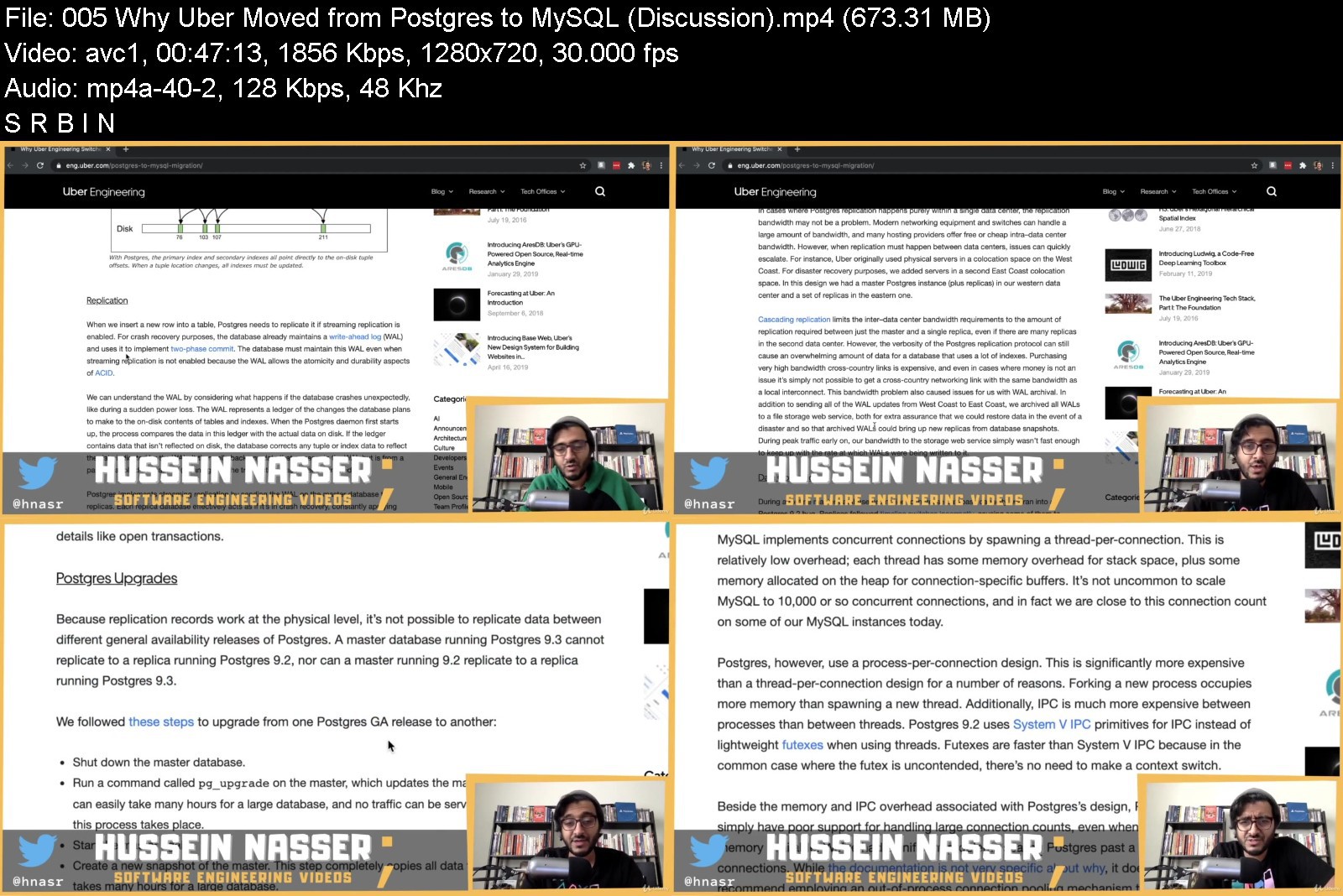


image.png

Develop a Daily Sketchbook Habit: 10 Days of Birds in Procreate
Duration: 1h 8m | Video: .MP4, 1280x720, 30 fps | Audio: AAC, 48 kHz, 2ch | Size: 648 MB
Genre: eLearning | Language: English​

In this class we will be be using Procreate to make a digital sketch book on the theme of birds, with ten fun, bite sized exercises which will jump start your creativity, encourage you to experiment and explore different ways of using Procreate, and help you build a pressure free, stress busting daily art practice.
A daily sketchbook habit is central to the way most artists and creatives work. Sketchbook experiments enable you to
. Relax and try out new things without any expectations
. Discover unexpected design inspiration
. Try out new methods of working
. Spark ideas which lead off in new directions
. Enjoy a calming and meditative way to enjoy being in the moment
By using the same subject matter and colour palette every day we'll be able to jump straight in without those decisions getting in our way.
There'll be lots of tips and tricks as always, and suggestions on how to take your sketches further.
So come on, get your iPad out and let's get drawing!
Screenshots


image.png

Make your custom Pattern Brush, with Adobe Capture and Adobe Fresco App
Duration: 17m | Video: .MP4, 1280x720, 30 fps | Audio: AAC, 48 kHz, 2ch | Size: 191 MB
Genre: eLearning | Language: English​

Join Carina creating Adobe Capture pattern brushes, from own illustrations and photos, and using them in Adobe Fresco App.
Showing complete process, tips, and applications, creating new assets, and re using old ones.
If you love*working with patterns, and you are looking for an easy way to create them, this class is for you!
In this class you'll learn
How to use simple doodles to create a pattern
How to digitalize in Adobe Capture
How to convert your assets in brushes with Adobe capture
How to apply pattern brushes with Adobe Fresco App
Tips and ideas to reuse old illustrations, and create new ones.
You'll be creating
Your own custom pattern brush
You will discover a new world with this techniques, ready to use them in any future project.
In this class, Carina uses Adobe Fresco app to paint, but Capture brushes are also easy to use in Adobe Photoshop, and Illustrator.
SUPPLIES USED IN THIS CLASS
Ipad and pencil
Adobe Capture
Adobe Fresco App
Optional Paper and watercolours, markers, etc
Find Carina in instagram*@poliyapink
Screenshots


10ecb2f8-f190-4ef9-ae6b-87650139f349.png

Pattern Making - The bodice and sleeve basic block
MP4 | Video: h264, 1280x720 | Audio: AAC, 44.1 KHz
Language: English | Size: 889 MB | Duration: 43m
Ladies bodice and sleeve pattern drawing and pattern adjustments.
What you'll learn​

The students will be able to draw a basic bodice and sleeve pattern block for a lady from their own measurements.
Students will have the knowledge to make a mockup which is a sample of the pattern block.
Students will know how to do the mockup fitting.
Students will be able to do changes on their pattern block to ensure that the pattern block will fit their body correctly.
Requirements
Students need to be able to sew a straight line, as they will have to sew the mockups.
Description
The basic block is the starting point of pattern making, where students will draw their pattern blocks with their own body measurements. In lecture 1 of this pattern making course, the students will download the pdf instruction documents and learn how to take body measurements correctly and prepare to draw their basic pattern blocks. The drafting of the ladies bodice pattern block will be done in lecture 2 where they will follow the instructions step by step to draw the pattern, as directed also in my video. In lecture 3, they will draw the sleeve pattern block. In lecture 4 they will transfer the pattern blocks onto calico fabric and then cut it out and sew the mockups, which is a test run of the pattern to fine-tune the fit to the body. In the rest of the 11 lectures, students will learn how to pin the mockup and also how to do the different kinds of pattern adjustments according to the fitting of the mockup, like bubbles that needs to be taken out at the neckline and armscye, how to move the dart to the sideline and how to drop the neckline, adjust the sleeve that is too tight over the biceps and more. After the mockup fitting, they will learn how to do the pattern changes according to the mockup pinning. Then they will be ready to join our new project courses, coming up soon, where they will learn how to manipulate their patterns to create their own unique pattern designs. Once they figured out that they love drawing patterns, it's incredibly rewarding because it's the template of their own unique designs.
Who this course is for
This course is for anyone who wants to have the knowledge of pattern drafting and pattern changing, to be able to sew ladies clothes and patterns that fits well.
Screenshots


649999c4-b132-4729-b695-2fdd88d8dbb3.png

The Latin Language Through Story: Part I
MP4 | Video: h264, 1280x720 | Audio: AAC, 44.1 KHz
Language: English | Size: 2.98 GB | Duration: 2h 48m
A Natural Method to Learning Classical Latin
What you'll learn​

Learn the Latin language through a story that scaffolds in difficulty with each lesson.
Learn new Latin grammar rules in each lesson.
Learn new vocabulary.
Learn sentence frames which will help not only in composing Latin but also in speaking it.
Requirements
There are no perquisites necessary for this course, but a decent understanding of English grammar will be helpful.
Description
As the title suggests, The Latin Language Through Story aims to teach the language through a story which scaffolds in difficulty with each progressing lesson. Every lesson begins with an introduction to a new grammatical concept(s), and then it puts this new concept into practice in the form a short, recorded reading entirely in Latin. The story follows a Roman family and their servants as they go about their daily life in the Roman countryside.
This is the first in a series of courses that will teach the Latin language through one continuous story. Read along and enjoy learning Latin with Quintus, Sabina, and their children. The grammar topics in this course include the following spread across eight lessons
The five major noun cases (nominative, genitive, dative, accusative, and ablative)
The present tense of verbs in all four conjugations
The infinitive and the complementary infinitive
Helping verbs
Special verbs with a dative (intransitive verbs)
The imperative voice
The verb to be
The relative pronoun
...and more!
This course includes hundreds of commonly used Latin vocabulary words, a Latin-English translation of the course's story - Fabula Latina - as well as exercise sheets and translation exercises.
With nearly three hours of video, plenty of reading, and additional grammar and translation exercises this course is bound to keep you busy and to help you enjoy learning the two thousand year old parent tongue of so many languages spoken today.
Who this course is for
This course is helpful to anyone wanting to learn a new language, especially a Romantic language.
Screenshots


73f132df-b244-4e93-91fb-592579370afc.png

Video Editing With Final Cut Pro X - Complete Beginners Guide
Duration: 1h 11m | Video: .MP4, 1280x720, 30 fps | Audio: AAC, 48 kHz, 2ch | Size: 760 MB
Genre: eLearning | Language: English​

Welcome to this Final Cut Pro X course. You're going to learn how to edit a video from start to finish, with no prior knowledge.
Final Cut Pro X is a professional video editing software for Mac computers, used by millions of content creators including myself. I manage 3 YouTube channels and edit many projects with this program, as well as paid client work.
This class is aimed at complete beginners, so you don't need to worry if you've never edited a video before. Everything is explained in detail with various examples.
Class objective
You'll have a solid basis of Final Cut Pro
Downloading the program
Organizing files and folders
Understanding the interface
Importing your footage
Trimming and cutting
Adding images, text, and transitions
Adding effects to your video
Basic color grading
Improving your audio
Recording a voice-over
Keyboard shortcuts
Best export settings
This is a beginners step-by-step tutorial. You'll be able to increase the quality of your projects or even offer your services as a video editor.Happy editing!
Screenshots


007f6d32_medium.jpg

Advanced trading course : Complete Smart Money Concepts- SMC
MP4 | Video: h264, 1280x720 | Audio: AAC, 44.1 KHz, 2 Ch
Genre: eLearning | Language: English + srt | Duration: 18 lectures (2h 21m) | Size: 1.57 GB

Understanding :Market structure - Imbalance - Liquidity - Manipulation - Order Block & POI - Follow and break the trend
What you'll learn
Step by Step : How to trade with Smart Money Concepts with 3 section : Definition - Main Strategy - Extra Knowledge
Lesson's form : What it is ? - How to define or apply it ? - Example
Definitions : Liquidity - smart money
Definitions : Imbalance
Definitions : Manipulation
Definitions : BOS /CTS
Definitions : Pullback and Break out
Definitions : Premium and Discount
Definitions : Orderblock / POI
Main Strategy : Trading follow trend - Theory & Example
Main Strategy : Trading break trend - Theory & Example
Extra Knowledge : The simple Wyckoff and Elliot
Extra Knowledge : Define MOMENTUM of the waves
Extra Knowledge : Mistake and Successful system
Requirements
You already had basic knowledge about Forex
You already had basic knowledge about Supply Demand
You already had basic knowledge about Market Structure
You already had basic knowledge about Multiple timeframe analyzation
You had enough perseverance to backtest it from 1 - 3 months before real trading
Description
[Created date : Jan 20th 2022 - Last update : Jan 20th 2022] --- Updated history in the last of description
-----------------------------------------------------------------------------------
Learning guidance
- Learning from Definition --> Main Strategy --> Extra knowledge
or quick learning : Main Strategy --> Definition --> Main Strategy --> Extra knowledge
- Write down step by step to analyze --> Back test --> Improve --> Real trading.
-----------------------------------------------------------------------------------
Course's support & Special requirement
1. Always be patient to learn
2. Always be patient to practice. Trading : 50% Control yourself - 50% Strategy.
3. Instructor's support in Q&A : You can refer existing Q&A and leave your new Questions anytime. I will try to reply within 12hours.
-----------------------------------------------------------------------------------
Recommendation
* Back test from 1 - 3 months before real trading. You can choose GBPUSD - 1H to practice firsts.
** Using headphone will help you learn more focused and better receptive
*** Learning from examples to theory will help you easier to understand.
-----------------------------------------------------------------------------------
What you can do after this course
Understand to analyze & define market structure exactly.
Understand total SMC's map
Understand all the basic definitions about Smart money concepts
Analyze the market and entry with smart money exactly with FOLLOW or BREAK the trend.
Get the optimize Reward per risk ration to start trading funds or your own account.
Understand how to skip & trading with particular market conditions.
Understand how to define Momentum of price to skip or follow trade.
Understand how to define Discount zone and Over zone to trading.
Understand normal mistake to avoid in trading.
Understand successful trading system to optimize your current strategy.
------------------------------------------------------------------------------------------
Updated history
1. Jan 20th 2022 - New release.
Smart Money Concepts was new trading method was developed from traditional Supply & Demand strategy after removing weak market conditional. Therefore, this strategy does not have chance normally, If you trading in H1 timeframe, you should wait normally 3 - 5 days. But, that chances can give you really impressive Reward than other method.
SMC also can support to trade with traditional Supply & Demand created nice strategy to understand total movement of market. Not only Forex, Crypto but also Stock and Future market.
Who this course is for
People who have traded for a long time but they still don't have profit
People who want to trade seriously
People who want to change from officer to freedom trader
People who want to trade like professional traders or trade for Forex funds.
Homepage


43a595f4-6a93-48aa-ae6d-b836b09d86c5.png

Express Essential Training
LinkedIn Learning
Duration: 1h 59m | .MP4 1280x720, 30 fps(r) | AAC, 48000 Hz, 2ch | 382 MB
Genre: eLearning | Language: English​

Are you looking for a quick introduction on the basics of using Express? Express is a flexible, minimalist framework that sits on top of Node.js, allowing you to build powerful websites and web applications with quick and easy-to-use APIs. In this course, full-stack software engineer Jamie Pittman shows you how to get started with this engaging, popular framework.
Learn the basics of how to set up Express, create a server, and build an application with the Express application generator. Explore essential routing concepts, core HTTP methods, JavaScript handler code, and how to work with middleware. Get tips on how to debug an Express application and use Express with other available databases. And because security is a top concern for all developers, Jamie shares best practices for structuring your environment for safety.
Homepage
Screenshots


Adobe Photoshop, XD, Premiere Pro, Ai, Lightroom Masterclass

36498268fbd72ujvy.jpg


Adobe Photoshop, XD, Premiere Pro, Ai, Lightroom Masterclass
Last Update: 9/2021
Duration: 37h 43m | Video: .MP4, 1280x720 30 fps | Audio: AAC, 44.1 kHz, 2ch | Size: 25.3 GB
Genre: eLearning | Language: English

Learn Adobe Photoshop, Premiere Pro, XD, Lightroom and Illustrator From Beginner To Advance


What you'll learn:
Photoshop
Lightroom
Premiere Pro
Adobe Illustrator
Adobe XD

Requirements:
You need a computer
You do not need any prior knowledge about any software
Eagerness to learn!
No drawing ability required
All the Project Files are given in one file in the first video of every section.

Description:
Learn Designing with Adobe CC in this New Course!
Many people want to become designers but don't know the basic fundamentals of design at all.
It can takes years to piece together different ideas to truly begin to understand how it even works.
but it doesn't have to be like that.
By utilizing the proper tools of programs like Photoshop, Illustrator, XD, After Effects, Lightroom, Premiere Pro and more you can propel yourself from a beginner to an expert, just by having the right education.
You have found the perfect course if you want to learn about these programs. It doesn't matter if you have no experience at all, this course was designed to teach you design in the most effective means necessary.
With over 50+ hours (and counting) of video and practical projects to follow along with, this course is JAM PACKED with information to help you learn this designing and Adobe CC programs!
The videos build on one another so that as you work through this course, you will understand more and more!
Not only that, but this course is also designed so that if you already know about a program and just need help with a specific program, you can skip directly to that topic!
So who can benefit from learning designing?
The fundamentals of design are useful for a lot of careers, industries, and hobbies. It doesn't matter if it's logo design, web design, social media, user interface design, advertising, product design, printing, or t-shirts. This course will cover ideas that can be used in any niche!
Each section goes into specific detail of the main principle being taught so that you get in-depth knowledge of that theory. And most sections come with a practical, real-world project that you can follow along with.
This course will cover:
Adobe CC Programs
Adobe Photoshop
Adobe Illustrator
Adobe XD
Adobe Lightroom
Premiere Pro
Audition
After Effects

Other great stuff you might want to know..
Not only will you get over 50+ hours of video content (and counting) and lessons, project files, and a new life skill, you will also have direct communication with the instructors to help you along.
This includes direct messages, discussions, and specialized projects in the course that will allow you to interact with the instructors and others. We are also planning to start zoom classes for the students who will enroll into our course so that you can directly ask question to your instructors.
What else is there to know?
Well there is that little 30 day money back guarantee thing.
That basically means that if you don't enjoy this course for any reason at all, you can get a full refund up to thirty days since the time you purchase it.
It's a win-win situation!
and we applaud winners.
So what are you waiting for?!
The time is now to stop procrastinating and begin learning graphic design with Adobe CC so that you can take full advantage of everything that it has to offer!
Enroll now in this course and get started!


Who this course is for:
This course is great for:
Graphic Designers
Website Designers
Logo Designers
UI / UX Designers
Product Designers
Social Media Experts
Businesses
Publishiers

Homepage


3.contentawarefillstak8l.jpg


007f6d32_medium.jpg

How Leaders Can Connect Empathy and Results
LinkedIn Learning
Duration: 27m 44s | .MP4 1280x720, 30 fps(r) | AAC, 48000 Hz, 2ch | 335 MB
Genre: eLearning | Language: English​

Leading with empathy has been identified as a top skill for the modern leader, but leaders must move beyond simply understanding empathy to intentionally developing it to help their team achieve their goals. In this focused course, leadership expert Scott Mautz offers specific practices that can help leaders express empathy and connect it to the bigger picture of driving desired results in a humane and ethical way. Scott starts with the basics-what empathy is (and what it isn't) and why it's important. He then teaches leaders how to employ empathy to earn employee loyalty, build bonds, handle difficult co-workers, address employee burnout, give feedback, and more. Scott concludes the course with the LEAP (Leading with Empathy Action Plan) and explains methods for tailoring your own plan for leading with empathy in a way that drives results.
Homepage
Screenshots


Map Academy Get mapping quickly, with QGIS

bsd6kft0wtw5bs5amvavv84kcz.jpg


Map Academy Get mapping quickly, with QGIS
Genre: eLearning | MP4 | Video: h264, 1280x720 | Audio: AAC, 44.1 KHz
Language: English | Size: 10.0 GB | Duration: 15h 15m


What you'll learn
How to make different map types (e.g. 'heat maps', locator maps, density maps, election maps - and more)
Map making workflows - adding data, styling data, labelling, design, map layouts and more (including glowing maps)
The fundamentals of QGIS (100% free software, no license or payment required)
How to export high resolution images from QGIS (e.g. png, pdf, jpg, svg and more)
Spatial analysis concepts (buffer, clip, etc)
The fundamental principles of GIS
How to use QGIS for geographic analysis
Geospatial data formats and concepts
Map projections / coordinate reference systems
Map tips and tricks + fun map stuff!
Requirements
No prior experience of mapping or geographic data analysis is necessary - you just need to be a competent computer user and know how to install software (on PC, Mac or Linux).

Description
WELCOME TO MAP ACADEMY! LEARN HOW TO MAKE GREAT MAPS, WITH QGIS
Millions of people across the world love maps, yet only a small percentage of people know how to make maps - and I'm on a mission to change that. Taking your first steps in geographic information systems (GIS) and digital cartography can be really enjoyable, but if you don't have a guide it can also be a wee bit daunting, so that's why I've launched Map Academy. Using real data from many different countries, this course contains over 140 short lessons to help you get up and running with map making and spatial analysis in QGIS.
QGIS is the world's most popular open source GIS and is used by major corporations worldwide, as well as by national, regional and local governments - and by academics, students and amateur map enthusiasts. It's 100% free, and it works on Mac, PC and Linux. QGIS downloads and installs in minutes and requires no licences or registration - ever.
By the end of this course, you'll be able to make many different kinds of maps and save them as high quality images in a variety of file formats (e.g. pdf, jpg, png, and many more) for use in documents, presentations and other settings. You might be surprised at how much you can learn and how far you can go with QGIS in a short space of time.
Map Academy: Get mapping quickly, with QGIS is organised into the following sections
Introduction
Know your way around QGIS
Let's make a map
Data handling
Locator maps
'Heat maps'
Election maps
Density maps
Fun map stuff
Vector tools in QGIS
Working with raster data
QGIS Plugins
Tips and tricks
Recap
Okay, so why QGIS? Yes, it's 100% free, but that's not why I want you to use it. The main reasons we use QGIS in this course are as follows.
BEAUTY: you can produce beautiful maps in QGIS, with minimal fuss.
SPEED: it's fast - it helps you get the job done quickly and meet those pesky deadlines.
POWER: its powerful - you can do all kinds of complex spatial analysis with it and go way beyond mapping, if you need to.
INNOVATION: the QGIS development team are always making improvements and adding enhanced features.
FLEXIBILITY: QGIS can handle any file type, and works on any operating system.
But what if you only need to make simple maps? No problem - it's great for that too. You can use QGIS to make basic maps, as well as performing more complex mapping and spatial analysis tasks - if you need it, QGIS can do it.
Like all software, the initial learning curve can be a bit steep and you can quickly become overwhelmed with words, concepts, data formats and menu options - not to mention the unsettling feeling you can get when you first look at a new user interface. You can find lots of QGIS tricks and tips online, but if you're just starting out with GIS it's often difficult to know what terms to search for, where to look, and who to trust.
This is why I've launched Map Academy here on Udemy. This QGIS course is a systematic, step-by-step introduction that begins with the basics of GIS and data, and guides you all the way through different map types and how to create high quality outputs.
Along the way, you'll learn a ton about fundamental GIS concepts and techniques, all based on the idea of doing-as-you-learn and learning-as-you-do. I'll provide a wide range of interesting, in-depth examples from across the world so that you can apply the learning here to your own specific needs. I'll provide all the data you need - as well as showing you where to find more when you need to (a crucial skill for any GIS user).
I assume no prior knowledge or experience of QGIS, or any other GIS software. So long as you're comfortable using a computer, are enthusiastic about maps, and love learning new things then this course is for you.
I look forward to seeing you in class!
- Alasdair :)
Who this course is for
Anyone who wants to learn how to make high quality maps, including
Architects and urban designers
Urban and regional planners
Students
Academics
Researchers
Journalists
Earth scientists
Analysts (e.g. transport, economic development)
Anyone else with an interest in data and maps


mapacademygetmappingqikjh8.jpg


Download from RapidGator


Download from NitroFlare


Download from UploadGig


Fundamentals of Database Engineering

pdnvxtrihlnsmavbk2gyjyijq3.jpg


Fundamentals of Database Engineering
MP4 | Video: h264, 1280x720 | Audio: AAC, 44.1 KHz
Language: English | Size: 9.16 GB | Duration: 20h 24m

Learn ACID, Indexing, Partitioning, Sharding, Concurrency control, Replication, DB Engines, Best Practices and More!


What you'll learn
Learn and understand ACID Properties
Database Indexing
Database Partitioning
Database Replication
Database Sharding
Database Cursors
Concurrency Control (Optimistic, Pessimistic)
B-Trees in Production Database Systems
Database System Designs
Difference between Database Management System, Database Engine and Embedded database
Database Engines such as MyISAM, InnoDB, RocksDB, LevelDB and More
Benefits of Using one database engine over the other
Switching Database Engines with MySQL
Database Security
Homomorphic Encryption
Requirements
Have worked with databases before but wish to get deeper understanding
Basic SQL knowledge

Description
Database Engineering is a very interesting sector in software engineering. If you are interested in learning about database engineering you have come to the right place. I have curated this course carefully to discuss the Fundamental concepts of database engineering.
This course will not teach you SQL or programming languages, however, it will teach you skillsets and patterns that you can apply in database engineering. A few of the things that you will learn are Indexing, Partitioning, Sharding, Replication, b-trees in-depth indexing, Concurrency control, database engines and security, and much more.
I believe that learning the fundamentals of database engineering will equip you with the necessary means to tackle difficult and challenging problems yourself. I always compare engineering to math, you never memorize specific formulas and equations, you know the basic proves and derive and solve any equation one throws at you. Database engineering is similar, you can't possibly say MongoDB is better than MySQL or Postgres is better than Oracle. Instead, you learn your use case and by understanding how each database platform does its own trade-offs you will be able to make optimal decisions.
One other thing you will learn in this course is the lowest database interface that talks to the OS which is the database engine. Database engines or storage engines or sometimes even called embedded databases is a software library that a database management software uses to store data on disk and do CRUD (create update delete) Embedded means move everything in one software no network client-server. In this video course, I want to go through the few popular database engines, explain the differences between them, and finally, I want to spin up a database and change its engine and show the different features of each engine.
Enjoy the course.
Who this course is for
Software Engineers and Database Engineers


fundamentalsofdatabasj5krm.jpg


Download from RapidGator


Download from NitroFlare


Download from UploadGig


Zurück
Oben Unten