





• Regeln für den Video-Bereich:

    In den Börsenbereich gehören nur Angebote die bereits den Allgemeinen Regeln entsprechen.

    Einteilung

    - Folgende Formate gehören in die angegeben Bereiche:
    - Filme: Encodierte Filme von BluRay, DVD, R5, TV, Screener sowie Telesyncs im Format DivX, XviD und x264.
    - DVD: Filme im Format DVD5, DVD9 und HD2DVD.
    - HD: Encodierte Filme mit der Auflösung 720p oder darüber von BluRay, DVD, R5, TV, Screener sowie Telesyncs im Format x264.
    - 3D: Encodierte Filme von BluRay, die in einem 3D Format vorliegen. Dies gilt auch für Dokus, Animation usw.
    - Serien: Cartoon/Zeichentrick, Anime, Tutorials, Dokumentationen, Konzerte/Musik, Sonstiges sind demnach in die entsprechenden Bereiche einzuordnen, auch wenn sie beispielsweise im High Definition-Format oder als DVD5/DVD9/HD2DVD vorliegen. Ausnahme 3D.
    - Bereich Englisch: Englische Releases gehören immer in diesen Bereich.
    - Bereich Talk: Der Bereich, in dem über die Releases diskutiert werden kann, darf, soll und erwünscht ist.


    Angebot/Beitrag erstellen

    - Ein Beitrag darf erst dann erstellt werden, wenn der Upload bei mindestens einem OCH komplett ist. Platzhalter sind untersagt.
    - Bei einem Scenerelease hat der Threadtitel ausschließlich aus dem originalen, unveränderten Releasenamen zu bestehen. Es dürfen keine Veränderungen wie z.B. Sterne, kleine Buchstaben o.ä. vorgenommen werden. Ausnahme Serienbörse:
    - Bei einem Sammelthread für eine Staffel entfällt aus dem Releasename natürlich der Name der Folge. Beispiel: Die Simpsons S21 German DVDRip XviD - ITG
    - Dementsprechend sind also u.a. verboten: Erweiterungen wie "Tipp", "empfehlenswert", "only", "reup", usw. / jegliche andere Zusatzinformation oder Ergänzung, welche nicht in obiger Beschreibung zu finden ist.

    Aufbau des Angebots und Threadtitel

    Der Titel nach folgendem Muster erstellt zu werden. <Name> [3D] [Staffel] [German] <Jahr> <Tonspur> [DL] [Auflösung] <Quelle> <Codec> - <Group>
    Beispiel: The Dark Knight German 2008 AC3 DVDRip XviD - iND
    Beispiel: The Dark Knight 2008 DTS DL BDRip x264 - iND
    Beispiel: The Dark Knight 2008 AC3 DL BDRip XviD - iND
    Beispiel: The Dark Knight German 2008 AC3 720p BluRay x264 iND
    Beispiel: The Dark Knight 2008 DTS DL 1080p BluRay x264 iND
    Beispiel: Die Simpsons S01 German AC3 DVDRip XviD iND
    Beispiel: Die Simpsons S20 German AC3 720p BluRay x264 iND
    Beispiel: Sword Art Online II Ger Sub 2014 AAC 1080p WEBRip x264 - peppermint
    Entsprechend sind also u.a. verboten: Sonderzeichen wie Klammern, Sterne, Ausrufezeichen, Unterstriche, Anführungszeichen / Erweiterungen wie "Tipp", "empfehlenswert", "only", "reup", usw. / jegliche andere Zusatzinformation oder Ergänzung, welche nicht in obiger Beschreibung zu finden ist
    Ausnahmen hiervon können in den Bereichen geregelt sein.

    Die Beiträge sollen wie folgt aufgebaut werden:
    Überschrift entspricht dem Threadtitel
    Cover
    kurze Inhaltsbeschreibung
    Format, Größe, Dauer sind gut lesbar für Downloader außerhalb des Spoilers zu vermerken
    Nfo sind immer Anzugeben und selbige immer im Spoiler in Textform.
    Sind keine Nfo vorhanden z.B. Eigenpublikationen, sind im Spoiler folgende Dateiinformationen zusätzlich anzugeben :
    Quelle
    Video (Auflösung und Bitrate)
    Ton (Sprache, Format und Bitrate der einzelnen Spuren)
    Untertitel (sofern vorhanden)
    Hosterangabe in Textform außerhalb eines Spoiler mit allen enthaltenen Hostern.
    Bei SD kann auf diese zusätzlichen Dateiinformationen verzichtet werden.

    Alle benötigten Passwörter sind, sofern vorhanden, in Textform im Angebot anzugeben.
    Spoiler im Spoiler mit Kommentaren :"Schon Bedankt?" sind unerwünscht.


    Releases

    - Sind Retail-Release verfügbar, sind alle anderen Variationen untersagt. Ausnahmen: Alle deutschen Retail-Release sind CUT, in diesem Fall sind dubbed UNCUT-Release zulässig.
    - Im Serien-Bereich gilt speziell: Wenn ein Retail vor Abschluss einer laufenden Staffel erscheint, darf diese Staffel noch zu Ende gebracht werden.62
    - Gleiche Releases sind unbedingt zusammenzufassen. Das bedeutet, es ist zwingend erforderlich, vor dem Erstellen eines Themas per Suchfunktion zu überprüfen, ob bereits ein Beitrag mit demselben Release besteht. Ist dies der Fall, ist der bereits vorhandene Beitrag zu verwenden.
    - P2P und Scene Releases dürfen nicht verändert oder gar unter einem iND Tag eingestellt werden.


    Support, Diskussionen und Suche

    - Supportanfragen sind entweder per PN oder im Bereich Talk zu stellen.
    - Diskussionen und Bewertungen sind im Talk Bereich zu führen. Fragen an die Uploader haben ausschließlich via PN zu erfolgen, und sind in den Angeboten untersagt.
    - Anfragen zu Upload-Wünschen sind nur im Bereich Suche Video erlaubt. Antworten dürfen nur auf Angebote von MyBoerse.bz verlinkt werden.


    Verbote

    - Untersagt sind mehrere Formate in einem einzigen Angebotsthread, wie beispielsweise das gleichzeitige Anbieten von DivX/XviD, 720p und 1080p in einem Thread. Pro Format, Release und Auflösung ist ein eigener Thread zu eröffnen.
    - Grundsätzlich ebenso verboten sind Dupes. Uploader haben sich an geeigneter Stelle darüber zu informieren, ob es sich bei einem Release um ein Dupe handelt.
    - Gefakte, nur teilweise lauffähige oder unvollständige Angebote sind untersagt. Dies gilt auch für eigene Publikationen, die augenscheinlich nicht selbst von z.B. einer DVD gerippt wurden. Laufende Serien, bei denen noch nicht alle Folgen verfügbar sind, dürfen erstellt und regelmäßig geupdatet werden.
    - Untersagt sind Angebote, welche nur und ausschließlich in einer anderen Sprache als deutsch oder englisch vorliegen. Ausnahmen sind VORHER mit den Moderatoren zu klären.


    Verstoß gegen die Regeln

    - Angebote oder Beiträge, die gegen die Forenregeln verstoßen, sind über den "Melden"-Button im Beitrag zu melden.
  • Bitte registriere dich zunächst um Beiträge zu verfassen und externe Links aufzurufen.

*** Bestes IPTV *** bester Preis *** gratis Test ***


Englische Tutorials

388880f5-5322-4636-8441-9eebd8cfd4ce.png

Complete Fingerstyle Guitar - Advanced Fingerpicking
MP4 | Video: h264, 1280x720 | Audio: AAC, 44.1 KHz
Language: English | Size: 8.68 GB | Duration: 6h 57m
Advanced Fingerpicking Guitar Lessons: Step-by-step Fingerstyle Guitar with Joe Robinson
What you'll learn​

Intermediate Fingerstyle Guitar
Fingerpicking
Requirements
Basic Music Knowledge
Description
Want to learn Fingerstyle guitar from a world-renowned fingerpicking guitarist? Join me, Joe Robinson, award-winning guitarist, touring musician and singer-songwriter in Complete Fingerstyle Guitar Lessons - Advanced Fingerpicking. I have lived and worked in Nashville for a decade and I've toured with some incredible musicians such as Eric Johnson, Robben Ford, Steve Vai and my mentor Tommy Emmanuel. I've grown to love passing on my experience and knowledge to others who want to level-up their guitar skills. If you have a passion for playing, want to know more about Fingerstyle, and already have a solid knowledge of the guitar, this course is perfect for you!
In this advanced course, I'll take you beyond the fretboard in so many ways. Not only will you learn new techniques and be able to play full Fingerstyle songs, I'll also explore expert ways to keep your practice consistent. In addition, I'll even dive into songwriting and share my experiences from writing several studio albums. I can't wait for you to join me in this course and take your Fingerstyle skills to the next level. You will be amazed at what you can accomplish in this course with the right attitude! I can't wait to hear from you inside the course!
Who this course is for
Advanced Guitarists who want to take the Fingerstyle Guitar Skills to the next level
Screenshots












366912c7-cd23-48c3-9c1f-46b5619aae76.png

Complete Course To Create 10000+ NFT with Photoshop+ Opensea
Published 1/2022
Duration: 4h 17m | Video: .MP4, 1280x720 30 fps | Audio: AAC, 48 kHz, 2ch | Size: 2.45 GB
Genre: eLearning | Language: English​

No Theory Only Practical Knowledge- Create And Design Digital Image Art For NFT(Non Fungible Token) To Upload on Opensea
What you'll learn:
Learn about NFT, METAMASK, BLOCKCHAIN, ETHERIUM, SMART CONTRACT
Learn To Create Digital Images For NFT Using Of Photoshop
Learn To Create 10000+ Digital Images.
Learn To Create Excel Sheets for NFT
Learn To Create Banner, Logo etc
Learn To Upload 10000+ NFT To Opensea Plateform
Requirements
No Any Requirements To Join The Course- Anyone Can Join
Description
Includes all you need to know to get involved in the fast-moving NFT world. Learn how to Create and sell NFT. What are smart contracts and what's the blockchain? How to use Metamask? What are the main NFT marketplaces? How to evaluate projects? And much more!
I'm going to guide you step by step and show you how easy it is to create 10000+ NFT To sell.
Anybody can create an NFT, but there are some important steps, and you need to understand the technologies behind it, its features and constraints.
I will guide you through the steps and good practices to create an NFT so that you can be confident that you also do the right steps when you create your first NFT.
You don't need any coding skills to create an NFT, but you need to follow some steps, have a wallet, buy some crypto for gas and sign the transaction.
In this course, you will learn
Introduction to NFTs
What is Metamask?
What is Blockchain?
What is Smart Contract?
What is Ethereum?
Design Digital Art Using Photoshop?
Create 10000+ NFT(Non-Fungible Token)
Upload 10000+ NFT To Opensea
Who this course is for
The ideal student for this course is someone who wants to quickly understand and expand their knowledge of what NFTs are and how they can best use them safely and effectively.
Creative artists who wish to leverage NFT technology to secure and sell their own work.
This course does not include any code sampling elements, as such it is not meant as a course for developers who wish to learn how to develop and program NFT applications.
Who this course is for
The only requirement is curiosity and passion for NFT ART
Homepage
Screenshots


008b12e9_medium.jpg

Code It, Play It! Coding Game & Animation with Scratch 3
MP4 | Video: h264, 1280x720 | Audio: AAC, 44.1 KHz, 2 Ch
Genre: eLearning | Language: English + srt | Duration: 37 lectures (3h 22m) | Size: 1.45 GB


Learn basic coding for ****. Teach your children animations, games, and make presentations using Scratch 3
What you'll learn
Coding basics for beginners
Programming with Scratch 3
Create animations, presentations and games with Scratch 3
Algorithms, coding logic, operators
Requirements
No previous coding experience required
Can use mouse and keyboard
Laptop / tablet with internet access
Description
This online class is designed for
Parents or teachers who want to give their children the digital skills they need for the future, in a fun and free way
Parents or teachers whose children want to learn coding, but don't know how to get started, then learning coding is the answer.
Anyone interested in basic coding
The material in this class is designed to help learn coding from scratch.
By purchasing this course, parents or teachers can guide children to learn coding practices.
The material in this class is designed to help parents teach their children to learn coding from scratch.
Why Coding For ****?
Prepare your child's future by learning to code! Software engineering is a highly sought after job all over the world. To become a reliable engineer, you can start early (age 6 and above).
This course contains learning coding for children using free coding tutorials.
Learn basic coding by solving puzzles, basic logic, learning to make games, and creating chat bots.
Necessary Equipment
You only need a computer / laptop / tablet with internet access.
Use the latest chrome/firefox browser.
Frequently Asked Questions (FAQs)
Does the child need to be able to code beforehand?
No! This course will teach coding from scratch. There are some concepts that may not have been learned in school, for example angles and early coding languages. But will also be given an explanation of the concept.
Should I use an expensive / high-end laptop or tablet?
Can use Windows laptop, Mac, or Android tablet. It doesn't need to be expensive. A laptop that is usually used to watch YouTube is enough to start.
What coding language will we learn?
In this course, children will learn the basics of coding using block coding, coffeescript, and python
How long to study?
Depends on the child. Once purchased, this course can be accessed forever. Children can learn at any time, and can be repeated. The more often you study, the faster the course will be completed.
What age is this course for?
Minimum 6 years old. There is no maximum age limit.
There is one section at the beginning that can be used for kindergarten.
Can I ask if someone is confused?
You can ask questions in the discussion forum, or by sending a message.
Are there free samples?
Some videos are provided free of charge as examples. But to access the full course, it is necessary to make a purchase.
How to learn?
Watch videos in the course in order (from number 01, 02, 03, etc.)
Who this course is for
Parent / teacher who want to teach basic coding to their child.
Young adult who wants to learn coding
Homepage


b462bb02-f6ee-4df1-9f1a-5d9e59d22fd3.png

Clear and Simple AWS Advanced Security 2021
MP4 | Video: h264, 1280x720 | Audio: AAC, 44.1 KHz
Language: English | Size: 4.13 GB | Duration: 11h 56m
Everything You Need to Pass Your AWS Advanced Security - Specialty Exam
What you'll learn​

Pass the AWS Certified Advanced Security - Specialty Exam
Learn how to manage AWS Security with many hands-on lab demos
Use practice tests to refine your knowledge and identify weak spots
Requirements
You should have a basic understanding of AWS architecture
Description
Are you looking for AWS Security Training? Do you want to learn from an experienced trainer who makes complex concepts simple and easy to understand? Do you need to prepare for the AWS Security Specialty exam?
I am an experienced AWS Instructor, and have a number of top-rated courses on Udemy. Most lectures in this course are 5 - 15 minutes long. A few deeper topics are slightly longer.
Cloud Computing is everywhere. Traditional standalone datacenters are slowly becoming a thing of the past. More organizations are either migrating to the AWS cloud, or are configuring hybrid computing models that use on-premises resources and cloud resources. In order to stay relevant you must understand AWS. This course builds off my "AWS Solutions Architect Associate with Practice Test" videos, and gives you a deeper understanding of AWS Security.
Topics covered include
Security basics and the shared responsibility model
IAM policies and Multi-Factor authentication
Securing S3 with ACLs, bucket policies, IAM, encryption, and pre-signed URLs
Identity federations, Security Token Service, Cross-Account Access, and Cognito
Monitoring, Logging, and Auditing with CloudTrail, CloudWatch, AWS Inspector, and Trusted Advisor
Key Management with KMS, external keys, KMS grants and more
VPC Security and Monitoring with public and private subnets, NACLs, Security Groups, Flow Logs, and SSL
AWS WAF, AWS Shield, Athena, Macie, GuardDuty, Artifact, and Session Manager
Security incident response, DDoS, and Penetration testing
Who this course is for
Administrators, architects, or engineers that need to understand AWS security
Anyone who plans to take the AWS Certified Advanced Security - Specialty Exam


9b16a436-95b7-4bd6-8800-98eb49ce6fd9.png

Canva for Beginners - Your Guide to Canva for Personal Use
MP4 | Video: h264, 1280x720 | Audio: AAC, 44.1 KHz
Language: English | Size: 764 MB | Duration: 1h 2m
Learn Canva for business or Personal Use and graphic design, logo , social media, product design & more!​

What you'll learn
Canva Design
Social Medi Post design
Banner Design
Logo Design
Product Design
Requirements
Be able to read
Description
Hi, my name is JI Mamun, and I am a self-taught designer. I will be your instructor throughout the course and help you understand how to use Canva from basics to advance as a free Users.
After Finishing this course,
You will be able to
Design a product
Design a Facebook Cover perfectly
Design a Facebook Post or Instagram Post
Design a Book Cover
Design a logo
Design a T-Shirt
Design a Mug
And Learn many things.
How to edit a picture
How to mockup a design
How to animate text, pictures, or elements
How to make clickable Link
How to find 3D design
Whether you just want to enhance your Canva skills for business or have a specific project you need to be done right this instant, this course is for you.
We will guide you every step of the way and are here to make sure you succeed in your ventures. Both instructors are always available to answer any messages, discussions, questions, or feedback that you have.
Get a Certificate of Completion when you finish the course!
With our 30-Day 100% money-back guarantee, there's no reason to hesitate!
By doing this work, you will be able to earn money from Fiver or You work as a social media designer. You can create templates and sell this on your website. Many people do this.
Who this course is for
Anyone who needs quick, professional quality graphic designs, for Free.
Business people who need to produce graphics without wanting to spend hour after hour learning expensive, complicated software.
Anyone who advertises on Social Media.
Anyone who wants to pick up lifelong skills quickly and easily.
Anyone who wanted to Learn.
Anyone who wanted to Earn
Screenshots


de04b63f-813a-464d-96ac-b8e1608440bb.png

C++ Programming 2022- Beginner to Expert
Genre: eLearning | MP4 | Video: h264, 1280x720 | Audio: AAC, 44.1 KHz
Language: English | Size: 2.09 GB | Duration: 5h 23m
C++ Programming with real time examples

What you'll learn
Functions
Looping with while, do/while, for, if, if-else, switch, range-based for statements, and recursion
Pointers
Using existing classes and creating objects
Constructors and Destructors
How to overload operators
Using inheritance and class hierarchies
Using Polymorphic functions and dynamic binding
Using smart pointers
Files and streams in C++
Templates
File input and output
Arrays
& much more
Requirements
Access to a computer running Windows, Mac OS X or Linux
No programming experience needed, You will learn what you need to know.
Description
The course is designed for those who don't have any prior knowledge about programming. It doesn't matter if you have never written any programs or you have no idea about programming. After this course, you will be able to use the advanced components of the C++ language. During the course, you will write many programs that will make you a great programmer.
This course covers C++ from very basic to more advanced features.
Concepts of C++ programming are made very simple and easy.
Every topic is covered in greater detail. Every Topic is Explained with Real-life Examples. You will be learning concepts perfectly and also learn how to perfectly utilize features of C++. you will be confident to develop any type of Application using C++.
Is C++ difficult to learn?
With all the power and flexibility of C++ comes complexity.
There is no question that C++ is one of the most complex programming languages out there.
But with the right instructor and the right training, you really can get up to speed with C++ quickly, and that's what this course is all about.
You Will Learn
Functions
Looping with while, do/while, for, if, if-else, switch, range-based for statements, and recursion
Pointers
Using existing classes and creating objects
Constructors and Destructors
How to overload operators
Using inheritance and class hierarchies
Using Polymorphic functions and dynamic binding
Using smart pointers
Files and streams in C++
Templates
File input and output
Arrays
& much more
Who this course is for
Beginners - (Concepts are Covered from Basics to Advance)
If you already know C++ then you will definitely improve your understanding of programming and OOPs concepts.
Screenshots


a380f8e3-24e0-4ca8-8701-536fe44cdc8f.png

Beginning Coding Using QBasic
Genre: eLearning | MP4 | Video: h264, 1280x720 | Audio: AAC, 48.0 KHz
Language: English | Size: 1.97 GB | Duration: 5h 34m
The easiest way to learn programing fundamentals, perfect for computer labs, homeschool, or the true beginner.

What you'll learn
Learn basic programing terms that apply to all programing languages
Learn basic programing concepts that apply to all programing languages
Learn QBasic syntax
Create stand alone programs using QB64
Requirements
Access to a Windows or Mac computer. Windows will be used in class, but instructions for using a Mac are included.
A basic knowledge of how to use a keyboard and mouse. Knowledge of how to browse the internet is helpful.
No prior knowledge of programming needed. This course is designed for school age students and adults with no experience with programing.
Description
Welcome to Beginning Coding Using QBasic. QBasic has been used for decades to teach programing fundamentals due to its low barrier to entry and easy syntax. It is the perfect language to learn first. In this class you will learn the fundamentals that are used in all programing languages. The same logic applies across all languages and QBasic is the easiest way to learn that logic. Once you have mastered QBasic, it is easier to start learning other languages.
In this class we will learn about variables, datatypes, logic statements, loops, graphics, and much, much more. When you are finished you will have the skills you need to quickly learn any programing language. QBasic is a lot of fun to play and learn with.
This class is geared towards the beginner, no prior knowledge of programing is needed. However, it is perfect for someone who wants to review the basics, or just wants to learn the QBasic language. I created this course with homeschool students, traditional school computer labs, and hobbyists in mind, by really, anyone who wants to learn programming will fit right in.
My name is Tim Borkert. I am an Independent Game Developer and Educator. I have been teaching students to program for over 20 years. I'm looking forward to being alongside while you learn how to program.
Who this course is for
True beginners to programing
Those who wish to learn more about the QBasic language
Screenshots


4c5ee852-3ccb-4468-9420-101c23891157.png

Acrylic Marker Giraffe Drawing - How to draw an animal with Paint Pens
Duration: 2h 42m | Video: .MP4, 1280x720, 30 fps | Audio: AAC, 48 kHz, 2ch | Size: 1.77 GB
Genre: eLearning | Language: English
Welcome to the class!​

In this class we will be drawing a Giraffe using Uni-Posca Markers on black illustration board. Drawing this giraffe will give you great practice at learning to draw and shade.
We'll start the class by sketching the giraffe using a white colored pencil. We will use a white pencil because it shows up well on the black illustration board (is you don't have a black illustration board or paper you may use white paper). After mapping out the main axis of the giraffe's neck and head we will fill out the rest of it.
In the student recourses tab I have provided a photo of the giraffe sketch before it is colored in.
After completing the sketch we will start coloring in the giraffe using the markers.
Here is a full list of the colores. If you don't have a certain color don't worry. Use a similar color or skip the color.
Materials
Ruler
Black illustration board, paper or surface.
White Colored Pencil
Uni-Posca Marker list
Brown
White
Light Blue
Grey
Blue
White 2.5mm
Black
Dark Brown
Screenshots


be1ee4ee7d190b72f47e61c234e23fde.jpg

Database Testing and SQL for Testers
Genre: eLearning | MP4 | Video: h264, 1280x720 | Audio: AAC, 48.0 KHz
Language: English | Size: 288 MB | Duration: 1h 35m
Acquire Database testing skills and t-sql. Learn to use SQL as an effective tool to perform Database testing.

What you'll learn
Importance of Database Testing and Database Test scenarios
Creating Databases and Tables in SQL Server
Creating tables and writing SQL queries
Using SQL Built in functions like LEN, UPPER, LOWER, SUBSTRING and REPLACE etc
Aggregate Functions
Description
This course has been intended for testers who want to learn the concepts of Database testing and SQL.
Many of the modern applications are creating data in a backend database and hence knowing SQL is an essential skill for testers. It starts with an introduction to Database testing concepts first followed by SQL and finally explains how SQL can be used as a tool to perform effective Database testing.
Microsoft SQL Server is one of the top popular RDBMS(Relational Database Management System) existing in today's market and hence a large number of organisations are expecting the testers to be proficient in t-SQL which is the SQL for Microsoft SQL Server.
This course starts with an introduction to DB testing, explains how Software testing techniques like Blackbox and Whitebox testing techniques can be applied in Database testing.
It also covers most of the SQL concepts that testers will need on a day to day life like
Creating database entities e.g. Database, Table etc,
Select, Update and Insert statements,
In-built functions like LEFT,LEN,LOWER,LTRIM,REPLACE,REVERSE,RIGHT,SUBSTRING etc.
Aggregate Functions like SUM, AVG, MAX,MIN etc.
Joins and Unions
Operators like And and Or
Then finally it covers how Database testing can be effectively accomplished by using SQL.
Who this course is for
This course has been designed for testers looking to acquire SQL and DB testing skills.
Screenshots


d3360ae6-2044-4fbc-9290-093575d44b69.png

Customer Centricity and Analytics
MP4 | Video: h264, 1280x720 | Audio: AAC, 44.1 KHz
Language: English | Size: 3.91 GB | Duration: 4h 19m
Develop your firm's relationships and drive customer and business value.
What you'll learn​

Explain key differences between product-centric and customer-centric views.
Evaluate relationship strategies for customer-centric acquisition, retention, and relationship development approaches.
Discuss how customer-based metrics complement financial indicators of the firm.
Embrace relationship marketing as an important source of sustainable competitive advantage for companies, with increasing relevance in today's world.
Requirements
Some basic business acumen will make the access to the course easier - but is not a condition to attend the course.
Description
The competitive landscape and the volatile economies that mark the modern world mean there is no way around the need to manage customers profitably in the long term. As a result, it is a more pressing issue than ever before. Data are easily available, so much that firms are overwhelmed, and the amount doubles every 18 months. New trends, such as the rise of social media and apps, then arrive to create new relationship marketing challenges for companies.
This course introduces a customer-centric management approach and shows how the evolution of relationship marketing points to a new understanding. We will further discuss how relationship marketing and customer centricity principles shape the relational processes between customers and firms, from customer acquisition and onboarding to customer retention and development.
In this complete course, you will develop skills to successfully manage customer relationships and boost impact on your business's bottom line.
Learning outcomes further include
Embrace relationship marketing as an important source of sustainable competitive advantage for companies, with increasing relevance in today's world;
Explain key differences between product-centric and customer-centric views;
Evaluate relationship strategies for customer-centric acquisition, retention, and relationship development approaches;
Discuss how customer-based metrics complement financial indicators of the firm;
Apply customer centricity through real-life case examples.
By recognizing the fundamental and inevitable differences among customers, relationship marketing can give firms a strategic advantage over your product-centric competitors- who may know little to nothing about the customers who account for their success and survival. Moreover, in today's data-rich environments, firms can gather and leverage even more information about their customers, which will enable them to serve those customers in a more personalized (yet genuine) manner than any competitor can. Customer centricity, as a major characteristic of relationship marketing, is about targeting the right customers in the right way to generate the right results.
Who this course is for
Managers who need to understand how they can effectively manage customer relationships to drive customer and business value.
Anyone who wants to understand the fundamentals of customer centricity and customer analytics.
Students who want to add customer centricity and analytics capabilities to their curricula.


394ac9b1-768b-4307-b7d2-1bec511b7b52.png

Financial Modeling of 1MW Solar Captive Power Plant in Excel
Genre: eLearning | MP4 | Video: h264, 1280x720 | Audio: AAC, 48.0 KHz
Language: English | Size: 735 MB | Duration: 1h 23m
Learn Financial Modeling and Sensitivity Analysis of 1 MW Solar Captive Power Plant

What you'll learn
Financial Modeling of 1MW of Solar Power Plant considering Capex Model
Formulation of Initial Parameters in Excel Sheet
Profit and Loss Account Statement in Excel Sheet
Taxable income and Tax Calculation in Excel Sheet
Cash Flow Analysis
Calculation of Internal Rate of Return
Calculation of Cumulative Saving Over 25 Years Lifespan
Calculation of Net Present Value
Calculation of Exact Payback Points
Calculation of Accelerated Depreciation
Calculation of AD Benefits in Tax
Sensitivity Analysis of Feed In Tariff on %IRR
Sensitivity Analysis of Feed In Tariff on Savings
Sensitivity Analysis of Feed In Tariff on NPV
Sensitivity Analysis of Feed In Tariff on Payback Period
Requirements
Pen, Notebook, Calculator and Laptop
Microsoft Excel 2007 Onwards
Curiosity about knowledge in solar field
Enthusiasm to learn
Description
Welcome to your course "Financial Modeling of 1MW Solar Captive Power Plant in Excel" this course is designed for the Solar Industry Business Persons and Investors who wants to invest in solar project. Solar accountant who wants to learn balance sheet of Solar Project and the solar technicians who wants to learn the financial modeling of solar power plant.
This course explains the Following Parameters in Detail
A) Financial Modeling of 1MW of Solar Power Plant under captive domain
In the excel Sheet where all parameters are club together to obtain the Final Master Excel Sheet.
- Formulation of Initial Parameters
- Profit and Loss Account Statement
- Taxable income and Tax Calculation
- Cash Flow Analysis
- Calculation of Internal Rate of Return
- Calculation of Cumulative Saving Over 25 Years Lifespan
- Calculation of Net Present Value
- Calculation of Exact Payback Points
B] Sensitivity Analysis of Solar Power Plant
- Sensitivity Analysis of Feed In Tariff on Calculation of Internal Rate of Return
- Sensitivity Analysis of Feed In Tariff on Calculation of Cumulative Saving Over 25 Years Lifespan
- Sensitivity Analysis of Feed In Tariff on Calculation of Net Present Value
- Sensitivity Analysis of Feed In Tariff on Calculation of Exact Payback Points
In the excel Sheet where all parameters are explain very well.
- Formulation of Initial Parameters: Parameters are required for financial modeling
- Profit and Loss Account Statement: Total Revenue and Expenses
- Taxable income and Tax Calculation: Parameters for taxable income and tax calculations
- Cash Flow Analysis: Cash in and Out the system
- Calculation of Internal Rate of Return: %IRR
- Calculation of Cumulative Saving Over 25 Years Lifespan: Equity Turnaround the Project
- Calculation of Net Present Value: NPV value
- Calculation of Exact Payback Points: Payback Period
Who this course is for
Solar Business Person
Solar Investors
Solar Entreprenuers
Solar Installers
Solar Industry Person
MBA Students
Mechanical Students
Electrical Students
Solar PV Designer
Solar Sales Person
Screenshots


0f9275a9-35f0-4ba9-98ee-ac99432bdab3.png

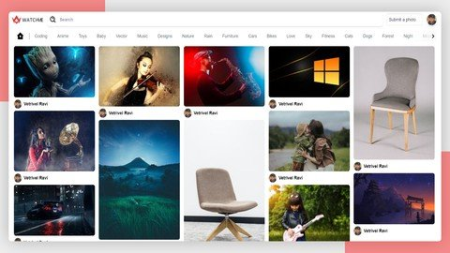
Full Stack Modern Social Media App - For Beginners
Genre: eLearning | MP4 | Video: h264, 1280x720 | Audio: AAC, 48.0 KHz
Language: English | Size: 3.59 GB | Duration: 6h 43m
Build your own Social Media Application by using ReactJs , Sanity, Tailwind CSS

What you'll learn
How to create modern UI
learn how to use Sanity Content Platform
learn how to use Tailwind Css
Learn how to convert modern UI into live website
Learn how to use Hooks in Reactjs
Description
Learn how build a react project from the scratch, and configure the Google Cloud API Services in your project. Build the project and deploy it. In this course you will learn about ReactJs , Tailwind CSS and Sanity Content Platform.
React
React is a free and open-source front-end JavaScript library for building user interfaces based on UI components. It is maintained by Meta and a community of individual developers and companies. React can be used as a base in the development of single-page or mobile applications.
Before we continue, note that Hooks are
Completely opt-in. You can try Hooks in a few components without rewriting any existing code. But you don't have to learn or use Hooks right now if you don't want to.
100% backwards-compatible. Hooks don't contain any breaking changes.
Available now. Hooks are now available with the release of v16.8.0.
Sanity
Sanity-io is the unified content platform that powers better digital experiences. Sanity Studio is an open-source single page application built with React.js. You define your content models with simple JavaScript. You can also extend it with your own React.js components. The Studio comes with advanced features that lets you tailor workflows for your editors. You can also install and make plugins for Sanity Studio and publish them on npm.
Tailwind CSS
Rapidly build modern websites without ever leaving your HTML. A utility-first CSS framework packed with classes like flex, pt-4, text-center and rotate-90 that can be composed to build any design, directly in your markup.
Chapters covered
1. Creating React project & configuring React Settings
2. How to create reusable components
3. What is react hook?
4. How to style the react components
5. How to build responsive designs
6. How to setup up a project in Sanity
7. How to configure Google Cloud API & Services
8. How to use Tailwind CSS
9. How to deploy the project in Netlify
Who this course is for
Students who are will to start their journey as UI developer & Full Stack Developer
Screenshots


Zurück
Oben Unten