• Regeln für den Video-Bereich:

    In den Börsenbereich gehören nur Angebote die bereits den Allgemeinen Regeln entsprechen.

    Einteilung

    - Folgende Formate gehören in die angegeben Bereiche:
    - Filme: Encodierte Filme von BluRay, DVD, R5, TV, Screener sowie Telesyncs im Format DivX, XviD und x264.
    - DVD: Filme im Format DVD5, DVD9 und HD2DVD.
    - HD: Encodierte Filme mit der Auflösung 720p oder darüber von BluRay, DVD, R5, TV, Screener sowie Telesyncs im Format x264.
    - 3D: Encodierte Filme von BluRay, die in einem 3D Format vorliegen. Dies gilt auch für Dokus, Animation usw.
    - Serien: Cartoon/Zeichentrick, Anime, Tutorials, Dokumentationen, Konzerte/Musik, Sonstiges sind demnach in die entsprechenden Bereiche einzuordnen, auch wenn sie beispielsweise im High Definition-Format oder als DVD5/DVD9/HD2DVD vorliegen. Ausnahme 3D.
    - Bereich Englisch: Englische Releases gehören immer in diesen Bereich.
    - Bereich Talk: Der Bereich, in dem über die Releases diskutiert werden kann, darf, soll und erwünscht ist.


    Angebot/Beitrag erstellen

    - Ein Beitrag darf erst dann erstellt werden, wenn der Upload bei mindestens einem OCH komplett ist. Platzhalter sind untersagt.
    - Bei einem Scenerelease hat der Threadtitel ausschließlich aus dem originalen, unveränderten Releasenamen zu bestehen. Es dürfen keine Veränderungen wie z.B. Sterne, kleine Buchstaben o.ä. vorgenommen werden. Ausnahme Serienbörse:
    - Bei einem Sammelthread für eine Staffel entfällt aus dem Releasename natürlich der Name der Folge. Beispiel: Die Simpsons S21 German DVDRip XviD - ITG
    - Dementsprechend sind also u.a. verboten: Erweiterungen wie "Tipp", "empfehlenswert", "only", "reup", usw. / jegliche andere Zusatzinformation oder Ergänzung, welche nicht in obiger Beschreibung zu finden ist.

    Aufbau des Angebots und Threadtitel

    Der Titel nach folgendem Muster erstellt zu werden. <Name> [3D] [Staffel] [German] <Jahr> <Tonspur> [DL] [Auflösung] <Quelle> <Codec> - <Group>
    Beispiel: The Dark Knight German 2008 AC3 DVDRip XviD - iND
    Beispiel: The Dark Knight 2008 DTS DL BDRip x264 - iND
    Beispiel: The Dark Knight 2008 AC3 DL BDRip XviD - iND
    Beispiel: The Dark Knight German 2008 AC3 720p BluRay x264 iND
    Beispiel: The Dark Knight 2008 DTS DL 1080p BluRay x264 iND
    Beispiel: Die Simpsons S01 German AC3 DVDRip XviD iND
    Beispiel: Die Simpsons S20 German AC3 720p BluRay x264 iND
    Beispiel: Sword Art Online II Ger Sub 2014 AAC 1080p WEBRip x264 - peppermint
    Entsprechend sind also u.a. verboten: Sonderzeichen wie Klammern, Sterne, Ausrufezeichen, Unterstriche, Anführungszeichen / Erweiterungen wie "Tipp", "empfehlenswert", "only", "reup", usw. / jegliche andere Zusatzinformation oder Ergänzung, welche nicht in obiger Beschreibung zu finden ist
    Ausnahmen hiervon können in den Bereichen geregelt sein.

    Die Beiträge sollen wie folgt aufgebaut werden:
    Überschrift entspricht dem Threadtitel
    Cover
    kurze Inhaltsbeschreibung
    Format, Größe, Dauer sind gut lesbar für Downloader außerhalb des Spoilers zu vermerken
    Nfo sind immer Anzugeben und selbige immer im Spoiler in Textform.
    Sind keine Nfo vorhanden z.B. Eigenpublikationen, sind im Spoiler folgende Dateiinformationen zusätzlich anzugeben :
    Quelle
    Video (Auflösung und Bitrate)
    Ton (Sprache, Format und Bitrate der einzelnen Spuren)
    Untertitel (sofern vorhanden)
    Hosterangabe in Textform außerhalb eines Spoiler mit allen enthaltenen Hostern.
    Bei SD kann auf diese zusätzlichen Dateiinformationen verzichtet werden.

    Alle benötigten Passwörter sind, sofern vorhanden, in Textform im Angebot anzugeben.
    Spoiler im Spoiler mit Kommentaren :"Schon Bedankt?" sind unerwünscht.


    Releases

    - Sind Retail-Release verfügbar, sind alle anderen Variationen untersagt. Ausnahmen: Alle deutschen Retail-Release sind CUT, in diesem Fall sind dubbed UNCUT-Release zulässig.
    - Im Serien-Bereich gilt speziell: Wenn ein Retail vor Abschluss einer laufenden Staffel erscheint, darf diese Staffel noch zu Ende gebracht werden.62
    - Gleiche Releases sind unbedingt zusammenzufassen. Das bedeutet, es ist zwingend erforderlich, vor dem Erstellen eines Themas per Suchfunktion zu überprüfen, ob bereits ein Beitrag mit demselben Release besteht. Ist dies der Fall, ist der bereits vorhandene Beitrag zu verwenden.
    - P2P und Scene Releases dürfen nicht verändert oder gar unter einem iND Tag eingestellt werden.


    Support, Diskussionen und Suche

    - Supportanfragen sind entweder per PN oder im Bereich Talk zu stellen.
    - Diskussionen und Bewertungen sind im Talk Bereich zu führen. Fragen an die Uploader haben ausschließlich via PN zu erfolgen, und sind in den Angeboten untersagt.
    - Anfragen zu Upload-Wünschen sind nur im Bereich Suche Video erlaubt. Antworten dürfen nur auf Angebote von MyBoerse.bz verlinkt werden.


    Verbote

    - Untersagt sind mehrere Formate in einem einzigen Angebotsthread, wie beispielsweise das gleichzeitige Anbieten von DivX/XviD, 720p und 1080p in einem Thread. Pro Format, Release und Auflösung ist ein eigener Thread zu eröffnen.
    - Grundsätzlich ebenso verboten sind Dupes. Uploader haben sich an geeigneter Stelle darüber zu informieren, ob es sich bei einem Release um ein Dupe handelt.
    - Gefakte, nur teilweise lauffähige oder unvollständige Angebote sind untersagt. Dies gilt auch für eigene Publikationen, die augenscheinlich nicht selbst von z.B. einer DVD gerippt wurden. Laufende Serien, bei denen noch nicht alle Folgen verfügbar sind, dürfen erstellt und regelmäßig geupdatet werden.
    - Untersagt sind Angebote, welche nur und ausschließlich in einer anderen Sprache als deutsch oder englisch vorliegen. Ausnahmen sind VORHER mit den Moderatoren zu klären.


    Verstoß gegen die Regeln

    - Angebote oder Beiträge, die gegen die Forenregeln verstoßen, sind über den "Melden"-Button im Beitrag zu melden.
  • Bitte registriere dich zunächst um Beiträge zu verfassen und externe Links aufzurufen.

*** Bestes IPTV *** bester Preis *** gratis Test ***


Englische Tutorials

1771c795-a12c-401b-9f27-6b796d8c9943.png
EatTheBlocks - 6 Figures Blockchain Developer
MP4 | Video: h264, 1920x1080 | Audio: AAC, 44.1 KHz, 2 Ch
Genre: eLearning | Language: English | Duration: 129 Lessons (9h 28m) | Size: 2.75 GB


Hi! My name is Julien and I am the instructor of EatTheBlocks Pro.
I am a senior Blockchain software engineer. I used to work in Finance, and I switched to software development 6 years ago.
For the past 3 years, I have been building Dapps and Solidity smart contracts for several Ethereum and ICOs projects, including Lendingblock, an institutional crypto lending exchange.
I run EatTheBlocks, a youtube channel for Ethereum developers. I have also published a Blockchain course for Manning.
I also contribute to the code of Drizzle and I spoke at TruffleCon 2019 on Drizzle.
I also have extensive experience with Nodejs, Javascript & React, having worked as a full-stack software engineer for the last 6 years. Github & LinkedIn
Homepage


48404ebc-5048-4e6e-99d9-5c722d21097f.png

EatTheBlocks - Profitable Flashloans
MP4 | Video: h264, 1920x1080 | Audio: AAC, 44.1 KHz, 2 Ch
Genre: eLearning | Language: English | Duration: 30 Lessons (2h 10m) | Size: 703.9 MB


Create profitable Arbitrage Flashloans with Ethereum & Solidity
Hi! My name is Julien and I am the instructor of EatTheBlocks Pro.
I am a senior Blockchain software engineer. I used to work in Finance, and I switched to software development 6 years ago.
For the past 3 years, I have been building Dapps and Solidity smart contracts for several Ethereum and ICOs projects, including Lendingblock, an institutional crypto lending exchange.
I run EatTheBlocks, a youtube channel for Ethereum developers. I have also published a Blockchain course for Manning.
I also contribute to the code of Drizzle and I spoke at TruffleCon 2019 on Drizzle.
I also have extensive experience with Nodejs, Javascript & React, having worked as a full-stack software engineer for the last 6 years. Github & LinkedIn
Homepage


th-r60-FQOSs-Tk3-EB6-LGIAK5zc-Yg3n-M4-Xv2-B.png

Python for Pros
MP4 | Video: h264, 1280x720 | Audio: AAC, 44.1 KHz, 2 Ch
Genre: eLearning | Language: English + srt | Duration: 22 lectures (1h 52m) | Size: 706.2 MB


Learn how to conquer the Python Programming Language!
What you'll learn
Learn to use Python professionally
Learn to use Object-Oriented Programming
Use Python for Data Science and Machine Learning
Have a fundamental understanding of the Python programming language.
Requirements
Computer with internet connection
Description
Python is an interpreted high-level general-purpose programming language. Its design philosophy emphasizes code readability with its use of significant indentation. Its language constructs as well as its object-oriented approach aim to help programmers write clear, logical code for small and large-scale projects.
Python is a multi-paradigm programming language. Object-oriented programming and structured programming are fully supported, and many of its features support functional programming and aspect-oriented programming (including by meta-programming and metaobjects (magic methods)). Many other paradigms are supported via extensions, including design by contract and logic programming.
Python's large standard library, commonly cited as one of its greatest strengths, provides tools suited to many tasks. For Internet-facing applications, many standard formats and protocols such as MIME and HTTP are supported. It includes modules for creating graphical user interfaces, connecting to relational databases, generating pseudo-random numbers, arithmetic with arbitrary-precision decimals, manipulating regular expressions, and unit testing.
An empirical study found that scripting languages, such as Python, are more productive than conventional languages, such as C and Java, for programming problems involving string manipulation and search in a dictionary, and determined that memory consumption was often "better than Java and not much worse than C or C++".
Large organizations that use Python include Wikipedia, Google, Yahoo!, CERN, NASA, Facebook, Amazon, Instagram, Spotify and some smaller entities like ILM and ITA. The social news networking site Reddit was written mostly in Python.
Who this course is for
Beginners who have never programmed before.
Programmers switching to Python.
Intermediate Python programmers who want to learn more!
Homepage


6e16daa2-c078-42cc-ae9e-00be2da16792.png

EatTheBlocks - Smart Contract Security 101
MP4 | Video: h264, 1920x1080 | Audio: AAC, 44.1 KHz, 2 Ch
Genre: eLearning | Language: English | Duration: 54 Lessons (3h) | Size: 600.3 MB


The objective of this course is to understand how to develop a smart contract in the safest way possible. For this, we need to keep in mind not only what we want to create in the contract, but how to generate security-focused code.
To achieve this purpose, since the contracts in a large percentage represent real money, we need to be updated as developers on the most known vulnerabilities and know how old hacks worked so as not to repeat those same errors.
This course not only focuses on the most known vulnerabilities currently but is also good practices, explanation of patterns and problems of these, for example, conflicts when using upgradeable contracts or how to obtain random numbers within a deterministic blockchain.
All this knowledge will be useful not only to develop smart contracts but also to audit them. Therefore, it is a core knowledge of smart contracts.
What will you learn in this course?
In this course you will learn
Understanding security in a Blockchain Application.
How does an attack on a Smart Contract work?
Known attacks and how to fix them (Reentrancy, Overflow, Replay Attack, DoS, weak randomness, and much more).
Best practices and security patterns.
Understand how three famous hacks happened.
How to test your contract
How to know the coverage of your test?
We will use
Hardhat
Solidity
OpenZeppelin
Javascript
Ethers.js
Chainlink library
Chai.js
Coverage
Pre-requisites
Web Development (Javascript, NodeJS)
Blockchain Development (Ethereum, Solidity, Hardhat)
Homepage


th-hx-Ck-HRDZmviyhs-V1-Q2-UEj2-YDK4s5-Kdc1.png

The Introduction of AI and Machine Learning with Python
MP4 | Video: h264, 1280x720 | Audio: AAC, 44.1 KHz, 2 Ch
Genre: eLearning | Language: English + srt | Duration: 106 lectures (5h 26m) | Size: 2.8 GB

Learn Data Science, Machine Learning (Artificial Intelligence), Deep Learning & more from the absolute basics!
What you'll learn
Define and understand the meaning of AI and machine learning and explore their applications
Handling Data Frames by learning various tasks including (data exploration, visualization and cleaning)
Understand and create various Supervised Learning algorithms
Understand and create various Unsupervised Learning algorithms
Understand and build recommendation systems
Understand and create NLP (Natural Language Processing) systems
Define and understand Deep Learning in computer vision
Requirements
Previous programming knowledge. Python recommended.
Description
Dive into the concept of Artificial Intelligence and Machine Learning (ML) and learn how to implement advanced algorithms to solve real-world problems. This course will teach you the workflow of ML projects from data pre-processing to advanced model design and testing.
By the end of the course the students will be able to
- Build a variety of AI systems and models.
- Determine the framework in which AI may function, including interactions with users and environments.
- Extract information from text automatically using concepts and methods from natural language processing (NLP).
- Implement deep learning models in Python using TensorFlow and Keras and train them with real-world datasets.
Detailed course outline
Introduction to AI
. Introduction to AI and Machine Learning.
. Overview on Fields of AI
. Computer Vision.
. Natural Language Processing (NLP).
. Recommendation Systems.
. Robotics.
. Project: Creation of Chatbot using traditional programming (Python revision).
Understanding AI
· Understanding how AI works.
· Overview of Machine Learning and Deep Learning.
· Workflow of AI Projects.
· Differentiating arguments vs parameters.
· Project: Implementing functions using python programming (Python revision).
Introduction to Data Science
· Introduction to Data Science.
· Types of Data.
· Overview of DataFrame.
· Project: Handling DataFrame using python programming by learning various tasks including
. Importing Dataset
. Data Exploration
. Data Visualization
. Data Cleaning
Machine Learning
· Overview on Machine Learning Algorithms with examples.
· Types of Machine Learning
. Supervised
. Unsupervised
. Reinforcement
· Types of Supervised Learning
. Classification
. Regression
· Project: Training and deploying machine learning model to predict salary of future candidates using python programming.
Supervised Learning - Regression
· Understanding Boxplot and features of Boxplot function.
· Understanding Training and Testing Data with train_test_split function.
· Project: Creating a machine learning model to solve a regression problem of predicting weight by training and testing data using python programming.
Supervised Learning - Binary Classification
· Understanding Binary Classification problems.
· Overview on Decision tree Algorithm.
· Overview on Random Forest Algorithm.
· Use of Confusion Matrix to check performance of the classification model.
· Project: Implementing Decision tree and Random forest algorithm using python programming to train a classification model to predict diabetic patients, and using confusion matrix to check performance of both algorithms.
Supervised Learning - Multi-class Classification
· Understanding Multi-class Classification problems.
· One-vs-One method.
· One-vs-Many method.
· Project: Implementing Logistic Regression algorithm with both One-vs-One and One-vs-Rest approach to solve a multi-class classification problem of Iris flower prediction. Also, evaluating performance of both approaches using confusion matrix.
Unsupervised Learning - Clustering
· Understanding Unsupervised Learning.
· Use of Unsupervised learning.
· Types of Unsupervised learning
. Clustering
. Association
· Working of KMeans Algorithm.
· Use of Elbow method to determine K value.
· Project: Standardising the data and implementing KMeans algorithm to form clusters in the dataset using python programming.
Unsupervised Learning - Customer Segmentation
· Understanding Customer Segmentation.
· Types of characteristics used for segmentation.
· Concept of Targeting.
· Project: Implementing KMeans algorithm to segment customers into different clusters and analysing the clusters to find the appropriate target customers.
Unsupervised Learning - Association Rule Mining.
· Understanding Association problems.
· Market Basket Analysis.
· Working of Apriori Algorithm.
· Key metrics to evaluate association rules
. Support
. Confidence
. Lift
· Steps involved in finding Association Rules.
· Project: Implement Apriori algorithm to generate association rules for Market Basket Analysis using python programming.
Recommendation System - Content-Based
· Understanding Recommendation Systems.
· Working of Recommendation Systems.
· Types of Recommendation Systems
. Content-based
. Collaborative
· Project: Building a content-based recommendation system using K Nearest Neighbour(KNN) algorithm to recommend a car to the customer based on their input of preferred car features.
Recommendation System - Collaborative Filtering
· Understanding Collaborative filtering technique.
· Types of approaches in collaborative filtering
. User-based
. Item-based
· Project: Building a movie recommendation system using item-based collaborative filtering based on data from a movie rating matrix.
Natural Language Processing - Sentiment Analysis
· Natural Language Processing (NLP)
· Applications of NLP
· Fundamental NLP tasks.
· Tokenization
· Project: Creating a machine learning model that can predict the sentiment in a sentence (Application of NLP).
Deep Learning - Computer Vision
· Understanding Deep Learning.
· Neural Networks and Deep Neural Networks.
· Image Processing
· Project: A neural network model is created for image recognition purposes to predict the digit written in images of hand-written digits.
Image Classification- Bonus Class
· Learn about pre-trained models.
· ResNet50 model trained using ImageNet data.
· Project: Use ResNet50 model to classify images (predicting what the image represents).
Who this course is for
Beginner Python coders curious about AI and machine learning
Any passionate person who is interested in learning AI and data science
Homepage












 
a9dd9056-4f86-4bd8-9d03-131e87d45dab.png

InDesign: Layout and Composition (2022)
MP4 | Video: h264, 1280x720 | Audio: AAC, 44.1 KHz, 2 Ch
Skill Level: Beginner | Genre: eLearning | Language: English + srt | Duration: 1h 19m | Size: 234.5 MB


This course presents key design concepts and techniques that you can use to improve your designs. Designer Nigel French takes you through a series of projects to help you sharpen your layouts and compositions with Adobe InDesign. Nigel uses business cards to show you how to arrange multiple elements in a small space and have them be both readable and visually compelling. Next, he moves on to determining a cohesive layout, exploring different configurations, and using scaling and active white space in a full-page magazine ad. Nigel walks you through structuring space for a magazine spread, establishing hierarchy in your page layouts with an event poster, and working with scale, symmetry, and asymmetry as you design a book cover. He finishes up by showing you how you can use text wraps to create more dynamic and visually interesting layouts.
Homepage


th-a-EUtx-M5-Wjxm044d0-Tqs-JWtssc-KUVOSJM.png

EatTheBlocks - Web Development For Blockchain
MP4 | Video: h264, 1920x1080 | Audio: AAC, 44.1 KHz, 2 Ch
Genre: eLearning | Language: English | Duration: 44 Lessons (2h 33m) | Size: 708.1 MB


Learn the Basics of Web Development needed for Blockchain
If you want to become a Blockchain developer, you first need to have some basic web development skills.
However, web development is a HUGE topic... backend, frontend, devops, aws, etc...
Do you need to learn ALL of this for Blockchain?
Fortunately no!
You only need to learn FRONTEND web development: html, css and Javascript.
However, most bootcamp and courses about web development will teach way more than that...and would make you waste a lot of time...
Fear not!
I have created this program ESPECIALLY for people like you.
In this 3h training I will teach you the basics of web development
How web applications work
How to structure web pages with html
How to style web apps with css
How to make your app interactive with Javascript and React
After you follow this, you will be ready to learn Blockchain development.
PS: this is the project we will build on the section of React. A fully-functional todo app
Homepage


f6e287eb-57ca-4850-8045-a5739553198b.png

Altered Books and Art Journal Remix - Recycle - Reuse - Recreate
Duration: 57m | Video: .MP4, 1280x720, 30 fps | Audio: AAC, 48 kHz, 2ch | Size: 390 MB
Genre: eLearning | Language: English​


What do we do in this class?*This class uses a combination of old art journal pages and books. The goal of the class is to reuse and recycle, and the outcome may surprise you.
Why is this class important?*When we recreate in our journals, we can find new meaning, new messaging, and maybe even new life lessons to be learned.*The skills you'll learn in this class are important because they help you grow creatively and support inner growth.
Who is this class for?*This class is for anyone who has been art journaling or dabbling in altered books for a while OR those new to visual art journaling and looking to expand their artistic horizons.
Materials / Resources
Old Art Journal Pages (yours or from a magazine)
Old Book (see my class on*Selecting Books)
Paints and brushes
Markers and Pens
Craft Glue or Matte Medium
Any other supplies that might be fun to reuse and recycle
Join the class and learn how to...
Reuse old art journal pages
Use old books as art journals
Find your story through visual language
Screenshots


cbd1517689c68e616d5d15c3ea028e93.jpg

How to Easily Create a Microsoft PowerPoint Presentation
MP4 | Video: h264, 1280x720 | Audio: AAC, 44.1 KHz
Language: English | Size: 822 MB | Duration: 1h 31m
How to Fast Track Presentation Creation and Increase Engagement
What you'll learn​

List quick and easy strategies to make your Microsoft PowerPoint presentations more impactful
Identify WHAT to put into your presentation, and more importantly, what NOT to!
Define the M-N-N method of content inclusion
Express your presentation message using Microsoft PowerPoint in a more engaging and informative fashion
Requirements
General knowledge of MS Office programs and ability to use a mouse
Description
Public Speaking is said to be the number one fear people have above all else!
In business today, the ability to prepare professional presentations is vital.
From presenting results to colleagues, pitching to clients or sharing your wisdom at a conference, presenting to groups is now a part of everyday business.
This short program is perfect if you
Present information to colleagues, clients or teams but can never work out what to put in a presentation or leave out
Know there must be a more effective method of putting a presentation together but don't know where to start
Want to understand how to create more engaging presentations that deliver the message you need to get across
Want to know how to utilize some of the most common tool and features of Microsoft PowerPoint to make your presentations more impactful and engaging
How to better get your messages across to audiences
Want to "brush up" or refresh your Microsoft PowerPoint or Presentation Skills
Want to improve your presentations and/or presentation skills without wasting hours of time in generic classroom training programs.
Most people present to groups irregularly, so when you learn skills, unless you use your new skills, you forget them.
As a corporate computer productivity speaker and trainer for over twenty years, I saw this regularly in the many face to face programs I delivered pre-COVID. I have put together this program to help save YOU time, stress and frustration the next time you need to present.
This course contains all you need to know to create a simple and engaging Microsoft PowerPoint presentation as well as tips to presenting.
A must for anyone working in business!
Who this course is for
Anyone in business who needs to present to colleagues, teams, clients/customers or larger audiences
Screenshots


749a7c9b63cafb516aa06f074e84a388.jpg

Master the Use of Microsoft Outlook 365
MP4 | Video: h264, 1280x720 | Audio: AAC, 44.1 KHz
Language: English | Size: 1.29 GB | Duration: 2h 53m
Do it Yourself​

What you'll learn
Definition of Microsoft Outlook
Application of Microsoft Outlook
Starting Microsoft Outlook
Creating a Microsoft Outlook (Email) Account
Microsoft Outlook Environment
Contacts, Emails and Messaging
Calendar, Appointments, Meetings, Tasks
Information Organization, Folders
Requirements
Basic knowledge of using a windows operating system interface like Windows 10 or any other windows
Ensure you have Ms Outlook installed on your laptop or computer via Microsoft Office package (e.g. Ms Office 365 or any other)
A laptop or desktop computer
Description
The Microsoft Outlook application is one of the many applications in the Microsoft Office package. According to Wikipedia, Microsoft Outlook is a personal information manager software system from Microsoft, available as a part of the Microsoft Office suite. Though primarily an email client, Outlook also includes such functions as calendaring, task managing, contact managing, note-taking, journal logging, and web browsing.
Ms Outlook is used in offices, businesses, schools, and organizations etc.
Course Objectives
In this Ms Outlook course, we will utilize a practical or hands-on approach to show how you can create Microsoft outlook account, setup and send emails, setup meetings, appointments and tasks. Using calendars for planning meetings and appointments. Organizing your email messages in folders and changing some Outlook settings.
Pre-Requirements and Target Audience
The course is designed for both beginners who do not have any prior background in Ms-Outlook, and for intermediate level people who also wish to extend their practical/hand-on skills and knowledge.
To achieve or fully take advantage of this course, you need to have some prior knowledge Windows operating system environments.
It is important you have a laptop or desktop computer with the Ms-Outlook application installed, preferably, a laptop with Windows 10 and with Office365.
Course Modules / Structure
The Course is divided into 4 Modules
Module 1: Introduction to Microsoft Outlook and Its Environment
Module 2: Working with Emails and Messaging
Module 3: Calendar, Appointments, Meetings, Tasks
Module 4: Information Organization, Folders, Practice
Finding the Course (Modules) Contents
For each module, a number of videos are made available. These guide you step-by-step through the course. If you have issues with the course materials, please send us a feedback.
NOTE: We Appreciate your feedback
Please leave your review, this is important for us to know what you think.
Who this course is for
For Beginners who have no prior knowledge of Ms Outloook
For Intermediates who know some basics and wish to extend their knowledge practically
For experts who wish to explore what extra knowledge they can get from this course
Screenshots


95004a6d6ea681f386751d654a7ef5eb.jpg

Psychology of Stress: Understand to Leverage & Lower Stress
MP4 | Video: h264, 1280x720 | Audio: AAC, 44.1 KHz
Language: English | Size: 410 MB | Duration: 34m
Why You Must Make Stress Your Friend + Effective Stress Management Habits
What you'll learn​

Psychology of Stress (how mentality affects a person's physiology)
The Curvilinear Nature of Stress
The Stress Hormones: Oxytocin and Cortisol
Stress Management (how to lower cortisol levels daily)
Requirements
None
Description
*** Chronic stress is dangerous if left unaddressed for too long. Did you know that when you experience stress, your body does NOT know the difference from whether you're running away from a lion chasing you or if you're stressed over something at work? This value-packed course will teach you how to ease the negative impacts of stress. ***
Have you ever felt overwhelmed by stress? When you experience stress, does it affect your decision-making and your ability to function? We as humans nowadays live very disconnected from nature. We are OVERSTIMULATED in today's modern environment and as a result, stress levels are consistently high.
Most people are "struggling to survive" psychologically because most people aren't taught how to properly deal with stress. Around us, there is a constant buzz of stress. Because of our dependency on technology, there is NO ESCAPE to modern stress. Every single day, we experience more and more stress and feeling overwhelmed or burnt out is common.
The best way to combat stress is to actually learn about how it can benefit you through a shift in perspective. High levels of stress can eventually leave a person feeling burnt out, overwhelmed, or unable to function, and low levels of stress may actually leave a person feeling unmotivated or bored. The truth about stress is that there is an OPTIMAL RANGE to activate creativity, productivity, and happiness.
For this desired optimization, I created these lessons on the Psychology of Stress to teach you how to understand, leverage, and manage stress. Through these lessons, you will raise your awareness on how stress is affecting you and how you can better control it in your life. Stress has always been a part of your life, affecting your decisions subconsciously or consciously. It is within your power now to positively impact your life through effective stress management!
The way you think about stress actually influences that way your body will physically experience stress. By understanding stress, you can improve how well you function under pressure. Because stress is inevitable, it is important to learn how to personally cope with it for the rest of your life. It is critical that you recognize how stress affects you so that you can effectively manage your level of stress. This short will provide you the framework to make stress your ally in order to activate your inner genius and develop habits to keep stress at optimal levels.
Who this course is for
People trying to optimize their creativity, productivity, and happiness through knowledge and application of stress management
Screenshots


601f1730-5337-4f70-b42c-945f396898b1.png

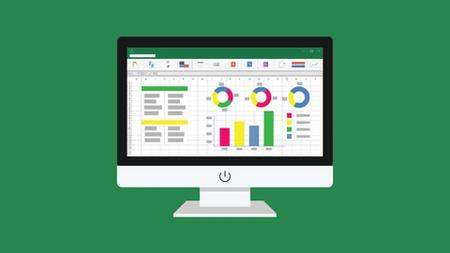
Checkbook Register in Excel
MP4 | Video: h264, 1280x720 | Audio: AAC, 44.1 KHz, 2 Ch
Genre: eLearning | Language: English| Duration: 5 lectures (34m) | Size: 132 MB

No calculators needed! In fact, I include an Excel template you can download as part of the course!
What you'll learn
Checkbook Register Electronically using Microsoft Excel
Replace your paper checkbook transaction register with an Excel file.
No calculators necessary - in fact, I even include the Excel file download as part of the course!
Bank reconciliation included
Requirements
No programming experience needed. The pre-programmed Microsoft Excel spreadsheet is included with the course.
Description
ARE YOU STILL USING PAPER FOR YOUR CHECKBOOK REGISTERS? Replace your finance log books with this Checkbook Transaction Register conveniently on your computer in an Excel file.
When you enter a transaction withdrawal or deposit, the Excel file automatically updates the balance. You do not have to use a calculator. Two balances are shown - the anticipated balance and the reconciled balance.
RECONCILING WITH THE BANK IS EASY. Select "Y" when the transaction clears your bank and the reconciled balance automatically updates.
Place a checkmark next to the last reconciled transaction so you can start from that point next time.
INTUITIVE: A format similar to traditional paper registers is used.
Need to filter using a particular code - such as TD (tax deductible) when it's tax time? No more fumbling through paper registers trying to capture those amounts. Use the Excel filters you are used to in order to gather these transactions.
NO CALCULATORS NEEDED! Concerned that you will make a mistake when punching in those numbers on the calculator? No more with this Excel checkbook register - that math is performed for you. Have you ever added a transaction when you should have subtracted? Has it thrown your balance off? Much easier with this Excel file. This course walks you through how to use this spreadsheet, and also includes the Excel file as a download as part of the course.
Who this course is for
A personal would rather replace their paper checkbook transaction registers with an Excel file
Homepage


Zurück
Oben Unten