• Regeln für den Video-Bereich:

    In den Börsenbereich gehören nur Angebote die bereits den Allgemeinen Regeln entsprechen.

    Einteilung

    - Folgende Formate gehören in die angegeben Bereiche:
    - Filme: Encodierte Filme von BluRay, DVD, R5, TV, Screener sowie Telesyncs im Format DivX, XviD und x264.
    - DVD: Filme im Format DVD5, DVD9 und HD2DVD.
    - HD: Encodierte Filme mit der Auflösung 720p oder darüber von BluRay, DVD, R5, TV, Screener sowie Telesyncs im Format x264.
    - 3D: Encodierte Filme von BluRay, die in einem 3D Format vorliegen. Dies gilt auch für Dokus, Animation usw.
    - Serien: Cartoon/Zeichentrick, Anime, Tutorials, Dokumentationen, Konzerte/Musik, Sonstiges sind demnach in die entsprechenden Bereiche einzuordnen, auch wenn sie beispielsweise im High Definition-Format oder als DVD5/DVD9/HD2DVD vorliegen. Ausnahme 3D.
    - Bereich Englisch: Englische Releases gehören immer in diesen Bereich.
    - Bereich Talk: Der Bereich, in dem über die Releases diskutiert werden kann, darf, soll und erwünscht ist.


    Angebot/Beitrag erstellen

    - Ein Beitrag darf erst dann erstellt werden, wenn der Upload bei mindestens einem OCH komplett ist. Platzhalter sind untersagt.
    - Bei einem Scenerelease hat der Threadtitel ausschließlich aus dem originalen, unveränderten Releasenamen zu bestehen. Es dürfen keine Veränderungen wie z.B. Sterne, kleine Buchstaben o.ä. vorgenommen werden. Ausnahme Serienbörse:
    - Bei einem Sammelthread für eine Staffel entfällt aus dem Releasename natürlich der Name der Folge. Beispiel: Die Simpsons S21 German DVDRip XviD - ITG
    - Dementsprechend sind also u.a. verboten: Erweiterungen wie "Tipp", "empfehlenswert", "only", "reup", usw. / jegliche andere Zusatzinformation oder Ergänzung, welche nicht in obiger Beschreibung zu finden ist.

    Aufbau des Angebots und Threadtitel

    Der Titel nach folgendem Muster erstellt zu werden. <Name> [3D] [Staffel] [German] <Jahr> <Tonspur> [DL] [Auflösung] <Quelle> <Codec> - <Group>
    Beispiel: The Dark Knight German 2008 AC3 DVDRip XviD - iND
    Beispiel: The Dark Knight 2008 DTS DL BDRip x264 - iND
    Beispiel: The Dark Knight 2008 AC3 DL BDRip XviD - iND
    Beispiel: The Dark Knight German 2008 AC3 720p BluRay x264 iND
    Beispiel: The Dark Knight 2008 DTS DL 1080p BluRay x264 iND
    Beispiel: Die Simpsons S01 German AC3 DVDRip XviD iND
    Beispiel: Die Simpsons S20 German AC3 720p BluRay x264 iND
    Beispiel: Sword Art Online II Ger Sub 2014 AAC 1080p WEBRip x264 - peppermint
    Entsprechend sind also u.a. verboten: Sonderzeichen wie Klammern, Sterne, Ausrufezeichen, Unterstriche, Anführungszeichen / Erweiterungen wie "Tipp", "empfehlenswert", "only", "reup", usw. / jegliche andere Zusatzinformation oder Ergänzung, welche nicht in obiger Beschreibung zu finden ist
    Ausnahmen hiervon können in den Bereichen geregelt sein.

    Die Beiträge sollen wie folgt aufgebaut werden:
    Überschrift entspricht dem Threadtitel
    Cover
    kurze Inhaltsbeschreibung
    Format, Größe, Dauer sind gut lesbar für Downloader außerhalb des Spoilers zu vermerken
    Nfo sind immer Anzugeben und selbige immer im Spoiler in Textform.
    Sind keine Nfo vorhanden z.B. Eigenpublikationen, sind im Spoiler folgende Dateiinformationen zusätzlich anzugeben :
    Quelle
    Video (Auflösung und Bitrate)
    Ton (Sprache, Format und Bitrate der einzelnen Spuren)
    Untertitel (sofern vorhanden)
    Hosterangabe in Textform außerhalb eines Spoiler mit allen enthaltenen Hostern.
    Bei SD kann auf diese zusätzlichen Dateiinformationen verzichtet werden.

    Alle benötigten Passwörter sind, sofern vorhanden, in Textform im Angebot anzugeben.
    Spoiler im Spoiler mit Kommentaren :"Schon Bedankt?" sind unerwünscht.


    Releases

    - Sind Retail-Release verfügbar, sind alle anderen Variationen untersagt. Ausnahmen: Alle deutschen Retail-Release sind CUT, in diesem Fall sind dubbed UNCUT-Release zulässig.
    - Im Serien-Bereich gilt speziell: Wenn ein Retail vor Abschluss einer laufenden Staffel erscheint, darf diese Staffel noch zu Ende gebracht werden.62
    - Gleiche Releases sind unbedingt zusammenzufassen. Das bedeutet, es ist zwingend erforderlich, vor dem Erstellen eines Themas per Suchfunktion zu überprüfen, ob bereits ein Beitrag mit demselben Release besteht. Ist dies der Fall, ist der bereits vorhandene Beitrag zu verwenden.
    - P2P und Scene Releases dürfen nicht verändert oder gar unter einem iND Tag eingestellt werden.


    Support, Diskussionen und Suche

    - Supportanfragen sind entweder per PN oder im Bereich Talk zu stellen.
    - Diskussionen und Bewertungen sind im Talk Bereich zu führen. Fragen an die Uploader haben ausschließlich via PN zu erfolgen, und sind in den Angeboten untersagt.
    - Anfragen zu Upload-Wünschen sind nur im Bereich Suche Video erlaubt. Antworten dürfen nur auf Angebote von MyBoerse.bz verlinkt werden.


    Verbote

    - Untersagt sind mehrere Formate in einem einzigen Angebotsthread, wie beispielsweise das gleichzeitige Anbieten von DivX/XviD, 720p und 1080p in einem Thread. Pro Format, Release und Auflösung ist ein eigener Thread zu eröffnen.
    - Grundsätzlich ebenso verboten sind Dupes. Uploader haben sich an geeigneter Stelle darüber zu informieren, ob es sich bei einem Release um ein Dupe handelt.
    - Gefakte, nur teilweise lauffähige oder unvollständige Angebote sind untersagt. Dies gilt auch für eigene Publikationen, die augenscheinlich nicht selbst von z.B. einer DVD gerippt wurden. Laufende Serien, bei denen noch nicht alle Folgen verfügbar sind, dürfen erstellt und regelmäßig geupdatet werden.
    - Untersagt sind Angebote, welche nur und ausschließlich in einer anderen Sprache als deutsch oder englisch vorliegen. Ausnahmen sind VORHER mit den Moderatoren zu klären.


    Verstoß gegen die Regeln

    - Angebote oder Beiträge, die gegen die Forenregeln verstoßen, sind über den "Melden"-Button im Beitrag zu melden.
  • Bitte registriere dich zunächst um Beiträge zu verfassen und externe Links aufzurufen.

*** Bestes IPTV *** bester Preis *** gratis Test ***


Englische Tutorials

image.png

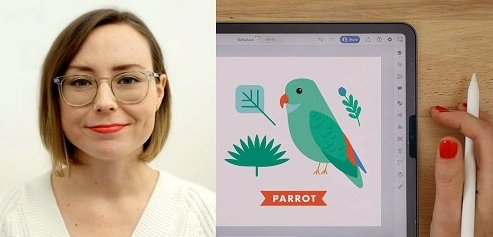
Quick Start Guide: Adobe Illustrator for iPad
Duration: 1h 13m | Video: .MP4, 1280x720, 30 fps | Audio: AAC, 48 kHz, 2ch | Size: 502 MB
Genre: eLearning | Language: English​

For illustrators, surface designers, artists and graphic designers, Adobe Illustrator is one of the best tools to have in your toolbelt! Why? As a vector-based program, the artwork can be scaled indefinitely without losing quality because it's made up of points. And now that it is available as an iPad app, you can create vector artwork by drawing directly on the iPad making it fun and easy.
Join surface designer, Genna Blackburn, as she walks you through each essential tool in Adobe Illustrator for iPad. This class is a quick start guide so the most popular tools and panels are covered first so you can jump in right away! Then, learn when to use each tool (and pick up extra tips & tricks along the way) while you create a bird illustration with Genna.
In this class, you'll learn how to
Navigate panels
Import a pre-made sketch
Draw with the pen tool, pencil tool and blob brush tool
Add swatches to the color palette using the eyedropper tool
Use the vectorize feature
Apply each tool PLUS extra tips & tricks while illustrating a bird
Export your drawing
This class is for complete beginners who just want to dabble and create, as well as the professional who wants to add Adobe Illustrator for iPad to your toolkit.*You can use the sketch provided to draw on top of so you can focus on learning the program, or create your own sketch to work from. No prior knowledge of Adobe Illustrator is required.
The app is a much simpler version of the desktop program, but the ability to draw directly on the iPad with the Apple pencil makes it a great companion to the desktop version.
Screenshots





 
dba6f965-c388-4a3d-9abf-285289d6d8bb.png

Use Your Strengths for Impact and Influence at Work
MP4 | Video: h264, 1280x720 | Audio: AAC, 44.1 KHz, 2 Ch
Skill Level: General | Genre: eLearning | Language: English + srt | Duration: 31m | Size: 275.4 MB

Your ability to make an impact and influence those around you is crucial to your career. We all have friends and colleagues who always seem to get the best opportunities. If you've often wondered why, it's not by luck. These people have learned the skills to be persuasive and engaging so that others are naturally drawn to them. In this course, Marielle Legair teaches you how to identify and communicate your strengths and leverage them to have a lasting impact at work. Armed with these key skills designed for the modern workplace, you'll gain clarity on what makes you unique, how to use it to build confidence, stand out powerfully online, and create more impact and influence.
Homepage


th-Af-Us-B9-XTjzasjay-Jww-Qx1-B3-Xjxnbe-DVQ.png

The Excel Bootcamp: Zero to Mastery
MP4 | Video: h264, 1280x720 | Audio: AAC, 44.1 KHz, 2 Ch
Genre: eLearning | Language: English | Duration: 91 Lessons (13h 20m) | Size: 2.36 GB

The only bootcamp you need to become an Excel wizard. Learn Excel Formulas and Functions, Data Visualization, Pivot Tables, VBA Macros, and much more. Start or supplement your career with data analysis and modeling skills & get hired in 2022
What you'll learn
✓Become a top 10% Excel power user to enhance your skillset and career opportunities
✓Build a Budget Project where you create a personal budgeting spreadsheet that teaches you Excel while analyzing your own finances
✓Automate your day-to-day tasks through Macros and VBA
✓Transform and clean text data with Excel functions like LEFT/RIGHT, MID, FIND, SUBSTITUTE, and TRIM
✓Analyze large datasets with Excel Pivot Tables
✓Use Excel for rapid development of data-driven applications
✓Use Excel's extensive collection of visualizations to "tell the story" of even the most complex data in an intuitive and visually appealing way
✓Use Excel's powerful charting engine to tell the story of your data with attractive data visualizations
✓Learn how to build Excel formulas for data analysis, data science, data entry, and everyday office use
✓Manipulate date and time data with functions like DATEDIF and NETWORKDAYS
✓Learn how to work with external datasets
✓Data entry tips and tricks
✓Learn why Excel is one of the most popular pieces of software across all industries
✓Start or supplement your programming journey by recording VBA macros in Excel
Homepage


e1b9f831-ff3d-42a6-96b2-e4da521501a2.png

The Complete Layout for Sketchup Course for Interior Design
Last Update: 1/2022
Duration: 2h 34m | Video: .MP4, 1280x720 30 fps | Audio: AAC, 48 kHz, 2ch | Size: 1.04 GB
Genre: eLearning | Language: English​

Learn to create professional Interior Drawings of your favourite interior spaces step by step using Layout for Sketchup.
What you'll learn:
Create Professional Drawings with Layout for Sketchup
Create Presentation Drawings with Layout for Sketchup
Dynamically Link Sketchup and Layout
Learn Architectural Drawing Techniques from a Professional
Requirements
Some Intermediate Knowledge of Sketchup is Required
Description
In this class, we will learn to create professional Interior presentations & construction drawings with Layout for Sketchup, STEP*BY*STEP. WHY THIS COURSE?
Comprehensive coverage of the essentials features in Layout for Sketchup to create Interior Drawings &*Presentations FAST - Learn not only how every tool works but also how to apply it in the right way in your Layout for Sketchup Workflow.
Exercise Files - Exercise files like Sketchup Models &*Layout Files for every lesson so you can follow along step by step.
Access to Exclusive Student Community Group on Facebook/Discord - you will get free access to our community groups wherein you can get help & support in your Layout for Sketchup journey.
Downloadable Resources - Get free access to our Layout for Sketchup templates which will greatly improve your workflow speed & productivity.
Q&A*Support and Access to me - I will answer all your queries & questions on the Q&A*forum on Udemy and help you in your journey. What more could you ask for!
WHO IS THIS COURSE FOR?
Interior Designers
Architects
Hobbyists
Set Designers
Furniture Designers
CAD*Draftsmen/women
Anyone with an interest in the field of Interior Design
Students of Architecture/Interior Design
(note that this course will be taught on the windows version but the same techniques can be applied in Mac as well)
WHAT YOU WILL LEARN?
In this course, you will learn how to create professional Interior Design Drawings & Presentations step-by-step using Layout for Sketchup.
Here are the contents of this class
Optimizing your Sketchup 3D Model.
Setting up the right Styles for Sketchup
Setting up Templates in Layout
Create Plans and Elevations in Sketchup
Dynamically Linking Layout & Sketchup
Adding Views & Creating Clipping Masks in Layout
The Basics Tools in Layout
Shared & Unshared Layers in Layout
Creating Pages, Changing Styles, & Creating Texts in Layout
Dimensioning the Plans & Elevations like a pro
Adding Annotations & Patterns in Layout
Using Scrapbooks & Effects in Layout
Creating Sheets using Autotext, Grids & Shared Layers in Layout
Printing in Layout
By the end of this course, you will be able to create professional drawings like these.
Special Features Provided
Downloadable Scenes, complete with all V-Ray Settings
Exclusive Student Group on Facebook
By the end of the course, you will have a solid understanding of Layout for Sketchup, and you will be well on your way to creating amazing Interior Drawings for your clients.
Who this course is for
Interior Designers
Architects
Set Designers
Furniture Designers
CAD Draftsmen/women
Anyone interested in Interior Design & Architecture
Homepage
Screenshots


008a16de_medium.jpg

How To Draw VEHICLES for ****
Duration: 2h 19m | Video: .MP4, 1280x720, 30 fps | Audio: AAC, 48 kHz, 2ch | Size: 1.14 GB
Genre: eLearning | Language: English​

Welcome to How To Draw VEHICLES for ****!! This course is designed to take young and new learners through some of the basics of drawing all while helping them learn to copy, and then create, cool looking vehicles of all sorts!!This course can stand on its own, but it is HIGHLY recommended that new learners study How To Draw BASICS for **** as a prerequisite!
You'll note that the instructors are a parent/child team, so this course is definitely designed for **** in mind - that includes tempo, material, and language. At over 2 1/2 hours, this course is perfect for new artists. So join us as we bring these new learners into a new level of enjoyment in their drawing passion.
This course is primarily designed for learners from 7-12, but may be enjoyed by all who are interested.
Screenshots


1e515ee3-20c6-457e-bf4d-3654d751540d.png

The top English grammar course, speak and write better
Instructors: Ibrahim ben zid
6 sections • 14 lectures • 32m total
Video: MP4 1280x720 44 KHz | English + Sub
Updated 1/2022 | Size: 239 MB​

learn English grammar in the right way, improve the way you speak, write confidently, be proud of yourself
What you'll learn
how to use Gerunds in English
how to use Infinitives in English
master the difference between gerunds and Infinitives
master the habitual past
model verbs
adverbs
adverbs of time
adverbs of place
adverbs of manner
adverbs of degree
the definite article
the passive voice
the present perfect tense
Requirements
Intermediate English students
Pen and notebook
Passion to learn new things
Description
This course is designed for learners who have a basic understanding of grammar but who want to learn more and improve their skills for everyday speaking.
what are you going to learn
how to use Gerunds in English
how to use Infinitives in English
master the difference between gerunds and Infinitives
master the habitual past
model verbs
adverbs
adverbs of time
adverbs of place
adverbs of manner
adverbs of degree
the definite article
the passive voice
the present perfect tense.
Why should I study grammar?
You should study whatever you can that can help you reach your goals.
For many language learners, the goal is to communicate with people.
If improving your understanding of grammar helps you become a better communicator, it is a good idea to study it.
This is a great way of thinking about grammar for language learners who want to communicate better. Through grammar study, you can become more familiar with common phrasings and gain a deeper understanding of what the words and phrases really mean.
With this knowledge you can understand more of what you read and hear, and form your own sentences with confidence.
reasons to study grammar
Here are three reasons to study grammar if you want to be a better communicator.
Different languages have different structures. Improving your knowledge of and using English structures makes it easier for English speakers to understand you.
Grammar provides the framework, knowing basics of what people say helps you understand vocabulary you don't know.
It's a shortcut - get lots of useful examples when you need them so you can make sense of how the language works.
Who this course is for
English learners
English students
IELTS students
anyone who wants to speak better English
anyone who wants to improve their grammar skills
Englische Studenten
Étudiants anglais
अंग्रेजी छात्र
anyone who wants to get knowledge about grammar
Screenshots


ae9acd04fd9f15f6e69d49fee331fc2c.jpg

Complete Windows 2019 Installation and Configuration
MP4 | Video: h264, 1280x720 | Audio: AAC, 44.1 KHz, 2 Ch
Genre: eLearning | Language: English + srt | Duration: 66 lectures (13h 19m) | Size: 5.41 GB


Windows 2019 installation, Dns, Dhcp, Active directory, Rds, Cluster, Hyper-V, Gpo, Ipam, Iscsi
What you'll learn
Overview of Windows Server administration principles and tools
Overview of Windows Server Core
Overview of AD DS
Implementing Group Policy
Deploying and managing DHCP
Deploying and managing DNS services
Deploying and managing IPAM
Implementing sharing in Windows Server
Implementing iSCSI
Hyper-V in Windows Server
Planning for failover clustering implementation
Hyper-V Replica
Credentials and privileged access protection in Windows Server
Overview of RDS
Overview of RAS in Windows Server
Overview of Windows Server monitoring tools
Requirements
Active Directory Domain Services (AD DS) in Windows Server 2012 or Windows Server 2016
Windows client operating systems such as Windows 8, Windows 8.1, or Windows 10
Description
Hello Welcome on my new training on Windows 2019.
You need to learn the new features of 2019 and discover the major roles ?
Want to learn how to administer Windows Server 2019
Discover the major network services such as Dns, Dhcp, Remote access
Learn how to install active directory and so more...
You need to install RDS and access your RDS servers from your clients
You need to know how to manager Hyper-V
You need to know what i Active Directory
You need to know what is DFS, What is NFS
You need to know what is a GPO
You need to know how to install 2019 through the network
You need to know how to protect your admin password with Laps
You need to know how to monitor Windows 2019
This course is for IT professionals who have some experiencing working with Windows Server and want to learn how to administer Windows Server 2019.
The audience for this course also includes current Windows Server administrators who have worked with older Windows Server versions and who want to update their skills in Windows Server 2019. Service-desk professionals who want to transition to server maintenance or pass exams relating to Windows Server also will find this course useful
Learn
Course introduction
Windows Server administration
Identity services in Windows Server
Network infrastructure services in Windows Server
File servers and storage management in Windows Server
Hyper-V virtualization and containers in Windows Server
High availability in Windows Server
Disaster recovery in Windows Server
Windows Server security
RDS in Windows Server
Remote access and web services in Windows Server
Server and performance monitoring in Windows Server
Upgrade and migration in Windows Server
Who this course is for
This course is for IT professionals who have some experiencing working with Windows Server and want to learn how to administer Windows Server 2019.
The audience for this course also includes current Windows Server administrators
Service-desk professionals who want to transition to server maintenance
Homepage


08a65f38-c414-41ba-8c92-898d17ef499e.png

Microsoft Excel 2021 for Absolute Beginners
MP4 | Video: h264, 1280x720 | Audio: AAC, 44.1 KHz, 2 Ch
Genre: eLearning | Language: English + srt | Duration: 103 lectures (11h 4m) | Size: 4.8 GB


Start your spreadsheet journey with this Excel 2021 training course for beginners!
What you'll learn
Become familiar with what's new in Excel 2021
Navigate the Excel 2021 interface
Utilize useful keyboard shortcuts to increase productivity
Create your first Excel spreadsheet
Use basic and intermediate Excel formulas and functions
Effectively apply formatting to cells and use conditional formatting
Use Excel lists and master sorting and filtering
Work efficiently by using the cut, copy, and paste options
Link to other worksheets and workbooks
Analyze data using charts
Insert pictures in a spreadsheet
Work with views, zooms, and freezing panes
Set page layout and print options
Protect and share workbooks
Save your workbook in different file formats
Requirements
Microsoft Excel 2021/365 desktop version for Windows installed and ready to use on your computer.
Description
Microsoft has released its latest stand-alone Excel version, which opens up many of the features and functionalities that are available only in Excel 365 through a subscription.
If you are an absolute beginner who has never used Excel before, this course can give you a great foundation. Maybe you have some very basic Excel skills and want to improve your proficiency, or you are using an older version of Excel and want to check out what's new. Well, this course can help you get the ball rolling.
This is an 11-hour course, with 100 bite-sized video lessons and exercises. You will also get course demo files and exercise files to download so you can follow along with the lessons and practice what you've learned at the end of each section.
In this course, you can learn how to
Become familiar with what's new in Excel 2021
Navigate the Excel 2021 interface
Utilize useful keyboard shortcuts to increase productivity
Create your first Excel spreadsheet
Use basic and intermediate Excel formulas and functions
Effectively apply formatting to cells and use conditional formatting
Use Excel lists and master sorting and filtering
Work efficiently by using the cut, copy, and paste options
Link to other worksheets and workbooks
Analyze data using charts
Insert pictures in a spreadsheet
Work with views, zooms, and freezing panes
Set page layout and print options
Protect and share workbooks
Save your workbook in different file formats
This course includes
11 hours of video tutorials
100 individual video lectures
Course and Exercise Files to follow along
Certificate of completion
Who this course is for
Microsoft Excel novice.
No previous knowledge of Excel required. This course is created for absolute beginners.
Those who need an Excel refresher and want to improve their knowledge.
Users who have a foundation of Microsoft Excel and seeking to advance their Excel 2021/365 knowledge.


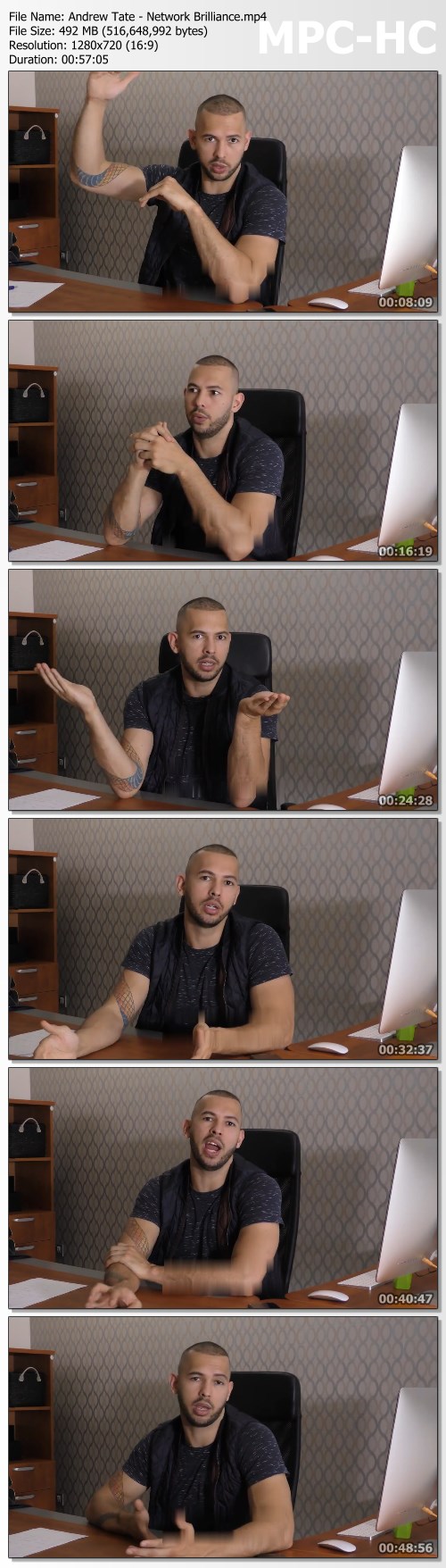
Cobratate - Network Brilliance by Andrew Tate

1ae8d02a6123155a8ea8856bc3a7fb1c.jpg

Cobratate - Network Brilliance by Andrew Tate | 492.72 MB
Governments, companies - it's all simply people sitting and speaking to one another. The most important institutions on earth are nothing more than conversations between important people.

If you find a way into these circles, it's near impossible to not become important yourself.
The more important people you know the better quality conversations you can have - and the more important results.

Andrew Tate is from a low-income background and has managed to meet Movie Stars (Idris Elba), Mafia bosses, Political commentators, Journalists, youtube stars, business men and even the SON of the PRESIDENT (Donald Trump Junior)
He did this with a networking method which he developed which allowed him to open dialogue with influential people all across the globe.

Learn:
The most effective way to contact high-level individuals.

What to say.
What they're thinking when they first meet you.
How to take advantage of these relationships and more.
Get immediately download Andrew Tate - Network Brilliance
FREE BONUS:
Tate went from contacting Donald Trump Junior to having a coffee with him in Trump Tower inside of a week. The level of trust which was built, and the fact that Tate achieved a reply at all is miraculous.
This exact story from start to finish will be explained in every detail as bonus content.

HOmepage:

Screenshots
f00cdb24bded48225f40d482365b9dd3.jpg


Link Download
Extract files with WinRar 5 or Latest !
 
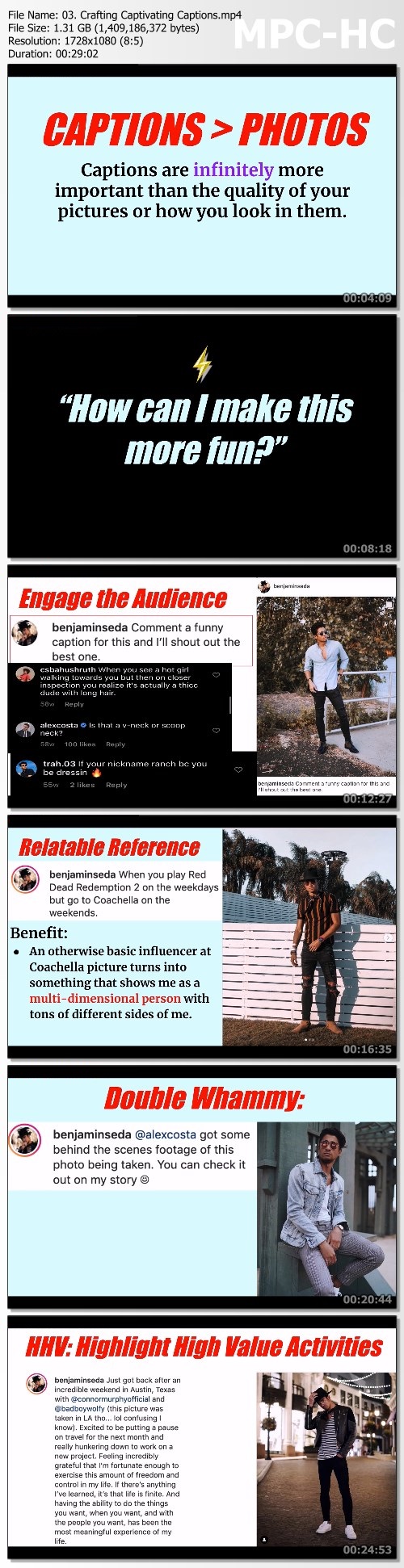
Based Zeus - The Instagame Course

8ff4633252d0f0c5df364129c60196cb.jpg

Based Zeus - Godly Instagame | 12.3 GB
Automate your ****** life, virtually no work required.
Imagine you could pull out your phone, post a single story, and have tons of girls eagerly responding, asking YOU to hangout and fighting for your attention.

No longer are you texting girls one at a time and hoping for a reply. This isn't 2005 anymore bro. This is the future.
Once the 'Influencer Effect' is on your side, a single Instagram story becomes more powerful than 10 individual texts to 10 different girls.
Become the only one she's obsessed with.
Yes, that's right.
Girls replying to MY stories. laughing at what I'm doing. and even asking ME to hangout, totally unprompted. all because I posted a unique set of stories and pictures that piqued intense interest and curiosity.
When you build familiarity this strong, she'll start to choose you over every other guy because of how strong of a connection she feels with you, and you alone.
"Pimp" Your Profile in 4 Easy Steps.
- 11 copy/paste templates for writing captivating captions that make women melt
- 3 bio blueprints for instantly creating 'The Influencer Effect' with every woman who sees your profile
- The A-P-P Method for taking the only 3 photos you'll ever need. Once you have these 3 photos on your profile, you'll never have to take another photo, your profile will become an automated magnet for girls.
- The 'secret' editing hack for making your face better looking in photos, all in less than 10 seconds.

First Date Framework.
- The 6 Copy/Paste IG Stories for Getting Dates (these stories will make gorgeous women ask you to hangout)
- The 3 P's for Asking Her Out on a date she can't refuse.
- How to use 'Callback Loops' for effortlessly setting up dates in your first conversation.

Every DM "Trick" You Need for Magnetic Attraction.
- The Direct Response Message: how to DM ANY girl and almost 'guarantee' a response
- DMs to FaceTime: how to get her on FaceTime in 4 DMs or less (real-life example)
- How to create 'touch points' and keep intense romantic tension for long periods of time

Homepage:

Screenshots
1d3689ea7ea044b911d1240760b983c6.jpg


Link Download
Extract files with WinRar 5 or Latest !
 
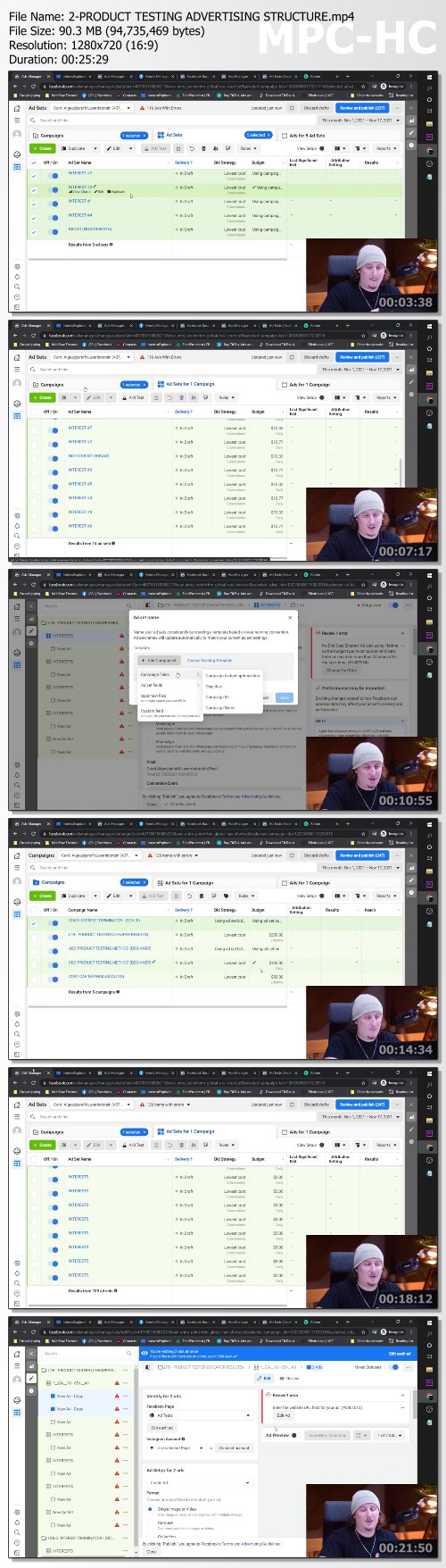
Franco Shaw E-Commerce Course

6e5d675931261ce0dd6fb86d6b549c5a.jpg

Franco Shaw - E-Commerce Course 2021 | 1.29 GB
The time is finally here.
I have spent the last 8 years in the E-Commerce industry building brands and stores that have generated over 8 figures online. In this course, you will be walked through advanced strategies that are quite unorthodox.

My area of expertise has been finding loopholes within the advertising platform algorithms, finding winning products, and being first to market with some of the best-selling dropshipping products.
I worked my ass off to ensure this content isn't anything like what you can find online for free. It is a true, advanced guide to drop shipping and I am so proud to finally release this to the public.
I hope you enjoy the learning process and if you have any questions or concerns along the way, don't hesitate to hit me up.

EARLY ACCESS CONTENT
TIKTOK GUIDE
ADVANCED PRODUCT RESEARCH (59:22)
GREYHAT METHODOLOGY & LANDING PAGES (16:05)
DAY PARTING & INTEREST TARGETING (27:11)
HOW TO SCALE A WINNING AD & ADVANCED BID CAP STRATEGY (14:17)
DMCA COMPETITOR OR DROP-SCAM TAKEDOWNS (6:46)
INTELLIGENT CBO SCALING METHOD (12:28)
WINNING PRODUCT FOLDER DUMP & UPDATE VIDEO (3:02)

FACEBOOK GUIDE
ADVANCED PRODUCT RESEARCH (11:01)

PRODUCT TESTING ADVERTISING STRUCTURE (25:28)
ADVANCED BID CAP METHOD (29:48)
AFTER THE PAYCHEQUE
0-1M IN 11 DAYS CASE STUDY (18:33)
AFTER THE PAYCHEQUE - MIKEY KASS (42:32)
AFTER THE PAYCHEQUE - CHARLIE CICACK (VP BANKCARD USA) (41:13)
AFTER THE PAYCHEQUE - JR (51:56)

Homepage:

Screenshots
3be20cf7c6b7453eda749c6c27e12e3d.jpg


Link Download
Extract files with WinRar 5 or Latest !
 
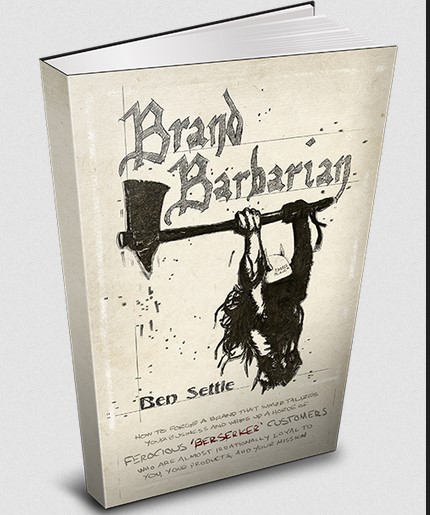
Brand Barbarian - Ben Settle - Email Players

be3e4193e3b01ae838337c0b160c3f4b.jpg

Brand Barbarian - Ben Settle - Email Players | 41 MB
Controversial Author's Popular Book About Creating A Million-Dollar Brand Reveals How To Whip Up A Ferocious Horde Of "Berserker"-Like Fans Wanting To Buy Everything You Sell!

Here are just a few of the tips it teaches:
- A clever trick (used by famous "Mad Men" ad agency owners in the 1960s) for creating a near maniac-like rush of passionate clients & customers wanting to buy ONLY from your brand! (While coldly ignoring - and sometimes even having contempt for - other brands you compete against. Page 17.)
- How the infamous newspaper mogul William Randolph Hearst went from being a shy mama's boy & Harvard drop-out with a weak, high-pitched voice. to having arguably the single most powerful, most recognized, & most influential brand of his day! (Hearst's brand was so big, it struck fear into the hearts of all his enemies. including the famous Joseph Pulitzer, the widely respected Theodore Roosevelt, and even the all-powerful U.S. government - which constantly wanted to silence him. This secret branding method Hearst invented right after being expelled from Harvard found on page 28 has been used since then by extraordinarily influential businesses to become successful very quickly. Best part: The less recognized your brand is now, the better it can potentially work.)
- The completely unorthodox secret movie director Frank Capra used to make himself one of the most famous brands in Hollywood. (Capra admitted he didn't particularly "like" doing this, but could never deny how much power it gave his brand, his influence, and his box office gross. Page 61.)
- A "dignified" way to (ethically & legally. without going darkside) use blatant hate & prejudice to create a brand that has almost no choice but to attract hordes of new business. even if you screw everything else up! (Warning: This will not win you any new friends and will almost certainly create haters & trolls. So if you are someone who cares what other people think, you probably should pass on using this particular tip. Otherwise, see page 33.)
- An unusual product cover design method invented by Marvel Comics that can quickly make your business's brand more recognized, more respected, and more revered. (Brand Barbarian doesn't talk a lot about design and image. But this doozy - that is also used by one of the only graphic designers the great Dan Kennedy has ever endorsed - is easily one of my favorite branding strategies. Go to page 25 for the details.)
- An admittedly weird branding technique the inventor of "Dungeons & Dragons" used to go from being a small town cobbler to creating a multi-billion dollar gaming industry from his basement! (Virtually nobody does this, much less understands it. But once you see how it works, you can potentially build a brand as big as you want - on your own terms, and in a way your competition will probably never be able to keep up with. Page 32.)
- A powerful "twist" you can put on your branding (used by a few rabidly-followed brands like In-N-Out Burger, Fox News, and the Chicago Cubs) that can make outrageously high prices & fees almost completely irrelevant. (If you ever wanted to charge high prices for your products & services, but didn't know how. simply start using this tip on page 22 and see what happens!)
- How a few of today's most popular politicians are creating "election winning" brands that almost effortlessly attract millions of votes, tens of millions of fans (and enemies.), and hundreds of millions of dollars to their parties & campaigns. (Including when facing impossible odds. like Bill Clinton did in 1992, and Donald Trump did in 2016 - despite being hated by the entire mass media & even his own party! The fun begins on page 64.)
- The mysterious "anti-hype" branding methodology (based on Disney's infamous Man In The Magic Mirror character) that flips the script so customers nag & chase you down to buy your offers. instead of you nagging & chasing them down! (I taught this gem at a prestigious branding bootcamp once. And you don't need any prior credibility or credentials for it to work. See page 96.)
- How to purposely use the secret linguistic-inspired method J.R.R. Tolkien did to accidentally create a legendary brand that is still #1 decades later. still generates multiple tens of millions of dollars decades later. and will continue to be the top seller in the epic fantasy genre decades later! (And before you even ask. you do not need to be a creative genius or professor of languages to do this. In fact, if you can read, write, and follow simple instructions. you can not only start using this as soon as you learn it, but you can potentially profit from it very quickly, too. See Page 34.)
- One of the world's greatest fitness book publisher's advice for how to turn the Federal government into an unofficial "wing" of your business's marketing department! (Adding a shiny new layer of prestige to your brand by default. Page 30.)
- A little-talked about branding secret (discovered by a world-famous psychologist) that lets you glide right past your market's skepticism, disbelief, and resistance to buying from you. (There is admittedly nothing at-all "sexy" about this. and it takes a strong work ethic to pull off. But brands who do it tap into a near-limitless power of persuasion & influence most businesses never experience. See page 27.)
- How to "benevolently torment" people into wanting to buy from your brand. (If you want to see multiple examples of this after you learn it on pages 109-110, simply watch the blockbuster movie "Spider-Man 2" and take notes.)
- A heavy duty - yet 100% simple to learn - strategy (used by a wildly successful late night talk show host) for creating a world-famous brand out of thin air!

Homepage:

Link Download
Extract files with WinRar 5 or Latest !
 
Zurück
Oben Unten