• Regeln für den Video-Bereich:

    In den Börsenbereich gehören nur Angebote die bereits den Allgemeinen Regeln entsprechen.

    Einteilung

    - Folgende Formate gehören in die angegeben Bereiche:
    - Filme: Encodierte Filme von BluRay, DVD, R5, TV, Screener sowie Telesyncs im Format DivX, XviD und x264.
    - DVD: Filme im Format DVD5, DVD9 und HD2DVD.
    - HD: Encodierte Filme mit der Auflösung 720p oder darüber von BluRay, DVD, R5, TV, Screener sowie Telesyncs im Format x264.
    - 3D: Encodierte Filme von BluRay, die in einem 3D Format vorliegen. Dies gilt auch für Dokus, Animation usw.
    - Serien: Cartoon/Zeichentrick, Anime, Tutorials, Dokumentationen, Konzerte/Musik, Sonstiges sind demnach in die entsprechenden Bereiche einzuordnen, auch wenn sie beispielsweise im High Definition-Format oder als DVD5/DVD9/HD2DVD vorliegen. Ausnahme 3D.
    - Bereich Englisch: Englische Releases gehören immer in diesen Bereich.
    - Bereich Talk: Der Bereich, in dem über die Releases diskutiert werden kann, darf, soll und erwünscht ist.


    Angebot/Beitrag erstellen

    - Ein Beitrag darf erst dann erstellt werden, wenn der Upload bei mindestens einem OCH komplett ist. Platzhalter sind untersagt.
    - Bei einem Scenerelease hat der Threadtitel ausschließlich aus dem originalen, unveränderten Releasenamen zu bestehen. Es dürfen keine Veränderungen wie z.B. Sterne, kleine Buchstaben o.ä. vorgenommen werden. Ausnahme Serienbörse:
    - Bei einem Sammelthread für eine Staffel entfällt aus dem Releasename natürlich der Name der Folge. Beispiel: Die Simpsons S21 German DVDRip XviD - ITG
    - Dementsprechend sind also u.a. verboten: Erweiterungen wie "Tipp", "empfehlenswert", "only", "reup", usw. / jegliche andere Zusatzinformation oder Ergänzung, welche nicht in obiger Beschreibung zu finden ist.

    Aufbau des Angebots und Threadtitel

    Der Titel nach folgendem Muster erstellt zu werden. <Name> [3D] [Staffel] [German] <Jahr> <Tonspur> [DL] [Auflösung] <Quelle> <Codec> - <Group>
    Beispiel: The Dark Knight German 2008 AC3 DVDRip XviD - iND
    Beispiel: The Dark Knight 2008 DTS DL BDRip x264 - iND
    Beispiel: The Dark Knight 2008 AC3 DL BDRip XviD - iND
    Beispiel: The Dark Knight German 2008 AC3 720p BluRay x264 iND
    Beispiel: The Dark Knight 2008 DTS DL 1080p BluRay x264 iND
    Beispiel: Die Simpsons S01 German AC3 DVDRip XviD iND
    Beispiel: Die Simpsons S20 German AC3 720p BluRay x264 iND
    Beispiel: Sword Art Online II Ger Sub 2014 AAC 1080p WEBRip x264 - peppermint
    Entsprechend sind also u.a. verboten: Sonderzeichen wie Klammern, Sterne, Ausrufezeichen, Unterstriche, Anführungszeichen / Erweiterungen wie "Tipp", "empfehlenswert", "only", "reup", usw. / jegliche andere Zusatzinformation oder Ergänzung, welche nicht in obiger Beschreibung zu finden ist
    Ausnahmen hiervon können in den Bereichen geregelt sein.

    Die Beiträge sollen wie folgt aufgebaut werden:
    Überschrift entspricht dem Threadtitel
    Cover
    kurze Inhaltsbeschreibung
    Format, Größe, Dauer sind gut lesbar für Downloader außerhalb des Spoilers zu vermerken
    Nfo sind immer Anzugeben und selbige immer im Spoiler in Textform.
    Sind keine Nfo vorhanden z.B. Eigenpublikationen, sind im Spoiler folgende Dateiinformationen zusätzlich anzugeben :
    Quelle
    Video (Auflösung und Bitrate)
    Ton (Sprache, Format und Bitrate der einzelnen Spuren)
    Untertitel (sofern vorhanden)
    Hosterangabe in Textform außerhalb eines Spoiler mit allen enthaltenen Hostern.
    Bei SD kann auf diese zusätzlichen Dateiinformationen verzichtet werden.

    Alle benötigten Passwörter sind, sofern vorhanden, in Textform im Angebot anzugeben.
    Spoiler im Spoiler mit Kommentaren :"Schon Bedankt?" sind unerwünscht.


    Releases

    - Sind Retail-Release verfügbar, sind alle anderen Variationen untersagt. Ausnahmen: Alle deutschen Retail-Release sind CUT, in diesem Fall sind dubbed UNCUT-Release zulässig.
    - Im Serien-Bereich gilt speziell: Wenn ein Retail vor Abschluss einer laufenden Staffel erscheint, darf diese Staffel noch zu Ende gebracht werden.62
    - Gleiche Releases sind unbedingt zusammenzufassen. Das bedeutet, es ist zwingend erforderlich, vor dem Erstellen eines Themas per Suchfunktion zu überprüfen, ob bereits ein Beitrag mit demselben Release besteht. Ist dies der Fall, ist der bereits vorhandene Beitrag zu verwenden.
    - P2P und Scene Releases dürfen nicht verändert oder gar unter einem iND Tag eingestellt werden.


    Support, Diskussionen und Suche

    - Supportanfragen sind entweder per PN oder im Bereich Talk zu stellen.
    - Diskussionen und Bewertungen sind im Talk Bereich zu führen. Fragen an die Uploader haben ausschließlich via PN zu erfolgen, und sind in den Angeboten untersagt.
    - Anfragen zu Upload-Wünschen sind nur im Bereich Suche Video erlaubt. Antworten dürfen nur auf Angebote von MyBoerse.bz verlinkt werden.


    Verbote

    - Untersagt sind mehrere Formate in einem einzigen Angebotsthread, wie beispielsweise das gleichzeitige Anbieten von DivX/XviD, 720p und 1080p in einem Thread. Pro Format, Release und Auflösung ist ein eigener Thread zu eröffnen.
    - Grundsätzlich ebenso verboten sind Dupes. Uploader haben sich an geeigneter Stelle darüber zu informieren, ob es sich bei einem Release um ein Dupe handelt.
    - Gefakte, nur teilweise lauffähige oder unvollständige Angebote sind untersagt. Dies gilt auch für eigene Publikationen, die augenscheinlich nicht selbst von z.B. einer DVD gerippt wurden. Laufende Serien, bei denen noch nicht alle Folgen verfügbar sind, dürfen erstellt und regelmäßig geupdatet werden.
    - Untersagt sind Angebote, welche nur und ausschließlich in einer anderen Sprache als deutsch oder englisch vorliegen. Ausnahmen sind VORHER mit den Moderatoren zu klären.


    Verstoß gegen die Regeln

    - Angebote oder Beiträge, die gegen die Forenregeln verstoßen, sind über den "Melden"-Button im Beitrag zu melden.
  • Bitte registriere dich zunächst um Beiträge zu verfassen und externe Links aufzurufen.

*** Bestes IPTV *** bester Preis *** gratis Test ***


Englische Tutorials

image.png

Rational Thinking
Last Update: 2/2020
Duration: 34m | Video: .MP4, 1280x720 30 fps | Audio: AAC, 48 kHz, 2ch | Size: 571 MB
Genre: eLearning | Language: English​

Change your irrational thoughts, dysfunctional emotions and maladaptive behaviours. Take control over your life
What you'll learn:
How to identify their irrational thoughts and make them more rational
How to change their dysfunctional emotions
How to change their maladaptive behaviours
How to lead a more balanced and happier life
How to be in control of their life
How to make the connection between what they think and how they feel and behave
How to be more productive
Requirements
There are no specific requirements for this course
Description
The way you think influences the way you feel and behave. Irrational thoughts will lead to emotional distress and behavioral problems. Rational thoughts will help you experience positive emotions or negative, yet adaptive emotions. We all experience both types of thoughts - rational and irrational. But few know how to identify and separate them, so often they rule our life. Learn how to identify your irrational thinking patterns and make them more rational, through rational emotive behavior therapy (REBT). Most times, we make the mistake of thinking that the events are the ones that bother us, which gives us little to no control at all. In fact, it is us that interpret all the events in our lives (both internal and external), and make them more or less important. Being able to understand this connection and differentiate the existing reality from the one we create, makes a whole lot of difference. You will learn how to make the connection between your thoughts and the way you feel and behave. This way, you will regain control of your life, feel happier and more productive. How will we do that? Simply - by teaching you the main disputing techniques that will give you control over your thoughts and thus, over your emotions and behaviors.
Who this course is for
People who want to identify their irrational thinking patterns
People who want to experience less dysfunctional emotions
People who want to have less maladaptive behaviours
Homepage
Screenshots




 
57e8e4567131a7ed9784c5fd25aa79e1.jpg

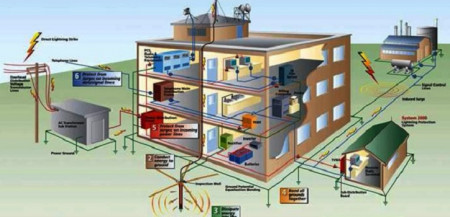
Rizer diagram for power &lightning in helth center building
MP4 | Video: h264, 1280x720 | Audio: AAC, 44.1 KHz, 2 Ch
Genre: eLearning | Language: English + srt | Duration: 5 lectures (1h 49m) | Size: 1.4 GB

Load distribution for new building construction
What you'll learn
The student will be familiar with the load distribution of distribution board
The student will know the relationship between the main distribution board and the branch distribution board
The student will know the load calculation for lighting and socket system
The student will know the relation ship between the generator and the power system and the use of it in facility
Requirements
you will learn every thing with no experiance
Description
the student will know the relationship between the main distribution board and the branch distribution board
the students will be familiar with the meaning of the demand factor
the student will know the difference between the demand factor and diversity factor
the student will know the calculation of circuit load
the student will know the calculation of the main DB load
the student will know the ups job in the the building
the building will understand the emdb load
the student will know the meaning of the wiring sequence
the student will be familiar with branch DB load the student will know the generator job in load feeding in case of power failure
the student will know the relation between the main DB and emdb
the student will know the meaning of the load sequence
the student will know the difference of the Autocad drawing of the health center
the student will know the lighting diagram of the building installation
the student will know the power system diagram
the student will know the lighting circuit distribution
the relationship between the main distribution board and the emdb board
the student will know the load sequence main distribution, board
the student will know the difference between the
Who this course is for
electrical engineer ,,
electrical technician
electrical designer
Homepage


7b4ae810f527d06a55520c1d6f6fab26.jpg

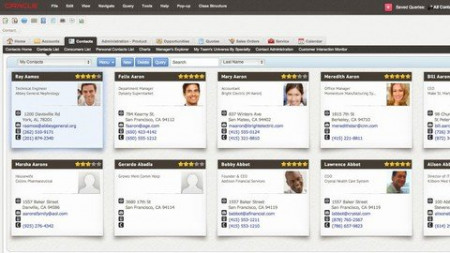
Siebel Administration
MP4 | Video: h264, 1280x720 | Audio: AAC, 44.1 KHz
Language: English | Size: 710 MB | Duration: 1h 14m
Siebel Admin Tasks
What you'll learn​

Plan Siebel Architecture
Install and Configure Siebel Servers
Monitor Siebel Servers
Common Tasks
Requirements
No Programming Experience Needed
Description
Course Description
The Siebel CRM 20/21 Administration course is a comprehensive, modular training. Students learn how to install, configure and manage modern versions of Siebel CRM (IP 17 and higher, including Siebel CRM 21.x).
The training course can be tailored to meet the exact needs of the target audience, not only in number and sequence of modules but also in availability of hands-on training and Q&A sessions with the instructor.
The training material is constantly updated to the latest Siebel CRM Update, following Oracle's Continuous Release Model. The content is also applicable to any prior version (Siebel CRM Innovation Pack 17 or higher, including Siebel 18, 19, 20 and 21).
Target Audience and Prerequisites
The training is beneficial for the following groups with no or limited prior Siebel CRM knowledge who aspire to become Siebel Administrator
IT Professional
Application Administrator
Consultant
Modules
Preparing to Install Siebel Server
Installing Siebel Server from Installables
Configuring the Siebel Server Profiles
Monitor the Siebel Server Components
Other Siebel Admin Tasks
Delivery and Scheduling
The Siebel CRM 20/21 Administration course can be delivered in the following formats
Live Online (via web-conferencing tool)
Live On-site
Recorded video (available on request)
Recommended duration (live training, all modules, shorter if customized): 5 days (40 hours)
Minimum/Maximum attendees for live training: 3 / 12
Complete Learning Experience
The Siebel CRM 20/21 Administration training includes
Professional delivery by experienced Siebel CRM instructors
Premium, up-to-date course materials (presentations and exercise guides) in PDF format (English)
Who this course is for
Beginner to Experience IT Professionals
Screenshots


67def7269ad9160c9ed3339c70453130.jpg

Siemens PLM - Teamcenter Lifecycle Visualization - Mockup
MP4 | Video: h264, 1280x720 | Audio: AAC, 44.1 KHz
Language: English | Size: 3.22 GB | Duration: 8h 39m
Learn Teamcenter Lifecycle Visualization - Base, Standard, Professional, Mockup
What you'll learn​

Learn the concepts and usage of Teamcenter Lifecycle Visualization- Mockup.
Mockup training also covers the functionality in Base, Standard and Professional.
Requirements
Knowledge about Siemens PLM Solutions.
Description
Teamcenter Visualization comes in 4 license products - Base, Standard, Professional and Mockup. Mockup is advanced version of all.
Lifecycle Visualization is a Teamcenter application used to View & Analyze design data and Collaborate with teams to share ideas and work seamlessly through any approval or change management process. Teamcenter Visualization helps every team member to view 2D, 3D data in visualization application to gain better clarity and make faster decisions.
Who this course is for
Design and Manufacturing Group interested in PDM (Product Data Management) and PLM (Product Lifecycle Management) solutions.
Screenshots


c70782225e869e8f8cfb5afeef8cac3e.jpg

Teamcenter Application Administration
MP4 | Video: h264, 1280x720 | Audio: AAC, 44.1 KHz
Language: English | Size: 1.75 GB | Duration: 4h 34m
Teamcenter Application Administration
What you'll learn​

Explore Teamcenter Application Administration
Teamcenter Rich Client has Administrative applications managed by System Administrators to define Teamcenter as per customer requirements.
Will cover the following topics - Organization, Access Manager, Projects, Preferences, Query Builder, PLMXML Import Export, Workflow designer and many more
For each cahpter you have a hands on session to explore Teamcenter Application Administration.
Requirements
Teamcenter Basics Course
Description
Teamcenter Rich Client has Administrative applications managed by System Administrators to define Teamcenter as per customer requirements.
Teamcenter Administration is accomplished by two means - Teamcenter Applications and Teamcenter BMIDE.
In this session we will explore Teamcenter Administration using the Teamcenter Applications.
Administrators will use the following applications to configure the Teamcenter as per customer needs.
- Organization: Create organization using the Users, Roles and Groups.
- Access Manager : One of the best access control system, to protect your data.
- Preferences : This is the place where we can configure system with just adding or setting the preferences.
- Queries & Reports: Create custom queries and also create the custom report templates to generate the reports.
- Workflows : One of the best way to capture and configure the business process
- PLM XML Import Export: Used to export and import data using the PLMXML files
- Style Sheets: Faster configuration of the User interface
- SM Configuration: Configure the Structure manager.
This is a intermediate level course, for better understanding the course material, it is must to have completed the Teamcenter Basics and its nice to have completed the Teamcenter engineering course. This is just one way of configuring the Teamcenter, its advised to take the Teamcenter BMIDE course for complete Teamcenter Administration.
Who this course is for
For Students and Working Professionals in Mechanical Engineering and working in Teamcenter solutions
Screenshots


6ac3f404e7e4104a2ad36c7b00df3742.jpg

Teamcenter Data Model Administration - BMIDE
MP4 | Video: h264, 1280x720 | Audio: AAC, 44.1 KHz
Language: English | Size: 1.61 GB | Duration: 4h 4m
Teamcenter BMIDE
What you'll learn​

Explore Teamcenter BMIDE - Business Modeler IDE
Teamcenter Data Model Administration is used to Configure the Teamcenter for customer specific needs.
This course covers the following topics - BMIDE Data model, Item Business Objects, Forms, List of Values, Relations, Datasets, Options and Rules..
For each chapter you have a hands on session to explore Teamcenter Application Administration.
Requirements
Teamcenter Basics Course, Teamcenter Engineering Process Management
Description
Configure Teamcenter Data Model administration using the BMIDE - Business Modeler IDE. BMIDE is used to extend the data model to match customer requirements.
In this section we will explore Teamcenter configuration using the BMIDE.
Administrators will use Teamcenter BMIDE to configure the systems as per customer specific data model.
- BMIDE Introduction: Introduction to the Business Modeler IDE, which is used to create the Teamcenter Data Model.
- BMIDE Process Data Model: BMIDE is build on its own Data Model which we call Out of the Box (OOTB). This follows its own POM model.
- BMIDE Item Business Objects: Items are the basic objects in Teamcenter. Using BMIDE we can create new Item types by extending any existing Items available in OOTB data model.
- BMIDE Forms: Forms are used for User Inputs. Using BMIDE admins can create any custom forms and necessary attributes and even link with any Item.
- BMIDE List of Values (LOVs): Drop down lists are also called List of Values. Admins create the necessary LOVs and link to any existing properties.
- BMIDE Relation Business Objects: The Objects in any PLM systems needs to be related with each other. The objects are related with specific Relations. Admins can extend the data model by creating new Relation Types.
- BMIDE Datasets: Datasets are 3rd party software files managed in Teamcenter. For example PDF< XLS, DOC, DWG and many more.. to manage these files Admins will create Dataset Types. OOTB supports many dataset types.
- BMIDE Options: Options are extension is BMIDE. These are Note Types, Status Types, Units of Measure (UOM)...
- BMIDE Rules: Admins can create new rules to manage Naming Rules for Items and Item revision, Display rules, Deep Copy Rules, GRM rules and Conditions.
- Live Updates: This is one of the deployment process of modified BMIDE package.
- Advanced Features: Cover advanced features in LOVs, Compound Properties, GRM rules..
This is a intermediate level course, for better understanding the course material, it is must to have completed the Teamcenter Basics and its nice to have completed the Teamcenter engineering and Manufacturing course. This is just one way of configuring the Teamcenter, its advised to take the Teamcenter Application Administration course for complete Teamcenter Administration.
Who this course is for
For Students and Working Professionals in Mechanical Engineering and working in Teamcenter solutions
Screenshots


8e9ef4d35b62c9e064f372f5e320558a.jpg

Teamcenter Engineering Process Management
MP4 | Video: h264, 1280x720 | Audio: AAC, 44.1 KHz
Language: English | Size: 2.52 GB | Duration: 6h 16m
Teamcenter Engineering​

What you'll learn
Explore Teamcenter Engineering Process Management
Teamcenter Engineering is used by Engineers to manage Engineering Data and Bill of Materials.
Will cover the following topics - Teamcenter Basics, BOM Management, Variant Management, Classification, Visualization, Change Management and many more itopics
For each chapter you have a hands on session to explore Teamcenter Engineering Concepts.
Requirements
Teamcenter Basics Course
Description
Teamcenter user training for Design Engineers, who is interested to explore the basic Modules of Teamcenter for managing engineering data, creating Items, Datasets, Product Structures , BOMs, Changes, workflows, Classification and many more concepts we will explore...
Teamcenter Engineering Users will use the following modules to accomplish their day to day job.
- Teamcenter Rich Client Configuration : Helps you configure the Teamcenter Perspectives and Views for user friendly User Interface
- My Teamcenter : This is a module for every user to manage their work.
- Teamcenter Items: These are basic Objects in Teamcenter. User create Items for all the data to be created in Teamcenter.
- Datasets : These are 3rd party software files which are managed in Teamcenter.
- Security: We have Object level and User / group level data security.
- Search: Teamcenter has many search methodologies - Quick Search, Advanced Search, Structure Search, Saved Queries.
- Projects: Create and Manage the projects, teams and Project data.
- Structure Manager: Module to create and Manage BOM.
- BOM Management: Create and manage Product Structures - Bill of Materials.
- Variant Management: Create and Manage Variants to create 150% BOM and generate multiple 100% Configurable BOMs
- Relation Browser: Graphical representation of Structures.
- Classification: Module where we create and classify any reusable data.
- Visualization: Siemens Application used to create and visualize the 3D data.
- Workflows: Used to create the business processes.
- Change Management: Create Problem Reports (PR), Change Request (CR) and Change Notices (CN) to manage any changes in the Product Lifecycle.
This is a intermediate level course, for better understanding the course material, it is must to have completed the Teamcenter Basics course. This course is a combination of 6 Siemens Courses,
- Teamcenter Basics
- Teamcenter Engineering
- Classification
- Visualization
- Workflow Management
- Change Management
Who this course is for
For Students and Working Professionals in Mechanical Engineering and working in Teamcenter solutions


eed05f3c9bc37f88e8d4eb4700a7d774.jpg

Teamcenter Manufacturing Process Planner - MPP
MP4 | Video: h264, 1280x720 | Audio: AAC, 44.1 KHz
Language: English | Size: 3.36 GB | Duration: 7h 6m
BOP - Bill of Process​

What you'll learn
Explore Teamcenter Manufacturing Process Planner MPP
Teamcenter MPP has all teh necessary modules to create Process Plan - Bill of Process
Will cover the Process Plan, BOP, Bill of Materials - MBOM, EBOM, Plant Structure BOE, Tools - Classification and Resource Manager
Each chapter has a theory session and practice session.
Requirements
Teamcenter Basics Course, Teamcenter Engineering Process Management
Description
Manufacturing Process Planner allows design and manufacturing engineers to concurrently develop product and Manufacturing planning.
In this course we will focus on creating and managing manufacturing data. We start with Engineering Bill of Materials and then create Manufacturing Bill of materials and then Bill of Process, Bill of Equipment and explore the enterprise Bill of Process and Logistics planning.
Process Planners will use the following features to create the Process Plans.
- MBOM: Manufacturing Bill of Materials (MBOM), which is usually created by Engineering Bill of Materials (EBOM).
- Plant Structure (BOE) : Need to create the Bill of Equipment, which is the digital Plant Structure.
- Resources: Create and manage the necessary Tools and Resources in Classification and Resources Manager
- Assignments: Assign Product, Plant, Tools to Process and Operations.
- Time Management: Create activities and create time for each operation and activities and perform Time Analysis
- Work Instructions: Generate the Work Instructions using HTML reports, 3D PDF and EWI
- Enterprise BOP (eBOP): Create and Manage the Enterprise BOP Structures - Product BOP, Plant BOP.
- Line Balancing: Balancing the Line is a critical activity on the process optimization process.
- Production Planning: Enterprise BOP features helps planners to simulate the Production Planning scenarios.
This is a intermediate level course, for better understanding the course material, it is must to have completed the Teamcenter Basics and Teamcenter engineering course.
Teamcenter Manufacturing Process planner has complete features top create and manage process plans for almost all industry verticals.
Who this course is for
For Students and Working Professionals in Mechanical Engineering and working in Teamcenter solutions
Screenshots


LetsGetGirls - Natural Transformations by Justin Marc

55265fb68e4107f14f72619e5a78cb86.jpg

Justin Marc - Natural Transformations - Lets Get Girls | 6.92 GB
My name is Justin. I have spent 5 years teaching social dynamics to thousands of men in person and hundreds of thousands online.
I have have learned from the best in the world which allows me to possess an expertise in teaching seduction and pickup techniques to better ones ****** life.

I have worked alongside the top in mens ****** industry having worked with former pickup instructors and assistants, naturals and entrepreneurs to cultivate curriculums that transform lives allowing students to learn the mindsets on how to become a 'natural'.
Having taught countless of live in person coaching programs in many different cities around the world, I have a vast knowledge of coaching social skills to allow students to become the naturally charismatic version of themselves they are capable of being.

This course was created to help you understand that you are a person who has a lot of value to offer, and teach how you can receive the most amazing results in life by sharing yourself with the world.

This is what we call a 'natural'. Someone who walks around and is naturally charismatic and fully comfortable with themselves. Natural Transformations is designed to wire your brain with the knowledge of how to transform into a natural. This course is literally a cheat code to life.
Although this course is not meant to be used as a 'feel good' product, all knowledge is worthless if no action is taken based on that knowledge.
Many other teachers will tell you, the same old story, 'just be cool, lean back and let the girl work for you' etc.. that information is not incorrect but it will only work for some one who already has a ton of experience with women.
If you are a newibie you will immediately FAIL if you try those strategies, get confused, frustrated, and ultimately feel overwhelmed.
And even intermediate and advanced guys can struggle to get that edge that puts them on path to mastery.
You'll need some TRAINING WHEELS to guide you to all the necessary reference experiences.
That's why I have specifically designed EXCLUSIVE drills to help you step-by-step improve your game.
I packed the course with ACTIONABLE CONCEPTS to give you the best learning experience possible.
After this video program you will completely change as a person. You will transform your social life, ****** life, and relationships. You will have the confidence within to get the results you want out of life.
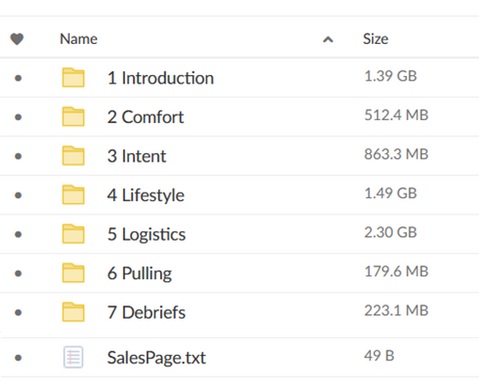
Content of the Download:
447b35bf7efce09985c75c0f58fb9531.jpg

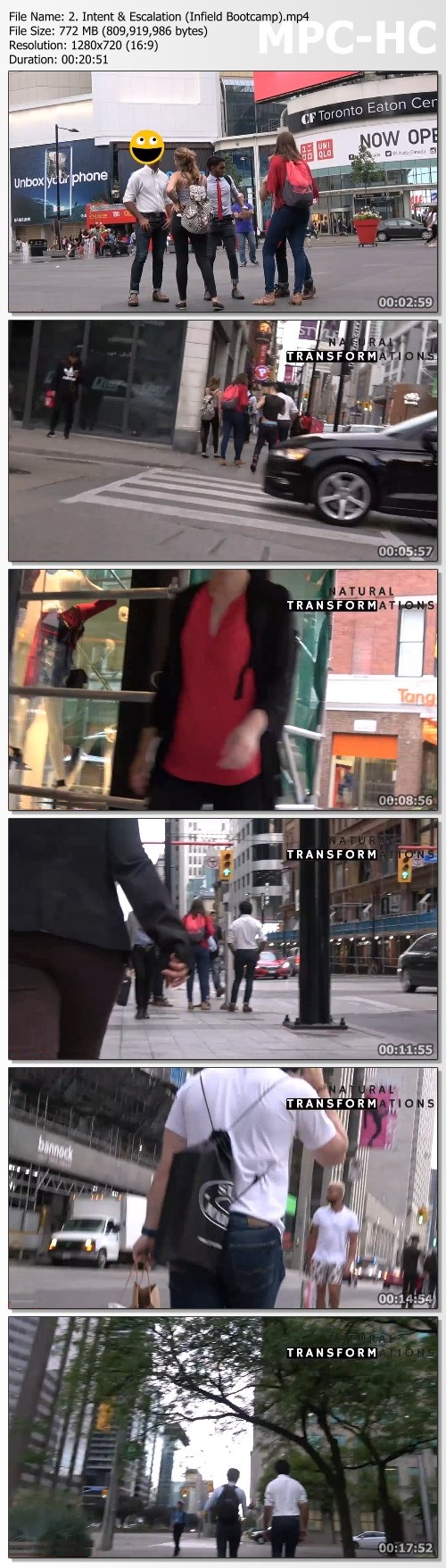
Screenshots
715029d3c60b83ac39903d9adcdb9e88.jpg

Homepage:

Link Download
Extract files with WinRar 5 or Latest !
 
AFM Proprietary ONE CORE PROGRAM by Ezekiel Chew

e63390fbf285b70413917d8a79385284.jpg

Asia Forex Mentor - AFM Proprietary One Core Program - Ezekiel Chew | 13.65 GB
If You Want To Make An Income From Trading, And I'm Not Talking About Measely Returns, I'm Talking About Big Money And Huge ROI. Read Every Word Of This Letter.

My name is Ezekiel Chew, and I teach bank traders, fund managers, prop traders and also ordinary people how to make money from trading. I trade forex, stocks, indexes, commodities (e.g. gold, silver, crypto) and anything that is tradable. And you are going to learn all of these. Because it doesn't matter what vehicle it is, what we are looking for is high-probability winning trades that make big money. And with a secure system that guards the risk and money as carefully as my wife does.
For a limited time, I will share with you my secret for making more money in a month than most people make in a year. On this page is some of the most valuable information anyone can receive. And that is: How to make money on demand. And not just any money. But BIG money on demand.

Give me just 20 minutes a day of your time, and I will show you a road to wealth most people could only dream about taking.
I'll show you how my proprietary system has made me and my students millions of dollars and have how you can do the same.
In a minute, you're going to have a chance to put some real cash in your account later today. Because the system that I'll show you is focused on ROI, where you put in $1 and it returns you $3. It's not about fanciful strategies or flashy methods. This is a real system that professional traders and banks use. I know that, because I'm the man behind the scenes. The one who trains the bank traders. And I've made it so easily comprehensible that my 7- and 8-year-old **** understand it. And if they can understand it at such a young age, anyone can grasp this system if they put the effort into learning it.
This system is so powerful that I've created many full-time traders who started the program with zero knowledge in trading. Some even went on to become fund managers, and I'm so proud of them!

Homepage:

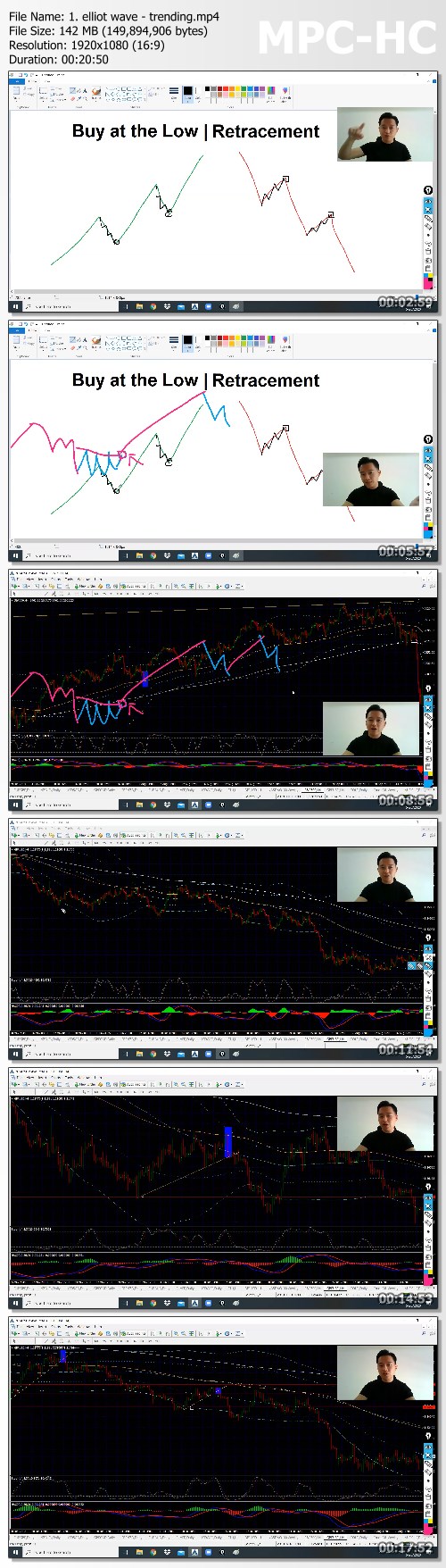
Screenshots
87601d77e34e7401baf84a28d84c5b77.jpg


Link Download
Extract files with WinRar 5 or Latest !
 
91d0e42f-9ba5-456e-93f6-706107913a35.png

Advanced Motion Graphics
LinkedIn Learning
Duration: 2h 5m | .MP4 1280x720, 30 fps(r) | AAC, 48000 Hz, 2ch | 1.16 GB
Genre: eLearning | Language: English​

OK, so you did your homework on Adobe After Effects, but you still feel like you need something else if you really want to be a successful motion graphics artist. In this course, instructor Eran Stern gives you the tools you need to take your design and technical knowledge to the next level with After Effects.
Get tips on planning and preparing for your project so you can become a better professional designer. Develop your skills in typography, 3D, and lighting, working to build compositions with video, shapes, and stylized text. Learn how to design and animate a short interlude from scratch and structure animations in real time, honing your strategies for compositing, rotoscoping, and tracking along the way. By the end of this course, you'll be better prepared to not only track, but also melt and merge elements together to build a more cohesive, creative piece.
Homepage


bea0173c-92ba-466f-af9c-d71237aba01f.png

How to Build Credibility as a Leader
LinkedIn Learning
Duration: 16m 12s | .MP4 1280x720, 30 fps(r) | AAC, 48000 Hz, 2ch | 197 MB
Genre: eLearning | Language: English​

When it comes to being a leader, you're only as effective and as good as your credibility. In this course, leadership expert Aimée V. Sanchez, PhD., shows you how to become a more effective leader by building and maintaining your credibility. She explores the importance of taking accountability, encouraging collaboration, and taking on the role of being a good teacher. Dr. Sanchez walks through how to earn trust and build your reputation by identifying your brand and developing a core message. She equips you with ways to fully embody your brand, which can further cement your credibility. This course gives you a new way to be seen as an effective leader, enhance your overall standing, and strengthen your business relationships.
This course was created by Madecraft. We are pleased to host this training in our library.
Homepage
Screenshots


Zurück
Oben Unten