• Regeln für den Video-Bereich:

    In den Börsenbereich gehören nur Angebote die bereits den Allgemeinen Regeln entsprechen.

    Einteilung

    - Folgende Formate gehören in die angegeben Bereiche:
    - Filme: Encodierte Filme von BluRay, DVD, R5, TV, Screener sowie Telesyncs im Format DivX, XviD und x264.
    - DVD: Filme im Format DVD5, DVD9 und HD2DVD.
    - HD: Encodierte Filme mit der Auflösung 720p oder darüber von BluRay, DVD, R5, TV, Screener sowie Telesyncs im Format x264.
    - 3D: Encodierte Filme von BluRay, die in einem 3D Format vorliegen. Dies gilt auch für Dokus, Animation usw.
    - Serien: Cartoon/Zeichentrick, Anime, Tutorials, Dokumentationen, Konzerte/Musik, Sonstiges sind demnach in die entsprechenden Bereiche einzuordnen, auch wenn sie beispielsweise im High Definition-Format oder als DVD5/DVD9/HD2DVD vorliegen. Ausnahme 3D.
    - Bereich Englisch: Englische Releases gehören immer in diesen Bereich.
    - Bereich Talk: Der Bereich, in dem über die Releases diskutiert werden kann, darf, soll und erwünscht ist.


    Angebot/Beitrag erstellen

    - Ein Beitrag darf erst dann erstellt werden, wenn der Upload bei mindestens einem OCH komplett ist. Platzhalter sind untersagt.
    - Bei einem Scenerelease hat der Threadtitel ausschließlich aus dem originalen, unveränderten Releasenamen zu bestehen. Es dürfen keine Veränderungen wie z.B. Sterne, kleine Buchstaben o.ä. vorgenommen werden. Ausnahme Serienbörse:
    - Bei einem Sammelthread für eine Staffel entfällt aus dem Releasename natürlich der Name der Folge. Beispiel: Die Simpsons S21 German DVDRip XviD - ITG
    - Dementsprechend sind also u.a. verboten: Erweiterungen wie "Tipp", "empfehlenswert", "only", "reup", usw. / jegliche andere Zusatzinformation oder Ergänzung, welche nicht in obiger Beschreibung zu finden ist.

    Aufbau des Angebots und Threadtitel

    Der Titel nach folgendem Muster erstellt zu werden. <Name> [3D] [Staffel] [German] <Jahr> <Tonspur> [DL] [Auflösung] <Quelle> <Codec> - <Group>
    Beispiel: The Dark Knight German 2008 AC3 DVDRip XviD - iND
    Beispiel: The Dark Knight 2008 DTS DL BDRip x264 - iND
    Beispiel: The Dark Knight 2008 AC3 DL BDRip XviD - iND
    Beispiel: The Dark Knight German 2008 AC3 720p BluRay x264 iND
    Beispiel: The Dark Knight 2008 DTS DL 1080p BluRay x264 iND
    Beispiel: Die Simpsons S01 German AC3 DVDRip XviD iND
    Beispiel: Die Simpsons S20 German AC3 720p BluRay x264 iND
    Beispiel: Sword Art Online II Ger Sub 2014 AAC 1080p WEBRip x264 - peppermint
    Entsprechend sind also u.a. verboten: Sonderzeichen wie Klammern, Sterne, Ausrufezeichen, Unterstriche, Anführungszeichen / Erweiterungen wie "Tipp", "empfehlenswert", "only", "reup", usw. / jegliche andere Zusatzinformation oder Ergänzung, welche nicht in obiger Beschreibung zu finden ist
    Ausnahmen hiervon können in den Bereichen geregelt sein.

    Die Beiträge sollen wie folgt aufgebaut werden:
    Überschrift entspricht dem Threadtitel
    Cover
    kurze Inhaltsbeschreibung
    Format, Größe, Dauer sind gut lesbar für Downloader außerhalb des Spoilers zu vermerken
    Nfo sind immer Anzugeben und selbige immer im Spoiler in Textform.
    Sind keine Nfo vorhanden z.B. Eigenpublikationen, sind im Spoiler folgende Dateiinformationen zusätzlich anzugeben :
    Quelle
    Video (Auflösung und Bitrate)
    Ton (Sprache, Format und Bitrate der einzelnen Spuren)
    Untertitel (sofern vorhanden)
    Hosterangabe in Textform außerhalb eines Spoiler mit allen enthaltenen Hostern.
    Bei SD kann auf diese zusätzlichen Dateiinformationen verzichtet werden.

    Alle benötigten Passwörter sind, sofern vorhanden, in Textform im Angebot anzugeben.
    Spoiler im Spoiler mit Kommentaren :"Schon Bedankt?" sind unerwünscht.


    Releases

    - Sind Retail-Release verfügbar, sind alle anderen Variationen untersagt. Ausnahmen: Alle deutschen Retail-Release sind CUT, in diesem Fall sind dubbed UNCUT-Release zulässig.
    - Im Serien-Bereich gilt speziell: Wenn ein Retail vor Abschluss einer laufenden Staffel erscheint, darf diese Staffel noch zu Ende gebracht werden.62
    - Gleiche Releases sind unbedingt zusammenzufassen. Das bedeutet, es ist zwingend erforderlich, vor dem Erstellen eines Themas per Suchfunktion zu überprüfen, ob bereits ein Beitrag mit demselben Release besteht. Ist dies der Fall, ist der bereits vorhandene Beitrag zu verwenden.
    - P2P und Scene Releases dürfen nicht verändert oder gar unter einem iND Tag eingestellt werden.


    Support, Diskussionen und Suche

    - Supportanfragen sind entweder per PN oder im Bereich Talk zu stellen.
    - Diskussionen und Bewertungen sind im Talk Bereich zu führen. Fragen an die Uploader haben ausschließlich via PN zu erfolgen, und sind in den Angeboten untersagt.
    - Anfragen zu Upload-Wünschen sind nur im Bereich Suche Video erlaubt. Antworten dürfen nur auf Angebote von MyBoerse.bz verlinkt werden.


    Verbote

    - Untersagt sind mehrere Formate in einem einzigen Angebotsthread, wie beispielsweise das gleichzeitige Anbieten von DivX/XviD, 720p und 1080p in einem Thread. Pro Format, Release und Auflösung ist ein eigener Thread zu eröffnen.
    - Grundsätzlich ebenso verboten sind Dupes. Uploader haben sich an geeigneter Stelle darüber zu informieren, ob es sich bei einem Release um ein Dupe handelt.
    - Gefakte, nur teilweise lauffähige oder unvollständige Angebote sind untersagt. Dies gilt auch für eigene Publikationen, die augenscheinlich nicht selbst von z.B. einer DVD gerippt wurden. Laufende Serien, bei denen noch nicht alle Folgen verfügbar sind, dürfen erstellt und regelmäßig geupdatet werden.
    - Untersagt sind Angebote, welche nur und ausschließlich in einer anderen Sprache als deutsch oder englisch vorliegen. Ausnahmen sind VORHER mit den Moderatoren zu klären.


    Verstoß gegen die Regeln

    - Angebote oder Beiträge, die gegen die Forenregeln verstoßen, sind über den "Melden"-Button im Beitrag zu melden.
  • Bitte registriere dich zunächst um Beiträge zu verfassen und externe Links aufzurufen.


Englische Tutorials


c2c36dc27b9fd71832ac4fbddde52200.jpg

Core Administration - Skype for Business Server
MP4 | Video: AVC 1280x720 | Audio: AAC 44KHz 2ch | Duration: 4.5 Hours | 797 MB
Genre: eLearning | Language: English​

Skype for Business Server empowers seamless communications and data sharing anywhere from desktop to mobile. This course will teach you the core administrative aspects from system and user management to practical troubleshooting tips and tricks.

Operating a complex platform like Unified Communications and Collaboration to provide seamless access across typical productivity tools and applications is a challenging undertaking. In this course, , you'll learn the foundational knowledge of system and user management. First, you will acquire the skill to handle core user administration, policies, and configuration settings. Next, you'll learn how to manage topology, define system components, and behavior to control access privileges. Finally, you'll understand how to deploy tools and applications to effectively troubleshoot and support the environment. When you're finished with this course, you'll gain the essential skills and know-how to run a smooth and problem-free infrastructure. As a bonus, this course takes a look at on-premise vs. Skype for Business Online (Office 365) deployment scenarios in addition to management using PowerShell Remoting and a reference test lab topology to help complement your learning experience. Recommended Software (or higher versions/service packs): Windows Server 2012 R2, Skype for Business Sever 2015, Lync Server 2013, SQL Server 2012 SP2, Office Web Apps 2013 SP1, Exchange Server 2013, SharePoint Server 2013, Windows 10 Pro, Office Pro 2013/Outlook 2016

Recommend Download Link Hight Speed | Please Say Thanks Keep Topic Live ​
 

fa2bfac6a4a8533e45cb4a8088ab9e55.jpg

Create Complete Web Applications easily with APEX 5 pdated
MP4 | Video: AVC 1280x720 | Audio: AAC 44KHz 2ch | Duration: 7 Hours | 911 MB
Genre: eLearning | Language: English​

Create modern, complete and functional web applications with Oracle's Amazing APEX 5 framework.

What is this course about?

This course is about Oracle's APEX framework which allows you to create modern, fully-functional web applications using nothing more than your browser. Applications in APEX are configured and not coded. But don't let that fool you. APEX is modern and allows for advanced web programming if you want to get your hands dirty. In this course we dive into the basics and intermediate level of APEX configuration. There is no heavy coding in this course. We use configuration and drag-and-drop in this course to get some pretty advanced functionality.

What terminology would your audience expect to find in this course?

We cover all of APEX's terminology (Don't worry if you are not familiar)

Table, Sequences, Workspace, Page, Page Designer, Application Builder, SQL Workshop, Exporting, Importing, Interactive Reports, Regions, Items, Buttons, Select Lists, List Managers, Template Options, Icon Classes, Shared Components, Authentication Schemes, Theme Roller, Dynamic Actions, Application Rollback, Team Development Module, Packaged Apps, Page Processes, Branching, Page Redirection, SQL, Query Builder, and so much more

We also cover some web and database terminology (Would help to have a basic understanding)

HTML, h1, h2, div, SQL, Select, From, Where

What kind of material are included?

The format for this course is watch and follow along. You are given two options for following along:

Request your own Oracle Workspace and follow along (Free)

Install your own instance of Oracle XE and APEX (Free) on your Windows machine

Both options are free. The student is expected to complete all of the same exercises in the video.

How long will the course take to complete?

The student should expect to dedicate 8 or more hours to complete the course.

How is this course structured?

Watch and follow along. I take you from beginning to end with this course video series. I will occasionally ask you to pause the video and complete a task to test your skills.

Why take this course?

There is nothing like seeing a developer in action and watching them build from beginning to end. You can try and use a book or blog tutorial to get your knowledge about APEX. But the experience with those formats could end up leaving you stuck. APEX is the future of web application development. If you think visually and would prefer to configure an application rather than get stuck in the weeds with code, take this course and get started on your next web app.

Recommend Download Link Hight Speed | Please Say Thanks Keep Topic Live ​
 

825f150ca977d8354ed976f0758734aa.jpg

Create Graphs & Charts Easily In Adobe Illustrator
MP4 | Video: AVC 1280x720 | Audio: AAC 44KHz 2ch | Duration: 36M | 47 MB
Genre: eLearning | Language: English​

A Simple , Easy To Follow Guide On How To Create And Customize Graphs In Adobe Illustrator CC .

Graphs are the ultimate way of expressing statistical information , used in different fields like Infographics , Presentations , Marketing , Research , Statistics , and many more .

Graphs may look complex and hard to create and deal with , but they really are not . In this course , I'm going to teach you how to create and customize different types of graphs In Adobe Illustrator CC .

You : " But what if I don't know anything about using Illustrator ? " .

Me : Well , no worries ! I'm going to quickly teach you the basics of Illustrator that you will need in this course , then move on to creating and customizing graphs .

After the basics , you will learn the following :

How To Create A Graph
How To Resize And Rotate A Graph
How To Color The Portions Of A Graph
How To Add Percentage Text To A Graph
How To Create Different Types Of Graphs

Recommend Download Link Hight Speed | Please Say Thanks Keep Topic Live ​
 

64737c8a428497026948fb26be67b65d.jpg

Creative Retouching Techniques in Photoshop
Duration: 40m | Video: h264, yuv420p, 1280x720 30fps | Audio: aac, 44100 Hz, 2 ch | 731 MB
Genre: eLearning | Language: English​

In this class You will know everything You need to know about Retouching Techniques in Photoshop! We are going to start from simple things and talk about basic retouching toold in photoshop such as - Healing Brush Tool, Spot Healing Brush Tool, Patch Tool and Clone Stamp tool. You are going to know how to use them as well as You will know differences between these tools.

After that we are going to jump into different techniques, I will explain You Frequency Separation. You will learn how to work with this technique in non destructive way, as well as how to set Frequency Separation Layers in most effective and comfortable way.
As a next technique I am going to redefine Inverted High Pass Technique.Once again You will know how to retouch skin non destructively and even out rough skin. I will show You how to achieve the most desired look by You and keep full control on the working process with Inverted High Pass.
At the end I am going to talk about dodge & burn and show You how You should work with this and how to sort out lights and shadows on portrait Images.

Recommend Download Link Hight Speed | Please Say Thanks Keep Topic Live ​
 

6b3bbdd57bfd8a19186535b0b395a2aa.jpg

Creative Workflow in Adobe Photoshop - Quickly Design an Ice Cream Poster
Duration: 32m | Video: h264, yuv420p, 1280x720 30fps | Audio: aac, 44100 Hz, 2 ch | 486 MB
Genre: eLearning | Language: English​

In this class I will show you an Easy Workflow inside Adobe Photoshop, while creating an Ice Cream poster, based on only 1 picture.

Along the way you find some helpful tips, that allow you to do a lot of things right inside the document itself, without slowing down your creativity.
This is extremely helpful while designing an initial idea / concept design.

This techniques allows you to quickly explore different creative options all inside the same document.
The example you see here, is made from only 1 photo, just changing colors, reusing parts in a different way and adding some text.

Recommend Download Link Hight Speed | Please Say Thanks Keep Topic Live ​
 

5ff0a89e5f875686e5319c0e57f74305.jpg

Creativepreneur 101: How to Start a Blog on a Budget
MP4 | Video: AVC 1280x720 | Audio: AAC 44KHz 2ch | Duration: 1 Hours | 114 MB
Genre: eLearning | Language: English​

Once you decide to package your creative talent and share it with the world, it's time for you to start a blog or website. And guess what? You don't have to break the bank to create a beautiful WordPress blog for your brand! Learn how to access free and low-cost resources that you can use to create a stylish, self-hosted WordPress blog on a budget.

Recommend Download Link Hight Speed | Please Say Thanks Keep Topic Live ​
 

a388495ec45402309ad8ce3b6a335067.jpg

Customize Photoshop's Panels, Shortcuts, and Menus
Duration: 1hr 30m | Video: h264, yuv420p, 1280x720 30fps | Audio: aac, 44100 Hz, 2 ch | 1.3 GB
Genre: eLearning | Language: English​

Thank you so much Dave for this awesome course. I can tell already that my work in Photoshop is going to be so much more effective. I actually did stop the videos and make some tool presets and a curve preset. Thanks Creative Live for featuring such an easy to follow and understand instructor like Dave.

Recommend Download Link Hight Speed | Please Say Thanks Keep Topic Live ​
 

b27d685069490f43a9e9fbd6b7652e2f.jpg

Cyber Security For Beginners. Avoid Business Data Breaches
MP4 | Video: AVC 1280x720 | Audio: AAC 44KHz 2ch | Duration: 4 Hours | 1.10 GB
Genre: eLearning | Language: English​

Understand cyber security threats that can affect your business and what you can do to avoid them before a data disaster

If you've been told you have to "protect your data" but don't know where to even begin with cyber security, you should take this course.

The course is meant to do 6 things

Define Cybersecurity.
Explain the importance of securing information through best cybersecurity practices.
Identify types of information that should be secured.
Identify different types of security threats.
Define risk management.
List basic best practices for guarding against cyber threats.
We'll briefly discuss the answers to these common questions

What is cybersecurity?
Why is cybersecurity so important?
What are common cyber threats and crimes?
How do I determine my level of risk?
What can I do to protect my business?
WHO AM I? I'm an entertainment lawyer in southern California who works with digital-first clients like Youtubers, game developers, and start-ups. Some of my clients are the most viewed, most-subscribed Youtubers in the world.

WHY DID I CREATE THIS? Many technical courses aren't friendly to true beginners: people who need to see the forest before watching an 8 hour course describing the trees. That's why I wanted to create a quick, well-organized affordable way to start an important discussion about cyber security, a topic I'm very familiar with but you might not be yet.

THIS IS AN INTERACTIVE EXPERIENCE. I'm really committed to making these beginner courses as great as they can be, so I encourage you to enroll in the course and submit questions to the discussion section. As the weeks go by, I will be creating new videos in the course to personally answer people's questions there, so be sure to submit your questions if you want feedback.

THANK YOU FOR ENROLLING. If you enjoy the course, I also encourage you to leave a review because this will help other people who are just starting out know that this course is out there and ready to help them. With your help and input, I hope I can make this course a 5-star experience that is valuable to you and starts you on your journey to success.

Recommend Download Link Hight Speed | Please Say Thanks Keep Topic Live ​
 

4390f440040df4bf0fe3e82779f6cf7b.jpg

Dave Celentano - Blues Masters by the Bar
DVDRip | English | AVI + AC3 jam tracks | 624 x 432 | XviD ~895 kbps | 29.970 fps
MP3 160 Kbps 48.0 KHz | 2 channels | 01:47:58 + jam tracks: 7:39 | 865.1 MB​

Genre: eLearning Video / Guitar lesson
Over 140 authentic riffs and licks as played by bluesmasters such as Duane Allman, Dickey Betts, Eric Clapton, Albert Collins, B.B. King, Stevie Ray Vaughan and more! Each is presented in two-measure chunks, organized by where they fall within a standard 12-bar blues progression.

Blues Masters include:
Duane Allman
Wayne Bennett
Dickey Betts
Kenny Burrell
Eric Clapton
Albert Collins
Warren Haynes
Albert King
B.B. King
Sammy Lawhorn
Gary Moore
Jack Pearson
Stevie Ray Vaughan
T-Bone Walker
Leslie West
Zakk Wylde

Content:
Measures 1-2 (16:08)
Measures 3-4 (19:16)
Measures 5-6 (22:04)
Measures 7-8 (15:46)
Measures 9-10 (10:19)
Measures 11-12 (20:29)
Conclusion (0:50)
Demo Performance (1:17)
Jam Track One (4:01)
Jam Track Two (3:38)

Recommend Download Link Hight Speed | Please Say Thanks Keep Topic Live ​
 

c1577c515cab7e4b98013640659b2c6c.jpg

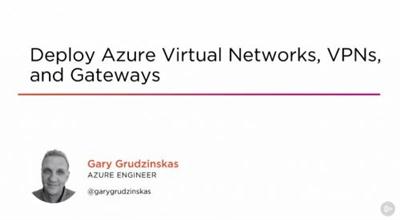
Deploy Azure Virtual Networks, VPNs, and Gateways
MP4 | Video: AVC 1280x720 | Audio: AAC 44KHz 2ch | Duration: 2 Hours 15M | 395 MB
Genre: eLearning | Language: English​

This course will help you prepare to take your network to the cloud using the Azure Portal, Powershell for Azure, and JSON templates.

The biggest trend in networking today is the move to the cloud and IT Pros must learn the new skills required for this mass migration. In this course, Deploy Azure Virtual Networks, VPNs, and Gateways, you will build a foundation of knowledge required to work with Azure virtual networks. First, you'll learn how to deploy virtual networks. Next, you'll learn how to route from one virtual network to another virtual network and route between subnets inside of a virtual network. Lastly, you'll discover how to connect your On-Premise network to an Azure virtual network. You'll work with three tools in this course: The Azure Portal, Powershell for Azure, and JSON templates. After you finish this course, you will have updated your skills from On-Premise networking to Azure networking, giving you the confidence to take your network to the cloud.

Recommend Download Link Hight Speed | Please Say Thanks Keep Topic Live ​
 

25c12f590e6cc83cb62f7a35d35f26df.jpg

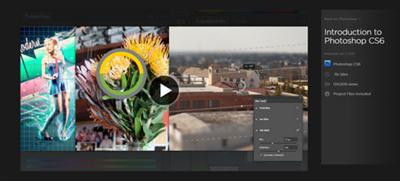
Digital Tutors - Introduction to Photoshop CS6
WEBRip | English | MOV + Project files | 1280 x 720 | AVC ~1404 kbps | 15 fps
AAC ~192 Kbps | 44.1 KHz | 2 channels | 11:05:19 | 8.69 GB​

Genre: eLearning Video / Adobe Photoshop, Photographing
In this collection of Photoshop CS6 tutorials we will learn the fundamental tools, techniques and workflows for Photoshop CS6. It can safely be said that Photoshop is truly the backbone of the computer graphics industry.

From video games to movies and every area in between, Photoshop is one of the most commonly used application by working professionals in any creative field. Now learning how to use a program like Photoshop can seem like a daunting task. Throughout this course, our goal is to teach you the tools, concepts and workflows you will need to succeed with Photoshop. Not only this, but we will break them down so that they are easy to understand. We will dive in and learn about every key area, providing you with a solid foundation. It's important to us that you not only learn the basics of Photoshop but that you also develop good habits when it comes to this truly amazing application.

Content
Lesson 1
Introduction and project overview
12:42
Lesson 2
Diving in head first with a mini-project
09:53
Lesson 3
Continuing the mini-project
14:56
Lesson 4
Interface and UI overview
13:41
Lesson 5
Creating, opening and saving files
10:17
Lesson 6
Opening and managing multiple files at once
06:48
Lesson 7
Utilizing workspaces
06:49
Lesson 8
Understanding Photoshop's rulers, grids, and guides
16:29
Lesson 9
Resizing vs. resampling
08:48
Lesson 10
Zooming, panning and the navigator panel
08:49
Lesson 11
Straightening an image with the ruler tool
05:32
Lesson 12
Cropping an image
12:29
Lesson 13
Layers panel overview
08:47
Lesson 14
Using the move tool in Photoshop
07:23
Lesson 15
Managing multiple Photoshop layers
03:34
Lesson 16
Locking Photoshop layers
03:35
Lesson 17
Undos and the history panel
06:12
Lesson 18
Enhancing an image with layer styles
06:13
Lesson 19
Using smart objects in Photoshop
05:13
Lesson 20
Filtering layers in the layers panel
04:53
Lesson 21
Making selections with the marquee tools
09:44
Lesson 22
Making selections with the lasso tools
09:19
Lesson 23
Using the quick selection and magic wand tools
09:24
Lesson 24
Refining and modifying Photoshop selections
08:54
Lesson 25
Using the Quick Mask mode to create selections
06:15
Lesson 26
Saving and loading selections
06:04
Lesson 27
Selecting ranges of colors
02:29
Lesson 28
Inverting selections in Photoshop
02:28
Lesson 29
Transforming layers in Photoshop
04:45
Lesson 30
Removing the background layer from your document
02:43
Lesson 31
Content-aware scaling in Photoshop
03:03
Lesson 32
Puppet warp in Photoshop
04:26
Lesson 33
Using adjustment layers in Photoshop
04:24
Lesson 34
Brightness and contrast adjustment
04:25
Lesson 35
Understanding a histogram in Photoshop
06:19
Lesson 36
Levels adjustments in Photoshop
06:20
Lesson 37
Curves adjustments in Photoshop
08:34
Lesson 38
Adjusting the hue and saturation of an image
07:16
Lesson 39
Threshold adjustment in Photoshop
01:47
Lesson 40
Gradient maps in Photoshop
03:56
Lesson 41
Converting color images to black and white
06:07
Lesson 42
Document color modes
06:20
Lesson 43
Background and foreground color picker
08:37
Lesson 44
Color and swatch panels in Photoshop
06:03
Lesson 45
Using the eyedropper tool
05:51
Lesson 46
Filling selections with the paint bucket
08:05
Lesson 47
Content aware and history filling
07:18
Lesson 48
Content aware moving and extending
07:41
Lesson 49
Using and customizing gradients
13:51
Lesson 50
Brush basics
13:31
Lesson 51
Customizing brush dynamics in the brush panel
12:49
Lesson 52
Defining a custom brush preset
12:50
Lesson 53
Working with presets and the preset manager in Photoshop
08:52
Lesson 54
Painting with natural bristle brushes
09:09
Lesson 55
Painting with air brushes
09:10
Lesson 56
Painting erodible brush tips
06:18
Lesson 57
Blending colors with the smudge tool
06:17
Lesson 58
Blending colors with the mixer brush
07:20
Lesson 59
Painting in time with the history brush
09:39
Lesson 60
Duplicating pixels with the clone stamp tool
09:31
Lesson 61
Repairing an image with the healing brush
07:49
Lesson 62
Repairing an image with the spot healing brushes
06:47
Lesson 63
Repairing an image with the patch tool
07:17
Lesson 64
Dodging and burning an image
05:35
Lesson 65
Enhancing an image with the sponge tool
11:35
Lesson 66
Erasing tools and workflows
11:07
Lesson 67
Exploring layer masks in Photoshop
11:08
Lesson 68
Refining masks for increased precision
04:37
Lesson 69
Clipping Masks
05:15
Lesson 70
Drawing paths with the Pen tool
13:03
Lesson 71
Creating shapes with the Shape tools
06:45
Lesson 72
Using the custom shape tool
05:33
Lesson 73
Understanding how to implement vector shapes in Photoshop
15:24
Lesson 74
Adding text to an image
14:55
Lesson 75
Managing large amounts of text using character and paragraph styles
12:36
Lesson 76
Blurring an image in Photoshop
04:34
Lesson 77
Using the blur gallery in Photoshop CS6
08:32
Lesson 78
Sharpening an image
06:15
Lesson 79
Exploring the filter gallery
06:16
Lesson 80
Using smart filters in Photoshop
08:04
Lesson 81
Liquifying images in Photoshop
09:40
Lesson 82
Exploring the timeline panel in Photoshop
10:51
Lesson 83
Editing a video in Photoshop
15:34
Lesson 84
Rendering a video out of Photoshop
03:53
Lesson 85
Creating 3D layers in Photoshop
08:02
Lesson 86
Rendering 3D layers
11:41
Lesson 87
Beginning a second mini-project
12:11
Lesson 88
Finishing our second mini-project and conclusion
12:12

Recommend Download Link Hight Speed | Please Say Thanks Keep Topic Live ​

 

06a1cf32ecfb5d16e655eb32b9f096f0.jpg

Drawing in Adobe Illustrator with Mouse for Absolute Beginners: 2D Cartoon Bear
Duration: 1hr 2m | Video: h264, yuv420p, 1280x720 30fps | Audio: aac, 44100 Hz, 2 ch | 254 MB
Genre: eLearning | Language: English​

This class on How to Draw 2D Bear Quick and Easy is one of the best Adobe Illustrator diagram to kick start your learning process with Illustrator. You will be drawing this 2D cartoon Bear in Adobe Illustrator with mouse, entirely.

After the introduction of this class, I will make you familiar with the different tools that you are going to use in this class.
What you will learn in this class

In this class you will be learning to use the following Adobe Illustrator tools
Rectangle
Ellipse
Curvature
Delete anchor point
Eyedropper
Line
Arc
Selection
Gradient
Text

Recommend Download Link Hight Speed | Please Say Thanks Keep Topic Live ​

 
Zurück
Oben Unten