• Regeln für den Video-Bereich:

    In den Börsenbereich gehören nur Angebote die bereits den Allgemeinen Regeln entsprechen.

    Einteilung

    - Folgende Formate gehören in die angegeben Bereiche:
    - Filme: Encodierte Filme von BluRay, DVD, R5, TV, Screener sowie Telesyncs im Format DivX, XviD und x264.
    - DVD: Filme im Format DVD5, DVD9 und HD2DVD.
    - HD: Encodierte Filme mit der Auflösung 720p oder darüber von BluRay, DVD, R5, TV, Screener sowie Telesyncs im Format x264.
    - 3D: Encodierte Filme von BluRay, die in einem 3D Format vorliegen. Dies gilt auch für Dokus, Animation usw.
    - Serien: Cartoon/Zeichentrick, Anime, Tutorials, Dokumentationen, Konzerte/Musik, Sonstiges sind demnach in die entsprechenden Bereiche einzuordnen, auch wenn sie beispielsweise im High Definition-Format oder als DVD5/DVD9/HD2DVD vorliegen. Ausnahme 3D.
    - Bereich Englisch: Englische Releases gehören immer in diesen Bereich.
    - Bereich Talk: Der Bereich, in dem über die Releases diskutiert werden kann, darf, soll und erwünscht ist.


    Angebot/Beitrag erstellen

    - Ein Beitrag darf erst dann erstellt werden, wenn der Upload bei mindestens einem OCH komplett ist. Platzhalter sind untersagt.
    - Bei einem Scenerelease hat der Threadtitel ausschließlich aus dem originalen, unveränderten Releasenamen zu bestehen. Es dürfen keine Veränderungen wie z.B. Sterne, kleine Buchstaben o.ä. vorgenommen werden. Ausnahme Serienbörse:
    - Bei einem Sammelthread für eine Staffel entfällt aus dem Releasename natürlich der Name der Folge. Beispiel: Die Simpsons S21 German DVDRip XviD - ITG
    - Dementsprechend sind also u.a. verboten: Erweiterungen wie "Tipp", "empfehlenswert", "only", "reup", usw. / jegliche andere Zusatzinformation oder Ergänzung, welche nicht in obiger Beschreibung zu finden ist.

    Aufbau des Angebots und Threadtitel

    Der Titel nach folgendem Muster erstellt zu werden. <Name> [3D] [Staffel] [German] <Jahr> <Tonspur> [DL] [Auflösung] <Quelle> <Codec> - <Group>
    Beispiel: The Dark Knight German 2008 AC3 DVDRip XviD - iND
    Beispiel: The Dark Knight 2008 DTS DL BDRip x264 - iND
    Beispiel: The Dark Knight 2008 AC3 DL BDRip XviD - iND
    Beispiel: The Dark Knight German 2008 AC3 720p BluRay x264 iND
    Beispiel: The Dark Knight 2008 DTS DL 1080p BluRay x264 iND
    Beispiel: Die Simpsons S01 German AC3 DVDRip XviD iND
    Beispiel: Die Simpsons S20 German AC3 720p BluRay x264 iND
    Beispiel: Sword Art Online II Ger Sub 2014 AAC 1080p WEBRip x264 - peppermint
    Entsprechend sind also u.a. verboten: Sonderzeichen wie Klammern, Sterne, Ausrufezeichen, Unterstriche, Anführungszeichen / Erweiterungen wie "Tipp", "empfehlenswert", "only", "reup", usw. / jegliche andere Zusatzinformation oder Ergänzung, welche nicht in obiger Beschreibung zu finden ist
    Ausnahmen hiervon können in den Bereichen geregelt sein.

    Die Beiträge sollen wie folgt aufgebaut werden:
    Überschrift entspricht dem Threadtitel
    Cover
    kurze Inhaltsbeschreibung
    Format, Größe, Dauer sind gut lesbar für Downloader außerhalb des Spoilers zu vermerken
    Nfo sind immer Anzugeben und selbige immer im Spoiler in Textform.
    Sind keine Nfo vorhanden z.B. Eigenpublikationen, sind im Spoiler folgende Dateiinformationen zusätzlich anzugeben :
    Quelle
    Video (Auflösung und Bitrate)
    Ton (Sprache, Format und Bitrate der einzelnen Spuren)
    Untertitel (sofern vorhanden)
    Hosterangabe in Textform außerhalb eines Spoiler mit allen enthaltenen Hostern.
    Bei SD kann auf diese zusätzlichen Dateiinformationen verzichtet werden.

    Alle benötigten Passwörter sind, sofern vorhanden, in Textform im Angebot anzugeben.
    Spoiler im Spoiler mit Kommentaren :"Schon Bedankt?" sind unerwünscht.


    Releases

    - Sind Retail-Release verfügbar, sind alle anderen Variationen untersagt. Ausnahmen: Alle deutschen Retail-Release sind CUT, in diesem Fall sind dubbed UNCUT-Release zulässig.
    - Im Serien-Bereich gilt speziell: Wenn ein Retail vor Abschluss einer laufenden Staffel erscheint, darf diese Staffel noch zu Ende gebracht werden.62
    - Gleiche Releases sind unbedingt zusammenzufassen. Das bedeutet, es ist zwingend erforderlich, vor dem Erstellen eines Themas per Suchfunktion zu überprüfen, ob bereits ein Beitrag mit demselben Release besteht. Ist dies der Fall, ist der bereits vorhandene Beitrag zu verwenden.
    - P2P und Scene Releases dürfen nicht verändert oder gar unter einem iND Tag eingestellt werden.


    Support, Diskussionen und Suche

    - Supportanfragen sind entweder per PN oder im Bereich Talk zu stellen.
    - Diskussionen und Bewertungen sind im Talk Bereich zu führen. Fragen an die Uploader haben ausschließlich via PN zu erfolgen, und sind in den Angeboten untersagt.
    - Anfragen zu Upload-Wünschen sind nur im Bereich Suche Video erlaubt. Antworten dürfen nur auf Angebote von MyBoerse.bz verlinkt werden.


    Verbote

    - Untersagt sind mehrere Formate in einem einzigen Angebotsthread, wie beispielsweise das gleichzeitige Anbieten von DivX/XviD, 720p und 1080p in einem Thread. Pro Format, Release und Auflösung ist ein eigener Thread zu eröffnen.
    - Grundsätzlich ebenso verboten sind Dupes. Uploader haben sich an geeigneter Stelle darüber zu informieren, ob es sich bei einem Release um ein Dupe handelt.
    - Gefakte, nur teilweise lauffähige oder unvollständige Angebote sind untersagt. Dies gilt auch für eigene Publikationen, die augenscheinlich nicht selbst von z.B. einer DVD gerippt wurden. Laufende Serien, bei denen noch nicht alle Folgen verfügbar sind, dürfen erstellt und regelmäßig geupdatet werden.
    - Untersagt sind Angebote, welche nur und ausschließlich in einer anderen Sprache als deutsch oder englisch vorliegen. Ausnahmen sind VORHER mit den Moderatoren zu klären.


    Verstoß gegen die Regeln

    - Angebote oder Beiträge, die gegen die Forenregeln verstoßen, sind über den "Melden"-Button im Beitrag zu melden.
  • Bitte registriere dich zunächst um Beiträge zu verfassen und externe Links aufzurufen.


Englische Tutorials

MANNING AUTOMATIC DIFFERENTIATION IN PYTHON AND PYTORCH-iLLiTERATE

241135208_00001-automatic_differentiation_in_python_and_pytorch_c.jpg


MANNING AUTOMATIC DIFFERENTIATION IN PYTHON AND PYTORCH-iLLiTERATE | MP4 | 5.46 GiB

10.4 Mb/s | 1920x1080 | AAC 318 kb/s 2 CH eng


NFO:
File List:

File: 00001 Automatic_Differentiation_in_Python_and_PyTorch.mp4
Size: 5865239229 bytes (5.46 GiB), duration: 01:15:08, avg.bitrate: 10409 kb/s
Audio: aac, 44100 Hz, stereo (eng)
Video: h264, yuv420p, 1920x1080, 30.00 fps(r) (eng)


Download ( Size: 5.46 GiB ):
Filehosts: Nitroflare, Rapidgator


oHeopzn.png

3 Link/s
F9848BCE86.png


5hSo1Ay.png

3 Link/s
4A055BDD42.png


Linkedin Learning Azure Template Specs Infrastructure as Code-XQZT

241182458_02-03-template_specs_and_linked_templates_c.jpg


Linkedin Learning Azure Template Specs Infrastructure as Code-XQZT | MKV | 116.38 MiB

942 kb/s 1280x720 | AAC 160 kb/s 2 CH eng


NFO:
File List:

File: 01.01-course_overview.mkv
Size: 28505971 bytes (27.19 MiB), duration: 00:04:02, avg.bitrate: 942 kb/s
Audio: aac, 48000 Hz, stereo (eng)
Video: h264, yuv420p, 1280x720, 30.00 fps(r) (eng)
Subtitles: eng


Download ( Size: 116.38 MiB ):
Filehosts: Nitroflare, Rapidgator


oHeopzn.png

1 Link/s
8B1F80B269.png


5hSo1Ay.png

1 Link/s
A0D201F955.png


Linkedin Learning Kubernetes Infrastructure as Code with Pulumi-XQZT

241182500_02-03-installing_the_pulumi_cli_c.jpg


Linkedin Learning Kubernetes Infrastructure as Code with Pulumi-XQZT | MKV | 251.20 MiB

255 kb/s 1280x720 | AAC 160 kb/s 2 CH eng


NFO:
File List:

File: 01.01-infrastructure_as_code_with_pulumi.mkv
Size: 6122499 bytes (5.84 MiB), duration: 00:03:11, avg.bitrate: 256 kb/s
Audio: aac, 48000 Hz, stereo (eng)
Video: h264, yuv420p, 1280x720, 29.97 fps(r) (eng)
Subtitles: eng


Download ( Size: 251.20 MiB ):
Filehosts: Nitroflare, Rapidgator


oHeopzn.png

1 Link/s
D3822D2B9A.png


5hSo1Ay.png

1 Link/s
D54F851A9A.png


Linkedin Learning Exam Prep CompTIA Server SK0-005-XQZT

241303510_02-01-install_physical_hardware_c.jpg


Linkedin Learning Exam Prep CompTIA Server SK0-005-XQZT | MKV | 227.52 MiB

594 kb/s 1280x720 | AAC 160 kb/s 2 CH eng


NFO:
File List:

File: 01.01-introduction_to_this_course.mkv
Size: 3817950 bytes (3.64 MiB), duration: 00:00:51, avg.bitrate: 599 kb/s
Audio: aac, 48000 Hz, stereo (eng)
Video: h264, yuv420p, 1280x720, 30.00 fps(r) (eng)
Subtitles: eng


Download ( Size: 227.52 MiB ):
Filehosts: Nitroflare, Rapidgator


oHeopzn.png

1 Link/s
299070B635.png


5hSo1Ay.png

1 Link/s
EC2A89B9E2.png


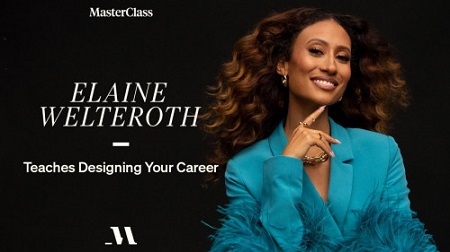
MasterClass - Elaine Welteroth Teaches Designing Your Career

864af5a1fe6ee5307108f2177f5d8cd1.jpg

MasterClass - Elaine Welteroth Teaches Designing Your Career | 5.26 GB​
After a decade in her dream job as editor in chief of Teen Vogue, award-winning journalist Elaine Welteroth realized she had other dreams worth pursuing. Now, the New York Times bestselling author, multimedia trailblazer, and judge on the new Project Runway is teaching you how to get out of your comfort zone and harness your personal values, passions, and skills to custom design a career path as unique as you are.

Browse Lesson Plan
1. Meet Your Instructor: Elaine Welteroth
2. Uncover Your Zone of Genius
3. Build Your Career Blueprint
4. Build Your Network
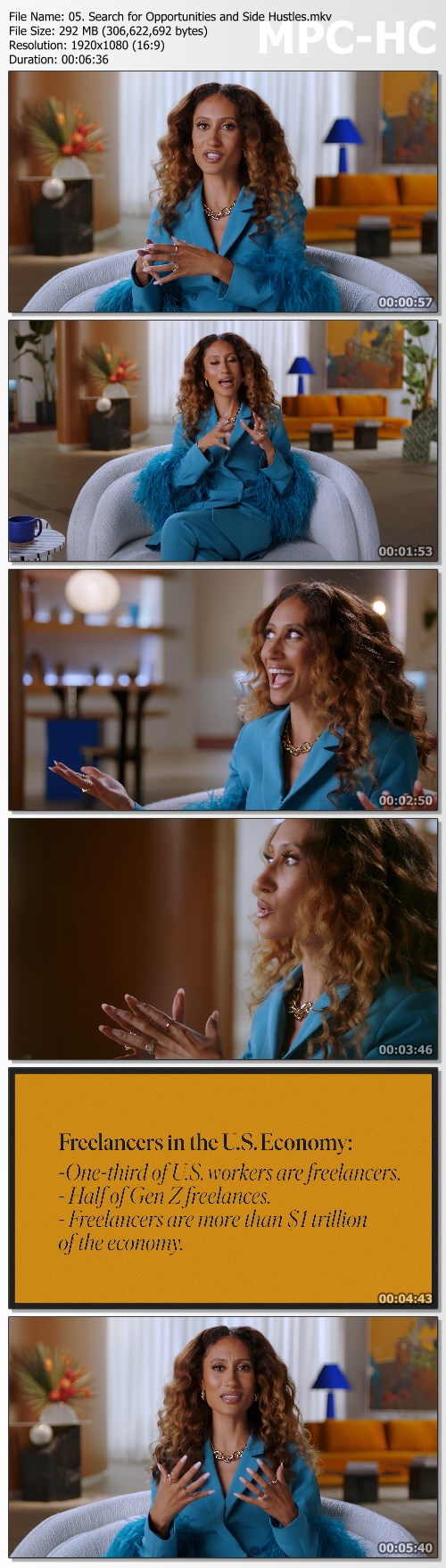
5. Search for Opportunities and Side Hustles
6. Taking the Leap to Be Your Own Boss
7. Game Plan for Financial Confidence
8. Strategize Your Work-Life Balance
9. Present Yourself for Opportunity
10. Marketing: The Art of Putting Yourself and Your Work Out There
11. Building Your Team
12. Essential Writing Skills
13. You're Not an Imposter
14. Navigating Cancel Culture
15. Be the Boss of Your Own Life

Screenshots
6d8f1851b9e57722ada010a530336609.jpg


Link Download
​
Extract files with WinRar 5 or Latest !
 
Exam PL-100: Microsoft Power Platform App Maker - Learn

5830b955aed045990ae3680953e5fc03.jpeg

Genre: eLearning | MP4 | Video: h264, 1280x720 | Audio: AAC, 44.1 KHz
Language: English | Size: 4.04 GB | Duration: 12h 49m
Create Power Apps, Power Automate flows, Power BI visuals and use the Dataverse (CDS) - for Microsoft's PL-100 exam.​
Description
This course covers the content required for the PL-100 certification exam, current as the original PL-100 syllabus.

It will soon be updated in line with the PL-100 exam update of 23 July 2021.

This course teaches the requirements for the Microsoft Certificate PL-100 "Power Platform App Maker Associate", and focuses on the various apps which make up the Power Platform, together with how they can be used by other programs, apps and services.

We'll start off by looking at canvas Power Apps. We'll get a free Developer edition and/or free trial of Power Apps, and get some sample data using the Dataverse (previously known as the Common Data Service). We'll then create a canvas Power App through a template and then, starting from scratch, we will replicate it and expand the functionality. This also includes creating a new table in the Dataverse. We will also look at Global and Context variables, components and collections.

We'll then look at model-driven Power Apps using the Dataverse. We'll look at the constituent parts of a model-driven Power Apps: site maps, forms, views, charts and dashboards. We'll also restrict the type of data which can be inserted into our Dataverse by using business rules.

in this each of the three different types of Power Apps: Canvas, model-driven, and portals, while looking at the various types of connectors you can use to connect to different data sources.

Next up is Power Automate. Using our free Developer edition or the paid-for version, we'll create several automated flows, and the different triggers and actions you can use. We'll look at various triggers and actions, together with looking how we can enter data in sections using the business process flows.

We'll then go back to the Power Platform more generally, looking at solutions, security, and importing and exporting data.

We'll start off with looking at Power BI. If you have a PC, we'll download for free Power BI Desktop, and look at the various processes which you can use on the Power BI Desktop. Then, we'll look at the Power BI Service (available through any modern web browser), see what you can do with this, and how they compare. We'll also look at sharing Power BI reports and adding existing Power BI tiles or dashboards into our model-driven Power App.

We will have a brief look at the AI Builder, and models such as the business card reader, object detection model, form processing model and prediction model. We'll then look at practical examples of using models inside Power Apps and Power Automate.

We'll finish off by looking at Microsoft Teams and other topics, including topics that are being removed from the PL-100 exam on 23 July 2021, such as exporting solutions, testing, accessibility and field and data security.

No prior knowledge is required - we'll even see how to get a free Power Platform trial!

There are regular quizzes to help you remember the information, so you can be sure that you are learning.

Once you have completed this course, you will have a good knowledge of how to make Power Apps and Power Automate flows, together with how to use them in Microsoft Teams. And with some practice, you could even go for the official Microsoft certification PL-100 - wouldn't that look good on your CV or resume?

So, without any further ado, let's have a look at how you can use Udemy interface, and then we'll have a look at the objectives for the exam and therefore the syllabus for this course.

What you'll learn
Create canvas and model-driven apps
Create Power Automate flows
Design business solutions for the Power Platform
Configure Microsoft Dataverse (the new name for the Common Data Service - CDS)
Analyze and visualize data, including creating Power BI reports
Describe AI Builder models

Who this course is for:
This course is for you if you want to create Power Platform apps, flows and other solutions.
You could use this to simplify and automate tasks and processes.
By the end of this course, after entering the official Practice Tests, you could enter (and hopefully pass) Microsoft's official PL-100 exam.
Wouldn't the "Microsoft Certified: Power Platform App Maker Associate" certification look good on your CV or resume?

Screenshots
1686edd61366748d21d06a38f880e98c.jpeg

Download link:

Download Via Rapidgator:

Download Via UploadGig:

Download Via Hot4share: Links are Interchangeable - No Password - Single Extraction

 
Linkedin Learning C Plus Plus Design Patterns Creational UPDATE 20211015-XQZT

241730904_06-01-builder_concept_c.jpg


Linkedin Learning C Plus Plus Design Patterns Creational UPDATE 20211015-XQZT | MKV | 315.99 MiB

680 kb/s 1280x720 | AAC 160 kb/s 2 CH eng


NFO:
File List:

File: 01.01-organize_your_code_with_creational_design_patterns_in_candand.mkv
Size: 5928707 bytes (5.65 MiB), duration: 00:01:09, avg.bitrate: 687 kb/s
Audio: aac, 48000 Hz, stereo (eng)
Video: h264, yuv420p, 1280x720, 30.00 fps(r) (eng)
Subtitles: eng


Download ( Size: 315.99 MiB ):
Filehosts: Nitroflare, Rapidgator


oHeopzn.png

1 Link/s
C4E2A6153C.png


5hSo1Ay.png

1 Link/s
70CF49C4C7.png


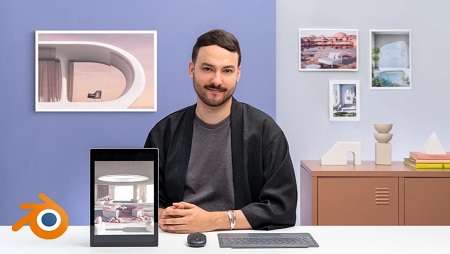
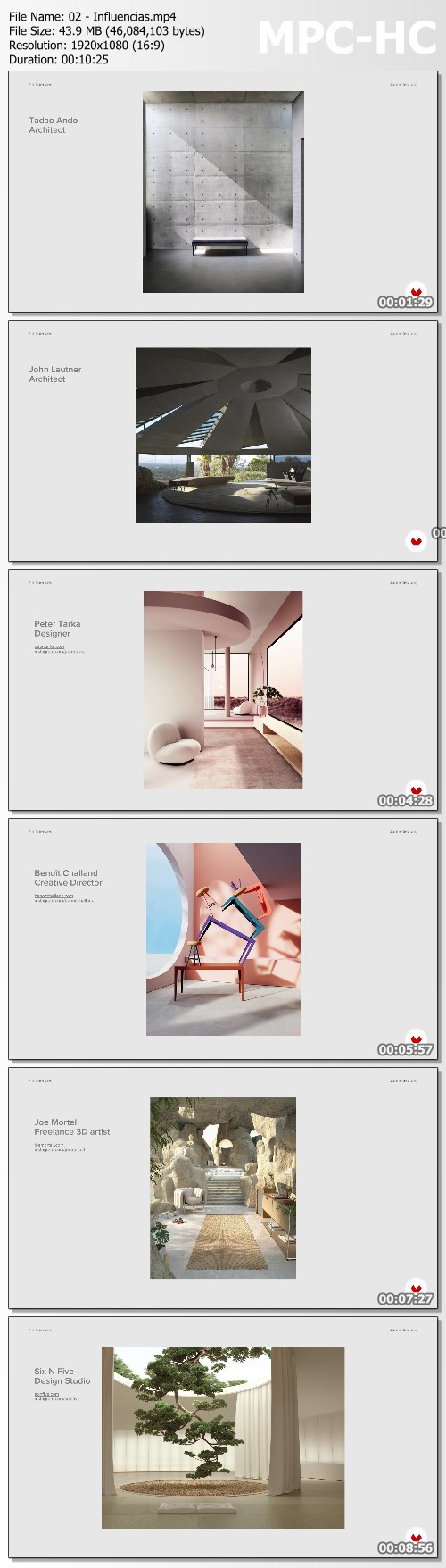
Interior ArchViz: Create Surreal 3D Designs with Blender By Camille Boldt

efc1d40af65d17f6d389a8f681d5ab9d.jpg

Domestika - Interior ArchViz: Create Surreal 3D Designs with Blender
English | Size: 875.7MB | Category: Tutorial​
Learn to render striking architectural visualizations by combining elements of realism and surrealism through light, shadows and shapes

Architectural visualization has the ability to create realistic compositions that have paved the way for some of the most impressive buildings in the world. However, when coupled with elements of surrealism, they have the power to create designs that could only exist in our dreams. Designer Camille Boldt has created some breath-taking ArchViz compositions using Blender.

In this course, he gives you a complete walkthrough of Blender to create striking compositions of interior spaces. Discover how to create captivating visualizations from scratch and transport your viewers to new dimensions.

About this course
Meet Camille, a multidisciplinary designer and your teacher for this course. He shares his creative background in graphic design and how he started working in architectural visualization. Hear about his influences and his sources of inspiration.

Dive into ArchViz by exploring Camille's creative process when getting inspired to create surreal 3D designs. Get an overview of the tools in Blender and see how to use them. Then, start working on the first draft of your interior. Camille guides you through the process of creating a composition and adding light to create an eye-catching design.

Transform your draft into your final scene by adding detail. Learn how to create a chair, a table, a vase, and a carpet in using Blender's digital tools. Once your furniture is built, give it a realistic look by simulating the fabric of cushions and curtains. Bring your scene to life by adding texture and other materials to your composition. Render your scene into reality and learn how to use the denoiser to achieve a pristine image.

Finalize your visualization on Lightroom with some post-production editing. Camille shares his editing tips and tricks to give your composition a visually striking look. Wrap up the course by hearing Camille's tips for sharing your work on any digital platform.

What is this course's project?
Create an architectural visualization of an interior space with surreal elements using Blender

Who is it for?
This course is suitable for architects and designers interested in learning Blender or who want to create visualizations of interior spaces.

What you need
To take this course, you only need basic knowledge of Blender. As for materials, you need access to a computer with Blender. Lightroom is optional for post-production editing.

Video: MPEG4 Video (H264) 1920x1080 25fps 454kbps
Audio: AAC 44100Hz stereo 128kbp
Duration: 15 Lessons (2h 32m)
Level: BEGINNER
Language: English
Subtitles: English, Spanish, Portuguese, German, French, Italian

Screenshots
bc2e408a63962fb7e8bee5382f8a1685.jpg


Link Download
​
Extract files with WinRar 5 or Latest !
 
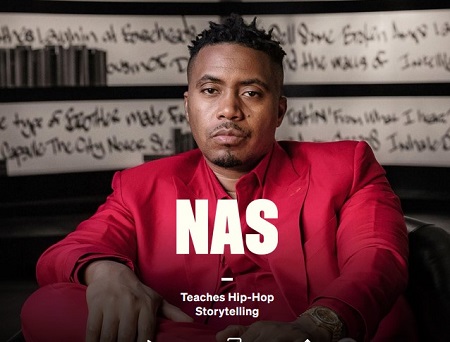
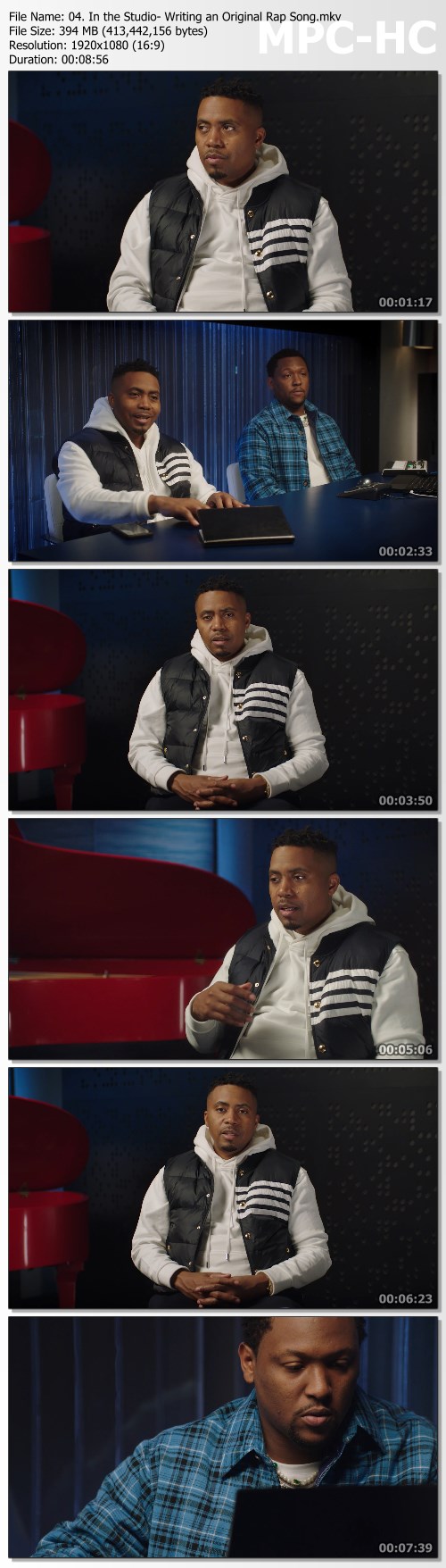
Nas Teaches Hip-Hop Storytelling - MasterClass

42a0af15bb8af7614555d84ff1467a63.jpg

Teaches Hip-Hop Storytelling - MasterClass | 4.81 GB​
From the landmark album "Illmatic" in 1994 to the Grammy-winning "King's Disease," Nas has been exposing truth through rhymes and vivid street poetry for more than 25 years. Now he's sharing his journey, the evolution of Hip-Hop, and a brand-new song with you. Hip-Hop, lyricism, flow-learn how to tap into the power of your own voice and turn your experiences into music with one of rap's all-time greatest artists.

Browse Lesson Plan
1. Meet Your Instructor
2. Telling Your Life Story Through Music
3. Rapping and Rhyme Schemes
4. In the Studio: Writing an Original Rap Song
5. In the Studio: Recording an Original Rap Song
6. Using Poetic Lyrical Techniques
7. Case Study: Writing Challenges
8. Learning from Hip-Hop Legends
9. Using Your Power and Voice
10. Nas's Artistic Evolution
11. The Music Industry
12. Hip-Hop Is Our Universe

Screenshots
67bfffc9edfa5172eb2ef804d396cf7e.jpg

Homepage:

Link Download
​
Extract files with WinRar 5 or Latest !
 
Linkedin Learning First Look Scala 3-XQZT

242284079_03-05-given_instances_c.jpg


Linkedin Learning First Look Scala 3-XQZT | MKV | 95.65 MiB

271 kb/s 1280x720 | AAC 160 kb/s 2 CH eng


NFO:
File List:

File: 01.01-an_introduction_to_the_new_features_of_scala_3.mkv
Size: 2825197 bytes (2.69 MiB), duration: 00:01:23, avg.bitrate: 272 kb/s
Audio: aac, 48000 Hz, stereo (eng)
Video: h264, yuv420p, 1280x720, 30.00 fps(r) (eng)
Subtitles: eng


Download ( Size: 95.65 MiB ):
Filehosts: Nitroflare, Rapidgator


oHeopzn.png

1 Link/s
C9D181261F.png


5hSo1Ay.png

1 Link/s
1BFBF85A40.png


Linkedin Learning JavaScript Prototypes UPDATE 20211018-XQZT

242290802_01-02-what_you_should_know_c.jpg


Linkedin Learning JavaScript Prototypes UPDATE 20211018-XQZT | MKV | 161.49 MiB

907 kb/s 1280x720 | AAC 160 kb/s 2 CH eng


NFO:
File List:

File: 01.01-understanding_prototypes_in_javascript.mkv
Size: 5111000 bytes (4.87 MiB), duration: 00:00:45, avg.bitrate: 909 kb/s
Audio: aac, 48000 Hz, stereo (eng)
Video: h264, yuv420p, 1280x720, 30.00 fps(r) (eng)
Subtitles: eng


Download ( Size: 161.49 MiB ):
Filehosts: Nitroflare, Rapidgator


oHeopzn.png

1 Link/s
A3A4AB4F69.png


5hSo1Ay.png

1 Link/s
084E7F9404.png


Udemy Webflow For Beginners How To Use Webflow TUTORiAL-SOFTiMAGE

242426575_10-flex-vs-grid_c.jpg


Udemy Webflow For Beginners How To Use Webflow TUTORiAL-SOFTiMAGE | MP4,SVG | 2.65 GiB

2 129 kb/s 1152x720 | AAC 127 kb/s 2 CH eng


NFO:
File List:

File: 01 WELCOME TO MY WEBFLOW COURSE!.mp4
Size: 30520097 bytes (29.11 MiB), duration: 00:01:54, avg.bitrate: 2142 kb/s
Audio: aac, 48000 Hz, stereo (eng)
Video: h264, yuv420p, 1152x720, 25.00 fps(r) (und)


Download ( Size: 2.65 GiB ):
Filehosts: Nitroflare, Rapidgator


oHeopzn.png

3 Link/s
58FAABFA9E.png


5hSo1Ay.png

3 Link/s
8A03F858FC.png


Zurück
Oben Unten