• Regeln für den Video-Bereich:

    In den Börsenbereich gehören nur Angebote die bereits den Allgemeinen Regeln entsprechen.

    Einteilung

    - Folgende Formate gehören in die angegeben Bereiche:
    - Filme: Encodierte Filme von BluRay, DVD, R5, TV, Screener sowie Telesyncs im Format DivX, XviD und x264.
    - DVD: Filme im Format DVD5, DVD9 und HD2DVD.
    - HD: Encodierte Filme mit der Auflösung 720p oder darüber von BluRay, DVD, R5, TV, Screener sowie Telesyncs im Format x264.
    - 3D: Encodierte Filme von BluRay, die in einem 3D Format vorliegen. Dies gilt auch für Dokus, Animation usw.
    - Serien: Cartoon/Zeichentrick, Anime, Tutorials, Dokumentationen, Konzerte/Musik, Sonstiges sind demnach in die entsprechenden Bereiche einzuordnen, auch wenn sie beispielsweise im High Definition-Format oder als DVD5/DVD9/HD2DVD vorliegen. Ausnahme 3D.
    - Bereich Englisch: Englische Releases gehören immer in diesen Bereich.
    - Bereich Talk: Der Bereich, in dem über die Releases diskutiert werden kann, darf, soll und erwünscht ist.


    Angebot/Beitrag erstellen

    - Ein Beitrag darf erst dann erstellt werden, wenn der Upload bei mindestens einem OCH komplett ist. Platzhalter sind untersagt.
    - Bei einem Scenerelease hat der Threadtitel ausschließlich aus dem originalen, unveränderten Releasenamen zu bestehen. Es dürfen keine Veränderungen wie z.B. Sterne, kleine Buchstaben o.ä. vorgenommen werden. Ausnahme Serienbörse:
    - Bei einem Sammelthread für eine Staffel entfällt aus dem Releasename natürlich der Name der Folge. Beispiel: Die Simpsons S21 German DVDRip XviD - ITG
    - Dementsprechend sind also u.a. verboten: Erweiterungen wie "Tipp", "empfehlenswert", "only", "reup", usw. / jegliche andere Zusatzinformation oder Ergänzung, welche nicht in obiger Beschreibung zu finden ist.

    Aufbau des Angebots und Threadtitel

    Der Titel nach folgendem Muster erstellt zu werden. <Name> [3D] [Staffel] [German] <Jahr> <Tonspur> [DL] [Auflösung] <Quelle> <Codec> - <Group>
    Beispiel: The Dark Knight German 2008 AC3 DVDRip XviD - iND
    Beispiel: The Dark Knight 2008 DTS DL BDRip x264 - iND
    Beispiel: The Dark Knight 2008 AC3 DL BDRip XviD - iND
    Beispiel: The Dark Knight German 2008 AC3 720p BluRay x264 iND
    Beispiel: The Dark Knight 2008 DTS DL 1080p BluRay x264 iND
    Beispiel: Die Simpsons S01 German AC3 DVDRip XviD iND
    Beispiel: Die Simpsons S20 German AC3 720p BluRay x264 iND
    Beispiel: Sword Art Online II Ger Sub 2014 AAC 1080p WEBRip x264 - peppermint
    Entsprechend sind also u.a. verboten: Sonderzeichen wie Klammern, Sterne, Ausrufezeichen, Unterstriche, Anführungszeichen / Erweiterungen wie "Tipp", "empfehlenswert", "only", "reup", usw. / jegliche andere Zusatzinformation oder Ergänzung, welche nicht in obiger Beschreibung zu finden ist
    Ausnahmen hiervon können in den Bereichen geregelt sein.

    Die Beiträge sollen wie folgt aufgebaut werden:
    Überschrift entspricht dem Threadtitel
    Cover
    kurze Inhaltsbeschreibung
    Format, Größe, Dauer sind gut lesbar für Downloader außerhalb des Spoilers zu vermerken
    Nfo sind immer Anzugeben und selbige immer im Spoiler in Textform.
    Sind keine Nfo vorhanden z.B. Eigenpublikationen, sind im Spoiler folgende Dateiinformationen zusätzlich anzugeben :
    Quelle
    Video (Auflösung und Bitrate)
    Ton (Sprache, Format und Bitrate der einzelnen Spuren)
    Untertitel (sofern vorhanden)
    Hosterangabe in Textform außerhalb eines Spoiler mit allen enthaltenen Hostern.
    Bei SD kann auf diese zusätzlichen Dateiinformationen verzichtet werden.

    Alle benötigten Passwörter sind, sofern vorhanden, in Textform im Angebot anzugeben.
    Spoiler im Spoiler mit Kommentaren :"Schon Bedankt?" sind unerwünscht.


    Releases

    - Sind Retail-Release verfügbar, sind alle anderen Variationen untersagt. Ausnahmen: Alle deutschen Retail-Release sind CUT, in diesem Fall sind dubbed UNCUT-Release zulässig.
    - Im Serien-Bereich gilt speziell: Wenn ein Retail vor Abschluss einer laufenden Staffel erscheint, darf diese Staffel noch zu Ende gebracht werden.62
    - Gleiche Releases sind unbedingt zusammenzufassen. Das bedeutet, es ist zwingend erforderlich, vor dem Erstellen eines Themas per Suchfunktion zu überprüfen, ob bereits ein Beitrag mit demselben Release besteht. Ist dies der Fall, ist der bereits vorhandene Beitrag zu verwenden.
    - P2P und Scene Releases dürfen nicht verändert oder gar unter einem iND Tag eingestellt werden.


    Support, Diskussionen und Suche

    - Supportanfragen sind entweder per PN oder im Bereich Talk zu stellen.
    - Diskussionen und Bewertungen sind im Talk Bereich zu führen. Fragen an die Uploader haben ausschließlich via PN zu erfolgen, und sind in den Angeboten untersagt.
    - Anfragen zu Upload-Wünschen sind nur im Bereich Suche Video erlaubt. Antworten dürfen nur auf Angebote von MyBoerse.bz verlinkt werden.


    Verbote

    - Untersagt sind mehrere Formate in einem einzigen Angebotsthread, wie beispielsweise das gleichzeitige Anbieten von DivX/XviD, 720p und 1080p in einem Thread. Pro Format, Release und Auflösung ist ein eigener Thread zu eröffnen.
    - Grundsätzlich ebenso verboten sind Dupes. Uploader haben sich an geeigneter Stelle darüber zu informieren, ob es sich bei einem Release um ein Dupe handelt.
    - Gefakte, nur teilweise lauffähige oder unvollständige Angebote sind untersagt. Dies gilt auch für eigene Publikationen, die augenscheinlich nicht selbst von z.B. einer DVD gerippt wurden. Laufende Serien, bei denen noch nicht alle Folgen verfügbar sind, dürfen erstellt und regelmäßig geupdatet werden.
    - Untersagt sind Angebote, welche nur und ausschließlich in einer anderen Sprache als deutsch oder englisch vorliegen. Ausnahmen sind VORHER mit den Moderatoren zu klären.


    Verstoß gegen die Regeln

    - Angebote oder Beiträge, die gegen die Forenregeln verstoßen, sind über den "Melden"-Button im Beitrag zu melden.
  • Bitte registriere dich zunächst um Beiträge zu verfassen und externe Links aufzurufen.

++ Premium IPTV ++ 7000 Live Sender ++ UHD Qualität ++ Mediathek mit 18.000 Inhalten ++


VenneTV


Englische Tutorials

Integrating d3.js with React

jrwbliftzwffyv5mv5dae62jx7.jpg


Integrating d3.js with React
MP4 | Video: h264, 1280x720 | Audio: AAC, 44.1 KHz, 2 Ch
Genre: eLearning | Language: English + srt | Duration: 63 lectures (16h 30m) | Size: 16.9 GB

Bring Data Visualization to Life

What you'll learn:
Bring Data Visualization to Life
Set up your project with React, TypeScript and d3
Create simple and advanced d3 charts
Work with complex charts such as world and force charts
Integrate d3 data with React state management
Improve the performance of your d3 components
Deploy as a serverless app and debug test
Learn to integrate third-party charting libraries including Visx, Nivo, React-vi, and Victory

Requirements
It is good to be comfortable with HTML, JavaScript, and CSS and some knowledge in React. It will make understanding of concepts easier.


Description
Learn to integrate D3.js into a React TypeScript project and create a charts component working in harmony with React. Understand how you can utilize D3 with React to bring life to your charts.

Using this course, you will create simple charts such as line, bar, donut, scatter, histogram, and others, and advanced charts such as a world map and force charts. You will learn to share the data across your components and charts using React Recoil state management, and understand how to integrate third-party chart libraries that are built on D3 such as Visx, Nivo, React-vi, and Victory. Lastly, you will learn how to deploy your chart as a serverless app on popular platforms.

React and D3 are two of the most popular frameworks in their respective areas - learn to bring them together and take your storytelling to the next level.

YOU WILL:

· Learn to set up your project with React, TypeScript, and D3.js

· Learn how to create simple and advanced D3.js charts

· Learn to work with complex charts such as world and force charts

· Integrate D3 data with React state management

· Learn to improve the performance of your D3 components

· Learn how to integrate popular React charts built on D3

· Learn how to deploy as a serverless app and debug test

This course is intended for readers that already have basic knowledge of React, HTML, CSS, and JavaScript.

Who this course is for
React developers
d3 developers

Homepage

001piechartsqdj51.jpg


TTC - How to Grow Anything: Food Gardening for Everyone

008470908jk4c.jpg


TTC - How to Grow Anything: Food Gardening for Everyone
Duration: 6h 4m | Video: .MP4 1280x720, 30 fps(r) | Audio: AAC, 44100Hz, 2ch | Size: 5.1 GB
Genre: eLearning | Language: English

Can you imagine walking out your back door to snip a few fresh chives for your baked potato? Or the satisfaction from growing that potato in the first place? Or how about plucking blueberries for your morning cereal from a container on your balcony or deck?

Growing your own food is one of the most rewarding things you can do. While starting a garden may sound intimidating to some, nearly everyone can grow a few herbs, fruits, or vegetables. And as gardening pros know, nothing beats the freshness of a crisp vegetable right off the vine, a sweet fruit plucked from the tree, or a savory herb from your window box. When you grow your own food, not only do you get the freshest food and most delicious flavor, you also get a lower grocery bill and the satisfaction of a job well done.

Best of all, gardening is something you can get started on right away:

Grow micro-greens and sprouts year-round in a matter of weeks.
Start growing oyster mushrooms-in your basement!
Jump-start your local growing season by planting seeds indoors.
Whether you live on rural acreage or a city lot, virtually anyone can grow a simple garden-regardless of your skill level and busy schedule. How to Grow Anything: Food Gardening for Everyone is a practical guide for cultivating fresh produce from seed to harvest. Taught by renowned horticulturalist Melinda Myers, these 12 hands-on lessons are chock full of tips and tricks for novice gardeners and green thumbs alike. Here, you'll discover everything from materials and preparation to maintenance and harvesting, giving you all the practical knowledge you need to:

Enjoy windowsill herbs such as chives, basil, rosemary, dill, and thyme.
Harvest garden staples such as tomatoes, peppers, squash, pumpkins, and potatoes.
Learn to grow nutritious and beautiful vegetables, including kale, Swiss chard, and rhubarb.
Cultivate fruits from strawberries and raspberries to pears and plum trees.
Ms. Myers shows you the ins and outs of designing a beautiful garden to fit your space, and shares a wealth of examples to give you an idea of just what's possible. For example, if you just want a few plants on your patio, consider the "thriller, filler, spiller" method of container gardening. Or if you live somewhere with a shorter growing season, consider planting seeds indoors and transplanting them outside when the weather warms.

Prepare Any Space for a Lush Garden

Whether you're growing indoors or outside, preparation is the key. Ms. Myers walks you through every step of the process, including:

Soil preparation
Sunlight requirements
Proper watering
Spacing
Pruning
Harvesting
You'll discover how to repair damaged soil, convert grass to a garden, build raised beds, or simply boost the nutritional value of your growing space. She shows you eco-friendly methods for fighting pests such as hornworms, beetles, aphids, and other bugs that might munch on your fruits and veggies. Also, see how to prevent plant diseases through good watering habits and proper airflow.

Once you have your space prepared, it's time to decide which plants to cultivate! Whether you're interested in growing from seeds or selecting young plants from your local garden center, you'll find out all the do's and don'ts to maximize your garden's productivity. You'll get a comprehensive guide to:

Topsoil and mulch
Fertilizers and pest management
Composting and other sustainable gardening practices
Water wise gardening strategies
Row covers, cold frames, and greenhouses to extend the season
Throughout the course, you'll unpack key terms you need to know, including "indeterminate" versus "determinate," "heirloom," and more. Ms. Myers also provides a dazzling array of creative solutions to build the ideal garden for your space-including ways to tap into a neighborhood co-op or community garden.

Practical Tips and Hands-on Tricks

As she guides you through the process, Ms. Myers offers enthusiastic, can't-go-wrong advice to get novice gardeners started-as well as professional tips and tricks that will surprise and inspire experienced gardeners. For instance, everyone will appreciate her time-saving tips, like a five-minute plan for weeding, to keep gardening fun rather than a chore.

Along the way, she gives you the case study of her own garden, filmed on location in Wisconsin. As an added bonus, she brings some of her projects right into the studio. You'll see demonstrations of planting micro-greens, learn to build a worm composter, and more. In keeping with the practical, workshop nature of these lessons, the course guidebook is a handy resource you can take into the field to help with your own gardening efforts.

In no time at all, you'll experience the myriad benefits of gardening, which feed your body and soul. Whether you simply want to grow herbs for your homemade spaghetti sauce or you dream of cultivating a dazzling orchard, How to Grow Anything: Food Gardening for Everyone offers everything you need to grow fresh food right outside-or inside-your home.

Homepage

02planningforgardeninidk5y.jpg


Complete English Mega Course For All Levels (4 Courses in 1)

rgvpwbyaybrurihitoifv7ejqo.jpg


Complete English Mega Course For All Levels (4 Courses in 1)
MP4 | Video: h264, 1280x720 | Audio: AAC, 44.1 KHz, 2 Ch
Genre: eLearning | Language: English + srt | Duration: 350 lectures (77h 24m) | Size: 25 GB

76+ Hours of English Lecture for Beginner, Intermediate, expert, and Businessperson

What you'll learn:
To understand business English, you must learn from real businessmen. Real businesspeople use slang and idioms. They discuss real business ideas, not just vocabulary. Our Business English Conversation Course will teach you business English with real business discussions. Register for our Business English Course and get started instantly!
How to prepare to study abroad in The USA, Canada, the UK, or Australia
Have you ever felt foolish because you're not a strong, clear, fast English speaker? Do you feel that native speakers (North Americans, British,..) will not be interested in talking to you?
Are you already successful with English, but you want to increase your success to a higher level RIGHT NOW?
Have you ever felt embarrassed about your true desire to speak English excellently? Do you ever pretend that intermediate level is "good enough"?
get a high score on the TOEFL or IELTS
Have you ever wanted to quit learning English because it seems like NOTHING will work?
Do you still get nervous when you think it's time to speak English to someone? Maybe you want to speak to someone, but you still fear making a mistake?
How to make international friends
How to understand the "real English" used by people on the street
Learn Business English From Successful Businessmen
The most powerful vocabulary learning techniques
How to speak with correct pronunciation
Learn by listening not by studying grammar rules.

Requirements
There is no requirement :)


Description
are you nervous in business meetings?

are you afraid to give business presentations in English?

do you need business English to succeed with your job and career?

Do you feel embarrassed when you speak English? Is your pronunciation bad? Do you make a lot of mistakes?

we show you an amazing way to speak better English so you can get better jobs, make international friends, and feel relaxed when speaking English.

You have studied English for many years, yet you still do not speak well.

You read English but you feel nervous and frustrated when speaking.

You know a lot of grammar rules yet you still make many mistakes when speaking English.

Your pronunciation is bad. You are not alone.

The reason you still have these problems is that you learned English using traditional school methods.

Most people fail to speak quickly, easily, and automatically using these old methods.

To achieve better results, a modern method is necessary.

WHY DO YOU NEED TO LEARN REAL BUSINESS ENGLISH FROM REAL BUSINESSMEN?

To understand business English, you must learn from real businessmen. Real businesspeople use slang and idioms. They discuss real business ideas, not just vocabulary.

Our Business English Conversation Course will teach you business English with real business discussions. Register for our Business English Course and get started instantly!

HOW YOU LEARN FASTER AND AVOID EMBARRASSING MISTAKES WHEN YOU DOWNLOAD THE COURSE TODAY:

The incredible way you Learn Grammar Without "Rules": Use English grammar correctly by learning grammar in a natural way.

The Deep Learning method helps you use English faster. Remember English words and grammar- and use them in real conversations. Feel strong about your speaking ability.

The way you learn English in a relaxing way by listening to real English articles about interesting topics. Imagine thinking, smiling, and laughing while learning.

The way you avoid stress and slow speech. The fun and crazy mini-stories train you to speak and respond faster.

How the best English speakers learn, how they study,- and how you can use the methods they use. To be successful, copy the most successful people.

Lessons that help you learn English without boredom- no more textbooks, no more tests, no more "exercises".

With this new method you can finally learn how to speak business English like a successful businessperson - and learn how to think like a successful businessperson.

Who this course is for
are you nervous in business meetings?
do you need business English to succeed with your job and career?
You have studied English for many years, yet you still do not speak well.
You know a lot of grammar rules yet you still make many mistakes when speaking English.
Your pronunciation is bad. You are not alone.
Do you still get nervous when you think it's time to speak English to someone? Maybe you want to speak to someone, but you still fear making a mistake?
Does your speaking ever become slow and broken when you speak English. so that you can't communicate normally?
Do you know a lot of grammar and vocabulary and yet it's still difficult for you to use it when speaking?
Do you still get nervous when you think it's time to speak English to someone? Maybe you want to speak to someone, but you still fear making a mistake?
Have you ever wanted to quit learning English because it seems like NOTHING will work?

Homepage

002mamasboysministorykekyo.jpg


Complete Admin Panel Development - CodeIgniter 3.x Framework

00846e8ee6kuw.jpg


Complete Admin Panel Development - CodeIgniter 3.x Framework
Duration: 11h 30m | 38 Lessons | Video: 1280x720, 44kHz | 8.08 GB
Genre: eLearning | Language: English | Level: All

Basic knowledge of CodeIgniter 3.x programming required like working over MVC. Learn practical skills of CodeIgniter 3 Admin panel development with mysql database driver. It is a beginners level project Inventory Management System from scratch in CodeIgniter 3.x Framework.

Begin your journey with CodeIgniter 3.x Admin panel development with MySQL database driver in a detailed concept here.

If you have just decided to learn CodeIgniter 3 development then you have made the right choice, so take a breath. CodeIgniter 3 development is very easy to learn which means that you will be through the basics and on to writing standard code to develop an admin panel in a very short time.

This course is a step by step guide through the CodeIgniter 3 with MySQL programming language, it's all about admin panel development project. You will go from a beginner level to creating your admin panels.

There are over 37 lectures in this course and over 12 hours of video each one detailing a specific aspect of the functions of CodeIgniter 3 (Inventory Management System) development concept in programming.

This course will walk you through:

Inventory Management System Database Basics
CRUD operation in CodeIgniter 3
Basics Workflow of admin panel development
Database Setup & Configuration
Master Layouts & Templates
Work with Ajax Request
Implementation of Datatables
CodeIgniter Authentication system
About Models, Controllers & Routes workflow
CodeIgniter programming Development standards
Get programming with CodeIgniter 3 and mysql today and enroll now.

09loginfunctionredireu7ksd.jpg


Build Performant GraphQL Backends in Days using Hasura

ck4a3h4lsxj90qfmjro1n1jkap.jpg


Build Performant GraphQL Backends in Days using Hasura
Video: .MKV, AVC, 1920x1080, 30 fps | Audio: English, AAC, 44.1 KHz, 2 Ch | Duration: 6h 46m | 9.41 GB
Instructor: Dmytro Mezhenskyi

The Most Comprehensive Developer's Guide 2021: Easily spin up GraphQL backends in a few hours using Hasura without writing a single line of code!

Key Features

Transform your database into a GraphQL server with built-in sorting, full-text search, and pagination in a few minutes
Use a simple file uploading strategy with GraphQL, Hasura actions, and Firebase storage
Build a CI/CD pipeline with GitHub Actions that deploys the Hasura project on development and production environments

What You Will Learn

Use a simple file uploading strategy with GraphQL, Hasura Actions, and Firebase storage
Easily integrate and delegate custom logic to micro-services (REST and GraphQL) created with Firebase Cloud functions
Database migrations and metadata to help your database evolve successfully
Create role-based access to the data
Create full React and Angular application examples with Apollo GraphQL client and Hasura backend
Build real-time queries to the Hasura GraphQL server

About

If you're a developer struggling with GraphQL because of its complexity or simply because it takes too much time, this is going to be the most exciting news for you.

If you get to know that your existing PostgreSQL (and soon MySQL too) can be turned into a powerful GraphQL API in a matter of seconds or build a performant GraphQL backend from start to finish in a couple of hours with very little to no coding-would you be interested?

This course provides you with a solution. This course will talk about "Hasura", which will help you create your GraphQL backends easier and faster than you ever thought possible without writing a single line of code!

Here, you will look at how to let the CRUD code write itself without you even touching your keyboard. Then you'll learn how to play with all the different features in Hasura using the "playground" approach. After that, you'll understand how to easily navigate through the most common errors that can cost you a huge chunk of your time if you don't know about them. Finally, you'll use Angular and React apps to enhance Hasura features and deploy the code on GitHub Actions.

By the end of this course, you'll be able to use every functionality to create your GraphQL backends effortlessly in record time.

The resource files are uploaded on the GitHub repository at github.com/PacktPublishing/Blazing-Fast-GraphQL-Backend-Development-Using-Hasura

Homepage

02.07querydatafilteritvkdg.jpg


Blender: Create Realistic BMW 507 From Start to Finish

npnsr8jklmw8qezdk5ajqtkjv3.jpg


Blender: Create Realistic BMW 507 From Start to Finish
Genre: eLearning | MP4 | Video: h264, 1280x720 | Audio: AAC, 44.1 KHz
Language: English | Size: 15.5 GB | Duration: 19h 25m

Step by step we will learn how to create realistic 1957 BMW car with Blender 2.92 from start to finish.


What you'll learn
Learn how to set up the scene and add the blueprint images in the right way.
Understand how subdivision and shrink wrap modifier works.
Learn how to model the car and how to avoid shading problems when you add the subdivision modifier.
Learn the Shrinkwrap modifier technique to kill any shading problem when you add an edge loop to the geometry.
Learn how to add details to the surface without ruin the surface shading and keep it smooth.
Learn how to use bool tool addon in specific situations.
Learn how to use the displacement modifier to create the Tire trade.
Learn how to create multiple UV maps for the tire to add more details and texture to it.
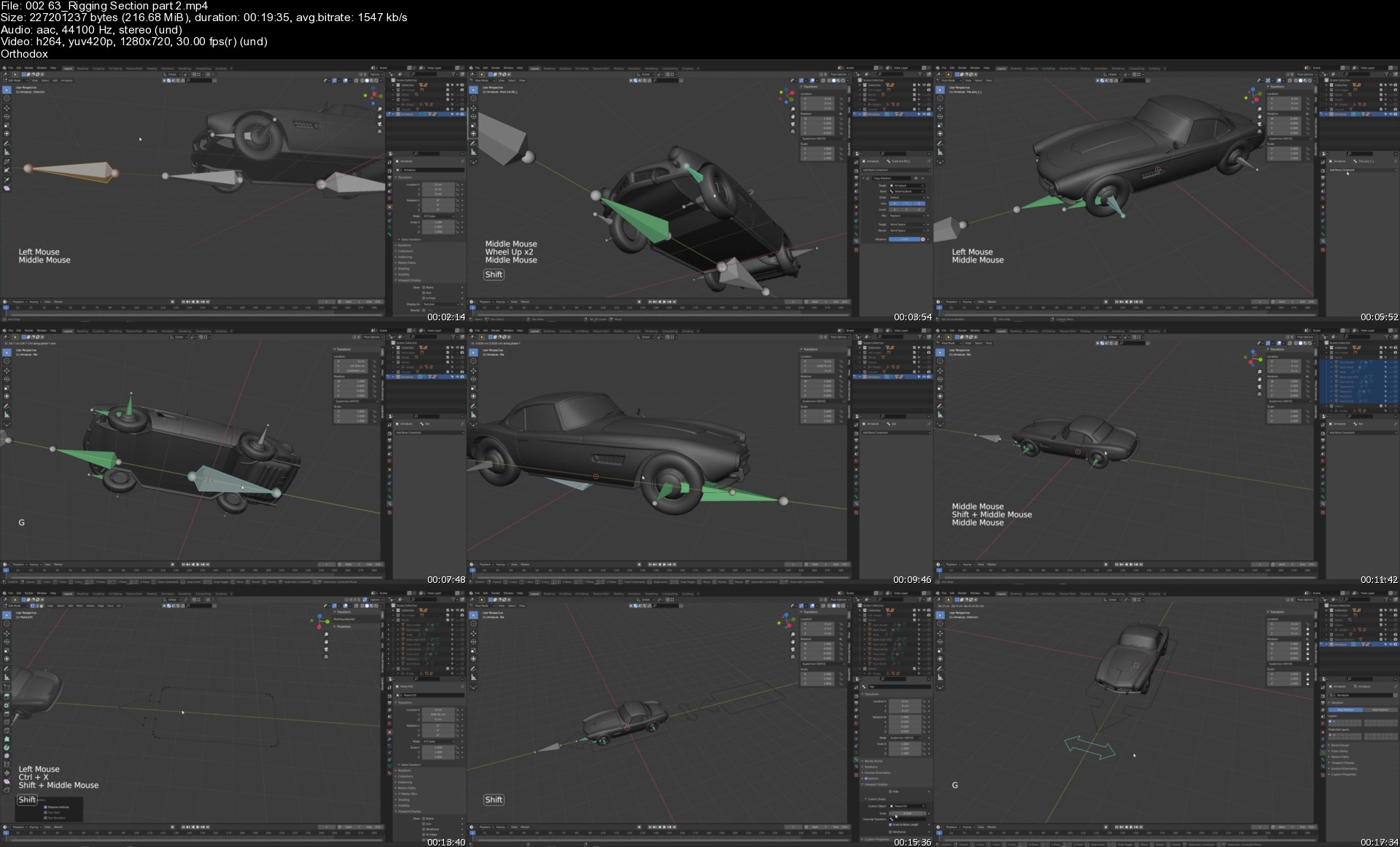
Learn how to use Armature to rig the car.
Learn how to use damped track constraints to rig the front tire to achieve the ability to turn it to the left and right.
Learn how to use transformation constraints to make the tire rotating on its own axis.
Learn how to create nice-looking and realistic car paint material.
Learn how to create realistic tire material with multiple UV maps.
Learn how to create rubber and plastic materials.
Learn how to set up the environment and create realistic lighting with HDRI images to illuminate the scene.
Learn how to add the camera and take the final shoot.


Description
Hi everyone, my name is Marwan Hussain I'm a 3D artist and I have been in the 3D field for 9 years now, I like to use Blender to create anything I want and in this course, we will learn how to create a 1957 BMW car from start to finish with Blender 2.92.

Creating a car like BMW 507 is a bit challenging because the surface is curvy or I can say it's organic and not flat, this is reason that makes creating cars like BMW 507 a bit challenging, but with the right modeling technic you can achieve very clean results.

And the beautiful thing about Blender it can handle that kind of organic modeling in a smart way by using the ShrinkWrap modifier, this is the secrete that I will use to kill any bad shading on the surface.

So we will go through all the details that you saw in the intro video, if you didn't see the intro I advise you to see it first to see the final result and how it looks.

When the modeling journey is finished we will jump to the materials section, there, we will learn how to create the car paint material and the other materials like Rubber, Chrome, Plastic, and Iron, this section will be very fun and informative.

Rigging, yes we will rig the car and we will learn how to use armature step by step, first, we will add all the necessary bones and after that, we will learn how to create a relationship with them by using constraints like damped track constraints and transformation constraints.

And now it's time to render the scene, we will add the camera and we will take a nice shot and we will learn nice technic about how to use DOF ( depth of field ) to take a close shot.

This is all about the course, in a nutshell, inside the course, there is tons of information that will take your level and ability to the advanced stage when it comes to car modeling.

The last thing that I want to add here is if you finish this course and learned how to create cars in general that's mean you can sell them online and make some money.


Homepage

00263riggingsectionpa3pkde.jpg


AZ-900 Azure Fundamentals Updated Syllabus (2021)

zxhoe9hze68id0ediwtrj1xkuj.jpg


AZ-900 Azure Fundamentals Updated Syllabus (2021)
MP4 | Video: h264, 1280x720 | Audio: AAC, 44100 Hz
Language: English | Size: 6.40 GB | Duration: 14h 39m


What you'll learn
Updated Course on AZ-900 compiled by Azure Solutions Architect, Mr. Soni, for Free
Prepare for your First Azure certification
Build foundational knowledge on cloud concepts - core Azure services; privacy, compliance, security, and trust; and Azure pricing and support.
Begin to work with cloud-based solutions and services.
Learn the hacks to prepare for and pass the AZ-900 Microsoft Azure Fundamentals Exam
Prepare for other Azure role-based or specialty certifications.
Requirements
Just interest in learning cloud concepts, specifically Azure is enough to get started with this course :)

Description
Have no prior experience in Azure?

How about building your Azure Foundation directly by a famous Azure Architect in the IT industry?

Mr. Sandeep Soni, a Microsoft Certified Trainer, and a certified Azure Solutions Architect invite you to start your cloud career by learning Azure Fundamentals in JUST less than 8 HOURS!

What will you learn?

AZ-900: Microsoft Azure Fundamentals course develops the foundational Azure knowledge of an individual looking for a career in Microsoft Azure. This course intends to introduce a newbie into Cloud, specifically Microsoft Azure, and give them an understanding of the Cloud Concepts, Azure services, Core Solutions and Management Toolsprivacy, pricing, and more.

Who is this course for?

This course is for anyone who wants to gain an understanding of Azure fundamentals. Individuals who don't have a technical background but have an interest in the cloud can also take this course.

Candidates who pass the AZ-900 exam will get the Microsoft Azure Fundamentals Certification.

Live Azure Fundamentals (AZ-900) online training:

BestDotNetTraining also provides Live Online training on Azure Fundamentals by Mr. Sandeep Soni, an Azure Solutions Architect, and MCT. Besides training, he also provides support and guidance for Azure Certification Exam which will help you prepare and pass the exam with confidence.

This tutorial gives you Complete preparation for the updated AZ-900 Azure Fundamentals exam.

This course is updated as per the latest changes in 2020 in the AZ-900 Exam.

Microsoft Azure is still the fastest-growing large cloud platform. The job opportunities in cloud computing are many; Finding suitable cloud-skilled people is in fact harder. So get going and learn Azure, start today with this as an entry point to your successful Azure career!


Who this course is for:
Candidates with no-technical background or no prior Azure knowledge who are interested in learning about the cloud
Candidates with technical background who are interested in getting more advanced in the future
Candidates who want to take the latest Exam AZ-900


Homepage

2.coreazureservicespa20ju5.jpg


The Complete French Grammar Course from DELF A1 to DALF C1

djz0ims3oftams1pykpodobktc.jpg


The Complete French Grammar Course from DELF A1 to DALF C1
MP4 | Video: h264, 1280x720 | Audio: AAC, 44100 Hz
Language: French | Size: 6.54 GB | Duration: 6h 18m


What you'll learn
You'll be able to speak with confidence
You'll become fluent in the language
You'll master all grammar structures in French
You'll be ready for a certificate course (B2 level)
Requirements
Elementary to pre-intermediate knowledge of French

Description
These French grammar lessons are designed to help beginning, intermediate and advanced French students in studying, practicing or reviewing various aspects of French grammar.

They have been designed to work with the French language course for beginners, intermediate and advanced French language lessons available on this website but these French grammar lessons can also be studied independently or be used as a tool for quick reference and review of a particular aspect of French grammar such as French nouns, French pronouns, French adjectives, etc.

My online French grammar lessons will enable all French language learners to quickly develop, improve or review their knowledge of French grammar. French grammar explanations have been kept simple and many French phrases (with sounds) have been provided so that you can naturally learn French grammar through examples.

I hope you enjoy learning French grammar with me!


Who this course is for:
Anyone who want to master French Grammar skills


Homepage

3.connecteurslogiquesrlj88.jpg


Spring MVC With Spring Boot (All Modules) and Project

nfasx2ixl9qpfbvv2pc1xmtjiv.jpg


Spring MVC With Spring Boot (All Modules) and Project
Video: .MKV, AVC, 1920x1080, 30 fps | Audio: English, AAC, 44.1 KHz, 2 Ch | Duration: 8h 19m | 14.62 GB
Instructor: Karthikeya T

Enter the world of Spring MVC by learning Spring Data JPA and Spring Security the easy way

Key Features

Gain knowledge about Spring MVC and Spring Boot
Understand interceptors and request handling
Understand key annotations and handling exceptions

What You Will Learn

Learn about Spring MVC, Dispatcher Servlet, controller, and validation
Understand Spring Boot, Bootstrapping, Actuator, Devtools, and Auto-config
Learn about Spring security, authorization, authentication, and CSRF token
Learn about Maven, dependency management, project structure, and repositories
Learn about Spring Boot Devtools
Learn about the Spring Boot Actuator to analyze and monitor application metrics

About

Spring MVC with Spring Boot is a course on learning all key Spring framework features to develop robust enterprise-grade web applications. Spring MVC is a collection of Spring projects (including Spring Web, Spring Data, Spring Security, and others) that we can use to create very robust and secure enterprise Java applications and follow the 'Model View Controller design pattern. Spring MVC relies on the core principles of Spring frameworks such as IOC, Dependency Injection, and more.

This course will cover everything you need to start working on real-time Spring-based projects.

This course will also cover all the prerequisite concepts so that you don't have to learn anything new beyond this course.

At the end of the course, we will combine all the modules we have learned and create a real-time Todo application from scratch.

The code bundle for this course is available at
Homepage

0205.mvcappstep1sstjko.jpg


QuickBooks Pro Desktop 2021, 2020, 2019, & 2018 (updated)

9kqvm3opbhavszavgnsvm3ikxh.jpg


QuickBooks Pro Desktop 2021, 2020, 2019, & 2018 (updated)
MP4 | Video: h264, 1280x720 | Audio: AAC, 44100 Hz
Language: English | Size: 60.3 GB | Duration: 147h 26m


What you'll learn
How to enter data related for a full accounting cycle in to QuickBooks Desktop
Basics to advanced topics - Comprehensive course is a great tool for beginners, advanced users or to use as a reference tool to fall back on
Learn how to navigate through QuickBooks
Understand accounting cycles related to revenue, purchases, and payroll
Learn by working an example problem setting up a new company and entering two month of data input
Be able to backup files and restore backup data files. Backup data files will be provided that can also be used to jump forward in the example problem or to rework components of it
Learn data input relate to invoices, bills, checks, deposits, purchase orders. . .
Understand much more then data input as a CPA demonstrates how QuickBooks uses the data to construct reports
Generate reports, read reports, format reports, and export reports to Excel
Learn to enter bank reconciliation by using practice bank statements, a format of learning not often provided but very useful
Create budgets in QuickBooks
Understand how bank feeds are set up and how the work
Learn both accounting terminology and Quickbooks terminology so we can communicate with QuickBooks users and accountants who do not use QuickBooks
Enter period end adjusting entries into QuickBooks
Requirements
QuickBooks Pro Software would be best although we can review the content without the software

Description
This comprehensive course will provide an understanding of QuickBooks Pro Desktop 2021, 2020, 2019 & 2018 in a format beneficial to both beginners & advanced users.

We will start at the basics & go far beyond simple data entry, explaining how the software works in a clear step by step format.

We continually update this course, making it a community and recourse you can regularly return to and learn from. Current students will have access to the updates as they are created.

How can I get access to the software?

If you do not have access to QuickBooks, Intuit, the owner of QuickBooks, often provides a free 30-day trial, perfect for our needs.

Try typing into your favorite browser: Download a trial of QuickBooks Desktop

Students at accredited educational institutions may be able to get access to a trial version that lasts a year rather than 30 days. Try typing into your favorite browser: QuickBooks Desktop for Students

QuickBooks updates the software each year and we updated the course content each year, so you have the latest look and feel of the software.

One benefit of QuickBooks Desktop is that you can use the same software for multiple years. Therefore, you may have an older version of the software or may work with a client using an older version of the software.

Along with the most current software, this course will also include demonstrations in older versions of the software so that users can refer them when needed. We will also provide backup files related to older versions of the software that can be used to work through practice problems.

Note that there are some drawbacks to updating the course each year we want to be upfront about. We think the benefits outweigh the problems.

The course can feel bloated with content as we work similar demonstrations in new versions of the software. We will add the new content to the top of the course so you can jump right into the newest version. Each version of the software will include at least 25 hours of content once completed which makes it one of the most comprehensive courses you will find.

Adding new counted each year also makes it a little more difficult to fulfill the requirements for Udemy to provide a certificate of completion. However, you do not need to watch each video to receive the certificate of completion. Once you have finished the portion of the course that relates to you, the rest of the videos can be marked as completed manually, allowing Udemy to issue the certificate of completion.

This course will start at the basics, assuming you know nothing about the software or accounting.

We will start by comparing the different versions of QuickBooks. We will then go through the purchasing process, the downloading process, and the installation process.

The first half of the course will be dedicated to navigating the software, getting a feel for the major components of the software, and the primary accounting cycles such as the customer section or revenue cycle, the vendor section or payments cycle, and the employee section or payroll cycle.

Once we learn the primary sections or accounting cycles we will analyze the forms and transactions within each section, considering the impact each has on the financial statements.

The second half of the course will be in the format of a comprehensive problem, working through two months of data impute.

We will enter every standard type of transaction as we work through the comprehensive problem. The comprehensive problem format will provide context to the data entry process, so we understand how the data impute fits into the accounting workflow.

A comprehensive problem also allows us to do more than simple data entry, data entry generally being the easiest part of the accounting process. We will be able to see how to set up the system to make the data entry as easy as possible.

We will also be able to see the impact on the financial statements of every transaction we make and be able to check our work after each transaction.

QuickBooks backup files will be provided. Backup files allow us to restore a data file and are very useful for learning. Backup files permit us to jump forward in a practice problem and have the data needed to work along with the step by step presentations, having the same data as is in the example presentation, in our system as we start the practice problem. Backup files also allow us to rework a problem or start over if we make an error.

If a course teaches in the form of a comprehensive problem, the best way to teach, and they do not provide backup files you will need to start the problem with no data and then follow the entire problem without any errors to line up with each step of the example problem being presented. Backup files allow you much more flexibility, being able to jump to future parts of the practice problem or rework any part of the problem.


Who this course is for:
Business Owners
Accounting Professionals
Accounting Students
Anybody who wants to learn accounting software

Homepage

2.2.15reportformatting6jxb.jpg


Creating modular environments

0de2iuwd3bvcr2krzuxcw2mjx0.jpg


Creating modular environments
Genre: eLearning | MP4 | Video: h264, 1280x720 | Audio: AAC, 44.1 KHz
Language: English | Size: 46 GB | Duration: 27h 50m

This course teaches you to build modularly and apply it in a large landscape


What you'll learn
Making modular buildings with modular objects
Creating a large environment Terrain
Working with light and atmosphere
Make game ready modular assets


Description
Creating modular environments is our brand-new course, focusing on large scale environments. For a long time, we had this dream of building a scene that had multiple areas to highlight. The classic approach was building a scene from one or two perspectives and make renders out of it. This new course lets you build villages, cities, and castles in a very efficient way. We achieve this by modular building design, already quite common in the gaming industry.

This course is designed for students who have basic knowledge of Blender and have a passion for large scale environments. If you are new to Blender and have no 3D background, I fully recommend the 'Creating 3D environments' course to start with, also available on Udemy.

This course includes a massive amount of high quality content

· large library of high quality 8K texture Photo-scans (Texturehaven)

· 26 hours of video content ( Udemy uses 1080p)

· Photo scanned wooden beams and rocks

· Animated medieval characters, sheep's and cows

· 4k aerial video reference content

· Nature pack with grass, plants and trees

I know how to make a scene, but the next step scares me...

If you reached the point of making a small environment scene with some buildings and vegetation, you know how much time this involves. Thinking about creating a small village or city can scare you because of the large number of buildings and terrain objects.

This course covers this creation process. In 8 chapters, you are able to design your own modular collection and build any type of building you can imagine in a very quick way. Each chapter covers a specific part of this process. It is a fun and easy-going course that won't stress you.

But it's not only about building design. The course also shows the story behind the scene: how to find a subject, work it out, and make it yours. From start to end, it will feel like an adventure that you don't want to stop. We care a lot about your development, therefor you can join the discourse masterclass for personal help.

Course overview:

Chapter 1: Introduction

In this chapter, we start with some introductory lessons. We talk about planning, motivation, and field experience. There is no need to take action with Blender, just write down the things you want to remember. You get background information about modular building creation and how this works in 3D. At the end of this chapter, you will know exactly what to expect from the course.

Chapter 2: Basics of Modular Building

In this chapter, we make our way in Blender and start with introductory lessons on modular building. This is one of the most fun lessons I ever worked on and it could be a course in itself. We will design some simple modular objects and make a construction collection.

After making a basic set of modular pieces, you can start building a simple medieval house. Everything will be explained step by step. After completing this chapter, you can start making brick building variations. I trapped myself making constructions because it was so simple and still so effective.

Chapter 3: Making a Modular Building Set

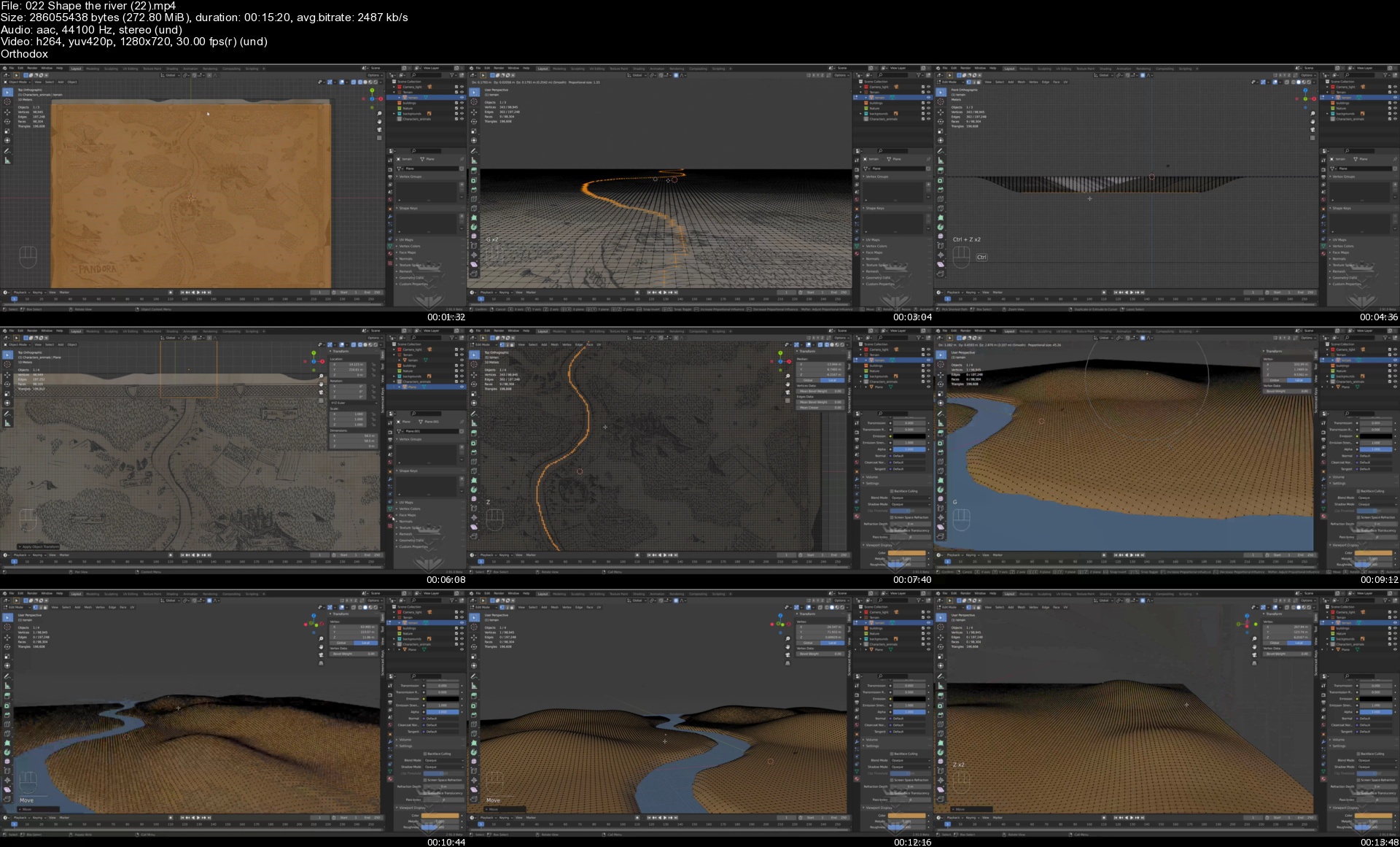
From this point, we start with the building process. We will design some modular walls and other types of modular objects. In the end, we will build a simple medieval house. At the same time, we start with the shaping of the large environment by making a base map with some rough shapes.

We will work on the master material shader and work with vertex paint to blend materials on the landscape. After this chapter, you can easily construct medieval modular constructions and outline and shape a landscape in Blender.

Chapter 4: Making A More Advanced Modular Set

In this chapter, we continue making modular building parts. We will add a new wall material and work on a thatch roof design. This allows you to make a farmhouse or similar types of thatch buildings.

At the end of this chapter, we will continue shaping the landscape and add some low poly trees and bushes. We use the EEVEE rendering engine to preview the scene. After completing this chapter, you will have a wide range of modular objects to design all types of medieval buildings.

Chapter 5: Building A Church And Making Trees

We will continue with making some new modular walls, this time focusing on ornamental walls with a large window frame. With these new modular walls, you can construct a church that will be the hotspot of your village.

After completing the church, we will design some pine and fir trees. There is no need for a plugin, we will create the trees from scratch in Blender

Chapter 6: Making A Ruin & Castle Complex

In Chapter 6, we will design a new set of modular walls to construct a castle and a ruin complex. By making battlements and crenellations, you will have the freedom to build any type of castle you prefer.

We offer a blueprint that helps you design the complex but feel free to make your own structure in this chapter. We will also work on two new tree types, the birch and maple tree. For this, we work with the free add-on M tree.

Chapter 7: Finishing The Main Scene

Now that we have all the necessary modular building blocks, we will make some building variations. We will construct some more modular buildings, a fort, and a town hall to fill up the scene.

For this purpose, we will import all the buildings and work out the main scene. We will add displacement maps on the terrain and add more details to enrich the scene. We end up making a final scene render in cycles.

Chapter 8: Making Scene Renders

Now that we have a large landscape, we can pick some nice spots to make some nice-looking scene renders. We will make some new particle systems to add grass and reed.

We will also import the animals and characters to fill up the scene and add multiple cameras to easily switch the camera position.


Homepage

022shapetheriver22s5lj6y.jpg


TTC - Cooking Basics: What Everyone Should Know

00847098xtkx0.jpg


TTC - Cooking Basics: What Everyone Should Know
Duration: 13h 11m | Video: .MP4 1280x720, 30 fps(r) | Audio: AAC, 44100Hz, 2ch | Size: 11 GB
Genre: eLearning | Language: English

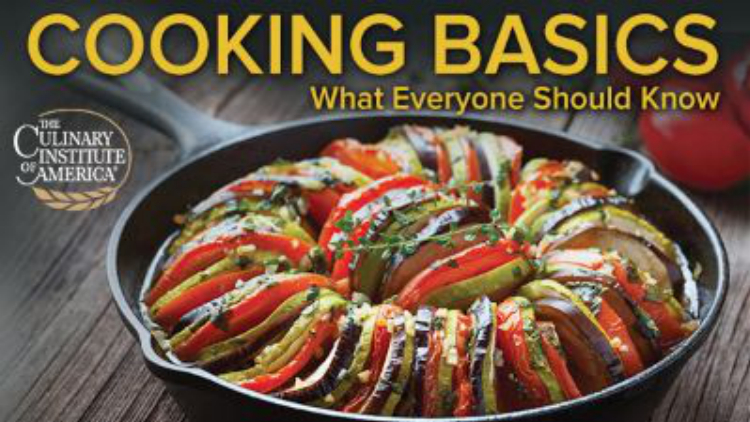
Have you ever wondered how professional chefs are able to prepare multicourse meals that are not only delicious, but consistent and all prepared to the perfect time and temperature? Or how they pair items and create plates that are beautiful as well as tasty? It turns out it is easier than you might think, once you have learned the right tools and techniques. Presented in partnership with The Culinary Institute of America and filmed at the CIA's flagship facility in Hyde Park, New York, Cooking Basics: What Everyone Should Know provides the step-by-step instructions you need to become a confident, productive cook in your own home. Whether you're brand-new to cooking or want to up your game after years in the kitchen, these 24 easy-to-follow lessons demonstrate everything you'll need to create a wide variety of exciting, flavorful dishes.

Your instructor, Chef Sean Kahlenberg, brings his experience as both a culinary educator and professional chef to every lesson. Having mastered food science in the professional kitchen, he will show you what it means for your cooking at home as he carefully walks you through the dozens of original recipes in this course. You won't find these specific recipes anywhere else and Chef Kahlenberg's step-by-step demonstrations-filled with stories and invaluable tips and tricks-will let you learn as if you are right there in the kitchen with him.

Prep for Success

Your potential for success in the kitchen begins before you've even turned on your stove or oven. How do chefs produce a full meal that comes to the table all at the same time, perfectly seasoned and just the right temperature? The answer is mise en place. Never heard of it? Don't worry-you'll soon wonder how you ever survived in the kitchen without it.

Mise en place is the French term often translated as "everything in its place." In the kitchen, this refers to having all your ingredients together before you start cooking-each item measured, peeled, or sliced exactly as you'll need it for your specific recipe. Your ingredients, tools, mixing bowls, pots, and pans should all be within easy reach, allowing you to move forward in a logical and calm manner once you begin cooking. If you've ever heard the butter sizzling in the pan while you run around your kitchen throwing open each cabinet to look for a particular spice, you probably want to improve your mise en place.

In Cooking Basics, you'll learn not only how to organize your mise en place, but also the best way to prepare each of your ingredients, including how to:

Cut vegetables into the appropriate dimensions required by your recipe-julienne, brunoise, small dice, large dice, or slice;
Create the mirepoix for your recipe-the onions, carrots, and celery that form the flavor base for most Western dishes;
Assess, clean, skin, and fillet round and flat fish, including bottom-feeders;
Appraise, break down, and brine chicken and turkey;
Evaluate and clean clams, mussels, and shrimp; and
Trim and portion beef.
The Importance of Fats

You will learn (and disprove) many misconceptions surrounding food as you progress through this course, but one of the most prevalent ideas that can hold home cooks back from success is the idea that "fat is bad." Actually, when it comes to cooking, fats are your friends. They perform a variety of crucial functions in the cooking process, as well as impacting the look and feel of the final product. Depending on your goal, fats can add flavor of their own or serve as a neutral medium in which to circulate the flavors of other ingredients, coating the tongue to improve your ability to experience those tastes. In fact, some food compounds responsible for flavor and nutrition only become soluble and accessible in the presence of fats.

But perhaps most important, fats offer one of the most effective ways to transfer heat during cooking and produce the Maillard reaction. This is the chemical reaction between amino acids and reducing sugars that forms the hundreds of complex molecules we love to smell and taste in our food. Whether or not you're familiar with its formal name, chances are you've always loved the browning that results from the Maillard reaction. In Cooking Basics, you'll watch the Maillard reaction occur in real time as you learn to fry arancini, baste scallops, sear beef, and much more.

But how to choose which fats to use in which recipes? Chef Kahlenberg explains the benefits of a variety of fats, including:

Grapeseed Oil. This oil's high smoke point makes it a kitchen favorite, allowing foods to cook comfortably at high temperatures without risking the bitterness of burned oil. In addition, grapeseed oil adds very little taste of its own, while nicely carrying other flavors. You'll learn how to use it in cooking coq au vin, monkfish, asparagus, and many other foods.
Butter. While learning to cook cioppino, pasta, lamb, and a variety of vegetables, you'll come to agree with Chef Kahlenberg when he says, "Too much butter is barely enough." You'll explore what can be learned from the sound of butter sizzling-and not sizzling: It's all about the interplay of fat; water; milk solids; and, of course, heat.
Rendered Fat. Learn how to render fat-how to melt and clarify hard animal fat-and use it as the primary cooking medium for paella and a variety of vegetables.
Explore the Wide World in Your Kitchen

No matter how wide and varied your personal cooking repertoire is, Cooking Basics provides a great opportunity to sear, roast, boil, pan fry, grill, and sauté foods in ways you may never have considered before. You'll learn how and when to cook with a sachet d'epices, how to create a cartouche (and why it works better than a pot lid in some circumstances), how to harvest vanilla caviar, the difference between a roux and a gravy, when to use ras el hanout, and much more.

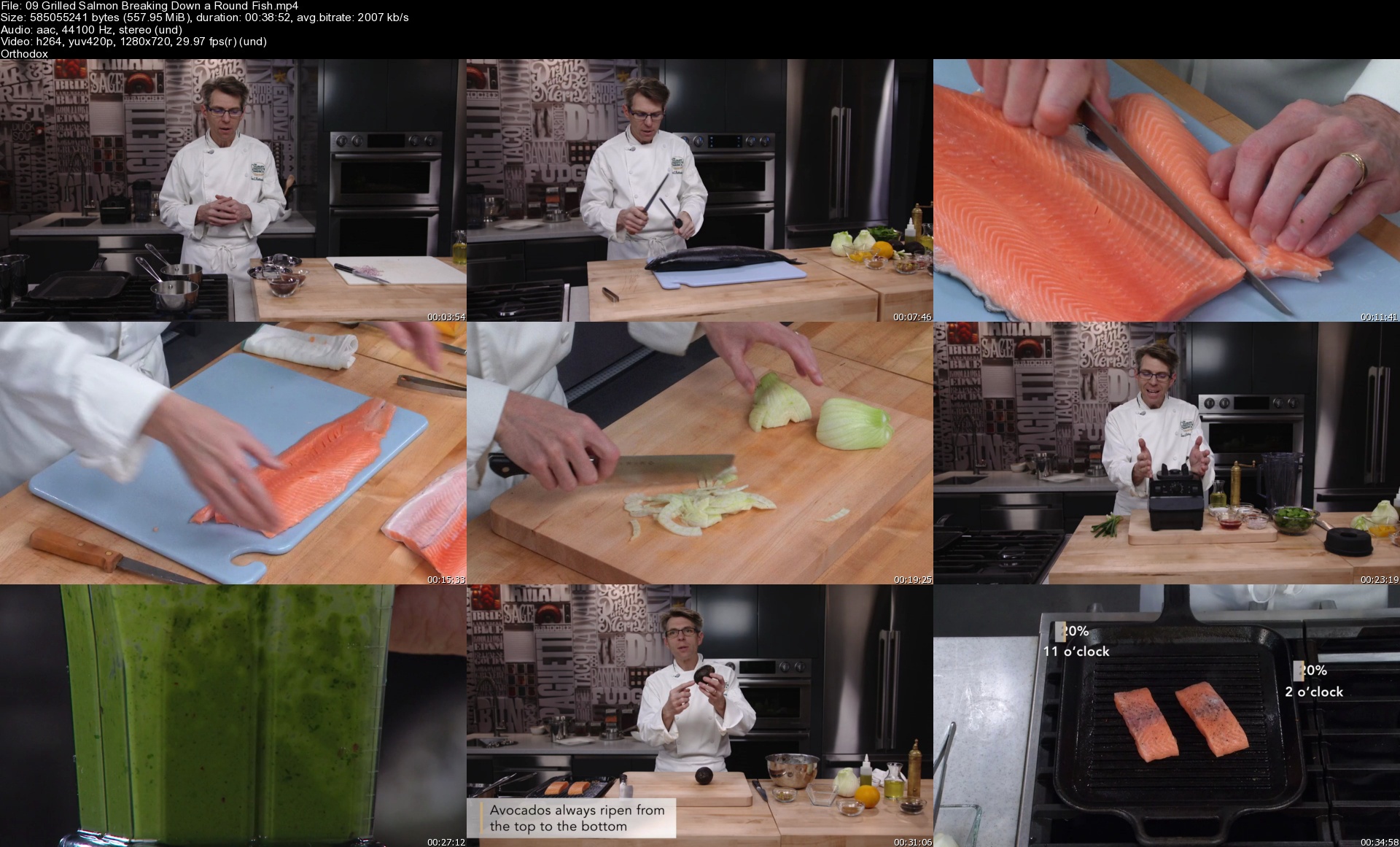
As you follow Chef Kahlenberg's step-by-step directions, you'll learn to prepare many classics with a new twist, including crispy fried chicken, sautéed scallops, grilled salmon, braised short ribs, roast beef, and Thanksgiving turkey along with traditional side dishes of coleslaw, pickles, asparagus, carrots, pilaf, and more. But you'll also have the opportunity to branch out and create:

Argentinian bright green chimichurri sauce
French Béarnaise sauce
French coq au vin
French Provençal ratatouille
Italian cheesy polenta,
Italian potato gnocchi
Italian risi e bisi, traditional northern Italian rice with peas
Mexican grilled corn salad
San Francisco classic cioppino
Sicilian caponata
Spanish paella
With Chef Kahlensberg's guidance, you will be able to make meals that are as beautiful as they are delicious, with each component timed perfectly to be served together. Whether you are hosting a party or making a family dinner, every meal will feel like an amazing accomplishment-and, with a little help from an expert chef, it's much easier than you think.

Homepage

09grilledsalmonbreakiwejsp.jpg


Zurück
Oben Unten