• Regeln für den Video-Bereich:

    In den Börsenbereich gehören nur Angebote die bereits den Allgemeinen Regeln entsprechen.

    Einteilung

    - Folgende Formate gehören in die angegeben Bereiche:
    - Filme: Encodierte Filme von BluRay, DVD, R5, TV, Screener sowie Telesyncs im Format DivX, XviD und x264.
    - DVD: Filme im Format DVD5, DVD9 und HD2DVD.
    - HD: Encodierte Filme mit der Auflösung 720p oder darüber von BluRay, DVD, R5, TV, Screener sowie Telesyncs im Format x264.
    - 3D: Encodierte Filme von BluRay, die in einem 3D Format vorliegen. Dies gilt auch für Dokus, Animation usw.
    - Serien: Cartoon/Zeichentrick, Anime, Tutorials, Dokumentationen, Konzerte/Musik, Sonstiges sind demnach in die entsprechenden Bereiche einzuordnen, auch wenn sie beispielsweise im High Definition-Format oder als DVD5/DVD9/HD2DVD vorliegen. Ausnahme 3D.
    - Bereich Englisch: Englische Releases gehören immer in diesen Bereich.
    - Bereich Talk: Der Bereich, in dem über die Releases diskutiert werden kann, darf, soll und erwünscht ist.


    Angebot/Beitrag erstellen

    - Ein Beitrag darf erst dann erstellt werden, wenn der Upload bei mindestens einem OCH komplett ist. Platzhalter sind untersagt.
    - Bei einem Scenerelease hat der Threadtitel ausschließlich aus dem originalen, unveränderten Releasenamen zu bestehen. Es dürfen keine Veränderungen wie z.B. Sterne, kleine Buchstaben o.ä. vorgenommen werden. Ausnahme Serienbörse:
    - Bei einem Sammelthread für eine Staffel entfällt aus dem Releasename natürlich der Name der Folge. Beispiel: Die Simpsons S21 German DVDRip XviD - ITG
    - Dementsprechend sind also u.a. verboten: Erweiterungen wie "Tipp", "empfehlenswert", "only", "reup", usw. / jegliche andere Zusatzinformation oder Ergänzung, welche nicht in obiger Beschreibung zu finden ist.

    Aufbau des Angebots und Threadtitel

    Der Titel nach folgendem Muster erstellt zu werden. <Name> [3D] [Staffel] [German] <Jahr> <Tonspur> [DL] [Auflösung] <Quelle> <Codec> - <Group>
    Beispiel: The Dark Knight German 2008 AC3 DVDRip XviD - iND
    Beispiel: The Dark Knight 2008 DTS DL BDRip x264 - iND
    Beispiel: The Dark Knight 2008 AC3 DL BDRip XviD - iND
    Beispiel: The Dark Knight German 2008 AC3 720p BluRay x264 iND
    Beispiel: The Dark Knight 2008 DTS DL 1080p BluRay x264 iND
    Beispiel: Die Simpsons S01 German AC3 DVDRip XviD iND
    Beispiel: Die Simpsons S20 German AC3 720p BluRay x264 iND
    Beispiel: Sword Art Online II Ger Sub 2014 AAC 1080p WEBRip x264 - peppermint
    Entsprechend sind also u.a. verboten: Sonderzeichen wie Klammern, Sterne, Ausrufezeichen, Unterstriche, Anführungszeichen / Erweiterungen wie "Tipp", "empfehlenswert", "only", "reup", usw. / jegliche andere Zusatzinformation oder Ergänzung, welche nicht in obiger Beschreibung zu finden ist
    Ausnahmen hiervon können in den Bereichen geregelt sein.

    Die Beiträge sollen wie folgt aufgebaut werden:
    Überschrift entspricht dem Threadtitel
    Cover
    kurze Inhaltsbeschreibung
    Format, Größe, Dauer sind gut lesbar für Downloader außerhalb des Spoilers zu vermerken
    Nfo sind immer Anzugeben und selbige immer im Spoiler in Textform.
    Sind keine Nfo vorhanden z.B. Eigenpublikationen, sind im Spoiler folgende Dateiinformationen zusätzlich anzugeben :
    Quelle
    Video (Auflösung und Bitrate)
    Ton (Sprache, Format und Bitrate der einzelnen Spuren)
    Untertitel (sofern vorhanden)
    Hosterangabe in Textform außerhalb eines Spoiler mit allen enthaltenen Hostern.
    Bei SD kann auf diese zusätzlichen Dateiinformationen verzichtet werden.

    Alle benötigten Passwörter sind, sofern vorhanden, in Textform im Angebot anzugeben.
    Spoiler im Spoiler mit Kommentaren :"Schon Bedankt?" sind unerwünscht.


    Releases

    - Sind Retail-Release verfügbar, sind alle anderen Variationen untersagt. Ausnahmen: Alle deutschen Retail-Release sind CUT, in diesem Fall sind dubbed UNCUT-Release zulässig.
    - Im Serien-Bereich gilt speziell: Wenn ein Retail vor Abschluss einer laufenden Staffel erscheint, darf diese Staffel noch zu Ende gebracht werden.62
    - Gleiche Releases sind unbedingt zusammenzufassen. Das bedeutet, es ist zwingend erforderlich, vor dem Erstellen eines Themas per Suchfunktion zu überprüfen, ob bereits ein Beitrag mit demselben Release besteht. Ist dies der Fall, ist der bereits vorhandene Beitrag zu verwenden.
    - P2P und Scene Releases dürfen nicht verändert oder gar unter einem iND Tag eingestellt werden.


    Support, Diskussionen und Suche

    - Supportanfragen sind entweder per PN oder im Bereich Talk zu stellen.
    - Diskussionen und Bewertungen sind im Talk Bereich zu führen. Fragen an die Uploader haben ausschließlich via PN zu erfolgen, und sind in den Angeboten untersagt.
    - Anfragen zu Upload-Wünschen sind nur im Bereich Suche Video erlaubt. Antworten dürfen nur auf Angebote von MyBoerse.bz verlinkt werden.


    Verbote

    - Untersagt sind mehrere Formate in einem einzigen Angebotsthread, wie beispielsweise das gleichzeitige Anbieten von DivX/XviD, 720p und 1080p in einem Thread. Pro Format, Release und Auflösung ist ein eigener Thread zu eröffnen.
    - Grundsätzlich ebenso verboten sind Dupes. Uploader haben sich an geeigneter Stelle darüber zu informieren, ob es sich bei einem Release um ein Dupe handelt.
    - Gefakte, nur teilweise lauffähige oder unvollständige Angebote sind untersagt. Dies gilt auch für eigene Publikationen, die augenscheinlich nicht selbst von z.B. einer DVD gerippt wurden. Laufende Serien, bei denen noch nicht alle Folgen verfügbar sind, dürfen erstellt und regelmäßig geupdatet werden.
    - Untersagt sind Angebote, welche nur und ausschließlich in einer anderen Sprache als deutsch oder englisch vorliegen. Ausnahmen sind VORHER mit den Moderatoren zu klären.


    Verstoß gegen die Regeln

    - Angebote oder Beiträge, die gegen die Forenregeln verstoßen, sind über den "Melden"-Button im Beitrag zu melden.
  • Bitte registriere dich zunächst um Beiträge zu verfassen und externe Links aufzurufen.

++ Premium IPTV ++ 7000 Live Sender ++ UHD Qualität ++ Mediathek mit 18.000 Inhalten ++


VenneTV


Englische Tutorials

3D Game-Ready Environment In Unreal Engine 4

9u48fxdlodbi8uonquhjt23kub.jpg


3D Game-Ready Environment In Unreal Engine 4
MP4 | Video: h264, yuv420p, 1920x1080 | Audio: aac, 44100 Hz
Genre: eLearning | Duration: 10h:44m | Language: English | Size File: 5.07 GB

The course is updated on a weekly basis. We offer a discounted price when the course is in the process of being updated. You will get this course at $49. Once the course has been completed, the original price will be restored to $99. There is no extra fee for the updated chapters. You just need to pay once time. However, you need to aware that all the courses on our website are not available offline.

Content: HD Videos + Project Files
Duration: 10hours47minutes
Software: Substance Painter2020.1.2 ; 3DS Max 2020 ; Unreal Engine 4.25.1
System: Basic requirements for UE4 and Substance Painter 2020
Project file: A plugin for Max and a References.pur file

Homepage

4.2greyboxingstartingrtkzg.jpg


SAP BW4HANA - Essential Training - Complete Hands-on Course

dwuiebllyeolehjms71fbcgkzx.jpg


SAP BW4HANA - Essential Training - Complete Hands-on Course
MP4 | Video: h264, 1280x720 | Audio: AAC, 44.1 KHz, 2 Ch
Genre: eLearning | Language: English + srt | Duration: 34 lectures (58h 5m) | Size: 26.7 GB

SAP BW4HANA 2.0 - Complete Hands-on training with real-time customer scenarios.

What you'll learn:
Native HANA Modeling (CVs, Procedures, Table Functions)
BW Modeling with new objects such as ADSOs, CompProvs, OpenODS views etc using Eclipse.
Enhancing Stnd datasources using BADI - RSU5_SAPI_BADI.
Using the new ODQ subscription-based model via ODQMON.
New CDS View based BW extraction including enhancing CDS view based extractors using extend views.
New CDS annotations based delta mechanism.
Enhancing B4H transformations using AMDP class by using HANA and ABAP runtime in BW4transformations and Debugging AMDP script-based transformations.
BW Query enhancement using new BADI - RSROA_VARIABLES_EXIT_BADI.
BW Query enhancement using AMDP BADI - RSROA_VAR_HANA_EXIT_BADI for HANA exit variables.
Creating process chain using the new BW4 Cockpit interface & Activating Streaming process chains and how it works.
BW-SAC integration using CORS.
SAC basic model and story creation using BW Queries.

Requirements
Basic BW knowledge
Basic ABAP OOPs knowledge


Description
SAP BW4HANA 2.0 - Complete Hands-on training with real-time customer scenarios.

This course will take you from zero to hero with a detailed hands-on scenario and explaining BW4HANA basics in detail. This is not a theoretical PPT-only driven training but rather an end-to-end customer scenario-driven completely hands-on course.

After attending this training, you will also be able to take your certification with confidence and crack interviews.

This training covers, in detail (hands-on) all the important BW4HANA topics:

Native HANA Modeling (CVs, Procedures, Table Functions),

BW Modeling with new objects such as ADSOs, CompProvs, OpenODS views, etc using Eclipse.

Enhancing Stnd datasources using BADI - RSU5_SAPI_BADI.

Using the new ODQ subscription-based model via ODQMON.

New CDS View-based BW extraction including enhancing CDS view based extractors using extend views.

New CDS annotations based delta mechanism.

Enhancing B4H transformations using AMDP class by using HANA and ABAP runtime in BW4transformations and Debugging AMDP script-based transformations.

BW Query enhancement using new BADI - RSROA_VARIABLES_EXIT_BADI for customer exit variables.

BW Query enhancement using AMDP BADI - RSROA_VAR_HANA_EXIT_BADI for HANA exit variables.

Creating process chains using the new BW4 Cockpit interface.

Activating Streaming process chains and how it works.

BW-SAC integration with basic model and story in SAC using BW queries.

Who this course is for
BW consultants who's looking to get familiar with BW4HANA and do complete hands-on end-to-end scenario.

Homepage

2.s01gettingstartedsz0jho.jpg


INSYDIUM Particle FX Premium Training - X-Particles

jm20ngbr5ajxrzhlddzzn6ejw7.jpg


INSYDIUM Particle FX Premium Training - X-Particles
Video: 1920x1080, mp4, 30 fps | Audio: AAC-LC, 256 kb/s, 2 channels | Genre: eLearning
Duration: 16+10 hours | Language: English | File size: 19.2 GB

This product gives you access to stream over 16 hours of pure X-Particles training plus 10 hours of additional free training covering rendering and compositing, all from your Customer Account. Particle FX includes six great industry relevant scenes and techniques for motion graphics, VFX and product visualisation. Each chapter comes with downloadable scene files so that you can dive straight in.

This streaming only training is a must-have learning tool. Created by INSYDIUM's particle genius and particle FX Trainer, Jon Bosley, this scene-based series is suitable for customers with basic particle knowledge; the chapters flow with logical progression. Intermediate level and advanced X-Particles users will benefit from the in-depth level of detail throughout the series.

We replicate everyday production workflows by combining the power of the X-Particles system with native Cinema 4D tools like Deformers, Effectors and XPresso. The techniques you'll learn in the scenes are transferable; you'll be able to take what you've learnt and utilise them in your personal projects.

Software Compatibility
- We recommend Cinema 4D R20 and X-Particles build 724 or above because some of the effects demonstrated use newer features, however if you have previous versions/builds, the same effects can be achieved with alternative techniques.
- We also recommend that you have Cycles 4D (build 321 or above) or other render engine and Adobe After Effects.
- The minimum software requirements for the Premium Training videos are Cinema 4D version R16 and X-Particles build 642
Screenshots
INSYDIUM Particle FX Premium Training - X-ParticlesINSYDIUM Particle FX Premium Training - X-Particles

Homepage

01thespreadsicjok.jpg


FreeRTOS From Ground Up™ on ARM Processors (REVISED)

v07zggikn48picllvtpueh9kxt.jpg


FreeRTOS From Ground Up™ on ARM Processors (REVISED)
MP4 | Video: h264, 1280x720 | Audio: AAC, 44100 Hz
Language: English | Size: 11.5 GB | Duration: 23h 29m


What you'll learn
Build Multitask real-time applications with FreeRTOS
Port FreeRTOS to any ARM Processor
Master FreeRTOS Task Management features
Master FreeRTOS Resource Management features
Master FreeRTOS Task Synchronization features
Master FreeRTOS Event Management features
Calculate the CPU Utilization of an RTOS
Understand the Internals of an RTOS Kernel
Implement and explain popular scheduling algorithms
Give a lecture on the FreeRTOS RealTime Kernel
Master FreeRTOS Interrupt Management features
Master FreeRTOS Time Management features
Master FreeRTOS Interrupt Run-Time statistics features
Build a board support package from scratch
Understand Rate Monotonic Schedulers
Understand First Come First Served Schedulers
Understand Round-Robin Schedulers
Understand Weighted-Round-Robin Schedulers
Understand ARM Design and ARchitecture
Understand ARM OS Support Features
Requirements
STM32F411-NUCLEO
No programming experience needed - I'll teach you everything you need to know.
We shall be using the STM32CubeIDE which is FREE.

Description
This course teaches you the foundations of real-time systems and how to build real-time applications using FreeRTOS ,one of the most popular real-time operating systems for embedded systems. The course gives a detailed overview of the characteristics of the FreeRTOS real-time kernel, provides a detailed tutorial on the APIs to implement the various features of FreeRTOS and then goes on to build about 50 real-time projects .

This course does not assume prior knowledge of real-time systems and application programming. By the end of this course you should be able to build your own multitask FreeRTOS real-time applications which use all the features of a modern real-time application (such as semaphores, mutexes, event flags, hooks, queues, mailboxes etc )and test their performance.You should also be able to : Calculate the CPU Utilization of an RTOS, Understand Rate Monotonic Schedulers,port FreeRTOS to any ARM processor,Understand Round-Robin Schedulers,Understand Weighted-Round-Robin Schedulers, Understand First Come First Served Schedulers,Understand the Internals of an RTOS kernel, Implement and explain popular scheduling algorithms and so much more. Please take a look at the full course curriculum.

----------Some highlights---------------

Build Multitask real-time applications with FreeRTOS

Port FreeRTOS to any ARM Processor

Master FreeRTOS Task Management features

Master FreeRTOS Resource Management features

Master FreeRTOS Task Synchronization features

Master FreeRTOS Event Management features

Calculate the CPU Utilization of an RTOS

Understand the Internals of an RTOS Kernel

Implement and explain popular scheduling algorithms

Give a lecture on the FreeRTOS RealTime Kernel

Master FreeRTOS Interrupt Management features

Build a board support package from scratch


Who this course is for:
If you are an absolute beginner to embedded systems, then take this course.
If you are an experienced embedded developer and want to learn how to professionally develop embedded applications for ARM processors, then take this course.


Homepage

1.codingdevelopingsom81j9i.jpg


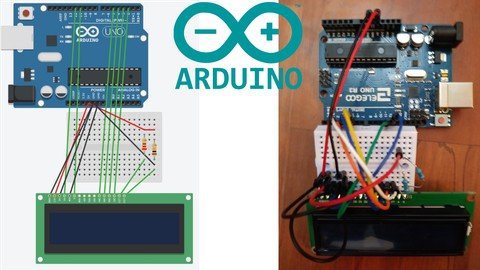
Beginning Arduino 2020

tgaznxdgddieu1we4vnygc9kk7.jpg


Beginning Arduino 2020
MP4 | Video: h264, 1280x720 | Audio: AAC, 44100 Hz
Language: English | Size: 13.7 GB | Duration: 18h 59m


What you'll learn
Arduino Fundamentals
Arduino Basics

Requirements
My Programming Fundametals Course or Prior Programming Knowledge

Description
This class has a prerequisite which is my programming fundamentals course

Welcome to my Beginning Arduino Course.

In this course we will be experimenting with multiple electronics

We will be interfacing with various sensors and output devices

We will then combine this knowledge on individual sensors and build projects

The end of the course will conclude with have 2 larger projects

This will be a "2 pronged" approach for the course

The 1st part will be using Arduino simulator Tinkercad for superior visuals

The 2nd part will be a recap of the simulator but using real life Arduino

The kit that we will be using name will be found bellow just type into amazon

This is where the electronics will come from.

ELEGOO UNO R3 Project Most Complete Starter Kit w/Tutorial Compatible with Arduino IDE (63 Items)


Who this course is for:
Beginning Arduino Students but Experienced Programmers.


Homepage

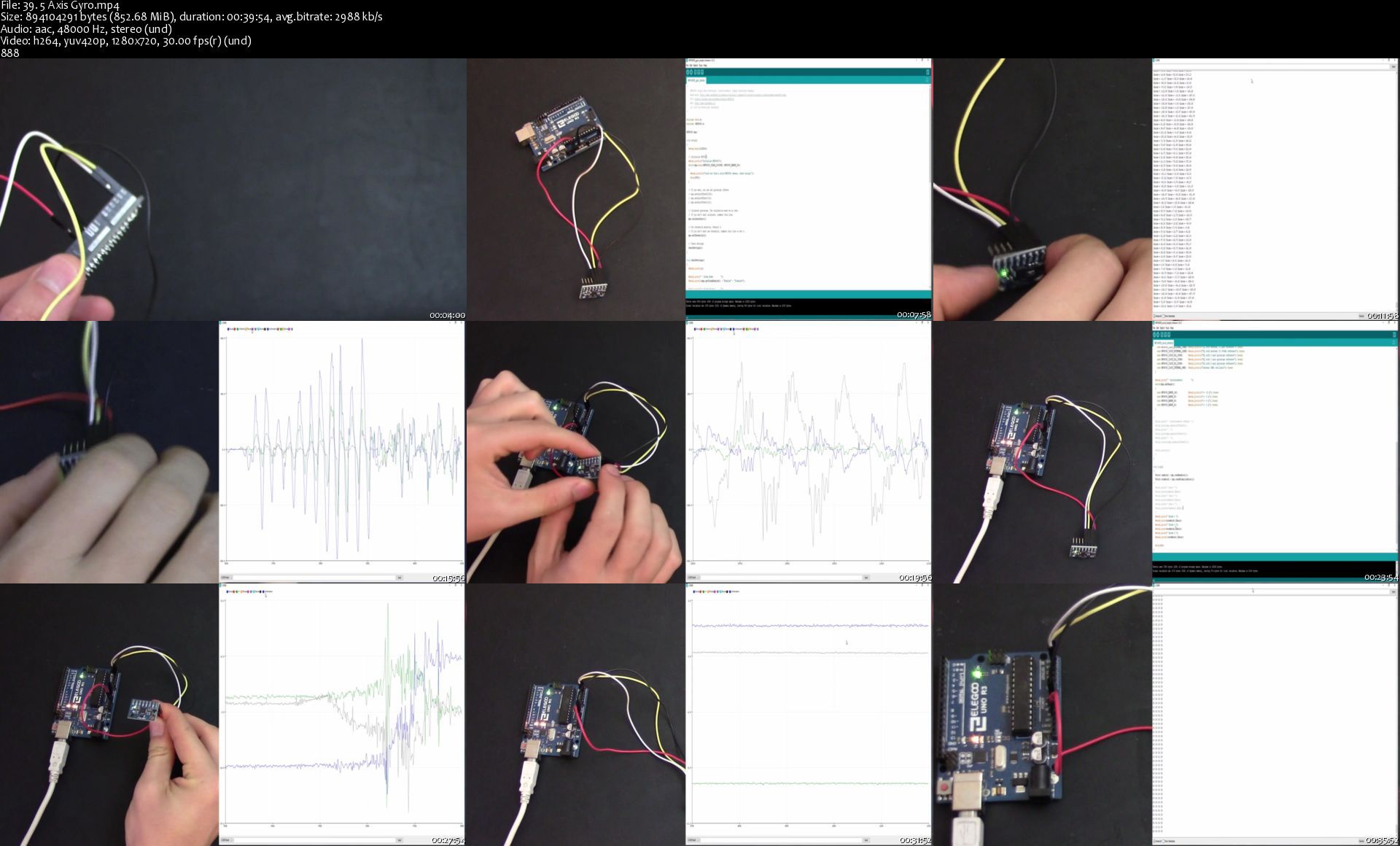
39.5axisgyros16ja7.jpg


Professional Jewellery Design with Gemvision Matrix

mdmvbre41dfwh11wwdwi2rekov.jpg


Professional Jewellery Design with Gemvision Matrix
MP4 | Video: h264, 1280x720 | Audio: AAC, 44.1 KHz, 2 Ch
Genre: eLearning | Language: English + srt | Duration: 41 lectures (17h 19m) | Size: 13 GB

How to master 3d Jewellery design

What you'll learn:
Create their own jewellery
Design and manufacture bespoke jewellery for companies or individuals

Requirements
You should be able to use a PC at a beginner level
You will also be required to have access to a Gemvision Matrix license


Description
Based on real pieces of Jewellery this course is aimed to people willing to start manufacturing pieces of jewellery using CAD Software in a professional enviroment.

This course doesn´t focus on showing how to use a software, this course shows how to make jewellery up to the highest standards of quality.

This course can be taken at your own pace, however it can be finalized in about 4 weeks ( 8 hours a day)

COURSE FORUM, share your progress with other students from around the globe.

24/7 SUPPORT

NEW VIDEOS and material ADDED MONTHLY

Software not included

Who this course is for
This course is aimed to everyone willing to make a living designing Jewellery

Homepage

3.envisiontec3dprinte30kzw.jpg


Learn Digital Signal Processing - From Basics To Advance

pplpiycmgf86lzcbhat2ayrjz2.jpg


Learn Digital Signal Processing - From Basics To Advance
MP4 | Video: h264, 1280x720 | Audio: AAC, 44.1 KHz, 2 Ch
Genre: eLearning | Language: English + srt | Duration: 130 lectures (23h 48m) | Size: 31.6 GB

Complete Course for 2021 - Digital Signal Processing, DSP, Signal Processing, DFT, FFT, Digital Filters

What you'll learn:
Be able to learn the basic discrete-time signals and system types
Be able to learn impulse and frequency response concepts for linear, time-invariant (LTI) systems
Be able to learn discrete-time Fourier transform, DFT and basic properties of these
Be able to Z and inverse Z transform, region of convergence concepts and their properties
Understands block diagram representations of difference equations that realize digital filters, Learns direct forms 1 and 2 for IIR filter realization.
Understands Radix-2 Techniques and Learns direct form for FIR filter realization

Requirements
Signals and systems, basic Mathematics


Description
DSP subject deals with Discrete time signal analysis, Discrete Time systems, DTFT, DFT, FFT, Digital Filters ( IIR and FIR filters). The course covers the essential elements of a DSP system from A/D conversion. The course starts with a detailed overview of discrete-time signals( periodic, even, odd, energy and power ) and systems, representation of the systems by means of differential equations, and their analysis using Fourier and z-transforms. Solving differential equations using Z-Transforms and finding frequency responses. Topics include sampling, impulse response, frequency response, finite and infinite impulse response systems, linear phase systems, digital filter design and implementation, discrete-time Fourier transforms, discrete Fourier transform, and the fast Fourier transform algorithms.

Understands the linear convolution( Graphical method and tabular form method) and circular convolution (Matrix and Concentric circle methods) and differences. This course deals with limitations of DTFT and DFT.FFT techniques are DIT-DFT, DIT-IDFT,DIF-DFT and DIF-IDFT techniques.

Digital filters are IIR and FIR filters, design methods and implementation.

Digital Signal Processing concludes with digital filter design and a discussion of the fast Fourier transform algorithm for computation of the discrete Fourier transform.

This course covers Decimation( down sampling) and Interpolation ( up sampling) operations.

This course covers multi rate signal processing and single rate signal processing.

I suggest you use the "Signals and Systems" book by Oppenheim or Digital Signal Processing By Proakis.

Who this course is for
GATE EC,EE,IN students
For all competitive exams
Academic students

Homepage

3.stableandunstablesyk0jot.jpg


Cinema 4D Complete : Vol.1-3

9wpkk3sbcg50plwyguzlh0yjf6.jpg


Cinema 4D Complete : Vol.1-3
MP4 | ENG | Video: h264, yuv420p, 1280x720 | Audio: aac, 48000 Hz | Duration: 46h:59m | Size File: 32.6 GB
Genre: eLearning

Udemy - Cinema 4D Complete : Vol. 1 The Essentials

In this volume you will see:

A complete tour of the interface
How to navigate efficiently in the 3D viewport
The display options of the viewport
How to customize the interface
The hidden options of the object manager
Tips and tricks on how to manipulate lots of objects
The coordinate system
The layer manager
The software preferences to know
How to set up your project and save the changes
The library and how to search it
The parametric objects explained
How to move, scale and rotate your objects quickly and efficiently
The generators
Workplane and snapping settings explained
How to place your objects exactly where you want
Practical workshop: how to model a toy Flying Saucer using parametric objects only

Udemy - Cinema 4D Complete : Vol. 2. All about Modeling!

In this second volume, you will learn everything there is to know about modeling!

Polygon modeling is at the core of every 3D application. Whatever field you are going to work in, you will need to know how to push points, edges and polygons to make your vision come true.

I'm Lionel VICIDOMINI, a Maxon Certified Instructor, Maxon Master Trainer and Motion Designer based in Paris, France. I believe that in order to truly master a software you have to learn it by the details. I have created this series of training, to create a video manual of Cinema 4D and to be the most thorough possible while being entertaining.

In this training you will learn :

How to select, move, scale and rotate polygons precisely, fluently, and as fast as possible to allow a smoother workflow

All about splines, those vector shapes that are so useful when you want to create complex objects

The generators, such as the mirror, the remesher and the all-powerful Subdivision Surface, at the very core of polygon modeling

The polygon commands, such as the extrude, bevel tool, but also the stich'n'sew and many less known tools

The deformers, which allow you to reshape objets to your needs or even create whole models from simple primitives

OpenVDB modeling, another way to create complex objects parametrically without the hassle of polygons

Several workshops in the end of the course will teach you real life examples and how to model many objects : a screw, a spoon, a coffee cup and its holder, a soccer ball and many others.

This training has been recorded on the R23 but you can follow it easily on previous versions of the software, down to R17.

It is not required to have followed the first volume of the series, but it can greatly help, especially if you are new to 3D.

Udemy - Cinema 4D Complete : Vol. 3 Unleash the power of Mograph!

The third volume of the complete training unleashes the power of Mograph!

But what is Mograph exactly ? This is the toolset that made Motion Design so popular. In the 2000es Maxon introduced Mograph, which was then just a module, and has become over time a key element of Cinema 4D.

Mograph allows you to create eye-opening, mesmerizing, gorgeous looking animation very easily. Its modular approach makes it very simple to just add element of design on top of each other and achieve beautiful result very quickly.

I'm Lionel VICIDOMINI, a Maxon Certified Instructor, Maxon Master Trainer and Motion Designer based in Paris, France. I believe that in order to truly master a software you have to learn it by the details. I have created this series of training, to create a video manual of Cinema 4D and to be the most thorough possible while being entertaining.

In this training we will explore everything that Mograph can do, and that is a lot !

How Mograph works fundamentally, the core concepts behind it

A complete library of all the effectors and how to use them

An in-depth exploration of the fields, and how to combine them with the effectors

All the Mograph Generators, such as the Voronoi Fracture which can shatter any object into tiny pieces

How to combine Volumes and Fields to produce stunning imagery

Master the Vertex Map fields, which can create incredible growth systems, generating organic, living shapes

The last chapter offers several in-depth workshops, with almost 4 hours of in-hands practical exercises. In these workshops you will create :

A fully procedural, auto-animated clock! Look, mom, no keyframe!

Model a Barrel Generator: Donkey Kong will be jealous. With control over the number of planks, their thickness, the curvature of the bulge etc.

Make dominos tumble, any way you want !

Create a wall of cube, creating a transition between two textures. Ideal for corporate Motion Graphics

Design an intricate transition made of intersected hexagons. Convert it to an animated, seamless, never-ending background

Pile up legos to create a stunning logo! Animate the build-up!

The Fractured Sphere will create a mesmerizing look, of slow motion debris flying to nothingness

Make dripping droplets of condensation accumulate on a can of beer !

I have designed this training as a video manual, with short sections, packed with information. It is not mandatory to watch all the videos ! You can watch them as you wish, along your journey into Mograph, as needed. You can very well jump straight ahead to the final chapter, the workshops, and go back to studying videos about specific tools used in the exercises.

This training is perfect for beginners, who will need to learn all the fundamentals of Mograph, as well as for more advanced users who will be delighted by the depths of details for every video and with the intricate workshops at the end of the training.

This training has been recorded on R23 but can be followed very easily in newer and older version, going back to R20. It is not recommended for older releases (R19 and below) because of the fields which were introduced in R20 only.

It is not required to have followed the first two volumes of the series, but it can greatly help, especially if you are new to 3D.

Homepage

3.noisepatternwiththef0jc2.jpg


Packt R Programming Fundamentals-XQZT

212258699_01-06-variable_types_and_data_structures_data_structures_c.jpg


Packt R Programming Fundamentals-XQZT | MKV | 564.31 MiB

704 kb/s 1920x1080 | AAC 2 CH eng


NFO:
File List:

File: packt.r.programming.fundamentals-xqzt-sample.mkv
Size: 5802582 bytes (5.53 MiB), duration: 00:01:05, avg.bitrate: 714 kb/s
Audio: aac, 48000 Hz, stereo (eng)
Video: h264, yuv420p, 1920x1080, 30.00 fps(r)


Download ( Size: 564.31 MiB ):
Filehosts: Nitroflare, Rapidgator, ddownload.com


oHeopzn.png

1 Link/s
4FD48A04BF.png


5hSo1Ay.png

1 Link/s
F4A0935B23.png


Download from ddownload:
1 Link/s
A220F425CF.png


Packt C Plus Plus Fundamentals-XQZT

212257937_01-04-the_candand_compilation_model_c.jpg


Packt C Plus Plus Fundamentals-XQZT | MKV | 4.69 GiB

4 872 kb/s 1920x1080 | AAC 2 CH eng


NFO:
File List:

File: packt.c.plus.plus.fundamentals-xqzt-sample.mkv
Size: 37160691 bytes (35.44 MiB), duration: 00:01:01, avg.bitrate: 4874 kb/s
Audio: aac, 48000 Hz, stereo (eng)
Video: h264, yuv420p, 1920x1080, 30.00 fps(r) (eng)


Download ( Size: 4.69 GiB ):
Filehosts: Nitroflare, Rapidgator, ddownload.com


oHeopzn.png

3 Link/s
09E72E9C75.png


5hSo1Ay.png

3 Link/s
515E526F82.png


Download from ddownload:
3 Link/s
4070BC0967.png


Packt Git and GitHub Complete Master Class Beginner to Git Expert-XQZT

212259806_08-05-resetting_a_git_repository-part_1_-lab-_c.jpg


Packt Git and GitHub Complete Master Class Beginner to Git Expert-XQZT | MKV | 3.34 GiB

410 kb/s 1280x720 | AAC 126 kb/s 2 CH eng


NFO:
File List:

File: 01.01-git_overview.mkv
Size: 9843017 bytes (9.39 MiB), duration: 00:03:12, avg.bitrate: 410 kb/s
Audio: aac, 44100 Hz, stereo (eng)
Video: h264, yuv420p, 1280x720, 30.00 fps(r) (eng)


Download ( Size: 3.34 GiB ):
Filehosts: Nitroflare, Rapidgator, ddownload.com


oHeopzn.png

4 Link/s
511EA2D5A1.png


5hSo1Ay.png

4 Link/s
F5D72C95E9.png


Download from ddownload:
4 Link/s
0F5772C924.png


Zurück
Oben Unten