• Regeln für den Video-Bereich:

    In den Börsenbereich gehören nur Angebote die bereits den Allgemeinen Regeln entsprechen.

    Einteilung

    - Folgende Formate gehören in die angegeben Bereiche:
    - Filme: Encodierte Filme von BluRay, DVD, R5, TV, Screener sowie Telesyncs im Format DivX, XviD und x264.
    - DVD: Filme im Format DVD5, DVD9 und HD2DVD.
    - HD: Encodierte Filme mit der Auflösung 720p oder darüber von BluRay, DVD, R5, TV, Screener sowie Telesyncs im Format x264.
    - 3D: Encodierte Filme von BluRay, die in einem 3D Format vorliegen. Dies gilt auch für Dokus, Animation usw.
    - Serien: Cartoon/Zeichentrick, Anime, Tutorials, Dokumentationen, Konzerte/Musik, Sonstiges sind demnach in die entsprechenden Bereiche einzuordnen, auch wenn sie beispielsweise im High Definition-Format oder als DVD5/DVD9/HD2DVD vorliegen. Ausnahme 3D.
    - Bereich Englisch: Englische Releases gehören immer in diesen Bereich.
    - Bereich Talk: Der Bereich, in dem über die Releases diskutiert werden kann, darf, soll und erwünscht ist.


    Angebot/Beitrag erstellen

    - Ein Beitrag darf erst dann erstellt werden, wenn der Upload bei mindestens einem OCH komplett ist. Platzhalter sind untersagt.
    - Bei einem Scenerelease hat der Threadtitel ausschließlich aus dem originalen, unveränderten Releasenamen zu bestehen. Es dürfen keine Veränderungen wie z.B. Sterne, kleine Buchstaben o.ä. vorgenommen werden. Ausnahme Serienbörse:
    - Bei einem Sammelthread für eine Staffel entfällt aus dem Releasename natürlich der Name der Folge. Beispiel: Die Simpsons S21 German DVDRip XviD - ITG
    - Dementsprechend sind also u.a. verboten: Erweiterungen wie "Tipp", "empfehlenswert", "only", "reup", usw. / jegliche andere Zusatzinformation oder Ergänzung, welche nicht in obiger Beschreibung zu finden ist.

    Aufbau des Angebots und Threadtitel

    Der Titel nach folgendem Muster erstellt zu werden. <Name> [3D] [Staffel] [German] <Jahr> <Tonspur> [DL] [Auflösung] <Quelle> <Codec> - <Group>
    Beispiel: The Dark Knight German 2008 AC3 DVDRip XviD - iND
    Beispiel: The Dark Knight 2008 DTS DL BDRip x264 - iND
    Beispiel: The Dark Knight 2008 AC3 DL BDRip XviD - iND
    Beispiel: The Dark Knight German 2008 AC3 720p BluRay x264 iND
    Beispiel: The Dark Knight 2008 DTS DL 1080p BluRay x264 iND
    Beispiel: Die Simpsons S01 German AC3 DVDRip XviD iND
    Beispiel: Die Simpsons S20 German AC3 720p BluRay x264 iND
    Beispiel: Sword Art Online II Ger Sub 2014 AAC 1080p WEBRip x264 - peppermint
    Entsprechend sind also u.a. verboten: Sonderzeichen wie Klammern, Sterne, Ausrufezeichen, Unterstriche, Anführungszeichen / Erweiterungen wie "Tipp", "empfehlenswert", "only", "reup", usw. / jegliche andere Zusatzinformation oder Ergänzung, welche nicht in obiger Beschreibung zu finden ist
    Ausnahmen hiervon können in den Bereichen geregelt sein.

    Die Beiträge sollen wie folgt aufgebaut werden:
    Überschrift entspricht dem Threadtitel
    Cover
    kurze Inhaltsbeschreibung
    Format, Größe, Dauer sind gut lesbar für Downloader außerhalb des Spoilers zu vermerken
    Nfo sind immer Anzugeben und selbige immer im Spoiler in Textform.
    Sind keine Nfo vorhanden z.B. Eigenpublikationen, sind im Spoiler folgende Dateiinformationen zusätzlich anzugeben :
    Quelle
    Video (Auflösung und Bitrate)
    Ton (Sprache, Format und Bitrate der einzelnen Spuren)
    Untertitel (sofern vorhanden)
    Hosterangabe in Textform außerhalb eines Spoiler mit allen enthaltenen Hostern.
    Bei SD kann auf diese zusätzlichen Dateiinformationen verzichtet werden.

    Alle benötigten Passwörter sind, sofern vorhanden, in Textform im Angebot anzugeben.
    Spoiler im Spoiler mit Kommentaren :"Schon Bedankt?" sind unerwünscht.


    Releases

    - Sind Retail-Release verfügbar, sind alle anderen Variationen untersagt. Ausnahmen: Alle deutschen Retail-Release sind CUT, in diesem Fall sind dubbed UNCUT-Release zulässig.
    - Im Serien-Bereich gilt speziell: Wenn ein Retail vor Abschluss einer laufenden Staffel erscheint, darf diese Staffel noch zu Ende gebracht werden.62
    - Gleiche Releases sind unbedingt zusammenzufassen. Das bedeutet, es ist zwingend erforderlich, vor dem Erstellen eines Themas per Suchfunktion zu überprüfen, ob bereits ein Beitrag mit demselben Release besteht. Ist dies der Fall, ist der bereits vorhandene Beitrag zu verwenden.
    - P2P und Scene Releases dürfen nicht verändert oder gar unter einem iND Tag eingestellt werden.


    Support, Diskussionen und Suche

    - Supportanfragen sind entweder per PN oder im Bereich Talk zu stellen.
    - Diskussionen und Bewertungen sind im Talk Bereich zu führen. Fragen an die Uploader haben ausschließlich via PN zu erfolgen, und sind in den Angeboten untersagt.
    - Anfragen zu Upload-Wünschen sind nur im Bereich Suche Video erlaubt. Antworten dürfen nur auf Angebote von MyBoerse.bz verlinkt werden.


    Verbote

    - Untersagt sind mehrere Formate in einem einzigen Angebotsthread, wie beispielsweise das gleichzeitige Anbieten von DivX/XviD, 720p und 1080p in einem Thread. Pro Format, Release und Auflösung ist ein eigener Thread zu eröffnen.
    - Grundsätzlich ebenso verboten sind Dupes. Uploader haben sich an geeigneter Stelle darüber zu informieren, ob es sich bei einem Release um ein Dupe handelt.
    - Gefakte, nur teilweise lauffähige oder unvollständige Angebote sind untersagt. Dies gilt auch für eigene Publikationen, die augenscheinlich nicht selbst von z.B. einer DVD gerippt wurden. Laufende Serien, bei denen noch nicht alle Folgen verfügbar sind, dürfen erstellt und regelmäßig geupdatet werden.
    - Untersagt sind Angebote, welche nur und ausschließlich in einer anderen Sprache als deutsch oder englisch vorliegen. Ausnahmen sind VORHER mit den Moderatoren zu klären.


    Verstoß gegen die Regeln

    - Angebote oder Beiträge, die gegen die Forenregeln verstoßen, sind über den "Melden"-Button im Beitrag zu melden.
  • Bitte registriere dich zunächst um Beiträge zu verfassen und externe Links aufzurufen.

++ Premium IPTV ++ 7000 Live Sender ++ UHD Qualität ++ Mediathek mit 18.000 Inhalten ++


VenneTV


Englische Tutorials

Stock Market Lab by Umar Ashraf

83bada510e864fff7378e146dd026013.jpg

Umar Ashraf - Stock Market Lab | 13.08 GB​
"Stock Market Lab is aiming to reduce the 90% failure rate in traders. Thats our number one priority."
Umar Ashraf, CEO and Founder of Stock Market Lab

Who We Are:
Stock Market Lab is a pioneer in education. Specializing in the stock market and the leading source of education for stocks, we foster a flourishing community of traders eager to reach success.
What began as a small community of traders in 2017, it has since grown into a global learning experience with more than 1,000 dedicated individuals worldwide.
As beginners and experienced traders struggle to develop a strong base in the market, Stock Market Lab provides award-winning, dynamic training to close the 90% failure gap

Table of Content
0 Introduction
1 Before you Start
2 Part 0 - Stocks Introduction
3 Part 1 - Options Introduction
4 Part 2 - Trading Platform
5 Part 3 - Price Action Breakdown
6 Part 4 - Chart Patterns
7 Part 5 - Mastering Price Action
8 Part 6 - Technical Indicators
9 Part 7 - Risk Management
10 Part 8 - Key Things to Know
11 Part 9 - Trading Strategies
12 Part 10 - Building A Watvhlist
13 Part 11 - Trade Management
14 Part 12 1 - Day Trading Setups
15 Part 12 2 - Day Trading Setups
Webinars

HOmepage:

Screenshots
5b4abb41b6372bd5b66f0d21c286b3e6.jpg


Link Download
​
Extract files with WinRar 5 or Latest !
 
Tally.ERP9+TallyPrime+GST+IncomeTax+TDS+MS Excel (ComboPack)

r0pvzux1z0rxlbo58qdmjb8kd7.jpg


Tally.ERP9+TallyPrime+GST+IncomeTax+TDS+MS Excel (ComboPack)
MP4 | Video: h264, 1280x720 | Audio: AAC, 48000 Hz
Language: English | Size: 25.7 GB | Duration: 34h 32m


What you'll learn
TallyERP9 and TallyPrime
GST & GST Portal Concepts
MS Excel Beginner to Advanced
What is Commerce I Introduction I Accounting Systems I Accounting I
Double Entry Accounting Systems I Elements I Steps I Structure Explained
Tally - Introduction, History, Advantages
Costing of Tally
TallyERP9 - Download , Install , Activation
Golden Rules of Accounts
Tally ERP9 with GST - Course Material
Company-Creation, Alteration, Deletion & Securing
Understanding Tally Pre-defined Vouchers
Tally Data Processing Structure
Understanding Tally with Basic Illustrations
Recording & Maintaining Installments in Tally ERP9 I Bill-wise Accounts
Recording & Maintaining Supply against Advances - Advances Management
Tracking OverDue Supply - Credit Sales
Multi-Currency Accounting in Tally ERP9 & Adjustment Entries for Forex GainLoss
Cheque Book Configuration in Tally ERP9
Banking - Transaction Types
Post Dated Cheques Management in Tally ERP9 I PDC's
Bank Reconciliation Introduction
Bank Reconciliation in Tally ERP9 Practical I Case Study 1
Bank Reconciliation In in Tally ERP9 I Case Study 2
GST Revenue Sharing Ratios between Center & State Govt's
GST Classifications
Enabling GST Features in Tally ERP9
Recording GST Transactions SMART RECORDING METHOD
Recording GST Transactions TRADITIONAL METHOD
Recording GST Transactions - CaseStudy 2
GST Tax Invoice Configuration - Voucher Numbering
Recording GST Transaction with Auto-Billing
GST Tax Invoice, Bank Details-Cus Seal &Signature, Jurisdiction -Printing Confin
Rate Inclusive of GST I Enabling Item Description in Tally ERP9
Recording GST Transactions - Services
Recording GST Transactions - Assets I with Input Tax Credit I without ITC
Recording GST Transactions - Expenses with & without Input Tax Credit
Recording GST Transactions - Sales with Additional Expenditure
Genarate E-Way Bills Creation, Alter & Cancellation Online Offline methods
GST- Recording RCM in Tally ERP9
GST Overview Introduction
Key Points about GST Council
Introduction to GST Returns
GSTR - 3B Filing
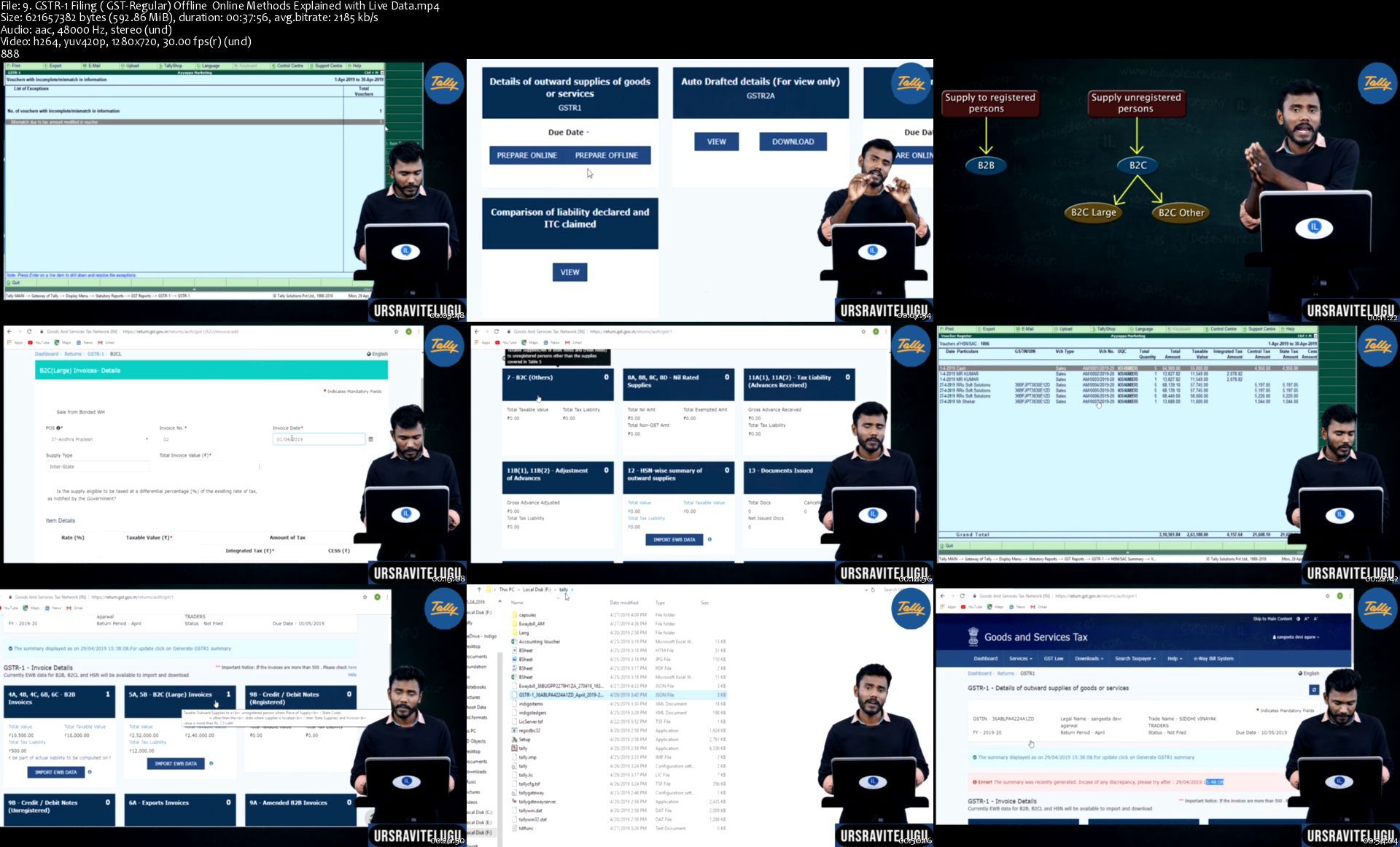
GSTR-1 Filing ( GST-Regular) Offline Online Methods Explained with Live Data
GST Registration - Live (Case Study 1)
GST Registration - Filing Clarifications
GST Registration - Tracking Submitted Applications
Viewing Submitted Applications - GST Registration
GST Registration - Core Filed Amendments
GST Registration - Non-Core Filed Amendments
GST Application for Refund
GST Registration -CANCELLATION
GST Tax Practitioner Registration
Opting Withdrawal of Composition Levy in GST Portal
What is TDS ( Tax deduction at source ) - How to calculate TDS - Introduction
How to Configure TDS in Tally ERP9 & Recordinng TDS Entries in Tally
Recording TDS Transaction in Tally ERP9
Purchase Returns & Sales Returns in Tally ERP9
Delivery Notes & Receipt Notes in Tally ERP9
Sales Orders Quotations in Tally ERP9
Tally ERP9 Discounts I Trade Discounts & Cash Discounts
PriceList's in Tally ERP9 I Party Level & Product Level
Auto-Interest Calculation on Overdue Installments
Basic of Manufacturing
Standard Manufacturing Practicals in Tally ERP9
Cost Centres in Tally ERP9 (Departments Handling)
Branch-Wise Accounts-Using Cost Centers & Godowns in Tally ERP9
Multi User Creation in Tally ERP9
Security , Password for Users in Tally ERP9
Tally Internal Data Verification & Tally Audit
Recording - Year End Adjustments in Tally ERP9
Capital Adjustments I Drawings Adjustments & Closing I Profit Sharing I Split
Payroll - in Tally ERP9 Introduction to Steps
Payroll-Complete Setup Monthly Process & Stop Computation - Overall Coverage
Budgets in Tally ERP9
Calculator Usage in Tally ERP9
Tally Data Backup & Restore
Alternate Units of Measurement in Tally ERP9
GSTR1 GSTR3B New Due Dates Late fee Updates (Feb-Mar-Apr-May) 2020
Batches Management (with Date of Manufacturing & Expiry )
Data Searching in Tally ERP9
DayBook Features in Tally ERP9
POS in Tally ERP9
Splitting in Tally ERP9
Part Numbers in Tally ERP9
Standard Rate Setup in Tally ERP9
Zero Valued Transactions
Export to Excel, JPEG, PDF, HTML
DATA Export & Import in Tally ERP9
Live Mailings from Tally ERP9
Tax Audit Due Date Extention
Reply to Students Request Refund Applied I Deducted on GSTN INot Credited2 bank
Reply to Students Request Know Your PAN Status
Budget 2020 I Highlights I Income Tax Slabs I New & Old I Benefits
37th GST Council meeting I 2 major decisions I Relaxtion of Filing GSTR-9 &+more
Highlights of 38th GST Council Meeting
Microsoft Excel - Beginner to Advanced A Master Pro Course An Introduction to Microsoft Excel
How to Open MS Excel, What is Menus, Tools, Sheets, Columns, Rows & Cells
MS Excel - Copy Cells, Move Cells
Learn How to Create Tabs, Groups and add Toll to it in MS Excel
MS Excel - Home Tab - Group Clipboard Features Functions Explained
MS Excel - Home Tab - Font Group Explained - Font Size, Font Face Style, Bold
Home Tab - Alignment Group Explained - Merge, Wrap Text, Alignments & more
MS Excel - Characteristics of Cell
Speak Cells - on Enter, by Rows, By Columns, Stop Speaking Cells I Microsoft
MS Excel - Fill Series - with formatting, without formatting & more
Fill Series - Advance Fill - Numbers, Months, Days, Custom List Edit & Add,
Fill Series - Flash Fill
Excel - Editing Data I over writing I Go to I find & replace I undo & redo
MS Excel - Text to Columns
MS Excel - Comments - add, edit, delete & Show all
MS Excel - How to Hide and Unhide Rows, Columns, Sheets
Freeze Panes - Top Row, Columns & Multiple Rows & Columns
MS Excel - Filters - Learn How to Use Filter to analyse Big Data
MS Excel - Split Sheet Window
MS Excel - How to Insert & Delete Cells, Rows, Columns
MS Excel - Working with Sheets
MS Excel - Format Multiple Sheets at a time I Sheet Formatting
MS Excel - View Sheets Side by Side from One Excel File
MS Excel - Workbook Protection - Learn how to setup a Password to open Excel
MS Excel - Sheet & Cells Protection
MS Excel - Conditional Formatting - Highlight Cells Via Number, Text & more
Concatenate - Join Multiple Text Strings into ONE
MS Excel - Trim Functions - Remove unnecessary Elements from strings
MS Excel - Print Formulas Left, Right, Middle
MS Excel - Date Related Formulas
MS Excel - Hyper Links - Cell to Sheet, Website, Existing File, Create New
MS Excel - Page Header & Footer I Add Page Numbers, Logo, Report Name, Date
MS Excel - Print, Page Setup, Margins, Size, Excel to PDF
MS Excel - Create & Remove Drop Down List
Introduction to Data Validation - Time limitation
Data Validation - Restrict Cells, Input & Error Message, Drop Down List...
Data Validation - Part2 - Circle Invalid data, Error, Stop, Warning, Inform-
Data Validation - Dependent - Multiple Drop Down Lists
MS Excel - Bar Code I Install Bar code font I Generate Bar Codes
MS Excel - Import Data from Websites - Live Data
MS Excel - Import Data from Text Document - with Auto Refresh
MS Excel - Import - Text, Word, PPT, JPEG, Video, PDF & More Objects
MS Excel - Charts - Pie Charts - Create & Customize I Chart Elements
MS Excel - Charts - Columnar, Bar, Line Charts
Logical Functions - Logical Test I Boolean Expression I TRUE or FALSE I
Logical Test - IF Function
Logical Functions - Nested IF - Learn How to work with Nested if Formula
Logical Functions - AND function
Logical Function - Not & IFERROR
MS - Excel Commonly Used Formulas I Sum I Subtraction I Avg I Percentage I Mu
Statistical Formulas - Sum, Sumif, Sumifs, Count, Countif, Countifs, Avg, Av
MS Excel - 3D Sum I Calculate Multiple Sheet Data at a time
MS Excel - Consolidate ( 3d Sum extension)
Show Formula, Trace Dependents, Trace Precedents, Evaluate Formula, Formula
Formulas - sumproduct, mround, floor, ceiling
Index Formula - Find a Position of the Value, and Call cells references
Match Formula - Find Position of the Value
MS Excel - Age Calculator in Multiple Ways - Exclusive formula
StudentMark Sheet Calculation - Sum, Average, Rank, Grade, Pass-Fail, Status
V Lookup - Introduction
V Lookup - Formula, Functionality, Rules, Approximate & Exact Match & more
H Lookup - Formula, Functionality, Rules, Approximate & Exact Match & more
X Lookup - Introduction
Download, Add & use X Lookup New Formula in MS Excel
X Lookup New Formula in MS Excel
Pivot Table Introduction & Basics of Pivot Table
Create a Pivot Chart from Table & Pivot Table
Pivot Table - Use slicers to filter data
Pivot Table, Charts, Progress Dashboard
MS Excel Calculate EMI I Prepare Loan Statement I Principal I Interest
Working with Tables
Create & Maintain Registers - Using GroupSheets, Drop Down Lists, Date Valid
Share a workbook with Co Authors, Employees or with Anyone
Commission Calculation in MS Excel
Attendance Sheet Preparation in MS Excel
Salary Calculation with CA, DA, Commission, Advance, PF, ESI
Excel to SMS
Macros
VBA
Requirements
a desire to learn new skills

Description
Commerce Basics

Accounting Fundamentals

Tally.ERP9 All Levels

TallyPrime Full Course

GST Concepts & GST Portal concepts

Income Tax Slabs

ITR1 Filing

ITR4 Filing

TDS Introduction

TDS Slabs

TDS Forms

TDS Returns

TDS Filing

Excel - Basics to Pro All Levels

Course Highlights

Faculty : A Person who trains the trainers

Tally Authorised Institute Facutly

well known as TallyGuru & Office Expert

GSTN Recognized Tax Practitioner

All topics covered Course(Like-nothing left in tally)

Classes on Licensed Version Tally

Case-Studies Explained

Quiz for Each Individual Chapter

100% Satisfactory results/Reviews

Reference Questions/Soft copy Material available

after these course Student can handle All Book of Accounts & GST

All GST Classes Based on Real-Time Data

Assignments

Quizzes

Practices Tests

Commerce Basics

Accounting Fundamentals

Tally.ERP9 All Levels

TallyPrime Full Course

GST Concepts & GST Portal concepts

Income Tax Slabs

ITR1 Filing

ITR4 Filing

TDS Introduction

TDS Slabs

TDS Forms

TDS Returns

TDS Filing

Excel - Basics to Pro All Levels

Course Highlights

Faculty : A Person who trains the trainers

Tally Authorised Institute Facutly

well known as TallyGuru & Office Expert

GSTN Recognized Tax Practitioner

All topics covered Course(Like-nothing left in tally)

Classes on Licensed Version Tally

Case-Studies Explained

Quiz for Each Individual Chapter

100% Satisfactory results/Reviews

Reference Questions/Soft copy Material available

after these course Student can handle All Book of Accounts & GST

All GST Classes Based on Real-Time Data

Assignments

Quizzes

Practices Tests

Course Highlights

Faculty : A Person who trains the trainers

Tally Authorised Institute Facutly

well known as TallyGuru & Office Expert

GSTN Recognized Tax Practitioner

All topics covered Course(Like-nothing left in tally)

Classes on Licensed Version Tally

Case-Studies Explained

Quiz for Each Individual Chapter

100% Satisfactory results/Reviews

Reference Questions/Soft copy Material available

after these course Student can handle All Book of Accounts & GST

All GST Classes Based on Real-Time Data

Assignments

Quizzes

Practices Tests


Who this course is for:
Course designed for all categories


Homepage

9.gstr1filinggstregulstk6a.jpg


The Art of Doing: Dive Into Android Development with Kotlin

0082d5cb7ekfb.jpg


The Art of Doing: Dive Into Android Development with Kotlin
Created by Michael Eramo | Published 4/2021
Duration: 16h 38m | 16 sections | 82 lectures | Video: 1280x720, 44 KHz | 9.2 GB
Genre: eLearning | Language: English + Sub

Master the fundamentals and begin your journey into android application development today!


What you'll learn
How to create your own Android applications using Android Studio and the Kotlin programming language.
How to test and upload your applications on your own physical/emulated devices.
How to design app layouts using linear and constraint layouts.
How to use binding objects (view binding and data binding) to improve projects.
How to implement navigation and fragments into your applications to have dynamic apps.
How to implement view models and live data.
We will create 6 full fledge application as well as many more "learning" applications throughout the course.

Requirements
A basic understanding of computer programing principals such as variables, conditionals, loops, and functions. I will explain the basics as I go along but won't spend time to explicitly teach them.A computer capable or running Android Studio (please see system requirements).A computer capable of running the Android Emulator (please see system requirements) or a physical android device for testing.

Description
Have you found yourself confused, lost, or frustrated when following complicated Android Studio guides, not fully understanding what was going on?
Have you always wanted to make your own mobile application but never new where to start?
Have you done some basics in another language like Python or JavaScript and don't know where to apply your knowledge?
Are you looking to code in Kotlin, Google's official language for Android application development?

2.buildingourlayoutpanbjgi.jpg


The Pilates Playlist

0079746314keu.jpg


The Pilates Playlist
Duration: 5h 46m | Video: .MP4, 1280x720 30 fps | Audio: AAC, 44.1 kHz, 2ch | Size: 7.17 GB
Genre: eLearning | Language: English

20-Minute Daily Workouts for a Toned Body

What you'll learn
Learn to practically apply the basic Pilates knowledge and fundamentals to 20-minute daily workouts.
Learn how to consistently apply the 6 Pilates movement principles to your practice.
Build your practice and progress from a beginner to intermediate level.
Build on your strength, stamina and endurance for longterm health benefits.
Develop a daily Pilates routine by practising everyday.

Requirements
Seek a medical specialists advice with any concerns, prior to starting workouts.
This course follows on from "The Pilates Practice: Uncovering the Basics". Please ensure you have basic knowledge to get the full benefit from this course.
Protect your spine by using a thick mat, or layering a number of thin mats on top of the other.
A large, rolled up towel, yoga mat or cushion - a soft surface to place your pelvis onto for selected exercises.
OPTIONAL: A yoga block and small towel for tight hips, hamstrings and back.


Description
If you're looking to create a daily Pilates routine to get in shape, this course is designed for exactly that.

This +5 hours, user-friendly course has been designed for the beginner Pilates student, looking to practise their learned knowledge within effective workouts. "The Pilates Practice: Uncovering the Basics" covers the basic knowledge. "The Pilates Playlist" will give you the opportunity to actively apply this knowledge.

This course has been created to offer a range of 20-minute workouts to be practiced daily. Who doesn't thrive from a bit of a routine! With workouts for everyday of the week, it's designed to collectively target the entire body, using minimal accessories. The workouts are interchangeable, so if you'd prefer working a specific area of your body, that's possible too.

It's set out in a way that will enable you to practise at your own level and convenience, until such point that you can advance to intermediate. Once there, continue to practise the "additional hour". You'll then have the ongoing flexibility of continuing your practice three times a week. By pairing any three, 20-minute classes together, you'll have two hours' worth of workouts, plus the additional hour, at your disposal.

Get inspired to take your body and mind to new heights, and as Joseph Pilates so truly proclaimed: "You will feel better in ten sessions, look better in twenty sessions, and have a completely new body in thirty sessions."

See you in the course...


Who this course is for:
Beginners who have completed the first course, The Pilates Practice: Uncovering the Basics. Alternatively, anyone who has the basic knowledge of the fundamentals and repertoire.
Anyone with limited access to a gym/outdoors and seeking home workouts.
Anyone looking to tone, sculpt and strengthen the core and body.
Anyone wanting to create a daily Pilates mat work routine, that is effective and convenient, with the use of minimal accessories.
Anyone looking to improve their postural alignment, with the intension of investing in a healthy spine.

Homepage

1.pelvicstabilitycore08kqd.jpg


The Complete PowerPoint and Presentation Skills Masterclass (Updated 2/2021)

2746778c92759ujl7.jpg


The Complete PowerPoint and Presentation Skills Masterclass (Updated 2/2021)
Duration: 34h 10m | Video: .MP4, 1280x720 30 fps | Audio: AAC, 44.1 kHz, 2ch | Size: 35.3 GB
Genre: eLearning | Language: English

Learn Microsoft PowerPoint, Presentation Skills, PowerPoint 365, and become a Master at Creating/Delivering PowerPoint

What you'll learn
Create a fully-animated business presentation
Create sophisticated and well-organized presentations
Feel more confident when delivering presentations to management

Requirements
A Windows based version of Microsoft PowerPoint 2007, 2010, 2013, 2016 or 2019 (Office 365)
Determination to improve your skills and learn easy-to-follow design practices


Description
This is the only PowerPoint course you will need if you want to learn how to design PowerPoint Presentations AND Create Compelling PowerPoint slides AND Deliver PowerPoint Presentations in a compelling, memorable and engaging manner. Most Important: You will learn how to communicate effectively with ever aspect of your visual and verbal tools.

TJ Walker is the #1 Bestseller of public speaking, presentation skills, communication skills, media training and storytelling courses here on Udemy. He will lead you through every aspect of who to accomplish your primary goal: successful communication.

Imran Afzal is a leading technology expert and trainer and the instructor of many top selling courses on Udemy in the fields of Linux and other IT specialties.

The course is divided into two main parts.

Part One covers all aspects of PowerPoint 365 ProPlus slide design and creation.

Imran Afzal will be your instructor here.

Message from the instructor:

I am going to teach you how to create impressive PowerPoint presentation that will be your guide for effective presentation. I have covered every single detail about PowerPoint in this course and it is very simple to navigate through.

Course Overview

Section 1 - Introduction

• Quick PowerPoint Refresher

Section 2 - Creating your first PowerPoint Slide

• Download and Install PowerPoint 365

• Access or Start the PowerPoint 365 ProPlus Application

• Selecting Your Slide

• Creating First PowerPoint Presentation

Section 3 - Editing Objects in Slides - Home Menu

• Cut, Copy, Paste, Duplicate Text Objects

• Selecting New Slides, Duplicate and Reuse a Slide

• Slide Layout, Resetting and Adding Sections

• Font Size, Bold, Italic, Underline etc.

• Clear formatting, Highlighting text, Changing text color

• Bullets, Numbering, List Levels, Line spacing, Alignment and Justify

• Add or Remove Columns, Text Direction, Align Text, and Convert to Smart Art

• Drawing Shapes - Text, Circles, Squares and Arrows

• Order, Group and Position Object

• Shape Fill and Outline

• Find, Replace and Select (Editing)

• Insert Shapes and Styles (Shape Format Menu)

• WordArtStyles and Accessibility (Shape Format Menu)

• Arrange and Size Text Objects (Shape Format Menu)

Section 4 - Adding Objects to Slides - Insert Menu

• Inserting Through Slide Themes

• New Slide Options

• Inserting a Table

• Table Styles, WordArt Styles and Draw Borders (Table Design)

• Add Row & Columns, Merge, Size & Align Cells, Table Size & Arrange (Table Layout)

• Insert or Import Excel Table

• Inserting Images (Pictures, Online Pictures, Screenshots, Photo Album)

• Illustrations (Shapes, iCons, 3D Models, SmartArt and Charts)

• Add-Ins (Get Add-ins and My Add-ins)

• Zoom (Insert - Link)

• Creating Links within Insert Menu

• Add Action to Objects (Insert --> Links)

• Add Comments (Insert --> Comment)

• Text, Header & Footer, WordArt, Date & Time, Slide and Object (Insert --> Text)

• Add Equations and Symbols (Insert --> Symbols)

• Add Videos to Slides (Insert --> Media)

• Insert Audio to Slides (Insert --> Media)

• Screen Recording (Insert --> Media)

• Remove Picture Background (Picture Format Menu)

• Picture Corrections, Color Artistic Effects & Transparency (Picture Adjust Menu)

• Compress, Change and Reset Pictures (Picture Format --> Adjust Menu)

• Picture Border, Effects and Layout (Picture Format --> Picture Styles)

• Picture Accessibility and Arrangement (Picture Format --> Arrange)

• Crop, and Change Picture Size (Picture Format --> Size)

Section 5 - Designing Slides - Design Menu

• Selecting Themes

• Variants

• Customize Slide (Standard vs. Widescreen) and Format Background

• Designer View of Slide

Section 6 - Transitions

• Transition from one Slide to Another

• Timing Slides with Sounds and Duration

Section 7 - Animations

• Different Type of Animations (Entrance, Emphasis and Exit)

• Different Type of Animations (Motion Paths and Additional Effects)

• Motion Path Animation for Shapes

• Animation of Pictures and Videos

• Timing Animated Objects

• Objects Sequence or Reorder

• Deleting Animation From Objects

• Adding Multiple Animation to an Object (Advance Animation)

• Animation Pane, Trigger, Animation Painter (Advance Animation)

Section 8 - Slide Show

• Starting the Slide Show

• Setting Up Slide Show

• Rehearse Timings (Set Up Slide Show)

• Record Slide Show

• Play Narrations, Use Timings, Show Media Controls (Slide Show)

• Monitors and Presenter View (Slide Show)

Section 9 - Review

• Proofing, Accessibility and Insight (Review)

• Language (Review)

• Adding and Deleting Comments (Review)

• Comparing Presentations (Review)

• Hide or Delete Ink (Review)

Section 10 - View

• Changing Presentation and Slide Views (View)

• Master Views (View)

• Ruler, Gridlines and Guides (View)

• Zoom (View)

• Color and Grayscale your Presentation (View)

• New Window, Arrange All, Cascade, Move Split and Switch Window

Section 11 - Help

• Get Online Help

• Contact Support

• Feedback

• Show Training

• What's New

Section 12 - File Menu

• PowerPoint 365 ProPlus Information (FILE --> Info)

• Saving Presentation

• Print, Share, Export and Close

• Account and Feedback

• General Options

• Proofing Options

• Save, Language and Ease of Access Options

• Advance Options

• Customize Ribbon, Quick AccessToolbar, Add-in and TrustCenter (Advance Options)

Part Two will cover all aspects of PowerPoint Presentation delivery

TJ Walker will be your instructor here.

Message from the instructor:

"I am going to teach you how to deliver an effective and memorable presentation while using PowerPoint slides. Remember, any fool can stand up and read off of slides and put everyone in the room to sleep. Then Pat himself on the back that he did a professional job and didn't make any mistakes and covered all the material. This is shortsighted thinking.

I'm going to teach you the following:

How to start every PowerPoint presentation in a compelling engaging way.

How to not rely on the PowerPoint presentation as your notes or Teleprompter.

A 100% Reliable means of testing The effectiveness of everyone of your PowerPoint slides before showing it to your real audience.

The fastest and easiest way of rehearsing every PowerPoint presentation.

A full proof way to completely eliminate all nervousness before giving a PowerPoint presentation.

The ultimate way of testing the effectiveness of your entire PowerPoint presentation before and after every Delivery." TJ Walker


Who this course is for:
Students
Business professionals

Homepage

8.insertingimagespictvjj64.jpg


The Ultimate Digital Marketing Course 2021: 11 Courses in 1

0dsc3d9kfvvyiuwfshcbqt2ja4.jpg


The Ultimate Digital Marketing Course 2021: 11 Courses in 1
Genre: eLearning | MP4 | Video: h264, 1280x720 | Audio: AAC, 48.0 KHz
Language: English | VTT | Size: 9.2 GB | Duration: 41h 26m

Learn market research, website creation, copywriting, SEO, Google ads, Facebook ads, email marketing, Twitter ads + more


What you'll learn
Learn Digital Marketing from the UK's Award Winning Digital Marketing Agency Owner
How to carry out market research along with the 3 question survey that will position you for success
How to build a website from scratch (without any coding skills)
How to write effective sales copy & grow your business & career
SEO - How to get any website onto page 1 of Google organically and generates tons of free traffic
Create, Develop and Optimize Your Own Profitable Google Ads Campaigns
Learn how to grow your very own email list and create revenue driving email marketing campaigns
Master Facebook Ads and connect with new audiences and lower your ad costs
Become a Twitter marketing pro, learn how to set up and create profitable twitter ad campaigns from scratch
Learn how to use effective cold email strategies to get your offer infront of key decision makers


Description
Learn Digital Marketing from the UK's Award Winning Digital Marketing Agency Owner Joshua George!

I'll be revealing the exact Digital Marketing blueprints and strategies that we use ourself at the agency, to generate several hundreds thousands of dollars in revenue EVERY single year for our clients.

These are all tried and tested strategies that are proven to actually work in the real world.

I won't just be showing you the theory behind these strategies, I'll also be showing you how you can implement ALL of them in real-time ensuring everything you learn is super actionable!

11 Courses in 1


What you'll learn by taking this course:

Market Research - Learn how to identify what products and services people desperately need and will pay money for.

Website Creation - Learn you how to build a professional website (without having to touch any code).

Email Marketing - Learn how to build an email list and send out email marketing campaigns from scratch.

Copywriting - Learn how to write effective sales copy and grow your business and career.

SEO (Search Engine Optimisation) - Learn how to get any website onto page 1 of Google organically and generate an influx of free traffic.

Google Ads - Learn how to set up and run profitable Google Ad campaigns that generate your business revenue.

Facebook Marketing - Learn the best strategies that you can use to skyrocket your businesses growth on Facebook.

Facebook Ads - Learn how to make money with Facebooks Ad platform without having to spend a fortune on ads.

Twitter Marketing - Master the most effective strategies you can use to promote your business on Twitter.

Twitter Ads - Become a Twitter marketing pro and learn how to set up and create profitable Twitter Ad campaigns from the ground up.

Cold Emailing - Learn how you to get infront of your target audience, provide value and start to generate interest in your products/ services almost instantly.

At the end of the course, you'll be able to Implement marketing strategies across some of the biggest online marketing channels out there!

Most of the tools and strategies I recommend and teach you to use are completely free or come with free trials.

There's even more!

You'll Also Get:

✔ Lifetime Access to course updates

✔ Fast & Friendly Support in the Q&A section

✔ Udemy Certificate of Completion Ready for Download

MONEY-BACK GUARANTEE

Before we go any further, let us just say, I don't want you to be disappointed.

If you don't like this course for any reason, you can get a full refund in the first 30 days, which is backed by Udemy's 30-day guarantee, with no questions asked!

This is not just a guarantee, it's my personal promise to you that I will go out of my way to help you succeed.

Digital Marketing is by far one of the most important and impactful skills you can learn in this digital age, the future truly is digital.


Who this course is for:
Entrepreneurs, business owners, bloggers, social media fans
Anyone who owns a website and wants to increase web traffic, conversions, and sales
Business owners who want to use digital marketing (SEO, Google Ads, Email marketing and many other strategies) to grow their business
Anyone who doesn't want to pay big bucks every month outsourcing Digital marketing to an agency - Learn how to do it yourself!


Homepage

5.howtoinstallathemesfok28.jpg


Microsoft Power BI Desktop for Business Intelligence

157020626c655zkzz.jpg


Microsoft Power BI Desktop for Business Intelligence
Duration: 11h 5m | Video: .MP4, 1280x720 30 fps | Audio: AAC, 44.1 kHz, 2ch | Size: 5.15 GB
Genre: eLearning | Language: English

Master Power BI Desktop & learn advanced Power BI analysis & data visualization w/ a top Microsoft Power BI instructor

What you'll learn
Build professional-quality business intelligence reports from the ground up
Blend and transform raw data into beautiful interactive dashboards
Design and implement the same B.I. tools used by professional analysts and data scientists
Showcase your skills with two full-scale course projects (with step-by-step solutions)
Understand the business intelligence workflow from end-to-end
Learn from a best-selling instructor and professional BI developer

Requirements
Microsoft Power BI Desktop (free download)
This course is designed for PC/Windows users (currently not available for Mac)
Experience with Excel Power Query, Power Pivot & DAX is a plus, but not required

Description
Hear why this is one of the TOP-RATED Power BI courses on Udemy:

"Instructor is top notch - moves at the right pace and keeps it interesting. Best Power BI course on Udemy!"

-Adam Edwards

"Resources are awesome. Presenter is brilliant. I found this course more useful than the offical Power BI course from Microsoft. Things are easy to follow, and presentations are of high quality."

-Jacobus M.

"Chris is a skilled communicator and does a great job of explaining a complex tool like Microsoft Power BI. His 'pro-tips' are great for new user productivity and gaining a sense of the big picture, and I value his best practices on building and managing Power BI queries and reports. I'm feeling much more confident to dig in and use Power BI on my own projects!"

-Bill Jerrow

__________

COURSE DESCRIPTION:

If you're looking for a comprehensive, hands-on guide to learning Microsoft Power BI Desktop, you've come to the right place.

Power BI is quickly becoming the world's most powerful self-service business intelligence platform, and an absolutely essential tool for data professionals and beginners alike. With Power BI you can connect to hundreds of data sources, build complex relational models using simple and intuitive tools, and design stunning, interactive dashboards from scratch -- all for free.

__________

THE COURSE PROJECT:

In this course, you'll be playing the role of Lead Business Intelligence Analyst for Adventure Works Cycles, a global manufacturing company. Your mission? To design and deliver a professional-quality, end-to-end business intelligence solution, armed only with Power BI and a handful of raw csv files.

But don't worry, I'll be guiding you through the ins-and-outs of Power BI Desktop, sharing crystal clear explanations and helpful pro tips each step of the way. We'll follow a steady, systematic progression through the Power BI workflow, and break down our project into FOUR KEY OBJECTIVES:

__________

POWER BI OBJECTIVE #1: Connect & Transform the Raw Data

Intro to the Power BI Query Editor

Types of Power BI Data Connectors

Basic Table Transformations

Text, Number & Date Tools

Index & Conditional Columns

Grouping & Aggregating Data

Pivoting & Unpivoting

Modifying, Merging & Appending Queries

Connecting to Folders

Defining Hierarchies & Categories

Query Editing & Power BI Best Practices

__________

POWER BI OBJECTIVE #2: Build a Relational Data Model

Intro to Database Normalization

Data ("Fact") Tables vs. Lookup ("Dimension") Tables

Creating Power BI Table Relationships

"Star" vs. "Snowflake" Schemas

Active vs. Inactive Relationships

Relationship Cardinality

Connecting Multiple Data Tables

Filtering & Cross-Filtering

Hiding Fields from the Power BI Report View

Data Modeling & Power BI best Practices

__________

POWER BI OBJECTIVE #3: Add Calculated Fields with DAX

Intro to Data Analysis Expressions (DAX)

Calculated Columns vs. Measures

Row Context vs. Filter Context in Power BI

DAX Syntax & Operators

Common Power BI Functions

Basic Date & Time Formulas

Logical & Conditional Statements

Text, Math & Stats Functions

Joining Data with RELATED

CALCULATE, ALL & FILTER Functions

DAX Iterators (SUMX, AVERAGEX)

Time Intelligence Formulas

DAX & Power BI Best Practices

__________

POWER BI OBJECTIVE #4: Design Interactive Power BI Reports

Intro to the Power BI Report View

Adding Basic Charts to Power BI Reports

Formatting & Filtering Options

Matrix Visuals

Slicers & Timelines

Cards & KPIs

Power BI Map Visuals (Basic, Fill, ArcGIS)

Treemaps, Lines, Areas & Gauges

Editing Report interactions

Adding Drillthrough Filters

Linking to Report Bookmarks

Using "What-If" Parameters

Managing & Viewing Roles

PREVIEW: Publishing to Power BI Service

Power BI Data Viz Best Practices

__________

By the end of the Adventure Works project, not only will you have developed an entire business intelligence tool from the ground up using Power BI, but you will have gained the knowledge and confidence to apply these same concepts to your own Power BI projects.

For those looking for more opportunities to test their Power BI skills, I've also included an additional set of project files for a bonus Final Project. This is your chance to showcase all of the skills you've developed throughout the course, and apply them to a brand new data set from Maven Market, a global supermarket chain.

Whether you're a casual Power BI user, aspiring analyst, or data science professional, this course will give you the tools you need to become an absolute Power BI ROCK STAR -- guaranteed.

__________

Join today and get immediate, lifetime access to the following:

100+ page Power BI ebook

Downloadable Power BI project files

Homework exercises & quizzes

1-on-1 expert support

Course Q&A forum

30-day money-back guarantee

See you in there!

-Chris (Founder, Maven Analytics)

__________

Looking for the full business intelligence stack? Search for "Maven Analytics" to browse our full course library, including Excel, Power BI, MySQL, and Tableau courses!


Who this course is for:
Anyone looking for a hands-on, project-based introduction to Microsoft Power BI Desktop
Data analysts and Excel users hoping to develop advanced data modeling, dashboard design, and business intelligence skills
Aspiring data professionals looking to master the #1 business intelligence tool on the market
Students who want a comprehensive, engaging, and highly interactive approach to training
Anyone looking to pursue a career in data analysis or business intelligence

Homepage

7.updatenewpowerbirib35j75.jpg


Law School for Everyone: Contracts (The Great Courses)

oyc2kk7xgo3j3rp3ruuqnqpjlf.jpg


Law School for Everyone: Contracts (The Great Courses)
MP4 | Video: 960x540 | Audio: AAC, 44.1Khz , 2ch | Duration: 6 hours | Language: English | 4.1 GB

If a product or service exists, someone might want to buy it or sell it. And if they do, the vehicle they'll use is a contract. This makes contract law a fascinating field that is as broad as everything humans do.

Every day, people around the world enter into multiple contracts-often with a single click of a button. By doing so, they change their personal legal landscape. They subject themselves and others to binding obligations. Sometimes they also surrender their rights, such as the power to recover for damaged property or even the ability to go to court in the first place.

In Law School for Everyone: Contracts, join Professor David Horton of the University of California, Davis, School of Law for a revealing investigation of contract law. Over 12 lectures, you'll get an accessible introduction from contract essentials, including offers, acceptances, counteroffers, options, and defenses, to contract enforcement, such as fraud, duress, and unconscionability. These and other concepts come alive in court cases that range from the outrageous to the heart-rending to the ridiculous. By the end, you'll discover why contract law is endlessly challenging, continually changing, and very much a part of your everyday life.

Contracts are agreements between two or more peoples or entities; they supposedly arise from the mutual assent of the parties. Nevertheless, in today's digital world, we routinely "agree" to contracts we haven't read-and possibly couldn't understand. It happens every time you open a bank account, rent a car, join a gym, start a new job, or sign up for internet service.

Several tough questions lie at the heart of a typical law school course in contract law:

What does it mean to "agree" to a contract?
Should courts blindly enforce fine print that nobody ever reads?
Where's the line between salesmanship and outright fraud?
Should written contracts carry more weight than verbal ones?
How wide a net should the law cast when it defines a party's rights?
The answers are vital not only for lawyers-in-training, but also for any consumer who wants a better understanding of how contracts enable us to plan, trade, and cooperate with one another.

Legal Building Blocks of Contracts

The nature of the internet today-which can, oftentimes, feel like an endless parade of companies trying to enter into electronic contracts with you-means that you might enter into a binding agreement without you ever knowing it.

Professor Horton helps you to better understand (and navigate) the contracts of everyday life by breaking down contract law into its fundamental components. Law School for Everyone: Contracts demystifies concepts and terms that can often seem intimidating to individuals outside of legal fields, such as:

Offers: According to Professor Horton, for a communication to be an offer, it must set forth the material terms of the deal, and the person making the offer (the offeror) must describe the proposed contract with enough specificity that the person receiving the offer (the offeree) can consummate the transaction by simply saying "yes" or "I accept."
Acceptances: Under what's known as the "mailbox rule," acceptance of an offer is operational the very moment it leaves the offeree's possession. This doctrine gets its name from cases where the offeror makes an offer, the offeree writes a letter accepting the offer, the offeree places the letter in the mail-and then returns home only to find a letter from the offeror revoking the offer.
Consideration: Lawyers use the word "consideration" as a shorthand for the benefit each party obtains from a contract. The consideration doctrine requires a contract to be supported by consideration in the sense that both parties agree to an exchange. This doctrine has deep and tangled roots that stretch all the way back to Justinian Rome.
Fraud: In contract law, fraud comes in two flavors. The first is misrepresentation, under which a party can annul a deal if assent is induced by either a fraudulent or material false statement of fact which the party is justified in relying on. The second is fraud in the execution, which applies when one party misleads another about the contents of a contract, and the victim justifiably relies on the wrongdoer's statement.
Promises: A basic building block of contracts, promises are a party's core obligation under the contract. Promises are connected to each other through constructive conditions. For example, when a party makes a promise, it is as if it says to the other party: "I promise to perform, but only on the implied condition that you also perform. If you don't perform, then I won't perform."
An Education in Contract Law Unlike Any Other

To help you better understand just how far-reaching a field contract law is, Professor Horton packs these lectures with eye-opening court cases that illustrate the topics and concepts covered in each lecture.

Among the many cases you'll examine in Law School for Everyone: Contracts are those involving:

A contract for the sale of a farm written on a piece of scratch paper,
A young man who claimed a soda company owed him a fighter jet, and
Two companies that couldn't agree on the meaning of the word "chicken."
Awarded the UC Davis School of Law's Distinguished Teaching Award, Professor Horton shatters the stereotype of contract law as dry and complex and transforms it into a profoundly accessible learning experience. The result is a course in contract law-and an education in the American legal system-that's unlike anything you'll find outside a top-tier law school.

12 Lectures

Average 33 minutes each

1
Contract Formation in the Internet Age

2
Understanding Offer and Acceptance

3
The Mysterious Consideration Doctrine

4
Contract Offers You Can't Revoke

5
Liability without a Binding Contract

6
Defenses to Contract: Fraud and Duress

7
Mistake and Other Contract Defenses

8
Third Parties in Contract Law

9
When a Contract Needs to Be in Writing

10
Contract Interpretation and Implied Terms

11
Building Contracts and Breaching Them

12
Remedies for Breach of Contract

chapter001stnkb1.jpg


Laravel 8.X & 7.X : Build an e-commerce web application

m56vobstpkcb0iotmlt88hikgj.jpg


Laravel 8.X & 7.X : Build an e-commerce web application
Genre: eLearning | MP4 | Video: h264, 1280x720 | Audio: AAC, 44.1 KHz
Language: English | VTT | Size: 7.4 GB | Duration: 15h 18m

Learn Basic lessons in Laravel 8.X and 7.X and build a Professional e-commerce web app with PayPal (PHP framework).


What you'll learn
How to install Laravel
How to create and configure a project with Laravel
Notions On Routes in Laravel
How to create the controllers with Laravel
Notions on models and migrations with Laravel
How to connect the database with Laravel
How to create and view products, categories, sliders with Laravel
How to select a product by category
Create shopping cart
Increase or decrease the quantity of a product in the cart
Add PayPal API for payment
Export Laravel customer orders to PDF (Invoice)


Description
In this course, we will learn from scratch and step by step how to create a complete e-commerce web application with PayPal.

We will learn:

How to create and visualize products, product categories, sliders;

How to select a product by category;

How to add products to the cart;

How to update the item's quantity and how to remove items from the cart;

How to customize the payment form for online payment with the PayPal API;

How to record and view customer orders; How to export sales orders from Laravel to PDF.

How to automatically send the customer an email containing his orders after purchase.

In this course, we will learn from scratch, step by step, the basics of Laravel. We are going to code with Laravel 7.X but we will make the different comparisons between Laravel 7.X and Laravel 8.X.

We will learn:

On setting up a Laravel project. We will see in great detail how to set up a Laravel project;

The Model View Controller concept;

The Basic Routing;

With much more details on the Controllers (extending between models and views);

How to use the Blade templating template in a Laravel project. Which has the role of being able to avoid the reuse of similar HTML codes;

With much more detail on models and migrations;

Laravel Collective is a form system clean for Laravel.


Who this course is for:
PHP Developer
Web developers who want to take their skills to the next level
Web / Software Developers who want to learn Laravel
Junior / Senior PHP Developers who want to learn Laravel


Homepage

5.laravelcollectivepasukb4.jpg


Shopify Dropshipping - Scale to 7 figures with Clickfunnels! (Updated 2/2021)

21068563e7193jjzp.jpg


Shopify Dropshipping - Scale to 7 figures with Clickfunnels! (Updated 2/2021)
Duration: 7h 44m | Video: .MP4, 1280x720 30 fps | Audio: AAC, 44.1 kHz, 2ch | Size: 7.83 GB
Genre: eLearning | Language: English

Complete eCommerce Training: Master Shopify, AliExpress Dropshipping, Facebook Advertising & Clickfunnels eCommerce

What you'll learn
Use Clickfunnels to create very high-profit sales funnels
How to set up and optimize your Shopify account, and the best strategies to find winning products on AliExpress
A complete understanding of how to run targeted and profitable Facebook Ad Campaings
How to scale Facebook Ads for maximum profit
Exactly how to use Clickfunnels to sell products online
How to engineer upsells downsells and one time offers for maximum profitability
How to set up and connect Stripe to your Clickfunnels account
How to use AliExpress
How to use Oberlo and fulfill orders efficiently
Use Facebook Pixel tracking in Clickfunnels to track and optimize conversions
Create funnels using the Clickfunnel editor with sections, rows and elements
How to Receive a Free Clickfunnels T-Shirt
Free Done-for-you ECommerce sales funnels
Integrate Clickfunnels and Shopify using Zapier
Program you Zaps to integrate with Clickfunnels, Oberlo and Shopify
How to do product research and choose profitable products to dropship
How to collect emails in Clickfunnels
Design and build your own sales funnels

Requirements
No tools necessary - software discounts provided in the course!
You should have a computer and access to internet.

Description
★This is the complete Shopify Dropshipping Masterclass - Learn everything you need to know from building your Shopify Store; choosing winning products on AliExpress; building product funnels with Clickfunnels from start to finish; automating orders with Zapier, and exactly how to run targeted ad campaigns to your funnels using Facebook and Instagram. This course is perfect for all skill levels, including absolute beginners. You will gain all skills necessary to build a profitable eCommerce business.

Do you know what it takes to build a profitable drop-shipping business in 2020?

ECommerce has been growing 23% year over year and it's not about to stop any time soon. While retail stores are going out of business, more and more people are shopping online. People are making TONS of money online every single day with eComm, and there's no better time to start building a eCommerce business than in 2020.

But the rules for eCommerce and drop-shipping have changed in the past few years. Advertising costs are rising and it's just not enough to add an AliExpress product to a Shopify store, start some ads and think you are going to break even, much less rake in those massive profits that were possible a few years ago with this strategy.

In 2020, you need to know the smartest strategies for selecting winning products on AliExpress....

....You need to know Facebook advertising in and out to be able to SCALE your ads and rake in those massive profits....

....And finally, you need to know Clickfunnels - the biggest kept secret in eCommerce - this one strategy alone will make you 5x as much money per campaign because you can UPSELL and massively increase your average order value!

I see eCommerce advertisements all the time that are just running some ad straight to a product page in Shopify...where potential customers promptly get distracted or bored and simply click off of the page....

...Worse yet, a staggering 70% of the customers that actually add a product to their cart will abandon their purchase, never to visit the store again...

Too bad these stores weren't using a sales funnel!

With Clickfunnels, eCommerce ads get over 5x more conversions because they focus on a specific call to action and take advantage of psychological sales principles that practically force people to buy...

...The average order values typically double or triple with upsells, downsells, and order bumps....

...AND customer emails are collected so you can sell your customers later, without spending a DIME on advertising.

And I am going to be teaching you exactly how to do that in this course...

....As well as automating these processes so you can spend less time on your business and make more money.

I created this course to help beginner entrepreneurs who are aware of the potential of eCommerce to provide a lifestyle of financial freedom - but who need a little guidance to build their business successfully to start seeing results FAST.

In this course, you will learn all my secrets to success so you can crush eCommerce in 2020 and take advantage of this huge opportunity.

You'll also receive the following free for joining:

3 x Done-For-You High Converting E-Commerce Sales Funnels

PLUS the E-Commerce Bonus funnel that we will build in the course!

The Ad Cost Calculator tool

How to Get a Free Clickfunnels #FunnelHacker T-Shirt

Software discounts

This is THE MOST complete and comprehensive course that will take you from absolute beginner to profitable business with eCommerce drop-shipping!

So what are you waiting for?

Join the course to learn Shopify Drop-shipping in 2020 and start making money with eCommerce now!

....Also Note that Udemy Offers a 30 Day Money Back Guarantee. So what do you have to lose? Invest in your future today and live the life of financial freedom tomorrow.

I'll see you inside the course!

To your success!

Cheryl A. Spencer


Who this course is for:
People looking to make money or start a business online
Anyone who wants to learn how to build a business from scratch and control their own income
People who have tried Shopify in the past and are looking for effective, current strategies to increase profitability
People who are interested in Clickfunnels
People who are looking for a proven system to succeed at dropshipping
People who want to learn Shopify

Homepage

3.importingproductstot2kpp.jpg


7 INSANELY Profitable Amazon Product Research Methods (2021)

owfblutrg7rsshsomjtzw7cjfb.jpg


7 INSANELY Profitable Amazon Product Research Methods (2021)
MP4 | Video: h264, 1280x720 | Audio: AAC, 48000 Hz
Language: English | Size: 8.10 GB | Duration: 7h 1m


What you'll learn
? 7 SECRET (and proven) methods to find RIDICULOUSLY PROFITABLE Amazon product ideas in as little as 1 day EVEN IF you have ZERO experience or have tried before & failed!
? AMAZON PRODUCT VAULT - 39 done-for-you product ideas so you don't have to left a finger unless you want to! (Lecture 10)
? 6 DEADLY product types that can leave you BANKRUPT & how to effortlessly avoid them like a pro! (Lecture 8)
? SECRET #5 - Find product ideas WITHOUT spending one cent on overpriced research tools. (Lecture 12)
? Afraid to sell on Amazon? No worries! Rake in OUTRAGEOUS PROFITS by finding & selling product ideas to starving Amazon Sellers. (Lecture 2)
? Find products that get you PUMPED to get out of bed every single morning! (Lecture 11)
? Ethically steal RIDICULOUSLY LUCRATIVE product ideas from $1,00,000 Amazon Sellers. (Lecture 18)
? Spot the difference between high-potential and garbage product ideas like a pro. (Lecture 6)
? How to position your product as the PREMIUM BRAND in your market to DOMINATE your competition for JUICIER profits.
? Know EXACTLY how much profit you can REALISTICALLY make from your Amazon product EVERY MONTH down to the penny. (Lecture 32)
? Ethically READ THE MINDS of your future customers to know EXACTLY what they want & how to give it to them. (Lecture 27)
? Confidently find products people ACTUALLY WANT backed by VOLUMES of tangible data. (Lectures 21)
Requirements
Basic internet skills, EVERYTHING you need is taught within this course!
Ask me ANYTHING in the Q&A section, I'm here to help you achieve a significantly better life!

Description
★★★ Find INSANELY PROFITABLE & EXCITING Amazon FBA Product Ideas That NOBODY ELSE Knows About in As Little as 24 Hours (2021 Update). ★★★

(This works EVEN IF you've tried before and failed or have ZERO experience.)

Did you know the #1 reason Amazon Sellers fail is picking the wrong product to sell?

It's true!

This is such a big problem that some sellers lose literally THOUSANDS of dollars and waste MONTHS of their life finding & launching a product that were destined to fail from the beginning.

The problem new sellers face is that 99% of the information about Amazon product research on Youtube, Facebook Groups, articles, etc. is COMPLETELY FALSE!

Online gurus who've never sold a single thing on Amazon in their life fake screenshots and tell you to use the EXACT SAME tools in the EXACT SAME ways as literally 99% of other new sellers.

They say things like, "Look at how much revenue this product can make you every month!" without mentioning how INSANELY COMPETITIVE that particular market is or how little profit you will actually deposit into your bank account every month.

This is what would cause you to waste THOUSANDS of dollars and MONTHS of your life on a product you thought would free your from your 9-5 grind just to find yourself in a worse position with less time, less money and less confidence than ever before.

Luckily for you there's a solution to find THOUSANDS of ACTUALLY PROFITABLE, low-competition products to sell on Amazon.

Let me introduce you to the Amazon Product Research Secrets Course.

In this course you will learn.

6 DEADLY product types that leave new sellers BANKRUPT & how to effortlessly avoid them like a pro! (Lecture 8)

SECRET #5 - Find product ideas WITHOUT spending one cent on overpriced research tools. (Lecture 12)

Afraid to sell on Amazon? No worries! Rake in OUTRAGEOUS PROFITS by finding & selling product ideas to starving Amazon Sellers. (Lecture 2)

Find products that get you EXCITED to get out of bed every single morning! (Lecture 11)

Ethically steal RIDICULOUSLY LUCRATIVE product ideas from $1,00,000+ Amazon Sellers. (Lecture 18)

How to position your product as the PREMIUM BRAND in your market to DOMINATE your competition for JUICIER returns.

Know EXACTLY how much profit you can REALISTICALLY make from your Amazon product every month down to the penny. (Lecture 32)

SO MUCH MORE!

Now, why do I (Sumner) have a single ounce of credibility to teach this topic?

First of all, I'm an actual Amazon Seller that generates a full time income finding and selling HIGHLY profitable products on Amazon and I've helped literally HUNDREDS of brand-new Amazon Sellers do the exact same.

Don't take my word for it though.

Here are just a few raving fans of this course.

★★★★★ "I didn't even know where to start, but everything seems so simple right now! One of the best classes, if not the best, that I have ever taken." - Karo L

★★★★★ "Sumner is THE best Amazon FBA teacher out there. Most people charge several thousand dollars for the same or even less stuff. Sumner is super passionate and caring. Over the screen, I can feel his positiveness and kindness to help us succeed. I'm going to move on to the next module and I'll see you there!" - Turvey H

★★★★★ "Thankful to have found Sumner's course! His positive energy and insights were helpful to give me confidence to get going on product research, and I am going to continue with his next course as well." - Erin G

★★★★★ "Sumner Hobart is an amazing teacher! I have been watching Udemy courses you tube videos and almost all of them are the within 2 or 3 different types of videos which all copy cat each other. This is original content that as far as I am aware you will not see anywhere else. Thanks for sharing your knowledge Sir." - Mike T

★★★★★ "I was looking for an overview in the fba market and the possibilities it holds for private sellers. i am a photographer, filmmaker and graphic designer. So this was gold for me. I can do the whole marketing and product design myself and will definitely try this out. I was listening to the course and i already started researching products. I already have a list of possible products. I am very excited. Thank you for sharing your knowledge. I wish you all the best. Will also check out the other courses right ahead :)" - Tobias H

★★★★★ "Amazing class and I feel like I have learned from A-Z on how to find my first product. You convinced me to absolutelly start investing in this, where 2 days ago I was not even aware about it. If I may give a remark below: It can be really confusing on how to proceed after finishing the course, so maybe a slide on bullet points for the product research and the usage of the tools with each step along the way. Thank you again and good luck to you!!!" - Ana M

★★★★★ "Absolutely loved this course! The amount of valuable knowledge is huge and it covers all the aspects you need. It's very clear and the steps are easily actionable. Many thanks for sharing that much information, it definitely makes a huge difference from all the other options out there on YouTube and other platforms. Will definitely use everything I learnt from this course. The only downside: if you have already a bit of an idea about Amazon FBA, some moments in the course can be a bit too redundant, but speeding up the videos to 1.5x helps, as you don't want to skip that altogether." - Lulia S

★★★★★ "My dream sense a little kid has always been to be different and not to follow the typical 9 to 5 with college debt and a 401k retirement plan. I started with engineering in college and soon realized i just wanted to be my own boss and my own individual. I later transitioned into an entrepreneurship degree and soon realized why am i here and not out there doing something to improve myself and my career. I've always been scared because I don't know how to start anything and I don't have some big brained plan, I'm just a kid with a dream. This Course really just proves to me that you can live a normal life while still working on your wild dreams. Ive been wanting to start my own Amazon career for over a year now and finding this course was absolutely the best thing i could've done. Sumner's energy, positivity, clarity and transparency has really aloud me to improve and learn new skills that i can utilize to build my career and has really given me hope as to whats attainable and how much opportunity there really is out there for people like me. It seems difficult because everything you can think about is most likely already a product or a service and just makes you feel like you cant bring originality to products but he has definitely inspired me and shown me how much potential and opportunity there is with every single product. Great work, Highly recommend!" - Gustavo S

By the end of this course you will have every single thing you need to find INSANELY profitable (and EXCITING) Amazon FBA product ideas that NOBODY ELSE even knows about in as little as 24 hours (EVEN IF you've tried before and failed or have ZERO experience.)

BONUS: For a limited time only you will gain exclusive access to my Amazon Product Idea Vault containing over 39 done-for-you product ideas you can easily vet for yourself and potentially sell on Amazon for profit!

LOVE IT OR YOUR MONEY BACK: If this course does not completely change your life, Udemy will give you 100% of your money back within 30 days. NO questions asked.

You have NOTHING to lose and so much to gain!

ENROLL NOW and gain the freedom & credit you deserve starting today.

P.S. This offer is only available for a limited time so enroll now before time runs out!


Who this course is for:
Fed up with your current job? Want to put more money in your bank account every month? This course is for you!
Already sell on Amazon? Want to EXPONENTIALLY increase the amount of profit you generate from your products every month? This course is for you!
Product Designer? Inventor? Want total certainty people actually want to buy your product before you try to sell it? This course is for you!


Homepage

14.findhighlyprofitabkijko.jpg


Zero to Hero Android Developer Course

6lzjbrpzyuccgdwd0l4xffvkpt.jpg


Zero to Hero Android Developer Course
Genre: eLearning | MP4 | Video: h264, 1280x720 | Audio: AAC, 44.1 KHz
Language: English | VTT | Size: 11.6 GB | Duration: 23h 45m

Learn Android by Developing Android Apps


What you'll learn
Apply for your dream job as an Android Developer
Build complex, production ready Java Android Applications
Build a fantastic resume in order to show to employers
Create Professional Java Applications
Create Great Android Applications
Bring your own App Idea to Life


Description
Zero to Hero Android Developer Course is Precisely Crafted for the students who want to learn about android and mobile app development but have zero programming knowledge. In this course, students will learn in brief about Android Development starting with the Installation of Android studio and then we will start learning Android UI Components, Android basics by building android applications with the most popular programming language JAVA, then we will learn about parsing data from the internet and Advanced Android Programming and then we will move on to learning SQLite database also by creating an android app and then we will see ways of deploying our android app.

After this course, students will be able to develop their own android app, without just copying and pasting from the internet they will be able to turn their idea into a working android app.

Course Objective

Learn to code like the pros - not just copy and paste

Learn the latest Android P APIs and services - we don't teach old junk

Build apps

No Experience is needed

Course Outcome

Every major aspect of the course has been explained briefly with both theoretical and practical explanations.

To make students understand the development process briefly, everything has been explained by building applications in the practical season.

To make students understand problem-solving techniques, errors have been solved step by step and the reasons have been explained briefly in the lectures.


Who this course is for:
People who have no programming experience
People who want create their own android applications
People who want to get a job as an Android Developer
People who want to create awesome Android Applications just for fun
People who want to work as a Freelancer


Homepage

2.intentandpassingdatxyk50.jpg


Zurück
Oben Unten