• Regeln für den Video-Bereich:

    In den Börsenbereich gehören nur Angebote die bereits den Allgemeinen Regeln entsprechen.

    Einteilung

    - Folgende Formate gehören in die angegeben Bereiche:
    - Filme: Encodierte Filme von BluRay, DVD, R5, TV, Screener sowie Telesyncs im Format DivX, XviD und x264.
    - DVD: Filme im Format DVD5, DVD9 und HD2DVD.
    - HD: Encodierte Filme mit der Auflösung 720p oder darüber von BluRay, DVD, R5, TV, Screener sowie Telesyncs im Format x264.
    - 3D: Encodierte Filme von BluRay, die in einem 3D Format vorliegen. Dies gilt auch für Dokus, Animation usw.
    - Serien: Cartoon/Zeichentrick, Anime, Tutorials, Dokumentationen, Konzerte/Musik, Sonstiges sind demnach in die entsprechenden Bereiche einzuordnen, auch wenn sie beispielsweise im High Definition-Format oder als DVD5/DVD9/HD2DVD vorliegen. Ausnahme 3D.
    - Bereich Englisch: Englische Releases gehören immer in diesen Bereich.
    - Bereich Talk: Der Bereich, in dem über die Releases diskutiert werden kann, darf, soll und erwünscht ist.


    Angebot/Beitrag erstellen

    - Ein Beitrag darf erst dann erstellt werden, wenn der Upload bei mindestens einem OCH komplett ist. Platzhalter sind untersagt.
    - Bei einem Scenerelease hat der Threadtitel ausschließlich aus dem originalen, unveränderten Releasenamen zu bestehen. Es dürfen keine Veränderungen wie z.B. Sterne, kleine Buchstaben o.ä. vorgenommen werden. Ausnahme Serienbörse:
    - Bei einem Sammelthread für eine Staffel entfällt aus dem Releasename natürlich der Name der Folge. Beispiel: Die Simpsons S21 German DVDRip XviD - ITG
    - Dementsprechend sind also u.a. verboten: Erweiterungen wie "Tipp", "empfehlenswert", "only", "reup", usw. / jegliche andere Zusatzinformation oder Ergänzung, welche nicht in obiger Beschreibung zu finden ist.

    Aufbau des Angebots und Threadtitel

    Der Titel nach folgendem Muster erstellt zu werden. <Name> [3D] [Staffel] [German] <Jahr> <Tonspur> [DL] [Auflösung] <Quelle> <Codec> - <Group>
    Beispiel: The Dark Knight German 2008 AC3 DVDRip XviD - iND
    Beispiel: The Dark Knight 2008 DTS DL BDRip x264 - iND
    Beispiel: The Dark Knight 2008 AC3 DL BDRip XviD - iND
    Beispiel: The Dark Knight German 2008 AC3 720p BluRay x264 iND
    Beispiel: The Dark Knight 2008 DTS DL 1080p BluRay x264 iND
    Beispiel: Die Simpsons S01 German AC3 DVDRip XviD iND
    Beispiel: Die Simpsons S20 German AC3 720p BluRay x264 iND
    Beispiel: Sword Art Online II Ger Sub 2014 AAC 1080p WEBRip x264 - peppermint
    Entsprechend sind also u.a. verboten: Sonderzeichen wie Klammern, Sterne, Ausrufezeichen, Unterstriche, Anführungszeichen / Erweiterungen wie "Tipp", "empfehlenswert", "only", "reup", usw. / jegliche andere Zusatzinformation oder Ergänzung, welche nicht in obiger Beschreibung zu finden ist
    Ausnahmen hiervon können in den Bereichen geregelt sein.

    Die Beiträge sollen wie folgt aufgebaut werden:
    Überschrift entspricht dem Threadtitel
    Cover
    kurze Inhaltsbeschreibung
    Format, Größe, Dauer sind gut lesbar für Downloader außerhalb des Spoilers zu vermerken
    Nfo sind immer Anzugeben und selbige immer im Spoiler in Textform.
    Sind keine Nfo vorhanden z.B. Eigenpublikationen, sind im Spoiler folgende Dateiinformationen zusätzlich anzugeben :
    Quelle
    Video (Auflösung und Bitrate)
    Ton (Sprache, Format und Bitrate der einzelnen Spuren)
    Untertitel (sofern vorhanden)
    Hosterangabe in Textform außerhalb eines Spoiler mit allen enthaltenen Hostern.
    Bei SD kann auf diese zusätzlichen Dateiinformationen verzichtet werden.

    Alle benötigten Passwörter sind, sofern vorhanden, in Textform im Angebot anzugeben.
    Spoiler im Spoiler mit Kommentaren :"Schon Bedankt?" sind unerwünscht.


    Releases

    - Sind Retail-Release verfügbar, sind alle anderen Variationen untersagt. Ausnahmen: Alle deutschen Retail-Release sind CUT, in diesem Fall sind dubbed UNCUT-Release zulässig.
    - Im Serien-Bereich gilt speziell: Wenn ein Retail vor Abschluss einer laufenden Staffel erscheint, darf diese Staffel noch zu Ende gebracht werden.62
    - Gleiche Releases sind unbedingt zusammenzufassen. Das bedeutet, es ist zwingend erforderlich, vor dem Erstellen eines Themas per Suchfunktion zu überprüfen, ob bereits ein Beitrag mit demselben Release besteht. Ist dies der Fall, ist der bereits vorhandene Beitrag zu verwenden.
    - P2P und Scene Releases dürfen nicht verändert oder gar unter einem iND Tag eingestellt werden.


    Support, Diskussionen und Suche

    - Supportanfragen sind entweder per PN oder im Bereich Talk zu stellen.
    - Diskussionen und Bewertungen sind im Talk Bereich zu führen. Fragen an die Uploader haben ausschließlich via PN zu erfolgen, und sind in den Angeboten untersagt.
    - Anfragen zu Upload-Wünschen sind nur im Bereich Suche Video erlaubt. Antworten dürfen nur auf Angebote von MyBoerse.bz verlinkt werden.


    Verbote

    - Untersagt sind mehrere Formate in einem einzigen Angebotsthread, wie beispielsweise das gleichzeitige Anbieten von DivX/XviD, 720p und 1080p in einem Thread. Pro Format, Release und Auflösung ist ein eigener Thread zu eröffnen.
    - Grundsätzlich ebenso verboten sind Dupes. Uploader haben sich an geeigneter Stelle darüber zu informieren, ob es sich bei einem Release um ein Dupe handelt.
    - Gefakte, nur teilweise lauffähige oder unvollständige Angebote sind untersagt. Dies gilt auch für eigene Publikationen, die augenscheinlich nicht selbst von z.B. einer DVD gerippt wurden. Laufende Serien, bei denen noch nicht alle Folgen verfügbar sind, dürfen erstellt und regelmäßig geupdatet werden.
    - Untersagt sind Angebote, welche nur und ausschließlich in einer anderen Sprache als deutsch oder englisch vorliegen. Ausnahmen sind VORHER mit den Moderatoren zu klären.


    Verstoß gegen die Regeln

    - Angebote oder Beiträge, die gegen die Forenregeln verstoßen, sind über den "Melden"-Button im Beitrag zu melden.
  • Bitte registriere dich zunächst um Beiträge zu verfassen und externe Links aufzurufen.

++ Premium IPTV ++ 7000 Live Sender ++ UHD Qualität ++ Mediathek mit 18.000 Inhalten ++


VenneTV


Englische Tutorials

Anton Kreil - Trading Masterclass POTM + PFTM + PTMI

qcaw1eyccfbprdvrm4xxxadknk.png


Anton Kreil - Trading Masterclass POTM + PFTM + PTMI
MP4 | ENG | Video: mpeg4, yuv420p, 1280x720 | Audio: aac, 32000 Hz | Duration: 69h:58m | Size File: 14.7 GB
Genre: eLearning

Anton Kreil - Masterclass de trading POTM + PFTM + PTMI. Anton Kreil - Trading Masterclass POTM + PFTM + PTMI Professional Options Trading Masterclass (POTM)Educational Video Series focused on teaching Options Trading Strategies to Retail Traders in the same way that Professional Traders use these strategies to make consistently high % returns from Financial Markets. The Professional Options Trading Masterclass (POTM) Video Series is THE premier educational Options Trading course globally available for Retail Traders. Contents: + POTM video 1 Defining the Mandate 1+ POTM

Homepage

potmvideo05marginalbelbkn2.jpg


Udemy - JavaScript - The Complete Guide 2020 (Beginner + Advanced) (Updated 4/2020)

3wlyhxlqhfrxf8ofcktqizxjp9.png


Udemy - JavaScript - The Complete Guide 2020 (Beginner + Advanced) (Updated 4/2020)
MP4 + SRT | Video: 1280x720 | Audio: AAC 48Khz , 2ch | Duration: 52 hours | Language: English | 19.3 GB

Modern JavaScript from the beginning - all the way the way up to JS expert level! THE must-have JavaScript resource.


What you'll learn
JavaScript from scratch - beginner to advanced
All core features and concepts you need to know in modern JavaScript development
Everything you need to become a JavaScript expert and apply for JavaScript jobs
Project-driven learning with plenty of examples
All about variables, functions, objects and arrays
Object-oriented programming
Deep dives into prototypes, JavaScript engines & how it works behind the scenes
Manipulating web pages (= the DOM) with JavaScript
Event handling, asynchronous coding and Http requests
Meta-programming, performance optimization, memory leak busting
Testing, security and deployment
And so much more!

JavaScript is THE most important programming language you need to learn as a web developer - and with this course, you make sure that you will not miss a single thing you have to know as a JavaScript developer!

This is the most comprehensive and modern course you can find on JavaScript - it's based on all my JavaScript knowledge AND teaching experience. It's both a complete guide, starting with the core basics of the language, as well as an extensive reference of the JavaScript language and environment, ensuring that both newcomers as well as experienced JavaScript developers get a lot out of this course!

It's a huge course because it's packed with important knowledge and helpful content. From the core basics, over advanced concepts and JavaScript specialties, all the way up to expert topics like performance optimization and testing - this course has it all. My goal was to create your go-to resource for the JavaScript language, which you can not just use for learning it but also as a resource you can come back to and look up important topics.

The course is based on my experience as a long-term JavaScript developer as well as a teacher with more than 1,000,000 students on Udemy as well as on my YouTube channel Academind. It's packed with examples, demos, projects, assignments, quizzes and of course videos - all with the goal of giving you the best possible way of learning JavaScript.

What's in the course?

This course is obviously packed with content - I therefore strongly recommend that you check out the full course curriculum to get a clear idea of all the topics covered in the course. In general, here's what you'll find in the course:

Modern JavaScript from the start: The JavaScript syntax changed over time - in this course, you'll learn the latest syntax from the start (you'll also learn about the old one though, so that you can work in ANY JS project)

ALL the Basics: Variables, constants, functions, how scripts are loaded etc

Arrays & Objects: We'll explore these very important data structures in great detail

Control Structures: Understand how to run code conditionally and in loops

A look behind the Scenes: How JavaScript engines work behind the scenes and what that means for us

Deep dives into Core Concepts: ALL the special things about JavaScript function, different syntaxes

Working with the DOM: How to manipulate web pages dynamically via JavaScript (including deep dives and different use-cases)

Events in JavaScript: Learn how to listen to a broad variety of events (e.g. drag & drop) and execute appropriate code

Classes & Object-oriented Programming: Learn how to work with classes, prototypes, the "this" keyword, constructor functions and much more

Asynchronous and Synchronous Programming: We'll explore callbacks, promises, async/ await and other important tools and language features to execute code correctly

Http Requests: Learn how to send Http requests via JavaScript

Tooling, Optimizations & Browser Support: Code splitting, producing small code and ensuring that scripts work in all browsers - this matters and hence is covered in great detail

Libraries & Frameworks: Learn about libraries like Axios or frameworks like React.js - why they matter and how to use them

Node.js: Whilst focusing on the browser-side for the majority of the course (because the syntax is the same), we'll also have a dedicated section on Node.js to learn all about that JS host environment

Security & Performance Optimizations: Of course security matters, so does performance - no surprise that both is covered in the course!

Automated Testing: Testing manually is hard work and can be unreliable - in this course you'll also get an introduction into automated testing

What are the course prerequisites?

NO JavaScript knowledge is required - you'll learn it from scratch!

You also need NO programming experience other than basic web development knowledge (e.g. how the web works)

Basic HTML and CSS knowledge is recommended but not a must-have


Who this course is for:
Beginner web development students who have no or only little JavaScript experience
Also developers who know the basics about JavaScript and want to deepen their knowledge
Advanced JavaScript developers who want to learn more about the nitty-gritty details and dive into advanced concepts
Everyone interested in learning JavaScript and all about how it works


5.functionsareobjectsvgjj8.jpg


Ansys Fluent- Computational Fluid Dynamics (CFD)

hozfdxqppp9hxnf4l50x1y0kwn.jpg


Ansys Fluent- Computational Fluid Dynamics (CFD)
h264, yuv420p, 1280x720 |ENGLISH, 48000 Hz, 2channels | 2 h 33mn | 489 MB

Students'll understand Fluid Flow's basics in Ansys and course have examples of different CFD models for beginners

What you'll learn

You'll able to analyze many system.
You'll able to create new geometry in Ansys CFD.

Requirements

Your attention to learn Ansys.
Your attention to learn Computational Fluid Dynamics.
Ansys has been loaded on your computer.


Description

Hi there,

Companies want to avoid testing money. So, some analysis programs are developed. These programs provide to save your money. They'll give you result which is nearly correct. In my opinion, every engineer should learn one analysis program at least.

Ansys is one of the analysis programs. Some claims that it's best. It can analyze structural, fluent, heat transfer, vibration or more. This course contents information about computational fluid dynamics (CFD). We'll learn how to create geometry, mesh at Ansys. Then, this course helps to setup conditions. After taking this course, we'll able to select solver which is best for our problem.

I hope to see you in this course.

Who this course is for:

A person who is machine engineer,
A person who want to work at automative or space industry,
A person who want to work at research-development departman.

5.boundaryconditionano3k8c.jpg


Ansys Tutorial

xy0ef24gaiqorjpogxtxxszjx2.png


Ansys Tutorial
BestSeller | h264, yuv420p, 1280x720 |ENGLISH, aac, 48000 Hz, 2 channels | 7h 16 mn | 1.9 GB
Created by: Armin Yousefi Kanani

Modelling and Analyzing composite model in Ansys Software

What you'll learn

they will be able to model simple and complex composite model in ANSYS
They will be able to work with ACP tools
They will be able to work with different ANSYS analysis tools in workbench
They will learn how to work with ANSYS workbench

Requirements

What is composite material
basic knowledge of ansys
basic knowledge of CAD software


Description

Composite materials are created by combining two or more layered materials, each with different properties. These materials have become a standard for products that are both light and strong. Composites provide enough flexibility so products with complex shapes, such as boat hulls and surfboards, can be easily manufactured. Engineering layered composites involves complex definitions that include numerous layers, materials, thicknesses and orientations. The engineering challenge is to predict how well the finished product will perform under real-world working conditions. This involves considering stresses and deformations as well as a range of failure criteria. ANSYS Composite PrepPost provides all necessary functionalities for the analysis of layered composite structures.

This tutorial has been divided to 11 sections. in order to get the best result please follow tutorials step by steps if you are beginners.

The first section of this tutorial is an introduction to Ansys software and ACP tools. You will learn how to add ACP tools into project schematic and create very simple geometry.

In the second section you will learn about tools inside ACP such as Draping, Rules, Rossete, Orientation. This section is crucial for everyone in order to continue tutorials. This section all tools explained step by step (PLEAEE DO NOT MISS THIS SECTION)

In the third section, you will learn how to model T beam shape in ANSYS ACP and do stress Analsys. This is a good example for beginners to test their modelling skills in ACP software.

Buckling is one of the important subject in composite material. Therefore, the whole section four is dedicated to this matter to find eigenvalue for simple composite plate

ACP tool can be coupled with other ACT extensions such had honeycomb creator. In this section, you will learn how to create honeycombs and combine that with composite model in ACP.

In the section sixth, seventh and eighth you will learn how to combine model with mechanical model and ACP. Three different mechanical examples have been solved with ACP and mechanical model in ANSYS workbench. DO NOT MISS SECTION 6

Sections 9, 10 and 11 are dedicated to fatigue, natural frequencies, failure such as rebounding, delamination and progressive failure. PLEASE DO NOT ATTEMPT TO DO THESE SECTION WITHOUT DOING PREVIOUS SECTIONS IF YOU ARE BEGINNERS. This course has around 1800 students so far and I noticed some students skip the basic tutorials and jump to advanced examples then they complain that videos did not cover everything. In order to have the best of this course is better to start from basic and learn all the tools from section 1 to 5 then you would be able to create any model in ANSYS ACP.

I hope you all enjoy this tutorials. Please send me message if you think anything can improve the quality of this course as I am updating course regularly.

Many thanks

Armin

"All rights reserved,Any unauthorized broadcasting, public performance, copying or re-recording will constitute an infringement of copyright"

Who this course is for:

Beginner in Ansys
Expert in Ansys
Mechanical Engineer
Composite material researcher
composite students


Homepage

016creatingsandwichcoe6kjo.jpg


ANSYS DesignModeler Essentials

1983958a7f828xj67.jpg


ANSYS DesignModeler Essentials
Video: .MP4, 1280x720 | Audio: AAC, 44100 Hz, 2ch | Duration: 3h
Genre: Design / Design Tools| Language: English + Sub | Size: 1,35 GB

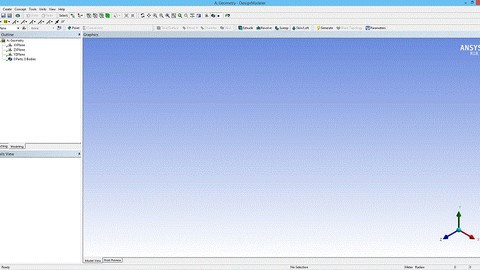
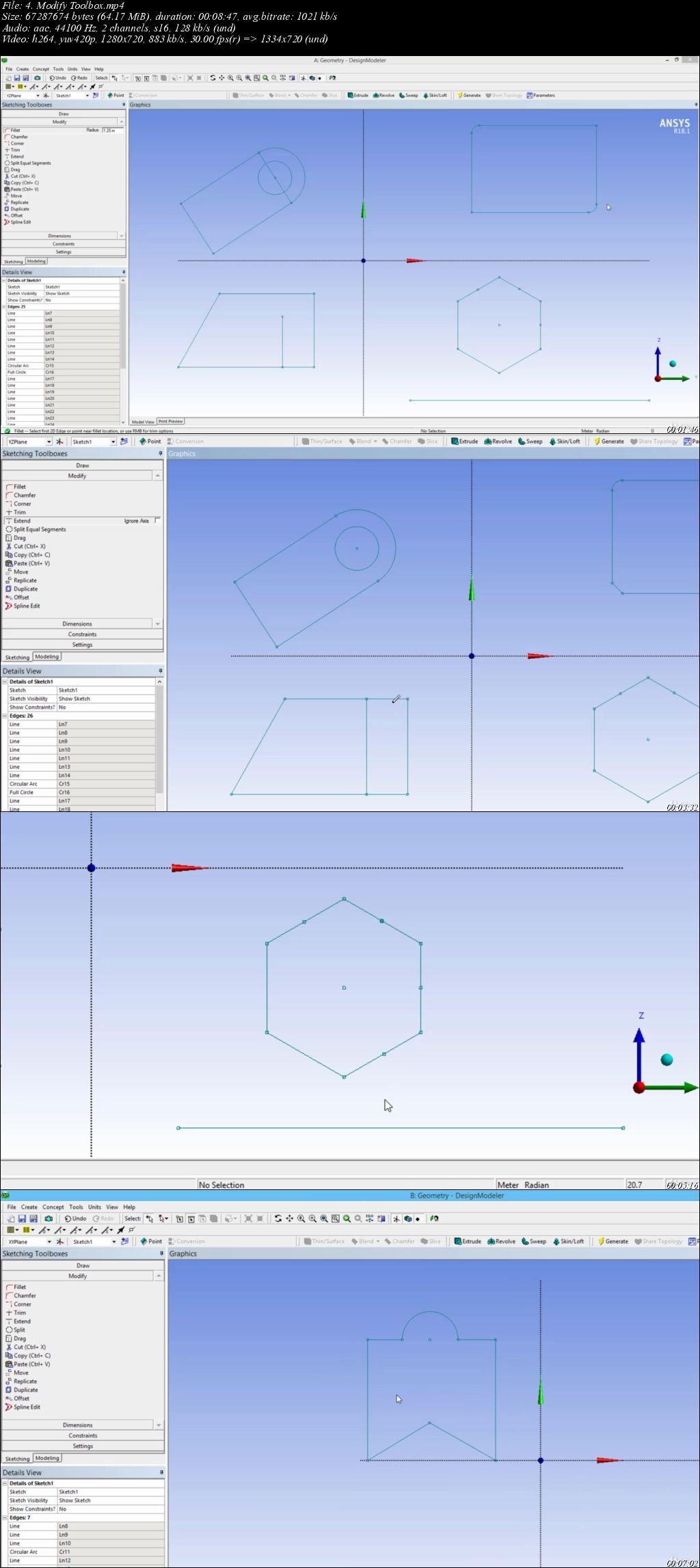
The course begins with an introduction to the ANSYS DesignModeler (DM) Interface, followed by methods to create Planes and Sketches. How to draw, modify, Dimension and Constrain sketches and how to prepare your geometry for meshing using cleanup and repair tools present in DesignModeler. We will go through the primary menus in DM and learn how to create and modify 3D geometries. You will also learn some of the basic concepts used in DM such as Frozen, active, suppressed and hidden. Concepts related to Meshing such as multi body parts and share topology are also discussed briefly.

What you'll learn
create and modify 2D and 3D geometries in ANSYS DesignModeler
Cleanup and repair any geometry imported into DesignModeler
Prepare geometry for Meshing

Are there any course requirements or prerequisites?
PC or Laptop Core i3 and above, 4 GB RAM
ANSYS Workbench Academic v15.0 and above
Basic or No knowledge of ANSYS DesignModeler


Who this course is for:
Students from Mechanical and Aerospace Engineering
Engineering graduates who want to start their career in Engineering Design & Analysis

pjgviwhd9o1zazrfvouiy1kf8.jpeg


Ansys Fluent = Learn how to use the Ansys Fluent effectively

amdhslyg8ccrpxfwsfko8jdjcp.jpg


Ansys Fluent = Learn how to use the Ansys Fluent effectively
MP4 | h264, 1280x720 | Lang: English | Audio: aac, 44100 Hz | 8h 36m | 4.85 GB


What you'll learn
They will learn how to analyze and simulate the engineering models.
Requirements
Basic Engineering Knowledge with powerful computer
Student,who has engineering background, has a little bit knowledge about CFD

Description
This course is a perfect fusion of CFD theory and software exposure. This course explicitly focuses on solver and post-processing part oF typical CFD process using simulation tools Ansys Fluent. Each chapter has specific workshop for doing more practice.

Following topic will be covered in this course;

Chapter 1= Learning basic steps for CFD Analsys with Ansys Fluent, Launching Ansys Fluent, Fluent Graphic User Interface, using the Ribbons to guide the workflow of the Fluent session, showing the main tabs such as Setting Up domain, check mesh quality, display.Doing more practice with Workshop model section.

Chapter 2= Specifically focus the "Setting Up Physics" section such as how to define Material Properties, cell zone, boundary conditions, operating Condition and Solver type.Doing more practice with Workshop model section.

Chapter 3 = Learn how to use the ribbons in the Post-processing section and learn how to do quantitative and qualitative flow performance of the system with using both CFD Post and Fluent also learn how to create graphical objects such as mesh, contour, vector,pathlines, Composing and displaying scenes using scene objects, Alphanumeric post processing of fluxes and integral quantities Defining new variables using custom field functions and creating x-y plot , check the residuals in the Plot section and show how to use animation tools in the CFD Post and Fluent.Doing more practice with Workshop model section.

Chapter 4 = how to specify the solver and choose methods and controls, how to initialize the solutions, how to use the report definitions to monitor and judge converge and talk details in Solving Ribbon such as Method, Controls, residuals, initialization, Calculate section and converge criteria.Doing more practice with Workshop model section.

Chapter 5 = Defining Inlet/Outlet parameter, Parameter Management, working with design points, design point update,retain and initialization.Doing more practice with Workshop model section.


Who this course is for:
Engineers,Designers,Engineering Students(Undergrad,Master,PHD),Consultants


Homepage

1.tipandtrickss7gjry.jpg


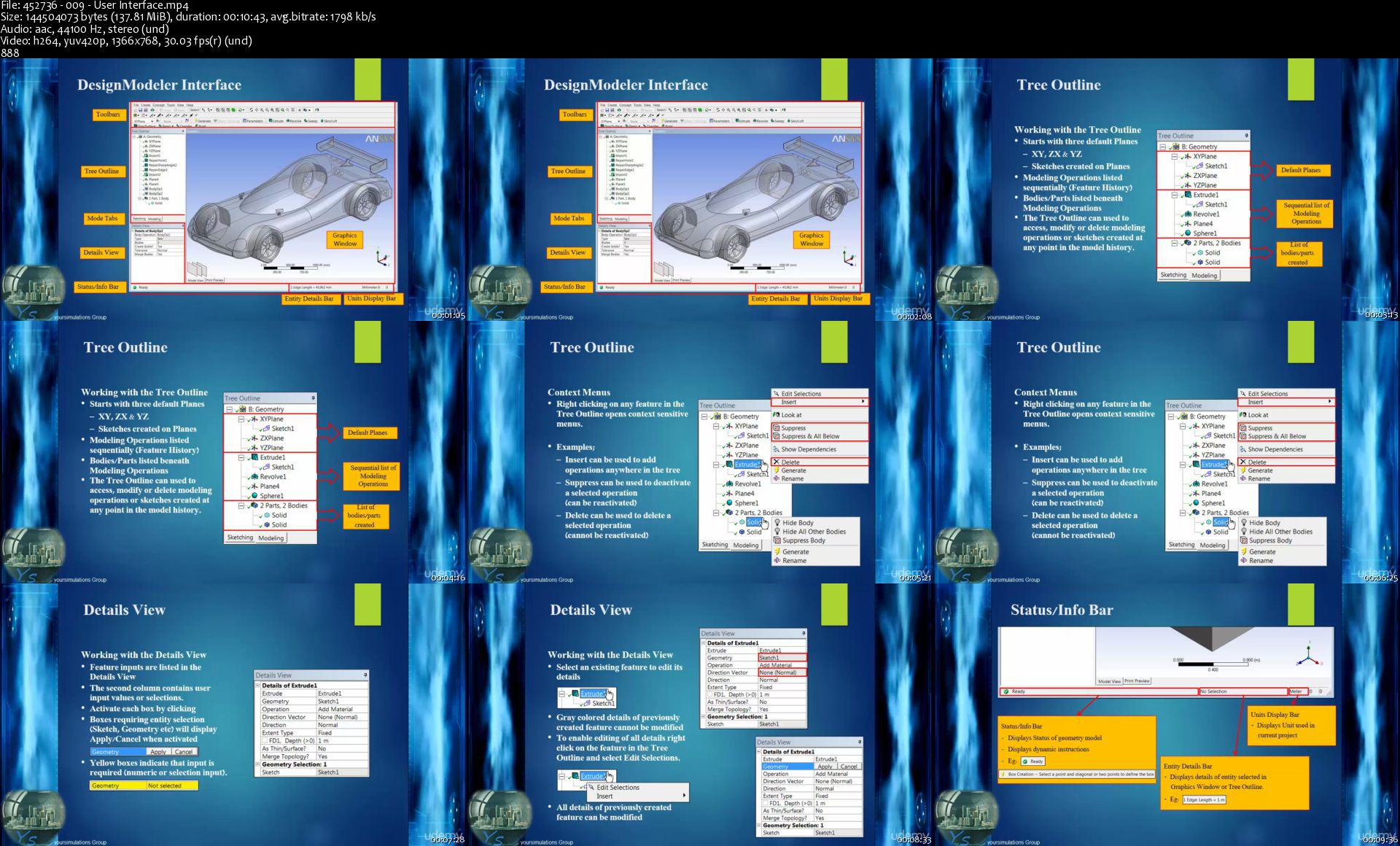
Engineering Simulations - Complete ANSYS 15.0 Course

vyjn4.jpg


Engineering Simulations - Complete ANSYS 15.0 Course
$200 | Duration: 32 hours | Video: h264, 1366x768 | Audio: AAC, 44 KHz, 2 Ch | 18 GB
Genre: eLearning | Language: English

Learn how to use ANSYS software to simulate most of all engineering problems on this planet as expert as you can

If you've ever seen a rocket launch, flown on an airplane, driven a car, used a computer, touched a mobile device, crossed a bridge, or put on wearable technology, chances are you've used a product where ANSYS software played a critical role in its creation. ANSYS is the global leader in engineering simulation. We help the world's most innovative
companies deliver radically better products to their customers. By offering the best and broadest portfolio of engineering simulation software, we help them solve the most complex design challenges and engineer products limited only by imagination.

What are the requirements?

CAD
Meshing
CFD
Mechanical
CFX
FLUENT
FEM
What am I going to get from this course?

CAD
Meshing
CFD
FEM
What is the target audience?

Students
Lecturer
Professional
Industry
Employee
Simulation Hobbiests
Engineers
Researchers

452736009userinterfaclljc4.jpg


Introduction to ANSYS Spaceclaim Direct Modeler

42ehvs74j9n.jpg


Introduction to ANSYS Spaceclaim Direct Modeler
40m | Video: .MP4, 1280x720, 30 fps(r) | Audio: AAC, 44100Hz, 2ch | 403 MB
Genre: eLearning | Language: English

Ansys spaceclaim is 3D direct modeler CAD processing software. It enable you to create and clean geometry at very fast speed. Which makes you highly productive at your job. And you will get more time to work on your simulations.

All the ppt slides, CAD model, spaceclaim file, videos files are available as downloadable material. You can download these files and use them for your learning and educational purposes.

ANSYS SpaceClaim enables anyone to create, edit, or repair geometry without worrying about underlying technology. With SpaceClaim, working with 3D modeling software becomes fast, easy, flexible, and rewarding, no matter where in the workflow you need it.

Users of ANSYS SpaceClaim can:

Edit, repair, and create any geometry - without worrying about where the file comes from

Increase productivity by removing the CAD bottleneck in your workflow

Manipulate geometry faster, easier, and more intuitively resulting in less time spent struggling with geometry and more time dedicated to primary job functions such as manufacturing, analysis, and concept modeling.

What are the requirements?

Computer with i3 processor and 4GB RAM
Ansys 18.1 Installed on your computer
What am I going to get from this course?

You should be able to learn different tools and commands in Spaceclaim.
You should be able to clean IGES cad model (provided) and create watertight fluid domain for CFD analysis.
You should also be able to work on different geometries on your own.
What is the target audience?

If you are interested in processing your bad quality CAD models and convert them in high quality CFD models

0xw0ju4cpyiji40wwsmenvkmw.jpeg


Ansys Space Claim= Learn how to use Space Claim effectively

vj7qu38usfiitjtbaigbfg7k3t.jpg


Ansys Space Claim= Learn how to use Space Claim effectively
MP4 | Video: h264, 1280x720 | Audio: AAC, 44.1 KHz, 2 Ch
Genre: eLearning | Language: English + srt | Duration: 14 lectures (6h 11m) | Size: 3.24 GB

Core Skills, Creating Models, Repairing Models, Preparing Fluent Models and Transferring Model from Space Claim to WB

What you'll learn:
Student will learn how to sketch engineering model and doing simplification on the existing model to prepare it for Meshing section.
Student will prepare the model for Meshing in the Ansys Simulation package.(This is first and very important step to get accurate result in the Ansys)

Requirements
Basic Engineering Knowledge with powerful computer
Student who has basic knowledge about the CAD ,modeling tools, can take this course.


Description
Student will learn how create 3D model from scratch and do simplification, modification on the existing model to prepare it for meshing and fluent section of the Ansys Simulation package.

This is the industry leading direct modeling tool for rapid concept design and geometry manipulation.

This course focused the tools to repair, prepare, sketch and optimize models.

Each chapter has specific workshop model,showing how to use the tools(step by step), for doing more practice.

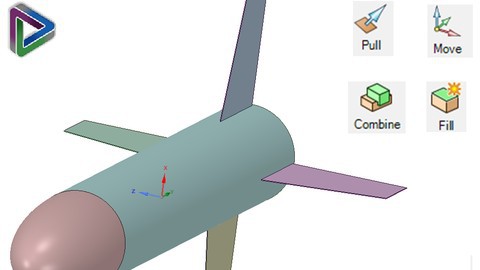
Chapter 1=Students will learn how to launch the Space Claim ,importing geometry, Exploring/familiarize the Ribbon Toolbars,Structural Tree and use the main tools such as Pull,Move,Fill and Combine and do practice with workshop model.

Chapter 2 =Creating 3D Model from scratch with using tools such as sketch creation,pull, blend,Split body,move, do practice with assembly model, and detailing the drawings and do practice with workshop model.

Chapter 3 = How to use the repairing tools such as Stitch,Gap,Missing Face,Split edges,Merge Faces,Small Faces and implement best practice when working in the Space Claim and learn how to use the specialized tools such as round,interference,faces,short edges, and do practice with workshop model.

Chapter 4 = Do simplification on the existing model to prepared it for Meshing section and also Create Volume Extraction and Enclosure, work on the assembly part and learn how to create share topology and do practice with workshop model..

Chapter 5 = Transfer file from Space Claim to Workbench and learn how to use Simplification tools such as split faces,split edges,imprint, mid-surfaces, and exporting named selection and Parameters to Workbench and also learn Python Script-basic in the Space Claim and do practice with workshop model.

If student wants to create very good meshing on the model to get accurate results with the Ansys Simulation package. They have to know how to use the Space Claim for simplification and/or preparation the model. This course will teach them how to use the Space Claim very effective.

Who this course is for
Engineers,Designers,Engineering Students(Undergrad and/or Master and/or PHD), Programmers, Consulted, Research Department
Student using the Ansys simulation package has to know how to use the Space Claim to create the model or do simplification on the existing model before working on the Meshing Section.

Homepage

1.tipandtricks1sujkfo.jpg


Finite Element Simulations with ANSYS Workbench 14

i0sx68ix6vp66tcweaefbdj32.jpeg


Finite Element Simulations with ANSYS Workbench 14
ebook + DVD | English | MP4 + PDF + Project Files | 1280 x 720 | AVC ~941 Kbps | 25 fps
AAC | 3096 bps | 44.1 KHz | Stereo | ~15 hours | 4.09 GB
Genre: eLearning | Author: Huei-Huang Lee

Finite Element Simulations with ANSYS Workbench 14 is a comprehensive and easy to understand workbook. It utilizes step-by-step instructions to help guide readers to learn finite element simulations. Twenty seven case studies are used throughout the book. Many of these cases are industrial or research projects the reader builds from scratch. An accompanying DVD contains all the files readers may need if they have trouble. Relevant background knowledge is reviewed whenever necessary. To be efficient, the review is conceptual rather than mathematical, short, yet comprehensive. Key concepts are inserted whenever appropriate and summarized at the end of each chapter. Additional exercises or extension research problems are provided as homework at the end of each chapter.

Who this book is for
This book is designed to be used mainly as a textbook for undergraduate and graduate students. It will work well in:
-a finite element simulation course taken before any theory-intensive courses
-an auxiliary tool used as a tutorial in parallel during a Finite Element Methods course
-an advanced, application oriented, course taken after a Finite Element Methods course

Table of Contents:

Introduction
Sketching
2D Simulations
3D Solid Modeling
3D Simulations
Surface Models
Line Models
Optimization
Meshing
Buckling and Stress Stiffening
Modal Analyses
Structural Dynamics
Nonlinear Simulations
Nonlinear Materials
Explicit Dynamics
Index

Finite Element Simulations with ANSYS Workbench 14 is a comprehensive and easy-to-understand book. It uses a step by step instructions to help readers explore the simulation by finite element method. 27 case studies. Attached files. Additional exercises as homework at the end of each chapter.
Attached are the files from the official website. The book is not complete: some of Googlebook, the missing pages from the book "Finite Element Simulations with ANSYS Workbench 12".

Additional Resources:

Animation Section
Finished Project File
Video Section
Pdf chapters
jophedpbybw3kj9get7eapjq0.jpeg


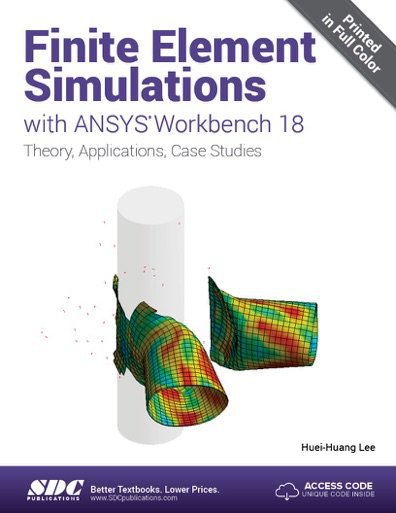
Finite Element Simulations with ANSYS Workbench 18

irp7gahncntsh2a0izrhv42j1b.jpg


Finite Element Simulations with ANSYS Workbench 18
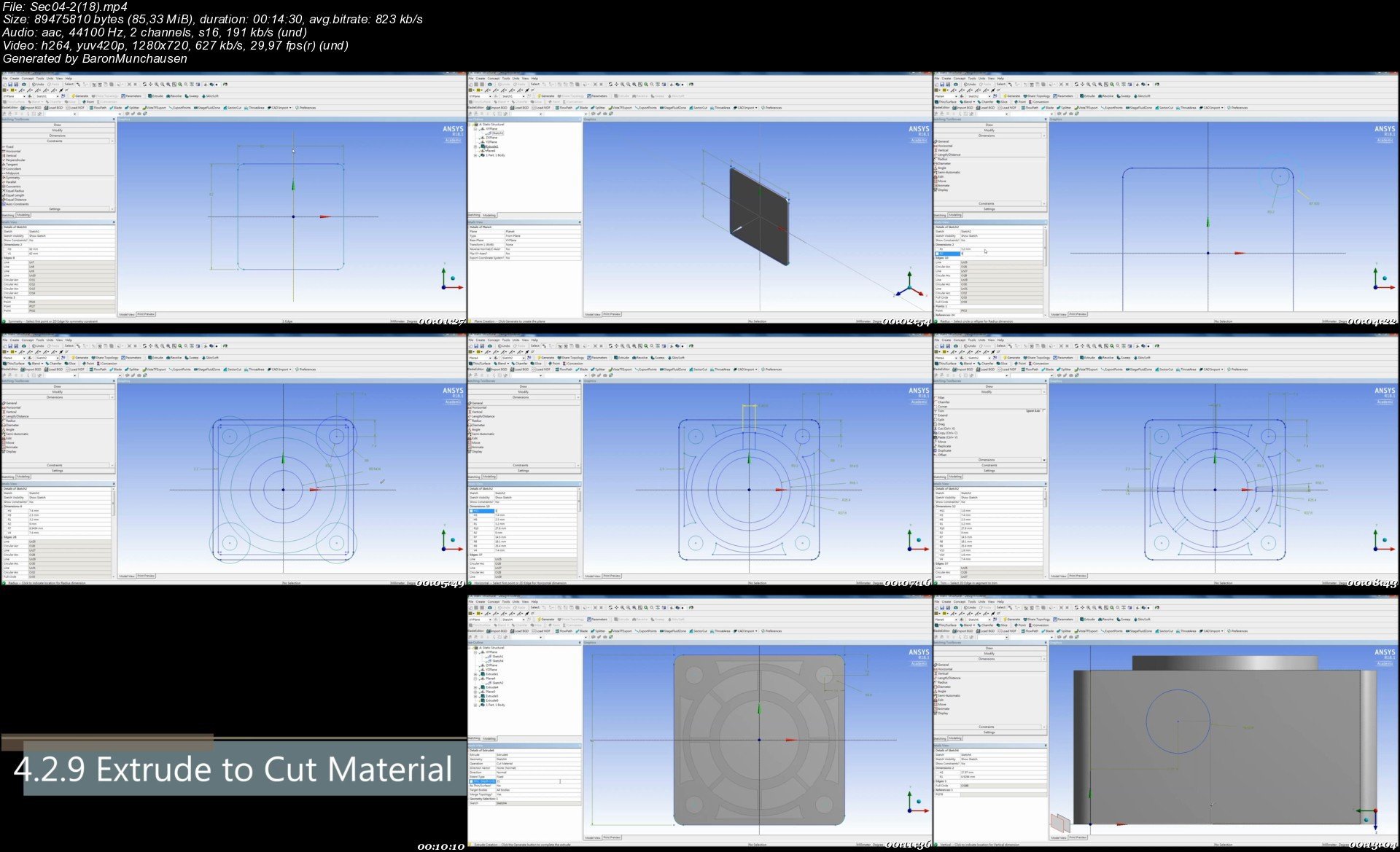
eBook + Videos | MP4 + PDF + Project Files | English | 5 hours 41 minutes | 2.34 GB
1280 x 720 | AVC ~517 Kbps | 29.97 fps | AAC | 192 kbps | 44.1 KHz | Stereo
Genre: eLearning | Author: Huei-Huang Lee

Finite Element Simulations with ANSYS Workbench 18 is a comprehensive and easy to understand workbook. Printed in full color, it utilizes rich graphics and step-by-step instructions to guide you through learning how to perform finite element simulations using ANSYS Workbench.

Twenty seven real world case studies are used throughout the book. Many of these case studies are industrial or research projects that you build from scratch. Prebuilt project files are available for download should you run into any problems. Companion videos, that demonstrate exactly how to perform each tutorial, are also available.

Relevant background knowledge is reviewed whenever necessary. To be efficient, the review is conceptual rather than mathematical. Key concepts are inserted whenever appropriate and summarized at the end of each chapter. Additional exercises or extension research problems are provided as homework at the end of each chapter.

A learning approach emphasizing hands-on experiences is utilized though this entire book. A typical chapter consists of six sections. The first two provide two step-by-step examples. The third section tries to complement the exercises by providing a more systematic view of the chapter subject. The following two sections provide more exercises. The final section provides review problems.
Who this book is for

This book is designed to be used mainly as a textbook for undergraduate and graduate students. It will work well in:

a finite element simulation course taken before any theory-intensive courses
an auxiliary tool used as a tutorial in parallel during a Finite Element Methods course
an advanced, application oriented, course taken after a Finite Element Methods course

Table of Contents
1. Introduction
2. Sketching
3. 2D Simulations
4. 3D Solid Modeling
5. 3D Simulations
6. Surface Models
7. Line Models
8. Optimization
9. Meshing
10. Buckling and Stress Stiffening
11. Modal Analysis
12. Transient Structural Simulations
13. Nonlinear Simulations
14. Nonlinear Materials
15. Explicit Dynamics
Index

txycqhu2rrbaacq4oumaykkuh.jpeg


Ansys Fluent Class#2 Let's do more practice&SettingUpPhysics

xluewq0jsyekvexf0vj1mc3kmi.jpg


Ansys Fluent Class#2 Let's do more practice&SettingUpPhysics
MP4 | h264, 1280x720 | Lang: English | Audio: aac, 44100 Hz | 2h 27m | 1.40 GB


What you'll learn
Student will learn how to simulate the engineering model
Requirements
Basic Engineering Knowledge with powerful computer

Description
This course is a perfect fusion of CFD theory and software exposure. This course explicitly focuses on Space Claim,Meshing and part of typical CFD process using simulation tools Ansys Fluent.

Ansys Space Claim= Doing practice with using Workshop model and Students will learn how to launch the Space Claim Direct Modeler,importing geometry, Exploring/familiarize the Ribbon Toolbars,Structural Tree.

Objectives

To start SpaceClaim in standalone mode and from Workbench

To become acquainted with geometry creation basics

To become acquainted with the structure tree

To import geometry within current component and as a new component

It starts by creating sketches using the Sketch Creation Tools

The Pull Tool is than used to create 3D geometry from the sketch

Ansys Meshing = Doing practice with using Workshop model and Student will learn how to launching mesh, genrating a mesh, creating named selections, using inflation, checking mesh quality, saving the project

•Generating a mesh

•Creating Named Selections

•Using Inflation

•Checking mesh quality

•Saving the project

Ansys Fluent= Learning basic steps for CFD Analsys with Ansys Fluent, Launching Ansys Fluent, Fluent Graphic User Interface, using the Ribbons to guide the workflow of the Fluent session, showing the main tabs such as Setting Up domain, check mesh quality, display.Doing more practice with Workshop(Air Monifold) model section.

Setting up Physics

How to define material properties

How to define cell zone conditions in Fluent including solid zones and porous media

The different boundary condition types in Fluent and how to use them

How to specify well-posed boundary conditions

Porous Zone

Workshop:

Simplify the Model

Create a Mesh

Defining Physical Model such as Turbulance and Energy

Selecting Material Property

Defining Boundary Conditions

Setting up solution monitors

Running the simulation

Post Processing


Who this course is for:
Engineers,Designers,Engineering Students(Undergrad and/or Master and/or PHD), Programmers, Consulted, Research Department


Homepage

005ansysspaceclaimcorackyk.jpg


Zurück
Oben Unten