• Regeln für den Video-Bereich:

    In den Börsenbereich gehören nur Angebote die bereits den Allgemeinen Regeln entsprechen.

    Einteilung

    - Folgende Formate gehören in die angegeben Bereiche:
    - Filme: Encodierte Filme von BluRay, DVD, R5, TV, Screener sowie Telesyncs im Format DivX, XviD und x264.
    - DVD: Filme im Format DVD5, DVD9 und HD2DVD.
    - HD: Encodierte Filme mit der Auflösung 720p oder darüber von BluRay, DVD, R5, TV, Screener sowie Telesyncs im Format x264.
    - 3D: Encodierte Filme von BluRay, die in einem 3D Format vorliegen. Dies gilt auch für Dokus, Animation usw.
    - Serien: Cartoon/Zeichentrick, Anime, Tutorials, Dokumentationen, Konzerte/Musik, Sonstiges sind demnach in die entsprechenden Bereiche einzuordnen, auch wenn sie beispielsweise im High Definition-Format oder als DVD5/DVD9/HD2DVD vorliegen. Ausnahme 3D.
    - Bereich Englisch: Englische Releases gehören immer in diesen Bereich.
    - Bereich Talk: Der Bereich, in dem über die Releases diskutiert werden kann, darf, soll und erwünscht ist.


    Angebot/Beitrag erstellen

    - Ein Beitrag darf erst dann erstellt werden, wenn der Upload bei mindestens einem OCH komplett ist. Platzhalter sind untersagt.
    - Bei einem Scenerelease hat der Threadtitel ausschließlich aus dem originalen, unveränderten Releasenamen zu bestehen. Es dürfen keine Veränderungen wie z.B. Sterne, kleine Buchstaben o.ä. vorgenommen werden. Ausnahme Serienbörse:
    - Bei einem Sammelthread für eine Staffel entfällt aus dem Releasename natürlich der Name der Folge. Beispiel: Die Simpsons S21 German DVDRip XviD - ITG
    - Dementsprechend sind also u.a. verboten: Erweiterungen wie "Tipp", "empfehlenswert", "only", "reup", usw. / jegliche andere Zusatzinformation oder Ergänzung, welche nicht in obiger Beschreibung zu finden ist.

    Aufbau des Angebots und Threadtitel

    Der Titel nach folgendem Muster erstellt zu werden. <Name> [3D] [Staffel] [German] <Jahr> <Tonspur> [DL] [Auflösung] <Quelle> <Codec> - <Group>
    Beispiel: The Dark Knight German 2008 AC3 DVDRip XviD - iND
    Beispiel: The Dark Knight 2008 DTS DL BDRip x264 - iND
    Beispiel: The Dark Knight 2008 AC3 DL BDRip XviD - iND
    Beispiel: The Dark Knight German 2008 AC3 720p BluRay x264 iND
    Beispiel: The Dark Knight 2008 DTS DL 1080p BluRay x264 iND
    Beispiel: Die Simpsons S01 German AC3 DVDRip XviD iND
    Beispiel: Die Simpsons S20 German AC3 720p BluRay x264 iND
    Beispiel: Sword Art Online II Ger Sub 2014 AAC 1080p WEBRip x264 - peppermint
    Entsprechend sind also u.a. verboten: Sonderzeichen wie Klammern, Sterne, Ausrufezeichen, Unterstriche, Anführungszeichen / Erweiterungen wie "Tipp", "empfehlenswert", "only", "reup", usw. / jegliche andere Zusatzinformation oder Ergänzung, welche nicht in obiger Beschreibung zu finden ist
    Ausnahmen hiervon können in den Bereichen geregelt sein.

    Die Beiträge sollen wie folgt aufgebaut werden:
    Überschrift entspricht dem Threadtitel
    Cover
    kurze Inhaltsbeschreibung
    Format, Größe, Dauer sind gut lesbar für Downloader außerhalb des Spoilers zu vermerken
    Nfo sind immer Anzugeben und selbige immer im Spoiler in Textform.
    Sind keine Nfo vorhanden z.B. Eigenpublikationen, sind im Spoiler folgende Dateiinformationen zusätzlich anzugeben :
    Quelle
    Video (Auflösung und Bitrate)
    Ton (Sprache, Format und Bitrate der einzelnen Spuren)
    Untertitel (sofern vorhanden)
    Hosterangabe in Textform außerhalb eines Spoiler mit allen enthaltenen Hostern.
    Bei SD kann auf diese zusätzlichen Dateiinformationen verzichtet werden.

    Alle benötigten Passwörter sind, sofern vorhanden, in Textform im Angebot anzugeben.
    Spoiler im Spoiler mit Kommentaren :"Schon Bedankt?" sind unerwünscht.


    Releases

    - Sind Retail-Release verfügbar, sind alle anderen Variationen untersagt. Ausnahmen: Alle deutschen Retail-Release sind CUT, in diesem Fall sind dubbed UNCUT-Release zulässig.
    - Im Serien-Bereich gilt speziell: Wenn ein Retail vor Abschluss einer laufenden Staffel erscheint, darf diese Staffel noch zu Ende gebracht werden.62
    - Gleiche Releases sind unbedingt zusammenzufassen. Das bedeutet, es ist zwingend erforderlich, vor dem Erstellen eines Themas per Suchfunktion zu überprüfen, ob bereits ein Beitrag mit demselben Release besteht. Ist dies der Fall, ist der bereits vorhandene Beitrag zu verwenden.
    - P2P und Scene Releases dürfen nicht verändert oder gar unter einem iND Tag eingestellt werden.


    Support, Diskussionen und Suche

    - Supportanfragen sind entweder per PN oder im Bereich Talk zu stellen.
    - Diskussionen und Bewertungen sind im Talk Bereich zu führen. Fragen an die Uploader haben ausschließlich via PN zu erfolgen, und sind in den Angeboten untersagt.
    - Anfragen zu Upload-Wünschen sind nur im Bereich Suche Video erlaubt. Antworten dürfen nur auf Angebote von MyBoerse.bz verlinkt werden.


    Verbote

    - Untersagt sind mehrere Formate in einem einzigen Angebotsthread, wie beispielsweise das gleichzeitige Anbieten von DivX/XviD, 720p und 1080p in einem Thread. Pro Format, Release und Auflösung ist ein eigener Thread zu eröffnen.
    - Grundsätzlich ebenso verboten sind Dupes. Uploader haben sich an geeigneter Stelle darüber zu informieren, ob es sich bei einem Release um ein Dupe handelt.
    - Gefakte, nur teilweise lauffähige oder unvollständige Angebote sind untersagt. Dies gilt auch für eigene Publikationen, die augenscheinlich nicht selbst von z.B. einer DVD gerippt wurden. Laufende Serien, bei denen noch nicht alle Folgen verfügbar sind, dürfen erstellt und regelmäßig geupdatet werden.
    - Untersagt sind Angebote, welche nur und ausschließlich in einer anderen Sprache als deutsch oder englisch vorliegen. Ausnahmen sind VORHER mit den Moderatoren zu klären.


    Verstoß gegen die Regeln

    - Angebote oder Beiträge, die gegen die Forenregeln verstoßen, sind über den "Melden"-Button im Beitrag zu melden.
  • Bitte registriere dich zunächst um Beiträge zu verfassen und externe Links aufzurufen.

++ Premium IPTV ++ 7000 Live Sender ++ UHD Qualität ++ Mediathek mit 18.000 Inhalten ++


VenneTV


Englische Tutorials

Udemy 40 Programs in Python 3 BOOKWARE-SOFTiMAGE

198759242_030-python-how-to-find-the-biggest-number-in-a-list-max-function_c.jpg


Udemy 40 Programs in Python 3 BOOKWARE-SOFTiMAGE | MP4 | 1.17 GiB

921 kb/s 1280x720 | AAC 128 kb/s 2 CH


NFO:
File List:

File: 001 Program to Convert Kilometeres into Miles.mp4
Size: 12902201 bytes (12.30 MiB), duration: 00:01:52, avg.bitrate: 922 kb/s
Audio: aac, 44100 Hz, stereo (und)
Video: h264, yuv420p, 1280x720, 30.00 fps(r) => 1041x720 (und)


Download ( Size: 1.17 GiB ):
Filehosts: Nitroflare, Rapidgator


oHeopzn.png

2 Link/s
96F6A82E08.png


5hSo1Ay.png

2 Link/s
27ADCDDC38.png


CGCircuit Mastering Nuke Vol 3 BOOKWARE-SOFTiMAGE

198761327_19-merging-core-matte-and-soft-matte_c.jpg


CGCircuit Mastering Nuke Vol 3 BOOKWARE-SOFTiMAGE | EXR,MP4,NK,RTF | 681.03 MiB

369 kb/s 1920x1080 | AAC 126 kb/s 2 CH


NFO:
File List:

File: 01-what-is-a-chroma-key.mp4
Size: 5451789 bytes (5.20 MiB), duration: 00:01:58, avg.bitrate: 370 kb/s
Audio: aac, 44100 Hz, stereo (und)
Video: h264, yuv420p, 1920x1080, 29.97 fps(r) (und)


Download ( Size: 681.03 MiB ):
Filehosts: Nitroflare, Rapidgator


oHeopzn.png

1 Link/s
06D64AA71E.png


5hSo1Ay.png

1 Link/s
0A4004812A.png


Oratoria y Comunicación Efectiva con PNL

pmgkg1g4cqs7sgz1zuagh87j0l.jpg


Oratoria y Comunicación Efectiva con PNL
MP4 | Video: h264, 1280x720 | Audio: AAC, 44100 Hz
Language: Spanish | Size: 10.0 GB | Duration: 11h 50m


What you'll learn
Liderazgo emocional y cognitivo
Influencia y persuación
Comunicación en ámbitos profesionales y personales
Técnicas de impacto emocional
Análisis de falacias y argumentación
Cambio estructural de pensamiento
Metamodelo de Programación Neurolingüística
Inducción lógica e Inducción emocional
Creación de presentaciones digitales efectivas e impactantes
Manejo de información
Confianza y autogestión emocional
Requirements
No hay requisitos previos, todo es impartido en el contenido del curso.

Description
"No es lo que el orador dice, sino quién es, lo que da paso a la elocuencia." - Eurípides

Tips de comunicación y oratoria vas a encontrar por miles en YouTube y en toda la Web, y por más que los aprendas todos, posiblemente no lograrás la influencia, convicción y potencia que te otorga SER un/a orador/a que realmente ha trabajado la profundidad de sí mismo/a para comunicar desde un lugar de liderazgo emocional y empático.

Transmitir mensajes con potencia e impacto es tan importante como el escuchar y comprender en profundidad los mensajes que los demás emiten, entrenar la escucha activa y aprender a ver lo que hay detrás de cada uno de los discursos y mensajes de los demás, aprender a ver el sistema de creencias, valores y emociones que sustentan la posición del otro. De esta manera, siempre estarás diez pasos por delante de los demás en comprensión, y por ende, hablarás directo al corazón de quienes te escuchan.

Esto implica, no solo a prender técnicas y entrenar, sino también hacer introspección para soltar tu propio ego y poner como protagonistas a los demás, liderando de una forma honesta y auténtica. Para lograrlo, hace falta más que tips, hace falta un trabajo profundo, terapéutico y de verdadero desarrollo de habilidades, tanto cognitivas como emocionales e intuitivas.

Eso es lo que encontrarás en este curso: un entrenamiento intensivo, profundo y holístico, de varias disciplinas apuntando a varios aspectos de tu ser y tu personalidad, siempre enfocándonos en el desarrollo de la comunicación efectiva.

====== TEMARIO ========

Unidad 1: Introspección ******************************

Verás hacia tu interior para detectar cuáles son los bloqueos que inhiben o limitan tu forma de comunicar, impidiéndote transmitir la seguridad que deseas o la elocuencia que querrías. Aprenderás a identificar lo que en PNL se conoce como estructura superficial (lo que una persona muestra) y estructura profunda (lo que la persona realmente es), para mejorar tu estructura profunda y así influir desde tu esencia, pero también para llegar al interior de los demás y comprender cómo funciona cada quién. También aprenderás a reconocer tus canales comunicativos predominantes para entrenar los que están debilitados, y a adaptarte a los canales de las demás personas.

Temas principales:

Estructura superficial

Estructura profunda

El genio ¿nace o se hace?

Canales comunicativos

Test de canales comunicativos

Sistema representacional

Tres historias

Unidad 2: Adquiriendo recursos ********************

Conocerás lo que es tu autoimagen y descubrirás cuáles son tus sesgos mentales y cognitivos que hacen que tu comunicación se distorsione. Sabrás además cómo utilizar esto a tu favor al tener en cuenta los sesgos de las demás personas y ser capaz de detectarlos. Aprenderás lo que es el mapa o modelo del mundo de las demás personas, cómo opera la mente en este sentido, y cómo pararte en el mapa de los demás para influir desde allí. También entrenarás cómo salirte de tu mapa para no limitarte.

Temas principales:

Tu autoimagen

Quitando sesgos mentales

Salir en la foto

El sesgo del ego

Tu primera presentación

Tu VS El otro

El modelo del mundo y su efecto en la comunicación

Primera apertura del mapa

Tu segunda presentación

Unidad 3: Comunicación (in)voluntaria *************

Comprenderás a fondo cómo la comunicación humana es un proceso primario, inconsciente y automático, siendo en consecuencia que todo lo que transmites al exterior sale de tu psicología interior, de tu subconsciente. Entenderás cómo operan los 4 pilares básicos de la comunicación (lingüística, tono de voz, lenguaje corporal y mente) y los entrenarás a fondo para obtener excelentes resultados. Aprenderás la técnica del Rapport para dirigir la comunicación implícitamente y entrenarás la sintonía comunicativa.

Temas principales:

Pilares básicos de la comunicación

La palabra

Tono de voz

Lenguaje corporal

Filtro inconsciente

Neuronas espejo

El sistema de creencias y los prejuicios

Poniendo a prueba tu sistema de creencias

Rapport

Relación y afectación de cuerpo y mente

La lingüística del otro

Comunicación (in)voluntaria

Ejercicios de Rapport y sintonía comunicativa

Unidad 4: La ciencia de la comunicación *************

Aprenderás cómo funciona y opera la zona de confort en los seres humanos y cómo usar esta herramienta a tu favor. Sabrás cómo utilizar lenguaje inductivo, cómo funciona el marketing y por qué nos afecta. Entenderás qué son las falacias, cómo evitarlas en tus discursos y cómo detectarlas en los de los demás. También aprenderás la técnica del metamodelo para incidir en lo profundo de tus interlocutores.

Temas principales:

La zona de confort

¿Por qué creamos una zona de confort si nos limita?

¿Qué hay más allá de la zona de confort?

¿Cómo se amplía la zona de confort?

Tu mente como receptor

El marketing como ejemplo constante

Inducción en el lenguaje

Las falacias

Flacias formales

Falacias Informales

Metamodelo

Dos presentaciones opuestas

Unidad 5: Elocuencia y Persuasión *******************

Discutiremos los aspectos de la influencia, la elocuencia y la manipulación. Te entrenarás profundamente en el uso de técnicas de alto impacto en comunicación profesional y preparación de ponencias en público. Aprenderás cómo prepararte, utilizar sesgos, parábolas, repetición controlada, citas, superación de objeciones, mantener la atención de los demás, impactar con estadísticas y números, evitar las muletillas, utilizar posturas, vestimenta y lenguaje corporal inductivos, entre muchísimas otras herramientas.

Temas principales:

¿Influir, persuadir o manipular?

El poder del ejemplo

Nadie es profeta en su propia tierra

Herramientas para oratoria profesional

La preparación

El público

Cuentos y parábolas

Repetición controlada

Citas y frases célebres

La atención y participación del público

Exposición de números y estadísticas

Muletillas y tiempos

Los dos puntos clave

Dicción

Educa a tu público

Apariencia y lenguaje corporal

Orden, estructura y tiempo

Objeciones

Unidad 6: Presentaciones digitales *******************

Este capítulo se centrará específicamente en el uso de presentaciones digitales con las herramientas más conocidas, como Microsoft PowerPoint o LibreOffice Impress. Aprenderás TODO LO QUE NO HAY QUE HACER en una presentación digital, y comprenderás cómo utilizar esta poderosísima herramienta a tu favor. Sabrás cómo evitar casi por completo el uso de texto, como impactar con imágenes y añadir potencia a tu mensaje. Te volverás profesional en el diseño de presentaciones digitales que te eleven durante la ponencia en vez aburrir a tu público.

Temas principales:

Las herramientas digitales

Las aplicaciones más utilizadas

Creando presentaciones que impacten

Muestra, no expliques

Potencia tu mensaje

Claridad ante todo

Texto y listas con viñetas

Material de apoyo

La regla de los tercios

Algunos recursos

Aplicación profesional

Unidad de apoyo: Informática para presentadores ***

En este apartado encontrarás, en primera instancia, un apartado de uso básico de PowerPoint e Impress para crear presentaciones digitales, dirigido a quienes no saben hacerlo; y, en segunda instancia, cómo utilizar el software OBS Studio para grabarte a ti mismo/a mientras muestras una presentación digital en tu pantalla, pudiendo así subir tus ponencias a nuestro entrenamiento en línea.

Temas principales:

PowerPoint e Impress

OBS Studio

Grabación de video

Transmisión en vivo


Who this course is for:
Quienes quieran mejorar su sociabilización y sus relaciones
Quienes quieran aumentar su autoestima y sus vínculos
Docentes, profesores, educadores, instructores, pedagogos y toda persona vinculada a la educación y transmisión de conocimientos.
Líderes, dirigentes, jefes, directores, encargados y toda persona con grupos a cargo.
Influencers, expositores, estudiantes universitarios, emprendedores y toda persona que requiera destacar en sus ámbitos.


Homepage

6.sistemarepresentaci90k0w.jpg


Hypnotherapy Practitioner Course In Hindi

382732294abo4jk4.jpg


Hypnotherapy Practitioner Course In Hindi
Created by Dr.Vinod Mune | Last updated 3/2021
Duration: 3h 52m | 15 sections | 43 lectures | Video: 1280x720, 44 KHz | 5 GB
Genre: eLearning | Language: English + Sub

Clinical Hypnosis Master Practitioner Course


What you'll learn
The student will learn in Hindi the self hypnosis and how to hypnotize others, will be helpful to do practice in hypnotherapy Treatment

Requirements
Any one can learn this course who has average IQ

Description
This course is useful for hypnotherapy practitioners as well as new comers those who wanted to learn thr hypnosis for self and other to hypnotize. it contains 15 section and each section has sub lectures in video forms and some handouts to download. in this course only 10 sections are added .it will be loaded if Udemy permit to next course video. if you watch this course and practise it regularly u will become a successful hypnotherapist. the course is basically in Hindi lecture and has my clinical patient sessions also included in that so that student will understand the concept in Hindi which is the national language of India. so learn step by step in every day the lectures . and practice it . by this course you can be work on following disorder Anxiety, Depression, OCD, PTSD, Mania, Bipolar disorder, Communication disorder, Autism, ADHD, AgoraPhobia, Social Anxiety disorder, Eating disorder, Insomnia, Parasomnias, Addictions, Personality disorder, Thumb sucking, Bed wetting, Nail-biting, Panic attacks, Hysteria, Dyslexia, Sleep disorder, Fear, Teeth eating, Stammering, Menstrual problem, Slow learner, Horror dreams, Low memory, Weight loss, Anger management, Phobia, Suicidal thoughts, Postpartum depression, Parkinson's disease, Students not willing to study, Love break, Mental shock, etc.his course is useful for hypnotherapy practitioners as well as new comers those who wanted to learn thr hypnosis for self and other to hypnotize. it contains 15 section and each section has sub lectures in video forms and some handouts to download.
Hypnotherapy is well known for the removal of excess anger, bad habits, addictions, fear / Phobias, stress, depression, anxiety and for the enhancement of the confidence, patience, creativity, concentration, intuitive powers etc. *Myth: Hypnosis isn't an effective modality* . Fact: A Comparison Study Shows: "Psychoanalysis: 38% recovery after 600 sessions. Behavior Therapy: 72% recovery after 22 sessions. *Hypnotherapy* : 93% recovery after 6 sessions" Source: American Health Magazine Detailed course with 15 lessons, no previous knowledge required.
Syllabus
Section 1 Overview - Definition of Hypnotherapy , Information about course
Section 2 What is hypnosis and misconception of hypnosis
section 3. History of hypnosis
Section4. The Human Mind - conscious mind, subconsceous mind, superconscious mind
I states of Consciousness
Section5 Brain wave frequencies In hypnotic trance
section 6 Hypnosis Suggestibility Test and Analytical vs. non-analytical
section 7. Writing scripts :Non analytical and analytical scripts ;
\n
Section 8 SELF HYPNOSIS ;Self hypnosis script I Self hypnosis script II ;Theater of your imagination ;
Section 9 preparing suggestions ;Auto suggestion script, Self suggestion script (shorterversion) ;Daydreaming Subliminals
section 10. Hypnotic Induction:Relaxation Techniques Stress Reduction Script, Anxiety control, Concentration & memory ;Confidence; Public Speaking,Fear
section 11. Anchoring , what is anchoring , anchor technique,
Section13. Pre-talk , understand Client Mind, Case history.
\n
Section 12. Sleep Hypnosis- Bedwetting, Nail biting ,Study Habits, Calming down at school or home ,Being positive minded at school etc.
Section 14 . Hilling with Hypnosis ; Ego Strengthening, Anchoring And Realertning , Awakening Lesson 11 HEALING WITH HYPNOSIS: The subconscious mind ;A few rules about the subconscious ;You" want to" ;Negative statements; Positives ;Sarcasm ;Pain management .
Lesson 15 Q/A and discussion round as per requirement. Final exam and certificates

Who this course is for:hypnotherapist, psychiatrist, psychologist, students perusing bachelor degree, master degree in any stream, doctors healers dmitian, teacher, professionals, engineer,students of psychology students

2.selfhypnosis2sb7jkz.jpg


Health, Happiness & Home Guide: For Young People!

vmhegftp6i0l6633o1qheahkc9.jpg


Health, Happiness & Home Guide: For Young People!
MP4 | Video: h264, 1280x720 | Audio: AAC, 44.1 KHz, 2 Ch
Genre: eLearning | Language: English + srt | Duration: 28 lectures (4h 17m) | Size: 5.1 GB

Self Development, Yoga, Meditation, Mindfulness, Mindset & a Better Life at Home for the Younger Generation

What you'll learn:
You will have a step-by-step of how to live your healthiest and happiest life from home!
Learn to use yoga and meditation to live a more balanced lifestyle!
Make your living environment or work space more peaceful and resourceful!
Become a better communicator with your friends and family!
Optimize your daily routine to be more productive and accomplish goals!
Expand your awareness with the best books, podcasts and techniques!
Discover more about achieving your life goals and enjoying your passions!
Exercises and food recommendations that keep your body fit and healthy!

Requirements
An open mind and desire to upgrade your lifestyle!


Description
Do you want your **** or teens to truly THRIVE and be their best self from the comfort of home?

If you're a parent or guardian wanting your child (ages 5-18) to learn how to achieve optimal health and how to get the most out of life, then

this course is for you!

This health and well-being course covers all the aspects one needs to improve their physical health, diet, spirituality, self discovery, meditation, yoga, daily routine, mindset and personal development!

Here's some of what you'll walk away with after the course:

1. Motivation & Daily Life Hacks

Getting motivated

Finding your passions & hobbies

Relating to others & Communication

Daily Routine Hacks

BONUS : The Ultimate Life Hack: Kundalini Yoga

2. Health & Nutrition

Importance of Nutrition

Body Cleansing

Importance of 'You are what You eat'

Technology & EMF's

BONUS : 15 Minute Cardio Workout

3. Yoga & Mindset

Basics of yoga

Using yoga in your daily life

Yoga set and meditation for a new you

Cold showers

4. Meditation & Creativity

Body cleansing

Mindful eating

Mentally and physically fit

Technology and EMF's

5. Meditation & Creativity

What is meditation really?

How to become a badass monk & modern yogi

Law of Attraction Explained

BONUS : Manifestation & Visualization Guided Meditation

My biggest goal for you:

The goal of this course is to give you all the knowledge and techniques that I've gained as a life coach for teens, public speaker, and yoga instructor... In a way that is fun to learn and easy to understand.

You'll have lifetime access to:

• 28 Individual video lessons

• 4 Hours of learning content

• 6 Downloadable resources

• 4 Bonus video lectures

• 3 Course Articles

• 7 Interactive exercises

• 3 Expert guest speakers

• 26 Gigabytes of streamable content

• Updates to all future course materials

• One on one with me in the Q&A section

If you're ready to live your best life, this is the course for you.

I'll see you inside!

Shelly

Who this course is for
****, teenagers and young adults!

Homepage

6.advicefromanexpertki9jbh.jpg


Pyrofluid - Master the Elements

906193232w3krr.jpg


Pyrofluid - Master the Elements
Duration: 4h 10m | Project Files Included | Video: 1920x1080, 48kHz | 30 GB
Genre: eLearning | Language: English

Tim van Helsdingen

Welcome to Pyrofluid - Master the Elements In this course we harness the power of Houdini to move data between different solvers to have a pyro explosion morph into a fluid simulation. We'll start by exploring how to develop an effect like this in a simple scene, then we start building the environment, develop the look of our sim and add all of the additional elements requires before we move over to lighting, shading and compositing it.

Requirements for this course:

Basic understanding of Houdini (if you're new to houdini I recommend watching Howdini101 first)
Houdini 18.0 (Indie or FX)
Redshift Render (I use Redshift 3 but demo will also work)
Blackmagic fusion (for compositing, you can download this for free here)
Course is available on multiple platforms. You can demo the course through Patreon. Patreon supporters can receive a discount to the full course based on their total pledge history.

Plus extra videos from Tim van Helsdingen Patreon

00904rendersettings.mdvjl6.jpg


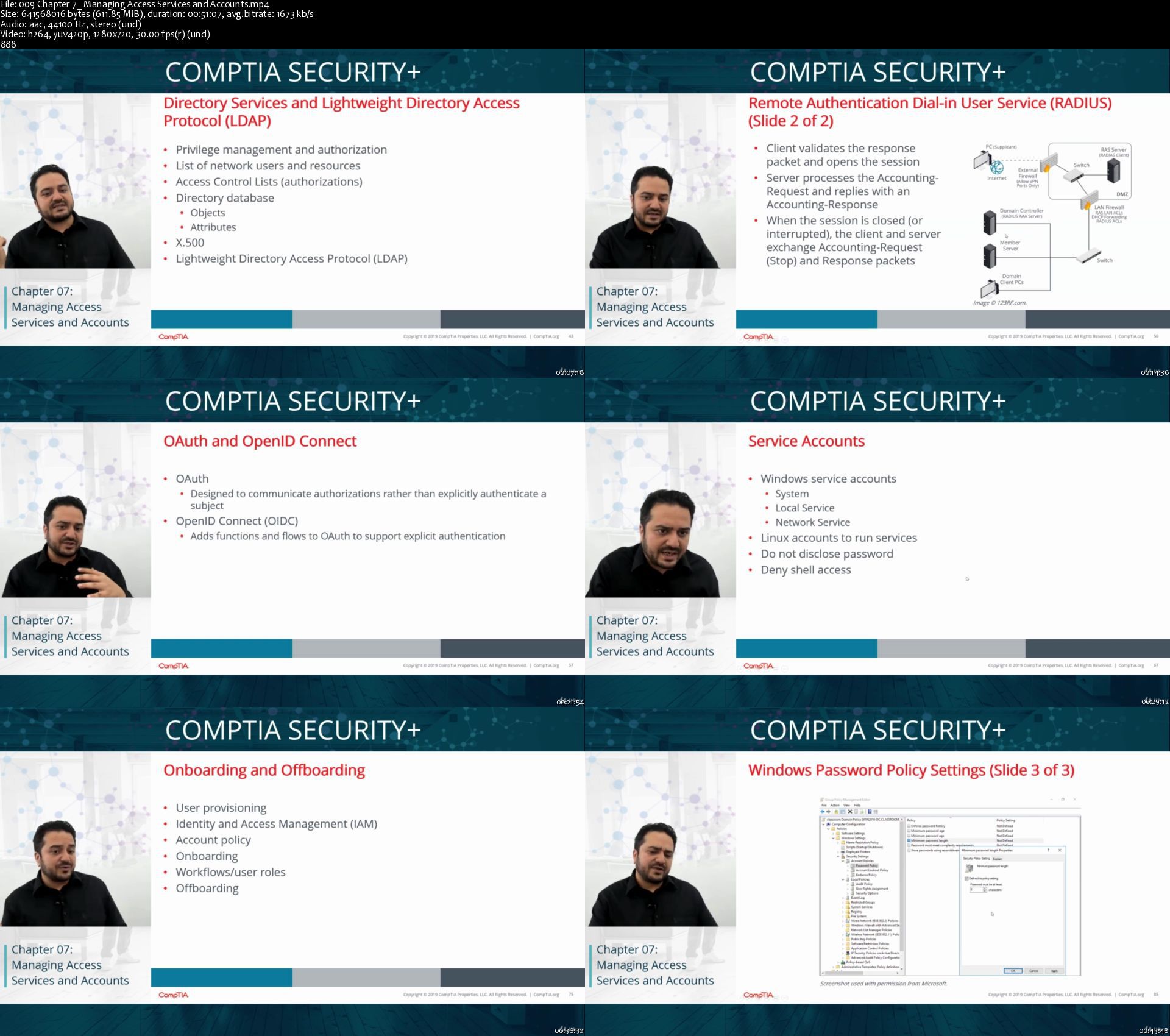
CompTIA® Security+® Exam Prep

veujx7xwuktpakwgthdnazaklq.jpg


CompTIA® Security+® Exam Prep
MP4 | Video: h264, 1280x720 | Audio: AAC, 44100 Hz
Language: English | Size: 6.81 GB | Duration 9h 30m


What you'll learn
Analyze risk
Identify the essential components of information security
Identify numerous threats which affect information security
Deploy security for networks
Deploy Security for hosts and software
Detect vulnerability by conducting security assessments
Manage identity and access
Address security incidents
Deploy operational level security
Deploy cryptographic solutions within the organization
In the event of an unforeseen incident, ensure smooth running of business operations.
Requirements
Basic knowledge of Windows environment
Understanding of Networking Technologies

Description
The CompTIA® Security+® (Exam SY0-501) is one of the most important courses which you will be required to complete if your job responsibilities are inclusive of securing devices, network services, and incoming as well as outgoing traffic in your respective organization. It can also be undertaken if you are planning to take the CompTIA Security+ certification examination.


Who this course is for:
Information Security Professionals
IT Security Consultants
Networking Professionals
Network Administrators


Homepage

009chapter7managingacobjzh.jpg


CompTIA Pentest+

rtzpzxfrukkhijsgof4azmpkio.jpg


CompTIA Pentest+
MP4 | Video: h264, 1280x720 | Audio: AAC, 44100 Hz
Language: English | Size: 8.94 GB | Duration: 11h 24m


What you'll learn
PenTest+ is unique because this certification requires a candidate to demonstrate the hands-on ability and knowledge to test devices in new environments such as the cloud and mobile, in addition to traditional desktops and servers.
Requirements
While there is no required prerequisite, PenTest+ is intended to follow CompTIA Security+ or equivalent experience and has a technical, hands-on focus. Recommended experience in Network+, Security+ or equivalent knowledge. Minimum of 3-4 years of hands-on information security or related experience.

Description
The CompTIA PenTest+ certification verifies that successful candidates have the knowledge and skills required to plan and scope an assessment, understand legal and compliance requirements, perform vulnerability scanning and penetration testing, analyse data, and effectively report and communicate results.

Successful candidates will have the intermediate skills required to customise assessment frameworks to effectively collaborate on and report findings. Candidates will also have the best practices to communicate recommended strategies to improve the overall state of IT security.


Who this course is for:
Security Analysts
Penetration Testers
Vulnerability Testers
Network Security Operations
Application Security Vulnerability Testers


Homepage

015module5banalyzingvlhj9t.jpg


CCNP Security (350-701 SCOR EXAM)

z2sw9fclb3akfdrui8ocgtejo5.jpg


CCNP Security (350-701 SCOR EXAM)
MP4 | Video: h264, 1280x720 | Audio: AAC, 44100 Hz
Language: English | Size: 10.4 GB | Duration: 18h 55m


What you'll learn
Describe information security concepts and strategies within the network
Describe common TCP/IP, network application, and endpoint attacks
Describe how various network security technologies work together to guard against attacks
Implement access control on Cisco ASA appliance and Cisco Firepower Next-Generation Firewall
Describe and implement basic email content security features and functions provided by Cisco Email Security Appliance
Describe and implement web content security features and functions provided by Cisco Web Security Appliance
Describe Cisco Umbrella® security capabilities, deployment models, policy management, and Investigate console
Introduce VPNs and describe cryptography solutions and algorithms
Describe Cisco secure site-to-site connectivity solutions and explain how to deploy Cisco IOS Virtual Tunnel Interface (VTI)-based point-to-point IPsec VPNs, and point-to-point IPsec VPN on the Cisco ASA and Cisco Firepower Next-Generation Firewall (NGFW)
Describe and deploy Cisco secure remote access connectivity solutions and describe how to configure 802.1X and Extensible Authentication Protocol (EAP) authentication
Provide basic understanding of endpoint security and describe Advanced Malware Protection (AMP) for Endpoints architecture and basic features
Examine various defenses on Cisco devices that protect the control and management plane
Configure and verify Cisco IOS Software Layer 2 and Layer 3 data plane controls
Describe Cisco Stealthwatch Enterprise and Stealthwatch Cloud solutions
Describe basics of cloud computing and common cloud attacks and how to secure cloud environment
Requirements
Skills and knowledge equivalent to those learned in Implementing and Administering Cisco Solutions (CCNA®) v1.0 course
Familiarity with Ethernet and TCP/IP networking
Working knowledge of Microsoft Windows
Working knowledge of Cisco IOS networking and concepts
Familiarity with basics of networking security concepts
This Cisco course is recommended to help you meet these prerequisites: Implementing and Administering Cisco Solutions (CCNA) v1.0

Description
The Implementing and Operating Cisco Security Core Technologies (SCOR) Exam Prep course helps you prepare for the Cisco CCNP Security, CCIE Security certifications and for senior-level security roles.

In this course, you will master the skills and technologies you need to implement core Cisco security solutions to provide advanced threat protection against cyber-security attacks. You will learn security for networks, cloud and content, endpoint protection, secure network access, visibility, and enforcement. You will get extensive hands-on experience deploying Cisco Firepower® Next-Generation Firewall and Cisco Adaptive Security Appliance (Cisco ASA) Firewall; configuring access control policies, mail policies, and 802.1X Authentication; and more. You will get introductory practice on Cisco Stealthwatch® Enterprise and Cisco Stealthwatch Cloud threat detection features.


Who this course is for:
Security engineers
Network engineers, designers, administrators, and managers
Systems engineers
Consulting systems engineers
Technical solutions architects
Cisco integrators and partners


Homepage

023part8ciscoasaadvanijk8e.jpg


Building real-world Multitenant application

ptqmr1f5qtefd8m9uggnk15jmg.jpg


Building real-world Multitenant application
MP4 | Video: h264, 1280x720 | Audio: AAC, 44.1 KHz, 2 Ch
Genre: eLearning | Language: English + srt | Duration: 76 lectures (12h 45m) | Size: 5.25 GB

Using Docker, Ansible, Kubernetes, OperatorSDK & Istio

What you'll learn:
Build real world multi-tenant (SaaS) application using Docker, Kubernetes, Ansible, Operator SDK and Istio
Installation and basics of Docker, Kubernetes, Ansible, Operator SDK and Istio
Ansible tasks, playbooks, roles and its use within Operator SDK
Kubernetes resources - Pod, Deployment, Service, Ingress, Storage (PV, PVC, SC), ConfigMap, Secrets etc.
Advance topics within Kubernetes - Quotas, LimitRange, QoS, Security, Taints and Tolerations, NodeSelectors etc.
Kubernetes Operator pattern and using Operator SDK framework to build operators for real-world application
Istio Service Mesh installation and its use in the real-world application we will be building in this course

Requirements
Basic understanding of Linux operating system - like using command prompt window


Description
Introduction

Summary: Introduction about the course and what topics and subtopics we will be covering. Subtopics:

1. High-level Introduction about the course

2. Introduction of the subtopics we will be covering in the course

Installation of VirtualBox, Ubuntu, Docker & Docker commands

Summary: Installing VirtualBox, Ubuntu, Docker, Docker Architecture, Docker Commands, Docker Compose & Docker Swarm. Subtopics:

1. Installing VirtualBox and Ubuntu VM - Introduction

2. Our hands-on Lab diagrams

3. Install VirtualBox

4. Install Ubuntu inside VirtualBox

5. Docker Architecture and Containerization overview

6. Installing Docker

7. What happens when you run Docker command - docker pull

8. Understanding docker commands like run, PS, start, stop, exec, rm

9. Docker network drivers and additional docker commands like network, images, rmi

10. Understanding docker commands like docker build, docker logs

11. Mounting volumes in containers & understanding docker command - docker volume

12. Docker Compose and Hands on lab to explain its use.

13. Docker Swarm - Overview

14. Docker Image - multi-stage build - part1

15. Docker Image - multi-stage build - part2

Ansible

Summary: Overview of Ansible followed by hand-on labs to get a good understanding of how to write and execute Ansible tasks, playbooks, roles. Subtopics:

1. Introduction to Ansible - part1

2. Introduction to Ansible - part2

3. Introduction to Ansible - part3

4. Hands-on Ansible lab - to setup Ansible Control Node

5. Hands-on Ansible lab - to setup Ansible Managed Node

6. Hands-on Ansible lab - run tasks via ansible command

7. Hands-on Ansible lab - run tasks via ansible-playbook command

8. Hands-on Ansible lab - Troubleshooting - part1

9. Hands-on Ansible lab - Troubleshooting - part2

10. Ansible roles & Handlers

11. Hands-on Ansible lab - create and execute an Ansible Role

Kubernetes (K8s)

Summary: We will start this section with introduction to Kubernetes (K8s) and then start building our hands-on lab with installation of Minikube and kubectl tools. We will then do hands on labs for understanding different Kubernetes resources. Subtopics:

1. Introduction to what we will cover in Kubernetes section

2. Installing Minikube and kubectl utility

3. Starting Minikube with driver - none (bare metal mode) - part1

4. Starting Minikube with driver - none (bare metal mode) - part2

5. Starting Minikube with driver - docker

6. Kubernetes control plane components

7. Kubernetes data plane components

8. Kubernetes resource - POD - part1

9. Kubernetes resource - POD - part2

10. Kubernetes resource - POD - part3

11. Kubernetes resource - Deployment - part1

12. Kubernetes resource - Deployment - part2

13. Kubernetes resource - Service - part1

14. Kubernetes resource - Service - part2

15. Kubernetes resource - Ingress - part1

16. Kubernetes resource - Ingress - part2

17. Kubernetes resources - Security (RBAC) - part1

18. Kubernetes resources - Security (RBAC) - part2

19. Kubernetes resources - ConfigMap, Secret - part1

20. Kubernetes resources - ConfigMap, Secret - part2

21. Kubernetes resources - Storage (PV, PVC, SC)- part1

22. Kubernetes resources - Storage (PV, PVC, SC)- part2

23. Deploying Kubernetes resources using - Ansible - part1

24. Deploying Kubernetes resources using - Ansible - part2

25. Deploying Kubernetes resources using - Ansible - part3

26. Kubernetes resources - Request & Limits, LimitRange, ResourceQuota - part1

27. Kubernetes resources - Request & Limits, LimitRange, ResourceQuota - part2

28. Kubernetes resource - Quality of Service (QoS) class

29. Kubernetes resource - Taints & Tolerations, NodeSelector/Affinity/Anti-Affinity

Operator SDK (K8s Operator)

Summary: Introduction of K8s Operator pattern and Operator SDK framework. Creating a sample multi-tenant portal application using custom operator build with operator-sdk (plugin Ansible). Subtopics:

1. Introducing K8s Operator pattern and Operator SDK framework

2. Operator SDK -multi-tenant portal application - hands-on lab1

3. Operator SDK -multi-tenant portal application - hands-on lab2

4. Operator SDK -multi-tenant portal application - hands-on lab3

5. Operator SDK -multi-tenant portal application - hands-on lab4

6. Operator SDK -multi-tenant portal application - hands-on lab5

7. Operator SDK -multi-tenant portal application - hands-on lab6

Istio

Summary: Service Mesh - Istio - what it is? Difference between Service Mesh and API Gateway. Main components of Istio. Hands on lab using the BookInfo example from Istio website and Troubleshooting techniques. Subtopics:

1. Introduction - Istio control plane and data plane components

2. Istio Book Info lab overview

3. Istio Book Info components like Gateway, VirtualSerive, DestinationRule

4. Istio Book Info commands used to build the hands-on lab

5. Istio Book Info execution of the hands-on lab

6. Istio troubleshooting techniques - what to do when things do not work?

7. Istio - executing the testing files to help with troubleshooting?

Real World Project

Summary: Introducing the real work project use case. Building the real-world project with Custom K8s Operator first and then using Istio to create a service mesh for the same. Subtopics:

1. Introduction to real world project use case

2. Building real-world project with custom K8s operator - part1

3. Building real-world project with custom K8s operator - part1

4. Building real-world project with custom K8s operator & Istio - part1

5. Building real-world project with custom K8s operator & Istio - part2

Who this course is for
Software Engineers, Solution Architects, Technical Architect, Cloud Architects and DevOps engineers

Homepage

20.kubernetesresourcex2j9k.jpg


BGFX Trading Academy

kgj5jelxku6fezh79rsns6vkza.png


BGFX Trading Academy
5.71 GiB | 5h 10mn | Video: .MP4 1280x720 | Audio: AAC, 44100 Hz, 2 channels, 129 Kbps
Genre: eLearning | Language: English

Blueprint Designed To Turn You Into A Market Sniper.
Trade Differently Than The 90%, Elevation Requires Seperation.

Welcome To BGFX Trading Academy
Whats up, Its BG! Lets get straight to the point. If your on this website you definitely want to take your trading to the next level.
My program is purely centered around doing that. No lambos, no lifestyle, no fluff.
This program is centered around seperating you from the pack of retail traders, and putting you on the path to long term success. If you are ready to unlearn what you want to know, and relearn what you need to know, this is the place to be.
Elevation requires seperation.

8.thewformationsn1joa.jpg


Working with WebSockets in Go (Golang)

redy2rlljjn3rrhhi2qlnfwkz9.jpg


Working with WebSockets in Go (Golang)
MP4 | Video: h264, 1280x720 | Audio: AAC, 44.1 KHz, 2 Ch
Genre: eLearning | Language: English + .srt | Duration: 85 lectures (14h 8m) | Size: 6.6 GB

How to make highly interactive and responsive applications using WebSockets and Go

What you'll learn:
How to work with Websockets in Go (Golang)
How to build a real-time, responsive application using websockets
How to connect to third party services like Pusher, and how to use our own self-hosted Pusher-compatible service
How to build a real-time server monitoring web application
How to schedule periodic events in Go
How to write tests for websocket handlers
The basics of building a secure web application in Go
How to send SMS messages with Go using Twilio

Requirements
A basic knowledge of the Go programming language
A basic knowlege of Javascript
An internet connected computer (Windows, Mac, or Linux)


Description
WebSockets are a technology that allows developers to build highly interactive, extremely fast web applications. Since WebSockets are supported by all modern browsers, and have been for years now, there is no reason why they cannot be implemented on any modern web application. This course will show you how to work with WebSockets with Go.

We will work with two kinds of WebSocket technologies: first, with simple calls directly from our web application to all connected browsers, where all functionality is handled by our application. The web application we'll build is a simple chat application, which will allow users to chat back and forth, and will show the list of connected users, updated in real time.

Next, we'll take advantage of a Pusher compatible server (or Pusher itself, if you prefer) and use that server as a message broker between our web application and all connected clients.

I am a firm believer that learning how to use a particular technology works best when applying it to a real-world situation. All too often, tutorials and courses over simplify what they are trying to teach, and create an artificial environment where things are so simple that what is being taught looks easy enough, but you immediately run into problems when trying to implement it on a more complex project. So, to implement and learn about WebSockets and Pusher, we'll build a web application which monitors remote servers and hosts, and notifies us in real-time when a service goes down or comes back up again. We will send notifications in real time using WebSockets (which will update the appropriate content on the pages being viewed by all connected clients), by email, and, as a bonus, we'll also learn how to send notifications using text messages (SMS) with Twilio.

Who this course is for
Developers who want to make their web applications faster and more responsive.
Developers who are familiar with Go, and want to learn how to build highly responsive web applications

Homepage

10.sendingmessagessxgk3g.jpg


Zurück
Oben Unten