• Regeln für den Video-Bereich:

    In den Börsenbereich gehören nur Angebote die bereits den Allgemeinen Regeln entsprechen.

    Einteilung

    - Folgende Formate gehören in die angegeben Bereiche:
    - Filme: Encodierte Filme von BluRay, DVD, R5, TV, Screener sowie Telesyncs im Format DivX, XviD und x264.
    - DVD: Filme im Format DVD5, DVD9 und HD2DVD.
    - HD: Encodierte Filme mit der Auflösung 720p oder darüber von BluRay, DVD, R5, TV, Screener sowie Telesyncs im Format x264.
    - 3D: Encodierte Filme von BluRay, die in einem 3D Format vorliegen. Dies gilt auch für Dokus, Animation usw.
    - Serien: Cartoon/Zeichentrick, Anime, Tutorials, Dokumentationen, Konzerte/Musik, Sonstiges sind demnach in die entsprechenden Bereiche einzuordnen, auch wenn sie beispielsweise im High Definition-Format oder als DVD5/DVD9/HD2DVD vorliegen. Ausnahme 3D.
    - Bereich Englisch: Englische Releases gehören immer in diesen Bereich.
    - Bereich Talk: Der Bereich, in dem über die Releases diskutiert werden kann, darf, soll und erwünscht ist.


    Angebot/Beitrag erstellen

    - Ein Beitrag darf erst dann erstellt werden, wenn der Upload bei mindestens einem OCH komplett ist. Platzhalter sind untersagt.
    - Bei einem Scenerelease hat der Threadtitel ausschließlich aus dem originalen, unveränderten Releasenamen zu bestehen. Es dürfen keine Veränderungen wie z.B. Sterne, kleine Buchstaben o.ä. vorgenommen werden. Ausnahme Serienbörse:
    - Bei einem Sammelthread für eine Staffel entfällt aus dem Releasename natürlich der Name der Folge. Beispiel: Die Simpsons S21 German DVDRip XviD - ITG
    - Dementsprechend sind also u.a. verboten: Erweiterungen wie "Tipp", "empfehlenswert", "only", "reup", usw. / jegliche andere Zusatzinformation oder Ergänzung, welche nicht in obiger Beschreibung zu finden ist.

    Aufbau des Angebots und Threadtitel

    Der Titel nach folgendem Muster erstellt zu werden. <Name> [3D] [Staffel] [German] <Jahr> <Tonspur> [DL] [Auflösung] <Quelle> <Codec> - <Group>
    Beispiel: The Dark Knight German 2008 AC3 DVDRip XviD - iND
    Beispiel: The Dark Knight 2008 DTS DL BDRip x264 - iND
    Beispiel: The Dark Knight 2008 AC3 DL BDRip XviD - iND
    Beispiel: The Dark Knight German 2008 AC3 720p BluRay x264 iND
    Beispiel: The Dark Knight 2008 DTS DL 1080p BluRay x264 iND
    Beispiel: Die Simpsons S01 German AC3 DVDRip XviD iND
    Beispiel: Die Simpsons S20 German AC3 720p BluRay x264 iND
    Beispiel: Sword Art Online II Ger Sub 2014 AAC 1080p WEBRip x264 - peppermint
    Entsprechend sind also u.a. verboten: Sonderzeichen wie Klammern, Sterne, Ausrufezeichen, Unterstriche, Anführungszeichen / Erweiterungen wie "Tipp", "empfehlenswert", "only", "reup", usw. / jegliche andere Zusatzinformation oder Ergänzung, welche nicht in obiger Beschreibung zu finden ist
    Ausnahmen hiervon können in den Bereichen geregelt sein.

    Die Beiträge sollen wie folgt aufgebaut werden:
    Überschrift entspricht dem Threadtitel
    Cover
    kurze Inhaltsbeschreibung
    Format, Größe, Dauer sind gut lesbar für Downloader außerhalb des Spoilers zu vermerken
    Nfo sind immer Anzugeben und selbige immer im Spoiler in Textform.
    Sind keine Nfo vorhanden z.B. Eigenpublikationen, sind im Spoiler folgende Dateiinformationen zusätzlich anzugeben :
    Quelle
    Video (Auflösung und Bitrate)
    Ton (Sprache, Format und Bitrate der einzelnen Spuren)
    Untertitel (sofern vorhanden)
    Hosterangabe in Textform außerhalb eines Spoiler mit allen enthaltenen Hostern.
    Bei SD kann auf diese zusätzlichen Dateiinformationen verzichtet werden.

    Alle benötigten Passwörter sind, sofern vorhanden, in Textform im Angebot anzugeben.
    Spoiler im Spoiler mit Kommentaren :"Schon Bedankt?" sind unerwünscht.


    Releases

    - Sind Retail-Release verfügbar, sind alle anderen Variationen untersagt. Ausnahmen: Alle deutschen Retail-Release sind CUT, in diesem Fall sind dubbed UNCUT-Release zulässig.
    - Im Serien-Bereich gilt speziell: Wenn ein Retail vor Abschluss einer laufenden Staffel erscheint, darf diese Staffel noch zu Ende gebracht werden.62
    - Gleiche Releases sind unbedingt zusammenzufassen. Das bedeutet, es ist zwingend erforderlich, vor dem Erstellen eines Themas per Suchfunktion zu überprüfen, ob bereits ein Beitrag mit demselben Release besteht. Ist dies der Fall, ist der bereits vorhandene Beitrag zu verwenden.
    - P2P und Scene Releases dürfen nicht verändert oder gar unter einem iND Tag eingestellt werden.


    Support, Diskussionen und Suche

    - Supportanfragen sind entweder per PN oder im Bereich Talk zu stellen.
    - Diskussionen und Bewertungen sind im Talk Bereich zu führen. Fragen an die Uploader haben ausschließlich via PN zu erfolgen, und sind in den Angeboten untersagt.
    - Anfragen zu Upload-Wünschen sind nur im Bereich Suche Video erlaubt. Antworten dürfen nur auf Angebote von MyBoerse.bz verlinkt werden.


    Verbote

    - Untersagt sind mehrere Formate in einem einzigen Angebotsthread, wie beispielsweise das gleichzeitige Anbieten von DivX/XviD, 720p und 1080p in einem Thread. Pro Format, Release und Auflösung ist ein eigener Thread zu eröffnen.
    - Grundsätzlich ebenso verboten sind Dupes. Uploader haben sich an geeigneter Stelle darüber zu informieren, ob es sich bei einem Release um ein Dupe handelt.
    - Gefakte, nur teilweise lauffähige oder unvollständige Angebote sind untersagt. Dies gilt auch für eigene Publikationen, die augenscheinlich nicht selbst von z.B. einer DVD gerippt wurden. Laufende Serien, bei denen noch nicht alle Folgen verfügbar sind, dürfen erstellt und regelmäßig geupdatet werden.
    - Untersagt sind Angebote, welche nur und ausschließlich in einer anderen Sprache als deutsch oder englisch vorliegen. Ausnahmen sind VORHER mit den Moderatoren zu klären.


    Verstoß gegen die Regeln

    - Angebote oder Beiträge, die gegen die Forenregeln verstoßen, sind über den "Melden"-Button im Beitrag zu melden.
  • Bitte registriere dich zunächst um Beiträge zu verfassen und externe Links aufzurufen.

++ Premium IPTV ++ 7000 Live Sender ++ UHD Qualität ++ Mediathek mit 18.000 Inhalten ++


VenneTV


Englische Tutorials

Linkedin Learning WordPress Building a Secure Site-XQZT

190564132_05-02-best_practices_for_keeping_wordpress_plugins_secure_c.jpg


Linkedin Learning WordPress Building a Secure Site-XQZT | MKV | 175.18 MiB

444 kb/s 1280x720 | AAC 2 CH eng


NFO:
File List:

File: linkedin.learning.wordpress.building.a.secure.site-xqzt-sample.mkv
Size: 3832848 bytes (3.66 MiB), duration: 00:01:09, avg.bitrate: 444 kb/s
Audio: aac, 48000 Hz, stereo (eng)
Video: h264, yuv420p, 1280x720, 30.00 fps(r) (eng)
Subtitles: eng


Download ( Size: 175.18 MiB ):
Filehosts: Nitroflare, Rapidgator


oHeopzn.png

1 Link/s
82EB8B9729.png


5hSo1Ay.png

1 Link/s
67B582F92C.png


Master D3.js | Concepts and 25+ Projects [Released-Feb 2021]

0080bcb517jho.jpg


Master D3.js | Concepts and 25+ Projects [Released-Feb 2021]
MP4 | Video: h264, 1280x720 | Audio: AAC, 44.1 KHz, 2 Ch
Genre: eLearning | Language: English + srt | Duration: 116 lectures (43h 19m) | Size: 12.7 GB

Learn D3 (LATEST v6.3, as of Dec.2020) in Depth and Create Brilliant Data Visualisations


What you'll learn:
Work on the library version 6.3.1 (as of December, 2020)
Start from the fundamentals of SVG, that forms the main aspect of creating D3 based charts and graphs
Understand the basics (behind the scenes) about D3 and know how D3 goes about doing its job
Work with D3 objects to build a deeper understanding of the library
Learn 12 core modules that can help you build a majority of chart and graph types
Learn more than 100 different methods(functions) from 12 different modules (also called as micro-libraries)
Build more than 25 different projects with 22 unique projects
Build 22 unique projects that do not repeat the data or the visual representation
Learn how to conceptualise the chart creation process through the projects
Work with data from the real world, while creating the projects
Learn about adding interactivity and animation to the charts and graphs
Prepare yourself to take up large scale personal or professional challenges/needs
Strengthen your position as a data visualisation person in the field of analysis, consulting, analytics or data science
Gain a wide range of exposure towards charts and graphs (vertical bar charts, horizontal bar charts, bubble charts, stacked charts, grouped charts, scatter plots, line charts, area charts, radial charts, pie charts, donut charts, and put charts together in a single dashboard!)

Requirements
Basic understanding of HTML, CSS and Javascript


Description
This is a course that aims to build a step-by-step approach towards mastering the D3.js library. D3.js is a data visualisation library for the web browser. The course starts with the basics of SVG, the building block of charts and graphs (D3.js library makes use of SVG elements to represent the data in a graphical format in the web browser). Then you will enter the world of D3.js to understand the first principles of using the library. You will go through 12 important modules of the library one after the other in a systematic manner. Each module is made up of several methods, and the methods are explained in detail with the help of code and the output seen via the browser console. After the completion of each module you will be doing a project, and in some cases more than a project per module. The projects give a sense of building real world applications and strengthen the concepts learnt. The projects also helps you use different types of data and create nice UI/UX. This is a comprehensive course for you to progress in the domain of data visualisation. This course will gear you to build large scale and complex applications either in your personal or professional areas.

Who this course is for
Developers, Engineers, Analysts, Researchers, Academicians, Scientists, Designers or Illustrators that are looking to creating amazing data visualisations
Anyone looking for a step by step approach of using the D3 library
Anyone who is looking to understand how data visualisation happens in the web
Anyone looking to gain confidence in using D3 and build any type of charts or graphs that are present in the real world

1.projecttop9indianitbtkfw.jpg


Learn SAPUI5 Development With Project

0080cb1aa2jyu.jpg


Learn SAPUI5 Development With Project
MP4 | h264, 1280x720 | Lang: English | Audio: aac, 44100 Hz | 9h 3m | 5.89 GB

Learn SAPUI5 in Details and Step-by-Step and create your own UI5 App With Project-Based Experience


What you'll learn
Learn SAPUI5 Development With with XML View
Learn Working With End-to-End Project With SAP® Web IDE Personal Edition
Learn SAPUI5 Concepts with Working Project With Manifest, Component and New Structure
Learn Usage of Analytics in SAPUI5 Application, Formatters and More Advanced Concepts
Gain in Depth Project Development Experience

Requirements
You should have a very basic understanding of Javascript and HTML.

Description
This course is for developers, designers, Architects, Analyst, Senior Analyst and Manager can understand deployment and Architectural insides.

We have put our best to show you how the new changes are in UI5 Library with the help of a project. We would be covering this course in 3 weeks period, where we will cover :

1. How the templating in Web IDE is used to build UI5 Projects.

2. New routing of the application when the complexity increases.

3. Git setting with Web IDE.

4. We would be building Project CORE UI as part of project-based learning and cover new components that are not covered in the UI5 Professional development course.

5. The course also has a UI5 final project to put all the learning into practice. The final project was carefully crafted to make students understand real-world scenarios and the roles they will have to perform in a team.

5. Handling multiple global data binding with large data sets within it.

6. Integration with HANA® DB oData at the end.

8. The course gives importance to all aspects of SAPUI5/OpenUI5 development, may it be wire-framing, design and analysis, development or styling, and theme.

We hope to cover the complexity in a simple and structured way, so you get the best experience of Project with UI5 new Library updates.


Who this course is for:
Aspirant SAPUI5 and Fiori® Developers, Designers, Architects and Manager
Enthusiast for Learning SAPUI5 and Fiori®

6.buildingobjectlistc17jok.jpg


Joe Holder Teaches Fitness and Wellness Fundamental

yialymhowq8yele9qp76d1mjp7.jpg


Joe Holder Teaches Fitness and Wellness Fundamental
MP4 | ENG | Video: h264, yuv420p, 1280x720 | Audio: aac, 44100 Hz | Duration: 2h:39m | Size File: 6.39 GB
Genre: eLearning

Joe Holder is a nationally recognized master trainer and one of the most influential coaches in fitness and sports. Now he's teaching you how to build the foundation for a lifetime of good health. With Joe's holistic approach, you'll learn how to work out for increased mobility and strength, maximize your nutrition, and build a positive mindset. Start achieving your health goals and living a more purposeful life.
1. Meet Your Instructor
Joe Holder is a former college football star, Nike Master Trainer, and GQ fitness specialist. Joe explains what he hopes you'll get from his class: the knowledge to build the diet, fitness regimen, and mental outlook for your best self.
2. The Ocho System: Origins and Overview
Joe breaks down The Ocho System, his overarching fitness philosophy. It's an approach to health and wellness that includes using positive thinking, food as fuel, and effective workouts to promote a healthy life.
3. Biomotor Skills: The Foundation of Physical Health
Building your biomotor skills-which include coordination, strength, endurance, and more-is the foundation for improving your personal health levels and achieving your fitness goals.
4. Mobility Workout
The mobility workout uses basic motions like squatting, twisting, pressing, and pulling in various directions to improve wellness. Joe explains what "tissue flossing" is and how it's his secret to improved mobility.
5. Listen to Your Body: Data Is King
Joe outlines how data is key for understanding your body and achieving your wellness goals.
6. Working Out Smarter AND Harder
Joe explains how working out strategically-and with an athlete's mindset-will give you the best results.
7. HIIT Workout
Experience the second of three workouts. Joe teaches you how this workout's increased intensity advances you on your wellness journey.
8. The Ocho System Food 101: Eat Real, Eat Right
Joe walks you through his nutrition philosophy. Learn how to be more cognizant of what you eat and get more fresh, unprocessed foods in your diet.
9. Take Advantage of "Food Hacks"
Learn simple kitchen tricks to maximize the benefits of food and help you get the most out of what you eat.
10. Strength Workout
Joe demonstrates his strength workout, the most advanced and challenging of the three workouts he offers in his class.
11. The Importance of Proper Recovery
Explore Joe's insights on recovery strategies, why they are important, and the value of feeling good when you work out.
12. Catalysts for Success
Quick tricks can make a huge difference in your journey. Joe shares ideas that will set you up to achieve success.

Homepage

joeholderteachesfitne6jkq4.jpg


First Aid Masterclass: A Complete Guide to First Aid

0080c9ab3tjjb.jpg


First Aid Masterclass: A Complete Guide to First Aid
Created by Uri Naor | Published 2/2021
Duration: 5.5 hours | 11 sections | 37 lectures | Video: 1280x720, 44 KHz | 7 GB
Genre: eLearning | Language: English + Sub

The Complete Guide to First Aid and Emergency Medicine: Learn CPR, Heimlich, How to Stop Bleedings, Baby Care & More!


What you'll learn
You will be able to perform CPR (according to the latest guidelines).
You will be able to save people from choking using the Heimlich Maneuver.
You will be able to stop bleedings. Whether it is with bandages or tourniquets you will know when to use what.
You will be able to improvise your own tourniquets quickly in an emergency.
You will know which things are the most dangerous, and be able to prioritize you treatment correctly - "What Kills First Will Be Treated First".
You will be able to treat different climatic injuries. You will also know the science behind them and how to avoid them in the first place.
You will understand the principles behind first aid. You will be able to improvise in unfamiliar situations by following these principles.
You will be able to treat a variety of different injuries. Whether they are burns, head injuries, fractures or animal bites, you will know what to do.
You will be able to recognize many different medical emergencies, and you will know when you could treat them yourself and when you should call an ambulance.
You will be able to provide high quality first aid until helps arrive in a variety of emergencies, like a heart attack, stroke, asthma attack, diabetes, allergy attack, fainting, epilepsy and more.
You will be able to confidently use different first aid equipment, and you will know which equipment to get for your needs.
You will be able to build your very own first aid kit while knowing the principles to make it fit your exact needs.
And there's a ton more inside! Like a LIFETIME 1 on 1 support from an expert in first aid. Guides on how to carry injured people. Articles on getting the best first aid equipment, and honestly much much more!
Show more
Show less

Requirements
Students don't need any previous experience in first aid.

Description
First aid is probably one of the most essential life skills that everyone should have. The knowledge of first aid can literally be the difference between life and death when an emergency occurs.
Nonetheless, people often put off getting first aid training because:
They don't have the time to drop everything and do a first aid course.
They don't know where to begin.
It's expensive to take a first aid course.
They only need a refreshment.

2.coldfrostbiteandhypepkkh.jpg


DevOps Projects | 20 Real Time DevOps Projects

bxgohroj3k8zumrhoijv7spjo9.jpg


DevOps Projects | 20 Real Time DevOps Projects
MP4 | Video: h264, 1280x720 | Audio: AAC, 44.1 KHz, 2 Ch
Genre: eLearning | Language: English + srt | Duration: 219 lectures (36h 10m) | Size: 18.1 GB

Master Your DevOps Skills with Real challenge

What you'll learn:
Gain expertise in DevOps projects setup, from scratch.
Learn how to build complete DevOps Lifecycle.
Understand highly complex CICD pipelines
Master your automation skills
Use cutting edge technologies of the IT Industry.
Learn real time scenarios to gain confidence for the Interview questions.
Present yourself with confidence in the project meetings.
Gain confidence in your DevOps skills.
Develop a problem solving mind set.

Requirements
Knowledge in Linux, Networking Fundamentals, AWS, Ansible, Jenkins are must.


Description
Ever wondered about DevOps Projects in Real Time?

Wanted some hands on experience in those projects?

Wished you create Continuous Delivery pipelines and automation frameworks for the IT organizations?

That sounds Impossible without getting into the PROJECTS in Real Time.

But not Anymore!!

Visualpath has created finest of DevOps project tutorials.

You can watch & Practice these DevOps projects all by yourself.

Benefits:

1. Answer Interview questions about Real time scenarios.

2. Present yourselves with confidence in the project meetings.

3. Deliver end to end automation solutions in DevOps Projects.

Who this course is for
DevOps Engineers, Sys Admins with automation Knowledge, Developers with Linux & AWS knowledge.
Anyone who has done any DevOps course and has good grip on Linux, Ansible, Jenkins and AWS

Homepage

078c.warmupforawsclou7cjt6.jpg


Best Way to Learn German Language-Full Beginner Course-A1.1

0080d2e0ebks2.jpg


Best Way to Learn German Language-Full Beginner Course-A1.1
MP4 | Video: h264, 1280x720 | Audio: AAC, 44.1 KHz, 2 Ch
Genre: eLearning | Language: English + srt | Duration: 302 lectures (7h 41m) | Size: 8.48 GB

Learn German language with fun bite-size lessons for beginners. Start speaking German & pass the Goethe A1 German exam!


What you'll learn:
How to speak and write German (beginner A1 level) and have fun while doing so!
Use the German language with confidence and ease
Develop all the necessary language skills to finally get fluent in German
Efficiently master important grammar rules (+ tips and tricks how to remember them easier)
Learn important vocabulary and phrases that you can use in everyday situations, on holidays or for business
Be able to communicate your needs, start and maintain a conversation, write an e-mail or fill out registration forms
Prepare for the Goethe-Zertifikat A1

Requirements
You don't need any prior knowledge to start this course - we will start from the beginning and gradually build up your knowledge!
The only thing you need is motivation to learn the language and a little spare time to watch the videos and do the exercises.


Description
Hallo German learner!

My name is Sandra and I will be your guide through the secrets of the German language. Welcome to the full starter kit of the German language for total beginners!

This course is for you if:

- You are a complete beginner and don't know any German at all

- You want short and straight to the point lessons

- You need a lot of exercises, repetition and motivation to stay on track

- You want assignments where you can get personalized feedback and guidance

- You want to pass a German language exam (Like the Goethe exam for example)

- You want it to be fun!

How does it work?

This course is constructed like my one-on-one beginner German lessons I usually have with my students in real life. There are 7 units, each one with a specific theme. Each unit has between 10 and 15 individual lessons, most of them being under 5 minutes. Everything is split up into bite-size pieces.

You get a lot of useful vocabulary, example sentences, real-life dialogue and grammar delivered in an easy to understand and not too overwhelming way.

After every lesson, you will have an Übung, meaning exercise. This way you can practice your new knowledge right away.

There are also regular Assignments, where you will get feedback and guidance from me so you know what you need to repeat or look out for.

What will you learn?

- How to introduce yourself and meet and greet people

- Say where you live, where you are from and describe your home

- Talk about your family, whether you are married and have ****

- Describe your hobbies and where you spend your holidays

- Chit - chat about the weather or ask someone how's it going

- Order food at a restaurant or buy groceries at the store

- Use the present and past tense of regular and irregular verbs

- Fill out a registration form or write a professional e-mail

- And much much more!

Language level

- This is a A1.1 course, which means it's the first German course in the series

- If you want to continue learning German after finishing this one, check out my A1.2 course that you can find on my instructor profile

- These two courses together (A1.1 + A1.2) cover everything you need to learn to take the Goethe A1 or a similar exam - and actually a lot of my students have already successfully taken the exams and passed with flying colors!

If you have any other questions, feel free to contact me before buying!

See you in the course! :)

Who this course is for
Anyone who wants to start learning German or wants to repeat the basics

4.beforewebeginpronuncrklb.jpg


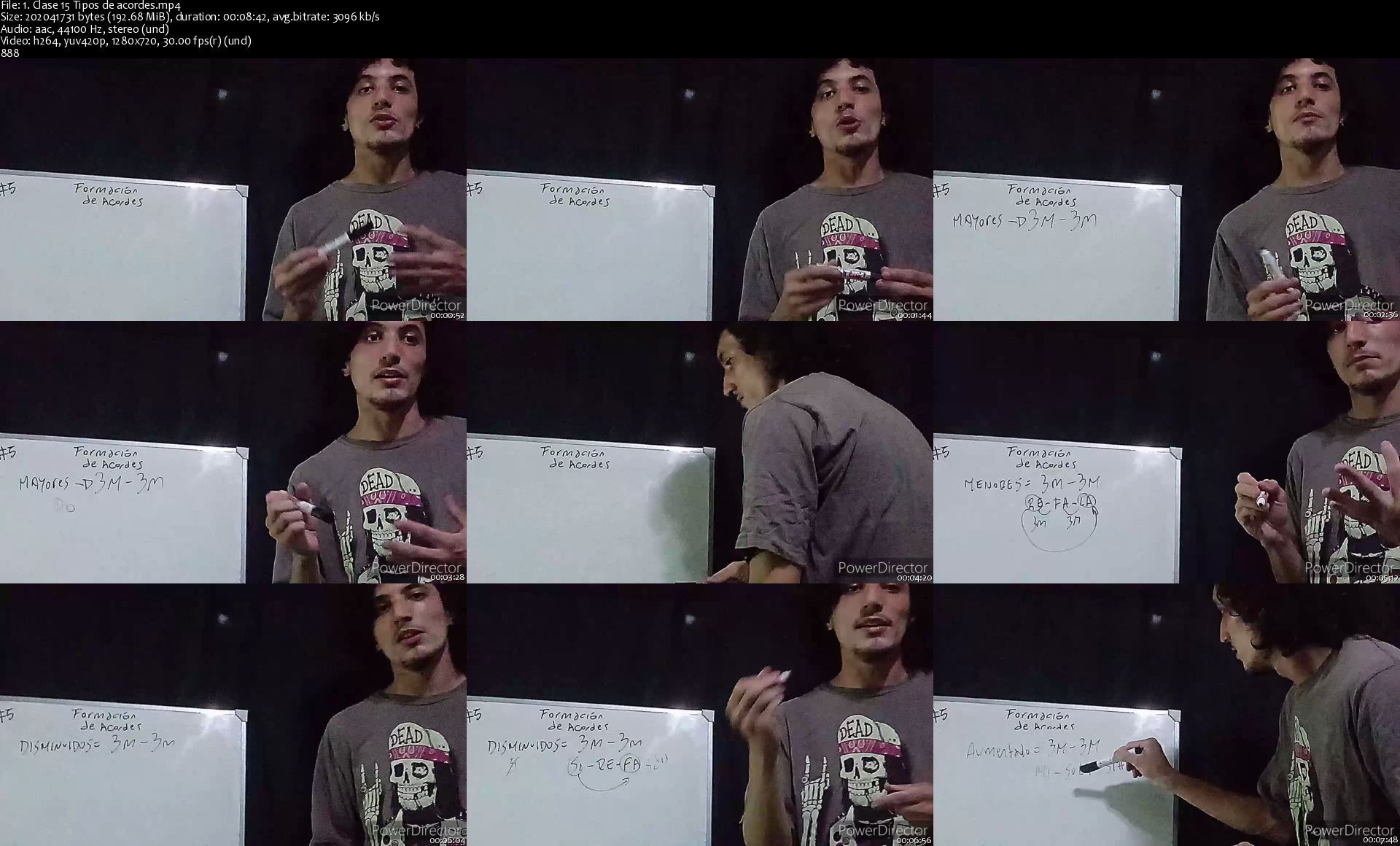
Introducete en el mundo del lenguaje musical desde cero!

fu5jjfsh0a3nigtg8mk8rw7jyk.jpg


Introducete en el mundo del lenguaje musical desde cero!
MP4 | h264, 1280x720 | Lang: Spanish | Audio: aac, 44100 Hz | 4h 20m | 5.63 GB


What you'll learn
Los estudiantes aprenderan teória músical, con respecto a la formación de escalas en base a sus diferentes estructuras, asi como tambien la formación de los distintos acordes de triada con la utilización de intervalos musicales. Esto les resultará util a la hora de interpretar una melodia o a la hora de componer, ya que con los distintos elementos que posee una escala y sus respectivos acordes, podras comprender como utilizando estos recursos te podran ayudar ya sea para componer o incluso para improvisar en base a las distintas reglas musicales que se pueden aplicar.
Requirements
Se requiere saber leer pentagramas tanto en clave de sol como en clave de fa, y en lo posible (aunque esto ultimo no es excluyente) saber tocar en nivel basico un instrumento o cantar, esto te ayudara a vincular mejor las herramientas adquiridas en este curso.

Description
En este curso aprenderas las herramientas necesarias para poder introducirte en el lenguaje musical, entendiendo como se organizan los sonidos y cuales son las reglas musicales que te ayudarán a crear tu propia melodia.

Comprenderas el concepto de escalas musicales, formación de acordes, intervalos musicales, emociones que expresan cada uno de los acordes, las escalas relativas, alteraciones accidentales, escalas pentatónicas, y cual es la finalidad de las mismas, la función de los grados musicales y como estas se vinculan con el centro tonal de cada escala.

Estos elementos son básicos a la hora de improvisar o de crear tu propia melodia.


Who this course is for:
Estudiantes que quieran ingresar en el ambito de la teoría musical.


Homepage

1.clase15tiposdeacord9xjbm.jpg


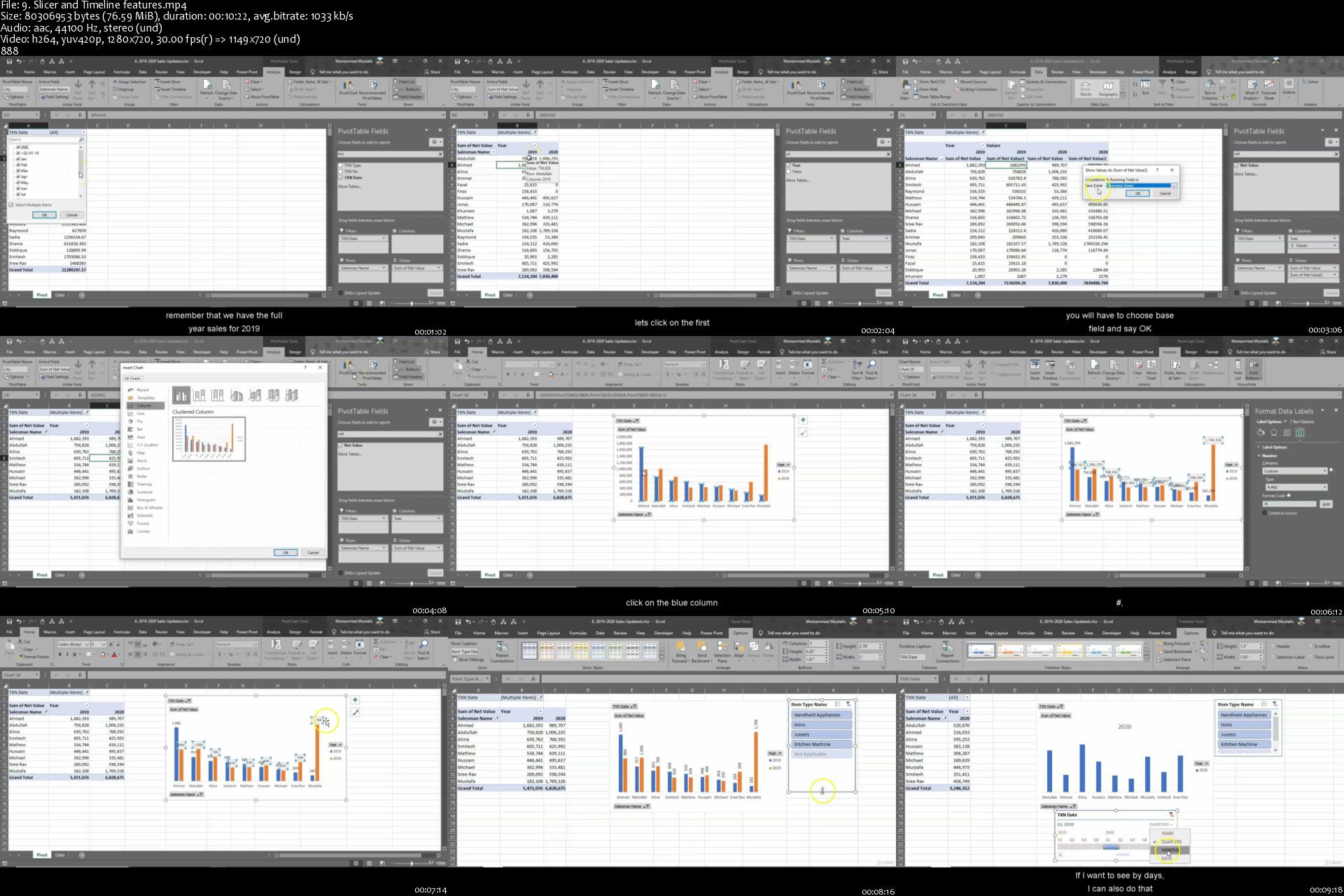
MBA in Excel- Master Business Analytics in Excel

0080d3e370k5v.jpg


MBA in Excel- Master Business Analytics in Excel
MP4 | Video: h264, 1280x720 | Audio: AAC, 44.1 KHz, 2 Ch
Genre: eLearning | Language: English | Duration: 127 lectures (18h 12m) | Size: 8.56 GB

Master Excel with Formulas, Functions, Pivot tables, Power Query, Macros & VBA and Power BI


What you'll learn:
The course builds slowly with intermediate concepts to Advanced level Excel skills, using formulas, pivot tables and VBA
You will learn data analysis using nested formulas, pivot tables, VBA magic to animate Charts, Power Query and Power BI
Course is designed in Excel 2019 and also covers new formulas of Microsoft Office 365
Recommended for any Excel enthusiast to master key Excel concepts
After completing the course, you will have the confidence and knowledge towards becoming an Excel Expert
I will be updating the course on new materials and videos as and when needed on student feedback

Requirements
Basic knowledge of Excel
Be passionate to learn Excel and other tools


Description
Enhance your Excel experience with MBA in Excel. Start with formulas, move onto Pivot tables, macro and VBA, manipulate data and consolidate with Power Query and visualize with Power BI. All in One course, from basics to Advanced level. Recommended for any Excel user to level up their skills and insights of different tools provided. Excel is a must anywhere you go in the world. Uplift your Excel confidence and step out an Excel hero. With more than 18 hours of content, I hope you will be able to learn many new tips and at the end of the course be able to quickly analyze and debug formulas with ease. From data analysis, to visualization, the course walks you through the steps required to become a superior data analyst. All you need is basic Excel skills and a passion to put in hard work to master key concepts.

More videos to be added on student feedback and request.

Formulas covered are Xlookup, Vlookup, Counta, Index & Match, Sumif, Sumifs, Countif, Countifs, Array nested formulas, Filter, Xmatch, Sumproduct, Text functions, Date functions, VBA coding, DAX functions, Pivot tables, Named Ranges, Offset, Conditional Formatting, Dashboard creation, Animation in Excel, Getpivotdata, Slicers, Indirect function, Textjoin, IFS, Maxifs, Sort, Sortby, Unique, Switch, Let, Sequence, much more and Super Excel shortcuts.

Who this course is for
Working professionals, Students, Managers, Data Analysts, anyone wishing to improve their Excel skills
Basics to Intermediate Excel users will quickly gain indepth analysis throughout the course.

9.slicerandtimelinefeaukit.jpg


English for Upper-Intermediate Level (B2)

0080d364uhkkz.jpg


English for Upper-Intermediate Level (B2)
MP4 | h264, 1280x720 | Lang: English | Audio: aac, 48000 Hz | 14h 37m | 17.8 GB

English for Upper-Intermediate Level (B2)


What you'll learn
English language
Requirements
English on Intermediate level

Description
English Club Global's Upper-Intermediate (B2) level aims at students who are of a more advanced knowledge base than its Pre-Intermediate and Intermediate levels. English Club TV is a stunning resource for students who wish to learn English online at all levels. All online educational material designed by a panel of experts based in Great Britain focuses on ensuring students understand spoken English, learn the intricacies of grammar and learn new words, phraseology and terminology as well.

English learners who are looking to learn English online can have access to these lessons based on an online self-evaluation test of their current comprehension levels.

The Upper-Intermediate level also known as B2, spans four primary modules; Listening Skills, Speaking Skills, Vocabulary Expansion and Grammar. Each level consists of English video lessons specially designed as "shows" and "episodes" cantering on current affairs, facts and day to day interactions.


Who this course is for:
Everybody who wants to learn English


019episode8.curiousfap8k0i.jpg


English for Intermediate Level (B1)

0080d353etkfo.jpg


English for Intermediate Level (B1)
MP4 | h264, 1280x720 | Lang: English | Audio: aac, 48000 Hz | 42h 5m | 51.2 GB

English for Intermediate Level (B1)


What you'll learn
English language
Requirements
English on Pre-intermediate level

Description
English Club Global is always thoughtful about how well you progress in your English lessons. We want you to move on beyond the basics.

To improve English past the basic level we are bringing you a series of English online programmes meant to help you to reach an intermediate level (B1) successfully as well.

The concentration on a wide range of sub-programmes to improve English online.

Why wait? Start on your lessons now!


Who this course is for:
Everybody who wants to learn English


029episode1.transportd2kdd.jpg


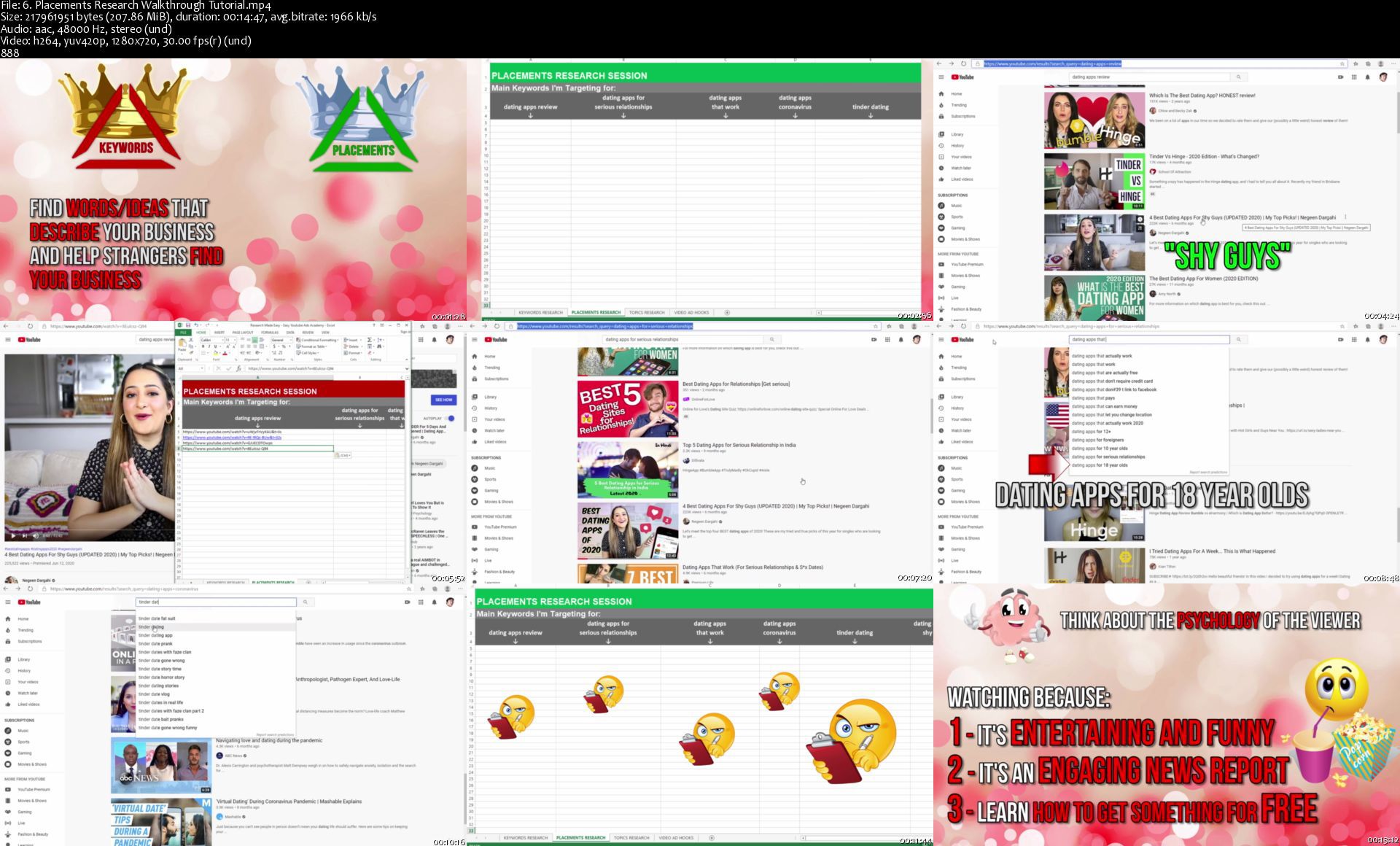
Easy YouTube Google Ads - Marketing and Advertising Traffic

0080d0deljjja.jpg


Easy YouTube Google Ads - Marketing and Advertising Traffic
Created by Jun Wu - Social Media Influencer | Last updated 2/2021
Duration: 8h 40m | 8 sections | 61 lectures | Video: 1280x720, 44 KHz | 7.3 GB
Genre: eLearning | Language: English + Sub

Run Ads the Easy and Fun Way Without Falling into Google's Money Traps. costing you thousands of dollars


What you'll learn
How to Setup your Google Ads and YouTube Channels
How to do Research the Easy Way in 15 mins!
How to create Simple Ads that get your Ideal Customers to Click
Copywriting for your Landing Page that gets Tons of Opt-Ins
Walkthrough Tutorials of all kinds of Video Ad Campaigns
How to Anaylze your data quickly in 5 mins to Scale your Campaigns
26 examples of the HIGHEST Converting Ads on YouTube
How to Target the Most Effective Audiences with Keywords, Placements, and Topics
Focus on ONLY the Targeting, Audience, and Google Ads Settings that matters- not wasting your time and money

Requirements
Install Google Ads and YouTube Channel


Description
Hello and welcome to the Easy YouTube Ads Academy!

I created this course because running ads can be extremely stressful, frustrating and discouraging if you are not careful.

I bet no one lay it out for you as clear as this before but these are the steps you need to take. when running a YouTube ad campaign.

Step 1, you have to create a Google Ads Account and a new YouTube Channel. You want to create a separate channel specifically to run ads so as not to effect the organic reach of your regular channel.

Step 2, you have to do research on the different keywords, placement, and topics you want to target for. that is related to your products and brand.

Step 3, it's time to create your video Ad! Most people do this before they do research and that's a mistake because your ad, needs to be filled with keywords that resonates with your potential customers. And you figure what those keywords are during your research.

Step 4, is to create the Landing Page design that you will be sending the traffic to once you start running the ads. The website design needs to reflect the actual video ad that people are seeing.

Step 5 is to setup tracking tags so that every click, every visitor, and every conversion is recorded in your google ads account, to keep your data accurate and for future re-marketing campaigns.

Step 6, is to finally setup your ad campaign! It's an exciting step but also the most stressful because there are tons of variables to consider, such as what should your starting budget be? Which countries have higher conversion rates and which should you target? Where should you exclude your video ads from being seen? Which devices should you target and are they all created equal? What frequenting capping should you use to make sure your ads don't burn out that fast? Which demographic should you target to get the maximum bang for your buck? What's the best Cost Per View to start off with and more.

Step 7, is to look at all the data and optimize your campaigns. which is just a fancy word for ditching losers and scaling winners.

This is what confuses the most people because just look at all the data. How do you know what to look for? How do you arrange the columns of data so that you are looking at only the stats that matter? How do you compare the view rate with the Click through Rates to decide if an ad is working or not? How do you determine which video, which keyword, which placement ads to keep pouring money into and which ads to cut off right away?

Running ads is almost like betting on horse racing. Each horse is your campaign. Which one should to cut from the team and which one should you continue to invest in and let them run to continue to make you money?

There's like a million questions right? And the people who have figured it out have an unfair advantage over their competitors. They can afford to continue running ads and grow their business while their competitors is forgotten. In business, if you don't have a constant supply of traffic. your business will die and be forgotten.

If all this sounds discouraging to you. Don't worry. I was sitting in your extract seat years ago. I know what it feels like to run ads for the first time that's why I will hold your hand and guide you step by step.

My goal is to decrease your cost, increase your views, clicks, and conversions. Because if you can do that, you will be able to reach that sweet spot, that spot where if you spend $1 in ads you get $2 or more back. And if you can get to that point, you would run ads nonstop and build your business and turn it into an empire.

But it all starts with understanding how running ads work, that's why I created this introduction week for you. It will explain the simple math's behind running ads, the difference between Facebook vs. Google Advertising, The different types of YouTube Ad formats and which one to use for your business, the 13 biggest YouTube ad mistakes that are costing beginners a fortune when running ads the first time, and finally, a review over the steps of Running YouTube ads so that you make sure to do it right the first time. Because every dollar counts.


Who this course is for:
People who want to promote their products and services the Easy Way

6.placementsresearchwpyjhg.jpg


Zurück
Oben Unten