• Regeln für den Video-Bereich:

    In den Börsenbereich gehören nur Angebote die bereits den Allgemeinen Regeln entsprechen.

    Einteilung

    - Folgende Formate gehören in die angegeben Bereiche:
    - Filme: Encodierte Filme von BluRay, DVD, R5, TV, Screener sowie Telesyncs im Format DivX, XviD und x264.
    - DVD: Filme im Format DVD5, DVD9 und HD2DVD.
    - HD: Encodierte Filme mit der Auflösung 720p oder darüber von BluRay, DVD, R5, TV, Screener sowie Telesyncs im Format x264.
    - 3D: Encodierte Filme von BluRay, die in einem 3D Format vorliegen. Dies gilt auch für Dokus, Animation usw.
    - Serien: Cartoon/Zeichentrick, Anime, Tutorials, Dokumentationen, Konzerte/Musik, Sonstiges sind demnach in die entsprechenden Bereiche einzuordnen, auch wenn sie beispielsweise im High Definition-Format oder als DVD5/DVD9/HD2DVD vorliegen. Ausnahme 3D.
    - Bereich Englisch: Englische Releases gehören immer in diesen Bereich.
    - Bereich Talk: Der Bereich, in dem über die Releases diskutiert werden kann, darf, soll und erwünscht ist.


    Angebot/Beitrag erstellen

    - Ein Beitrag darf erst dann erstellt werden, wenn der Upload bei mindestens einem OCH komplett ist. Platzhalter sind untersagt.
    - Bei einem Scenerelease hat der Threadtitel ausschließlich aus dem originalen, unveränderten Releasenamen zu bestehen. Es dürfen keine Veränderungen wie z.B. Sterne, kleine Buchstaben o.ä. vorgenommen werden. Ausnahme Serienbörse:
    - Bei einem Sammelthread für eine Staffel entfällt aus dem Releasename natürlich der Name der Folge. Beispiel: Die Simpsons S21 German DVDRip XviD - ITG
    - Dementsprechend sind also u.a. verboten: Erweiterungen wie "Tipp", "empfehlenswert", "only", "reup", usw. / jegliche andere Zusatzinformation oder Ergänzung, welche nicht in obiger Beschreibung zu finden ist.

    Aufbau des Angebots und Threadtitel

    Der Titel nach folgendem Muster erstellt zu werden. <Name> [3D] [Staffel] [German] <Jahr> <Tonspur> [DL] [Auflösung] <Quelle> <Codec> - <Group>
    Beispiel: The Dark Knight German 2008 AC3 DVDRip XviD - iND
    Beispiel: The Dark Knight 2008 DTS DL BDRip x264 - iND
    Beispiel: The Dark Knight 2008 AC3 DL BDRip XviD - iND
    Beispiel: The Dark Knight German 2008 AC3 720p BluRay x264 iND
    Beispiel: The Dark Knight 2008 DTS DL 1080p BluRay x264 iND
    Beispiel: Die Simpsons S01 German AC3 DVDRip XviD iND
    Beispiel: Die Simpsons S20 German AC3 720p BluRay x264 iND
    Beispiel: Sword Art Online II Ger Sub 2014 AAC 1080p WEBRip x264 - peppermint
    Entsprechend sind also u.a. verboten: Sonderzeichen wie Klammern, Sterne, Ausrufezeichen, Unterstriche, Anführungszeichen / Erweiterungen wie "Tipp", "empfehlenswert", "only", "reup", usw. / jegliche andere Zusatzinformation oder Ergänzung, welche nicht in obiger Beschreibung zu finden ist
    Ausnahmen hiervon können in den Bereichen geregelt sein.

    Die Beiträge sollen wie folgt aufgebaut werden:
    Überschrift entspricht dem Threadtitel
    Cover
    kurze Inhaltsbeschreibung
    Format, Größe, Dauer sind gut lesbar für Downloader außerhalb des Spoilers zu vermerken
    Nfo sind immer Anzugeben und selbige immer im Spoiler in Textform.
    Sind keine Nfo vorhanden z.B. Eigenpublikationen, sind im Spoiler folgende Dateiinformationen zusätzlich anzugeben :
    Quelle
    Video (Auflösung und Bitrate)
    Ton (Sprache, Format und Bitrate der einzelnen Spuren)
    Untertitel (sofern vorhanden)
    Hosterangabe in Textform außerhalb eines Spoiler mit allen enthaltenen Hostern.
    Bei SD kann auf diese zusätzlichen Dateiinformationen verzichtet werden.

    Alle benötigten Passwörter sind, sofern vorhanden, in Textform im Angebot anzugeben.
    Spoiler im Spoiler mit Kommentaren :"Schon Bedankt?" sind unerwünscht.


    Releases

    - Sind Retail-Release verfügbar, sind alle anderen Variationen untersagt. Ausnahmen: Alle deutschen Retail-Release sind CUT, in diesem Fall sind dubbed UNCUT-Release zulässig.
    - Im Serien-Bereich gilt speziell: Wenn ein Retail vor Abschluss einer laufenden Staffel erscheint, darf diese Staffel noch zu Ende gebracht werden.62
    - Gleiche Releases sind unbedingt zusammenzufassen. Das bedeutet, es ist zwingend erforderlich, vor dem Erstellen eines Themas per Suchfunktion zu überprüfen, ob bereits ein Beitrag mit demselben Release besteht. Ist dies der Fall, ist der bereits vorhandene Beitrag zu verwenden.
    - P2P und Scene Releases dürfen nicht verändert oder gar unter einem iND Tag eingestellt werden.


    Support, Diskussionen und Suche

    - Supportanfragen sind entweder per PN oder im Bereich Talk zu stellen.
    - Diskussionen und Bewertungen sind im Talk Bereich zu führen. Fragen an die Uploader haben ausschließlich via PN zu erfolgen, und sind in den Angeboten untersagt.
    - Anfragen zu Upload-Wünschen sind nur im Bereich Suche Video erlaubt. Antworten dürfen nur auf Angebote von MyBoerse.bz verlinkt werden.


    Verbote

    - Untersagt sind mehrere Formate in einem einzigen Angebotsthread, wie beispielsweise das gleichzeitige Anbieten von DivX/XviD, 720p und 1080p in einem Thread. Pro Format, Release und Auflösung ist ein eigener Thread zu eröffnen.
    - Grundsätzlich ebenso verboten sind Dupes. Uploader haben sich an geeigneter Stelle darüber zu informieren, ob es sich bei einem Release um ein Dupe handelt.
    - Gefakte, nur teilweise lauffähige oder unvollständige Angebote sind untersagt. Dies gilt auch für eigene Publikationen, die augenscheinlich nicht selbst von z.B. einer DVD gerippt wurden. Laufende Serien, bei denen noch nicht alle Folgen verfügbar sind, dürfen erstellt und regelmäßig geupdatet werden.
    - Untersagt sind Angebote, welche nur und ausschließlich in einer anderen Sprache als deutsch oder englisch vorliegen. Ausnahmen sind VORHER mit den Moderatoren zu klären.


    Verstoß gegen die Regeln

    - Angebote oder Beiträge, die gegen die Forenregeln verstoßen, sind über den "Melden"-Button im Beitrag zu melden.
  • Bitte registriere dich zunächst um Beiträge zu verfassen und externe Links aufzurufen.

++ Premium IPTV ++ 7000 Live Sender ++ UHD Qualität ++ Mediathek mit 18.000 Inhalten ++


VenneTV


Englische Tutorials

React for Busy Developers | Learn by Doing | eCommerce (Update)

yy9sm8n2rm49x9mnbuycda8ky1.jpg


React for Busy Developers | Learn by Doing | eCommerce (Update)
MP4 | h264, 1280x720 | Lang: English | Audio: aac, 48000 Hz | 16h 1m | 7.09 GB


What you'll learn
Confidently speak about most of the essential concepts of React
Create professional web app using React
Learn React by doing a eCommerce app
React Hooks
Props and State
HTTP Rest API calls using Fetch API
ES6 Classes
Unidirectional Data flow in React
Forms Development in React
React Lifecycle
CRUD Operations in React with HTTP Rest API calls
React Routing with Navbar and Sidebar along with Route Parameters
Login and Logout
Component Communication in React
JSX

Requirements
JavaScript
HTML, CSS
Bootstrap


Description
THE BEST SELLING REACT COURSE ON UDEMY

*****************************************************

"Before I find this course, I was really worried about React. But this course gave me amazing clarity on each concept of React and how does it work really behind the scenes. Instructor explains how does it works apart from how to just do it." - Sridhar Mamidala

"Very good practical oriented course." - Susmitha

"This course is amazing. Everything is explained in depth and clear. All the concepts that are explained in theory are built into an interesting and easy ecommerce project to understand where to use which concept." - Bhavani

LEARN these HOT TOPICS in React with Hooks:

Build your own React Class Components

Add Bootstrap to React

Style handling in React

Navbar

Nested Components

Rendering Expressions, Lists, Methods, Images

Handling Component State

Parent-to-child communication

Props vs State

Passing Children to Components

Lifecycle methods

Lifecycle of child components

Forms development in React

REST-API calls using Async and Await

React-router

CRUD operations

Validations

React hooks

Functional Components

useState

useEffect

useContext

useMemo

useRef

useReducer

useCallback

React.memo

Services

Grid development

Course Project:

By end of this course, you will have your own eCommerce app where the users can register, login - search, filter shop products - as well as they can see previous orders, can add products to cart, buy products.

The course project is developed using both Class Components and Function Components in React.

Hooks are main highlight of this course - where you will really learn when-to-use which hook, apart from just how to use it.

The administrator can control what products should be visible to the users.

It is inclusive of grid operations such as Grid CRUD operations, filter, sort and pagination.

Let's begin React with an eCommerce project.

You will learn React by doing - practically in this project.

About course:

This course is beginner to intermediate level course, where the developer understands React from scratch (basics) to a meaningful app - by practice.

But you will not miss theoretical details. All essential articles that you need to read are available at end of each section.

You create forms, routing and navigation, component hierarchy, communication from parent-to-child components and vice versa, and also hooks etc., and many more in this course.

You will connect to DB server using JSON-server package (third party npm package) that demonstrates how to make HTTP requests to REST-API servers.

In case if you are a UI developer, sticking to JSON-server is recommended.

This course shows development of sophisticated data grid with all features such as sorting, filtering, paging, http requests (REST API calls) etc.

Please note that, this course sticks to React only - doesn't cover any concepts of server side programming.

This course doesn't cover Redux.

I'm planning to make another course on Redux with real project development.

**************************************************************

POTENTIAL BENEFITS OF THIS COURSE

By the end of this course, you will create all of the source code for a decent eCommerce real-time project, with all features like page navigation with routing, CRUD operations with JSON-server, Forms and validations, component communication and also React Hooks.

You will type in every line of code with me in the videos ... all from scratch.

I explain every line of react code that we create. So this isn't a copy/paste exercise, you will have a full understanding of the code.

I am a RESPONSIVE INSTRUCTOR .... post your questions and I will RESPOND in 24 hours, ASAP.

All source code is available for download.

English captions are available.

**************************************************************

No Risk - Money-Back Guarantee

Finally, there is no risk. You can preview first few lectures of the course for free. Once you buy this course, for some reason if you are not happy with the course, Udemy offers a 30-day money back guarantee.

So you have nothing to lose, sign up for this course and learn how to build React Projects from scratch!

**************************************************************

Key Points about this Course:

AJAX (REST-API calls) videos will be shown with JSON-server; no sever side code is shown.

All the concepts explained practically.

We use Bootstrap from the beginning of the course.

Essential articles are included for conceptual understanding of React.

We use Windows O/S, Visual Studio Code, React.


Who this course is for:
Beginners who wants to learn React practically by really creating a sample eCommerce app from scratch
Learn react by actually creating a sample eCommerce app. Useful for busy developers who wants to learn real code of React by practically doing it


Homepage

036twowaybindingsy4j88.jpg


Facebook Dynamic Ads (Facebook Dynamic Retargeting) MASTERY (Updated 1/2021)

008022a0k6k1v.jpg


Facebook Dynamic Ads (Facebook Dynamic Retargeting) MASTERY
Duration: 9h 4m | .MP4 1280x720, 30 fps(r) | AAC, 44100 Hz, 2ch | 5.32 GB
Genre: eLearning | Language: English

Unleash the power of Facebook Dynamic Ads, Facebook Pixel, Pixel Events, Facebook Catalogues & Facebook Business Manager


What you'll learn
INCREASE REVENUE - use Facebook Dynamic Ads to auto promote your most relevant items to the right customers
Create new Facebook Ads EFFORTLESSLY - no time-consuming manual work for every product or listing needed
RETARGET - even after browsers leave, with customised reminders to boost sales
PERSONALISE your product pitch to every new browser on your website
MASTER the art of Facebook Dynamic Retargeting and optimise Ad spend
COMPLETE MASTER GUIDE - Set up, Create & Manage Facebook Dynamic Ads
THOROUGH STEP-BY-STEP to setting up Facebook Catalogues correctly
IN-DEPTH WALKTHROUGH - Correctly Set up Facebook Pixel Events
Complete TO-DO list with every ESSENTIAL step you must take outlined
MASTER Powerful Traffic Ads using my real examples that you can copy!
Avoid ERRORS - save time, energy, and your precious budget with my BEST PRACTICE guides
BLUEPRINT to creating and utilising Custom & Lookalike Audiences to expand your customer reach
UNLOCK the power of smart retargeting and learn how to apply it properly - for every market sector
REAL WORLD SUCCESSFUL CASE BLUEPRINTS - follow these to get the same results!!

Requirements
Your computer or other mobile device and an internet connection.
Willingness to learn and apply the knowledge I will teach you.
Basic knowledge of Facebook Ads.
Basic knowledge of Facebook Business Manager.
Basic knowledge of Facebook Pixel also advised but not essential.
This course might be challenging for complete Facebook Marketing beginners.

Description
"This is the best Facebook Ads Course for the starter with advanced level for Facebook Ads MASTERY." H M Shuja

"Amazing Facebook Ads Course. I learn a lot from this course. He is just awesome. Thanks for such an amazing course." Rokeya

"Great value! Great explanation. Great Facebook Ads Retargeting Course." Roel

"It was good experience to have in 1 course all the best practices for Facebook Ads Retargeting + To be able to accomplish the course in few hours. High five!" Kai

"One of the greatest courses on Dynamic Facebook Ads in Udemy. I learnt completely new things that I didn't even expect them to exist! Tomas was absolutely enthusiastic about teaching and I will definitely apply catalog building and dynamic ads in my FB advertising strategies! Well done, mate! And thanx a lot for sharing your knowledge!" Sergey

New 2021 Facebook Ads Retargeting Course! This is your COMPLETE & ULTIMATE STEP-BY-STEP GUIDE to becoming a MASTER of Facebook Remarketing and Dynamic Retargeting.

Dear Students,

Hi, it's Tomas Moravek here, Internet Efficiency Awarded digital strategist, with my Facebook Dynamic Ads Mastery, the most comprehensive course currently available that teaches how to unlock the power of Facebook Dynamic Ads using Dynamic Retargeting.

This course will walk you through everything you need to know to MASTER Dynamic Ads.

It includes my insider knowledge, real world case blueprints, worksheets, To Do Lists, and video explainers on Dynamic Ads, retargeting, remarketing, cataloguing, and the Facebook Business Manager, and features in-depth guides to Facebook Pixel Events and a complete blueprint guide to setting up different events with the Facebook Pixel Event Tool.

Dynamic Advertising is a POWERFULLY EFFECTIVE way to boost your sales as it uses smart tech and intuitive AI algorithms to put the right products in front of users who are ready to purchase. Even if they haven't visited your website or browsed your app before, if they're opted into ad personalisation you can target them and convert browsers into buyers by matching the right products to the right people.

This method works so well, as by personalising the pitch you massively increase your chances of making a sale. You then can continue to retarget potential customers by sending personalised ad "reminders" that encourage them to purchase.

Dynamic Ads can be used to promote the products and services of:

✔ Ecommerce websites - Match the preferences of your browsers and sell more

✔ Real estate brokers or listings - Target people looking to buy or sell property

✔ Travel companies - Match people's previous travel searches with your relevant ads

✔ Automotive brands - Sell your vehicles faster by laser focusing on interested buyers

ü And more! Market anything using this highly targeted form of advertising!!

With my course, you'll unleash the full POWER of Facebook Dynamic Ads so you can automatically display laser targeted products to your website visitors or app users who've previously expressed an interest in your business.

You do need a basic grounding in Facebook Business and Facebook Ads before you study with me on this course, so if you don't have that, I'd recommend starting with one of my comprehensive Facebook Marketing courses for total beginners.

However, if you have the basics in place, and now want to master Facebook Dynamic Ads, this course will teach you everything you need to know.

To get started you'll need to set up Facebook Pixel on your website, which I'll guide you through. This is because Dynamic Ads work best when there is a strong feedback loop between your online product catalogue and your ads. Optionally, if you have an app, you can increase installs by showing relevant ads that direct people to download, and for this you'll need to install the Facebook SDK.

As Dynamic Ads work on a large scale, you'll require a Facebook Business Manager account and uploaded product catalogue. I will teach you how to correctly set up your Business Manager account and create and upload your product catalogue, so you can get started with Dynamic Ads right away. If you have a website powered by Shopify, Magento, or BigCommerce, you don't need to create a catalogue, so you can skip this step.

It's easy to learn using my method, as I've taken care to lay out everything clearly for you. Using step by step best practice guides, high quality video explainers, worksheets, and To Do Lists, you'll be able to expand your skillset and quickly build your Dynamic Ads knowledge.

Using real world case blueprints, and a wide variety of high performing Facebook traffic ad samples, covering a multitude of sectors, I'll lay out in-depth EVERY successful remarketing and retargeting strategy that's possible using Facebook Dynamic Ads.

You'll discover how you can copy real life successes and see up to 80% increase in your revenue while getting 15x return on your Dynamic Ads spend, by following my real-life case blueprints and incorporating this knowledge into your own marketing strategy.

I'll also be giving away my powerful in-depth guide to creating custom and lookalike audiences so you can get maximum mileage from your retargeting and remarketing efforts. This is the MOST comprehensive course currently available that covers remarketing, retargeting, custom and lookalike audiences, Dynamic Ads, the Facebook Pixel, Facebook Pixel Events, and the Facebook Pixel Event Helper and includes all my best practice guides, blueprints, case studies, walkthroughs, video explainers, worksheets, TO DO Lists and so much more!

I've invested so much of my time and effort into putting together this course and I'm excited to share it with you. I'm passionate about sharing my Internet Efficiency Awarded Facebook, Instagram, YouTube, and internet success strategies, and I hope you choose to enrol as part of my next student intake. I can't wait to show you how to become a Dynamic Ads MASTER.

When you join my 42,000+ happy students, you'll enjoy value-packed, constantly updated courses, with lifelong access and a 30-day full money back guarantee if you're not completely satisfied.

You'll get comprehensive video explainers and high-quality guides, tips, worksheets, and To Do lists, that will walk you through the entire process of mastering Dynamic Ads.

Incorporating Dynamic Retargeting in your marketing will give a POWERFUL boost to your sales and is a superb way to continually market and remarket your entire product catalogue, expanding your customer reach in a highly targeted way.

Facebook Dynamic Ads can be viewed by anyone who has opted into ad personalisation, on your website, app, or anywhere else on the web.

In this comprehensive course, I'll walk you through everything you need to know in order to make Dynamic Ads work for you.

I'll teach you how to upload your product catalogue, set Facebook Pixel up correctly, and set your campaign, which you will only ever need to do once.

I'll also show you how can easily update your products, pricing, and stock availability, so the intuitive system can automatically apply any changes.

When you know how to use it properly, Facebook Dynamic Ads is an invaluable and effective selling tool. It will save you so much time, boost your sales, and can work as your automated marketing assistant for as long as you want, 24/7, 365 days a year.

Dynamic Ads look like other ads that show up on Facebook, Insta, Messenger, and the Audience Network. The crucial difference is they use your Facebook Pixel or SDK to target people who've already shown an interest in your business, by showing them relevant products that they are highly likely to want.

Dynamic Ads are EASY and EFFORTLESS once you've done the ground work of setting everything up, as instead of having to create a new ad for every product you sell, you create an ad template that automatically uses images and details from your data feed, to construct a targeted ad.

I'll guide you through the complete process of setting up Facebook Dynamic Ads with easy video explainers and a complete TO-DO list (checklist), that includes key instructions to set up your XML FEED and Facebook Pixel Events correctly.

You'll learn how to:

✔ Set up Facebook Business Manager correctly

✔ Set up and connect payments to your Ad account

✔ Create a new Product catalogue

✔ Set up your catalogue format feed correctly

✔ Set up your catalogue listings correctly

✔ Add your products / home listings

✔ Upload your feed

✔ Set up Facebook Pixel and Facebook Pixel Events correctly

✔ Master powerful Traffic ads so you can start enjoying a stream of new revenue

✔ Set up Content ID and Content Type to avoid mistakes

✔ Activate automatic advanced matching for Facebook Pixel

✔ Set up key events for Facebook Pixel

✔ Use diagnostics smartly to tweak your Dynamic Ads

✔ Create and harness Custom and Lookalike audiences to target efficiently and expand your reach

✔ Copy real world success strategies using Dynamic Ads to retarget and remarket

✔ Use my Facebook Traffic Ad blueprint success stories to max your chances of success

✔ Get more from your Dynamic Ads spend and boost your revenue

✔ And so much more. This is a value-packed in-depth and comprehensive course that covers EVERY aspect of Dynamic Retargeting and Remarketing

Enrol on my course and receive OVER 8 HOURS OF ON-DEMAND VIDEO, plus get downloadable learning resources, lifetime updates and my full support, anytime you need my advice, help, or just want to ask a question.

You can access this course from any device, including your smartphone or laptop, and upon completion you'll earn a certificate of completion.

With a full 30 days, no quibble money back refund guaranteed, there's absolutely no risk and a world of knowledge to gain.

Understanding how to make Dynamic Ads work for you can be tricky if you don't know how and there are many pitfalls. With my in-depth course, that covers every aspect of mastering Dynamic Ads, you'll save time and energy, as you'll learn right off the bat how to do things correctly. You'll avoid the mistakes so many people who fail to optimise the benefits of this powerful selling tool make.

Don't continue to miss out on the revenue Dynamic Ads could bring your business while you sleep. Reserve your spot today and start the journey to becoming a MASTER of FACEBOOK DYNAMIC ADS NOW!

I can't wait to welcome you on board,

Tomas Moravek


Who this course is for:
B2C, B2B, Real Estate, Travel Services, E-commerce, Automotive, Facebook Ads Consultants, Anyone Excited to MASTER Facebook Dynamic Ads & Facebook Remarketing

More Info

0080229fe7kho.jpg


Pro Edu - Advanced Skin Workflow

008024f0xwjgn.jpg


Pro Edu - Advanced Skin Workflow
Duration: 12h 59m | .MP4 1920x1080, 30 fps(r) | AAC, 48000 Hz, 2ch | 18.5 GB
Genre: eLearning | Language: English

THIS tUTORIAL HAS IT ALL
Skin is one of the hardest textures to retouch. We all have it, but it varies greatly in tones, age, luminosity, and color. It's easy to overdue and go too far.

Nino Batista has spent the last decade perfecting a workflow for his clients that show the features of a persons skin to highlight features while conserving truth. He can enhance skin to perfection without making it seem fake. In many cases there is no magic brush and the age of skin smoothing is behind us. He's developed something so much more powerful than that, and it's likely one of the best workflows in the world because his clients like Playboy and FHM demand it.

Get ready for a master class in perfect skin and impeccable detail, every step of the way. Get out the Wacom tablet and fire up your computer for a tutorial focused equally in Capture One Pro 20 and Photoshop CC 2020. Nino Batista will take you step by step in his entire workflow he uses for covers of Playboy magazine.

INCLUDED IN THIS TUTORIAL:
- 89 Videos Included
- 10+ Hour Course (in fact 12:59:11)
- 7 RAW Images Included
- Working Files Included
- 11 PS Actions Included
- Spanish Subtitles Included

Soft:
- Capture One Pro 20
- Photoshop CC 20/21

More Info

008024f12rkn9.jpg


Complete Adobe Photoshop CC 2021

qig9atx9vyw9dxcitc2qb50j8k.jpg


Complete Adobe Photoshop CC 2021
MP4 | Video: h264, 1280x720 | Audio: AAC, 44.1 KHz, 2 Ch
Genre: eLearning | Language: English + .srt | Duration: 109 lectures (7h 14m) | Size: 7.59 GB

Learn The Complete Adobe Photoshop CC 2021 Creative Skills with this practical and easy to follow course!

What you'll learn:
Complete with all new CC 2021 Tools, Fetchers, Technique's and Lessons.
Navigate in Adobe Photoshop CC and You'll learn the essential tools for editing and manipulating images.
Design your own graphics, without any experience and Be Master advanced Photoshop tools and techniques.
You will learn the full Adobe Photoshop CC from the Beginner to Advanced and how to Earn PASSIVE INCOME To Sell Online Photoshops Creating Elements.
Create like beginner to advanced with blending modes, layer styles, and blending modes to create fun and unique projects.
Graphic Design, Photoshop Presets, Photo Manipulation and Retouching, Logo Design, Packaging Design, Album, Magazine Cover, and Business Card Design.
Use creative effects and Photo Actions to editing stunning image with manual method on your photoshop.
You'll know how to edit photos (both RAW and compressed images) with a variety of tools and non-destructive methods.
Complete Guideline How To Sell Adobe Photoshops Graphic Elements in Online Marketplace With a lot of Tricks Tips and Ideas.
Use unlimited free online resources to serve as a PRO graphic designer.
You will combine many photographs to create compositions and build multi-tone images.
Color correct your image to fix issues with white balance and exposure and more.
Retouch photographs, Change Sky and Apply manual shapes for your photo subject in minutes and a lot more with some new fetchers like (Liquify) in this Adobe Photoshop CC 2021.
Advanced -Get a great opportunity to start earning passive income tricks and tips from worlds biggest marketplaces.
Advanced -End Of This Course You can be a Professional Micro stocker designer and Contributor in Online Marketplaces.
Advanced - How to Create Your Own Mockups, Photoshop Elements, Brushes, Styles, etc.
Advanced - How to Use and Create High-End Skin & Eyes retouching, Contrast Trendy Style.
After complete this course you will have no confusion about photoshop cause together step by step you will finish this basic and advance part.
And You will enjoy this comfortable Adobe Photoshop Course.

Requirements
No previous knowledge of Photoshop required cause This course starts from the basics of Photoshop.
Any version of Adobe Photoshop CC (Creative Cloud).


Description
Master Adobe photoshop CC Graphics Designing with the easiest-to-follow course on Udemy!

with the latest CC 2021 release Version.

"I went into this not knowing basically anything and came away with tons of knowledge!"

Join this Adobe Photoshop CC course to have fun while learning quickly!

If you are looking to make your Photos and Creations better and Professional Graphics Designing. After Photoshop CC is used by professionals across the world for every type of production from business & marketing Everywhere, thumbnail, photo editing to documentaries, feature posters. These full courses all about to be - graphic design for beginners to advance and that's why it's the best way to jump right in and start making your own image come to life.

Edit photos and design graphics the way you imagine them!

Download practice photos and Photoshop files.

Cause This course includes practice files so you can follow along and actually learn by doing.

What makes me qualified to teach you?

My Name is Afridi Biswas, and I have been using Adobe Photoshop professionally for almost 9 years. I know how confusing and intimidating Adobe Photoshop can be for a beginner. I have made thousands of projects for my international buyers, here is a lot of local students too, cause I helped a lot of people to be a professional Graphics Designer And that's why I have created this course.

Here Are Some Of the Reviews of my student's whiches of 5-star reviews like these:

''Wonderful Start, Instructor Mr. Afridi seems to be very Sincere, dedicated Teacher/Educator. I am impressed. thanks & regards kukreti Ashutosh''.

-Ashootosh kukreti

''I found it to be an excellent course, the teacher is clear enough in all the lessons, each course you learn a lot, plus he gives many free resources to complement the course, I recommend it, the teacher is slow and it is clearly understood. Thank you''

-Miguel Rodriguez Reinoso

My Support For You

I'll be here for you every step of the way. If you have any questions about the course content or anything related to this topic, you can always post a question in the course or send me a direct message.

I want to make this the best course on how to use Adobe Photoshop. So if there is any way I can improve this course, just tell me and I'll make it happen.

By the end of the course, you'll have finished dozens of real-world projects to build your confidence.

I'll be teaching the course using the Creative Cloud version, but if you have a previous version (CS6, CS5, etc), you can still learn with this course.

- You can be assured of learning with the latest Adobe Photoshop CC 2021.

- Step-by-step instructions to guide the users through the learning process.

- This graphic design masterclass will take you from zero to professional in very little time.

- Adjusting settings of new documents

- Navigating around the canvas

- Working with multiple design images

- Cropping and resizing images

I then go over into more detailed instruction, in which the students continue to follow along and learn more about

- Layering images

- Layer blending modes

- Adjustment layers

- Layer styles

- Making selections

- Masking layers

- Color and lighting corrections

- logo design

- Photoshop Retouching and Photography Lighting

- photoshop manipulation

- You will get premium fonts, mockups, brushes, plugins for free which is included in this course as a bonus of this graphic design course.

- update with your regularly updated features of photoshop.

- After completing this Adobe Photoshop course you will be able to start taking assignments or even can join a job as a designer and you can start with adobe illustrator.

- The assignments are designed to create your own portfolio as a well-trained Photoshop user.

-Then In the Last Part, I will show you where and how you can Sell Graphics Elements online to maximize your revenue. Cause in these sections I will introduce you to the world's biggest graphics Marketplaces and how to work with them and how to get more sales and revenues with a lot of tricks and tips.

After enrolling you will have access to our Facebook group there you can get feedback from me and other students.

With our 30-day 100% money-back guarantee, there is nothing holding you back from jumping in right now and trying the course out.

Go ahead and click the enroll button, and I'll see you in the first lesson!

Cheers,

-Afridi.

Who this course is for
Anyone who is interested to start their career in graphic design
Beginners who are looking for a right path to become professional designers
Advanced who wants to expand their knowledge and creativity in Photoshop and Graphic Design
Who Want To Earn Passive Income Effortlessly

Homepage

3.howtoworkwithvanish0gjvy.jpg


A-Z Environment Design Using Trim Sheets

yryuotsgxo4vi4kyawyzk7zjnq.jpg


A-Z Environment Design Using Trim Sheets
Josh Gambrell, Ponte Ryuurui | Duration: 9h 46m | Video: H264 1920x1080 | Audio: AAC 44,1 kHz 2ch | 7,44 GB | Language: English

Trim Sheets are simply texture planes that you unwrap over objects. The process is exactly the same as unwrapping and projecting a texture onto a mesh.

The benefits? No extra geometry is needed, and absolutely no modeling is required. 2 clicks and you have realistic models and details applied to your mesh.

This course will not only show you how to model your own from scratch, but will also provide you with an additional 6 trims for FREE.

Homepage

tcrrjw3dzw5cclev8h4v4rgj2a.jpg


Packt - SwiftUI Animations - Using Xcode 12 and iOS 14

008017d5nrkmt.jpg


SwiftUI Animations - Using Xcode 12 and iOS 14
Duration: 8h 5m | .mkv 1920x1080, 30 fps(r) | AAC, 48000 Hz, 2ch | 16 GB
Genre: eLearning | Language: English

Do you want to create eye-catching animations with SwiftUI that can be easily incorporated into your applications? This course teaches you how to create animations of your choice using SwiftUI.

The course starts with an introduction to SwiftUI, explaining the differences between declarative and imperative programming. Moving along, you will discover the role of stacks, text modifiers, and image modifiers in SwiftUI. Next, you will learn to work on interesting projects, such as animating a weather graph with data, animating different shapes, creating an ocean wave, and creating a Wi-Fi loading animation.

By the end of this course, you will be able to create smooth and engaging animations with SwiftUI using Xcode 12 and iOS 14.

More Info

008017d4ogj0t.jpg


ROS2 For Beginners - Build Robotics Applications with Robot Operating System 2

rwmudbmgjzpiqs7xeres0tdjde.jpg


ROS2 For Beginners - Build Robotics Applications with Robot Operating System 2
Duration: 10h 50m | .MP4 1280x720, 30 fps(r) | AAC, 48000 Hz, 2ch | 5.35 GB
Genre: eLearning | Language: English

In this class, I will take you, step by step, in a few hours, from a complete beginner to a ROS2 developer who can write scalable robotics applications. → You are learning ROS2 from scratch?

And you may ask yourself: Where to start? How to learn? What to do first?

When I first got started using Robot Operating System, it was really hard for me to answer those questions. Thus, learning ROS/ROS2 was hard. But it doesn't have to be, if you learn with the right resources.

Also, something I noticed is that when people are teaching ROS2 (in 2020), they are often making comparisons with ROS1. But, what if you don't know ROS1 ???

I have created this class so you can properly learn ROS2 from the beginning, with no prior knowledge in Robot Operating System, and without having to waste weeks, or even months, trying to find what to do. You can say goodbye to this big learning curve everyone faces when learning ROS2.

The class is structured so that you can follow it, one step at a time, and get everything you need in the right order. At the end of the class, you'll be confident enough to start your own Robot Operating System 2 application.

→ How do I teach?

Here's my teaching method, in 3 points:

Step by step.
Going to the point.
Practice, practice, practice.
That's it. No useless stuff and distraction, just the important things you need in order to create ROS2 applications.

My experience with Robot Operating System is very practical. I actually used it to build a robotic arm that is now on the market. So I had no other choice than being practical and going to the point. And that's the way I want to teach you.

→ So, what are you going to learn?

Here are the main concepts you'll see in this class:

ROS2 Installation, Workspace, Packages, .
ROS2 Nodes
ROS2 Topics
ROS2 Services
ROS2 Custom Messages
ROS2 Parameters
ROS2 Launch Files
...
Each section/module of the class is focused on one ROS2 key concept. For each concept, you'll get:

Concept explanation, with the context, and why you need to learn that.
Step by Step "how to" videos (for both Python and Cpp).
An activity to practice + detailed solution video.
A recap + code download of everything we did in the section.
I like to start with the "why" question, which is, to me, the most important question you can ask. If you understand the "why", then everything after that will make sense because you know where you're going, and why you're going there.

I also take the time to write all the code with you. Some teachers and instructors like to show you a huge bunch of code and then tell you "ok this code does that". I personally don't do this. When I write code, I write it completely, with you, and I explain why I'm writing what I write.

At the end of the class, you will have the opportunity to work on a complete project, using the Turtlesim simulation. This will help you practice more on everything you'll see in the class, and that will be your first real project from A to Z.

Along the class you'll also learn how to use ROS2 tools to debug your application, monitor what's going on, and build your code.

With everything you'll learn + the best practices I'll give you, you will be ready to start any ROS2 project with a good foundation.

This class is for:

Students, Engineers, Researchers, Teachers, Developers, Hobbyists.
Anyone who wants to learn about ROS2 from scratch, and not waste time.
People who want to build scalable robotics applications, faster.
ROS1 developers who are still at a beginner level and want to start learning ROS2.
This class is not for you if you:

Are already a ROS2 advanced or expert developer.
Have never used Python or C++ before.
Also, this is not a "ROS1 to ROS2" guide. This is a class where you learn ROS2 from scratch, with no ROS1 knowledge required.
Pre-requisites for this class:

Programming basics in Python and/or C++
Some basics in Object Oriented Programming (OOP) are welcome, although not 100% mandatory
You need to know how to use basic commands in a terminal
And of course, a strong willingness to learn
Precision: No need to know anything about ROS1!

3kfhryzjp6rhdbichkkwyytkkh.jpg


Linkedin Learning Azure Arc First Look-XQZT

187493808_02-02-use_cases_for_azure_arc_c.jpg


Linkedin Learning Azure Arc First Look-XQZT | MKV | 98.41 MiB

219 kb/s 1280x800 | AAC 2 CH eng


NFO:
File List:

File: linkedin.learning.azure.arc.first.look-xqzt-sample.mkv
Size: 1892218 bytes (1.80 MiB), duration: 00:01:09, avg.bitrate: 219 kb/s
Audio: aac, 48000 Hz, stereo (eng)
Video: h264, yuv420p, 1280x800, 30.00 fps(r) (eng)
Subtitles: eng


Download ( Size: 98.41 MiB ):
Filehosts: Nitroflare, Rapidgator


oHeopzn.png

1 Link/s
9E37C14652.png


5hSo1Ay.png

1 Link/s
9BF7E93028.png


Linkedin Learning AR Development Techniques 04 Advanced Techniques-XQZT

187494205_04-01-usdz_files_c.jpg


Linkedin Learning AR Development Techniques 04 Advanced Techniques-XQZT | MKV | 450.56 MiB

294 kb/s 1280x720 | AAC 2 CH eng


NFO:
File List:

File: linkedin.learning.ar.development.techniques.04.advanced.techniques-xqzt-sample.mkv
Size: 2645855 bytes (2.52 MiB), duration: 00:01:12, avg.bitrate: 294 kb/s
Audio: aac, 48000 Hz, stereo (eng)
Video: h264, yuv420p, 1280x720, 30.00 fps(r) (eng)
Subtitles: eng


Download ( Size: 450.56 MiB ):
Filehosts: Nitroflare, Rapidgator


oHeopzn.png

1 Link/s
D0F4DDB9E5.png


5hSo1Ay.png

1 Link/s
77B4BF2574.png


Food Photography: From Plate to Photo

niajatxss6maf670n5glpt8krn.jpg


Food Photography: From Plate to Photo
Duration: 3h59m | Video: .MP4 1920x1080, 30 fps(r) | Audio: AAC, 44000 Hz, 2ch | Size: 6.15 GB
Genre: eLearning | Language: English + .srt + .vtt

Acclaimed food photographer Andrew Scrivani brings you a packed menu of invaluable techniques, focused on pro styling tips for delicious food photography. Learn how to use natural light to showcase the texture of a dish and add appealing shadows and highlights. Then, discover the perspective and lenses Andrew recommends to create an array of appetizing images. Next, find out how to choose an ideal "hero" product for a shot, and select complimentary props and colors to develop context. Maximize the aesthetic appeal of your subject with techniques for preparing a range of food, and learn three ways to style chicken, one of the most complicated and popular subjects. Build two scenes from the table up as you learn to create intriguing, compelling compositions. And, discover trade secrets for successfully styling challenging dishes - including salad, soup, and desserts - to set the stage for enticing images.

Homepage

2765254choppingisprop49k3b.jpg


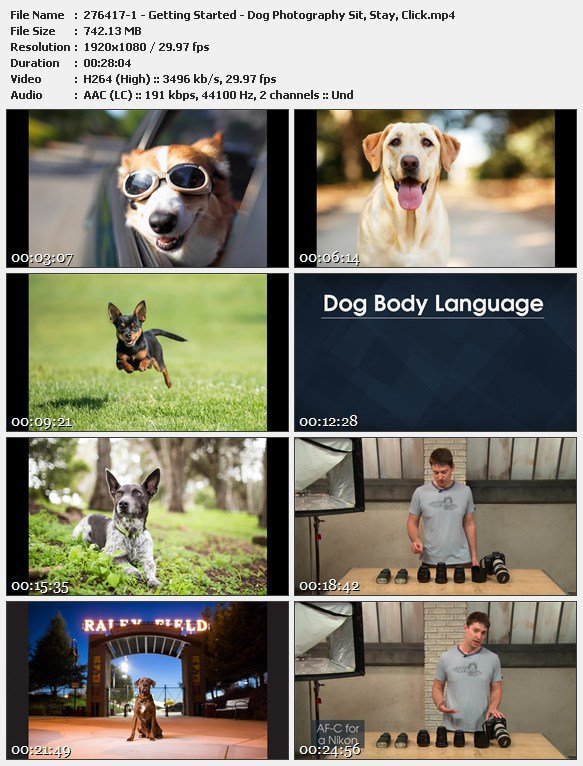
Dog Photography: Sit, Stay, Click

6wzgysjn1rnbi4edbkhybrmjp4.jpg


Dog Photography: Sit, Stay, Click
Duration: 3h14m | Video: .MP4 1920x1080, 30 fps(r) | Audio: AAC, 44000 Hz, 2ch | Size: 5 GB
Genre: eLearning | Language: English + .srt + .vtt

Capture endearing, expressive photos of beloved canine companions with professional pet photographer Anthony Helton as your guide. Discover valuable dog photography tips to help nervous pups relax in front of the camera, and find out how to keep a distracted dog's attention. Learn to properly expose for both light- and dark-colored dogs so you don't lose any detail, and explore essential principles of composition for artful, balanced images. Conquer challenging indoor and outdoor lighting with simple flash techniques and troubleshooting tips. And, get lens and shutter speed guidance to photograph energetic, fast-moving dogs with crystal-clear focus! Plus, Anthony will walk you through several post-processing adjustments, including removing leashes, so you can be sure to showcase any dog at their very best.

Homepage

czmnsoa3rrlzdkzo3vtjbtyk9k.jpg


Zurück
Oben Unten