• Regeln für den Video-Bereich:

    In den Börsenbereich gehören nur Angebote die bereits den Allgemeinen Regeln entsprechen.

    Einteilung

    - Folgende Formate gehören in die angegeben Bereiche:
    - Filme: Encodierte Filme von BluRay, DVD, R5, TV, Screener sowie Telesyncs im Format DivX, XviD und x264.
    - DVD: Filme im Format DVD5, DVD9 und HD2DVD.
    - HD: Encodierte Filme mit der Auflösung 720p oder darüber von BluRay, DVD, R5, TV, Screener sowie Telesyncs im Format x264.
    - 3D: Encodierte Filme von BluRay, die in einem 3D Format vorliegen. Dies gilt auch für Dokus, Animation usw.
    - Serien: Cartoon/Zeichentrick, Anime, Tutorials, Dokumentationen, Konzerte/Musik, Sonstiges sind demnach in die entsprechenden Bereiche einzuordnen, auch wenn sie beispielsweise im High Definition-Format oder als DVD5/DVD9/HD2DVD vorliegen. Ausnahme 3D.
    - Bereich Englisch: Englische Releases gehören immer in diesen Bereich.
    - Bereich Talk: Der Bereich, in dem über die Releases diskutiert werden kann, darf, soll und erwünscht ist.


    Angebot/Beitrag erstellen

    - Ein Beitrag darf erst dann erstellt werden, wenn der Upload bei mindestens einem OCH komplett ist. Platzhalter sind untersagt.
    - Bei einem Scenerelease hat der Threadtitel ausschließlich aus dem originalen, unveränderten Releasenamen zu bestehen. Es dürfen keine Veränderungen wie z.B. Sterne, kleine Buchstaben o.ä. vorgenommen werden. Ausnahme Serienbörse:
    - Bei einem Sammelthread für eine Staffel entfällt aus dem Releasename natürlich der Name der Folge. Beispiel: Die Simpsons S21 German DVDRip XviD - ITG
    - Dementsprechend sind also u.a. verboten: Erweiterungen wie "Tipp", "empfehlenswert", "only", "reup", usw. / jegliche andere Zusatzinformation oder Ergänzung, welche nicht in obiger Beschreibung zu finden ist.

    Aufbau des Angebots und Threadtitel

    Der Titel nach folgendem Muster erstellt zu werden. <Name> [3D] [Staffel] [German] <Jahr> <Tonspur> [DL] [Auflösung] <Quelle> <Codec> - <Group>
    Beispiel: The Dark Knight German 2008 AC3 DVDRip XviD - iND
    Beispiel: The Dark Knight 2008 DTS DL BDRip x264 - iND
    Beispiel: The Dark Knight 2008 AC3 DL BDRip XviD - iND
    Beispiel: The Dark Knight German 2008 AC3 720p BluRay x264 iND
    Beispiel: The Dark Knight 2008 DTS DL 1080p BluRay x264 iND
    Beispiel: Die Simpsons S01 German AC3 DVDRip XviD iND
    Beispiel: Die Simpsons S20 German AC3 720p BluRay x264 iND
    Beispiel: Sword Art Online II Ger Sub 2014 AAC 1080p WEBRip x264 - peppermint
    Entsprechend sind also u.a. verboten: Sonderzeichen wie Klammern, Sterne, Ausrufezeichen, Unterstriche, Anführungszeichen / Erweiterungen wie "Tipp", "empfehlenswert", "only", "reup", usw. / jegliche andere Zusatzinformation oder Ergänzung, welche nicht in obiger Beschreibung zu finden ist
    Ausnahmen hiervon können in den Bereichen geregelt sein.

    Die Beiträge sollen wie folgt aufgebaut werden:
    Überschrift entspricht dem Threadtitel
    Cover
    kurze Inhaltsbeschreibung
    Format, Größe, Dauer sind gut lesbar für Downloader außerhalb des Spoilers zu vermerken
    Nfo sind immer Anzugeben und selbige immer im Spoiler in Textform.
    Sind keine Nfo vorhanden z.B. Eigenpublikationen, sind im Spoiler folgende Dateiinformationen zusätzlich anzugeben :
    Quelle
    Video (Auflösung und Bitrate)
    Ton (Sprache, Format und Bitrate der einzelnen Spuren)
    Untertitel (sofern vorhanden)
    Hosterangabe in Textform außerhalb eines Spoiler mit allen enthaltenen Hostern.
    Bei SD kann auf diese zusätzlichen Dateiinformationen verzichtet werden.

    Alle benötigten Passwörter sind, sofern vorhanden, in Textform im Angebot anzugeben.
    Spoiler im Spoiler mit Kommentaren :"Schon Bedankt?" sind unerwünscht.


    Releases

    - Sind Retail-Release verfügbar, sind alle anderen Variationen untersagt. Ausnahmen: Alle deutschen Retail-Release sind CUT, in diesem Fall sind dubbed UNCUT-Release zulässig.
    - Im Serien-Bereich gilt speziell: Wenn ein Retail vor Abschluss einer laufenden Staffel erscheint, darf diese Staffel noch zu Ende gebracht werden.62
    - Gleiche Releases sind unbedingt zusammenzufassen. Das bedeutet, es ist zwingend erforderlich, vor dem Erstellen eines Themas per Suchfunktion zu überprüfen, ob bereits ein Beitrag mit demselben Release besteht. Ist dies der Fall, ist der bereits vorhandene Beitrag zu verwenden.
    - P2P und Scene Releases dürfen nicht verändert oder gar unter einem iND Tag eingestellt werden.


    Support, Diskussionen und Suche

    - Supportanfragen sind entweder per PN oder im Bereich Talk zu stellen.
    - Diskussionen und Bewertungen sind im Talk Bereich zu führen. Fragen an die Uploader haben ausschließlich via PN zu erfolgen, und sind in den Angeboten untersagt.
    - Anfragen zu Upload-Wünschen sind nur im Bereich Suche Video erlaubt. Antworten dürfen nur auf Angebote von MyBoerse.bz verlinkt werden.


    Verbote

    - Untersagt sind mehrere Formate in einem einzigen Angebotsthread, wie beispielsweise das gleichzeitige Anbieten von DivX/XviD, 720p und 1080p in einem Thread. Pro Format, Release und Auflösung ist ein eigener Thread zu eröffnen.
    - Grundsätzlich ebenso verboten sind Dupes. Uploader haben sich an geeigneter Stelle darüber zu informieren, ob es sich bei einem Release um ein Dupe handelt.
    - Gefakte, nur teilweise lauffähige oder unvollständige Angebote sind untersagt. Dies gilt auch für eigene Publikationen, die augenscheinlich nicht selbst von z.B. einer DVD gerippt wurden. Laufende Serien, bei denen noch nicht alle Folgen verfügbar sind, dürfen erstellt und regelmäßig geupdatet werden.
    - Untersagt sind Angebote, welche nur und ausschließlich in einer anderen Sprache als deutsch oder englisch vorliegen. Ausnahmen sind VORHER mit den Moderatoren zu klären.


    Verstoß gegen die Regeln

    - Angebote oder Beiträge, die gegen die Forenregeln verstoßen, sind über den "Melden"-Button im Beitrag zu melden.
  • Bitte registriere dich zunächst um Beiträge zu verfassen und externe Links aufzurufen.

++ Premium IPTV ++ 7000 Live Sender ++ UHD Qualität ++ Mediathek mit 18.000 Inhalten ++


VenneTV


Englische Tutorials

SANS - SEC401: Security Essentials Bootcamp Style

wvsdesipi8yyfgsnwuohzeijp1.jpg


SANS - SEC401: Security Essentials Bootcamp Style
Bryan Simon, Stephen Sims, Jason Fossen | Duration: 42h+ | Video: VP8 1280x720 | Audio: Vorbis 32 kHz 2ch | 6,58 GB | Language: English

SEC401: Security Essentials Bootcamp Style is focused on providing you the essential information security skills and techniques you need to protect and secure your organization's critical information and technology assets. SEC401 will show you how to apply the knowledge you gain, forming it into a winning defensive strategy in the terms of the modern adversary. This is how we fight; this is how we win!

SEC401 provides you with the information security knowledge needed to help you answer these questions for your environment, delivered in a bootcamp-style format reinforced with hands-on labs.

Test your security knowledge with our free SANS Security Essentials Assessment Test.

You will learn:

• To develop effective security metrics that provide a focused playbook that the IT department can implement, auditors can validate, and executives can understand
• To analyze the risk to your environment in order to drive the creation of a security roadmap that focuses on the right areas of security
• Practical tips and tricks that focus on addressing high-priority security problems within your organization and doing the right things that lead to security solutions that work
• Why some organizations win and why some lose when it comes to security and, most importantly, how to be on the winning side
• The core areas of security and how to create a security program that is built on a foundation of Detection, Response, and Prevention

Homepage

n9dybtn8civgsh8stlevjcqjue.jpg


React for Data Visualization

tp74geczeppju6uvmketf90jc2.png


React for Data Visualization
MP4 | Video: h264, 1920x1080 | Audio: AAC, 44.1 KHz, 2 Ch
Genre: eLearning | Language: English | Duration: 123 Lessons (26h 33m) | Size: 8.8 GB

Stop copy pasting D3 examples, create data visualizations of your own Learn how to build scalable dataviz components your whole team can understand with React for Data Visualization - updated for 2020

So you want to build a beautiful data viz. You've got data burning a hole through your pocket, an idea for a juicy story, and your boss or client are waiting for results.

You want something that looks great, works in the browser, performs on mobile, lets users interact with their data, syncs across an entire dashboard, and works as building blocks for future projects.

Cool ... now what?

Dynamic data visualization for the web is a pain in the ass you see. Harder than it looks.

Yeah sure anyone can build a chart in google docs but that's not what you're after is it? You can't build a product on top of google sheets. You definitely can't feed in dynamic data from an API, personalized to the user, and let them navigate and explore.

You've heard people build these amazing things with D3. The New York Times uses it, The Guardian does, so do Netflix, Uber, 23andMe, Visa, Walmart, and many others. I know because they've been to my workshops ;)

You hunt the web for examples and omaigod what is this!? How the hell is D3 doing that? ?

That's a bar chart by the way. You'd never guess just looking at the code. I've been doing this for years and I still have to simulate D3 examples in my mind to figure out how they work.

You decide that's too much and look for a library. Something easy you can use to finish real quick.

You find a bunch of libraries built on top of D3. Some even combine React and D3. Perfect for any modern web project!

You cobble something together and call it a day. Job well done.

Homepage

lesson122sv3k4s.jpg


Learn to Design Arduino Uno Board in Altium Designer

hkntzqy2li5omfdkmo2bhlpjk1.jpg


Learn to Design Arduino Uno Board in Altium Designer
MP4 | Video: h264, 1280x720 | Audio: AAC, 44.1 KHz, 2 Ch
Genre: eLearning | Language: English + .srt | Duration: 6 lectures (5h 33m) | Size: 5.28 GB

How to Design Arduino Uno Board in Altium Designer

What you'll learn:
How to Start Projecti in Altium
How to Read Schematic
How to Read Datasheet
How to Annotate Components
How to Compile Schematic
How to Place Components at the Right Order
Connection between SCH and PCB
How to Rout
How to Run DRC
How to Design Arduino Uno Board

Requirements
You will need Altium Designer software. If you are a college/university student, ask Altium for a student license. In many countries the student license is free.


Description
Learning a basic board design is essential for everyone who would like to work in electronics or who would like to design electronic boards or products. Learning board design in the right software can open you door into many companies, help you to get a well-paid job, and can be used to design very complex and advanced boards.

Design a Real Board and Learn Essentials of Using Altium Designer

- Draw your own schematic
- Route your PCB and do layout
- Generate documentation needed to manufacture your PCB

Altium Designer is a Powerful Software

During this course, you will learn how to use Altium Designer software. Altium Designer is a professional software used to design all kinds of boards, from very simple ones to motherboards or servers. It is one of the most used software for electronic design. Learning Altium is useful for everyone planning or already working in electronics.

Contents and Overview

You will learn how to re-draw the schematic, modify it, you will learn how to improve it and how to do PCB layout. The course videos are step-by-step and even if you are new in electronics or you have never used Altium Designer before, by repeating these steps, you will design your own board. By the end of this course, you will create all the necessary documents needed to manufacture the board.

Within 5.5h hours you will learn how to:

- Draw schematic, including tips for component selection and important circuits
- Place components into your PCB
- Route PCB and useful tips about layout

For everyone interested, the manufacturing documents created during this course can be used to build your board. Simply use PCB manufacturing data to get your PCB, buy components from Digikey, and solder them by yourself.

Enjoy this course :)

Who this course is for
College / University students: During this course you will learn how to work in Altium Designer. Altium is one of the most used software in companies which are designing electronic boards or products. Knowing how to work in Altium can give you an advantage when applying for a job. As a college / university student, you may be able to get a free license of Altium Designer.
Junior / Senior hardware design engineers: During this course you will go through complete process of designing an electronic board. You will learn all the steps exactly the way as they are done in a professional company. After this course you will know everything essential to use Altium Designer in your job. This course can be very useful when you are starting with Altium Designer or when you are moving to Altium Designer from a different CAD system.
Beginners, Hobbyists: If you build your own electronic circuits using wires or breadboards and you have ever wanted to transfer your circuits into a real board or real product, this course can help you. During this course you will learn how you can design your own boards.

Homepage

1.addingcomponentstoswkji1.jpg


Fundamental Data Structures & Algorithms using C language.

serin0kut2vanl5jaoa3b7jkfs.jpg


Fundamental Data Structures & Algorithms using C language.
Genre: eLearning | MP4 | Video: h264, 1280x720 | Audio: aac, 48000 Hz
Language: English | VTT | Size: 5.14 GB | Duration: 15h 42m


What you'll learn
Recursion, Stack, Polish Notations, infix to postfix, FIFO Queue, Circular Queue, Double Ended Queue, Linked List - Linear, double and Circular - all operations, Stack and Queue using Linked List
What is stack, algorithms for Push and Pop operation. Implementation of Stack data structure using C.
Using Stack - checking parenthesis in an expression
Using Stack - Understanding Polish notations, algorithm and implementation of infix to postfix conversion and evaluation of postfix expression
What is a FIFO Queue, understanding Queue operations - Insert and delete, implementing FIFO Queue
Limitations of FIFO queue, concept of Circular Queue - Implementation of Circular queue.
Concept of Double ended queue, logic development and implementation of double ended queue.
Concept of Linked List - definition, why we need linked list.
Singly Linked List - developing algorithms for various methods and then implementing them using C programming
Doubly Linked List - developing algorithm of various methods and then implementing them using C programming
Circular Linked List - developing algorithm of various methods and then implementing them using C programming
How to estimate time complexity of any algorithm. Big Oh, Big Omega and Big Theta notations.
Recursion, concept of Tail recursion, Recursion Vs Iteration.
Binary Tree, definition, traversal (in-order, pre-order and post-order), binary search tree, implementation.
Heap - concept, definition, almost complete binary tree, insertion into heap, heap adjust, deletion, heapify and heap sort.

Requirements
Student should be conversant with basic C programming.


Description
You will learn the following in this course: (All implemented using C programming)

Fundamental of Data Structure concept

Why we need Data Structures

Stack - Idea, definition, algorithm, implementations.

Using Stack - Parenthesis checking, Polish Notation, Infix to postfix conversion and evaluation.

FIFO Queue - Idea, definition, algorithm, implementation.

Circular Queue using array - Idea, definition, algorithm, implementation.

Double ended queue using array - Idea, definition, algorithm, implementation.

Linked List - Idea, definition, why we need linked list. Comparison with array.

Singly Linked List - Development of algorithm for various operations and then Implementation of each of them

Creating Stack and Queue using Singly Linked list - Implementation.

Doubly Linked List - Idea, definition, algorithm of various operations and implementations.

Circular Linked List - Idea, definition, algorithm and implementations.

14. Calculating efficiency of algorithms, Worst Case (Big Oh), Average Case (Big Theta) and Best case (Big omega) complexities. How to calculate them for different algorithms.

15. Binary Searching

16. Recursion in detail. Example program using recursion and the critical comparison between Recursive approach and Iterative approach of problem solving.

17. Binary Tree, definition, traversal (In, Pre and Post Order), Binary Search Tree implementation.

18. Heap data structure, definition, heap insertion, deletion, heap adjust, Heapify and heap sort.


Who this course is for:
Students who want to prepare themselve for interview of top companies like Google, Amazon or Microsoft.
Students who are looking forward to be an efficient programmer, who are having data structures in their syllabus.
Students who wants to have in dept knowledge about the Stack, Queue and Linked List, Efficiency of Algorithm, Binary Tree, Heap


Homepage

2.insertoperationforcj6ke3.jpg


Cypress V5+: UI + API Automation + CUCUMBER + Page Objects

7n1znras20efdr5lrgaxr8ijqk.jpg


Cypress V5+: UI + API Automation + CUCUMBER + Page Objects
MP4 | Video: h264, 1280x720 | Audio: AAC, 44.1 KHz, 2 Ch
Genre: eLearning | Language: English + .srt | Duration: 110 lectures (16h 15m) | Size: 6.9 GB

Cypress Tutorials - Learn and Master Cypress Modern Automation tool & techniques with Page Objects, Cucumber, Frameworks

What you'll learn:
Cypress tool - Automation in-Depth
Page Object Model
Cucumber JS
End to End Automation on different type of applications
All major Cypress commands etc
Cypress Automation implementation on Live projects

Requirements
Basic knowledge of Automation


Description
Cypress Tutorials on Latest V5+

Welcome to Brand new series of the most demanding and the Modern test Automation tool I.e Cypress

Cypress is one the open source Automation tool for cross browser testing which is very popular these days and has a great demand in Industry. The test execution is quite fast as compare to any other automation tools available in the Industry

A lot of new features that Cypress came up with which you will not find in any other automation tool in the Industry for ex if we talk about other open source automation tools or projects like Selenium, Protractor, WebDriverIO most of these are originated from the Selenium API itself.

Features like:

Time Travel

Debuggability
Automatic Waiting

Spies, Stubs, and Clocks

Network Traffic Control

Consistent Results

Screenshots and Videos

Cross browser Testing

We will be discussing about these features in Depth in the course

And in case you are coming from Selenium background then you are going to love this tool as working on Cypress is very very easy and simple as compare to writing automation code using Selenium APIs

Who this course is for
Automation Test engineers
Selenium Automation engineers
Manual Testers
QA
Test Leads

Homepage

3.whatiscypressspsjer.jpg


complete network hacking course using python

z2hxeki5fmeaxlgl75zbjs0j68.jpg


complete network hacking course using python
Genre: eLearning | MP4 | Video: h264, 1280x720 | Audio: aac, 44100 Hz
Language: English | VTT | Size: 8.54 GB | Duration: 13h 36m


What you'll learn
networking concepts
network security
linux
python basics
sockets and raw sockets in python
types of network hacking
arp spoofing
dns spoofing
capturing usernames and passwords
kali linux
wireshark
capturing packets
sniffing packets
penetration testing
python basics
hacking
hacking networks
communications
metasploit
backdoor
creating backdoors using metasploit
client-server communications
socket programming
sockets
raw sockets
sockets in python
ethical hacking using python
ethical hacking by kali linux
python ethical hacking
python for ethical hacking
offensive security
Requirements
we will explain everything from beginning to advanced levels .

Description
overview :

you will learn about creating an arp spoofing program which will make you able to put yourself in the middle of a communication so that you could listen to all the clients data and capture their username and passwords . then you could launch the dns spoofing to redirect victims to other places one of which is you own malicious website that you would know how to create . you would also know how to create a sniffing program yourself and how to get different packets from clients and change the to meet your own purpose which is to hack them and get access to them because you are forwarding them to places which have been provided with malwares like backdoor that you would know how to create too .

why this course :

there maybe plenty of other courses with the same subjects as this course . the difference of this course is that rather than how something is done (which most courses are about) , you would know why something is done. in order to fine the answer of this question you should know all the details about a subject . thats why that instead of teaching you about different modules and codes we will introduce you the most important and low level module in python which is raw socket . because don't forget if you just want to copy/paste code you could search it online. but you would want to know all the knowledge behind what you are doing .

in this course , first we will teach you about linux important command so you will be familiar and comfortable to work with the kali linux as the most important operating systems for hackers. after that we will teach you about basic python so that you will be ok with some basic command as we go along . after that in each section we will first learn about networking concepts by going to the deepest level and after that we start to create the security tools for network hacking using python different modules . at first we will implement our security tools using scapy which is a high level library in python and after that we go deeper by creating them using sockets and at last the raw sockets .our different sections of security tools includes :

1- arp spoofing : we will learn about all the details of how client starts to work in a network and also everything about different protocols like dhcp and arp . we learn about different sections and fields in an arp packet . somehow that you will completely learn why a protocol would have some vulnerability . after that we will create our arp spoofing program using scapy . and after that we will introduce you to sockets and raw sockets . and at last we will be creating our arp spoofing program using raw sockets .the difference about raw sockets with other modules is that you as the programmer should take care of everything so you have to know a high level of knowledge .and after that we will spy on victims by capturing their usernames and passwords.

2- sniffing program : in this section first we tell you how we could capture packets in general and we show a demo about it to you using scapy. but after that again we will go deep by using raw sockets . we start to capture packets in raw binary format and we will introduce you to different libraries and modules to how to convert them in a more human readable form . such modules include binascii , struct , chr , ord and so on. and after that in each section we will unpack and parse one section header until we get to the application layer data . by doing this section you will learn why packet sniffers like wireshark or libraries like scapy work as they do . because the important thing is the answer to why questions and not how.

3- dns spoofing program : in this section first we will teach you about dns protocol . how it works and all the different headers and fields in this protocol . after that you will understand yourself that why there is a vulnerability in this protocol so that you exploit it as dns spoofing . but again we won't be using already made modules but rather we will start to implement the application ourselves using python .

4- client-server communications : we will teach you about what a client-server based communication is . and how to setup a server by listening at specific port numbers while you have created and bound your socket with a nic(network interface card) .

5- http redirection and manipulation : you will learn the format of a http packet and how you could forward the http packets that you have received from other victims which you have launched the arp spoofing attack against and therefore you have access to their packets to other location including your malicious website .

6- creating a backdoor : in this section first we will take a look at how we could create a backdoor using metasploit , after that we explain that how a backdoor works the way that it works . so give you some example that how we could create our own backdoor using python .


Who this course is for:
security pentesters
students who want to switch to linux
people who want to create their own security tools and not to depend on other tools
python programmers who want to enter security
network administrators


Homepage

8.performingarpspoofiztke5.jpg


C++ programming step-by-step: From Beginner to Advanced

0tnpudkovuajhdnmgkw6gi5jj5.jpg


C++ programming step-by-step: From Beginner to Advanced
Genre: eLearning | MP4 | Video: h264, 1280x720 | Audio: aac, 44100 Hz
Language: English | VTT | Size: 14.2 GB | Duration: 27h 29m


What you'll learn
On completing the course you will have firm grip on C++ language. You will understand the object oriented programming OOPs concept in depth.
You will understand the basic programming structures like branching and looping.
You will understand details about pointers and dynamic memory allocation along with memory management techniques.
You will understand all about functions, parameter passing by value and by reference.
All about user defined types using struct and class. Constructor function, method overloading and dynamic polymorphism.
You will learn operator overloading, friend functions.
In depth understanding of Inheritance and dynamic polymorphism, how runtime polymorphism helps to write more

Requirements
You do not need to have any prior knowledge of programming. This is for absolute beginners.
You only need to know how to create a folder and how to save files in folder in any operating system like Mac or Windows.
You can start writing C++ program using any text editor like Notepad or Notepad++ or Sublime text or Atom
You can also use advance IDEs like Visual Studio or Xcode or Code::Blocks - I will demonstrate how to download and install each of them - No Worries.
You will also need C++ compiler - I will demonstrate how to install C++ compiler on your system at the beginning.
You can also use online C++ compiler to compile and execute your program.

Description
This course will teach you C++ from scratch upto advance level step-by-step with Object oriented programming (OOP ) using C++11/14. The object oriented programming concepts are clearly explained, you will learn classes, objects, inheritance, runtime polymorphism, Operator overloading apart from basic programming concepts like variables, branching and looping, functions, reference parameters, arrays, string and vectors in C++.
File I/O has been discussed in details and in the Mini project File I/O is used extensively.

You will learn STL or standard template library in detail along with concept of functors and lambda.

The approach is 100% practical, hands on experience of learning will help you to get more confidence with C++ programming. You can follow me along side doing the programs in C++ and that will be best way to do the course.


Who this course is for:
This course is for absolute beginners in programming. No previous knowledge in programming required.
Beginner in programming and looking forward to start a career as a programmer, this course is for you. It is always recommended to start with C++ as it is a perfect blend of procedural and Object oriented programming.
If you have C++ in your school or college curriculum then this course will perfectly match your need. This course is designed according to the academic syllabus of the college curriculum.
You want to be a game programmer but you are kind of confused about the programming language to start with then start with C++ a natural choice for unreal engine.


Homepage

8.afunctiontocheckarmbakq0.jpg


Art Therapy and Mental Health at the Workplace

007e1cb91hjut.jpg


Art Therapy and Mental Health at the Workplace
Duration: 6h 11m | .MP4 1280x720, 30 fps(r) | AAC, 48000 Hz, 2ch | 6.59 GB
Genre: eLearning | Language: English

Workplace based art therapy exercises to improve Mental Health


What you'll learn
Art therapy exercises that can be done at work to reduce stress
How Art Therapy can be used by anyone, anywhere
How to create a Stress Manual for work!
As knowledge of Art Therapy techniques grows, so the workplace becomes less stressful

Requirements
no


Description
This is a detailed, practical course - with built-in tests to allow you to share your own knowledge. A series of art therapy exercises are discussed to complement other stress reduction methods. You are asked to apply them to your workplace - and even create an (Overcoming) Stress Manual.

The emphasis throughout this course is to make it USEFUL for improving the workplace.


Who this course is for:
Anyone working either from home or in an office
Anyone stressed in their life

More Info

007e1cba7uj9l.jpg


16 days; 16 hours; 16 screenplays!

007e1cc3zokhu.jpg


16 days; 16 hours; 16 screenplays!
Duration: 4h 52m | .MP4 1280x720, 30 fps(r) | AAC, 44100 Hz, 2ch | 6.32 GB
Genre: eLearning | Language: English

Create Your Own Screenplay!


What you'll learn
Screenwriting - under pressure!
Writing a screenplay within an hour of being given a prompt
The prompt is given and discussed - in real time
The screenplay written in response to the prompt is then discussed
Screenplays are included in the course

Requirements
No


Description
Very straightforward:

1. I take a RANDOM UNSEEN prompt

2. I then brainstorm it in real time - less than 5 minutes. You see me do this

3. The lecture stops and I go and write the Screenplay. Total time maximum: ONE HOUR

4. The second part of the lecture is where I discuss my screenplay

5. There are 16 screenplays with this course so ideally the course lasts 16 days

6. You are encouraged to put your ideas for the prompt in the Q/A. Discussion is key!

So, what does the student get out of this course?

1. SIXTEEN prompts + discussion (optional)

2. Seeing the end result (as a resource/attached document)

3. Discussion with the writer (Instructor) about WHY that screenplay

4. Opportunity (Q/A) to put own brainstorming and invite comments

5. Encouragement throughout from a very involved Instructor

In general, because of time constraints (1 hour from idea to screenplay) the film is 10-15 minutes long. The Instructor has either produced or directed or acted in over 100 films. He is in Equity, on Spotlight and Starnow.

So this course - this CHALLENGE - is ideal for someone new to screenwriting or just wants the discipline of writing 16 scripts in 16 hours in 16 days!


Who this course is for:
Those who like a challenge!
People who have a passion for making their own movies
People thinking of (or are already) enrolling on a screenwriting course at college
People who want to work alongside an Instructor

More Info

007e1cc4scjso.jpg


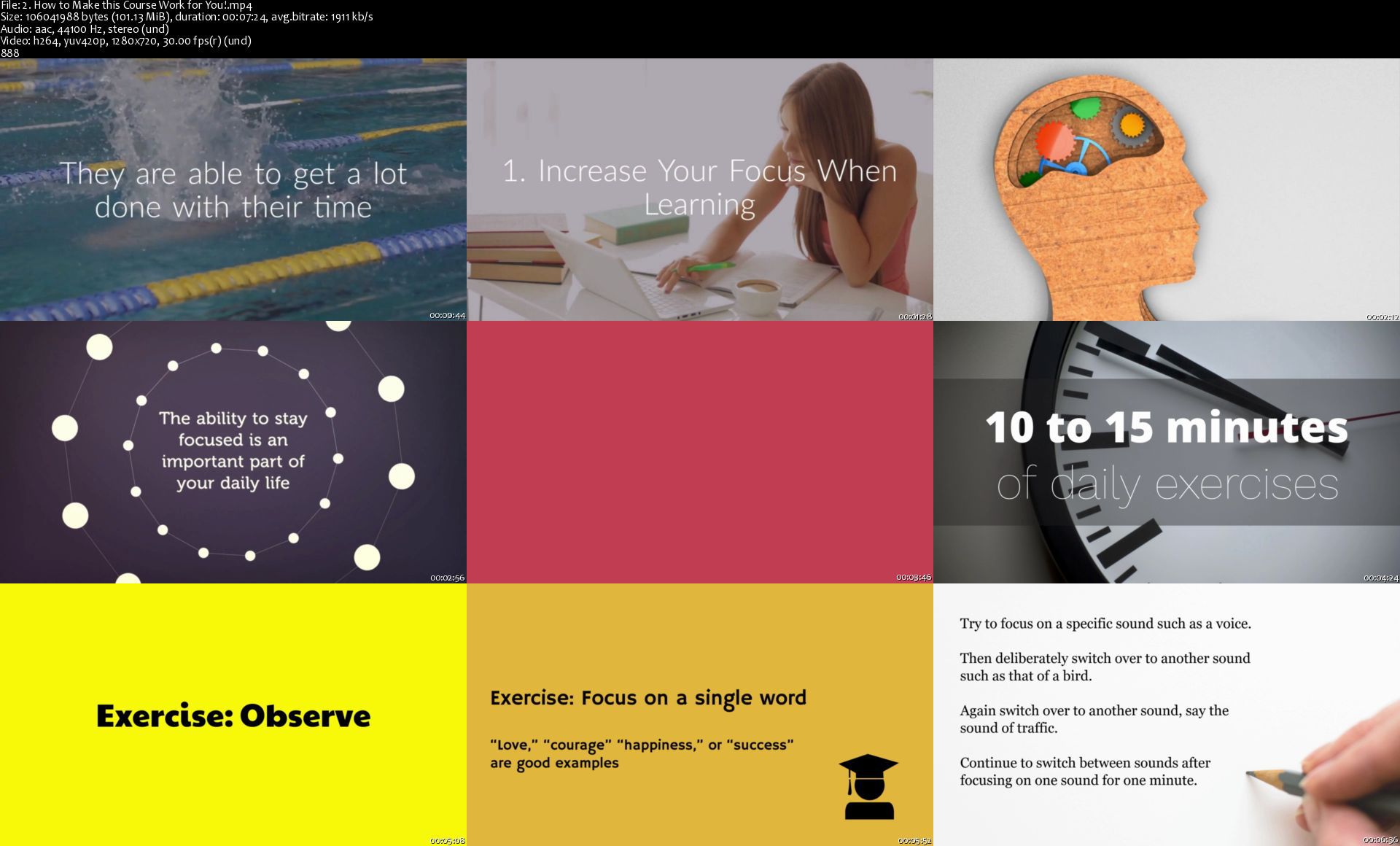
10X SuperHuman Focus: Maximize Your Brain & Focus

007e2201qzjey.jpg


10X SUPERHUMAN Focus: Maximize Your Brain & Focus
.MP4, AVC, 1280x720, 30 fps | English, AAC, 2 Ch | 12h 38m | 6.96 GB
Instructor: Silviu Marisk

ULTIMATE Focus Training: Discover a Step-By-Step SYSTEM for Accelerating Your Focus Without Stress or Procrastination


What you'll learn

#1 Best Selling FOCUS Course for High Achievers on Udemy!
How to create a system that can adapt to your changing needs so that you focus on your job, whatever it is, whenever you need to and wherever you are.
What are the MAJOR 8 Strategies to dramatically improve your concentration.
7 habits of mind and foundational concepts that will serve you for a lifetime.
How to move specific ideas/projects ahead quicker and easier.
What it takes to be more productive and committed.
Achieve quicker the results that you really want.
Implement the 6 Step Process in organizing and processing your goals.
Get Exclusive Access to Eight of the MOST EFFECTIVE Concentration Exercises.
How to improve your reading comprehension and retention using concentration.
Top 8 benefits of having a better concentration when learning.
How to create the right habits you desire.
How to use focus to lead your life as an achiever.
How to break from the chains of distractions.
How to become a master of time management.
Strengthen your focus.
Take focused action and achieve breakthrough results.
Get focused on what's most important to you.
Define your priorities and take action aligned with these.
How to acquire and grow skills using concentration.
How to re-frame a failure and never give up.
Discover the Strategic Learning Process.
Why you need to set long-term goals and constantly be thinking about the future.
Have exclusive access to EIGHT of the MOST EFFECTIVE Concentration Exercises.
How to maintain your focus and ELIMINATE all the distractions from your life.

Requirements

An open mind for learning.
A commitment to apply the material.
A notebook and pen!
There's nothing to buy or pay for - everything is included for free!


Description

Simple Strategies for Bulletproof Focus Revealed!

This Course is Designed For YOU! 10x Power Focus will be your daily guide to improve your productivity, work efficiently in any job, profession and venture you choose to be.

This is a revolutionary Accelerated Learning Self-Study course. It has been created to inspire, encourage and most importantly, EQUIP you with all essential focusing and concentration strategies. This will help you move from a place of potential to optimal performance in your personal, academic and professional life.

10x Power Focus - Get the Results you need!

Achieve quicker the results that you want.
Be more productive and committed.
Move specific ideas/projects ahead quicker and easier.
Strengthen your focus.
Take focused action and achieve breakthrough results.
Get focused on what's most important to you.
Define your priorities and take action aligned with these.
Learn more effectively.

Quick Overview of What You Will Learn

1. How To Set Powerful Focus Goals For Learning

Discover the Strategic Learning Process
Why you need to set long-term goals and constantly be thinking about the future
Implement the 6 Steps in Organizing and processing your goals
What is the KEY difference between long-term goals and short-term goals

2. Increase Your Focus When Learning

What are the MAJOR 8 Strategies to Dramatically improve your concentration
Have exclusive access to 8 of the MOST EFFECTIVE Concentration Exercises
How to maintain your focus and ELIMINATE all the distractions from your life
Top 8 benefits of having a better concentration when learning

3. The Power Of Discipline In Your Life

How to Eliminate Distractions and minimize Multitasking
How to develop a strong sense of discipline and focus
Discover 6 Techniques that will help you sustain the correct habits
5 Tips for optimizing the habits and discipline in your life

4. How To Improve Your Brain Power

What is the Life-Style to create a powerful mind
7 habits of mind and foundational concepts that will serve you for a lifetime
How to align your focus habits with your goals
What are the 5 biggest mistakes when aligning your mind habits to your goals

5. How To Use Your Concentration At Work

How to acquire and grow skills using
How to search for feedback frequently
How to overcome challenges at work

10X SUPERHUMAN Focus contains more than 10 hours of full training, but you can pace it along with your convenient timeline. Your learning adventure begins immediately after enrolling in this course. Take as much time as you need, and re-watch it as often as you like.

There are no previous requirements necessary, and Ii only ask you to Watch, Learn and Implement.


Who this course is for:

The course is recommended to people who have a particular objective in mind and to people who want to first select the right goal(s).
The course is designed for people who want to start a new project, change their habits, or work towards some other desired state.
Business owners, writers, teachers, or anyone who regularly creates, brainstorms, and manages ideas, people, and tasks.
Students who want to adopt an extremely productive, strategic and consistent approach towards their learning, both in and out of the classroom.

More Info

2.howtomakethiscourse2ejci.jpg


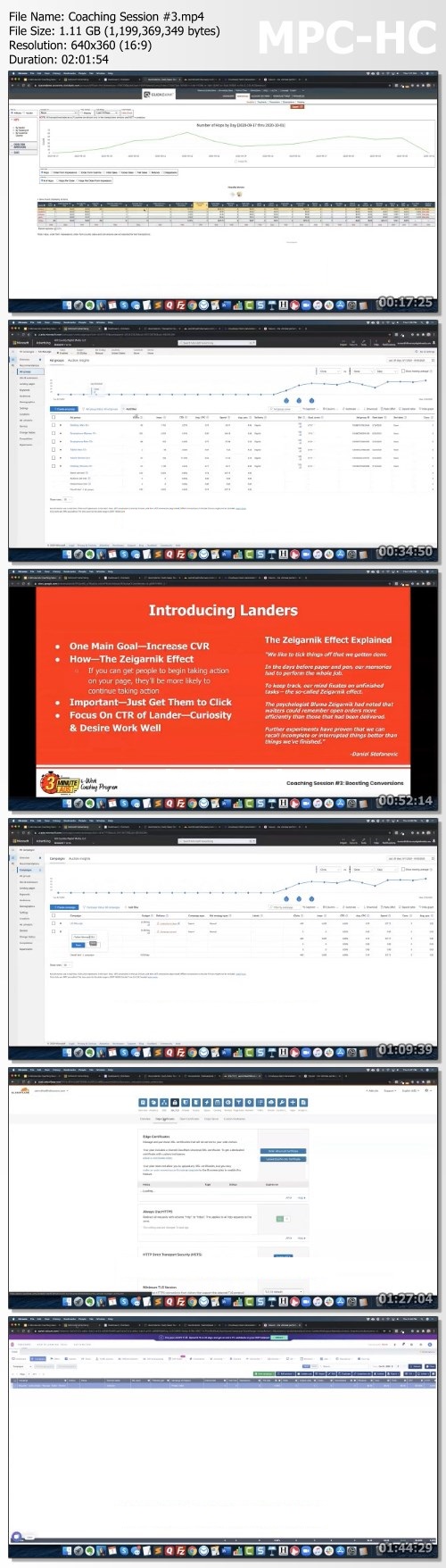
Duston McGroarty 3 Minutes Ads

38761a792635c3b016ab715025682175.jpg

Duston McGroarty - 3 Minutes Ads | 3.99 GB​
COACHING PROGRAM "How I Make More Than $2,000 PER DAY Posting Simple 3 Minute Ads!"
There is currently a MASSIVE opportunity to make money online right now, in October 2020.

And the best part?
ANYONE can do this. regardless of your prior experience or expertise.
But there IS a catch.
You have to TAKE ACTION FAST or you could miss out on the potential to make a lot of money in a short amount of time - 3 Minutes Ads
So, instead of wasting any more time blabbering on about how big of an opportunity this is.
Let me tell you what I'm doing.
I'm launching a BRAND NEW coaching program where I can take the time to really explain every aspect of this strategy.
While the strategy itself is super simple, super fast, and easy to understand.
There can be a lot of confusion about what you SHOULD do and what you SHOULDN'T do.
This 3 Minutes Ads is a 6-week long coaching program where we have one live, webinar-style coaching session per week.
The details of each session will be kept private and made available only to students who enroll.
The length of each session will vary depending on how many questions my students have but I promise to stay on as long as it takes to answer every last question.
And don't worry, if you can't make the live sessions that's okay. Every session will be recorded and made available inside the member's area online - 3 Minutes Ads
But that's just the tip of the iceberg! Because when you.
ENROLL IN THE 3-MINUTE ADS COACHING PROGRAM NOW AND GET THESE FREE BONUSES!
- The Ad Copy Vault: Copy and Paste Your Way to $2K Per Day With Access to My Ad Copy Vault!
- Winning Supplement Offers: An Up-to-Date Directory of the Best Money-Making Supplement Offers - 3 Minutes Ads
- Bing Keyword Library: Save Yourself from Hours of Research and Have Complete Keyword Lists for Every Health Supplement Niche at Your Fingertips
- Proven Bing Landing Pages: Double Your Conversion Rate Without Spending a Penny More on Traffic - 3 Minutes Ads
- Advanced Traffic Sources: Scale Your Winning Ads With Ease By Tapping Into These Advanced Affiliate-Friendly Traffic Sources

Homepage:

Screenshots
75a9a0b33cc2262b7d611f2d979919e3.jpg


Link Download
​
Extract files with WinRar 5 or Latest !
 
3DS MAX: Tips, Tricks and Techniques (Updated 11.2020)

i0ap8turufp8op3ac1aeb2bj1h.jpg


3DS MAX: Tips, Tricks and Techniques (Updated 11.2020)
MP4 | ENG | Video: h264, yuv420p, 1280x720 | Audio: aac, 48000 Hz, 2 channels | Duration: 22:28:00 | Size File: 5.85 GB
Genre: eLearning

3ds Max is a powerful, deep, and multifaceted program, so there's always more to learn. This weekly series aims to keep you on top of the latest tools and techniques, and introduces fresh perspectives on traditional methods for architectural and product visualization, animation, visual effects, games and virtual worlds, and motion graphics. Instructor Aaron F. Ross presents a new topic every week, spanning the full range of 3D graphics tasks, including modeling, rigging and animation, shading and lighting, camera operation, and rendering. He gives special attention to streamlining workflows, such as automation of time-consuming tasks, so your productions run more smoothly and efficiently. Come back every Wednesday for a new tutorial to expand your 3ds Max knowledge and skills.

Introduction
Welcome
What to know
Exercise files
3ds Max: Tips and Tricks
001 - Modeling a floor plan from a 2D drafting document
002 - Modeling terrain with Displace space warp
003 - Projecting UVs with the Camera Map world-space modifier
004 - Capturing shadows with Arnold Shadow Matte map
005 - Rendering compositing passes with Arnold AOVs
006 - Mechanical rigging with IK and the LookAt controller
007 - Modulating animation with Multiply and Ease Curves
008 - Working with audio and the AudioFloat controller
009 - Automating with Expression controllers
010 - Real-time animation with the Motion Capture utility
011 - Stylized rendering with Scanline Ink 'n Paint
012 - Getting started with the Max Creation Graph
013 - Modifying a Max Creation Graph tool
014 - Sculpting a terrain with Texture Object Mask
015 - Building a road with Conform space warp
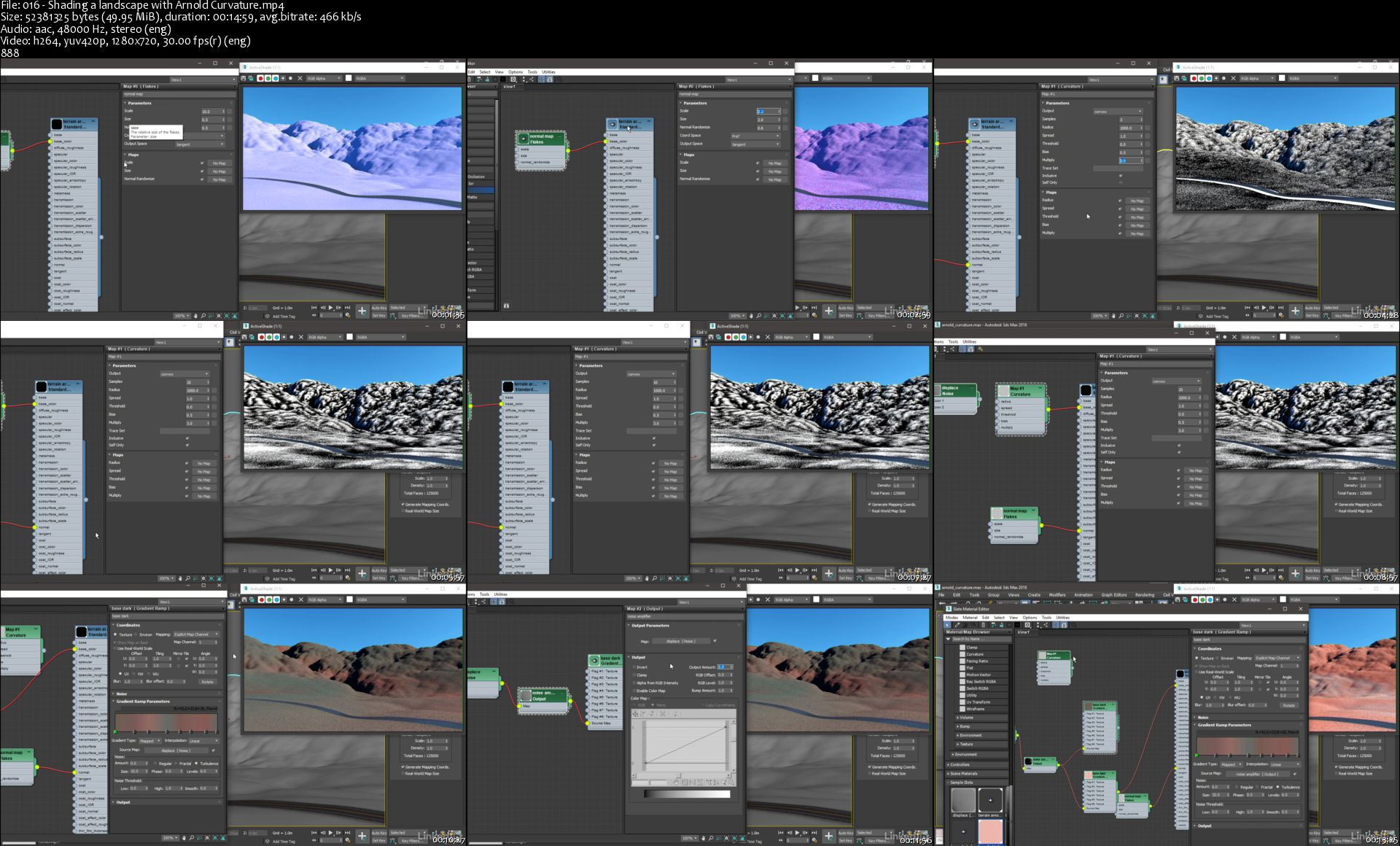
016 - Shading a landscape with Arnold Curvature
017 - Creating custom attributes with the Parameter Editor
018 - Driving animation curves with the Reaction controller
019 - Rigging a camera-facing matte painting
020 - Aligning a camera to a background with Perspective Match
021 - Projecting a photo to proxy geometry with Camera Map
022 - Automation with wire parameters and manipulators
023 - Converting scenes for different renderers
024 - Rendering light groups with Arnold AOVs
025 - Graphing scene conditions with State Sets Compositor
026 - Introduction to 3ds Max Fluids
027 - Modeling with the Motion Field Space Warp
028 - Non-destructive model adjustment with Linked Xform
029 - Animating sub-objects with Linked Xform
030 - Customize and cycle Path Constraint animation
031 - Generate complex motion with Waveform Controllers
032 - Illuminate a scene with an Arnold Mesh Light
033 - Shading with Maya maps in 3ds Max
034 - Varying shader properties by object with Arnold Color Jitter
035 - Render a mesh object with Arnold Standard Volume
036 - Render a Point Cloud object
037 - Setting track value boundaries with a limit controller
038 - Drawing curves with Freehand Spline
039 - Correcting intersections with Spline Overlap
040 - Reducing curve detail with Optimize Spline
041 - Resampling curves with Normalize Spline
042 - Soft-selecting curves with Spline Influence
043 - Blending curves with Spline Morph
044 - Combining splines with shape Booleans
045 - Approximating global illumination in Arnold
046 - Rendering proxies with Arnold procedurals
047 - Introduction to the Open Shading Language map
048 - Basic syntax of Open Shading Language
049 - Declaring OSL input and output parameters
050 - Generating a fractal noise pattern in OSL
051 - Iterating a for loop in OSL
052 - Using the if. else conditional statement in OSL
053 - Managing OSL file assets and paths
054 - Accelerate Arnold rendering with adaptive sampling
055 - Texturing with the Advanced Wood procedural map
056 - Art directing the Advanced Wood texture map
057 - Setting a fluid initial state
058 - In-camera compositing with Camera Map modifier
059 - Creating animation layers
060 - Collaborate online with shared views
061 - Rendering iridescence with Arnold Thin Film
062 - Loading and saving fluid presets
063 - Introduction to 3ds Max Interactive
064 - Building a motion graphics rig with Data Channel
065 - Creating custom project folder structures
066 - Open Shading Language code editor tips and tricks
067 - Spawning particles from a 3D map
068 - Rendering a starfield
069 - Faking GI with an Arnold ambient occlusion filter
070 - Modeling with the animation Snapshot tool
071 - Rendering particles with Arnold Standard Volume
072 - Render Arnold volume with physical values
073 - Volume indirect global illumination in Arnold
074 - Removing polygon detail with Freeform Optimize
075 - Transform and retime a cache with Fluid Loader
076 - Rendering motion blur in Arnold
077 - Drawing splines on an editable poly
078 - Sketching freeform topology over a polygon mesh
079 - Animating effects with Data Channel Decay
080 - Animating controllers in the Material Editor
081 - Painting a vertex color mask with VertexPaint
082 - Drawing polygon freeform strips
083 - Extruding polygon freeform branches
084 - Interactive ActiveShade in a viewport
085 - Fluid data channels
086 - Displaying fluid data channels
087 - Assigning UVW coordinates in an OSL network
088 - Using named coordinate spaces in Open Shading Language (OSL)
089 - Shadow group exclusion with Arnold properties
090 - Erasing materials with MAXScript or UVW Remove
091 - Understanding Fluid Churn and Vorticity channels
092 - Rendering Fluid channels with Arnold User Data
093 - Keyframe quantization and sub-frame editing with Snap Keys
094 - Importing a CAD solid model as a Body Object
095 - Solid model subtraction and intersection with Body Cutter
096 - Solid model union with Join Bodies
097 - Denoising an Arnold rendering
098 - Interactive Update in the animation Curve Editor
099 - Curve Editor view menu: Tips and tricks
100 - Editing animation curves with the Region Keys tool (NO SUBS)
101 - Combining data channels of Fluids
102 - Shading per object with OSL Random by Index
103 - Layering materials of Fluids
104 - Render particles as Arnold primitives
105 - Render PFlow particles with Arnold Shape
106 - Remapping colors with Arnold Ramp RGB
107 - Rendering contours with Arnold Toon
108 - Mapping Arnold Toon base color
109 - Controlling preview quality
110 - Adding information overlays to a preview with MAXScript
111 - Modeling with the updated Chamfer modifier
112 - Applying a chamfer using edge weight and depth
113 - Baking a map to a mesh with Assign Vertex Color
114 - Generating cavity and occlusion maps with Render Surface Map
115 - Baking multiple vertex color channels with VertexPaint
116 - Compositing vertex color in a shading network
117 - Optimizing geometry with the MultiRes modifier
118 - Improving viewport performance with the Substitute modifier
119 - Constructing a lighting assembly
120 - Wiring parameters in a lighting assembly
121 - Measuring with tape helper, the Measure Distance tool, and the Measure utility
122 - Display panel tips and tricks
123 - Quickly adjusting transforms and pivot point with the Transform Toolbox
124 - Stacking objects with Select and Place
125 - Managing objects and sub-objects with selection sets
126 - Referencing scenes with containers
127 - Changing inherited container content with Edit in Place
128 - Locking and unlocking container parameters
129 - Editing unlocked container parameters
130 - Projecting splines onto surfaces with ShapeMerge
131 - Analyzing and correcting mesh geometry with xView
132 - Keyframing sub-objects with the Master Point controller
133 - Managing scene materials with Material Explorer
134 - Defining a temporary transform center with working pivot
135 - Customizing keyboard shortcuts with Hotkey editor
136 - Stylized rendering with OSL Halftone Dots map
137 - Incorporating scene lighting in a shading network
138 - Incorporating render resolution in a shading network
139 - Situating geometry within an OSL HDRI environment
140 - Studio lighting with HDRI lights map
141 - White balance and exposure with an Arnold camera filtermap
142 - Rasterizing maps with bake to texture
143 - Advanced baking with bake to texture
144 - Baking to physically based renderer (PBR) materials for export
145 - Production rendering with Quicksilver hardware
146 - Varying textures with OSL Randomized Bitmaps
147 - Deforming a particle system with the Mesher compound object
148 - Set up Arnold render passes with AOV Manager
149 - Animating multiple tracks with Parameter Collector
150 - Improving edge smoothing with Weighted Normals modifier
151 - Rendering a cutaway with the Arnold Clip Geo material
152 - Advanced procedural noise with Uber Noise map
153 - Rendering polygon edges with OSL Wireframe map
154 - Art directing the OSL Wireframe map
155 - Introduction to MassFX Rigid Body dynamics
156 - Setting up a MassFX Rigid Body simulation
157 - Controlling a MassFX Rigid Body simulation
158 - Fine-tuning a MassFX Rigid Body simulation
159 - Automating secondary animation with the Flex modifier
160 - Keyframing modeling commands with the Edit Poly Animate mode
161 - Generating UVs with OSL projection maps
162 - Retiming all keyframes in a scene with the world track
163 - Snapping surfaces dynamically with MCG Ray Constraint
164 - Complex sub-object selections with the Selection ribbon
165 - Adding polygon edges with Paint Connect

Exercise Files

Update 11.2020
157 - Controlling a MassFX Rigid Body simulation
158 - Fine-tuning a MassFX Rigid Body simulation
159 - Automating secondary animation with the Flex modifier
160 - Keyframing modeling commands with the Edit Poly Animate mode
161 - Generating UVs with OSL projection maps
162 - Retiming all keyframes in a scene with the world track
163 - Snapping surfaces dynamically with MCG Ray Constraint
164 - Complex sub-object selections with the Selection ribbon
165 - Adding polygon edges with Paint Connect


016shadingalandscapewohj40.jpg


Zurück
Oben Unten