• Regeln für den Video-Bereich:

    In den Börsenbereich gehören nur Angebote die bereits den Allgemeinen Regeln entsprechen.

    Einteilung

    - Folgende Formate gehören in die angegeben Bereiche:
    - Filme: Encodierte Filme von BluRay, DVD, R5, TV, Screener sowie Telesyncs im Format DivX, XviD und x264.
    - DVD: Filme im Format DVD5, DVD9 und HD2DVD.
    - HD: Encodierte Filme mit der Auflösung 720p oder darüber von BluRay, DVD, R5, TV, Screener sowie Telesyncs im Format x264.
    - 3D: Encodierte Filme von BluRay, die in einem 3D Format vorliegen. Dies gilt auch für Dokus, Animation usw.
    - Serien: Cartoon/Zeichentrick, Anime, Tutorials, Dokumentationen, Konzerte/Musik, Sonstiges sind demnach in die entsprechenden Bereiche einzuordnen, auch wenn sie beispielsweise im High Definition-Format oder als DVD5/DVD9/HD2DVD vorliegen. Ausnahme 3D.
    - Bereich Englisch: Englische Releases gehören immer in diesen Bereich.
    - Bereich Talk: Der Bereich, in dem über die Releases diskutiert werden kann, darf, soll und erwünscht ist.


    Angebot/Beitrag erstellen

    - Ein Beitrag darf erst dann erstellt werden, wenn der Upload bei mindestens einem OCH komplett ist. Platzhalter sind untersagt.
    - Bei einem Scenerelease hat der Threadtitel ausschließlich aus dem originalen, unveränderten Releasenamen zu bestehen. Es dürfen keine Veränderungen wie z.B. Sterne, kleine Buchstaben o.ä. vorgenommen werden. Ausnahme Serienbörse:
    - Bei einem Sammelthread für eine Staffel entfällt aus dem Releasename natürlich der Name der Folge. Beispiel: Die Simpsons S21 German DVDRip XviD - ITG
    - Dementsprechend sind also u.a. verboten: Erweiterungen wie "Tipp", "empfehlenswert", "only", "reup", usw. / jegliche andere Zusatzinformation oder Ergänzung, welche nicht in obiger Beschreibung zu finden ist.

    Aufbau des Angebots und Threadtitel

    Der Titel nach folgendem Muster erstellt zu werden. <Name> [3D] [Staffel] [German] <Jahr> <Tonspur> [DL] [Auflösung] <Quelle> <Codec> - <Group>
    Beispiel: The Dark Knight German 2008 AC3 DVDRip XviD - iND
    Beispiel: The Dark Knight 2008 DTS DL BDRip x264 - iND
    Beispiel: The Dark Knight 2008 AC3 DL BDRip XviD - iND
    Beispiel: The Dark Knight German 2008 AC3 720p BluRay x264 iND
    Beispiel: The Dark Knight 2008 DTS DL 1080p BluRay x264 iND
    Beispiel: Die Simpsons S01 German AC3 DVDRip XviD iND
    Beispiel: Die Simpsons S20 German AC3 720p BluRay x264 iND
    Beispiel: Sword Art Online II Ger Sub 2014 AAC 1080p WEBRip x264 - peppermint
    Entsprechend sind also u.a. verboten: Sonderzeichen wie Klammern, Sterne, Ausrufezeichen, Unterstriche, Anführungszeichen / Erweiterungen wie "Tipp", "empfehlenswert", "only", "reup", usw. / jegliche andere Zusatzinformation oder Ergänzung, welche nicht in obiger Beschreibung zu finden ist
    Ausnahmen hiervon können in den Bereichen geregelt sein.

    Die Beiträge sollen wie folgt aufgebaut werden:
    Überschrift entspricht dem Threadtitel
    Cover
    kurze Inhaltsbeschreibung
    Format, Größe, Dauer sind gut lesbar für Downloader außerhalb des Spoilers zu vermerken
    Nfo sind immer Anzugeben und selbige immer im Spoiler in Textform.
    Sind keine Nfo vorhanden z.B. Eigenpublikationen, sind im Spoiler folgende Dateiinformationen zusätzlich anzugeben :
    Quelle
    Video (Auflösung und Bitrate)
    Ton (Sprache, Format und Bitrate der einzelnen Spuren)
    Untertitel (sofern vorhanden)
    Hosterangabe in Textform außerhalb eines Spoiler mit allen enthaltenen Hostern.
    Bei SD kann auf diese zusätzlichen Dateiinformationen verzichtet werden.

    Alle benötigten Passwörter sind, sofern vorhanden, in Textform im Angebot anzugeben.
    Spoiler im Spoiler mit Kommentaren :"Schon Bedankt?" sind unerwünscht.


    Releases

    - Sind Retail-Release verfügbar, sind alle anderen Variationen untersagt. Ausnahmen: Alle deutschen Retail-Release sind CUT, in diesem Fall sind dubbed UNCUT-Release zulässig.
    - Im Serien-Bereich gilt speziell: Wenn ein Retail vor Abschluss einer laufenden Staffel erscheint, darf diese Staffel noch zu Ende gebracht werden.62
    - Gleiche Releases sind unbedingt zusammenzufassen. Das bedeutet, es ist zwingend erforderlich, vor dem Erstellen eines Themas per Suchfunktion zu überprüfen, ob bereits ein Beitrag mit demselben Release besteht. Ist dies der Fall, ist der bereits vorhandene Beitrag zu verwenden.
    - P2P und Scene Releases dürfen nicht verändert oder gar unter einem iND Tag eingestellt werden.


    Support, Diskussionen und Suche

    - Supportanfragen sind entweder per PN oder im Bereich Talk zu stellen.
    - Diskussionen und Bewertungen sind im Talk Bereich zu führen. Fragen an die Uploader haben ausschließlich via PN zu erfolgen, und sind in den Angeboten untersagt.
    - Anfragen zu Upload-Wünschen sind nur im Bereich Suche Video erlaubt. Antworten dürfen nur auf Angebote von MyBoerse.bz verlinkt werden.


    Verbote

    - Untersagt sind mehrere Formate in einem einzigen Angebotsthread, wie beispielsweise das gleichzeitige Anbieten von DivX/XviD, 720p und 1080p in einem Thread. Pro Format, Release und Auflösung ist ein eigener Thread zu eröffnen.
    - Grundsätzlich ebenso verboten sind Dupes. Uploader haben sich an geeigneter Stelle darüber zu informieren, ob es sich bei einem Release um ein Dupe handelt.
    - Gefakte, nur teilweise lauffähige oder unvollständige Angebote sind untersagt. Dies gilt auch für eigene Publikationen, die augenscheinlich nicht selbst von z.B. einer DVD gerippt wurden. Laufende Serien, bei denen noch nicht alle Folgen verfügbar sind, dürfen erstellt und regelmäßig geupdatet werden.
    - Untersagt sind Angebote, welche nur und ausschließlich in einer anderen Sprache als deutsch oder englisch vorliegen. Ausnahmen sind VORHER mit den Moderatoren zu klären.


    Verstoß gegen die Regeln

    - Angebote oder Beiträge, die gegen die Forenregeln verstoßen, sind über den "Melden"-Button im Beitrag zu melden.
  • Bitte registriere dich zunächst um Beiträge zu verfassen und externe Links aufzurufen.


Englische Tutorials


3bf015edb2ce6cef3bad6991a20e0310.jpg

Excel Advanced: VLOOKUP, INDEX, MATCH, SUMIFS, COUNTIFS
MP4 | Video: AVC 1280x720 | Audio: AAC 44KHz 2ch | Duration: 2.5 Hours | 810 MB
Genre: eLearning | Language: English​

Learn Beginner to Advanced tricks on VLOOKUP, INDEX, MATCH, SUMIFS, COUNTIFS, INDIRECT - multi dimensional, reverse

Before you read what I have to say, see what my students are saying about my courses on Excel:

"I would like to tell you that I am very impressed with your courses so far - I particularly like the short videos that allow me to get to a topic quickly and then move on (your competitors mostly offer 20-30 min videos which is a bit much to keep one's attention span). The other gem in your training are the shortcuts, I found no other course with the same insights." by Peter Klugsberger, Australia, ex-McKinsey & Co., served various senior roles (CEO, COO) in various companies

œI thought you knew me - You solved the exact problem which I face at my office in your course by Rajesh Dhoot, India, ex-Sr. Manager, Finance and Accounts, Ultratech Cements " An Aditya Birla Group Co.

----------------------------------------------------------

The top seven functions for data lookup are VLOOKUP, INDEX, MATCH, SUMIFS, COUNTIFS, INDIRECT, and OFFSET. These alone will cover more than 50% of your Excel tasks - data analysis and MIS reporting requirements.

We have 26 videos of duration 2 hrs. Through practical examples, they start from the foundation and take you to the Ninja level application.

----------------------------------------------------------

Your Question - Why should I take this mini-course on Excel?

Our Response - Because we cover the following -

WHY should we use a certain formula or technique in a given situation
What are the alternative approaches to solving the same problem
Combo formulas and hidden tricks to truly make you a Master of Excel Lookup.
Example - By itself, VLOOKUP is a one-dimensional (1-D) lookup. We take you to Ninja level where you will also learn to use 2-D, 3-D, combo and reverse lookup.

---------------------------------------------------------

Your Question " So will I learn Pivot table, Sort & Filter?

Our Response " No. This course covers Lookups (1D, 2D, 3D, Combo, Reverse), VLOOKUP, INDEX, MATCH, SUMIFS, COUNTIFS, OFFSET & Conditional Calculations (Sum, Average, Count, and Special Running Total).

Recommend Download Link Hight Speed | Please Say Thanks Keep Topic Live ​

 

cf41fa02ca2670d26f1eafe4e8121daa.jpg

Lynda - Facebook Advertising Fundamentals
Size: 210 MB | Duration: 1h 22m | Video: AVC (.mp4) 1280x720 15&30fps | Audio: AAC 48KHz 2ch
Genre: eLearning | Level: Intermediate | Language: English​

Amplify your social media marketing campaigns with Facebook advertising. Facebook ads allow you to target specific audiences, so you can make sure your ads are getting in front of the right people. This course will help new Facebook advertisers effectively create, budget, place, and manage Facebook ads. Social media strategist Megan Adams takes you through the basics: setting up an account, understanding ad structure, and using the Ads Manager tools. She shows you how to make critical placement and budget decisions wisely. Learn when to promote pages vs. individual posts, when to use photo ads vs. link ads, and whether to place ads in the desktop or mobile news feed, in the sidebar, Instagram, or other places in Facebook's advertising network. Megan also shows you how to run ad reports, so you can determine whether your ads are accomplishing your goals. Finally, leave with some tips for writing great ads, choosing effective images, and improving ad performance.

Recommend Download Link Hight Speed | Please Say Thanks Keep Topic Live ​

 

ca449b0c7581daa302729aa038bcc536.jpg

Get Major Media Coverage! Pitching Your Brand to the Press
MP4 | Video: AVC 1280x720 | Audio: AAC 44KHz 2ch | Duration: 1 Hours | 167 MB
Genre: eLearning | Language: English​

A step-by-step guide to creating winning brand stories journalists will be dying to cover

Are you ready for your close up? (Yes!)

This course will teach you how to get press coverage for your business, brand or blog from local, regional and national media outlets.

Press coverage can be invaluable for growing your business, increasing brand awareness and driving sales, and the best part is that unlike advertising, it's completely free.

In a series of eight video modules, I'll take you through the pitching process step by step, showing you the exact process I've used to land stories in the Wall Street Journal, ABC News, the Huffington Post and hundreds of local publications.

The course materials include more than three hours of video content, printable s and worksheets to help you work through each module, and direct access to me via email for any additional questions.

Recommend Download Link Hight Speed | Please Say Thanks Keep Topic Live ​
 

223366aa719b46c12b531b4de688b84a.jpg

Lynda - Google Data Studio First Look
Size: 35 MB | Duration: 0h 16m | Video: AVC (.mp4) 1280x720 15&30fps | Audio: AAC 48KHz 2ch
Genre: eLearning | Level: Beginner | Language: English​

Getting the most out of your data includes being able to tell compelling, accurate stories with your data. Google Data Studio brings you the capability to create and customize reports, create charts and graphs, collaborate with your team, and produce meaningful data visualizations. Jess Stratton takes you through a first look at the editing interface, reusable templates, and data analysis features of Google Data Studio. She helps you familiarize yourself with features by using the sample data and the native tutorial within the product. Then, she demonstrates how to create your own project, connect sources, filter your report, and share your data.

Recommend Download Link Hight Speed | Please Say Thanks Keep Topic Live ​
 

0d234f1f425e03ef158e6199047d0a1d.jpg

How to Create a Personal Academic Website
MP4 | Video: AVC 1280x720 | Audio: AAC 44KHz 2ch | Duration: 25M | 157 MB
Genre: eLearning | Language: English​

This is a step-by-step guide on how to create a personal academic website. Good for PhD students, postdocs, and profs

This is a step-by-step guide on how to create a personal academic website. You will be able to build a personal academic website in approximately 10 minutes, from start to finish.

Great for Phd students, post-docs, adjuncts, or tenure-track professors
Course has videos, text, and audio guides
Over 30 minutes of course content
Control your online digital presence as an academic
The only prerequisties are to have on hand a CV, a profile picture, and a basic description of your research.

Recommend Download Link Hight Speed | Please Say Thanks Keep Topic Live ​

 

8fc0cd3a7c70092385617d0eb0491747.jpg

Lynda - Identify Sales Growth Opportunities
Size: 244 MB | Duration: 0h 35m | Video: AVC (.mp4) 1280x720 30fps | Audio: AAC 48KHz 2ch
Genre: eLearning | Level: Intermediate | Language: English​

Sales growth is essential for both frontline sales professionals as well as sales managers. There are two primary avenues for growth. You can grow within your current category, or you can seek opportunities outside your category. In this course, professor and former marketing and sales executive Drew Boyd explains four primary ways to grow sales within your current market: selling to new customers, selling more to current customers, growing sales with multibrand customers, and identifying and capturing your competitor's customers. If you choose to look for outside opportunities, he explains how to identify adjacent markets, and how to grow through mergers, acquisitions, and partnerships.

Recommend Download Link Hight Speed | Please Say Thanks Keep Topic Live ​

 

c469913fdbff4de8eaec885c8fc6a080.jpg

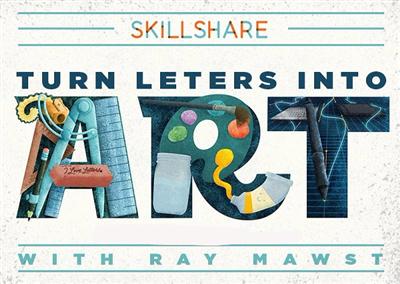
Illustrative Lettering - Turn Letters into Art
Duration: 30m | Video: h264, yuv420p, 1280x720 30fps | Audio: aac, 44100 Hz, 2 ch | 585 MB
Genre: eLearning | Language: English​

I will be teaching my illustrative lettering process from concept to completion, and students will be given the assignment of illustrating their favorite letter, or the first letter of their name. Once the students understand the process, they can then extend their concept to an entire word if they please. Otherwise, their illustrated letter can stand alone as a piece of artwork worthy of being framed!

Recommend Download Link Hight Speed | Please Say Thanks Keep Topic Live ​

 

664c4b001e3eaebc1c39dd85ace34dad.jpg

Implementing a Hybrid SharePoint 2013/2016 Infrastructure
MP4 | Video: AVC 1280x720 | Audio: AAC 44KHz 2ch | Duration: 4 Hours | 551 MB
Genre: eLearning | Language: English​

SharePoint hybrid infrastructures are gaining popularity, so SharePoint IT professionals need to prepare. You'll learn how to configure a hybrid infrastructure in either SharePoint 2013 or SharePoint 2016 to allow your users to be more productive.

As more and more organizations want to deploy a hybrid SharePoint environment to benefit from the advantages of both SharePoint on-premises and SharePoint Online, IT professionals need to learn how to implement and configure SharePoint in hybrid mode. In this course, Implementing a Hybrid SharePoint 2013/2016 Infrastructure, you'll gain the ability to configure a hybrid SharePoint infrastructure from A to Z. First, you will learn how to configure server-to-server authentication between SharePoint on-premises and SharePoint Online so they can securely exchange information. Next, you'll learn how to enable inbound connectivity to allow Office 365 to connect to your SharePoint on-premises for certain features. Finally, you'll learn how to implement all the hybrid features that SharePoint has to offer such as hybrid sites, hybrid OneDrive for Business, hybrid BCS, and hybrid cloud and federated search. When you're finished with this course, you will have the skills and knowledge needed to configure a hybrid SharePoint infrastructure for your organizations and/or clients.

Recommend Download Link Hight Speed | Please Say Thanks Keep Topic Live ​
 

d5a377b5e2dacb0b65d994e5e73110bb.jpg

Impress Me: Illustrating for Letterpress
Duration: 1hr 3m | Video: h264, yuv420p, 1280x720 30fps | Audio: aac, 44100 Hz, 2 ch | 975 MB
Genre: eLearning | Language: English​

Everybody loves letterpress! With warm textures, beautiful colour reproduction, and an impression you can actually feel, letterpress is the specialty printing technique of choice for eye catching invitations, greeting cards and art prints.

What illustrator or designer doesn't dream of workign with letterpress? But where to start? With a focus on letterpress basics and how they apply to illustration, this class is for anyone who wants to know more about this fascinating printing technique. Join illustrator Tom Froese as he walks you, step by step, through the process of designing a 2 colour greeting card for letterpress. Along the way, you'll learn about key letterpress concepts, incredibly useful Photoshop techniques, and you'll get a good sense of the differences between digital and print design. By learning and understanding these fundamental concepts and techniques, you'll be that much closer to the dream of having your work lettepress printed.

Recommend Download Link Hight Speed | Please Say Thanks Keep Topic Live ​
 

dd64970d813e8bd0c869cff5435b705f.jpg

Linux High Availability Cluster Management (LPIC-3 304 Part 2/2)
MP4 | Video: AVC 1280x720 | Audio: AAC 44KHz 2ch | Duration: 1.5 Hours | 243 MB
Genre: eLearning | Language: English​

Need to know how to improve the performance and reliability of your local or cloud Linux deployments? Discover the magic of high availability cluster computing.

Running server operations using clusters of either physical or virtual computers is all about improving performance over and above what you could expect from a single, high-powered server. But "improving performance" can mean different things in different contexts. This course, Linux High Availability Cluster Management (LPIC-3 304 Part 2/2), will bring many aspects of performance improvement to light. You'll be introduced to the principles of Linux-based HA and cluster management and the key tools currently in use in real-world environments - including Linux Virtual Server (LVS), HAProxy, Pacemaker, DRBD, OCFS2, and GFS2.You'll learn how to intelligently spread workloads among diverse geographic and demand environments (load balancing). You'll also discover how to provide backup servers that can be quickly brought into service in the event a working node fails (failover). Finally, you'll also learn about optimizing the way your data tier is deployed, or allowing for fault tolerance through loosely coupled architectures. By the end of this course, you will be able to improve and manage many aspects of the performance of your local or cloud Linux deployments, and they'll be more reliable for it.

Recommend Download Link Hight Speed | Please Say Thanks Keep Topic Live ​
 

0835ace77bc6137b3ea9b2550a24ad3d.jpg

Look Here! Design PowerPoint Presentations Worth Watching
MP4 | Video: AVC 1280x720 | Audio: AAC 44KHz 2ch | Duration: 1 Hours | 493 MB
Genre: eLearning | Language: English​

How to use PowerPoint to Create Effective Presentations

Frustrated with presenting?
Disappointed with PowerPoint?
Have something important to say...but can't seem to say it well?
Have a passion to communicate...but PowerPoint is getting in the way?
This is the course for you.

Based on thirty years of experience working with presentations and presenters around the world, this will teach you how to

Create clear content
Design effective creative elements
Use PowerPoint the right way
Truly influence your audience
Learn a proven, simple, step by step system designed to make your presentations the best they can be. This is the course to help you use PowerPoint to become a world class presenter!

Recommend Download Link Hight Speed | Please Say Thanks Keep Topic Live ​
 

241ebe92880a289dd756aa0685479b30.jpg

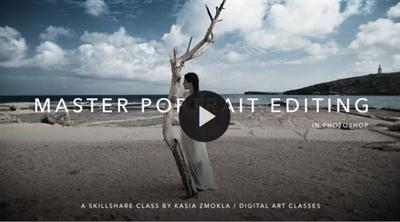
Master Portrait Editing techniques with Photoshop / Edit 3 of 6
MP4 | Video: AVC 1280x720 | Audio: AAC 44KHz 2ch | Duration: 1 Hours | 960 MB
Genre: eLearning | Language: English​

Master powerful Photoshop editing techniques, create stunning portfolio, amaze your clients with beautiful and timeless portraits!

Join me in this class & take your editing skills to entirely new level and turn your images from "flat" or "boring" to striking!

I will teach you all the Photoshop tricks and technics that I have learn during my over 10 years long artistic photography practice. You will learn how to improve your workflow to minimize time spend in digital darkroom and have more fun when shooting photos.

You will learn whole range of the most powerful and flexible portrait editing techniques;
You will be working in "non-destructive" way with Adjustment Layers to massively speed up the editing work;
You will master the most effective and flexible Photoshop tool in terms of photo editing - The Curves Tool
You will learn how to blend multiple adjustments in a seamless way in one image with help of masking techniques
You will learn how to evaluate tonal range in your images with the Histogram Tool and you will be using it as a basic reference in your workflow
You will achieve stunning results with your images and develop your artistic skills

Recommend Download Link Hight Speed | Please Say Thanks Keep Topic Live ​

 
Zurück
Oben Unten