• Regeln für den Video-Bereich:

    In den Börsenbereich gehören nur Angebote die bereits den Allgemeinen Regeln entsprechen.

    Einteilung

    - Folgende Formate gehören in die angegeben Bereiche:
    - Filme: Encodierte Filme von BluRay, DVD, R5, TV, Screener sowie Telesyncs im Format DivX, XviD und x264.
    - DVD: Filme im Format DVD5, DVD9 und HD2DVD.
    - HD: Encodierte Filme mit der Auflösung 720p oder darüber von BluRay, DVD, R5, TV, Screener sowie Telesyncs im Format x264.
    - 3D: Encodierte Filme von BluRay, die in einem 3D Format vorliegen. Dies gilt auch für Dokus, Animation usw.
    - Serien: Cartoon/Zeichentrick, Anime, Tutorials, Dokumentationen, Konzerte/Musik, Sonstiges sind demnach in die entsprechenden Bereiche einzuordnen, auch wenn sie beispielsweise im High Definition-Format oder als DVD5/DVD9/HD2DVD vorliegen. Ausnahme 3D.
    - Bereich Englisch: Englische Releases gehören immer in diesen Bereich.
    - Bereich Talk: Der Bereich, in dem über die Releases diskutiert werden kann, darf, soll und erwünscht ist.


    Angebot/Beitrag erstellen

    - Ein Beitrag darf erst dann erstellt werden, wenn der Upload bei mindestens einem OCH komplett ist. Platzhalter sind untersagt.
    - Bei einem Scenerelease hat der Threadtitel ausschließlich aus dem originalen, unveränderten Releasenamen zu bestehen. Es dürfen keine Veränderungen wie z.B. Sterne, kleine Buchstaben o.ä. vorgenommen werden. Ausnahme Serienbörse:
    - Bei einem Sammelthread für eine Staffel entfällt aus dem Releasename natürlich der Name der Folge. Beispiel: Die Simpsons S21 German DVDRip XviD - ITG
    - Dementsprechend sind also u.a. verboten: Erweiterungen wie "Tipp", "empfehlenswert", "only", "reup", usw. / jegliche andere Zusatzinformation oder Ergänzung, welche nicht in obiger Beschreibung zu finden ist.

    Aufbau des Angebots und Threadtitel

    Der Titel nach folgendem Muster erstellt zu werden. <Name> [3D] [Staffel] [German] <Jahr> <Tonspur> [DL] [Auflösung] <Quelle> <Codec> - <Group>
    Beispiel: The Dark Knight German 2008 AC3 DVDRip XviD - iND
    Beispiel: The Dark Knight 2008 DTS DL BDRip x264 - iND
    Beispiel: The Dark Knight 2008 AC3 DL BDRip XviD - iND
    Beispiel: The Dark Knight German 2008 AC3 720p BluRay x264 iND
    Beispiel: The Dark Knight 2008 DTS DL 1080p BluRay x264 iND
    Beispiel: Die Simpsons S01 German AC3 DVDRip XviD iND
    Beispiel: Die Simpsons S20 German AC3 720p BluRay x264 iND
    Beispiel: Sword Art Online II Ger Sub 2014 AAC 1080p WEBRip x264 - peppermint
    Entsprechend sind also u.a. verboten: Sonderzeichen wie Klammern, Sterne, Ausrufezeichen, Unterstriche, Anführungszeichen / Erweiterungen wie "Tipp", "empfehlenswert", "only", "reup", usw. / jegliche andere Zusatzinformation oder Ergänzung, welche nicht in obiger Beschreibung zu finden ist
    Ausnahmen hiervon können in den Bereichen geregelt sein.

    Die Beiträge sollen wie folgt aufgebaut werden:
    Überschrift entspricht dem Threadtitel
    Cover
    kurze Inhaltsbeschreibung
    Format, Größe, Dauer sind gut lesbar für Downloader außerhalb des Spoilers zu vermerken
    Nfo sind immer Anzugeben und selbige immer im Spoiler in Textform.
    Sind keine Nfo vorhanden z.B. Eigenpublikationen, sind im Spoiler folgende Dateiinformationen zusätzlich anzugeben :
    Quelle
    Video (Auflösung und Bitrate)
    Ton (Sprache, Format und Bitrate der einzelnen Spuren)
    Untertitel (sofern vorhanden)
    Hosterangabe in Textform außerhalb eines Spoiler mit allen enthaltenen Hostern.
    Bei SD kann auf diese zusätzlichen Dateiinformationen verzichtet werden.

    Alle benötigten Passwörter sind, sofern vorhanden, in Textform im Angebot anzugeben.
    Spoiler im Spoiler mit Kommentaren :"Schon Bedankt?" sind unerwünscht.


    Releases

    - Sind Retail-Release verfügbar, sind alle anderen Variationen untersagt. Ausnahmen: Alle deutschen Retail-Release sind CUT, in diesem Fall sind dubbed UNCUT-Release zulässig.
    - Im Serien-Bereich gilt speziell: Wenn ein Retail vor Abschluss einer laufenden Staffel erscheint, darf diese Staffel noch zu Ende gebracht werden.62
    - Gleiche Releases sind unbedingt zusammenzufassen. Das bedeutet, es ist zwingend erforderlich, vor dem Erstellen eines Themas per Suchfunktion zu überprüfen, ob bereits ein Beitrag mit demselben Release besteht. Ist dies der Fall, ist der bereits vorhandene Beitrag zu verwenden.
    - P2P und Scene Releases dürfen nicht verändert oder gar unter einem iND Tag eingestellt werden.


    Support, Diskussionen und Suche

    - Supportanfragen sind entweder per PN oder im Bereich Talk zu stellen.
    - Diskussionen und Bewertungen sind im Talk Bereich zu führen. Fragen an die Uploader haben ausschließlich via PN zu erfolgen, und sind in den Angeboten untersagt.
    - Anfragen zu Upload-Wünschen sind nur im Bereich Suche Video erlaubt. Antworten dürfen nur auf Angebote von MyBoerse.bz verlinkt werden.


    Verbote

    - Untersagt sind mehrere Formate in einem einzigen Angebotsthread, wie beispielsweise das gleichzeitige Anbieten von DivX/XviD, 720p und 1080p in einem Thread. Pro Format, Release und Auflösung ist ein eigener Thread zu eröffnen.
    - Grundsätzlich ebenso verboten sind Dupes. Uploader haben sich an geeigneter Stelle darüber zu informieren, ob es sich bei einem Release um ein Dupe handelt.
    - Gefakte, nur teilweise lauffähige oder unvollständige Angebote sind untersagt. Dies gilt auch für eigene Publikationen, die augenscheinlich nicht selbst von z.B. einer DVD gerippt wurden. Laufende Serien, bei denen noch nicht alle Folgen verfügbar sind, dürfen erstellt und regelmäßig geupdatet werden.
    - Untersagt sind Angebote, welche nur und ausschließlich in einer anderen Sprache als deutsch oder englisch vorliegen. Ausnahmen sind VORHER mit den Moderatoren zu klären.


    Verstoß gegen die Regeln

    - Angebote oder Beiträge, die gegen die Forenregeln verstoßen, sind über den "Melden"-Button im Beitrag zu melden.
  • Bitte registriere dich zunächst um Beiträge zu verfassen und externe Links aufzurufen.

++ Premium IPTV ++ 7000 Live Sender ++ UHD Qualität ++ Mediathek mit 18.000 Inhalten ++


VenneTV


Englische Tutorials

AstroFX 2.0 Courses

dae8c96cbc9269cc43905276e556fe3f.jpg

AstroFX 2.0 Courses | 16.76 GB​
Table of Content:
- Welcome to Astro FX (4 videos)
- Forex Principles (10 videos)
- Charting Foundations (12 videos)
- Intermediate Astro FX Tracking (16 videos)
- Fundamentals (5 videos)
- Psychology and Market Lessons (7 videos)
- ADVANCED ASTROFX PRO (22 videos)

HOmepage:

Screenshots
a601682784400780105de3765a4fa74c.jpg


Link Download
​
Extract files with WinRar 5 or Latest !
 
iOS y Swift : Curso Completo de Cero a Profesional

x-FHd-JNt0-OY4a-WGKgk-T1tc-REcgbm-CA5-X7.png


iOS y Swift : Curso Completo de Cero a Profesional
Genre: eLearning | MP4 | Video: h264, 1280x720 | Audio: aac, 44100 Hz
Language: Spanish | VTT | Size: 14.1 GB | Duration: 39.5 hours


What you'll learn
Aprenderás programar desde cero, dominar swift, entender y aprender a programar. Sí, desde cero.
Aprenderás a desarrollar aplicaciones nativas iOS, comprendiendo no copiando.
Aprenderás a documentarte y aumentar tus conocimientos con frameworks avanzados como Core Data, SpriteKit, ARKit ,Core ML, Cocoa Touch, AVFoundation entre otros.

Requirements
Solo necesitas computadora con sistema operativo macOS Sierra, macOS Mojave o posterior.
Description
Nueva versión del curso: Este curso es versión 2018, Te invitamos a unirte a nuestra nueva versión 2019-2020 la cual puedes encontrar en la biografía del instructor Juan Villalvazo en esta misma plataforma. En la nueva versión agregaremos lecciones nuevas y actualizadas durante todo 2019 y 2020, Gracias.

Con este curso aprenderás de la manera más fácil, desde cero y de forma completa los siguientes temas :

Instalación y uso de Xcode

Toda la sintaxis del lenguaje de programación Swift

Uso y creación de todos los tipos de datos, operadores y estructuras

La programación Orientada a Objetos, herencia, clases, métodos y propiedades

Comprensión y uso de peticiones a servidores por medio de servicios web Rest

Como crear apps para iOS y subirlas a un dispositivo real como el iPhone

Como crear Videojuegos con la tecnología de SpriteKit

Crear aplicaciones universales con Auto Layout y Constraints

Extensiones

Optionals de la manera más completa y sencilla

La unión de código con interfaz de usuario con IBOutlets & IBActions

Protocolos y delegados

Vistas, ventanas, jerarquía de vistas y storyboards

ViewControllers, segues, pasar de una vista a otra, pasar datos entre vistas

Ciclo de vida de las vistas y ciclo de vida de la aplicación

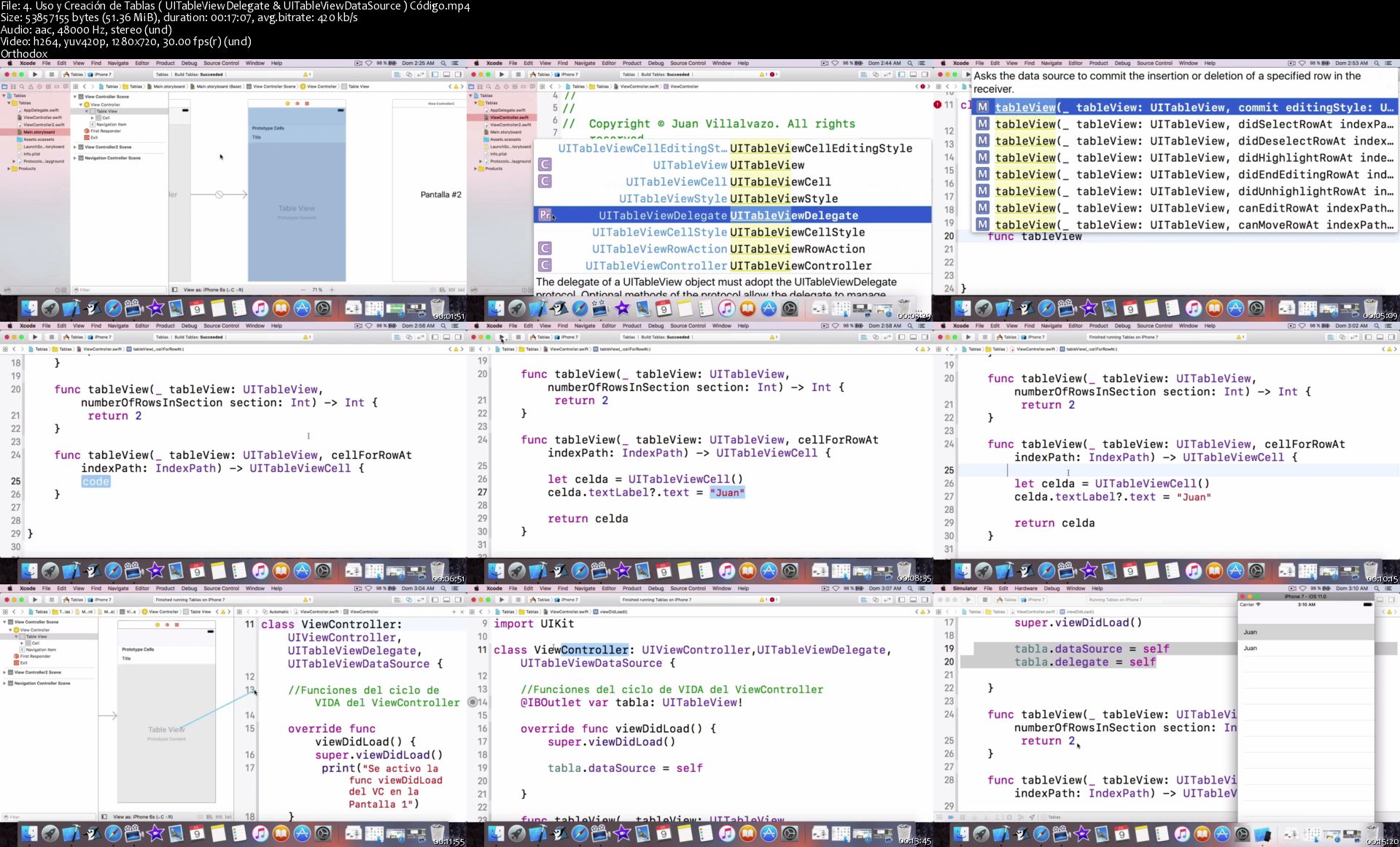
Tablas ( UITableView, row, cell, selección de filas, eliminar filas, creación desde cero )

Importación y uso de archivos del bundle de la Aplicación

ARKit

UserDefaults

Curso de Core Data

Implementación de la clase UICollectionView

Implementación de tecnología de inteligencia artificial y Machine Learning con CoreML

Push Notification y uso de Login de Facebook.

Crear apps con el poder de la Nube usando Azure Cloud.

CocoaPods

Este curso cuenta con Garantía del 100% durante 30 días, da clic en tomar este curso ahora mismo y forma parte de esta comunidad de más de 7900 estudiantes.

Muchas Gracias por tu tiempo y por darnos la oportunidad de compartir nuestro conocimiento.

¡Nos vemos en clases : )!

Who this course is for:
Perfecto para personas que quieren aprender a crear apps profesionales en iOS de manera rápida, eficiente y desde cero .
Este curso es perfecto para personas que se inician en la programación de aplicaciones iOS.
Ideal para personas que ya saben programar pero quieren aprender al 100% la lógica detrás de todo el ecosistema iOS de Apple.

Homepage

4-Uso-y-Creaci-n-de-Tablas-UITable-View-Delegate-UITable-View-D.jpg


iOS 10 y Swift 3 |Desarrollo de Aplicaciones Desde Cero

tkh-F58h-Oi-Oto-Dr8zh-D0x-CNVAWNm-UWx-Bq.png


iOS 10 y Swift 3 |Desarrollo de Aplicaciones Desde Cero
Genre: eLearning | MP4 | Video: h264, 1280x720 | Audio: aac, 48000 Hz
Language: Spanish | VTT | Size: 5.03 GB | Duration: 22.5 hours


What you'll learn
Aprenderás en verdad como funcionan las apps en iOS 10.
Aprenderás todas las bases y temas avanzados de Swift 3 de manera completa.
Aprenderás a usar Xcode 8 de manera profesional y eficiente.
Aprenderás a documentarte y aumentar tus conocimientos con frameworks avanzados como Core Data, SpriteKit, AVFoundation , SQLite conFMBD, Cocoa Touch, entre otros.

Requirements
Computadora con sistema operativo Yosemite o posterior.
Description
IMPORTANTE: Te recomiendo que te suscribas al curso actualizado de iOS con Swift, para ver la versión nueva del curso puedes ir a mi biografía dando click al nombre "Juan Villalvazo" en esta misma página (en la sección de instructor).

Muchas gracias por leer lo que este curso tiene por ofrecerte, con gusto te presento sus características :

Único curso de iOS 10 y Swift 3 en todo Udemy grabado con la versión reciente y pública de Xcode 8, nuestras lecciones NO utilizan versiones Betas antiguas como en otros cursos.

Aquí aprendes todo lo necesario de forma rápida, sencilla y completa, ya que todas las lecciones están bien editadas y creadas específicamente con el fin de enseñarte desde cero todo el ecosistema iOS de Apple, ademas comprenderás el significado verdadero de cada linea de código escrita, no solo copy-paste como otros tutores suelen enseñar.

Con este curso aprenderás de la manera más fácil, y completa los siguientes temas :

Instalación y uso de la versión más nueva de Xcode 8

Toda la sintaxis del lenguaje de programación Swift 3

Uso y creación de todos los tipos de datos, operadores y estructuras

La programación Orientada a Objetos, herencia, clases, métodos y propiedades

Comprensión y uso de peticiones a servidores por medio de servicios web Rest

Como crear apps para iOS 10 y subirlas a un dispositivo real como el iPhone

Como crear Videojuegos con la tecnología de SpriteKit en Swift 3

Crear aplicaciones universales con Auto Layout y Constraints

Optionals de la manera más completa y sencilla

La union de código con interfaz de usuario con IBOutlets & IBActions

Protocolos y delegados

Vistas, ventanas, jerarquía de vistas y storyboards

ViewControllers, segues, pasar de una vista a otra, pasar datos entre vistas

Ciclo de vida de las vistas y ciclo de vida de la aplicación

Tablas ( UITableView, row, cell, selección de filas, eliminar filas, creación desde cero )

Importación y uso de archivos del bundle de la Aplicación

Bases de datos con SQLite en iOS y Swift

La mejor introducción a Core Data

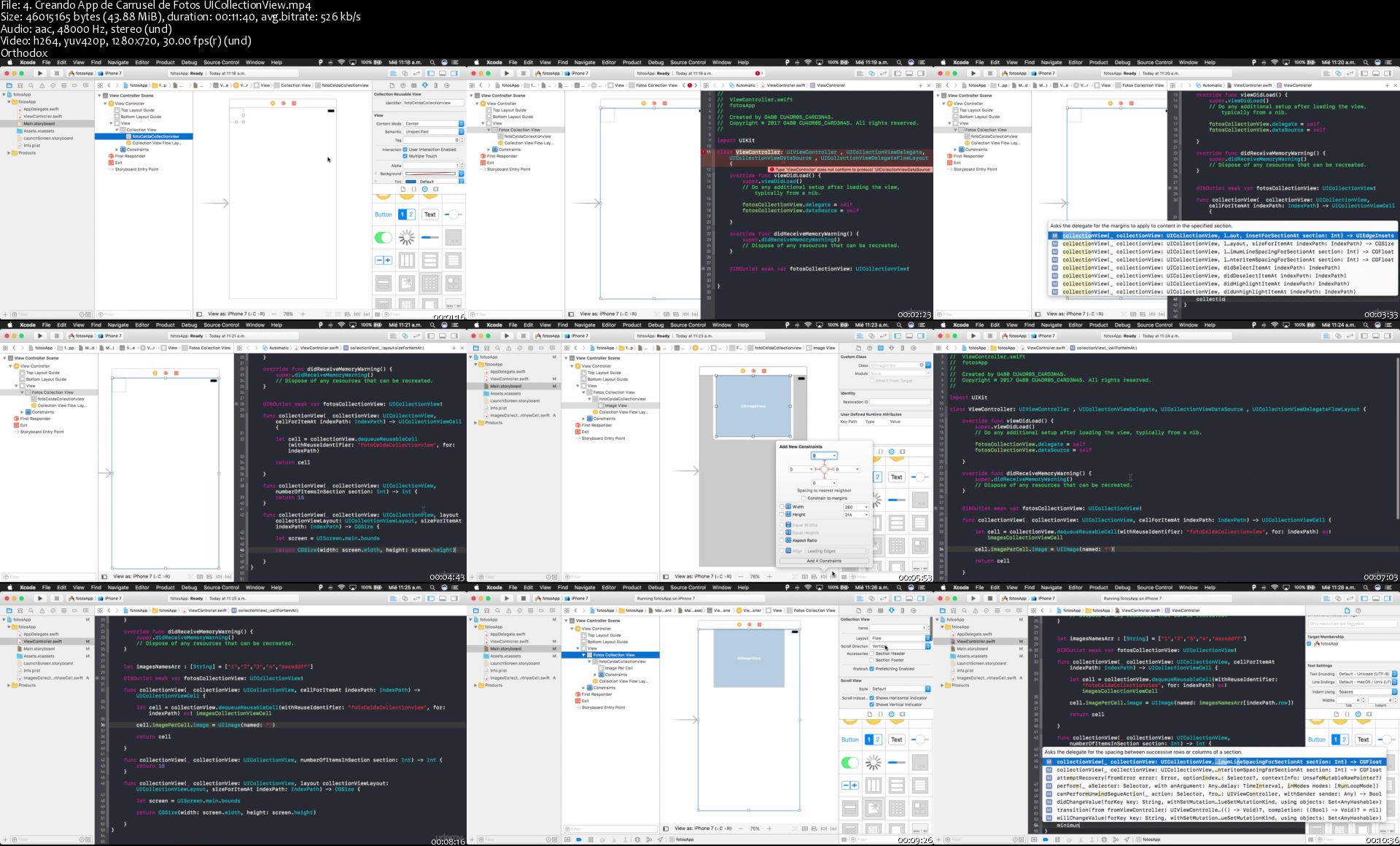
Implementación de la clase UICollectionView

Y muchos temas más(Te invito a que leas el programa completo abajo)

¡Por si fuera poco, este curso cuenta con Garantía del 100% durante 30 días!, da clic en tomar este curso ahora mismo y forma parte de esta comunidad de más de 2000 developers.

Muchas Gracias por tu tiempo y por darnos la oportunidad de compartir nuestro conocimiento, sin ti nuestros cursos no tendrían el mismo valor.

¡Nos vemos en clases : )!

Who this course is for:
Este curso es perfecto para personas que se inician en el mundo de la programación.
Ideal para personas que ya saben programar pero quieren aprender al 100% la lógica detrás de todo el ecosistema iOS de Apple.
Perfecto para personas que quieren aprender a crear apps profesionales de manera rápida y eficiente.

Homepage

4-Creando-App-de-Carrusel-de-Fotos-UICollection-View-s.jpg


Instalación y configuración de Windows Server 2016

1r-C1-OYc-Rfb-VOUFPDj16-Xdd-CQb-JKHFg-BG.jpg


Instalación y configuración de Windows Server 2016
BESTSELLER | Created by Jair Gómez | Video: h264, 1280x720 | Audio: AAC 48KHz 2ch | Duration:
41:15 H/M | Lec: 301 | 6.81 GB | Language: Spanish | Sub: Spanish [Auto-generated]

Aprende a implementar una infraestructura de red con Windows Server 2016 con sus principales roles y características

What you'll learn
Conocer funcionamiento de Sistemas Operativos de servidor
Ediciones, tipos de licenciamiento de Windows Server 2016
Instalación, configuraciones iniciales de Windows Server 2016
Implementar infraestructura de Active Directory Domain Services
Instalación y configuración de servicio DNS
Distribución dinámica de direcciones IP con DHCP
Implementación y despliegue de políticas de grupo en el dominio GPOs
Instalación y configuración de los servicios de Escritorio remoto
Despliegue de actualizaciones con Windows Server Update Services

Requirements
Conocimiento Sistemas Operativos Windows
Conocimientos redes TCP/IP

Description
La nube ofrece a las organizaciones de TI oportunidades de prosperar bajo un nuevo modelo que ofrece un tiempo más rápido para valorar e innovar. Muchas organizaciones, sin embargo, se enfrentan a estrictos requisitos de cumplimiento o negocio. Para las organizaciones que lo necesitan todo: seguridad, eficiencia e innovación, Windows Server 2016 lo entrega. Windows Server 2016 es el sistema operativo listo para la nube que admite sus cargas de trabajo actuales al mismo tiempo que introduce nuevas tecnologías que facilitan la transición a la computación en la nube cuando esté listo.

Es por esto que como administradores de sistemas o futuros debemos estar a la vanguardia de la tecnología, en este curso aprenderás desde cero TODA la implementación y administración de Windows Server 2016 en sus roles y características.

Aprende a:

Identificar licenciamiento, edición y tipo de instalación que mas conviene a una infraestructura
Implementa los principales roles y características
Conoce toda la administración de Active Directory Domain Services, el principal rol de Windows Server
Realiza la configuración de servicios de red como DNS, DHCP
Despliega políticas de grupo GPO
Implementa servicios de Escritorio remoto
Y mucho mas...
No puedes quedarte en versiones anteriores, Windows Server 2016 incorpora muchas nuevas funcionalidades que hacen la vida diario de un administrador mucho mas sencilla y productiva al igual que ayuda a minimizar costes a las empresas y aumentar su producción.

Who this course is for?
Administradores de sistemas

Homepage

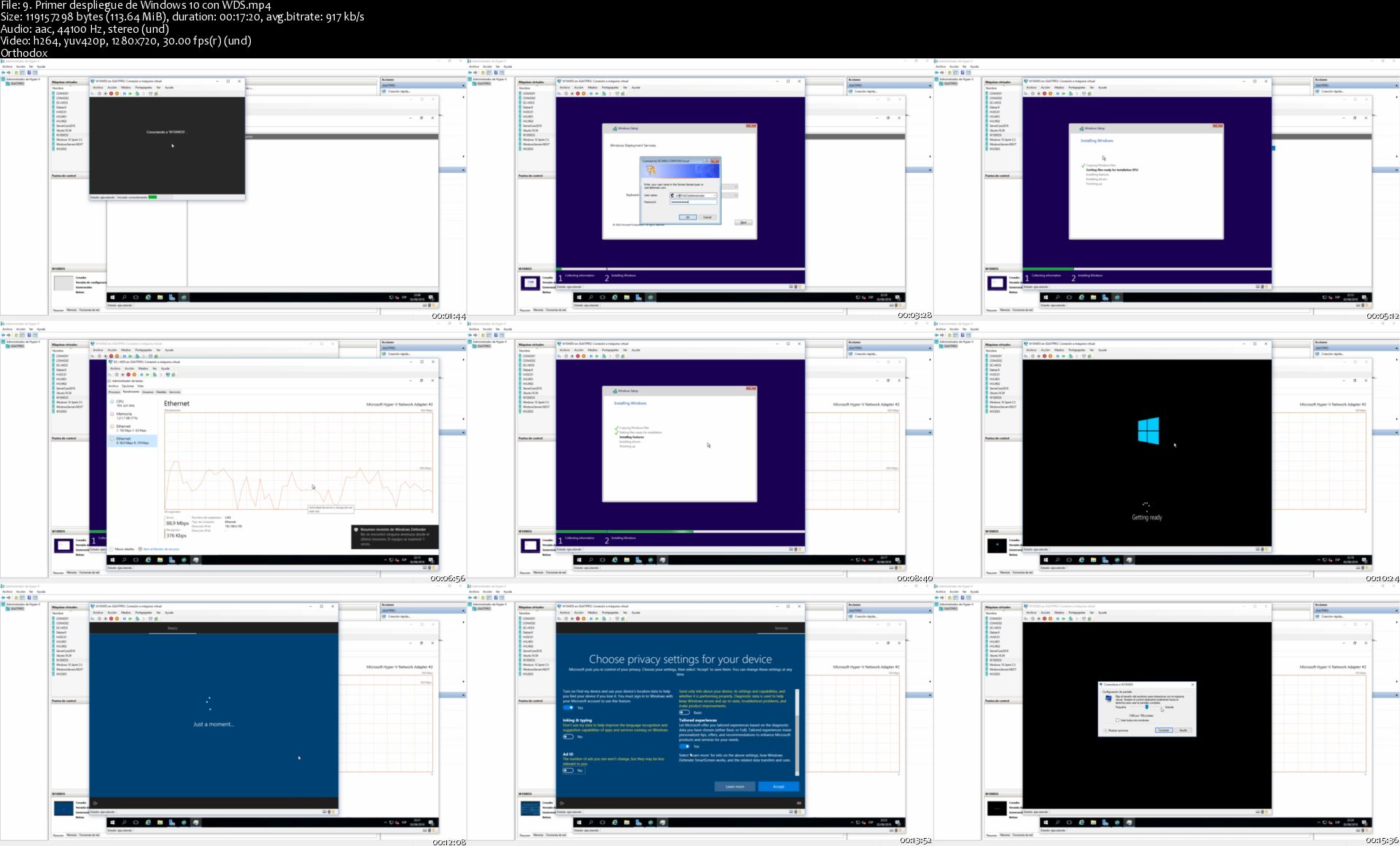
9-Primer-despliegue-de-Windows-10-con-WDS-s.jpg


Aplicaciones Big Data para Data Scientist con R y Shiny

x-JOm-Jg-Ngr-C9t6vxw-ULg-AST46-Oc-Zn9-WXG.jpg


Aplicaciones Big Data para Data Scientist con R y Shiny
Created by David Manero | Video: h264, 1280x720 | Audio: AAC 48KHz 2ch | Duration: 25:40 H/M | Lec: 69 | 18.7 GB | Language: Spanish | Sub: Spanish [Auto-generated]

Aprende R mientras realizas aplicaciones web de Big Data

What you'll learn
Este curso te permitirá, utilizando R y Shiny, desarrollar aplicaciones web para interactuar con los datos tratados o para realizar diversos estudios interactivos y dinámicos. También se explica como desplegar las aplicaciones una vez realizadas y como compartirlas, tanto para funcionar en un entorno standalone o en sistema web accesible desde Internet, alojado en tu propia sitio, o en alguna de las opciones libre o freemium como shinyapps.

Requirements
No se necesita conocimientos previos, más que los de programación básica. Es recomendable estar familiarizado con R (aunque se dan unos conceptos básicos y se explican todos los comandos) y también es interesante conocer como funcionan JavaScript, HTML, CSS y, en general, las aplicaciones web, aunque no se sea un experto.

Description
El mundo del Big Data y de la Ciencia de los Datos tiene un apartado fundamental que a veces queda disuelto por el desarrollo o la arquitectura de software.

La Visualización de Resultados y el desarrollo de Aplicaciones para acceder a la información obtenida del Big Data Science es fundamental para un buen especialista en Big Data, un Científico de Datos o un Ingeniero de Machine Learning.

Shiny es una librería de R desarrollada por los creadores de RStudio, el IDE más importante del lenguaje de programación R. Shiny proporciona una manera sencilla y rápida de crear aplicaciones en el lenguaje nativo de R con ayuda de la tecnología javascript y css, pero de forma transparente para el usuario. Es decir, sin saber ni un comando de Javascript o sin conocer HTML5 ni CSS, se pueden desarrollar aplicaciones espectaculares.

Durante el curso, se explicarán todos los comandos utilizados, así como el código de R utilizado. De esta forma, aunque no tengas experiencia en este lenguaje, podrás seguir las explicaciones. Desde luego, es conveniente conocer R. Aprovecha el resto de mis cursos para introducirte en estos lenguajes.

Como ejercicio de fin de curso, realizaremos una aplicación completa de la galería de ejemplos de Shiny.

¡Descubre todas las capacidades escondidas en Shiny y realiza las mejores aplicaciones!

Who this course is for?
Si te interesa la Ciencia de los Datos (Data Science), eres ingeniero de Machine Learning o, en general, utilizas o desarrollas aplicaciones de Big Data. Especialmente indicado para Data Scientist o Data Engineers, Big Data Developers o Machine/Deep Learning Engineers.

Homepage

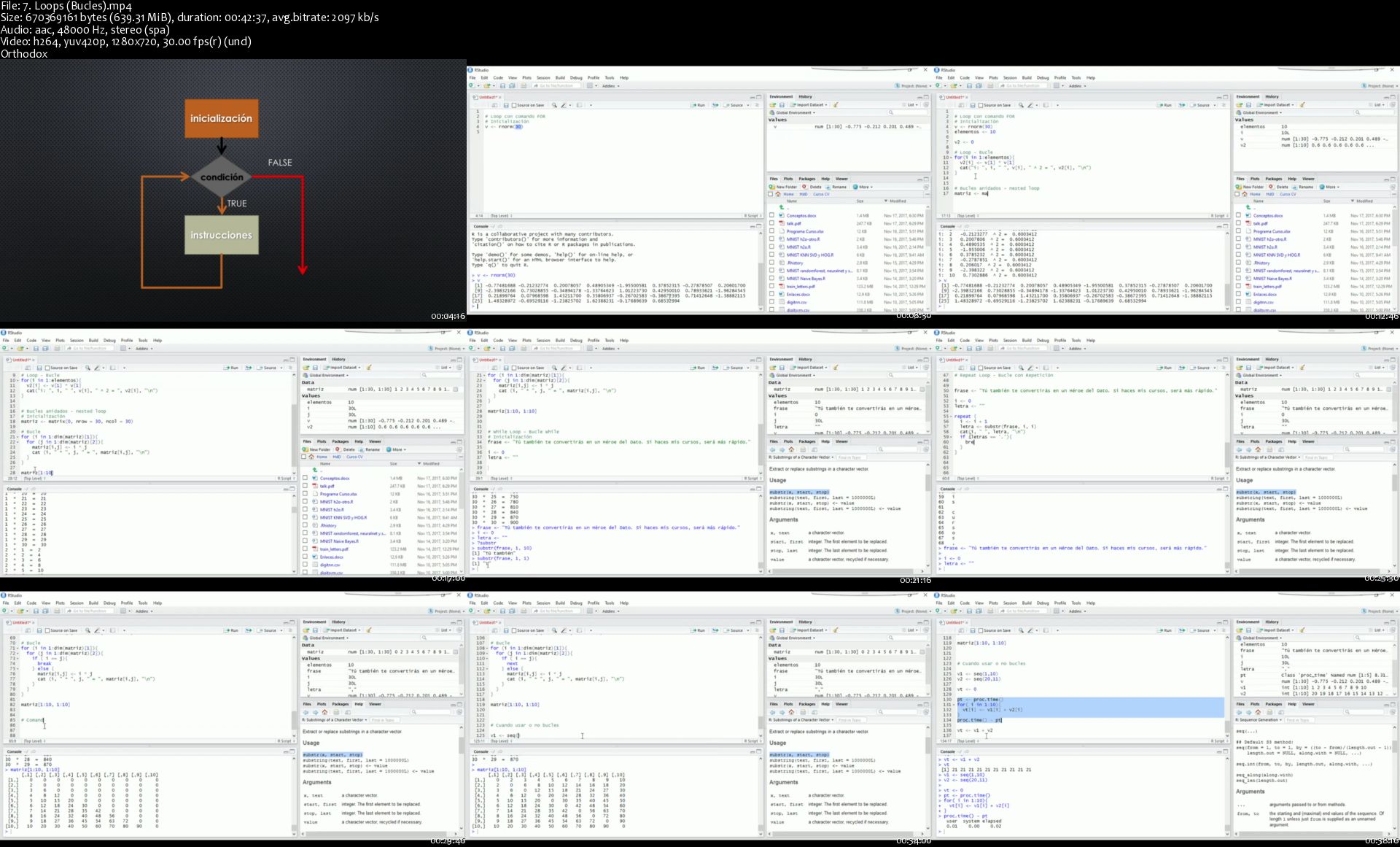
7-Loops-Bucles-s.jpg


Ethical Hacking from Top University Professor

0070b75f.jpg


Ethical Hacking from Top University Professor
.MP4, AVC, 1280x720, 30 fps | English, AAC, 2 Ch | 23h 12m | 15.6 GB
Created by JADA eLearning


What you'll learn

Basic Concepts of Networking
TCP IP Protocol
IP adressing and Routing
Network based attacks
Password Cracking
DNS and Email Security
and Much Much More

Requirements

Beginners are Welcome

Who this course is for:

Who wants to start a new Career or just want to know more About Ethical Hacking

More Info

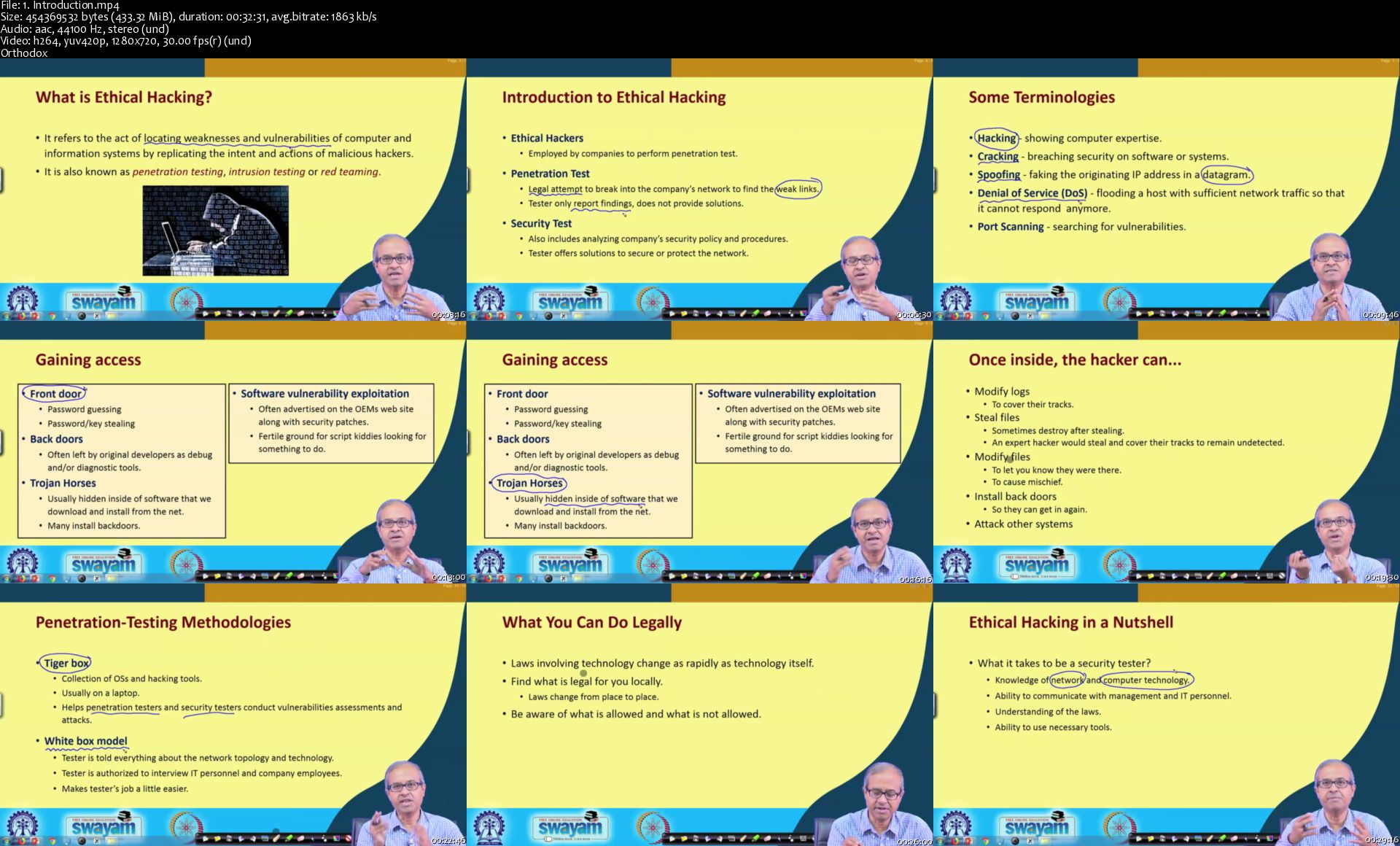
1-Introduction-s.jpg


Essentials of Realism

D81mp-YWa56-WZv-PCL98-F94-Ap-A7mp-KKMsn.jpg


Essentials of Realism
Video: .MP4, AVC, 1920x1080, 30 fps | Audio: English, AAC, 44.1 KHz, 2 Ch | Duration: 11.8h | 22.56 GB
Instructor: Jonathan Hardesty

This course is a detailed look at what an artist needs to achieve a realistic result in a work of art. Students will learn to study reality effectively and then manipulate and change that information in their own work. This course will cover:

Proportional Relationships (Getting everything in the right place)
Value Relationships (How dark or light should it be?)
Edge Relationships (How fuzzy or hard should it look?)
Color Relationships (How cool or warm should it be?)
Putting it all together (Applying all the fundamentals with a goal in mind)

Through use of various exercises, students will go beyond learning to accurately depict reality. They will learn to visually "make sense" of what they are seeing and translate that information to their own work. Creating realistic works of art, whether from imagination or life, requires an understanding of how to observe reality accurately and efficiently. Creating interesting works of art requires an understanding of how to manipulate what you see in reality. In this class students will learn both.

Homepage

05-s.jpg


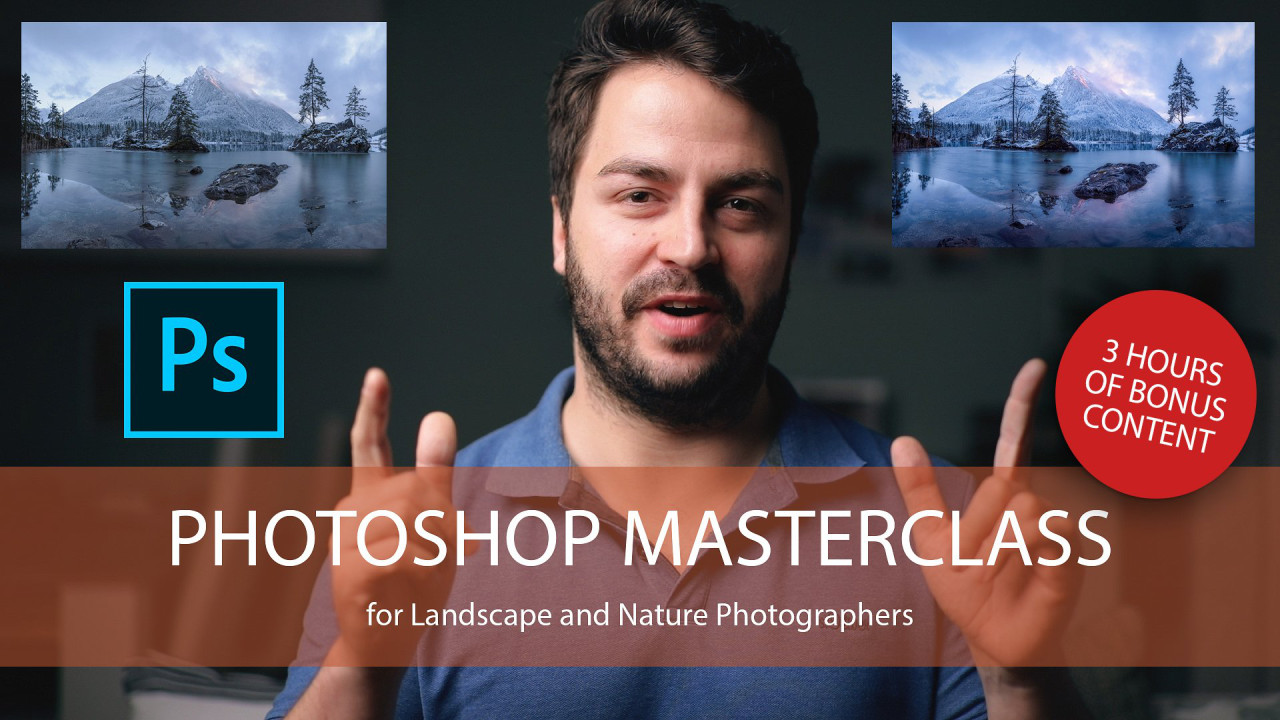
Photoshop Masterclass for Landscape and Nature Photography

u-Qy-MXnp-VHf-HUaki-Wl6-Rs-E1t79ni8-Eb78.jpg


Photoshop Masterclass for Landscape and Nature Photography
Video: .MP4, 1856x1160, 30 fps | Audio: AAC, 48 kHz, 2ch | Duration: 5h 22m
Genre: eLearning | Language: English | Size: 5.6 GB

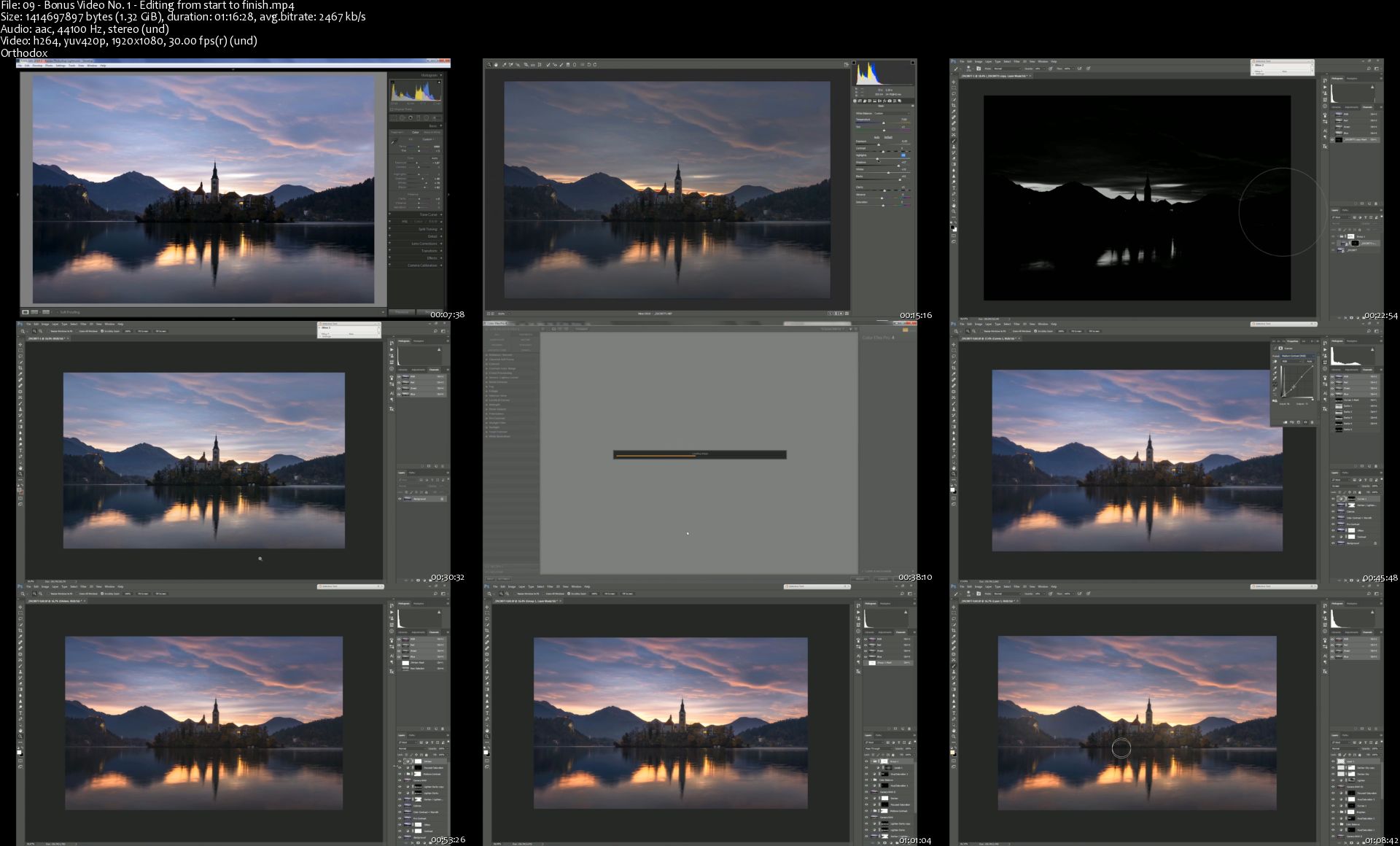
In this class you will learn all the Photoshop techniques you need to know to bump your own images to the next level. I will show you in seven different chapters how I edit one of my favourite images from start to finish. I think its really helpful to see which techniques are used to process a file from the beginning to the end. All the steps can be used to imrove your landscape photography.
Video No. 1:
Here I will show you how I prepare my RAW files in Adobe Lightroom for furter Adjustments in Adobe Photoshop.
Video No. 2:
In this chapter you will learn how I use Adobe Photoshop to create one big panoramic image out of six RAW files and how I further enhance the perspective using the warp tool.
Video No. 3:
Did you ever wonder why some images have this special look which makes them "glow"? In this chapter you will learn three ways how to create a dreamy and moody look on your photos using the Orton Effect.
Video No. 4:
Here I will show you how to enhance details in your image and how to use the Nik Collection to improve contrast and colors.
Video No. 5:
In this chapter you will learn my advanced steps to imrove contrast using luminosity masks. I will show you how to create those masks and how to work locally on your images.
Video No. 6:
Color is one of the most important parts of an image and thats the reason why I dedicated to spend a whole chapter in this tutorial. You will learn everything about color contrast and how you make local color adjustments.
Video No. 7:
In this final video you will my special web sharpening technique so your images look the best in any web browser for your audience worldwide.
Almost three hours of bonus content!
Watch how I process three of my favourite images from start to finish.

09-Bonus-Video-No-1-Editing-from-start-to-finish-s.jpg


Microsoft Excel Basic to Advance Level

0070fed4.jpg


Microsoft Excel Basic to Advance Level
Video: .mp4 (1280x720, 30 fps(r)) | Audio: aac, 44100 Hz, 2ch | Size: 5.44 GB
Genre: eLearning Video | Duration: 11:46:13 | Language: English

Learn Excel in just few hours.


What you'll learn

An In-depth excel tutorial
From basics of writing a formula to complex functions
Functions explained in most logical and simplest manner
Suitable for beginners to advanced users. ideal for users who learn faster when shown.
Learn different Functions from Microsoft Certified trainer from your own desk.
Downloadable exercise files for practical learning
Get a certificate of completion

Requirements

Microsoft Excel 2007/2010/2013/2016

Description

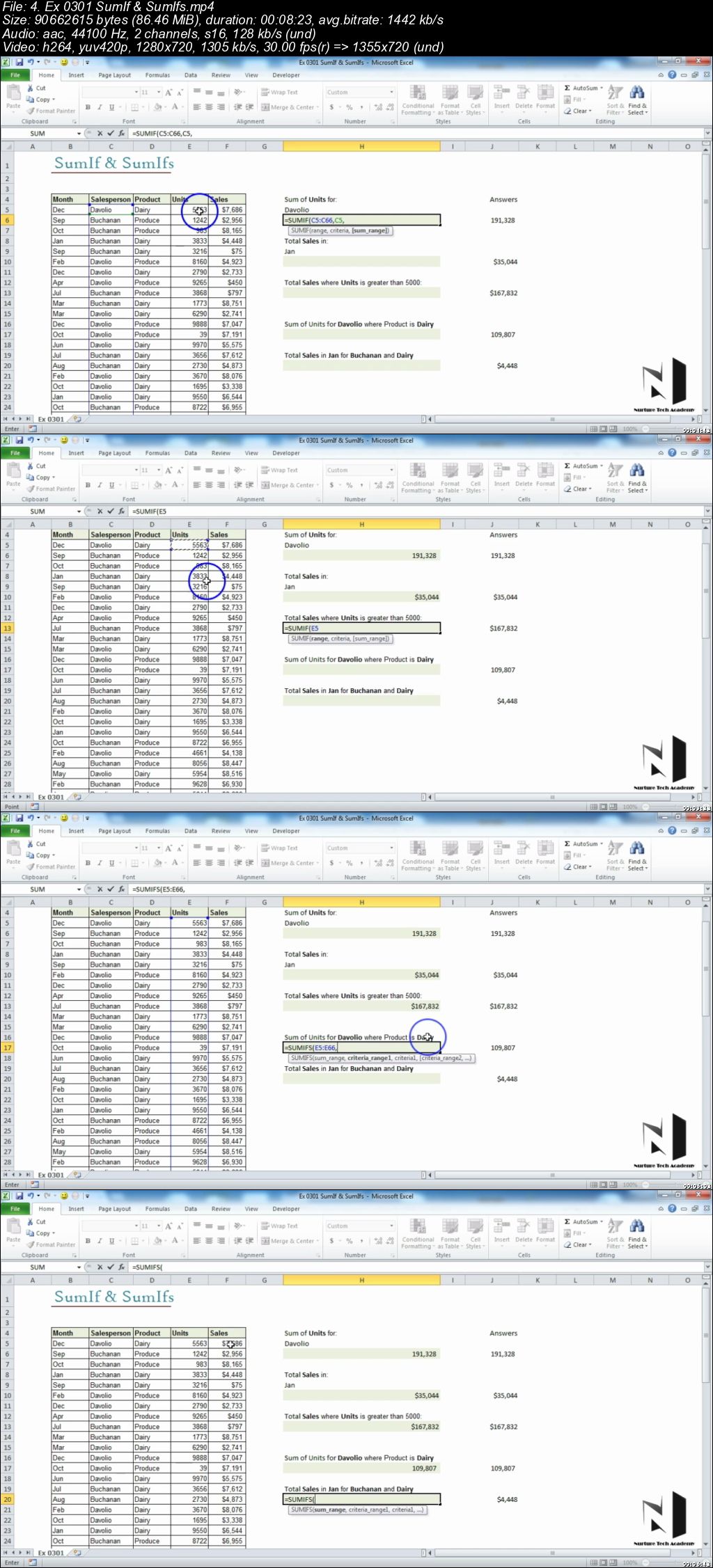
In this Excel, A 2 Z - An In-depth video course, Nurture Tech Academy introduces you to the simplest and logical way to understand Excel environment in detail.

In this Excel training course, you will learn by watching the author actually perform the operation he is instructing on, as he explains step by step how to perform these functions. The training starts with Excel Introduction and its interface, how to write a Formula in Excel and starts with basic formulas like Sum and Count then gradually move to the complex one like IF, IF with And, IF with OR, Nested IF. Then it will cover the whole Lookup Functionality. Financial Functions will be covered thereafter with Date & Time Functions.

It will also cover the basics of Excel Charts, types of charts in Excel (e.g. Column, Bar, Line, Pie, Pie of Pie, Bar of Pie, Area, bubble chart etc.)

Data Validation, What-if Analysis, Solver Add-in covers afterwards.

Then we will see step by step how to record a Macro. Then it will show you how to use show developer tab, ways to record a Macro, record a Macro, use Relative Reference, Create a Monthly Report Macro, assign a Macro to a shape, how to edit or delete a Macro and finally what are the security settings of a Macro.

By the completion of this online training course, you will be fully versed, and capable of using most of the Formulas & Functions in Microsoft Excel 2007/2010/2013 in a Commercial Environment.

Who this course is for:

Working Professionals

0070fed5.jpg


Learn Revit Architecture from basic to advance Level (Updated)

0070fbc3.jpg


Learn Revit Architecture from basic to advance Level (Updated)
Video: .mp4 (1280x720, 30 fps(r)) | Audio: aac, 44100 Hz, 2ch | Size: 5.91 GB
Genre: eLearning Video | Duration: 11:09:04 | Language: English

if you want to learn Revit Architecture from IIT Working professional then enroll is course


What you'll learn

Revit allows users to design a building and structure and its components in 3D
Annotate the model with 2D drafting elements
Building Information Modeling

Requirements

Basic Computer Knowledge
Basic Architecture Knowledge

Description

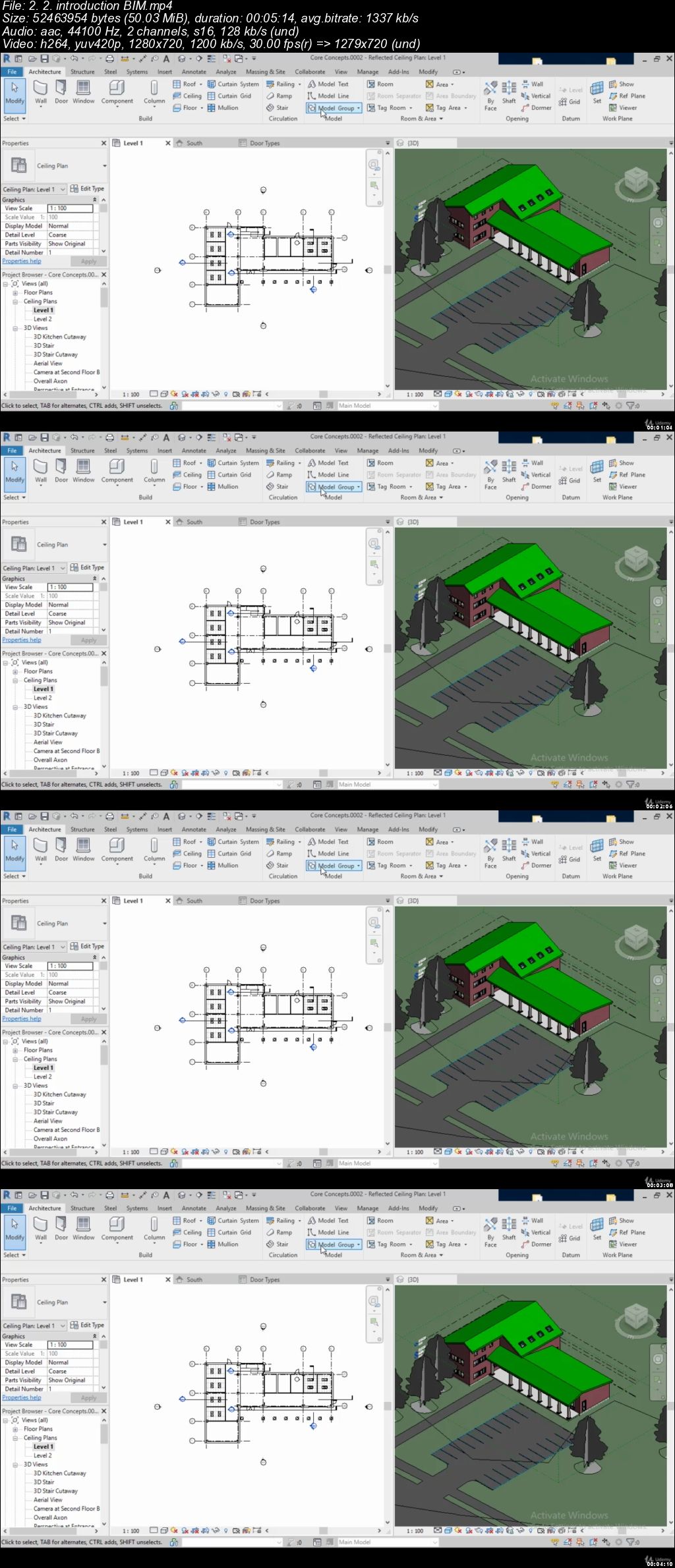
This course, recorded entirely in metric units, teaches you the techniques you need to complete architectural projects in Revit 2020. First, get comfortable with the Revit environment, and learn to set up a project and add the grids, levels, and dimensions that will anchor your design. Then you dive into modeling: adding walls, doors, and windows; creating and mirroring groups; linking to DWG files; and working with floors, roofs, and ceilings. It also includes advanced techniques for modeling stairs and complex walls, adding rooms, and creating schedules. Finally, discover how to annotate your drawing so all the components are perfectly understood, and learn how to output sheets to PDF and AutoCAD.

Topics include:

Understanding BIM and the Revit element hierarchy

Navigating views

Creating a new project from a template

Adding walls, doors, and windows

Adding plumbing fixtures and other components

Linking AutoCAD DWG files

Rotating and aligning Revit links

Working with footprint and extrusion roofs

Adding openings

Adding railings and extensions to stairs

Creating stacked and curtain walls

Hiding and isolating objects

Adding rooms

Creating schedule views

Adding text and dimensions

Creating new families

Using reference planes, parameters, and constraints

Plotting and creating a PDF


REVIT ESSENTIALS TUTORIAL INDEX

1. INTRODUCTION

2. CORE CONCEPT

3. GETTING COMFORTABLE WITH THE REVIT ENVIRONMENT

4. STARTING A PROJECT

5. MODELING BASICS

6. LINKS, IMPORTS, AND GROUPS

7. SKETCH-BASED MODELING COMPONENTS

8. STAIRS

9. COMPLEX WALLS

10. VISIBILITY AND GRAPHIC CONTROLS

11. ROOMS

12. SCHEDULE AND TAGS

13. ANNOTATION AND DETAILS

14. THE BASICS OF FAMILIES

15. SHEETS, PLOTTING & PUBLISHING

16. CONCLUSION

Who this course is for:

Architects, Civil Engineers, Mechanical Engineers, MEP experts.

0070fbc4.jpg


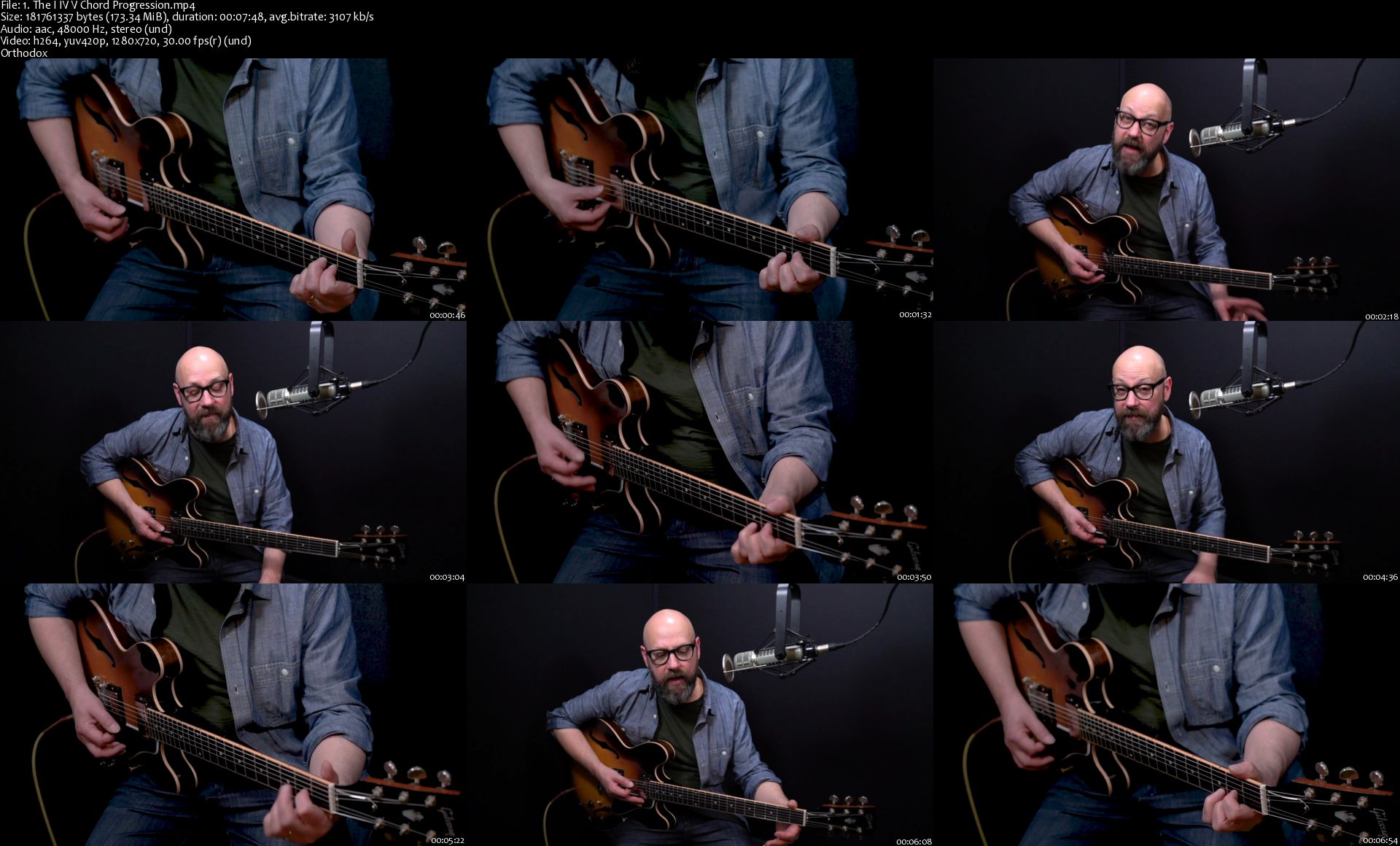
Learn How to Play the Guitar - The Beginners Guide

Lg-ZAe6c-Rg-Sk-KJex1-G5i9m-As-SW47ss-Gzd.jpg


Learn How to Play the Guitar - The Beginners Guide
Created by Digital Music Masters,Jeffrey Hewer | Last updated 8/2019
Duration: 4 hours | Video: h264, 1280x720 | Audio: AAC, 44 KHz, 2 Ch | 5.4 GB
Genre: eLearning | Language: English + Sub | 35 lectures


What you'll learn

Learn the Essentials of Playing the Guitar

Learn how to play basic Chords and Scales

Learn to play some move Advanced Chords

Learn how to Read Chord Charts and Tabs

Play some well know Songs

Requirements

Have a Guitar
No experience in Playing the Guitar is required... beginners are welcome!

Description

Have you always wanted to learn to play the guitar, but you didn't know where to start?
Have you got a guitar at sitting at home gathering dust, and you wish you that could pick it up and playing some songs?
If so then this is the course for you!
This course is for anyone who's brand new to guitar and is ready to learn the basics of the guitar in a week!
\n
What will you learn?
Understand the fundamentals of the guitar, so how a guitar works and how to hold a guitar
You will learn the basics of guitar chords and scales
Figure position and how to strum the guitar
You will also learn about chord progressions
Then you will learn how to play a blues on the guitar
You will also learn some advanced guitar chords
Then we will play some well known songs together
You will also learn how to read chord charts and tabs
What do you get when you enroll?
4 hours of premium video training
Lifetime access to course updates
Helpful support from your instructor who truly care
\n
Who is your instructor for this course?
Jeffrey Hewer is a professional guitarist, composer, and teacher. He has both his Bachelor's of Music and Masters of Music degrees and over 20 years of experience.
Friendly and engaging, Jeffrey demystifies music and the guitar and gets students excited about playing guitar!
In this course Jeffrey show you the essentials skills and techniques, so by the end of this course you'll be able to pick up your guitar and start playing songs :)
This Beginners Guitar Course is a fast and effective way to learn the essentials of the guitar
Our Happiness Guarantee
You have a 30-day moneyback guarantee. So there's no risk in enrolling in this beginners guitar course right now. You can try it out, and if it's not for you can get a refund. We want to make sure that you're are happy with your purchase.
If there is anything we can do to make this course better, we are always here to listen to your feedback.
Ready to Play the Guitar?
So go ahead and click the enroll button, and we'll see you in lesson 1!

Who this course is for:

Anyone who's always wanted to Play the Guitar
People who have played the Guitar a little, but want to learn about how to play Chords, Scales + Songs
This course is created for absolute beginners starting out in Learning the Guitar

1-The-I-IV-V-Chord-Progression-s.jpg


Complete Linux Training Course to Get Your Dream IT Job

j2bx-Ub3f-HBm-Y6-Qw-D3ls-Mue-Ot-Jm-Jj-Qd-Y9.jpg


Complete Linux Training Course to Get Your Dream IT Job
Video: .MP4, 1920x1080, 30 fps | Audio: AAC, 44.1 kHz, 2ch | Duration: 25h 23m
Genre: eLearning | Language: English | Size: 8.77 GB

Linux is the number ONE operating system for the Corporate Enterprise world.
If you want to start your career in Linux and have little or no knowledge of Linux then I can help. In this course you will learn Linux installation, configuration, administration, troubleshooting, command line, OS tools and much more... I have also included Resume and Interview workshop that will definitely help you get your dream IT job.
In addition to the lectures there will be quizzes, homework and hand-out material just like a live classroom training
I have been teaching this exact course in a classroom environment in New York City. Please note 80% of my students who took this course got the job in Linux within months. Imagine those who take my course only to level up their career, how productive this training can be for them
Following is the list of topics I will cover in this course:
Module 1 - Understanding Linux Concepts
What is Linux?
Everyday use of Linux
Unix vs. Linux
Quiz, Homework and Handouts

Module 2 - Download, Install and Configure
What is Oracle Virtual Box?
Downloading and Installing Oracle Virtual Box
Creating virtual machine
Linux Distributions
Different way to install Linux
Downloading and Installing Linux (CentOS)
Redhat Linux installation (Optional)
Linux Desktop (GUI)
Virtual Machine Management
Linux vs. Windows
Who Uses Linux?
Quiz, Homework and Handouts

Module 3 - System Access and File System
Accessing Linux system
Download and install Putty
Connect Linux VM via Putty
Important Things to Remember in Linux
Introduction to File System
File system structure description
File system navigation commands
File System Paths
Directory listing overview
Creating Files and Directories
Finding Files and Directories (find, locate)
Changing Password
Wildcard (*, $, ^)
Combining and Splitting Files (cat and cut)
Soft and Hard Links (ln)
Quiz, Homework and Handouts

Module 4 - Linux Fundamentals
Commands Syntax
File Permissions (chmod)
File Ownership (chown, chgrp)
Getting Help (man, whatis etc.)
TAB completion and up arrow keys
Adding text to file
Pipes ( | )
File Maintenance Commands
File Display Commands
Filters / Text Processing Commands (cut, sort, grep, awk, uniq, wc)
Compare Files (diff, cmp)
Compress and Un-compress files/directories (tar, gzip, gunzip)
Combining and Splitting Files
Linux vs. Windows Commands
Quiz, Homework and Handouts

Module 5 - System Administration
Linux File Editors (vi text editor)
sed Command
User account management
Switch users and Sudo access
Monitor users
Talking to users (users, wall, write)
Linux Directory Service - Account Authentication
Difference between Active Directory, LDAP, IDM, WinBIND, OpenLDAP etc.
System utility commands (date, uptime, hostname, which, cal, bc etc.)
Processes and schedules (systemctl, ps, top, kill, crontab and at)
Process Management
System Monitoring Commands (top, df, dmesg, iostat 1, netstat, free etc.)
OS Maintenance Commands (shutdown, reboot, halt, init etc.)
Changing System Hostname (hostnamectl)
Finding System Information (uname, cat /etc/redhat-release, cat /etc/*rel*, dmidecode)
System Architecture (arch)
Terminal control keys
Terminal Commands (clear, exit, script)
Recover root Password (single user mode)
SOS Report
Quiz, Homework and Handouts

Module 6 - Shell Scripting
Linux Kernel
What is a Shell?
Types of Shells
Shell scripting
Basic Shell scripts
If-then scripts
For loop scripts
do-while scripts
Case statement scripts
Aliases
Shell History
Command history

Module 7 - Networking, Servers and System Updates
Enabling internet in Linux VM
Network Components
Network files and commands (ping, ifconfig, netstat, tcpdump, networking config files)
NIC Information (ethtool)
NIC or Port Bonding
Downloading Files or Apps (wget)
curl and ping Commands
File Transfer Commands
System updates and repositories (rpm and yum)
System Upgrade/Patch Management
Create Local Repository from CD/DVD
Advance Package Management
SSH and Telnet
DNS
Hostname and IP Lookup (nslookup and dig)
NTP
chronyd (Newer version of NTP)
Sendmail
Apache Web Server (http)
Central Logger (rsyslogd)
Securing Linux Machine (OS Hardening)
OpenLDAP Installation
Quiz, Homework and Handouts

Module 8 - Disk Management and Run Levels
System run levels
Linux Boot Process
Message of the Day
Disk partition (df, fdisk, etc.)
Storage
Logical Volume Management (LVM)
LVM Configuration during Installation
Add Disk and Create Standard Partition
Add Disk and Create LVM Partition
LVM Configuration during Installation
Add Virtual Disk and Create New LVM Partition (pvcreate, vgcreate, lvcreate,)
Extend Disk using LVM
Adding Swap Space
RAID
Quiz, Homework and Handouts

Module 9 - All About Resume
Resume workshop
Cover Letter
Linux job description or duties
Exposure to Other Technologies
Homework and Handouts

Module 10 - All About Interview
IT Components
IT Job Statistics
Linus Around Us
Linux Operating System Jobs
IT Management Jobs
Post Resume and What to Expect
Interview workshop
Join Linux Community
200+ interview questions
Homework
Course Recap
Commands We Have Learned
Don't Give up
Congratulations
Recap - Handouts


012-Linux-Cent-OS-Installation-s.jpg


Zurück
Oben Unten