• Regeln für den Video-Bereich:

    In den Börsenbereich gehören nur Angebote die bereits den Allgemeinen Regeln entsprechen.

    Einteilung

    - Folgende Formate gehören in die angegeben Bereiche:
    - Filme: Encodierte Filme von BluRay, DVD, R5, TV, Screener sowie Telesyncs im Format DivX, XviD und x264.
    - DVD: Filme im Format DVD5, DVD9 und HD2DVD.
    - HD: Encodierte Filme mit der Auflösung 720p oder darüber von BluRay, DVD, R5, TV, Screener sowie Telesyncs im Format x264.
    - 3D: Encodierte Filme von BluRay, die in einem 3D Format vorliegen. Dies gilt auch für Dokus, Animation usw.
    - Serien: Cartoon/Zeichentrick, Anime, Tutorials, Dokumentationen, Konzerte/Musik, Sonstiges sind demnach in die entsprechenden Bereiche einzuordnen, auch wenn sie beispielsweise im High Definition-Format oder als DVD5/DVD9/HD2DVD vorliegen. Ausnahme 3D.
    - Bereich Englisch: Englische Releases gehören immer in diesen Bereich.
    - Bereich Talk: Der Bereich, in dem über die Releases diskutiert werden kann, darf, soll und erwünscht ist.


    Angebot/Beitrag erstellen

    - Ein Beitrag darf erst dann erstellt werden, wenn der Upload bei mindestens einem OCH komplett ist. Platzhalter sind untersagt.
    - Bei einem Scenerelease hat der Threadtitel ausschließlich aus dem originalen, unveränderten Releasenamen zu bestehen. Es dürfen keine Veränderungen wie z.B. Sterne, kleine Buchstaben o.ä. vorgenommen werden. Ausnahme Serienbörse:
    - Bei einem Sammelthread für eine Staffel entfällt aus dem Releasename natürlich der Name der Folge. Beispiel: Die Simpsons S21 German DVDRip XviD - ITG
    - Dementsprechend sind also u.a. verboten: Erweiterungen wie "Tipp", "empfehlenswert", "only", "reup", usw. / jegliche andere Zusatzinformation oder Ergänzung, welche nicht in obiger Beschreibung zu finden ist.

    Aufbau des Angebots und Threadtitel

    Der Titel nach folgendem Muster erstellt zu werden. <Name> [3D] [Staffel] [German] <Jahr> <Tonspur> [DL] [Auflösung] <Quelle> <Codec> - <Group>
    Beispiel: The Dark Knight German 2008 AC3 DVDRip XviD - iND
    Beispiel: The Dark Knight 2008 DTS DL BDRip x264 - iND
    Beispiel: The Dark Knight 2008 AC3 DL BDRip XviD - iND
    Beispiel: The Dark Knight German 2008 AC3 720p BluRay x264 iND
    Beispiel: The Dark Knight 2008 DTS DL 1080p BluRay x264 iND
    Beispiel: Die Simpsons S01 German AC3 DVDRip XviD iND
    Beispiel: Die Simpsons S20 German AC3 720p BluRay x264 iND
    Beispiel: Sword Art Online II Ger Sub 2014 AAC 1080p WEBRip x264 - peppermint
    Entsprechend sind also u.a. verboten: Sonderzeichen wie Klammern, Sterne, Ausrufezeichen, Unterstriche, Anführungszeichen / Erweiterungen wie "Tipp", "empfehlenswert", "only", "reup", usw. / jegliche andere Zusatzinformation oder Ergänzung, welche nicht in obiger Beschreibung zu finden ist
    Ausnahmen hiervon können in den Bereichen geregelt sein.

    Die Beiträge sollen wie folgt aufgebaut werden:
    Überschrift entspricht dem Threadtitel
    Cover
    kurze Inhaltsbeschreibung
    Format, Größe, Dauer sind gut lesbar für Downloader außerhalb des Spoilers zu vermerken
    Nfo sind immer Anzugeben und selbige immer im Spoiler in Textform.
    Sind keine Nfo vorhanden z.B. Eigenpublikationen, sind im Spoiler folgende Dateiinformationen zusätzlich anzugeben :
    Quelle
    Video (Auflösung und Bitrate)
    Ton (Sprache, Format und Bitrate der einzelnen Spuren)
    Untertitel (sofern vorhanden)
    Hosterangabe in Textform außerhalb eines Spoiler mit allen enthaltenen Hostern.
    Bei SD kann auf diese zusätzlichen Dateiinformationen verzichtet werden.

    Alle benötigten Passwörter sind, sofern vorhanden, in Textform im Angebot anzugeben.
    Spoiler im Spoiler mit Kommentaren :"Schon Bedankt?" sind unerwünscht.


    Releases

    - Sind Retail-Release verfügbar, sind alle anderen Variationen untersagt. Ausnahmen: Alle deutschen Retail-Release sind CUT, in diesem Fall sind dubbed UNCUT-Release zulässig.
    - Im Serien-Bereich gilt speziell: Wenn ein Retail vor Abschluss einer laufenden Staffel erscheint, darf diese Staffel noch zu Ende gebracht werden.62
    - Gleiche Releases sind unbedingt zusammenzufassen. Das bedeutet, es ist zwingend erforderlich, vor dem Erstellen eines Themas per Suchfunktion zu überprüfen, ob bereits ein Beitrag mit demselben Release besteht. Ist dies der Fall, ist der bereits vorhandene Beitrag zu verwenden.
    - P2P und Scene Releases dürfen nicht verändert oder gar unter einem iND Tag eingestellt werden.


    Support, Diskussionen und Suche

    - Supportanfragen sind entweder per PN oder im Bereich Talk zu stellen.
    - Diskussionen und Bewertungen sind im Talk Bereich zu führen. Fragen an die Uploader haben ausschließlich via PN zu erfolgen, und sind in den Angeboten untersagt.
    - Anfragen zu Upload-Wünschen sind nur im Bereich Suche Video erlaubt. Antworten dürfen nur auf Angebote von MyBoerse.bz verlinkt werden.


    Verbote

    - Untersagt sind mehrere Formate in einem einzigen Angebotsthread, wie beispielsweise das gleichzeitige Anbieten von DivX/XviD, 720p und 1080p in einem Thread. Pro Format, Release und Auflösung ist ein eigener Thread zu eröffnen.
    - Grundsätzlich ebenso verboten sind Dupes. Uploader haben sich an geeigneter Stelle darüber zu informieren, ob es sich bei einem Release um ein Dupe handelt.
    - Gefakte, nur teilweise lauffähige oder unvollständige Angebote sind untersagt. Dies gilt auch für eigene Publikationen, die augenscheinlich nicht selbst von z.B. einer DVD gerippt wurden. Laufende Serien, bei denen noch nicht alle Folgen verfügbar sind, dürfen erstellt und regelmäßig geupdatet werden.
    - Untersagt sind Angebote, welche nur und ausschließlich in einer anderen Sprache als deutsch oder englisch vorliegen. Ausnahmen sind VORHER mit den Moderatoren zu klären.


    Verstoß gegen die Regeln

    - Angebote oder Beiträge, die gegen die Forenregeln verstoßen, sind über den "Melden"-Button im Beitrag zu melden.
  • Bitte registriere dich zunächst um Beiträge zu verfassen und externe Links aufzurufen.

++ Premium IPTV ++ 7000 Live Sender ++ UHD Qualität ++ Mediathek mit 18.000 Inhalten ++


VenneTV


Englische Tutorials

Complete Linux Cyber Security with Practical Examples (Updated)

006f5cca.jpg


Complete Linux Cyber Security with Practical Examples (Updated)
Video: .mp4 (1280x720, 30 fps(r)) | Audio: aac, 48000 Hz, 2ch | Size: 6.02 GB
Genre: eLearning Video | Duration: 16 hour | Language: English

Linux OS Security & Hardening


What you'll learn

By the end of this course you will be able to apply most of the security measures in your Linux environment
You will be able to pass the Redhat Certified Engineer exam (EX300)
You will reduce the risk of your Linux system being hacked or attacked
You will have expert knowledge of Linux account and system securities

Requirements

Basic understanding of Linux. My suggestion is to take my "Complete Linux Training Course to Get Your Dream IT Job"
You will need a Linux machine but if you have a Windows computer then you can install VirtualBox and install Linux (The instruction are covered in this course)

Description

If you have basic understanding of Linux and want to enhance your skill in Linux security and system hardening then this course is perfect fit for you. Many security policies and standards require system administrators to address specific user authentication concerns, application of updates, system auditing and logging, file system integrity, and more. This course provides strategies for addressing specific policy and configuration concerns.

This course is intended to develop the skills needed to ensure data integrity on computer systems for organizations with high security standards.


This course is best for someone who:

wants to learn almost everything about Linux security

wants to step-up in his/her career

is looking for a job in Linux

needs technical guidance on how to enhance the security of Linux systems

is responsible for implementing security policy requirements on Linux systems consistently and in a reproducible way

must be able to demonstrate that Linux systems meet security policy requirements

maintains continued adherence to security requirements, including management of security-critical operating system/software updates

Overview of the course:

There are total of 10 sections in this course


Section 1 - Introduction and Course Overview

Course Overview

Download Syllabus

Section 2 - Security Concepts

What is Security and OS Hardening?

Comparing House Security with Computer Security

Securing All Operating Systems

Importance of Linux Security

Security Implementation Tools

Type of Security Breach

Quiz, Handouts and Homework

Section 3 - Lab Setup (optional)

What is VirtualBox?

Installing Oracle VirtualBox

Creating First Virtual Machine

Linux Installation

Section 4 - Securing User Environment

Understanding /etc/passwd, /etc/group and /etc/shadow

The /etc/login.def File

Create User Account and Change Password

Change Password Parameters

Set Password Policy

Lock or Disable User Accounts Automatically

Lock or Disable User Accounts Manually

Lock User Account After 3 Failed Attempts

Restrict root Login

Disable SSH Access for a Specific User

Implement UID/GID Policy

Centralized Authentication Service

sudo Access

Monitor User Activity

Section 5 - PAM (Pluggable Authentication Module)

What is PAM?

The Importance of PAM

The PAM Configuration Files Format

PAM Config File - Module Interfaces

Account Access Through PAM

PAM Config File - Control Flags

PAM Config File - Modules (SO)

PAM Aware Services and Stacks

Section 6 - Securing Linux Filesystem

Linux File Types

Linux File Attributes

Linux File Ownership and Permissions

Changing File Permission

Changing File Ownership

Access Control List (ACL)

Section 7 - Securing Linux System

Message of the Day and customizing message of the day

Physical Server Security

Remove Unnecessary or Orphan Packages

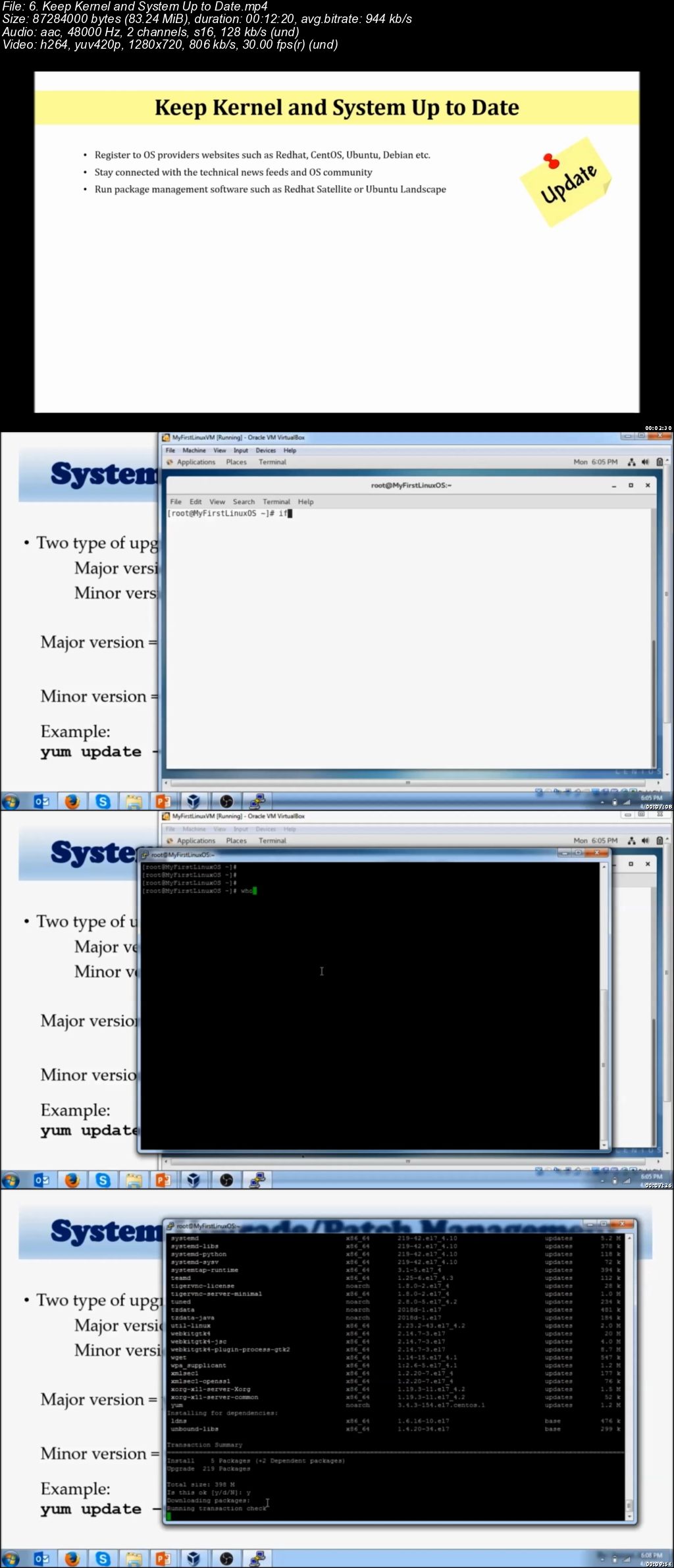
Keep Kernel and System Up to Date

Stop and Disable Unwanted Services

Separate Disk Partitions

Disable Ctrl+Alt+Delete

Running One Service per System

Change Default Console Passwords

Disable USB Stick Detection

Enable Network Time Protocol (NTP or Chronyd)

Lockdown Cronjobs

Change SSH Ports

SELinux (longest lecture and lab)

Backups

Section 8 - Securing Linux System Network

Introduction to Firewall

iptables (tables, chains and targets)

iptables (practical examples)

Firewall (firewalld)

firewalld (Practical Examples)

firewalld (GUI)

Encrypt Incoming and Outgoing Traffic

SSH vs. Telnet

Turn Off IPV6 (If not in use)

Section 9 - Securing Environment Around Linux

Hardware/Network Firewall

Network Address Translation (NAT)

VPN Tunnel

Application and Database Encryption

Section 10 - Additional Resources

Many more lectures on Linux.

Here is the testimonial from my students:

To all of you that are looking for a REALLY GOOD LINUX course, THIS IS IT, SERIOUSLY I promise you won't find a course on LINUX here that is THIS GOOD. - T.J. Marstiller (Udemy Student)

Imran is a very knowledgeable and engaging instructor. As others have said, you can tell that he is not just trying to sell a course, but that he is invested in giving his students a strong career foundation with a positive and approachable attitude. He is also entertaining with his use of pop culture and practical work examples. It really feels like you're in a classroom with him. I'm taking this course mainly as a hobbyist, but got a lot from it already. The homework assignments, quizzes, and handouts help reinforce the material. - Raymond B. (Udemy Student)

Main thing about course is its simplicity and the hierarchy. Design is very good and easy which helps to understand things better. - Akash Garg (Udemy Student)

I just love the teaching ad the learning experience I am getting - Jacob Samba (Udemy Student)

Imran Afzal might be my favorite teacher I've EVER had. He is funny, and engaging. The course was easy to follow, and with no experience starting I am now extremely comfortable with Linux, and actually really like it. He does make you do your googles, but this is not a bad thing especially considering the nature of IT and documentation to solve your own problems. I highly recommend. - Vanessa Diaz-Goumond (Udemy Student)

The course is run very well and I really like the handouts and the homework that is assigned. The homework helps me learn and continue with the learning process even when adult life is still progressing forward. - Thomas Rogers (Udemy Student)

Such an amazing instructor. Imran must have put in a lot of effort in structuring the course and taking the student step by step, he takes his time in explaining everything, from what Linux is, how to down load it, coding, etc. I have taken other courses from Imran. I am a student for life. Keep it up and please keep preparing more courses for please like us who can benefit from your way of teaching, knowledge and experience. Thank you. - Ali Shiekh (Udemy Student)

In the first place I say a big thank you to the instructor for making such a great course. I was afraid to learn Linux. I now feel very comfortable with Linux. I have understood both the concept behind and the practical as well. I would recommend every one who is NEW to Linux and wants to grab it once and for all without wasting time to go ahead and ENROLL. You will not regret it. I would like the instructor to do same for WINDOWS SERVER ADMIN., I don't seem to find any better and beginner oriented course out there that could be matched with this course. To me, it is the BEST Linux Course on Online. I just started some real world projects with Linux after this great course, I was new to Linux and in just a month I am on the command line always playing. - Opoku Bright (Udemy Student)

I genuinely look forward to additional courses in the future. This has been so informative. You hear the name oracle all the time, but this was well put in layman's terms - Atoofa Hasan (Classroom Student)

Imran Afzal eats, breathes and sleeps Linux! He really knows his stuff. I feel like he has brought me from a novice level education to masters level in a short time period. Anyone who is looking to get a job in Linux should definitely take this course. - TJ Walker (Udemy Student)

Who this course is for:

Anyone who wants to have complete understanding Linux security and OS hardening
Anyone who wants to advance his/her career
Anyone who wants to pass the RHCE EX300 exam

006f5cc9.jpg


Cisco CCENT / ICND1 (100-105) + Bonus: The Complete Course

mdq-Ip-RLku-Sv-DUiv-Ms1g-R6r-Gia96ggx-BC.png


Cisco CCENT / ICND1 (100-105) + Bonus: The Complete Course
Genre: eLearning | MP4 | Video: h264, 1280x720 | Audio: aac, 44100 Hz
Language: English | VTT | Size: 7.67 GB | Duration: 14 hours


What you'll learn
After completion of this course, students will be prepared and able to pass the CCENT (100-105) or ICND1 certification exam.
Once a student completes this course, he/she will be able to implement the topics learned herein and apply it to real world scenarios.
Completion of this course and passing the certification exam will allow students to move on to any other Cisco certification.

Requirements
Students will need a simulator/emulator while taking this course in order to practice the labs herein.
Simulators and/or Emulators for this course are not provided in this course. That is the student's responsibility.
It is highly recommended that anyone taking this course should also get a CCENT book from their favorite author...making sure it is for the NEW 100-105 certification exam.
Students starting this course should have a BASIC knowledge of Networks and the terminology used in a Network environment.
Books used in this course: The CCENT/ICND1 Study Guide by Cisco Press, Sybex CCENT study guide by Todd Lammle & The Only IP Book You Will Ever Need!, by Lazaro J. Diaz
Description
This course will take the student from A to Z to prepare and pass Cisco's newest CCENT or ICND1 (100-105) certification exam.

It was produced in a simplistic, easy to comprehend manner in order to maximize the students ability to digest, implement and execute the topics; not only in a test environment, but also in real world scenarios.

Please note that the CCENT certification is the first certification needed to advance to other certification within Cisco's CCNA track.

This means that students need to pass the CCENT to continue any other CCNA certification within Cisco. Unless the student is taking Cisco's composite exam.

Please read the "Course Goals" and "Basics" outlined herein, to understand what you should expect of this course and what you are expected to do and have before beginning this course.

The CCENT 100-105 course was produced in a very unorthodox and relaxed manner in order to drill in the topics that Cisco requires to meet their criteria and prepare to pass the certification exam.

I hope that this course meets and exceeds your expectation as a Network student and/or IT Professional.

~ Laz

DISCLAIMER: Please note that the simulators/emulators used in this course are not part of the course. It is the students responsibility to have these to practice with. The Cisco Packet Tracer & VIRAL (Virtual Internet Routing Lab) are Cisco proprietary software and can only be obtained through Cisco. But students have more options that those. They can create their own lab with real equipment, get BOSON or GNS3. It is up to each student to obtain the simulator/emulator of their choice to study along with this course.

P.S.: Wondering which book(s) I've used for this course?

Cisco Press Book for the CCNA CCENT/ICND1 (100-105)
Sybex Book by Todd Lammle for the new CCNA CCENT/ICND1 (100-105)
AMAZON book by Lazaro J. Diaz called "The Only IP Book You Will Ever Need!
All these books can be found on AMAZON

Who this course is for:
Anyone interested in a Networking career, should take this course.
Anyone that wants and/or needs Cisco's new CCENT certification.
Anyone with the desire to become a Network Engineer
Anyone that wants to brush up on the new Cisco topics for the CCENT exam.
Anyone that needs to implement the new Cisco topics in the real world.
Students should be aware that the CCENT and/or ICND1 (100-105) is the very first certification needed to advance to any other Cisco exam.

Homepage

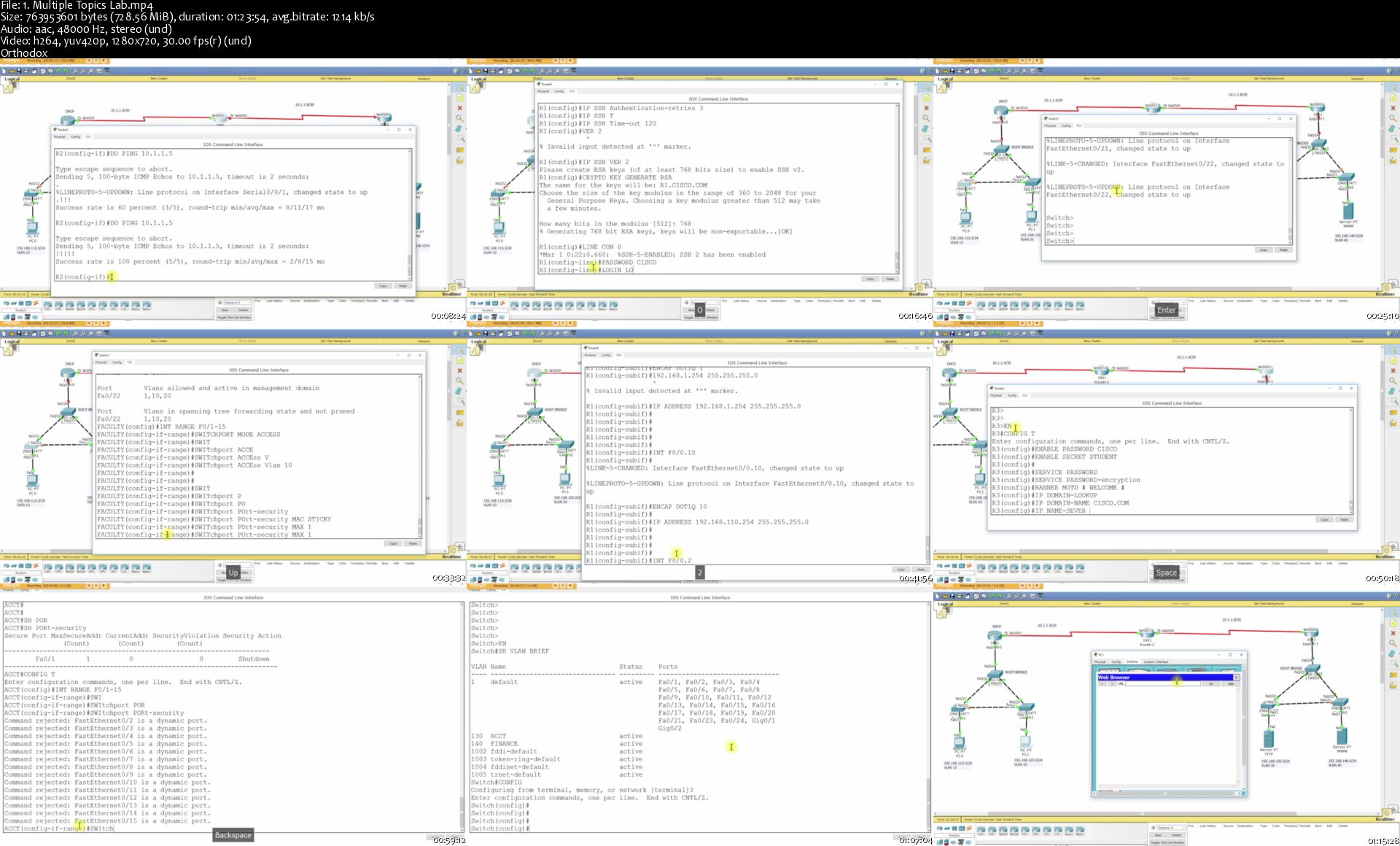
1-Multiple-Topics-Lab-s.jpg


3D Rendering for VFX & Games - Ultimate Online Course

138b9b6ca76ac1700f66269f493686b9.jpg

3D Rendering for VFX & Games - Ultimate Online Course | 33.6 GB​
C4D / Redshift 3D online course currently with more than 100 chapters ready for you!
We've already created more than 100 video-tutorials of Redshift 3D content. And we are still recording additional new chapters for our students. Our goal is to cover as much as possible topics about Redshift 3D rendering. So, we are creating more and more content. Updates will be in a monthly basis until end of the January 2020.

All updates are free for all our students.
What you can expect from our "ULTIMATE EDITION" ?
- 66 chapters beginners levels. Chapter for beginners are complete! Its section where we explained all parameters and showing quick tips or examples.
- Intermediate levels chapters. Where we will not explain parameters but instead we will show step by step techniques, similar as was free procedural techniques chapter. Currently, we've already created 33 intermediate chapters and our plan is to create more than 50 Intermediate chapters until end of the January 2020.
- MENTOR`s feedback
- Membership access to our private Facebook group for feedback and info about process or updates.
- Database of free assets and materials for Showreel
- LIST OF ALL CHAPTERS: - PROJECT base chapters - coming in January 2020

HOmepage:

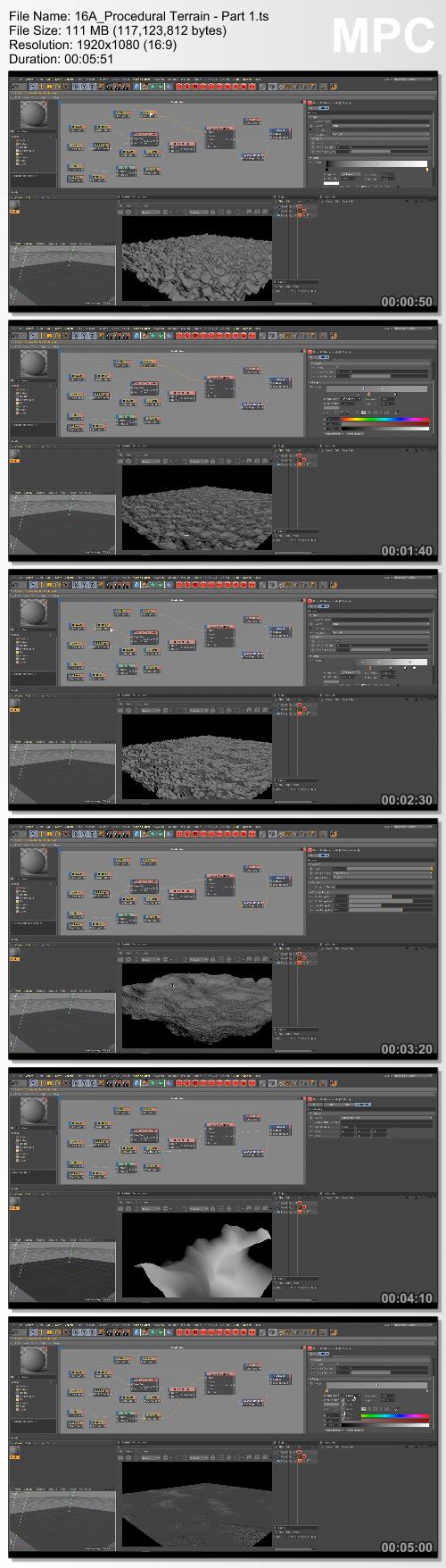
Screenshots
8727cf481520c9b7daa922b303f52cc1.jpg


Link Download
​
Extract files with WinRar 5 or Latest !
 
Blue Alley - Environment Creation with Maya and Arnold

0908a0d99b4b1785e0a195198b3e7450.jpg

Blue Alley - Environment Creation with Maya and Arnold By Romain Chauliac | 21.3 GB​
In this tutorial I show you everything from the 50 hours of work on how I created this image! There a lot of techniques and tips to quickly build and give life to this street.

Subjects Discussed :
- Specific technique to model props base on reference out of classic workflow. (Model, Uvs, Texture and shade at the same time!)
- Use of external models and scans.
- How to deal with huge amount of assets, how to organised them, where to start etc...
- How to correctly achieve the mood you looking for.
- Store creation with Marvelous Designer.
- Use of Quixel Megascan, Bridge and Mixer.
- and a lot more...

HOmepage:

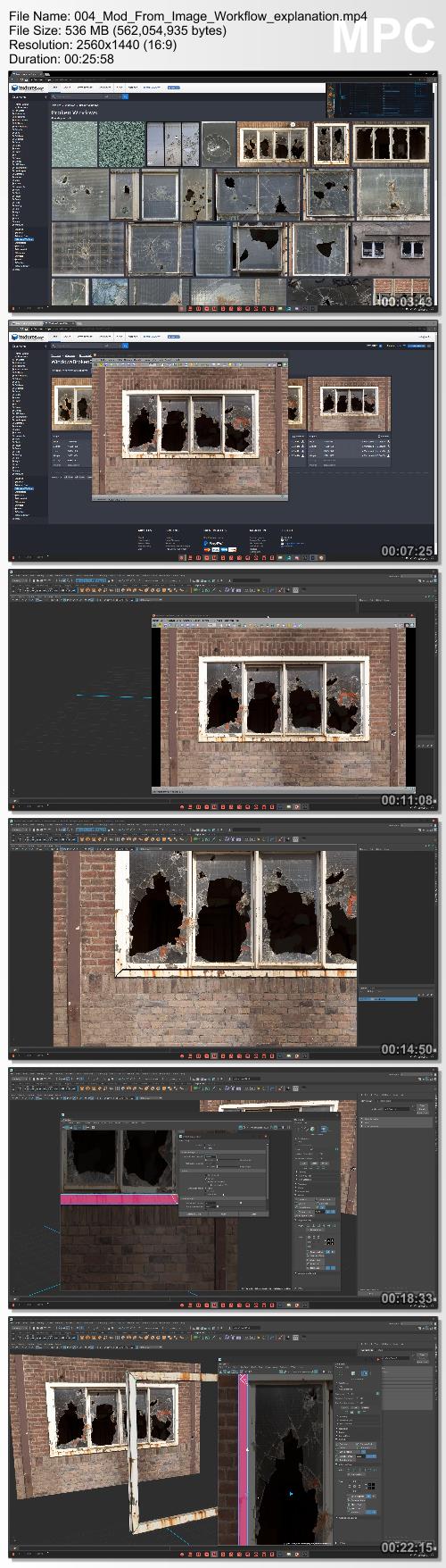
Screenshots
e8aae6b772ccfadedf6c7bd407c7263e.jpg


Link Download
​
Extract files with WinRar 5 or Latest !
 
Abdullah Ashraf - Native Publisher Masterclass

fb8b2103ab4c8110f6af94523b43b78c.jpg

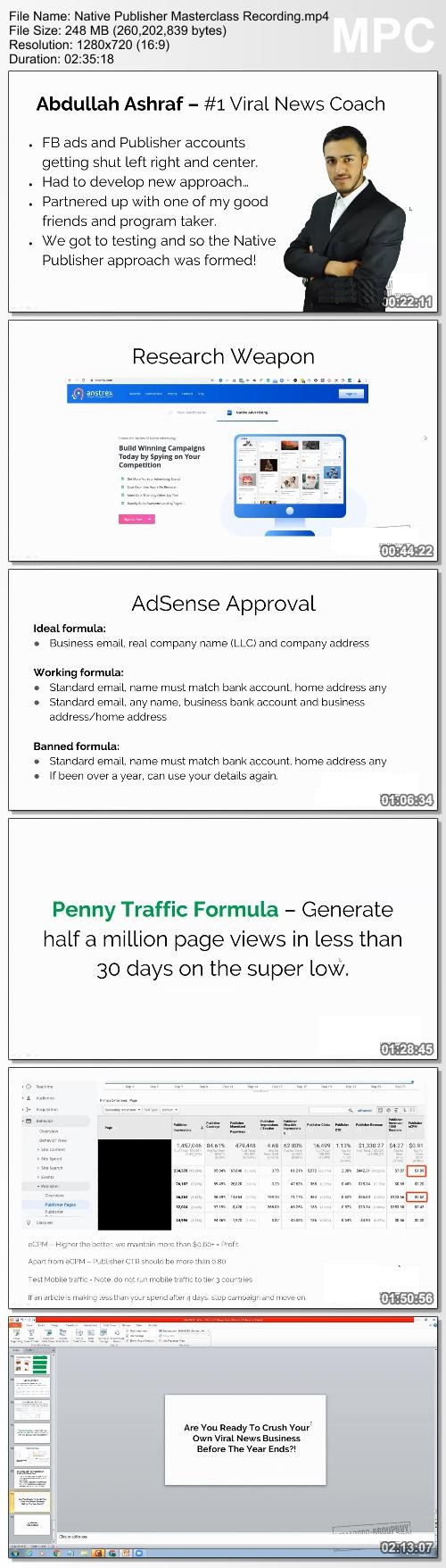
Abdullah Ashraf - Native Publisher Masterclass | 247 MB​
Imagine owning a business where you are not required to sell anything to create more than a full-time corporate level income.
Better yet, imagine a business that requires no more than 3 hours per day to maintain and grow (yes, at max we spend 3 hours per day in our business).
Doesn't really sound legit, does it?

Here's the thing, after 3 years of building highly successful viral news businesses I have never been so sure that the approach we are now following is more long-term and lucrative than ever before.
If you have been following the craze, you've seen me and my students generate results like this before:
For starters, all it takes is one Google search for my name or my viral news brand, Madsense for you to see the insanity we have been cooking up over the past couple of years.
Generating money with Google Adsense is nothing new to us, we've been at the frontline blowing up publisher accounts for more than 3 years now.
With this new approach we are still crushing Google Adsense, but we have implemented another few networks to maximize the heck out of our profits.

And for the doubters, eat this.

Screenshots
7d57e80115dd35863322dfa32052a070.jpg


Link Download
​
Extract files with WinRar 5 or Latest !
 
Step-by-Step Learn Wonderware InTouch SCADA (PLC-SCADA-2)

d2-Yi-WKRid-Vc-ONo-Vsb-Xfxx-RJxtx-Oboof-C.jpg


Step-by-Step Learn Wonderware InTouch SCADA (PLC-SCADA-2)
h264, yuv420p, 1280x720 |English, aac, 44100 Hz, 2 channels | 7h 25mn | 5.7 GB
Instructor: Technical Training Provider

Complete practical Training on Wonderware InTouch SCADA With Industry Based Examples
What you'll learn

Overview of Wonderware InTouch SCADA.
Function of InTouch SCADA Software.
Animation Links in SCADA System.
Script writing.
Trends in SCADA System.
Alarm System.
Recipe Management.
SCADA Security.
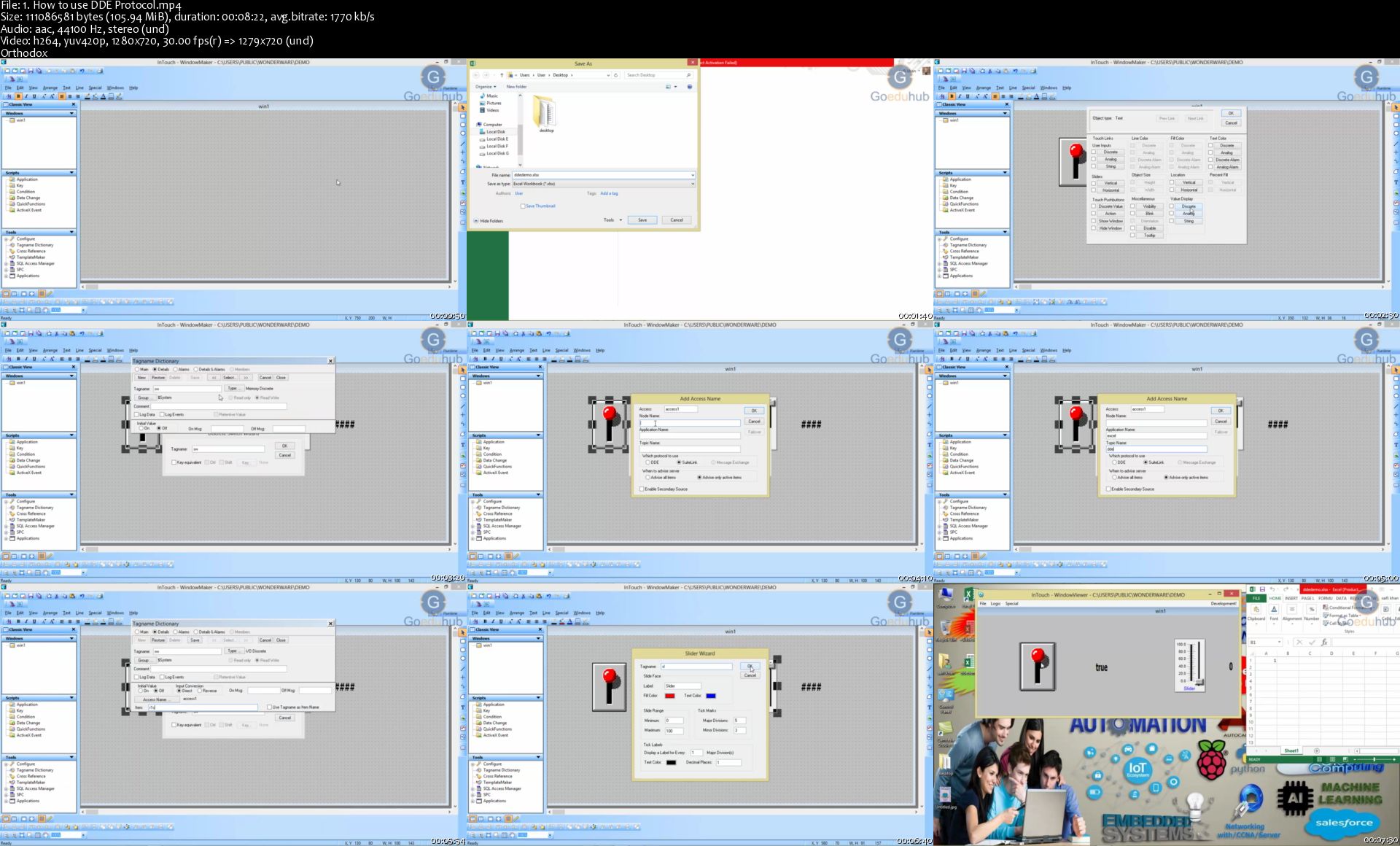
Interfacing with PLC and DDE Protocol.
How to Configure Intouch to Query Database ??

Requirements

Students are supposed to be familiar with Desktop/Laptop.
No other prerequisites for this course, Because instructor will teach everything from scratch.

Description

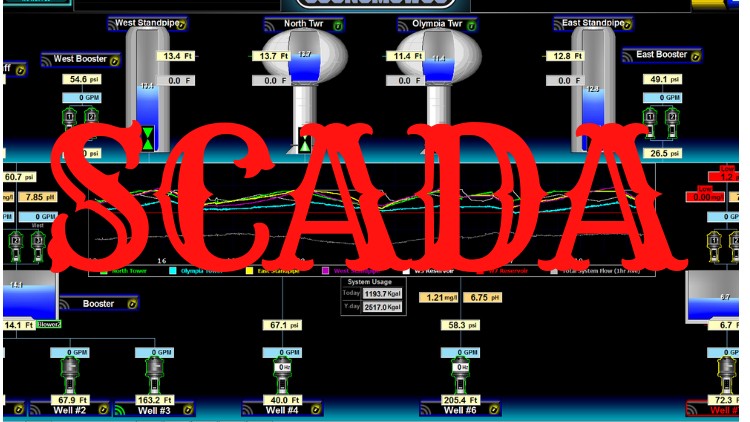
The SCADA system is used to control and monitor physical processes, examples of which include electricity transmission, gas transportation and pipelines in oil, water distribution, traffic lights, and other systems used based on modern society Use.

SCADA is merely a software whereas HMI is a hardware. The advantage of SCADA is we can use a computer, install the SCADA software and can work it like an HMI as well.

SCASA-SCADA stands for supervisory control and data acquisition. This process is a type of software application program for control. SCADA is a central control system that includes controller network interfaces, input / output, communication equipment and software.

Wonderware "In Touch" provides a unified integrated view of all your controls and information resources. Wonderware software is used in various industries, including: automotive assemblies, facilities management, food and beverage, CPG, mining and metals, electricity, oil and gas, chemical, energy, and water and waste water.

After doing this course, you can easily work on the other InTouch version. This software is used to Communicate with all the PLC series. And the instructions and properties remaining the same.

This course will teach you step by step How to make a SCADA design & SCADA System to any industrial process Monitor and Control.

We have made explanation by Real Time LIVE Camera & Designing Software to understand the concept clearly.

Following is the brief information about the course:

What is SCADA System?

Why we required SCADA System?

How to do use Animation Link or Properties in SCADA Software? (Touch Links, Colour Fill, Object Size, Object moment, object present Fill, Visibility, Blink, Orientation and Value Display etc.)

How to do Script writing?

How to use Trends in SCADA System?

How to make an Alarm System in SCADA system?

How to do Recipe Management Implementation?

How to do Security Implementation?

How to do Interfacing with PLC?

How to use DDE Protocol?

SCADA Based Projects.
Who this course is for:

Students who are pursuing or having Masters/ Bachelor's Degree /Diploma in EC/EE/EEE/EI Branches.
Working Professionals are also invited to join this course to enhance their knowledge in Industrial Automation.
Application Engineers.
SCADA Engineer.

Homepage

1-How-to-use-DDE-Protocol-s.jpg


React Tutorial and Projects Course (Updated)

006f70e9.jpg


React Tutorial and Projects Course (Updated)
Video: .mp4 (1280x720, 30 fps(r)) | Audio: aac, 48000 Hz, 2ch | Size: 18.6 GB
Genre: eLearning Video | Duration: 34 hour | Language: English

Step by Step Learn React.js and Create Interesting Projects


What you'll learn

Make Great Projects Using React

Requirements

Strong Knowledge of HTML, CSS, JS is Required. ES6 is optional.

Description

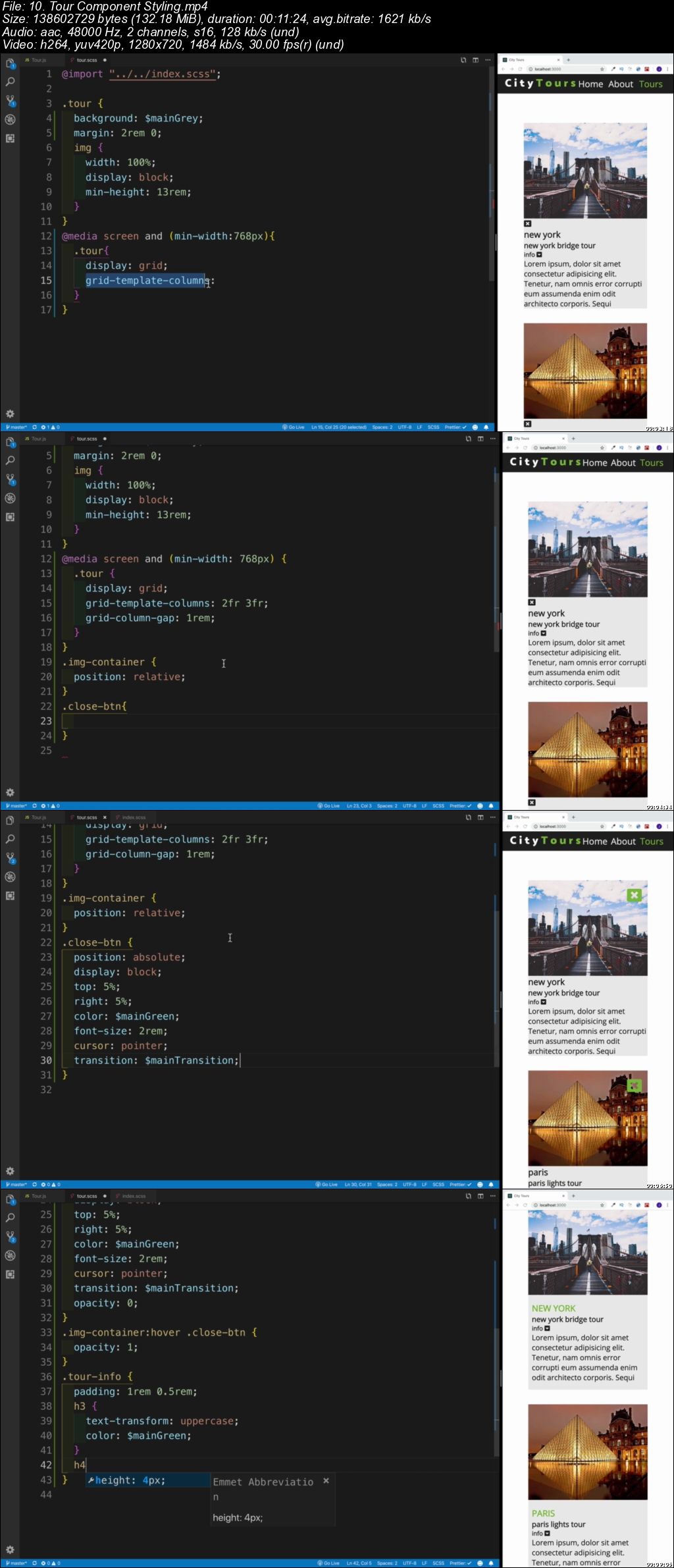
React was released by Facebook's web development team in 2013 as a view library. React is one of the best choices for building modern web applications. React has a slim API, a robust and evolving ecosystem and a great community. In this course we will be learning React by creating various projects.If you want to learn more than just same old tutorial and instead create interesting projects using React.js this course is for you.

All Project Intros are available for preview.

Project Nr 1 - Person List Project

Project Nr 2 - City Tours Project

Project Nr 3 - React To Do Project

Project Nr 4 - Food Recipe Project (Food2Fork API)

Project Nr 5 - Beachwalk Resort Project

Project Nr 6 - Tech Store E-commerce Project

REACT HOOKS PROJECTS

Project Nr 7 - Budget Calculator Project

Who this course is for:

Everyone who wants to learn React

006f70ea.jpg


MikroTik Routing All-in-1 Video Bootcamp

Ar2d-Ji-Qct7-EHX5pxo-ZG91-X9mrp1ns-Jh3.jpg


MikroTik Routing All-in-1 Video Bootcamp
Created by Maher Haddad | Video: h264, 1280x720 | Audio: AAC 48KHz 2ch | Duration: 08:13 H/M | Lec: 46 | 5.83 GB | Language: English | Sub: English [Auto-generated]

This course guides you to have knowledge on different Routing protocols used on MikroTik (OSPF, RIP, ECMP, and so on...)


What you'll learn
Understand why we need routing in our network
Understand how and where to apply static route and default static route
Understand the difference between IGP vs EGP routing
Understand the difference between Distance vector vs Link state routing protocols
Understand how to configure static floating route for link failover
Understand how to configure ECMP on Mikrotik routers for Load-Balancing
Understand the theory/concept of RIP routing protocol
Configure RIP on Mikrotik routers
Configure RIPv1 and RIPv2 on Mikrotik routers and troubleshoot them
Configure RIP authentication using the plain-text and the MD5 method
Configure neighbor routers on RIP and redistribute a connected route to RIP
At the end of the course, students will learn how Link state routing protocol works
How routers with OSPF routing can form neighborship
How the DR and BDR are being elected, and what are their tasks in OSPF
How to configure OSPF on a single and multi-areas
How to change the election of DR and BDR in an area
How to configure authentication on OSPF
How to do load balancing on OSPF by adjust the cost metric
What are the different routers types in OSPF (Internal router, ABR & ASBR)
How to do the summarization of networks on the ABR
How to redistribute static routes, connected routes and RIP on OSPF
The difference between Inter-area type-1 and type-2
How to connect all OSPF routers to the internet by redistributing the default route to the internet
What are the different types of LSA's
What are the different types of stub areas
and many more with a lot of hands-on LABS

Requirements
You should be familiar with TCP/IP Protocol
You should have basic networking knowledge
You should have beginner knoweldge level in Mikrotik

Description
This is a bootcamp course containing my published 2 courses on udemy as following:

Course 1: OSPF on MikroTik with LABS

Course 2: Learn MikroTik Route with Hands-on LABS from scratch

P.S: If you have already purchased those 2 courses separately, please do not buy this course.

Many students who want to learn Routing on MikroTik they also want to learn OSPF. For this reason, I have combined those 2 courses into a single one so you can can profit from a lower price and you can gain routing knowledge on MikroTik in just 1 course.

In this course, you will have around 22 step-by-step LABS in which you can repeat them later at home to masterize the topics learned from this course.

Topics covered are based on Routing in MikroTik such as: Static Route, Default Route, ECMP, Static Floating Route, RIP, and all details topics of OSPF. All those topics are explained in a very simple way and then each topic has a practical Lab. All those Labs will be made using GNS3 emulator.

You will have lifetime access to this course, so you can watch it as much as needed.

I hope that you will enjoy my course.

Who this course is for?
This course is for students who would like to learn more about Routing and how to apply it on Mikrotik routers
This course is for professional to help them designing Routing in their jobs using Mikrotik routers
This course is for anyone who would like to learn Routing concepts and how to apply them on Mikrotik routers
Anyone who wants to know how to configure OSPF routing protocol on MikroTik
Any network engineer who would like to deploy OSPF on his network with MikroTik products
Anyone would like to have knowledge in depth about OSPF as for the theoretical and practical parts

Homepage

22-LAB-8-Connect-all-OSPF-Routers-to-the-Internet-Part1-s.jpg


Level Design Master Class: All in One Complete Course

006f72b8.jpg


Level Design Master Class: All in One Complete Course
Video: .mp4 (1280x720, 30 fps(r)) | Audio: aac, 48000 Hz, 2ch | Size: 11.9 GB
Genre: eLearning Video | Duration: 12.5 hour | Language: English

Everything you need to become a Professional Level Designer in the Game Industry


What you'll learn

Learn Level Design in Unreal Engine and Unity
Complete Introduction into Level Design
Comprehensive look at the larger scale of Rational Design
How to build an Immersive Composition in a Level
How to effectively guide a player through a Level using Mise en scene
Using Architecture to create an engaging experience for the Player
Keeping an efficient workflow as a Level Designer

Requirements

Willingness to learn the craft of Level Designing

Description

Level Design Master Class Series: All in One Complete Course

Why this course is special

This course not only covers the basics of what Level Design is. But it also goes further as we look at Key fundamentals, best practices, and what makes a good level designer that is industry-ready.

This course isn't going to be someone talking over power points for 8+ hours. People need to see theory in practice. This course will offer students access to level designers, building scenes and teaching at the same time, showcasing not only the theory but how it will be represented in both Unity and Unreal Engine. There are also many Documents, Assignments, and Quizzes throughout the course.

The Course Structure

The course is almost all videos with reference articles, books, and videos.

After you finish this course, I guarantee you will be a stronger level designer and be able to apply essential principles to your designs.

The course is structured into 12 Main Sections.

Section 2: Introduction to Level Design

In this section, as previously stated, we will look at what a level designer is. We look at the differences between game design and level design. We then shift our focus to how level designers use ingredients and mechanics in their levels to create a more robust and intuitive gameplay experience all the while respecting a precise balance and pacing. We will also look at the different types of audiences that are present in the community. Finally, we talk about production phases and when a level designer will be current in the process.

Section 3 Setting up Unreal Engine

We will start setting ourselves up with Unreal Engine 4. We look at how to download and run the engine and take a glance at how the Engine is set up. A brief look at an over Layout of the driver and where everything is. We will then play around and build our first level using this engine to get familiar with it. We finish with some quick takeaways about how and where to find information.

Section 4: Setting up Unity

We will start setting ourselves up with Unity. We look at how to download and run the engine and take a glance at how the Engine is set up. A brief look at an over Layout of the engine and where everything is. We will then play around and build our first level using this engine to get familiar with it. We finish with some quick takeaways about how and where to find information.


Section 5: Rational Design (Being recorded)

Ration Design is designed on a larger scale. In this section, we will look at some simple questions that have to be answered before we design rationally. Looking at the difference between Top to Bottom and vice versa for creating our levels/ games. How to design with a dominant theme and some key fundamentals that go into level design


Section 6: Composition in Level Design

This is one of the theories of substantial sections in the course. We will not only talk about how to theoretically use Layers (foreground, background, and center of interest), but we will also learn how to design key observation parameters such as low angle, flat angle, high angle, etc. We will create all of these examples inside of Unity/ Unreal game engine in practice, to get a better understanding of how effective these types of components can affect a player. After that, we learn how to distribute the visual weight inside a scene through asymmetric, symmetric compositions. Finally, we will talk about some details that can be used and things that can catch a player's eye.


Section 7: Guiding the Player

To guide the player, a level designer must carefully craft his level to lead them in the right direction. It can be easier said than done. Some of these fundamental practices can be lines. In this section, we look at how to use horizontal, vertical, oblique and curved lines in level design to create a direction that we want to player to go in without them even knowing that they are being guided that way intentionally. We will use in-game examples with Unity/Unreal to showcase some effective ways to use these lines. We will also look at how dominants in a level are crucial points of guidance for the player and using the space and area needed to do that.


Section 8: Architecture in Level Design (Being recorded)

When it comes to designing the space a player with engaging and interact with, they're a lot of critical things to remember. Depending on what style, genre, and flow the game designers have laid out, the architecture must respect the core fundamentals of the game. That being said, the level design concerning architecture is crucial to create an immersive experience for the player. Everything must be to scale. When it comes to creating real-world games, research must be done concerning the already existing areas to create a better workflow. Some other crucial topics we will look at are spatial arrangements in architecture, figure and ground, form - void, Genius Loci, and much more.


Section 9: A Level Designer's Workflow

Now when it comes to workflow, just like building a level, there is a very effective way to design your level. In this section, we will look at how we can take the idea that we have. Set a theme, location, and setting for it and then create our project purpose with it. From there, we start designing the features that will take place in the project(mechanics, ingredients, etc.). After that, we begin collecting references for what we want to design, so we have a clear goal/focus of what our desired design will be. If we want we can create the lore/story of our game at this point to flesh out our characters even more and create an attachment for our player towards the nature of their playing.


Section 10:How to Build a Level (Next)

In this section, we will look at the work that must go into building a level. It's not just jumping in an engine and playing around. When a very distinct level curve is set, and the pacing is determined, some work must be done to create the flow efficiently. We will look at how the ramping difficulty in terms of using mechanics, ingredients, and enemies. How to design gameplay beats to get a fell of the level. Creating a 3 act structure inside our level. How our level fits inside the structure of the pacing and mixing all the ingredients to make a high level. I will showcase some excellent level design examples where this is represented in and explain how this affects how a gameplay sequence is created.

Section 11: Bonus: Creating a Final Level (Being recorded)

In this Bonus section, we will do a small look at how to design a final level in a game, level sequence, or zone. One great principle is the power play sequence where we look at how we can empower the player. There are some tips and tricks in what an excellent final level is, and how we can optimize for player experience and enjoyment

My Guarantee

For every student that joins the course, they will be able to ask questions about their games and how to go about using color to develop them. I will be available to answer all questions for all of my students.

Certification of completion when finishing this course

When you complete 100% of the videos in this course, you will be emailed a certificate of completion by Udemy so you can show it as proof of your expertise and that you have completed a certain number of hours of instruction in the course topic.
Who this course is for:

Level Designer
Game Designers
Game Developers

006f72b9.jpg


Learn Python3 Programming (Updated 11/2019)

006f7165.jpg


Learn Python3 Programming (Updated 11/2019)
Video: .mp4 (1280x720, 30 fps(r)) | Audio: aac, 44100 Hz, 2ch | Size: 5.37 GB
Genre: eLearning Video | Duration: 16.5 hour | Language: English

Core Python Programming for Software Testers/Developers/Data Science/Machine Learning


What you'll learn

You will learn how to write a complete Python program that takes user input, processes and outputs the results
You will learn OOPS concepts in Python
You will able to use python for Selenium in testing, Machine learning, AI and many more fields.

Requirements

No prior knowledge of Python, everything will be covered in this course
Understanding of Computers

Description

Why Learn Python?

Python is a general-purpose, versatile and popular programming language. It's great as a first language because it is concise and easy to read, and it is also a good language to have in any programmer's stack as it can be used for everything from web development to software development and scientific applications.

Take-Away Skills:

This course is a great introduction to both fundamental programming concepts and the Python programming language. By the end, you'll be comfortable programming in Python.

Topics Covered:

Getting started with python

Installing Python 3

Running python programs

Datatype & Variables

Python numbers

Python Strings

Python Lists

Python Dictionaries

Python Tuples

Datatype conversion

Python Control Statements

Python Functions

Python Loops

Python Mathematical Function

Python Generating Random numbers

Python File Handling

Python Object and Classes

Python Operator Overloading

Python inheritance and polymorphism

Python Exception Handling

Python Modules

Python Packages

Python *args and **kwargs

Python Coding Examples (Frequently Asked Interview Programs & Solutions)

Basic Programs:

Python program to swap two numbers

Python program to check whether a number is Prime or not

Python Program for factorial of a number

Python Program for Fibonacci numbers

Array Programs:

Python Program to find sum of array

Python Program to find Max and Min elements in an array

List Programs:

Python | Ways to find length of list

Python program to swap first and last elements in a list

Python program to swap two elements in a list

Python program to remove Nth occurrence of the given word

Python | Ways to check if element exists/search in list

Different ways to clear a list in Python

Python | Reversing a List

Python | Cloning or Copying a list

Python | Count occurrences of an element in a list

Python program to find sum of elements in list

Python program to find smallest number in a list

** Many more Coming Soon

Python program to find largest number in a list

Python program to find second largest number in a list

String Programs:

Python program to check if a string is palindrome or not

Reverse words in a given String in Python

Python | Check if a Sub string is Present in a Given String

(Coming Soon)

Find length of a string in python (4 ways)

Remove all duplicates from a given string in Python

Python | Program to check if a string contains any special character

Generating random strings until a given string is generated

Python program to split and join a string

Python program to find uncommon words from two Strings

Python | Check for URL in a String

Python Counter| Find all duplicate characters in string

Dictionary Programs:(Coming Soon)

Python | Sort Python Dictionaries by Key or Value

Python program to find the sum of all items in a dictionary

Python | Ways to remove a key from dictionary

Ways to sort list of dictionaries by values in Python - Using itemgetter

Ways to sort list of dictionaries by values in Python - Using lambda function

Python | Merging two Dictionaries

Find all duplicate characters in string

Python | Remove all duplicates words from a given sentence

Python Dictionary to find mirror characters in a string

Tuple Programs:(Coming Soon)

Create a list of tuples from given list having number and its cube in each tuple

Sort a list of tuples by second Item

Searching and Sorting Programs:(Coming Soon)

Python Program for Binary Search (Recursive and Iterative)

Python Program for Linear Search

Python Program for Insertion Sort

Python Program for Quick Sort

Python Program for Selection Sort

Python Program for Bubble Sort

Python Program for Merge Sort

Python Program for Heap Sort

Python Program for Counting Sort

Python Program for Shell Sort

Python Program for Radix Sort

Python Program for Binary Insertion Sort

Python Program for Bitonic Sort

Python Program for Comb Sort

Python Program for Pigeonhole Sort

Python Program for Cocktail Sort

Python Program for Gnome Sort

Python Program for Odd-Even Sort / Brick Sort

Python Program for Bogo Sort or Permutation Sort

Python Program for Cycle Sort

Python Program for Stooge Sort

Who this course is for:

Any Beginners,Fresh Graduates, Students, Working professionals and Testers

006f7166.jpg


Futuristic Character Design

ZCMOYd-Bx5v7lo-Y5-KAGJn-Wa-XOahk-UHKk-G.jpg


Futuristic Character Design
Learn Squared / Maciej Kuciara | Duration: 13 h 30 m | Video: H264 1280x720 | Audio: AAC 48 kHz 2ch | 10 GB | Language: English | 2016

Design the characters of tomorrow, today

Senior concept designer Maciej Kuciara takes you through the entire futuristic character design workflow. Learn alongside Maciej's professional Apprentices as you practice everything from loose sketching techniques to advanced final render procedures. Maciej will show you how to solve unique design challenges with consistency and speed.

Homepage

Rnjmj-Wmnsz-Quv5-Za-ADHFj-B7lojbe-SK8-J.jpg


Blue Alley - Environment Creation with Maya and Arnold

maxresdefault.jpg


Blue Alley - Environment Creation with Maya and Arnold
Video: .MP4, 2560x1440 15fps | Audio: AAC, 44.1 kHz, 2ch | Duration: 20h
Genre: eLearning | Language: English | Size: 21.2 GB

In this tutorial I show you everything from the 50 hours of work on how I created this image! There a lot of techniques and tips to quickly build and give life to this street.

Subjects Discussed :
- Specific technique to model props base on reference out of classic workflow. (Model, Uvs, Texture and shade at the same time!)
- Use of external models and scans.
- How to deal with huge amount of assets, how to organised them, where to start etc...
- How to correctly achieve the mood you looking for.
- Store creation with Marvelous Designer.
- Use of Quixel Megascan, Bridge and Mixer.
- and a lot more...

Homepage

011-Scooter-no-Audio-mp4.jpg


Zurück
Oben Unten