• Regeln für den Video-Bereich:

    In den Börsenbereich gehören nur Angebote die bereits den Allgemeinen Regeln entsprechen.

    Einteilung

    - Folgende Formate gehören in die angegeben Bereiche:
    - Filme: Encodierte Filme von BluRay, DVD, R5, TV, Screener sowie Telesyncs im Format DivX, XviD und x264.
    - DVD: Filme im Format DVD5, DVD9 und HD2DVD.
    - HD: Encodierte Filme mit der Auflösung 720p oder darüber von BluRay, DVD, R5, TV, Screener sowie Telesyncs im Format x264.
    - 3D: Encodierte Filme von BluRay, die in einem 3D Format vorliegen. Dies gilt auch für Dokus, Animation usw.
    - Serien: Cartoon/Zeichentrick, Anime, Tutorials, Dokumentationen, Konzerte/Musik, Sonstiges sind demnach in die entsprechenden Bereiche einzuordnen, auch wenn sie beispielsweise im High Definition-Format oder als DVD5/DVD9/HD2DVD vorliegen. Ausnahme 3D.
    - Bereich Englisch: Englische Releases gehören immer in diesen Bereich.
    - Bereich Talk: Der Bereich, in dem über die Releases diskutiert werden kann, darf, soll und erwünscht ist.


    Angebot/Beitrag erstellen

    - Ein Beitrag darf erst dann erstellt werden, wenn der Upload bei mindestens einem OCH komplett ist. Platzhalter sind untersagt.
    - Bei einem Scenerelease hat der Threadtitel ausschließlich aus dem originalen, unveränderten Releasenamen zu bestehen. Es dürfen keine Veränderungen wie z.B. Sterne, kleine Buchstaben o.ä. vorgenommen werden. Ausnahme Serienbörse:
    - Bei einem Sammelthread für eine Staffel entfällt aus dem Releasename natürlich der Name der Folge. Beispiel: Die Simpsons S21 German DVDRip XviD - ITG
    - Dementsprechend sind also u.a. verboten: Erweiterungen wie "Tipp", "empfehlenswert", "only", "reup", usw. / jegliche andere Zusatzinformation oder Ergänzung, welche nicht in obiger Beschreibung zu finden ist.

    Aufbau des Angebots und Threadtitel

    Der Titel nach folgendem Muster erstellt zu werden. <Name> [3D] [Staffel] [German] <Jahr> <Tonspur> [DL] [Auflösung] <Quelle> <Codec> - <Group>
    Beispiel: The Dark Knight German 2008 AC3 DVDRip XviD - iND
    Beispiel: The Dark Knight 2008 DTS DL BDRip x264 - iND
    Beispiel: The Dark Knight 2008 AC3 DL BDRip XviD - iND
    Beispiel: The Dark Knight German 2008 AC3 720p BluRay x264 iND
    Beispiel: The Dark Knight 2008 DTS DL 1080p BluRay x264 iND
    Beispiel: Die Simpsons S01 German AC3 DVDRip XviD iND
    Beispiel: Die Simpsons S20 German AC3 720p BluRay x264 iND
    Beispiel: Sword Art Online II Ger Sub 2014 AAC 1080p WEBRip x264 - peppermint
    Entsprechend sind also u.a. verboten: Sonderzeichen wie Klammern, Sterne, Ausrufezeichen, Unterstriche, Anführungszeichen / Erweiterungen wie "Tipp", "empfehlenswert", "only", "reup", usw. / jegliche andere Zusatzinformation oder Ergänzung, welche nicht in obiger Beschreibung zu finden ist
    Ausnahmen hiervon können in den Bereichen geregelt sein.

    Die Beiträge sollen wie folgt aufgebaut werden:
    Überschrift entspricht dem Threadtitel
    Cover
    kurze Inhaltsbeschreibung
    Format, Größe, Dauer sind gut lesbar für Downloader außerhalb des Spoilers zu vermerken
    Nfo sind immer Anzugeben und selbige immer im Spoiler in Textform.
    Sind keine Nfo vorhanden z.B. Eigenpublikationen, sind im Spoiler folgende Dateiinformationen zusätzlich anzugeben :
    Quelle
    Video (Auflösung und Bitrate)
    Ton (Sprache, Format und Bitrate der einzelnen Spuren)
    Untertitel (sofern vorhanden)
    Hosterangabe in Textform außerhalb eines Spoiler mit allen enthaltenen Hostern.
    Bei SD kann auf diese zusätzlichen Dateiinformationen verzichtet werden.

    Alle benötigten Passwörter sind, sofern vorhanden, in Textform im Angebot anzugeben.
    Spoiler im Spoiler mit Kommentaren :"Schon Bedankt?" sind unerwünscht.


    Releases

    - Sind Retail-Release verfügbar, sind alle anderen Variationen untersagt. Ausnahmen: Alle deutschen Retail-Release sind CUT, in diesem Fall sind dubbed UNCUT-Release zulässig.
    - Im Serien-Bereich gilt speziell: Wenn ein Retail vor Abschluss einer laufenden Staffel erscheint, darf diese Staffel noch zu Ende gebracht werden.62
    - Gleiche Releases sind unbedingt zusammenzufassen. Das bedeutet, es ist zwingend erforderlich, vor dem Erstellen eines Themas per Suchfunktion zu überprüfen, ob bereits ein Beitrag mit demselben Release besteht. Ist dies der Fall, ist der bereits vorhandene Beitrag zu verwenden.
    - P2P und Scene Releases dürfen nicht verändert oder gar unter einem iND Tag eingestellt werden.


    Support, Diskussionen und Suche

    - Supportanfragen sind entweder per PN oder im Bereich Talk zu stellen.
    - Diskussionen und Bewertungen sind im Talk Bereich zu führen. Fragen an die Uploader haben ausschließlich via PN zu erfolgen, und sind in den Angeboten untersagt.
    - Anfragen zu Upload-Wünschen sind nur im Bereich Suche Video erlaubt. Antworten dürfen nur auf Angebote von MyBoerse.bz verlinkt werden.


    Verbote

    - Untersagt sind mehrere Formate in einem einzigen Angebotsthread, wie beispielsweise das gleichzeitige Anbieten von DivX/XviD, 720p und 1080p in einem Thread. Pro Format, Release und Auflösung ist ein eigener Thread zu eröffnen.
    - Grundsätzlich ebenso verboten sind Dupes. Uploader haben sich an geeigneter Stelle darüber zu informieren, ob es sich bei einem Release um ein Dupe handelt.
    - Gefakte, nur teilweise lauffähige oder unvollständige Angebote sind untersagt. Dies gilt auch für eigene Publikationen, die augenscheinlich nicht selbst von z.B. einer DVD gerippt wurden. Laufende Serien, bei denen noch nicht alle Folgen verfügbar sind, dürfen erstellt und regelmäßig geupdatet werden.
    - Untersagt sind Angebote, welche nur und ausschließlich in einer anderen Sprache als deutsch oder englisch vorliegen. Ausnahmen sind VORHER mit den Moderatoren zu klären.


    Verstoß gegen die Regeln

    - Angebote oder Beiträge, die gegen die Forenregeln verstoßen, sind über den "Melden"-Button im Beitrag zu melden.
  • Bitte registriere dich zunächst um Beiträge zu verfassen und externe Links aufzurufen.


Englische Tutorials


939b2c66fa7c34b82c8cd7dbea8abe93.jpg

Illustrator Cartoon Design in 90mins (For Beginners)
Duration: 65m | Video: h264, yuv420p, 1280x720 30fps | Audio: aac, 44100 Hz, 2 ch | 1.1 GB
Genre: eLearning | Language: English​


Hello.I'm Arunkumar.I'm a Graphic Designer and Illustrator.This class is for absolute beginners to learn how to do cartoons in illustrator using basic shapes.At the end of the tutorial,you will get some good understanding of how designers do cools stuffs.

What you should know : Interest is the key(You don't need prior experience in Illustrator.You are going to learn Illustrator from the Scratch)

Recommend Download Link Hight Speed | Please Say Thanks Keep Topic Live ​
 

068297effd6ad340e67791d241cf0c61.jpg

Introduction to Graphic Design
MP4 | Video: AVC 1280x720 | Audio: AAC 44KHz 2ch | Duration: 1 Hours | 222 MB
Genre: eLearning | Language: English​

Graphic design goes beyond Photoshop. Learn the basics of design theory to become a real graphic design master

Are you tired of learning Photoshop tricks without understanding how to apply the software to real design? Or maybe you just want to understand what really is design and how can you become a real designer?

Design goes way beyond software and there is a lot of theory behind it. In this introductory course, you'll learn the basics needed to create amazing and real design.

For this course, you won't need any sort of equipment or specific software. "Why? Isn't design just Photoshop?" you may ask, to which I answer "No, my dear reader! It is not!". By understanding the process behind what real designers do and understand, you will also be able to see what makes good design. Why is that logo appealing? Why does that poster grab my attention? How is it that I can understand that ad, even though nothing is written on it? After participating in this course, you'll finally understand more of design and gain the ability to see the world in a different way.

From the history of communication to the 5 basics principles of design, if you really want to learn design this is the perfect course for you!

Recommend Download Link Hight Speed | Please Say Thanks Keep Topic Live ​
 

5e45497aa167da7f359b3b76ddc165e1.jpg

Java in 3 Hours: Java Programming Tutorial for Beginners
MP4 | Video: AVC 1280x720 | Audio: AAC 44KHz 2ch | Duration: 2.5 Hours | 293 MB
Genre: eLearning | Language: English​

Learn Java in 3 Hours. Java Made Easy. No Previous Experience Required. Ultimate Guide to Java. Master Java Programming.

LEARN JAVA IN 3 Hours

This course will not waste your time, Are you tired of watching tutorials that take hours to explain simple concepts? You came to right place. All this course asks you is 2-3 hours of your life.

Java is an easy to learn, powerful programming language. It has efficient high-level data structures and a simple but effective approach to object-oriented programming.Javas elegant syntax and dynamic typing, together with its interpreted nature, make it an ideal language for scripting and rapid application development in many areas on most platforms.

This is the class I wish I had when I was trying to learn Java Programming. I have a unique way of teaching, as I know how it must be overwhelming to learn a very complex programming language. Best part of this course is No prior programming experience is required.

This tutorial introduces the student informally to the basic concepts and features of the Java language and system. It helps to have a Java compiler handy for hands-on experience, but I have also provided able lecture notes so the tutorial can be read off-line as well.

Java is one of the most powerful yet simple to learn programming languages in the world. What makes Java stand out from other programming languages is its simplicity.

Java is mainly used for Android Development, Web Development and Software projects.

So if you want to make a fun app or a ground breaking softwares. This is where you start - Basics of Java.

I will walk you through everything you need to start writing fun programs. From Basics of Java to all the complex concepts of Java. All that and more in just 3 hours.

You will learn by writing working programs. This course will solidify all the basic Java concepts.

Still not sold?

Here's What People Are Saying About My Programming Courses:

"Excellent Course. Worth every Dollar.

I always wanted to learn python. Few months back I purchased Ajay's C++ course and I loved it. I was excited to see him release a course on python. The course doesn't deviate from topic like most courses on Python. This course didn't disappoint at all. I am only half way in the course, but I am still able to write small programs. able lecture notes makes the learning process a lot easier. If you are a beginner like me and want to write fun programs on Python fast, look no further and enroll this course"

"Perfect Course for Beginners at Wonderful Price.

Well, I was little concerned about enrolling this course as it was just released, but I have to say it beats all the other C++ Courses in the market. The best part is that its just 2 hours, the content is straight forward and doesn't waste your time just as its said in the promo video. Worth every buck! Will recommend it to all the beginners."

"Very Good Course for Beginners

This course covers all the Basic concepts of C++ in easily understandable and interactive way. The instructor Ajay is also very helpful and replies readily to your queries and doubts. Overall I would strongly recommend this course to you if you are looking for basic knowledge of C++."

"Excellent Course

I really enjoyed taking this course. I would definitely recommend this course to anyone with an interest in C++. It covers all the basics and good tips are given during the course. Ajay certainly knows the subject he teaches here. Looking forward to his next course."

"Good primer

I'm brand new to Python, so this course was really just what I needed. I would like it to have been a bit longer, and go a bit deeper, but as a brand new Python coder, I really enjoyed it and learned the basics."

Recommend Download Link Hight Speed | Please Say Thanks Keep Topic Live ​
 

6ebcff05f2df258af36138e573da51a5.jpg

Learn ASP.NET Core 1.0, MVC 6, Web APIs & EF - Bonus iOS App
MP4 | Video: AVC 1280x720 | Audio: AAC 44KHz 2ch | Duration: 2 Hours | 448 MB
Genre: eLearning | Language: English​


Learn web application development using the new completely written from scratch framework called ASP.NET (5) Core

In this new course, you will learn web application development using the new completely written from scratch framework called ASP.NET Core 1.0. I've just started building this course and my near future plans are to provide you with everything you need to become a .Net Core development Guru. I'll also be uploading lectures on how to develop your ASP.Net Core Web APIs, host them in the cloud, and then consume them from iOS (Native iPhone) App using Swift, again from scratch. And this is the future of development. Join me now to take benefit of the lower price as it may go up as more lectures are uploaded in coming days. Happy Programming!

Recommend Download Link Hight Speed | Please Say Thanks Keep Topic Live ​
 

0dfa78219a62c17afa9045c102657eb1.jpg

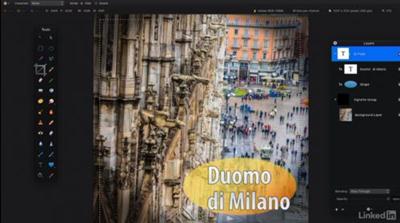
Learn Pixelmator: The Basics
MP4 | Video: AVC 1280x720 | Audio: AAC 48KHz 2ch | Duration: 5 Hours | 6.69 GB
Genre: eLearning | Language: English​


If you're up and running with Pixelmator, but want a more comprehensive look at its image enhancement and design tools, this is the course for you. Pixelmator is a popular and affordable (Mac OSX) app, which offers support for Adobe file formats. With Pixelmator you can easily collaborate with other photographers and designers using the Creative Cloud. Join Rich Harrington for a tour of the complete Pixelmator workflow, including making accurate selections, performing targeted image adjustments, designing with text and shapes, retouching, masking, and making complex designs quickly with other effects. Rich also explores Pixelmator for iOS, which allows you to share projects between iPhones, iPads, and Mac computers and continue your work on the go. Once your project is finished, you'll learn how to export files in several popular formats for sharing, posting on the web, or using in other software packages.

Recommend Download Link Hight Speed | Please Say Thanks Keep Topic Live ​
 

0fa99eae96239aade07c67c5e1d71262.jpg

LinuxCBT MySQL Edition
.MOV, AVC, 235 kbps, 800x600 | English, AAC, 64 kbps, 2 Ch | 35 hours | 2.3 GB
Genre: MySQL DBMS Engine​

Focus: MySQL DBMS Engine
System Requirements: Browser | HTML5 || Flash | JavaScript
User Agents: Chrome | Firefox | Safari | IE11+ | Opera

Mobile Platforms: Droid | IOS | Phones | Tablets

Course Objective
MySQL - DBMS

MySQL Installation
Introduction to MySQL 5
Discuss DBMS system specifications
Identify existing MySQL-installed components
Explore file-system layout
Identify & discuss the various downloadable formats /source|binary|packaged/
Download MySQL packages to a local repository
Discuss the key DBMS components
Confirm md5sums of components
Install MySQL server package and examine defaults
Identify key server-side administrative utilities
Inspect the contents of the default DBMS data-directory
Install MySQL Client package and explore its contents

Terminal Monitor Shell Client
Discuss Terminal Monitor concepts
Explain the default privileges configuration
Connect to the DBMS using anonymous privileges
Explore Terminal Monitor's help facility and useful escape sequences
Identify the default schemas
Execute useful SQL functions
Demonstrate how to execute SQL queries from the shell in non-interactive mode

User Administration
Identify the currently logged-in user
Connect to MySQL DBMS as root and explore the interface
Attempt to connect to the DBMS as invalid users and discuss the results
Attempt to connect from a remote host and evaluate results
Discuss the primary methods of tightening the default security scheme
Tighten the default privileges for the root user
Explore the global 'user' grant table & discuss attributes
Secure anonymous user accounts
Remove anonymous privileges and confirm enhanced security policy
Discuss and explore the grant tables and applicable attributes
Identify the ancillary grant tables that permit granular filtration
Create new DBMS users and confirm connectivity
Remove superfluous user accounts
Discuss permissible host values when defining users
Create remote super users and test connectivity
Discuss privileges scopes concepts & applications
Identify grant tables related to privileges scopes
Use GRANT to create and manipulate user-privileges
Create unprivileged accounts and explore capabilities
Use REVOKE to remove privileges
Use DROP to discard superfluous accounts
Maintain user passwords using SET and UPDATE

Show Commands & Options Files
Explain the usages of key SHOW commands
Expose DBMS privileges for currently authenticated user
Expose DBMS privileges for other defined users
List all databases available on the system
Show the DDL statements used to create various MySQL-managed databases
Examine the default supported character sets
Reveal the structure of defined tables
Show the DDL statements used to create various tables
List the supported Storage Engines by the current binary-build of MySQL
Examine the MyISAM Storage Engine tables on the file system & discuss key file types
Show the schemas of various tables and discuss the results
Examine the currently executing processes, including connected users
Initiate & KILL connections listed in the process-list table
Examine key status variables on the running server
Show table status information, revealing used-space, length, create-time, etc.
Discuss the default search-path for options files by MySQL clients
Examine and secure the MySQL history file to prevent superfluous disclosure of queries
Define a personal MySQL options file
Explain the supported section headers in MySQL options files
Define useful run-time directives for MySQL clients and examine results
Define a useful, custom MySQL prompt on a global and per-user basis & examine usefulness
Set default database variable in per-user options files and examine results

Key MySQL Client Utilities
Focus on mysql terminal monitor utility
Discuss & demonstrate mysql client modes
Discuss command-line option types
Output queries to standard /HTML|XML|TXT/ formats
Exclude column-headers from output for easy import into other applications
Use options file to control startup variables
Focus on mysqladmin utility
Compare & contrast mysqladmin batch-mode to mysql interactive mode
Confirm the status of DBMS servers using mysqladmin
Ascertain remote DBMS process list
Create & drop remote databases using mysqladmin
Administer remote user credentials using mysqladmin
Focus on mysqldump utility
Discuss mysqldump applications, features & benefits
Dump all databases and related objects to an ASCII text backup file
Examine the resulting dump file
Dump select databases and examine resulting file
Dumpy DBMS databases to a remote MySQL instance using mysqldump
Focus on mysqlimport utility
Create database container and table structure for subsequent imports
Create matching data-feed for import by mysqlimport
Import data-feed using default delimiters and record-separators
Discuss mysqlimport defaults regarding data-directory and table names
Examine importing duplicate records

Key Data Manipulation Language (DML) Statements
Discuss common DML statements
Focus on SELECT DML statement
Optimize SELECT statements with WHERE clauses to define criteria
Discuss SELECT operators /=|<=|>=|!=|etc/
Perform pattern matching using WHERE clause with LIKE operator & wildcards
Influence the order of SELECT output using ORDER BY
Extend criteria definition and optimize queryies using AND clause
Return result-set INTO output ASCII text file using SELECT INTO
Redirect result-set to AWK and extract interesting fields
Use LIMIT with SELECT to return n number of rows
Return total number of rows including LIMIT value
Alias column headers using SELECT
Concatenate results returned using SELECT
Focus on INSERT DML statement
Explain supported INSERT statements /VALUES|SET|SELECT/
Describe table structure to determine column constraints
INSERT VALUES specifying column names
INSERT VALUES one-to-one without defined column headers
Use SET with INSERT to indicate interesting columns
Use VALUES to INSERT multiple rows in one statement
Discuss INSERT SELECT applications
Create table structure for using INSERT SELECT
Populate newly-created table with data
Use SELECT INSERT to move data between tables & evaluate results
Focus on UPDATE DML statement
Perform global table UPDATE with simple DML statement
Specify columns to be updated and evaluate affected rows
UPDATE interesting rows using criteria
UPDATE n number of records using the LIMIT criteria operator
Focus on DELETE DML statement
Remove interesting records using WHERE clause and applicable critieria
Intro to the ALTER Data Definition Language (DDL) statement

Key Data Types
Focus on Numeric data-types
Use describe to expose defined data-types for columns
Discuss unsigned and auto incremented column attributes
Discuss /TINYINT|SMALLINT|MEDIUMINT|INT|BIGINT/ capacity and applications
Discuss FLOAT capacity and applications
Discuss DOUBLE capacity and applications
Discuss DECIMAL capacity and applications
Discuss BIT capacity and applications
Define a table with TINYINT column
Populate TINYINT column with INSERT and exceed its limits and evaluate resutls
Use ALTER to increase the capacity of the TINYINT column to SMALLINT
Populate SMALLINT column and evaluate results
ALTER table and add columns with greater numeric capacity
Define a DECIMAL column and store values
Focus on String data-types
Explain features and limitations of CHAR type fields
INSERT strings with unpreserved characters and evaluate results
Compare & contrast VARCHAR & CHAR type fields; fixed vs. varaible-length
ALTER table to convert interesting fields from CHAR to VARCHAR
Create Perl script to generate values for VARCHAR columns and evaluate results
Discuss /TEXT|TINYTEXT|MEDIUMTEXT|LONGTEXT/ column types
Discuss /BLOB|TINYBLOB|MEDIUMBLOB|LONGBLOB/ column types
ALTER table to support LONGTEXT and import data and evaluate results
Discuss /BINARY|VARBINARY/ usages and limits
Explain the usages of ENUM column types
Explore predefined ENUM column types in system tables
Define ENUM fields, insert data and evaluate DBMS behavior
Focus on Date data-types
Discuss DATE column type features (resolution & range)
ALTER table structure to support DATE-based column
INSERT invalid date and evaluate results
Discuss DATETIME column type features (resolution & range)
ALTER table structure to support DATETIME-based column
INSERT valid date & time value and evaluate results
Discuss how MySQL implements dummy dates
ALTER table structure to support TIMESTAMP-based column
Discuss TIMESTAMP column type features (resolution & range)
Discuss NULL-enabled auto-timestamp (dummy-time) invocated columns
Explain MySQL's default date syntax
Insert Date & Time values into MySQL columns using mixed delimiters
Insert Date & Time values into MySQL columns without delimiters
Recap supported data-types

Key Data Definition Language (DDL) Statements
Focus on CREATE DDL statement
Describe how MySQL maps database containers to the file system
CREATE DATABASE container to house new tables
Define the requirements /auto_increment|primary key|etc/ of new base tables
Define the CREATE TABLE syntax for new base tables based on selected data types
Execute statement and evaluate results of recently-created tables
Use SHOW CREATE TABLE to examine DDL syntax for reference
CREATE TABLE with NOT-NULL column enforcements
Populate tables with useful values and evaluate results
INSERT VALUES with DEFAULT for auto-populated columns and evaluate results
Duplicate table structure using CREATE TABLE and evaluate results
Populate destination table with data from the source table using INSERT
Discuss Temporary tables features and applications
CREATE TEMPORARY TABLES and populate with useful data
Rename tables using RENAME TABLE as an alternative to ALTER TABLE
Focus on DROP DDL statement
Describe the objects that are affected using DROP
DROP DBMS objects and evaluate file system implications
Focus on CREATE INDEX DDL statement
Discuss the importance of indexes to improved data-retrieval
Discuss MyISAM storage engine per-index limits
Identify default MyISAM index files
Explore defined indices
Define UNIQUE indices
Compare & contrast table & index storage requirements
Generate data-set to be imported into an indexed column
Compare & contrast query-execution times with and without indices

JOINS
Discuss the features & benefits of using JOINS to access normalized data
Normalize the data structure, using ALTER TABLE, to prepare for using joins
Use seq to generate normalized data and import using mysqlimport
Discuss the various types of supported JOINS /EQUI|NATURAL|LEFT|RIGHT|INNER|OUTER/
Define and execute EQUIJOINS
Define and execute NATURAL JOINS
Define JOINS using fully-justified DBMS object names
Use table and column aliases with JOINS

VIEWS & TRIGGERS
Discuss the features & benefits of using VIEWS
Use DESCRIBE to identify interesting VIEW candidate-columns
Explain VIEW-creation syntax
Create useful VIEWS and evaluate results
Create VIEWS using column-aliases
Update VIEWS using CREATE OR REPLACE VIEW & ALTER VIEW
Create VIEWS based on EQUIJOINS
Demonstrate how to UPDATE base-table data using VIEWS
Remove superfluous VIEWS using DROP VIEW
Focus on TRIGGERS
Discuss MySQL's TRIGGER implementation rules
Discuss TRIGGER timing & events
Discuss TRIGGER statements
Define a TRIGGER to update a secondary table upon INSERT INTO primary table
INSERT INTO primary table and examine TRIGGER response
Log table updates using TRIGGERS
Use SHOW to reveal defined TRIGGERS ON tables
Create & evaluate multiple statement triggers using BEGIN .. .END
Redefine MySQL statement delimiters to support multiple statement triggers

Stored Routines (Functions & Procedures)
Discuss Stored Routines components and applications
Focus on Stored Procedures
Discuss required privileges
Explain how to invoke stored procedure
Define useful stored procedures
Use SHOW to reveal stored procedures and important attributes
Create multiple statement stored procedures
Redirect stored procedure output to memory for easy reuse
Focus on Functions
Discuss ideal uses for functions
Describe function syntax
Define functions based on date calculations and evaluate results

Replication Configuration
Explore uses of replication
Illustrate MySQL Master-Slave replication model
Discuss binary logging requirements
Updated configuration on Master & Slave servers to reflect replicaiton requirements
Create replication accounts on Master & Slave servers
Create a snapshot of the master server's databases
Transport the snapshot to slave servers using SCP
Record replication position
Configure server IDs on Master & Slave servers
Use DDL to enable Master & Slave servers
Confirm replication status via DDLs, the process list and system table
Committ updates to the master server and confirm replication to the slave servers
Configure an additional slave server and confirm replication

Logging
Explain MySQL logging /ERROR|QUERY|BINARY|SLOW/
Discuss the default log file nomenclature
Explain & examine the contents of the ERROR log file
Restart MySQL and examine log entries
Enable the QUERY log file
Explain & examine the contents of the QUERY log file
Discuss the BINARY log file
Discuss the SLOW log file
Enable the SLOW log file
Use mysqlbinlog to examine the contents of binary logs

Win32 Integration
Connect to Windows 2003 host and download MySQL Administrator
Install MySQL Administrator
Connect to Linux-based MySQL instance and explore key variables
Download and install MySQL Query Browser
Explore Query Browser interface & features
Execute remote queries with Query Browser
Download & install MyODBC
Connect MS Access to MySQL using MyODBC
Import data into MS Access from MySQL
Link Tables in MS Access to MySQL using MyODBC

Storage Engines
Discuss the MyISAM storage engine
Explain the usages and limitations of the Memory storage engine
Confirm Memory storage engine support
Create memory-based tables using the Memory storage engine
Focus on the CSV storage engine
Confirm support for the CSV storage engine
Define CSV-based tables and evaluate results
Focus on the Federated storage engine
Explain the applications of remote tables using the Federated storage engine
Implement Federated tables and evaluate results
Focus on the Archive storage engine
Confirm support for the Archive storage engine
Describe the applications of compressed tables using the Archive storage engine
Implement compressed tables and evaluate results
Import data-set into compressed table and evaluate storage requirements
Focus on the InnoDB storage engine
Discuss the benefits /Transactional|Scalability/ of InnoDB-based tables
Confirm support for InnoDB tables
Explain InnoDB storage architecture and identify default data & log files
Update /etc/my.cnf configuration file to support InnoDB tables
Load large data-set and examine resulting data & log files
Define custom InnoDB data & log files
Extend the data & log files and evaluate results
Distribute data & log files across multiple partitions
Create a raw device for InnoDB data & log files
Define InnoDB data & log files on a RAW device

phpMyAdmin
Discuss the benefits and applications of phpMyAdmin
Install & configure Apache HTTPD
Download & install phpMyAdmin
Secure phpMyAdmin's access to MySQL DBMS
Explore phpMyAdmin's interface
Perform many shell-based queries, graphically

PHP5 Integration
Uninstall PHP 4.x
Download & install PHP 5.x packages & relevant modules /MySQL|SSL|etc./
Explore the PHP Command Line Interface (CLI)
Interface PHP CLI to MySQL & return results
Implement PHP->MySQL error handling using conditions & OO-functions
Execute useful PHP->MySQL methods
Define HTML forms
Process HTML forms using PHP
Store data in MySQL using PHP

Explore Additional MySQL Utilities
Use MySQLShow to return useful data
Use MyISAMCheck & MySQLCheck
Compare and contrast both utilities

MySQL with SSH Tunnel
Discuss benefits
Implement SSH tunnel
Use MySQL utilities across secure tunnel
Evaluate results

MySQL on Windows Server
Install MySQL
Explore configuration
Communicate between Linux & Windows
Transfer data between Linux & Windows
Implement MySQL Workbench
Evaluate results

MySQL Instances
Discuss features & benefits
Configure multiple instances
Transfer data
Evaluate results

Recommend Download Link Hight Speed | Please Say Thanks Keep Topic Live ​

 

3f7210b6bf1f05c9f66e7bec3322dbf9.jpg

Marya in London by Ivan Gorokhov - Photography Tutorial
MP4 | Video: AVC 1920x1080 | Audio: AAC 44KHz 2ch | Duration: 8M | 389 MB
Genre: eLearning | Language: English​

FULL PHOTO TUTORIAL SET IN IVAN GOROKHOV STYLE, RETOUCH OF THE SKIN AND DIFFERENT TYPES OF COLOR CORRECTION.

IT WILL BE VERY EASY FOR U TO MAKE A REAL GOOD
WITHOUT SPENDING TO MUCH TIME ON PROCESSING PICTURES !
YOUR PHOTO WILL BE VERY ATMOSPHERE!
YOU WILL SAVE YOUR TIME FOR PROCESSING
PROCESSING WILL ACTUALLY BE AN AUTOMATICAL THING FOR YOU!

Recommend Download Link Hight Speed | Please Say Thanks Keep Topic Live ​

 

91311f9d536fd68d1837b80897683ea7.jpg

Mastering Communications for Ultimate Networking Success #2
MP4 | Video: AVC 1280x720 | Audio: AAC 44KHz 2ch | Duration: 3 Hours | 3.50 GB
Genre: eLearning | Language: English​

Breaking Interia " Communications 101 Advance Basics, Ultimate Rapport Strategy, Personality Type, Network Marketing

Breaking Inertia

Verbal Aikido training is the most powerful, quick and cost effective way to enhance interpersonal relationships, increase team engagement and create a modern team culture.

This is it..... The Second of seven Modules of James MacNeil's Verbal Aikido series called Mastering Communications for Ultimate Networking Success.

These videos are designed to build the trust and confidence required in order to manage the new demands of todays organizations focusing on Network Marketing, Affiliate Marketing, Direct Sales and Businesses.

How would you like it if everyone who interacts with you feels safe and respected?
How would you like to build a team of thousands and learn how to draw the genius out of your team to create more leaders?
How would you like to master communications, provide a calm confidence and presence and bring trust to your future business partners?
How would you like to enjoy enriched interpersonal relations with your teammates and with those you interact daily?
How would you like to command the stage, to preform presentations whether in front of small groups or in front of thousands?
How would you like to multiply your currents sells?
In Module 2 " Breaking Inertia: we will be focused on the following:

Fundamentals to having purely successful communication
Learn the 3 killers of all communication
Understand the 3 ceilings and what keeps people from going to the top
See what gets in the way and how you can avoid them with the 3 ceiling busters
Learn how to keep and maintain the ability to go to the next level
Become a master at stimulating interest in your prospects
Have your prospects begging you for a presentation to hear about your business opportunity or to become your customer
Learn how to build the bridge between two souls
Understand how to build a true connection, a genuine connection
Personality types reviewed and their impact on giving and receiving communication
Learn how to create a resonance that connects you another human
Understand the link between like, trust and resonance and how to increase the chance of attaining true rapport
"Mastering Communication for Ultimate Network Success" is a powerful communications and business leadership training course focused on rapidly growing your organization and maximize profits. The non-confrontational philosophy of Aikido prepares anyone to stay grounded, mentally ready and able to handle any situation or interaction regardless of the circumstances to remain empowered and in control.

Recommend Download Link Hight Speed | Please Say Thanks Keep Topic Live ​

 

65b15bab7d3a38fca5c30f71dc39f70e.jpg

Microsoft Excel 2013 Basics: Excel 2013 Course for Beginners
MP4 | Video: AVC 1280x720 | Audio: AAC 44KHz 2ch | Duration: 2 Hours | 715 MB
Genre: eLearning | Language: English​

Use Microsoft Excel 2013 Basics: Excel 2013 Course for Beginners to excel at the most oft used features of Excel 2013

Want to learn Excel but you're afraid you don't have the time?

Or maybe you're worried that Excel will be too complicated.

Then again, maybe you already tried but got bogged down wading through hours of detailed training material.

Learn Microsoft Excel 2013 the Fast and Simple Way

Maybe it's time you tried the fast and simple approach to learning Excel... and do it all in under 2 1/2 hours.

Hi, my name is Brian Jackson and I'd like to teach you Excel the fast and simple way, by focusing on the features of the program most commonly used in simple spreadsheets. We'll begin with the basics:

Starting, Stopping, Saving, Windows and Menus
Assigning Values to Cells & Performing Arithmetic Operations
Relative and Absolute Cell References and Ranges
Common Math Functions: SUM, AVERAGE, MIN, MAX & COUNT
Editing Columns, Rows and Cells
Formatting Columns, Rows and Cells

That's all it takes is 6 lessons to learn the basics, then the section concludes with a super simple sample baseball spreadsheet.

Go Beyond the Basics to Add Some Polish

In the following section you'll learn more advanced techniques which you can use to make your spreadsheets shine:

Working with Worksheets and Workbooks
Freezing Rows and Columns
Functions
Using Date Functions to Make Monthly Projections
Sorting
Conditional Formatting
Charts and Graphs
Formatting and Printing Reports

The course concludes with 2 sample projects in which we construct book revenue and Udemy review tracking spreadsheets.

Are You Finally Ready to Learn Excel?

If you're ready then come along with me and let me teach you Excel the fast and simple way...

--Brian

Recommend Download Link Hight Speed | Please Say Thanks Keep Topic Live ​

 

5830f786755a6b1d1ac1cbf80e778e29.jpg

Penetration Testing SharePoint
MP4 | Video: AVC 1280x720 | Audio: AAC 44KHz 2ch | Duration: 3h 32m | 692 MB
Genre: eLearning | Language: English​

There's a lot more to securing the SharePoint environment than you realize-you need to correctly configure and test it. This course will take you through the steps, the tools, and the process of penetration testing your SharePoint environment.

Creating a SharePoint environment is now almost a common occurrence in most organizations. Setting it up correctly, using least privilege, securing the perimeter and the front end are often overlooked. Too often people simply just expect SharePoint to take care of all the security, when in reality they need to correctly configure and test it. In this course, Penetration Testing SharePoint, you'll learn how to perform a penetration test that specifically identifies security holes and related issues. First, you'll learn how to map the SharePoint environment. Next, you'll learn how to scan the SharePoint network and widen the attack vector. Finally, you'll attack SharePoint yourself, testing how well you've managed to secure it. By the end of this course, you'll know how to perform a penetration test in SharePoint, and more importantly, you'll be able to ensure that your content and site are safe from potential security or data breaches.

Recommend Download Link Hight Speed | Please Say Thanks Keep Topic Live ​

 

9701f05c8183f302e1312591500f7a78.jpg

Photography Tips: Overcoming Camera and Lens Limitations
MP4 | Video: AVC 1280x720 | Audio: AAC 48KHz 2ch | Duration: 1h 20m | 950 MB
Genre: eLearning | Language: English​


Digital cameras have come a long way, but photographers still bump up against their limitations. The depth of field, aspect ratio, and dynamic range can't match what our eyes see. But you can reach beyond the capabilities of your camera through a combination of smart shooting strategies and creative post-processing techniques. Landscape photographer Justin Reznick shows how to create perfectly sharp images, front to back, with focus stacking; build epic panoramas; and create high dynamic range images that retain more detail in the shadows and highlights. The tools learned in the course will open up photographers to a whole new world of photographic possibilities"without a large investment in new gear.

Recommend Download Link Hight Speed | Please Say Thanks Keep Topic Live ​

 

011c23935326c2b35e7c946ef3afea7e.jpg

Photoshop for Entrepreneurs: Social Media Art
MP4 | Video: AVC 1280x720 | Audio: AAC 44KHz 2ch | Duration: 21M | 374 MB
Genre: eLearning | Language: English​


In this course, you'll learn how to create custom social media art for all of your main social media profiles including YouTube, Facebook, Twitter, LinkedIn, and Google Plus. Included in the course are Photoshop templates for all the current social media art sizes.

Recommend Download Link Hight Speed | Please Say Thanks Keep Topic Live ​

 
Zurück
Oben Unten