• Regeln für den Video-Bereich:

    In den Börsenbereich gehören nur Angebote die bereits den Allgemeinen Regeln entsprechen.

    Einteilung

    - Folgende Formate gehören in die angegeben Bereiche:
    - Filme: Encodierte Filme von BluRay, DVD, R5, TV, Screener sowie Telesyncs im Format DivX, XviD und x264.
    - DVD: Filme im Format DVD5, DVD9 und HD2DVD.
    - HD: Encodierte Filme mit der Auflösung 720p oder darüber von BluRay, DVD, R5, TV, Screener sowie Telesyncs im Format x264.
    - 3D: Encodierte Filme von BluRay, die in einem 3D Format vorliegen. Dies gilt auch für Dokus, Animation usw.
    - Serien: Cartoon/Zeichentrick, Anime, Tutorials, Dokumentationen, Konzerte/Musik, Sonstiges sind demnach in die entsprechenden Bereiche einzuordnen, auch wenn sie beispielsweise im High Definition-Format oder als DVD5/DVD9/HD2DVD vorliegen. Ausnahme 3D.
    - Bereich Englisch: Englische Releases gehören immer in diesen Bereich.
    - Bereich Talk: Der Bereich, in dem über die Releases diskutiert werden kann, darf, soll und erwünscht ist.


    Angebot/Beitrag erstellen

    - Ein Beitrag darf erst dann erstellt werden, wenn der Upload bei mindestens einem OCH komplett ist. Platzhalter sind untersagt.
    - Bei einem Scenerelease hat der Threadtitel ausschließlich aus dem originalen, unveränderten Releasenamen zu bestehen. Es dürfen keine Veränderungen wie z.B. Sterne, kleine Buchstaben o.ä. vorgenommen werden. Ausnahme Serienbörse:
    - Bei einem Sammelthread für eine Staffel entfällt aus dem Releasename natürlich der Name der Folge. Beispiel: Die Simpsons S21 German DVDRip XviD - ITG
    - Dementsprechend sind also u.a. verboten: Erweiterungen wie "Tipp", "empfehlenswert", "only", "reup", usw. / jegliche andere Zusatzinformation oder Ergänzung, welche nicht in obiger Beschreibung zu finden ist.

    Aufbau des Angebots und Threadtitel

    Der Titel nach folgendem Muster erstellt zu werden. <Name> [3D] [Staffel] [German] <Jahr> <Tonspur> [DL] [Auflösung] <Quelle> <Codec> - <Group>
    Beispiel: The Dark Knight German 2008 AC3 DVDRip XviD - iND
    Beispiel: The Dark Knight 2008 DTS DL BDRip x264 - iND
    Beispiel: The Dark Knight 2008 AC3 DL BDRip XviD - iND
    Beispiel: The Dark Knight German 2008 AC3 720p BluRay x264 iND
    Beispiel: The Dark Knight 2008 DTS DL 1080p BluRay x264 iND
    Beispiel: Die Simpsons S01 German AC3 DVDRip XviD iND
    Beispiel: Die Simpsons S20 German AC3 720p BluRay x264 iND
    Beispiel: Sword Art Online II Ger Sub 2014 AAC 1080p WEBRip x264 - peppermint
    Entsprechend sind also u.a. verboten: Sonderzeichen wie Klammern, Sterne, Ausrufezeichen, Unterstriche, Anführungszeichen / Erweiterungen wie "Tipp", "empfehlenswert", "only", "reup", usw. / jegliche andere Zusatzinformation oder Ergänzung, welche nicht in obiger Beschreibung zu finden ist
    Ausnahmen hiervon können in den Bereichen geregelt sein.

    Die Beiträge sollen wie folgt aufgebaut werden:
    Überschrift entspricht dem Threadtitel
    Cover
    kurze Inhaltsbeschreibung
    Format, Größe, Dauer sind gut lesbar für Downloader außerhalb des Spoilers zu vermerken
    Nfo sind immer Anzugeben und selbige immer im Spoiler in Textform.
    Sind keine Nfo vorhanden z.B. Eigenpublikationen, sind im Spoiler folgende Dateiinformationen zusätzlich anzugeben :
    Quelle
    Video (Auflösung und Bitrate)
    Ton (Sprache, Format und Bitrate der einzelnen Spuren)
    Untertitel (sofern vorhanden)
    Hosterangabe in Textform außerhalb eines Spoiler mit allen enthaltenen Hostern.
    Bei SD kann auf diese zusätzlichen Dateiinformationen verzichtet werden.

    Alle benötigten Passwörter sind, sofern vorhanden, in Textform im Angebot anzugeben.
    Spoiler im Spoiler mit Kommentaren :"Schon Bedankt?" sind unerwünscht.


    Releases

    - Sind Retail-Release verfügbar, sind alle anderen Variationen untersagt. Ausnahmen: Alle deutschen Retail-Release sind CUT, in diesem Fall sind dubbed UNCUT-Release zulässig.
    - Im Serien-Bereich gilt speziell: Wenn ein Retail vor Abschluss einer laufenden Staffel erscheint, darf diese Staffel noch zu Ende gebracht werden.62
    - Gleiche Releases sind unbedingt zusammenzufassen. Das bedeutet, es ist zwingend erforderlich, vor dem Erstellen eines Themas per Suchfunktion zu überprüfen, ob bereits ein Beitrag mit demselben Release besteht. Ist dies der Fall, ist der bereits vorhandene Beitrag zu verwenden.
    - P2P und Scene Releases dürfen nicht verändert oder gar unter einem iND Tag eingestellt werden.


    Support, Diskussionen und Suche

    - Supportanfragen sind entweder per PN oder im Bereich Talk zu stellen.
    - Diskussionen und Bewertungen sind im Talk Bereich zu führen. Fragen an die Uploader haben ausschließlich via PN zu erfolgen, und sind in den Angeboten untersagt.
    - Anfragen zu Upload-Wünschen sind nur im Bereich Suche Video erlaubt. Antworten dürfen nur auf Angebote von MyBoerse.bz verlinkt werden.


    Verbote

    - Untersagt sind mehrere Formate in einem einzigen Angebotsthread, wie beispielsweise das gleichzeitige Anbieten von DivX/XviD, 720p und 1080p in einem Thread. Pro Format, Release und Auflösung ist ein eigener Thread zu eröffnen.
    - Grundsätzlich ebenso verboten sind Dupes. Uploader haben sich an geeigneter Stelle darüber zu informieren, ob es sich bei einem Release um ein Dupe handelt.
    - Gefakte, nur teilweise lauffähige oder unvollständige Angebote sind untersagt. Dies gilt auch für eigene Publikationen, die augenscheinlich nicht selbst von z.B. einer DVD gerippt wurden. Laufende Serien, bei denen noch nicht alle Folgen verfügbar sind, dürfen erstellt und regelmäßig geupdatet werden.
    - Untersagt sind Angebote, welche nur und ausschließlich in einer anderen Sprache als deutsch oder englisch vorliegen. Ausnahmen sind VORHER mit den Moderatoren zu klären.


    Verstoß gegen die Regeln

    - Angebote oder Beiträge, die gegen die Forenregeln verstoßen, sind über den "Melden"-Button im Beitrag zu melden.
  • Bitte registriere dich zunächst um Beiträge zu verfassen und externe Links aufzurufen.

*** Bestes IPTV *** bester Preis *** gratis Test ***


Englische Tutorials

1811030731030113.jpg

Bootstrap 4 For Everyone
.MP4 | Video: h264, 1280x720 | Audio: AAC, 44.1 KHz, 2 Ch
Genre: eLearning | Language: English + .VTT | Duration: 4 hours | Size: 4.22 GB
Learn The Latest Version Of Bootstrap 4 From Start To Finish And Build 3 Website Projects. Become A FrontEnd Hero Today!​

What you'll learn

Install and Use the Bootstrap CSS Framework
Understand the Major Bootstrap Components
Understand The Bootstrap Grid System
Use Bootstrap Utilities
Use and Modify The Free Bootstrap Website Themes
Build Amazing Websites Quickly and Easily with Bootstrap

Requirements

No programming skills or special tools are necessary to take this course
You just need a computer with Internet access and a Web Browser
We'll Download a Free Coding Text Editor Called Sublime Text
We'll Download Bootstrap For Free As Well
Knowledge Of HTML Would Be Useful but not Necessary
You Don't Need To Know CSS To Take This Course

Description

There's a reason why Bootstrap is the MOST popular CSS Framework in the world, used by millions of websites all over the world!

The reason...it's easy!

Bootstrap 4 allows you to build amazing looking websites quickly and easily, sometimes as easy as drag and drop!

HTML and CSS are the fundamental building block of the Internet. Using a frontend web framework like Bootstrap can cut your web development time down drastically!

In this course I'll show you how to use Bootstrap 4.1.1 from start to finish. You don't need any special skills or knowledge to start building great looking websites in minutes.

We'll start out learning how to install and start using Bootstrap. Then we'll learn about all of the Bootstrap Components. After that we'll learn how to position things on a webpage using the Bootstrap grid system. Then we'll learn how to use the Bootstrap Utilities.

Finally, we'll build three websites using free templates that come with bootstrap. The first is a cool photo album website, the second is a simple one page landing page site, and the last one is a cool blog/business website template.

Aimed at the absolute beginner, this course is great for front end developers, back end developers, or even just hobbyists who want to learn to build cool websites!

Who is the target audience?

This course is built for absolute beginners who want to learn to build websites with Bootstrap
Front End Developers Who Want To Learn Bootstrap
Back End Developers Who Want To Learn Bootstrap
Anyone Who Wants To Learn Bootstrap 4

1811030731040084.jpg


Recommend Download Link Hight Speed | Please Say Thanks Keep Topic Live

 
1811030230160086.jpg


Excel Data Analysis with Excel Pivot Tables, Excel Dashboard
.MP4 | Video: 1280x720, 30 fps(r) | Audio: AAC, 48000 Hz, 2ch | 2.68 GB
Duration: 5 hours | Genre: eLearning | Language: English​

Learn Excel Data Analysis & Excel Data Visualization with Excel Pivot Tables, Formulas, Pivot Charts & Excel Dashboards.

What you'll learn

You will learn about Pivot Tables and Pivot Chart
You will learn 30 Plus top Microsoft Excel Formulas and Functions
You will learn how to use 20 Plus different Excel Charts and Graphs used in Dynamic Excel Dashboards.
You will learn how to Design, Format and Style Data Elements

Requirements

This Course is created on Excel 2016, You can also use Excel 2010 and above
Basic Excel Knowledge
Interest to Learn and Upgrade Your Skillset
A Windows or a MAC PC where Microsoft Excel is Installed

Description

Microsoft Excel - Excel Data Analysis and Excel Data Visualization with Excel Pivot Tables, Excel Pivot Charts and Interactive Excel Dashboards.

Excel Charts and Excel Graphs are one of most powerful features of Microsoft Excel which allows the users to represent numerical data in Graphical Data Visualization format so that end user gets a better view of the Information discussed.

In this course

You will learn the Excel Pivot Table and Excel Pivot Chart Function in detail and you will learn how to create Dynamic Excel Charts and Excel Graphs.

We will help you understand how to present your data Graphically on a Dynamic Chart, Graph or 3D Map, to make the information appear in a simplified manner.

You will learn the Top functions and Top formulas used to Pivot your data.
You will Learn to create a Dynamic Sales Dashboard
You will learn how to design, style and format aspects of Excel 2016 are applied on charts, graphs and 3D maps.
You will use the dynamic graphical representation to display your complex data in an impressive way.
Learn to customize Layout, Axes, Grid lines, Spark lines, Trend lines and Error Bars.

This Course is structured in 8 Plus chapters and you will learn all the aspects of Pivot Function in depth .

We will go through, 20 Plus different Chart types used in Dynamic Excel Dashboards , Top formulas and Top Functions, Design and Style Elements and finally you will create a Dynamic Excel Sales Dashboard.

So Lets the Show begin!

Who is the target audience?

If you are looking to improve your Microsoft Excel Skills
If you want to learn how to create Excel Charts, Formulas and Functions and Excel Shortcuts
If you want to learn foundation of how to create Excel Dynamic Dashboards
If you create Management Reports or MIS
Excel users who have basic skills but would like to become more proficient in data exploration and analysis
Anyone who works with Excel on a regular basis


1811030230170105.jpg


Recommend Download Link Hight Speed | Please Say Thanks Keep Topic Live

 

8710a76f493351fa4c72ce2b765c83e0.jpg


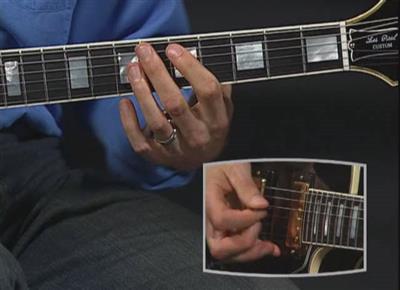
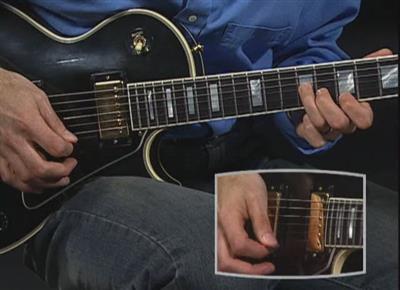
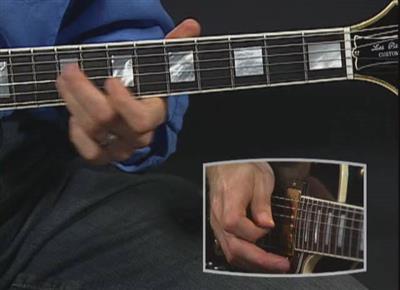
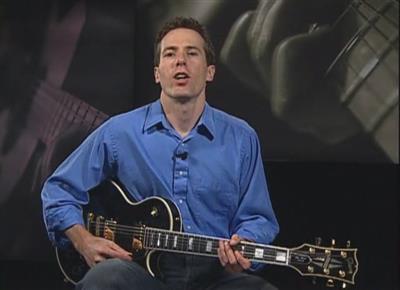
Guitar Signature Licks - Eric Clapton The Early Years
DVDRip | English | AVI | 640 x 464 | XviD ~1085 kbps | 29.970 fps
MP3 192 Kbps 48.0 KHz | 2 channels | 01:16:27 | 650.7 MB
Genre: eLearning Video / Guitar lesson

Now in this fabulous DVD from the Guitar Signature Licks Series, you can learn the licks, riffs and solos that propelled him and his bands into superstardom.
The Early Years features tuition of eight classics songs from Clapton's time with The Yardbirds, John Mayall's Blues Breakers, Cream, Blind Faith and Derek and the Dominos.
The DVD bonus features include Guitar Technique section, Jam-along songs and practice tips.

Content:
I Ain't Got You (4:31)
All Your Love (I Miss Loving) (7:16)
Sunshine of Your Love (6:20)
White Room (4:10)
Cross Road Blues (Crossroads) (6:16)
Can't Find My Way Home (6:47)
Bell Bottom Blues (5:43)
Layla (3:14)
Techniques & Tips (13:48)

Jam-alongs:
I Ain't Got You - Jam-along (1:09)
All Your Love (I Miss Loving) - Jam-along (1:57)
Sunshine of Your Love - Jam-along (2:08)
White Room - Jam-along (1:23)
Cross Road Blues (Crossroads) - Jam-along (1:41)
Can't Find My Way Home - Jam-along (2:04)
Bell Bottom Blues - Jam-along (1:52)
Layla - Jam-along (0:54)


fc5cd62e8390786ada55dbbae871d702.jpg


91c39d9397fea60a09ddc5cdfd95caa6.jpg


79d414e6514acc24a376ad99459a9563.jpg


6d4a1df577c077b8018cf011f53ecf00.jpg


3259b956fb0fa883d665e5445859a573.jpg


Recommend Download Link Hight Speed | Please Say Thanks Keep Topic Live
 

cd009abc95e69c6dd7ae724956b28ddf.jpg


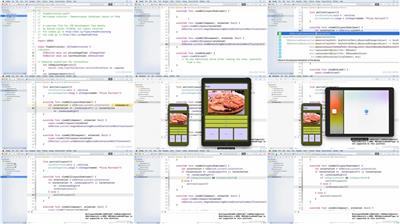
iOS Development Tips Weekly Updated 10/30/2018
.MP4, AVC, 280 kbps, 1280x720 | English, AAC, 160 kbps, 2 Ch | 5h 7m | 971 MB
Instructor: Steven Lipton

What if it only took a few minutes a week to become a better iOS developer? This series is designed to provide small, smart hacks that can improve the way you code with Xcode and Swift. Tune in every Tuesday for another short video, on topics such as version control with Git, MapKit, iPad Playgrounds, and iPhone X development. Create faster, more reliable, and better-looking apps for iPad, iPhone, or Apple Watch. Steven Lipton will help you take your iOS (and watchOS) projects to the next level, one week at a time.

More Info


67e3b7c21c98c9c5b47b20dbecca2030.jpg


Recommend Download Link Hight Speed | Please Say Thanks Keep Topic Live

 

44083786ddba016eb22fe2b3635a8c4a.jpg


Learning Creative Cloud Libraries
MP4 | Video: AVC 1280x720 | Audio: AAC 44KHz 2ch | Duration: 1 Hour | 200 MB
Genre: eLearning | Language: English

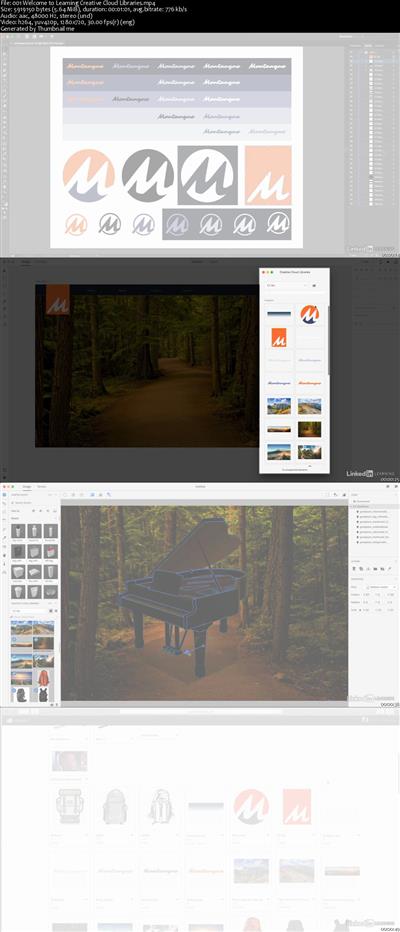
Creative Cloud Libraries allow you to access your assets anywhere-from any device. This course shows how to collect and organize images, colors, text styles, and other elements created in various Creative Cloud desktop and mobile apps into CC Libraries, and share those assets between applications. Learn about the CC ecosystem and the libraries in Photoshop, InDesign, After Effects, Animate, Capture, Dimension, and more. Plus, discover how to share and search libraries and use libraries as a collaboration tool for your whole design team.


6d1800e148f419f472ca0cf79f2da650.jpg


Recommend Download Link Hight Speed | Please Say Thanks Keep Topic Live

 
ff6e82dd6eeb240acc93ca499f1e2a56.jpg


Chatbots in the Call Center: AWS Lex and Connect
.MP4, AVC, 170 kbps, 1280x720 | English, AAC, 96 kbps, 2 Ch | 26 mins | 64.6 MB
Instructor: Craig Golightly

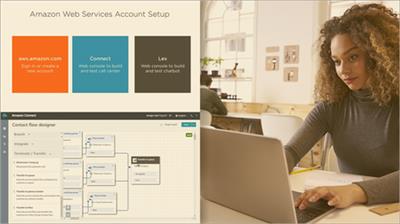
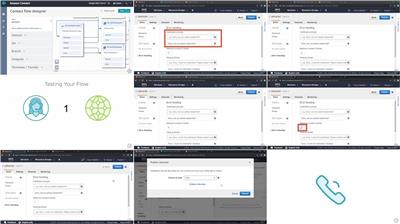
In this course, you will build a basic cloud call center with AWS Connect then use AWS Lex to create a chatbot that recognizes speech input. You will finish with a call center that routes each call based on what the user says they need.

Tired of listening for which number to press when you call for something? So are your users. In this course, Chatbots in the Call Center: AWS Lex and Connect, you will gain the ability to build a speech-enabled cloud call center. First, you will learn about AWS Connect. Next, you will discover AWS Lex. Finally, you will explore how to integrate Lex into Connect. When you're finished with this course, you will have the skills and knowledge of chatbots and call centers needed to have your very own call center with a phone number that you can call to try it out live.

More Info


12e7dcaa1df619dd97f00b628d3e9a3b.jpg


Recommend Download Link Hight Speed | Please Say Thanks Keep Topic Live
 
1811030726580109.jpg


Igor Ledochowski - Advanced Ericksonian Hypnosis
WEBRip | English | MP4 + PDF Guides | 480 x 276 | AVC ~148 kbps | 29.970 fps
AAC 137 Kbps 44.1 KHz | 2 channels | ~40 hours | 4.27 GB
Genre: eLearning Video / Self Improvement, Hypnosis
Get A Front Row Seat As You Find Out Milton Erickson's Most Powerful Secrets​

Module #01: Introduction To Ericksonian Hypnosis And Unconscious Moments

You'll start with the foundations and your skills will quickly improve as I guide you step-by-step

Module #02: Hypnotic Language, Language Softeners And Priming Phenomena

You'll discover the secret to getting deep trance phenomena easily plus you'll see a special demo of a deep trance.

Module #03: Natural Trance Phenomena & Ericksonian Fractionation Revealed

Next you'll develop the qualities of an Ericksonian hypnotist - by working on voice and fractionation

Module #04: How To Get Hypnotic Phenomena And The Trance Signals Induction

Advanced uses of hypnotic language, Ericksonian "embedded suggestions", how to get trance phenomena easily and a new induction that uses the subject's responses to ride into trance

Module #05: The Revivification Induction & Dealing With Problematic Revivifications

How to easily do Ericksonian revivifications, a demo on how to access memories from a difficult subject and how to give feedback to the unconscious mind

Module #06: How To Revivify Trance Phenomena, Dealing With A Resistant Arm Levitation And The Early Learning Set

Advanced strategies for deep trance phenomena (DTP) and Ericksonian Hypnotic Sets.

Plus a demo with a frustrated student who can't get an arm levitation. Watch how I turn things around - not only does he get an arm levitation, he ends up unable to put it down again afterwards (until of course I cancel that suggestion)!

The power of hypnotic sets: Erickson's famous early learning set explained - and a variation that makes trance safer to explore

Module #07: The Unconscious Protector Set And Fractionation Cycles

How to master the unconscious protector set and how to train someone to go into a very profound deep trance

Module #08: "Dr. Unconscious", The Dr. Unconscious Induction and Making Fractionation Even More Profound

How to do an Ericksonian confusion induction so your subject dives into a deep trance to resolve it and how to play with the conscious mind so that any resistance melts away

Module #09: Purposeful Trance Phenomena and Ericksonian Arm Levitations

More advanced secrets of Deep Trance Phenomena (DTP) and how to get fast results. Plus Erickson's favorite DTP - explained, demonstrated and experienced!

Module #10: Hijacking Inner Dialogues And Dealing With Resistance Or A "Doubting Thomas"

More secrets for getting an arm levitation easily, an exercise to help you deal with "Doubting Thomas" types of people easily and a demo on how to hijack an "overthinking" subject's thoughts to get the result you wanted

Module #11: Erickson's Classic Routines And The Memory Lane Induction

How to start working with regression the way Erickson did and how to gently & easily explore memories, plus discover classic routines from Erickson's actual casework

Module #12: Developing Regression With Erickson's "Imaginary Crystal Ball" Induction

Erickson's famous "crystal ball" induction demonstrated and explained

Module #13: Erickson's Key "Dreaming Arm" Levitation Revealed Part 1

How to do the powerful "dreaming arm" induction for quick, easy and effective therapy - demonstrated and explained, plus a detailed Q&A session

Module #14: "Dreaming Arm" Levitation Revealed Part 2

How to practice the dreaming arm therapeutic induction for yourself

Module #15: How To Overcome Problems Of Denial, Avoidance And Other Defense Mechanisms - Part 1

The very important Ericksonian "Objective Review" - demonstrated & explained

Module #16: How To Overcome Problems of Denial, Avoidance And Other Defense Mechanisms - Part 2

Step by step instructions for succeeding with the objective review yourself - with student demo and full debrief discussion

Module #17: Precision Language And How To Use Negation The Right Way

More advanced sophisticated language patterns of Erickosnian hypnosis

Module #18: Direct And Covert Ericksonian Conscious/Unconscious Dissociations

Milton Erickson's favorite induction revealed and how you can adapt it to create your own versions plus how to make this induction more covert with the "hypnotic lecture"

Module #19: Strategic Therapy, "Hidden Talents" And The hidden Talent Induction

How to think like Erickson when meeting new subjects and how to unlock the hidden talents each subject has that allows "DTP" to happen naturally

Module #20: The Key Elements Of All Therapeutic Trances Revealed

A simple structure that you can use for Ericksonian hypnotherapy and a detailed Q&A on how to turn your trance skills into therapeutic skills

Module #21: Using The Principles Of Therapeutic Trances In Hypnotherapy

Apply the hypnotherapy induction for yourself - with step by step setup, full student demo and debrief

Module #22: How To Weave Therapeutic Trance Principles With Erickson's Key Processes To Create Powerful Ericksonian Hypnosis

How to make the hypnotherapy structure even more Ericksonian, revisiting the dreaming arm induction and how to use this induction for therapy inside the new Ericksonian hypnosis model with full demonstration

Module #23: Ericksonian Strategies And The 6 Trance Skills Revealed

An in-depth review and Q&A of all the skills you've learned at an unconscious level so your conscious mind can catch up. Plus more exciting strategies of Ericksonian hypnotherapy

Module #24: How To Create Simple Hypnotic Stories Easily

Secrets to warming up your storytelling mind so you naturally tell hypnotic stories on the fly and 4 simple exercises to create an almost endless stream of stories for any situation

Module #25: How To Turn Simple Stories Into Killer Ericksonian Stories That Create Lasting Change

Secrets of advanced storytelling in Ericksonian hypnotherapy and how to make stories so subtle the conscious mind never knows what's happening so can't interfere in the change process

Module #26: How To Apply Ericksonian Hypnotherapy To Physical Healing

Find out how to adapt all your Ericksonian skills for physical healing and create your own protocols to deal with allergies, pain, surgery and other physical applications of hypnosis. Plus a student demo of the "Physical Healing" protocol in action

Module #27: Hypnotherapy Practice Dos & Don'ts

Learn the important practice management skills you need to know for your private practice including important legal & ethical things that you need to be aware of

Module #28: Final Student Demo Putting All That Has Been Learnt Into Practice & Conclusion

Watch a student with little previous experience put all the skills of the program together and do a genuine piece of Ericksonian hypnosis that lasts about 1 hour, ending with a great result. Plus a wrap up and concluding thoughts for the training

Price: $ 2995
More Info: Salepage

1811030727010113.jpg


1811030727020100.jpg


1811030727030113.jpg


1811030727030090.jpg


Recommend Download Link Hight Speed | Please Say Thanks Keep Topic Live
 

94979c19cec7e3025d488281fa533a37.jpg


Double Your Self-Awareness And Mental Clarity
.MP4 | Video: 1280x720, 30 fps(r) | Audio: AAC, 44100 Hz, 2ch | 554 MB
Duration: 34 mins | Genre: eLearning | Language: English​

A gentle guide back to self-awareness, self-acceptance, authenticity and mental clarity
What you'll learn

Change the perspective of your life story
Raise your level of self awareness and self acceptance
Let go of mental pressure by practicing the art of allowing and acceptance
Find the wisdom hidden in silence
Calm your mind with a guided meditation (and by hearing my voice)
Reconnect to your self, to your inner guide, more precisely
Come into your vibrational alignment

Requirements

You are self-help oriented
You have love for personal growth
You have an open mind

Description

This course is for you if:

You are tired of so much resistance and friction in your life
The internal struggle has drained you
You have decided once and for all - enough is enough!
You are juggling way too many things on your daily plate
You struggle to find time for passions but work and other people steal your focus away
You miss that state of sharp awareness only an empty but clear mind brings.

You know, that state of no thoughts, but at the same time feeling intensely alive and present.

You have tried the beaten path, the social script, but it has failed you.

Now you want to try a different way of thinking, so you can finally stand your ground and think for yourself.

If this is you, then you are in the right place, my friend!

You are about to reconnect with your Personal Guiding System - your one and only Intuition.

My job is to point you in the right direction with the proper set of Perceptual Tools.

To move towards inner silence and release stress, you must consciously move your attention away from the energy of stress and towards the energy of inner silence.

Easier said than done, right?

I knowR30; Well, I can tell you, it doesn't come naturally, I know.

But with some practice, lots of patience and gentleness towards yourself, you will discover

how to let go of stress
how to let go of mental pressure
allow the world to be as it is, but
still find joy in your day to day life

It's all there, you just have to see it, I will show you how.

Does this sound good to you?

You will start moving towards being a more balanced human being.

All of this will happen after you connect with Intuition, Inner Silence and Stillness.

Who is the target audience?

You are willing to listen to and try out different perspectives
You are willing and ready to do some inner work
You believe in the importance of self-knowledge and introspection
You are ready to actually follow up and take action on the ideas you will be exposed to


8f6bac4637dfb66db3149e13c00dc05e.jpg


Recommend Download Link Hight Speed | Please Say Thanks Keep Topic Live

 
1811030230350100.jpg


Monday Productivity Pointers pdated 10/29/2018
.MP4, AVC, 200 kbps, 1280x720 | English, AAC, 160 kbps, 2 Ch | 24h 22m | 4.38 GB
Instructors: Jess Stratton, Garrick Chow, and Nick Brazzi

In this weekly series on being productive with technology, authors Jess Stratton, Garrick Chow, and Nick Brazzi introduce tools and tips to help make today's software and devices work more efficiently and powerfully for you. With everything from pointers on using Microsoft Office and Google platforms to learning social networking skills and discovering the most useful apps for your iPhone or Android device, there's something for everyone.

More Info


1811030230370098.jpg


Recommend Download Link Hight Speed | Please Say Thanks Keep Topic Live
 
1811030731060094.jpg

Windows 10 End User For Beginners
.MP4 | Video: h264, 1280x720 | Audio: AAC, 44.1 KHz, 2 Ch
Genre: eLearning | Language: English + .VTT | Duration: 3 hours | Size: 1.95 GB
Learn how to use Windows 10 from A to Z​

What you'll learn

After finishing this course you will :
Be able to install Windows 10 on your machine as primary operating system
Be able to install Windows 10 on a Virtual Machine without losing your primary operating system
Prepare the installation requirements : getting ISO image, create a bootable disk, check you hard disk
Perform post-install configuration : Desktop, start menu, cortana, taskbar, power options & action center
Configure Network : connect to a network, send/receive files to/from other devices
Configure Storage : Extend or shrink your hard disk drives spaces
Implement Apps : Install/uninstall programs, configure Default apps and Startup apps
Implement Microsoft trusted apps : Mail, Microsoft store & OneDrive
Be able to configure a remote desktop connection : Connect and control your device from other devices
Learn how to monitor and evaluate Windows 10 performance using the Task Manager
Configure Windows settings : System, Devices, Accounts, Privacy, Updates & Security

Requirements

- Basic knowledge of how to use a computer
- Laptop or PC
- Internet Connection

Description

Windows 10 has become now one of the most used operating systems across the globe, using this course you will be one of those that advance Windows 10 end using. Here is what you will find and learn using this course :
1- Prepare for install requirements : You will learn how to download Windows 10 ISO image for free, then burn it on a CD/USB disk and check Windows 10 requirements on your PC/Laptop
2- Install Windows 10 on your machine either as your main operating system or on your existing operating system as a virtual machine. Starting from inserting the CD/USB disk till you got your desktop with a detailed explanation
3- Perform post-install configuration according to your needs, there is a detailed explanation about Desktop, Start Menu, Cortana, Taskbar & Action Center and how to use and customize each of them
4- You will learn how to configure network, connect to a network, send/receive files to/from other devices and establish Remote Desktop Connection which is a tool that allows you to connect and control your PC/laptop from other devices
5- You will learn how to extend or shrink your hard disk drives spaces, also how to create a new drive or delete existed one
6- You will be able to install/uninstall programs, set your default apps, set startup apps. A detailed explanation of how to use Microsoft trusted applications like Mail, Microsoft Store & OneDrive cloud
7- Monitor and evaluate Windows performance using Task Manager
8- A detailed explanation of all Windows settings : System, Devices, Accounts, Privacy, Security & Updates....ETC

Who is the target audience?

New Windows 10 users
Beginners wants to become advanced Windows 10 end users
Anyone who has recently update from other versions of Windows ( 7,8,8.1 ) to Windows 10
Any Mac or Linux users who want to learn Windows 10
This course is for all ages and all genders
The course is intended only to end users

1811030731070112.jpg


Recommend Download Link Hight Speed | Please Say Thanks Keep Topic Live
 

49022b88d0287c932574005f21b32432.jpg


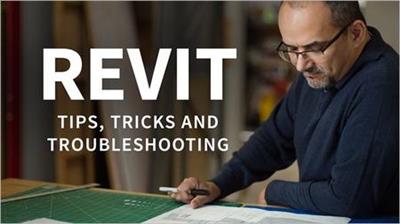
Revit: Tips, Tricks, and Troubleshooting pdated 10/30/2018
.MP4, AVC, 240 kbps, 1280x720 | English, AAC, 128 kbps, 2 Ch | 22h 18m | 7.65 GB
Instructor: Paul F. Aubin

In this series, we have a little something for every Revit designer-beginners and seasoned users alike! Each video focuses on a specific tip, trick, or troubleshooting technique for the most recent version of Revit. Do you import CAD files and want to achieve consistency? Want to get more from your dimensions? Need to check all of the views in a project and see if the settings are correct? Want to consistently configure crop boxes across the entire project? What about getting all the parameters in your family content in just the right order? These are just some of the topics in store. With a new video every week, you are sure to find something useful to add to your growing arsenal of Revit tools and techniques.

More Info


81a55ee5f321d8f6ebec074762139336.jpg


Recommend Download Link Hight Speed | Please Say Thanks Keep Topic Live

 
1811030231140090.jpg

Schedule Acceleration - Compression Techniques in Projects
.MP4 | Video: h264, 1280x720 | Audio: AAC, 48 KHz, 2 Ch
Genre: eLearning | Language: English + .VTT | Duration: 1 hours | Size: 537 MB
Time Management and Duration Acceleration Techniques​

What you'll learn

Importance of time
Why do we need to shorten a project?
Techniques of acceleration of a project duration
Optimizing duration and cost of a project

Requirements

You should be aware of project management knowledge.
You should know your company's capacity and competencies.

Description

Are you having problems completing your projects at specified times?

Are your projects delayed?

Do you have to finish your projects in a shorter time due to reasons such as throwing end dates, customer pressure and competitive environment?

In the developing competitive environment, it is becoming increasingly difficult to complete the projects on time due to repressive time objectives.

In order to achieve the desired time during the planning process, continuous checks on the execution processes and the completion of the remaining works on time should be done.

Duration compression techniques should consider cost of the project to create correct and appropriate solutions.

Who is the target audience?

Senior managers
Functional managers
Project managers
Consultants
Schedule planners

1811030231140100.jpg


Recommend Download Link Hight Speed | Please Say Thanks Keep Topic Live
 
Zurück
Oben Unten