• Regeln für den Video-Bereich:

    In den Börsenbereich gehören nur Angebote die bereits den Allgemeinen Regeln entsprechen.

    Einteilung

    - Folgende Formate gehören in die angegeben Bereiche:
    - Filme: Encodierte Filme von BluRay, DVD, R5, TV, Screener sowie Telesyncs im Format DivX, XviD und x264.
    - DVD: Filme im Format DVD5, DVD9 und HD2DVD.
    - HD: Encodierte Filme mit der Auflösung 720p oder darüber von BluRay, DVD, R5, TV, Screener sowie Telesyncs im Format x264.
    - 3D: Encodierte Filme von BluRay, die in einem 3D Format vorliegen. Dies gilt auch für Dokus, Animation usw.
    - Serien: Cartoon/Zeichentrick, Anime, Tutorials, Dokumentationen, Konzerte/Musik, Sonstiges sind demnach in die entsprechenden Bereiche einzuordnen, auch wenn sie beispielsweise im High Definition-Format oder als DVD5/DVD9/HD2DVD vorliegen. Ausnahme 3D.
    - Bereich Englisch: Englische Releases gehören immer in diesen Bereich.
    - Bereich Talk: Der Bereich, in dem über die Releases diskutiert werden kann, darf, soll und erwünscht ist.


    Angebot/Beitrag erstellen

    - Ein Beitrag darf erst dann erstellt werden, wenn der Upload bei mindestens einem OCH komplett ist. Platzhalter sind untersagt.
    - Bei einem Scenerelease hat der Threadtitel ausschließlich aus dem originalen, unveränderten Releasenamen zu bestehen. Es dürfen keine Veränderungen wie z.B. Sterne, kleine Buchstaben o.ä. vorgenommen werden. Ausnahme Serienbörse:
    - Bei einem Sammelthread für eine Staffel entfällt aus dem Releasename natürlich der Name der Folge. Beispiel: Die Simpsons S21 German DVDRip XviD - ITG
    - Dementsprechend sind also u.a. verboten: Erweiterungen wie "Tipp", "empfehlenswert", "only", "reup", usw. / jegliche andere Zusatzinformation oder Ergänzung, welche nicht in obiger Beschreibung zu finden ist.

    Aufbau des Angebots und Threadtitel

    Der Titel nach folgendem Muster erstellt zu werden. <Name> [3D] [Staffel] [German] <Jahr> <Tonspur> [DL] [Auflösung] <Quelle> <Codec> - <Group>
    Beispiel: The Dark Knight German 2008 AC3 DVDRip XviD - iND
    Beispiel: The Dark Knight 2008 DTS DL BDRip x264 - iND
    Beispiel: The Dark Knight 2008 AC3 DL BDRip XviD - iND
    Beispiel: The Dark Knight German 2008 AC3 720p BluRay x264 iND
    Beispiel: The Dark Knight 2008 DTS DL 1080p BluRay x264 iND
    Beispiel: Die Simpsons S01 German AC3 DVDRip XviD iND
    Beispiel: Die Simpsons S20 German AC3 720p BluRay x264 iND
    Beispiel: Sword Art Online II Ger Sub 2014 AAC 1080p WEBRip x264 - peppermint
    Entsprechend sind also u.a. verboten: Sonderzeichen wie Klammern, Sterne, Ausrufezeichen, Unterstriche, Anführungszeichen / Erweiterungen wie "Tipp", "empfehlenswert", "only", "reup", usw. / jegliche andere Zusatzinformation oder Ergänzung, welche nicht in obiger Beschreibung zu finden ist
    Ausnahmen hiervon können in den Bereichen geregelt sein.

    Die Beiträge sollen wie folgt aufgebaut werden:
    Überschrift entspricht dem Threadtitel
    Cover
    kurze Inhaltsbeschreibung
    Format, Größe, Dauer sind gut lesbar für Downloader außerhalb des Spoilers zu vermerken
    Nfo sind immer Anzugeben und selbige immer im Spoiler in Textform.
    Sind keine Nfo vorhanden z.B. Eigenpublikationen, sind im Spoiler folgende Dateiinformationen zusätzlich anzugeben :
    Quelle
    Video (Auflösung und Bitrate)
    Ton (Sprache, Format und Bitrate der einzelnen Spuren)
    Untertitel (sofern vorhanden)
    Hosterangabe in Textform außerhalb eines Spoiler mit allen enthaltenen Hostern.
    Bei SD kann auf diese zusätzlichen Dateiinformationen verzichtet werden.

    Alle benötigten Passwörter sind, sofern vorhanden, in Textform im Angebot anzugeben.
    Spoiler im Spoiler mit Kommentaren :"Schon Bedankt?" sind unerwünscht.


    Releases

    - Sind Retail-Release verfügbar, sind alle anderen Variationen untersagt. Ausnahmen: Alle deutschen Retail-Release sind CUT, in diesem Fall sind dubbed UNCUT-Release zulässig.
    - Im Serien-Bereich gilt speziell: Wenn ein Retail vor Abschluss einer laufenden Staffel erscheint, darf diese Staffel noch zu Ende gebracht werden.62
    - Gleiche Releases sind unbedingt zusammenzufassen. Das bedeutet, es ist zwingend erforderlich, vor dem Erstellen eines Themas per Suchfunktion zu überprüfen, ob bereits ein Beitrag mit demselben Release besteht. Ist dies der Fall, ist der bereits vorhandene Beitrag zu verwenden.
    - P2P und Scene Releases dürfen nicht verändert oder gar unter einem iND Tag eingestellt werden.


    Support, Diskussionen und Suche

    - Supportanfragen sind entweder per PN oder im Bereich Talk zu stellen.
    - Diskussionen und Bewertungen sind im Talk Bereich zu führen. Fragen an die Uploader haben ausschließlich via PN zu erfolgen, und sind in den Angeboten untersagt.
    - Anfragen zu Upload-Wünschen sind nur im Bereich Suche Video erlaubt. Antworten dürfen nur auf Angebote von MyBoerse.bz verlinkt werden.


    Verbote

    - Untersagt sind mehrere Formate in einem einzigen Angebotsthread, wie beispielsweise das gleichzeitige Anbieten von DivX/XviD, 720p und 1080p in einem Thread. Pro Format, Release und Auflösung ist ein eigener Thread zu eröffnen.
    - Grundsätzlich ebenso verboten sind Dupes. Uploader haben sich an geeigneter Stelle darüber zu informieren, ob es sich bei einem Release um ein Dupe handelt.
    - Gefakte, nur teilweise lauffähige oder unvollständige Angebote sind untersagt. Dies gilt auch für eigene Publikationen, die augenscheinlich nicht selbst von z.B. einer DVD gerippt wurden. Laufende Serien, bei denen noch nicht alle Folgen verfügbar sind, dürfen erstellt und regelmäßig geupdatet werden.
    - Untersagt sind Angebote, welche nur und ausschließlich in einer anderen Sprache als deutsch oder englisch vorliegen. Ausnahmen sind VORHER mit den Moderatoren zu klären.


    Verstoß gegen die Regeln

    - Angebote oder Beiträge, die gegen die Forenregeln verstoßen, sind über den "Melden"-Button im Beitrag zu melden.
  • Bitte registriere dich zunächst um Beiträge zu verfassen und externe Links aufzurufen.


Englische Tutorials


2b9986a30696c0f1e83e86df4f2f319b.jpg

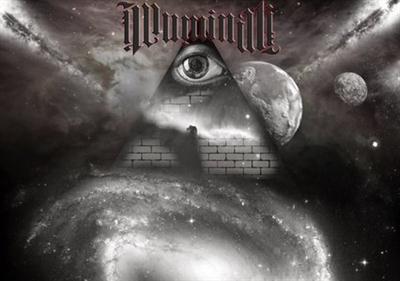
34 Million Illuminati Americans Keeping Earth in Turmoil Jay Parker
WEBRip | MP4/AVC, ~608 kb/s | 854x480 | Duration: 09:37:58 | English: AAC, 126 kb/s (2 ch)
5 Audio CDs in MP3 / English: MP3, 64 kb/s (1 ch) | Duration: 30:29:02 | ISBN-10: N/A​

17 PDF Guides
Size: 3.12 GB | Genre: eLearning Video / Occultism, Psychology, Mind Control, Freedom
VANCOUVER, B.C. - In this compelling in-depth interview with Alfred Lambremont Webre, Jay Parker, who was born into a multi-generational Satanic-Illuminati family and received MONARCH trauma-based mind-control as a child, discusses (1) Satanic-Illuminati control of U.S. and world society and religions; (2) His personal life experiences being brought up in a Satanic-Illuminati family; and (3) Inter-dimensional (Luciferic-Satanic) or extraterrestrial forces that interact with and control the Satanic-Illuminati power structure.
Content:

Audio:

A Look into the Darkness Jay Parker with Jeff Rense (64kbps).mp3
BNE Radio Show with guest Jay Parker (64kbps).mp3
Change your reality with Jay Parker and John Arceneaux (64kbps).mp3
Illuminati Family Member Speaks Out, Ritual Child Abuse Deprogramming Techniques Jay Parker (64kbps).mp3
Jay Parker 800,000 **** Disappeared Every Year by Satanic Illuminati Paedophiles (64kbps).mp3
Jay Parker Brilliant Interview on Mark Passio on Feminism and Mind Control (64kbps).mp3
Jay Parker Explains the Dark Occult in Simple Terms (64kbps).mp3
Jay Parker Great Interview on Mark Passio on Dark Occultism (64kbps).mp3
Jay Parker Incredible Interview on Mark Passio on Illuminati Child Abuse and Pedophilia (64kbps).mp3
Jay Parker on Good Vibrations #57 with Mark Devlin SRA Trauma-based Mind Control, Feb 2015 (64kbps).mp3
Jay Parker Revelations of a Former Slave of Mind-Controlling Satanists (64kbps).mp3
Jay Parker The Great Consciousness Experiment (64kbps).mp3
Mark Passio & Jay Parker - Bohemian Grove Rituals (64kbps).mp3
Mark Passio Interviewed by Jay Parker on Truth Connections Radio on Satanic Ritualistic Abuse (64kbps).mp3
Mark Passio Interviewed by Jay Parker, Aug 4th 2015 (64kbps).mp3
Matrix Warriors 9-4-2015 Jay Parker (64kbps).mp3
No Master, No Slave 006 - Jay Parker The Illuminati, Ritual Abuse and Healing Modalities (64kbps).mp3
Organic News on EUGENICS and Satanic Ritual Abuse (64kbps).mp3
Secrets of Saturn Episode 14 Jay Parker A World of Darkness and Solutions in the Light (64kbps).mp3
Type 1 Radio Lounge with Jay Parker 2-25-2012 (64kbps).mp3

eBooks:

Antony Sutton - Wall Street and the Bolshevik Revolution.pdf
Babylon's Banksters - Farrell, Joseph P.pdf
Bloodlines of the Illuminati - Fritz Springmeier.pdf
Bryson - The Fluoride Deception (2004).pdf
Giza Death Star Destroyed - Farrell Joseph P.pdf
Illuminati The Cult That Hijacked the World - Henry Makow (2008).pdf
John Lamb Lash - Not in his Image.pdf
Mark Philips and Cathy O Brien - Tranceformation of America.pdf
Seeds of Destruction - William Engdahl.pdf
Springmeier Deeper Insights Into the Illuminati Formula.pdf
Springmeier Wheeler Deeper Insights Into the Illuminati Formula v2 pdf.pdf
The Curse of Canaan - Eustace Mullins.pdf
The World Order - Eustace Mullins.pdf
The World Order, Our Secret Rulers, 2nd ed - Eustace Mullins.pdf
Trance Formation of America - Mark Philips and Cathy O Brien.pdf
Trilaterals Over America - Antony Sutton.pdf
Wall Street and the Rise of Hitler - Antony Sutton.pdf

Videos:

Face to Face Sacha Stone with Santos Bonacci, Jay Parker, Lorraine Flaherty, 21 Jan 2015 (480p).mp4
Jay Parker - Awaken Those Around you to Satanic NWO Depopulation Geoengineering (360p).mp4
Jay Parker - How 34 Million Satanic Illuminati Americans Keep Earth in Turmoil (360p).mp4
Jay Parker - Satanic Illuminati Family Abuse and the Mind Control Case of John Du Pont (360p).mp4
Jay Parker At the 1st Free Your Mind Conference 2011 (480p).mp4
Jay Parker At the 2nd Free Your Mind Conference 2013 (480p).mp4
Jay Parker At the 3rd Free Your Mind Conference 2015 (480p).mp4

Recommend Download Link Hight Speed | Please Say Thanks Keep Topic Live

 

32576a52f914a0854722a8cb3985e19b.jpg

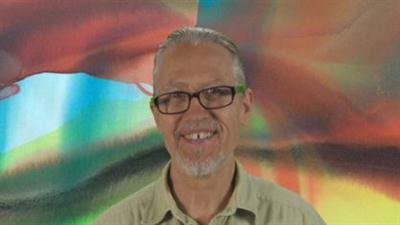
Abstract Painting Beyond the Brush
MP4 | Video: AVC 1280x720 | Audio: AAC 44KHz 2ch | Duration: 1 Hours | 718 MB
Genre: eLearning | Language: English

Discover New Techniques to Create Stunning Abstract Paintings


This course, Abstract Painting - Beyond the Brush, is all about creating poured paintings in multiple translucent layers with thinned out Fluid Acrylic Paints. In video lectures you will be shown step by step every detail of the processes involved, as well as insights into my internal processes while I am creating stunning abstract paintings and demonstrating these techniques. This is a Course requiring your participation, your hard work and efforts. Because in order to truly complete Abstract Painting - Beyond the Brush, you must not only watch the Demos, and listen to me, but you must also purchase the Supplies, set up your work space, and try the techniques for your self. Once you have created a poured painting in this style you'll need to upload images of your completed paintings here in the Discussion Area. If you prefer you may provide a link to your website, Facebook Page, Flickr account, Google Plus, Photobucket, or wherever you might have your images parked. I'm very serious when I say that you must be serious too about wanting to Learn this Style of Painting before you get started because it's not very easy at all, and it will take a lot of Practice and effort to get really good abstract paintings like the examples shown. I didn't learn this technique overnight, and neither will you! Now the results you'll get will be directly proportional to the effort, patience, and perseverance that you employ. So if you are truly ready, Eager to Learn, and Passionate about Creating Abstract Painting in this unique style then the results you will get, will be absolutely Amazing, and your Friends & Family will be Blown Away! In the end it will be well worth all the hard work, expense, and time that you put into it, That I promise You!


Abstract Painting Beyond the Brush

Recommend Download Link Hight Speed | Please Say Thanks Keep Topic Live

 

1f42a7f6880d5275c8261b894903ccbd.jpg

Lynda - Administrative Human Resources Fundamentals
Size: 551 MB | Duration: 1h 25m | Video: AVC (.mp4) 1280x720 30fps | Audio: AAC 48KHz 2ch
Genre: eLearning | Level: Appropriate for all | Language: English​


HR administration is vital to the success of every business and every employee. Effective HR administrators make sure companies stay compliant with regulations, and keep their employees motivated and engaged. If you are a small business owner who wants a deeper understanding of HR, someone looking for a job in HR, or an administrative professional whose duties include HR, this training course is for you. It provides a general introduction to the role and duties of an HR administrative professional. HR consultant Catherine Mattice outlines some of the considerations of the human resources professional, such as balancing the needs of employees with the interests of the organization. She reveals how to conduct an HR audit to identify HR practices that need improvement. She then outlines core HR responsibilities: staffing, training, documentation, compensation and benefits, performance reviews, job descriptions, compliance with state and federal regulations, and more.

Topics include:
* Building trust with employees
* Conducting an HR audit
* Classifying employees
* Setting up compensation and benefits
* Creating and enforcing company policies
* Writing job descriptions
* Recruiting, interviewing, and hiring new employees
* Managing employee performance
* Training employees
* Disciplining employees


Administrative Human Resources Fundamentals

Recommend Download Link Hight Speed | Please Say Thanks Keep Topic Live
 

6b1e80b34a879e2ce00ac1658765cb24.jpg

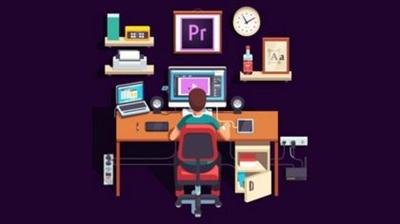
Adobe Premiere Pro: Video Editing Training For Beginners
MP4 | Video: AVC 1920x1080 | Audio: AAC 48KHz 2ch | Duration: 3 Hours | 931 MB
Genre: eLearning | Language: English

Learn from the beginning how to edit together footage and audio, make titles and more using Adobe Premiere Pro.


Get started with Adobe Premiere Pro today and learn how to video edit!

This course is an introduction into video editing using Premiere Pro. It will take you from the very beginning of opening Premiere Pro and learning the various panel windows to editing clips together, audio work, color correction, creating sequence presets, titles, keyboard shortcuts, exporting and much more!

Your instructor for this course is Will Bartlett. He has been professionally editing since 2004. He is the founder of an established video production company in Toronto and has edited well over 1000 projects.

Our team will be available to answer any questions as well as help you with any issues you may come across while making your way through the course. Just reach out in the comment section.

Even if you don™t have Adobe Premiere Pro you can still take advantage of this course by ing a free 30 day trial from Adobe, on their website. All you need to do is create a free account with them, it only takes a minute and you will then be able to start ing Premiere Pro.

Get started now with Adobe's video editing program today to create engaging visual and audio stories!


Adobe Premiere Pro: Video Editing Training For Beginners

Recommend Download Link Hight Speed | Please Say Thanks Keep Topic Live
 

75efb2ba9ebc3a771daf774d171a17df.jpg

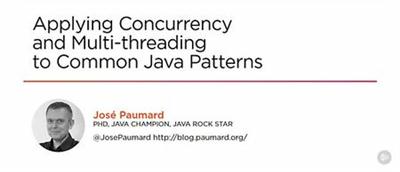
Pluralsight - Applying Concurrency and Multi-threading to Common Java Patterns
Size: 356MB | Duration: 2h 39m | Video: AVC (.mp4) 1280x720 15fps | Audio: AAC 44.1KHz 2ch
Genre: eLearning | Level: Intermediate | Language: English​


Every developer needs to know how to write multi-threaded applications in Java. This course, Applying Concurrency and Multi-threading to Common Java Patterns, is a precise presentation of all the fundamentals you'll need. You'll learn about the main problems of concurrent programming on multicore CPU, including race condition, synchronization, reentrant lock, and deadlock. Next, you'll cover how your application use is moved from the main memory to the CPU caches and how false sharing can occur. Finally, you'll be introduced to the Java Memory Model and the notion of happen-before. By the end of this course, you will understand how concurrency and multi-threading work on a variety of Java patterns and you'll be able to use this knowledge to create better apps.


Applying Concurrency and Multi-threading to Common Java Patterns

Recommend Download Link Hight Speed | Please Say Thanks Keep Topic Live
 

c28a93a1a6cabd1e71707094c2c6ea31.jpg

Become an amazing Math Magician::The secrets of Mental Math
MP4 | Video: AVC 1280x720 | Audio: AAC 44KHz 2ch | Duration: 1 Hours | 120 MB
Genre: eLearning | Language: English​


Quickfire Vedic techniques to crack exams like GMAT, GRE, CAT. Fun way to learn math and throw away your math phobia.

Course Updated On: February 2016 (New lecture added)

JOIN OVER 4,500 SUCCESSFUL STUDENTS WHO HAVE ALREADY TAKEN THIS COURSE.

Why should YOU take this course?

The Vedic Mathematics techniques discussed in this course will make calculation 15 to 20 times faster than conventional methods. You will surely love mathematics and can prepare cool math games for **** or math riddles for ****.
You will have lifetime access to 14+ video lectures and all your queries/doubts will get a detail answer, if required with an additional video tutorial also!!
Application developers can use this math tricks for **** and develop a math apps for ****.
What do students feel about the course?

Prashant Bansal says:

Extremely simple & lightning speed

Those of u appearing for any competitive exams must take the course. This will give lightening speed answers specially for exams like Bank PO, NTSE, MBA & Engg, GMAT entrance examinations. Even if u do not get any questions but this will stimulate your mind in thinking how algebra is used for quick answer finding and may be u can find your own techniques.

Jermaine Thomas says:

Refreshing

The techniques and methods covered within this course, creates a gulp of fresh air. I tend to always try and create my own method of approaching a problem, even when the teach blatantly mark me down, for my different approach.

Ashish Natani says:

now easy to calculate

this course is very useful for everyone who needs to improve their calculation power and Mr. Malay teaches in a very simple and learning way so no one to worry about forget this magical tricks.

If you hate mathematics or you have math phobia then this is the perfect course for you.

If you are preparing for GRE, GMAT, Bank PO, NTSE, MBA & Engg or any other competitive exam and want a perfect score in quantitative aptitude (QA) part with ease, then this course will surely help you. Learn the fastest and easiest Vedic Mathematics techniques.

If you are looking for cool math games a-z or cool math games run or even math games for **** then this course will provide a lot of ideas and procedures.

Considering math in everyday life, the this course will reveal math facts in a flash and math on the spot techniques.

In this course we will take a close and detail look at multiplication techniques offered by Vedic Mathematics and various math brain teasers with answers. Each lecture clearly describes the technique and its application as well as coupled with Quiz/Practice exercise. We have a revision lecture also. So, it's a complete workshop having learn-practice-revise model and you can consider these math videos as cool math games online.

This course is based on the famous Vedic Mathematics book by Jagadguru Swami Sri Bharati Krishna Tirthaji Maharaja.

The duration of the complete course is around 1 hour and 45 minutes. Along with Quiz and Practice exercise it may take around 2 hours and 30 minutes.

Take this interesting Vedic Math's Tricks course now and master how to multiply big numbers.

At the end of this course, you will love mathematics, do multiplication within 10 seconds; love to experiment with formulas and mathematics.


Become an amazing Math Magician::The secrets of Mental Math

Recommend Download Link Hight Speed | Please Say Thanks Keep Topic Live
 

3ea80d470c33d267dc7b17bb716a7ce4.jpg

Build a 2D Unity Game With Unity 3D - Get A High Paid Job
MP4 | Video: AVC 1280x720 | Audio: AAC 44KHz 2ch | Duration: 1 Hours | 170 MB
Genre: eLearning | Language: English

Discover How To Create a 2D Platform Game in Unity 3D from Scratch Even If You Have No Experience!


You are about to learn how to build a 2D Platform game from Scratch in Unity 3D

You will learn how to create your first Unity project, even if you have no experience! Follow along and learn step by step how to create your very first 2D platform game.

You will discover how to use the Unity Camera effectively, and get a great grasp of GroundCheck and CeilingCheck.

You will be introduced to Unity Layers so you can create a truly amazing game!

You will be shown how to add platforms, add characters, add enemies, add collision detection, add levels, add coins and objects to collect, add backgrounds and so much more!

Follow along and build your very first (or your next!) 2D Platform game in Unity 3D


Build a 2D Unity Game With Unity 3D - Get A High Paid Job

Recommend Download Link Hight Speed | Please Say Thanks Keep Topic Live
 

e4a4b5b8723304dab836c3d20bd54786.jpg

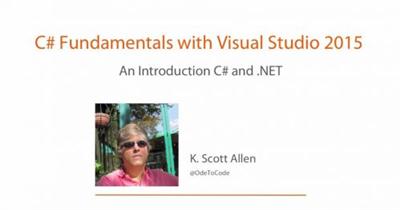
C# Fundamentals with Visual Studio 2015
MP4 | Video: AVC 1024x768 | Audio: AAC 44KHz 2ch | Duration: 5h 20m | 751 MB
Genre: eLearning | Language: English


C# Fundamentals covers all the essential topics you need for developing with the C# programming language.

In this course, we'll see how to build classes, program with objects, and work with interfaces using the C# language.


C# Fundamentals with Visual Studio 2015

Recommend Download Link Hight Speed | Please Say Thanks Keep Topic Live

 

746f13536b624afc2c85957127f901a3.jpg

Character Customization for RPGs and Mobile Games in Unity
MP4 | Video: AVC 1280x720 | Audio: AAC 44KHz 2ch | Duration: 3.5 Hours | 736 MB
Genre: eLearning | Language: English​


Learn how RPGs, virtual pet games, dress up games, and other mobile games customize characters in Unity

This course will teach you how to make a complete system to create and manage customizable characters in your Unity 3D game.

Let your players create custom built characters, either manually controlling all the body parts of their characters or making their characters completely random. Learn how to save and load your characters using save slots. Create an advanced saving system with character avatars displayed on each save slot.

The material in this course is divided into 4 Sections.

Section 1 includes just a short overview of the project that we will be making in this course.

By the end of Section 2, we will create all the visual elements that your players will see on their screens. First we will create a template default character that we will later customize. We will use Unity built-in UI to create the user interface. You will learn techniques of rapid prototyping that will help you build user interfaces faster. We will create a custom UI element that will be used to control the look of each body part of your character.

In Section 3, we will write the scripts to connect the UI that your players will interact with to the customizable character. By the end of Section 3 we will be able to edit the look of our character and generate new characters randomly. We will also discuss transitions to other scenes.

The goal is to start playing in every scene with the character that your players select.

In Section 4, we will be working on the Save/Load system for characters. By the end of Section 4 all the save slots will work and it will be possible to save your favorite characters for later. We will add a super-cool feature of snapping avatars of your characters and using these avatars on the save slots to provide more information to your players. In this section we will also try to use other UI elements to select body parts on your characters. As an example I will use the built-in Unity Slider to pick bodies for our characters.

I've included all of the assets to so you can follow along

The scripting language used in this course is C#. I have tried to save the project that I was working in as often as I can so that you can easily pick up the material from any point in this course. All these projects and the assets used to develop our example application will be available for with this course.


Character Customization for RPGs and Mobile Games in Unity

Recommend Download Link Hight Speed | Please Say Thanks Keep Topic Live
 

34ea3b590c7d48acd27eccaa7417911d.jpg

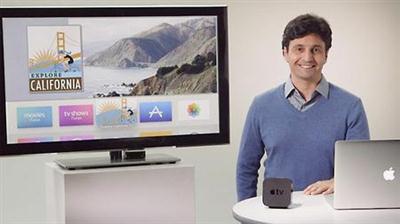
Lynda - Convert iOS Apps into Apple TV Apps
Size: 463 MB | Duration: 2h 3m | Video: AVC (.mp4) 1280x720 15&30fps | Audio: AAC 48KHz 2ch
Genre: eLearning | Level: Intermediate | Language: English​


The reach of Apple developers is expanding with every new Apple device. Before you could write apps for desktop with (Mac OSX), iPhones with iOS, Apple Watch with Watch OS. Now you can take your existing apps and convert them to run on Apple TV with tvOS. Yohann Taieb helps programmers transition their existing skills to tvOS and use the tool they're already familiar with-Xcode-to adapt, test, and publish Apple TV apps. Learn how to target Apple TV, run simulations, build user interfaces that leverage a television's large high-resolution screen, connect views, add images and sounds, and publish your tvOS apps with iTunes Connect. Plus, learn how to earn an income, even from free apps, by setting up advertising in your tvOS app.

Topics include:
* Setting up Apple TV for Xcode
* Developing for tvOS
* Adding a new target to the project
* Running targets in the Simulator
* Working with the tvOS UIKit
* Adding images and sounds to the app
* Building the user interfaces
* Adding and connecting modal views
* Connecting the tab screens to the code
* Adding a tvOS app with iTunes Connect
* Publishing tvOS apps
* Adding advertisements to tvOS apps


Convert iOS Apps into Apple TV Apps

Recommend Download Link Hight Speed | Please Say Thanks Keep Topic Live

 

08f0e1b0896d6e403026757378fef871.jpg

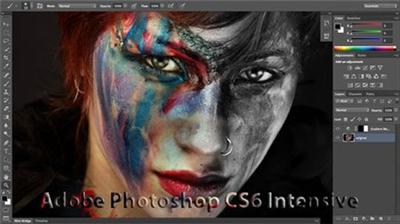
CreativeLive - Adobe Photoshop CS6 Intensive
WEBRip | English | WMV + PDF Guide | 960 x 536 | WMV3 ~700 kbps | WMA ~128 Kbps | 44.1 KHz | 2 channes | 17:57:38 | 4.81 GB
Genre: eLearning Video / Adobe Photoshop, Photographing, Painting​

Lesa Snider returns to creativeLIVE for an intensive look at the newly released Adobe Photoshop CS6. Whether you've already upgraded or are still deciding, you'll learn practical yet non-destructive editing techniques you can use every day. This 3-day course is a perfect companion to Lesa's previous CS5 class on creativeLIVE. Lesa will go further in-depth into advanced filters such as Puppet Warp, Liquify, and Lighting Effects, which all take advantage of the new processing power of CS6. Lesa will spend a full day covering Photoshop's brand new video features.
WELCOME: Day 1 Pre-Show Banter

00:11:07
Introduction and Feature Overview

00:16:17
Interface Changes and the Properties Panel

00:18:58
Auto-Saving and 3rd Party Plugins

00:27:54
The New Crop Tool

00:11:13
Crop Tool Q&A

Rich Cursors and Straightening

00:07:42
Perspective Crop Tool

00:16:35
Auto Levels

00:26:20
Layer Filtering

00:08:18
Layer Tricks

00:27:28
Layer Tricks Example: Limoncello Label

00:37:13
Fills and Strokes in Shape Layers

00:07:00
Shape Layer Q&A

00:41:58
Scripted Patterns

00:19:19
Type Menu

00:14:40
Contact Sheets and PDFs

00:07:52
iStockPhoto Plugin

WELCOME: Day 2 Pre-Show Banter

00:27:21
Selecting Skin with Color Range

00:18:30
Selecting Skin with Color Range Q&A

00:22:24
Content-Aware Patch

00:16:20
Content-Aware Patch Q&A

00:24:57
Content-Aware Move Tool

00:07:45
Content-Aware Move Q&A

00:21:14
The New Blur Filters

00:13:48
Blur Filters Q&A

00:16:46
Iris Filter

00:17:59
Tilt-Shift Blur Filter

00:09:49
Adaptive Wide Angle Filter

00:23:59
Gradient Map Presets

00:19:01
Lighting Effects Filter

00:44:20
Puppet Warp

00:10:10
Puppet Warp Q&A

00:18:52
Oil Paint Filter and the Eye Dropper

WELCOME: Day 3 Pre-Show Banter

00:09:36
Getting Video Into Photoshop

00:31:02
The Timeline Panel

00:10:35
Audio

00:15:54
Transitions

00:15:30
Text in Video

00:30:57
Suitman Video Project, Part 1

00:36:24
Suitman Video Project, Part 2

00:13:41
Suitman Video Project, Part 3

00:36:22
Get Your Cape On Video Project, Part 1

00:17:12
Get Your Cape On Video Project, Part 2

00:27:49
Splitting Clips

00:19:29
Applying Filters to Video

00:27:19
Animation

00:06:34
Exporting Video

Recommend Download Link Hight Speed | Please Say Thanks Keep Topic Live
 

79447bfc57ee0d03133d8fa8bee75aab.jpg

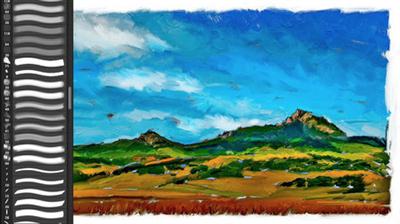
CreativeLive - Painting With Photoshop
WEBRip | English | FLV + Project files + PDF Guides | 854 x 480 | AVC ~881 kbps | AAC ~188 Kbps | 44.1 KHz | 2 channes | 17:15:09 | 7.04 GB
Genre: eLearning Video / Adobe Photoshop, Photographing, Painting​

Learn how to reshape your photographs into expressive original art quickly and easily with Photoshop Hall-of-Famer Jack "Wow" Davis. Clients love artistic expressions of their family and pets, especially as large (profitable) gallery wraps or watercolor prints. Join Jack as he shows you simple step-by-step techniques for transforming your photos into gorgeous oils, pastels, watercolors and sketches - all by cloning and filtering your original photographs.
Day 1 - Pre-Show
9:00 am - Introduction
9:45 am - Why Do Expressive Painting
10:15 am - Adobe Bridge Setup & Image Optimizing
11:00 am - Jack's Painting Presets
11:15 am - Enhancing Source Images
11:45 am - Photo Hand Tinting & Workflow Options
1:00 pm - Working with Brushes & Palettes - Part 1
1:15 pm - Working with Brushes & Palettes - Part 2
2:00 pm - Pattern Stamp Tool & Watercoloring - Part 1
2:30 pm - Pattern Stamp Tool & Watercoloring - Part 2
2:45 pm - Enhancing Methods of Watercolor Image
3:15 pm - Creating Repeating Patterns
3:30 pm - Actions, Layers & Filters for Sketching
Day 1 - Wrap-up

Day 2 - Pre-Show
9:00 am - Accessing Jack's Free Basic Presets
9:15 am - Day 1 Review
9:45 am - Smart Objects & Oil Paint Filter
10:15 am - Inverted Mask Trick & Q&A
10:45 am - Q&A
11:00 am - Mixer Brush & Parameters
11:30 am - Jack's Brushes & Brush Strokes
11:45 am - Secrets of the Mixer Brush
12:45 pm - Still Life Painting with Mixer Brush
1:15 pm - Still Life Underpainting
1:45 pm - Final Blending of a Still Life
2:30 pm - Print Discussion with Q&A
2:45 pm - Snapshots for Painted Portraits
3:00 pm - Painted Signature Stamps
3:15 pm - Simple Portrait with Mixer Brush

Day 3 - Pre-Show
9:00 am - Pet Portrait Overview
9:15 am - Enhancing in Camera Raw & Lightroom
10:00 am - Painting a Pet Portrait
11:00 am - Pet Portrait: Final Blending
11:15 am - Photo Prep for Watercolor Painting
11:30 am - Watercolor Painting of a Flower
12:45 pm - More Enhancing & Embellishing of Images
1:30 pm - The Liquify Tool & Sketching
2:00 pm - Comic Book Action & Watercoloring
2:45 pm - Changing Image Aspect Ratio
3:00 pm - Framing Effects & 3rd Party Apps
3:15 pm - 3rd Party Painting Filters
3:45 pm - Final Q & A

Recommend Download Link Hight Speed | Please Say Thanks Keep Topic Live
 
Zurück
Oben Unten