• Regeln für den Video-Bereich:

    In den Börsenbereich gehören nur Angebote die bereits den Allgemeinen Regeln entsprechen.

    Einteilung

    - Folgende Formate gehören in die angegeben Bereiche:
    - Filme: Encodierte Filme von BluRay, DVD, R5, TV, Screener sowie Telesyncs im Format DivX, XviD und x264.
    - DVD: Filme im Format DVD5, DVD9 und HD2DVD.
    - HD: Encodierte Filme mit der Auflösung 720p oder darüber von BluRay, DVD, R5, TV, Screener sowie Telesyncs im Format x264.
    - 3D: Encodierte Filme von BluRay, die in einem 3D Format vorliegen. Dies gilt auch für Dokus, Animation usw.
    - Serien: Cartoon/Zeichentrick, Anime, Tutorials, Dokumentationen, Konzerte/Musik, Sonstiges sind demnach in die entsprechenden Bereiche einzuordnen, auch wenn sie beispielsweise im High Definition-Format oder als DVD5/DVD9/HD2DVD vorliegen. Ausnahme 3D.
    - Bereich Englisch: Englische Releases gehören immer in diesen Bereich.
    - Bereich Talk: Der Bereich, in dem über die Releases diskutiert werden kann, darf, soll und erwünscht ist.


    Angebot/Beitrag erstellen

    - Ein Beitrag darf erst dann erstellt werden, wenn der Upload bei mindestens einem OCH komplett ist. Platzhalter sind untersagt.
    - Bei einem Scenerelease hat der Threadtitel ausschließlich aus dem originalen, unveränderten Releasenamen zu bestehen. Es dürfen keine Veränderungen wie z.B. Sterne, kleine Buchstaben o.ä. vorgenommen werden. Ausnahme Serienbörse:
    - Bei einem Sammelthread für eine Staffel entfällt aus dem Releasename natürlich der Name der Folge. Beispiel: Die Simpsons S21 German DVDRip XviD - ITG
    - Dementsprechend sind also u.a. verboten: Erweiterungen wie "Tipp", "empfehlenswert", "only", "reup", usw. / jegliche andere Zusatzinformation oder Ergänzung, welche nicht in obiger Beschreibung zu finden ist.

    Aufbau des Angebots und Threadtitel

    Der Titel nach folgendem Muster erstellt zu werden. <Name> [3D] [Staffel] [German] <Jahr> <Tonspur> [DL] [Auflösung] <Quelle> <Codec> - <Group>
    Beispiel: The Dark Knight German 2008 AC3 DVDRip XviD - iND
    Beispiel: The Dark Knight 2008 DTS DL BDRip x264 - iND
    Beispiel: The Dark Knight 2008 AC3 DL BDRip XviD - iND
    Beispiel: The Dark Knight German 2008 AC3 720p BluRay x264 iND
    Beispiel: The Dark Knight 2008 DTS DL 1080p BluRay x264 iND
    Beispiel: Die Simpsons S01 German AC3 DVDRip XviD iND
    Beispiel: Die Simpsons S20 German AC3 720p BluRay x264 iND
    Beispiel: Sword Art Online II Ger Sub 2014 AAC 1080p WEBRip x264 - peppermint
    Entsprechend sind also u.a. verboten: Sonderzeichen wie Klammern, Sterne, Ausrufezeichen, Unterstriche, Anführungszeichen / Erweiterungen wie "Tipp", "empfehlenswert", "only", "reup", usw. / jegliche andere Zusatzinformation oder Ergänzung, welche nicht in obiger Beschreibung zu finden ist
    Ausnahmen hiervon können in den Bereichen geregelt sein.

    Die Beiträge sollen wie folgt aufgebaut werden:
    Überschrift entspricht dem Threadtitel
    Cover
    kurze Inhaltsbeschreibung
    Format, Größe, Dauer sind gut lesbar für Downloader außerhalb des Spoilers zu vermerken
    Nfo sind immer Anzugeben und selbige immer im Spoiler in Textform.
    Sind keine Nfo vorhanden z.B. Eigenpublikationen, sind im Spoiler folgende Dateiinformationen zusätzlich anzugeben :
    Quelle
    Video (Auflösung und Bitrate)
    Ton (Sprache, Format und Bitrate der einzelnen Spuren)
    Untertitel (sofern vorhanden)
    Hosterangabe in Textform außerhalb eines Spoiler mit allen enthaltenen Hostern.
    Bei SD kann auf diese zusätzlichen Dateiinformationen verzichtet werden.

    Alle benötigten Passwörter sind, sofern vorhanden, in Textform im Angebot anzugeben.
    Spoiler im Spoiler mit Kommentaren :"Schon Bedankt?" sind unerwünscht.


    Releases

    - Sind Retail-Release verfügbar, sind alle anderen Variationen untersagt. Ausnahmen: Alle deutschen Retail-Release sind CUT, in diesem Fall sind dubbed UNCUT-Release zulässig.
    - Im Serien-Bereich gilt speziell: Wenn ein Retail vor Abschluss einer laufenden Staffel erscheint, darf diese Staffel noch zu Ende gebracht werden.62
    - Gleiche Releases sind unbedingt zusammenzufassen. Das bedeutet, es ist zwingend erforderlich, vor dem Erstellen eines Themas per Suchfunktion zu überprüfen, ob bereits ein Beitrag mit demselben Release besteht. Ist dies der Fall, ist der bereits vorhandene Beitrag zu verwenden.
    - P2P und Scene Releases dürfen nicht verändert oder gar unter einem iND Tag eingestellt werden.


    Support, Diskussionen und Suche

    - Supportanfragen sind entweder per PN oder im Bereich Talk zu stellen.
    - Diskussionen und Bewertungen sind im Talk Bereich zu führen. Fragen an die Uploader haben ausschließlich via PN zu erfolgen, und sind in den Angeboten untersagt.
    - Anfragen zu Upload-Wünschen sind nur im Bereich Suche Video erlaubt. Antworten dürfen nur auf Angebote von MyBoerse.bz verlinkt werden.


    Verbote

    - Untersagt sind mehrere Formate in einem einzigen Angebotsthread, wie beispielsweise das gleichzeitige Anbieten von DivX/XviD, 720p und 1080p in einem Thread. Pro Format, Release und Auflösung ist ein eigener Thread zu eröffnen.
    - Grundsätzlich ebenso verboten sind Dupes. Uploader haben sich an geeigneter Stelle darüber zu informieren, ob es sich bei einem Release um ein Dupe handelt.
    - Gefakte, nur teilweise lauffähige oder unvollständige Angebote sind untersagt. Dies gilt auch für eigene Publikationen, die augenscheinlich nicht selbst von z.B. einer DVD gerippt wurden. Laufende Serien, bei denen noch nicht alle Folgen verfügbar sind, dürfen erstellt und regelmäßig geupdatet werden.
    - Untersagt sind Angebote, welche nur und ausschließlich in einer anderen Sprache als deutsch oder englisch vorliegen. Ausnahmen sind VORHER mit den Moderatoren zu klären.


    Verstoß gegen die Regeln

    - Angebote oder Beiträge, die gegen die Forenregeln verstoßen, sind über den "Melden"-Button im Beitrag zu melden.
  • Bitte registriere dich zunächst um Beiträge zu verfassen und externe Links aufzurufen.

++ Premium IPTV ++ 7000 Live Sender ++ UHD Qualität ++ Mediathek mit 18.000 Inhalten ++


VenneTV


Englische Tutorials


1806080927050112.jpg


Accounting Is Easy (for Beginners)
MP4 | Video: AVC 1280x720 | Audio: AAC 44KHz 2ch | Duration: 9 Hours | Lec: 90 | 973 MB
Genre: eLearning | Language: English​

Learn fundamentals of accounting from Chartered Accountant

This Course is for Students who wants to learn Fundamentals of Accountancy. It is also useful for students pursuing Higher Secondary (Second Year). This course covers all the chapters on Fundamentals of Accountancy so students can use this course as a foundation for taking up Accountancy in Graduation and Professional Courses like CA / CMA / CS.

Materials used in this Course:

Study materials published by various Government Bodies for the benefits of students to understand Fundamentals of Accountancy.

Course Duration:

It would take 1 year to complete this course.

Course Structure:

This course is structured in Self Pace Learning style. i.e., Students can access recorded videos of Chapters, Specific Topics, Problems, Past Exam Questions, etc.

Why take this course:

a) To lay strong foundation on Fundamentals of Accountancy.

b) To equip for examinations.

c) To equip for Graduation Professional Courses.

Mandatory Disclosure regarding course contents:

The contents available in this course are also available in the following courses namely

a)Basics of Accounting - A Complete Study
b)Accounting, Finance and Banking - A Comprehensive Study.
If you have purchased any of the above two courses, then you need not purchase this course.


1806080927080107.jpg


Recommend Download Link Hight Speed | Please Say Thanks Keep Topic Live ​

 

aad8cc9e64e865ef08b5942b9a6084f3.jpg


Introducing SharePoint Framework
MP4 | Video: AVC 1280x720 | Audio: AAC 44KHz 2ch | Duration: 1 Hour | 971 MB
Genre: eLearning | Language: English​

Discover the SharePoint Framework and get up to speed with how to create artifacts. This video covers two key aspects: web parts and extensions. You'll see how web parts are the building blocks of pages in SharePoint and learn that extensions are the tools that enable you to customize your SharePoint experience, for example by adding toolbars, notifications, and views.

Introducing SharePoint Framework shows you that the SharePoint Framework (SPFx) is a cross-platform means of writing user experiences for various parts of SharePoint sites. Because there are many moving parts, this video is the ideal way to demonstrate these topics, giving you all you need to get started.

After viewing this video, you will come away with an understanding of how to write artifacts using SharePoint Framework. Associated code samples for this video can be found on GitHub.


c9969f17cccb1c872c5a45fde9148732.jpg


Recommend Download Link Hight Speed | Please Say Thanks Keep Topic Live ​

 

6fc832b4d286df00b75e18f381ecd632.jpg


Nodebots Hardware (2018)
WEBRip | English | MP4 | 1920 x 1080 | VP8 ~661 kbps | 30 fps
Genre: Video Tutorial
A_VORBIS | 192 Kbps | 48.0 KHz | 2 channels | 2h 55min | 1.39 GB​

In this course, Steve Kinney demonstrates how to use JavaScript to control hardware and IoT projects. Following along with the course, you will learn the fundamentals of electronics and how to work with microcontrollers.

Using the Johnny-Five library for Node.js, you will be able to make hardware interact with Web APIs, make LEDs light up from a web page, pull data in from third-party APIs, and read data from the world! _

Table of Contents
Introduction

Introduction
00:00:00 - 00:06:21
Introduction
Steve Kinney provides an overview of the course, which is about building robots with Node.js. Steve reviews the hardware package needed for the course, Johnny-Five Inventor's Kit. - _ Setting Up the Tessel 2
00:06:22 - 00:20:11
Setting Up the Tessel 2
Steve walks students through setting up their Tessel 2 devices. He also takes a tour of the Johnny-Five Inventors Kit. - _ Setup Debugging
00:20:12 - 00:21:28
Setup Debugging
Steve reviews how to resolve potential issues when working with multiple Tessel devices.

Tessel 2 LED

Getting an LED to Blink
00:21:29 - 00:25:48
Getting an LED to Blink
Steve walks through the Tessel 2 JavaScript library, demonstrating how to get a built-in LED to blink. - _ Introducing Johnny-Five
00:25:49 - 00:27:52
Introducing Johnny-Five
Steve introduces Johnny-Five, an open source library that provides convenient abstractions for working with a wide variety of boards. - _ Wiring Up an LED
00:27:53 - 00:31:11
Wiring Up an LED
Steve wires a LED directly to the Tessel 2.
Controlling an LED with Johnny Five
00:31:12 - 00:36:56
Controlling an LED with Johnny Five
Steve writes code using Johnny Five to make the LED blink at a regular interval. - _ The Problem with LED Pulsing
00:36:57 - 00:41:28
The Problem with LED Pulsing
Steve explains what pulse width modulation (PWM) is and how digital devices use it to emulate analog signals. - _ Breadboard Overview
00:41:29 - 00:45:30
Breadboard Overview
Steve explains how a breadboard works and why they are used when prototyping hardware. - _ Wiring Up an LED to the Breadboard
00:45:31 - 00:47:37
Wiring Up an LED to the Breadboard
After wiring up an LED using a breadboard, Steve makes it blink again and attempts unsuccessfully to make it pulse.
Pulsing LEDs
00:47:38 - 00:48:58
Pulsing LEDs
Steve uses port A7 to make the LED pulse successfully.

Buttons

Wiring Up a Button
00:48:59 - 00:54:13
Wiring Up a Button
Steve adds a button to the breadboard.
Programming the Button
00:54:14 - 00:59:15
Programming the Button
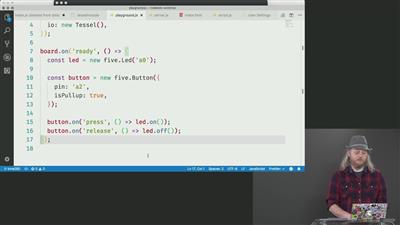
Steve gets events from the button programmatically. - _ Make the Button Control the LED
00:59:16 - 01:01:14
Make the Button Control the LED
Steve writes code to turn the LED on when the button is pressed and off when it is released.

RBG LEDs

Wiring Up a RGB LED
01:01:15 - 01:09:32
Wiring Up a RGB LED
Steve wires up an RGB LED to the breadboard.
Programming & Debugging RGB LED
01:09:33 - 01:17:44
Programming & Debugging RGB LED
Steve programs the RGB LED to rotate through red, green, and blue colors.
Controlling RGB LED from a Browser
01:17:45 - 01:26:33
Controlling RGB LED from a Browser
Steve writes an Express server and some client-side JavaScript to allow users to control the color of the LED.
Add WebSockets for Real-Time
01:26:34 - 01:37:54
Add WebSockets for Real-Time
Steve adds in Socket.io to allow for real-time control of the color of the RGB LED. - _
Reading Weather Data

Wiring Up the BME280
01:37:55 - 01:42:14
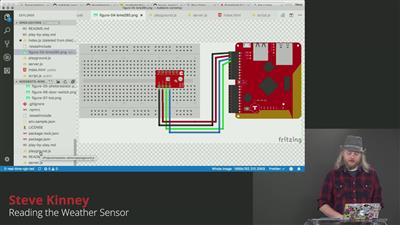
Wiring Up the BME280
Steve wires up the BME280 weather sensor to the breadboard.
Reading the Weather Sensor
01:42:15 - 01:50:15
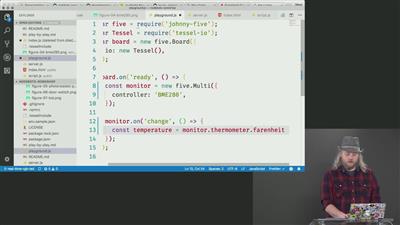
Reading the Weather Sensor
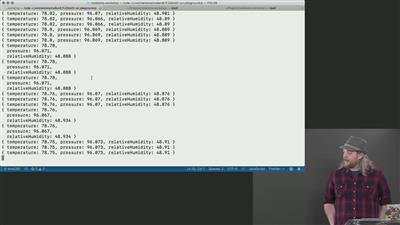
Steve writes JavaScript to log sensor readings to the console. - _ Visualizing Sensor Data Using Barcli
01:50:16 - 01:59:03
Visualizing Sensor Data Using Barcli
Steve uses Lodash's throttle method and Barcli to visualize data in the terminal. - Update Web Page with Device Data Exercise
01:59:04 - 02:01:37
Update Web Page with Device Data Exercise
In this exercise, students create a page that displays real-time temperature data.
Update Web Page with Device Data Solution
02:01:38 - 02:09:21
Update Web Page with Device Data Solution
Steve walks through the solution to show how to code a page to display the current sensor readings in real-time via Socket.io.
Updating a Remote Server with Device Data
02:09:22 - 02:19:35
Updating a Remote Server with Device Data
Steve posts sensor readings to a remote server. - _
Magnetic Door Switch

Wiring Up a Magnetic Door Switch
02:19:36 - 02:22:39
Wiring Up a Magnetic Door Switch
Steve wires up a magnetic door switch to detect when a door or drawer has been opened.
Programming the Magnetic Door Switch
02:22:40 - 02:26:17
Programming the Magnetic Door Switch
Steve writes code to detect when a door has been opened.
Using Third-Party APIs with Hardware
02:26:18 - 02:39:31
Using Third-Party APIs with Hardware
Steve writes functionality to send him an email whenever a door has been opened with the SendGrid API. - _
Displaying Data with an LCD Screen

Wiring Up and LCD Screen
02:39:32 - 02:40:15
Wiring Up and LCD Screen
Steve wires up an LCD screen to the breadboard.
Programming the LCD Screen
02:40:16 - 02:45:08
Programming the LCD Screen
Steve create a web-based UI for updating the messages on the screen.
Showing Tweets on the LCD Screen
02:45:09 - 02:51:59
Showing Tweets on the LCD Screen
Steve pulls in a real-time Twitter stream and sends it to the LCD.
Other Kit Items & Wrap Up
02:52:00 - 02:56:09
Other Kit Items & Wrap Up

91e955f00949e2cd6808a0842b1d7304.jpg


b7debcc4b15584fb30dae7b571924e08.jpg


56ddef2d0baacdd614fca4d625c56b85.jpg


cfe82ef57cc0f768d7fd9efa7894cbe9.jpg


Recommend Download Link Hight Speed | Please Say Thanks Keep Topic Live ​

 
4567316e5796769695a5cf4b73f7e12d.jpg


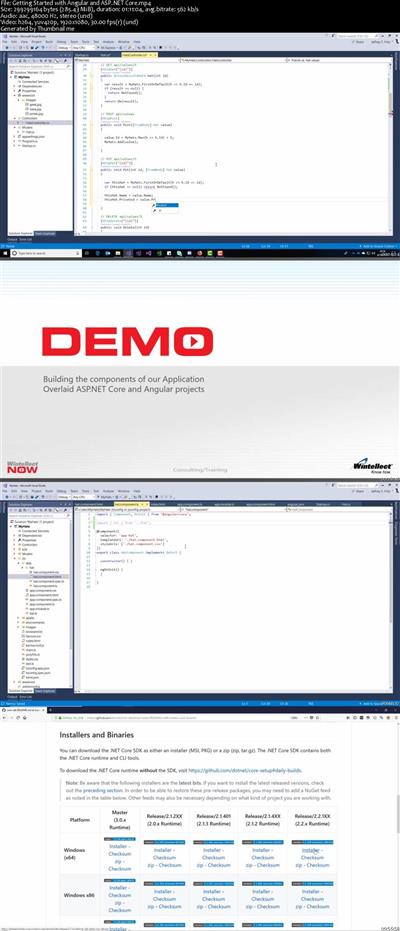
Getting Started with Angular and ASP.NET Core
MP4 | Video: AVC 1920x1080 | Audio: AAC 44KHz 2ch | Duration: 1 Hour 11M | 285 MB
Genre: eLearning | Language: English​

Angular is making waves in the dev community, as is ASP.NET Core. Put the two together and you have a recipe for Web programming bliss. Let Jeff Fritz show you how to marry Angular and ASP.NET Core in Part 6 of his in-depth series on ASP.NET Core.


ee3b23c27e19ab59f2ea0fb6dcb9000b.jpg


Recommend Download Link Hight Speed | Please Say Thanks Keep Topic Live ​

 

503309c84718ad0be1e196c15c797f67.jpg


Adobe Premiere Pro CC: Green Screen, Captions, Proxies and More
MP4 | Video: AVC 1280x720 | Audio: AAC 44KHz 2ch | Duration: 1 Hour 44M | 1.16 GB
Genre: eLearning | Language: English​

Get started with our Adobe Premiere Pro CC: Greenscreen, Captions, Proxies and More course!The tips and tricks you'll learn in this Adobe Premiere Pro CC 2017 course will help make your editing more efficient and professional. This course is a great follow up course to our Adobe Premiere Pro CC: Learn Video Editing In Premiere Pro course that's for beginners.This course includes the following downloadable files to follow along with us while we teach:FootageMusic/AudioProxy PresetsComplimentary Light Leak Overlay Video Effects (4k resolution)Your instructor for this course is Will Bartlett. He has been professionally editing since 2004. He is the founder of an established video production company in Toronto and has edited well over 1000 projects. Even if you don't have Adobe Premiere Pro CC 2017 you can still take advantage of this course by downloading a free 30 day trial from Adobe, on their website. All you need to do is create a free account with them, it only takes a minute and you will then be able to start downloading Premiere Pro.


28b223fdb1dae4eed1e39176284a896b.jpg


Recommend Download Link Hight Speed | Please Say Thanks Keep Topic Live ​

 
b631713acaa85c47567b6e3e13107041.jpg


Android Game Development with Godot Engine - Create 5 Games
MP4 | Video: AVC 1280x720 | Audio: AAC 44KHz 2ch | Duration: 10 Hours | Lec: 81 | 1.46 GB
Genre: eLearning | Language: English​

Great Reviews|Learn in Practice|Famous Games|Frequent Updates|Powerful Godot Engine|English Subtitles|The best!

This course was originally created and launched in Portuguese, however due to it's success we decided to bring it to other countries! Therefore, note that all the classes have Portuguese audio with English subtitles! Remember to activate the subtitles in the video player!

=====

Some reviews of the course:

"Instructor is fantastic! Don't be put off by the fact that the instructions are in Portuguese, if you turn captions on, you can follow along perfectly. I've advanced more in a few lessons than I did after spending weeks searching for current tutorials on the net." - Juan Aristy

"Very good, I'm learning things which will certainly help me a lot in the future! It's worth it to do the course R30;" - Flavio de Souza Batista

"The course is very practical and fast, without ceasing to have a lot of content" - Thiago Souza Santos

"The instructor is tranquil and objective, which makes the learning easy and productive." - Sergio Biazetto

And many moreR30;


cf243dd9603cddcaec821498569a275b.jpg


Recommend Download Link Hight Speed | Please Say Thanks Keep Topic Live ​
 

2dcdbed16a9b2cf42a1b53e0506ae09e.jpg


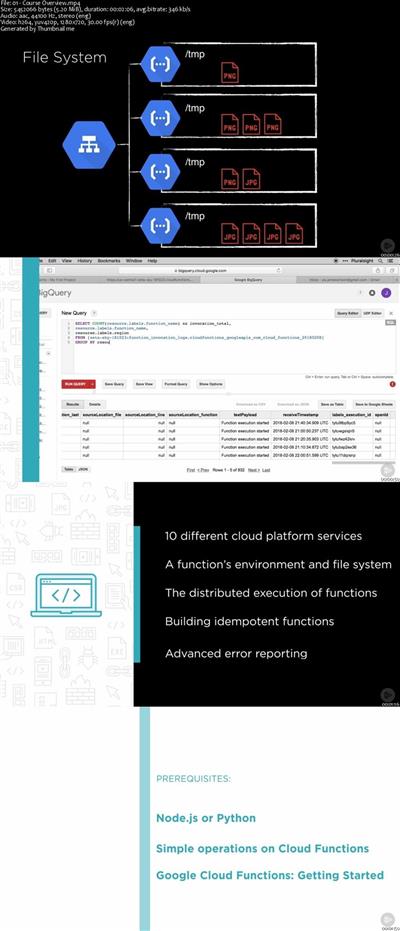
Google Cloud Functions Fundamentals
MP4 | Video: AVC 1280x720 | Audio: AAC 44KHz 2ch | Duration: 5 Hours | 984 MB
Genre: eLearning | Language: English​

In this course, you will traverse the Google Cloud Functions landscape so you can create high-quality microservices that will enhance the experience of your app or website, while avoiding the common traps associated with them.

Developers want to build serverless microservices so they can create new content, reduce maintenance, scale easily, and deliver new features to users faster. In this course, Google Cloud Functions Fundamentals, you will expand your serverless skills to create high-quality Microservices that will enhance the experience of your app or website. First, you will learn to build unique functions that interact with other Google Cloud services such as Cloud Vision and Cloud Datastore. Second, you will discover advanced concepts such as the function's file system, idempotent function design, and working through memory and timeout issues. Finally, you will explore how to properly log errors and set up monitoring for your functions so you can continue to monitor them once they are in production. When you're finished with this course, you will have a high-level understanding of Google Cloud Functions that will allow you to create unique experiences for your customers.


8312689f9ffdf35de8d3675349108649.jpg


Recommend Download Link Hight Speed | Please Say Thanks Keep Topic Live ​
 
30bd524ccc7f24814441c4eafce87a19.jpg


Developing Applications with AWS Rekognition
MP4 | Video: AVC 1280x720 | Audio: AAC 44KHz 2ch | Duration: 1.5 Hours | 226 MB
Genre: eLearning | Language: English​

One of the hot topics in artificial intelligence today is image analysis. This course will help you understand how to leverage the AWS services for image and video processing in your applications.

AWS Rekognition provides powerful services for image and video processing. This course, Developing Applications with AWS Rekognition, will demonstrate how these features can be applied to your applications. First, you will cover topics like biometric access based on facial recognition and detection of unsafe content. Next, you will learn how to implement person tracking in security videos and metadata discovery for social media applications. Finally, you will see how other AWS services, like EC2 and Lambda, can work together with Rekognition to build complete applications. When you're finished with this course, you will be ready to use all of the features of Rekognition for image and video processing.


791b8d08a34ccdc7c5bb4db3dea5c2cc.jpg


Recommend Download Link Hight Speed | Please Say Thanks Keep Topic Live ​

 

c9e2f2681a3b88ef410f59f128b9bab8.jpg


Java - Object-Oriented Programming Concepts ntegrated Course
MP4 | Video: AVC 1280x720 | Audio: AAC 44KHz 2ch | Duration: 3 Hours | 530 MB
Genre: eLearning | Language: English​

Java is a mature, elegant and sophisticated object oriented language that runs in a JVM (Java Virtual Machine).Once compiled into bytecode, Java can run in a JVM regardless of the underlying environment, Java is "Write once and run anywhere". Over the years Java has built for itself the reputation of a language that is capable of delivering high performance robust applications that are elegant,structured and sophisticated. Java is about the Object Oriented way.

There are several aspects of the Java language that must be mastered for a developer to use Java at its full potential: The distinction between Classes and Objects, the interaction of Objects and Classes in the forging of an application, the concepts of OO programming (Inheritance and Polymorphism, Abstract Classes and Interfaces, Abstraction and Encapsulation), the memory model, Object identity, the Java Collections framework.

You will learn about all these fundamental aspects in this course.

All the code and supporting files for this course are available on Github at

3622fdefcaf4d17bc4d2500c84ccb266.jpg


Recommend Download Link Hight Speed | Please Say Thanks Keep Topic Live ​

 

38c03af22aa3ff385f7a170e4c07fa15.jpg


IBM Cognos Analytics - Enterprise Administration (V11.0)
MP4 | Video: AVC 1280x720 | Audio: AAC 44KHz 2ch | Duration: 2.5 Hours | Lec: 5 | 378 MB
Genre: eLearning | Language: English​

This course provides training to new administrators on the fundamental tasks of installing and configuring IBM Cognos Analytics, and administering servers and content in the environment. In the course, participants will install and configure the IBM Cognos Analytics software, implement security, and manage the server components. Students will also monitor and schedule tasks, create data sources, and manage and deploy content in the portal and IBM Cognos Administration.

Course Outline

1. Introduction to IBM Cognos Analytics administration
Identify and explain the:
* IBM Cognos Analytics enterprise components
* role of the Administrator in relation to the IBM Cognos Analytics administration workflow process
* role of IBM Cognos Administration and IBM Cognos Configuration

2. Identify IBM Cognos Analytics architecture
Identify and explain:
* the features of the IBM Cognos Analytics architecture
* the three architectural tiers
* IBM Cognos Analytics servlets and services
* the default servlet container and alternatives to its use
* an example of IBM Cognos Analytics request processing
* installation options
* load balancing mechanisms
* configuration options
* the IBM Cognos Application Firewall


7923399be741749971bb97061fda76cd.jpg


Recommend Download Link Hight Speed | Please Say Thanks Keep Topic Live ​
 

a5ce228d6b13ba1ac86a4b9c1de7f6ea.jpg


Nutanix: The Big Picture
MP4 | Video: AVC 1280x720 | Audio: AAC 44KHz 2ch | Duration: 2 Hours 11M | 224 MB
Genre: eLearning | Language: English​

Nutanix is a leading vendor in the Hyperconverged Infrastructure (HCI) space. This course will provide you with an overview of its architecture, features, and additional capabilities beyond HCI.

Over the last few years, Hyperconverged Infrastructure (HCI) solutions have gone from being a niche concept to a focus area for many infrastructure vendors. Nutanix is a pioneering vendor in this space, but how does it work, what is different about its architecture, and why should you care? In this course, Nutanix: The Big Picture, you'll learn the challenges that Nutanix was created to solve before. First, you'll delve into how Nutanix implements its version of HCI. Next, you'll explore how easy it is to operate and how Nutanix is much more than an HCI platform. Finally, you'll discover the Nutanix AHV hypervisor and understand what the potential benefits are, as well as some things you need to consider. When you're finished with this course, you'll not only understand how Nutanix works and what's unique about it, you'll also know if it's the right choice for you or your organization.


fd2cc0ae5249f0bfba45005cc613e5bf.jpg


Recommend Download Link Hight Speed | Please Say Thanks Keep Topic Live ​
 

6766dbde0b93aa370ce187a7bcf3c8ed.jpg


Creative Writing For Beginners - Write Prose
MP4 | Video: AVC 1280x720 | Audio: AAC 44KHz 2ch | Duration: 1.5 Hours | Lec: 12 | 169 MB
Genre: eLearning | Language: English​

Book Writing For Beginners - Write Prose Effectively : Creative Writing Beginners Guide : Write Prose For Fiction

Creative Writing For Beginners is intended to provide new writers with a set of tools that can be used immediately to improve the prose they write to tell their story. Write prose effectively with basic rules that are easy to implement fast!

SPECIAL NOTE: This course is designed to make your prose more effective, if you're writing a novel, for example. Please do not enroll if you just need to improve your basic English. It isn't the purpose of this course.

The aim of every author should be to write clear prose that flows, providing an enjoyable experience for the reader who wants to keep turning those pages!

In the course Writing For Beginners, you will learn how to apply simple rules right now that will immediately improve your fiction. This course is a tool for budding writers wanting to create proactive page turners, stunning prose and captivating stories.

Creative Writing For Beginners - subjects included in this course:

Adjectives & Adverbs - how to use them and when not to use them all.
The Active and Passive Voices - what are they and how should they be used?
Special Punctuation - the use of semi-colons, ellipses and other marks to spice up your sentences.
Writing Numbers - the conventions which guide how to write numbers and dates.
Unnecessary Words - overused words are included as well. How to find them, avoid or replace them.
Absolutes - these are also called overgeneralizations and blanket-statements.
Clichés - how to identify and replace phrases too commonly used in prose.
Interjections - what they are, and when to use them correctly.
Vague Writing and Initial Coordinating Conjunctions - remedies for two lesser known problem areas.
Variety - an essential element in good prose. How to achieve it?


8befd06c532e363aa1cbcdb54e08e44f.jpg


Recommend Download Link Hight Speed | Please Say Thanks Keep Topic Live ​
 
Zurück
Oben Unten