• Regeln für den Video-Bereich:

    In den Börsenbereich gehören nur Angebote die bereits den Allgemeinen Regeln entsprechen.

    Einteilung

    - Folgende Formate gehören in die angegeben Bereiche:
    - Filme: Encodierte Filme von BluRay, DVD, R5, TV, Screener sowie Telesyncs im Format DivX, XviD und x264.
    - DVD: Filme im Format DVD5, DVD9 und HD2DVD.
    - HD: Encodierte Filme mit der Auflösung 720p oder darüber von BluRay, DVD, R5, TV, Screener sowie Telesyncs im Format x264.
    - 3D: Encodierte Filme von BluRay, die in einem 3D Format vorliegen. Dies gilt auch für Dokus, Animation usw.
    - Serien: Cartoon/Zeichentrick, Anime, Tutorials, Dokumentationen, Konzerte/Musik, Sonstiges sind demnach in die entsprechenden Bereiche einzuordnen, auch wenn sie beispielsweise im High Definition-Format oder als DVD5/DVD9/HD2DVD vorliegen. Ausnahme 3D.
    - Bereich Englisch: Englische Releases gehören immer in diesen Bereich.
    - Bereich Talk: Der Bereich, in dem über die Releases diskutiert werden kann, darf, soll und erwünscht ist.


    Angebot/Beitrag erstellen

    - Ein Beitrag darf erst dann erstellt werden, wenn der Upload bei mindestens einem OCH komplett ist. Platzhalter sind untersagt.
    - Bei einem Scenerelease hat der Threadtitel ausschließlich aus dem originalen, unveränderten Releasenamen zu bestehen. Es dürfen keine Veränderungen wie z.B. Sterne, kleine Buchstaben o.ä. vorgenommen werden. Ausnahme Serienbörse:
    - Bei einem Sammelthread für eine Staffel entfällt aus dem Releasename natürlich der Name der Folge. Beispiel: Die Simpsons S21 German DVDRip XviD - ITG
    - Dementsprechend sind also u.a. verboten: Erweiterungen wie "Tipp", "empfehlenswert", "only", "reup", usw. / jegliche andere Zusatzinformation oder Ergänzung, welche nicht in obiger Beschreibung zu finden ist.

    Aufbau des Angebots und Threadtitel

    Der Titel nach folgendem Muster erstellt zu werden. <Name> [3D] [Staffel] [German] <Jahr> <Tonspur> [DL] [Auflösung] <Quelle> <Codec> - <Group>
    Beispiel: The Dark Knight German 2008 AC3 DVDRip XviD - iND
    Beispiel: The Dark Knight 2008 DTS DL BDRip x264 - iND
    Beispiel: The Dark Knight 2008 AC3 DL BDRip XviD - iND
    Beispiel: The Dark Knight German 2008 AC3 720p BluRay x264 iND
    Beispiel: The Dark Knight 2008 DTS DL 1080p BluRay x264 iND
    Beispiel: Die Simpsons S01 German AC3 DVDRip XviD iND
    Beispiel: Die Simpsons S20 German AC3 720p BluRay x264 iND
    Beispiel: Sword Art Online II Ger Sub 2014 AAC 1080p WEBRip x264 - peppermint
    Entsprechend sind also u.a. verboten: Sonderzeichen wie Klammern, Sterne, Ausrufezeichen, Unterstriche, Anführungszeichen / Erweiterungen wie "Tipp", "empfehlenswert", "only", "reup", usw. / jegliche andere Zusatzinformation oder Ergänzung, welche nicht in obiger Beschreibung zu finden ist
    Ausnahmen hiervon können in den Bereichen geregelt sein.

    Die Beiträge sollen wie folgt aufgebaut werden:
    Überschrift entspricht dem Threadtitel
    Cover
    kurze Inhaltsbeschreibung
    Format, Größe, Dauer sind gut lesbar für Downloader außerhalb des Spoilers zu vermerken
    Nfo sind immer Anzugeben und selbige immer im Spoiler in Textform.
    Sind keine Nfo vorhanden z.B. Eigenpublikationen, sind im Spoiler folgende Dateiinformationen zusätzlich anzugeben :
    Quelle
    Video (Auflösung und Bitrate)
    Ton (Sprache, Format und Bitrate der einzelnen Spuren)
    Untertitel (sofern vorhanden)
    Hosterangabe in Textform außerhalb eines Spoiler mit allen enthaltenen Hostern.
    Bei SD kann auf diese zusätzlichen Dateiinformationen verzichtet werden.

    Alle benötigten Passwörter sind, sofern vorhanden, in Textform im Angebot anzugeben.
    Spoiler im Spoiler mit Kommentaren :"Schon Bedankt?" sind unerwünscht.


    Releases

    - Sind Retail-Release verfügbar, sind alle anderen Variationen untersagt. Ausnahmen: Alle deutschen Retail-Release sind CUT, in diesem Fall sind dubbed UNCUT-Release zulässig.
    - Im Serien-Bereich gilt speziell: Wenn ein Retail vor Abschluss einer laufenden Staffel erscheint, darf diese Staffel noch zu Ende gebracht werden.62
    - Gleiche Releases sind unbedingt zusammenzufassen. Das bedeutet, es ist zwingend erforderlich, vor dem Erstellen eines Themas per Suchfunktion zu überprüfen, ob bereits ein Beitrag mit demselben Release besteht. Ist dies der Fall, ist der bereits vorhandene Beitrag zu verwenden.
    - P2P und Scene Releases dürfen nicht verändert oder gar unter einem iND Tag eingestellt werden.


    Support, Diskussionen und Suche

    - Supportanfragen sind entweder per PN oder im Bereich Talk zu stellen.
    - Diskussionen und Bewertungen sind im Talk Bereich zu führen. Fragen an die Uploader haben ausschließlich via PN zu erfolgen, und sind in den Angeboten untersagt.
    - Anfragen zu Upload-Wünschen sind nur im Bereich Suche Video erlaubt. Antworten dürfen nur auf Angebote von MyBoerse.bz verlinkt werden.


    Verbote

    - Untersagt sind mehrere Formate in einem einzigen Angebotsthread, wie beispielsweise das gleichzeitige Anbieten von DivX/XviD, 720p und 1080p in einem Thread. Pro Format, Release und Auflösung ist ein eigener Thread zu eröffnen.
    - Grundsätzlich ebenso verboten sind Dupes. Uploader haben sich an geeigneter Stelle darüber zu informieren, ob es sich bei einem Release um ein Dupe handelt.
    - Gefakte, nur teilweise lauffähige oder unvollständige Angebote sind untersagt. Dies gilt auch für eigene Publikationen, die augenscheinlich nicht selbst von z.B. einer DVD gerippt wurden. Laufende Serien, bei denen noch nicht alle Folgen verfügbar sind, dürfen erstellt und regelmäßig geupdatet werden.
    - Untersagt sind Angebote, welche nur und ausschließlich in einer anderen Sprache als deutsch oder englisch vorliegen. Ausnahmen sind VORHER mit den Moderatoren zu klären.


    Verstoß gegen die Regeln

    - Angebote oder Beiträge, die gegen die Forenregeln verstoßen, sind über den "Melden"-Button im Beitrag zu melden.
  • Bitte registriere dich zunächst um Beiträge zu verfassen und externe Links aufzurufen.


Englische Tutorials


990088ae4b80a00e814746032e88cd25.jpg

Trading Seasonal Price Patterns in Stocks, Futures, & Forex!
MP4 | Video: AVC 1280x720 | Audio: AAC 44KHz 2ch | Duration: 2 Hours | 740 MB
Genre: eLearning | Language: English​


Annual 13% return from the University of Chicago Booth School of Business discovers seasonality in stocks & commodities.

The most respected studies by Wall Street come from top business schools using such data as that from the Center for Research in Security Prices (CRSP) with accounting data from Compustat files from Standard & Poor's. Your problem is that this data is extremely expensive for finance industry outsiders of Wall Street.

Graciously academics from these top schools make their research public to Main Street.

That allows you to gain an unfair advantage over the retail investing public. But knowing what is in these studies is not enough.

You need to know how to convert this information into practice.

This course offers a low-cost solution to creating your virtual investing and trading laboratory for seasonal, value, momentum, size, and dividend signals. The tools and knowledge you will learn inside allow you to distill 3,700 stock to the best few that are most likely to kick out double digit expected gains at the press of a button.

I am Dr. Scott Brown. I hold a Ph.D. in finance from the University of South Carolina. I am an associate professor of finance at the AACSB accredited Graduate School of Business of the University of Puerto Rico.

Discover how to capture 13% expected returns on seasonality alone. Two major money managers used a little known list of value stocks that generated actual returns of 20% - Benjamin Graham and Warren Buffett.

This course shows you how to find value stocks the exact same way. This has been shown by Fama and French (2012) to generate excess abnormal expected returns of 5.4%.

Sorting on seasonality and value generates an expected portfolio return of 18.4% on average. Buffett and Graham extracted 20% out of the market year after year for three decades.

Then I will show you how to sort on momentum for a 7.4% excess abnormal return. This can be sorted by size for another 1.2% expected kick.

This yields a strategy with an expected return of 21.60%. Your actual returns may be higher or lower.

Here's what my Udemy students are saying, "Hello Dr. Brown, Thanks - now that I've taken it I realize the majority of my company plan selections are horrible!! Thank you."


Trading Seasonal Price Patterns in Stocks, Futures, & Forex!

Recommend Download Link Hight Speed | Please Say Thanks Keep Topic Live

 

2c8aa400db0077a7a70f4468371705ad.jpg

Unity Multiplayer Game Development with Node
MP4 | Video: AVC 1280x720 | Audio: AAC 44KHz 2ch | Duration: 5H 17m | 0.98 GB
Genre: eLearning | Language: English


Building your own multiplayer game that is responsive enough for multiplayer game play can be difficult, but not anymore. Throughout this course, Unity Multiplayer Game Development with Node, you™ll learn how to create your own multiplayer game with a dedicated server driven by NodeJs. This will be built on top of websockets so that it is responsive, allowing for real-time multiplayer game play. You will start to build a multiplayer template; you™ll then learn how to spawn, navigate, and move your players. Finally, you™ll end up with a proof of concept, which you can then use as a template to continue building your own customized game. By the end of this course, you™ll have the knowledge as well as a template to build your own responsive multiplayer games. Software required: Unity 5.3.1, Node 5.1.0, Brackets 1.6.

Recommend Download Link Hight Speed | Please Say Thanks Keep Topic Live

 

a6933612de1473a4290be11b4301c5d5.jpg

UX Design Tools: Flinto for Mac
MP4 | Video: AVC 1280x720 | Audio: AAC 44KHz 2ch | Duration: 1 Hours | 251 MB
Genre: eLearning | Language: English​


Next-gen UX design tools like Flinto for Mac help designers create more convincing, engaging experiences for mobile and other up-and-coming platforms. Dive into the mobile prototyping process and workflow in Flinto for Mac, a popular tool for in-context prototyping of apps for viewing on your own devices, with the creator of Flinto himself, Nathan Manousos. Learn to quickly import your screens, link them together into a usable prototype, add transitions and effects to default mobile effects, and then deliver a prototype app to be viewed on any Mac or iOS device. Nathan also shows how to create popular gesture-controlled interactive effects such as scrolling and 3D flip transitions with Flinto.


UX Design Tools: Flinto for Mac

Recommend Download Link Hight Speed | Please Say Thanks Keep Topic Live
 

380c3bd362e4992d35559a643fcb02a5.jpg

UX Research Fundamentals
MP4 | Video: AVC 1280x720 | Audio: AAC 48KHz 2ch | Duration: 1h 9m | 370 MB
Genre: eLearning | Language: English

User experience is all about catering the design of a product or service to fit the needs of users. UX research plays an important part in this, helping you thoroughly understand those users, assess how well you're serving their needs, and uncover opportunities to create something even better.


This course introduces the fundamentals of user experience research so that anyone can understand the benefits and start integrating research into their everyday design and development process. Start watching to learn how to use UX research to find the answers to the most basic questions about your customers"who, what, when, why, and how"and drive better user experiences and business outcomes.

Recommend Download Link Hight Speed | Please Say Thanks Keep Topic Live
 

7900aa7ab130e04873681d28ac7306ef.jpg

What's New in JavaScript Training Video
2016-03-31 | .MP4, AVC, 1000 kbps, 1280x720 | English, AAC, 64 kbps, 2 Ch | 1.75 hours | 467MB
Instructor: Scott Davis


Intermediate JavaScript developers working with Angular and any other frameworks like Ember or React will benefit from this overview of ES6, the newest version of ECMAScript. Why? Because understanding ES6 and its companion, Web Components, will get them ready to build apps for the modern browser. Finalized in June 2015, ES6 is the first major update to ECMAScript since 2009.

This video walks you through many new features of ES6 such as syntactic sugar like arrow functions and multiline strings, language components like constants, classes/inheritance, and importing/exporting modules. ES6's deep semantic shifts to the core language will truly change the way developers work.

- Learn new ES6 features like classes, models, import, and exports
- Understand ES6 syntactical changes such as arrow functions/multiline strings
- Identify the ways to leverage ES6 with Node and BabelJS
- Discover ES6's new collections like Maps and Sets
- Learn about Promises, the library for asynchronous programming

Recommend Download Link Hight Speed | Please Say Thanks Keep Topic Live

 

c4d922b30656adbc1952ae35bd59dfce.jpg

Windows 10 Configuring (70-697): Configure Storage
MP4 | Video: AVC 1280x720 | Audio: AAC 44KHz 2ch | Duration: 4h 29m | 607 MB
Genre: eLearning | Language: English

If you want to maximize storage for your enterprise, you need to know Windows 10 and its many possible storage options. From local disks to cloud storage, this course covers all you need to configure, secure, and manage storage in Windows 10 systems.


Maximizing storage for your enterprise and figuring out how to optimize management and security can be difficult. This course, Windows 10 Configuring (70-697): Configure Storage, deals with all aspects of Windows 10 storage in the enterprise environment. It covers one of the main objective areas in the 70-697 certification exam and is the third in a series of nine courses that will completely prepare you for the exam. First, you'll start with local storage, focusing on the new Storage Spaces feature, and then you'll examine how to restructure local storage via DFS namespaces and replication. Cloud storage comes next, in the form of OneDrive and its integration with the Windows 10 GUI, and after that, you'll learn about two kinds of security: traditional NTFS and share permissions, as well as a new and more flexible permissions model, Dynamic Access Control. The course concludes by examining two flavors of encryption: EFS and BitLocker. By the end of this course, not only will you be more prepared for the 70-697 certification exam, but you will know how to configure, secure, and manage Windows 10 storage in order to meet your enterprise needs.

Recommend Download Link Hight Speed | Please Say Thanks Keep Topic Live

 

13a4a883be1457c0c552ac05497376be.jpg

Wordpress For Beginners:Build $100,000 Worthy Website
MP4 | Video: AVC 1280x720 | Audio: AAC 44KHz 2ch | Duration: 6.5 Hours | 739 MB
Genre: eLearning | Language: English​


In this course students will learn "A Step-by-Step Guide to Learn wordpress" and "Master quickly".No experience required

The Ultimate Guide to WordPress for Beginners!

I am really excited within 2 weeks 242 students enrolled on 117 Lectured Course

Student's Enrolling My course with Satisfaction.If you really interested in creating websites or blog's.Don't hesitate to sign up Enroll my course and "MASTER QUICKLY"

5⋆⋆⋆⋆⋆⋆⋆ Star Rated Best selling course on udemy

Create A Professional website or easily build A blog from scratch.

Wordpress For Beginners:Build $100,000 Worthy Website !! It's the perfect course for Business peoples or Bloggers to start their own website.

I have created Over 117 lectures and 7 hours of content! So It will turn you to powerful internet marketer.

Testimonial From Students

Anderson S

I enrolled on this course to learn about wordpress. Later I have figured out that this course having tremendous lectures and tons of hours to depth knowledge about wordpress.Great course,It's informative and very useful..He added additionally quiz and content too.This course starts with very basics and later additionally added lot of additional way to turn our wordpress website to next level......I will surely continue more course with same instructor ,I need additional course bharath we expect lot on you...
Unknown Student

1.Good for beginners

I will update my reviews more on this page......

Wordpress Course Details:-

"Learn WordPress from scratch to become a wordpress master quickly .This course will teach you everything from very basics you need to know."

Recommend Download Link Hight Speed | Please Say Thanks Keep Topic Live
 

6817a97b62e7249c1f733ac0abab0cdf.jpg

Enabling Office 365 (70-347) Plan/Configure Skype for Business Online
MP4 | Video: AVC 1280x720 | Audio: AAC 44KHz 2ch | Duration: 1 Hours | 171 MB
Genre: eLearning | Language: English

If you want to use Skype to enhance communication at your business, this course is for you. You'll learn about configuring A/V, connectivity, holding meetings, and more. It will also prep you for the Skype for Business Online 70-347 exam objectives.


Knowing how to use Skype for business is a skill increasingly in demand for any business professional. This course, Enabling Office 365 (70-347) Plan/Configure Skype for Business Online, will help you prepare for the Skype for Business Online subject matter within the 70-347 exam objectives. First, you'll cover features configuring available services and presence options. You'll also learn how to manage domains, consumer connectivity, push notifications, and meeting invitations. Finally, you'll discover the methods required to maximize administrative tasks through the use of PowerShell, watching demos as you go. By the end of this course, you'll be a little bit more prepared for the 70-437 exam, and you'll understand how to use Skype for business like a professional.

Recommend Download Link Hight Speed | Please Say Thanks Keep Topic Live

 

1eefa431542d737ac369c768d4d37173.jpg

From Automatic to Manual Mode: The 3 Things You Need to Know
MP4 | Video: AVC 1280x720 | Audio: AAC 44KHz 2ch | Duration: 24 M | 452 MB
Genre: eLearning | Language: English

Get out of Automatic Mode: The 3 Things You Need to Know


This class is designed to help you get the most of your camera by switching to Manual mode. From the start of the class I am going to ask you to set the dial to "M" and follow me as we challenge ourselves to shoot photos we want to share.

It will focus on the 3 Photography Fundamentals- ISO, Shutter Speed and Aperture (also know as Depth of Field). The class will have you understanding photos in a new light (no pun intended), applying the skills you learn here directly to the camera in front of you. In turn you will take fun, vibrant photos and understand how and why they came out that way. From portrait to landscape, this class is aimed at those who own a camera and never dared to turn the dial. Until now.

Be creative, daring and take great photos!

Recommend Download Link Hight Speed | Please Say Thanks Keep Topic Live
 

04b1025d086b52ad079bbf56ca237832.jpg

FXPHD - CD4221 Using Arnold in Cinema 4D
10 Class | Video: h264, yuv420p, 1440x810 30fps | Audio: aac, 44100 Hz, 2 ch | 3.66 GB
Genre: eLearning | Language: English | Project files Included​


Da Costa will get you up and running with Arnold for Cinema 4D. This course will demonstrate all the fundamentals about working with the Arnold Render Engine inside C4D. We will look at several technical and creative aspects of shading, lighting and rendering with Arnold. We will discuss ways in which we can reduce rendertimes and how to adopt an efficient workflow with Arnold. We will also shortly discuss some compositing aspects of C4DtoA. And at the end of this course you should feel comfortable taking on any project with Cinema 4D and the Arnold render engine.

The course is taught by R.P. (Netinho) da Costa. Da Costa is currently working as a CGI artist and TD at Lukkien. Lukkien is a multimedia company with a little over 200 employees. It is located in the Netherlands. Besides doing CGI, Da Costa is also responsible for CGI related R&D. He has worked on many national and international campaigns. For brands like Philips, Pioneer, MTV, Eneco, Schiphol Airport, Samsung and Toyota.

Next to CGI his background involved several years of programming. He has built dozens of proprietary plugins and pipeline tools for different Companies for both 3D and 2D applications. In recent years he has been an active beta tester for companies like Maxon and Solidangle.
course syllabus
Class 1: We introduce you to the Arnold Render Engine inside Cinema 4D. We discuss some important aspects to understand about Arnold. After that we quickly get you comfortable using Arnold by completing a short and simple chess scene project from beginning to end.
Class 2: We look at everything related to lighting inside Arnold. We take a look at all of the different light types that comes shipped with Arnold for Cinema 4D.
Class 3: We discuss all the important aspects of the render settings in C4DtoA. We look at the art of sampling and how to make decisions about overrides, ray depth, diagnostics and other important render settings.
Class 4: We explore the important arnold standard shader. To do this we complete shading of an entire lego technics airplane scene. We also take a look at some other shaders that comes shipped with arnold.
Class 5: We step it up a notch and take a look at shader layering with the unique C4DtoA shader Network. We explore creative and advanced ways to generate layer masks by using several nodes such as ao, shading state nodes and normal information.
Class 6: We focus on compositing options and multipass workflows within Arnold and Cinema 4D. We explore how to create shadow mattes inside Arnold, how to create and export object buffers and we discuss output variables (AOV's) in more depth. We also dive inside a compositing application to see how to recreate a beauty pass based on our rendered AOV's. In compositing, Da Costa will show some common problems and how to solve them.
Class 7: We take a look at the different ways in which arnold and cinema 4D are integrated. We look at the integration between popular cinema 4D aspects such as splines, particles and the mograph module.
Class 8: We demonstrate ways to further optimize render speed and we look at efficient workflows and habits. We take a look at optimizing materials and textures by using the TX format. We discuss ways in with the already memory efficient Arnold Engine can me made even faster. Furthermore we discuss some additional solutions for reducing noise and other problems that may occur during rendering.
Class 9: We shade, light and render an interior scene from beginning to end.
Class 10: Missing


FXPHD - CD4221 Using Arnold in Cinema 4D

Recommend Download Link Hight Speed | Please Say Thanks Keep Topic Live
 

1c5799e1e7587d7454b6985b1b04e701.jpg

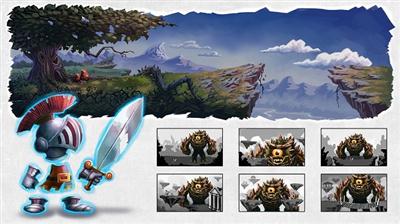
Indie Game Development Pipeline Volume 1: Visual Development
Duration: 2hr 17m | Video: h264, yuv420p, 1280x720 30fps | Audio: aac, 44100 Hz, 2 ch | 1.6 GB
Genre: eLearning | Language: English​


The Indie Game Development Pipeline is geared towards indie game developers and will take you through the entire creative pipeline to develop a boss battle level that's comprised of a vibrant 2D environment with 3D characters.

We'll begin this process by introducing you to the visual development stage where we'll lay the foundation of our entire project by producing concepts and ideas for the game's hero, boss and environment. In this phase of production, we'll discuss the importance of the creative team's input and collaboration to create fun and appealing game assets that all fit together in the same world. Along the way we'll be sharing with you the feedback on these concepts, in addition to how the 2D environment can be realized and managed across layers in Photoshop.

Following this training, you'll continue on through the production pipeline with a series of courses involving the development of our game.
You'll learn everything from prototyping the character's movement, interaction, and functionality in Unity, along with how our final concepts of the hero and boss can be modeled, sculpted and textured using Maya LT and Z-Brush. In addition, we'll see them spring to life as we learn how to rig and create stunning animations in Maya LT that will be incorporated into the final game. Finally, you'll learn how to use Unity to assemble our game's 2D and 3D assets for a fun and magical gaming experience.
After watching this entire pipeline process, you'll have the knowledge needed to take your own indie game to the next level!


Indie Game Development Pipeline Volume 1: Visual Development

Recommend Download Link Hight Speed | Please Say Thanks Keep Topic Live

 

16c7fd80168a0f30bcb4fca5bda9063f.jpg

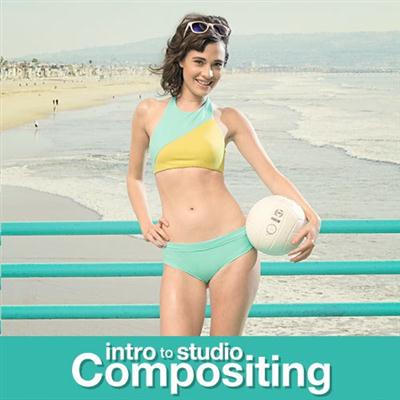
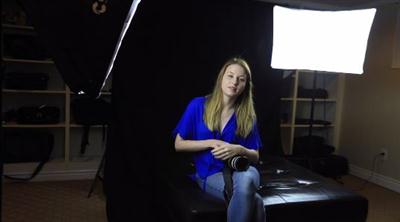
Phlearn - Intro To Compositing Studio
Duration: 3hr 30m | Video: h264, yuv420p, 1920x1080 30fps | Audio: aac, 44100 Hz, 2 ch | 1.55 GB
Genre: eLearning | Language: English | Raw files Included​


Compositing made simple.
The ability to place your subject into any background frees your creativity and expands your options for clients.
Our goal is to make it simple. We show you how to match light, camera angles & color in camera, then finish the job in Photoshop.

Intro to Studio Compositing3 complete composite tutorials
3 complete composite tutorials.
Each composite image is different and comes with its own set of challenges. We include three composite image tutorials to go over the majority of techniques you need to create a successful studio composite. Learn to create shadows, match color, cut out hair, and match lighting on 3 different images.

Studio lighting explained.
One of the biggest challenges you will face in studio compositing is matching the light from the studio to the background image. If the light doesn't match, your image will look out of place. Learn how to match multiple lighting conditions with the included 3-d lighting diagrams and lighting explanation video.

Learn to master the Pen Tool.
When it comes to cutting out your subject - there is no better tool than the Pen Tool. The accuracy, control and flexibility of the Pen Tool makes it the perfect companion for studio compositing. Learn to cut-out your subject from head to toe using the Pen Tool.

Copy shadows perfectly.
When it comes to compositing - the shadow is as important as the subject. Without a realistic shadow, your subject will look as if they were floating. You will learn how to use the exiting shadow from the studio image over-top of the composite, making your shadows perfectly real.


Intro To Compositing Studio

Recommend Download Link Hight Speed | Please Say Thanks Keep Topic Live
 
Zurück
Oben Unten