• Regeln für den Video-Bereich:

    In den Börsenbereich gehören nur Angebote die bereits den Allgemeinen Regeln entsprechen.

    Einteilung

    - Folgende Formate gehören in die angegeben Bereiche:
    - Filme: Encodierte Filme von BluRay, DVD, R5, TV, Screener sowie Telesyncs im Format DivX, XviD und x264.
    - DVD: Filme im Format DVD5, DVD9 und HD2DVD.
    - HD: Encodierte Filme mit der Auflösung 720p oder darüber von BluRay, DVD, R5, TV, Screener sowie Telesyncs im Format x264.
    - 3D: Encodierte Filme von BluRay, die in einem 3D Format vorliegen. Dies gilt auch für Dokus, Animation usw.
    - Serien: Cartoon/Zeichentrick, Anime, Tutorials, Dokumentationen, Konzerte/Musik, Sonstiges sind demnach in die entsprechenden Bereiche einzuordnen, auch wenn sie beispielsweise im High Definition-Format oder als DVD5/DVD9/HD2DVD vorliegen. Ausnahme 3D.
    - Bereich Englisch: Englische Releases gehören immer in diesen Bereich.
    - Bereich Talk: Der Bereich, in dem über die Releases diskutiert werden kann, darf, soll und erwünscht ist.


    Angebot/Beitrag erstellen

    - Ein Beitrag darf erst dann erstellt werden, wenn der Upload bei mindestens einem OCH komplett ist. Platzhalter sind untersagt.
    - Bei einem Scenerelease hat der Threadtitel ausschließlich aus dem originalen, unveränderten Releasenamen zu bestehen. Es dürfen keine Veränderungen wie z.B. Sterne, kleine Buchstaben o.ä. vorgenommen werden. Ausnahme Serienbörse:
    - Bei einem Sammelthread für eine Staffel entfällt aus dem Releasename natürlich der Name der Folge. Beispiel: Die Simpsons S21 German DVDRip XviD - ITG
    - Dementsprechend sind also u.a. verboten: Erweiterungen wie "Tipp", "empfehlenswert", "only", "reup", usw. / jegliche andere Zusatzinformation oder Ergänzung, welche nicht in obiger Beschreibung zu finden ist.

    Aufbau des Angebots und Threadtitel

    Der Titel nach folgendem Muster erstellt zu werden. <Name> [3D] [Staffel] [German] <Jahr> <Tonspur> [DL] [Auflösung] <Quelle> <Codec> - <Group>
    Beispiel: The Dark Knight German 2008 AC3 DVDRip XviD - iND
    Beispiel: The Dark Knight 2008 DTS DL BDRip x264 - iND
    Beispiel: The Dark Knight 2008 AC3 DL BDRip XviD - iND
    Beispiel: The Dark Knight German 2008 AC3 720p BluRay x264 iND
    Beispiel: The Dark Knight 2008 DTS DL 1080p BluRay x264 iND
    Beispiel: Die Simpsons S01 German AC3 DVDRip XviD iND
    Beispiel: Die Simpsons S20 German AC3 720p BluRay x264 iND
    Beispiel: Sword Art Online II Ger Sub 2014 AAC 1080p WEBRip x264 - peppermint
    Entsprechend sind also u.a. verboten: Sonderzeichen wie Klammern, Sterne, Ausrufezeichen, Unterstriche, Anführungszeichen / Erweiterungen wie "Tipp", "empfehlenswert", "only", "reup", usw. / jegliche andere Zusatzinformation oder Ergänzung, welche nicht in obiger Beschreibung zu finden ist
    Ausnahmen hiervon können in den Bereichen geregelt sein.

    Die Beiträge sollen wie folgt aufgebaut werden:
    Überschrift entspricht dem Threadtitel
    Cover
    kurze Inhaltsbeschreibung
    Format, Größe, Dauer sind gut lesbar für Downloader außerhalb des Spoilers zu vermerken
    Nfo sind immer Anzugeben und selbige immer im Spoiler in Textform.
    Sind keine Nfo vorhanden z.B. Eigenpublikationen, sind im Spoiler folgende Dateiinformationen zusätzlich anzugeben :
    Quelle
    Video (Auflösung und Bitrate)
    Ton (Sprache, Format und Bitrate der einzelnen Spuren)
    Untertitel (sofern vorhanden)
    Hosterangabe in Textform außerhalb eines Spoiler mit allen enthaltenen Hostern.
    Bei SD kann auf diese zusätzlichen Dateiinformationen verzichtet werden.

    Alle benötigten Passwörter sind, sofern vorhanden, in Textform im Angebot anzugeben.
    Spoiler im Spoiler mit Kommentaren :"Schon Bedankt?" sind unerwünscht.


    Releases

    - Sind Retail-Release verfügbar, sind alle anderen Variationen untersagt. Ausnahmen: Alle deutschen Retail-Release sind CUT, in diesem Fall sind dubbed UNCUT-Release zulässig.
    - Im Serien-Bereich gilt speziell: Wenn ein Retail vor Abschluss einer laufenden Staffel erscheint, darf diese Staffel noch zu Ende gebracht werden.62
    - Gleiche Releases sind unbedingt zusammenzufassen. Das bedeutet, es ist zwingend erforderlich, vor dem Erstellen eines Themas per Suchfunktion zu überprüfen, ob bereits ein Beitrag mit demselben Release besteht. Ist dies der Fall, ist der bereits vorhandene Beitrag zu verwenden.
    - P2P und Scene Releases dürfen nicht verändert oder gar unter einem iND Tag eingestellt werden.


    Support, Diskussionen und Suche

    - Supportanfragen sind entweder per PN oder im Bereich Talk zu stellen.
    - Diskussionen und Bewertungen sind im Talk Bereich zu führen. Fragen an die Uploader haben ausschließlich via PN zu erfolgen, und sind in den Angeboten untersagt.
    - Anfragen zu Upload-Wünschen sind nur im Bereich Suche Video erlaubt. Antworten dürfen nur auf Angebote von MyBoerse.bz verlinkt werden.


    Verbote

    - Untersagt sind mehrere Formate in einem einzigen Angebotsthread, wie beispielsweise das gleichzeitige Anbieten von DivX/XviD, 720p und 1080p in einem Thread. Pro Format, Release und Auflösung ist ein eigener Thread zu eröffnen.
    - Grundsätzlich ebenso verboten sind Dupes. Uploader haben sich an geeigneter Stelle darüber zu informieren, ob es sich bei einem Release um ein Dupe handelt.
    - Gefakte, nur teilweise lauffähige oder unvollständige Angebote sind untersagt. Dies gilt auch für eigene Publikationen, die augenscheinlich nicht selbst von z.B. einer DVD gerippt wurden. Laufende Serien, bei denen noch nicht alle Folgen verfügbar sind, dürfen erstellt und regelmäßig geupdatet werden.
    - Untersagt sind Angebote, welche nur und ausschließlich in einer anderen Sprache als deutsch oder englisch vorliegen. Ausnahmen sind VORHER mit den Moderatoren zu klären.


    Verstoß gegen die Regeln

    - Angebote oder Beiträge, die gegen die Forenregeln verstoßen, sind über den "Melden"-Button im Beitrag zu melden.
  • Bitte registriere dich zunächst um Beiträge zu verfassen und externe Links aufzurufen.

++ Premium IPTV ++ 7000 Live Sender ++ UHD Qualität ++ Mediathek mit 18.000 Inhalten ++


VenneTV


Englische Tutorials

1806271223070112.jpg


Excel - Beginners to Advance and Data Analytics
.MP4, AVC, 1000 kbps, 1280x720 | English, AAC, 192 kbps, 2 Ch | 8 hrs 18 mins | 3.2 GB
Created by Analytics Leap​

Quickly learn A-Z of Excel 2016, Formats, Pivots, Excel Charts, Excel Functions, Excel VBA and Data Analysis in Excel

This course is your complete guide to mastering Microsoft Excel. This course covers all aspects of working on Excel, starting from basic concepts like what are worksheets, rows, columns, tables and then moving onto different Formats in Excel and Conditional Formatting where we have covered all the different scenarios which one can think of. We then move onto more intermediate topics in Excel like Functions where we discuss Statistical, Math, Text, Logical, Lookup functions in MS Excel. We then discuss Data Protection and Validation which everyone uses to protect data from other users.

We then move onto more advanced topics of Pivot tables in which we discuss unique features of a pivot table and have a case study for you to understand how Pivot tables are used in real life. In Charts we cover distinct types of charts, how to do trend analysis using charts, sparkline charts and then move onto more statistical concepts which are essential for a data analyst - "what if" analysis, data interpretation using Data Analysis toolbox within Excel and finally VBA where we learn basics of VBA, how to create custom functions using VBA and finally a UserForm which will help you is automating your work!

This course is basically THE Bible of Excel you want, and the explanation and examples provided are something which haven't been done in any other course on this platform.

There are helpful quizzes included in all sections that will help you to cement the concepts learnt. Also, we are committed to add new practice activities so that you can practically apply the concepts learnt in this course.

Why should you start learning Excel NOW!

Jobs in Excel - Almost every organization uses Excel for data entry and knowing it will already put you over others
Demand is only going to go up - As organizations have started to understand the importance of having data, storing data, the demand for more people being comfortable in Excel will only go up. And for a Data Analyst, it is THE backbone!
Easy to learn, easy to use and very flexible

Why learn from Us?

EXCEL in EXCEL is our motto!!

Saving HUNDREDS of dollars and your time with the most effective training course ever created. Gain instant access to the exact training courses used to train over 4,000 beginners to become experts in using excel for day to day jobs and for analytics techniques and data manipulation.

Call us ambitious, but we are trying to save you time and money while giving you quality.

Don't work hard - Work smart!

Who is the target audience?

The course has been developed for anyone who wants to learn MS Excel and VBA. And for even those who want to understand how Excel is used in Data Analytics

More Info


Recommend Download Link Hight Speed | Please Say Thanks Keep Topic Live ​

 
90acc05c1b0a8f48a2a69577458b1438.jpg


Monitoring Containerized Application Health with Docker
.MP4, AVC, 500 kbps, 1280x720 | English, AAC, 64 kbps, 2 Ch | 2h 43m | 475 MB
Instructor: Elton Stoneman​

You can add consistent monitoring to your whole application with Docker, the same for every container in every environment. This course teaches you how to expose metrics from Linux and Windows containers, collect them, and display them in dashboards.

It's easy to run new and old applications in Docker, but you can't put containerized apps into production without monitoring. In this course, Monitoring Containerized Application Health with Docker, you'll learn how to implement effective monitoring for Linux and Windows containers. First, you'll learn how to gather and visualize metrics from containers using Prometheus and Grafana. Next, you'll see how to add metrics to your application, and export metrics from the Java and .NET runtimes and from the Docker platform. Finally, you'll explore how to build an effective dashboard with a single view over the health of your whole application. When you're finished with this course, you'll be ready to add monitoring to your application and move confidently to production.

More Info


1c28f5a302a75ada7606abe59ffc79c6.jpg


Recommend Download Link Hight Speed | Please Say Thanks Keep Topic Live ​

 
1809220515010083.jpg

The Web Developer Persuasion Masterclass
English | MP4 | 8.4 GB | 1920 x 1080
Genre: eLearning | Language: English
What Will I Learn?
You'll learn hypnosis.
You'll develop amazing influence abilities.
You'll learn persuasion neuroscience.
You'll become more persuasive faster than you ever thought possible.
You can negotiate even more effectively.
You can be more successful with persuasion in all areas of your life.
You'll learn how to teach other people more effectively.
You're going to win more often with better influence abilities.​

Requirements
You must implement what you learn to be successful.
You must have a sense of fun and enthusiasm to enjoy this course.
These lectures are easy and appropriate for everyone from first time hypnotists to advanced psychologists.
Fully enjoy the "no energy" lectures and use your new persuasion abilities peacefully and ethically.
Description
Persuasion & influence are must learn subjects for web developers because they teach us why people take action. You must understand them to be successful. That's why our coeducational lectures are very special. We teach hypnosis in a simple elegant theoretical model. You're going to become more influential faster than you ever thought possible. You'll also feel wonderful learning while we pattern peaceful intuitions, such as pleasure, collaboration and enthusiasm. These are the best techniques for converting visitors to customers. Enroll now.

Who is the target audience?
You should take this communication course if you want to be a successful web developer.
You can't win waiting around. You must watch our lectures to be successful.

1809220515550088.jpg


Recommend Download Link Hight Speed | Please Say Thanks Keep Topic Live ​

 
a153aa74add75c6f0400d0674bed1ae1.jpg


psd to html and css conversion course
MP4 | Video: AVC 1280x720 | Audio: AAC 44KHz 2ch | Duration: 44M | Lec: 19 | 217 MB
Genre: eLearning | Language: English​

an overview of how the process of converting a Photoshop design to html

in this course you will learn how to convert a photoshop design to html and css responsive website.

i will show you a process i used to convert almost any design to a functional website.

you will learn how to:

* measure elements in photoshop

* create an html tags hierarchy for all the design elements

* translate a photoshop layout to css style

*convert photoshop colors, effects and fonts to css

*use a simple slider with your website

*use the same html and css to create an inner page for the same design


6ecac53c4a685a10dc334e0b491767bd.jpg


Recommend Download Link Hight Speed | Please Say Thanks Keep Topic Live ​

 
873abfa78bde766c78a62cba0987f7b0.jpg


Food Photography: Introduction to storytelling in food photography
MP4 | Video: AVC 1280x720 | Audio: AAC 44KHz 2ch | Duration: 18M | 344 MB
Genre: eLearning | Language: English​

Join Norwegian photographer Marte Marie Forsberg for a short introduction class on telling a visual story, and planning a small shoot.

You'll travel with Marte Marie to her English countryside cottage, pick up a few items at the market, and make your way to a friend's garden allotment to photograph the story of a rustic, everyday feast.

Throughout the lessons, Marte Marie touches on planning a shoot, styling, and photographing - with special consideration to telling a visual story, with emphasis on color, overview images, detail images, and curating a group of images together.

Beautifully shot, full of inspiration, and brimming with insights, this class is perfect for beginning and pro photographers alike. Whether you're shooting a food story for your blog, a magazine pitch, or for a client, you'll leave this class full of inspiration, and with a better understanding fo how to tell visual stories and setting up a small shoot.


4a10e45d944f2867b34fcfc096166efa.jpg


Recommend Download Link Hight Speed | Please Say Thanks Keep Topic Live ​

 
45753e574e24227a1442f3651d831819.jpg


Portrait Photography In Depth
MP4 | Video: AVC 1280x720 | Audio: AAC 44KHz 2ch | Duration: 2 Hours | 3.62 GB
Genre: eLearning | Language: English​

Often times the difference between a mediocre portrait and a great one lies in one or two simple adjustments in vision and execution.

In this session Sony Artisan Miguel Quiles will teach you the most relevant things he's learned shooting portraits professionally for the last 4 years.

These are the tips he wished someone had told him starting out, and now this knowledge is being passed on to you! Attendees will learn his highly effective tips on posing, lighting, and how to walk into any scenario and dial in the perfect camera settings to take your portraits to another level.


d13bbed675957d4f5510a855d6bbf9ce.jpg


Recommend Download Link Hight Speed | Please Say Thanks Keep Topic Live ​
 

cacb5059f63dc3e833e3612568ca4913.jpg


Adobe Animate: Designing Interactive Experiences
MP4 | Video: AVC 1280x720 | Audio: AAC 44KHz 2ch | Duration: 2 Hours | 258 MB
Genre: eLearning | Language: English​

Interactivity is not a perk for modern web projects-it's a prerequisite. Learn what you need to go beyond the basics and create engaging, interactive apps and web experiences using the tools in Adobe Animate. Instructor Joseph Labrecque shows how to build out a library of UI elements, such as buttons, toggles, sliders, and lists. He shows how to use these building blocks to design application views within the Animate timeline and create a persistent navigation bar. Then he shows how to add interactivity-using event listeners and custom functions to respond to user input-and animate application views with keyframes, motion tweening, and camera transitions. Finally, learn how to export your prototypes for distribution on desktop, web, and mobile devices.


dfa654d255af701758e9d3a22dcbb5fe.jpg


Recommend Download Link Hight Speed | Please Say Thanks Keep Topic Live ​

 

3f4bb5f020ddc2df5fac905e210d52ca.jpg


CISA Cert Prep: 3 Information Technology Life Cycle for IS Auditors
MP4 | Video: h264, 1280x720 | Audio: AAC, 48 KHz, 2 Ch | Duration: 34m 52s | 85.1 MB

​


CySA+ is a highly desirable, intermediate certification that shows you know how to prevent, detect, and combat a multitude of modern cybersecurity threats. CySA+ Cert Prep: 3 prepares students for domain three, Cyber Incident Response, which constitutes 23% of the questions on the exam. Follow along with instructor Mike Chapple and learn about classifying threats and assessing the impact of cybersecurity incidents. The course also covers the importance of communication during a cybersecurity incident response effort, analyzing the symptoms of an incident in progress, the use of forensic tools, and the incident recovery and post-recovery processes. Completing this course, along with the other six courses in the series, will help you prepare to become a CompTIA Cybersecurity Analyst and ensure that your organization is properly insulated from risk.


822b6652564fde83bc4402a1e4133217.jpg


Recommend Download Link Hight Speed | Please Say Thanks Keep Topic Live ​

 

2f438fb8aa952e8df1dbe353dc5b8dfd.jpg


Python Kivy The Full Guide
MP4 | Video: AVC 1280x720 | Audio: AAC 44KHz 2ch | Duration: 3.5 Hours | Lec: 55 | 561 MB
Genre: eLearning | Language: English​

A-To-Z To Develop Cross Platform Applications With Python And Kivy

I Started From Scratch To Teach You Every Thing About Kivy . Trying To Make You Professionl In Developing A lot Of Applications And Games After Finishing This Course You Will Be Able To Make Your Own Android Applications . And Make Your Own Android Games .. You Will Make Your Apps Easily With Kivy And Python.I Hope This Course Be Helpfull FOr You And Wait My New Courses In Kivy,Now I am recording new course for some advanced topics in kivy and another course in Some Applications And Some Games And Those Courses Will Be Soon On Udemy Just To Help You Get better In Kivy To Build Your Own Application Or Game


1dd8cf3f68d81ecdb64147aa1f8dddc6.jpg


Recommend Download Link Hight Speed | Please Say Thanks Keep Topic Live ​
 

7c5ac2c27bed28de405e792ee5e5a0b7.jpg


Microsoft Office 2016 Essential Training: 9 Course Bundle
MP4 | Video: AVC 1280x720 | Audio: AAC 44KHz 2ch | Duration: 66.5 Hours | Lec: 541 | 10.7 GB
Genre: eLearning | Language: English​

Comprehensive, all-in-one training to get the most out of Microsoft Office 2016. 9-in-1 courses with 70 hours of video.

Unlock the Power Of Microsoft Office 2016 and Watch Your Productivity Soar!

A KILLER TIME & MONEY SAVER! Equip yourself with in-depth knowledge of online Microsoft 2016 training courses and save precious time on class attendance! Get the skills required to skyrocket your performance at the classroom or the office with a COMPLETE bundle of 9 online courses that will turn you into a pro computer user from the convenience of your own home!

THE PERFECT CHOICE FOR BEGINNERS OR ADVANCED USERS! Whether you already know enough on the most popular Microsoft programs or you are an absolute beginner, this is the product for you! Get hands-on experience in using Access, Excel, OneNote, PowerPoint, and Word 2016 and meet your full potential on the demanding work market!

WE ARE REVOLUTIONIZING ONLINE LEARNING! With our long expertise in STRESS-FREE e- learning, at Simon Sez IT we know how to help you make the most of your home learning! Get ALL practice you need with the EXERCISE FILES, find useful info in the comprehensive VIDEO TUTORIALS, keep TRACK OF YOUR PROGRESS and get the CERTIFICATES OF COMPLETION as reliable proof of your knowledge!

TURBOCHARGE YOUR SKILLS THE EASY WAY! Acquiring the MUST-HAVE skills for the modern market requirements has never been easier! Get ALL 9 online software courses in one GREAT VALUE FOR MONEY pack and plan your own training based on your specific time schedule! Flexible, easy to follow and eye-opening both for BEGINNERS and ADVANCED users, this Microsoft 2016 course bundle is made for smart e-learners!

A THOUGHTFUL GIFTING IDEA! If you are in search of a gift that will thrill every computer user, your quest is ending here! Offer your best friend, teenaged kid or office co-worker this stunning gift and help them open new horizons in their work! Equip their arsenal with the best Microsoft 2016 software bundle on the market and have them thankful for your excellent choice!

Do you feel embarrassed every time you are asked to make a file in Word, Excel or Access?

Do you wish you could be a competent Microsoft Software user but are deterred by the COST and TIME spent on classes?

Are you looking for an EASY, CONVENIENT way to conquer solid knowledge on the most sought-after programs and skyrocket your work potential?

With a long expertise in the last advances in e-learning, Simon Sez IT is now offering you the ultimate e- learning software training tool in a COMPLETE 9 in 1 bundle!

We Are Turning You Into A Software Savvy From The Convenience Of Your Home!

You don't have to spend a fortune on classes anymore; you can save yourself the time spent on commuting to training institutes!

We are making hands-on knowledge of 9 training courses a breeze, teaching you in your own SELF- PACED learning environment:

Microsoft Excel 2016 - Beginners

Microsoft Excel 2016 - Advanced

Microsoft Word 2016

Microsoft OneNote 2013:

Microsoft PowerPoint 2016:

Microsoft Access 2016 - Beginners

Microsoft Access 2016 - Advanced

Microsoft Essential VBA for Excel

VBA Intermediate Training- Discover Excel Automation Secrets

Why Take This Course

Most work today happens on a computer - optimize your effort by learning useful software tips and tricks that you'll apply for decades to come! And that will save you valuable time, money and effort.

Want to get noticed by your boss or earn the respect of your colleagues? Become the office superstar by becoming the go-to expert on everything related to MS Office 2016!

Individual video training for these programs would easily cost hundreds of dollars, but this 9-in-1 package is available at one unbelievably low price. Tremendous learning at tremendous savings.

What are the requirements?

Microsoft Office 2016 desktop version for Windows installed and ready to use on your computer.
What am I going to get from this course?

Discover new and improved features in Excel 2016, Word, PowerPoint, OneNote & Access.
How to effectively use Excel 2016 on a touchscreen device.
How create, save, and open a workbook.
Learn how to personalize your use of Excel using Excel Options.
How to use and how to customize the Quick Access Toolbar.
Complete data entry, cell formatting, working with multiple worksheets and the "Ribbon" interface.
The basics of entering and editing data in a workbook.
Learn practical methods in which you can backup and recover your Excel spreadsheets.
Effectively use autofill and flashfill so you are more productive.
Discover the essentials of using fomulas and functions.
How to rename, insert, move, and reference an Excel 2016 worksheet.
Discover how to create charts and graphs
Learn practical methods to sort and filter your data
How to protect and secure your Excel data
Learn presentation tips for an effective presentation
Discover how to format text on a PowerPoint slide
Learn how to insert shapes, graphics and pictures to add some "zing" to your presentation
Add charts, graphs and tables to present information in a non-text format
Wow your audience by adding animations, audio and video
Discover practical tips to present your presentation to your audience
Learn time saving techniques including how to copy slides, and exporting your presentation
Customize PowerPoint for greater productivity by customizing the Microsoft Office Ribbon
Master the most common uses of Word
How to controlling page appearance including using columns, indents, footers, borders and watermarks
Learn to create many types of documents
How to create a mail merge
Printing envelopes and labels
Discover different page setup options
How to protect your document from changes
Learn how to spell check your documents
Insert pictures and graphics in your Word document
Discover how to insert and edit tables
Using "Go To, Find, and Replace"
How to create, save and open documents
Learn cool tips and tricks in the Ribbon
Discover common Excel hotkeys
How to use VLOOKUP and HLOOKUP
Learn how to use popular functions
Discover how to use named ranges
Discover the power of Dynamic Formulas and how to use them
Get advanced level tips for creating awesome charts and graphs
How to work with and analyze your data using data slicers, PivotTables, Power Query and PivotCharts
Sorting information and running queries
Creating tables and relationships
Learn valuable new skills for complex data projects at work
Discover how to into import data from Excel
Learn Queries, use validations, how to create and print reports
Dive into options for packaging your application for distribution
Share notebooks and collaborate with others
Integrate OneNote with Microsoft Outlook
How to use the OneNote interface
Tag your notes and how to search them
Use handwriting in OneNote
How to protect your notes


49ceba8087999b8d3b175d54614ce11a.jpg


Recommend Download Link Hight Speed | Please Say Thanks Keep Topic Live ​
 
404fe3a051e6e35af9bd36446a016510.jpg


Learning Cloud Computing: The Cloud and DevOps
MP4 | Video: AVC 1280x720 | Audio: AAC 44KHz 2ch | Duration: 1 Hour 48M | 249 MB
Genre: eLearning | Language: English​

Move DevOps to the cloud and become more agile at software development and operations. This course explains how to set up a cloud-based DevOps process and leverage services offered by Amazon, Microsoft, and Google. Cloud computing expert David Linthicum first introduces the business case for DevOps in the cloud, which can ensure scalable and continuous delivery, testing, integration, and deployment for organizations of any size. He then explains how to establish a DevOps process on the cloud, and reviews DevOps solutions offered in Amazon Web Services, Microsoft Azure, and Google Cloud Platform. Plus, review some use cases that demo real-world implementations of DevOps services on the cloud.


9fec5b440b3225226a97aa6dcfcba285.jpg


Recommend Download Link Hight Speed | Please Say Thanks Keep Topic Live ​
 

84d9bbfdab8c12890c8fc1574e6d4886.jpg


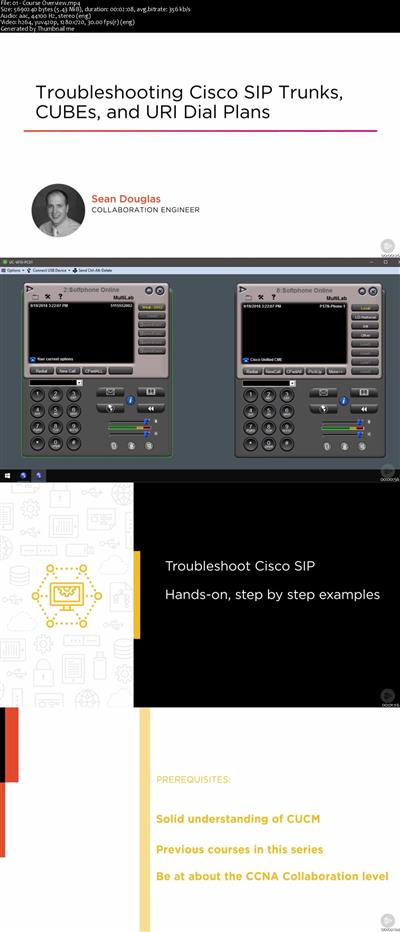
Troubleshooting Cisco SIP Trunks, CUBEs, and URI Dial Plans
MP4 | Video: AVC 1280x720 | Audio: AAC 44KHz 2ch | Duration: 3 Hours 12M | 598 MB
Genre: eLearning | Language: English​

SIP is used extensively in today's collaboration deployments. You must be able to get traces and debugs from a variety of sources to troubleshoot effectively. This course will demonstrate solutions that will help you diagnose and solve SIP problems.

In today's fast-paced world, the ability to communicate using real-time IP voice and video technology is a business necessity. In this course, Troubleshooting Cisco SIP Trunks, CUBEs, and URI Dial Plans, you will learn how to diagnose SIP problems, use various tools and techniques to collect traces and debugs, understand the call process, and come up with solutions. First, you will see how to identify the major components of the Cisco SIP Collaboration solution you're working with so that you will be able to isolate the problem areas quickly during troubleshooting. Next, you will be able to use a variety of Cisco debug, trace, and monitoring tools that are available to assist with your troubleshooting. Finally, you will learn how to implement an action plan that uses a systematic troubleshooting approach to provide consistent network services and minimize service interruptions. When you're finished with this course, you'll have the skills and knowledge needed to troubleshoot SIP trunks, CUBEs, and URI components that will help you diagnose and troubleshoot issues in Cisco Collaboration deployments.

c808c7b6825414965ea707813b6198b3.jpg


Recommend Download Link Hight Speed | Please Say Thanks Keep Topic Live ​
 
Zurück
Oben Unten