• Regeln für den Video-Bereich:

    In den Börsenbereich gehören nur Angebote die bereits den Allgemeinen Regeln entsprechen.

    Einteilung

    - Folgende Formate gehören in die angegeben Bereiche:
    - Filme: Encodierte Filme von BluRay, DVD, R5, TV, Screener sowie Telesyncs im Format DivX, XviD und x264.
    - DVD: Filme im Format DVD5, DVD9 und HD2DVD.
    - HD: Encodierte Filme mit der Auflösung 720p oder darüber von BluRay, DVD, R5, TV, Screener sowie Telesyncs im Format x264.
    - 3D: Encodierte Filme von BluRay, die in einem 3D Format vorliegen. Dies gilt auch für Dokus, Animation usw.
    - Serien: Cartoon/Zeichentrick, Anime, Tutorials, Dokumentationen, Konzerte/Musik, Sonstiges sind demnach in die entsprechenden Bereiche einzuordnen, auch wenn sie beispielsweise im High Definition-Format oder als DVD5/DVD9/HD2DVD vorliegen. Ausnahme 3D.
    - Bereich Englisch: Englische Releases gehören immer in diesen Bereich.
    - Bereich Talk: Der Bereich, in dem über die Releases diskutiert werden kann, darf, soll und erwünscht ist.


    Angebot/Beitrag erstellen

    - Ein Beitrag darf erst dann erstellt werden, wenn der Upload bei mindestens einem OCH komplett ist. Platzhalter sind untersagt.
    - Bei einem Scenerelease hat der Threadtitel ausschließlich aus dem originalen, unveränderten Releasenamen zu bestehen. Es dürfen keine Veränderungen wie z.B. Sterne, kleine Buchstaben o.ä. vorgenommen werden. Ausnahme Serienbörse:
    - Bei einem Sammelthread für eine Staffel entfällt aus dem Releasename natürlich der Name der Folge. Beispiel: Die Simpsons S21 German DVDRip XviD - ITG
    - Dementsprechend sind also u.a. verboten: Erweiterungen wie "Tipp", "empfehlenswert", "only", "reup", usw. / jegliche andere Zusatzinformation oder Ergänzung, welche nicht in obiger Beschreibung zu finden ist.

    Aufbau des Angebots und Threadtitel

    Der Titel nach folgendem Muster erstellt zu werden. <Name> [3D] [Staffel] [German] <Jahr> <Tonspur> [DL] [Auflösung] <Quelle> <Codec> - <Group>
    Beispiel: The Dark Knight German 2008 AC3 DVDRip XviD - iND
    Beispiel: The Dark Knight 2008 DTS DL BDRip x264 - iND
    Beispiel: The Dark Knight 2008 AC3 DL BDRip XviD - iND
    Beispiel: The Dark Knight German 2008 AC3 720p BluRay x264 iND
    Beispiel: The Dark Knight 2008 DTS DL 1080p BluRay x264 iND
    Beispiel: Die Simpsons S01 German AC3 DVDRip XviD iND
    Beispiel: Die Simpsons S20 German AC3 720p BluRay x264 iND
    Beispiel: Sword Art Online II Ger Sub 2014 AAC 1080p WEBRip x264 - peppermint
    Entsprechend sind also u.a. verboten: Sonderzeichen wie Klammern, Sterne, Ausrufezeichen, Unterstriche, Anführungszeichen / Erweiterungen wie "Tipp", "empfehlenswert", "only", "reup", usw. / jegliche andere Zusatzinformation oder Ergänzung, welche nicht in obiger Beschreibung zu finden ist
    Ausnahmen hiervon können in den Bereichen geregelt sein.

    Die Beiträge sollen wie folgt aufgebaut werden:
    Überschrift entspricht dem Threadtitel
    Cover
    kurze Inhaltsbeschreibung
    Format, Größe, Dauer sind gut lesbar für Downloader außerhalb des Spoilers zu vermerken
    Nfo sind immer Anzugeben und selbige immer im Spoiler in Textform.
    Sind keine Nfo vorhanden z.B. Eigenpublikationen, sind im Spoiler folgende Dateiinformationen zusätzlich anzugeben :
    Quelle
    Video (Auflösung und Bitrate)
    Ton (Sprache, Format und Bitrate der einzelnen Spuren)
    Untertitel (sofern vorhanden)
    Hosterangabe in Textform außerhalb eines Spoiler mit allen enthaltenen Hostern.
    Bei SD kann auf diese zusätzlichen Dateiinformationen verzichtet werden.

    Alle benötigten Passwörter sind, sofern vorhanden, in Textform im Angebot anzugeben.
    Spoiler im Spoiler mit Kommentaren :"Schon Bedankt?" sind unerwünscht.


    Releases

    - Sind Retail-Release verfügbar, sind alle anderen Variationen untersagt. Ausnahmen: Alle deutschen Retail-Release sind CUT, in diesem Fall sind dubbed UNCUT-Release zulässig.
    - Im Serien-Bereich gilt speziell: Wenn ein Retail vor Abschluss einer laufenden Staffel erscheint, darf diese Staffel noch zu Ende gebracht werden.62
    - Gleiche Releases sind unbedingt zusammenzufassen. Das bedeutet, es ist zwingend erforderlich, vor dem Erstellen eines Themas per Suchfunktion zu überprüfen, ob bereits ein Beitrag mit demselben Release besteht. Ist dies der Fall, ist der bereits vorhandene Beitrag zu verwenden.
    - P2P und Scene Releases dürfen nicht verändert oder gar unter einem iND Tag eingestellt werden.


    Support, Diskussionen und Suche

    - Supportanfragen sind entweder per PN oder im Bereich Talk zu stellen.
    - Diskussionen und Bewertungen sind im Talk Bereich zu führen. Fragen an die Uploader haben ausschließlich via PN zu erfolgen, und sind in den Angeboten untersagt.
    - Anfragen zu Upload-Wünschen sind nur im Bereich Suche Video erlaubt. Antworten dürfen nur auf Angebote von MyBoerse.bz verlinkt werden.


    Verbote

    - Untersagt sind mehrere Formate in einem einzigen Angebotsthread, wie beispielsweise das gleichzeitige Anbieten von DivX/XviD, 720p und 1080p in einem Thread. Pro Format, Release und Auflösung ist ein eigener Thread zu eröffnen.
    - Grundsätzlich ebenso verboten sind Dupes. Uploader haben sich an geeigneter Stelle darüber zu informieren, ob es sich bei einem Release um ein Dupe handelt.
    - Gefakte, nur teilweise lauffähige oder unvollständige Angebote sind untersagt. Dies gilt auch für eigene Publikationen, die augenscheinlich nicht selbst von z.B. einer DVD gerippt wurden. Laufende Serien, bei denen noch nicht alle Folgen verfügbar sind, dürfen erstellt und regelmäßig geupdatet werden.
    - Untersagt sind Angebote, welche nur und ausschließlich in einer anderen Sprache als deutsch oder englisch vorliegen. Ausnahmen sind VORHER mit den Moderatoren zu klären.


    Verstoß gegen die Regeln

    - Angebote oder Beiträge, die gegen die Forenregeln verstoßen, sind über den "Melden"-Button im Beitrag zu melden.
  • Bitte registriere dich zunächst um Beiträge zu verfassen und externe Links aufzurufen.

++ Premium IPTV ++ 7000 Live Sender ++ UHD Qualität ++ Mediathek mit 18.000 Inhalten ++


VenneTV


Englische Tutorials

184cc039d624188708f5e22d453d7b8d.jpg


RxJava: Design Patterns for Android Developers
MP4 | Video: 720p | Duration: 2:24:15 | English | Subtitles: VTT | 571.9 MB​

The RxJava libraryR12;a Java virtual machine (VM) implementation of Reactive ExtensionsR12;extends the observer pattern, making it easier for Android developers to program apps that respond to user events and data changes. In this project-based course, instructor Jon Bott helps to familiarize developers with key aspects of RxJava as he goes over some simple design patterns that work with reactive programming. Learn about traits, observables, threading, and moreR12;as well as how to add RxJava to a layered architecture such as Model-View-Presenter (MVP) or Model-View-ViewModel (MVVM). Plus, review real-world use cases that can help you gain a practical understanding of these concepts.


Topics include:


What is RxJava?
Observables
Shortcuts for creating observables
Subjects
Traits
Grouping API service calls
Binding
Threading and UI controls

Recommend Download Link Hight Speed | Please Say Thanks Keep Topic Live ​
 
0311fe04010e77230d3bd1840be4b19f.jpg


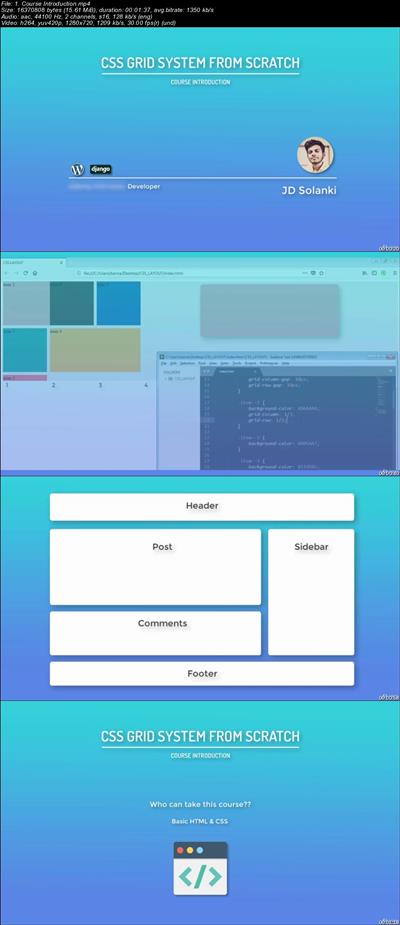
Master CSS Grid Layout From Scratch
.MP4 | Video: 1280x720, 30 fps(r) | Audio: AAC, 44100 Hz, 2ch | 839 MB
Duration: 2 hours | Genre: eLearning | Language: English​

Learn CSS Grid Layout from scratch and create responsive layout. Learn by doing layout task.

What Will I Learn?

Solid understanding of how CSS Grid System is created
Create Responsive layout without media query
Basic to advanced layout creation
Create flexible layout

Requirements

Basic HTML & CSS
Any Text editor & OS
Any Browser (Firefox recommended)

Description

Are you bored of using third party grid system with their limitations??
Do you want to learn how CSS can give you more flexible grid system??

YES. Then this is perfect place to learn CSS grid system.
This course will start from scratch with your basic HTML & CSS knowledge.
I will give you explanations and teminology in best easy way possible with my greate animation presenation. So, you won't get confused at any point.

You will learn from basics of CSS grid system and then to some light weight topics which will keep you refreshed and confident in coding.

After that I will give you 1 layout task so you can practice and try your hands on sample layout. I will not give you layout with content like images and text in it. But, We will create basic layout that can help you later when bulding layout with images and text based content. And you will learn total 3 diffrent methods to build this sample layout.

Then you will get in more complex stuff where you will learn
- aligning items
- alignign tracks
- what is explicit grids
- how to handle and work with content.

After that we will learn most important thing now a days, Responsive layout.
We will learn how to build responsive layout using CSS grid system without writing even single media query.

Why This Course??

- Clear fundamentals of CSS grid system.
- Learn with great demonstration and presentation.
- Learn how to create advanced & flexible layout.

- Coded files
- Downloadable Videos

Course Update: Work In progress ( Real world Exercises + Project )

Who is the target audience?

HTML & CSS beginners (Not for absolute beginners - Basic HTML & CSS required)
Front-end developers who want to learn CSS grid system instead of third party grid system


1ea8cc487569f4e9b6875eea75c76059.jpg


Recommend Download Link Hight Speed | Please Say Thanks Keep Topic Live ​
 
1806130047260096.jpg

Video Editing: Premiere Pro & After Effects Dynamic Linking
MP4 | Video: h264, 1280x720 | Audio: AAC, 48 KHz, 2 Ch | Duration: 1h 1m | 258 MB
Genre: eLearning | Language: English + .VTT | + Resource Files | Last updated 1/2018 | $104.99
Learn the Dynamic Link Video Editing techniques within the Adobe CC Suite for Premiere Pro CC and After Effects CC​

What Will I Learn?
How to organize your files to get the best of Dynamic Links and keep everything in check
How does Dynamic Link works in Premiere Pro and After Effects
How to create Dynamically Linked After Effects Composition from within Premiere Pro
How to Dynamically Import After Effects Composition from within Premiere Pro
How to Replace Sequence Clips with an After Effects Composition
How to Import Dynamically Linked Sequences in After Effects
How to Create Dynamically Linked Sequences in After Effects
How to use the Render and Replace in Premiere Pro and create Encoding Presets
How to create After Effects Video with a link to the original Project and Composition

Requirements
Ultimately, you should have Adobe Premiere Pro CC 2017 & After Effects CC 2017 installed to thoroughly follow along and practice while you are learning.
Prior versions of Premiere Pro CC and After Effects CC is very fine. The same concepts and methods will apply.
At minimum Beginner's knowledge in Premiere Pro and After Effects CC is important.
Split Screen for Premiere Pro and After Effects is used in this course. Use normal size (or bigger) screen. Avoid Watching on your Tablet or Phone.

Description
Welcome to "Video Editing: Premiere Pro & After Effects Dynamic Linking".

My Name is Louay, I am the author of the bestselling, highest Rated After Effects Complete Course and recently, I have published the "Fast Track to Video Editing in Premiere Pro" course.

You might be familiar with Premiere Pro and After Effects (Beginner, Novice or Intermediate) and you want to gain expert knowledge in the workflow of Dynamic Linking between these two applications. This is what this course is all about.

What is Dynamic linking:
It is a way for Premiere Pro and After Effects to communicate with each other in such a way that the two applications can share the same media and can help avoid intermediate renders. By using Dynamic Link, you can have live previews of any changes you do in one or the other apps. You will never do this the intermediate render and import.

You can use Dynamic Link from Premiere Pro to After Effects and from After Effects to Premiere Pro. It is not the same and each has its own use.

Dynamic Linking is a must if you are really into becoming a top Video Editor using the CC suit. Provided you learn the right way to establish the right links and the purpose the links, Dynamic Linking is easy to use for beginners and Intermediate users.

In this course, you will dive in for an in-depth Dynamical Link learning experience. You will focus on the extremely powerful relationship between Premiere Pro and After Effects.

Divided in three main topics to give the best approach to Dynamic Linking:

How to create Dynamic Links from within Premiere into After Effects.

Where you will learn:
How to organize your files to get the best of Dynamic Links and keep everything in check
How does Dynamic Link works in Premiere Pro and After Effects
How to create Dynamically Linked After Effects Composition from within Premiere Pro
How to Dynamically Import After Effects Compositions from within Premiere Pro
How to Replace Sequence Clips with an After Effects Composition
How to create Dynamic Links from within After Effects into Premiere Pro.

Where you will learn:
How to Create Premiere Pro Dynamically Linked Sequences in After Effects
How to Import and Dynamically Link Premiere Pro Sequences in After Effects
Other Link Techniques

How to use the Render and Replace in Premiere Pro and create Encoding Presets
How to create After Effects Video with a link to the original Project and Composition
and many other useful techniques, tips and even tricks that will help you up you video editing skills.

By the end of this course you would have learned all the techniques to dynamically link After Effects composition and Premiere Pro Sequences and create awesome videos just like a Pro Editor.

So, if you're into expanding your video editing skills and using your after effects creativity while professionally editing your footage in premiere then jump in.

Who is the target audience?
You truly know that Dynamic Linking is very Important for Video Editors using the CC suite and you want an in-depth learning experience.
You are a Novice In Premiere Pro and After Effects and want to learn how to use Dynamic Linking between Premiere Pro CC and After Effects
You are starting your Video Editing Career and you want to master Dynamic Linking between Premiere Pro CC and After Effects
You are and avid user of Premiere and After Effects and you want to master Dynamic Linking between Premiere Pro CC and After Effects
You Just want to learn about Dynamic Linking within Premiere Pro & After Effetcs
You want to Edit your Videos in Premiere Pro and use After Effects to add Visual Effects and Motion Graphics


Recommend Download Link Hight Speed | Please Say Thanks Keep Topic Live ​

 
302b78fe41eeaa3513fa726de00c5d9f.jpg


Learning SignalR with ASP.NET Core
MP4 | Video: AVC 1280x720 | Audio: AAC 44KHz 2ch | Duration: 1 Hour | 232 MB
Genre: eLearning | Language: English​

SignalR simplifies real-time communications, opening up new and faster possibilities for pushing data to clients. Using SignalR in combination with ASP.NET Core, you can build more compelling and dynamic web applications with features like live chat and real-time dashboards. In this course, instructor Nate Barbettini explains the differences between SignalR and comparative technologies such as WebSockets. He shows how to set up your own SignalR server-a hub-and build a simple web client with JavaScript. He also demonstrates how to use groups to segment clients, add persistence in order to store and process messages transmitted by SignalR, and secure your application with user authorization and cookie authentication. By the end of the training, you'll have the skills to build modern, high-performance web and client experiences on top of ASP.NET and SignalR.


bb52a22d6d453781a05d33f5ccbcd945.jpg


Recommend Download Link Hight Speed | Please Say Thanks Keep Topic Live ​

 
39edeef39aaf17ca2e0726f963c0083a.jpg


Practical Convolutional Neural Networks
MP4 | Video: AVC 1280x720 | Audio: AAC 44KHz 2ch | Duration: 2 Hours | 478 MB
Genre: eLearning | Language: English​

Convolutional Neural Network (CNN) is revolutionizing several application domains such as visual recognition systems, self-driving cars, medical discoveries, innovative e-commerce, and more. You will learn to create innovative solutions around image and video analytics to solve complex machine learning- and computer vision-related problems and implement real-life CNN models. This course starts with an overview of deep neural networks using image classification as an example and walks you through building your first CNN: a human face detector. You will learn to use concepts such as transfer learning with CNN and auto-encoders to build very powerful models, even when little-supervised training data for labeled images is available. Later we build upon this to build advanced vision-related algorithms for object detection, instance segmentation, image captioning, attention mechanisms for vision, and recurrent models for vision. By the end of this course, you should be ready to implement advanced, effective, and efficient CNN models professionally or personally, by working on a complex image and video datasets.

All the code and supporting files for this course are available on Github at
e8ee79d668655a2f2f2f023a971e17e7.jpg


Recommend Download Link Hight Speed | Please Say Thanks Keep Topic Live ​

 

428687703927cfa76cacd9a9fb901bb7.jpg


Python Best Parts Standard Library (Beginner to Advanced)
MP4 | Video: AVC 1280x720 | Audio: AAC 44KHz 2ch | Duration: 33M | Lec: 14 | 61 MB
Genre: eLearning | Language: English​

TOP NEW FREE Python 3 programming training tutorial. Intermediate language introduction. Pro development code course.

Hi. My name is Zoli, I'm a python programmer. I'm looking for the best python practices for years.

I want you to know them so I created this mini course about Python3 Standard Library to help being a more advanced programmer. And have some fun. :)

I've gathered the best parts: which are easy to learn, but also very useful at the same time!

Surprisingly often people with years of experience are not aware of these.

You will learn about:

advanced data structures
customized sorting
visualizing similarities and differences in texts
shortcuts to make your code simpler
tricks to write terse and readable code
random number generation & random choosing
python's truth testing procedure
handling csv files
finding common elements
and many more.


d6fdd44b42250cac2fa8ede631093413.jpg


Recommend Download Link Hight Speed | Please Say Thanks Keep Topic Live ​

 

689160bffef797d92e07407d60d21831.jpg


The Ultimate Posing Flow For Portrait Photographers Part 2 - Couples Posing
MP4 | Video: AVC 1280x720 | Audio: AAC 44KHz 2ch | Duration: 1 Hour 14M | 1.27 GB
Genre: eLearning | Language: English​

Welcome to our course The Ultimate Posing Flow For Portrait Photographers! This is the 2nd part of our 3 part series, covering techniques of posing female models, couples and male models.

In our photo studio we have led over 50 photography workshops so far, specializing in creating conceptual photoshoots. And knowing how to pose a model or client is a big part of a successful shoot. I realized that most of my students were really savvy about photography techniques and new technology but started to freeze when they had to pose the model.

One of the most important skills that you will need to develop as a portrait photographer is being able to direct your subjects into the right pose. It will make your model or client feel natural, and your photography session will flow.

At the end of this course, you will know how to pose your clients and models for the most flattering pictures. If you watched my tutorial 'posing like a pro' or if you have already learned the foundations of posing for portrait photography, this course takes those lessons even further by bringing you into my studio where you can watch how I put it all together into a real shoot to create the 'posing flow'.

To give you a real life experience, I will show you how I work with a model versus a couple that never stood in front of the camera. None of the shoots are rehearsed with the exception that I briefed our model Rebecca to bring some different wardrobe items for variety. This means you will see realistic posing problems and questions that your client or model might have, and how I communicate with them to bring them into the right pose.


7656e9224cea613f36e745859166cd37.jpg


Recommend Download Link Hight Speed | Please Say Thanks Keep Topic Live ​

 

f94e3f233c0cc9087d14c51ce7f2c698.jpg


Python NumPy & Pandas Intro.
MP4 | Video: AVC 1280x720 | Audio: AAC 44KHz 2ch | Duration: 3.5 Hours | Lec: 15 | 388 MB
Genre: eLearning | Language: English​

A Quick introduction to Python's NumPy and Pandas Modules

Python NumPy & Pandas Intro. course gives you comprehensive overview of the two important modules of Python: NumPy and Pandas.

Here are some important topics of this course:

1. Creating one and multi dimensional arrays using NumPy module.

2. Array shape, reshape and sum methods.

3. Zeros and Ones arrays.

4. Array Arithmetic.

5. Array Transpose.

6. Array Slices and Views.

7. Array Universal Functions.

8. Creating Series objects.

9. Series Indexing and reindexing.

10. Series Selections and data alignment.

11. Series Rank and Sort methods.

12. Multi-Level Indexing.

13. Creating Data Frames using Pandas.

14. Data selection in Data Frames.

15. Boolean Data Frames.

16. Operations on Data Frames.

17. Multi-Level Indexing in Data Frames.

18. Descriptionting Stock prices using data from Yahoo.


011a3208925ad228ac1ac9d547590459.jpg


Recommend Download Link Hight Speed | Please Say Thanks Keep Topic Live ​
 
217d3ff3428f10269cd35d6d354e7770.jpg


Influencer Marketing Strategy - How to Become an Influencer
MP4 | Video: AVC 1280x720 | Audio: AAC 44KHz 2ch | Duration: 1 Hour | Lec: 12 | 205 MB
Genre: eLearning | Language: English
Influencer marketing is one of the best ways to reach new audiences, increase site traffic and grow a brand online​
.

Influencer marketing is one of the best ways to reach new audiences, increase site traffic and grow a brand online.

Discover how influencer marketing is quickly changing the way individuals, brands and businesses attract attention and reach new audiences in the world today. In this course, we will be covering some of the most effective ways to put content creation and outreach to work for your passion, business or branding efforts.

Such methods include content creation, social media, outreach, expert roundups, Quora, Pinterest, Instagram and more. We will also be taking a look at what methods are working best for others online.

This course is the only guide you need to establish yourself as an online influencer with a WordPress Blog or website.

Know how to pick the right niche for your blog
Create a blog or online business you are passionate about
Setup your WordPress blog in just 5 minutes (yes you read it right, just 5 minutes!)
Choose the best possible WordPress theme for your blog website
Install free WordPress plugin's for blogging success
Optimize your online profiles and blogging website for better SEO
How to create content that not only gets seen by influencers, but also shared by them as well
Discover the best ways to build traffic and earn from your blog website in the process
Bonus Video Material and Interviews on How to Become an Authority and Influencer

If you want to find the most success in the world of content creation, branding, and becoming an online influencer, you need to learn from what is already working well for others. Through my online training and bonus video material, you will discover what social platforms are being used most, how often and how I've established myself as a leader expert in the world of affiliate marketing and blogging. I'll also be showing you all of my recommended tools and resources.


a65545b01d5e9c7a11831eaab08db0fd.jpg


Recommend Download Link Hight Speed | Please Say Thanks Keep Topic Live ​

 

d9c1bd4c6e9946a171e1ca2836e4bc9e.jpg


Choosing and Implementing Google Cloud Compute Engine Solutions
MP4 | Video: AVC 1280x720 | Audio: AAC 44KHz 2ch | Duration: 2 Hours | 197 MB
Genre: eLearning | Language: English​

As cloud computing grows in popularity, the first use-case is the provisioning and managing of cloud compute virtual machines. This course will show you the advantages of cloud VM instances on the Google Cloud Platform over on-premise machines.

Provisioning and managing Google Cloud Compute Engine instances, i.e. VMs, is simple and straightforward. In this course, Choosing and Implementing Google Cloud Compute Engine Solutions, you will learn how to create, run, and manage virtual machines on the Google Cloud Platform (GCP). You will start off by understanding the breadth of offerings from the Google Cloud Platform - ranging from pure IaaS offerings such as the Google Compute Engine to pure PaaS offerings like the Google App Engine. Next, you'll see how you can create and work with these VM offerings on the cloud. You'll create and connect to Linux as well as Windows machines, reserve static IP addresses, attach local SSDs to VMs, communicate between VMs on a network and connect to Cloud Storage buckets. You'll then move on to administrating these instances on the cloud. You'll see how availability policies, to handle VM migrations, can be configured, how disk images and snapshots can be created, and how you can instantiate VMs using these images and snapshots. Finally, you'll be shown how to startup and shutdown scripts to customize VMs can be run. At the end of this course, you will be comfortable creating, connecting to, and working with virtual machine instances on the Google Cloud Platform.


1d19269a6ec0a1286ed08967e694c9d4.jpg


Recommend Download Link Hight Speed | Please Say Thanks Keep Topic Live ​

 

2f5d878799b6a87148218d5cc0f628fd.jpg


Cryptocurrency for Beginners 2018
.MP4, AVC, 1000 kbps, 1280x720 | English, AAC, 64 kbps, 2 Ch | 2 hrs 4 mins | 1.01 GB
Instructor: Jason King​

Learn about cryptocurrencies like Bitcoin and altcoins, with screencasts on how to buy and trade them with confidence

20 years ago I graduated with a first class software engineering degree. Since then I've been interested in new and disruptive technologies, like cryptocurrencies and the blockchain.

In this course I'll teach you what cryptocurrency is and what world problems it can solve. I'll talk a bit about Bitcoin, alternatives to Bitcoin and ICOs, before showing you how to purchase your first cryptocurrency with screencasts demonstrating exactly how.

After showing you a great money saving tip of how to purchase cryptocurrency (including Bitcoin) with zero fees, I'll then move on to trading, investment strategies and technical chart analysis.

Finally I'll explain mining and forks, then give you some security and storage advice before giving my opinions on the future of cryptocurrencies like Bitcoin and blockchain technology in general.

If you're interested in becoming involved in cryptocurrency but don't know where to start, this is definitely the course for you.

It consists mainly of video, slides, screencasts and some fun quizzes. It should only take you a few hours to complete, but it'll be a few hours very well spent.

Thanks for taking an interest in this cryptocurrencies course and I look forward to you being my student.

More Info


47bcc479de53e96baffce956714eee82.jpg


4ac7785dba6593c3ad598bae695a176c.jpg


Recommend Download Link Hight Speed | Please Say Thanks Keep Topic Live ​
 

9e4b0d02b5ac52055b4ea97c432efbf0.jpg


A JQuery API Exercise with YouTube Data for your Website
MP4 | Video: AVC 1280x720 | Audio: AAC 44KHz 2ch | Duration: 1 Hour | 472 MB
Genre: eLearning | Language: English​

The perfect course to practice with and learn more about jQuery AJAX and JSON. You'll become more familiar with jQuery and working with what AJAX is and how you can use it to get JSON data. In this project, we'll show you how to connect to the YouTube Developer API and pull in video data and information. This API is perfect to practice with and get more comfortable with APIs. There is so much data and it's fun to work with!

The course model is made in a fun way to practice and learn jQuery, AJAX, and JSON. By the end of the course, you'll have the knowledge to build your own version of the application and make even better ones using APIs.


bf797d6fb8f8402e3ef3287e3adb7a3d.jpg


Recommend Download Link Hight Speed | Please Say Thanks Keep Topic Live ​
 
Zurück
Oben Unten