• Regeln für den Video-Bereich:

    In den Börsenbereich gehören nur Angebote die bereits den Allgemeinen Regeln entsprechen.

    Einteilung

    - Folgende Formate gehören in die angegeben Bereiche:
    - Filme: Encodierte Filme von BluRay, DVD, R5, TV, Screener sowie Telesyncs im Format DivX, XviD und x264.
    - DVD: Filme im Format DVD5, DVD9 und HD2DVD.
    - HD: Encodierte Filme mit der Auflösung 720p oder darüber von BluRay, DVD, R5, TV, Screener sowie Telesyncs im Format x264.
    - 3D: Encodierte Filme von BluRay, die in einem 3D Format vorliegen. Dies gilt auch für Dokus, Animation usw.
    - Serien: Cartoon/Zeichentrick, Anime, Tutorials, Dokumentationen, Konzerte/Musik, Sonstiges sind demnach in die entsprechenden Bereiche einzuordnen, auch wenn sie beispielsweise im High Definition-Format oder als DVD5/DVD9/HD2DVD vorliegen. Ausnahme 3D.
    - Bereich Englisch: Englische Releases gehören immer in diesen Bereich.
    - Bereich Talk: Der Bereich, in dem über die Releases diskutiert werden kann, darf, soll und erwünscht ist.


    Angebot/Beitrag erstellen

    - Ein Beitrag darf erst dann erstellt werden, wenn der Upload bei mindestens einem OCH komplett ist. Platzhalter sind untersagt.
    - Bei einem Scenerelease hat der Threadtitel ausschließlich aus dem originalen, unveränderten Releasenamen zu bestehen. Es dürfen keine Veränderungen wie z.B. Sterne, kleine Buchstaben o.ä. vorgenommen werden. Ausnahme Serienbörse:
    - Bei einem Sammelthread für eine Staffel entfällt aus dem Releasename natürlich der Name der Folge. Beispiel: Die Simpsons S21 German DVDRip XviD - ITG
    - Dementsprechend sind also u.a. verboten: Erweiterungen wie "Tipp", "empfehlenswert", "only", "reup", usw. / jegliche andere Zusatzinformation oder Ergänzung, welche nicht in obiger Beschreibung zu finden ist.

    Aufbau des Angebots und Threadtitel

    Der Titel nach folgendem Muster erstellt zu werden. <Name> [3D] [Staffel] [German] <Jahr> <Tonspur> [DL] [Auflösung] <Quelle> <Codec> - <Group>
    Beispiel: The Dark Knight German 2008 AC3 DVDRip XviD - iND
    Beispiel: The Dark Knight 2008 DTS DL BDRip x264 - iND
    Beispiel: The Dark Knight 2008 AC3 DL BDRip XviD - iND
    Beispiel: The Dark Knight German 2008 AC3 720p BluRay x264 iND
    Beispiel: The Dark Knight 2008 DTS DL 1080p BluRay x264 iND
    Beispiel: Die Simpsons S01 German AC3 DVDRip XviD iND
    Beispiel: Die Simpsons S20 German AC3 720p BluRay x264 iND
    Beispiel: Sword Art Online II Ger Sub 2014 AAC 1080p WEBRip x264 - peppermint
    Entsprechend sind also u.a. verboten: Sonderzeichen wie Klammern, Sterne, Ausrufezeichen, Unterstriche, Anführungszeichen / Erweiterungen wie "Tipp", "empfehlenswert", "only", "reup", usw. / jegliche andere Zusatzinformation oder Ergänzung, welche nicht in obiger Beschreibung zu finden ist
    Ausnahmen hiervon können in den Bereichen geregelt sein.

    Die Beiträge sollen wie folgt aufgebaut werden:
    Überschrift entspricht dem Threadtitel
    Cover
    kurze Inhaltsbeschreibung
    Format, Größe, Dauer sind gut lesbar für Downloader außerhalb des Spoilers zu vermerken
    Nfo sind immer Anzugeben und selbige immer im Spoiler in Textform.
    Sind keine Nfo vorhanden z.B. Eigenpublikationen, sind im Spoiler folgende Dateiinformationen zusätzlich anzugeben :
    Quelle
    Video (Auflösung und Bitrate)
    Ton (Sprache, Format und Bitrate der einzelnen Spuren)
    Untertitel (sofern vorhanden)
    Hosterangabe in Textform außerhalb eines Spoiler mit allen enthaltenen Hostern.
    Bei SD kann auf diese zusätzlichen Dateiinformationen verzichtet werden.

    Alle benötigten Passwörter sind, sofern vorhanden, in Textform im Angebot anzugeben.
    Spoiler im Spoiler mit Kommentaren :"Schon Bedankt?" sind unerwünscht.


    Releases

    - Sind Retail-Release verfügbar, sind alle anderen Variationen untersagt. Ausnahmen: Alle deutschen Retail-Release sind CUT, in diesem Fall sind dubbed UNCUT-Release zulässig.
    - Im Serien-Bereich gilt speziell: Wenn ein Retail vor Abschluss einer laufenden Staffel erscheint, darf diese Staffel noch zu Ende gebracht werden.62
    - Gleiche Releases sind unbedingt zusammenzufassen. Das bedeutet, es ist zwingend erforderlich, vor dem Erstellen eines Themas per Suchfunktion zu überprüfen, ob bereits ein Beitrag mit demselben Release besteht. Ist dies der Fall, ist der bereits vorhandene Beitrag zu verwenden.
    - P2P und Scene Releases dürfen nicht verändert oder gar unter einem iND Tag eingestellt werden.


    Support, Diskussionen und Suche

    - Supportanfragen sind entweder per PN oder im Bereich Talk zu stellen.
    - Diskussionen und Bewertungen sind im Talk Bereich zu führen. Fragen an die Uploader haben ausschließlich via PN zu erfolgen, und sind in den Angeboten untersagt.
    - Anfragen zu Upload-Wünschen sind nur im Bereich Suche Video erlaubt. Antworten dürfen nur auf Angebote von MyBoerse.bz verlinkt werden.


    Verbote

    - Untersagt sind mehrere Formate in einem einzigen Angebotsthread, wie beispielsweise das gleichzeitige Anbieten von DivX/XviD, 720p und 1080p in einem Thread. Pro Format, Release und Auflösung ist ein eigener Thread zu eröffnen.
    - Grundsätzlich ebenso verboten sind Dupes. Uploader haben sich an geeigneter Stelle darüber zu informieren, ob es sich bei einem Release um ein Dupe handelt.
    - Gefakte, nur teilweise lauffähige oder unvollständige Angebote sind untersagt. Dies gilt auch für eigene Publikationen, die augenscheinlich nicht selbst von z.B. einer DVD gerippt wurden. Laufende Serien, bei denen noch nicht alle Folgen verfügbar sind, dürfen erstellt und regelmäßig geupdatet werden.
    - Untersagt sind Angebote, welche nur und ausschließlich in einer anderen Sprache als deutsch oder englisch vorliegen. Ausnahmen sind VORHER mit den Moderatoren zu klären.


    Verstoß gegen die Regeln

    - Angebote oder Beiträge, die gegen die Forenregeln verstoßen, sind über den "Melden"-Button im Beitrag zu melden.
  • Bitte registriere dich zunächst um Beiträge zu verfassen und externe Links aufzurufen.

++ Premium IPTV ++ 7000 Live Sender ++ UHD Qualität ++ Mediathek mit 18.000 Inhalten ++


VenneTV


Englische Tutorials


2eb6fee6e636ff86295526f351c7950c.jpg


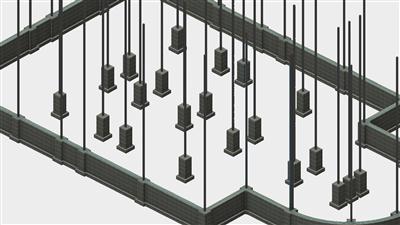
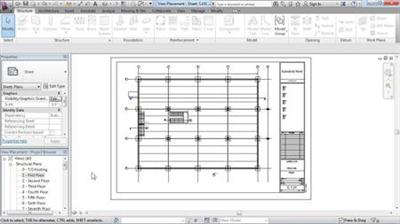
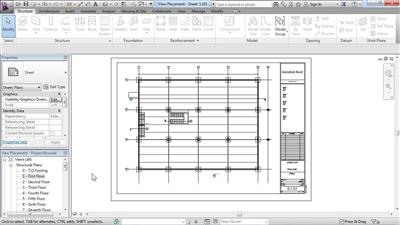
Revit Structure 2013 Essential Training
MP4 | Video: 720p | Duration: 6:23:23 | English | Subtitles: VTT | 1414.4 MB​

2eb6fee6e636ff86295526f351c7950c.jpg


[/center]


x Revit Structure 2013 Essential Training


8016addcbf1c8df1025876ced8723f1a.jpg


[/center]


Close


Revit Structure 2013 Essential Training
MP4 | Video: 720p | Duration: 6:23:23 | English | Subtitles: VTT | 1414.4 MB

Discover how to create detailed architectural models and documentation in Revit Structure. This course includes an introduction to the user interface; hands-on experience drawing and editing Revit elements; viewing and manipulating objects in 3D; and producing design documentation from a Revit model and imported CAD entities. Author Brian Myers provides detailed instructions for building the most common structural components, such as columns, walls, foundations, beams and bracings, and ramps and stairs, which you can recreate in your own architectural drawings.

Topics include:
Controlling your view of a modelSelecting, moving, copying, and splitting modelsCreating levels and gridsPlacing structural columnsCreating custom wallsAdding piers and pilasters to a foundationReinforcing areas with rebarAdding beams, joists, and bracingCreating and modifying floorsUsing callout views for detailAnnotating drawingsCreating schedules and legendsPrinting sheetsImporting CAD filesLinking to a Revit model

Recommend Download Link Hight Speed | Please Say Thanks Keep Topic Live ​

 

96d0f853e6700b757e2bd01c7b7947b4.jpg


Python GUI Development with Tkinter
MP4 | Video: 720p | Duration: 4:55:31 | English | Subtitles: VTT | 746.2 MB​

96d0f853e6700b757e2bd01c7b7947b4.jpg


[/center]


x Python GUI Development with Tkinter


eda98e1de05d8b695b1a256367f650f7.jpg


[/center]


Close


Python GUI Development with Tkinter
MP4 | Video: 720p | Duration: 4:55:31 | English | Subtitles: VTT | 746.2 MB

Put an end to writing command-line interfaces for your programs. Use Tkinter, the Python package for creating themed interface elements with the Tk GUI toolkit. Join Barron Stone in this course as he walks through the most popular Tk widgets and shows you how to customize their appearance and behavior to fit your application. You'll learn how to manage the placement of those widgets on the GUI and make them react to user behavior with event-driven code. The final chapter takes you through the entire start-to-finish process of building the user interface for an application, so you can see how all of these techniques work in a real-world development scenario.

Topics include:
Installing Python 3 and Tcl/Tk for Mac or WindowsCreating and configuring themed Tk widgetsDecorating the GUI with text labels and imagesCapturing input from buttons, menus, and entry fieldsPresenting choices with check boxes and radio buttonsUsing geometry managers to lay out the GUIOrganizing widgets inside of frames and windowsHandling user actions with event-driven programmingCreating a simple drawing tool with the CanvasPrompting users with pop-up dialog boxes

Recommend Download Link Hight Speed | Please Say Thanks Keep Topic Live ​

 

c5022514578b6d2f840801836a980c5a.jpg


Learning Study Skills
MP4 | Video: 720p | Duration: 1:36:26 | English | Subtitles: VTT | 609.6 MB​

c5022514578b6d2f840801836a980c5a.jpg


[/center]


x Learning Study Skills


5a984614a75d2ed168b1c2f32aa405f2.jpg


[/center]


Close


Learning Study Skills
MP4 | Video: 720p | Duration: 1:36:26 | English | Subtitles: VTT | 609.6 MB

Whether you want to ace your next test or simply retain information better (at work or at home), good study habits are essential. Paul Nowak offers tips for improving your reading speed and comprehension, creating detailed notes, committing the learning to memory, and even taking tests. The information in this course is appropriate for all levels of learners, from grade school and grad students to full-time members of the workforce. Start watching now-you'll never approach studying the same way again.

Topics include:
Learning to read faster and more thoroughlyImproving your note-taking skillsEnhancing your memoryMemorizing new words and formulasScoring better on testsCreating study plans

Recommend Download Link Hight Speed | Please Say Thanks Keep Topic Live ​
 

1e757ed7bc6c7089b9a811d7f0a10036.jpg


Dealing with a Difficult Boss
MP4 | Video: 720p | Duration: 31:24 | English | Subtitles: VTT | 211.1 MB​

1e757ed7bc6c7089b9a811d7f0a10036.jpg


[/center]


x Dealing with a Difficult Boss


01a9c21be3a582e1477e78f4f7fe9a3a.jpg


[/center]


Close


Dealing with a Difficult Boss
MP4 | Video: 720p | Duration: 31:24 | English | Subtitles: VTT | 211.1 MB

Author and professional coach Todd Dewett helps you address the challenge of working with a difficult boss by helping you identify, understand, and manage the triggers that contribute to your problematic relationship. He also outlines actions you can take, such as correctly documenting events, knowing when to speak up, and-sometimes-not taking any action at all.

Recommend Download Link Hight Speed | Please Say Thanks Keep Topic Live ​
 

9be5b960cef85c72b3a02760e2b9680d.jpg


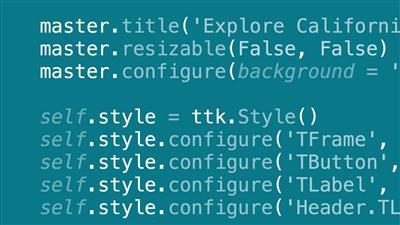
UX Foundations: Prototyping (2013)
MP4 | Video: 720p | Duration: 1:39:08 | English | Subtitles: VTT | 587.3 MB​

9be5b960cef85c72b3a02760e2b9680d.jpg


[/center]


x UX Foundations: Prototyping (2013)


7c6cbb4af1dee6f6c9a7985b636978e6.jpg


[/center]


Close


UX Foundations: Prototyping (2013)
MP4 | Video: 720p | Duration: 1:39:08 | English | Subtitles: VTT | 587.3 MB

Prototyping allows designers to quickly and inexpensively explore multiple iterations of designs, test their performance, and craft even better user experiences for websites and applications. Explore what prototypes are, when they are appropriate, and the different strategies for creating prototypes in this introductory course with lynda.com senior author James Williamson. Learn about sketches, wireframes, mockups, and other types of prototypes; the tools that can help you build them; and how to test and refine your designs. This overview will help you decide which prototyping workflow works best for you and your team.

Topics include:
What is a prototype?How prototyping helps user experienceDefining prototype goalsSketching ideasCreating paper prototypesBuilding low-fidelity and high-fidelity prototypesCreating HTML prototypesTesting and evaluating prototypesChoosing the right prototyping tool

Recommend Download Link Hight Speed | Please Say Thanks Keep Topic Live ​

 

fd7e2b3399a76e88a11c7e1bac048804.jpg


OS X Server Essential Training: Yosemite
MP4 | Video: 720p | Duration: 3:38:52 | English | Subtitles: VTT | 532.1 MB​

fd7e2b3399a76e88a11c7e1bac048804.jpg


[/center]


x OS X Server Essential Training: Yosemite


69402a5b9d78a7c5076ad9e9931e2861.jpg


[/center]


Close


OS X Server Essential Training: Yosemite
MP4 | Video: 720p | Duration: 3:38:52 | English | Subtitles: VTT | 532.1 MB

OS X Server makes server setup simple for administrators and helps put basic network features, like file sharing, calendaring, and automatic updates, in place for Mac users. Whether your server is for the home, a small office, or a large business, this course will help you prepare your network and set up OS X Server to ensure years of reliable service. Author Sean Colins demonstrates how to get your server online, administer user and group accounts, and enable in-demand services such as contacts, calendars, website publishing, wikis, and efficient server-staged updates for iPads, iPhones, and Macs.

Topics include:
Planning your installationSetting up the networkAddressing and naming the serverSetting up network foldersAdministering file sharingServing shared calendarsEnabling a wikiSetting up messagesSetting user and group access controlsWorking with DNSConfiguring port forwardingAdministering users with Profile Manager

Recommend Download Link Hight Speed | Please Say Thanks Keep Topic Live ​

 

0b3c1a617f5224785d7681f7a55bd568.jpg


Revit 2017 Essential Training: Structure
MP4 | Video: 720p | Duration: 4:57:58 | English | Subtitles: VTT | 1617.7 MB​

0b3c1a617f5224785d7681f7a55bd568.jpg


[/center]


x Revit 2017 Essential Training: Structure


0dfec20d0d30f5b14708c1f221875ab5.jpg


[/center]


Close


Revit 2017 Essential Training: Structure
MP4 | Video: 720p | Duration: 4:57:58 | English | Subtitles: VTT | 1617.7 MB

Revit 2017 is a great program for structural engineering, offering cutting-edge tools for creating design alternatives, building simulations, and publishing clear, easy-to-share documentation. This training course focuses on the major components of Revit used for structural design and is designed for the user who prefers to work in imperial units (inches and feet).

Starting with referencing an architectural model, you'll learn how to add foundations, rebar, and framing; set up views and drawings; model slabs and trusses; and build a whole lot more. This course is designed for members with no Revit experience, or for more advanced users who want to jump to a topic and start from there. Either way, this comprehensive course will teach you what you need to know to be dangerous in Revit structure.

Topics include:
Linking architectureCreating levelsCreating view templatesAdding and placing steel columnsCreating foundations, with footings, piers, pilasters, and slabsDesigning retaining wallsAdding beam systemsTagging steel framingCreating a slab floorCantelivering slab edgesReinforcing with rebarAdding brace framesCreating stairs and rampsDetailing and annotating drawingsInserting AutoCAD geometryCreating schedulesAdding and attaching trussesDescriptionting and sharing files

Recommend Download Link Hight Speed | Please Say Thanks Keep Topic Live ​

 

9fd88d7921e371fac36c1d1d21a59f42.jpg


iOS 11: iPhone and iPad New Features
MP4 | Video: 720p | Duration: 55:02 | English | Subtitles: VTT | 134.0 MB​

9fd88d7921e371fac36c1d1d21a59f42.jpg


[/center]


x iOS 11: iPhone and iPad New Features


9e94747ebac6b5b034b5e6435f266bf9.jpg


[/center]


Close


iOS 11: iPhone and iPad New Features
MP4 | Video: 720p | Duration: 55:02 | English | Subtitles: VTT | 134.0 MB

Learn about the cool new features in iOS 11, the operating system for iPhone and iPad. Garrick Chow explores the revamped Control Center in iOS 11, and how to customize its options. He also shows how to browse, download, and open files stored in various locations on your iOS device or in the cloud using the Files app; instantly mark up ; share Wi-Fi passwords with other users-without revealing the password itself in the process; and prevent notifications and other distractions from appearing when your device detects that you're driving. Garrick also covers app updates, including the new document scanning feature in the Notes app. To wrap up the course, he dives into new iPad features like the Dock, which makes it easy to drag and drop files between apps, and Key Flicks, which you can use to quickly type numbers and special characters without needing to switch to the dedicated numbers and special characters keyboard.

Recommend Download Link Hight Speed | Please Say Thanks Keep Topic Live ​

 

164b5ae02a9b0366079ba1fa5abf47e4.jpg


Learning AppleScript
MP4 | Video: 720p | Duration: 1:42:30 | English | Subtitles: VTT | 294.0 MB​

164b5ae02a9b0366079ba1fa5abf47e4.jpg


[/center]


x Learning AppleScript


931b6fba249c56c0babd3f7be84b3e9b.jpg


[/center]


Close


Learning AppleScript
MP4 | Video: 720p | Duration: 1:42:30 | English | Subtitles: VTT | 294.0 MB

AppleScript is the automation language for (Mac OSX). Smart Mac owners use it to save time on repetitive tasks and control the many other applications that live on your system, including the Adobe and Microsoft Office suites. This project-based course shows how to build a real-world app that adds metadata and a watermark to image files, using some built-in logic to discover whether the users have Photoshop installed on their computer. Using this example script, author Scott Simpson walks you through the syntax, features, and common gotchas of AppleScript.

Topics include:
What is AppleScript?Using comments, variables, text, and numbersWorking with files and foldersUsing conditionals and creating loopsBuilding functionsControlling other programs with AppleScriptPreventing and catching errorsDistributing your AppleScript application

Recommend Download Link Hight Speed | Please Say Thanks Keep Topic Live ​
 

60a747f985598d776def051389ff5856.jpg


Swift: Zero to Hero
MP4 | Video: 720p | Duration: 5:46:49 | English | 1431.0 MB​

60a747f985598d776def051389ff5856.jpg


[/center]


x Swift: Zero to Hero


4b46b5e264f462ad1c1f1c59157d17b4.jpg


[/center]


Close


Swift: Zero to Hero
MP4 | Video: 720p | Duration: 5:46:49 | English | 1431.0 MB

Apple's new programming language is already the
most popular way of building iOS apps, but if you've yet to learn this
is your chance. This class is an intensive, one-day course designed to
jump start your app development: you'll build a real app from scratch,
even if you've never used Swift before. Yes, you'll learn a huge
amount of Swift, but you'll also learn about Xcode, UIKit, debugging
and much more.

Level: Beginner. Equipment: Laptop with macOS and Xcode 8.1 installed.

Recommend Download Link Hight Speed | Please Say Thanks Keep Topic Live ​
 

231bc4e2d14269913bf500d0d811478e.jpg


Melodyne Studio Essential Training
MP4 | Video: 720p | Duration: 3:10:32 | English | Subtitles: VTT | 731.1 MB​

231bc4e2d14269913bf500d0d811478e.jpg


[/center]


x Melodyne Studio Essential Training


0e3b0c74c5bfa58060147ce4eeb89188.jpg


[/center]


Close


Melodyne Studio Essential Training
MP4 | Video: 720p | Duration: 3:10:32 | English | Subtitles: VTT | 731.1 MB

In this course, author Skye Lewin explores how to harness the power of the leading pitch correction software, Melodyne. The course begins with the installation and setup process, and includes recommendations on choosing the best workflow and preference settings for your project. The lessons also demonstrate how to get audio into Melodyne, whether importing existing files or recording new tracks; how to arrange a new session; and how to edit the audio and export the corrected tracks.

Topics include:
Understanding the Melodyne variants: Editor, Assistant, Essential, and StudioCreating, moving, and deleting tracksSetting the tone scale, meter, and tempo in a sessionWorking with multiple tracks (in Melodyne Studio)Working with Direct Note Access to edit polyphonic audio (in Melodyne Editor)Using the various editing tools in MelodyneCorrecting pitch and time automaticallyAdjusting pitch and time manually with the Melodyne toolsSetting hardware, plug-in, and MIDI preferencesEditing audio with MIDIThe Mixer in MelodyneUsing Melodyne plug-in, Melodyne Bridge and ReWireExporting with Spot to Pro Tools

Recommend Download Link Hight Speed | Please Say Thanks Keep Topic Live ​
 

5931534607f390a3865ec477924479a8.jpg


Photoshop Insider Training: Enhancing Photos
MP4 | Video: 720p | Duration: 1:37:51 | English | Subtitles: VTT | 1069.5 MB​

5931534607f390a3865ec477924479a8.jpg


[/center]


x Photoshop Insider Training: Enhancing Photos


88a03402bd1c0d3201308b21f2420508.jpg


[/center]


Close


Photoshop Insider Training: Enhancing Photos
MP4 | Video: 720p | Duration: 1:37:51 | English | Subtitles: VTT | 1069.5 MB

In this course, Photoshop senior product manager Bryan O'Neil Hughes takes you on an insider's tour of the key photo-enhancement features in Adobe Photoshop CS6, providing details on how they work, background into their evolution, and insights into how to use them more effectively.

The course begins with an exploration of Photoshop features that make changes to an entire image: the Crop tool, the Auto button that's present in many adjustment dialog boxes, and the Curves panel options. Next, Bryan explores sharpness and blur. Each has its place in a photograph, and Bryan details how the sharpening and blur features work and how to get the most out of them.

The course also looks at adjusting specific areas of an image with the Dodge, Burn, and Sponge tools, and at the growing array of content-aware features in Photoshop, showing how they work and what to do when they don't work. The course concludes with a tour of the powerful Liquify filter, features for correcting lens distortion, and the world of presets that allow you to apply settings with a single click.

Topics include:
Reinventing the Crop toolRediscovering the Auto buttonGetting the most out of curvesUnderstanding Smart SharpenBuilding blur and softnessWorking with a graphics tabletUsing Content-Aware Fill, Scale, and Move effectivelyCorrecting distortion automatically based on lens profilesUsing presets

Recommend Download Link Hight Speed | Please Say Thanks Keep Topic Live ​
 
Zurück
Oben Unten