• Regeln für den Video-Bereich:

    In den Börsenbereich gehören nur Angebote die bereits den Allgemeinen Regeln entsprechen.

    Einteilung

    - Folgende Formate gehören in die angegeben Bereiche:
    - Filme: Encodierte Filme von BluRay, DVD, R5, TV, Screener sowie Telesyncs im Format DivX, XviD und x264.
    - DVD: Filme im Format DVD5, DVD9 und HD2DVD.
    - HD: Encodierte Filme mit der Auflösung 720p oder darüber von BluRay, DVD, R5, TV, Screener sowie Telesyncs im Format x264.
    - 3D: Encodierte Filme von BluRay, die in einem 3D Format vorliegen. Dies gilt auch für Dokus, Animation usw.
    - Serien: Cartoon/Zeichentrick, Anime, Tutorials, Dokumentationen, Konzerte/Musik, Sonstiges sind demnach in die entsprechenden Bereiche einzuordnen, auch wenn sie beispielsweise im High Definition-Format oder als DVD5/DVD9/HD2DVD vorliegen. Ausnahme 3D.
    - Bereich Englisch: Englische Releases gehören immer in diesen Bereich.
    - Bereich Talk: Der Bereich, in dem über die Releases diskutiert werden kann, darf, soll und erwünscht ist.


    Angebot/Beitrag erstellen

    - Ein Beitrag darf erst dann erstellt werden, wenn der Upload bei mindestens einem OCH komplett ist. Platzhalter sind untersagt.
    - Bei einem Scenerelease hat der Threadtitel ausschließlich aus dem originalen, unveränderten Releasenamen zu bestehen. Es dürfen keine Veränderungen wie z.B. Sterne, kleine Buchstaben o.ä. vorgenommen werden. Ausnahme Serienbörse:
    - Bei einem Sammelthread für eine Staffel entfällt aus dem Releasename natürlich der Name der Folge. Beispiel: Die Simpsons S21 German DVDRip XviD - ITG
    - Dementsprechend sind also u.a. verboten: Erweiterungen wie "Tipp", "empfehlenswert", "only", "reup", usw. / jegliche andere Zusatzinformation oder Ergänzung, welche nicht in obiger Beschreibung zu finden ist.

    Aufbau des Angebots und Threadtitel

    Der Titel nach folgendem Muster erstellt zu werden. <Name> [3D] [Staffel] [German] <Jahr> <Tonspur> [DL] [Auflösung] <Quelle> <Codec> - <Group>
    Beispiel: The Dark Knight German 2008 AC3 DVDRip XviD - iND
    Beispiel: The Dark Knight 2008 DTS DL BDRip x264 - iND
    Beispiel: The Dark Knight 2008 AC3 DL BDRip XviD - iND
    Beispiel: The Dark Knight German 2008 AC3 720p BluRay x264 iND
    Beispiel: The Dark Knight 2008 DTS DL 1080p BluRay x264 iND
    Beispiel: Die Simpsons S01 German AC3 DVDRip XviD iND
    Beispiel: Die Simpsons S20 German AC3 720p BluRay x264 iND
    Beispiel: Sword Art Online II Ger Sub 2014 AAC 1080p WEBRip x264 - peppermint
    Entsprechend sind also u.a. verboten: Sonderzeichen wie Klammern, Sterne, Ausrufezeichen, Unterstriche, Anführungszeichen / Erweiterungen wie "Tipp", "empfehlenswert", "only", "reup", usw. / jegliche andere Zusatzinformation oder Ergänzung, welche nicht in obiger Beschreibung zu finden ist
    Ausnahmen hiervon können in den Bereichen geregelt sein.

    Die Beiträge sollen wie folgt aufgebaut werden:
    Überschrift entspricht dem Threadtitel
    Cover
    kurze Inhaltsbeschreibung
    Format, Größe, Dauer sind gut lesbar für Downloader außerhalb des Spoilers zu vermerken
    Nfo sind immer Anzugeben und selbige immer im Spoiler in Textform.
    Sind keine Nfo vorhanden z.B. Eigenpublikationen, sind im Spoiler folgende Dateiinformationen zusätzlich anzugeben :
    Quelle
    Video (Auflösung und Bitrate)
    Ton (Sprache, Format und Bitrate der einzelnen Spuren)
    Untertitel (sofern vorhanden)
    Hosterangabe in Textform außerhalb eines Spoiler mit allen enthaltenen Hostern.
    Bei SD kann auf diese zusätzlichen Dateiinformationen verzichtet werden.

    Alle benötigten Passwörter sind, sofern vorhanden, in Textform im Angebot anzugeben.
    Spoiler im Spoiler mit Kommentaren :"Schon Bedankt?" sind unerwünscht.


    Releases

    - Sind Retail-Release verfügbar, sind alle anderen Variationen untersagt. Ausnahmen: Alle deutschen Retail-Release sind CUT, in diesem Fall sind dubbed UNCUT-Release zulässig.
    - Im Serien-Bereich gilt speziell: Wenn ein Retail vor Abschluss einer laufenden Staffel erscheint, darf diese Staffel noch zu Ende gebracht werden.62
    - Gleiche Releases sind unbedingt zusammenzufassen. Das bedeutet, es ist zwingend erforderlich, vor dem Erstellen eines Themas per Suchfunktion zu überprüfen, ob bereits ein Beitrag mit demselben Release besteht. Ist dies der Fall, ist der bereits vorhandene Beitrag zu verwenden.
    - P2P und Scene Releases dürfen nicht verändert oder gar unter einem iND Tag eingestellt werden.


    Support, Diskussionen und Suche

    - Supportanfragen sind entweder per PN oder im Bereich Talk zu stellen.
    - Diskussionen und Bewertungen sind im Talk Bereich zu führen. Fragen an die Uploader haben ausschließlich via PN zu erfolgen, und sind in den Angeboten untersagt.
    - Anfragen zu Upload-Wünschen sind nur im Bereich Suche Video erlaubt. Antworten dürfen nur auf Angebote von MyBoerse.bz verlinkt werden.


    Verbote

    - Untersagt sind mehrere Formate in einem einzigen Angebotsthread, wie beispielsweise das gleichzeitige Anbieten von DivX/XviD, 720p und 1080p in einem Thread. Pro Format, Release und Auflösung ist ein eigener Thread zu eröffnen.
    - Grundsätzlich ebenso verboten sind Dupes. Uploader haben sich an geeigneter Stelle darüber zu informieren, ob es sich bei einem Release um ein Dupe handelt.
    - Gefakte, nur teilweise lauffähige oder unvollständige Angebote sind untersagt. Dies gilt auch für eigene Publikationen, die augenscheinlich nicht selbst von z.B. einer DVD gerippt wurden. Laufende Serien, bei denen noch nicht alle Folgen verfügbar sind, dürfen erstellt und regelmäßig geupdatet werden.
    - Untersagt sind Angebote, welche nur und ausschließlich in einer anderen Sprache als deutsch oder englisch vorliegen. Ausnahmen sind VORHER mit den Moderatoren zu klären.


    Verstoß gegen die Regeln

    - Angebote oder Beiträge, die gegen die Forenregeln verstoßen, sind über den "Melden"-Button im Beitrag zu melden.
  • Bitte registriere dich zunächst um Beiträge zu verfassen und externe Links aufzurufen.

*** Bestes IPTV *** bester Preis *** gratis Test ***


Englische Tutorials


27ce37b07c816342392c37b78f251377.jpg

Common Core Pre-Algebra
MP4 | Video: AVC 1280x720 | Audio: AAC 44KHz 2ch | Duration: 31Min | 116 MB
Genre: eLearning | Language: English​


Pre Algebra Fundamentals

Hi! My name is Monica Sevilla. I have been teaching common core math and science classes at the secondary level for 20 years. In this course, I will be sharing my expertize and strategies in pre-algebra with you in this course.

In this course, you will learn and understand the fundamentals of Common Core pre-Algebra. You will understand and be able to perform the basic mathematical and algebraic operations that will prepare you for Algebra I.

This course will teach you pre-algebra in a step by step manner. It is perfect for first time students, reviewing basic algebraic concepts, students with special needs, second language learners, and students who like learning at their own pace.

This course is growing and evolving. It will contain video tutorials, practice problems and quizzes. Your feedback is important.


Common Core Pre-Algebra

Recommend Download Link Hight Speed | Please Say Thanks Keep Topic Live
 

01cbe5e79f0f80040db2e7b92eb82547.jpg

Pluralsight - Gin: A Website Application Framework for Go
MP4 | Video: AVC 1280x720 | Audio: AAC 44KHz 2ch | Duration: 2h 35m | 366 MB
Genre: eLearning | Language: English​


This course will introduce you to Gin and show you how to get started with it to build your own web applications.

Gin is one of the most popular web application frameworks available for Go. It comes with a wide variety of options to customize the way that requests are handled and responses are generated. This course will introduce you to Gin and show you how to get started with it to build your own web applications.


Gin: A Website Application Framework for Go

Recommend Download Link Hight Speed | Please Say Thanks Keep Topic Live
 

9d8d62b286b7a59376c19798e78961fc.jpg

Gumroad - Creature Design by By Alex Ruiz
Duration: 58m | Video: h264, yuv420p, 1280x720 30fps | Audio: aac, 44100 Hz, 2 ch | 406 MB
Genre: eLearning | Language: English​


Do you want to make your creatures more believable, frightening, and just plain freakin' cool?! Then this video tutorial is for you!

In this video I create the Cthulhu creature from scratch using Photoshop CS3. Starting with finding a silhouette through sketching, I go through my process in great detail in creating this character. Topics include character design, rendering, form, anatomy, layer blending modes, and finishing touches.
I will show you all of my techniques I use to create professional looking creature designs for your own personal and professional work.
Brushes, photo reference, and textures INCLUDED.
Video is a Quicktime that will play on Mac or PC. Runtime is approximately 1 hour.
More info -


Gumroad - Creature Design by By Alex Ruiz

Recommend Download Link Hight Speed | Please Say Thanks Keep Topic Live
 

e111bb9827b8dcb197853fa659157946.jpg

Gumroad - Environment Design 2
Duration: 55m | Video: h264, yuv420p, 1280x720 30fps | Audio: aac, 44100 Hz, 2 ch | 335 MB
Genre: eLearning | Language: English​


This video tutorial goes from the basics shown in my previous video, 'Environment Design 1', and incorporates a few more advanced techniques. Using Photoshop, I start with custom brushes( included in ) which are used to inspire new and interesting designs.

I cover the basics all the way to more advanced techniques, giving the viewer a broad overview of my process. By incorporating custom brushes, value sketching, good composition, color analysis, and photography, an artist can create visually stunning works in a fairly short amount of time. Included in the are the brushes and photography reference used in the creation of this image.


Gumroad - Environment Design 2

Recommend Download Link Hight Speed | Please Say Thanks Keep Topic Live
 

3fa57c79c87528724c4b570a78a377d7.jpg

Gumroad - Environment Design 3
Duration: 58m | Video: h264, yuv420p, 1280x720 30fps | Audio: aac, 44100 Hz, 2 ch | 1.2 GB
Genre: eLearning | Language: English​


This video tutorial goes from the basics shown in my previous video, 'Environment Design 1', and incorporates a few more advanced techniques. Using Photoshop, I start with custom brushes( included in ) which are used to inspire new and interesting designs.

I cover the basics all the way to more advanced techniques, giving the viewer a broad overview of my process. By incorporating custom brushes, value sketching, good composition, color analysis, and photography, an artist can create visually stunning works in a fairly short amount of time. Included in the are the brushes and photography reference used in the creation of this image. Enjoy!

Runtime approx 55 min.

Recommend Download Link Hight Speed | Please Say Thanks Keep Topic Live
 

483a1a8d52b9d962e78e2f2b8b066f80.jpg

How to Trade the Stock Market - For School Students
MP4 | Video: AVC 1280x720 | Audio: AAC 44KHz 2ch | Duration: 1.5 Hours | 279 MB
Genre: eLearning | Language: English​


Learn the basics of investing and savings before most do

Its unfortunate that our schools don't teach the basics of finance, saving and investment to our ****. As an adult, don't you wonder why our schools don't make it mandatory for children to take finance classes? In fact, isn't that what all our adult problems are these days - thinking about managing our finances, our loans etc.? Just imagine as **** if we were knew this stuff, we would be on our way to a successful retirement a lot earlier than expected.

That's why we're here today. Over the past 2 years, our course instructor has been teaching at Chicago's public schools - the basics of stock market investing to 8th grade students as part of their Math class. This course is the online version of the same class.

At the end of it, you will all be prepared to invest in the stock market. So next time you give your **** some pocket money or they earn some, they will know exactly where to put it - in the stock market and watch that money grow. If they don't have any money, not a problem, we'll show you exactly how to paper trade, so they'll be ready when you have some.

So parents, get your **** onboard, get them a notebook, get them ready to take some notes and lets get started. Its going to be a lot of fun.

WHO IS THIS COURSE FOR?
Middle and High school students who are interested in learning the basics of investing in the stock market.
Entry level investors who want to learn the absolute basics of stock market investing before they get started.
COURSE OUTLINE
What is the stock market and why is it important?
How to pick the right stocks?
Understanding Price and Earnings to make good investment decisions.
When to sell a stock and how to measure return on investment?
The importance of Diversification
The Importance of Savings, Investing and Compounding Interest
Bonds
WHAT DO YOU GET WITH THE COURSE?
155 page kid friendly detailed presentation in pdf format walking you step by step through the entire course.
24/7 support access at any point of time for any questions.


How to Trade the Stock Market - For School Students

Recommend Download Link Hight Speed | Please Say Thanks Keep Topic Live

 

4dd0928768b68a2c4805dc2eba758885.jpg

Introduction to Adobe Premiere Elements 11
MP4 | Video: AVC 1280x720 | Audio: AAC 44KHz 2ch | Duration: 3 Hours | 916 MB
Genre: eLearning | Language: English​


Learn how to assemble your video clips into great-looking movies complete with titles, transitions, and special effects.

This focused workshop provides over 3 hours of high-quality video training on editing your own personal videos in Adobe® Premiere Elements® 11. Trainer Chad Perkins starts by introducing you to the Premiere Elements workspace and explaining how to bring video files into the program. Next, you'll learn how to assemble your video clips into great-looking movies complete with titles, transitions, and special effects. Chad will also show you some of the new features in Premiere Elements 11, such as viewing your videos and photos on a map based on where they were taken. Finally, you'll learn how to share your movies with friends and family on DVDs or the Web.


Introduction to Adobe Premiere Elements 11

Recommend Download Link Hight Speed | Please Say Thanks Keep Topic Live

 

987d6e73f531d670edd73eac6a885229.jpg

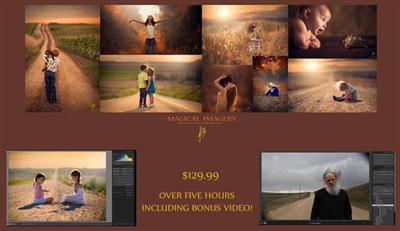
Jake Olson Studios - Photoshop Secrets
WMV | Video: wmv3, yuv420p, 1920x1200 | Audio: wmav2, 44100 Hz, 1 ch | 4.6GB
Genre: eLearning | Language: English​


The videos are highlights of one on one editing classes I conduct every day with real students. They are unedited and they cover how I transpose my skies and combine exposures, as well as how to acheive warm rich tones in your finished images. NO SECRET IS HELD BACK! As well they cover how I make my out of camera images more dynamic in post. I edit several images from start to finish and a few that you may have seen on Facebook or 500px! (Over Seven Hours in Length total)!!


Jake Olson Studios - Photoshop Secrets

Recommend Download Link Hight Speed | Please Say Thanks Keep Topic Live

 

12be321c2883964a19c50c2d42a304af.jpg

Learn Oracle SQL from Scratch - Step by Step Approach
MP4 | Video: AVC 1280x720 | Audio: AAC 44KHz 2ch | Duration: 2 Hours | 162 MB
Genre: eLearning | Language: English​


One-stop shop to learn SQL from Scratch, become Oracle certified and earn $100K in IT Industry

This unique introductory SQL tutorial not only provides easy-to-understand Oracle SQL instructions, but it allows you to prepare for SQL Interviews and Oracle Certifications. This course bundles Basic + Intermediate + Advanced SQL + SQL Interview Questions + Oracle Certification Preparation.

This Course is for beginners who doesn't have any knowledge about SQL. I have taught the course in such a way that any non-technical person will understand easily all Database Concepts and SQL Commands.

In this course, you will learn:

Oracle Database 11g Installation
Databases Concepts
Retrieving & Filtering Data from Database
Using various Database Functions
Creating Tables and modifying its structure
Joining Data from various Tables
Grouping Data and calculating summaries
Enforcing Constraints on Tables
Softwares used in Course

Oracle Database 11g
SQL Developer

On course completion, You will be Mastered in SQL and can implement Successfully it in your work place or will surely land on High Paying Job


Learn Oracle SQL from Scratch - Step by Step Approach

Recommend Download Link Hight Speed | Please Say Thanks Keep Topic Live

 

a0b54735b0e097384aedf476bc466bc1.jpg

Learn Ruby on Rails By Building Projects
MP4 | Video: AVC 1280x720 | Audio: AAC 44KHz 2ch | Duration: 13 Hours | 2.61 GB
Genre: eLearning | Language: English​


Get Your Ruby On Rails Skill a Quantum Jump With Project Based Training

Projects in Ruby On Rails is for developers looking to upgrade their ruby and rails skills. This course is not for beginners and will be more suited to professionals who have already done some Ruby coding. If you are new to Ruby on Rails you can try our introductory course" Learn Ruby on Rails from Scratch.

The course has been taught primarily in Linux. We have included tutorials to help you get started in Windows but we suggest you use some flavour of Linux for this course. You can use virtual OS if required. This course also assumes you know SQL and as we have used it in all the examples. The following projects have been selected and created in the course. It will not only help you understand the core concepts of ROR but will also teach you the best of development practices.

Project Details

Book Store - The first project is a simple book stock application. You will learn to install the Rails and MySQL and will build the app step by step adding controllers, views and models. By the end of it you will have pretty good idea to build yourself a similar stock keeping web app in ROR.

Blogging System - Learn to make a complete blog management system like WordPress in Ruby on Rails. Learn to design your App from ground up using the MVC architecture . You will learn smart ruby coding techniques in this project.

Image Gallery - Learn to create image gallery with optimal image storage and retrieval mechanism. This simple yet fun project will build further on your knowledge and will teach you professional rail development methodologies.

Shopping Cart - A web development course is incomplete without a shopping cart project. You will learn the basic cart development process and you can extend the code to build your own online stores. We have used the Spree system for this project.

Content Management System - This is the most complex of the project tackled in the course. This project is a robust content management tool similar to many commercial applications. It will refresh all the techniques and processes learn in this course.

If you successfully build and improve on the projects covered in this course you will be able to undertake and complete any project in ROR. So come aboard be be the Rails Ninja..


Learn Ruby on Rails By Building Projects

Recommend Download Link Hight Speed | Please Say Thanks Keep Topic Live

 

4a57ddbbb85b8c973b491cc4ab9792cc.jpg

Math Exam Preparation Course: Ontario Grade 9 Math
MP4 | Video: AVC 1280x720 | Audio: AAC 44KHz 2ch | Duration: 7.5 Hours | 4.75 GB
Genre: eLearning | Language: English​


Study efficiently and effectively with the help of professional guidance, resources, and support.

Master the skills required to effectively prepare for an Ontario Grade 9 (Academic) math exam. Students receive coaching and tools to address a wide range of topics - including how to approach math problems, planning, goal setting, and managing exam-related math anxiety.

Students will put what they learn into practice by writing practice exams targeted at their current skill level. Detailed video solutions for each and every question explain key concepts and show what to include in answers in order to receive full marks.

Preparing for a math exam doesn't need to be stressful. Sign-up now and benefit from some of the "best-of" tips and guidance from an experienced Ontario educator.


Math Exam Preparation Course: Ontario Grade 9 Math

Recommend Download Link Hight Speed | Please Say Thanks Keep Topic Live
 

7996c07271eac586ea835d0c83e5594f.jpg

Microsoft SharePoint Server 2013 Core Solutions Exam 70-331
MP4 | Video: AVC 1280x720 | Audio: AAC 44KHz 2ch | Duration: 6 Hours | 2.46 GB
Genre: eLearning | Language: English​


Designing, installing and configuring Microsoft SharePoint Server 2013 for Certification Exam 70-331

SharePoint 2013 Core Solutions teaches students what they need to consider when preparing to install and configure a Microsoft SharePoint Server 2013 infrastructure. Content will cover guidelines, best practices and important things to consider during your SharePoint deployment. It also introduces all of the topics on the 70-331 Microsoft certification exam.


Microsoft SharePoint Server 2013 Core Solutions Exam 70-331

Recommend Download Link Hight Speed | Please Say Thanks Keep Topic Live

 
Zurück
Oben Unten