




Discover The Power Of Quickbooks : Complete Training Package

This course provides QuickBooks Online education and is required to take the QuickBooks Online Certification exam.
What you'll learn
How to use chart of accounts in QuickBooks Online?
How to customize balance sheet in QuickBooks Online?
How to Set up Profit and Loss Statement in QuickBooks
Accounting Terms: A to Z Glossary
Managing accountant users in QuickBooks Online
How to apply a journal entry to a customer invoice in QuickBooks Online?
How do I add a transaction to reconciliation in QuickBooks Online?
Set or change the closing date and password in QuickBooks Online
Professional Bookkeeping with QuickBooks Online
How do you change the beginning balance in QuickBooks online bank reconciliation?
How to connect your bank and credit cards to QuickBooks online ?
Find, categorise, and edit transactions in QuickBooks Online
How do I add multiple customers in QuickBooks Online?
Handle a customer credit or overpayment in QuickBooks Online
How do you customize an invoice in QuickBooks Online?
How to move a payment out of undeposited funds in QuickBooks Online?
How do I categorize a payment to an owner in QuickBooks?
How do I pay multiple bills at one time in QuickBooks Online?
How to set up workflow in QuickBooks Online?
How to set up and use projects in QuickBooks Online
How do I customize statements in QuickBooks Online?
Working with Management Reports in QuickBooks Online
Requirements
There are no prerequisites to take these course.
This course can be taken on either a PC or Mac.
Description
Discover the Power of QuickBooks : Complete Training PackageLearn how to set up and use Intuit QuickBooks Online to handle business transactions with this online course.This course introduces you to QuickBooks Online; Intuit's Internet or cloud-based bookkeeping and accounting program. You learn how to use the most important features in the Online version of QuickBooks.This training course guides you step-by-step through the process of using Intuit QuickBooks Online accounting software to meet your business needs.We show you how to create and customize company files and manage users and customers. We cover how to handle sales transactions and manage your products and services while you generate reports with QuickBooks. Sign up to quickly polish your accounting software skills.QuickBooks continues to be the dominant accounting software used by small and medium-sized businesses. Today more than ever, the cloud-based QuickBooks Online is quickly replacing desktop accounting software versions due to its accessibility and flexibility. This course series will teach you how to manage your business financials using QuickBooks Online.This course lays out everything you need to know to make full use of Intuit's Quickbooks Online cloud accounting software. We teach you the fundamental concepts of accounting and how they apply in handling your business transactions and preparing reports with QuickBooks Online. We begin with an overview of the software that shows you how to select the right subscription plan for your business.The course then breaks down how to create and customize company files on QuickBooks and how to use the program's unique user interface.We demonstrate how to upload QuickBooks desktop files to its Online version and manage users as an administrator. We then study the scope of the 'chart of accounts' on QuickBooks and explain how to handle customers and 'sub-customers' on the program's customer list by adding, editing, importing and making them inactive; track payables, inventory, and receivables; generating reports; and more.You will how to set up your accounts for different types of businesses, enter budgets, and how to track situations in which the owner uses or invests company funds.We also discuss how to record sales transactions, receive payments and issue credit memos, refunds and statements to customers. The course wraps up by training you to handle products and services on QuickBooks Online while you generate reports related to customers, sales, products and services.This course covers the basic and advanced features of QuickBooks Online accounting software to meet your business needs. It is of interest to aspiring accountants, managers and business owners and offers you a valuable new skill that can boost your career.SyllabusThere are five domains within the course and information on what is covered is as follows omain 1 - QuickBooks Online Administration, Set Up QuickBooks Online, Manage Company Settings, Manage Lists, Manage Recurring Transactions, Journal Entries and Connect QuickBooks Online to Apps.Domain 2 - Sales and Money In, Set Up Customers, Set Up Products and Services, Manage Sales Settings, Record Basic Money-In Transactions.Domain 3 - Vendors and Money Out, Manage Vendor Records, Manage Expense Settings, Record and Manage Basic Money-Out Transactions.Domain 4 - Bank Accounts, Transactions Rules, and Receipts, Implement Financial Account Connections, Manage Bank Feeds and Receipts.Domain 5 - Basic Reports and Views, Content and Purpose of Reports, Customise and Deliver Standard Reports, Access Other Reports and Views.
Overview
Section 1: Domain 1 - QuickBooks Online Administration
Lecture 1 Introduction
Lecture 2 How to use chart of accounts in QuickBooks Online?
Lecture 3 How to customize balance sheet in QuickBooks Online?
Lecture 4 How to Set up Profit and Loss Statement in QuickBooks
Lecture 5 Accounting Terms: A to Z Glossary
Lecture 6 Managing accountant users in QuickBooks Online
Lecture 7 Manage clients in QuickBooks Online Accountant
Lecture 8 How to apply a journal entry to a customer invoice in QuickBooks Online?
Lecture 9 How do I add a transaction to reconciliation in QuickBooks Online?
Lecture 10 Set or change the closing date and password in QuickBooks Online
Lecture 11 Professional Bookkeeping with QuickBooks Online
Lecture 12 How do you change the beginning balance in QuickBooks online bank reconciliation
Lecture 13 How to connect your bank and credit cards to QuickBooks online ?
Lecture 14 Find, categorise, and edit transactions in QuickBooks Online
Section 2: Domain 2 - Sales and Money In, Set Up Customers
Lecture 15 How do I add multiple customers in QuickBooks Online?
Lecture 16 Handle a customer credit or overpayment in QuickBooks Online
Lecture 17 How do you customize an invoice in QuickBooks Online?
Lecture 18 How to move a payment out of undeposited funds in QuickBooks Online?
Lecture 19 Which transaction types should be recorded using the bank deposit form?
Lecture 20 What are the payment options for QuickBooks?
Lecture 21 Using Payment Links in QuickBooks Online to Streamline Payment Collection
Lecture 22 How to record payment refund in QuickBooks Online?
Lecture 23 How do I add an expense to a customer in QuickBooks Online?
Lecture 24 QuickBooks Online GoPayment Mobile App Explained
Lecture 25 How do I set up receipts in QuickBooks?
Lecture 26 Set up Autopay for recurring invoices in QuickBooks Online
Lecture 27 How do I import customer payments into QuickBooks Online?
Lecture 28 How do I categorize Products and services in QuickBooks Online?
Lecture 29 How can your QuickBooks Online clients accept online payments from customers?
Lecture 30 How to Set Up, Track & Pay Sales Tax in QuickBooks Online
Lecture 31 How do I account for a contractor in QuickBooks?
Section 3: Domain 3 - Vendors and Money Out
Lecture 32 How do I categorize a payment to an owner in QuickBooks?
Lecture 33 How do I pay multiple bills at one time in QuickBooks Online?
Lecture 34 How to apply a payment to a bill in QuickBooks Online?
Lecture 35 Undeposited Funds & QuickBooks Deposits
Lecture 36 How to add your vendors record QuickBooks Online
Section 4: Domain 4 - Bank Accounts, Transactions Rules
Lecture 37 How to set up workflow in QuickBooks Online?
Lecture 38 How do I automate transactions in QuickBooks Online?
Lecture 39 How to set up and use projects in QuickBooks Online
Section 5: Domain 5 - Basic Reports and Views
Lecture 40 How do I customize statements in QuickBooks Online?
Lecture 41 How do I run a tag report in QuickBooks Online?
Lecture 42 Working with Management Reports in QuickBooks Online
Lecture 43 Custom Report Builder in QuickBooks Online Advanced Explained
This is a must-do course for anyone wanting to enhance their career in accounts in roles such as Accounts Assistant, Finance Assistant, and Bookkeeper.,It would also benefit business owners who manage their own financial records.,QuickBooks Accountant,Getting to grips with QuickBooks Online will help you impress potential employers, and you'll have skills that are immediately applicable to the workplace.,Those seeking accreditation for QuickBooks certificates,Prior experience and understanding of manual accounting procedures are necessary and preferably some experience in a desktop computerised accounting package.
Say "Thank You"
rapidgator.net:
nitroflare.com:
ddownload.com:
Published 11/2024
MP4 | Video: h264, 1920x1080 | Audio: AAC, 44.1 KHz
Language: English | Size: 1.19 GB | Duration: 2h 15m
MP4 | Video: h264, 1920x1080 | Audio: AAC, 44.1 KHz
Language: English | Size: 1.19 GB | Duration: 2h 15m
This course provides QuickBooks Online education and is required to take the QuickBooks Online Certification exam.
What you'll learn
How to use chart of accounts in QuickBooks Online?
How to customize balance sheet in QuickBooks Online?
How to Set up Profit and Loss Statement in QuickBooks
Accounting Terms: A to Z Glossary
Managing accountant users in QuickBooks Online
How to apply a journal entry to a customer invoice in QuickBooks Online?
How do I add a transaction to reconciliation in QuickBooks Online?
Set or change the closing date and password in QuickBooks Online
Professional Bookkeeping with QuickBooks Online
How do you change the beginning balance in QuickBooks online bank reconciliation?
How to connect your bank and credit cards to QuickBooks online ?
Find, categorise, and edit transactions in QuickBooks Online
How do I add multiple customers in QuickBooks Online?
Handle a customer credit or overpayment in QuickBooks Online
How do you customize an invoice in QuickBooks Online?
How to move a payment out of undeposited funds in QuickBooks Online?
How do I categorize a payment to an owner in QuickBooks?
How do I pay multiple bills at one time in QuickBooks Online?
How to set up workflow in QuickBooks Online?
How to set up and use projects in QuickBooks Online
How do I customize statements in QuickBooks Online?
Working with Management Reports in QuickBooks Online
Requirements
There are no prerequisites to take these course.
This course can be taken on either a PC or Mac.
Description
Discover the Power of QuickBooks : Complete Training PackageLearn how to set up and use Intuit QuickBooks Online to handle business transactions with this online course.This course introduces you to QuickBooks Online; Intuit's Internet or cloud-based bookkeeping and accounting program. You learn how to use the most important features in the Online version of QuickBooks.This training course guides you step-by-step through the process of using Intuit QuickBooks Online accounting software to meet your business needs.We show you how to create and customize company files and manage users and customers. We cover how to handle sales transactions and manage your products and services while you generate reports with QuickBooks. Sign up to quickly polish your accounting software skills.QuickBooks continues to be the dominant accounting software used by small and medium-sized businesses. Today more than ever, the cloud-based QuickBooks Online is quickly replacing desktop accounting software versions due to its accessibility and flexibility. This course series will teach you how to manage your business financials using QuickBooks Online.This course lays out everything you need to know to make full use of Intuit's Quickbooks Online cloud accounting software. We teach you the fundamental concepts of accounting and how they apply in handling your business transactions and preparing reports with QuickBooks Online. We begin with an overview of the software that shows you how to select the right subscription plan for your business.The course then breaks down how to create and customize company files on QuickBooks and how to use the program's unique user interface.We demonstrate how to upload QuickBooks desktop files to its Online version and manage users as an administrator. We then study the scope of the 'chart of accounts' on QuickBooks and explain how to handle customers and 'sub-customers' on the program's customer list by adding, editing, importing and making them inactive; track payables, inventory, and receivables; generating reports; and more.You will how to set up your accounts for different types of businesses, enter budgets, and how to track situations in which the owner uses or invests company funds.We also discuss how to record sales transactions, receive payments and issue credit memos, refunds and statements to customers. The course wraps up by training you to handle products and services on QuickBooks Online while you generate reports related to customers, sales, products and services.This course covers the basic and advanced features of QuickBooks Online accounting software to meet your business needs. It is of interest to aspiring accountants, managers and business owners and offers you a valuable new skill that can boost your career.SyllabusThere are five domains within the course and information on what is covered is as follows
omain 1 - QuickBooks Online Administration, Set Up QuickBooks Online, Manage Company Settings, Manage Lists, Manage Recurring Transactions, Journal Entries and Connect QuickBooks Online to Apps.Domain 2 - Sales and Money In, Set Up Customers, Set Up Products and Services, Manage Sales Settings, Record Basic Money-In Transactions.Domain 3 - Vendors and Money Out, Manage Vendor Records, Manage Expense Settings, Record and Manage Basic Money-Out Transactions.Domain 4 - Bank Accounts, Transactions Rules, and Receipts, Implement Financial Account Connections, Manage Bank Feeds and Receipts.Domain 5 - Basic Reports and Views, Content and Purpose of Reports, Customise and Deliver Standard Reports, Access Other Reports and Views.Overview
Section 1: Domain 1 - QuickBooks Online Administration
Lecture 1 Introduction
Lecture 2 How to use chart of accounts in QuickBooks Online?
Lecture 3 How to customize balance sheet in QuickBooks Online?
Lecture 4 How to Set up Profit and Loss Statement in QuickBooks
Lecture 5 Accounting Terms: A to Z Glossary
Lecture 6 Managing accountant users in QuickBooks Online
Lecture 7 Manage clients in QuickBooks Online Accountant
Lecture 8 How to apply a journal entry to a customer invoice in QuickBooks Online?
Lecture 9 How do I add a transaction to reconciliation in QuickBooks Online?
Lecture 10 Set or change the closing date and password in QuickBooks Online
Lecture 11 Professional Bookkeeping with QuickBooks Online
Lecture 12 How do you change the beginning balance in QuickBooks online bank reconciliation
Lecture 13 How to connect your bank and credit cards to QuickBooks online ?
Lecture 14 Find, categorise, and edit transactions in QuickBooks Online
Section 2: Domain 2 - Sales and Money In, Set Up Customers
Lecture 15 How do I add multiple customers in QuickBooks Online?
Lecture 16 Handle a customer credit or overpayment in QuickBooks Online
Lecture 17 How do you customize an invoice in QuickBooks Online?
Lecture 18 How to move a payment out of undeposited funds in QuickBooks Online?
Lecture 19 Which transaction types should be recorded using the bank deposit form?
Lecture 20 What are the payment options for QuickBooks?
Lecture 21 Using Payment Links in QuickBooks Online to Streamline Payment Collection
Lecture 22 How to record payment refund in QuickBooks Online?
Lecture 23 How do I add an expense to a customer in QuickBooks Online?
Lecture 24 QuickBooks Online GoPayment Mobile App Explained
Lecture 25 How do I set up receipts in QuickBooks?
Lecture 26 Set up Autopay for recurring invoices in QuickBooks Online
Lecture 27 How do I import customer payments into QuickBooks Online?
Lecture 28 How do I categorize Products and services in QuickBooks Online?
Lecture 29 How can your QuickBooks Online clients accept online payments from customers?
Lecture 30 How to Set Up, Track & Pay Sales Tax in QuickBooks Online
Lecture 31 How do I account for a contractor in QuickBooks?
Section 3: Domain 3 - Vendors and Money Out
Lecture 32 How do I categorize a payment to an owner in QuickBooks?
Lecture 33 How do I pay multiple bills at one time in QuickBooks Online?
Lecture 34 How to apply a payment to a bill in QuickBooks Online?
Lecture 35 Undeposited Funds & QuickBooks Deposits
Lecture 36 How to add your vendors record QuickBooks Online
Section 4: Domain 4 - Bank Accounts, Transactions Rules
Lecture 37 How to set up workflow in QuickBooks Online?
Lecture 38 How do I automate transactions in QuickBooks Online?
Lecture 39 How to set up and use projects in QuickBooks Online
Section 5: Domain 5 - Basic Reports and Views
Lecture 40 How do I customize statements in QuickBooks Online?
Lecture 41 How do I run a tag report in QuickBooks Online?
Lecture 42 Working with Management Reports in QuickBooks Online
Lecture 43 Custom Report Builder in QuickBooks Online Advanced Explained
This is a must-do course for anyone wanting to enhance their career in accounts in roles such as Accounts Assistant, Finance Assistant, and Bookkeeper.,It would also benefit business owners who manage their own financial records.,QuickBooks Accountant,Getting to grips with QuickBooks Online will help you impress potential employers, and you'll have skills that are immediately applicable to the workplace.,Those seeking accreditation for QuickBooks certificates,Prior experience and understanding of manual accounting procedures are necessary and preferably some experience in a desktop computerised accounting package.
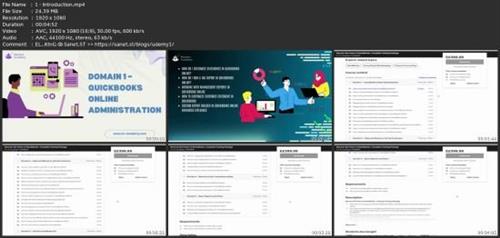
Screenshots
Say "Thank You"
rapidgator.net:
nitroflare.com:
ddownload.com:
