Follow along with the video below to see how to install our site as a web app on your home screen.
Anmerkung: This feature currently requires accessing the site using the built-in Safari browser.
Regeln für den Software-Bereich:
Allgemeines:
- In erster Linie sind unsere Boardregeln zu beachten, zu finden HIER.
- Software zur Audiobearbeitung sollte ausschließlich im Unterforum "Audio" eingestellt werden.
- Für Cracks, Keygens oder sonstige Freischaltungssoftware gibt es das Unterforum "Freischaltung".
- Portable Software bitte im entsprechenden Unterforum "Portable Software" eintragen.
- Diskussionen zur Installation und anderen Problemen mit der Software, bitte im enstprechenden Unterforum "Talk" führen.
- Bei Unklarheiten und Fragen zu den Regeln bitte die Moderatoren kontaktieren.
Angebot erstellen
- Die Struktur des Threadtitels muss wie folgt umgesetzt werden: Herstellername - Softwarename - Versionsnummer
- Unnötige Zusätze im Threadtitel wie "HOT", "NEW" oder Punkte zwischen den Wörtern sind nicht erlaubt.
- Achtet darauf immer nur die Hauptversion und deren Updates in einem Thread zusammenfassen, konkretes Beispiel: SoftwareXY v3.12 gehört in den selben Thread mit SoftwareXY v3.13; SoftwareXY v.4.1 gehört in einen neuen eigenen Thread. Ausgenommen hiervon sind Sammelthreads und Dauerangebote.
- Bei nicht bekannten Herstellern oder Angebote einer privaten Software, ist die Programmbezeichnung + Versionsnummer ausreichend.
- Besondere Beachtung gilt für den ersten Beitrag eines Angebots. Dort muss eine kurze Beschreibung der Software in deutscher Sprache angegeben werden. Für offizielle Releases ist es Pflicht die NFO im Beitrag einzustellen(Spoiler, siehe nächster Punkt).
- Weitere Informationen wie NFOs oder Changelogs, versteckt ihr bitte in einem Spoiler.
Software Suche
- Für Suchanfragen haben wir das Unterforum "Suche" erstellt.
- Auch hier sollte vorher die Suchfunktion benutzt werden, um Doppelthreads vorzubeugen. Sollte es bereits eine Suchanfrage geben, könnt ihr den Thread gerne mit einem "Danke" pushen.
Trojaner- und Virusalarm
- Falls Euer Virenscanner bei einem Angebot Alarm schlägt, solltet ihr zunächst Ruhe bewahren. Viele Virenscanner erkennen Cracks/Keygens oft fälschlicherweise als Bedrohung.
- Prüft die verdächtige Datei zuerst mit http://virustotal.com , sollte es sich hierbei wirklich um eine Bedrohung handeln, meldet den Beitrag und/oder wendet euch mit dem Bericht von VirusTotal.com an einen Moderator.
Unerwünschte Angebote
- Keylogger, Spionagetools, alles rund ums Thema Hacking/Cracking ist nicht erwünscht.
Du verwendest einen veralteten Browser. Es ist möglich, dass diese oder andere Websites nicht korrekt angezeigt werden. Du solltest ein Upgrade durchführen oder einen alternativen Browser verwenden.
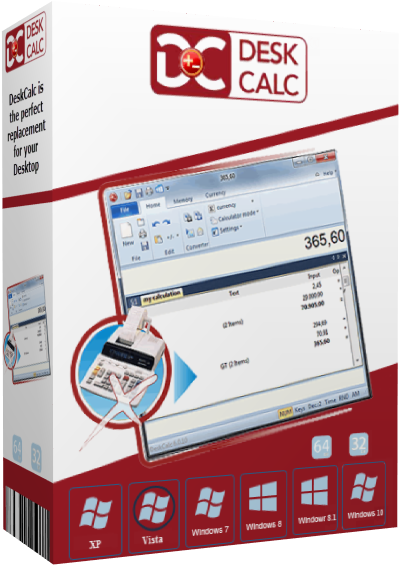
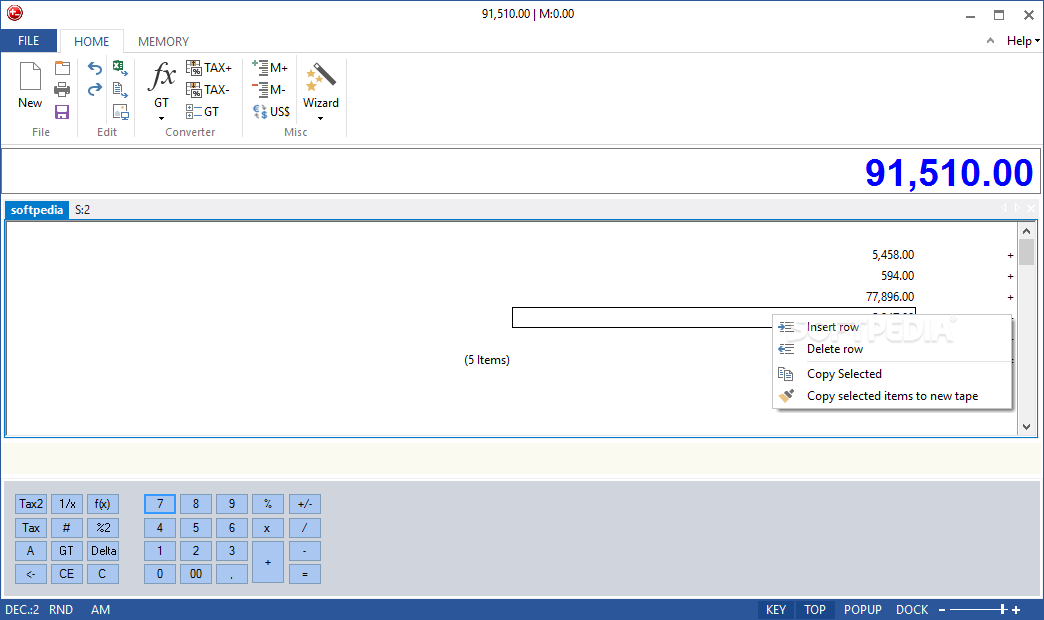
DeskCalc is a feature rich “paper tape calculator” with all of the functions you expect from a mechanical adding machine plus capabilities associated with a Windows environment. Features include: a check-strip with ergonomic text input options; data correction features (update, add and delete values); built-in formula interpreter; sales tax functions; memory function; percentage calculations; currency-conversion; floating point & fixed point calculations, thousands separators; fast correction key; display of the results in task strip and window title line; printing with heading and date/time; and export to Excel.
DeskCalc is a feature rich “paper tape calculator” with all of the functions you expect from a mechanical adding machine plus capabilities associated with a Windows environment. Features include: a check-strip with ergonomic text input options; data correction features (update, add and delete values); built-in formula interpreter; sales tax functions; memory function; percentage calculations; currency-conversion; floating point & fixed point calculations, thousands separators; fast correction key; display of the results in task strip and window title line; printing with heading and date/time; and export to Excel.
DeskCalc is a feature rich “paper tape calculator” with all of the functions you expect from a mechanical adding machine plus capabilities associated with a Windows environment. Features include: a check-strip with ergonomic text input options; data correction features (update, add and delete values); built-in formula interpreter; sales tax functions; memory function; percentage calculations; currency-conversion; floating point & fixed point calculations, thousands separators; fast correction key; display of the results in task strip and window title line; printing with heading and date/time; and export to Excel.
DeskCalc is a feature rich “paper tape calculator” with all of the functions you expect from a mechanical adding machine plus capabilities associated with a Windows environment. Features include: a check-strip with ergonomic text input options; data correction features (update, add and delete values); built-in formula interpreter; sales tax functions; memory function; percentage calculations; currency-conversion; floating point & fixed point calculations, thousands separators; fast correction key; display of the results in task strip and window title line; printing with heading and date/time; and export to Excel.
DeskCalc is a feature rich “paper tape calculator” with all of the functions you expect from a mechanical adding machine plus capabilities associated with a Windows environment. Features include: a check-strip with ergonomic text input options; data correction features (update, add and delete values); built-in formula interpreter; sales tax functions; memory function; percentage calculations; currency-conversion; floating point & fixed point calculations, thousands separators; fast correction key; display of the results in task strip and window title line; printing with heading and date/time; and export to Excel.
DeskCalc is a feature rich “paper tape calculator” with all of the functions you expect from a mechanical adding machine plus capabilities associated with a Windows environment. Features include: a check-strip with ergonomic text input options; data correction features (update, add and delete values); built-in formula interpreter; sales tax functions; memory function; percentage calculations; currency-conversion; floating point & fixed point calculations, thousands separators; fast correction key; display of the results in task strip and window title line; printing with heading and date/time; and export to Excel.
DeskCalc is a feature rich “paper tape calculator” with all of the functions you expect from a mechanical adding machine plus capabilities associated with a Windows environment. Features include: a check-strip with ergonomic text input options; data correction features (update, add and delete values); built-in formula interpreter; sales tax functions; memory function; percentage calculations; currency-conversion; floating point & fixed point calculations, thousands separators; fast correction key; display of the results in task strip and window title line; printing with heading and date/time; and export to Excel.
DeskCalc is a feature rich “paper tape calculator” with all of the functions you expect from a mechanical adding machine plus capabilities associated with a Windows environment. Features include: a check-strip with ergonomic text input options; data correction features (update, add and delete values); built-in formula interpreter; sales tax functions; memory function; percentage calculations; currency-conversion; floating point & fixed point calculations, thousands separators; fast correction key; display of the results in task strip and window title line; printing with heading and date/time; and export to Excel.
DeskCalc is a feature rich “paper tape calculator” with all of the functions you expect from a mechanical adding machine plus capabilities associated with a Windows environment. Features include: a check-strip with ergonomic text input options; data correction features (update, add and delete values); built-in formula interpreter; sales tax functions; memory function; percentage calculations; currency-conversion; floating point & fixed point calculations, thousands separators; fast correction key; display of the results in task strip and window title line; printing with heading and date/time; and export to Excel.
DeskCalc simuliert unter Windows einen Tischrechner inklusive Additionsstreifen.
DeskCalc kann wahlweise als kaufmännischer Rechner, als Taschenrechner mit herkömmlicher Eingabesyntax oder als Formelrechner betrieben werden. Folgende Funktionen bietet der Software-Taschenrechner, der Ihnen ein zusätzliches Rechengerät neben dem Computer komplett ersetzen kann:
Features:
• Rechnungs-Protokollierung
• Umsatzsteuer-Berechnung
• 4-fach Memory/Speicherfunktion
• Euroumrechnung in Fremdwährungen
• Prozent-, Fließ- und Festkommarechnung
• Formelinterpreter zur Berechnung komplexer mathematischer Funktionen
• FiStWare, für Schnellberechnung von Finanzen, Steuern & BWL
DeskCalc Pro 8.4.1 ist ein professioneller Taschenrechner mit vielen Funktionen und einer angenehmen Benutzeroberfläche. Genauer gesagt ist das Erscheinungsbild eher verständlich als angenehm, es ist sehr einfach zu verstehen. Es gibt keine russische Unterstützung, obwohl Mehrsprachigkeit unterstützt wird, ist die Installation schnell und ohne Probleme.
Zu den Vorteilen gehören die bequeme Eingabe von Werten in die Statusleiste, die Möglichkeit, die Werte anzupassen, eine integrierte Offline-Übersetzerformel, spezielle Funktionen zur Berechnung von Steuern, die Berechnung des Caches, die Anzahl in Prozent, Währungsumrechnung, es gibt Schnellkorrekturtasten, Sie können das Ergebnis drucken, um es mit der vollständigen Formel zu drucken.
Entwickler: DeskCalc GbR
Lizenz: ShareWare - kostenlos für Sie
Sprache Englisch
Größe: 6 MB
Betriebssystem: Windows