




babymore87
MyBoerse.bz Pro Member
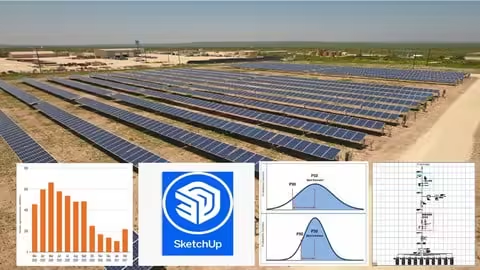
Free Download Design of 1MW of Ground Mounted Solar Power Plant Part 2
MP4 | Video: h264, 1920x1080 | Audio: AAC, 44.1 KHz
Language: English | Size: 5.25 GB | Duration: 5h 40m
Learn 3D Modeling, AutoCAD Drafting, Energy Yield Forecasting & Earthing Design for Solar Projects
What you'll learn
Design of 3D Utility Scale Solar Power Plant and Shadow Analysis in Google SketchUp Software
Setting The Units and Importing Toolbars
Introduction to Line, Rectangle and Circle Command
Introduction to Pull Push Command and Offset Command
Move and Scale Command
Rotate and Protector Command
Guideline and Dimension Command
Paint Bucket and Image Texturing
Construction of Long and Short Column
Construction of Screw Pile Foundation
Construction of Rafter
Construction of Inclined Support for Long and Short Column
Construction of Purlin
Construction of Array of Rafter, Short Column, Long Column
Construction of Back Support
Array of Back Support between Two Column
Construction of Solar Panel and Placement over Mounting Structure
Construction of One String of Solar Panels
Construction of Solar One Array
Importing the Location of Site on Google SketchUp
Orientation of Array towards True South Direction
Placement of Solar Array on the Site
Placement of String Monitoring Box
Construction of Control Rooms
Design of Circuit Diagram in AutoCAD Software
Set Limits and Units
Construction of Solar Strings
Construction of Solar Array
Construction of fuses and Bus Bar in DC Combiner Box
Connection of Fuses to Strings
Connection of DC Isolator Switch, Scada and Naming of String
String Combiner box connection for all arrays
Connection of Inverter to DC Array
Naming the Inverter Specifications
Connection of Transformer and there Specification
Connection of Current Transformer to Relay Panel
Connection of Potential Transformer to Relay Panel
Connection of Vacuum Circuit Breaker
Connection of Relays in CRP Panel and There Code Numbers
Plotting Dotted Border for CRP Panel
HT Cable Naming between Transformer to CRP Panel
Connection of AC Isolator Switch
Connection of Main Meter
Connection of Lightning Arrester
Energy Yield Estimation and Forecasting of Solar Energy Yield (P75,P90 Estimates) in Excel Sheet
Calculation of Energy Yield Calculation
Monthly Energy Yield in Excel Sheet
Estimation of 25 Years of Energy Generation in Excel Sheet
Calculation of P50, P75 and P90 Energy Yield Estimate
Design of Earthing System for Solar Project
Requirements
No Google Sketch Up Software knowledge is required. You will Learn it from Beginning
No prior experience in Google SketchUp or AutoCAD is required - everything will be taught from scratch
Beginner scale Excel Knowledge is required. You will Lean Solar Energy Yield in Excel Here
Beginner scale Excel Knowledge is required. You will Lean Earthing System Design in Excel Here
No Mathematical Skill is required. From Beginning with basic formula you will learn here
Fundamental knowledge of solar PV systems (panels, inverters, basic components)
Description
The solar industry is booming, and professionals who can design and deliver bankable solar projects are in high demand. If you want to become an industry-ready solar engineer or consultant, this course is your complete guide.Unlike traditional courses that focus only on theory, this program takes you step by step through the practical design process of a utility-scale solar project (1MW and beyond). You'll master:3D modeling and shadow analysis in Google SketchUpElectrical circuit diagram drafting in AutoCADEnergy yield forecasting (P50, P75, P90) in ExcelEarthing system design for safety and reliabilityBy the end of this course, you'll be able to create professional solar project reports, technical drawings, and yield estimates that are accepted by clients, consultants, and funding agencies worldwide.What You'll LearnBuild a 3D solar mounting structure step by step in Google SketchUpPerform shadow analysis using real site coordinates and sun pathsDraft detailed solar circuit diagrams in AutoCAD (DC arrays, combiner boxes, inverters, transformers, relays, CRP panels, HT cabling, meters, and protection devices)Calculate monthly and 25-year energy yields in ExcelUnderstand P50, P75, P90 estimates for project bankability reportsDesign safe and reliable earthing systems for solar power plantsDeliver complete technical documentation ready for client submissionWho this course is forThis course is designed for anyone passionate about solar power project design:Engineering Students - Electrical, Mechanical, Civil, Renewable Energy who want to gain practical design skillsSolar Professionals & Consultants - looking to enhance technical documentation and project feasibility expertiseEntrepreneurs & Startups - aiming to enter the solar EPC/consultancy business with real project skillsFaculty & Trainers - in renewable energy who want to upgrade their teaching curriculumEnergy Enthusiasts - eager to learn how large-scale solar projects are designed and executedPrerequisitesYou don't need advanced experience, but a few basics will help you learn faster:Fundamental knowledge of solar PV systems (panels, inverters, basic components)Basic MS Excel skills (formulas, data entry, charts)No prior experience in Google SketchUp or AutoCAD is required - everything will be taught from scratchWhy Enroll in This Course?Hands-On Training: Practical, step-by-step tutorials with real software toolsIndustry-Oriented: Focus on bankable reports and professional documentationCareer-Boosting: Build skills that employers and clients actively seekLifetime Access: Learn at your own pace, revisit lessons anytimeCourse TakeawaysBy completing this course, you will be able to
 esign and simulate 3D solar arrays with shadow analysisDraft complete solar electrical circuit diagrams in AutoCADForecast energy yields for 25 years with bankability metricsDesign a robust earthing system for safety and compliancePresent professional-grade reports for solar clients and investorsIf you want to become a skilled solar power plant designer capable of delivering real-world projects, this course is your ultimate shortcut. Enroll today and start building the future of clean energy!In this course Participants will able to learn the following Points: 1. Design of 3D Solar Power Plant and Shadow Analysis in Google SketchUp SoftwareSetting The Units and Importing ToolbarsIntroduction to Line, Rectangle and Circle CommandIntroduction to Pull Push Command and Offset CommandMove and Scale CommandRotate and Protector CommandGuideline and Dimension CommandPaint Bucket and Image TexturingConstruction of Long and Short ColumnConstruction of Screw Pile FoundationConstruction of RafterConstruction of Inclined Support for Long and Short ColumnConstruction of PurlinConstruction of Array of Rafter, Short Column, Long ColumnConstruction of Back SupportArray of Back Support between Two ColumnConstruction of Solar Panel and Placement over Mounting StructureConstruction of One String of Solar PanelsConstruction of Solar One ArrayImporting the Location of Site on Google SketchUpOrientation of Array towards True South DirectionPlacement of Solar Array on the Site - Part 1Placement of Solar Array on the Site - Part 2Placement of String Monitoring BoxConstruction of Control Rooms2. Design of Circuit Diagram in AutoCAD SoftwareSet Limits and UnitsConstruction of Solar StringsConstruction of Solar ArrayConstruction of fuses and Bus Bar in DC Combiner BoxConnection of Fuses to StringsConnection of DC Isolator Switch, Scada and Naming of StringString Combiner box connection for all arraysConnection of Inverter to DC ArrayNaming the Inverter SpecificationsConnection of Transformer and there SpecificationConnection of Current Transformer to Relay PanelConnection of Potential Transformer to Relay PanelConnection of Vacuum Circuit BreakerConnection of Relays in CRP Panel and There Code NumbersPlotting Dotted Border for CRP PanelHT Cable Naming between Transformer to CRP PanelConnection of AC Isolator SwitchConnection of Main MeterConnection of Lightning Arrester3. Energy Yield Estimation and Forecasting of Solar Energy Yield (P75,P90 Estimates) in Excel SheetCalculation of Energy Yield CalculationMonthly Energy Yield in Excel SheetEstimation of 25 Years of Energy Generation in Excel SheetCalculation of P50, P75 and P90 Energy Yield Estimate4. Design of Earthing System for Solar Project
Engineering Students - Electrical, Mechanical, Civil, Renewable Energy who want to gain practical design skills,Solar Professionals & Consultants - looking to enhance technical documentation and project feasibility expertise,Entrepreneurs & Startups - aiming to enter the solar EPC/consultancy business with real project skills,Faculty & Trainers - in renewable energy who want to upgrade their teaching curriculum,Energy Enthusiasts - eager to learn how large-scale solar projects are designed and executed,Those who wants to learn,Beginners curious about solar energy,Electrical Engineering Students,Engineering Students - Electrical, Mechanical, Civil, Renewable Energy who want to gain practical design skills
Homepage
Recommend Download Link Hight Speed | Please Say Thanks Keep Topic Live
No Password - Links are Interchangeable
