• Regeln für den Video-Bereich:

    In den Börsenbereich gehören nur Angebote die bereits den Allgemeinen Regeln entsprechen.

    Einteilung

    - Folgende Formate gehören in die angegeben Bereiche:
    - Filme: Encodierte Filme von BluRay, DVD, R5, TV, Screener sowie Telesyncs im Format DivX, XviD und x264.
    - DVD: Filme im Format DVD5, DVD9 und HD2DVD.
    - HD: Encodierte Filme mit der Auflösung 720p oder darüber von BluRay, DVD, R5, TV, Screener sowie Telesyncs im Format x264.
    - 3D: Encodierte Filme von BluRay, die in einem 3D Format vorliegen. Dies gilt auch für Dokus, Animation usw.
    - Serien: Cartoon/Zeichentrick, Anime, Tutorials, Dokumentationen, Konzerte/Musik, Sonstiges sind demnach in die entsprechenden Bereiche einzuordnen, auch wenn sie beispielsweise im High Definition-Format oder als DVD5/DVD9/HD2DVD vorliegen. Ausnahme 3D.
    - Bereich Englisch: Englische Releases gehören immer in diesen Bereich.
    - Bereich Talk: Der Bereich, in dem über die Releases diskutiert werden kann, darf, soll und erwünscht ist.


    Angebot/Beitrag erstellen

    - Ein Beitrag darf erst dann erstellt werden, wenn der Upload bei mindestens einem OCH komplett ist. Platzhalter sind untersagt.
    - Bei einem Scenerelease hat der Threadtitel ausschließlich aus dem originalen, unveränderten Releasenamen zu bestehen. Es dürfen keine Veränderungen wie z.B. Sterne, kleine Buchstaben o.ä. vorgenommen werden. Ausnahme Serienbörse:
    - Bei einem Sammelthread für eine Staffel entfällt aus dem Releasename natürlich der Name der Folge. Beispiel: Die Simpsons S21 German DVDRip XviD - ITG
    - Dementsprechend sind also u.a. verboten: Erweiterungen wie "Tipp", "empfehlenswert", "only", "reup", usw. / jegliche andere Zusatzinformation oder Ergänzung, welche nicht in obiger Beschreibung zu finden ist.

    Aufbau des Angebots und Threadtitel

    Der Titel nach folgendem Muster erstellt zu werden. <Name> [3D] [Staffel] [German] <Jahr> <Tonspur> [DL] [Auflösung] <Quelle> <Codec> - <Group>
    Beispiel: The Dark Knight German 2008 AC3 DVDRip XviD - iND
    Beispiel: The Dark Knight 2008 DTS DL BDRip x264 - iND
    Beispiel: The Dark Knight 2008 AC3 DL BDRip XviD - iND
    Beispiel: The Dark Knight German 2008 AC3 720p BluRay x264 iND
    Beispiel: The Dark Knight 2008 DTS DL 1080p BluRay x264 iND
    Beispiel: Die Simpsons S01 German AC3 DVDRip XviD iND
    Beispiel: Die Simpsons S20 German AC3 720p BluRay x264 iND
    Beispiel: Sword Art Online II Ger Sub 2014 AAC 1080p WEBRip x264 - peppermint
    Entsprechend sind also u.a. verboten: Sonderzeichen wie Klammern, Sterne, Ausrufezeichen, Unterstriche, Anführungszeichen / Erweiterungen wie "Tipp", "empfehlenswert", "only", "reup", usw. / jegliche andere Zusatzinformation oder Ergänzung, welche nicht in obiger Beschreibung zu finden ist
    Ausnahmen hiervon können in den Bereichen geregelt sein.

    Die Beiträge sollen wie folgt aufgebaut werden:
    Überschrift entspricht dem Threadtitel
    Cover
    kurze Inhaltsbeschreibung
    Format, Größe, Dauer sind gut lesbar für Downloader außerhalb des Spoilers zu vermerken
    Nfo sind immer Anzugeben und selbige immer im Spoiler in Textform.
    Sind keine Nfo vorhanden z.B. Eigenpublikationen, sind im Spoiler folgende Dateiinformationen zusätzlich anzugeben :
    Quelle
    Video (Auflösung und Bitrate)
    Ton (Sprache, Format und Bitrate der einzelnen Spuren)
    Untertitel (sofern vorhanden)
    Hosterangabe in Textform außerhalb eines Spoiler mit allen enthaltenen Hostern.
    Bei SD kann auf diese zusätzlichen Dateiinformationen verzichtet werden.

    Alle benötigten Passwörter sind, sofern vorhanden, in Textform im Angebot anzugeben.
    Spoiler im Spoiler mit Kommentaren :"Schon Bedankt?" sind unerwünscht.


    Releases

    - Sind Retail-Release verfügbar, sind alle anderen Variationen untersagt. Ausnahmen: Alle deutschen Retail-Release sind CUT, in diesem Fall sind dubbed UNCUT-Release zulässig.
    - Im Serien-Bereich gilt speziell: Wenn ein Retail vor Abschluss einer laufenden Staffel erscheint, darf diese Staffel noch zu Ende gebracht werden.62
    - Gleiche Releases sind unbedingt zusammenzufassen. Das bedeutet, es ist zwingend erforderlich, vor dem Erstellen eines Themas per Suchfunktion zu überprüfen, ob bereits ein Beitrag mit demselben Release besteht. Ist dies der Fall, ist der bereits vorhandene Beitrag zu verwenden.
    - P2P und Scene Releases dürfen nicht verändert oder gar unter einem iND Tag eingestellt werden.


    Support, Diskussionen und Suche

    - Supportanfragen sind entweder per PN oder im Bereich Talk zu stellen.
    - Diskussionen und Bewertungen sind im Talk Bereich zu führen. Fragen an die Uploader haben ausschließlich via PN zu erfolgen, und sind in den Angeboten untersagt.
    - Anfragen zu Upload-Wünschen sind nur im Bereich Suche Video erlaubt. Antworten dürfen nur auf Angebote von MyBoerse.bz verlinkt werden.


    Verbote

    - Untersagt sind mehrere Formate in einem einzigen Angebotsthread, wie beispielsweise das gleichzeitige Anbieten von DivX/XviD, 720p und 1080p in einem Thread. Pro Format, Release und Auflösung ist ein eigener Thread zu eröffnen.
    - Grundsätzlich ebenso verboten sind Dupes. Uploader haben sich an geeigneter Stelle darüber zu informieren, ob es sich bei einem Release um ein Dupe handelt.
    - Gefakte, nur teilweise lauffähige oder unvollständige Angebote sind untersagt. Dies gilt auch für eigene Publikationen, die augenscheinlich nicht selbst von z.B. einer DVD gerippt wurden. Laufende Serien, bei denen noch nicht alle Folgen verfügbar sind, dürfen erstellt und regelmäßig geupdatet werden.
    - Untersagt sind Angebote, welche nur und ausschließlich in einer anderen Sprache als deutsch oder englisch vorliegen. Ausnahmen sind VORHER mit den Moderatoren zu klären.


    Verstoß gegen die Regeln

    - Angebote oder Beiträge, die gegen die Forenregeln verstoßen, sind über den "Melden"-Button im Beitrag zu melden.
  • Bitte registriere dich zunächst um Beiträge zu verfassen und externe Links aufzurufen.

*** Bestes IPTV *** bester Preis *** gratis Test ***


Cubase 12 Essential Training & Full Song Production

AgentofHeart

MyBoerse.bz Pro Member
b8a152325128b24a1f886ba716e9f8d1.jpg

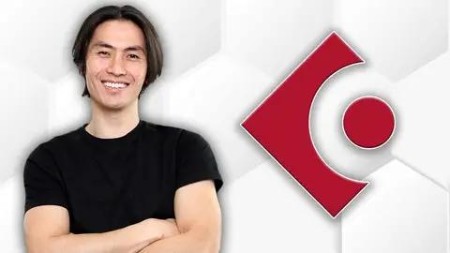
Cubase 12 Essential Training & Full Song Production
Published 1/2023
MP4 | Video: h264, 1280x720 | Audio: AAC, 44.1 KHz
Language: English | Size: 7.93 GB | Duration: 11h 58m​

Learn How To Record, Mix, and Master a Full Song Using Cubase 12

What you'll learn

You will learn the most important controls and features of Cubase 12

You will get a walkthrough of every button on the interface as well as every zone

You will learn how to use Cubase 12 by going through the process of recording an entire song

You will learn how to record and edit every instrument: piano, pads, drums, guitars, and bass

You will learn how to record and edit vocals like a pro. This includes timing, pitch correction, and comping

You will learn the most important fundamentals of mixing : EQ, Compression, Reverb

You will learn how to use Cubase 12's newest plugins for mixing

You will learn how to use the new Virtual Insruments that come with Cubase 12 such as Groove Agent SE5, Padshop, and Halion SE

You will learn how to master and export a single song and full album

You will get a sneak peak into my personal projects that I'm working on so you can get some insight as to what a real recording project looks like

You will learn how to use Global Transpose to change the keys of your recordings without damaging it

You will learn how to use VCAs and Group Channels for mixing

You will learn how to record drums using both your keyboard and real MIDI drum kit

You will learn how to customize your workspace to your liking

You will gain the experience needed to produce your own music and albums in your own studio

You will create and really great music and release it after going through this course. I believe in you!

You will learn how to use Variaudio and Audiowarp to correct your timing and pitch problems

You will get an advanced tutorial on Variaudio and how to use it to create perfect vocal takes

You will learn how to setup your metronome to your liking and even render it

You will learn the important do's and don'ts of professional recording

Requirements

No experience in Cubase needed. I'll take you from zero to hero!

You will need a computer with Cubase 12 installed, a midi keyboard, and an audio interface

It would be nice if you had a midi drum kit, bass, and guitars but this is not mandatory. You'll just have more fun!

This tutorial will also work well with older versions of Cubase 11 & 10

Description

Welcome to the latest Cubase 12 Essential Training Course!You are going to learn how to use Cubase 12 by recording an entire song! After years of producing music for artists and myself, I have found that there is no better way to teach someone how to use Cubase than by leading them through the production of an entire song. This course is the real deal! Think of it as you doing a personal 1-on-1 internship with me in my studio as I walk you through how to setup Cubase, tell you the most important controls, then take you through the process of recording and mixing every single instrument all the way to the final stages of mixing, mastering, and exporting your final track. The course is intended to teach you the most important and fundamental controls and features of Cubase and how to use them to complete a full song production by showing and leading you through the ACTUAL PROCESS. By the end of this course, you should feel equipped an empowered to use Cubase to record your own songs and albums and release them to the public.No stone is left unturned for the beginner or intermediate user. Everything from setting up your tracks, to recording, comping, editing, pitch correction, EQ, Compression, Reverb, etc. is covered in this course. My goal here is to help take someone who is completely new to Cubase 12 and transform them to the point of a relatively high level of competence so they are able to release their own music with confidence. I hope you enjoy this course, its my honor and privilege to show you how the whole process works.Have fun learning and recording!Blessings,Mark

Overview

Section 1: Introduction

Lecture 1 Starting A New Project

Lecture 2 Setting up your Audio Interface

Lecture 3 Setting up your inputs and outputs

Lecture 4 Understanding latency and how it affects your recording

Lecture 5 Understanding direct monitoring vs monitoring in Cubase

Lecture 6 Setting your Record File Format

Section 2: Understanding the Cubase 12 Workspace & How to Customize It

Lecture 7 The Top Toolbar

Lecture 8 The Project Zone

Lecture 9 The Left Zone

Lecture 10 The Right Zone

Lecture 11 The Lower Zone

Lecture 12 The Transport Panel

Lecture 13 The Mix Console

Section 3: Essential Workspace Setup & Cubase Versions

Lecture 14 How to Customize Keyboard Shortcuts

Lecture 15 How to Create a Marker Track

Lecture 16 How to Create a Tempo Track

Lecture 17 How to Increase Color Palettes

Section 4: Song Production - Recording Your Foundation Instrument Track & Rough Vocals

Lecture 18 Introduction to Song Production

Lecture 19 Importance of charts for production and collaboration

Lecture 20 Importance of Outboard Microphone Preamps

Lecture 21 Setting up a new project and creating your foundational instrument tracks

Lecture 22 Setting up your metronome

Lecture 23 Recording Acoustic Guitar

Lecture 24 Initial Mixing of Foundational Tracks

Lecture 25 Insert Reverb and Send Reverb Methods

Lecture 26 Using Audio Warp to Correct Timing Issues With Acoustic Guitar

Lecture 27 Recording a Rough Vocal Take & Using LINK & VCA

Section 5: Recording Piano & Pads

Lecture 28 Introduction to Recording Piano and Pads

Lecture 29 Recording MIDI Piano

Lecture 30 Importance of saving new file names, Markers, & Cycle Recording

Lecture 31 Different methods for MIDI Comping

Lecture 32 Editing Piano MIDI

Lecture 33 How to edit Piano MIDI Velocity & other CC controls

Lecture 34 Recording MIDI Pads

Lecture 35 Editing MIDI Pads

Lecture 36 VST Recommendations for Piano and Pads

Section 6: Recording Drums

Lecture 37 Introduction to Recording MIDI Drums

Lecture 38 Groove Agent SE Tutorial and Setup

Lecture 39 Drum recording using MIDI Keyboard

Lecture 40 Editing MIDI Drums and Quantizing

Lecture 41 Mixing your MIDI Drums inside and outside of Groove Agent SE

Lecture 42 Groove Agent SE 5 Advanced Routing to MixConsole

Lecture 43 VST Recommendation Superior Drummer

Lecture 44 Introduction to recording using a MIDI Drum Kit

Lecture 45 Setting up your MIDI Drum Kit Module to match notes in Groove Agent SE

Lecture 46 Recording using MIDI Drum Kit

Lecture 47 Editing MIDI Drum Kit Recording

Lecture 48 Using a Group Channel for Drums

Section 7: Recording Electric Guitars & Bass

Lecture 49 Introduction to Recording Electric Guitars and Bass

Lecture 50 Setting up your tracks and inputs for recording electric guitars

Lecture 51 Recording Electric Guitars

Lecture 52 Comping and Editing Electric Guitars

Lecture 53 Mixing Electric Guitars

Lecture 54 Recording Bass Guitar

Lecture 55 Editing and Mixing Bass Guitar

Section 8: Recording Vocals

Lecture 56 Vocal Recording Setup & Pre-Fader Send for Monitoring Reverb Only

Lecture 57 Recording Vocals

Lecture 58 Vocal Editing & Variaudio for Pitch Correction

Lecture 59 Vocal Editing - Compression

Lecture 60 Cycle Recording

Section 9: Final Mixing & Exporting

Lecture 61 Introduction to Final Mixing

Lecture 62 Cleaning up the start and end of the tracks

Lecture 63 Checking EQ, Compression, and Reverb for all tracks

Lecture 64 Automation

Lecture 65 Limiting and Volume Maximizing using Waves

Lecture 66 Limiting using Cubase Plug-ins and Comparison

Lecture 67 Quick Export MP3 & WAV using Audio Mixdown

Lecture 68 Exporting Multiple Tracks

Lecture 69 Checking your mixes on multiple listening devices

Section 10: Mastering

Lecture 70 Mastering a single track from the project file

Lecture 71 Exporting a project for mastering

Lecture 72 Mastering a single track by comparison

Lecture 73 Project Sneakpeak - In the shadow of your wings

Lecture 74 Project Sneakpeak - Your Grace and Mercy Reigns

Lecture 75 Mastering multiple tracks for EP or Album

Section 11: Advanced Topics

Lecture 76 Autosave Feature

Lecture 77 How to Render a Click Track

Lecture 78 Global Transposing

Lecture 79 Leaving space in front for editing

Lecture 80 Dithering for CD Duplication

Lecture 81 HOFA DDP Master

Lecture 82 Creating a Project Backup File

Section 12: Cubase Project File Download

Lecture 83 Cubase Project File Download

Section 13: Thank you and all the best!

Lecture 84 Final Thoughts and Special Thanks

Beginners who would like to learn Cubase 12 for recording, mixing, and mastering,Intermediate and experienced users of older versions who want to learn the latest version Cubase 12

ML8A3D64_o.jpg


80a42d4502e5cf06886afa8b8349d8a1.jpg

Cubase 12 Essential Training & Full Song Production
Published 1/2023
MP4 | Video: h264, 1280x720 | Audio: AAC, 44.1 KHz
Language: English | Size: 7.93 GB | Duration: 11h 58m​

Learn How To Record, Mix, and Master a Full Song Using Cubase 12

What you'll learn

You will learn the most important controls and features of Cubase 12

You will get a walkthrough of every button on the interface as well as every zone

You will learn how to use Cubase 12 by going through the process of recording an entire song

You will learn how to record and edit every instrument: piano, pads, drums, guitars, and bass

You will learn how to record and edit vocals like a pro. This includes timing, pitch correction, and comping

You will learn the most important fundamentals of mixing : EQ, Compression, Reverb

You will learn how to use Cubase 12's newest plugins for mixing

You will learn how to use the new Virtual Insruments that come with Cubase 12 such as Groove Agent SE5, Padshop, and Halion SE

You will learn how to master and export a single song and full album

You will get a sneak peak into my personal projects that I'm working on so you can get some insight as to what a real recording project looks like

You will learn how to use Global Transpose to change the keys of your recordings without damaging it

You will learn how to use VCAs and Group Channels for mixing

You will learn how to record drums using both your keyboard and real MIDI drum kit

You will learn how to customize your workspace to your liking

You will gain the experience needed to produce your own music and albums in your own studio

You will create and really great music and release it after going through this course. I believe in you!

You will learn how to use Variaudio and Audiowarp to correct your timing and pitch problems

You will get an advanced tutorial on Variaudio and how to use it to create perfect vocal takes

You will learn how to setup your metronome to your liking and even render it

You will learn the important do's and don'ts of professional recording

Requirements

No experience in Cubase needed. I'll take you from zero to hero!

You will need a computer with Cubase 12 installed, a midi keyboard, and an audio interface

It would be nice if you had a midi drum kit, bass, and guitars but this is not mandatory. You'll just have more fun!

This tutorial will also work well with older versions of Cubase 11 & 10

Description

Welcome to the latest Cubase 12 Essential Training Course!You are going to learn how to use Cubase 12 by recording an entire song! After years of producing music for artists and myself, I have found that there is no better way to teach someone how to use Cubase than by leading them through the production of an entire song. This course is the real deal! Think of it as you doing a personal 1-on-1 internship with me in my studio as I walk you through how to setup Cubase, tell you the most important controls, then take you through the process of recording and mixing every single instrument all the way to the final stages of mixing, mastering, and exporting your final track. The course is intended to teach you the most important and fundamental controls and features of Cubase and how to use them to complete a full song production by showing and leading you through the ACTUAL PROCESS. By the end of this course, you should feel equipped an empowered to use Cubase to record your own songs and albums and release them to the public.No stone is left unturned for the beginner or intermediate user. Everything from setting up your tracks, to recording, comping, editing, pitch correction, EQ, Compression, Reverb, etc. is covered in this course. My goal here is to help take someone who is completely new to Cubase 12 and transform them to the point of a relatively high level of competence so they are able to release their own music with confidence. I hope you enjoy this course, its my honor and privilege to show you how the whole process works.Have fun learning and recording!Blessings,Mark

Overview

Section 1: Introduction

Lecture 1 Starting A New Project

Lecture 2 Setting up your Audio Interface

Lecture 3 Setting up your inputs and outputs

Lecture 4 Understanding latency and how it affects your recording

Lecture 5 Understanding direct monitoring vs monitoring in Cubase

Lecture 6 Setting your Record File Format

Section 2: Understanding the Cubase 12 Workspace & How to Customize It

Lecture 7 The Top Toolbar

Lecture 8 The Project Zone

Lecture 9 The Left Zone

Lecture 10 The Right Zone

Lecture 11 The Lower Zone

Lecture 12 The Transport Panel

Lecture 13 The Mix Console

Section 3: Essential Workspace Setup & Cubase Versions

Lecture 14 How to Customize Keyboard Shortcuts

Lecture 15 How to Create a Marker Track

Lecture 16 How to Create a Tempo Track

Lecture 17 How to Increase Color Palettes

Section 4: Song Production - Recording Your Foundation Instrument Track & Rough Vocals

Lecture 18 Introduction to Song Production

Lecture 19 Importance of charts for production and collaboration

Lecture 20 Importance of Outboard Microphone Preamps

Lecture 21 Setting up a new project and creating your foundational instrument tracks

Lecture 22 Setting up your metronome

Lecture 23 Recording Acoustic Guitar

Lecture 24 Initial Mixing of Foundational Tracks

Lecture 25 Insert Reverb and Send Reverb Methods

Lecture 26 Using Audio Warp to Correct Timing Issues With Acoustic Guitar

Lecture 27 Recording a Rough Vocal Take & Using LINK & VCA

Section 5: Recording Piano & Pads

Lecture 28 Introduction to Recording Piano and Pads

Lecture 29 Recording MIDI Piano

Lecture 30 Importance of saving new file names, Markers, & Cycle Recording

Lecture 31 Different methods for MIDI Comping

Lecture 32 Editing Piano MIDI

Lecture 33 How to edit Piano MIDI Velocity & other CC controls

Lecture 34 Recording MIDI Pads

Lecture 35 Editing MIDI Pads

Lecture 36 VST Recommendations for Piano and Pads

Section 6: Recording Drums

Lecture 37 Introduction to Recording MIDI Drums

Lecture 38 Groove Agent SE Tutorial and Setup

Lecture 39 Drum recording using MIDI Keyboard

Lecture 40 Editing MIDI Drums and Quantizing

Lecture 41 Mixing your MIDI Drums inside and outside of Groove Agent SE

Lecture 42 Groove Agent SE 5 Advanced Routing to MixConsole

Lecture 43 VST Recommendation Superior Drummer

Lecture 44 Introduction to recording using a MIDI Drum Kit

Lecture 45 Setting up your MIDI Drum Kit Module to match notes in Groove Agent SE

Lecture 46 Recording using MIDI Drum Kit

Lecture 47 Editing MIDI Drum Kit Recording

Lecture 48 Using a Group Channel for Drums

Section 7: Recording Electric Guitars & Bass

Lecture 49 Introduction to Recording Electric Guitars and Bass

Lecture 50 Setting up your tracks and inputs for recording electric guitars

Lecture 51 Recording Electric Guitars

Lecture 52 Comping and Editing Electric Guitars

Lecture 53 Mixing Electric Guitars

Lecture 54 Recording Bass Guitar

Lecture 55 Editing and Mixing Bass Guitar

Section 8: Recording Vocals

Lecture 56 Vocal Recording Setup & Pre-Fader Send for Monitoring Reverb Only

Lecture 57 Recording Vocals

Lecture 58 Vocal Editing & Variaudio for Pitch Correction

Lecture 59 Vocal Editing - Compression

Lecture 60 Cycle Recording

Section 9: Final Mixing & Exporting

Lecture 61 Introduction to Final Mixing

Lecture 62 Cleaning up the start and end of the tracks

Lecture 63 Checking EQ, Compression, and Reverb for all tracks

Lecture 64 Automation

Lecture 65 Limiting and Volume Maximizing using Waves

Lecture 66 Limiting using Cubase Plug-ins and Comparison

Lecture 67 Quick Export MP3 & WAV using Audio Mixdown

Lecture 68 Exporting Multiple Tracks

Lecture 69 Checking your mixes on multiple listening devices

Section 10: Mastering

Lecture 70 Mastering a single track from the project file

Lecture 71 Exporting a project for mastering

Lecture 72 Mastering a single track by comparison

Lecture 73 Project Sneakpeak - In the shadow of your wings

Lecture 74 Project Sneakpeak - Your Grace and Mercy Reigns

Lecture 75 Mastering multiple tracks for EP or Album

Section 11: Advanced Topics

Lecture 76 Autosave Feature

Lecture 77 How to Render a Click Track

Lecture 78 Global Transposing

Lecture 79 Leaving space in front for editing

Lecture 80 Dithering for CD Duplication

Lecture 81 HOFA DDP Master

Lecture 82 Creating a Project Backup File

Section 12: Cubase Project File Download

Lecture 83 Cubase Project File Download

Section 13: Thank you and all the best!

Lecture 84 Final Thoughts and Special Thanks

Beginners who would like to learn Cubase 12 for recording, mixing, and mastering,Intermediate and experienced users of older versions who want to learn the latest version Cubase 12

eAdSm5Pf_o.jpg

 
Zurück
Oben Unten