• Regeln für den Software-Bereich:


    Allgemeines:

    - In erster Linie sind unsere Boardregeln zu beachten, zu finden HIER.
    - Software zur Audiobearbeitung sollte ausschließlich im Unterforum "Audio" eingestellt werden.
    - Für Cracks, Keygens oder sonstige Freischaltungssoftware gibt es das Unterforum "Freischaltung".
    - Portable Software bitte im entsprechenden Unterforum "Portable Software" eintragen.
    - Diskussionen zur Installation und anderen Problemen mit der Software, bitte im enstprechenden Unterforum "Talk" führen.
    - Bei Unklarheiten und Fragen zu den Regeln bitte die Moderatoren kontaktieren.


    Angebot erstellen

    - Die Struktur des Threadtitels muss wie folgt umgesetzt werden: Herstellername - Softwarename - Versionsnummer
    - Unnötige Zusätze im Threadtitel wie "HOT", "NEW" oder Punkte zwischen den Wörtern sind nicht erlaubt.
    - Achtet darauf immer nur die Hauptversion und deren Updates in einem Thread zusammenfassen, konkretes Beispiel: SoftwareXY v3.12 gehört in den selben Thread mit SoftwareXY v3.13; SoftwareXY v.4.1 gehört in einen neuen eigenen Thread. Ausgenommen hiervon sind Sammelthreads und Dauerangebote.
    - Bei nicht bekannten Herstellern oder Angebote einer privaten Software, ist die Programmbezeichnung + Versionsnummer ausreichend.
    - Besondere Beachtung gilt für den ersten Beitrag eines Angebots. Dort muss eine kurze Beschreibung der Software in deutscher Sprache angegeben werden. Für offizielle Releases ist es Pflicht die NFO im Beitrag einzustellen(Spoiler, siehe nächster Punkt).
    - Weitere Informationen wie NFOs oder Changelogs, versteckt ihr bitte in einem Spoiler.


    Software Suche

    - Für Suchanfragen haben wir das Unterforum "Suche" erstellt.
    - Auch hier sollte vorher die Suchfunktion benutzt werden, um Doppelthreads vorzubeugen. Sollte es bereits eine Suchanfrage geben, könnt ihr den Thread gerne mit einem "Danke" pushen.


    Trojaner- und Virusalarm

    - Falls Euer Virenscanner bei einem Angebot Alarm schlägt, solltet ihr zunächst Ruhe bewahren. Viele Virenscanner erkennen Cracks/Keygens oft fälschlicherweise als Bedrohung.
    - Prüft die verdächtige Datei zuerst mit http://virustotal.com , sollte es sich hierbei wirklich um eine Bedrohung handeln, meldet den Beitrag und/oder wendet euch mit dem Bericht von VirusTotal.com an einen Moderator.


    Unerwünschte Angebote

    - Keylogger, Spionagetools, alles rund ums Thema Hacking/Cracking ist nicht erwünscht.
  • Bitte registriere dich zunächst um Beiträge zu verfassen und externe Links aufzurufen.


Create Studio v1

Murtadoc

MyBoerse.bz Pro Member
Create Studio v1.4.0 (x64)
Requirements:Windows 7 and later
Overview:
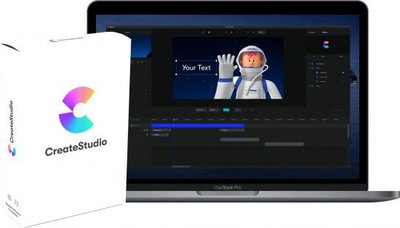
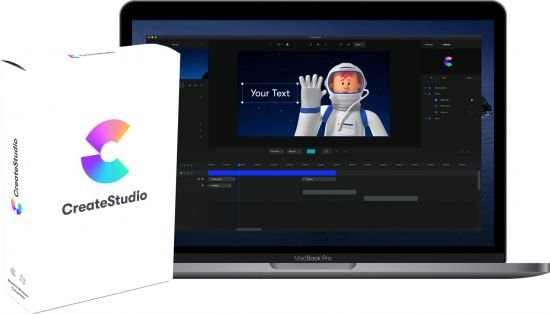
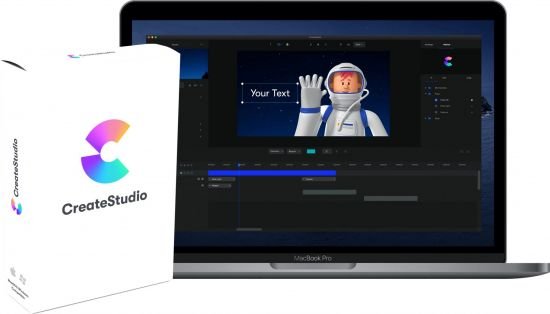
CreateStudio was built to make animating videos and creating awesome content easier.

With CreateStudio you can drag and drop your way, to create videos that are uniquely you. Or you can also choose from our library of templates and customise them to match your mood, theme, or brand.

M187QP4.jpg

easy for everyone!
CreateStudio enables everyone to easily create incredible videos for any kind of purpose in just minutes.

Create incredible videos in just minutes!
Create videos that actually look like they were made by Pixar studio! Simply select a character, choose an action and animate! Great for explainer videos and also eye-candy on your social media post.

Complex animations. Drag & drop simplicity!
Create complex animations and effects with click, drag & drop functionality! We take out the complexity, and allow you to make complex animations with ease.

Complex animations. Drag & drop simplicity!
Create complex animations and effects with click, drag & drop functionality! We take out the complexity, and allow you to make complex animations with ease.

Complex animations. Drag & drop simplicity!
Create complex animations and effects with click, drag & drop functionality! We take out the complexity, and allow you to make complex animations with ease.

Speed up your animating with motion presets
Animating has never been so easy. Simply click to preview and click to add the animation to your layer. You can also create custom animations on our timeline for more advanced flexibility.

Speed up your animating with motion presets
Animating has never been so easy. Simply click to preview and click to add the animation to your layer. You can also create custom animations on our timeline for more advanced flexibility.

Easily Create Premium Character Explainer Videos
Quickly & easily remove any background colour from both videos & images to create your own green screen videos. Works with any colour background.

Animated Emojis, Backgrounds & Motion Graphics
Simply drag & drop animated emoji's, motion graphics, transitions, icons and more to quickly create great looking videos!

Create Teaser Videos
Quickly create incredible teaser styled videos to promote your own products are services. This video was completely designed and animated inside CreateStudio.

Create Promotional Videos
Showcase your own videos and images with sleek and modern promotional videos. Mask your media with different shapes and animaste them for elegant styles.

Create Explainer Videos
Quickly create stunning videos by simply selecting pre-made characters, assets & elements and customise to your own brand and style.

More Info:
Download Instructions:
412 Mb
rar/zip archive
Language: English

 
Create Studio v1.4.0

th_nchhp7x62c9aghhlqcsqk1y.jpg


Create Studio v1.4.0

Größe: 409 MB
Sprache: Multi
Format: Exe
Plattform: Windows

CreateStudio wurde entwickelt, um das Animieren von Videos und das Erstellen großartiger Inhalte zu vereinfachen.

Mit CreateStudio können Sie per Drag & Drop Videos erstellen, die einzigartig für Sie sind. Sie können auch aus unserer Vorlagenbibliothek auswählen und diese an Ihre Stimmung, Ihr Thema oder Ihre Marke anpassen.

Animation leicht gemacht für alle
Mit CreateStudio kann jeder in nur wenigen Minuten auf einfache Weise unglaubliche Videos für jeden Zweck erstellen.

Uploaded.net
Oboom.com
Rapidgator.net

 
Create Studio v1.4.0 (x64)


5be903dc07b65a370e08bf71c008d943.jpg


Create Studio v1.4.0 (x64) | 729 MB | Language: English


CreateStudio was built to make animating videos and creating awesome content easier.

With CreateStudio you can drag and drop your way, to create videos that are uniquely you. Or you can also choose from our library of templates and customise them to match your mood, theme, or brand.

Animation made easy for everyone
CreateStudio enables everyone to easily create incredible videos for any kind of purpose in just minutes.

Create incredible videos in just minutes!
Create videos that actually look like they were made by Pixar studio! Simply select a character, choose an action and animate! Great for explainer videos and also eye-candy on your social media post.

Complex animations. Drag & drop simplicity!
Create complex animations and effects with click, drag & drop functionality! We take out the complexity, and allow you to make complex animations with ease.

Complex animations. Drag & drop simplicity!
Create complex animations and effects with click, drag & drop functionality! We take out the complexity, and allow you to make complex animations with ease.

Complex animations. Drag & drop simplicity!
Create complex animations and effects with click, drag & drop functionality! We take out the complexity, and allow you to make complex animations with ease.

Speed up your animating with motion presets
Animating has never been so easy. Simply click to preview and click to add the animation to your layer. You can also create custom animations on our timeline for more advanced flexibility.

Speed up your animating with motion presets
Animating has never been so easy. Simply click to preview and click to add the animation to your layer. You can also create custom animations on our timeline for more advanced flexibility.

Easily Create Premium Character Explainer Videos
Quickly & easily remove any background colour from both videos & images to create your own green screen videos. Works with any colour background.

Animated Emojis, Backgrounds & Motion Graphics
Simply drag & drop animated emoji's, motion graphics, transitions, icons and more to quickly create great looking videos!

Create Teaser Videos
Quickly create incredible teaser styled videos to promote your own products are services. This video was completely designed and animated inside CreateStudio.

Create Promotional Videos
Showcase your own videos and images with sleek and modern promotional videos. Mask your media with different shapes and animaste them for elegant styles.

Create Explainer Videos
Quickly create stunning videos by simply selecting pre-made characters, assets & elements and customise to your own brand and style.

System Requirements:
Windows:Windows 7 and later
RAM: 4GB (Recommended 8GB or more)
Hard Disk Space: 4GB for program installation (would need even more if downloading all our available assets)
Graphics: Intel HD Graphics 5000 or later; NVIDIA GeForce GTX 700 or later; AMD Radeon R5 or later.

Whats New:
Homepage:


DOWNLOAD LINKS:


Create Studio v1.4.0 (x64)

Englisch / inkl. Crack + Anleitung / 64-Bit

create8wu8j2y.png


Beschreibung:

CreateStudio wurde entwickelt, um das Animieren von Videos und das Erstellen großartiger Inhalte zu vereinfachen.

Mit CreateStudio können Sie per Drag & Drop Videos erstellen, die einzigartig für Sie sind. Sie können auch aus unserer Vorlagenbibliothek auswählen und diese an Ihre Stimmung, Ihr Thema oder Ihre Marke anpassen.

Animation leicht gemacht für alle
Mit CreateStudio kann jeder auf einfache Weise in nur wenigen Minuten unglaubliche Videos für jeden Zweck erstellen.

Erstellen Sie unglaubliche Videos in nur wenigen Minuten!
Erstellen Sie Videos, die tatsächlich so aussehen, als wären sie von Pixar Studio erstellt worden! Wähle einfach einen Charakter aus, wähle eine Aktion und animiere! Ideal für Erklärvideos und auch als Augenweide in Ihrem Social-Media-Beitrag.

Komplexe Animationen. Drag & Drop-Einfachheit!
Erstellen Sie komplexe Animationen und Effekte mit Klick-, Drag & Drop-Funktionen! Wir nehmen die Komplexität heraus und ermöglichen es Ihnen, komplexe Animationen mit Leichtigkeit zu erstellen.

Komplexe Animationen. Drag & Drop-Einfachheit!
Erstellen Sie komplexe Animationen und Effekte mit Klick-, Drag & Drop-Funktionen! Wir nehmen die Komplexität heraus und ermöglichen es Ihnen, komplexe Animationen mit Leichtigkeit zu erstellen.

Komplexe Animationen. Drag & Drop-Einfachheit!
Erstellen Sie komplexe Animationen und Effekte mit Klick-, Drag & Drop-Funktionen! Wir nehmen die Komplexität heraus und ermöglichen es Ihnen, komplexe Animationen mit Leichtigkeit zu erstellen.

Beschleunigen Sie Ihre Animation mit Bewegungsvoreinstellungen
Das Animieren war noch nie so einfach. Klicken Sie einfach auf eine Vorschau und klicken Sie, um die Animation zu Ihrer Ebene hinzuzufügen. Sie können auch benutzerdefinierte Animationen auf unserer Timeline erstellen, um die Flexibilität zu erhöhen.

Beschleunigen Sie Ihre Animation mit Bewegungsvoreinstellungen
Das Animieren war noch nie so einfach. Klicken Sie einfach auf eine Vorschau und klicken Sie, um die Animation zu Ihrer Ebene hinzuzufügen. Sie können auch benutzerdefinierte Animationen auf unserer Timeline erstellen, um die Flexibilität zu erhöhen.

Erstellen Sie ganz einfach Premium Character Explainer-Videos
Entfernen Sie schnell und einfach Hintergrundfarben aus Videos und Bildern, um Ihre eigenen Greenscreen-Videos zu erstellen. Funktioniert mit jedem Farbhintergrund.

Animierte Emojis, Hintergründe und Bewegungsgrafiken
Ziehen Sie animierte Emojis, Bewegungsgrafiken, Übergänge, Symbole und mehr einfach per Drag & Drop, um schnell gut aussehende Videos zu erstellen!

Erstellen Sie Teaser-Videos
Erstellen Sie schnell unglaubliche Videos im Teaser-Stil, um für Ihre eigenen Produkte zu werben. Dieses Video wurde vollständig in CreateStudio entworfen und animiert.

Erstellen Sie Werbevideos
Präsentieren Sie Ihre eigenen Videos und Bilder mit eleganten und modernen Werbevideos. Maskieren Sie Ihre Medien mit verschiedenen Formen und animieren Sie sie für elegante Stile.

Erstellen Sie Erklärungsvideos
Erstellen Sie schnell atemberaubende Videos, indem Sie einfach vorgefertigte Charaktere, Elemente und Elemente auswählen und an Ihre eigene Marke und Ihren eigenen Stil anpassen.

_________________________________________________

Größe: 730 MB
Sprache: Englisch
Format: Exe
Plattform: Windows (64-Bit)
Hoster: RapidGator.net, Alfafile.net, Ddownload.com
________________________________________

7AC0F5EA7B.png


Zurück
Oben Unten